Customer Ratings & Reviews
- Model:
- RZ01-04620100-R3U1
- |
- SKU:
- 11871198
Customer reviews
Rating 4.6 out of 5 stars with 698 reviews
(698 customer reviews)Rating by feature
- Value4.3
Rating 4.3 out of 5 stars
- Quality4.6
Rating 4.6 out of 5 stars
- Ease of Use4.7
Rating 4.7 out of 5 stars
to a friend
Rated 5 out of 5 stars
Most comfortable mouse I've used in a long time.
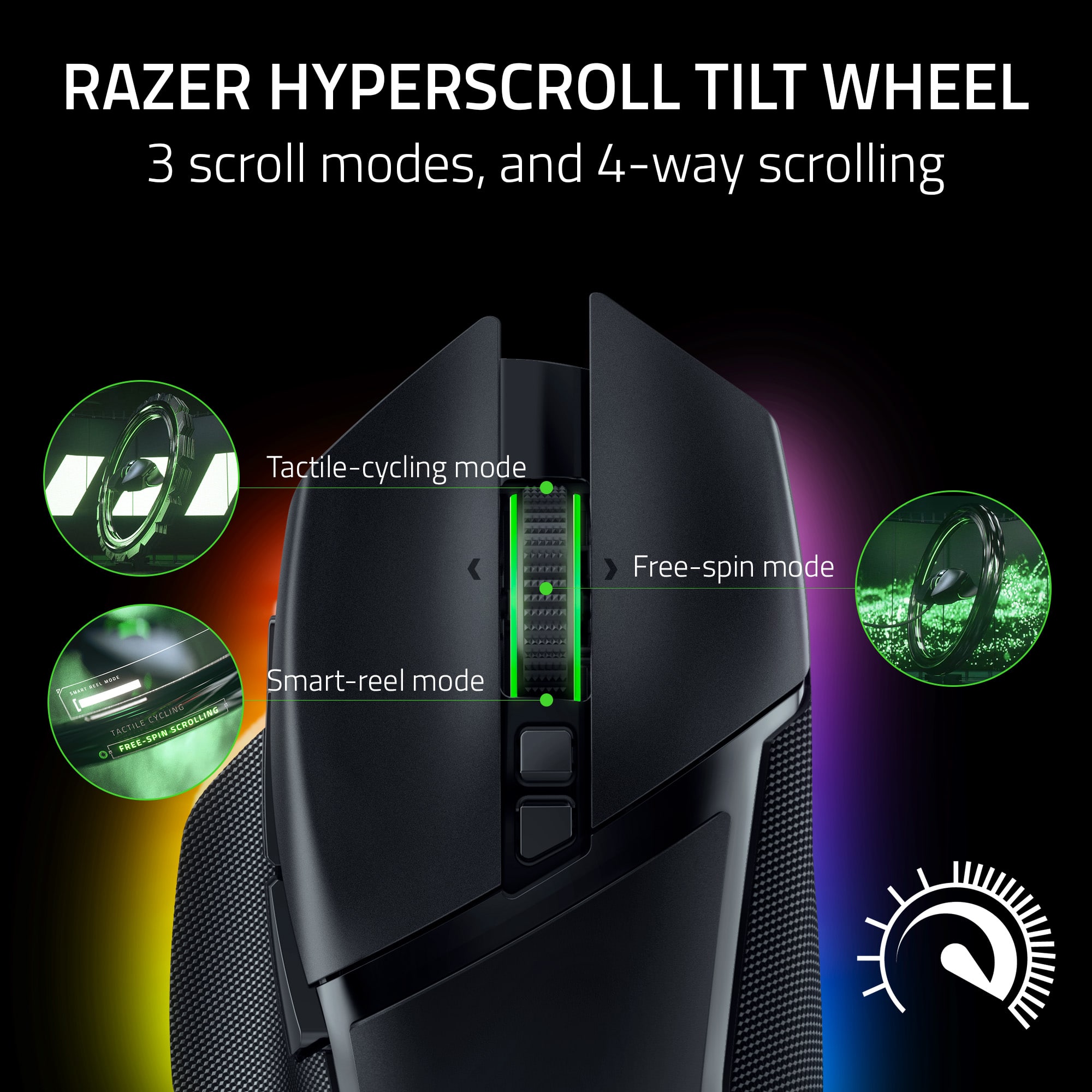
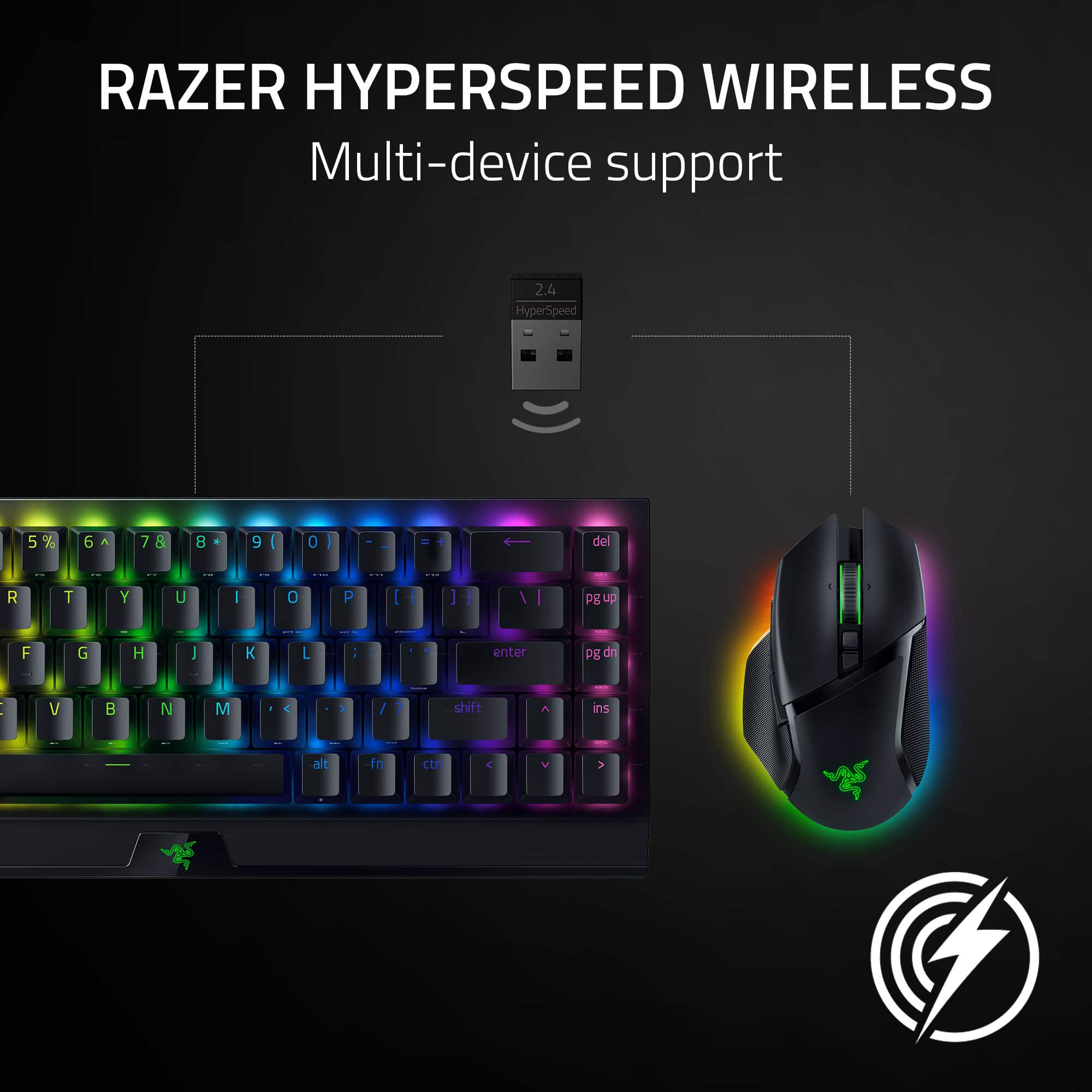
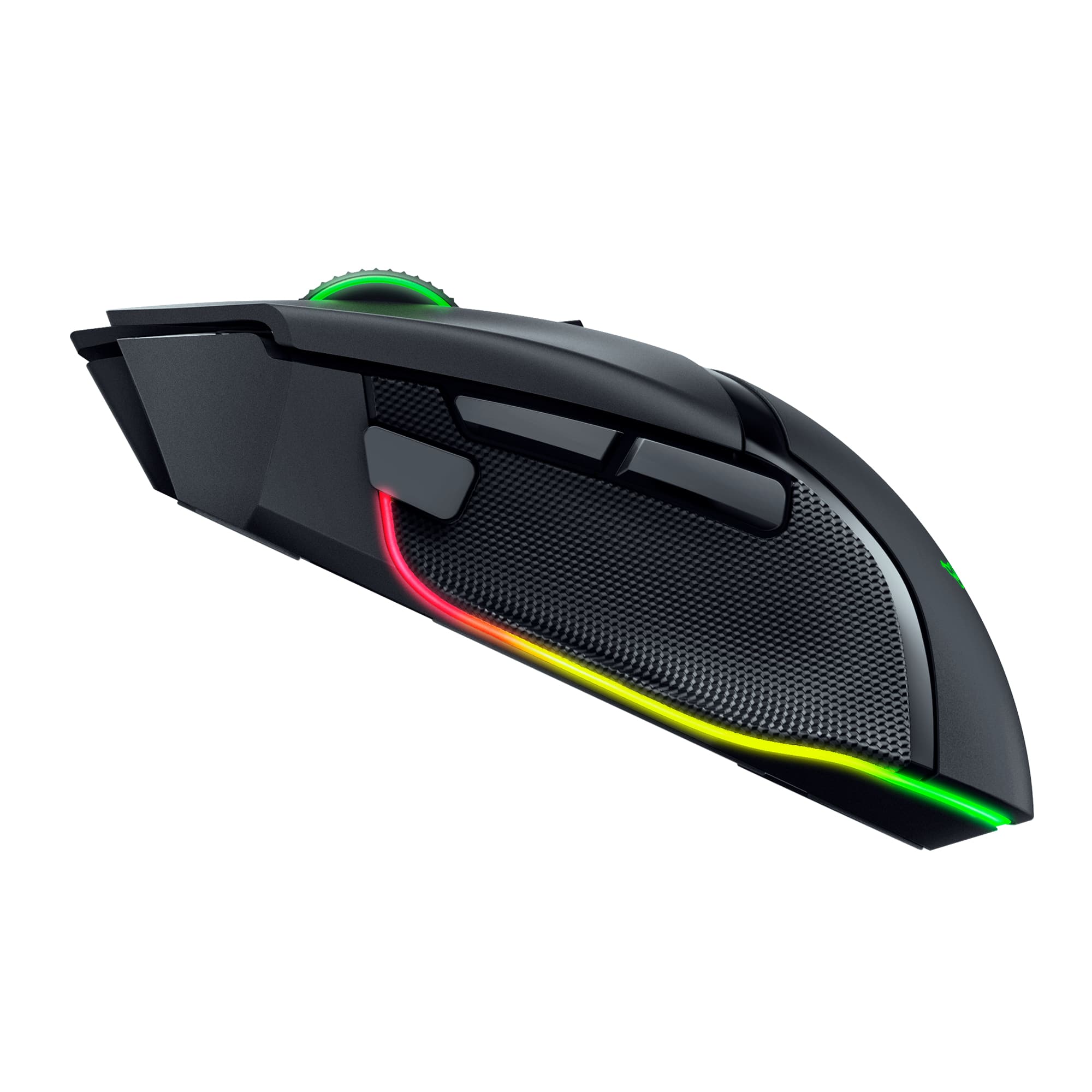
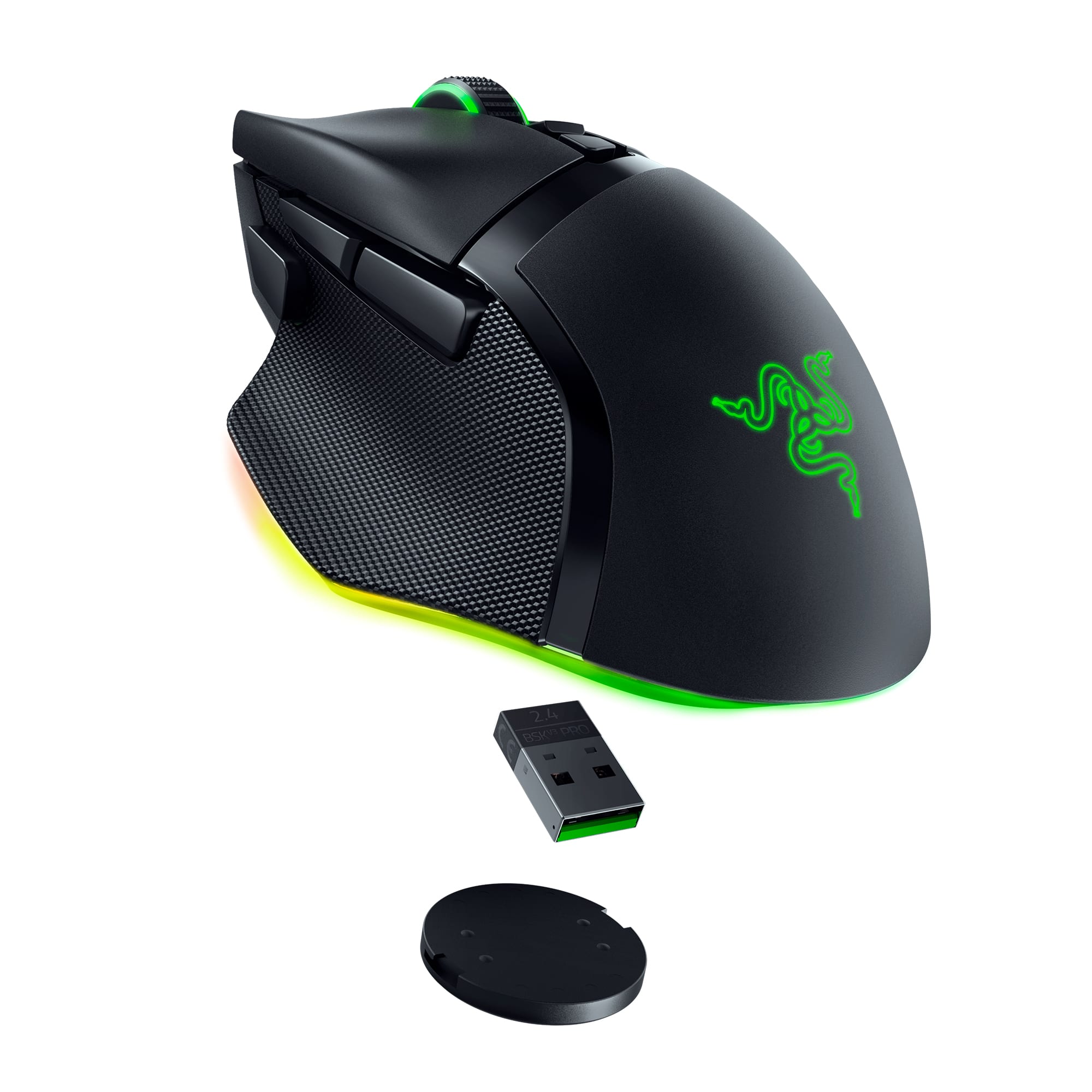
|Posted .This reviewer received promo considerations or sweepstakes entry for writing a review.I've been testing a lot of different mice lately and I've found another one that's going to stick around as a daily driver for a while. I've more recently determined that I'm much better off with these styles of mouse as opposed to more symmetrical shaped mice just for wrist comfort and this guy fits my grip extremely well. I haven't noticed any comfort issues and some soreness that I had while using my old Logitech G Pro Wireless have pretty much gone away. Setup is a piece of cake no matter how you plan to connect this mouse. You have options. You can use the included dongle for the "fastest" wireless connection. That's as easy as plugging it in and turning on your mouse to the 2.4 setting. Then you can go with Bluetooth if you're using a computer or laptop that supports it. You'll have to go through the standard Bluetooth setup but that's it. Or you can just plug the nice, soft cable in to run it wired (and also charge the battery). All of these options are basically plug and play. You can also install the Razer Synapse software to customize the buttons, lighting, power settings and DPI for the mouse. As stated earlier, this is probably one of the most comfortable mice I've used. I have a drawer with at least 5 or 6 mice in it right now and this one just felt great right off the bat as soon as I started using it and I haven't felt any discomfort or strain at all. Obviously this is going to be subjective and you'll need to feel the mouse yourself to know if it's the right fit for you. The buttons all feel pretty good and easy to use. There's 3 buttons on the right side but the third thumb tip button actually feels pretty easy and good to press. I don't find myself going out of the way to press anything. The top middle buttons under the mouse wheel are in a similar spot to other mice I've used and work well. One thing I really like is the button directly under the mouse wheel that switches the mouse wheel from a clicky wheel to a smooth wheel. In other mice I've used, this was kind of a mechanical button that locked the wheel into clicky or smooth positions but on this mouse, it's a digital button that can be reconfigured if you'd like. The best part of it being digital is there's an option (off by default) in the Synapse software that allows you to automatically switch to smooth wheel if you scroll fast enough and then automatically switch back to clicky when it detects the wheel has stopped enough. Takes a second to get used to but I really like it now. Overall, I think this mouse is going to stick around for a while. I like testing out new mice but I don't foresee one overtaking this as my daily driver for a while. If you have a chance to hold this mouse in your hand to see if it's as comfortable for you as it is for me, then pull the trigger on this one. I'm a fan.
This review is from Razer - Basilisk V3 Pro Optical Gaming Mouse with HyperScroll Tilt Wheel - Wireless - Black
I would recommend this to a friendRated 4 out of 5 stars
Features Galore with Mesmerizing RGBs
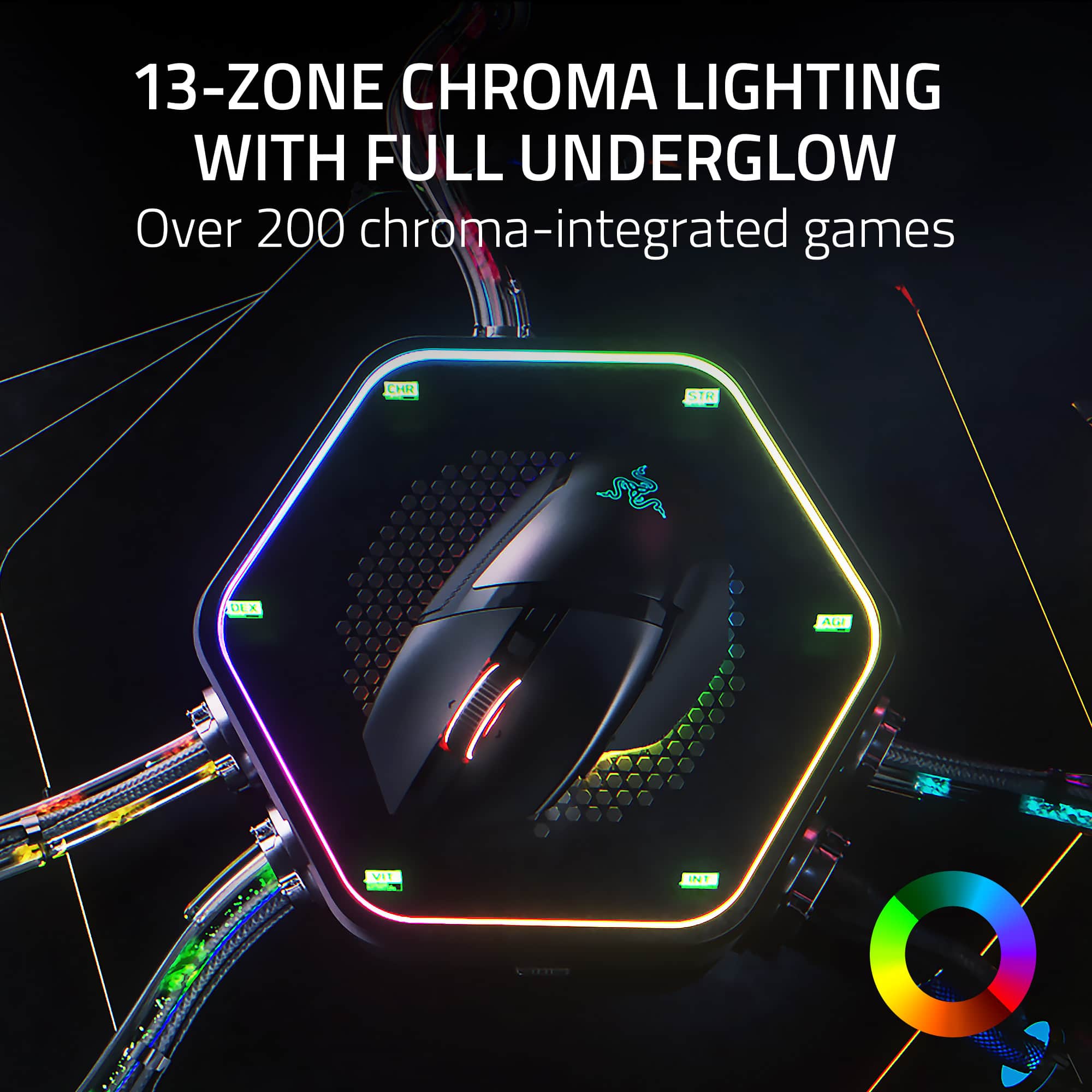
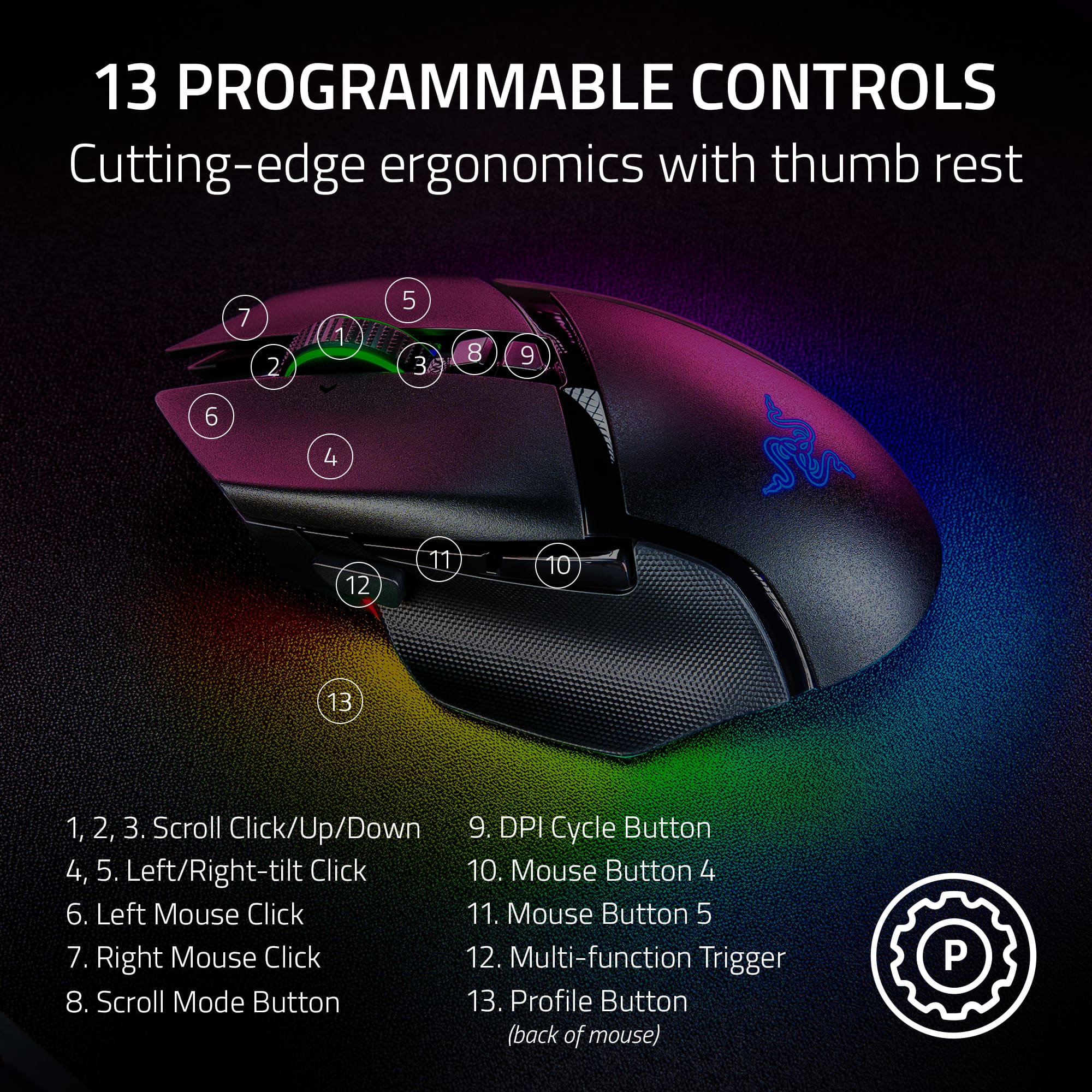
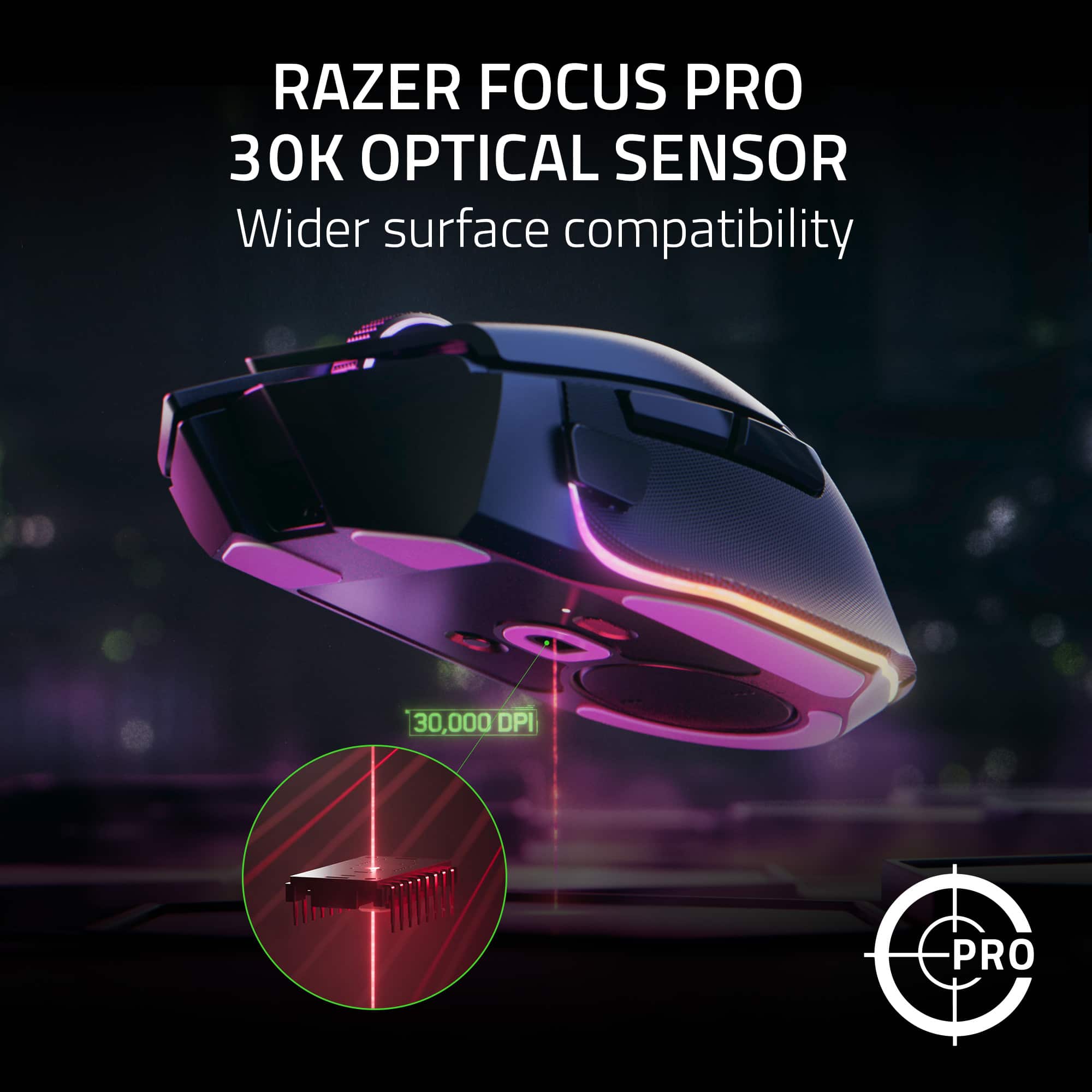
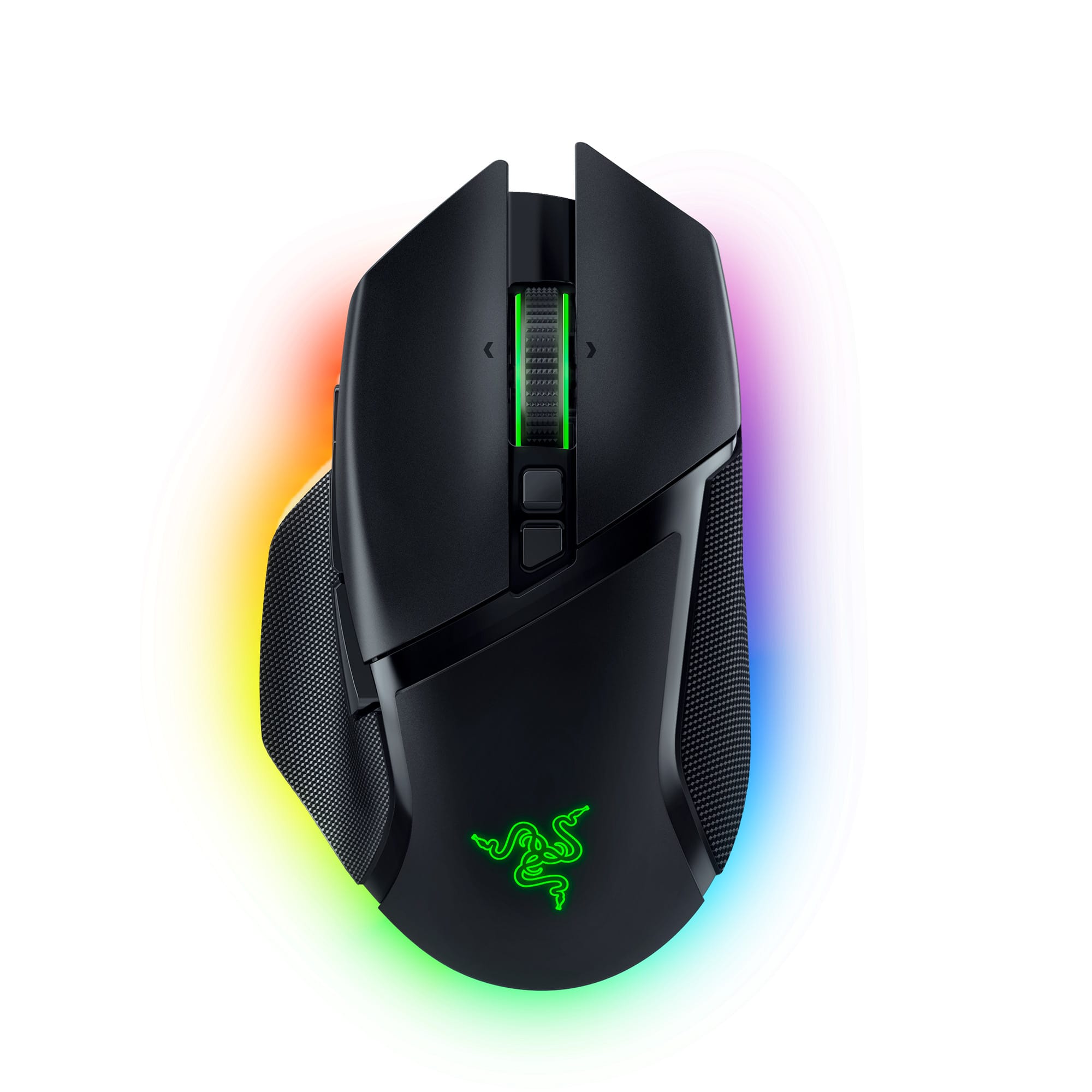
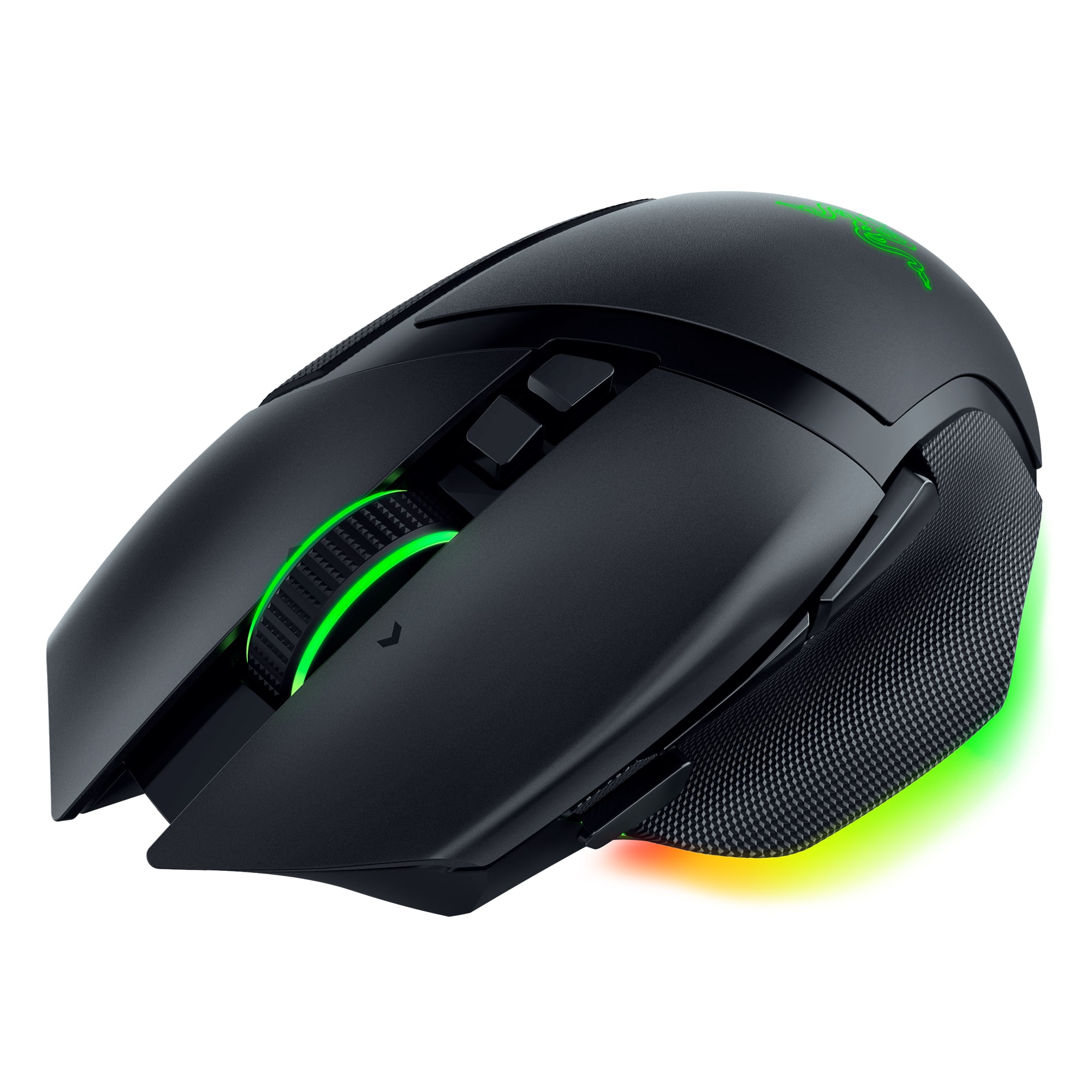
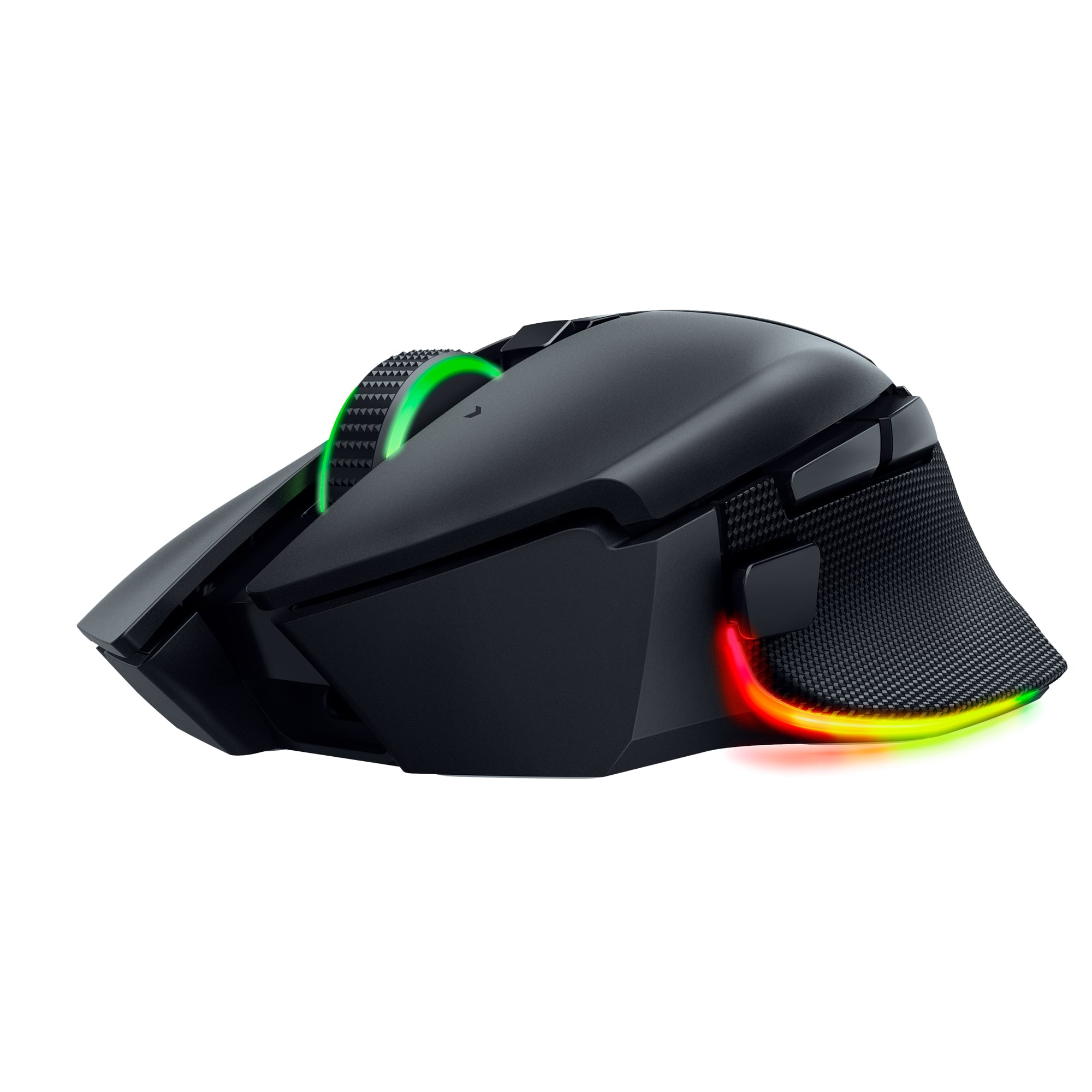
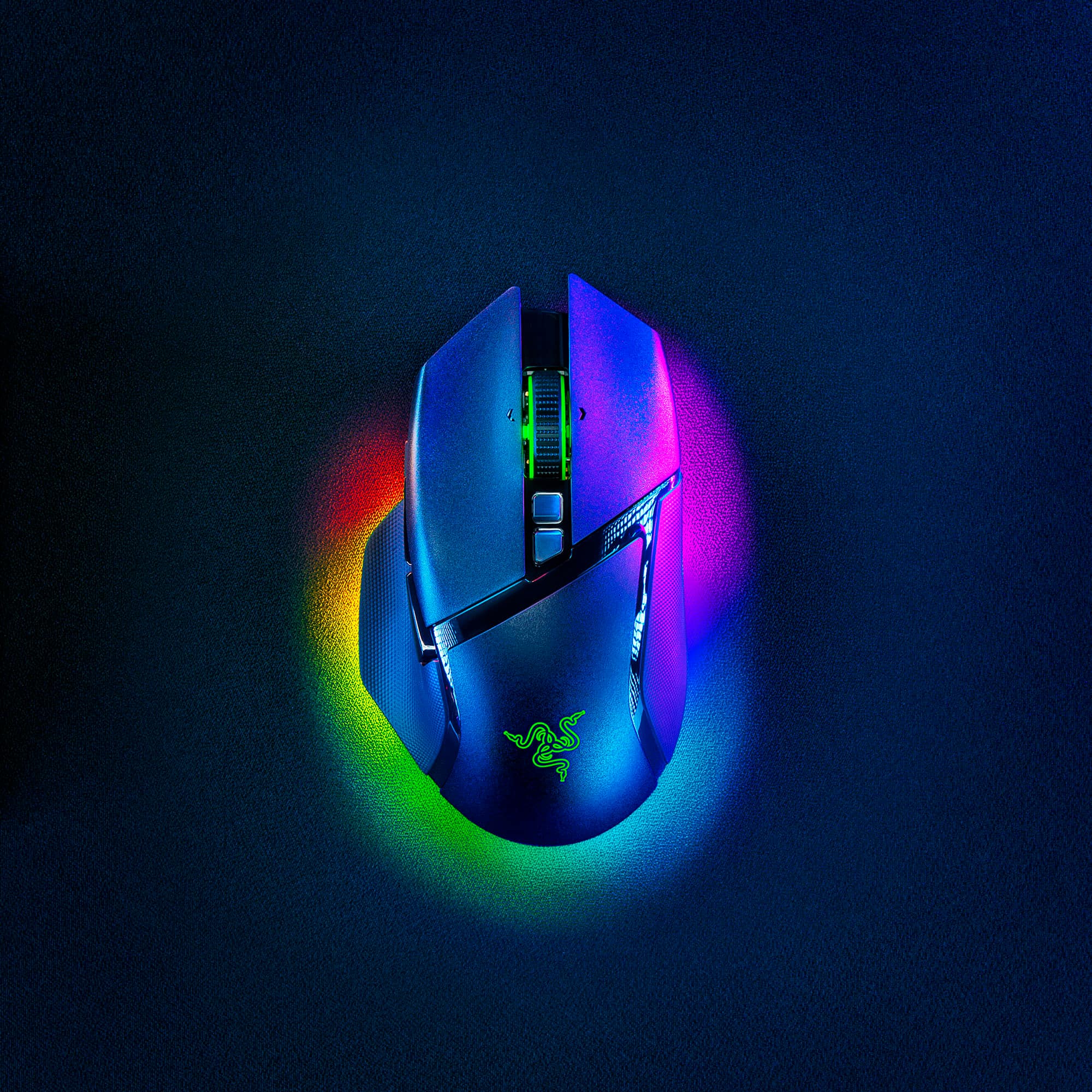
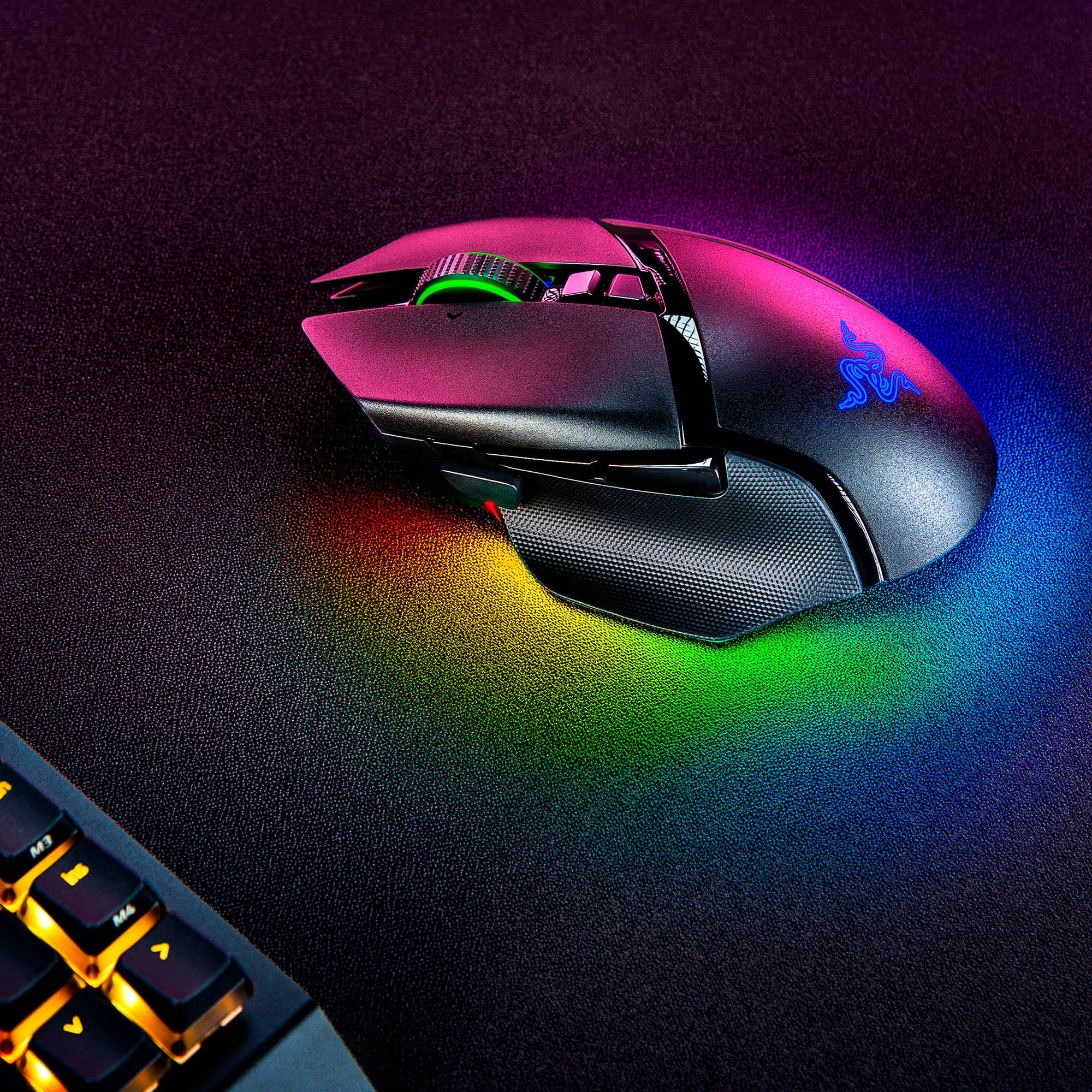
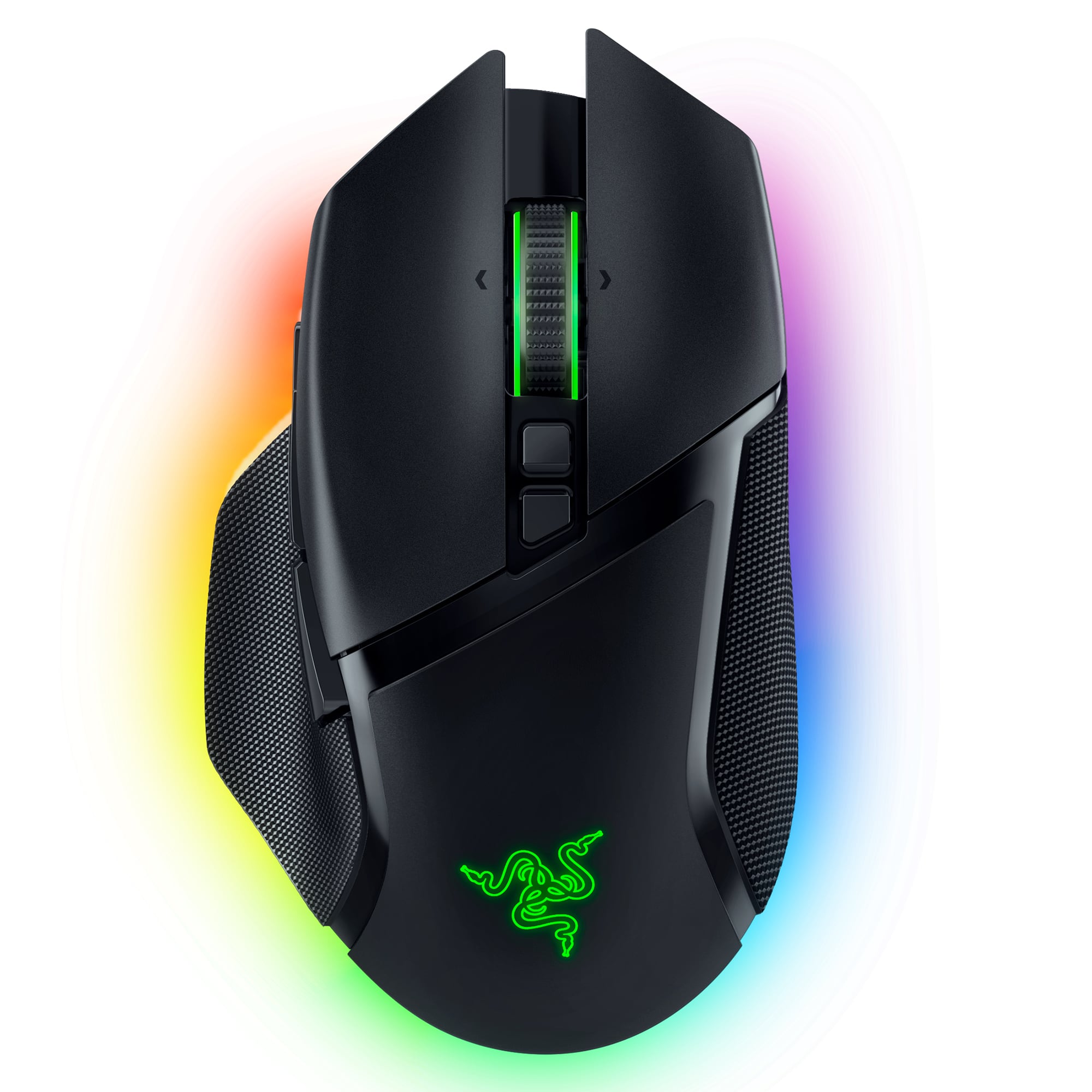
|Posted .This reviewer received promo considerations or sweepstakes entry for writing a review.The Razer Basilisk V3 Pro wireless is a more than capable all-around rechargeable programmable gaming mouse. The beautiful design and material choice are almost a replica of the Basilisk V3 with the cord cut. The matte finish keeps fingerprints away, and the rubber grips are right where you need them to control this beast. There are bits of glossy plastic that will show fingerprints but easily wipes off. Using Synapse, you can bind keys and commands to 13 spots on this mouse to include an excellent scroll wheel; it is perfect for palm grippers once you get past the weight of this thing. If you like lightweight mice or play as a competitive online gamer, this is not for you STRAIGHT UP. Fatigue will set in after long sessions until you get a Popeye forearm! If you have smaller hands, you may find this too big, and buttons may be uncomfortable. However, if you are a sucker for nice RGBs, all the features packaged in the 13-zone Chroma Lighting with complete under glow and scroll wheel RGBs may make you overlook the weight - like me. Wireless performance is perfect, with reliability, stability, and speed at its core. The Razer Focus Pro 30K is a new sensor that works on glass and is the best currently on the market for DPIs. You can switch from a clicky scroll wheel to smooth scrolling with just a click - right next to a button set DPI jumps. This allows for highly tunable DPIs and a sniper button to drop DPIs for headshots. This mouse has so much good going on, yet I continually say, "if only it weren't so heavy ."With tons of features, it has the weight and price to match, but you get what you pay for. The Basilisk Wireless V3 Pro adds value by doubling as a stylish productivity beast with customizability. It best suits a relaxed palm grip because it is so large, but the claw grip worked well during gaming. Some may find their pinky in no man's land on the edge of a rubbery grip and smooth matte plastic finish annoying. You may need to put it on the side of the right mouse button. Synapse is great but optional due to the ability to store onboard profiles. After initial setup, you can load the mouse how you like and uninstall Synapse if you don't want it on your system. I, however, recommend using it unless it causes issues with your system. In Synapse, you can unlock endless potential and abilities only limited by the user's creativity. Set specific profiles or key settings to launch per application or game for TRUE power and customizability. Video editing? Load your favorite shortcut keys for Premiere Pro and DaVinci Resolve. Maybe you want to load another set for Excel to store formulas and other macros. When you are ready to play, launch a game with different keys for unwinding time. It has 2.4GHz HyperSpeed Wireless, Bluetooth, and can also be used like a traditional wired mouse while charging, making this portable and adaptable. You can upgrade to wireless charging by getting the modular wireless Qi charge puck. The 2.4GHz USB receiver is self-contained in the mouse's body and can pair to a Razer keyboard and mouse to save a USB port on your system. Battery life will vary, but I easily made it through a week of use between working and gaming for about 8 hours a day. The RGBs are crucial to battery life. Just manage brightness and effects to get better battery life - enjoy those things more and keep your USB nearby to charge daily. The Razer Gen 3 Optical Mouse Switches have a nice click and work fast without pre or post-travel. Actuation is fast, and the sound is similar to other gaming mouse switches. The design and RGB diffusion are just mesmerizing to look at. The amount of RGBs in various places makes this shine. The touch on the scroll wheel brings balance. Switches sound on par with other mice, so I can't complain. In all, this is a great device if you have the money and can deal with the size and weight. I have no doubt this will be useful and suitable for any gamer who can get over the weight.
This review is from Razer - Basilisk V3 Pro Optical Gaming Mouse with HyperScroll Tilt Wheel - Wireless - Black
No, I would not recommend this to a friendRated 5 out of 5 stars
Great mouse
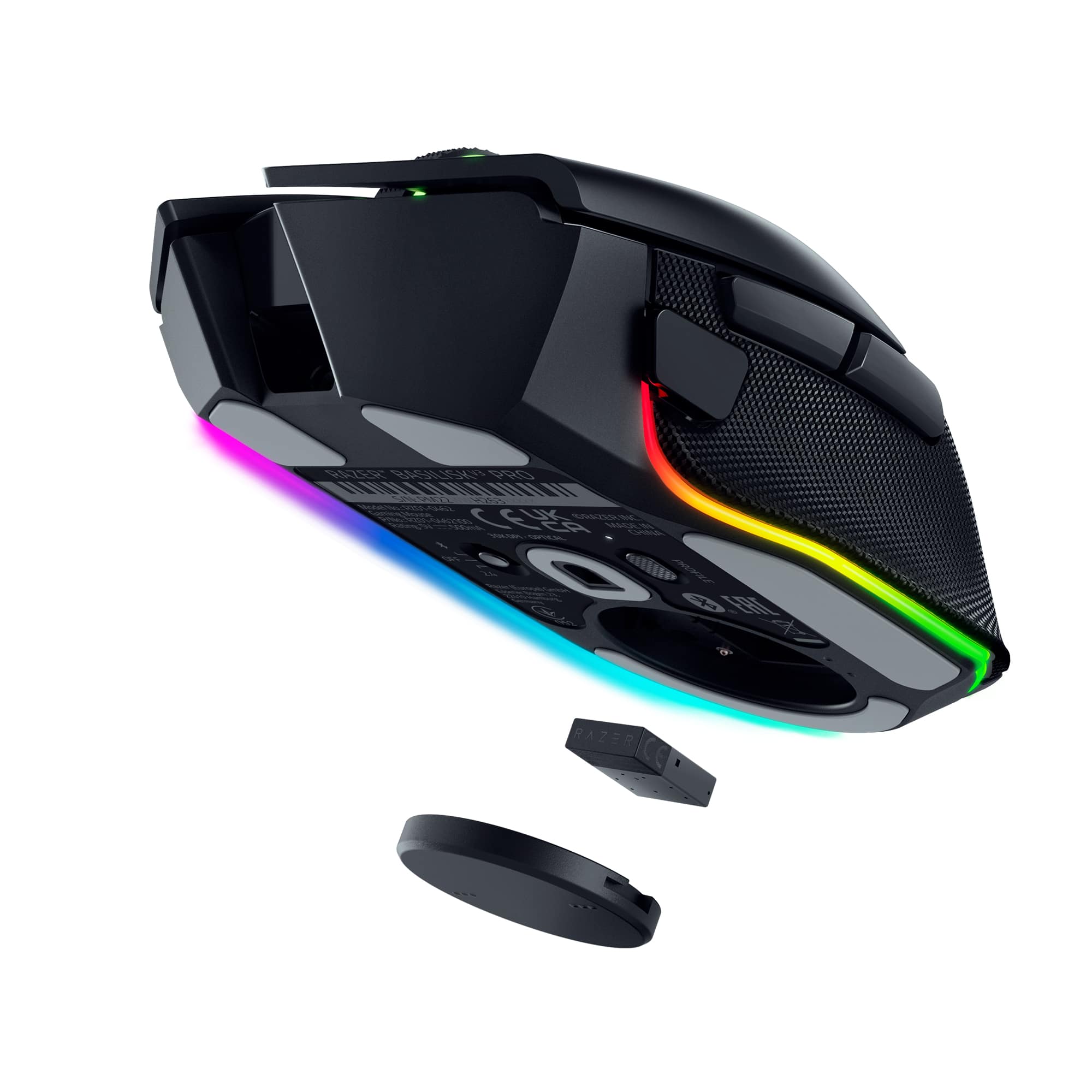
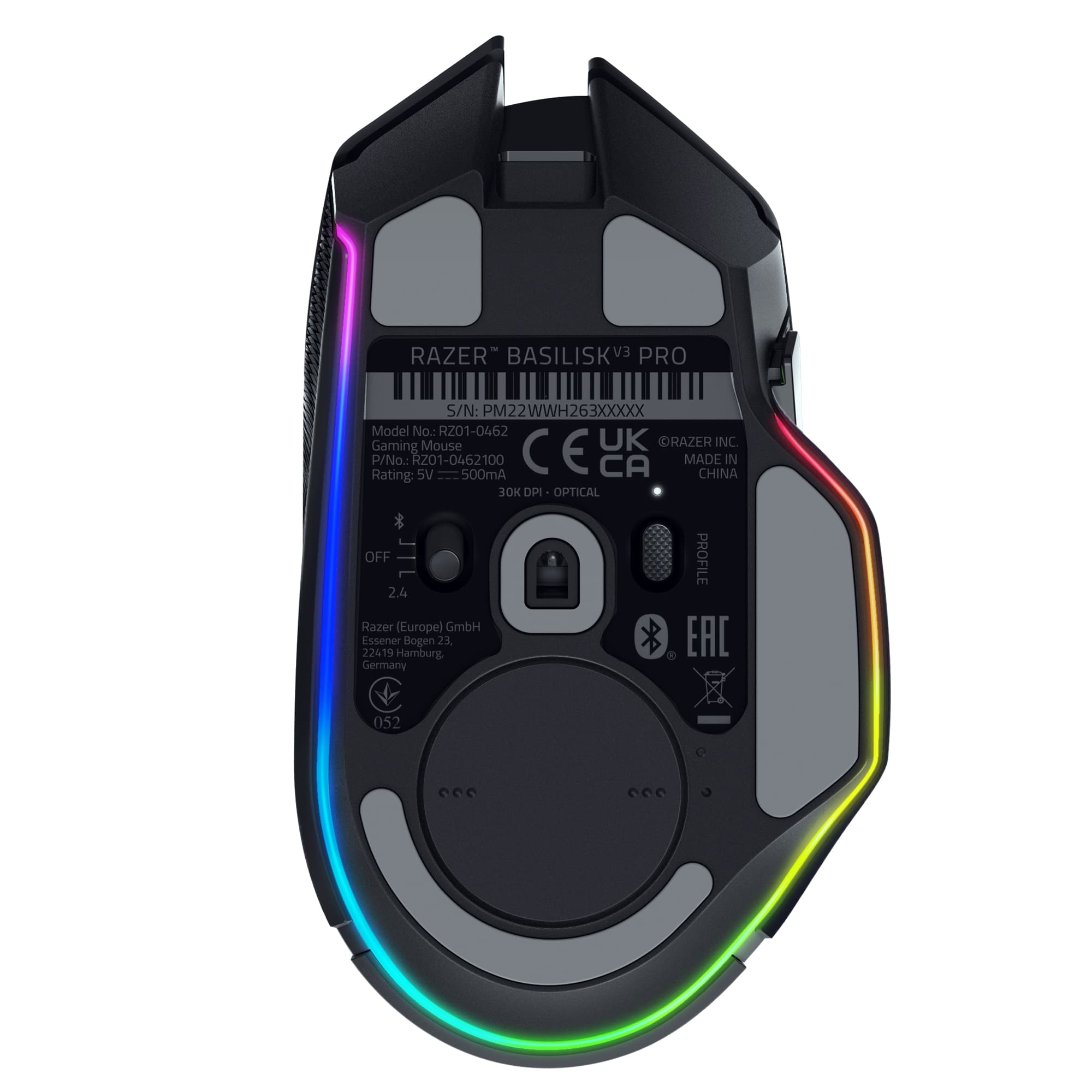
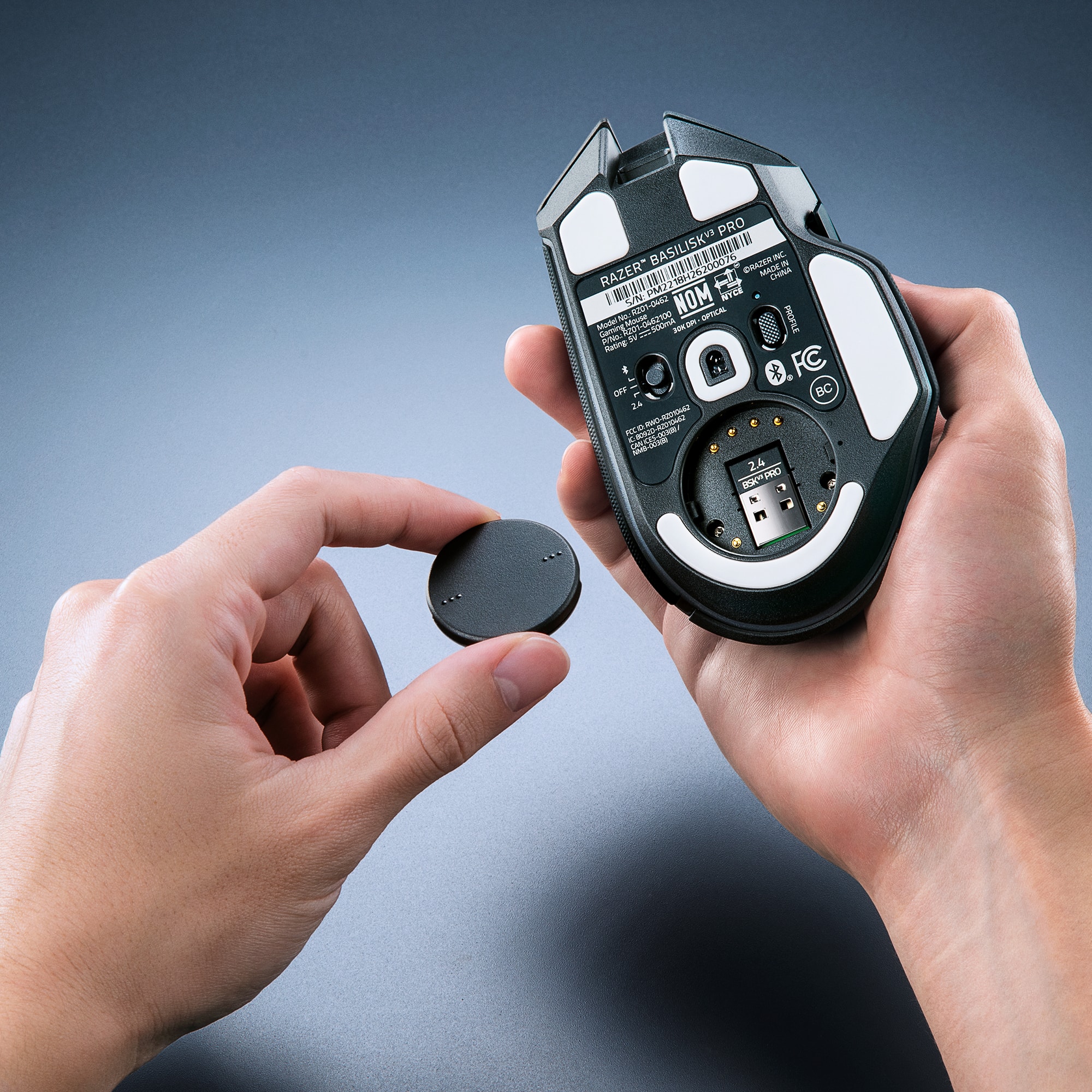
|Posted .This reviewer received promo considerations or sweepstakes entry for writing a review.So far, my favorite mouse to use. It feels great in my hand. There are a couple cons for me that I will first mention. First was the software. For some reason I had to reinstall the software from Razer website for the software to recognize the mouse. Not too big a deal for me, but not sure why having it updated did not work but downloading from site worked. But it worked after and seems to work great so far. The other con I would have liked to see is a third button under the mouse wheel. The button directly under default allows the mouse wheel to free spin or click spin. The button under that goes thru your DPI settings up and then once maxed out on DPI it will loop thru and go to the lowest DPI setting and cycle thru that way. I would rather have another button so that one just goes up for DPI and the other would go down for DPI. That said, there is an option that I did but then it takes away the option to have a free spin or click mouse. And that was to make the top button for DPI up and then the bottom button for DPI down. This is a nice option with this mouse that I like. I don't use the free spin mouse anyways. But like I said, having a third button would have been nice. Outside of those couple things, I have really enjoyed the mouse a lot. I mainly use it wired as I have a mouse bungee. But have used it all week to test with the adaptor and no issues for me on disconnects, or even battery running out. I game a couple hours at least a day, and more on weekends. You have 3 options with this mouse as for connecting. Bluetooth, the 2.4ghz adapter or just keep the mouse in off and plug it in directly. The mouse has a nice spot in the bottom that you open and can keep the adapter in. It fits nicely in my hand. Were the thumb sits, has a nice spot that the thumb rest on. Like I mentioned above with the button under the mouse wheel, you can customize the mouse buttons and the mouse with RGB lights. I like making the side button for my mouse DPI to go to a higher DPI. So, in shooter/BR games when I press and hold that button my mouse speed is faster, so I look around fast. But you can assign it different functions. It has been smooth on my mouse pad and tracking. I love that you have a few RGB areas to change if want. Or you can just turn off the RGB if that is not your thing. A great wireless and wired mouse. When I am on my desktop like I said, I use it wired. When I go to my laptop, I like that I can easily just unplug it, plug in the adaptor and use it wireless. Overall enjoy this mouse and I recommend if you are looking for a good wireless mouse.
This review is from Razer - Basilisk V3 Pro Optical Gaming Mouse with HyperScroll Tilt Wheel - Wireless - Black
I would recommend this to a friendRated 5 out of 5 stars
Great Gaming mouse!
|Posted .This reviewer received promo considerations or sweepstakes entry for writing a review.The Razer Basilisk V3 Pro mouse is a fantastic mouse with many ways to customize it. When I picked up the mouse for the first time, I was amazed by how comfortable it is and how it feels like its molded to my hand. The design of this mouse was astonishing, not only does it feal comfortable to hold, but its surprisingly light. The optical sensor has a DPI of up to 30k, it’s incredibly accurate and it does work on glass. The mouse has 10 + 1 customizable buttons. The mouse wheel has 2 different scrolling methods; fast and tactical and these can both be toggled by the click of a button. I love having these options, because it gives you that precise scrolling for when you need more accuracy, it also gives you smooth and fast scrolling for when you need it. The scroll wheel also does side scrolling as well. A nice thing about this mouse is when you connect it to your computer for the first time, it automatically installs the drivers plus an assortment of useful software (all are optional to install). There are 3 ways to connect the mouse to your computer; Bluetooth, Wired, and USB dongle. Chroma Studio is useful and easy to use, this is the software that lets you customize the LED colors on your mouse. What’s cool about the LEDS on this mouse, the strip on the bottom that wraps around the whole mouse looks like it’s one solid color, but it’s actually divided in 11 different sections. This is cool because you can customize each section a different color. You can also customize the Razer logo and the mouse wheel. There are many different lighting affects you can add, or you can create your own effects. I decided to create my own, this is where I found out you can’t save your effect to your on-board memory. You can save your effect to your account though, the difference being you can load your custom effect only when you have the software installed to your computer and you’re signed into your Razer account. It would be nice if there was a way to save your custom effect to the on-board memory without having to use the software. Overall, this is a fantastic mouse. The 11 customizable LED lights, make the mouse look amazing and unique. The 30k DPI sensor works incredibly fast and accurate. The scroll wheel is on another level with the ability to switch from tactical to smooth on the fly. The 10 + 1 customizable buttons make for a great gaming experience. The included software is a great way to customize both the buttons and the LED lights to your choosing. I highly recommend this mouse to anyone looking for a new gaming mouse.
This review is from Razer - Basilisk V3 Pro Optical Gaming Mouse with HyperScroll Tilt Wheel - Wireless - Black
I would recommend this to a friendRated 5 out of 5 stars
Look out newbs, your time is limited
|Posted .This reviewer received promo considerations or sweepstakes entry for writing a review.Well first off this mouse is from a company that excels at gaming accessories. So you know what you are getting is going to step up your game (your talent may vary). So here is my take on this epic piece to of mousing ( yes that is a word,,, I made it up). Good: Fits my hand like it was molded just for me. Colors galore, I mean with the options available you can taste the rainbow (not really, don't lick the mouse) Battery life is really good for the amount of options and tasks you can program this with. Connection is beyond epic. I can connect via cable (with supplied cord and desk weight), bluetooth only (no cable or dongle), or I can use 2.4ghz with supplied USB adaptor. All work flawlessly. Shortcut/task buttons are easy to reach and very responsive. Glides like it is skating on ice with reckless abandon. I had a few times I almost flung it off my desk when I was moving too fast. Lights on this thing are stuff of dreams. I mean the patterns and movement almost make me forget I am playing a game with it. I just stare and drift away. Good weight and well balanced, with no restriction on the way the optics pick up the movement. Different profiles, so you can go from Word to Warcraft without having to figure out your settings. Just a quick switch and you are set for raids aplenty. Center wheel is smooth and very accurate. However, don't spin to quickly or the "Clutch" will disengage to let it spin freely until it slows down. The finger slides are a godsend as I am always rubbing my pinky on the desk and my thumb is getting sore as well until I got this device. I like the switchable DPI settings and mouse speed. I can not tell you how many times I have used for normal work after playing and had my pointer zipping across the screen. Low click reaction? I mean that it takes less effort to get the mouse to register a input signal from either mouse buttons on the front. Makes a big difference when someone it camping you in game. Bad: Would be nice to have a little more info in the box, so I don't have to seach the web for answers. Like "what does this button do" kind of thing Would be nice to have a carry case since it has a few extra items you might want to keep handy if you do LAN parties or on the go gaming. Ugly: Nothing ugly here, except the attitude of the masses I have pwn'd in game with my new mouse.
This review is from Razer - Basilisk V3 Pro Optical Gaming Mouse with HyperScroll Tilt Wheel - Wireless - Black
I would recommend this to a friendRated 5 out of 5 stars
Awesome Wireless Low-Latency Gaming Mouse
|Posted .This reviewer received promo considerations or sweepstakes entry for writing a review.The Razer - Basilisk V3 Pro Wireless Optical Gaming Mouse with Chroma RGB Lighting is a wonderful asset to my gaming experience. The responsiveness is consistently impressive with meticulously accurate precision on all movements. The mouse literally behaves as an extension of your hand. Intuitive and customizable controls ensure you're always in optimal position to take the advantage against your opponents. Ergonomics: The mouse is very comfortable to use. Even at longer durations of playing/use it remains comfortable. The buttons are well placed, and they click & respond exceptionally. The dimensions of the mouse support the palm and wrist, ensuring you don't feel any fatigue in those areas. Design: The design of the Razer - Basilisk V3 Pro Wireless Optical Gaming Mouse is amazing. I love the LED lighting and the options to control the colors. The glow of light is vibrant, and really enhances the experience of using the mouse. I picked my favorite settings and locked them in the profile with no problem. I found it easy to update or change settings as well. I find the Razer - Basilisk V3 Pro Wireless Optical Gaming Mouse to be a solid choice for high end computing and gaming. It is easy to setup, easy to use and works with every game I've played so far (over 12 titles) across various genres... FPS (shooters), Racing simulations, flight simulators, and adventure. The incredible low-latency responsiveness is really hard to ignore. You can almost forget that you're using a mouse with how natural movements and gestures feel. The mouse glides over the mouse pad, so there is no extra friction or drag. The Razer - Basilisk V3 Pro Wireless Optical Gaming Mouse is a great choice and I would definitely recommend to a friend. Do yourself a favor and get one. Your stats will thank you.
This review is from Razer - Basilisk V3 Pro Optical Gaming Mouse with HyperScroll Tilt Wheel - Wireless - Black
I would recommend this to a friendRated 5 out of 5 stars
Great gamer mouse
Posted .This reviewer received promo considerations or sweepstakes entry for writing a review.Very good traces smoothly with no issues, great for gaming!
This review is from Razer - Basilisk V3 Pro Optical Gaming Mouse with HyperScroll Tilt Wheel - Wireless - White
I would recommend this to a friendRated 5 out of 5 stars
Great for general gaming as well as FPS
|Posted .This reviewer received promo considerations or sweepstakes entry for writing a review.This mouse from razer seems to be a good all around build. The packaging was very simple the mouse comes with a usb a to usb c charging cable, an extender if you need to move the usb dongle to get a better signal and the 2.4 ghz usb dongle. Note that you can also just connect the mouse to a device over bluetooth as well. If you are going to go with bluetooth there is a handy compartment on the bottom of the mouse to store the usb dongle when not in use so it doesn't get lost. The mouse is very customizable with the Razer Synapse software you can reconfigure all the buttons, set dpi limits and color options. The mouse itself feels very light in my head and all the buttons felt reachable with my large hands. I feel like I can move it and make accurate shots in shooters but just moving around in the os feels very comfortable and natural. The only downside I have to mention is in regards to charging the mouse. I don't mind that Razer chose to use a non removable rechargeable battery but what I take issue with is that the area you need to plug the cable into is an odd shape. Outside of the included cable if you needed to grab another usb a to usb c cable it might not fit into the notch. Hopefully the OEM cable will just always be found and continue working but I'd like to see less proprietary form factor here and make the area wide enough that any old cable could be substituted in the future. Overall 5 stars purchase plus if you are already a Razer fan and have other accessories syncing everything up together is a breeze with their apps.
This review is from Razer - Basilisk V3 Pro Optical Gaming Mouse with HyperScroll Tilt Wheel - Wireless - Black
I would recommend this to a friendRated 5 out of 5 stars
Super Gaming Mouse (wireless and RGB ergonomic)
|Posted .This reviewer received promo considerations or sweepstakes entry for writing a review.The Razer - Basilisk V3 Pro Wireless Optical Gaming Mouse with Chroma RGB Lighting in black has a solid heft and great build quality. The Basilisk is the perfect size for my hand (my hand is a medium for most purposes). The side grip areas of the Basilisk are rubberized and textured grips that are functional while being unobtrusive during gameplay. The weight of the Basilisk is great for precision cursor control and is still light enough for long and active game sessions. It has a right-handed, unique ergonomic design including a great thumb rest for less finger drag on the mouse pad or surface and for smoother flick action when gaming. The design is almost identical to the Basilisk V2 mouse but includes some great features including a higher possible resolution of 30,000 dots per inch, 13-Zone Chroma Lighting with Full Underglow (this mouse looks like it means business) it also has a very adjustable scroll wheel, the HyperScroll Tilt Wheel. The glide pads on the bottom of the mouse are quite smooth offering almost no drag / resistance. The buttons are easy to depress with just enough resistance to avoid accidental activation. The combination of user definable functional settings along with a plethora of modifications allows for almost an unlimited number of setups. These settings can be retained using the downloadable Razer Synapse software, (that I have used for years) and that easily port over to the mouse’s memory. This is a great, low fatigue, gaming mouse.
This review is from Razer - Basilisk V3 Pro Optical Gaming Mouse with HyperScroll Tilt Wheel - Wireless - Black
I would recommend this to a friendRated 4 out of 5 stars
this could have been called the V3 ultimate
|Posted .This reviewer received promo considerations or sweepstakes entry for writing a review.razer one of my favorite brand is back with this new basalisk v3 pro, hands down one of my favorite designed I started with this design from G502 series and I moved on from their basalisk ultimate, Basalisk V3 Pro is very similar to their Basalisk Ultimate almost every part of the design is identical, definitely the shape did not change, im glad they didn’t and stuck with this perfect design. inside the box you also get a wireless dongle and Raver ultra lite cable that they also had on previous version. finally they moved on from Micro USB to USB C this does make me a lot happier, Micro USB just seems outdated. one of the best part about this new Basalisk V3 is more RGB on the mouse, this time around almost the whole bottom trim have RGB that can be customized, and it looks beautiful when everything synced up to your preferred color, and the looks it gives. the scroll wheel also been updated, but on the previews version I can fully adjust the tension of the wheel right underneath the mice, but Basilisk V3 you will go through adjustments through Razer Synapse, another big changes was the sniper button, in a way I do prefer the look and it’s more of a button than previous Basalisk V2, it’s also not detachable anymore. last thing I don’t like is how expensive this Basalisk V3, for the price, you can get the previous version and with charging doc included, but for this lastest version, you will need to buy it separately, this alot of money of a gaming mouse without a charging doc. the performance is as good as I can remember and using it feels right at home. it’s a beautiful gaming mice with a great weight feel to it, if you don’t want this V3 pro you can always get the regular wired version , but the fact that you have an option to go full wireless or wired is what makes the V3 bundle great. again wish it included the charging doc for the price you pay, such a let down on that part
This review is from Razer - Basilisk V3 Pro Optical Gaming Mouse with HyperScroll Tilt Wheel - Wireless - Black
I would recommend this to a friendRated 5 out of 5 stars
The Ultimate Gaming Mouse
|Posted .This reviewer received promo considerations or sweepstakes entry for writing a review.The Razer Basilisk V3 Pro wireless optical gaming mouse with Chroma RGB lighting is the ultimate gaming mouse. It's one of the most accurate gaming mice I have used. There is absolutely no noticeable difference between using it wirelessly vs using the cord while charging, zero lag. The charge cord is extremely flexible. So much so that it feels like you're still using the mouse wirelessly. I really like this about this mouse. This cord also connects to an included adapter that can hold the wireless receiver, so you can easily switch between the two modes if you need to charge the mouse. This is a very smart design in my opinion. This mouse has a very ergonomic design. I do not get any hand fatigue while using it. All the buttons are easily accessible and have a very satisfying click so you know you've pressed the button, giving you excellent positive feedback while gaming. You can also tilt scroll wheel left or right for added button presses you can customize which seems to be rare in todays gaming mice. The Synapse software is easy to navigate and use to customize the mouse buttons the RGB. It Also has Bluetooth connectivity, so traveling without your wireless receiver won't be an issue with most of todays laptops including Bluetooth. Likes: 1.) Zero lag 2.) The best(flexible) charge cord 3.) Excellent supporting software Dislikes: 1.) None
This review is from Razer - Basilisk V3 Pro Optical Gaming Mouse with HyperScroll Tilt Wheel - Wireless - Black
I would recommend this to a friendRated 5 out of 5 stars
Another Great Gaming Mouse from Razer
|Posted .This reviewer received promo considerations or sweepstakes entry for writing a review.Razer hits another one out of the park! The Razer Basilisk V3 is a stout, fast and customizable gaming mouse. This mouse is not small, it's not huge though either. It's a little on the heavy side but I'm okay with it for two reasons. One, it feels well built. Many wireless ones (mice? mouses 😆?) feel cheap and lightweight. The other reason I like the weight is so I can from feel it more as I move, not to the point where I feel resistance, but a comfortable weight. For gaming and normal usage I've never felt like there is any lag. It is really fast and I have no issues. Tracking is great too. I have not noticed any studdering or jumps with the cursor. All has been smooth. I think they use Teflon coating on the feet which definitely helps. I like the customization as well. As gamers know, different games call for different button mapping and this mouse has ample buttons for that. I love the infinite scroll option in the wheel. You can make the scroll wheel spin freely which is awesome for a really long webpage or spreadsheet. I don't think many gamers will be disappointed with the feel and performance of this mouse. Just another in a long, successful line for Razer
This review is from Razer - Basilisk V3 Pro Optical Gaming Mouse with HyperScroll Tilt Wheel - Wireless - Black
I would recommend this to a friendRated 5 out of 5 stars
One of the best
|Posted .This reviewer received promo considerations or sweepstakes entry for writing a review.I also owned was the excellent Razer Basilisk Ultimate. The Razer Basilisk V3 Pro has improved on the design of the Basilisk series. The same body design is present, but the individual buttons feel more responsive. The new built-in and much harder to remove paddle button is an improvement over the previous model. The scroll wheel, especially with the new toggle mode, has been improved. Even if used without the Synapse software, the pre-built in dpi and toggle switch for the scroll wheel, and the mouse is in extremely good quality built and action. With the Synapse software, the mouse only improved in terms of customizability. Having the body lights on the mouse is essentially a nice perk that was slightly unexpected. In comparison to the Ultimate, the V3 Pro is slightly heavier but is more of a personal preference to have the slightly heavier mouse. Battery life is good. Software worked well and reliable. Tested with various games including role playing and shooters. Good for basic web and productivity as well.
This review is from Razer - Basilisk V3 Pro Optical Gaming Mouse with HyperScroll Tilt Wheel - Wireless - Black
I would recommend this to a friendRated 5 out of 5 stars
Impressive
|Posted .This reviewer received promo considerations or sweepstakes entry for writing a review.The mouse is very comfortable and fits in the hand very well. The buttons are all well placed and they have a nice feel to them when clicked. It glides over the mousepad nicely and doesn't stick. The Chroma RGB lighting gives it a cool effect in the dark, and overall, it's just a good looking mouse. This specific mouse has everything that Razer has to offer in a mouse. It's easy to set up and figure out. The applications you can download for Razer that go along with this mouse and their other products make them very customizable. For this mouse specifically, you can customize the lighting, change the button inputs, change the scroll wheel mode from clicks to free spin, change the DPI, and even set up different profiles for different people. You can use this mouse wirelessly for a long period of time via bluetooth, or when it's time to charge, plug it in and continue using it wired. Overall, this is a high quality mouse that is good in about every aspect and I would definitely recommend it.
This review is from Razer - Basilisk V3 Pro Optical Gaming Mouse with HyperScroll Tilt Wheel - Wireless - Black
I would recommend this to a friendRated 4 out of 5 stars
Looks great
|Posted .This reviewer received promo considerations or sweepstakes entry for writing a review.The Razer Basilisk V3 Pro wireless optical gaming mouse is a perfect addition to any gaming set up. Super cool lights that you are able to customize and adjust to your liking. At first it may be a little diffcult to find the right setting but once it is set up it is just perfect. It offers the Bluetooth capability, as well as the 2.4Hz wireless capability with the included adapter. Battery life is more than perfect and if it does happen to run low on battery it does come with a usb extension to connect and use while it charges. I do have to add that charging does take a while compared to our current fast charging standards, but thats not a total game killer. The weight is perfect no need to add additional weights to it. Overall very satisfied with this mouse as it is very simple to set up, charge and feels good in your hands while using it. It is very comfortable, and your hands naturally wrap around it. The center roller wheel has its own led light and can be customized also. If you are on the edge this will be a perfect buy for an experienced or beginner gamer.
This review is from Razer - Basilisk V3 Pro Optical Gaming Mouse with HyperScroll Tilt Wheel - Wireless - Black
Rated 5 out of 5 stars
The price is worth it.
Posted .This reviewer received promo considerations or sweepstakes entry for writing a review.Bought this mouse especially to play Escape From Tarkov. The freewheel mouse makes organizing my stash easy and efficient. The wireless capability is accurate. Different DPI settings is nice to have. Being a bigger guy than normal the mouse does not feel uncomfortable in my hands. The price is high but worth it in my opinion. The RGB automatically synced with my razer keyboard as well. Battery life is about 3 days with extremely casual play.
This review is from Razer - Basilisk V3 Pro Optical Gaming Mouse with HyperScroll Tilt Wheel - Wireless - Black
I would recommend this to a friendRated 5 out of 5 stars
Great Choice
Posted .This reviewer received promo considerations or sweepstakes entry for writing a review.The all white makes it look so good, and the fact that it is very easy to use.
This review is from Razer - Basilisk V3 Pro Optical Gaming Mouse with HyperScroll Tilt Wheel - Wireless - White
I would recommend this to a friendRated 5 out of 5 stars
Great mouse
Posted .This reviewer received promo considerations or sweepstakes entry for writing a review.Went from a generic tiny logitech mouse to this bad boy, and the difference is night and day. I've been playing a FPS and the massive specs on my laptop made less difference than this simple mouse upgrade. It's comfy and feels great in the hand.
This review is from Razer - Basilisk V3 Pro Optical Gaming Mouse with HyperScroll Tilt Wheel - Wireless - Black
I would recommend this to a friendRated 5 out of 5 stars
Fantastic!
Posted .This reviewer received promo considerations or sweepstakes entry for writing a review.Fantastic mouse! Fits my hand perfectly. Synced up and downloaded new software on its own and when I connected the USB, it downloaded software that fixed my black widow pro keyboard and synced it!
This review is from Razer - Basilisk V3 Pro Optical Gaming Mouse with HyperScroll Tilt Wheel - Wireless - White
I would recommend this to a friendRated 5 out of 5 stars
Great mouse!
Posted .This reviewer received promo considerations or sweepstakes entry for writing a review.I love this mouse. Best one I have ever owned. I highly suggest for people to up their game by using this mouse.
This review is from Razer - Basilisk V3 Pro Optical Gaming Mouse with HyperScroll Tilt Wheel - Wireless - White
I would recommend this to a friend