Main Content

Customer Ratings & Reviews
Your price for this item is $99.00
The comparable value price is $159.99

Customer reviews

Rating 4.6 out of 5 stars with 744 reviews

Rating Filter

Rating by feature

  • Value

    Rating 4.3 out of 5 stars

  • Quality

    Rating 4.7 out of 5 stars

  • Ease of Use

    Rating 4.7 out of 5 stars

Pros mentioned filter

Cons mentioned filter

92%would recommend to a friend

Customers are saying

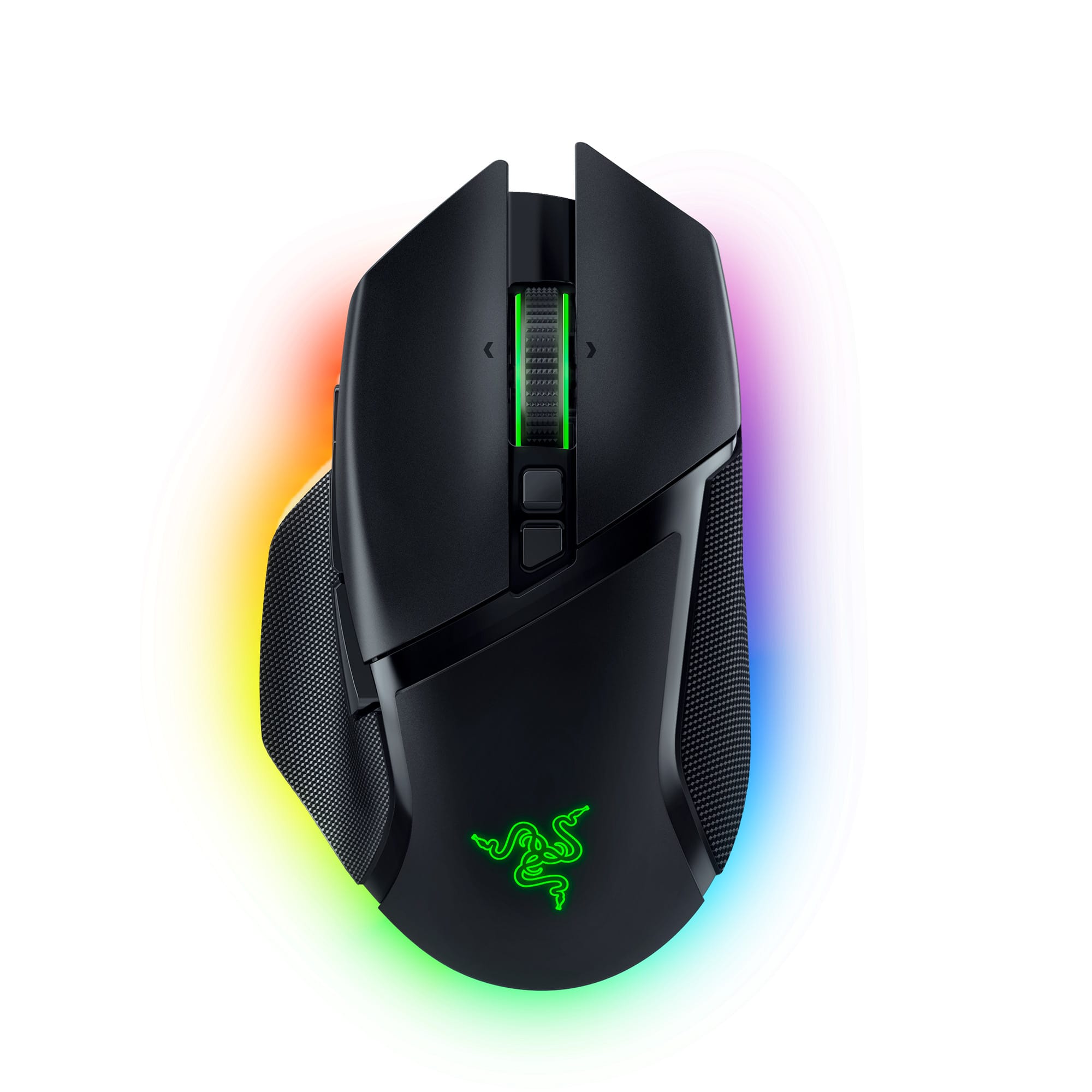
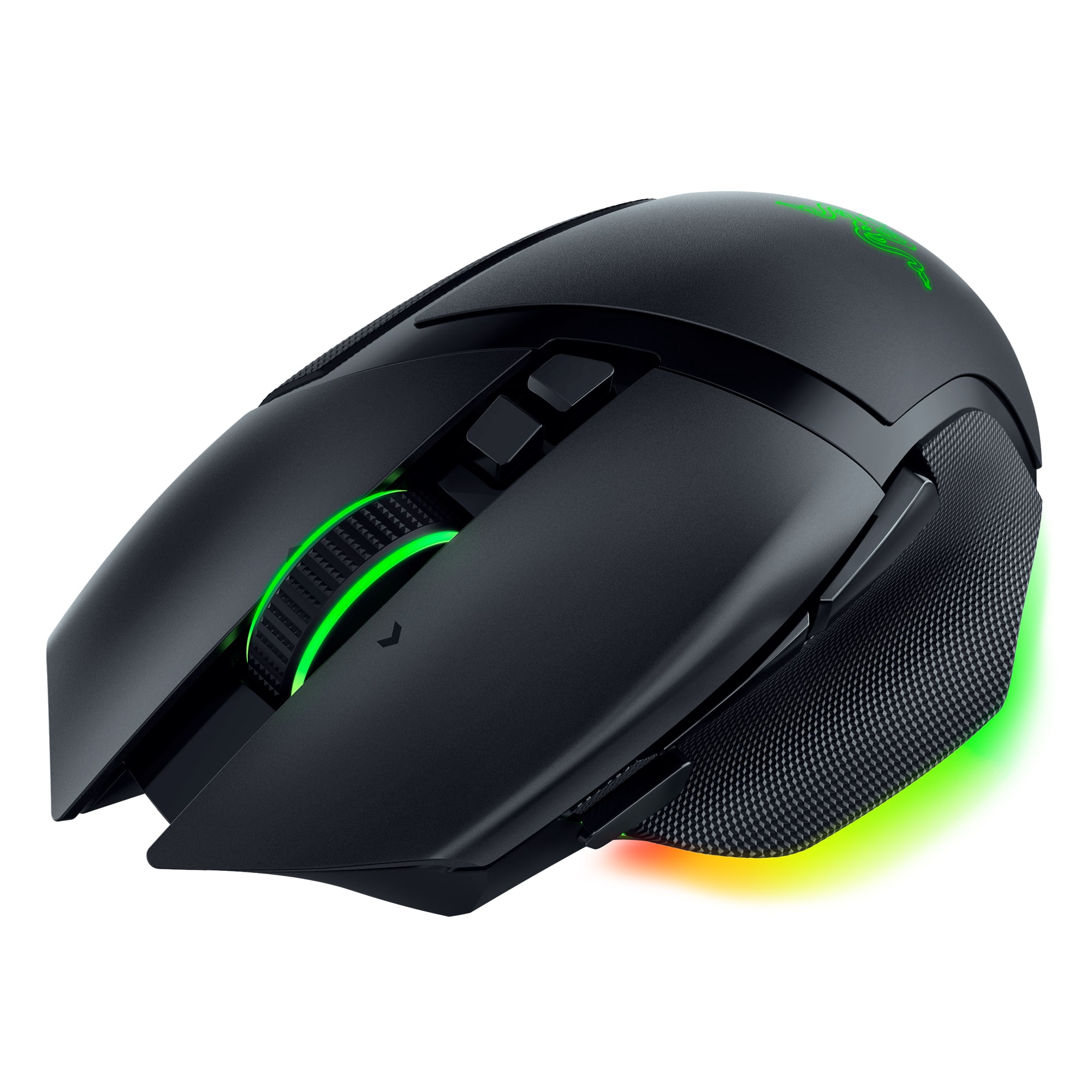
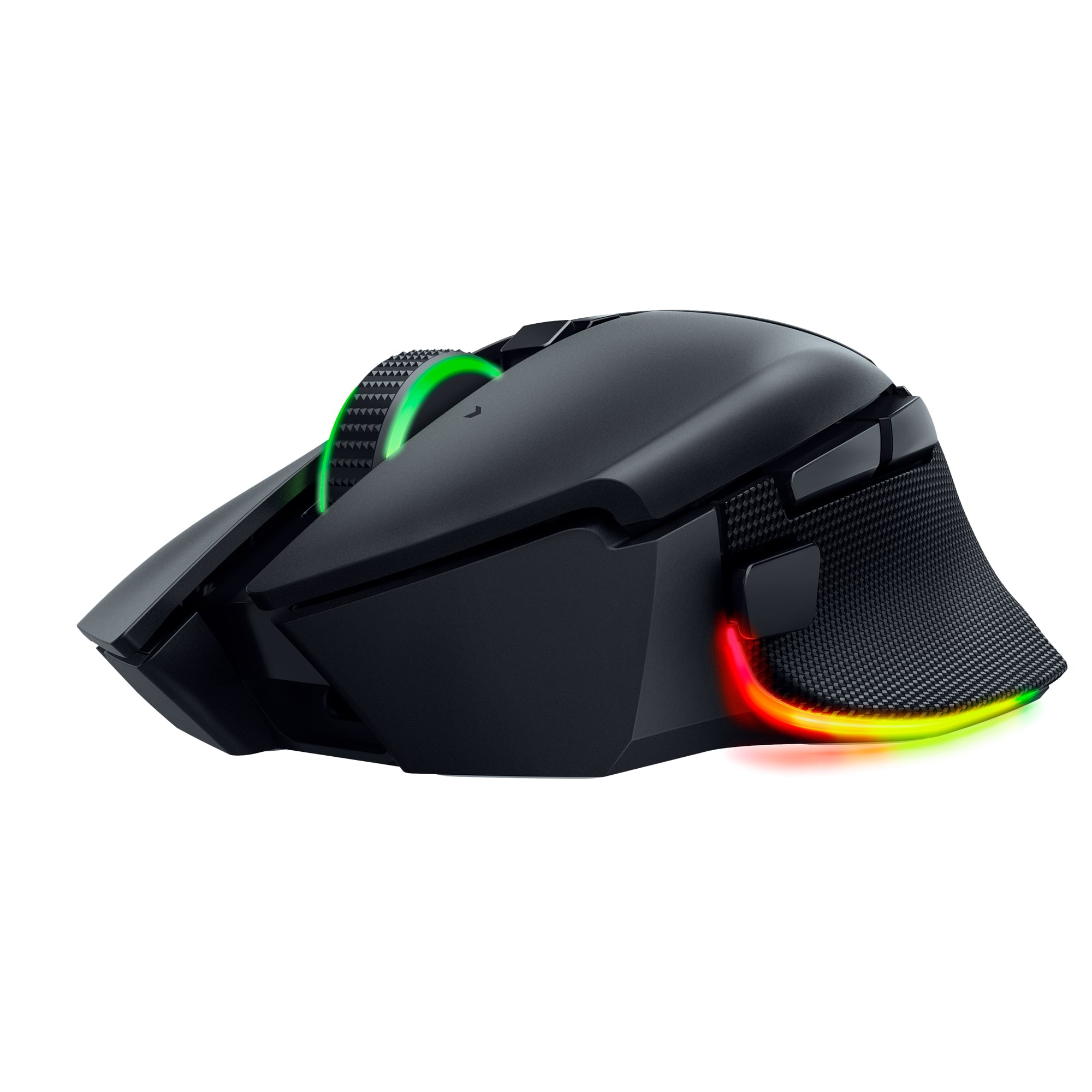
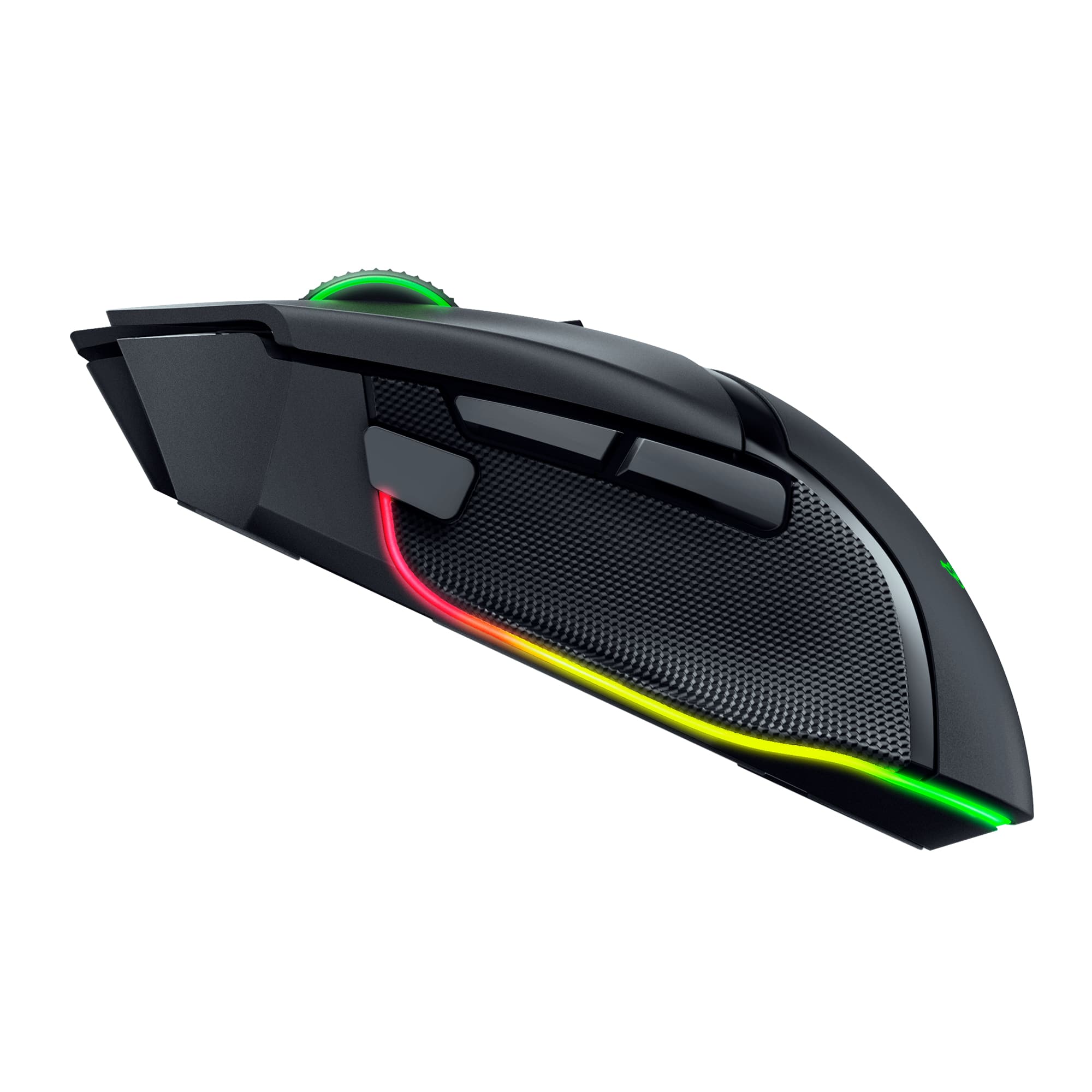
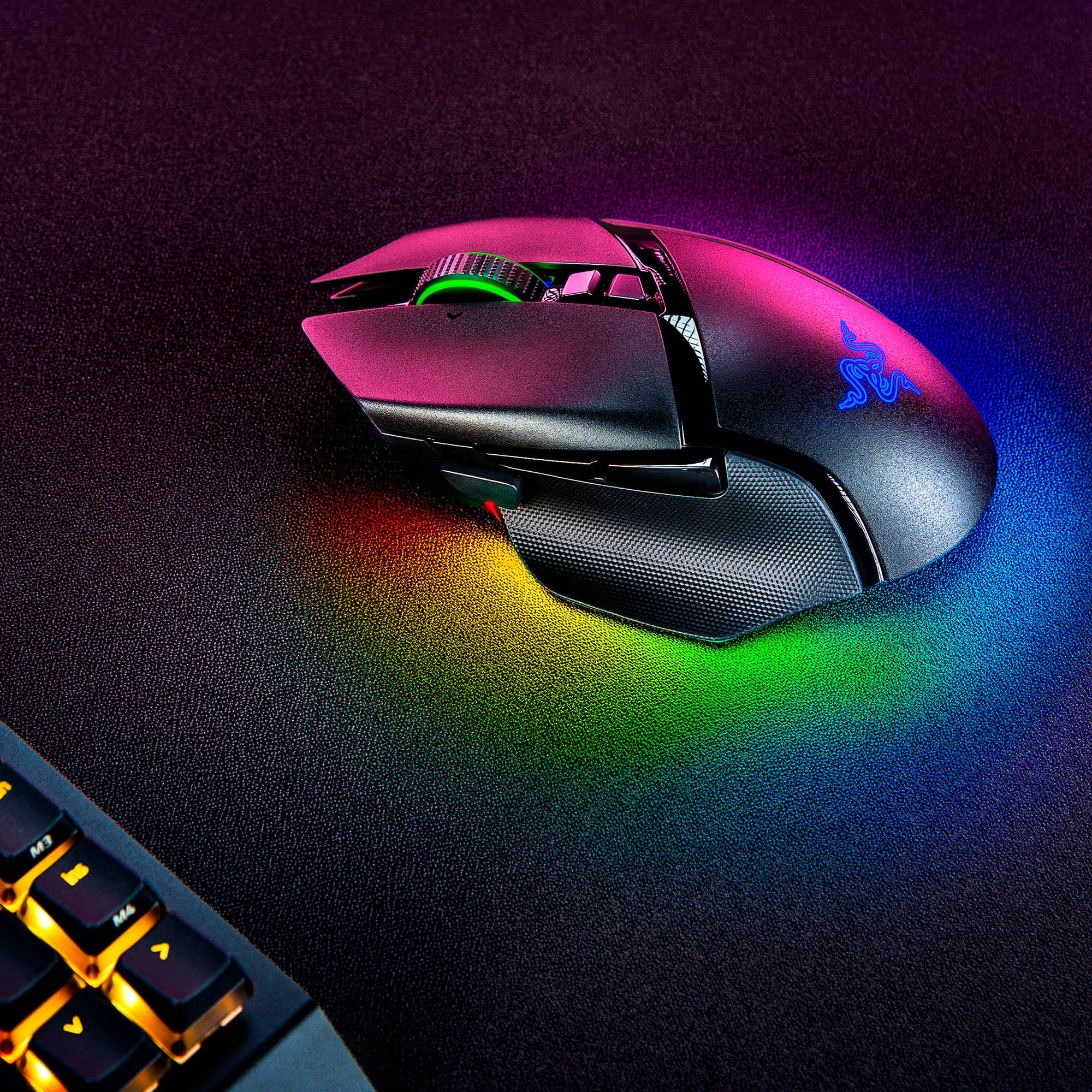
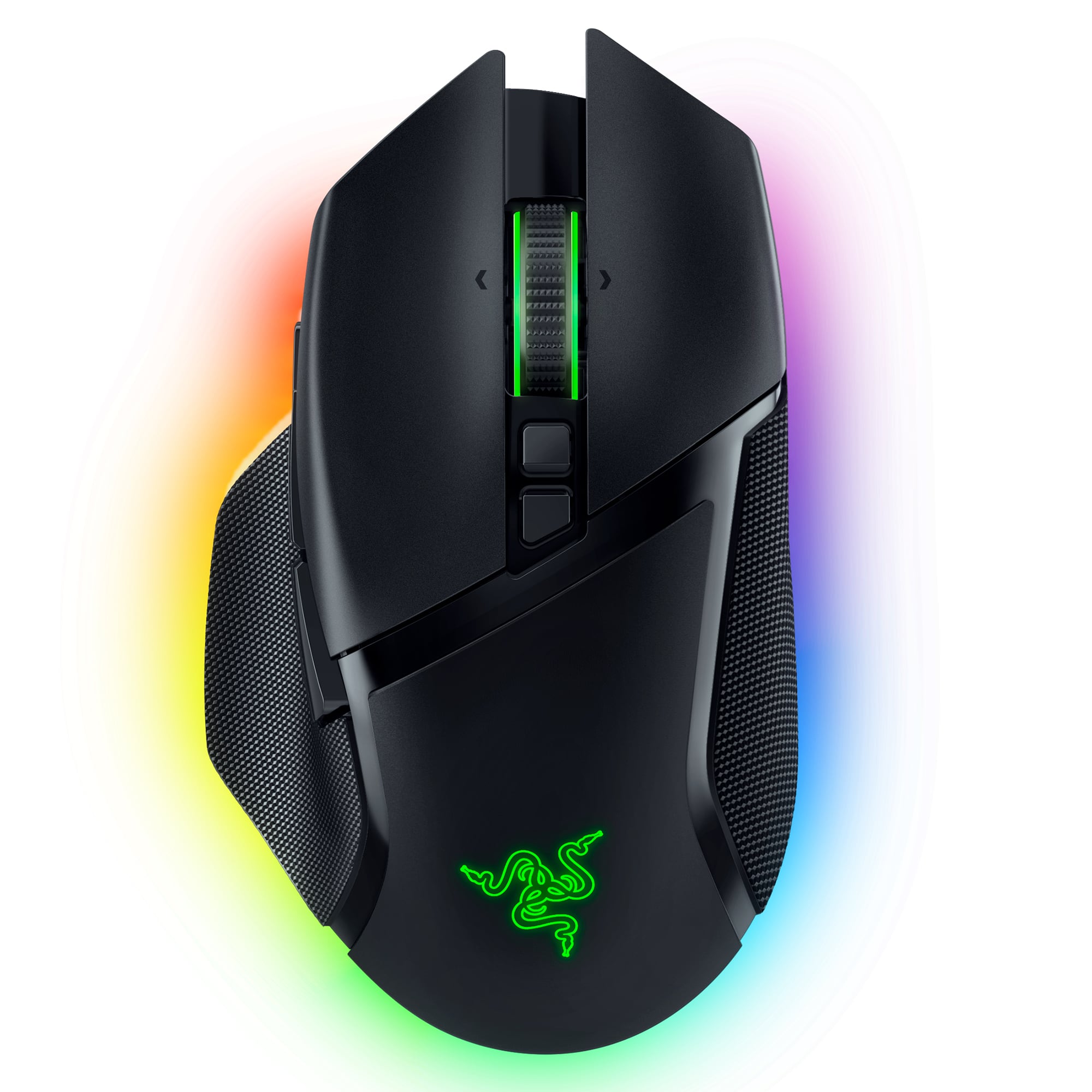
Customers have good things to say about the Basilisk V3 Pro Optical Gaming Mouse with HyperScroll Tilt Wheel, particularly its long battery life and comfortable ergonomics. Many appreciate the infinite scroll wheel, customizable RGB lighting, lightweight feel, and wireless connectivity. The build quality and responsiveness are also praised, while some find the price to be a drawback.

This summary was generated by AI based on customer reviews.

The vast majority of our reviews come from verified purchases. Reviews from customers may include My Best Buy members, employees, and Tech Insider Network members (as tagged). Select reviewers may receive discounted products, promotional considerations or entries into drawings for honest, helpful reviews.
Page 4 Showing 61-80 of 744 reviews
  • Pros mentioned:
    Battery life, Rgb lighting

    Rated 5 out of 5 stars

    The Ultimate Gaming Mouse for Precision and Comfor

    |
    |
    Posted . Owned for 6 months when reviewed.
    This reviewer received promo considerations or sweepstakes entry for writing a review.

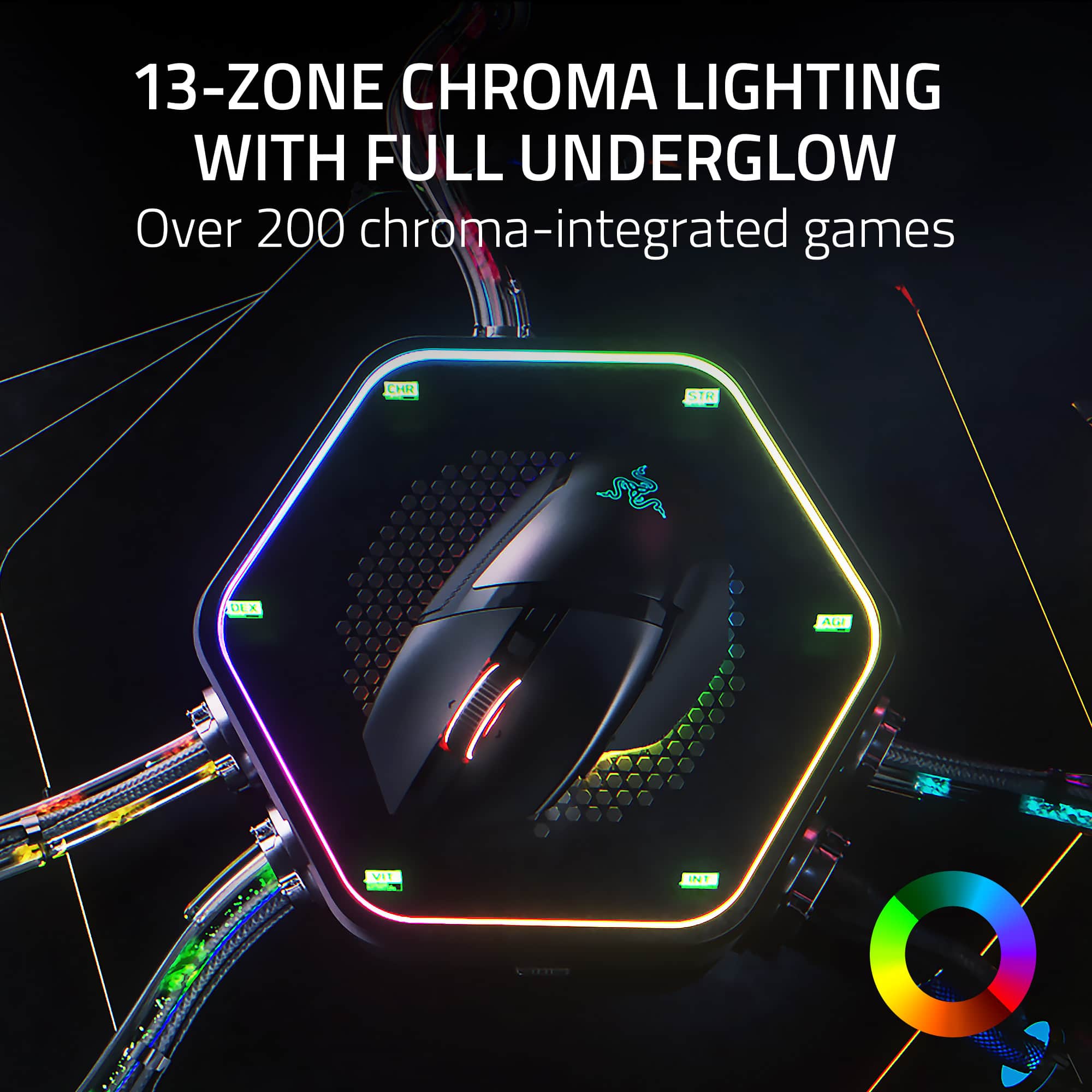
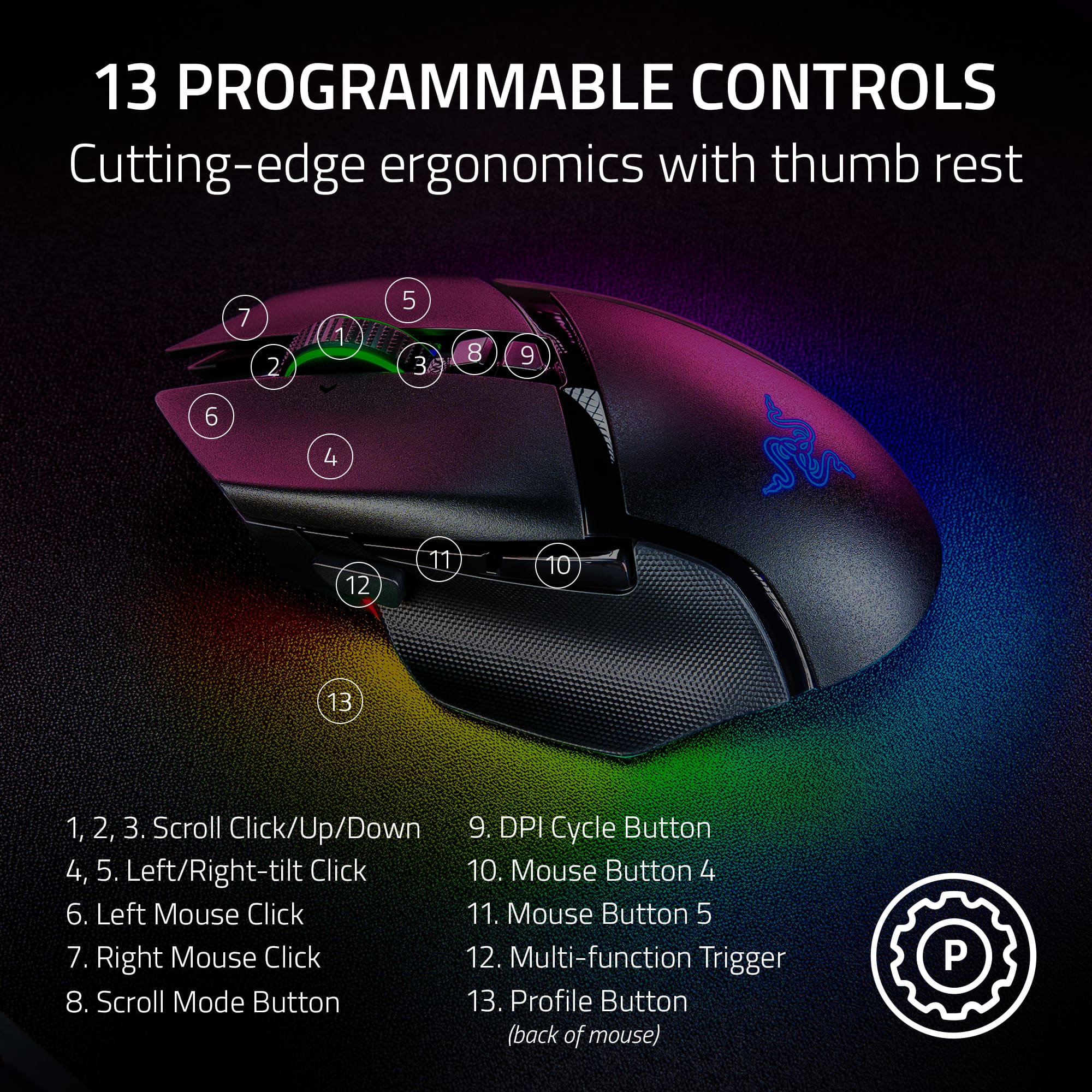
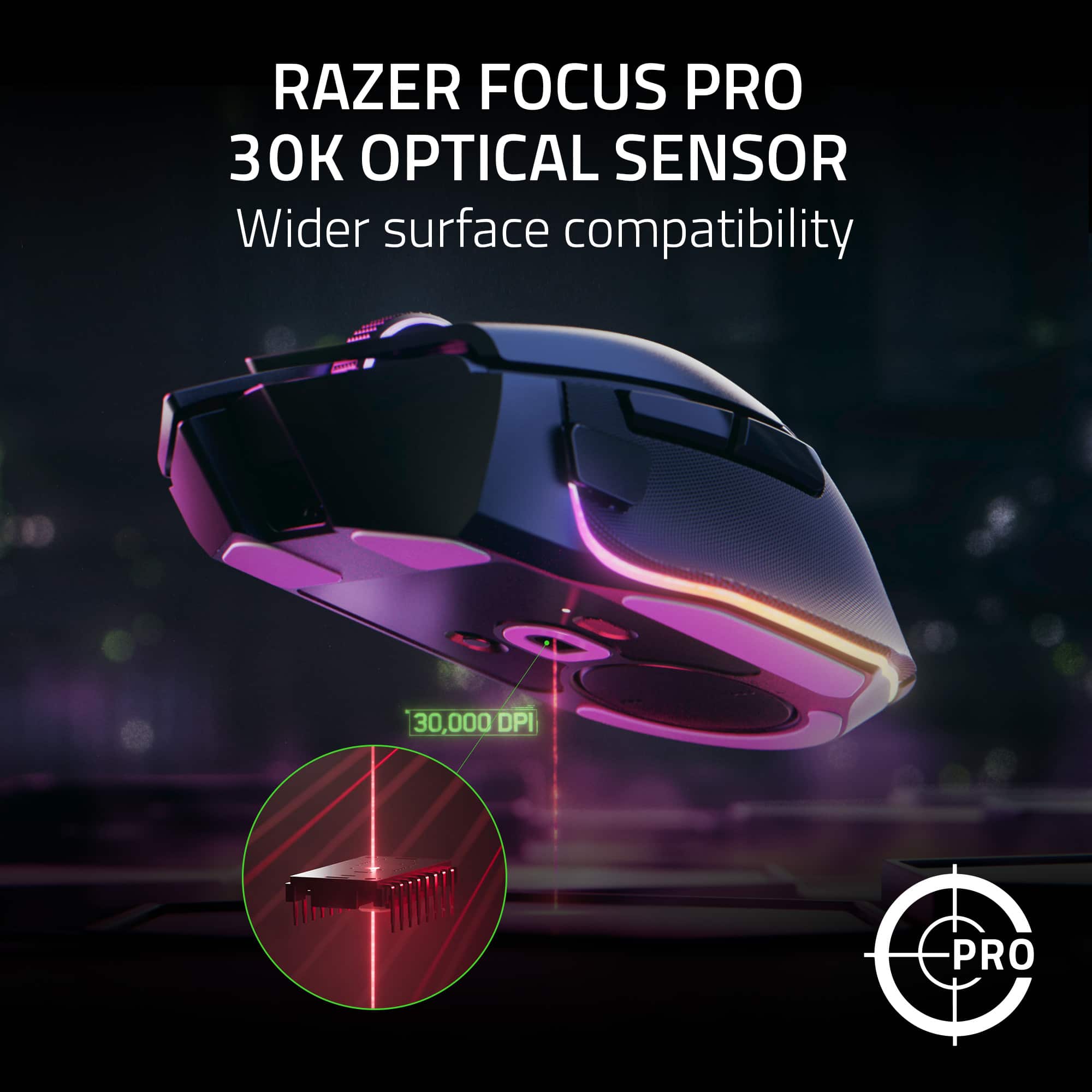
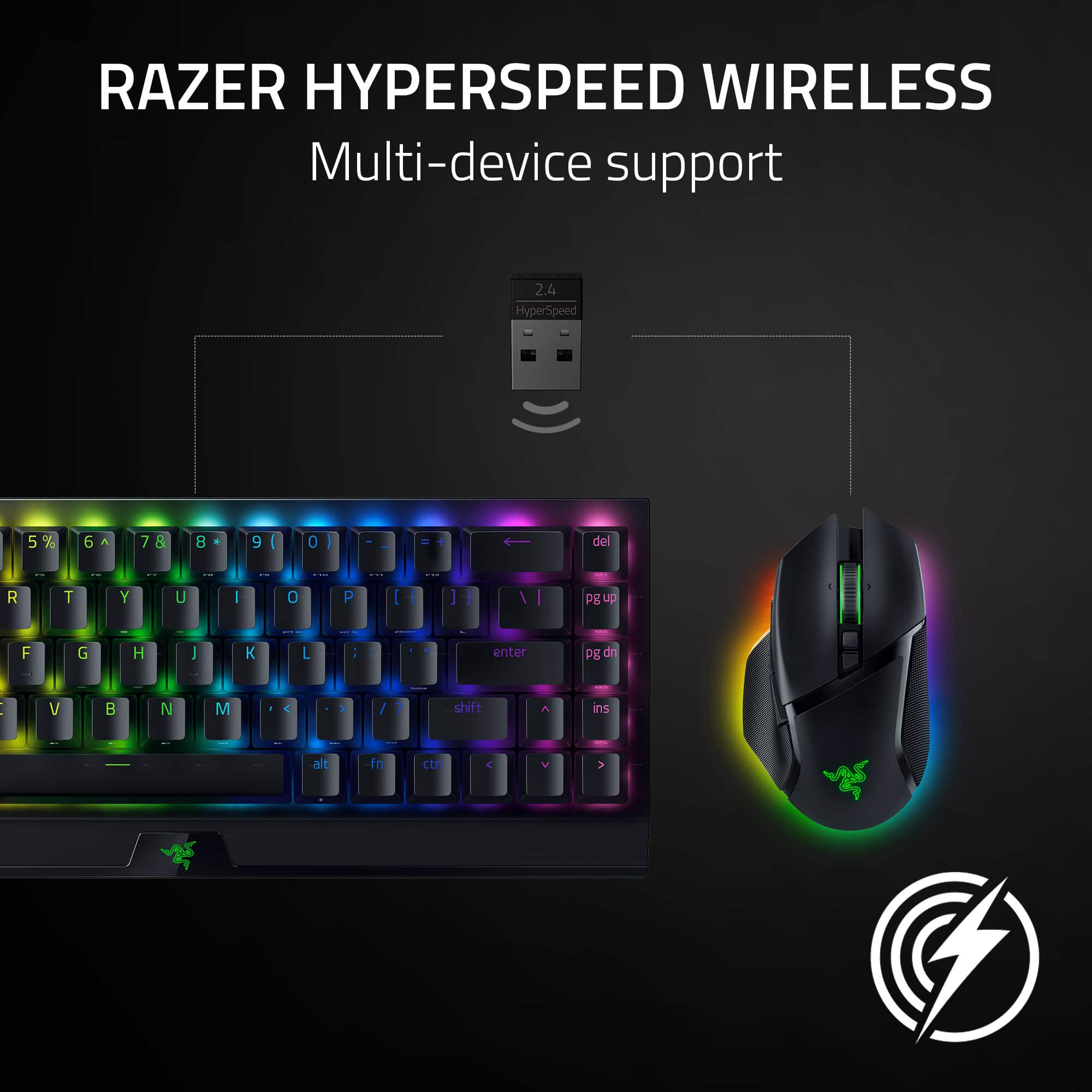
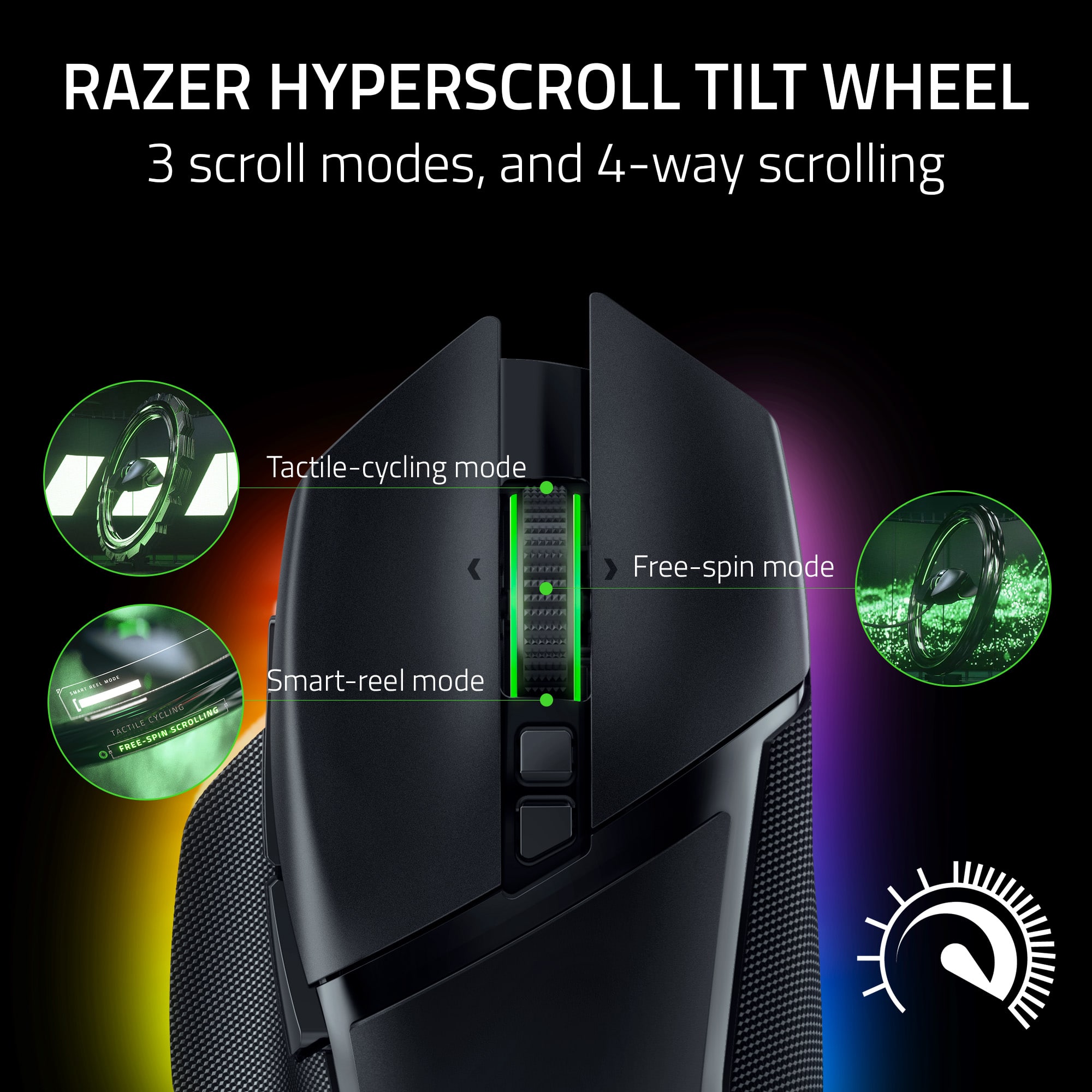
    The Razer Basilisk V3 Pro is an exceptional gaming mouse that combines top-tier performance with an ergonomic design, making it a standout choice for gamers who demand the best. Whether you’re a competitive esports player or a casual gamer who values precision and comfort, the Basilisk V3 Pro has everything you need to elevate your gameplay. Precision and Performance At the heart of the Basilisk V3 Pro is the Razer Focus+ 30K Optical Sensor, one of the most accurate and responsive sensors on the market. With up to 30,000 DPI, this mouse offers incredible precision, allowing for pixel-perfect accuracy in even the most demanding games. The tracking is smooth and consistent, whether you’re making slow, controlled movements or quick, flicking motions. This level of precision makes the Basilisk V3 Pro particularly well-suited for FPS games, where every shot counts. Ergonomic Design for Maximum Comfort The design of the Basilisk V3 Pro is a triumph of ergonomics. The shape of the mouse is crafted to fit comfortably in your hand, with a thumb rest that adds extra support during long gaming sessions. The buttons are well-placed and easy to reach, ensuring that you can access all of the mouse’s features without straining your fingers. The textured grips on the sides provide a secure hold, even during intense gameplay, and the overall build quality is solid, with a premium feel that enhances the gaming experience. Customizable Buttons and Features One of the highlights of the Basilisk V3 Pro is its highly customizable nature. The mouse features 11 programmable buttons, including the unique multi-function paddle, which can be assigned to perform complex macros, in-game commands, or even quick DPI adjustments. The Razer Synapse software makes customization straightforward, allowing you to tailor the mouse to your specific needs. Whether you’re mapping abilities in an MMO or setting up keybinds for a strategy game, the Basilisk V3 Pro gives you the flexibility to optimize your setup. Hyperscroll Tilt Wheel for Versatile Control The Hyperscroll Tilt Wheel is another standout feature of the Basilisk V3 Pro. It offers both a tactile mode for precise control and a free-spin mode for fast scrolling through long documents or menus. The tilt functionality adds an extra layer of versatility, allowing for horizontal scrolling or additional inputs. This feature is incredibly useful not just for gaming, but also for productivity tasks, making the Basilisk V3 Pro a versatile tool for both work and play. Razer Chroma RGB for Personalization No Razer product would be complete without Chroma RGB, and the Basilisk V3 Pro is no exception. The customizable RGB lighting offers 13 zones of illumination, with millions of colors and dynamic effects to choose from. The lighting can be synced with other Razer Chroma-enabled devices or integrated with in-game events, adding an extra layer of immersion to your gaming experience. Whether you prefer a subtle glow or a full-on light show, the Basilisk V3 Pro lets you express your style. Wireless Freedom with HyperSpeed Technology The Basilisk V3 Pro offers wireless freedom without compromising on performance. Razer’s HyperSpeed Wireless technology ensures a low-latency connection that’s as responsive as a wired mouse. The battery life is impressive, with up to 90 hours of playtime on a single charge, and the mouse also supports wireless charging with the Razer Mouse Dock Pro (sold separately). If you ever need to charge while gaming, the mouse can be used in wired mode with the included Speedflex cable, providing the best of both worlds. Final Thoughts The Razer Basilisk V3 Pro is a top-tier gaming mouse that delivers on all fronts. Its combination of precision, comfort, and customization makes it a powerful tool for gamers of all levels. Whether you’re grinding out ranked matches or exploring vast open worlds, this mouse offers the performance and features to enhance your experience. The Basilisk V3 Pro is not just a gaming mouse—it’s an investment in better gaming, and it’s worth every penny.

    I would recommend this to a friend
  • Pros mentioned:
    Rgb lighting
    Cons mentioned:
    Price

    Rated 5 out of 5 stars

    Comfortable + accurate

    |
    |
    Posted . Owned for 1 week when reviewed.
    This reviewer received promo considerations or sweepstakes entry for writing a review.

    This is a great mouse, it's on the heavier side but IMO it's not too heavy. If you are looking for a super light mouse, then Viper V2 pro might be a good choice. Pros: 1. Very comfortable to hold (My hand is around 18.5 inch long) 2. The RGB light is amazingly beautiful. 3. Great build quality, premium material 4. The click was not too loud, compared with Viper and DA3 pro, but enough for confirmation. 5. It does have BT + wireless dongle. 6. USB C! Cons: 1. It's pricey 2. It doesnt support multiple device connection. 3. The wireless charging pad is sold separately. 4. The Razer software needs some improvement; it sometimes has device recognition issues.

    I would recommend this to a friend
  • Rated 1 out of 5 stars

    JUNK

    |
    |
    Posted . Owned for 1 year when reviewed.
    This reviewer received promo considerations or sweepstakes entry for writing a review.

    Biggest overpriced junk there is ! Their software synapps is trash where your peripherals keeps disconnecting. Slammed my mouse so many times where the wheel came off from the mouse. These profucs will make you rage as it is unreliable for gamers! DO NOT BUY. THANK ME LATER !!!

    No, I would not recommend this to a friend
  • Rated 5 out of 5 stars

    Great mouse

    |
    |
    Posted . Owned for 1 month when reviewed.
    This reviewer received promo considerations or sweepstakes entry for writing a review.

    Very good for gaming and normal use .. happy with purchase

    I would recommend this to a friend
  • Tech Insider Network Member

    Rated 4 out of 5 stars

    Gaming Mouse with Many Features!

    |
    Tech Insider Network Member
    Posted .
    This reviewer received promo considerations or sweepstakes entry for writing a review.

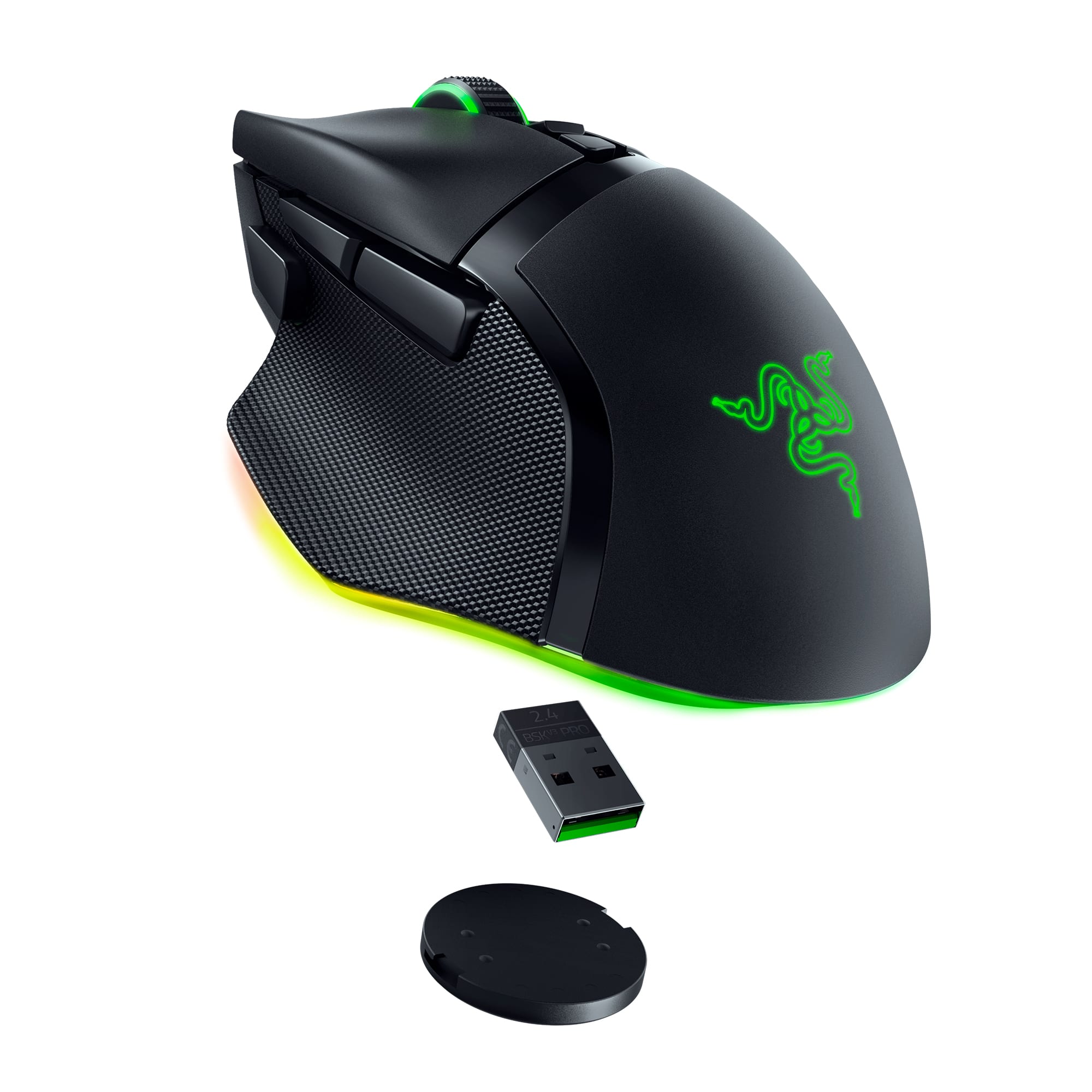
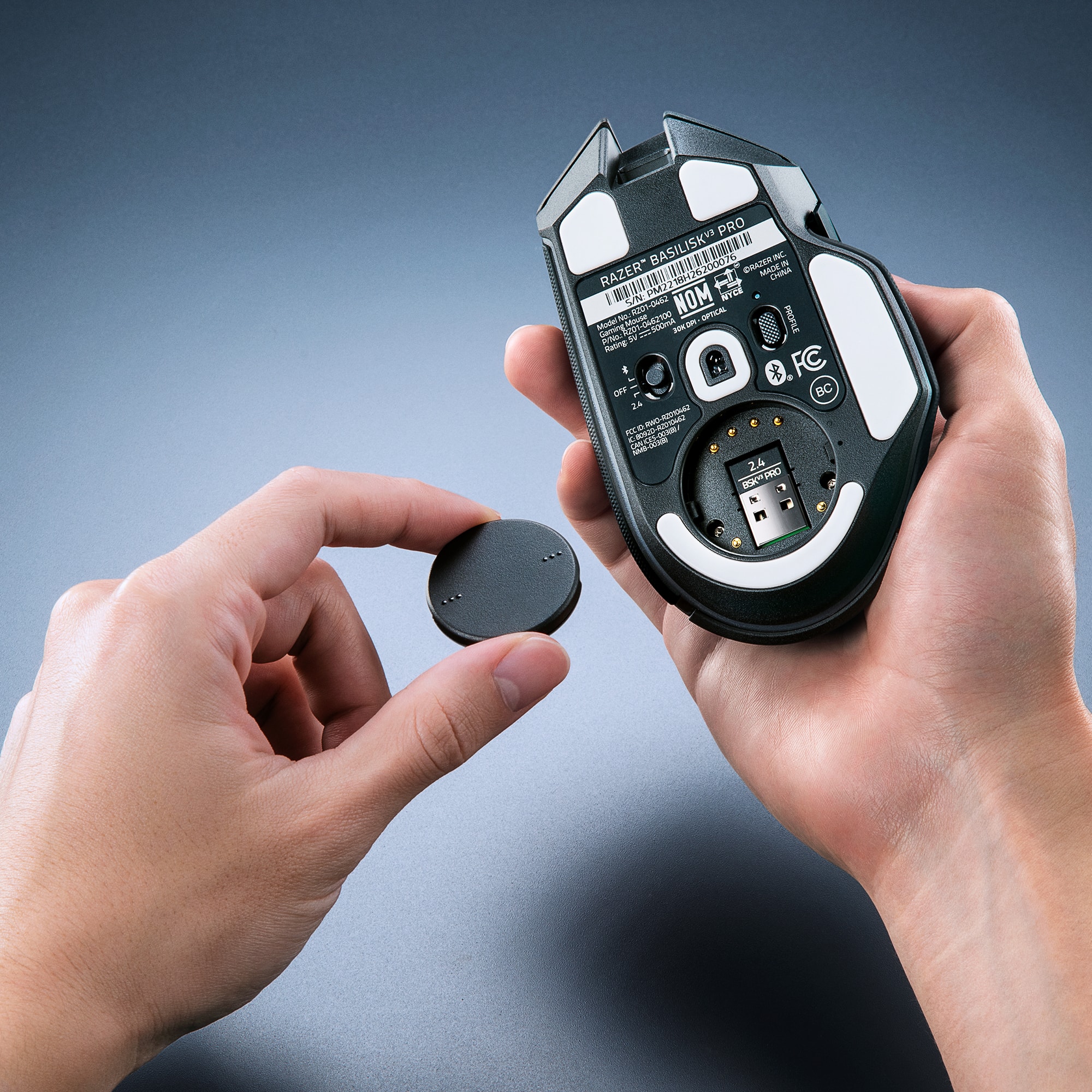
    I was a bit skeptical of this mouse after reading some reviews but after testing out this mouse for some time, I was completely surprised. I was expecting some problems out of the box and throughout testing but luckily, I did not experience any. Likely, some QC issues were present within some batches, and it seems other batches were in good shape. Here are my thoughts on Razer’s Basilisk V3 Wireless Gaming Mouse. ====== IN THE BOX: In the box, you get a USB-A to USB-C soft flexible cable, a USB-A wireless receiver, and a quick start guide. There is also a 2-year warranty if you register the product. ====== COMFORT AND DESIGN: The mouse feels overall great. Ergonomically, it is comfortable and there was no discomfort after prolonged usage. I do love the rubber-like sides, it does make the mouse feel overly better. Buttons are responsive too. This mouse has several extra buttons that can be assigned a function using Razer’s Synapse software. A new button to me was the multi-functional trigger right below the left mouse button. By default, it is assigned as a sensitivity clutch, which seemed to work well during FPS games where you need to carefully aim at a target. This button was awkward to use since my thumb does not extend as far as where the button is located. But, a cool addition to this mouse’s design nevertheless. ====== FEATURES: This mouse has three modes of connection: wired, USB receiver, and Bluetooth. I played with all modes, and all seemed to work fine. Many reviews have mentioned that the wireless receiver was not functioning, I did not experience this problem during my testing. Make sure the setting at the bottom of the mouse is set to 2.4 and not Bluetooth If the receiver is being used. Hopefully, it was just a bug that Razer has sorted out, and not something wrong with the hardware. There is also a switch at the bottom to switch between modes. Next to the switch is the profile button. The mouse does have internal memory so up to 5 profiles can be stored. The profiles do store all your configured settings like RGB. A cool feature that many mouses do not have is the free spin scrolling. The mouse can switch between free spin scrolling and tactile scrolling all with a press of a button. RGB can easily be customizable using Synapse as well. Many cool lighting effects to choose from! ====== CONCLUSION: Overall, this is a great mouse. Many people seemingly had problems with the wireless receiver, but I did not experience any of the aforementioned problems. If you are in the market for a gaming mouse that doubles as a productivity mouse, I recommend you give this one a shot!

    I would recommend this to a friend
  • Tech Insider Network Member

    Rated 5 out of 5 stars

    High Precision Customizable Mouse

    |
    Tech Insider Network Member
    Posted .
    This reviewer received promo considerations or sweepstakes entry for writing a review.

    The Razer Basilik V3 Pro mouse is an outstanding mouse, mainly for the high precision and customization options it has. Gaming has been great with this device, I used it on my gaming PC exclusively with FPS games, such as Halo Infinite (other games I prefer keyboard) and it has performed brilliantly (or to be accurate, it has helped me perform brilliantly 😊.) I can move and aim with precision and get the perfect shot almost every time. This mouse is highly customizable, installing the proper Razer software allows to customize the Razer Basilik V3 Pro mouse by assigning shortcuts to the different buttons, setting the lighting scheme and move sensitivity, among others. Different configurations can be saved in different profiles, accessible by clicking the profile button at the bottom of the mouse. - Pros: Precise. Easy to switch between sensitivity, lighting, scrolling modes. - Cons: N/A >> Customizing To configure the mouse and make use of all its capabilities, you need to install the Razer Synapse software. When installing and using the Razer Synapse software (and its additional components such as Chroma) and configuring the Razer Basilik V3 Pro mouse, I got the feeling that I needed to have a Razer keyboard to get a better overall experience with lighting colors schemes and such across devices (well it is even suggested in a few screens about how more of a complete experience would be having the different Razer peripherals). For example, there is the option to have an extra set of buttons configured (beyond the 10+1 physically available), but you need to have a Razer keyboard for that, as it needs the Razer Helpshift key (key for which I haven’t found an equivalent in a “regular” keyboard). Also, some color patterns can be combined or configured across different Razer peripherals to work in “harmony”. I don’t know if this is good or bad, jut calling out the feeling I got when I started configuring the mouse. You can create profiles with different color patterns, and together the different key shortcuts and other settings you configure for each profile, you can access them by clicking on the Profile button (at the button of the mouse). Each click goes into the next profile and onto its color pattern/scheme to enjoy. You can save up to five (5) profiles in the on-board memory and reuse those configs when moving to other machines. For lighting customization, there are several predefined color configurations that would fit most of your needs. One thing I noticed though, is that the Razer Software install pack was almost 0.5GB, which seems a lot. Hopefully nothing out of the ordinary got installed, but just in case, I set a Windows 11 restore point before installing the software. >> Connectivity There are three ways to connect the device: USB cable, Bluetooth and Wireless 2.4GHz transmitter. It is very versatile in this aspect. You can switch between those connectivity options and the Razer Synapse software recognizes the mouse as being the same and provides the configurations you defined. A seamless experience in this aspect. Although I’ve always preferred USB wired mice for gaming on my Gaming Desktop, as I had some reliability issues with other Bluetooth/Wireless mice in the past (even at a few feet away), my experience with Bluetooth and Wireless with this mouse has been great and no issues so far (note: my gaming PC is just a few feet away.) As of now, my preferred option is connecting through Bluetooth, well, except when I need to charge the mouse (not a big deal as the mouse lasts several days on a regular couple of hours “gaming” use.) Perhaps having to connect the USB cable for charging could be marked as one of the few inconveniences for this device. If you want to connect and switch from/to multiple laptops/PCs, then you can connect wirelessly to one, with Bluetooth to the other and wired to another one. However, bear in mind that to have the full experience, you’d need to have the Razer Synapse software installed on each of those devices. >> Other notes A few things: - Scroll Mode: The default scroll mode is Tactile Cycling mode, which feels odd (you get the feedback on each scroll of something rough wheel rolling). The Free spin mode feels smoother, it covers basically the same scrolling area/length as the other mode but feels more subtle. - Mouse Sensitivity Move button: This is one of the nice things in this mouse, with a single click or series of clicks on the button, you can have the mouse movement to be smoother/slower or faster. Well, you can also use the Sensitivity Clutch to "slow down" when, for example aiming at the enemy, but I find that having a setting for Sensitivity overall feels more comfortable when playing my FPS games. - Razer Chroma module: Besides the predefined color schemes, you can use Chroma to define your own “style”; but there is a caveat, using the Chroma setting overrides all the profiles, this is, you'd be left with a single-color effect across all profiles (well...) - Battery: So far using mainly Bluetooth, battery life has been fine. I haven't measured if there are noticeable differences in battery between Bluetooth and wireless. Something particular I noticed is that when the computer goes to Hibernation, the mouse is still playing the colors, well, I guess that it the way it is intended to work but I guess it consumes some battery, nonetheless.

    I would recommend this to a friend
  • Rated 5 out of 5 stars

    Great purchase

    |
    |
    Posted . Owned for 1 month when reviewed.
    This reviewer received promo considerations or sweepstakes entry for writing a review.

    Syncs with other Razor RGB products lighting, good weight, comfortable, and good quality!

    I would recommend this to a friend
  • Rated 5 out of 5 stars

    Perfect Mouse for Comfort and Larger Hands

    |
    |
    Posted . Owned for 1 year when reviewed.
    This reviewer received promo considerations or sweepstakes entry for writing a review.

    Perfect mouse if you prefer them slightly bigger. Upgraded from a DeathAdder that I always felt was too small to my liking. I missed my old Logitech G602. This has almost the same profile, but a little lighter. Excellent balance between robustness and lightness for fast movements without feeling like the mouse itself is flimsy. Highly recommended!

    I would recommend this to a friend
  • Tech Insider Network Member

    Rated 5 out of 5 stars

    Great Gaming Experience!

    |
    Tech Insider Network Member
    Posted .
    This reviewer received promo considerations or sweepstakes entry for writing a review.

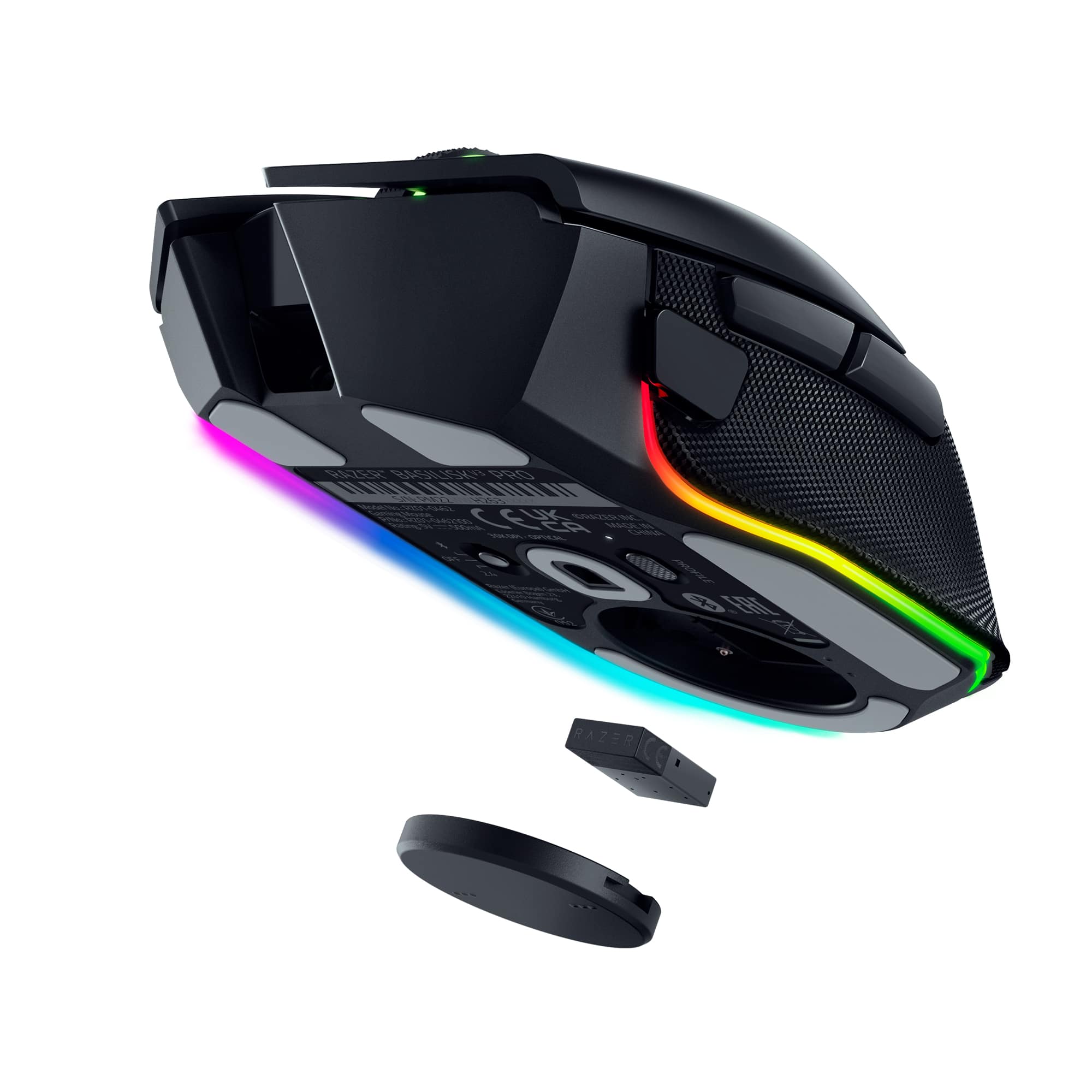
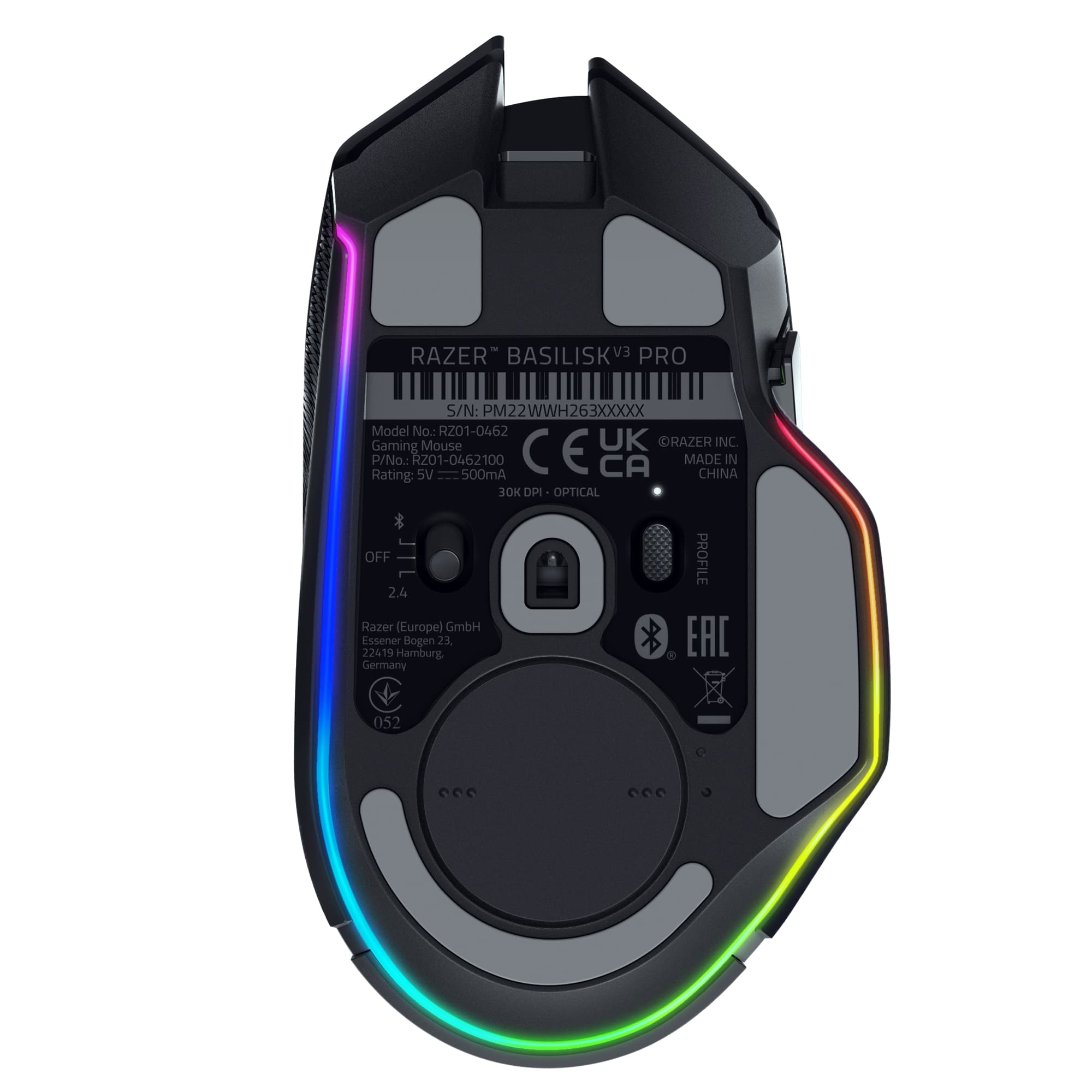
    What do I like: Solid build quality. The Razer Basilisk v3 Pro does not feel like cheap plastic. The Basilisk is light as far as gaming mice go and still manages to feel solid in my hand. The sides of the Basilisk are covered with a rubberized grip that is substantial enough to give me full control over the mouse but subtle enough to vanish into the background during gaming sessions. The left and right mouse buttons are bare plastic with a texture that reminds me of fine grain sandpaper. I am not sure if I am a fan of this texture. However, just like the side grips, the texture on the buttons vanishes into the background rather quickly when gaming or performing other general mousing tasks. The pads on the bottom of the mouse are extremely low resistance. The mouse simply slides across my Corsair MM700 mouse pad better than any other gaming mouse I own. The buttons also feel very substantial. They have a slightly longer travel than what I am used to. However, the force to depress each button is less than other non-Razer gaming mice I have used. The travel may be longer, but the responsiveness is very fast. The scroll wheel feels excellent! I really like the wheel texture. There is zero chance of my finger sliding off the wheel regardless of how sweaty my hands get. Scrolling in clicky-mode is smooth, offers little resistance, and is tactile enough to keep me locked in on my current setting. If that makes any sense. The Basilisk v3 Pro wheel’s free-spinning mode is super smooth and amazingly low resistance. The thing will spin forever if you let it. The only thing I do not like about the mouse wheel is with the button that switches between clicky and free-spin modes. The button is located directly in front of the DPI switch and is about a millimeter or two taller than the DPI button. I regularly switch DPI modes on the fly and have hit the scroll wheel button a lot more than I am comfortable with. Before I lambaste Razer for this feature, I do need to point that other manufacturers do the same thing. For some reason this has proven to be an issue for me with this particular mouse. Not only has this cost me precious time in game when a quick DPI change was warranted but it also forced me to change the scroll wheel back to clicky-mode from smooth mode. I suspect my issue may have more to do with the spacing of the buttons and the size of my hands more than anything Razer did wrong. It is annoying for now but I will eventually compensate for it. The bottom of the mouse has a three-way switch which controls power and how the Basilisk v3 Pro connects to your system. There are three ways to connect: Bluetooth, Hyperspeed wireless via an included 2.4 Ghz dongle, or via USB cable. Razer includes the dongle, a USB A to USB C, and a mini-dongle dock that can be used with both the included cable and the Hyberspeed dongle. This gives you the flexibility to place the dongle wherever you get the best wireless reception. Finally, there is a profile button on the bottom of the mouse. I like this idea and wish other manufacturers would do this. First, you can create different mouse profiles through Razer’s Synapse software, easily port these over to the mouse’s memory, and then use the mouse’s profile button to easily switch between profiles. Windows will even display, on screen, what profile you switched to. Just note that these pop-ups are suppressed during gaming. My gaming sessions were good. I paired the Basilisk v3 Pro with my Alienware M15 R4 gaming laptop. This laptop is no slouch by any measure and rips through any game I have thrown at it. The Basilisk v3 Pro did not show any signs of hesitation or latency in any game I threw at it. I was able to get the fine detail movements required for my strategy games. Fast paced movements for my FPS games were smooth, accurate, and low latency; even when making a lot of fast paced twitch movements. And everything in between was perfect. The Basilisk v3 Pro delivered the goods every time. Finally, the Basilisk v3 Pro has multiple charging options. The Basilisk v3 Pro can be charged directly via USB cable, included. The Basilisk is also compatible with Razer’s charging puck and mouse dock, sold separately. There is a round cover on the bottom of the Basilisk v3 Pro to store the 2.4 Ghz wireless dongle. There are six copper pins under the door. The optional charging puck replaces the cover and makes contact with the charging pins. The puck then allows wireless charging with either a optional charging base or with any Qi-charging compatible devices. Personally, I would have preferred an option that included the entire wireless solution but that’s just me. Luckily the Basilisk v3 Pro has a long battery life. I have been running the Basilisk v3 Pro with RGB lighting turned on for four days as of this writing for both gaming and work. The battery is currently at 45%. That’s impressive. By this measure I should be able to go a whole week on a single charge! What don’t I like: First, the Sensitivity Clutch button is too far forward for me. I have small hands thus I tend to use smaller mice. The Basilisk v3 Pro is a longer mouse than what I am used to. Essentially, I tend to use a claw grip and depress the mouse buttons just shy of the tips of my fingers. The Basilisk v3 Pro forces my hand into a shallower grip than I am not used to. Thus, I now have to press the buttons with the pads of my fingertips. This is not much of an issue. Just something I will either get used to or not. However, the Basilisk v3 Pro forces me to depress the Sensitivity Clutch button using the very tip of my thumb where my thumb is already pressed up against the side of them mouse. It just does not work for me. Second, the mouse did not ship with a charging dock or puck. More of a personal gripe than an actual con though. The absence of the dock does not impact the quality, functions, or experience of the Basilisk v3 Pro. The Razer software, like everyone’s software, has a bit of a learning curve. And it has a lot of features and confusing interconnects between a suite of companion programs that make me wonder when Razer will redesign their systems to be a unified application. At the end of the day, I was able to program my mouse for several games and easily ported the whole profile, as a single action, from the configuration screen to mouse memory. My only advice is to download Razer Synapse directly from Razer and do not allow Windows 11 to auto install it for you. The version that Windows deploys does not detect this mouse. This may change with a future update to Windows. But for now, do yourself a favor and go get it yourself. Final thoughts: If you have not looked at Razer for a while then you may want to check out the Basilisk v3 Pro. I own several wired and wireless gaming mice that fit in a similar price range as the Basilisk v3 Pro but I had completely dismissed Razer as an option. The build of the Basilisk v3 Pro is simple, has a quality feel to it, and is very responsive in all gaming situations. The RGB lighting is subtle and does offer more than other similar mice. The Basilisk v3 Pro has 13 lighting zones; 11 of which are on the bottom of the mouse! Most gaming mice have two. The mouse is lightweight when compared with other gaming mice I own. The Basilisk does not ship with weights or a mechanism to add weight. And the form factor is a little large for my smallish hand but still very usable. I am pleasantly surprised by the Basilisk v3 Pro.

    I would recommend this to a friend
  • Tech Insider Network Member

    Rated 5 out of 5 stars

    Wireless for the win!

    |
    Tech Insider Network Member
    Posted .
    This reviewer received promo considerations or sweepstakes entry for writing a review.

    Up until now I've primarily used wired gaming mice. I've had some connectivity issues with wireless mice before so I never really thought much about them. However, this mouse garnered some interest seeing that it's made from one of the leading manufacturers in computer peripherals as well as, most importantly, has RGB! As such, I figured I'd give this a shot and see how it compared. My previous mouse was a Corsair M65 Ultra. Great mouse, wired, had some RGB on it and, overall, a great mouse. However, the cables were irritating as are any cables for that matter. I found myself constantly having to reposition my hand/mouse due to the cable getting in the way. I know there is a wireless version of that mouse however, I don;t have that one so not getting the same mouse in a wireless version. I've never had a Razer before so this would be a great chance to try out their products comparatively. Right out of the box, I immediately liked the feel of the mouse. I'm a flat hand mouse user, not a claw user, and the ergonomics of this mouse just felt great. The rubberized sides of the mouse offered a great grip without being too grippy or rubbery in texture. The Left/Right buttons also have a little bit of texture to them so there's some grip there, again, without being too pronounced. Great tactile feel to those buttons. Button placement was good, except for the precision button. So as far as overall fit, this was a nice update. Next big thing for me was the RGB, obviously. This one had more RGB than the Corsair and just looked better IMO. There's a ring (almost a ring) on the bottom which provides ample RGB-ness as well as the scroll wheel and logo light up nicely. The software allows you multiple RGB patterns as any software would do. The ability to increase brightness really makes the RGB pop. The adjustable DPI on the top allows quick changing of this setting as well as the smooth/click wheel setting. I found it odd that whenever you change the scroll wheel setting, the mouse clicks. Never had one do this before so I found this a bit odd. Biggest enhancement for me was this is wireless. I can finally forgo the cumbersome mouse cable and have better range of motion with the mouse. It being wireless, I've not experienced any sort of lag or delays when gaming so this is a great bonus as well. The only thing I didn't like about this mouse was the placement of the precision button below the Back/Forward buttons. On my Corsair M65, it was right below the Forward button where it should be. On this mouse, it's a bit more forward so I have to kinda reach that button in order to hit it. Not ideal placement for me but maybe others will state otherwise. ]Overall, I'm really digging this mouse. Checks off all the boxes for me as far as a gaming mouse and it looks real cool as well.

    I would recommend this to a friend
  • Pros mentioned:
    Battery life

    Rated 5 out of 5 stars

    Awesome Mouse

    |
    |
    Posted . Owned for 4 months when reviewed.
    This reviewer received promo considerations or sweepstakes entry for writing a review.

    Great quality. The colors look awesome and match great with my matching keyboard. Battery lasts long.

    I would recommend this to a friend
  • Best Buy Employee

    Rated 5 out of 5 stars

    Easy setup, comfortable, stays white so far

    |
    Best Buy Employee
    Posted . Owned for 2 weeks when reviewed.
    This reviewer received promo considerations or sweepstakes entry for writing a review.

    The setup was super easy, just plugged in the dongle / receiver and it automatillcay asks what software you want to install (only need to install the base software if you want mapping or the like), bluetooth setup was super fast too. Not used to that so far with most mice I've had with BT capabilities. The extra button placements are extra nice in my case, as I have a habit of bumping buttons by accident often. So far, no accidental clicks. So far, this is the first white mouse I've had that doesn't somehow stain within a couple weeks. Non-smoker, wash my hands a bit too much honestly, every white mouse I've tried gets that ugly tinge to it quickly. Even the rubber spots on this one so far as still pristine.

    I would recommend this to a friend
  • Rated 5 out of 5 stars

    Best Bluetooth mouse

    Posted .
    This reviewer received promo considerations or sweepstakes entry for writing a review.

    This is the best mouse I’ve ever had, barely even notice it’s Bluetooth, no latency

    I would recommend this to a friend
  • Rated 5 out of 5 stars

    PERFECT MOUSE

    |
    |
    Posted .
    This reviewer received promo considerations or sweepstakes entry for writing a review.

    this mouse is actually very sturdy and high quality!! if you have bigger hands or fingers this mouse is very supportive to that along with the thumb rest on the side which is by far my favorite part. the quick mouse sensitivity presets that you can set up and switch between really quick with one of the buttons behind the scroll wheel is very nice when you need to adapt for anything mid game. the scroll wheel can unlock and is able to glide scroll nicely, also with the underside of the mouse and it’s smooth rubber pads allow for great movement while keeping it accurate. the rgb is highly customizable and being able to customize each individual small section of rgb is very nice for whatever feel you want, the underglow from the mouse looks so GOOD. lastly the dpi clutch is a cool feature where your thumb rests there is a small button you can press that slows down your sens while pressing which is great for when you decide you need more time and accuracy on aiming or tracking a shot. overall this is the best mouse i’ve used and the price is worth the quality and functionality!

    I would recommend this to a friend
  • Tech Insider Network Member

    Rated 5 out of 5 stars

    Great performance and looks!

    |
    Tech Insider Network Member
    Posted .
    This reviewer received promo considerations or sweepstakes entry for writing a review.

    Great mouse, I'm loving this new version of the Basilisk line. I used the have the original one that came with a charging dock. It served me very well and never broke and it's time for an upgrade! I can tell this new version feels more sturdy, I don't know how to describe it, but the clicks feel way more satisfying and precise, feels more sturdy when clicking the two main buttons. Apart from that this mouse has quite a few new improvements. The scroll well feels more sturdy and you can easily switch from a infinite scroll feel (spins indefinitely without any tactile feel or clicks) or a tactile regular feel with steps (you can change modes on the fly pressing a button or using their software). They include a USB dongle and a type C to type A USB cable (they don't include a charging dock like on the original one that came bundled with it, this is my only con. They do have one, however is an extra purchase and that extra dock also gives you a 4000 hz polling rate instead of the dongle's 1000). They have also updated the RGB lightning, now there is an extra one underneath that will glow under the mouse (not much noticeable during the day, but it is at night if you game with your lights off). Finally, their synapse software is great, I have checked and it does NOT suck any resources compared to other company's solutions. You can customize your mouse to your desire using their software (change RGB, change the DPI's steps, of this mouse has a 30k optical sensor!). Highly recommend this gaming mouse and don't forget to get the charging dock to charge it more conveniently!

    I would recommend this to a friend
  • Rated 5 out of 5 stars

    Good Mouse

    |
    |
    Posted . Owned for 2 months when reviewed.
    This reviewer received promo considerations or sweepstakes entry for writing a review.

    Just picked up the Razer Basilisk V3 Pro, and I’ve gotta say this thing feels like a tank in the best way possible. The sensor is insanely precise, clicks feel super responsive, and the wireless connection is rock solid. The ergonomic shape with the thumb rest is perfect for long sessions, really comfortable, and the textured grips keep it steady. The HyperScroll Tilt Wheel is honestly one of my favorite features. You can switch between tactile and free-spin modes, or just let it change automatically based on how fast you scroll. Plus, you can tilt the wheel left and right for extra keybinds, which is great for gaming or even productivity stuff. Battery life has been solid so far, and being able to go wired, Bluetooth, or 2.4 GHz wireless is super convenient. The RGB lighting looks amazing too, especially with the underglow. Synapse makes it easy to customize everything. If there’s anything to nitpick, it’s that this mouse is on the heavier side, so it’s not for people who want that ultralight FPS feel. It’s also pretty pricey, and some of the cooler extras cost extra.

    I would recommend this to a friend
  • Tech Insider Network Member

    Rated 5 out of 5 stars

    Customization King!

    |
    Tech Insider Network Member
    Posted .
    This reviewer received promo considerations or sweepstakes entry for writing a review.

    In the box, you do get a USBC to A cable and wireless receiver, which is nice. My first impressions of the feel are good, solid built, and clicks are nice (and not too loud). You can utilize this mouse in wired mode (with the included wire), wirelessly with the dongle, or wirelessly with Bluetooth. I tested all three and had zero issues with them. There is onboard memory where you can store up to 5 profiles if you so choose. I normally stick to one but know many of my friend that utilize more than one and this feature would benefit them quite a bit. These profiles can also store your RGB configurations as well, which is a solid option in my option. As always, you can use Synapse to customize your RGB coloring, and there are TONS of different options within this software. You will find one (or more) that suit you. In my testing of the mouse, it glides flawlessly across my mouse pad, and I have no issues with shoulder pain after long gaming sessions. I know there were complaints about the 2.4gz connection, but in my playthroughs, I had zero issues with connectivity. Overall, I have had a blast using this mouse from Razer. You cannot beat the level of customization Razer offers with Synapse and the 5 onboard profiles makes this mouse just that much better. This is a definite must for gamers.

    I would recommend this to a friend
  • Tech Insider Network Member

    Rated 5 out of 5 stars

    The Basilisk Is A Dream

    |
    Tech Insider Network Member
    Posted .
    This reviewer received promo considerations or sweepstakes entry for writing a review.

    This is my favorite gaming mouse to date. I love good mouse that has quick responses (super low latency) Easily programable buttons for different profiles. Depending of who's using it or just which games you're playing at the time. Programming with Razer's HUB is a breeze and not to mention, it looks great with my Huntsman Mini. It can be used wired and/or wirelessly using the dongle as a medium if and when you need to get that charge and keep the games going. Or just getting your spread sheets taken care of. Not to mention, it looks really nice when you pull it out at a coffee shop or at your friend's place. It's much more responsive than my last mouse and I didn't even think that would be possible, while also being larger and deceptively lighter. I really does feel great in the palm while playing D&D Dark Alliance and very quick whn playing Scarlet Nexus. I forgot to stop playing one night. Glad I was off work the next day. And finally, those RGB lights always make me swoon. I think this is woderful gaming mouse for you or that PC gamer in your life. I've got a few games coming that I can't wait use this on. So yes. I recommend this to all gamers. Even if you don't have any Other Razer gear., but it does look great with gear that's in the family.

    I would recommend this to a friend
  • Rated 5 out of 5 stars

    Razer Basilisk V3 Pro

    |
    |
    Posted . Owned for 1 month when reviewed.
    This reviewer received promo considerations or sweepstakes entry for writing a review.

    Personaly the best mouse I have ever. I truely love how I'm able to have different profiles set on it for different activities as i go about my day. Highly recommend this mouse to anyone, either they are a gamer, or someone who works from home.

    I would recommend this to a friend
  • Tech Insider Network Member

    Rated 5 out of 5 stars

    Excellent speed, comfort and grip!

    |
    Tech Insider Network Member
    Posted .
    This reviewer received promo considerations or sweepstakes entry for writing a review.

    Using this gaming mouse on 16" gaming laptop wi-fi 6e 10/100/1000/2500 mbs capable download speed 1200mbs.This mouse is by far the most comfortable grip for my adult hands and my teenage grandkids love it. Not to heavy not to light just right. It has a larger scrolling wheel than most which makes easier contact and use well thought out design. The quick DPI change button is a plus. Very quick game response. RGB lighting very customizable. This a high end gaming mouse well worth it and my favorite and I have many gaming mice this is by far the best. I use it on wi-fi and it also can be used just blue tooth with the flip of the bottom switch. The quick change profile button also on bottom of mouse very useful. Great resolution.The grandkids got 5 hours constant game play before charge needed usb full charge took about 30 minutes. Also mouse has bottom compartment to store receiver if you don't want to use it and go to blue tooth I prefer wi- fi. The larger scroll wheel also helps prevent unintended double clicks. The desktop app very handy and user friendly. Just get it you won't regret it

    I would recommend this to a friend
Sponsored