Customer Ratings & Reviews
![MULTI-FUNCTION ROLLER AND MEDIA KEYS For convenient control F11 - F12, del, [, ] and enter.](https://pisces.bbystatic.com/image2/BestBuy_US/images/products/4e06ff0b-b8df-4c48-994f-f01614e1a857.jpg)
![The text on the image reads:
ef te es gt 1! F 2 F3 0 3 # FA W 4 S F5 A E 5 5 FO 5 N R 6 D A Ft X T 7 & FB I F J Y 8 G F9 < L 9 H B 0 - J 1 - N 0 K M P L gnt SC ] f d M alt RAZER 7 fn shift ctri F10 F F11 F12 M ] ) del enter pg up Pg home dit end ins pause](https://pisces.bbystatic.com/image2/BestBuy_US/images/products/e7a34475-79d6-45b9-a2bf-5a68db4750e8.jpg)
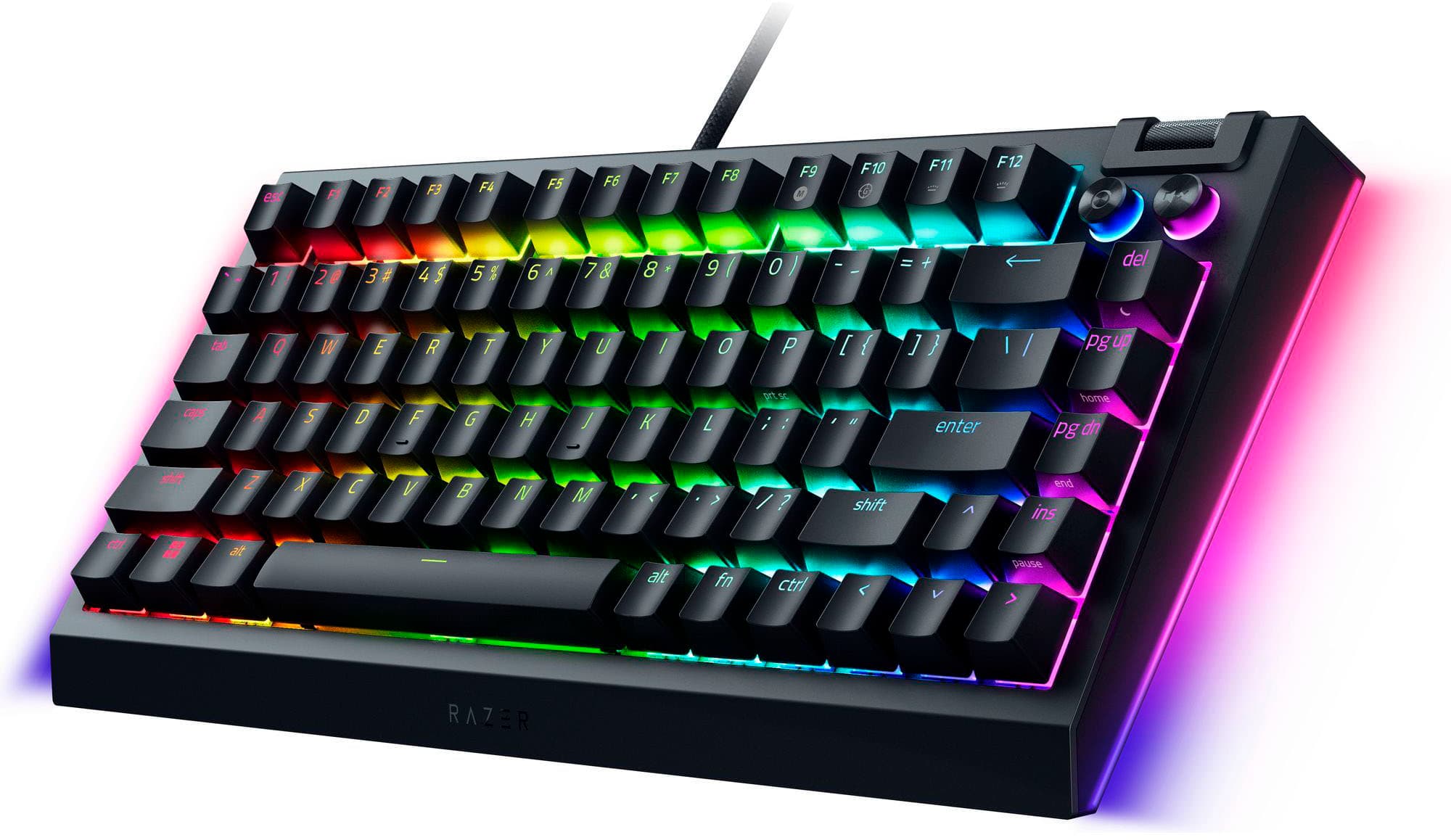
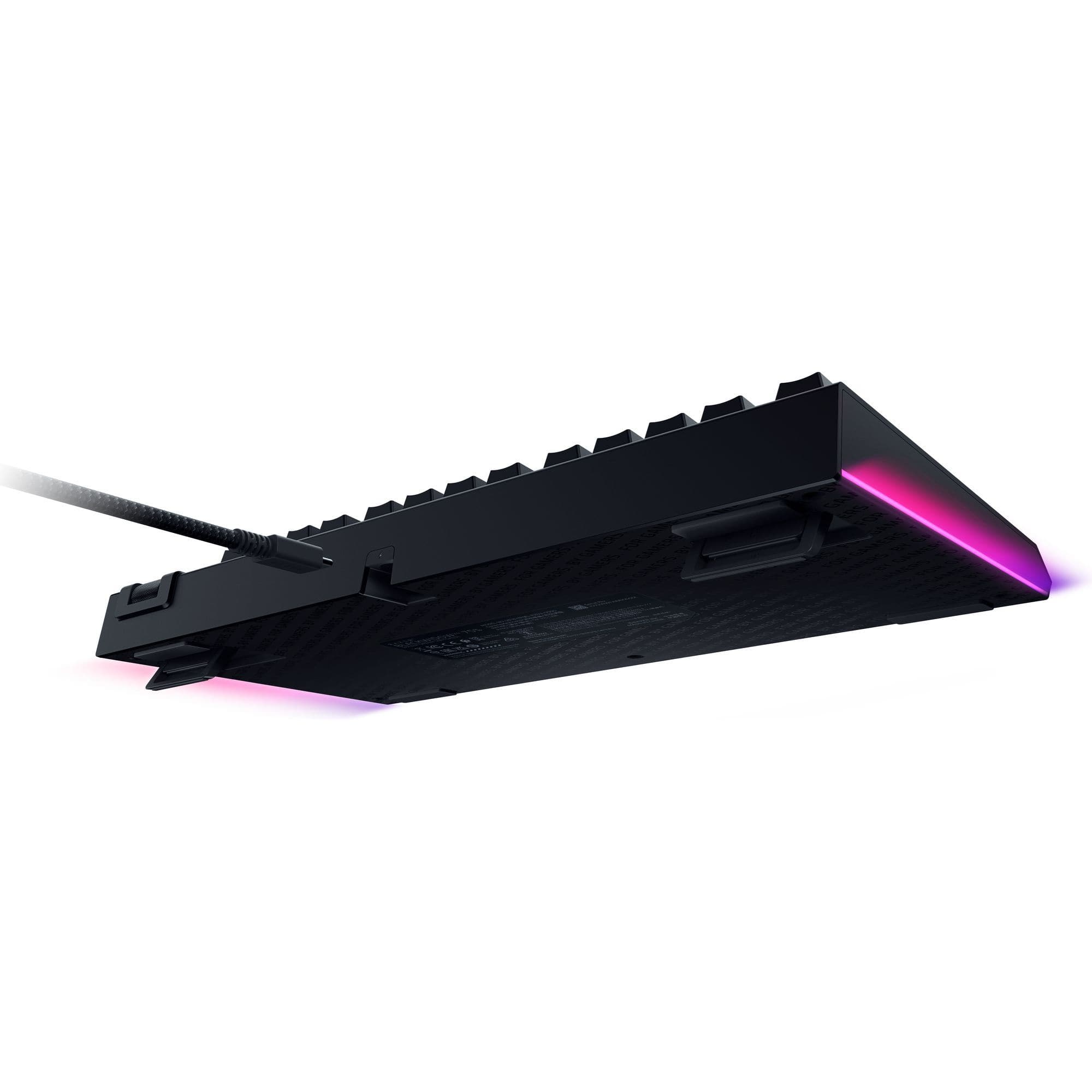
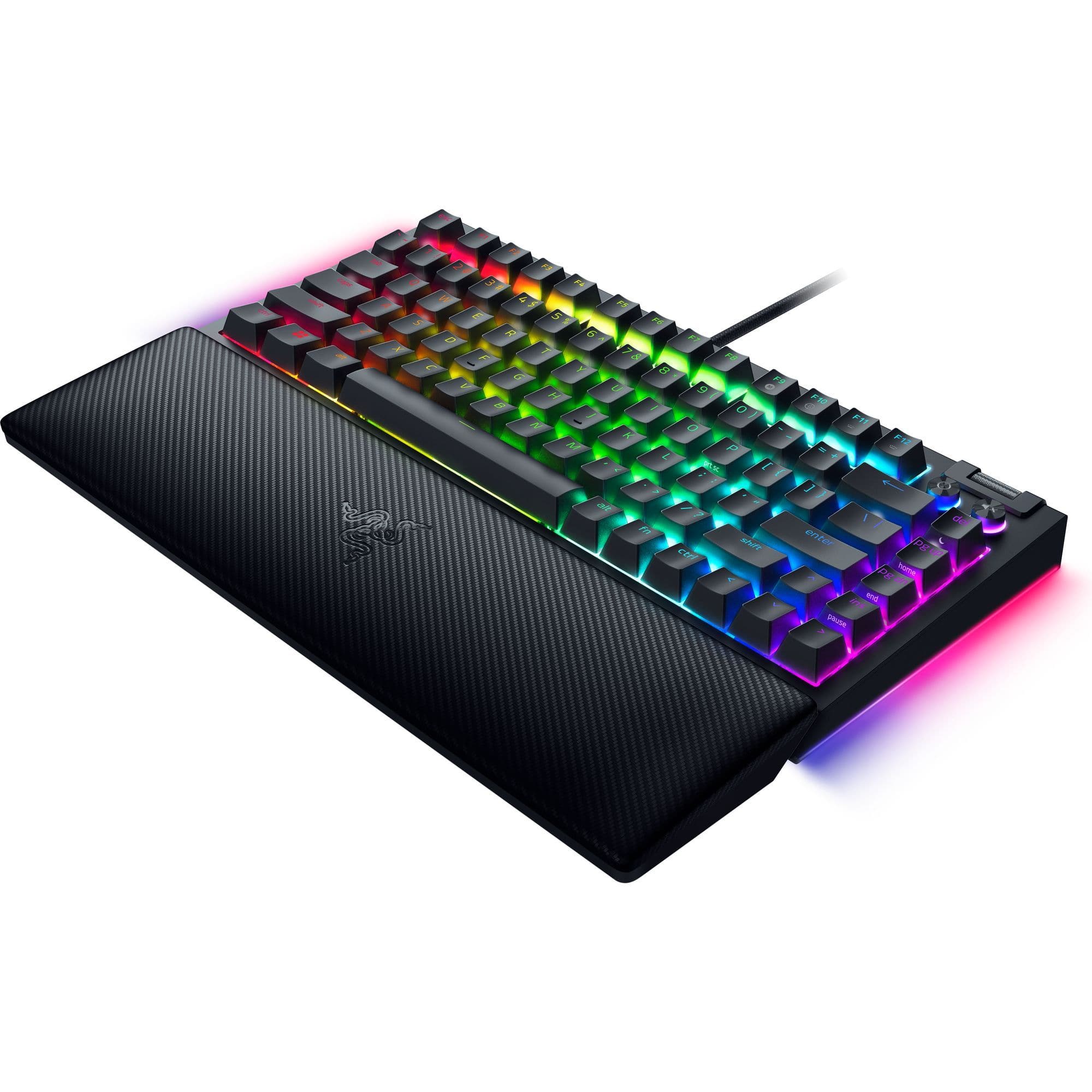

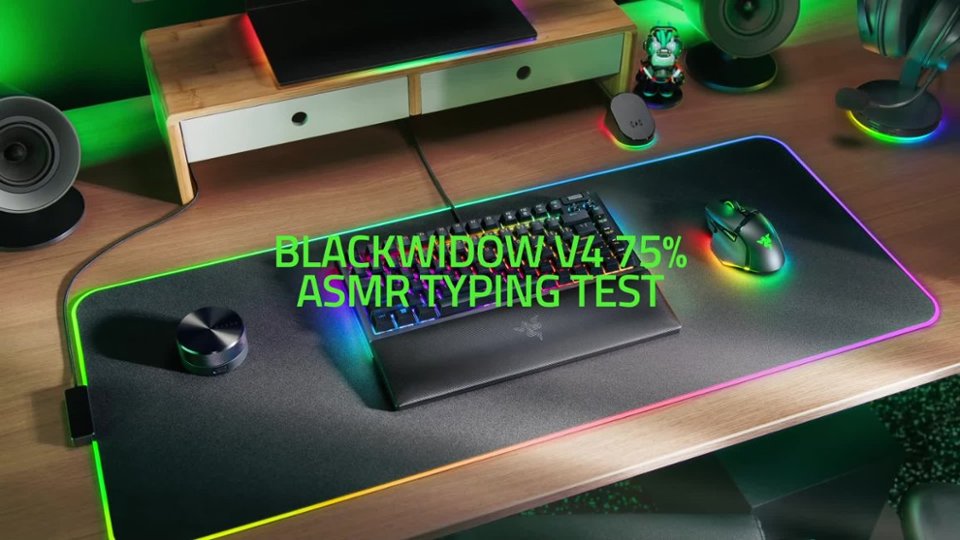

- Model:
- RZ03-05000200-R3U1
- SKU:
- 6554665
Rating by feature
- Value
Rating 4.0 out of 5 stars
- Quality
Rating 4.1 out of 5 stars
- Ease of Use
Rating 4.5 out of 5 stars
Customers are saying
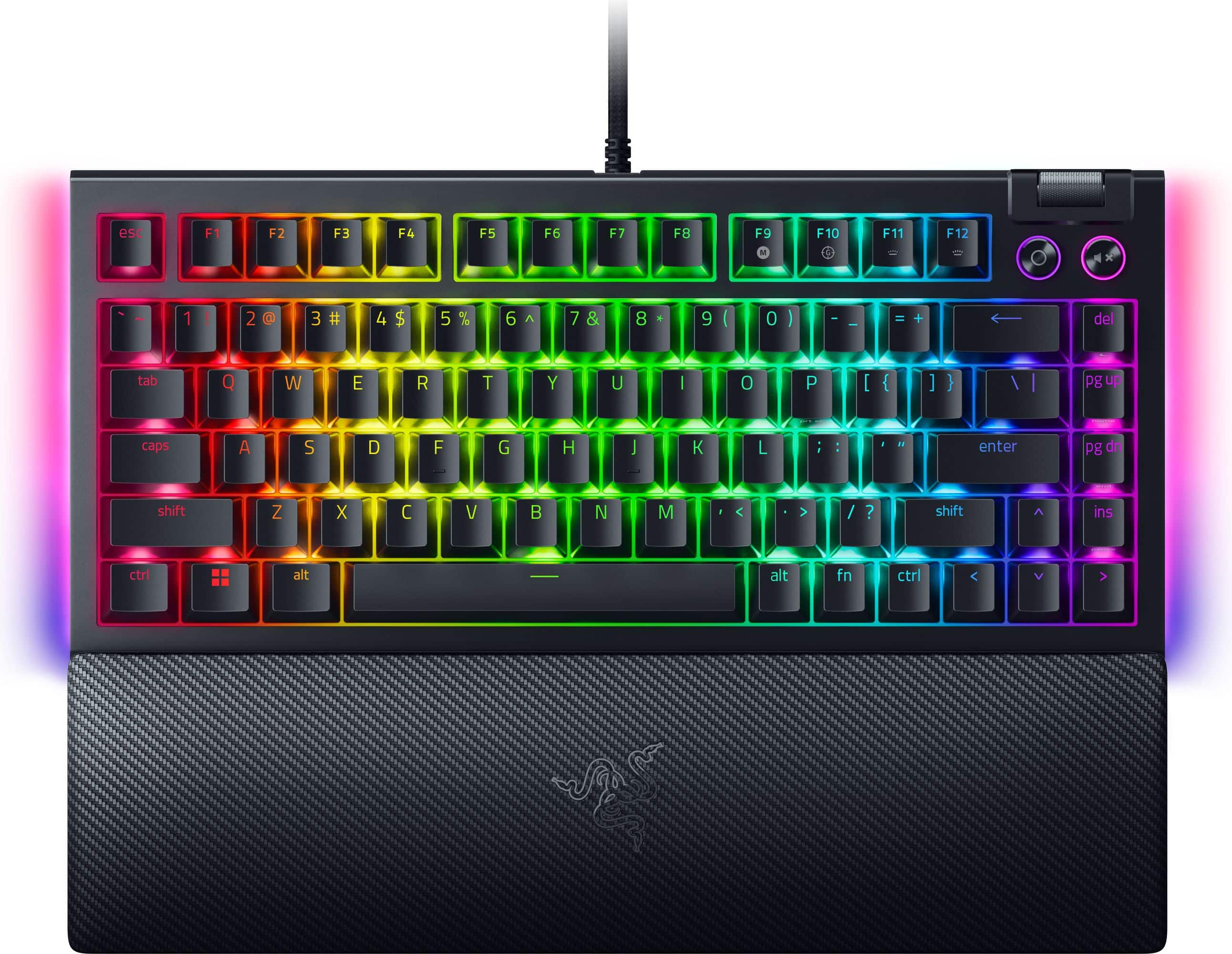
Customers admire the BlackWidow V4 75% Wired Mechanical Gaming Keyboard for its exceptional quality, vibrant RGB lighting, comfortable wrist rest, and balanced key feel. The orange switches are well-received, and the hot-swappable design adds to its appeal. Some customers find the price to be a bit high.
This summary was generated by AI based on customer reviews.
honest review
||Posted . Owned for 9 months when reviewed.This reviewer received promo considerations or sweepstakes entry for writing a review.third keyboard i have gone through from razer blackwidow v5 75% it just stops working to be clear it has nothing to do with bestbuy but every thing to do with razer
No, I would not recommend this to a friend- Pros mentioned:Key feel, Keyboard quality, Rgb lighting

A keyboard that you will not be disappointed in…….
|Posted .This reviewer received promo considerations or sweepstakes entry for writing a review.Ok i LOVEEEEE THIS KEYOARD. The glow that this keybboard represents is more that what I have expected. This lightweight keyboard makes tying a wonderful experience. I have the pleasure of typing on this key board for business and also playing games. The keystrokes are nice and smooth and quiet unlike most keyboards that I have typed on It has a wonderful wrist rest for your wrist to eliminate fatigue. This keyboard is built to be nice and sturdy and very sleek. I love this keyboard because when you turn out the lights you get a colorful experience. this adds such excitement a fun flair when we have the kids over and we are playing games, it just adds such a fun environment when we re all [laying game with it. Comparing this to other keyboards for gaming you are getting so much more for a faction of the price, it is definitely a keyboard that you would want to invest in. I like that you can customize this keyboard to fit how you like it to work for you. Get this keyboard, you will not e disappointed.
I would recommend this to a friend Keys don’t last
||Posted . Owned for 5 months when reviewed.This reviewer received promo considerations or sweepstakes entry for writing a review.After 5 months of use my key letter “e” stops working. My last 2 razer keyboard keys stop working but not this fast. I am starting to lose faith in the quality of razer keyboards.
No, I would not recommend this to a friendThe e key
||Posted . Owned for 1 month when reviewed.This reviewer received promo considerations or sweepstakes entry for writing a review.It’s a good keyboard but my e key is malfunctioning like a month in
I would recommend this to a friendSpanning keys
||Posted . Owned for 1 month when reviewed.This reviewer received promo considerations or sweepstakes entry for writing a review.Since new doesn’t work properly. Expensive keyboard bad product. Bestbuy won’t change it because it’s over the 14 day policy. And 14 days is not good enough time for testing. The manufacturing wants to do some extensive testing before they can consider changing it. Not satisfied, customer
No, I would not recommend this to a friend- Pros mentioned:Rgb lighting, Switches, Wrist rest
Hot swap? In my Razer?
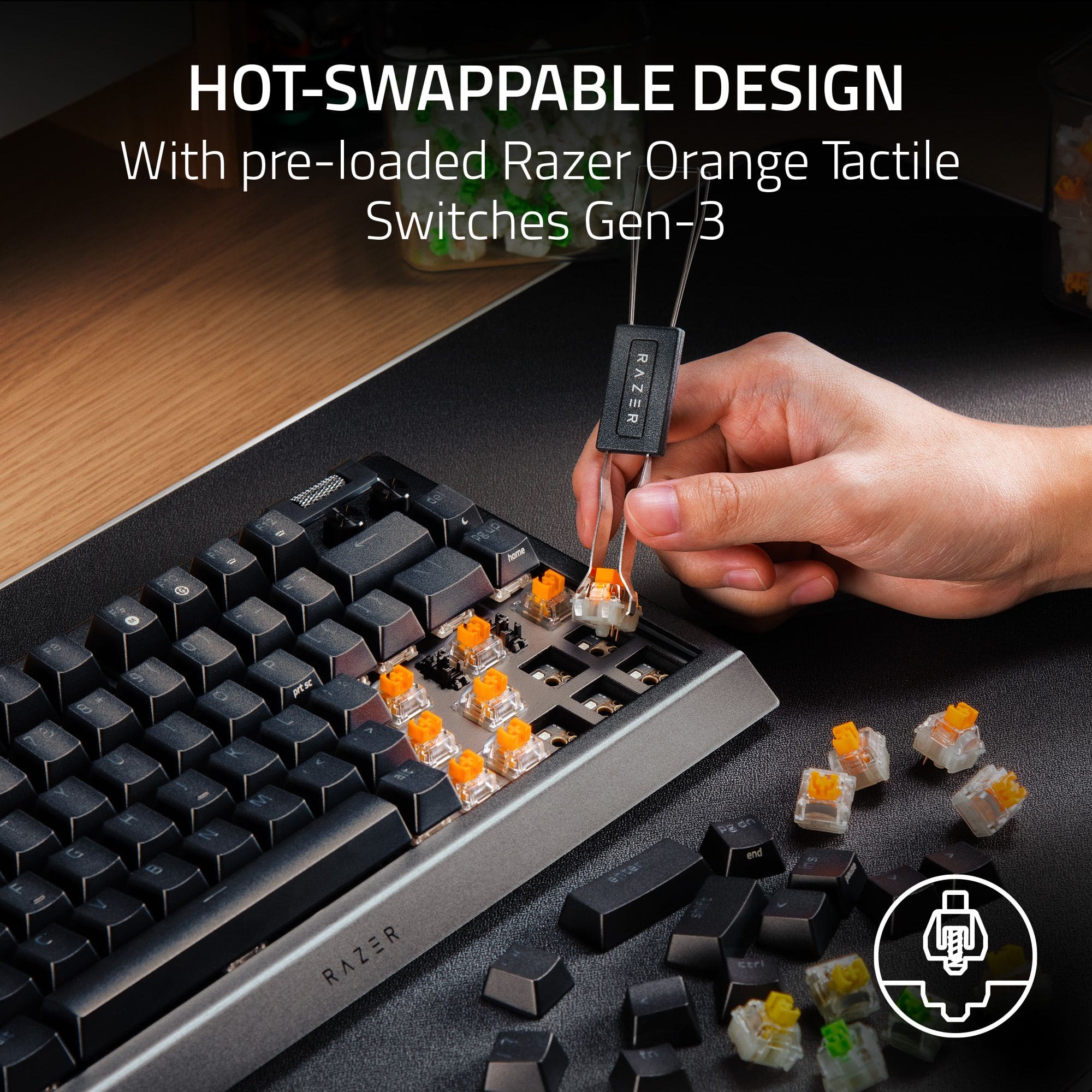
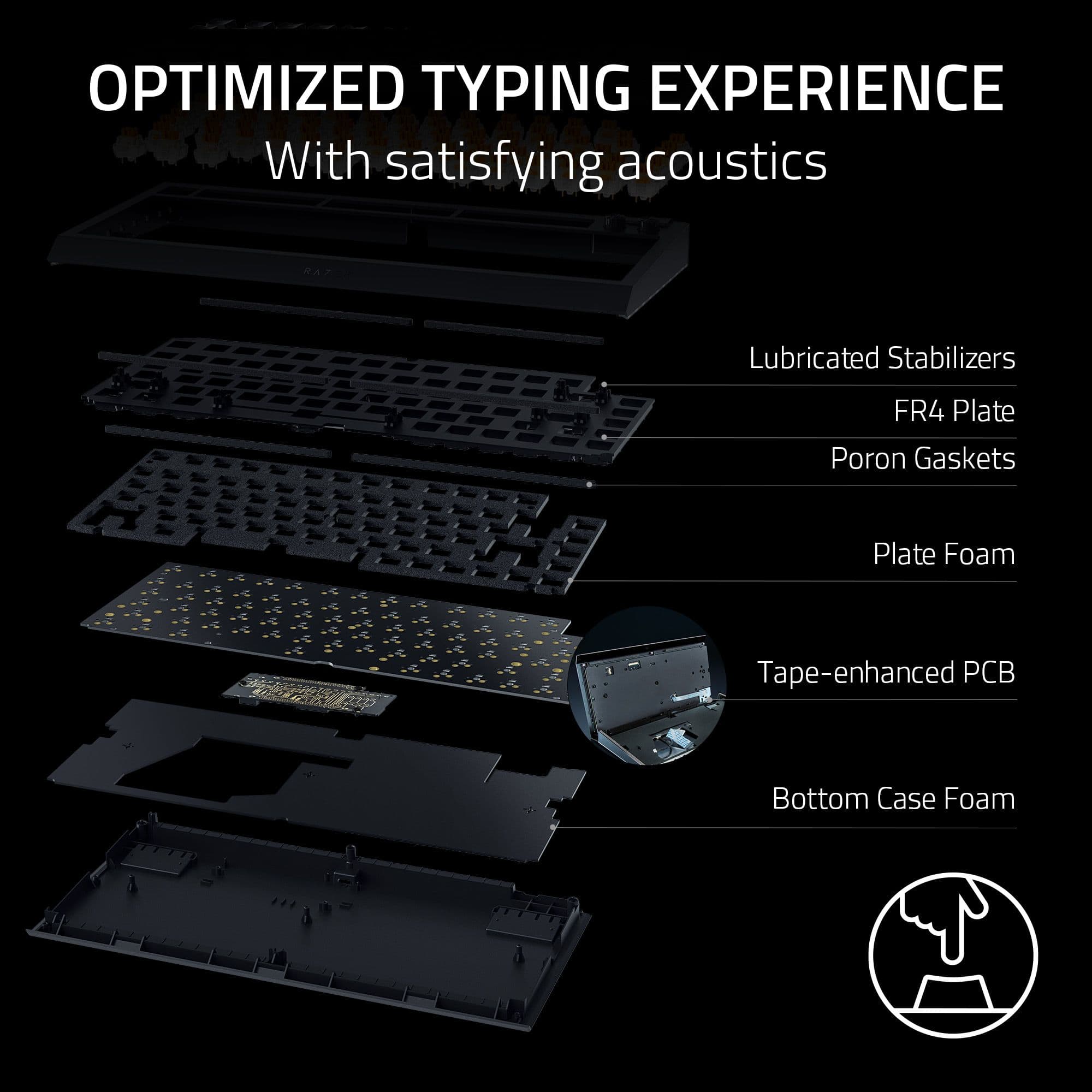
|Posted .This reviewer received promo considerations or sweepstakes entry for writing a review.It's more likely than you think. The Razer BlackWidow v4 is an exciting leap forward for gamers and an unprecedented foray by Razer into the keyboard enthusiast sphere. Razer has done a great job in integrating certain features keeb lovers might appreciate while also staying true to their core audience and fanbase. Hot swap might be something that most people picking this board up might not be familiar with, but it's a fantastic addition that any keyboard enthusiast will appreciate. Being able to customize the keyboard by swapping out switches without having to desolder them is a godsend, and the BlackWidow v4's embracing of customization doesn't stop there - it comes with a tape mod preinstalled, it comes with a detachable cable so you can swap it out, it even includes a 2-in-1 keycap/switch puller (which, though not the greatest quality I've ever used, is a handy addition for users who are likely to not have their own on hand). This seemingly open embrace of customizability and modding falls a bit short when you consider that you void the warranty by opening the case up. The PCB allows for plate-mounted stabilizers ("stabs") and yet you get penalized for installing them because you have to void your warranty to do so. This isn't a Razer-specific thing, custom mechs don't really have warranties anyways — but it does dampen the excitement knowing that a person who may be new to this hobby could be understandably afraid to ever do any more involved mods and be dissuaded from delving deeper into mechanical keyboards. That isn't to say that the BlackWidow v4 doesn't have any customization potential. The stock Razer Orange switches are surprisingly good - as tactiles, they feel somewhat like other MX Brown clones I've tried and are smooth and comfortable to type on. I've never used the Orange v2 switches but apparently, v3 (the ones that come stock with the BlackWidow v4) are a new, improved iteration. If so, I can imagine how excited fans of this switch would be! This is a pretty decent little switch and frankly inoffensive. I prefer more tactility and a higher actuation force in my tactiles but still found the Oranges to be good for typing. They even sound pretty okay stock, though I will get into the sound of this keyboard later, and come factory lubed, a bonus since most buyers will likely not be familiar with the process (or know of the necessity) of lubing switches. I do find the inclusion of tactiles, although the Oranges aren't exceptionally so, to be interesting as I usually see clickies (like MX Blues) or linears (like MX Reds) in gaming keyboards. Being hot swap, if you do prefer a different type of switch or just want to try other ones out, swapping them out can offer you an entire world of possibilities. As Cherry clones, you can also switch out the keycaps for another set; just mind that since this is a 75% board, you will need to keep an eye out for compatibility issues, such as accommodating the 1.75u right shift. Ironically, the Razer PBT keycap upgrade set won't fit the BlackWidow. Visually, this keyboard is gorgeous. The white colorway is supremely complemented by the RGB lighting, and it's hard to complain about Razer's RGB lighting quality. I find the "for gamers by gamers" effect on the underside of the case to be somewhat tacky, but the rest of the design is understated and a step away from traditional "gamer aesthetic" which I appreciate as a gamer who has long-avoided Razer neon green. The magnetic wrist rest is a nice perk, too. I was pleasantly surprised by the relatively understated Razer logo and the comfort it provides. It's soft and plush, though I did feel that it was a little high to allow for comfortable typing for extended periods. I also love the addition of the USB-C detachable cable, something that is an absolute must but can't be taken for granted with gaming keyboards. The stock cable is braided and has a premium feel while adding durability, but keyboard nerds might moreso appreciate the ability to swap out the cable for something more custom — you can get third-party cables in whatever color or pattern you want, even funky aviator cables! It's a great doorway into customizing your keyboard. The media controls are another major perk, especially on a 75% or less. The two media control buttons add some flair to the keyboard and the volume dial is a useful and appreciated touch. The volume dial is pleasantly tactile and the red LED on the mute button to indicate when you are muted is handy. Now, there are some downsides. None of them are major dealbreakers for me, but they might be heavy detractors for some. First is the stock sound profile. If you've ever heard anything about mechs, it's probably the word "thock". "Thock" is subjective, but I feel that this keyboard lacks much "thockyness". The top plate of the case is aluminum, sure, but the bottom body is plastic and offers more "hollowness" to the sound that holds this case back from being a satisfying-sounding keyboard to me. That isn't to say it sounds tinny, but rather that it sounds almost dull or heavy without any of that nice depth to the sound quality that I find important to my typing experience. This all sounds very far-out but that's kind of the fun thing about keyboards! So much of this hobby is personal preference. I did find that the Oranges could be a bit "pingy" and that the stabs were kind of "scratchy" - but those could both probably be helped with some lube. Neither of those issues was so major that I think they make this keyboard sound or even feel "bad". I didn't see, hear, or feel any major issues with the stabs or the switches, and being gasket-mounted helps with both sound and typing feel. The second downside is the build quality. I was excited when I saw "aluminum case", but it only takes picking the box up to figure out that it isn't fully aluminum. Indeed, the top plate is aluminum alloy and the bottom part is plastic. This isn't to say that this keyboard is poorly built, but for a more "premium" board it was disappointing to see. Of course, there are some upsides: some people prefer the plastic sound profile, plastic cases help RGB shine through better, and using plastic over alu makes the keyboard lighter (a pro to some, a con for others) and thus more portable. I just would have preferred some more transparency here. The third is the keycaps. Somewhat related is the fact that there is just one LED under the spacebar which is especially noticeable with "pudding" keycaps (like Razer's own Phantom keycaps, or the popular HyperX set) which are designed to highlight the keyboard's RGB. It isn't a huge problem, but it does seem like a missed opportunity for a company known for flashier RGB aesthetics like Razer. The RGB is also somewhat dimmer than my main keyboard - again, kind of ironic considering Razer is sort of the RGB king in the gamer peripheral space. The keycaps are ABS plastic, which has pros and cons. For a more "premium" board I find ABS to be rather disappointing, given they are prone to "shine" (wearing of the plastic) faster than the more expensive PBT. I can see why Razer went with ABS, given that ABS does allow for better RGB shine-through and legends that won't wear off. Plus, the caps are textured, something that gives them an edge over typical ABS caps. ABS also can feel "snappier" or lighter as they are less dense than PBT, something that gamers will likely appreciate. So, although I prefer PBT myself for sound, feel, durability, and typing experience, I will say that the inclusion of ABS caps does make some sense to me here. Fourth and last is the Synapse software. Plenty of people know it to be less-than-great. Luckily, I didn't run into any issues installing it or setting it up but Synapse is known to be a RAM hog, overly intrusive for what it is, and having install/crash issues. Some people will avoid Razer products for this reason; I think that this experience wasn't as bad as it's usually made out to be, but I know I've had some hiccups in the past with older Razer products so I understand the stigma. It was disappointing to see that the media controls couldn't be remapped; given that the volume dial could have also served a mute function if pressed in (similar to the volume knob on the GMMK Pro), having a mute button that can't be remapped just seems redundant. Especially for gamers, for whom macros and shortcuts might be quite helpful, it seems oddly limiting to not allow for that level of customization in software. There are competitors offering a similar prebuilt experience around this price point which I think may offer a less gaming-focused, more keyboard-oriented experience. The ideal balance of those two will depend on the user. The BlackWidow offers greater value than a prebuilt GMMK Pro, for instance, but the GMMK Pro does offer a fully aluminum body without the Razer branding. The Keychron Q1 Pro is closer to what the BlackWidow is offering but offers an all-aluminum body, includes PBT keycaps, and allows for more customizability with different case colors available, a standard bottom row, and programmability through QMK. On the other hand, as Keychron is China-based there can be support issues and there are known QC issues on top of the higher latency vs the BlackWidow. The Keychron also doesn’t include a wrist rest, which for some might be a big downside. Overall, the BlackWidow v4 is a decent mechanical keyboard from a company that I'd never expect to go this route. It's an exciting and certainly interesting leap forward for gamers and keyboard hobbyists, and as someone who enjoys mechanical keyboards, I was stoked to give this a go. I wasn't disappointed. This is far from an "endgame" keyboard for me but for a beginner new to the hobby, a Razer fan, or a gamer who prioritizes game features but wants a good typing experience and some customizability, this is simply a great option.
I would recommend this to a friend DO NOT BUY!!!!!!!!!!
||Posted . Owned for 1 month when reviewed.This reviewer received promo considerations or sweepstakes entry for writing a review.Garbage keyboard. Constant issues with double input and when you contact Razer they put you through the ringer to get any help. I will not be buying Razer ever again.
No, I would not recommend this to a friendAVOID THIS AND GO ELSEWHERE!!!
||Posted . Owned for 1 month when reviewed.This reviewer received promo considerations or sweepstakes entry for writing a review.DO NOT BUY THIS KEYBOARD! I have had this board for less then a month and I am already having issues with the keystrokes actuating twice. There appears to be a major issue with this happening to new boards with no firmware fix.
No, I would not recommend this to a friend- Pros mentioned:Keyboard quality, Switches, Wrist rest
Premium comfort and features, reduced footprint
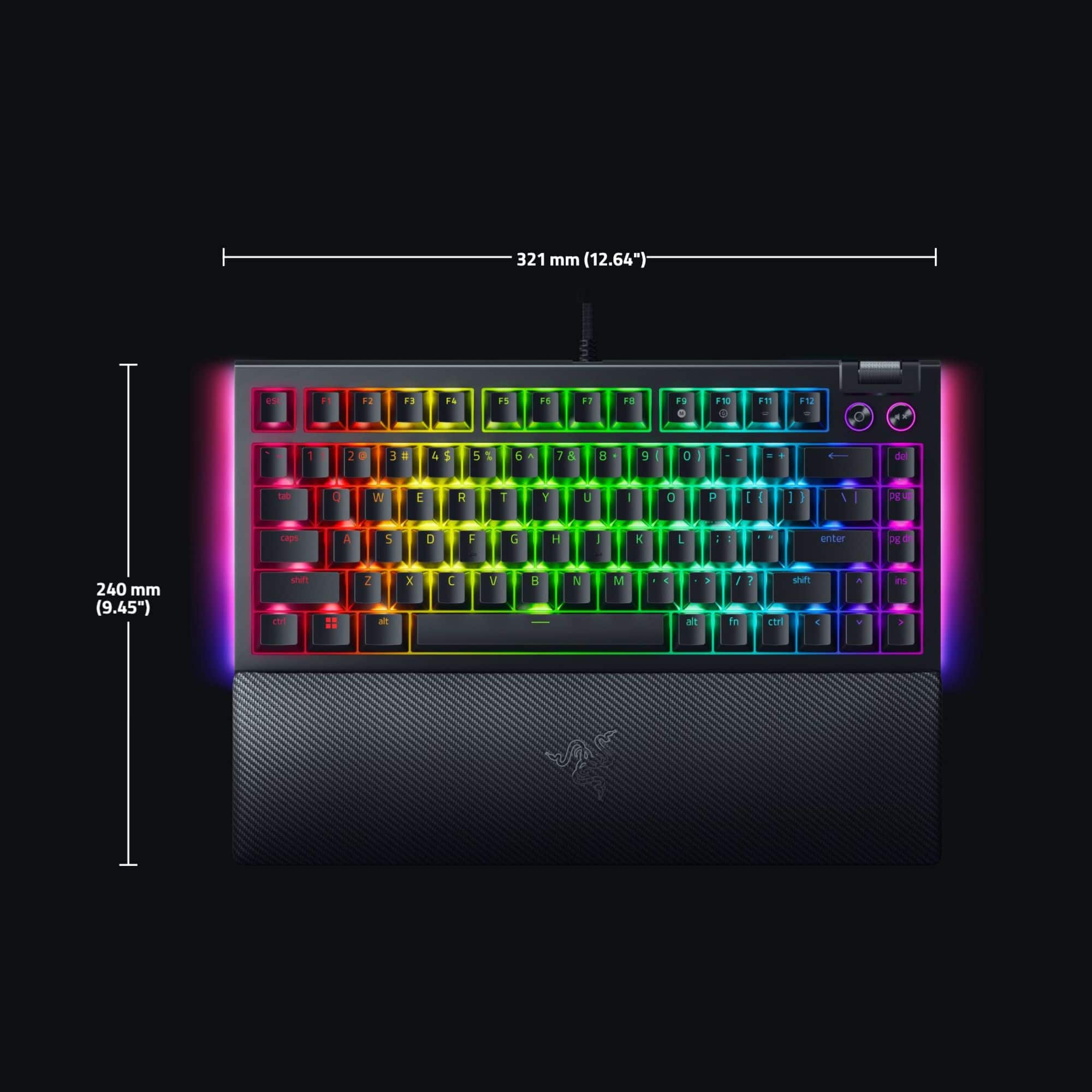
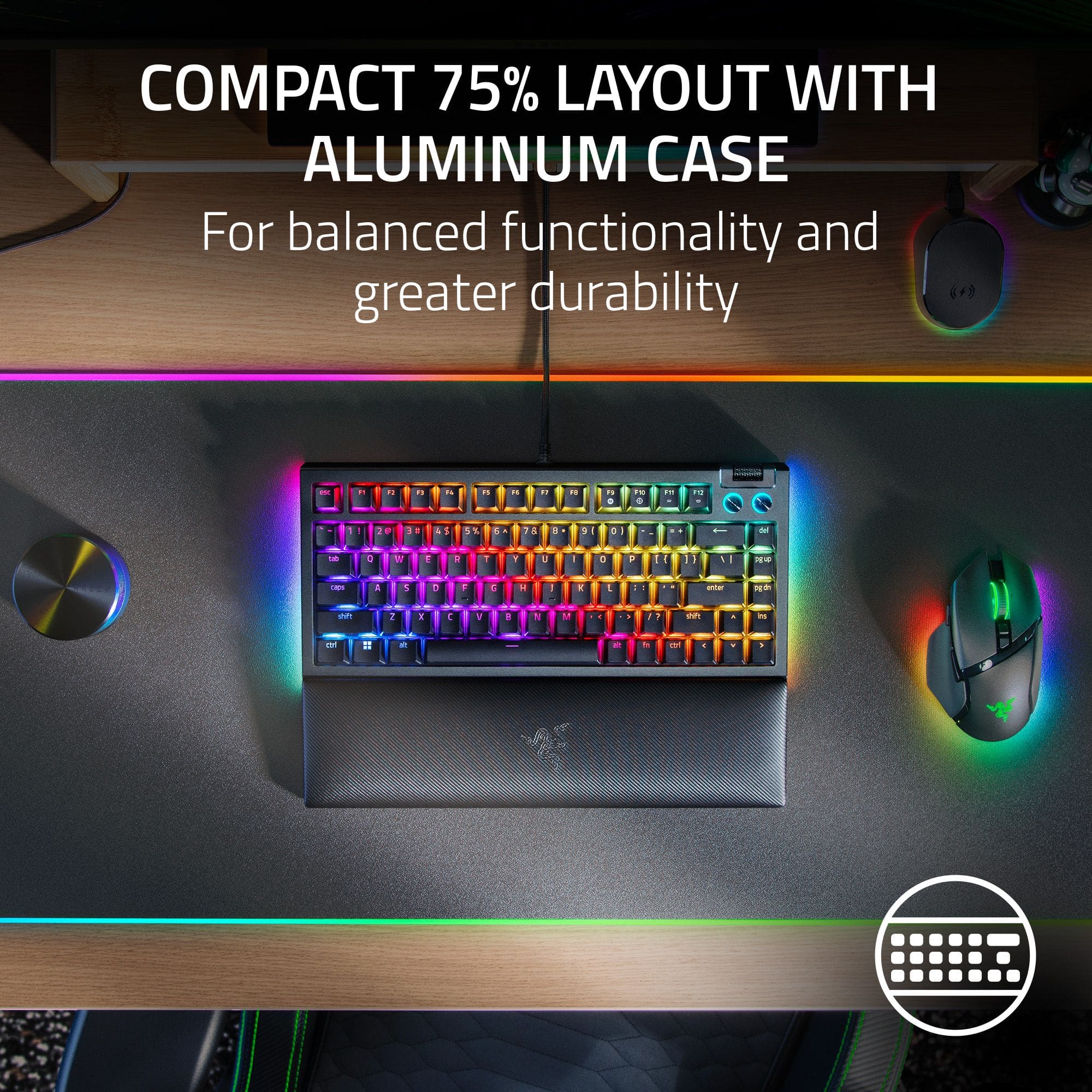
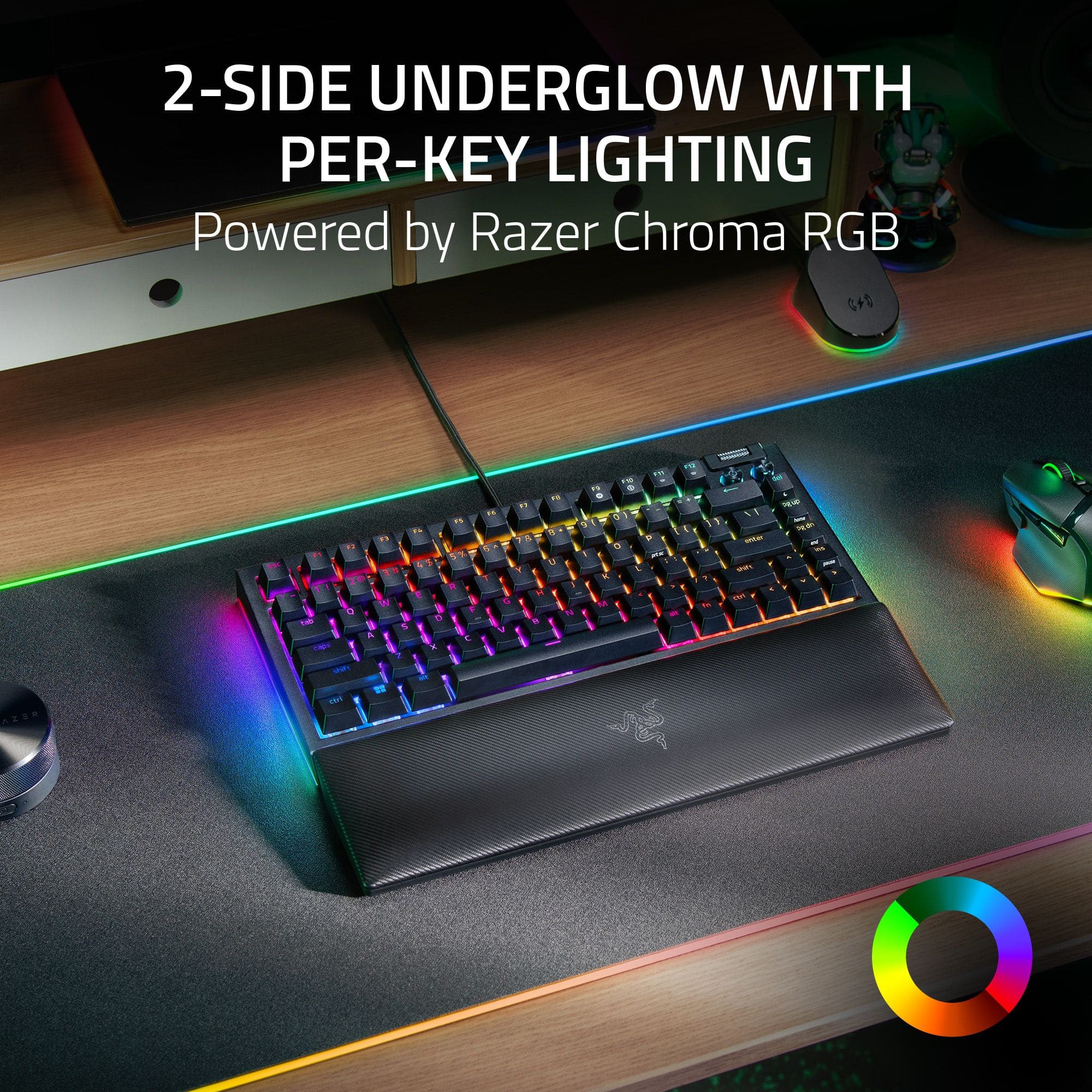
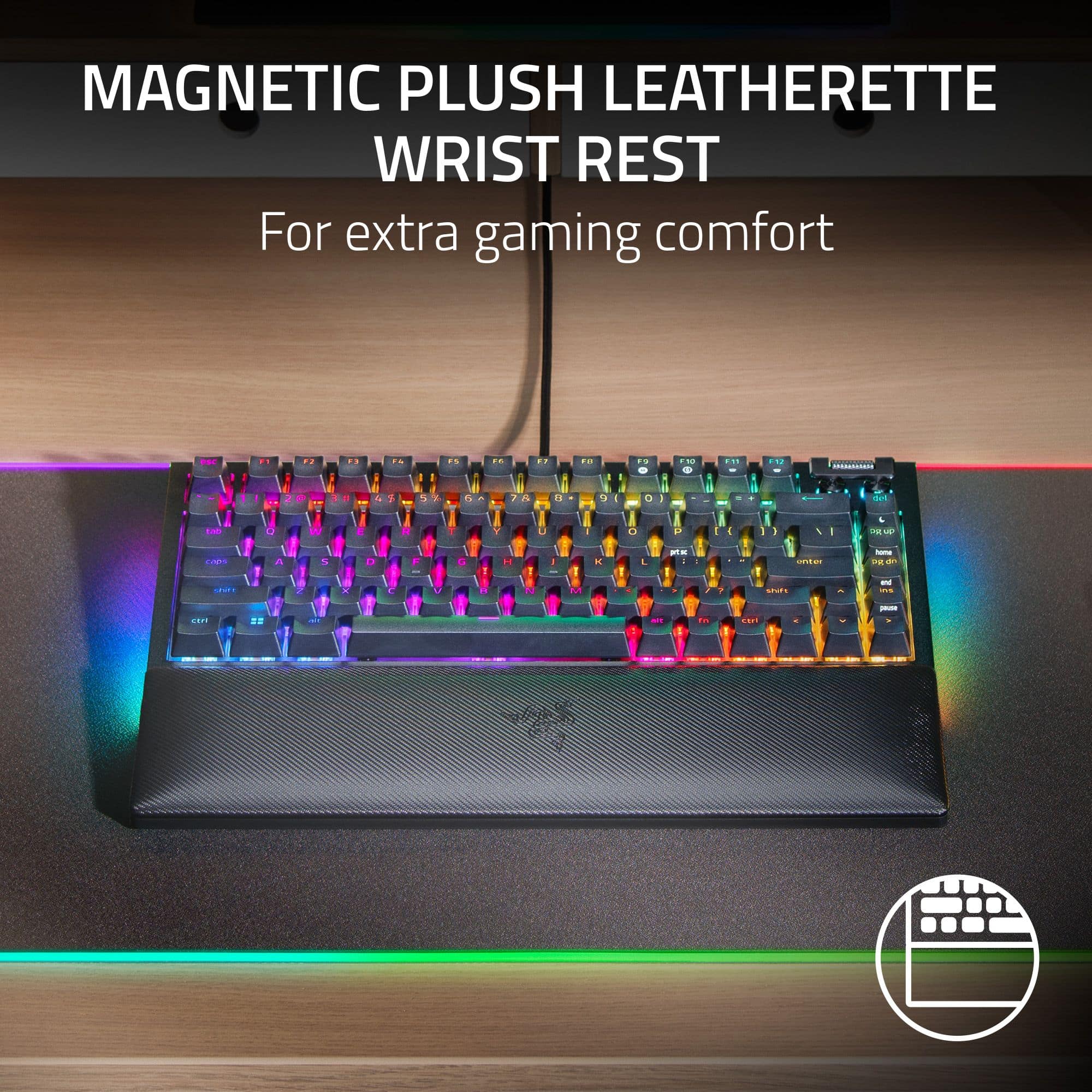
|Posted .This reviewer received promo considerations or sweepstakes entry for writing a review.The Razer BlackWidow V4 is a 75% layout (i.e. no 10-key pad) mechanical keyboard with a clearcut focus on performance, build quality, and aesthetics. Beginning with the technical specs, the BlackWidow V4 features a detachable wired USB-C connection, Razer’s hot-swappable proprietary orange mechanical switches, fully reprogrammable keys with support for macros, multi-media functions, lighting functions, and more, as well as polling rate support between 125-8000Hz. Speaking on Razer’s proprietary mechanical switches, I find them to be a perfect blend of tactile and responsive while maintaining a pleasing, yet not obnoxious, audible feedback for each keystroke. I find these switches to be excellent for gaming and typing applications as the short and snappy rebound accommodates even the briefest of keystrokes. That said, folks have some very strongly held opinions about mechanical switches, and if you’re sure the orange switches aren’t the right option for you, the hot-swap functionality allows users to remove the oranges and install their own preferred switches relatively easily. Other switches are obviously not included, but it’s nice that the modular design of the BlackWidow allows this. The fully reprogrammable keys are a welcome inclusion on the BlackWidow platform as they allow any functionality that may be lost with the 75% form factor to be restored and even amplified. For example, the default configuration lacks multi-media functionality, but, via Razer Synapse (Razer’s peripheral control software), I was able to easily add pause, play, forward, and back functions to four of the function keys. As previously mentioned, the keyboard also supports the programming of macros, allowing for an impressive degree of customizability among users with highly specific gaming and productivity use cases. Alongside the reprogrammable keys, the BlackWidow also sports all the modern RGB lighting capabilities one would expect via Razer Synapse. As a side note: I’ve found that Razer Synapse has been continually updated over the years, and the software is much more responsive and easier to use than previous iterations, at least in my opinion. Speaking to the build quality and aesthetics of the BlackWidow, I am really impressed with how sleek and sturdy the whole package is. For starters, the BlackWidow is a brick in terms of structural integrity. The unit has zero flex and a very satisfying heftiness to it, despite its small size. Thankfully, Razer didn’t go overboard in this regard, as the keyboard still travels very easily, coming in at a net weight of only about two pounds. The finishing of the keyboard is impressive as well. Featuring an all-stark-white design, the BlackWidow has a slightly eggshell-finished metal face, allowing the ergonomic wrist rest to magnetically affix to the bottom of the unit, as well as exceptionally sturdy ABS plastic base, backplate, and keycaps. The slight eggshell-finish also carries over to the top of the keycaps, producing an extremely satisfying tactile sensation reminiscent of the classic off-white plastic keycaps from years-gone-by. The all-white finish pairs perfectly with the per-key and aura RGB lights, producing a satisfying, deep, and customizable glow about the entire unit. Additionally, the 75% layout of the BlackWidow is perfect for those who prefer to keep desk-clutter to a minimum. As far as ergonomics are concerned, the BlackWidow is one of the most comfortable keyboards I’ve ever used. This is due, in large part, to the exceedingly plush wrist rest which keeps the user’s hands comfy even after several hours of continuous use. On top of the comfort factor, the wrist rest also compliments the appearance of the BlackWidow quite nicely, retaining consistency-in-design with the rest of the keyboard. Overall, I’ve been impressed with every aspect of the BlackWidow V4 since I’ve integrated it into my setup, and I plan to continue using it for the foreseeable future. While this keyboard is situated at a bit of a premium price point, I would highly recommend it for anyone searching for a stylish, powerful, and comfortable upgrade to their setup.
I would recommend this to a friend BUYER BEWARE
||Posted . Owned for 6 months when reviewed.This reviewer received promo considerations or sweepstakes entry for writing a review.I went through 3 keyboards in 6 months. Each keyboard same issue. Keys didnt press or double pressed. Each keyboard gave me this problem withing 2 months. DONT BUY THIS KEYBOARD
No, I would not recommend this to a friend- Pros mentioned:Key feel, Wrist rest
Keys feels great. RGB pops on the white version.
|Posted .This reviewer received promo considerations or sweepstakes entry for writing a review.Pro: -Tactile keys -Low noise -Evenly diffuse lighting -Swappable with 3 or 5 pin keys Con: -White will get dirty faster First Impression This keyboard is hefty, and the white version looks really nice. It will, no doubt, get dirty quickly over time, but that’s the choice you make for buying a white version. The white color makes the lights look better, making it stand out more and giving a subtle glow. It comes with a magnetic foam and leather like wrist wrest. It feels nice but I don't think it'll take long til it gets dingy. The soft silver braided USB cable is a nice touch. Keys I didn’t expect to like the keys on this keyboard so much. Typing on this feels so satisfying. The default keys, Razer’s Orange keys, feel and sound great. The tactile feel has a noticeable bump and has a heavier feel to them. They’re closer to Cherry Browns, but have a bit more resistance and are less clicky. They are quieter and have more of a low tock rather than a hollow twang, feeling closer to keys found on custom keyboards. Each key is stable with minimal wiggle. The lettering is clean and evenly lit, overall looking beautiful. The placing of the arrow keys and smaller buttons on the right takes a bit to get used to, and you’ll probably be pressing the wrong keys for a bit. The pause and mute knobs look a bit out of place, but are sturdy and responsive to press on. The volume rocker has a clicky scroll, which is preferred for precise control. The big feature of this keyboard is that the keys are swappable. It’s compatible with 3 and 5 pin keys. I didn’t try to replace them, as I’m fine with the included keys. RGB Lighting The lighting, combined with the white color, looks vibrant and super clean. The lighting under the keys are diffused, eliminating any harsh hot spots and light bleeding. There’s also a strip of lighting on each side, providing some accent lighting and giving the table a bit of a glow. Each key, the side lighting, and the volume knobs can each be customized in the Synapse app. There’s basic presets, or fully customizable with layers of effects. The color accuracy is pretty close, but there are few colors that couldn’t be reproduced. Synapse features Aside from customizing the RGB, you can set up Hypershift, which is essentially the fn key that works with every other key, nearly doubling the number of key combinations. I’m still not a big fan of Synapse since it can be buggy, but with just the keyboard, it seems to be working ok. Overall a great keyboard. Looks nice, with clean RGB and key caps. More importantly, it keys feel great. Tactile is nice, quiet, and satisfying for typing and gaming. Each key can double as another function with Hypershift, giving you more options. The only downside is that the white version will probably get dirty quicker.
I would recommend this to a friend - Pros mentioned:Keyboard quality, Wrist rest
Great keyboard
|Posted .This reviewer received promo considerations or sweepstakes entry for writing a review.The BlackWidow V4 75% is, so far, my favorite smaller sized keyboard. The overall look of the keyboard is gorgeous, with the RGB backlights flashing across the sleek white design. The matching wrist rest looks just as good, and it's very comfy to use while typing. Although I won't be changing them out, the hot swappable switches are great for those who like to customize their board-- although the orange switches it comes with feel great to use and have an amazingly satisfying (but quiet) clicky-clack with each keystroke. They come pre lubed from Razer, so they're very smooth straight out of the box without any extra adjustments. The ABS keycaps are sturdy and feel great, and along with the aluminum frame, they make the entire board feel high-quality and long lasting. The 75% layout can be a little hard to get used to, but overall it's very intuitive and well-designed. The Synapse software allows you to easily set macros and change the backlighting, and with this keyboard being made by Razer, the RGB settings are very customizable as always; you can even color individual keys. There's also lighting on the sides of the keyboard to color your desktop. If you're looking for a 75% keyboard this is a great choice. It's customizable and feels great to use, and I highly recommend it.
I would recommend this to a friend - Pros mentioned:Keyboard quality
Love this keyboard!
|Posted .This reviewer received promo considerations or sweepstakes entry for writing a review.This is nearly perfect keyboard. I spent a long time (20+ years) trying to find which keyboard worked for me. I went through several hundreds of IBM, corsair, razer, steelseries, and logitech keyboards. Mechanical, linear, tactile, and everything else. Over the years, I've easily spent over $4000 on keyboards alone. Everything felt either too clunky, too loud, too soft, not impactful enough, cheap, overdesigned, or underdesigned. **The Good** The simplicities of this board is what make it what it is. From the side piece functionality, to the knobs, to the software. Everything has a purpose, and is optional. A modular keyboard, which allows for all the functionality a gamer would need. It has 5 standard macro buttons, 3 side panel buttons, and a fully customizable keyset. It takes up minimal space, and is made of pretty high quality material. Now, the switches... These switches are the best. Yellow mechanical are silent enough to not be click clacking, but impactful enough to really give it that feeling that you clicked something. The actuation points are on point. Lastly the brightness. This lights up my room, it's actually brighter than my computer. **The Bad** So, there are some improvements to be had. 1. The lenses on the media keys should be see through, so you can see which buttons you're pressing. Not a huge deal, but none-the-less, will improve the experience. 2. The cords that come with the keyboard are modular, meaning you can disconnect the cords from the keyboard. Now normally, this would good, and it does a great job at staying in. However, if you move the keyboard too much, or I'm guessing unplug and replug. The fitting will eventually ware. Even now, with a brand new keyboard, it'll disconnect sometimes in the middle of gaming. That being said, the grips on the bottom with the padding do a really good job at keeping it in place
Newest Razor keyboard
|Posted .This reviewer received promo considerations or sweepstakes entry for writing a review.In the busy area of my desk the newest version of the Razer BlackWidow 75% white edition fits right in. Even with the wrist rest, there is room for the mouse without compromising space. The feel of the keyboard and key spacing it top notch, and I noticed a decrease in my fingers hitting 2 keys at once. Razor has a reputation for excellent lighting, this goes beyond as it is fully customizable, as it the rest of the keyboard. However, there are still ongoing problems with the Razor application, I still can not get it to work properly it appears to be hit or miss. While I was installing the keyboard a pop-up opened for the Synapse app, I chose to use the windows standard to control the keyboard. I did lose some of the lighting features by doing so. On a side note, if you are planning to utilize this keyboard on a laptop make sure you have an available USB-A slot open or have a USB-C to USB-C spare cable. The cable is long enough to reach just under 6 feet. The BlackWidow comes with a 2-in-1 keycap and switch puller. The USB plugs into the top of the keyboard, in the middle of the keyboard this is a USB 2.0 Type C port. There are also the standard 2 kickstands at the bottom of the keyboard. You can control the following from the keyboard. The F9 key is also the on-the-fly macro recorder, the F10 key is also the gaming mode key, The F11/12 keys control the volume. There is also a button for the Multifunction and the mute. The delete key enders sleep mode. Pressing the function button activates the above controls. The included manual shows all the hot keys for adjusting the lighting effects.
I would recommend this to a friend- Pros mentioned:Keyboard quality, Wrist rest
Wow
Posted .This reviewer received promo considerations or sweepstakes entry for writing a review.Love it. I'm limited on space at the moment and wanted something compact but not without the upper F keys. The keyboard is the same sized I had imagined it to be, even the wrist pad which I've never used until I bought this keyboard. I also swapped some keys out for customization purposes.
I would recommend this to a friend - Pros mentioned:Rgb lighting
Impressive Customization and a Few Caveats
|Posted .This reviewer received promo considerations or sweepstakes entry for writing a review.Overall, the Razer BlackWidow V4 75% is an impressive keyboard. Razer’s Orange tactile switches feel very responsive and sound great right out of the box. If you aren’t a fan of tactile switches, the keyboard comes with a keycap and switch puller which allows you to hot swap the original switches with both 3 and 5-pin switches. Since I’m not a fan of tactile switches, I swapped mine out for Gateron’s linear “Oil Kings.” They feel really smooth and sound pretty great on the BlackWidow as well. The only downside is that the Oil Kings block the RGB from the keyboard’s PCB, however the RGB on the media buttons and the side lighting still look great, nonetheless. The BlackWidow comes with a wrist rest that magnetically attaches to the keyboard. It’s exceptionally soft and feels comfortable to type on. The media keys are very convenient, and the roller is a nice touch for controlling volume whenever I need it. However, the mute button and roller can be remapped to do lots of other different actions using Razer Synapse. Even though the marketing boasts about customizability, if you want to mod the keyboard beyond keycaps and switches, be aware that taking the actual keyboard apart will void your warranty.
I would recommend this to a friend THE PERFECT SOLUTION TO CLUTTERED DESKS
|Posted .This reviewer received promo considerations or sweepstakes entry for writing a review.I needed a keyboard for my laptop in order to reduce the clutter on my desk and give myself more space to work. I can't believe I waited this long to do this! I just needed to buy a docking station because I didn't have an extra usb port to plug in the keyboard. Once I got that taken care of, I connected everything and moved my laptop over to a side table. Luckily, the keyboard's cord is long enough that I was able to move everything without issue. My keyboard is now basically the only electronic device that sits on my desk (I have a separate monitor on a shelf above). I'm thrilled with the results. I have so much more space now for my drink, mouse, mousepad, etc. It all looks so much cleaner and more organized. The keyboard itself is generally perfectly adequate for my needs. The keys are a little more elevated than I would have liked, but they're fine otherwise. I'll get used to them. They are backlit so I can see clearly even in low lighting. I'm overall very pleased with my new configuration. I also love the volume control located on the keyboard itself. It's a scrolling device so much more efficient than going into the computer control panel. The only other con aside from the keys being more elevated than those on my laptop is that there is no number keypad off to the side. But honestly, I don't work with numbers so I don't use it as often as other people might. Therefore, not a deal breaker.
I would recommend this to a friendWonderfull for office and game
Posted .This reviewer received promo considerations or sweepstakes entry for writing a review.Thank a great brand just see the all information and the all ref
I would recommend this to a friendAwesome!!
Posted .This reviewer received promo considerations or sweepstakes entry for writing a review.Great keyboard! Love the hot swappable design and switches. In-store pickup was super convenient and easy. Took less than 5 minutes to get the keyboard. Would recommend!
I would recommend this to a friend- Pros mentioned:Keyboard quality
Razer's best keyboard yet
Posted .This reviewer received promo considerations or sweepstakes entry for writing a review.Best keyboard Razer has released - Foam + Tape modes, hot swappable keycaps, volume and media knobs in an agreeable 75% form factor. Perfect keyboard for both gaming and productivity.
I would recommend this to a friend