Save up to 50% on 3-Day Sale deals.Ends 12/7.Shop now

Skip to content
Gift Ideas
Main Content

Customer Ratings & Reviews
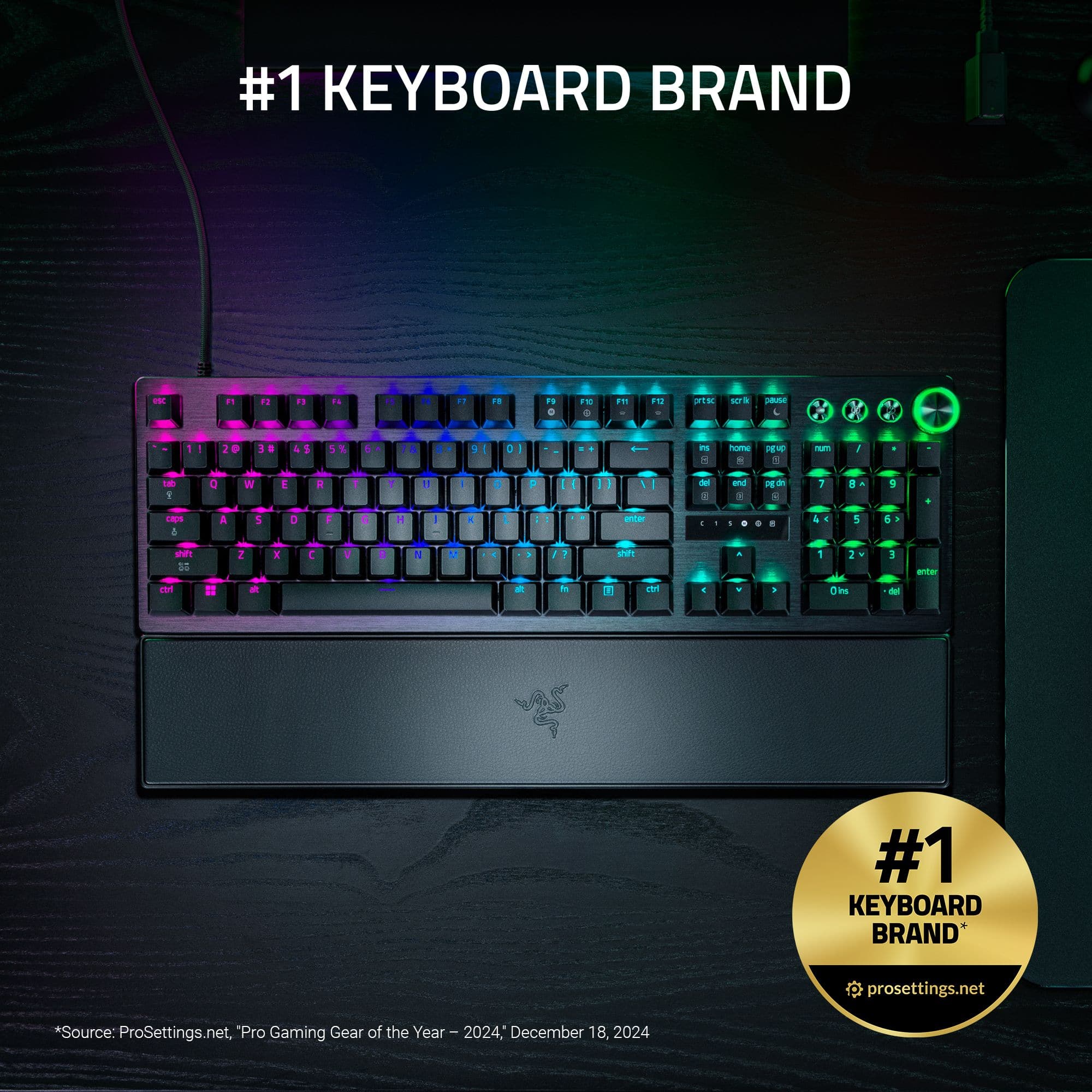
Your price for this item is $249.99

Customer reviews

Rating 4.7 out of 5 stars with 30 reviews

Rating Filter

Pros mentioned filter

Cons mentioned filter

There aren't enough negative mentions yet.
93%
would recommend
to a friend
The vast majority of our reviews come from verified purchases. Reviews from customers may include My Best Buy members, employees, and Tech Insider Network members (as tagged). Select reviewers may receive discounted products, promotional considerations or entries into drawings for honest, helpful reviews.
Page 2 Showing 21-30 of 30 reviews
  • Tech Insider Network Member

    Rated 5 out of 5 stars

    Keyboard is wonderful for a disabled person

    |
    Tech Insider Network Member
    Posted .
    This reviewer received promo considerations or sweepstakes entry for writing a review.

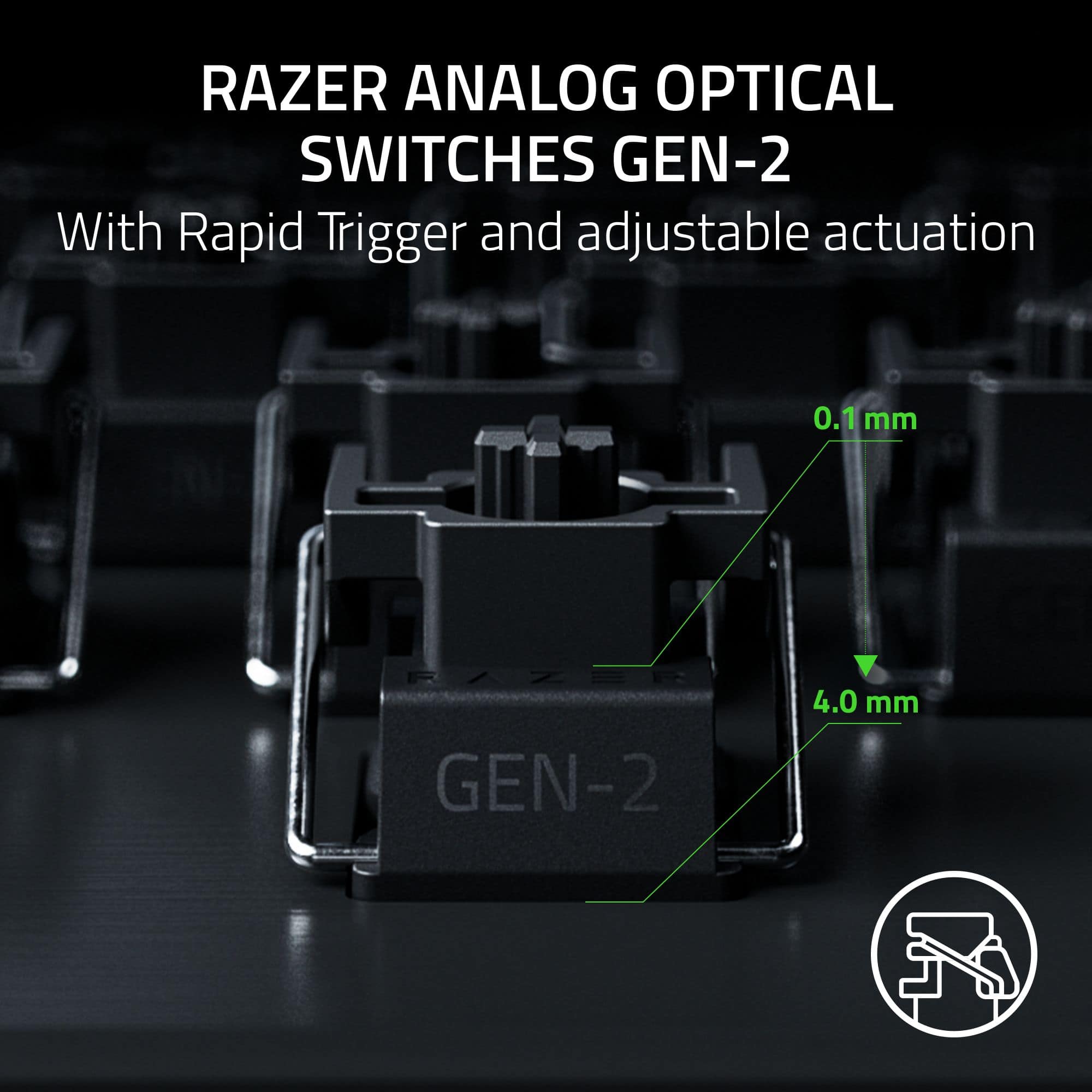
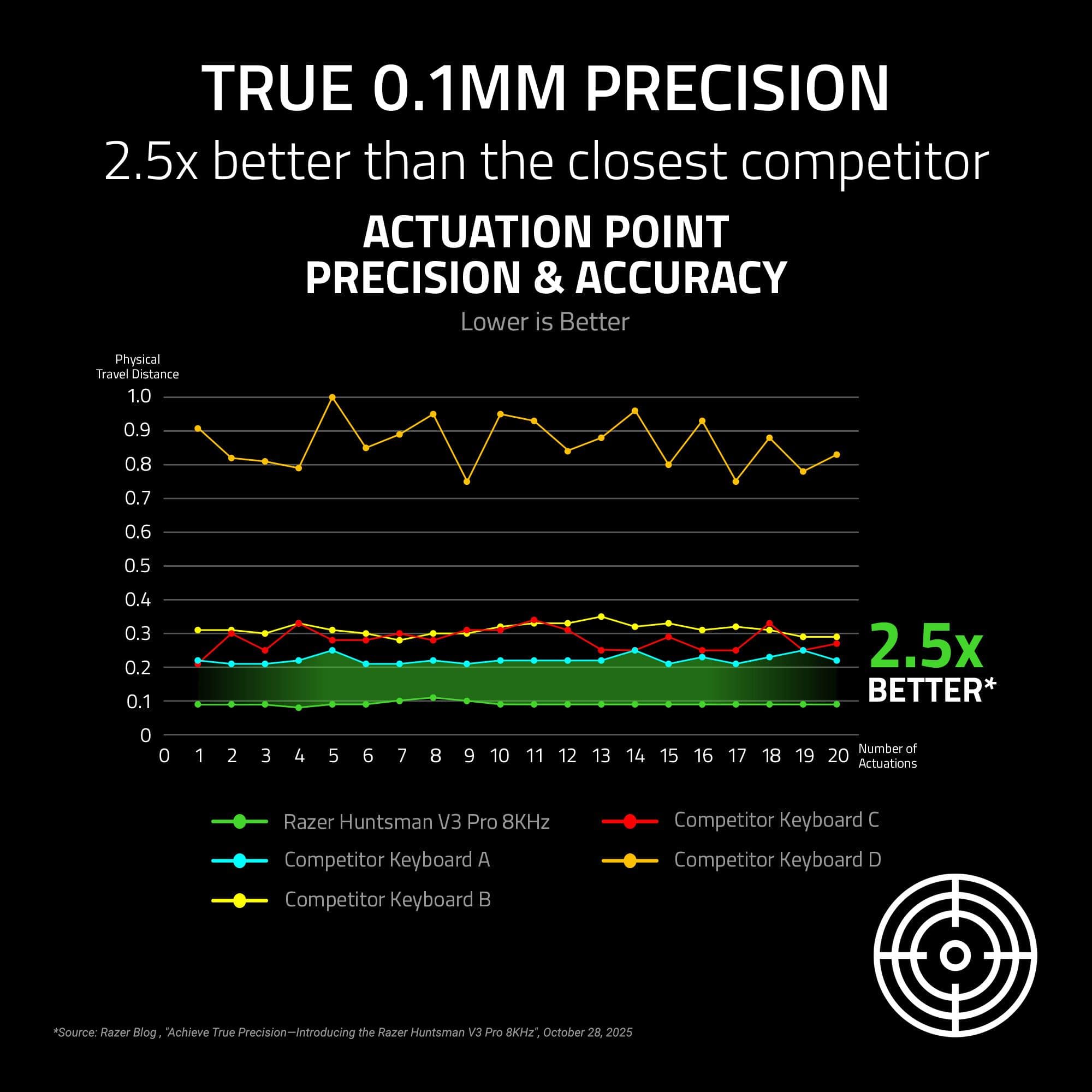
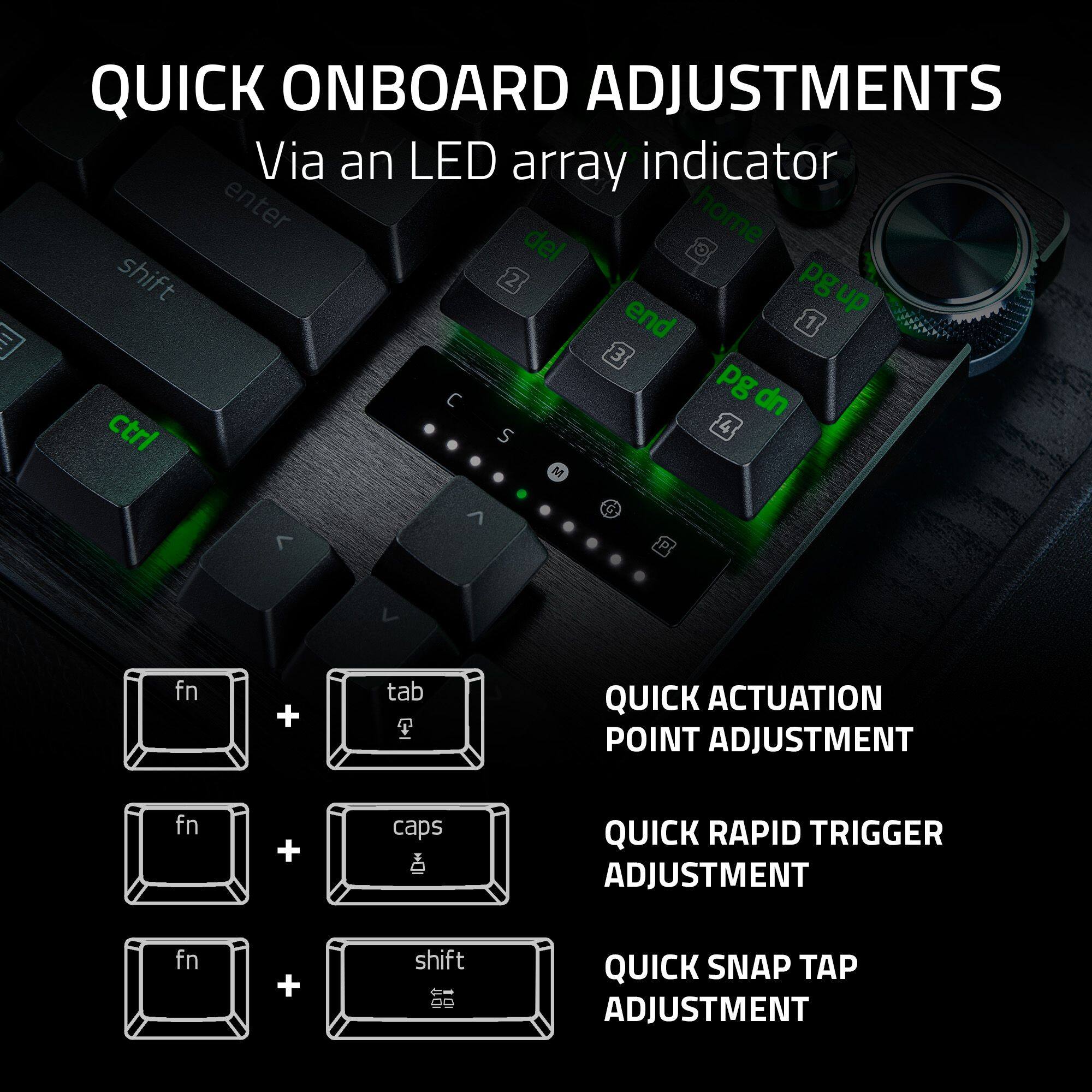
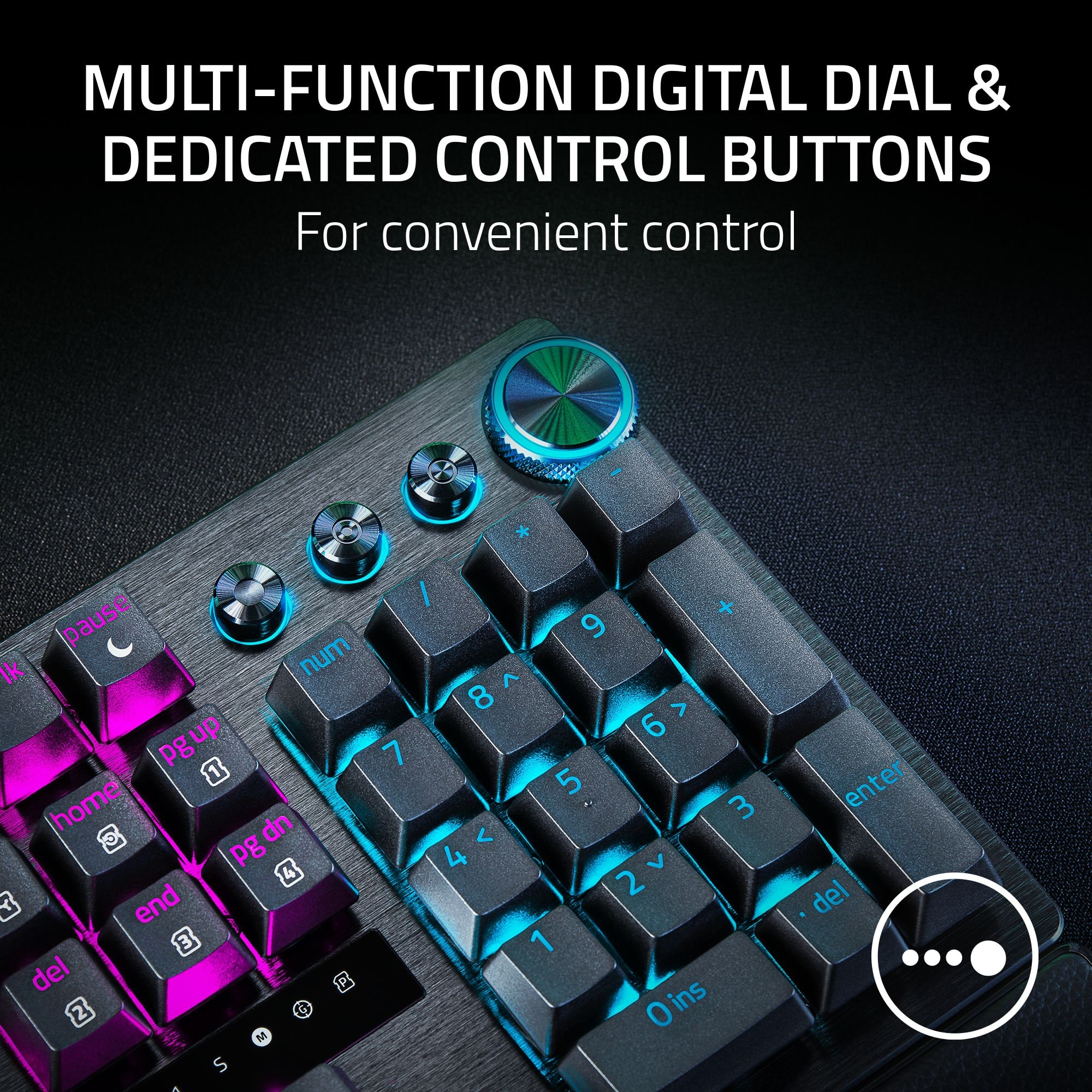
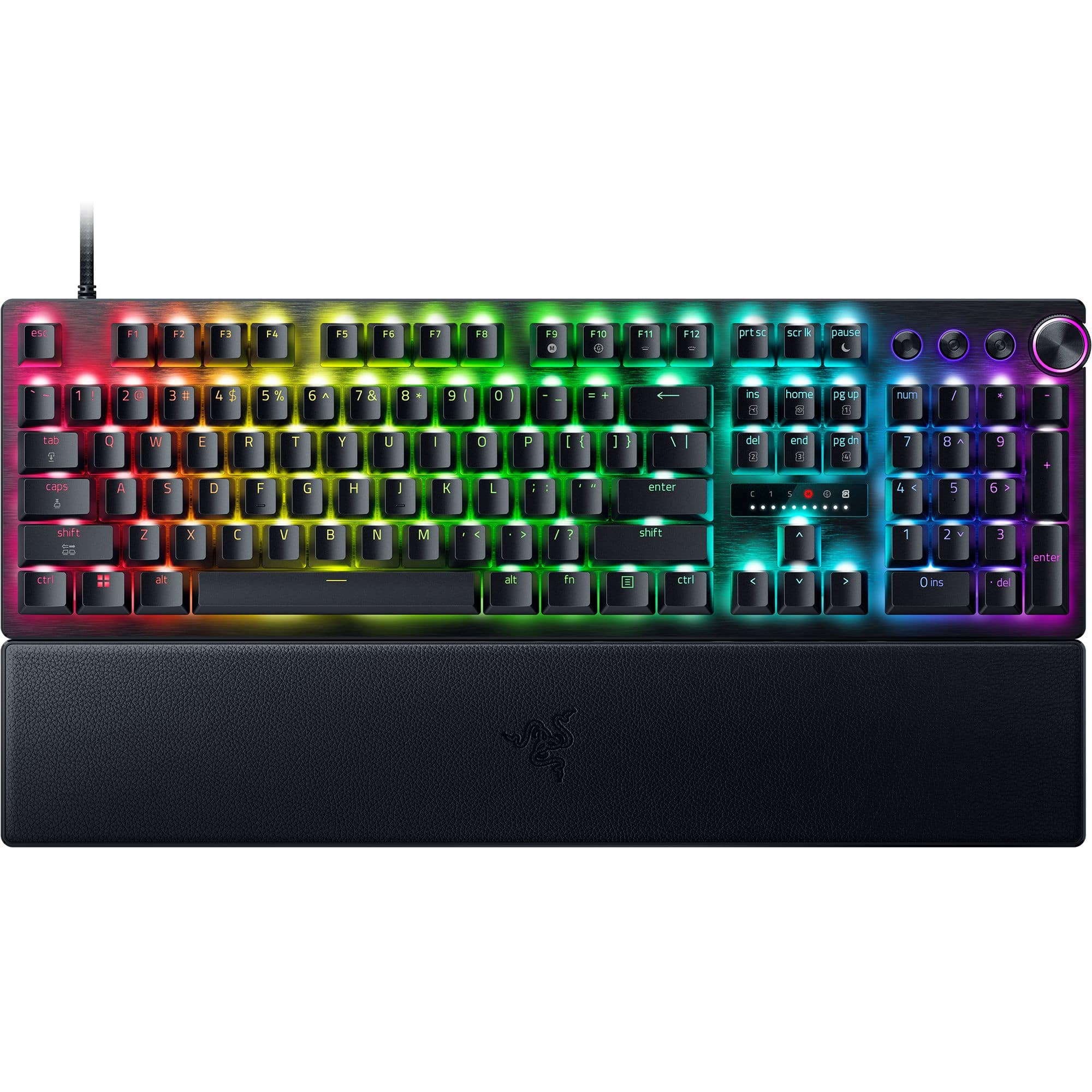
    First, let me say that I am reviewing this keyboard from a disabled person’s standpoint and not as a gamer. I have a degree in computer science and lost full use of my hands over 20 years ago. I also have no feeling or sensation of touch in my arms and hands. Computers are my life and I’m always on the lookout for new and different keyboards that might fulfill my disability needs better than the ones that I have. From a disability standpoint, the feature that interested me the most in the Razer Huntsman Pro v3, was the adjustable actuation point for the alphanumeric keys. I’ve not done any research on this, but I am not aware of any other keyboards with this feature. This feature allows you to customize how far down you need to press a key for it to actuate. The keyboard comes preset from the factory in the factory default profile mode and that profile has a preset actuation point of 2 mm on the alphanumeric keys. The factory default profile cannot be changed. Once you put the keyboard into a different profile other than the default profile, the actuation point range can be set from a very shallow actuation point of 0.1 mm all the way to a deep actuation point of 3.6 mm. That doesn’t sound like much of a range, but it makes a huge difference in the number of mistakes I make when I’m typing. For instance, my test typing with the actuation point set at 0.1 mm was laughable. I was typing gibberish because my non-feeling fingers did not know that they were touching other keys and with the actuation point set at a mere 10th of a millimeter, the keys were registering with every touch of my other fingers. With the actuation point set at 0.1 mm, it almost seemed like if you breathed hard the keys would register. Not really, but I didn’t do very well at 0.1 mm. However, do not misinterpret this as a negative. A gamer may very well love a keyboard that can be adjusted to the maximum sensitivity! I tested my typing at each actuation point (0.1, 0.4, 0.8, 1.2, 1.6, 2.0, 2.4, 2.8, 3.2, and 3.6 mm) and as I worked my way up the actuation point scale, my accuracy improved. There’s a little screen above the arrow keys with a green dot that moves up or down the scale as you customize the actuation point settings. I did my best typing with the actuation point set to 3.2 mm. When I set the actuation point to the deepest setting of 3.6 mm, my accuracy dropped down again as I was bumping into the neighboring keys. It really is fun to play with as you find your optimal depth. I’ve never had another keyboard with this feature. The keyboard has a Multi-Function Digital Dial in the back-right corner of the keyboard that can be used for several things like changing the volume of your music or adjusting the depth of the alphanumeric key’s actuation point. You can also change the keys actuation point with the right and left arrows. To save your actuation point settings you simply leave the Actuation Point Adjustment mode the same way you entered it by pressing the fn and tab keys at the same time. Remember, you cannot adjust the actuation point of the factory default profile. You must change to a different profile. The Huntsman Pro v3 is a well-built keyboard like you would expect any Razer keyboard to be. It is top-quality and I imagine I’ll be using it for years to come. I’ve been typing with it for almost a week now and it has no flaws that I am aware of. I can highly recommend this unique keyboard to anyone who thinks they may benefit from alphanumeric keys that have an on-the-fly adjustable key actuation point--gamer or disabled.

    I would recommend this to a friend
  • Tech Insider Network Member

    Rated 5 out of 5 stars

    Excellent wired keyboard for any use

    |
    Tech Insider Network Member
    Posted .
    This reviewer received promo considerations or sweepstakes entry for writing a review.

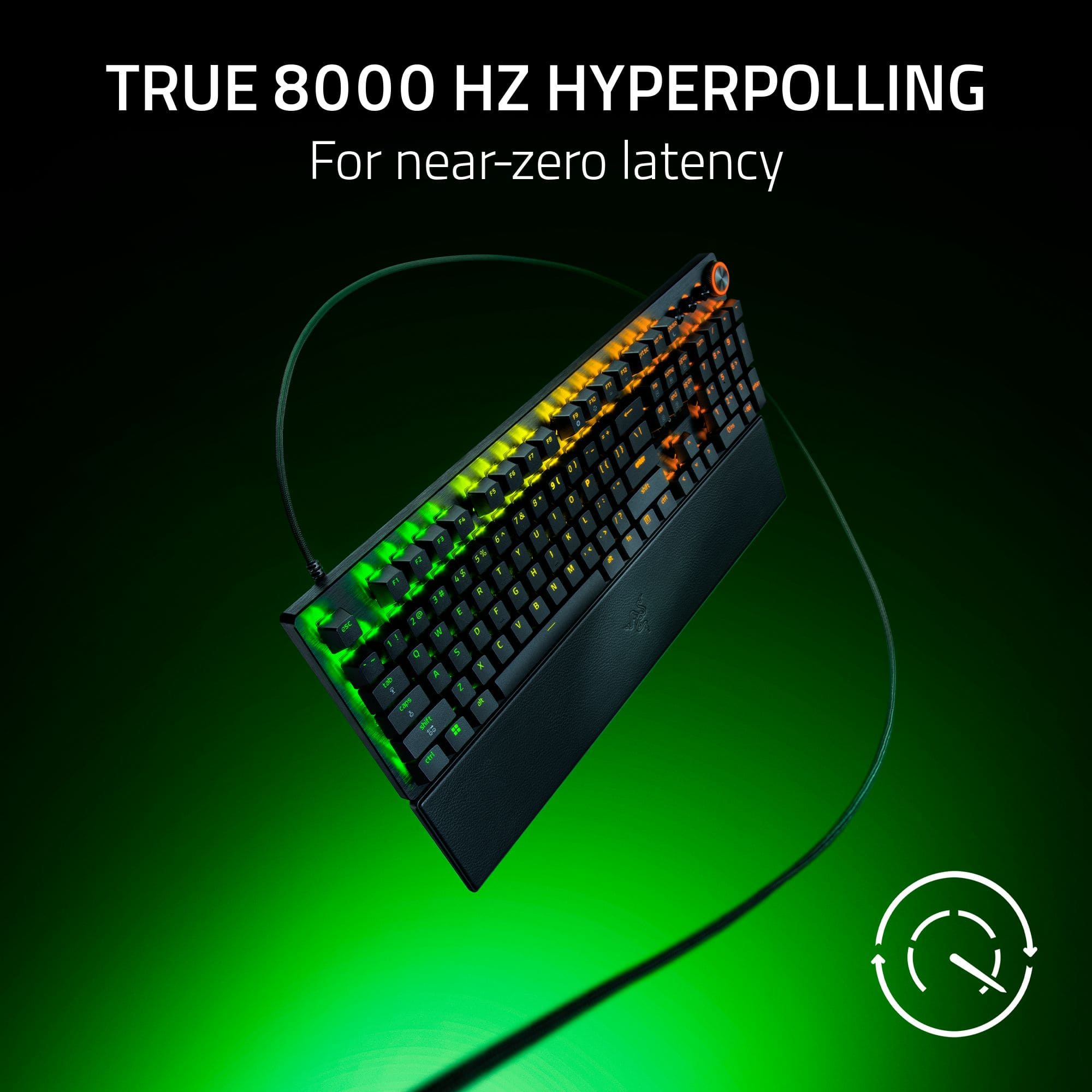
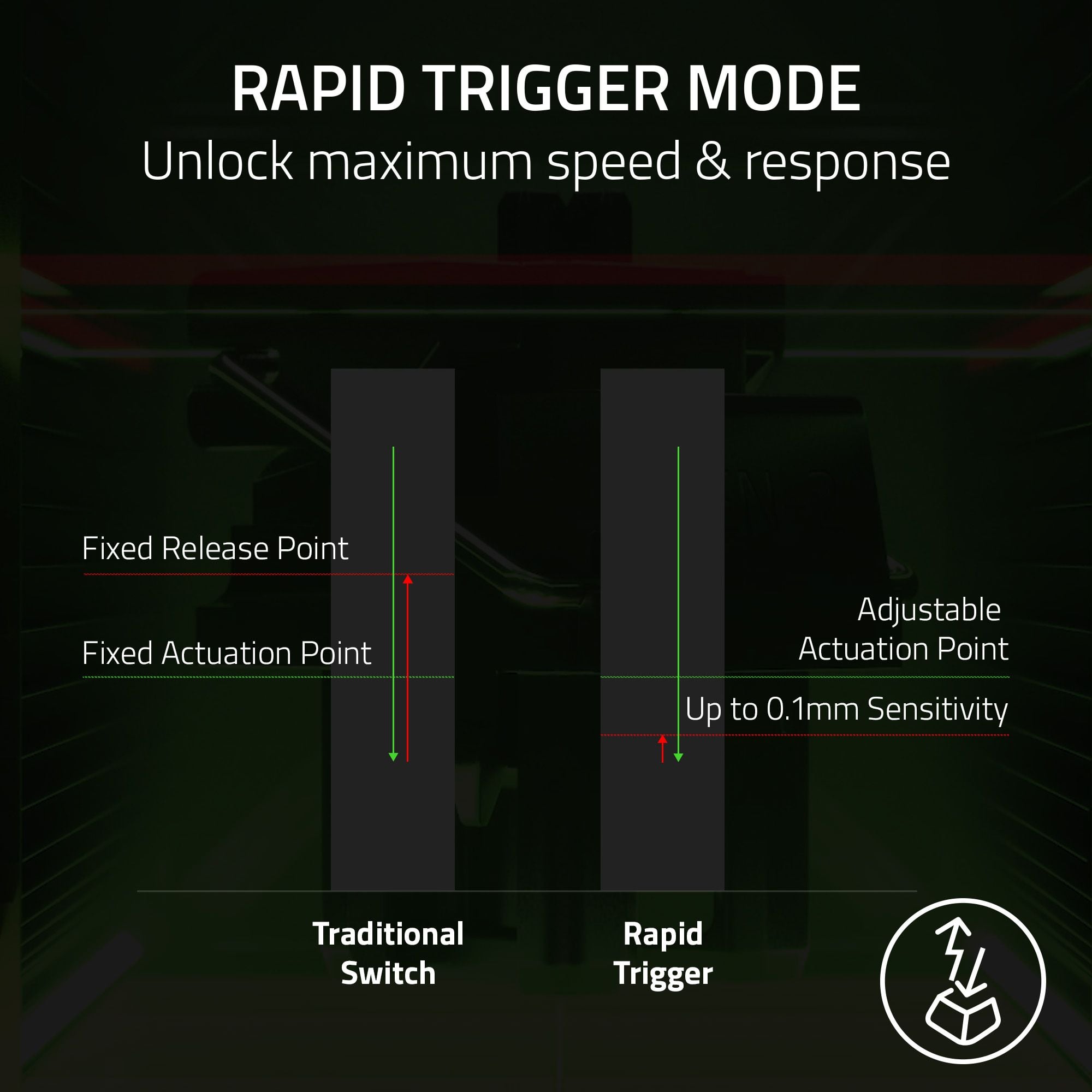
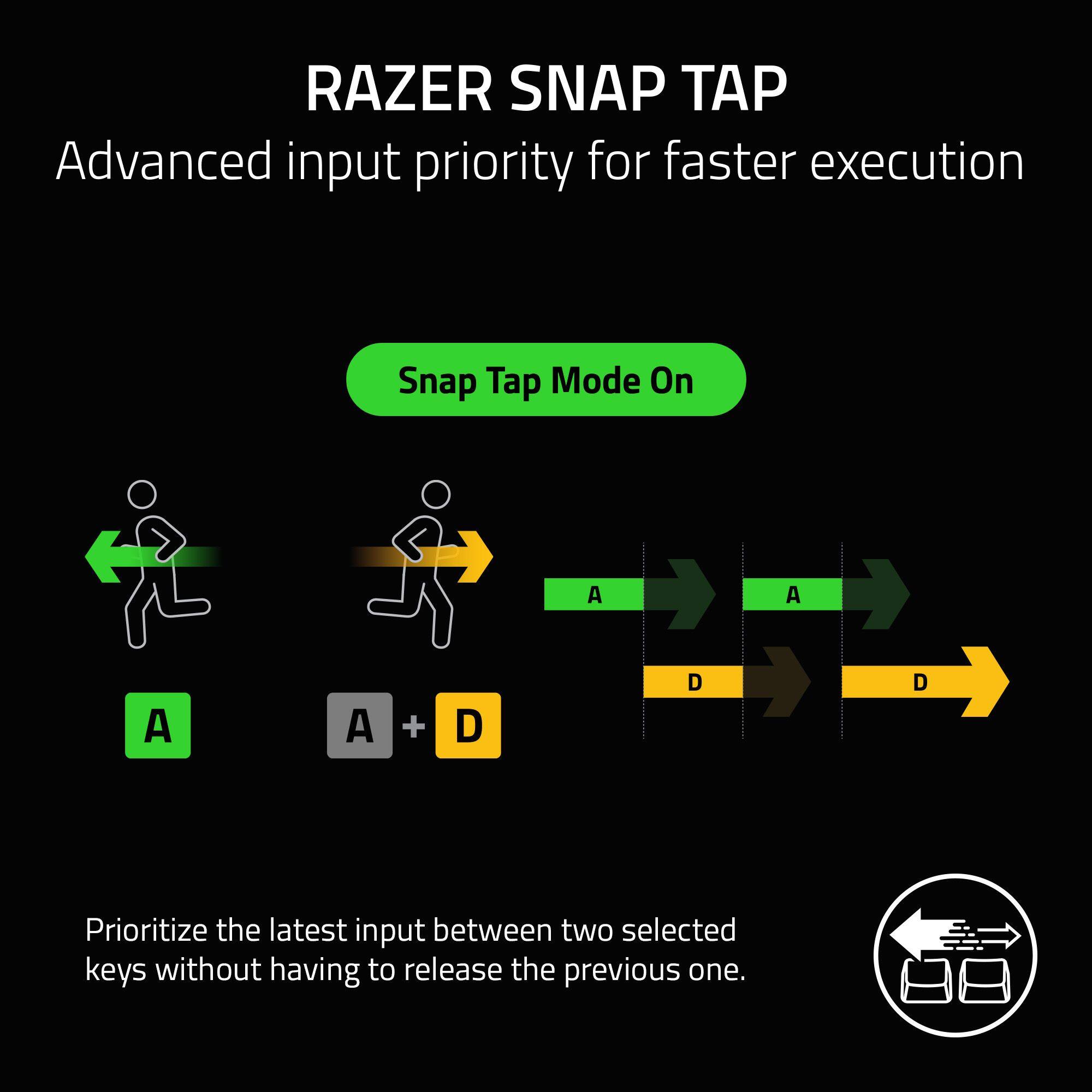
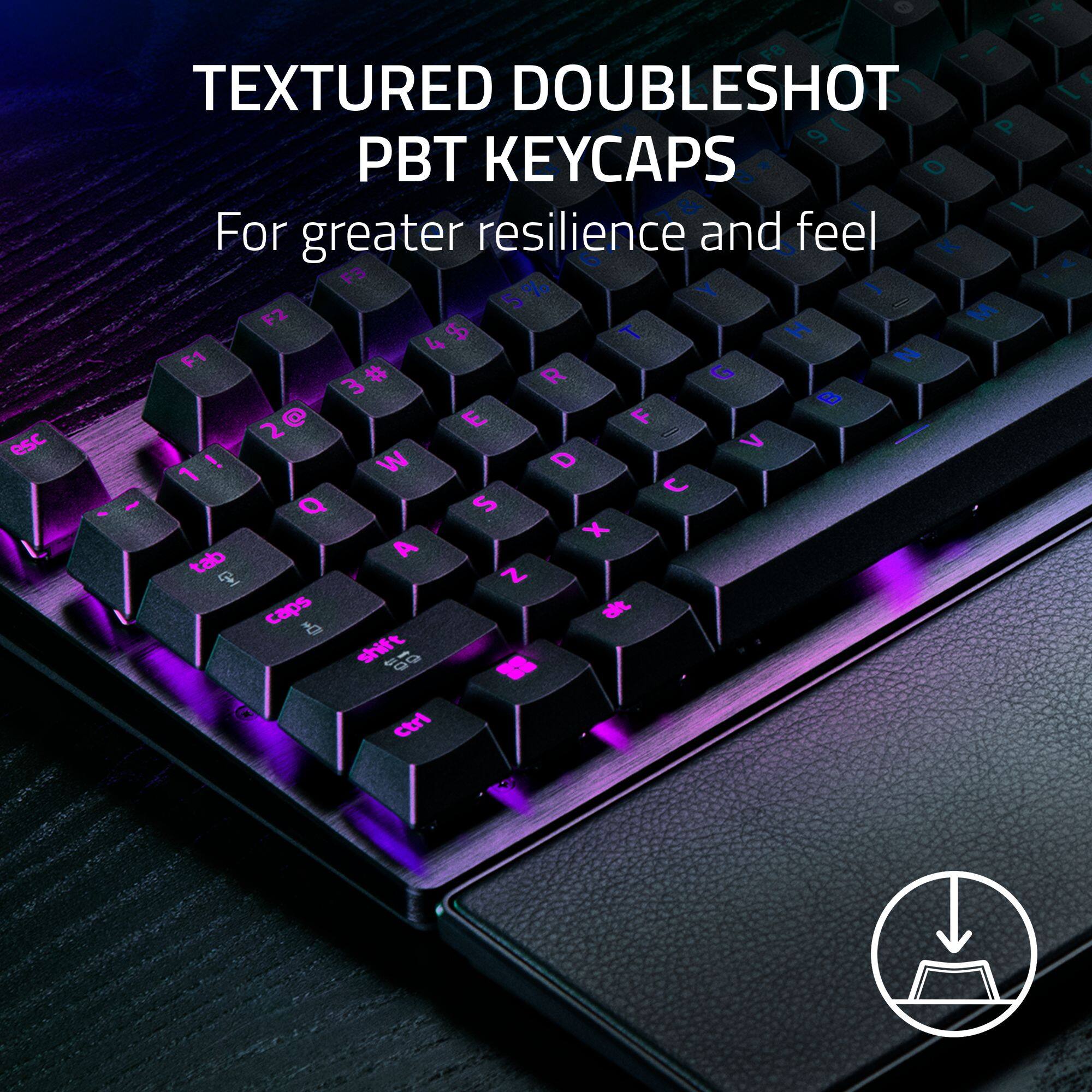
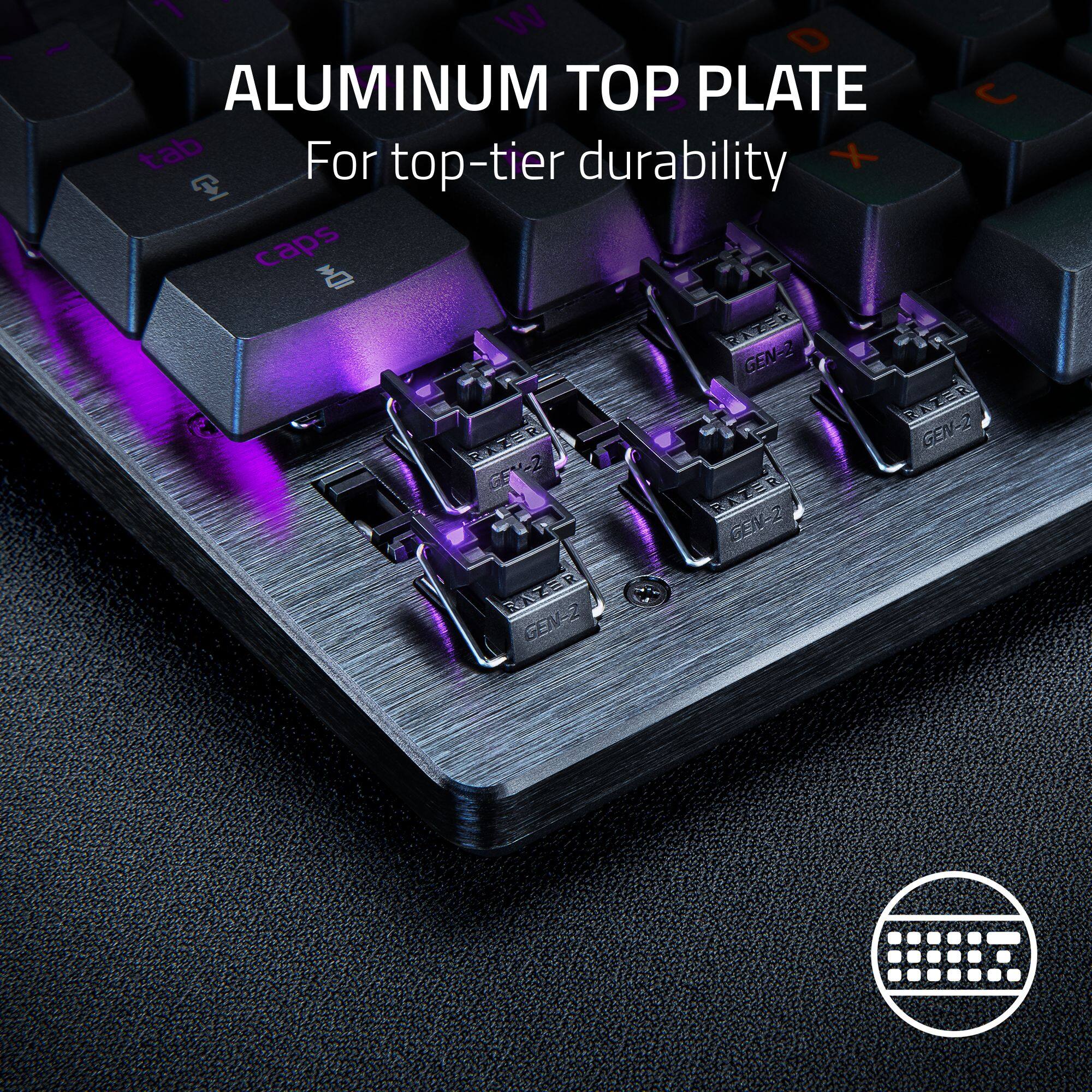
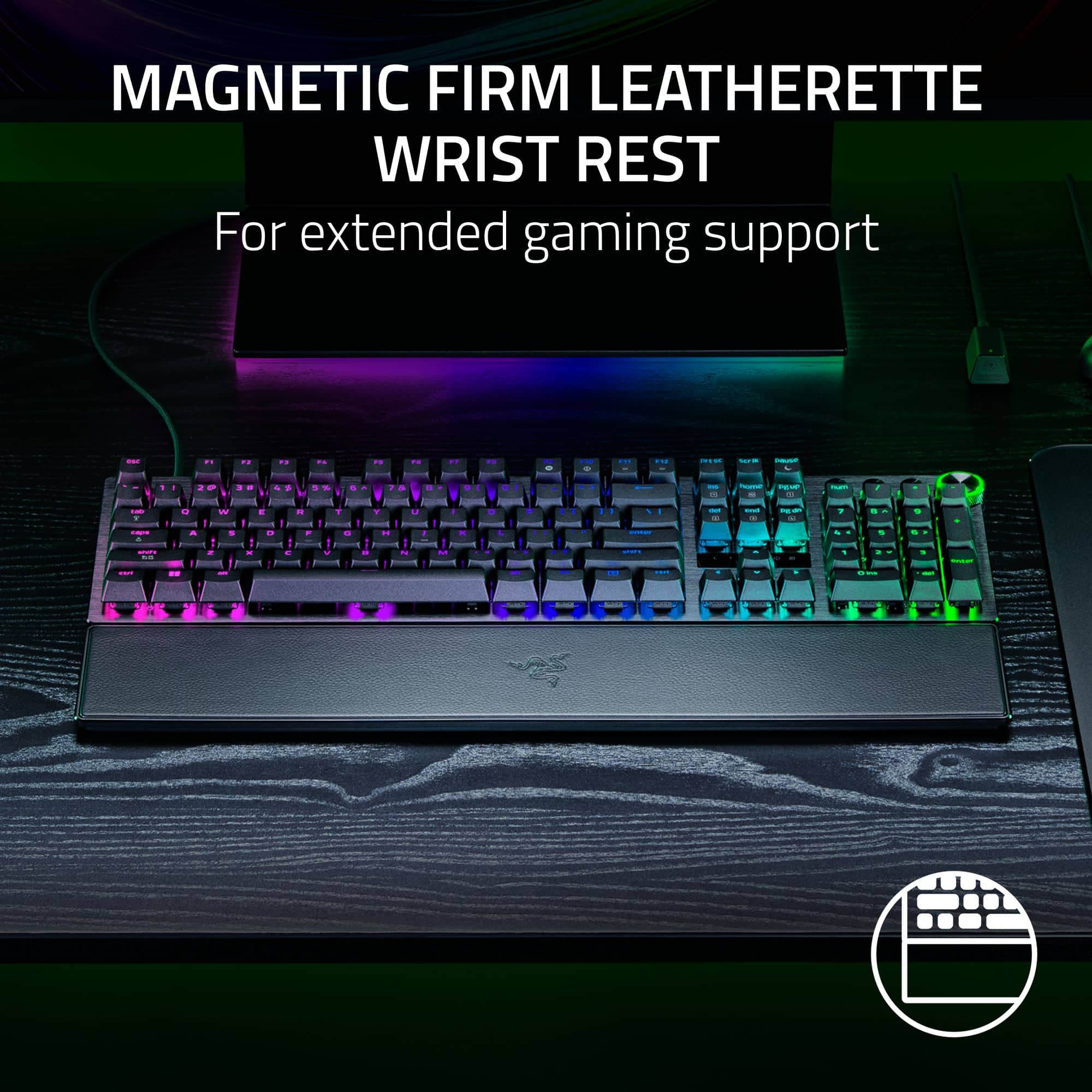
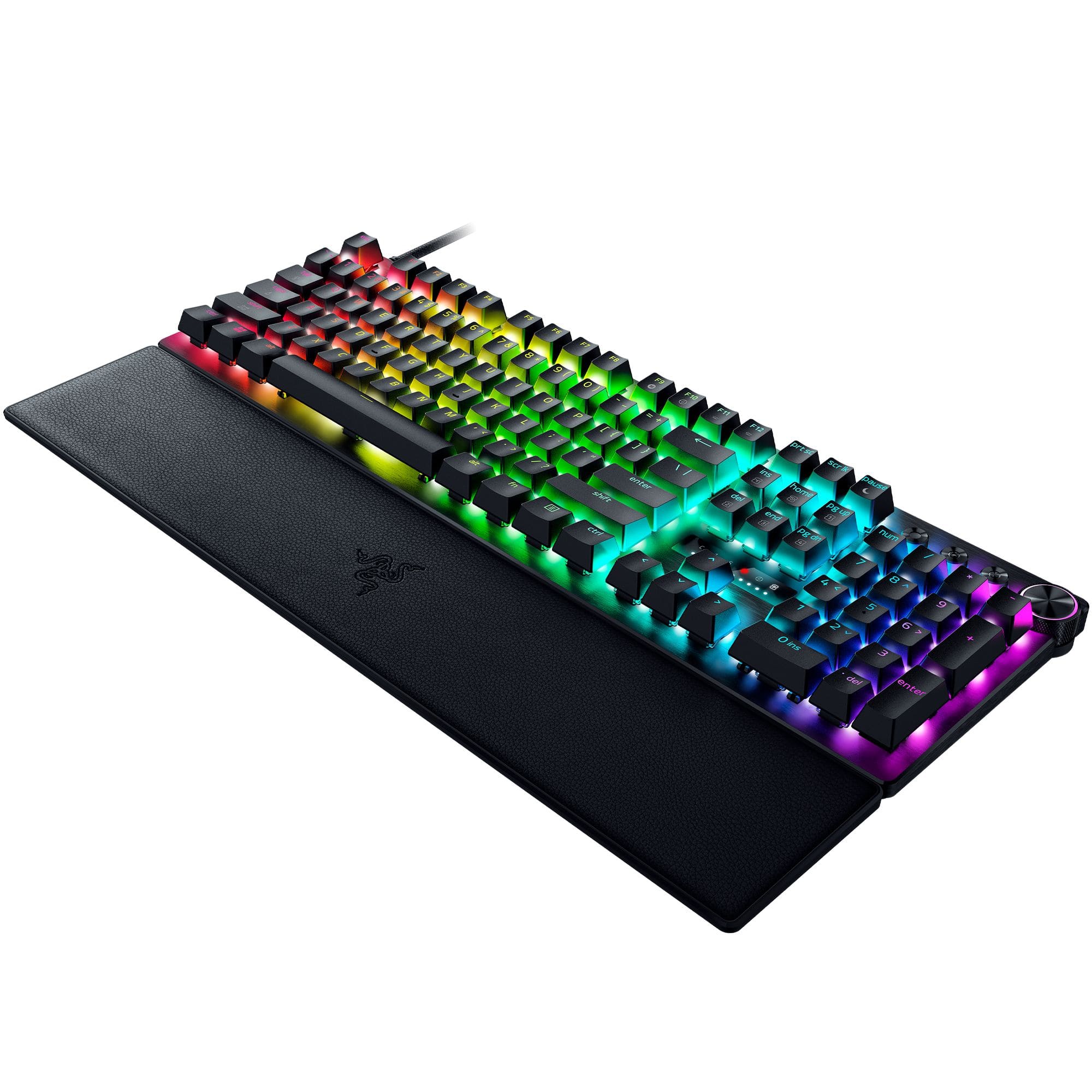
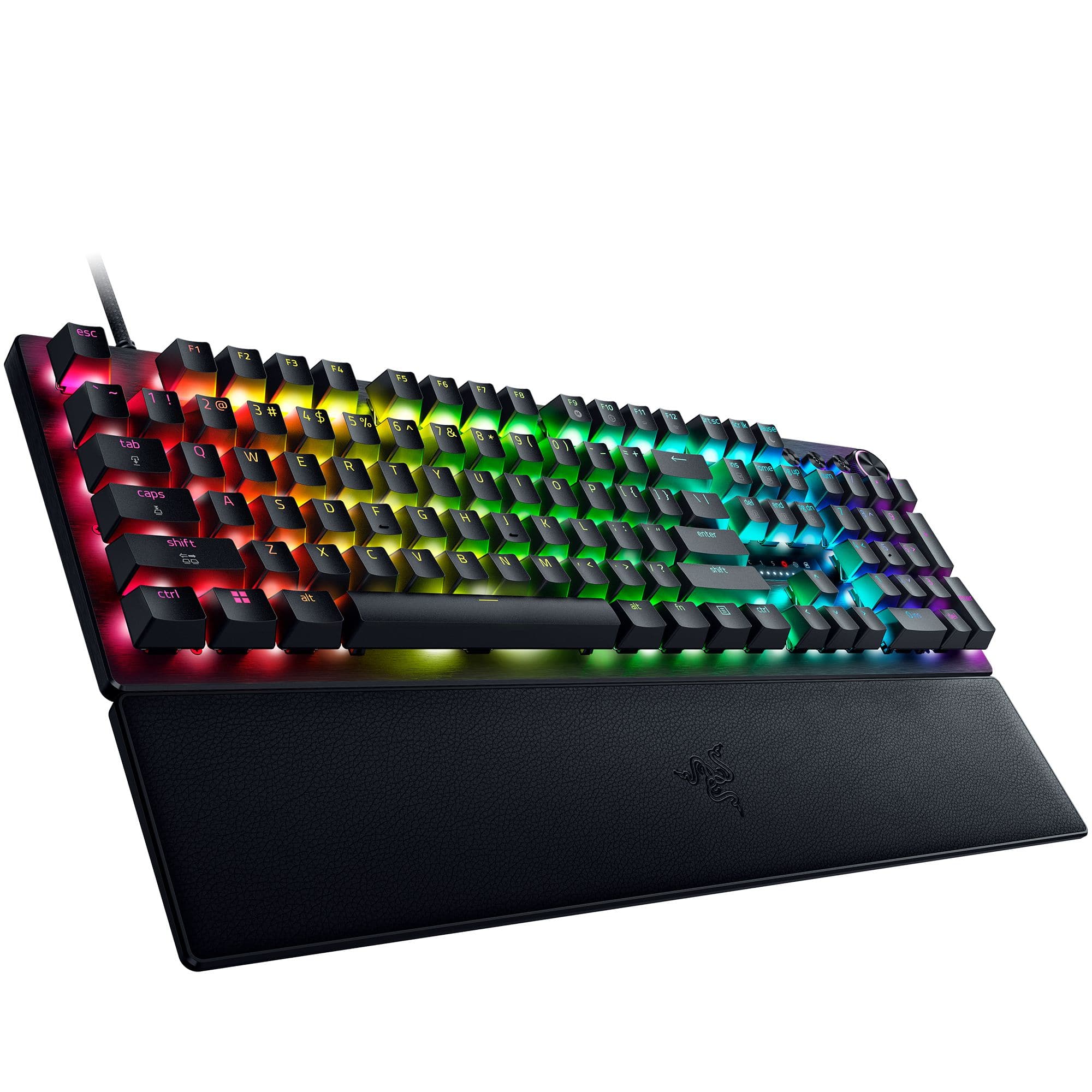
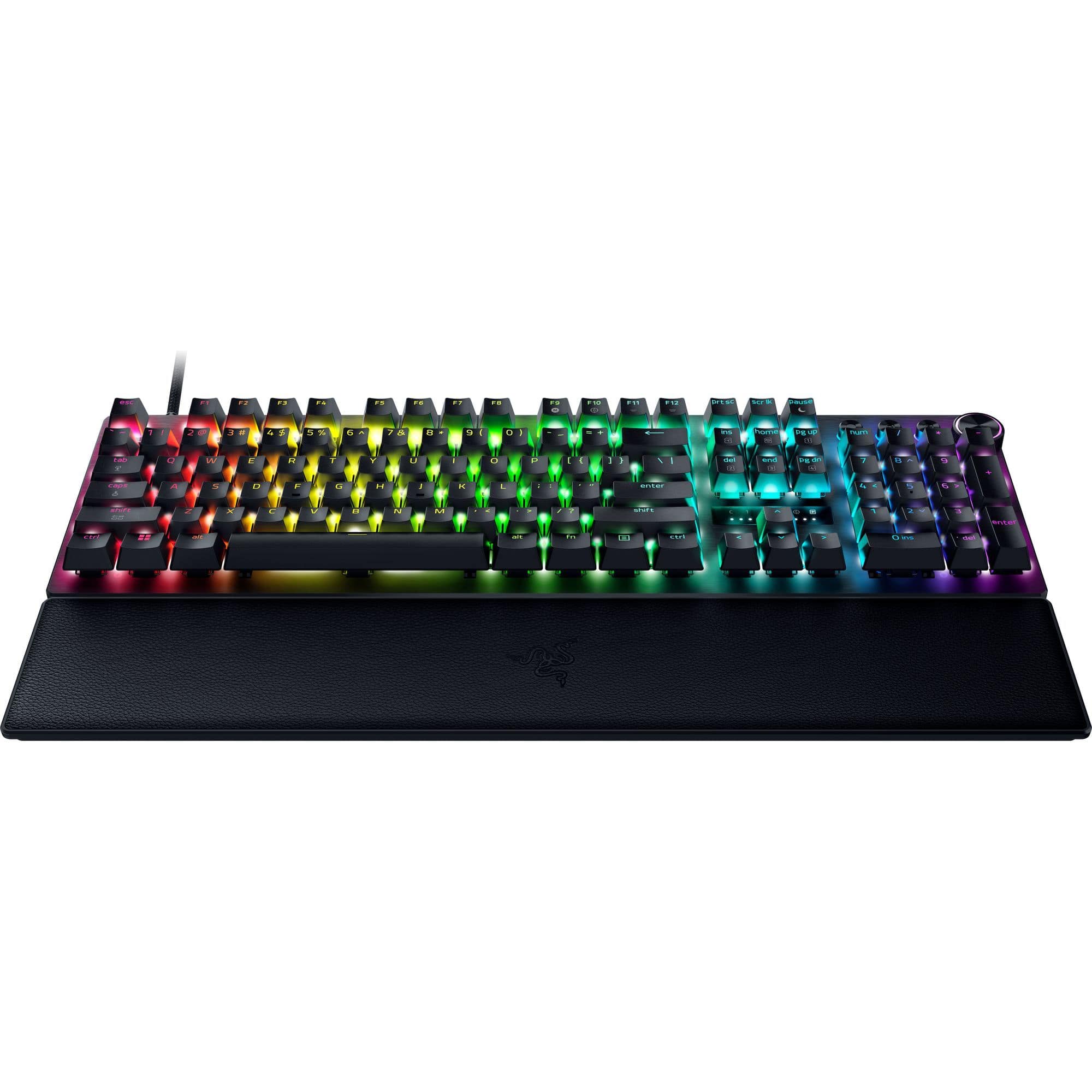
    The Razer Huntsman V3 Pro Full Size Wired Keyboard is a superb, premium product from Razer. It has all of the customization options and features that any serious gamer could want. Out of the box, first I pulled out the good-looking keyboard. The first thing I noticed is that there is no wasted space around the outer border of the keys. While this is a full sized keyboard with number pad, it feels compact. Also, it has a nice heft when pulled out of the box. It has a brushed aluminum top plate that makes the product feel durable and tough. Above the top plate sits Gen 2 analog optical switches with lightly textured doubleshot PBT keycaps. These make keystrokes sound somewhere in the middle of clicky and silent. Also it the box is a USB Type A to Type C cable, a wrist rest that connects magnetically, and product documentation. Connecting it to my computer was as simple as plugging one end of the included cable to the keyboard and plugging in the other end of the cable into the back of my computer. I would highly recommend downloading and installing the Razer Synapse and Razer Chroma apps first thing. These provide many of the options that can be customized for the keyboard. The keyboard is polled by default at 8000 Hz, the fastest option, but it can be slowed down if that is desired using the Synapse app. The keyboard has a multi-function dial with a ribbed texture and three dedicated control buttons, all of which are fully customizable for what you want them to actually do. They also have RGB, with the dial being lit on top and the multi-function keys being backlit. The RGB for all the keys looks tremendous and can be fully controlled in the Chroma app. The Synapse app allows so many features to be customized. The actuation of each key can be changed to register a keystroke with the lightest push for gaming purposes, or you may want the keystroke to register only if the key is fully pressed down for less typing errors. Another setting is mapping gamepad settings to the keyboard to simulate gamepad controls. Other features include Snap Tap (which prevents selected keys from registering simultaneously so there is no overlap) and Rapid Trigger (allowing repeated keystrokes more rapidly by requiring less key travel). Many of these options can be manually changed on the keyboard itself, too. I used the keyboard in a variety of settings, so I setup a few profiles that can quickly be switched. For heavy typing use, I used a profile that turned many of the gaming options off so that I could be more accurate and deliberate with my typing. For gaming, I turned almost all the gaming options on, and I could tell a huge difference in how much control I had. Regardless of the different ways that I used the keyboard, it felt great to use and ultra-responsive. Switching profiles was quick and easy, and allowed me to use the keyboard in the best way for each situation. Bottom line: I would recommend the Razer Huntsman V3 Pro Full Size Wired Keyboard for any situation. It has tons of options and feature customizations for any use case, and it feels durable enough to last for decades.

    I would recommend this to a friend
  • Tech Insider Network Member

    Rated 5 out of 5 stars

    High-quality, feature-rich keyboard for all gamers

    |
    Tech Insider Network Member
    Posted .
    This reviewer received promo considerations or sweepstakes entry for writing a review.

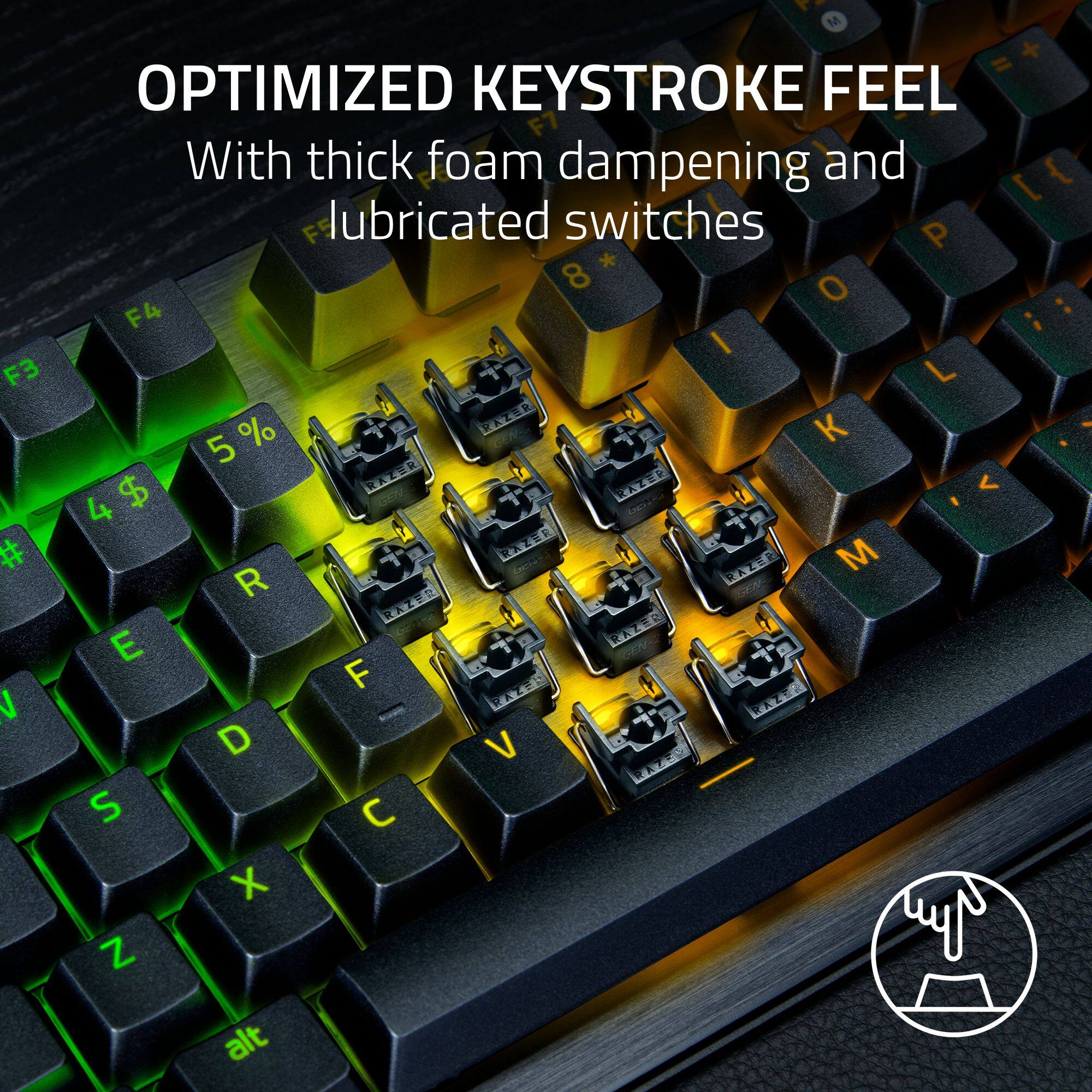
    The Razer Huntsman V3 Pro 8KHz is a well-built gaming keyboard that strikes a nice balance for casual to moderate gamers who want premium features without needing extreme competitive specs. This is a solid performer with some genuinely useful customization options. The adjustable actuation is the feature I find the most appealing. Being able to set your key sensitivity anywhere from 0.1mm to 4.0mm means you can dial in exactly how responsive you want your keys to be. For everyday gaming, setting it around 1.5-2mm gives you that satisfying balance between avoiding accidental presses and maintaining quick response times. The Rapid Trigger mode is a nice bonus for competitive moments, though casual players may not notice a huge difference. The build quality is excellent. The aluminum top plate gives the keyboard a solid feel that doesn't flex or creak during use. Combined with Razer's Gen-2 Analog Optical switches, you're getting a premium typing and gaming experience that should last for years. The magnetic wrist rest is a simple but effective addition. It snaps on securely and provides good support during longer gaming sessions. The leatherette material is comfortable and easy to clean, though I feel that I could have used a bit more padding. Having dedicated media keys and a multi-function digital dial on the top of the keyboard is convenient for everyday use. Adjusting volume or skipping tracks without alt-tabbing out of your game is one of those quality-of-life features you don't realize you need until you have it. The full number pad is also a must-have if you do any work or productivity tasks at your gaming setup. The Chroma RGB lighting is classic Razer, vibrant and customizable via the Chroma app. Whether you want a subtle single-color glow or a full rainbow wave effect, the lighting looks great and integrates nicely with other Razer peripherals. The keyboard lacks USB pass-through, which feels like an odd omission at this price point. If you use a wired mouse or need to plug in a USB headset dongle, you'll need to reach around to your PC. It's not a deal-breaker, but it's an inconvenience that shouldn't exist on a premium keyboard. While the thick foam dampening helps, the keyboard can still be a bit loud for shared spaces, especially if you opt for more sensitive actuation settings. The PBT key caps are durable but have a slightly hollow sound compared to other alternatives.

    I would recommend this to a friend
  • Tech Insider Network Member

    Rated 5 out of 5 stars

    The John Wick of Keybaords

    |
    Tech Insider Network Member
    Posted .
    This reviewer received promo considerations or sweepstakes entry for writing a review.

    I needed a new gaming keyboard. My previous one was starting to show its age, and it needed to be retired. While I am not a PC gaming god, I sort of felt like one when I started using this Huntsman V3 Pro because this keyboard feels like it was genuinely made for gamers, whereas other brands claim that title while their keyboards for gamers are riddled with issues. I am going to start this review by praising the Rapid Trigger Mode. My main PC games that I have been playing lately are ARC Raiders, Helldivers 2, and Battlefield 6. This is where Rapid Trigger Mode shines by delivering immaculate response times! In games like these, strafing is key to my survival. I felt that my shots were more focused rather than spray and pray while moving. I don’t know what sort of dark magic Razer used for the key precision, but I am here for it. You will only blame yourself for making mistakes on the battlefield, not the keyboard, because this keyboard makes no mistakes. Customize: The customization is seemingly endless when it comes to the Huntsman V3. For me, I like to calibrate everything before I play rather than attempt a trial-and-error approach. However, this Huntsman allows you to make changes on the fly if the need arises. The LED display is helpful when making these changes. And you aren’t required to download any software for these changes either. But if you really want to make this keyboard shine with customization, then I recommend downloading the app so you can truly fine-tune your gaming experience. Switch Dead Zones, Snap Tap, and others are there waiting to be customized. There will be a lot for you to experiment with. And of course, there’s the RGB visual customizations. I really dived into this setting to play with that visual vibe that you feel when playing certain games. I think a few gamers will know what I mean by that. It Will Last: This keyboard is built to last. And it’s pretty obvious once you feel it beneath your fingertips. The keys aren’t going to fade or lose their “kick” in my lifetime. The Huntsman is definitely built to last. The USB-C cable is a welcome change these days. Full truth filter; using this keyboard is going to satisfy an ASMR itch that you didn’t know you had. The keystrokes sing with that sharp and precise gaming “click” as your fingers dance across them. This keyboard is for all the gamers. Whether the gamer is a pro or new to the PC gaming world, they need the tools to outshine the competition. This is the ultimate gaming keyboard they or you deserve.

    I would recommend this to a friend
  • Tech Insider Network Member

    Rated 5 out of 5 stars

    Even I feel like I can game with this

    |
    Tech Insider Network Member
    Posted .
    This reviewer received promo considerations or sweepstakes entry for writing a review.

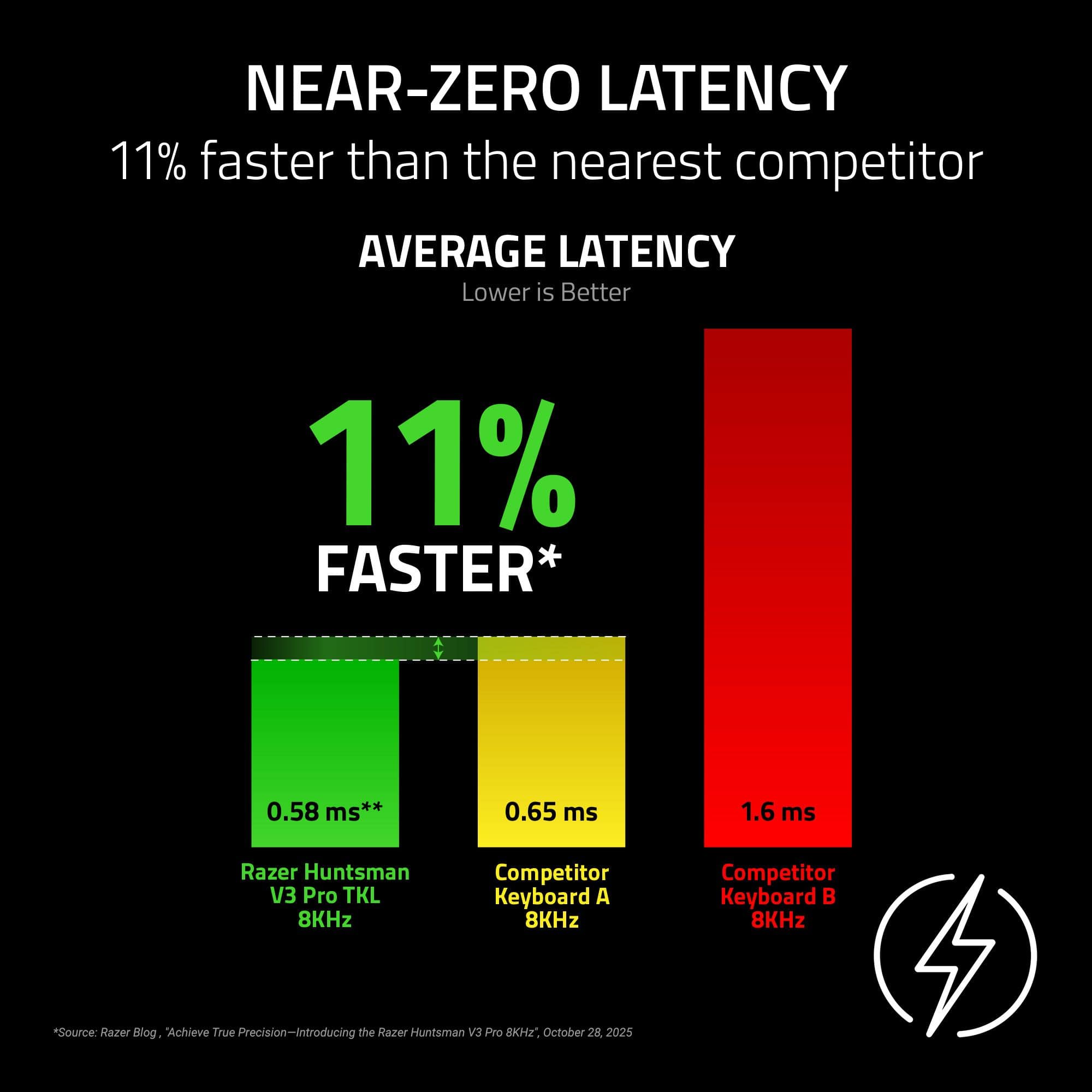
    Gaming is a one-sided love for me. I am nowhere near talented or skilled enough to be using this keyboard but this Razer keyboard makes me feel like even I can game. Right off the bat, the Razer Huntsman V3 Pro 8KHz just looks quite nice. The aluminum top plate gives a nice modern, sleek feel. It isn't too loud of a design aesthetic which is perfect for me. I have to justify these things to my family and they have to want to use it, too. The Razer hits that spot in terms of universal appeal. In addition, the build quality feels top-notch. It just feels nice in the hands. Each keystroke feels premium. The typing experience felt ok to me although this is something where your mileage may vary. I encourage people to see if they can try it out at the local Best Buy. It is definitely not something that I would buy for the purpose of writing long documents but if you don't want to switch out, then it definitely can do the job. The included wrist rest is my one of my biggest complaints. It is stiff and useless. It honestly made it more uncomfortable to use for prolonged periods. Another complaint that I have is the software. I felt like they were traps to have me download multiple programs and it felt mildly sleazy. A major selling point of this keyboard is seen in the name. 8KHz. This means that the keyboards sends data 8000 times a second to your computer. This means near-instantaneous response time. The downside of this is obviously an increased load on your CPU as it means there is that much more data. Now, for the vast majority of us, the latency difference really won't matter or feel any different, but I have fully bought into the placebo effect. It is the most responsive keyboard I have ever used. I fully acknowledge that this keyboard is overkill for 90% of gamers. This keyboard really is for those looking for that microadvantage over the competition. I'm talking milliseconds. You can hand a 1000$ chef knife to a layperson and it won't really change the outcome of the dish. That being said, you probably would be able to appreciate that it was a really nice knife. Anyone who uses this will know that it is a really really nice keyboard. If you have the capital to blow or just want premium products, then you really don't need to look too far.

    I would recommend this to a friend
  • Tech Insider Network Member

    Rated 4 out of 5 stars

    Solid Keyboard, Could Use a Couple Minor Tweaks

    |
    Tech Insider Network Member
    Posted .
    This reviewer received promo considerations or sweepstakes entry for writing a review.

    To begin, while I am a computer gamer, I also am a touch typist who uses my computer for two primary purposes... work and play (gaming). Thus, when looking for a keyboard, I need a keyboard that performs double duty. Another interesting wrinkle is that I game on a Mac (as well as a PC). My Mac is also my primary work computer, so I am often looking for mechanical keyboards that can accommodate a Mac natively. In this regard, the Huntsman falls short. Yes, the keyboard can be used with a Mac, but the keyboard does not have a hardware switch that modifies the modifier keys (e.g., command, alt/option, Windows, etc) nor the function keys. Those changes need to be made within the operating system itself. While some online forums indicated that the Razer software does not run on a Mac, I was pleasantly surprised to see that a beta version of the Razer Synapse software was available for the Mac. The software allows for profile programming and some customization of the keyboard's lighting (which is magnificent, by the way; each key is individually lit, is plenty bright, and displays rich colors). Along somewhat similar lines, the keyboard does not include any replacement keycaps, nor is there a keycap puller to facilitate the removal and replacement of the keycaps. Is that a dealbreaker? Probably not. Is that something I would have expected to see on a premium gaming keyboard like this? Absolutely. While speaking of annoyances, the USB-C port on the keyboard itself is recessed into the keyboard. I suppose this is nice if you do not want the end of your cord sticking out from the back of the keyboard. On the other hand, my computer had a 90° USB-C plug that could not be accommodated by the keyboard, so I had to swap out my cable with another one (which was a little bit of a pain given the location of my computer). The keyboard did include a USB cable, but it was a USB-C to USB-A cable and my computer only had USB-C ports open (so I had to use my own cable; luckily, I had extras). The keyboard itself is very solid and well-built, with good heft and materials that gives it a very stylish and modern look, which makes me wonder what the deal is with the palm/wrist rest. It is "magnetic," but the strength of the magnets is somewhat questionable, in my opinion. When I move the keyboard around on my desk, the palm/wrist rest dislodges entirely much too easy. On the positive side, though, the magnets are at least strong enough to prevent the palm/wrist rest from dislodging during routine typing and gaming. In comparison to the keyboard itself, though, the palm/wrist rest is plastic and the faux leather surface, while supple to the touch, has very little give and feels like plastic as well. It is not a comfortable palm/wrist rest, especially during long typing or gaming sessions. As for the feel of the keys, the switches are nice and can be programmed through the software to accommodate different activation depths (0.1mm to 4.0mm). The keyboard also polls at 8,000 Hz, which is crazy fast and significantly reduces latency (although I am not sure I really noticed a difference for my gaming, though). The keys have a nice rebound and there is even visual feedback on the keyboard itself through a LED gauge (for lack of a better description) that shows how deep/hard you are pushing the keys. As I mentioned before, though, I am a touch typist and I miss the "click" of the key activating. These switches are linear without the "bump" that provides the tactile feedback and "click" as you're typing. Does it impact my typing? Not really. Is it something I miss compared to my other keyboards? Absolutely. So, where does that leave me? Ultimately, this is a very nice keyboard with some great features. If you are a Mac user, however, there are some compromises (the function keys do not support native Mac functions without some type of macOS or software remapping). If you like the "click" of a mechanical switch activation, that is missing as well (given the linear nature of the switches on this keyboard). There are also no replacement keycaps provided in the box (and no key puller), the USB cable requires a USB-A port on your computer, and the palm/wrist rest feels cheap and plastic compared to the keyboard itself. On the flip side, being able to program different activation depth with some of its other features (like the 8K polling), make it an interesting and compelling choice (if that is important for you). Would I buy it again? Maybe not as there are other mechanical keyboards that provide better accommodation for me as a Mac gamer/user. Would I regret the purchase if I used the keyboard solely with a PC? Probably not. If you have the chance, type on it and see how you like it. That is probably the best gauge as to whether this is the right keyboard for you.

    I would recommend this to a friend
  • Tech Insider Network Member

    Rated 5 out of 5 stars

    This will be my go-to keyboard for a long time.

    |
    Tech Insider Network Member
    Posted .
    This reviewer received promo considerations or sweepstakes entry for writing a review.

    After using the Razer Huntsman V3 Pro for about a week, I have to say that I think this is the highest quality keyboard I have ever used. It's weighty, it feels sturdy, and the aluminum faceplate looks gorgeous. The keys feel hefty in a sense, they are definitely made out of sturdy plastic and I do not think they will be wearing down or getting shiny from use any time soon. The customizable actuation is REALLY nice - personally, I have mine set to 2.5mm, because if I set it any lighter, I accidentally type gibberish by just resting my fingers on the keys. The very fact that they can be set to activate so lightly is very impressive, though! You can set up 'joystick emulation' as well, which is really nice for driving in particular, but just to have the precision of a keyboard with the variable input of a joystick is wildly useful. The RGB lighting is wonderfully pretty and each key has an individually customizable light, and they can (among other settings) be set to mirror whatever colors are currently being displayed on your monitor via the Razer Synapse application. The volume dial and accompanying buttons in the corner of the board are satisfying to use, but nothing out of the ordinary from what you might be used to having in similar keyboard configurations. I like them, personally! I think the only part of this package that I do not like is the faux-leather wrist rest. It's flat, not cushiony at all, and uncomfortable. It is entirely optional, so if you're like me and not a fan of it, you don't have to suffer it being there in the way. Overall, I love this keyboard. I think the Huntsman V3 will be my go-to keyboard for a long time.

    I would recommend this to a friend
  • Tech Insider Network Member

    Rated 5 out of 5 stars

    Quality

    |
    Tech Insider Network Member
    Posted .
    This reviewer received promo considerations or sweepstakes entry for writing a review.

    The Razer Huntsman V3 Pro is a great, high quality and well built gaming keyboard. I have used many different keyboards over the years and Razer has always been one of my favorite brands. The keys feel pretty good. I prefer a bit more resistance from the switches but overall they are pretty nice. I had to adjust the actuation point of the switches with the Razer Synapse software. The default settings were a bit too sensitive causing a lot of misinputs for me. I really like the on board volume control/mute knob. It is always nice to be able to quickly mute or adjust the volume. I appreciate the fact they include a magnetic palm rest with the keyboard. This should be standard with all keyboards. It would be nice if Razer had softer palm rests though. After a couple hours, I can start to feel discomfort and pressure points on my wrists. Overall, the Huntsman V3 pro is a great keyboard. For me there is nothing that really stands out about this keyboard, but it is solid and I recommend it.

    I would recommend this to a friend
  • Tech Insider Network Member

    Rated 4 out of 5 stars

    Another GR8 Huntsman keyboard

    |
    Tech Insider Network Member
    Posted .
    This reviewer received promo considerations or sweepstakes entry for writing a review.

    I have owned a few Razr keyboards, mostly Huntsman, but lately I have been using Steel Series boards, and I have enjoyed those as well. When the chance to grab this new huntsman keyboard came up, I was excited to grab one! The new analog optical switches are an interesting feature, and I have always been a big fan of Chroma and and Axon, and the newest versions of these apps add some nice touches to the overall appeal of this board. The board it self has a top panel made of aluminum, and the magnetic wrist rest, which isnt really "magnetic" since it came apart from the bottom of the board all the time, but it was at the proper angle to make it somewhat worth while. My biggest complaint was how often I was touching the adjacent keys when I was using it for normal typing and such, and I think its due to me being used to the wider keys that are on the steel series Apex that I have been using for awhile. When it comes to the "value" proposition, this is where it gets a little tougher to recommend razr products, as there are a few less costly brand out there that also deliver excellent performance, so choose wisely.. Between the hardware updates, and the chroma/axon/synapse software that is included, this is a pretty compelling package, even at this premium pricing

    I would recommend this to a friend
  • Tech Insider Network Member

    Rated 4 out of 5 stars

    Quality Keyboard

    |
    Tech Insider Network Member
    Posted .
    This reviewer received promo considerations or sweepstakes entry for writing a review.

    The Razor Huntsman V3 Pro 8KHZ Full Size Wired Analog Optical Keyboard has a sturdy build quality and the keyboard is braided and a little loud when using the keys. The packaging that came with the keyboard during shipment was compact, which kept it secure. The keycaps can be swapped easily for your convivence. The design helps with the rapid key presses that are done for gaming. The keyboard is scratch resistant, which is nice. The keyboard has expansive RGB customization via the Razer Chroma. The keyboard has controllable actuation distance for various game genres through hotkeys (new for V3 models) and Razer Synapse. The switches are more responsive and accurate than V2 models. Media keys can be customized to suit your needs and the wrist rest is on the firm side, if they is your preference. Your able to have profiles as well. The keyboard does have a higher cost and I believe this is due to the performance of the keyboard and its quality performance. Overall I would recommend this keyboard for those looking what I just subscribed. Thank you for the opportunity to test this product. Pros: Design Quality Easy set up Con: None at the moment

    I would recommend this to a friend