Customer Ratings & Reviews
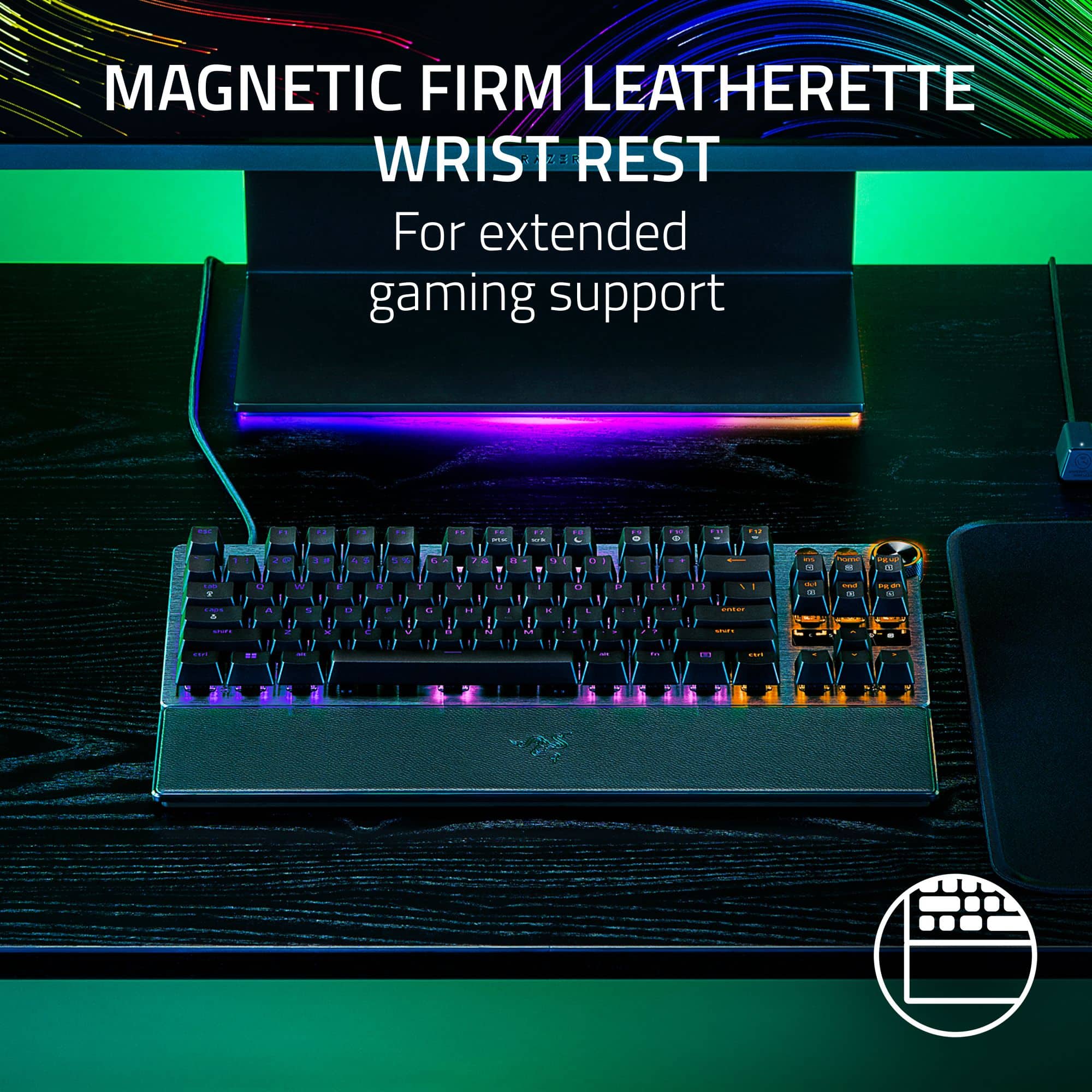
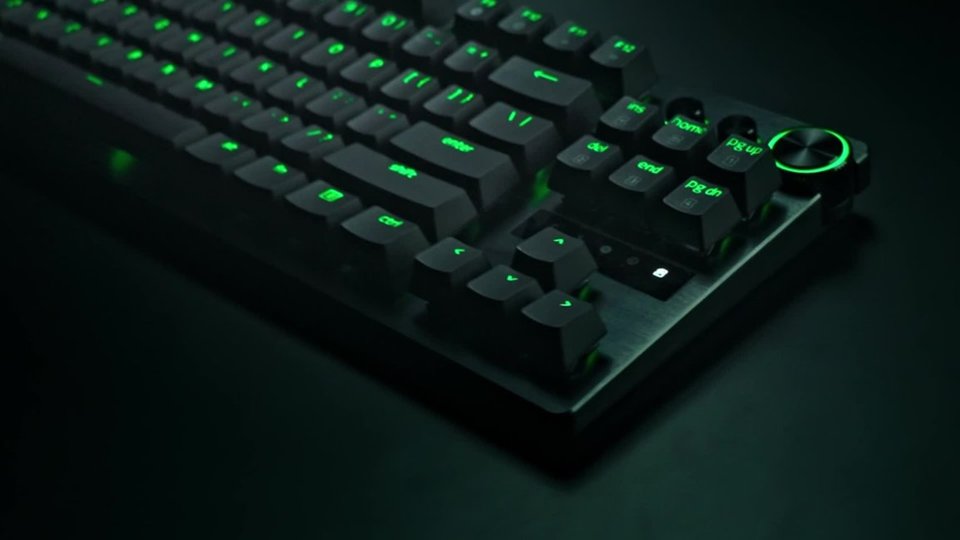
![esc F1 F2 F3 F4 F5 F6 prts SC F7 scrlk FB F9 F10 F11 F12 1 1 | 2 @ 3 # 4 $ 5 % 6 A 7 & 8 9 I 0 I - ee I + ins home pg up 5 tab Q W E R T Y U I 0 P [ { ] } / | del 2 end a pg dn 4 caps A S D F G H I L : - enter 5 shift Z X V B N M < > / ? shift ctrl alt fn ctrl C](https://pisces.bbystatic.com/image2/BestBuy_US/images/products/97c3efd0-824e-43aa-bed2-9dc76c040024.jpg)
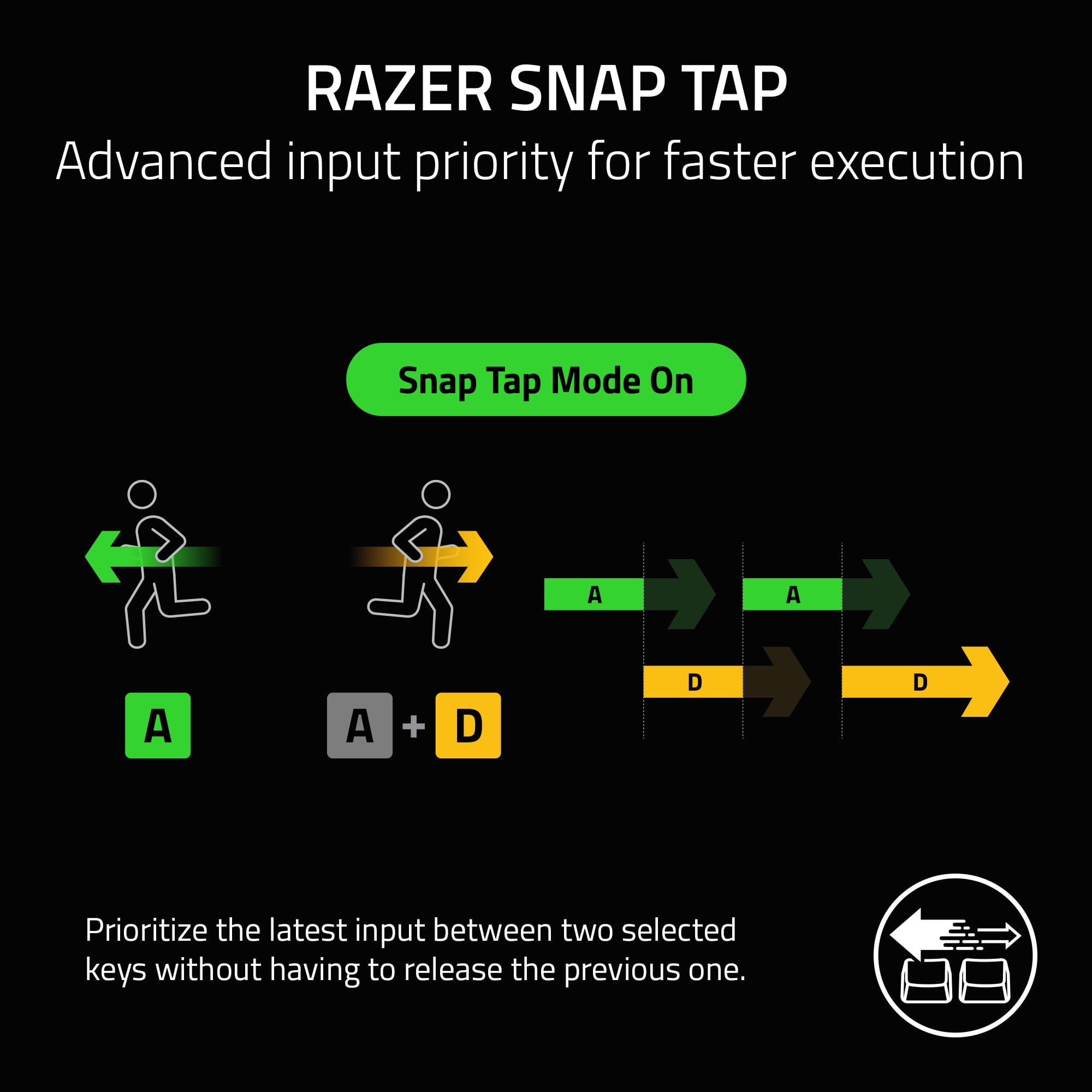
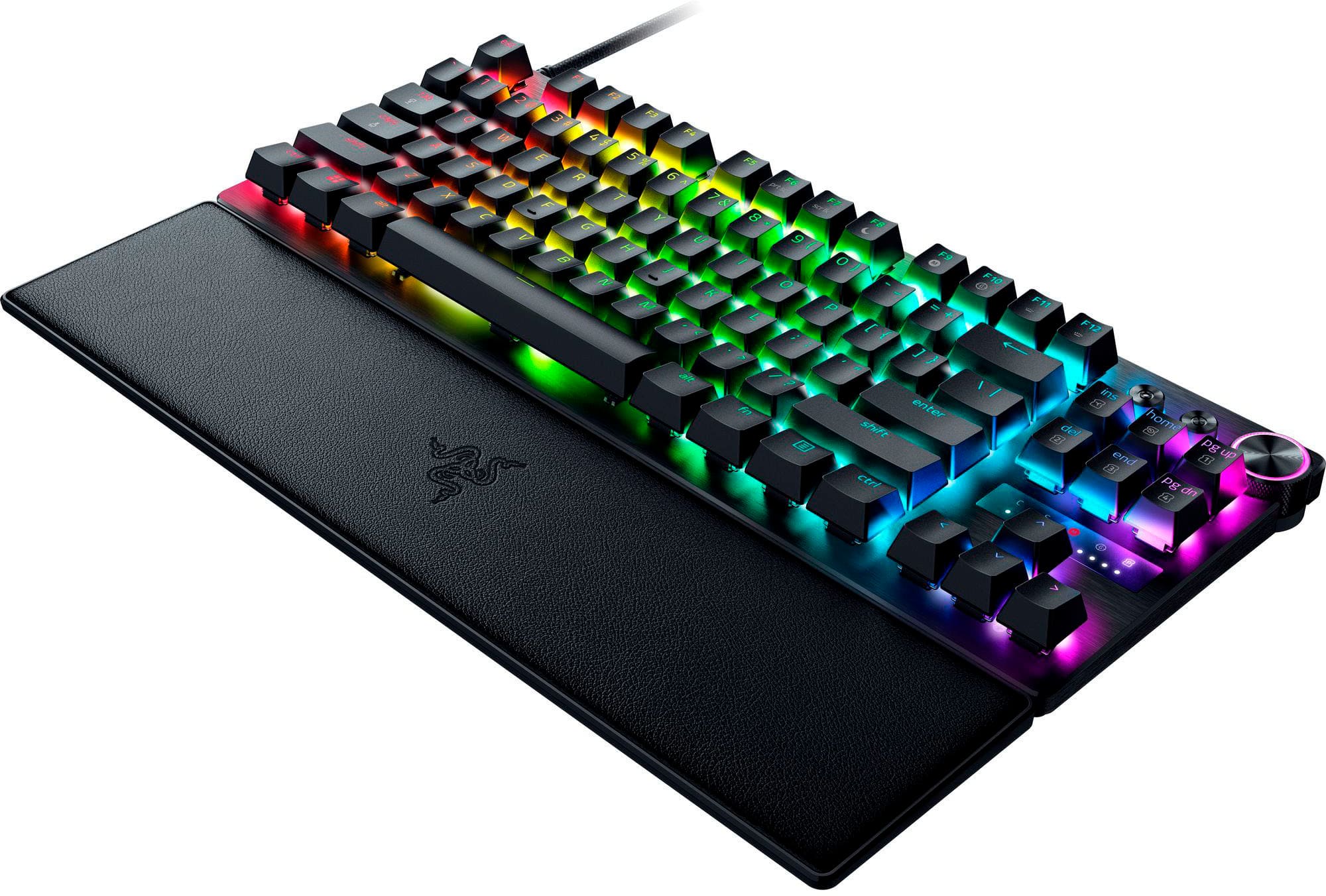
![MULTI-FUNCTION DIAL & DEDICATED CONTROL BUTTONS For convenient control F10 G F11 + = r { F12 .tma 1 } ] pgup up pg 1 home up ins pg 4 end 3 del 2 G M I S - enter](https://pisces.bbystatic.com/image2/BestBuy_US/images/products/e5bccdd4-85a2-4715-9082-f58130a6873b.jpg)
![The text on the image reads:
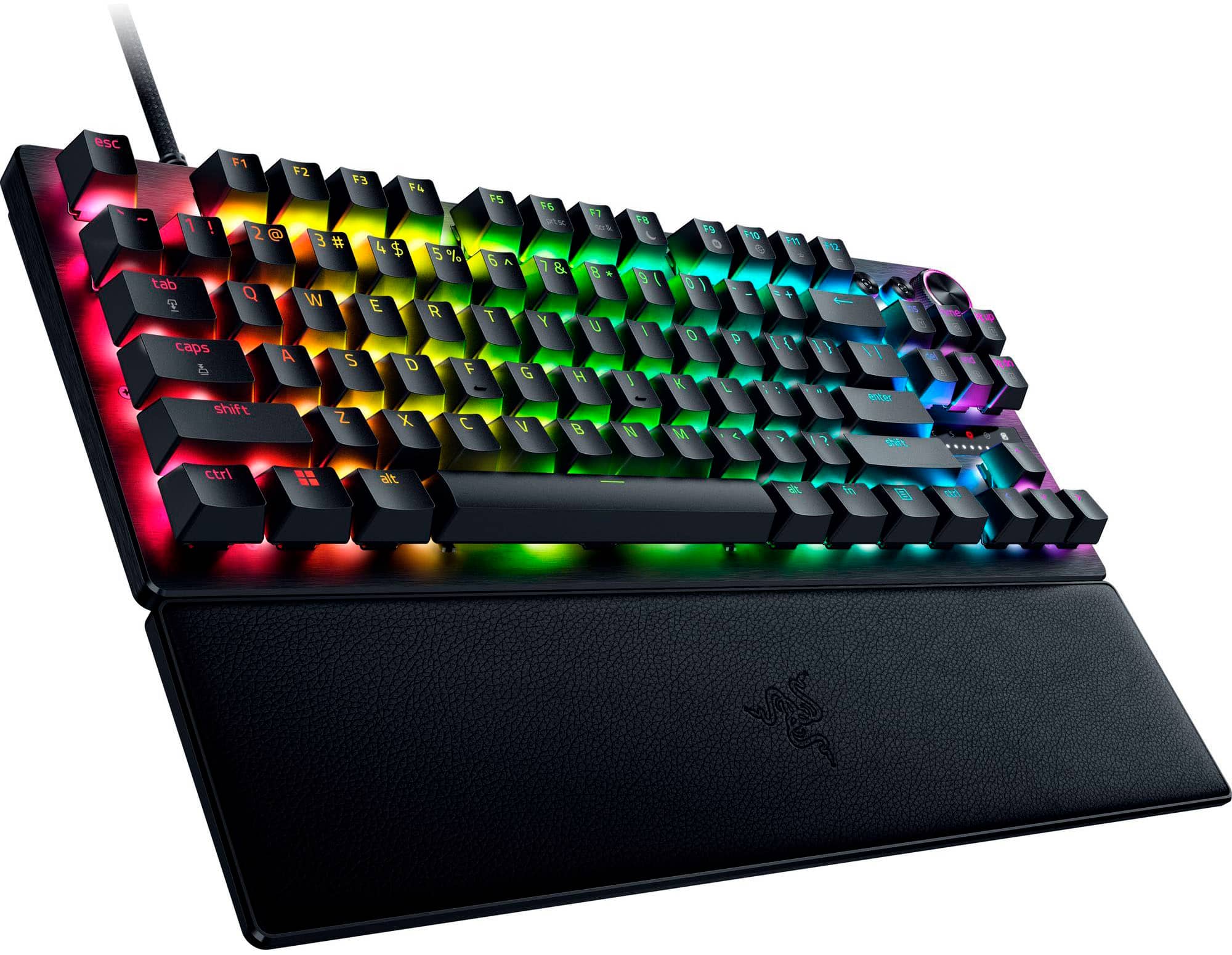
Esc F2 F3 F4 F5 F6 F7 F8 F9 F10 F11 F12 - 7 ! 2 3 # 4 $ 5 % 6 A 7 & 8 9 ( O ins I home C Pg up 1 tab Q W E R T Y U I O P [ ] } del 2 end D Dg dn E3 caps A S D F G H J K L i . . . enter stuft Z x C V B N M shift ctrl == att ait In ctrl](https://pisces.bbystatic.com/image2/BestBuy_US/images/products/81ba7020-8b4c-410c-b8a1-c071c940ab52.jpg)




- Model:
- RZ03-04980200-R3U1
- SKU:
- 6558753
Rating by feature
- Value
Rating 4.4 out of 5 stars
- Quality
Rating 4.6 out of 5 stars
- Ease of Use
Rating 4.6 out of 5 stars
Customers are saying
Customers are positive about the product's excellent keyboard quality, key feel, and rapid trigger feature, noting its impressive response time and actuation. They also appreciate the bright, customizable RGB lighting, general customization options, and convenient size. Customers are negative about the quality of the wrist rest, the high price, and the software's occasional lag. Some also find the noise level to be a minor drawback.
This summary was generated by AI based on customer reviews.
Great
||Posted . Owned for 1 month when reviewed.This reviewer received promo considerations or sweepstakes entry for writing a review.The best keyboard you can buy out there this thing have everything you need
I would recommend this to a friend- Pros mentioned:Keyboard quality, Rgb lightingCons mentioned:Wrist rest

Innovative and Fun!
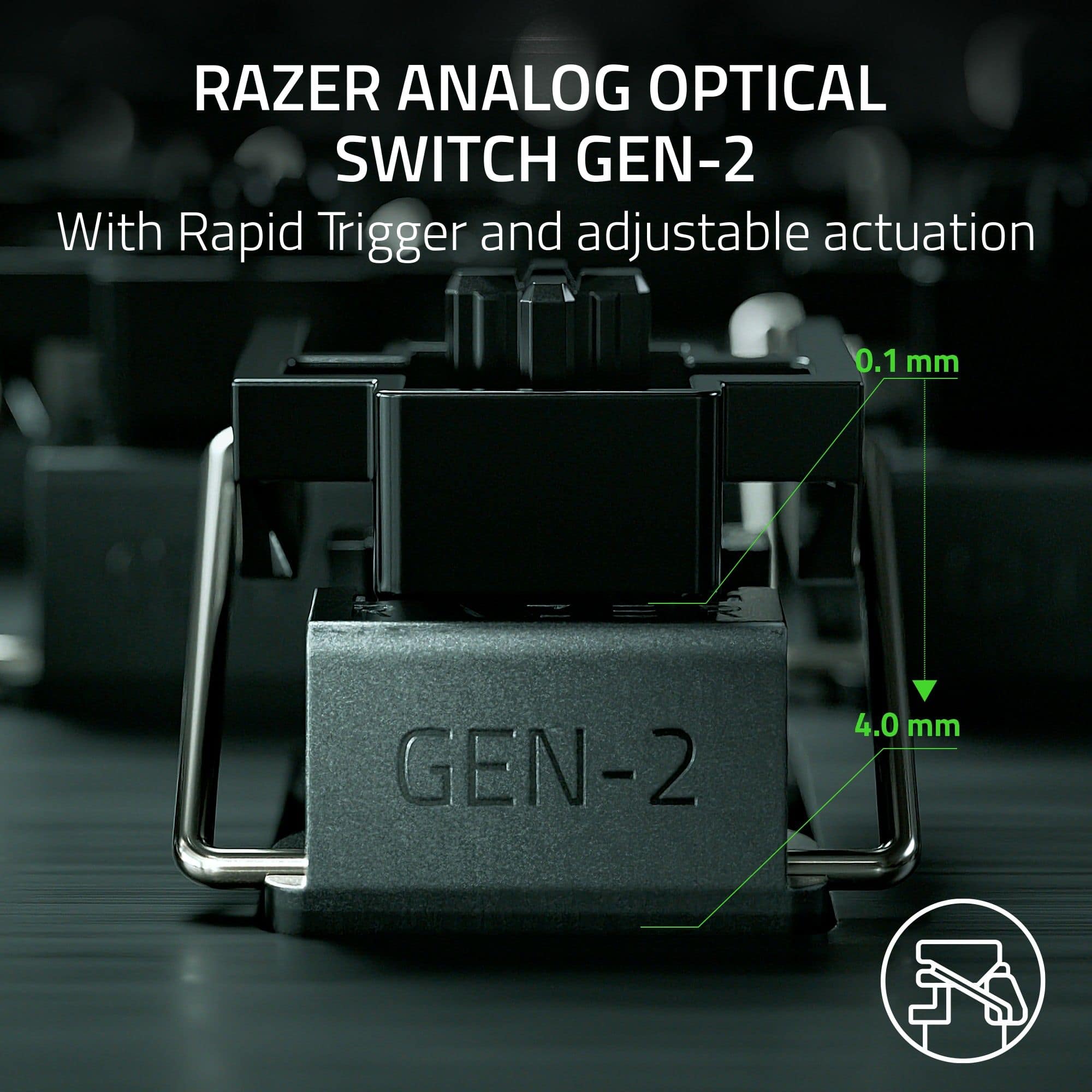
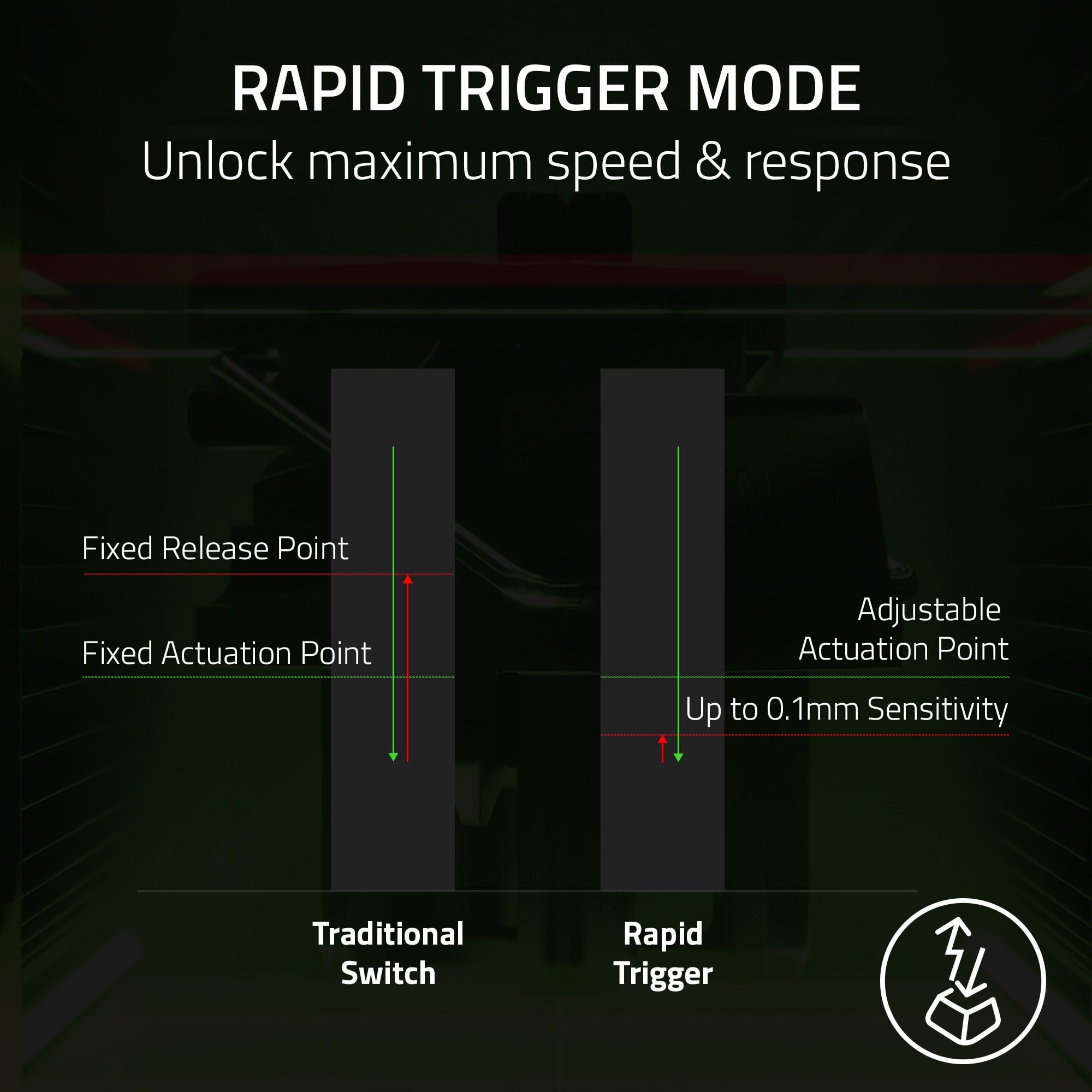
|Posted .This reviewer received promo considerations or sweepstakes entry for writing a review.The Razer Huntsman V3 Pro is my second Razer keyboard, much like the first experience, the build quality is nice, the price is reasonable, and the features are usually unique. This keyboard is no exception. It is very well built, with a sturdy metal frame and a detachable wrist rest. The keys are smooth and responsive, and the RGB lighting is customizable and bright. The keyboard also comes with a quality braided cable. One of the coolest features I’ve seen in a long time is the analog optical switches, which allow you to adjust the actuation point of each key from 0.1 mm to 4.0 mm. This means that you can fine-tune the keyboard to your preference and gaming style. For example, you can set the keys to a low actuation point for faster and more responsive inputs, or to a high actuation point for more accuracy and control. You can also set different actuation points for different keys, depending on the game you are playing. The keyboard also has a rapid trigger mode, which reduces the actuation point to 0.4mm for ultra-fast inputs. How cool is that? The keyboard works with Razer Synapse 3, which lets you customize the lighting, macros, and profiles of the keyboard. You can also sync the keyboard with other Razer devices and compatible games for a more immersive gaming experience. This is also where you can set the individual actuation depth for EACH KEY. The software is easy to use and has a lot of options to choose from. A magnetic wrist wrest is included in the box as well. It’s the only part of the keyboard I think feels cheap. It’s made of hollow plastic and has, what I assume to be, a vinyl/leather alternative material on top. The magnetic attachment is awesome, and the general shape is nice. Overall, I think this is a great keyboard for gaming and I would highly recommend it to anyone who is looking for a high-performance and versatile keyboard. The analog optical switches are a game-changer and I’m excited to spend more time with the unit as I dial in the settings. The keyboard is very comfortable to use and a welcomed new member to my gaming arsenal.
I would recommend this to a friend - Pros mentioned:Key feel, Keyboard quality, Rgb lighting
Finger Lovin Good
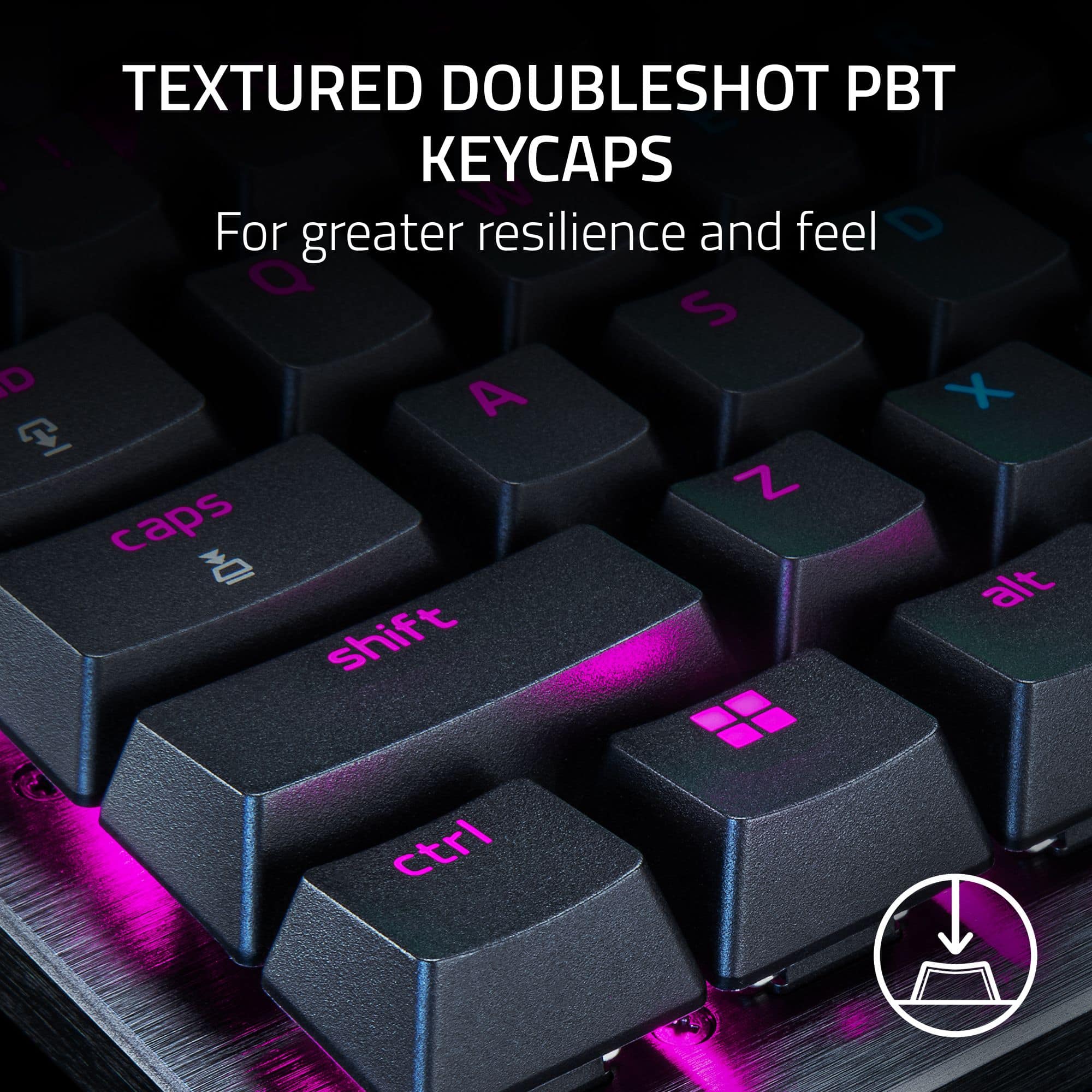
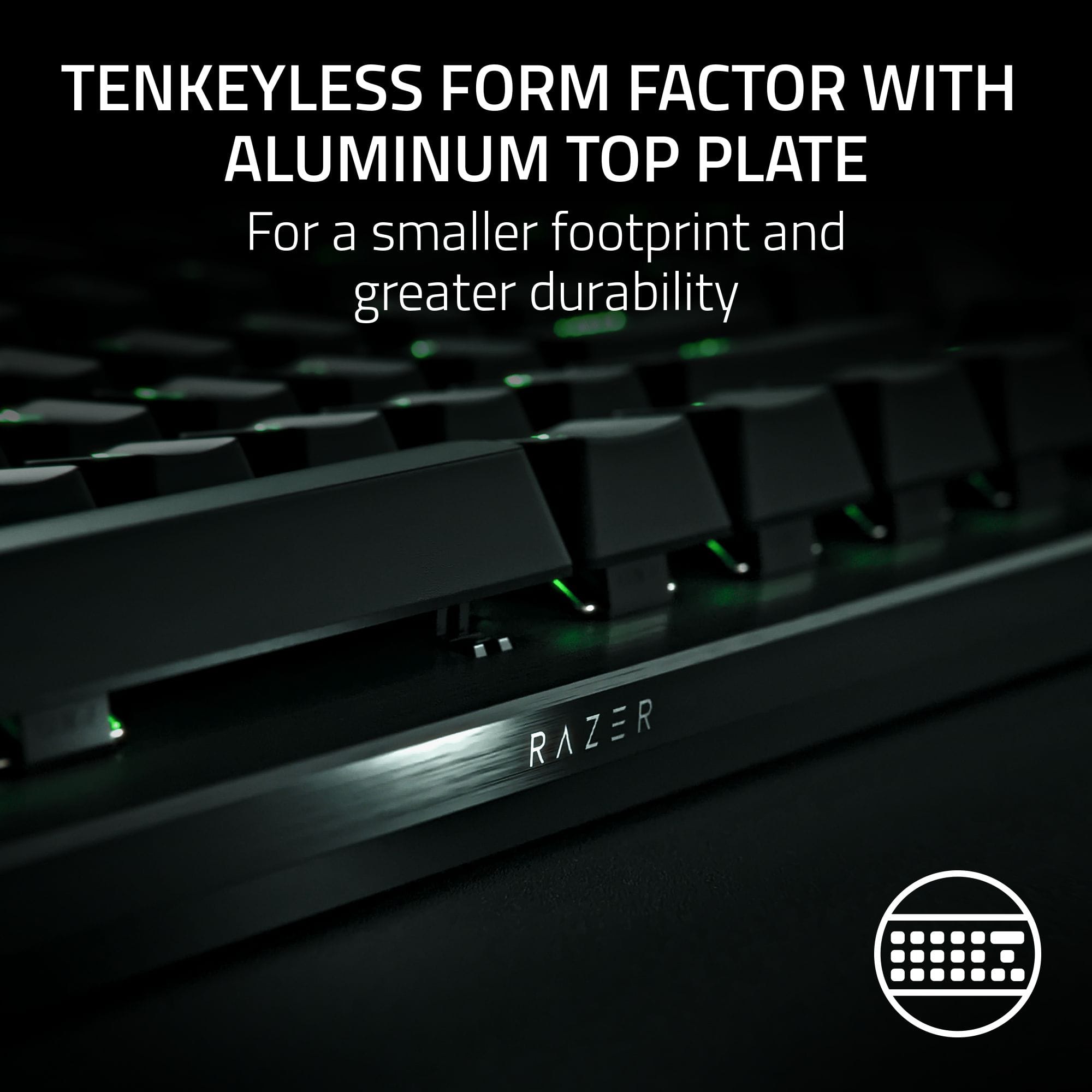
|Posted .This reviewer received promo considerations or sweepstakes entry for writing a review.Wow, I haven’t used a Razer keyboard in a years so I had NO IDEA how far they’ve come and advanced the mechanical keyboard game. The Huntsman V3 Pro TKL is easily the best feeling/typing keyboard I’ve ever used out of the box, and that’s before I’ve even started tweaking all of its advanced features, like key actuation levels. It’s hard to keep track of all the different switches out there now and it seems like every Mfg has gone off the beaten path and started to create and spec their own switches. The Huntsman V3 Pro is no different, it uses Razer’s Analog Optical Switch Gen-2. I’m not sure how to describe it since it feels like 2-3 switches blended into one. It has no “bite” or “tooth” like a Brown switch so it’s more like a Red, however, there is more resistance the further you depress the key. Key presses are fast and not fatiguing however, and since resistance increases near the bottom an decelerates your keystroke, typing is not as loud as you’d expect from a fully unleashed red. As mentioned, you can also change the register point in the keystroke and also set rapid fire keys. The build quality itself is amazing, aluminum top plate, textured double shot PBT keycaps for solid feel without oil and smudging or crud buildup. There is no key well, all the switches are floated on top of the aluminum top plate so the keyboard is easy to clean with just compressed air or Q-tips if you really want to give it a deep clean. All keys feel incredibly consistent, even the larger keys like space, tab, backspace etc. with consistent feeling stabilizers. The letters are also larger and easier to read than some other keyboards and the RGB lighting is super smart and impressive. While there is onboard memory as well as a keyboard shortcut card, you will want to install Razer Synapse on a PC to get the most out of the programmable feature of the Huntsman V3 Pro. Recessed USB-C and a magnetic key rest along with media keys for XBox Game Bar, Volume and a programmable key round out the obvious features. There’s also a light panel under the Home panel and above the arrow keys help show the different status of the keyboard. I would say the ONLY knock on the Huntsman V3 Pro is that it is wired and not wireless, or I would make it my daily driver in a heartbeat. The main reason I prefer wireless is because I can move my keyboard off my desk as needed, or swap keyboards which I do somewhat frequently due to multiple PCs, laptops and work devices I swap to. Also, the wireless keyboards have both BT and RF dongle connectivity, which allows me to swap between my personal PC and my work laptop using the same keyboard with just the touch of a button (RF or BT). Otherwise you simply can’t go wrong with this amazing keyboard, its truly a revelation for typing and gaming and something you will want to try out for yourself if you’re on the fence by visiting a BB or other store and typing on it. You won’t regret it!
I would recommend this to a friend Quality parts nothing else.
||Posted . Owned for 4 months when reviewed.This reviewer received promo considerations or sweepstakes entry for writing a review.DO NOT BUY!!!! Product idea was good , but for the price and not having the ability to disable the controller function ruins this product, reached out to the company for a fix no response. Wish i could refund missed the 14 day window testing and reaching out to the company. I would not recommend over any keyboard. Waiting on my new keyboard to arrive until then going back to huntsman mini.
No, I would not recommend this to a friend- Pros mentioned:Actuation, Keyboard quality
Most used keyboard by Pros!
|Posted .This reviewer received promo considerations or sweepstakes entry for writing a review.I have gone through alot of keyboards in my days of gaming... and I admit I was skeptical when a little research showed me the V2 Pro TKL was the most used keyboards by the ESport Pro's, what can the V3 Pro possibly offer. I have had some good and bad experiences from Razer. I happy to report keyboards are one area where I consistently get good experiences from. I had some issues with their chair, their laptop, but the keyboards has always been fire. Opening the box, installing the keyboards, has always been a nice seamless experience. However to fully utilize the keyboards, you have to download the software to take advantage of it's premium features. Details below Installation Plug in USB C to USB C, comes with converter if needed, software automated prompt to download Razer synapse, easy to download. Customization Adjusting the keyboard can be a little daunting at first. The software is not exactly intuitive, but after a few minutes it will start making sense. You can't break the software or keyboard, so play around with it a little bit. The actuation features is amazing, I've never had a keyboard where I can adjust the actuation, I thought it was gimmicky at first until I tried it. The lighting customization is tricky on all platforms, no different here. Just need to play with it and it'll make sense, don't be intimidated by the multiple levels of customization. Feel This is where it gets interesting. As mentioned above, I really thought the actuation was gimmicky when it was first advertised. I've used mechanical keyboards my whole gaming life. I thought how much more can customization actuation actually make a difference? Apparently a whole lot! While it's not for everyone, the fact that it's available to you is nice... you can play some very twitchy games, like counter strike, valorant or fort nite, and adjust the actuation and slowly get a sense of what you like. I never knew it would matter to me, but now I can't go back to regular keyboards! Conclusion Without exaggeration, this is probably the MOST premium, most advanced gaming keyboards I've ever owned. The customizable actuation is fun, and really helps you understand just how much actuation matters to you. While the pro's may benefit the most, having this ability at your finger tips is just a dream to use. I will never buy a different keyboard again after using this, I simply don't know any other keyboards that let me adjust actuation the way the Razer does!
I would recommend this to a friend - Pros mentioned:Actuation, Keyboard quality
No surprises, gamer approves
|Posted .This reviewer received promo considerations or sweepstakes entry for writing a review.The keyboard is a typical Razer product: solidly built, meticulously designed and very functional. The keyboard connects through USB port. Razer prides itself with the ‘unfair advantage’ tagline; this keyboard showcases what Razer meant by that tagline quite successfully. There is so much to like about the keyboard. Let’s start from the dimension of the keyboard. As a gamer myself I really like how compact this keyboard is. Comparing this one to my desktop gaming mechanical keyboard, the later is bigger and much heavier. By default, key performance is already very responsive and you can adjust the actuation. So yeah, out of the box you can expect better performance when playing shooting games. You can program keys to be rapid triggers, which is very useful if you want to play shooting and fighting games. Although the keyboard is small, it has all the keys that I need when playing games and even for work. The keyboard has led illumination, which is cool and it definitely screams gaming keyboard. The Razer software is excellent, it provides you with the whole lot of features and customizations that you need to make the most out of your keyboard including macros programming. Typing experience is also great, keypress is a bit more sensitive for the purpose of typing a document because after all this is a gaming keyboard first. Though that this is a small keyboard, the ergonomics are still good. The palm rest feels comfortable enough and you can adjust the angle of the keyboard to be slightly higher, which I don’t really need because it’s already high enough to my liking. Overall, no surprises here, another 5-star Razer product.
I would recommend this to a friend - Pros mentioned:Keyboard quality
Premium Grade Keyboard - Superb Build Quality
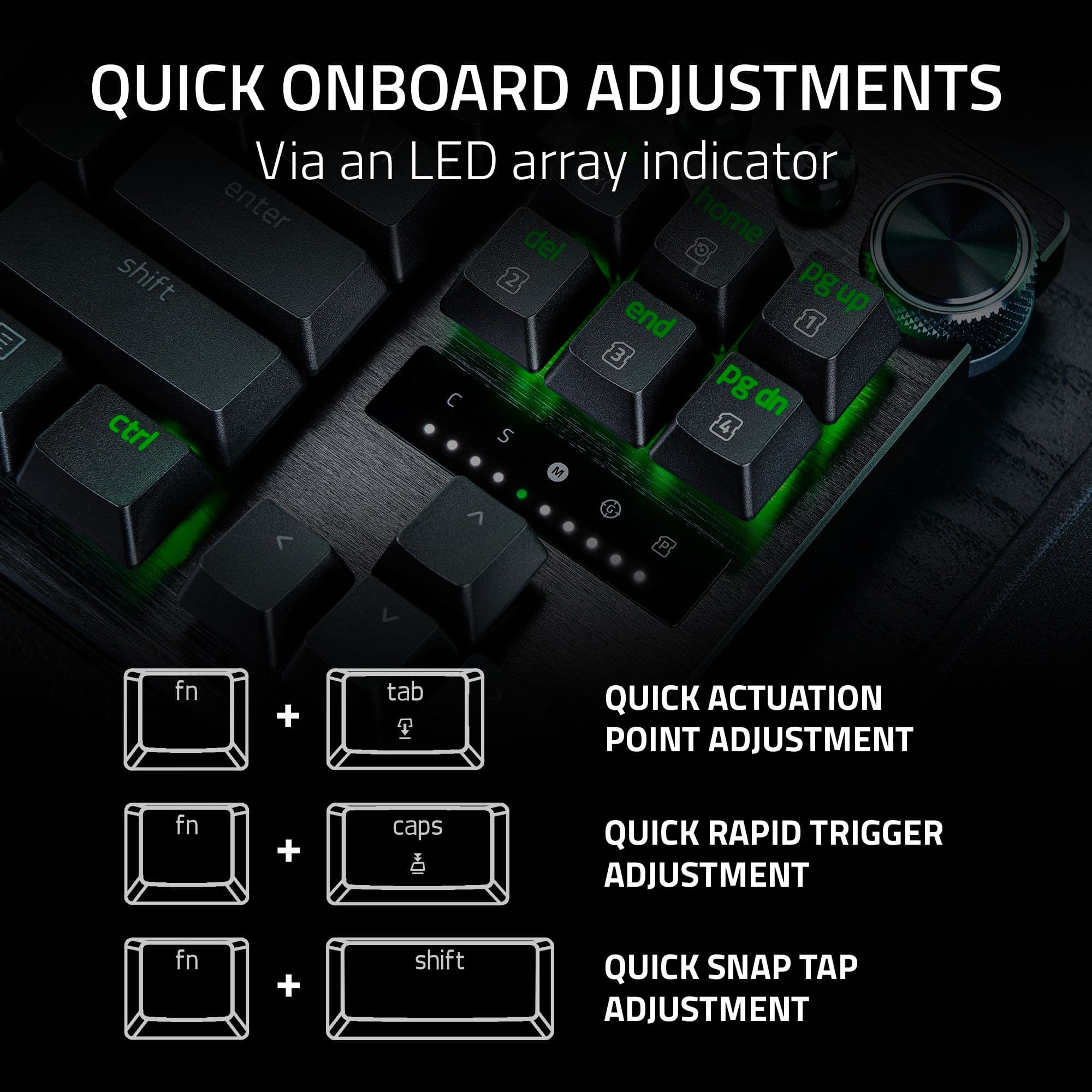
|Posted .This reviewer received promo considerations or sweepstakes entry for writing a review.The Razer Huntsman V3 Pro TKL is another high-end keyboard offering from Razer that joins a full size and mini version as part of the V3 refresh. The Huntsman V3 TKL is, as the name suggests, a tenkeyless version (no numberpad) full sized keyboard. The V3, like other Razer products, is supported by Razer’s Synapse software, which lets you customize as much or as little as you want. This is my first time using a Razer keyboard, but I have used several Razer products (mice, headsets, gamepads, PC components) over the years. I like their products as they have held up well for me, but sometimes Synapse can be a hurdle. I have used several mechanical keyboards in my time, and most of them featured tactile switches. I have only had one other keyboard that featured a linear switch – my K70 RGB Pro which has Speed Silver switches. For work/typing I prefer tactile switches, but for gaming it’s really a toss-up. The need for rapid key presses from the fast linear switches wins out more often than not. Compared to the Speed Silver switches in the K70, Razer’s Analog Optical Switches Gen-2 have a similar feel. The actuation force of Razor’s switch is a little lighter – 40g vs 45g, which is a crazy light keyweight. The travel of the switch is a little longer at 4mm (3.4mm for the Cherry), but it still has a very smooth straight up and down path. This is really where the similarities end because the Razer switches are able to modify their actuation point – the Cherry’s are locked at 1.2mm. The Razer switches are able to set the actuation point across the full travel path – 0.1mm all the way to 4.0mm. Toggling back and forth from Tactile to Linear switches is really a hassle until you get used to the feel. This was more evident with the K70’s locked in actuation point. I had an easier time transitioning between keyboards with the V3 in the mix by simply making the actuation point deeper for typing. I created a profile just for typing with an actuation point between 2-3mm (still working on a final setting), which gets me closer to the feel of my Tactile Brown switches. Design The layout is a tenkeyless design with full sized keys. There are additional macro buttons and a multifunction wheel in the top right. The dial is a welcome volume controller, and something I prefer over the volume rollers. The top layer of the board is made of ~1mm thick black anodized aluminum that wraps down the sides in one contiguous piece. With the lighting off this keyboard has a sleek jet-black look that looks and feels well made. The removable cord slots in the bottom of the upper left side. The bottom also conceals the flip out feet for angling the typing surface. The keycaps are PBT doubleshot material with a light texture. The LED’s underneath shine through lettering easily. The PBT material should have a longer service life than ABS keys, which are prone to fingerprint wear. The keys have a comfortable spacing without feeling crowded, and the overall keyboard width remains compact enough for my mouse to have plenty of room to move. The keyboard packs a couple of additional features. It has a removable USB-C cable, which makes transport or routing wires a little easier. The keyboard also contains onboard memory to store profiles, which combined with the detachable cord makes it easy to swap the keyboard between systems. I appreciate the detachable cord for another reason – its replaceable. I have lost a keyboard to a failing USB connector in the past, which just seems like a huge waste to throw out a perfectly good board because the cord went bad. The included palm rest is magnetic, so detaching it is effortless. The ergonomics of the design are pretty good. The keys are set at a comfortable width so you don’t have to stretch out to maintain your typing form. The wrist rest is adequate and it provides a comfortable slope to address the keyboard. The padding on the rest is really non-existent, which is a shame. From the pictures it looks like it would be padded, but that’s not really the case. Compared to other wrist rests I definitely prefer this one over the K70 Pro because the angle is better, but it is nowhere close to being as comfortable as my Logitech G513 Carbon. Adjustments, Lighting, and Synapse To start off, there are some basic settings you can modify with just keyboard itself – no need to go into Synapse. It’s limited, but I was able to adjust a few things. Among them are key actuation, rapid trigger mode, and profiles with keyboard shortcuts. There are also some basic lighting controls you can change as well. This is honestly a very welcome feature because I don’t want to boot up software every time I need to adjust something. I had the manual in front of me to keep track of the shortcut keys and what they did. The little readout above the arrow keys has a lit status bar that you use while adjusting your actuation depth. All of this is great for tweaking or adjusting something on the fly, but you really want to boot up Synapse in the beginning to get things fully configured. In order to take full advantage of lighting (and other options) you need to head into Razer’s Synapse software. I have a couple of RGB items connected to the software – AIO cooler, headset, and graphics card. The GPU is the only non-Razer item, which requires the ASUS Aura plugin to be controlled by Synapse. Since the lighting for all of these things is controlled by Synapse it makes me use the Chroma plug-in to change anything. The change ends up being applied across the system, which was aggravating since I wanted to mess with the keyboard on its own. I am not quite sure how to make this change, since Synapse is not the easiest to navigate software. However, the RGB on the switches is excellent. The lighting patterns are displayed well by the keys, and it ticks all of the RGB boxes for me at least. The key configurations are where the software really is put to use. You can assign different actuation depths on a per key basis, or set a global depth. All of these setting are contained within the profiles stored onboard. There are 6 to start with, but 2 are locked and can’t be modified. You can also create your own profile and configure things to your heart’s desire. I found macro creation was also much easier to follow in the software vs. creating them on the fly with just the keyboard. Seeing the keypresses on the screen is more reassuring, I guess. I had some fun messing around with the different actuation depths and the rapid trigger mode. I don’t have any games where this would be useful to me, but you can absolutely spam a ton of keypresses in a short amount of time with it. It took a few seconds to get the correct amount of key press flutter to start rapid firing, but its easy to get the hang of. Usage Whenever trying out a new keyboard I jump into Portal 2 – its my favorite game to just relax and play, but its also a good way for me to get a feel for the movement keys. Using WASD for movement felt great – I used the default profile at the beginning, but eventually moved to a slightly deeper 2.2mm actuation depth. I played some Halo MCC (CE campaign and firefight), which I have only recently gotten into playing without a gamepad. I have logged a decent amount of hours on my keyboard that has tactile switches, so changing over to the V3 had a little bit of a learning curve. I was ahead on my shots and movement because of how light the key press is. I initially pushed the actuation point further down to compensate, but I pulled it back to 1.5mm and gave it a go. I am still working on my timing and trying to get it dialed it, but I feel like I can gain a split second here and there this way. I tried playing with the actuation point set to its shallowest – 0.1mm – but it was rough. Way too sensitive – I was miss keying, and fat fingering neighboring keys with ease. I don’t know what games or gamers needs that level of sensitivity, but I guess the V3 can handle it. I did have my partner’s son jump in and play some games on the PC I built for him, and I got some good feedback. He has played on the K70 way more than I have, so he has a good grasp on the feel of fast linear switches. He mainly plays Geometry Dash, TF2, Grounded, Minecraft, and Dead Cells. The majority of these games require a lot of speed, which is why the faster switches were appealing. He played for a few days on the board and had a positive experience. The biggest improvement ended up being the TKL form factor since the full frame K70 cut down on mouse space on the pull-out keyboard drawer. He initially set the board up for himself without touching the software, and used only the shortcut keys to select a profile and adjust the actuation points. After I got the software going he was able to fine tune things a bit more, but he proved to me that you could avoid Synapse if you really wanted to. He adjusted his WASD to have a shallower actuation than the surrounding keys. Like me, he didn’t have a major use for the rapid fire mode, but he could see the potential. Compared to the K70 he liked the lighter actuation force and ability to adjust the depth. It came up in Geometry dash where he adjusted the depth on the spacebar to trigger faster. I have seen enough of that game to know speed and timing is everything, and a quicker key can give you the advantage. Overall The Huntsman V3 Pro TKL is a well-made premium feeling keyboard. The TKL size will appeal to those that like the full-size keys but need a little more mouse space. The key switches are a cool bit of technology that I appreciate seeing, and they really allow you to “right-size” the keyboard to your needs or playing style. The keyboard is comfortable to use for daily work tasks, and is certainly up to the challenge for gaming. The only knock I have for the keyboard is the palm rest. At this price point I would have expected a padded palm rest like what was included in the Huntsman V2.
I would recommend this to a friend - Pros mentioned:Keyboard quality
Premium keyboard for gaming
|Posted .This reviewer received promo considerations or sweepstakes entry for writing a review.I've been using a mechanical keyboard nearly exclusively for several years. I do a fair amount of gaming with a keyboard/mouse, but I also use it for daily work tasks and typing. I enjoy the satisfying click and tactical feedback from mechanical keys over the soft bounce of a membrane-based keyboard. I've also found that mechanical keyboards tend to be built with more reliable materials and they last longer. One thing I'm always cognizant of is desk space and having a full-size keyboard isn't always practical. So, I decided to give this tenkeyless (TKL) keyboard a try. Unboxing and Setup I've been a fan of Razer products for quite some time and this package is no different. It's distinguishable by the bright green brand color, which is offset by black. The front of the box shows off the keyboard's design with a nice product image. When you open the box you'll find the keyboard wrapped in plastic, some Razer stickers, a user manual, a quick start card, a wrist rest, and a detachable USB-A to USB-C cable. Because this is a 'wired' keyboard, I was a little surprised to find the USB cable was detachable. I thought it would be built-in. As far as setup goes, basic keyboard controls were operational as soon as I plugged the keyboard in. The more advanced features required a bit of tweaking using the built-in keyboard commands. You do have the option of downloading Razer's Synapse application for more granular control, but the customization features that are built into the Huntsman are pretty great on their own. Design and Build Quality The Razer Huntsman V3 is a solid keyboard. Its top plate is made with aluminum which can withstand most daily abuse. The wrist rest is 'leatherette' and connects magnetically to the keyboard frame so it doesn't slide away easily when you are using it. The smaller form factor of the Huntsman V3 TKL is convenient for more compact workspaces as well as for gaming. The keyboard has a built-in kickstand which is very helpful for regular keyboard use. The switches are Razer's Analog Optical Switches Gen-2. These are Razer's most advanced switches and they are rated with a 100-million keystroke lifespan. Razer's analog switches can get more specific with their input controls than standard mechanical keyboards can. For example, a standard mechanical keyboard only reads a 0 or 1 value (not depressed or depressed) while the analog switches can read all the values in between 0 and 1, too. This is what makes the analog switches more valuable on a competitive gaming accessory like the Huntsman V3. My general preference for mechanical switches is usually a brown switch that has a little bit of a softer click than say, a blue or red switch. The analog optical switches feel more like the 'clicky-er' switches to me, but they don't have that harsh bump that goes along with it. Performance and Features I tested out the performance of the keyboard in two ways - gaming and daily use. For the daily use portion, I found that my typing skills suffered just a bit. I usually have an average typing rate of 72-73 words per minute and with the Huntsman, it was only 69 WPM. My accuracy also fell a bit behind my standard average. Using a typing test, I found that my accuracy rating was 94% and I usually top that out around 98-100%. When it came to gaming, I found that with FPS games like Call of Duty, the rapid trigger feature was helpful and the smaller size of the keyboard helped out immensely with mouse movements. I could feel the tactile nature of the keys while I played and I felt I was more successful than with other standard mechanical keyboards. I used this keyboard with both a PC and a Mac computer and I can say that it works with both systems. The box does indicate that it is only Windows compatible, but that has more to do with the customization aspect of it. You can use it with a macOS-based machine, but you need to be prepared to lose some of the features that make this a great keyboard for gaming. The Synapse software from Razer does not have a macOS version for download. Connectivity While I appreciate what the wired nature of this device provides, it's still a little bit of a drawback to me. I don't like having a cable strewn across my desk, but I can see how being wired into your system is beneficial for response time within games. Final Thoughts This is an amazing product from Razer. I'm always impressed with the quality of their products and this keyboard is no exception. It is designed specifically for gaming though and it might fall short of your expectations if you intend on using it for another purpose.
I would recommend this to a friend - Pros mentioned:Rgb lighting
Rapid. Adjustable. Gaming.
|Posted .This reviewer received promo considerations or sweepstakes entry for writing a review.The Razer Huntsman V3 Pro TKL captivates at first glance with its sleek, robust design, marrying a lightweight yet durable shell with a premium aluminum top plate. This 87-key keyboard strikes an ideal balance between aesthetic allure and structural resilience. The magnetic wrist rest, though slightly less impressive in build quality, is a thoughtful inclusion, offering a comfortable wrist height that complements the keyboard's stature, ideal for those who prefer a higher resting position during prolonged gaming sessions. Technologically, the Huntsman V3 Pro TKL is a standout in the gaming peripherals market. Its defining feature is the analog optical switches, which provide unmatched customization with actuation ranging from a minimal 0.1mm to a full 4.0mm. This versatility allows gamers to tailor the keyboard to their specific playstyle, catering to rapid responses for action-packed games or more deliberate presses for strategy-based gameplay. The vibrant RGB lighting, fully customizable through Razer Synapse, not only adds to the gaming ambiance but also syncs effortlessly with other Razer devices for a cohesive setup. In terms of gaming performance, the Huntsman V3 Pro TKL shines. The rapid trigger mode, reducing actuation to just 0.4mm, offers a significant advantage in fast-paced scenarios, enabling quicker reactions and a noticeable improvement in in-game performance. The Razer Synapse software is crucial here, offering extensive customization options from lighting to key bindings, and even the ability to set different actuation depths for individual keys. This level of detail in customization makes the Huntsman V3 Pro TKL not just a tool, but an extension of the gamer's intent. In conclusion, the Razer Huntsman V3 Pro TKL is a standout in the esports keyboard landscape. Its blend of robust build, innovative features, and deep customization options make it a worthy investment for any serious gamer. While the wrist rest could be of a higher quality, and the absence of a USB passthrough is noted, these are minor issues in an otherwise exceptional product. The Huntsman V3 Pro TKL is a shining example of Razer's commitment to pushing the boundaries in gaming technology.
I would recommend this to a friend - Cons mentioned:Wrist rest
Fast response! Rapid Trigger!
|Posted .This reviewer received promo considerations or sweepstakes entry for writing a review.Amazing keyboard. I love the many new features it has. Came boxed very well, they include super nice braided USB A to C cable and also a wrist rest. The wrist rest is of a faux leather texture, but it does not have lots of padding. I wish it was padded like it some other Razer keyboards. This is a TKL version, meaning it does not have the numpad, saving you space for your mouse. If you work with lots of data entry, this is not for you (you could get a separate numpad, like I have if you need that). I love the rotary knob and the dedicated media keys. You can program these using Razer's Synapse software. The main feature of this keyboard, is they are using Razer's new generation of optical switches, which support rapid trigger. This is an amazing feature, and highly caveated these days. What it does is it resets the switch super fast, the moment you let go the key, it resets and its ready for a new press (you can customize these actuation points, to make it super fast). This leads to super fast response and movements you cannot do with regular keyboards. I love how customizable each key is in those regards. You can use Razer's Synapse software for an easy way, however the software is not entirely needed. You can also customize these actuation points on the keyboard itself using the rotary knob and certain combo of keys and save your config on the keyboards memory. There are so many functions like these on the keyboard itself, and they are all in the included manual. However they also include a small card, kind of to have on your desk of you want to check the most used shortcuts on the fly. There are many status LEDs above the arrow keys (like for caps lock, which profile you are on etc.) and also it serves as an indicator for your actuation points for your keys. The manual and rapid shortcuts card show the numbers, however this area doesn't, just lights up. I wish this area of indicators above the arrow keys had numbers (so you would know what actuation point in millimeters corresponds to each LED light just by looking at it, but you have to look at the shortcut card or manual to know). Rapid trigger is a game changer and these new generation of optical switches were made for it (I know some previous Razer keyboards had the rapid trigger software update, but they were kind of wonky, NOT with these, these are the real deal). Go for it and you won't go back to a keyboard without this feature if you are PC gamer!
I would recommend this to a friend - Pros mentioned:Rgb lighting
Great Gaming Feel
|Posted .This reviewer received promo considerations or sweepstakes entry for writing a review.--- SETUP --- The keyboard setup was instantly recognized for by my Windows gaming PC. The software was installed automatically without the need for me to search for a download. I did need to log in to the software to customize the keyboard. --- FEATURES --- Customizable RGB lighting, Tenkeyless (TKL, meaning no number pad), wired, analog dial function, programmable, preset profiles, custom profiles, two tilt options, USB C, detachable cable, plug and play. --- PERFORMANCE AND EXPECTATIONS --- As a gaming keyboard, this is a great device to own. Using the starting profiles, I could choose from FPS rapid trigger, analog WASD, racing, and high sensitivity. I mostly play FPS games that require quick response and third person, single player story narratives. The FPS rapid trigger was a great option for my multiplayer games of choice. This included Apex Legends, Call of Duty, and Halo Infinite. When I switched over to my single player narrative games, I used the Analog WASD profile. This profile is meant to make the WASD keys feel like you are using a controller or gamepad. These games included Starfield, Plague: Requiem, Cyberpunk 2077, Hogwarts Legacy, and Control. If you only use one mode, I think it is difficult to find the difference between the two. But switching back and forth, you can definitely feel a smoother experience from the analog WASD profile and a quicker response feel from the FPS profile. In fact, I tested this even further with the game DOOM: Eternal, which is a single player narrative game, but requires quick action precision. The keyboard allows you to switch profiles on the fly, so I was able to test this and definitely could feel a change. Programming the keys is very simple. The Razer software shows you a layout of the keyboard and you can individually choose every single key and dial, click on it, and choose what you want that key to do. There are multimedia dials and buttons on the right side of the keyboard. By default, the large dial controls the volume, one media button opens the Xbox DVR interface, and the other can pause/play music. I keep my mouse on a different level of my keyboard for comfort. But sometimes, I need to scroll up/down on a webpage, book, or game menu. Not having to reach for my mouse is great after I programmed the dial to scroll up and down. I have yet to find exactly how I will program this keyboard with all my needs, but the software makes it easy for me to experiment without worrying about changing too many things and getting confused. There is a default profile that you cannot change for that reason. One thing that was disappointing is that this keyboard says it is compatible with Mac as well. I did connect it to my Mac and I wanted to program the dial to allow me to skim video sections as I edited in Final Cut Pro X. As it turns out, the keyboard does work as plug and play after following the Mac programming of a new keyboard instruction. However, there is no Razer software for the Mac. I went to the website in hopes of manually downloading the software, but it only downloads a Windows version. A second thing I didn’t enjoy was that, as a typing keyboard for documents or work in general, it doesn’t function too well. Having to type so many keys makes the keyboard feel clunky. This meant that often, I was pressing other keys that I didn’t intend to press and had to backspace often. Though I understand that this is a gaming keyboard and not an office keyboard, I use the same gaming computer to do work often because it’s where I have my 49 inch monitor. Using this keyboard means that I will have to swap out keyboards when I need to do office work. Just something to keep in mind if you plan on using it for both purposes. --- APPROVAL --- As a gaming keyboard, this is an amazing purchase. I would recommend this keyboard for Windows users who will use it as a dedicated gaming keyboard and nothing else. If you are a Mac user or want to use it for office work and gaming, then I would advise against it.
I would recommend this to a friend - Pros mentioned:Actuation, Response time
Love this keyboard!
|Posted .This reviewer received promo considerations or sweepstakes entry for writing a review.The Razer Huntsman V3 Pro TKL is an awesome esports keyboard! I can’t praise this enough as there many features that make this a good standout product. First; it’s lightweight and can easily carry it with you to locations. I love this thing honestly with profile swaps and a handful of presets like “racing” makes it much easier to use a keyboard on racing games. Or you can use the WASD keys for the left analog stick. There are many ways to use this keyboard when playing games on PC it’s simply one of the best. This is an Esports keyboard to its core. A Keyboard with a Rapid Trigger and adjustable Actuation has a ton of functionality. Adjustable Actuation can go from shallow to deep and LED lights up how far the key is pressed. Nice. It’s a beautiful keyboard that serves its purpose. Uses Razer’s Gen-2 switches that are comfortable to type on and do look good matching Razer’s Chroma software. The RGB always looks great. Most Razer products match, and this matches beautifully with any of their products. This one is no slouch, and it matches beautifully. It’s best to update the keyboard firmware to get the best out of the Huntsman V3. This company also gives 2 year warranty so you should feel pretty confident about your purchase. Playing games on it was phenomenal, especially racing games something I’m into. The rapid trigger adjustments were great for first-person shooters. There is a super high sensitivity mode that gives you a twitch player's dream. Overall, it’s amazing. I love it with no reservations. Being an esports keyboard it has the right size and weight, it’s quick and responsive, has multiple modes for profiles, strong style keyboard, and has many uses with its functionality. My fingers can quickly get to keys without a number pad blocking my way. This is a solid 5 out of 5 keyboard for gaming and one I would wholeheartedly recommend. There aren't a lot of keyboards I'm happy with but every keyboard this year Razer released has been amazing. Really robust products that stand out on their own.
I would recommend this to a friend - Pros mentioned:Keyboard quality
Superb TLK Keyboard that Performs!
|Posted .This reviewer received promo considerations or sweepstakes entry for writing a review.I really am enjoying the Razer Huntsman V3 Pro TKL. It’s another high-end, customizable TKL homerun from Razer. The build quality is also very premium, which is what I would expect from Razer for a keyboard in this tier. Design-wise, the keyboard is TKL (Ten Keyless), so it is smaller than a full size. There is a dial and customizable button on the top right (I really love being able to use a dial to adjust my volume. Simple, but very handy!). This version being black really makes the RGB pop, and as always you can adjust the lighting and a handful of other functions via Razer Synapse. It does hook up to the PC via a detachable USC-C cable that comes with the keyboard itself. Overall, I have really enjoyed the Razer Huntsman V3 Pro TKL board. Being a gaming device, I am more than ok with the TKL version. It is a good size, and the anodized aluminum gives the Razer Huntsman V3 Pro TKL a super-premium feel. I have always loved using Razer Synapse, and with this board it is no different. I would highly recommend this keyboard for any gamers looking for a new keyboard!
I would recommend this to a friend - Pros mentioned:Actuation, Key feel, Keyboard quality
Great keyboard
||Posted . Owned for 2 weeks when reviewed.This reviewer received promo considerations or sweepstakes entry for writing a review.The Razer Huntsman V3 Pro TKL is an exceptional keyboard that sets a new standard for competitive gaming and everyday use. Razer has nailed the balance between performance, build quality, and ergonomics with this TKL (Tenkeyless) version, offering the perfect compact design for those who want a streamlined experience without sacrificing key functionality. One of the standout features of the Huntsman V3 Pro TKL is its Razer Analog Optical Switches, which provide an incredibly precise and customizable actuation. These switches allow you to fine-tune the actuation point, which is perfect for gamers who need rapid response times in FPS games or want to tailor their keystrokes for specific commands. The smooth, tactile feedback adds to the experience, making it satisfying to type and game on. Build-wise, the Huntsman V3 Pro TKL feels like it can withstand anything you throw at it. The keyboard is solidly constructed, with an aluminum top plate that adds a premium touch while enhancing durability. The PBT keycaps are double-shot, ensuring long-term durability and resistance to wear and tear, even after countless hours of intense gaming. The addition of Razer Chroma RGB lighting is the cherry on top, with vibrant and fully customizable lighting that syncs beautifully with other Razer devices. Even in a TKL form factor, the Huntsman V3 Pro offers a satisfying amount of customization for lighting effects, making it a treat for those who enjoy adding personality to their setup. Comfort is also top-notch with the included ergonomic wrist rest, which is perfect for long gaming sessions or typing marathons. Plus, the detachable USB-C cable makes it highly portable and convenient for LAN parties or on-the-go use. In summary, the Razer Huntsman V3 Pro TKL is a gaming keyboard masterpiece. Its precision, speed, durability, and comfort combine to create an outstanding experience for both gaming and productivity. Whether you're a competitive gamer or someone who appreciates a top-tier typing experience, this keyboard delivers in every way.
I would recommend this to a friend - Pros mentioned:Keyboard quality
Great gaming keyboard. Solid built.
|Posted .This reviewer received promo considerations or sweepstakes entry for writing a review.Super nice keyboard..... Just the weight and feel up front you can tell that this is a solid built keyboard. Metal balanced with the keys are nicely done.. Setup was a super snap. Plug and play. I plugged it in had the software somehow already on it and it worked. I was able to get into the software to setup lighting and macros and all. Played go to shooting game and did great. WASD keyboard use was good. Volume control on the right side with wheel is easy to use and controls volume nicely. Key strokes are nice and crisp. No soggy buttons. The keys sit nice on your finger tips. Reaction time is great. No latency. Wired is good. No batteries to worry about. Lights are nice. Lots of settings and options to pick from. Solid buy for gaming. I would recommend for gaming.
I would recommend this to a friend - Pros mentioned:Keyboard quality
The best TKL gaming keyboard. Period.
|Posted .This reviewer received promo considerations or sweepstakes entry for writing a review.If you're a gamer, you've heard of Razer and their gaming gear. Their products have been getting better and better over time and to say that the company dominates the gaming accessories market wouldn't be far from the truth. Every new version of a device always shows improvements and Razer has really made an effort to not only deliver great devices, but also some of the best software to support it. And here we are with a new gaming keyboard which wipes the floor with the competition. Ten Key Less (TKL) keyboards are everywhere. Some people hate them, others have found that they de-clutter their desks and offer a more compact solution for gaming. Whatever your stance on the matter, it's clear that it is mostly a matter of taste and use. If you use your PC for gaming only, the TKL style will very likely be a great fit. For work in an office, if you're used to the keypad, you might want to rethink it and go with a full size keyboard. This being out of the way, let's have a look-see at what Razer has improved on the Huntsman Pro V3 TKL. This Huntsman keyboard is made of a brushed metal alloy which gives it not only a good weight, but also a great feel. It also allows for the magnetic palm rest to be attached and detached from the device in one simple step. The keys are very comfortable and even being a bit more compact than a full size keyboard, it manages to be spacious enough to avoid hitting more than one key at a time. The braided cable is Type C to type A (regular USB) is long enough to pass around a regular size desk. One of the most interesting additions is the scroll wheel and the 2 assignable buttons in the top right corner. These buttons can be mapped to your liking, I use these to control the sound, but they can be used for many other tasks. And while I'm at it, I will point out that you can assign macros to 6 keys and more using the Razer App. The keys are VERY pleasant to use, they are slightly textured and are all individually lit. Razor has chosen to integrate new key switches dubbed "analog optical" keys with "actuators". As ominous as it sounds, this is very likely the best there is. This combination of different technologies allows the keys to be adjusted like never before. The actuators allow you to adjust the pressure it takes to obtain a response, while the optical part tracks the distance traveled by the switch and sends the result faster than mechanical or membrane keyboards. This keyboard isn't silent, but it is very quiet compared to regular, mechanical keyboards. Now that we've covered the hardware, let's talk about the software which is usually every manufacturer's (and user's) worst nightmare. Razer offers 3 apps to work with their hardware: Synapse which is your main app and allows you to control all aspects of your Razer devices, Cortex which works in the background to free up resources when you launch a game and finally, Axon which is basically a live wallpaper app. In my opinion, Razer has done an excellent job as I have rarely had any issues with any of these three apps. What's left to say? I have had this keyboard for a week and I *love* it. It is by far the best gaming keyboard I have had the pleasure to use in recent months. So do I recommend the Huntsman V3 Pro TKL Wired Analog Optical Esports Keyboard? Yes, absolutely, it's one of the best keyboards available and will work for casual gamers and enthusiasts alike. Excellent job, Razer!
I would recommend this to a friend A whole new level of keyboard gaming response
|Posted .This reviewer received promo considerations or sweepstakes entry for writing a review.The Razer Huntsman V3 Pro is a step up keyboard for me, and I'm very impressed with the customization afforded through the Razer Synapse companion software. In the box is the keyboard, wrist rest, and usb-c to usb connector. For this review, I'm using the keyboard with my Windows gaming desktop. While the Synapse software isn't required, it's the key component to the settings that unlock this keyboard's full potential. Setup is plug and play, the wrist rest is magnetically coupled to the keyboard, and once the keyboard is plugged into the computer, setup is complete. The keyboard build is an 87 key, TKL, analog optical switch with adjustable actuation keys in a lightweight, durable shell and aluminum top plate. The RGB LEDs are customizable in both colors and response patterns to include full customization or the use of standard effects used with many RGB keyboards. The keyboard layout also includes a customizable dial and two buttons for media and/or macros (see photo). The keyboard offers six profiles, two of which are preset, allowing for 4 custom profiles at any time. The Synapse software is really the differentiator for this keyboard. First you can move into gaming mode which will disable the windows and menu keys, you can then add in gamepad remapping, which allows binding of WASD as a joystick or QE as left / right. Second, and the thing that really sets this keyboard apart is the actuation setting. The range is from 0.1mm up to 4.0mm, what this means is that at 0.1mm you lightly brush the keys to get a response, whereas 4.0mm is the full length of the key travel to get a response. The fantastic part of having a 0.1 response is how quickly you can log movements, and while it takes time to get used to it, I have seen a crazy improvement in my speeds by keeping my sensitivity at around 0.5mm. In addition, I can set if the actuation settings only applies to selected keys or the entire keyboard. After adjusting actuation, on the same menu you can turn on rapid trigger (repeated actuation) and set the sensitivity between 0.1mm down to 1.0mm. There is also a setting to separate up and downstroke sensitivity. While all of these settings are adjusted through the software, the keyboard does have on board memory and a LED indicator to show current settings (see photo), so you can make on the fly adjustments to actuation and sensitivity without pulling up the software. Overall this keyboard is a win, its fun to set the customizable RGB lighting, and the keyboard response is a whole different level. I didn't even realize this level of response was possible before upgrading.
I would recommend this to a friend- Pros mentioned:Rgb lighting
Remarkable Gaming Keyboard
|Posted .This reviewer received promo considerations or sweepstakes entry for writing a review.The Razer Huntsman V3 Pro is a remarkable keyboard. It is basically a fully customizable gaming controller. You can set up each individual key for the ideal keystroke you want before it registers. You can also set the up keystroke as well. The keys have a very solid feel and they feel very fluid overall and excellent feeling keystroke. You can also fully customize the RGB lighting. I feel where this keyboard really shines is when playing FPS games like Call of Duty, PUBG, Apex, etc. Setting up the common AWSD buttons to be very sensitive does help out with being able to get the drop on others in game. I noticed it really helped me out with my melee's. The included wrist pad is very comfortable and magnetically connects to the keyboard, making it very easy to use or remove depending on the situation. The volume control knob is a feature I really enjoy. You don't have to go searching the keyboard for the right keys to use. The two smaller buttons next to it are the media pause button and you get an actual Xbox button for the in game overlay options. Overall I really enjoy using this keyboard, and anything that helps me improve my KDR in games, I'm all for. The only downside I have come across is I recently noticed is that this keyboard overrides my Xbox gaming controller even though I have it set as preferred. This can be annoying, because in games like The Crew Motorfest, this keyboard will show up like it's a steering wheel with an H shifter. It would be nice to have a feature or profile setup to be a simple keyboard only in this situation. There may be a way to do it, but after a google search, I have come to the conclusion that it can't be done at the moment. Likes: 1.) Sensitivity/actuation adjusts on every key 2.) Easy to use media control buttons (volume) 3.) Easy to use or remove wrist guard Dislikes: 1.) Does not store lighting configuration onboard. 2.) Overrides regular Xbox controller in some games
I would recommend this to a friend - Pros mentioned:Rgb lightingCons mentioned:Wrist rest
This is a great keyboard
||Posted . Owned for 1 month when reviewed.This reviewer received promo considerations or sweepstakes entry for writing a review.I upgraded from the Huntsman Elite V1, and it makes a huge difference. The volume wheel seems to be much better, though only time will tell if it will hold up better than the V1. As much as I miss having a number pad on the keyboard, I do like the extra space this provides so I can have more room for my mouse. One downgrade, in my opinion, is the wrist rest. It's just a thin slab of plastic, when my other keyboard had leather padding on its wrist rest, but it still does it's job just fine. It's not really uncomfortable. This keyboard feels and sounds great to type on, and the RGB looks bright and clear. I also like how the cable is detachable and only has one USB-A connector.
I would recommend this to a friend - Pros mentioned:Keyboard quality, Response time
Gaming
||Posted . Owned for 2 weeks when reviewed.This reviewer received promo considerations or sweepstakes entry for writing a review.The quality is really good, it’s fast highly recommended, the tkl is the perfect fit for me over the mini
I would recommend this to a friend