Customer Ratings & Reviews



- Model:
- RC21-02300100-R3UC
- SKU:
- 6599736
Rating by feature
- Value
Rating 4.4 out of 5 stars
- Quality
Rating 4.7 out of 5 stars
- Ease of Use
Rating 4.6 out of 5 stars
Customers are saying
Customers admire the product's excellent cooling performance, noting it keeps everything nice and cool. They also appreciate its sturdy build quality and subtle RGB lighting. However, a significant number of customers find the product to be quite loud. Some also raised concerns regarding its compatibility and portability.
This summary was generated by AI based on customer reviews.
- Pros mentioned:Cooling performanceCons mentioned:Noise level

Essential if you want your laptop last longer
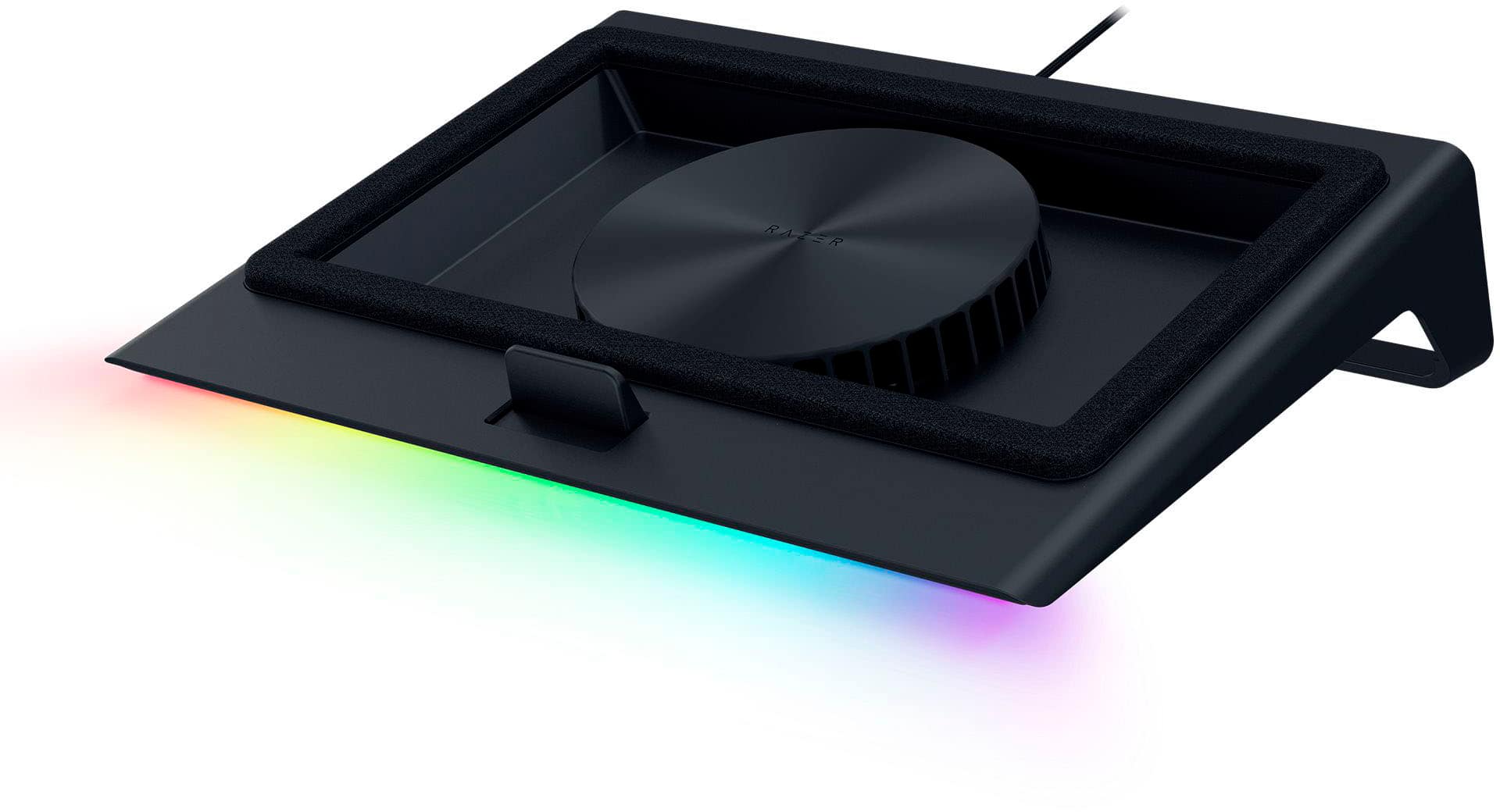
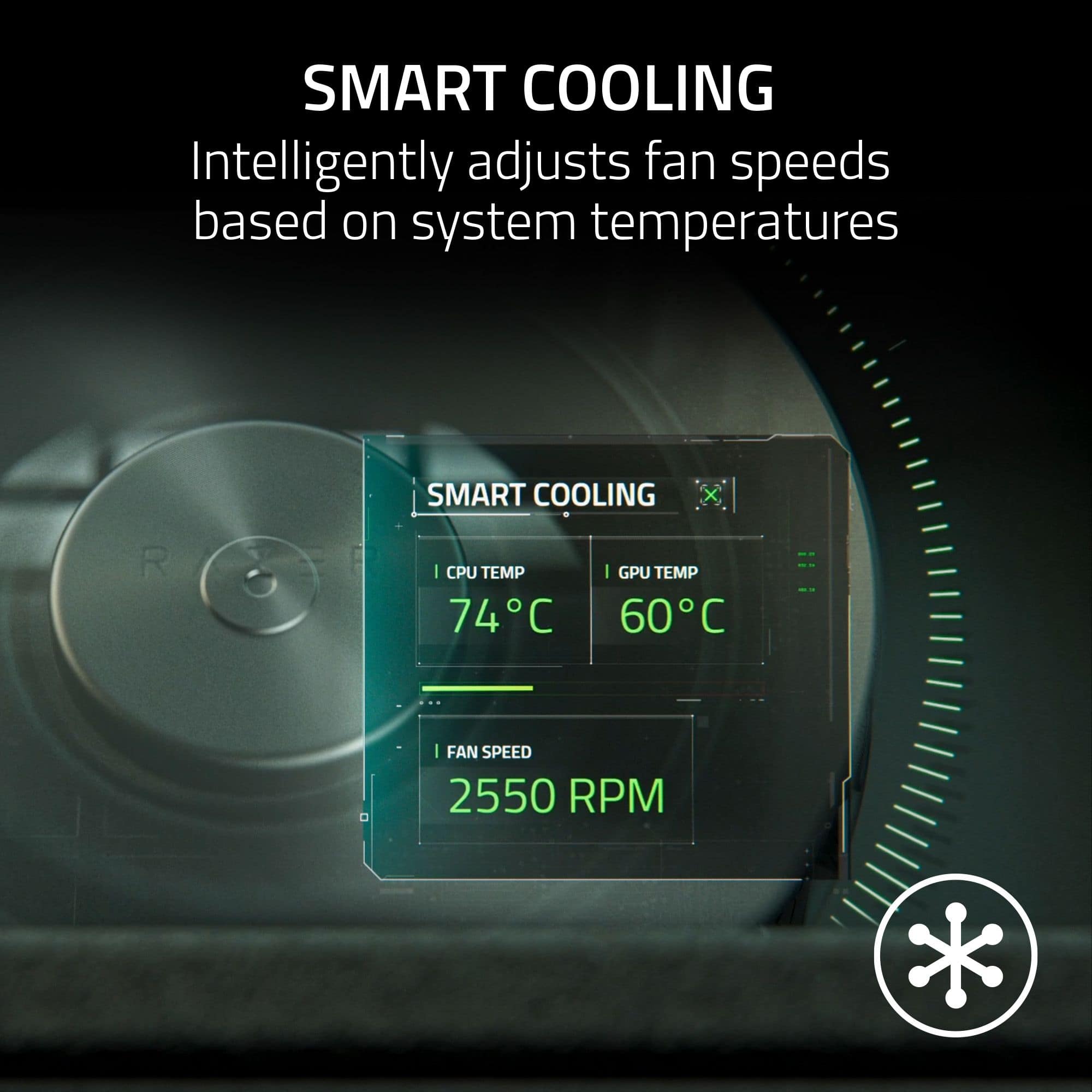
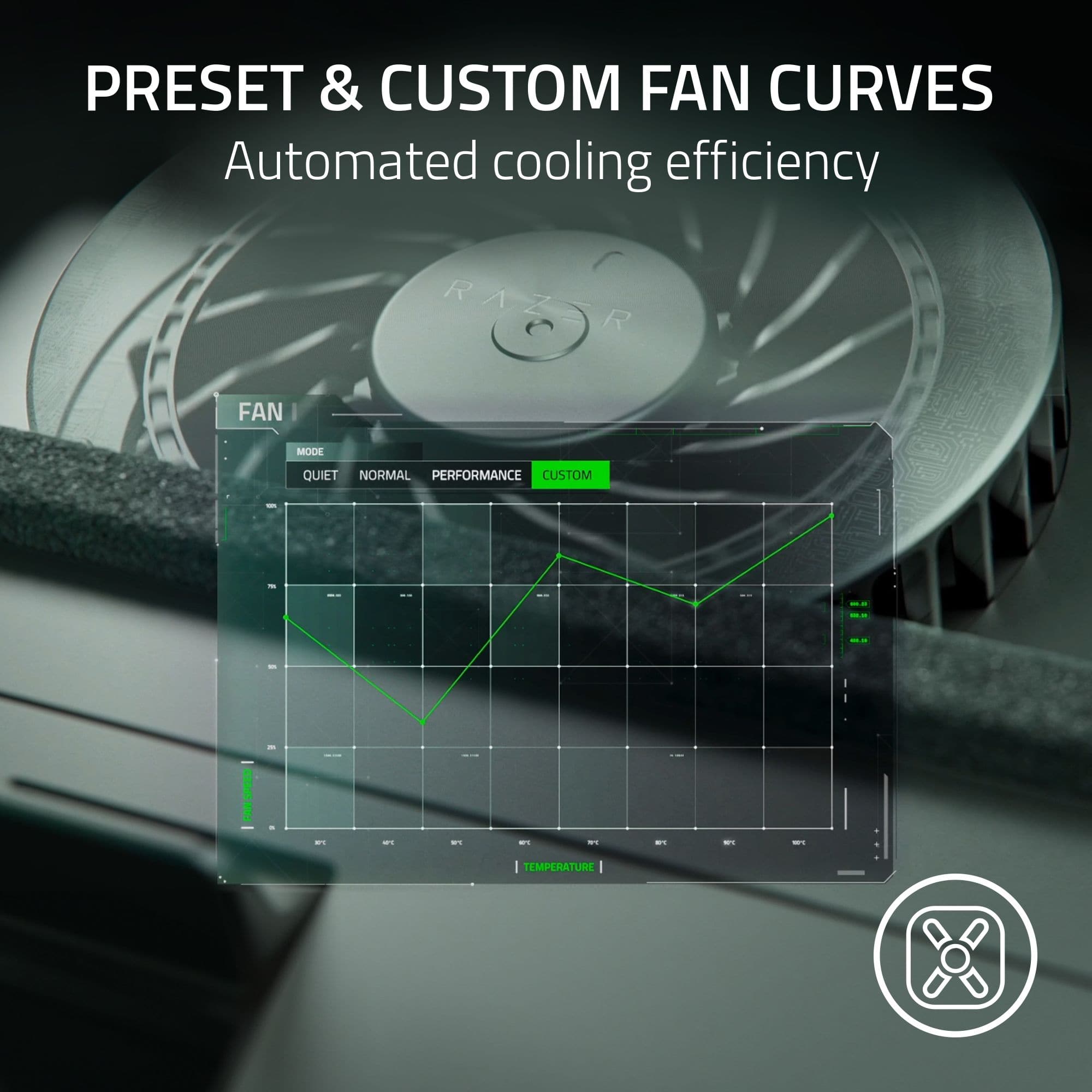
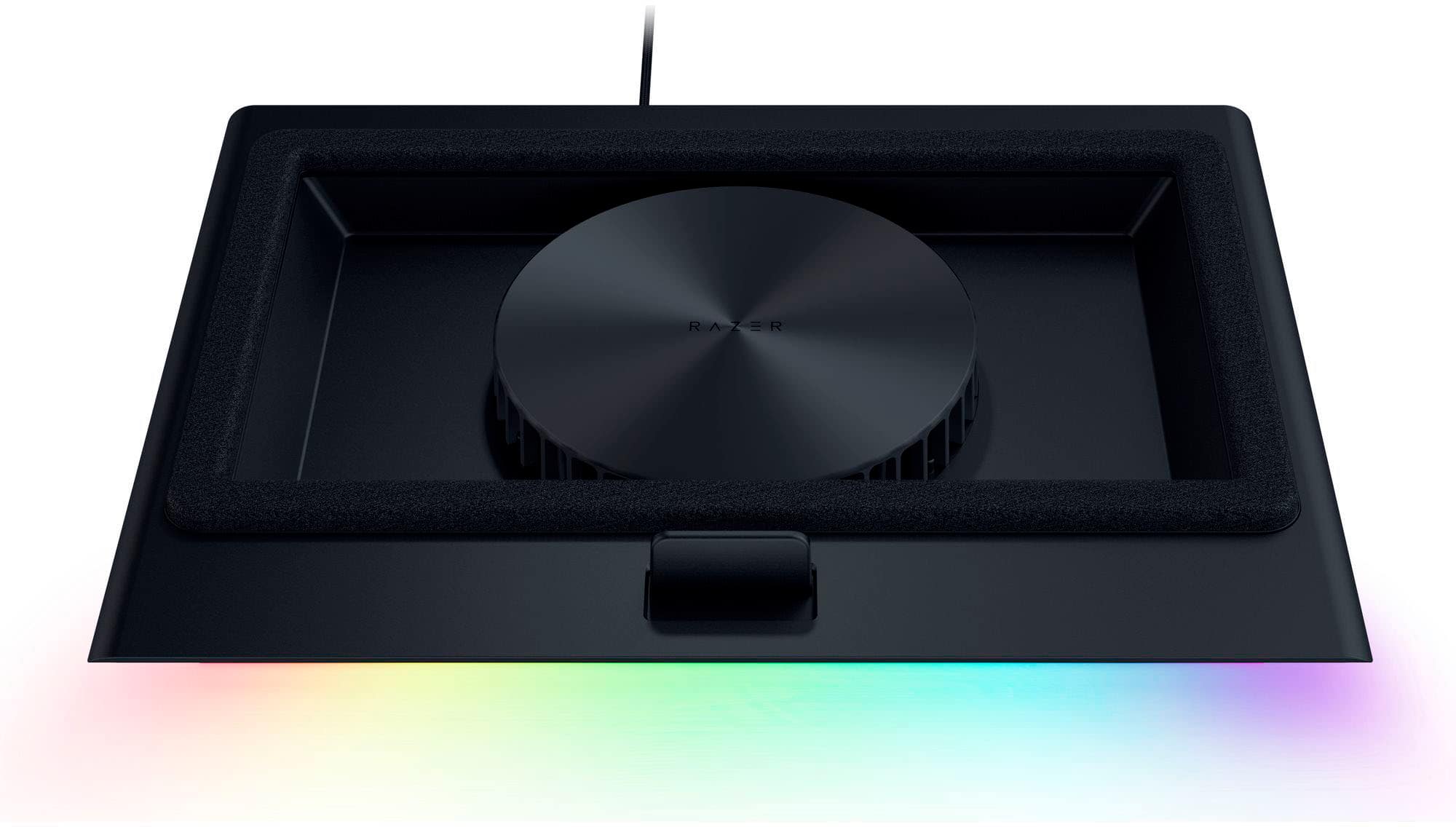
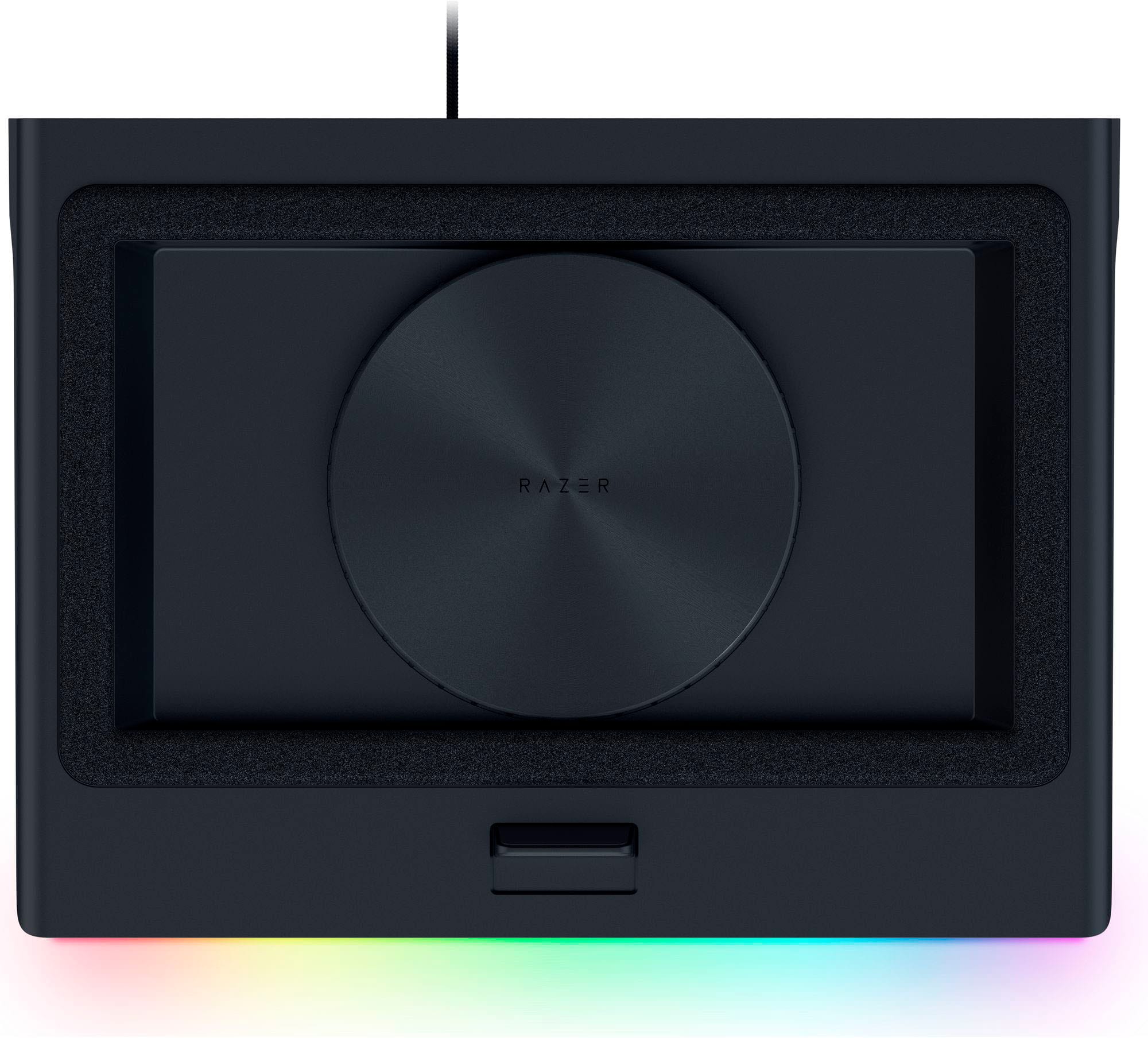
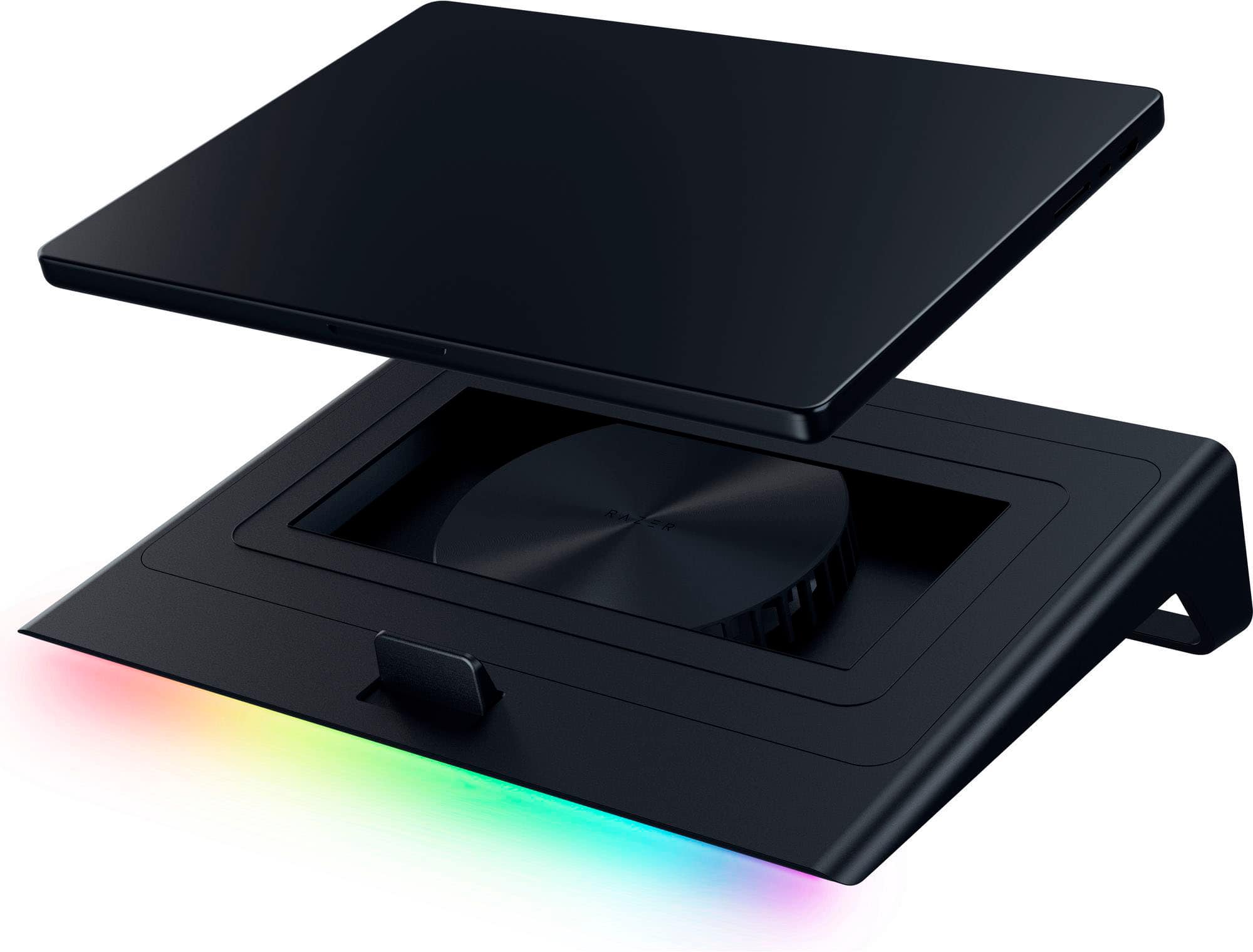
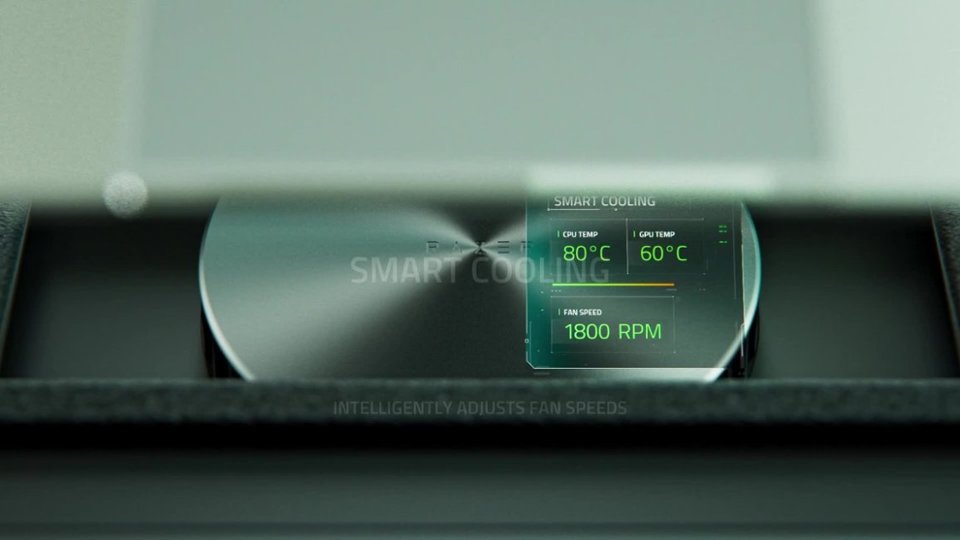
|Posted .This reviewer received promo considerations or sweepstakes entry for writing a review.This Laptop Cooling pad from Razer is not your average cooling pad. It can be linked to your laptop (via USB) to allow your laptop to control the exterior Cooling Pad fan's speed without any manual intervention. The design is indeed nice and futuristic. It screams "Gaming". The front RGB lights look nice and informative when manually adjusting the fan speed. I've used several types of cooling pads. They are usually very slim and have several small fans that increase the air circulation below the laptop. This Cooling Pad from Razer is different. It has only one fan placed in a chamber with a foam gasket to pressurize the air ventilation under the laptop. This tight seal allows good ventilation with less noise. The bottom side of the Cooling Pad is equipped with a mesh filter that blocks dust and lint from going into your computer. The Razer Cooling Pad has also a USB hub that connects to your laptop via a full-size USB connector. The Razer Cooling Pad has its own power supply for maximum performance. In the box, the Razer Laptop Cooling Pad is coming with several-sized sealing adapters to allow it to be used with different sizes of laptops. The upper side of the pad has an adjustable lip to optimize the position of the laptop. I downloaded the Razer Synapse software to allow the laptop to control the fan speed. It also helps update the Pad's firmware. When used, the temperature of the laptop is significantly less than usual. With more load and heat, the Razer Synapse adjusts the fan speed to maintain a cooler temperature. The app allows you to select the fan speed cooling profile and adjust the response curve. Very good for gaming. Via the app, you can also adjust the RGB front light bar. I'd recommend getting the Pad connected to your OS and having the Synapse installed. When placing the laptop on top of the pad, ensure that the foam seal doesn’t obstruct any of your laptop’s vents. Some laptops have their exhaust vents on the sides. If the foam gasket isn’t selected correctly, it can block the exhaust. Some of the not-so-good things about this Cooling Pad: - The USB connector could not be disconnected from the pad... I wish it was USB-C. - The fan can be really noisy when at max speed. The foam helps lowering the noise when used properly. Razer primarily marketed this product to gamers, but it can be used to cool down any laptop you want to keep running efficiently without obstructing its vents (running unfiltered) or shortening its lifespan because of the heat.
I would recommend this to a friend Not just a fan, its THE fan!!!
||Posted . Owned for 2 weeks when reviewed.This reviewer received promo considerations or sweepstakes entry for writing a review.I purchased this after being talked into it by someone on discord. My choice was to get something cheap but he talked me intonordering this due to the extreme heat my laptop puts out with its 5070ti. I ordered online but while i waiting i bought a targus cooling pad. The targus was about an eighth of the price and worked OK. When this came in though I understood the price difference. My laptop fits perfectly on top. It came with 3 different size top parts and has an adjustment in the front. I turned it on and thought it'd be just another rgb item that wouldn't be more then fancy lights. When the air came on though i was surprised My laptop stayed cool and after 5 hours on tarkov, streaming and video captures. Then i hit the wrong button to turn it off and realized it was on low. The highest setting actually leaves my laptop cooler then when its turned off. No i am not lying try it for yourself!! The fact i know that this saved my laptops life ny atleast double because nothing will ever get hot made me almost buy 2 more for my friends who laptop game. The only thing i can say about it is you cannot just plug it intobyour laptop thats for the other features it has i havent even checked out lol. The fact it has to be plugged into a wall should already let you know how strong it is. Also i havent looked to see if its actually a fan but it blows air like the air blowers for a bounce house. Sorry about the rant i dont do reviews but this is perfect and overkill when turned on hugh!!!
I would recommend this to a friend- Pros mentioned:Cooling performance, Rgb lightingCons mentioned:Noise level
Best cooling pad I've owned.
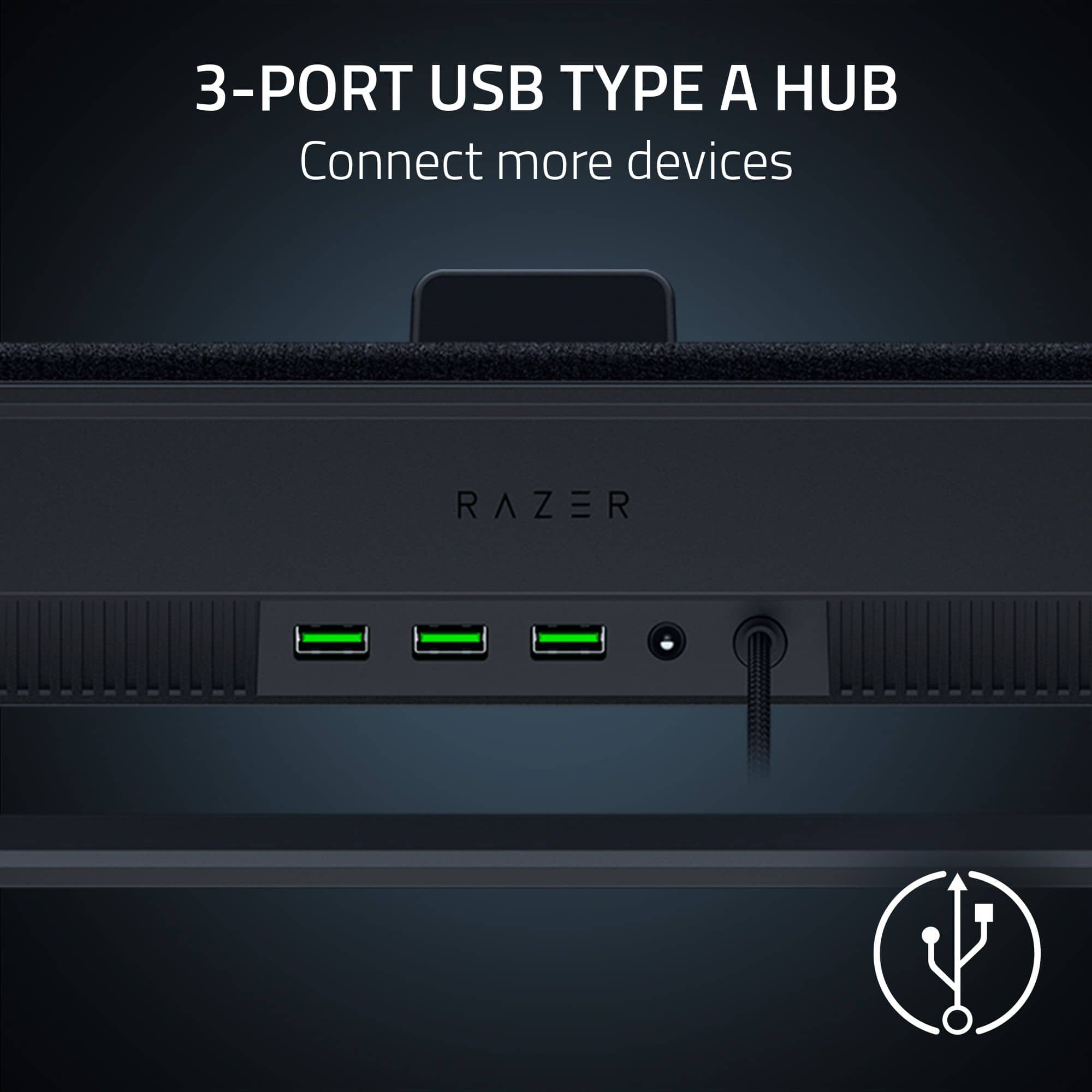
||Posted .This reviewer received promo considerations or sweepstakes entry for writing a review.I picked this up to go with my Legion Pro 7i and it fits perfectly for a 16" laptop. I've had many cooling pads over the years, typically the cheaper Amazon off-brand ones and they work but so far the Razer pad is the best performing I've found. Both my laptops (ROG Zyphyrus + Legion Pro) stay cool under heavy gaming. The Razer Synapse app is required if you want to take advantage of the RGB feature and their Synapse app has definitely gotten better over the years. There are x3 USB-A ports on the rear to help with USB expansion. Well worth it. Note: It does have x3 speed settings and naturally it does get louder with increased speed though it hasn't bothered me since I used a headset but the high-speed mode might be noisy if you're using basic laptop speakers.
I would recommend this to a friend - Pros mentioned:Rgb lighting
Great For Laptop Gamers!
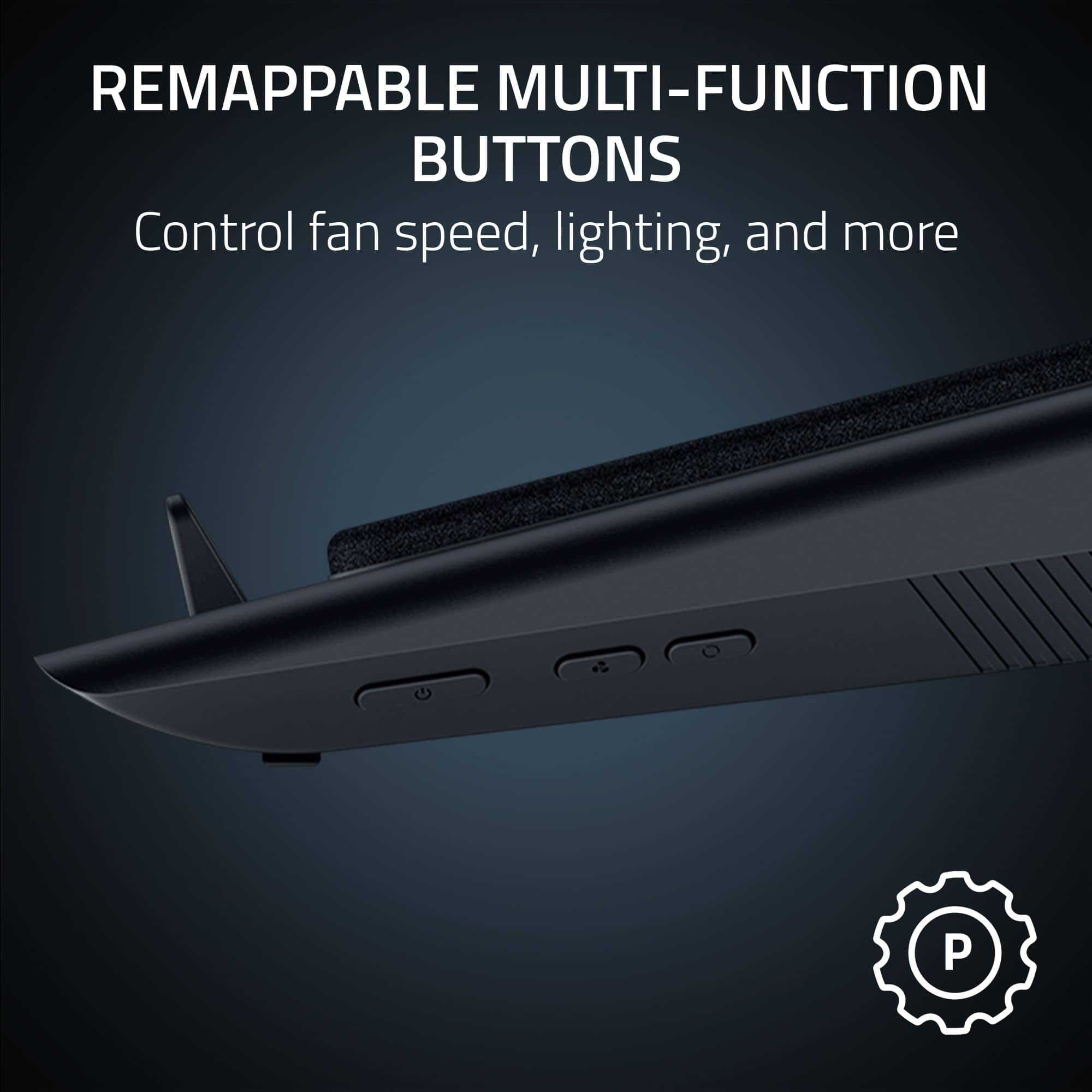
|Posted .This reviewer received promo considerations or sweepstakes entry for writing a review.As an owner of a Razer Blade gaming laptop, the Razer Laptop Cooling Pad has been a nice addition to my gaming setup, serving its purpose well as an all-in-one laptop hub and cooling system for my desk! When it comes to the cooling capabilities of this pad, it is a powerhouse and has no problem keeping my laptop cool during use; do note though that the cooling system is very loud! The pad’s cooling chamber is controllable both via under-side hardware buttons and software, and features adaptable cooling modes to ensure your laptop is running at an optimal temperature at all times. The Razer Synapse software can be used to control the cooling system, lighting, and remap the hardware buttons as well. Beyond the cooling capabilities, the Razer Laptop Cooling Pad is really an all-around base hub for your laptop! It is designed to work with any 14-18 inch laptop, and for this reason, comes with several differently-sized swappable components to optimize the airtight fit for your laptop on the pad’s cooling chamber! It also features a 3-port USB-A hub on the back and RGB lighting underneath, which is both controllable via software and the under-side hardware buttons (the lighting also changes when you change the cooling levels or turn the pad on/offl!). The pad is decently large in size as well; I find it hard to fit anything else on a medium-sized or shallow desk, such as external keyboards and monitors, at the same time as the pad, so I personally think it’s best used as the sole accessory on a desk. The pad also has a lightweight plastic build, and the pad’s angle of elevation keeps laptops’ keyboards and screens elevated to a comfortable height. It is important to note, too, that the included power cord is roughly 3 feet long and the wall plug is considerably large in size, so it can be a bit difficult to use in places far from a wall outlet or on a full power strip. If you’re a serious laptop-only gamer, the Razer Laptop Cooling Pad would likely be a great addition to your setup!
No, I would not recommend this to a friend - Cons mentioned:Noise level
USB Type A hub built-in
|Posted .This reviewer received promo considerations or sweepstakes entry for writing a review.This Razer Laptop cooling pad comes with a power supply and 3 built in USB (Type A) ports. It seems to work well keeping my 15” laptop (that has always run hot) cool. I use it while gaming, video editing and heavy number crunching. The fan can be adjusted with the fan button, but it also auto adjusts. Be aware that on high, the fan is really loud. I have to turn it down when I’m on a video conference. My co-workers were complaining about the noise coming through my microphone. Also, the pad is pretty bulky and needs to be connected to the included power supply for the fan to operate. But the lights work with just a USB connection. The pad is made to accommodate laptops from 14 to 18 inches. It comes with swapable magnetic frames, to ensure a good fit for different sized laptops. There is even a frame for laptops without bottom ventilation. Besides the fact that it works well at keeping my laptop cool, the USB hub is a nice feature. However, you have to have a USB-A port on your laptop to connect to. The laptop I’m using the pad with right now is a little older and has one. My newer laptop only has USB-C ports, rendering the USB hub useless for using with that laptop. Being a Razer, you know it had to have cool LED lights and it does. The multicolored lights are a nice touch when you want a little distraction. When I attached the cooling pad to my laptop via the USB port, it offered a selection of software. Synapse seems to be the master program, with Chroma allowing customization of the LED lights. Others were not applicable to the cooling pad. I have to confess that the lights became too much distraction pretty fast. So, I shut them off and uninstalled the software. There are buttons on the left side of the pad to control the fan, the lights, as well as a power switch, so it works without the software installed. In summary, the cooling pad works well with a variety of laptops. But the USB hub is limited to laptops with a USB Type A port as is software configuration and customization of the pad lights. The lights are cool at first, but for me just too much of a distraction.
I would recommend this to a friend - Pros mentioned:Build quality, Cooling performanceCons mentioned:Noise level
Absolute Powerhouse of a Cooler
||Posted .This reviewer received promo considerations or sweepstakes entry for writing a review.I’ll just preface this review with stating that the cooler absolutely works, and it works great. I use a Razer Blade laptop, which has an all aluminum body so the heat extremely dissipates off of the laptop when using it for intensive tasks, resulting in the laptop being hot to the touch and the temperature of my room rising by a couple degrees. I got this cooler as a way to mitigate that and the laptop is now cold to the touch, below room temperature even when using intensive tasks, not even exaggerating. The only con with the thing is the noise. When actively cooling on a mid to high speed it sounds like a mini jet engine or a PS4 running a modern game, however there are settings that come with the cooler to mitigate the noise output, such as a physical button that controls multiple power levels, and the optional software being able to make custom profiles and modes for more finer control i.e quiet mode, performance mode, etc, cooling your laptop regardless. If you can tolerate the noise, then your laptop will most definitely never be above 70C when gaming or running CPU intensive things. In my eyes, this is a pretty great investment for what it’s worth.
I would recommend this to a friend - Pros mentioned:Build quality, Cooling performanceCons mentioned:Noise level
Much needed
||Posted . Owned for 3 weeks when reviewed.This reviewer received promo considerations or sweepstakes entry for writing a review.Got this pad and it actually makes a noticeable difference. Temps drop fast and my laptop stays stable during long sessions. The fan controls are nice and it ramps up when needed. It does get a bit loud, but not noticeable while wearing headphones. Feels premium and pairs perfectly with my setup. The extra usb hub is a plus
I would recommend this to a friend - Pros mentioned:Rgb lightingCons mentioned:Noise level
Staying cool but not quiet
|Posted .This reviewer received promo considerations or sweepstakes entry for writing a review.The Razer laptop cooling pad with intelligent fan control and chroma RGB for laptops 14” to 18” is a decent cooling pad. It supports up to an 18 inch laptop so it’s quite large but I wouldn’t say any larger than any else on the market right now. It’s made of black plastic and has RGB lights on the front lip of the cooling pad. The cooling pad fan design looks cool in itself but you’ll never see it once your laptop is placed on top of it but I guess that’s the whole point. The cooling pad comes with 2 frames to accommodate different size laptops to provide the correct seal needed to perform optimally. I used my cooling pad with a 15 inch Alienware laptop and it fits perfectly in my opinion. On the bottom of the laptop cooler there’s an adjustable lip that up can move up/down 3 different positions. There are also three USB ports on the back to connect your peripherals and on the right hand side there are the power buttons fan controls and light control buttons if you want to do things manually. You can also use the Razer Synapse app to control lighting as well. For me the Razer Synapse software was wonky and was not intuitive to use. I had a hard time choosing lighting effects and quickly got frustrated maybe it’s user error but I think something as easy as lighting effects so should be easy. As far as performance the Razer laptop cooler does its job as advertised but at a cost of loudness and I mean does it get loud. It keeps my laptop about 10-15 degrees cooler than stock but as I said it is loud and I think that’s just the nature of these products. The noise is mitigated by most gamers who use headsets anyways so at least you can drown out the fan noise that way or just reduce the speed every once in awhile then bump it up when needed.
I would recommend this to a friend - Pros mentioned:Rgb lighting
Amazing fan
||Posted . Owned for 2 weeks when reviewed.This reviewer received promo considerations or sweepstakes entry for writing a review.So I got this because I was getting a gaming laptop and it is amazing. I thought the RGB lighting was not going to be that good because it's a laptop cooling stand so I thought they wouldn't really care about that. But no, it's bright the way that it works with the Razer synapse that you can have it on smart performance so that it adjusts the fan speed in accordance to your laptops temperature. I find that amazing all around is an amazing product and I would recommend.
I would recommend this to a friend - Pros mentioned:Cooling performanceCons mentioned:Noise level
Awesome at Cooling, Loud at High Speeds
|Posted .This reviewer received promo considerations or sweepstakes entry for writing a review.When I push the processing power of my laptop, it can get pretty hot. I have used laptop cooling pads in the past, but I wanted to see how a premium cooling pad, like the Razer, could help with performance during gameplay. The box contains different size inserts to help get the best air-cooling effect. My 16-inch gaming laptop sat perfectly on the cushioned pad, allowing a great air flow. The programable RGB lighting is a nice touch and the 3 USB-A ports on the back was a plus. I was disappointed to find Razer used a USB-A to connect to my laptop and was further disappointed a USB-C port was not added to the cooling pad hub. I was also surprised the cooling pad required an external power source. I tried playing some power-hungry games and noticed the fan kept my laptop nice and cool. I saw about a 20 degree drop in temperature compared to my other cooling pad. However, I did not notice any significant improvement in performance and the fan was very loud at about 60 decibels on high. The sound from the fan drowned out my laptop speakers, so I would recommend using sound isolating headphones when the fan is maxed out. The cooling pad seems well high-end, but I have a hard time recommending this cooling pad for the average gamer. The need for external power and how loud the fan is at high speed, makes this cooling pad appropriate for extreme gamers using sound isolating headsets.
No, I would not recommend this to a friend - Pros mentioned:Cooling performance, Rgb lightingCons mentioned:Noise level
Works great!
||Posted . Owned for 3 weeks when reviewed.This reviewer received promo considerations or sweepstakes entry for writing a review.I have a Asus ProArt PX13 4060 laptop and this cooler lowers temps significantly around 7 degrees. I ran 3dmark using time spy benchmark before using cooler and after, this thing raised my score around 800 points or more. The RGB is nice but if you do not want to use it then it can be turned off. It has 3 fan settings, highest setting is loud though. The cooler also has 3 standard usb hub and requires the power adapter to be plugged in for the cooler to work, no power via usb hub connection. I would definitely recommend. I will update in the future if I have any issues.
I would recommend this to a friend - Pros mentioned:Cooling performanceCons mentioned:Noise level
I bought 6, yes, they work
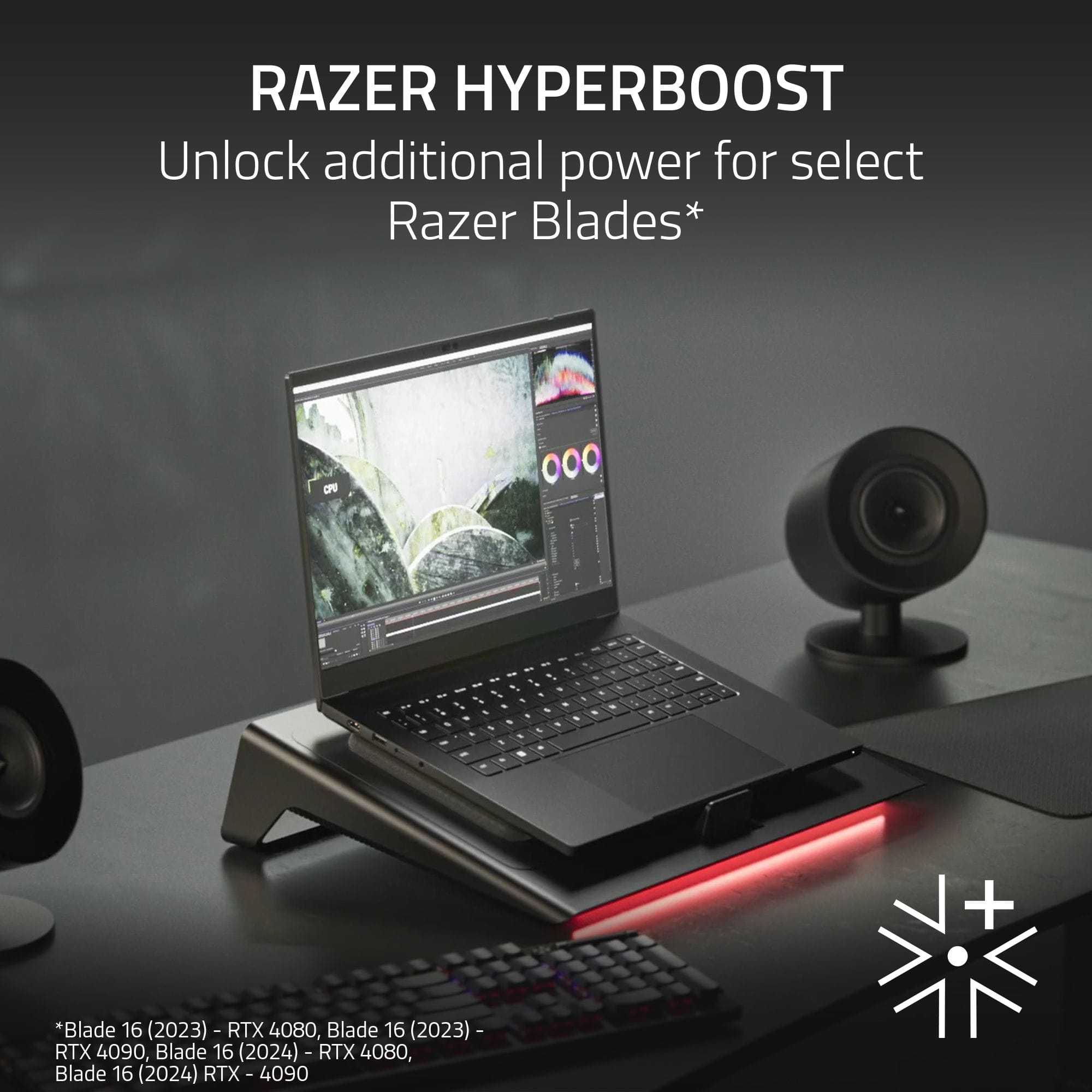
||Posted . Owned for 2 weeks when reviewed.This reviewer received promo considerations or sweepstakes entry for writing a review.I bought 6 of these. Cooling is the best than any of those cheap ones. USB works with Asus too. I have a Asus Rog Stix 17 with a 4080 and Ryzen 7945hx 128gb ram. FYI, you can adjust the speed manually if you have to reduce the noise. Plugged in adjusts based on the power settings on your windows machine. Yes, designed for the Razor Blade notebooks. My 2024 16 4k 4090 14900k also stays cool. Big improvement when needed, I play with Logitec Pro x headphones. Not enough room, I'll right more for macbook pro m3 max and asus Tuf 15 models.
I would recommend this to a friend - Pros mentioned:Cooling performanceCons mentioned:Noise level
Razer Laptop Cooling Pad
||Posted . Owned for 3 weeks when reviewed.This reviewer received promo considerations or sweepstakes entry for writing a review.Every review I read about this Razer Laptop cooling pad had amazing things to say about it. The one thing I cared most about was if it had the ability to actually keep the temperature of the laptop down to much cooler temps. And I have to say, this item does NOT disappoint. It can get a little too noisy at times, but thats what the fan speeds are for and in the Synapse app, you can actually tweak the rpms of each setting. Very well designed, sleek look, so its not an eyesore on your desk, but its functionality is top tier. Highly recommend.
I would recommend this to a friend - Pros mentioned:Build quality
Vast Improvement Over Standard Cooling Stands
|Posted .This reviewer received promo considerations or sweepstakes entry for writing a review.I'm a big fan of Razer gaming accessories and appreciate the quality and performance I've come to expect from Razer brand products. The design of this laptop cooling pad is rather simple, yet at the same time, looks modern and stylish. It is pretty sturdy, but not at all heavy. Setup was easy; basically plug 'n play. While you can just use the cooling pad 'as is' right out of the box, you can also install Razer's Synapse and Chroma software for additional customization. There are three buttons on the right-hand side of the stand, just under the edge - power on/off, fan speed, Chroma RGB light controls. On the back-side are 3 USB-A ports which definitely can come in handy as my gaming laptop has so few ports for peripherals. My current gaming laptop is 14" and fits perfectly using the A-frame. And the adjustable laptop support does a great job of holding my laptop securely in place. While gaming, I can hear the fan automatically adjust to handle heat output, thanks to what Razer dubs "intelligent fan control." Yet although the cooling pad fan 'revs' up, I find that it is no more loud than the onboard fans built into your PC. A fun feature found on many Razer devices are Chroma RGB's. Here, they are located along the underside of the front edge of the cooling pad. Awesome! Final thoughts - I'm really pleased with this Razer Laptop Cooling Pad. The price is fair and does just what it's designed for, wonderfully.
I would recommend this to a friend - Cons mentioned:Compatibility
Nice Design Facets - Big Design Flaw
|Posted .This reviewer received promo considerations or sweepstakes entry for writing a review.I had great anticipation waiting to see & use the Razer - Laptop Cooling Pad with Intelligent Fan Control and Chroma RGB. I've seen the prior laptop stand in action and was eager to see how Razer approached this design vs. many of the competitor products out available for around the same price point. I'll start by saying that overall aesthetic is very nice and typical Razer. The power brick is beefy, the sleek lines and workmanship is again - typical Razer and at a high level. The RGB strip is just enough in my mind and nicely appointed. This Razer - Laptop Cooling Pad can be used without loading up the Synapse software - if one chooses to do so - as the most critical button controls are located on the right side. When adjusting the speed, I noticed no distinct pure tone (or pitchy frequencies) and that sets it apart from all the other cooling platforms I have used. Here's the problem: When I went to place & connect my recently purchased Lenovo Legion 7i gaming laptop onto this cooling pad, it simply wouldn't turn on. You can imagine my surprise. Sometimes the Legion wouldn't respond at all to power button pushes and other times the power button would light up, but nothing would happen. I tried this with the Razer - Laptop Cooling Pad's USB cable both connected and not connected. After fiddling with it and becoming frustrated, I switched to a different non-gaming laptop (that I would never see the need to have such performance-based cooling on...) and that Dell computer worked fine. Now I'm really puzzled. I switched back to the Legion 7i and confirmed it would power-up and functional normally, just sitting on the deck. Upon attempting to place the already powered-up Legion 7i back onto the Razer cooling, I immediately noticed that all the keyboard backlighting went dark, and the illuminated Legion power button would flicker. Bingo! I don't have the necessary tools at home to sniff this problem out properly, but my educated guess is either this cooling pad wasn't properly compliance tested for RFI and EMI, or it was and done so haphazardly. I am leaning towards the theory that the magnets inside the rather large motor assembly are not shielded properly - or at all. The reason I am leaning this way is because I further discovered that if I offset the Legion 7i to the left or right of center (on the pad) and/or lift the laptop up off the foam by just a few centimeters - the 7i comes back to life and functions properly. Summary: This cool pad has a design flaw and didn't go through rigorous compatibility testing. Hopefully my review will help other customers find a quick answer to similar behavior and avoiding the frustration. There is definitely some sort of RFI/EMI/magnetic field emission problem on this pad and my guess is that Razer's own gaming laptops work fine on this platform. I will attempt to obtain some Mu-metal shielding material to confirm my findings. Some Mu-ferro shielding foil should do the trick... Seeing this severe of incompatibility with a popular gaming laptop brand keeps me from being able to recommend the Razer - Laptop Cooling Pad with Intelligent Fan Control and Chroma RGB.
No, I would not recommend this to a friend - Pros mentioned:Cooling performanceCons mentioned:Noise level
This cooling pad actually works
||Posted . Owned for 2 weeks when reviewed.This reviewer received promo considerations or sweepstakes entry for writing a review.I have tried several cooling pads for laptops over the years and most of them are garbage. This one actually does a really good job at keeping the temps down even when the GPU is running full speed on a long gaming session. It does get a bit loud when it ramps up fully, but I can accept the extra noise for a cool laptop that doesn't have to throttle itself.
I would recommend this to a friend Not much better then other options
|Posted .This reviewer received promo considerations or sweepstakes entry for writing a review.Let me preface this by saying that I do not own a Razer laptop for gaming, but instead I use a Asus Rog Zephryus G14 (2023) model. I am not able to take advantage of the Chroma controls for my lighting needs on anything aside from this cooling pad. I also use a Logitech G815 keyboard, G735 headset and a G502X mouse which also utilize a different program to sync the RGB lighting. This would make 3 different lighting controls I would have to mess with (Lightsync for Logitech, Chroma for Razer and Aura Sync for Asus). This does not appear to support Dynamic Lighting inside Windows itself so I guess I will have to rely on the Razer Synapse software for now. Prior to this, I had the IETS GT500 cooler but it was going on 2 years old and the sealing foam pads were getting alittle compressed so I opted for this solution. Right off the bat the differences were noticable , some good some bad. Inside the box you get the cooler, a pretty massive power brick (this will take up 2 slots on a power strip depending on the orientation of the plugs), and 3 magnetic plates you can swap as needed allowing laptops from 14" to 18" , to be used. There is also a plate without foam on it but this is meant for ventless laptops (which makes me wonder why would anyone get a laptop cooler with a bottom fan in the first place). Anyway, lets get to the positive and negatives, starting with the negative first -Height is not adjustable. Other "generic" coolers allow you to adjust the rear height but this one is static -Single RGB strip in the front of the pad. If you are someone that loves RGB lighting, this is a pretty minimalistic approach -For more precise controls of the lighting and the fan speeds, you will need to install the Razer Synapse program. There are no slow incremental stages for the fan. If you choose not to install this software, you are stuck with 3 speeds, low, medium and high, which are controlled by 1 of the 3 buttons on the right hand side, the other 2 control the power and the cycles the RGB strip. Something like a "wheel" would have been nice to allow a user to increase alittle or decrease alittle depending on their needs. - While they claim it will support most laptops from 14-16" laptops, I am not quite sure that the included foam plates are made for the Rog Zephryus line. Using the 14" foam insert, it took me awhile to find a spot where the incoming airflow was properly directed and even then my temps are same or higher than with the IETS cooler. There is also a small shelf like lever at the bottom which allows you to raise or lower the position of the laptop on the pad for better placement of the intake fans to the main cooling fan -Price price price. This is not something I would spend 149.99 on personally but if someone is a Razer owner, it might make more sense. Positives: -On the back, there are 3 USB-A ports ans 1 plug to connect to a USB-A port on your laptop, essentially acting a small hub. Also. plugging it into your laptop allows the Synapse software to monitor things like your CPU and GPU temps which leads to my next point -If you choose to install the Razer Synapse software, you can fine tune the controls of the lighting and the fan speeds. Want to set a temp in which the fan kicks into high gear, you can do that. Want to set a speed where the fan goes quiet when the laptop is cooled enough, yep you can do that as well. - A feature that, while being rather simple, is one that I really like is the ability to set it to when your laptop powers off, the cooler powers off with it as well. This also goes for when you turn it on, the cooler comes on, no messing around with pressing extra buttons to turn it on or shut it off After running a few games, I noticed that this kept my temps around the same as the IETS, sometimes even a tad higher, which for me is a concern. My laptop has the Nvidia 4060 paired with the AMD Ryzen 9 7940HS CPU and while I know gaming laptops are designed to run somewhat hot given everything crammed into a small chassis, anything above 90c gets me nervous. When I was using the other cooler, I rarely noticed my laptop hitting anything above 91c during heavy gaming sessions and I learned to accept it. After messing about with this one and making sure everything is in position and the airflow is sufficient, I am hitting consistant temps of 93.5c in games like Helldivers 2 and Fortnite , which is pretty close to the throttling numbers. I do utilize the intelligent fan control and have it set to peak at 85% when the temp hits 90c, but it does not seem to help all that much. As it stands right now, I can not recommend this device for non Razer owners at this price point considering there are other options available with lower prices that do a better job ( for me anyway, your mileage might vary)
No, I would not recommend this to a friend- Pros mentioned:Cooling performance, Rgb lightingCons mentioned:Noise level

BEST COOLING PAD EVER!
|Posted . Owned for 2 weeks when reviewed.This reviewer received promo considerations or sweepstakes entry for writing a review.[Employee of bestbuy] Just to keep this short, this fan does its job very well, only drawback is that it gets fairly loud but that wont be an issue if youre the kind lf person to use headphones or earbuds that have noise cancellation. The RGB on the pad is bright and very responsive. The fan has 3 modes so depending on how fast or how silent you want youre fan to be, its all up to you.
I would recommend this to a friend - Pros mentioned:Cooling performanceCons mentioned:Noise level
Perfect but noisy
||Posted . Owned for 3 weeks when reviewed.This reviewer received promo considerations or sweepstakes entry for writing a review.Absolutely love this cooler. It effectively a quickly lowers my laptop temperatures even under heavy gaming loads. The only reason this is missing a star is the noise. You’re able to customize the fan speed and curve, but once you hit like 900rpm, things start getting noisy. Perfectly fine if you use a headset though!
I would recommend this to a friend - Pros mentioned:Cooling performanceCons mentioned:Noise level
Gooping made easy!
||Posted . Owned for 2 months when reviewed.This reviewer received promo considerations or sweepstakes entry for writing a review.Loud but worth it!! Gooping made easy with this fan! 3 different speeds means level one for just minor gooping, but when punishing space jesus or going after the Matriarch fan speed 3 is where its at! Keeps my computer nice and cool while im pewing away, leaving my sweating only fellow goopers instead of my computer overheating.
I would recommend this to a friend