Customer Ratings & Reviews



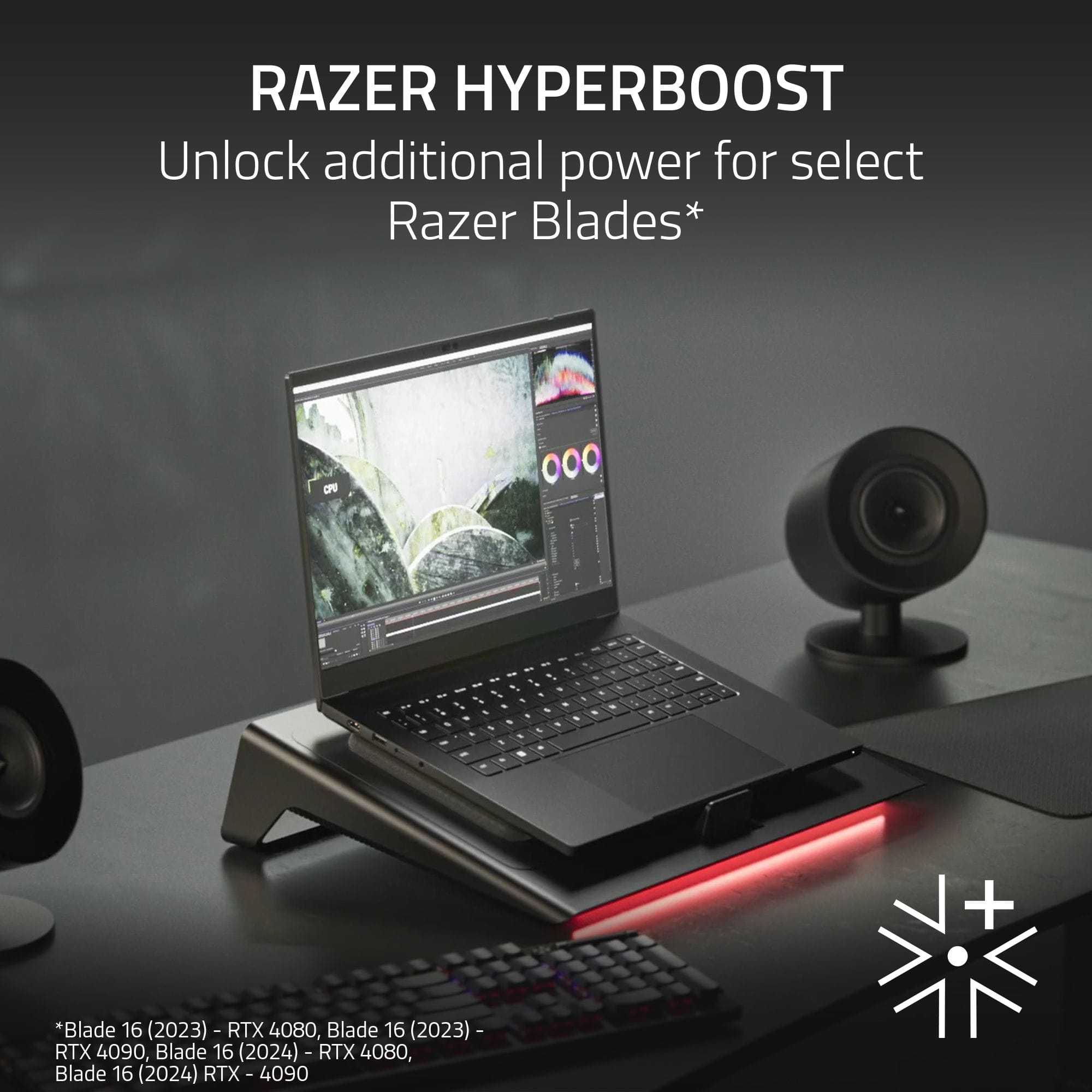
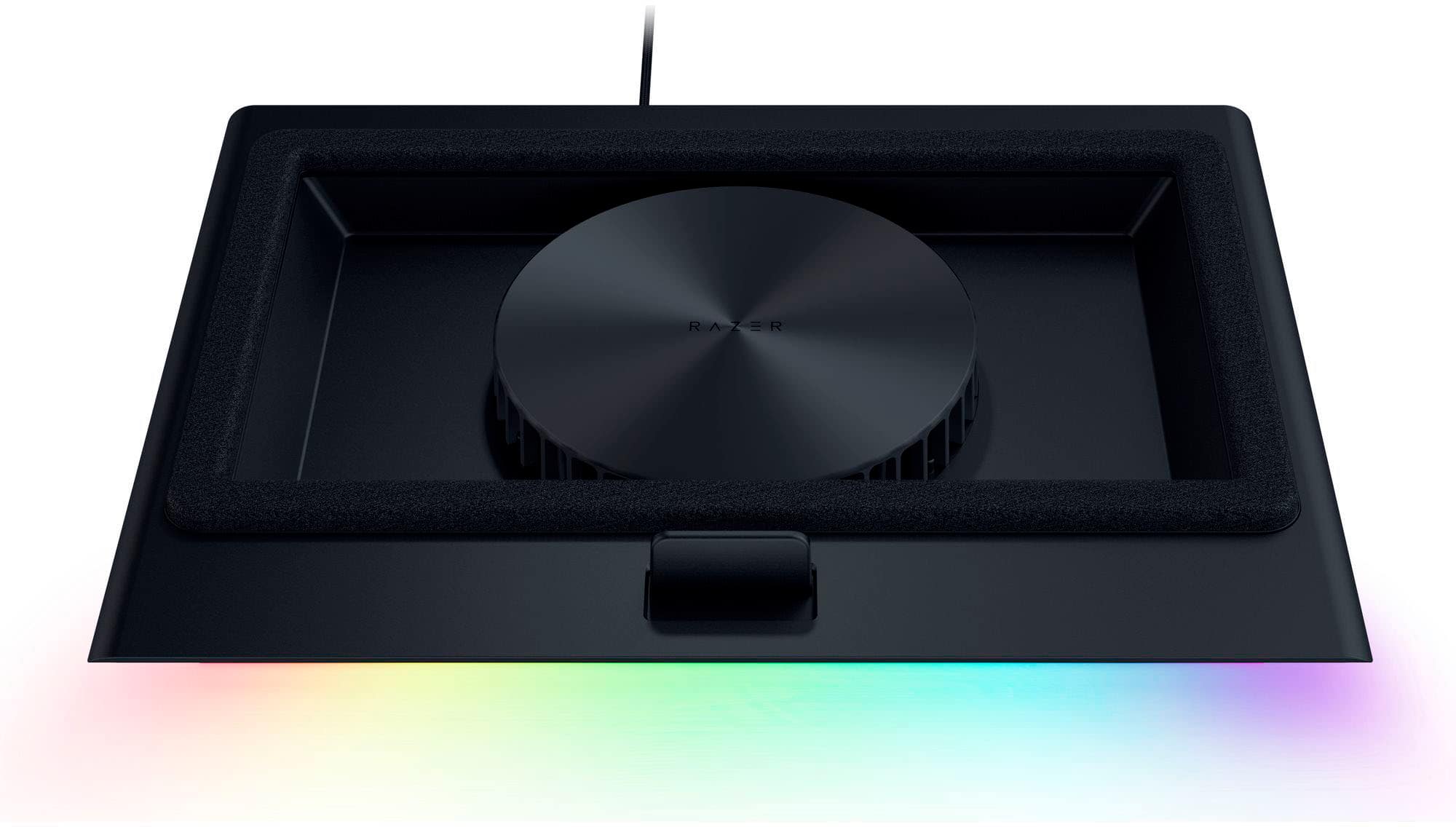
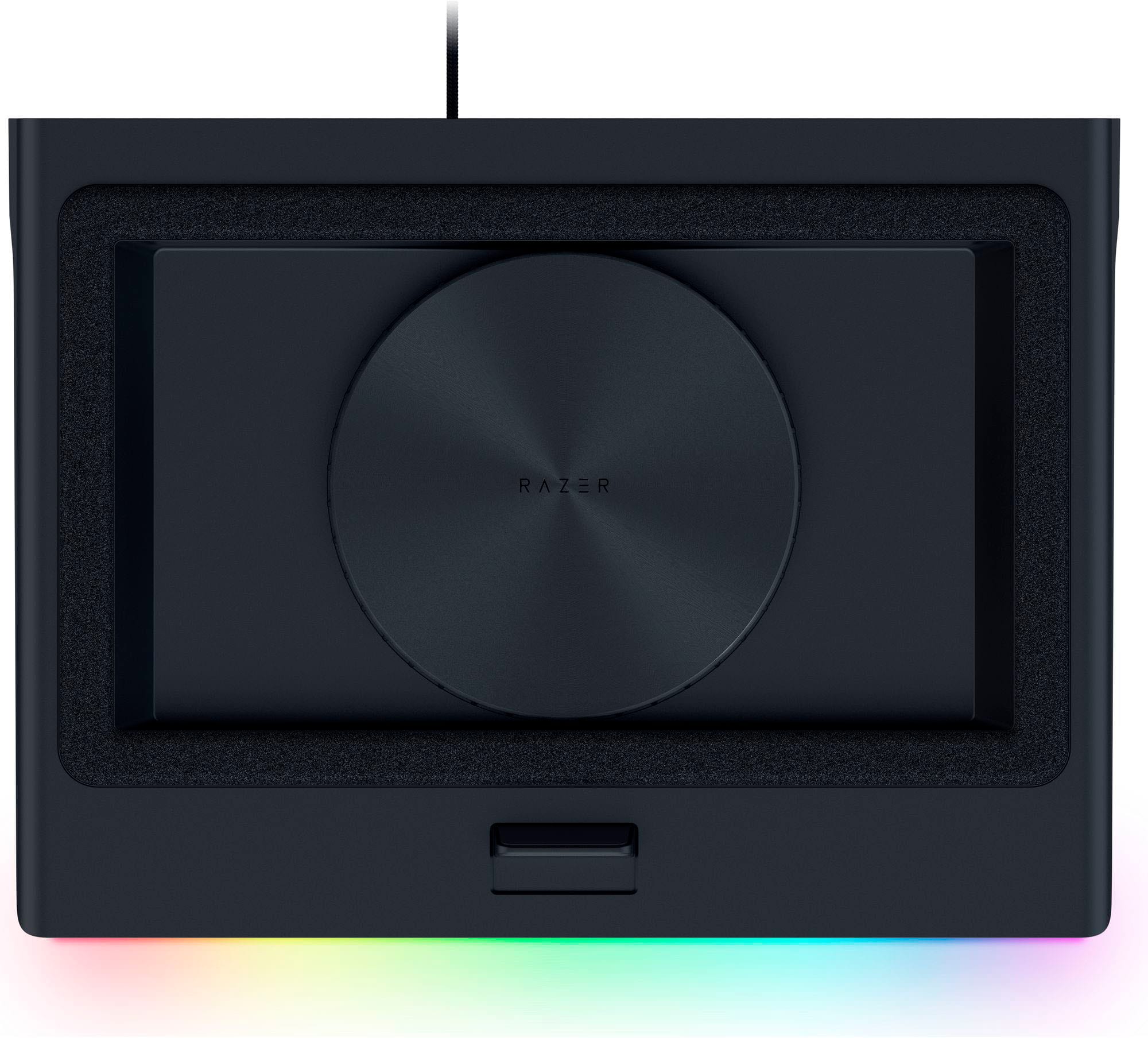
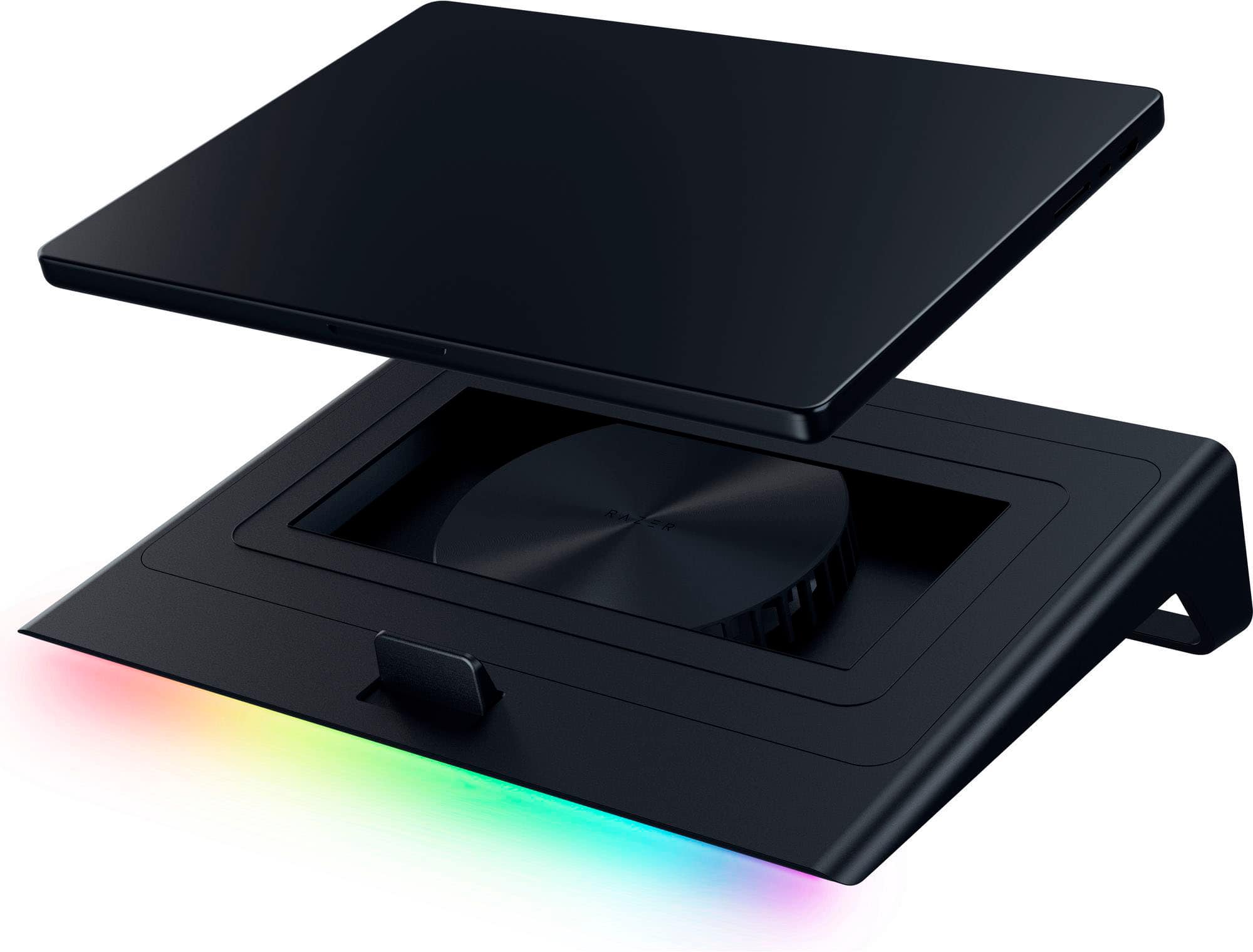

- Model:
- RC21-02300100-R3UC
- SKU:
- 6599736
Rating by feature
- Value
Rating 4.4 out of 5 stars
- Quality
Rating 4.7 out of 5 stars
- Ease of Use
Rating 4.7 out of 5 stars
Customers are saying
Customers are delighted by the product's excellent cooling performance, which effectively keeps components at optimal temperatures. They also appreciate its modern design and subtle RGB lighting. However, some users have noted that the device can be quite loud. Additionally, a few customers experienced compatibility issues, and others found it too bulky for travel or not adequately sized for their needs.
This summary was generated by AI based on customer reviews.
- Pros mentioned:Cooling performanceCons mentioned:Compatibility
Amazing but had to modify
||Posted . Owned for 1 month when reviewed.This reviewer received promo considerations or sweepstakes entry for writing a review.This is such a powerful amazing laptop cooling pad and i dont know what i would do without it. I use this for my alienware m18 r2 which its not compatible with this stand due to the adjustable stopper at the bottom. With the stopper there, it keeps the back of the laptop a few inches off the cooling pad which is pretty much where the vents are on the bottom of the laptop. I ended up taking the whole stand apart just to remove the adjustable stopper. Well worth it imo because this cooling pad is unbelievably powerful and effective. Just wish razor would have designed it with the ability to remove the stopper without having to take the whole thing apart.
I would recommend this to a friend - Pros mentioned:Cooling performanceCons mentioned:Noise level
The best performance you can get, but it gets loud
||Posted . Owned for 1 week when reviewed.This reviewer received promo considerations or sweepstakes entry for writing a review.Honestly, this is the only cooling pad I've used that actually makes a significant difference in temperatures. The foam seal design forces air directly into the laptop vents, which dropped my CPU temps by about 5-10°C while gaming. The dust filter is also a huge plus for keeping the laptop internals clean. Just be aware that it can get quite loud at maximum RPM, so you'll definitely want to be wearing headphones while using it. It is expensive, but for a high-end laptop, the performance is worth it.
I would recommend this to a friend - Pros mentioned:Cooling performance, Rgb lighting
A must have for any laptop gamer
||Posted . Owned for 2 weeks when reviewed.This reviewer received promo considerations or sweepstakes entry for writing a review.This item has completely changed my pc experience, i rarely worry about temps - which is something im sure every gamer has had problems with from time to time. I have an asus rog zephrus m16, my cpu temps would be in the mid 80s and reach 90 quite often running AAA games with my cheap laptop cooler off amazon, with this one my cpu usually sits at 60 and never goes above 75 with it on max. The rgb bar on the bottom is a nice touch and adds to the vibe if thats something you are into. The location of buttons on the side are easy to remember and find in the dark, and the presets you can set are nice. The usb ports are very sturdy and are quite useful. Overall a must have - especially to protect a $2000 laptop.
I would recommend this to a friend - Pros mentioned:Cooling performance
Razor cooling station for labtop
||Posted . Owned for 1 week when reviewed.This reviewer received promo considerations or sweepstakes entry for writing a review.Man I rock this razor cooling station comes with a connection port for multiple things like your keyboard your mouse keeps your laptop cool when you're playing off the wall games I use it for world of Warcraft keeps my laptop cool so I run everything at Max settings without any problems
I would recommend this to a friend - Pros mentioned:Cooling performance
Worth the purchase
||Posted . Owned for 2 months when reviewed.This reviewer received promo considerations or sweepstakes entry for writing a review.I’ve had this cooling pad for two months now, it keeps my gaming laptop cool throughout video games. The razer synapse software along with this device is a great way to keep an eye on temps and increase fan speed or lower if needed. It has usb ports to allow you to the room to connect all your peripherals and I use these feautures daily.
I would recommend this to a friend - Pros mentioned:Cooling performance
Keeps temperature low
||Posted .This reviewer received promo considerations or sweepstakes entry for writing a review.Overall, I didn’t know how to feel about this cooling pad since some people say it doesn’t work or it’s not worth it. As for me, I’m glad I bought it. It gives me peace of mind knowing that my laptop is running 10-12 degrees cooler. I keep it in quiet mode then when I game I bring it up to balanced and it does the job. I recommend this 10/10.
I would recommend this to a friend best cooling pad
||Posted . Owned for 1 week when reviewed.This reviewer received promo considerations or sweepstakes entry for writing a review.in the past, my laptop would overheat often, effecting the whole operating system and causing long term effects on the components of my laptop. this cooling pad has been a game changer. love the multiple power source features, AMAZING COOLING PERFORMANCE, and the light features are pretty cool too.
I would recommend this to a friend- Pros mentioned:Cooling performance
Cools it down and looks great!
||Posted . Owned for 1 month when reviewed.This reviewer received promo considerations or sweepstakes entry for writing a review.Bought this for my alienwarwe laptop. Keeps it cooler during game sessions. All the usbs in the back are also great for more utility. Love it—use it everyday.
I would recommend this to a friend - Pros mentioned:Rgb lighting
Razer Cooling Pad
||Posted . Owned for 1 week when reviewed.This reviewer received promo considerations or sweepstakes entry for writing a review.One of the best cooling pads for my laptop, the RGB is great and easy and convenient to use
I would recommend this to a friend Love it!!!
||Posted . Owned for 1 month when reviewed.This reviewer received promo considerations or sweepstakes entry for writing a review.I’ve been using this cooling pad for a couple months now, and its been wonderful. I love the fact that the fans automatically adjust, based on how hard the laptop fans are working. The reason I gave it 4 stars is because its plastic and very chunky. I still recommend it though.
I would recommend this to a friendCool Laptop cooling fan
||Posted .This reviewer received promo considerations or sweepstakes entry for writing a review.Very nice padded base fits my 17.5 Laptop great. The cooling fan works well not to loud. The light effects are awsome
I would recommend this to a friend- Pros mentioned:Cooling performance, Design, Rgb lightingCons mentioned:Noise level, Portability
Premium Cooling Pad with Smart Features and Solid
||Posted . Owned for 2 months when reviewed.This reviewer received promo considerations or sweepstakes entry for writing a review.The Razer Laptop Cooling Pad with Intelligent Fan Control and Chroma RGB is one of the most well-built cooling pads I’ve used. Designed for laptops between 14 and 18 inches, it’s clearly aimed at high-performance systems that tend to run hot under load. The first thing you notice is the solid construction and sleek matte-black design that fits perfectly into Razer’s ecosystem. The RGB lighting is a nice touch—subtle when you want it to be, but capable of adding a striking visual accent to your setup when synced through Razer Synapse. Performance-wise, it does exactly what you want from a premium cooling pad. The intelligent fan control works well, automatically adjusting fan speed based on your laptop’s temperature. During gaming sessions and heavier workloads, it keeps temperatures several degrees lower than without it, often reducing GPU or CPU temps by as much as 7 to 10 degrees Celsius. The cooling performance helps prevent thermal throttling and maintains smoother performance during long sessions. It’s also practical, featuring an integrated USB hub so you don’t lose precious ports. The setup is simple—just plug it in, install Razer Synapse if you want software control, and it’s ready to go. The fans are powerful and move a lot of air, but that comes at the cost of noise. At higher speeds, they can get noticeably loud, especially if you’re in a quiet room. The biggest drawback is the price. This cooling pad sits firmly in the premium range, and while the build quality and features help justify it, it’s definitely more than most competitors. It’s also fairly large and not something you’d want to carry around if you travel often. Overall, the Razer Laptop Cooling Pad delivers excellent cooling, smart controls, and clean aesthetics. It’s ideal for gamers, creators, or professionals who push their laptops to the limit and want a cooling solution that looks as good as it performs. If you already use Razer gear, it fits seamlessly into your setup. Just be prepared to pay for the premium design and power.
I would recommend this to a friend - Pros mentioned:Cooling performanceCons mentioned:Noise level, Size

Great at Keeping Laptops Cool, But Big and Loud
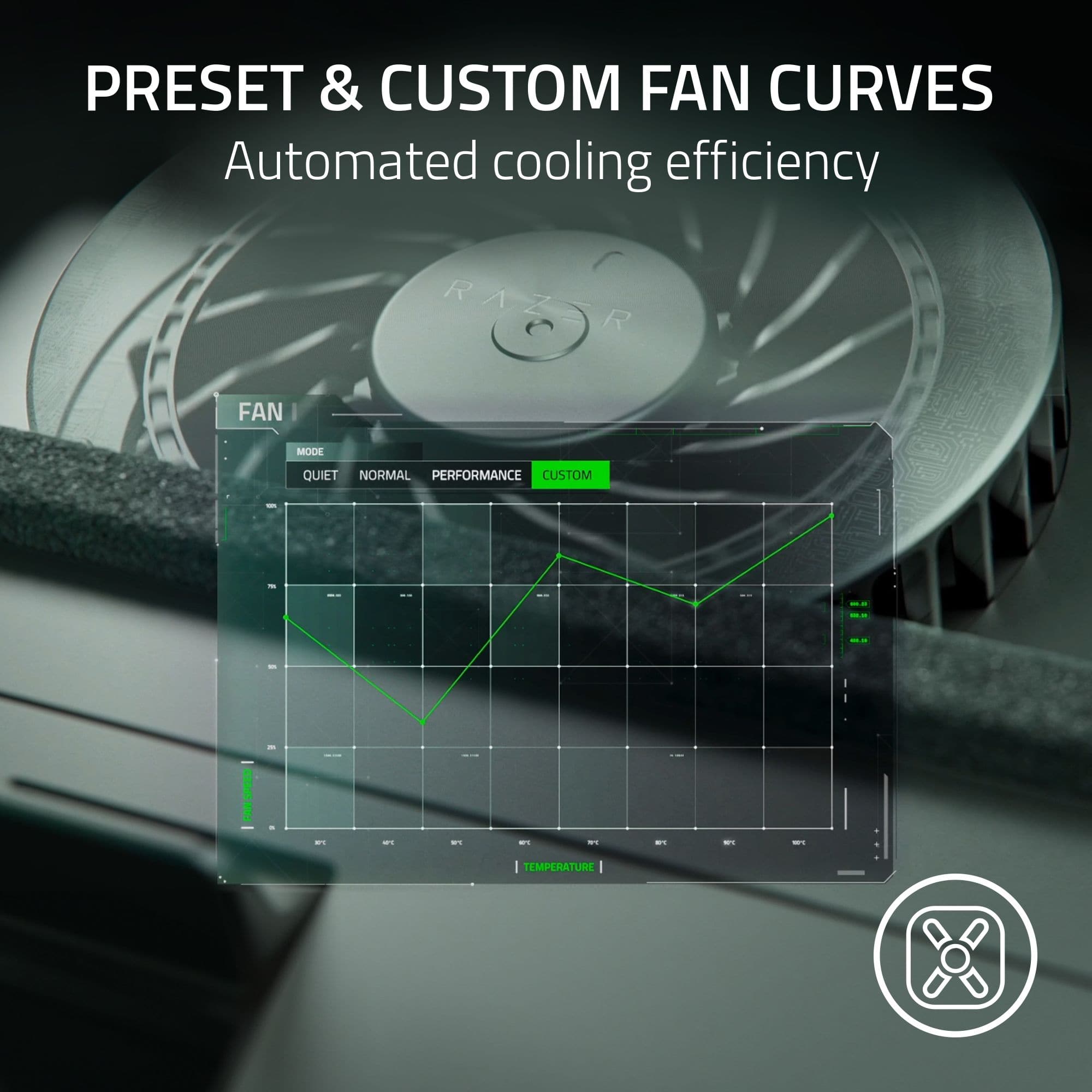
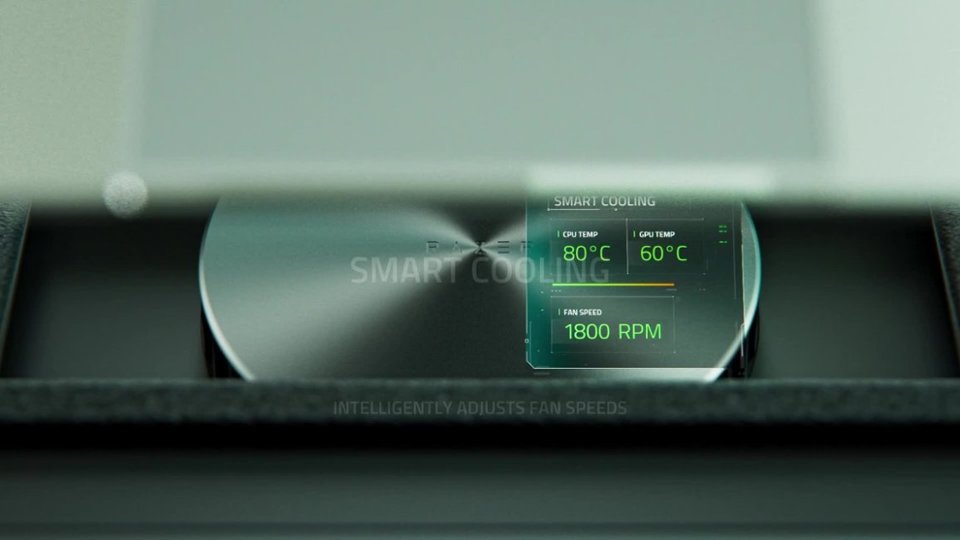
|Posted .This reviewer received promo considerations or sweepstakes entry for writing a review.I’ve been wanting a laptop cooler for my Alienware M16 with an Intel i7 13700HX to help keep it cooler while gaming, as currently after a few hours of gaming it starts to hit thermal throttling and can crash at times if I don’t dial down the performance. I’ve been considering a laptop cooler for it, but of the current ones available I wasn’t quite sure they could keep up with the 13700HX excess heat. When I saw Razer was launching a Laptop Cooling Pad, I knew it would be over the top but would probably work great for me. Pros: - Works great for gaming laptops. - Smart Cooling helps manage fan speed based on temperature. - 3 Additional USB-A ports. - Compatible with 14” to 18” sized laptops. Cons: - Fan is noticeably Loud on higher speeds. - Cooler is Large, not one that would be ideal for travel. Setup: Before even opening the box, just the sheer size of the box leads you to understand how Big Razer made this Laptop Cooler. This makes sense as Razer is mainly focused on Gamers and this laptop Cooler is built for the Desktop Replacement kind of gaming laptops. This means, that if you wanted to travel or use this cooler at the coffee shop, I’d probably stop right here and look for a different cooler. Not that this wouldn’t work for cooling, but this cooler is BIG! Once you open the box you will find a neatly packed BIG Laptop Cooler with a Power Adapter, 2 additional laptop base frames, and instructions. Before you put your laptop on the cooler, you will want to check that you’re using the right Frame to support your laptop size and design. Frame B is pre-installed and works with laptops bigger than 15.6” with bottom vents. Frame A works with Laptops sized 14-15.6” with bottom vents and Frame C is for Laptops without bottom vents. You will need a USB A to use the Laptop Cooler, so if your laptop only has a USB C you will need an adapter or hub to connect to. But the tradeoff is the Cooler adds 3 USB-A Ports, which is perfect for a desktop replacement setup for a Keyboard, Mouse, and Headset USB. Depending on your laptop size, you will also need to adjust the Slider at the bottom of the cooler to ensure a proper placement for your laptop; Top for smaller laptops and Bottom for larger laptops like the Alienware M16 I was using. The thing to keep in mind is that you want the laptop to sit snuggly, so the air doesn’t escape from the sides but goes through the vents. Using it: Right away, you will notice how loud the fan is. By default, the Cooler started up on medium speed for me, but I would recommend using the Smart Cooling fan curves to allow the temperature to drive fan speed. I switched it over to the Smart Cooling via the Razer Synapse app after updating and adjusted the max fan speed of the Performance setting to be 100% fan speed at 212 F, which is the CPU max temperature. You will need this app to use the smart features, but you can use it without an account. Honestly, the only downsides I could find to this Laptop Cooler is just how LOUD it gets and the size. Even with the Smart Cooling settings, the noise from the fan when above 50% is very noticeable even with headphones on. You will want to use some-kind of active noise cancelling microphone with this else you’ll sound like you have your microphone in a blower. Working on the Laptop Cooler was comfortable, I was a bit concerned about the angle of the keyboard but after using it for a few hours. But if you add some kind of wrist support or rest, it is immediately more comfortable. I’m assuming that in most cases, with a desktop replacement laptop, there would be a separate keyboard and mouse to use so this would not really be an issue. Performance: In gaming performance, comparing before using the cooler and after, I was able to notice a more consistent and higher FPS with the Razer Laptop Cooler, depending on the game. Temperatures were by far much better, with using the cooler I never hit thermal throttling of the Intel i7 13700HX, which is known to run very hot even with the most recent microcode updates. To really compare the limits of the Razer Laptop Cooler, I ran a little performance test using Passmark BurnIn Test running the 3-minute test to max out the temperatures both without and then with the cooler. With the no cooler and flat on the table, the Alienware M16 hits the CPU Max Temperature of 212 F and thermal throttles to stay stable. GPU was nowhere near max, but was hovering around 116 F. Along with hitting thermal limits on the CPU, the test encountered 11 errors related to thermal throttling. This was consistent with my previous experience using the laptop flat on a table, I would have to prop it up and put a fan or provide some kind of cooler airflow to keep it from overheating. But with the Razer Laptop Cooler using the Smart Cooling Performance setting, with the Max Fan Speed moved up to 100% at 212 F. I never hit max temperatures this way. I was at most 201.2 F on the CPU, a full 10 F below CPU Max and no errors. The GPU sat a full 16 F below the no cooler test. I ran the test with a few variations and multiple times in a row, but never hit thermal throttling with the Cooler. Nor did the Cooler ever hit 100% max speed, so technically it could earn a few more degrees of cooling if the fan speed was set to the max. Conclusion: If you have a gaming laptop that you use as a desktop replacement, then this is the laptop cooler to get. It provides you with an easy and effective way to cool your laptop using a fan speed curve driven by temperature of the CPU or GPU. The additional 3 USB-A Ports are a huge plus for anyone who wants to use a separate Mouse, Keyboard, and Headset. The only downside is just how loud this cooler gets, you will want to have a good headset with active noise canceling and a noise cancelation or suppression on the microphone. If you need a laptop cooler for on the go or for use in public spaces, I recommend looking for something smaller and quieter.
I would recommend this to a friend - Pros mentioned:Cooling performanceCons mentioned:Portability
Great Design, Measurable Difference in Temps
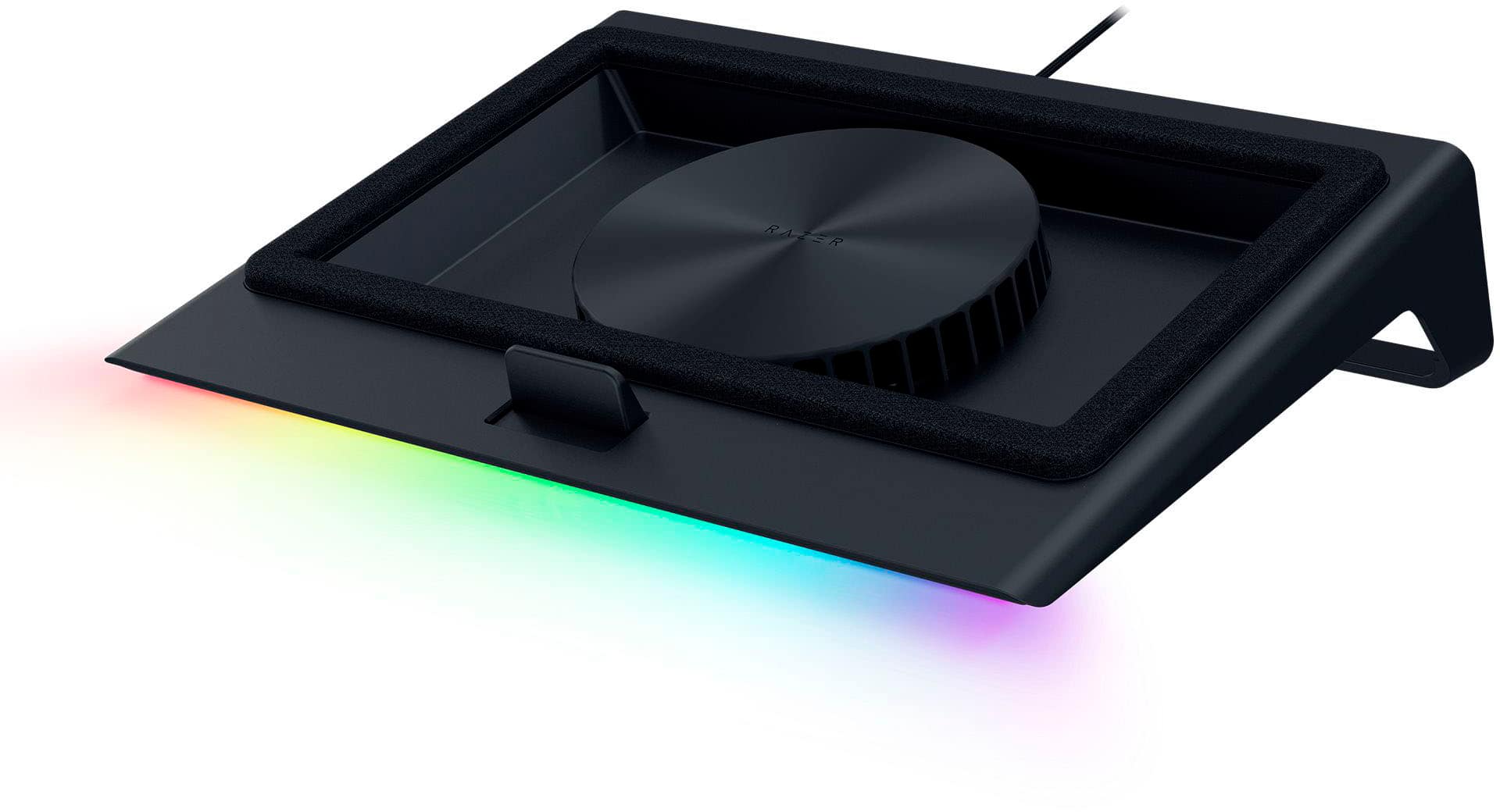
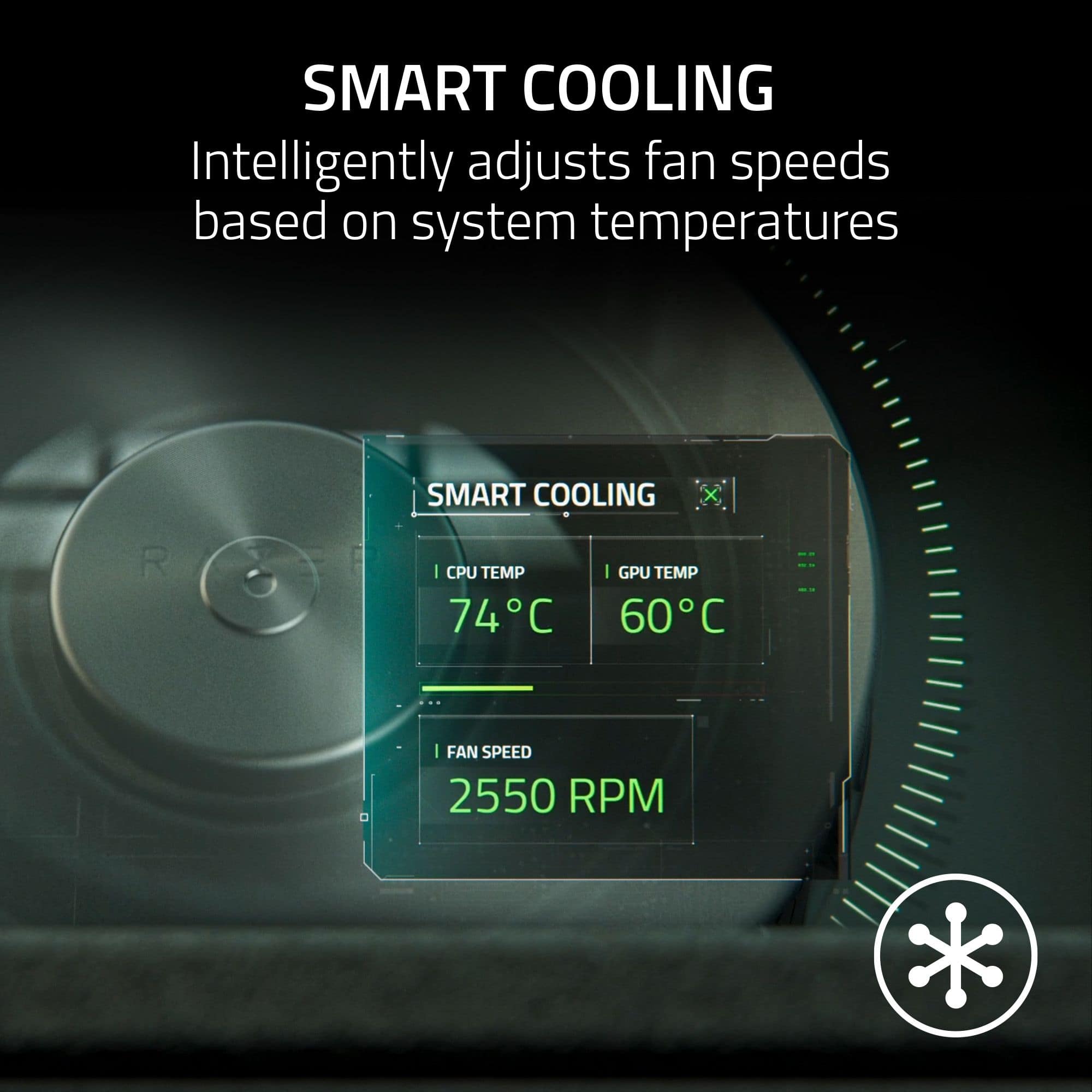
|Posted .This reviewer received promo considerations or sweepstakes entry for writing a review.I’ve been using a laptop with a 13980HX CPU and 4080 GPU for a while now. With an 18” screen, it’s a beast and it runs a bit toasty. I’ve been using a cooling pad almost ever since I’ve had it and I was eager to see what Razer had to offer. ***** Build Quality & Design ***** No surprises, Razer has some of the best build quality in their products. Hard black matt plastic for the chassis. Thick enough to be strong but thin enough to be light weight. There’s a permanently attached braided USB Type A cable (more on that later) and swappable foam base plates for different sized laptops. There’s a slide stop in the front that is adjustable so you can position your laptop for the perfect fit. On the back are three USB-Type A ports that you can use as an USB hub, plugging in a mouse and keyboard if you wish. Part of the magic is the seal you get with the soft foam. It seems like it’s secured well to the swappable base plates, those are held on by magnets built into the chassis. When your laptop sits down on it, it creates a seal that focuses the airflow through the laptop, using intake vents on the bottom of your laptop, pushing airflow up and into the chassis. Most laptops are designed with 1-4 fans (depending on size) that are small but spin quickly to move air. This design uses a large fan that can move a lot of air to keep your laptop cool. There’s also a removable dust filter on the bottom. The grid covering the fan simply twists off for cleaning. It looks like there are 5 phillips head screws that hold everything together, but when I tried to see if the fan was user replaceable, I couldn’t get it fully apart. I suspect there’s a screw under the rubber pad in the front, but I didn’t want to pull that off or break anything. If you hope to replace the fan with your own preferred brand, you may want to consider this isn’t possible, but I cannot confirm. ***** Setup and Use ***** I went with the larger base and didn’t find any issues with seal or thermals. Setup is easy, connect the USB type A cable to your PC, plug the power cable into the wall and cooling pad, and install the Razer Synapse software. I already had this running on my PC so it detected the device and updated the firmware. The software will let you control fan speed profiles, including a smart setting that adjusts based on the CPU temperature. You can select different RGB options as well for the light bar on the front of the cooling pad. If you choose not to use the software, you can still control power, fan speed, and RGB with dedicated buttons on the front right side, making quick changes effortless. ***** Performance ***** Performance is probably what most people care about. Just using and playing games, I noticed after a few minutes that my hands were much cooler on the keyboard as it was pushing cool air up into the chassis of my laptop. So it was obvious it was doing something. As far as what it was doing, I ran 3DMark Time Spy to get a baseline. Baseline test was flat on the desk without any cooling pad. CPU temp baseline was at 97 degrees Celsius while the GPU came in at 87 degrees at peak. Using the smart graph settings I placed the laptop on the cooling pad and ended up with 94 degrees and 75 degrees respectively. While it wasn’t as big of a leap on the CPU I was impressed to see the improvements on the GPU. If you’re wondering how it scored on the benchmark? Well that was better too, likely meaning it was able to turbo boost longer before throttling out. I went from a score of 18,387 to 18,740. Not a huge increase across a synthetic benchmark, about 2%, but with continuous gaming, the ability to run cooler more often will have gains over time. There’s also the overall benefit of reducing the wear and tear that thermals have on laptops over time. ***** Needs Improvement ***** There are a few things, however, that I’m not impressed with, and I’ve encountered this with other Razer products. This is clearly designed for use on a desktop with little compromise for alternative use cases. For example, by hard lining the USB Type A cable to the device, if I want to simply use this to get the laptop off of a surface that restricts airflow, I now have to contend with a cable flopping around off the back of the cooler. The way I dealt with this is plug the USB cable into one of the hub ports to secure it and keep it from hanging. The other shortfall is you cannot power the fan over USB alone, and the included power cable is about 5ft in length, meaning, I’m not able to use it on a bed, sofa, or coffee table, unless I’m close proximity to a wall outlet. I wouldn’t expect full fan speeds on USB power only but it would have been nice if the option was there and it would help justify the hard-lined USB-A cable. ***** Summary ***** If you’re looking for top cooling performance, I think this is probably one of the best purchases you can make. This is going to force cool air into the chassis and improve performance, accompanying software to customize how you want that to happen, and a sleek design to go along with it. The tradeoff will be portability and flexibility to use these features anywhere further than 5 foot from an outlet, and if the hard lined USB cable gets damaged, you may lose the ability to use the software to control the cooler alltogether.
I would recommend this to a friend - Pros mentioned:Cooling performance, Rgb lightingCons mentioned:Noise level
It Works Surprisingly Well! But It's Loud...
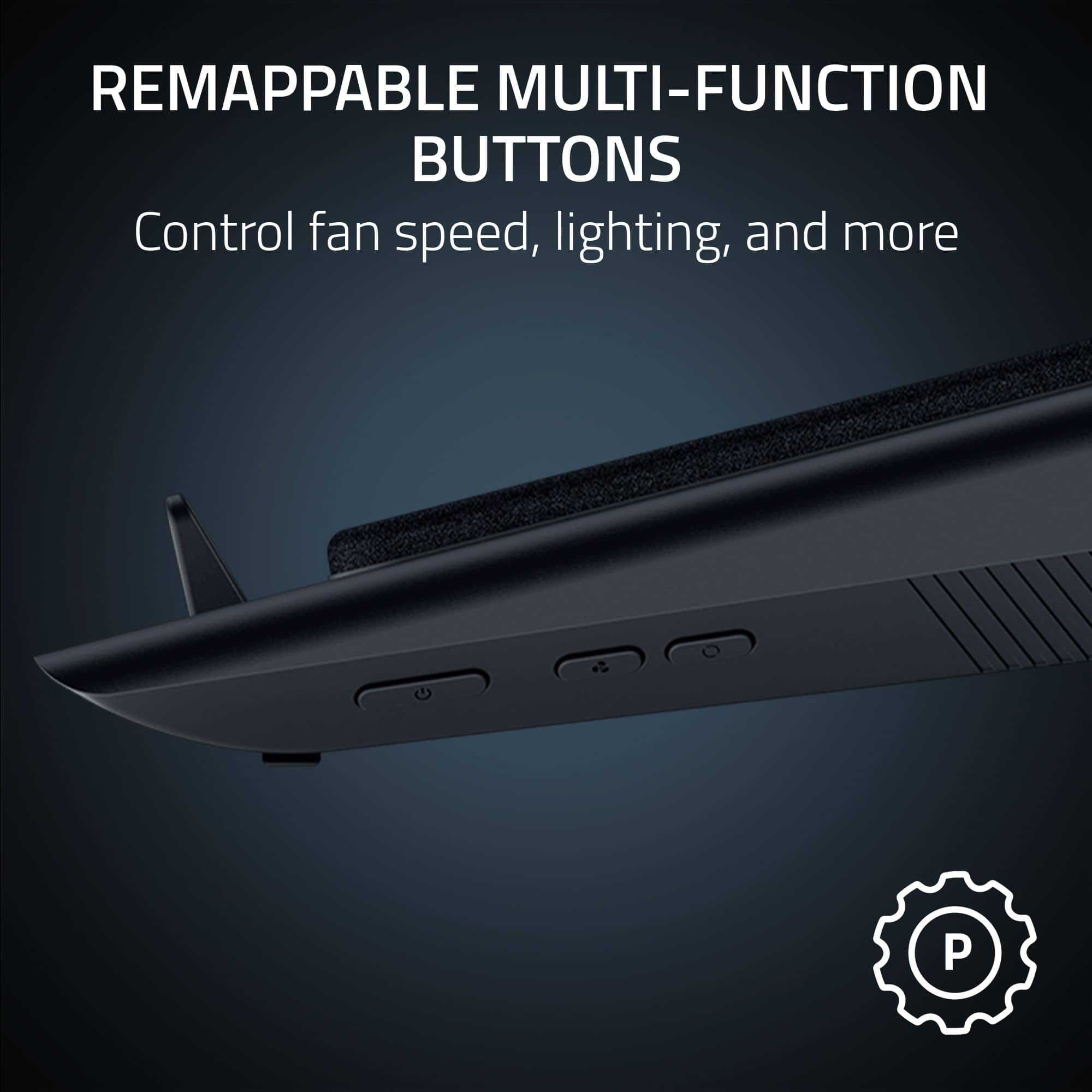
|Posted .This reviewer received promo considerations or sweepstakes entry for writing a review.Let’s get the important stuff out of the way: It works. It works surprisingly well. We’re talking about as much as 15C from my own testing on a 14” gaming laptop with Ryzen 9 and a 4070 in tow. Downsides? It is loud at higher fan speeds. For many of us PC builders, cooling is an art but something we can’t really control when it comes to laptops. Laptop cooling solutions are baked in at the factory and you’re at the mercy of whatever the manufacturer claims. There are various laptop cooling pads in the market, but a majority are one-trick ponies; plug it in and set a fixed speed. For a Razer solution, I knew it would exude quality, style and functionality. But the real magic sauce is its integration with Razer Synapse, which is its main software for all things Razer. Synapse is able to gather real-time temperature values from your GPU and CPU and lower/raise fan speeds based on a cooling profile, either preset by Razer or a custom one of your own. The laptop cooler features a 140 mm / 5.5” high-velocity fan with an intake mesh air filter and can reach speeds of up to 3000 RPMs. The pad itself has a fixed tilt of about 30 degrees, so you won’t be able to adjust this. The unit connects via USB-A to your laptop and acts as a USB hub for 3 additional USB-A connections. On its right side, you’ll find 3 buttons that control power, fan speed presets, and RGB presets. The fan is compatible with 14” to 18” laptops and comes with swappable panels to ensure a best-case fit for your laptop. It comes with a power adapter as you’re going to have to plug this into your wall socket. The dimensions are 15.6” x 11.5” x 4.5” and weighs 3.52 lbs. The 3 swappable panels themselves are different sizes and functionalities. Two of the panels come outlined with what I can only describe as foam weather stripping. This will allow your laptop to have a tight seal over the pad to ensure air is being pushed into the laptop. The other one is just a plain panel with no stripping; Razer claims that if your laptop has no built-in cooling fans, then you can just use this panel. But during my testing, the plain panel beat out the air tight panel in terms of cooling efficiency by about 2-5C. More on that later. Setup was a breeze just like any other Razer product. Once plugged in, Synapse will recognize its existence; if this is your first Razer product, Razer will inundate you with welcome windows and prompt you to install Synapse (among other things). In my case, I already had Synapse installed, but what was cool was it immediately prompted me for a firmware update. I did have to download a standalone app to perform the firmware, but it was quick and easy. Once that was done, I was able to see the laptop cooler within Synapse and was able to see the 3 preset cooling profiles. Each one of these profiles can be changed to your liking, and you can even change the button behaviors on the cooler itself. Finally, since it is a Razer product, RGB profiles can also be changed and customized. Performance wise, it did not disappoint. Each cooling profile was able to affect temperatures and needless to say that the faster the fan rpm, the better the cooling. At performance speeds, I was seeing 10C drops in CPU and 15C in GPU temps. What was interesting was the swappable panel that made the most impact. For my particular laptop (14” Asus Zephyrus, 2024), the plain non-sealing panel took the prize. I’m certainly not saying that this will be the best case for all laptops, but it was for mine. So if you decide to bring one home, try out the different panels for your own best-case. Now for my one complaint: The noise. This laptop cooler is loud at speeds. We’re talking like a stick vac at a lower power setting. It caught me off guard as I was in another room and thought, “who’s vacuuming right now?!”. True story. The panels with the weather stripping help dampen and trap the noise, but overall it’s still a pretty loud laptop cooler. The quiet/balanced profiles obviously help keep the fan speeds low, but at the expense of maximum cooling. So really you get to decide what’s most important to you in terms of noise vs cooling. I took a star off for noise. Overall, I am happy with the Razer laptop cooler as it does help reduce temps quite a bit. Obvious use-case here would be for a permanent home laptop acting as a desktop tower. I think the laptop cooler looks cool and can complement any desk setup you have at home. It is a bit pricey and cooling can be accomplished with cheaper solutions, but if you’re a Razer fan, nothing beats the integrated solution.
I would recommend this to a friend - Pros mentioned:Cooling performance, DesignCons mentioned:Noise level
A loud, expensive cooling pad that is adequate
|Posted .This reviewer received promo considerations or sweepstakes entry for writing a review.I have been using a cheap $30 Havit HV-F2056 laptop cooler from Amazon for the past seven years and still going strong. It's a basic laptop cooler that's quiet and cools the laptop adequately, but is portable and light. My Legion 7 from 2021 doesn't run run super hot so this fan does the job for me. However if you need fans with higher RPMs, this isn't the laptop cooler to go with. So in comes the Razer laptop cooling pad. Design wise, this cooling pad does a good job of accommodating a variety of sizes(14-18'') especially with the three different magnetic frames it comes with. That said if you have a smaller laptop, the cooler is a bit bulky and definitely not portable. There are three 2.0 USB ports on the back that you can with the cooling pad. Keep in mind that this cooler is powered by a AC adapter too. On the right side, you have buttons for turning on the fan, adjusting the fan speed, and changing the RGB lighting. These buttons can be remapped with Razer Synapse. You cannot adjust the height of the cooling pad. The fans currently run at a max of 3200 RPM after a firmware upgrade. So does the HWMonitor does a good job of cooling my laptop? Yes it does as evident by the HWMonitor screenshot. It does a far better job lowering the temperature on the CPU, NVMe drives, and GPU than my previous laptop cooler did. HOWEVER, this laptop cooling pad is very loud. Even on the Balanced setting(Smart fan setting), you can hear the fans going on and off a lot to the point that it's very distracting. Quiet profile is better, but the cooler is even worse than my old laptop and sometimes you can still hear the fans rev up and down. Keep in mind you can manually adjust the fan speed yourself with the software Razer Synapse (along with adjusting the RGB lighting) as opposed to having the fan automatically adjust its speed based on your laptop's temperature. Using the software, you can also actually boost the framerate for certain Razer laptop models with Hyperboost, but I can't verify this with my own laptop. So is it worth it? If your laptop has bad thermals and you constantly play demanding video games that cause your laptop to heat up, it's a maybe. The big issue is that at $150, you can find other similar laptop coolers for $50 less(sometimes more) that has similar performance and features such as the Flydigi BS1 (said to be much quieter), llano(similar design), and the IETS GT500 (design is incredibly similar except you can adjust the tilt height) If you don't play demanding games or use software applications that heat up your laptop significantly, I wouldn't bother and a cheaper laptop cooler would be better especially if noise is an issue.
No, I would not recommend this to a friend - Pros mentioned:Cooling performance, Rgb lightingCons mentioned:Noise level
Make your gaming laptop cooler ;-)
|Posted .This reviewer received promo considerations or sweepstakes entry for writing a review.Razor cooling pad review. The Razor cooling pad is an auxiliary powered laptop, stand with integrated cooling pad and RGB lighting. The construction is sturdy and it elevates your laptop from your desk surface and holds it in an optimized angle for keyboard use and better cool air intake. The pad is powered by a small wall power adapter. The cooling pad connects to your laptop by a USB A 2.0 cord. The pad has a built-in hub with 2 USB 2.0 plugs on the back. Razor provides the Synapse4 app for linking the cooling pad to your computer, allowing it to sense the temperature and change the fan speeds appropriately to maintain its temperature on compatible laptops. Basic fan speed control is possible without the app using a button on the right side of the pad frame to set the fan low, medium or high. The RGB strip on the front edge of the cooling pad is controlled with the Razor ChromaRGB app for custom control or the button on the right side of the frame which cycles through preset colors. The pad works with most laptops from 14 to 18 inches using the included foam seal adapters to form an airtight air chamber. The pad includes 2 sizes. Seeing the design of these I feel an adapter could be 3d printed for any laptop if the included one does not work. The performance of the pad is great, lowering the GPU/CPU temp by 20C at max on my laptop. Razer states 18% on their webpage. The fans at high speed are loud. This pad prevents thermal throttling seen at high temps while gaming or rendering and encoding high resolution video. The RGB on the pad is just enough without being overdone. If you game or render video at high resolution or do other intensive tasks that have your laptop run at high temps then this accessory is for you. The pad functions well and is sturdy all while looking good.
I would recommend this to a friend - Pros mentioned:Cooling performance, DesignCons mentioned:Noise level
Great for Laptop Gaming
|Posted .This reviewer received promo considerations or sweepstakes entry for writing a review.Razer has a new laptop cooling pad and its surpisingly great. Before this I've only ever bought a cheap one from Amazon, so considering this was Razer I was expecting it to be leagues better in quality, and I'm happy to say it is. While it is Razer brand the cooling pad will work with just about any laptop from 14"-18". I tried it out with my ASUS ROG STRIX 18" Gaming laptop and it fit perfectly. The pad is aesthetically great having RGB lighting and is more like an angled stand/tilted base that elevates the laptop slightly. While the cooling pad has a usb cable to connect to your device it isnt necessary to connect to have it function. If you do decide to connect the cable to your device's usb port you gain three ports on the rear of the pad to make up for the one taken on the device and connecting to your device better allows for the cooling pad to adjust fan speed based on performance and tries to match RGB patterns from your device. The controls on the cooling pad are simple: you have a button for power, a speed setting button (low, medium, high), and an RGB pattern button. Razer claims about an 18% temperature difference with the cooling pad and I tested this out by seeing the temps of my laptop w/o the fan and playing for 1hr and then letting the cooling pad run on Medium for 10-15min. I saw about a 6°C difference which was about 13-14%, so not exactly at the 18% but not far off, I believe I could get closer to or at the claimed percentage at the High fan speed tho. The only thing that keeps this from being a perfect is the noise it makes at the Medium and High speed levels. The Medium is what I maintained for most of my use because it was no louder than a small microwave or electric razer, but once you get to High it can get distracting.Its nothing that will hurt your ears but it'll drown out the sound from your game if you arent at higher volumes or using a headset. You might've noticed I said "tried" when mentioning the RGB pattern matching, and that because I also noticed a half second delay in the pattern from my device and the cooling pad, its not a big deal for me but something that might be an issue for others. Overall, I really like the new cooling pad from Razer. If you have a gaming laptop and want something to help keep your gaming session going longer without worrying about overheating I absolutely recommend this.
I would recommend this to a friend - Pros mentioned:Cooling performance, Rgb lightingCons mentioned:Noise level
Comfort on my lap
|Posted .This reviewer received promo considerations or sweepstakes entry for writing a review.This cooling fan keeps my PC temp manageable. It looks great, it seems durable and it is useful. I am not sure yet if the quirks outweigh the perks. Upon box opening, it is a nicely packaged cooling system. Straight up, it is a fan designed to keep the heat out of my PC in the best way it can. It comes with the matching adapter for my PC type, which in this case, I do not have a Razer, but a 14-inch hybrid gaming machine. Though instructions were written in a nice sheet, it is not easy to read. But if you are interested in this device, you probably do not read instructions and just wing the installation. Luckily it is a plug-and-play device. It adds USB-A ports, but it does require external power, with an adapter that I find bulky. I already have a good amount of items to plug in, like my PC (because gaming laptops always need to be plugged in!), my monitor, my hub, and then you have this. So that’s a little bit of a bummer. Once plugged in, I have the Razer Synapse app so it easily is recognized, and then it indicated a firmware upgrade, which was done in seconds. The buttons are easy to use, for power, fan and light options. Once it is on, it does keep my laptop cool. I have never had the laptop this cool when I run AAA games. I could never put my laptop on my (literal) lap because it gets too hot, but with this, I can. The whole fan and the laptop can stay on my lap. However, the fan is LOUD. Really loud. The good thing is, it does not have to be loud all the time because it adjusts the fan speed based on the laptop performance. But when it starts to come back up, there is no way I will not notice. It is loud. RGB lighting and modes are a good plus. It does add some synchrony to my other Razer accessories which can make my desk look good—except that this fan is big. It takes up too much space. If you really are into cooling your laptop, which is important so your laptop does not deteriorate faster, and keeps your game time consistently running on good FPS, this is very helpful. If you can live with the space it takes on your desk, the socket space the adapter plug takes up, and most of all, the noise it creates, then this could be the one for you.
I would recommend this to a friend - Pros mentioned:Design, Rgb lightingCons mentioned:Noise level
Feature rich cooling pad but NOT for some laptops
|Posted .This reviewer received promo considerations or sweepstakes entry for writing a review.I was really excited to come across this cooling pad - I have a gaming laptop that I use frequently on a desk and, as with many gaming laptops, it generates a large amount of heat. I usually use a cooling pad with it that has static fans which are rarely right for the scenario - either too loud for low power usage or too slow for high power. This Razer with actual fan controls promised to fix all that and optimize the fan settings for the usage situation. And it does...but a critical design issue ultimately makes it unusable for what I wanted....and might impact you too. Read on to find out more! Unbox was quite impressive - the stand is quite sleek and well-designed with a LARGE blower style fan that can move a lot of air and really nice RGB lighting. The fan is set up with a foam strip where it contacts the laptop to help seal the linkage and improve airflow / cooling - two foam strip size options are included along with a plate without foam depending on your laptop design. Unlike my old laptop cooling pad, this one isn't entirely USB powered, requiring an external power adapter (which was surprising, but isn't terrible). It does still have a USB (type A) cable for the fan and lighting control - and turns that into a 3 port type A hub, so that's convenient for things like keyboards and mice. the piece that holds the laptop up has 3 different settings for different sized laptops. There's a lot of plastic in the construction but it's still quite nicely built and should prove to be quite durable in use. It had no trouble holding up a heavy laptop and it kept the laptop very well balanced and supported in use. Now, all that said, I got everything set up the way I wanted it and went to turn on my laptop (on the new pad) and nothing happened. The laptop, a year or so old Acer Predator Helios 16 with a Core i9 13900HX and a mobile RTX 4080, that had worked fine a bit earlier wouldn't turn on. I unplugged the laptop from everything and tried again...no luck. I picked the laptop up to look it over (it looked fine) and then it turned on. Ok, so maybe just a fluke. I put the laptop back on the cooling stand and the screen goes black! Pick it up...and the screen comes right back on. This happens regardless of if the cooling pad is plugged in, not plugged in, on/off, etc. After some testing, I believe that the strong magnets in the cooling pad that hold the "foam strip" that seals to the laptop bottom are impacting the laptop in some way that turns off the display / prevents the laptop from turning on if off. I can set the laptop on the foam strip itself (on the floor or a table) just fine. And I can set the laptop HALF on the pad without issue - but as soon as I line the laptop up with the magnets (which is how the stand is designed to work), the screen blanks out. I've included pictures of this phenomenon. This same laptop works fine on other cooling pads so it's probably not the laptop - and the cooling pad works fine with another laptop I tried, so I think it's the combination of the laptop design and the cooling pad that don't like each other. To that end, I can't fully recommend this cooling pad, sad as it is for me to say. I do love the design and the theory, but since it stops my laptop from working, I can't use it. (And I'd be VERY hesitant to put a laptop with a spinning / magnetic HDD on it too.) So IF it works for you, it's great. But buyer beware.
No, I would not recommend this to a friend