Customer Ratings & Reviews

- Model:
- RZ01-02410100-R3U1
- |
- SKU:
- 6172049
Customer reviews
Rating 4.6 out of 5 stars with 1835 reviews
(1,835 customer reviews)Rating by feature
- Value4.4
Rating 4.4 out of 5 stars
- Quality4.6
Rating 4.6 out of 5 stars
- Ease of Use4.6
Rating 4.6 out of 5 stars
Customers are saying
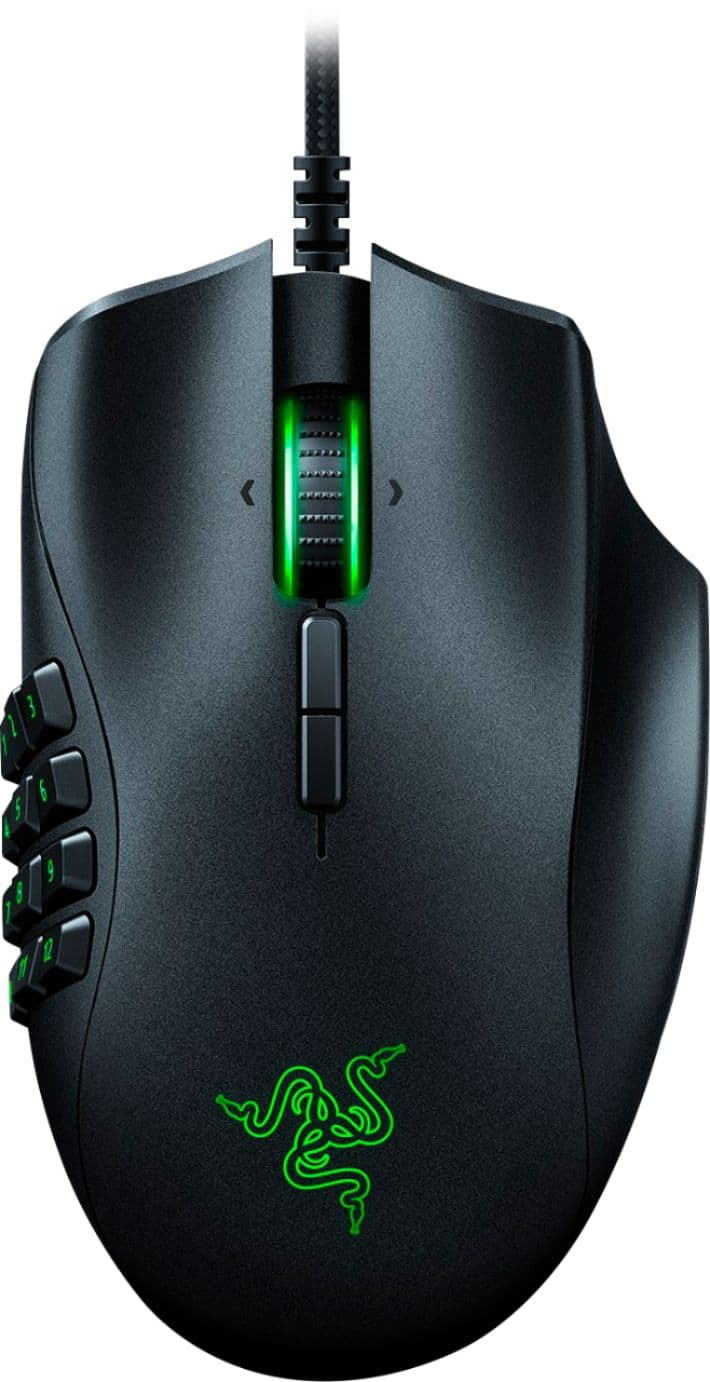
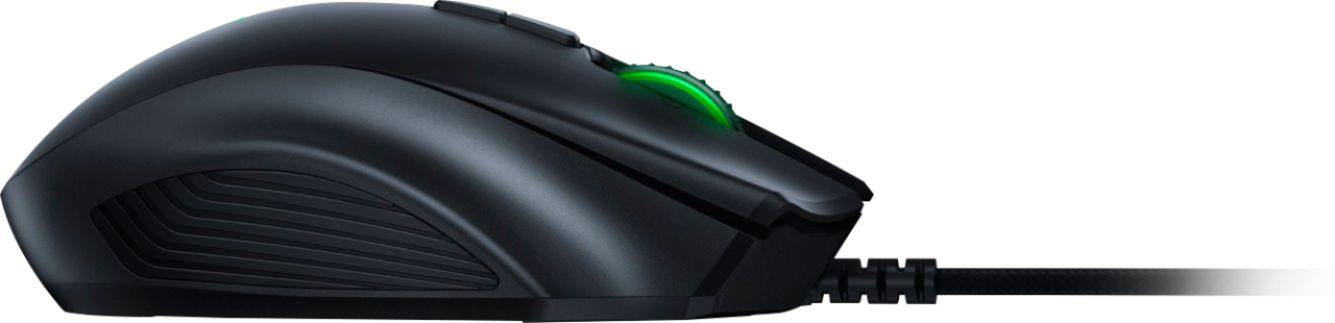
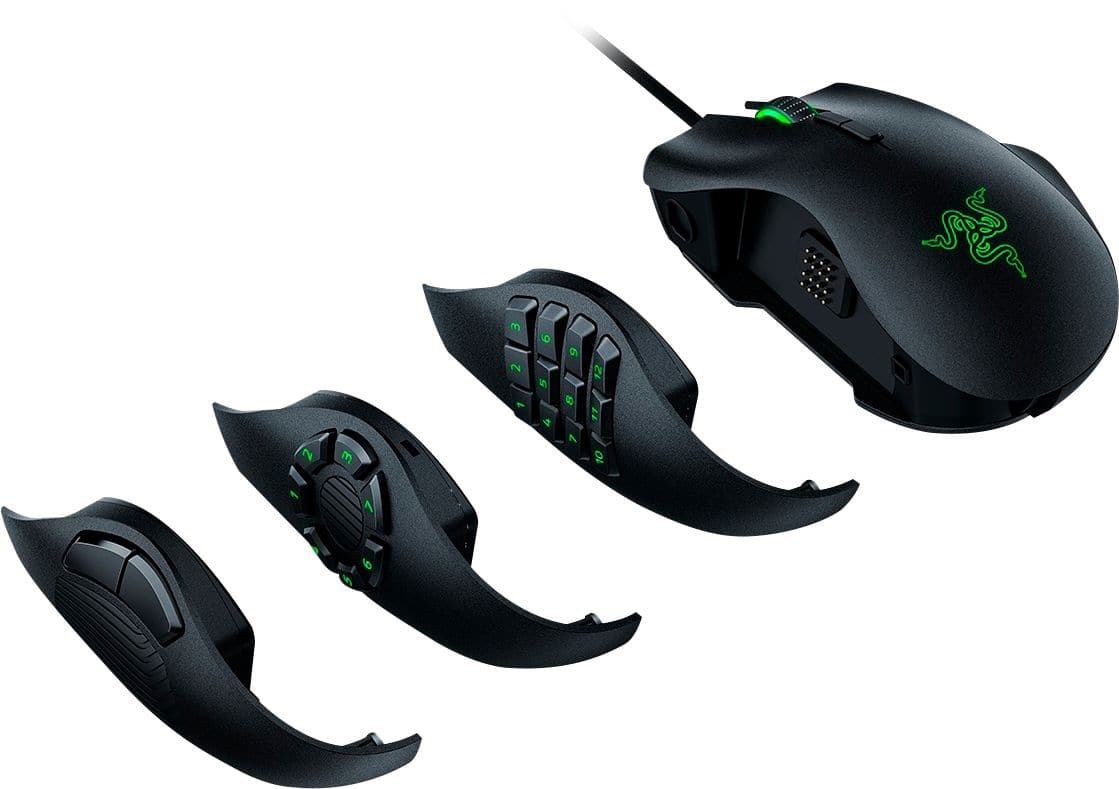
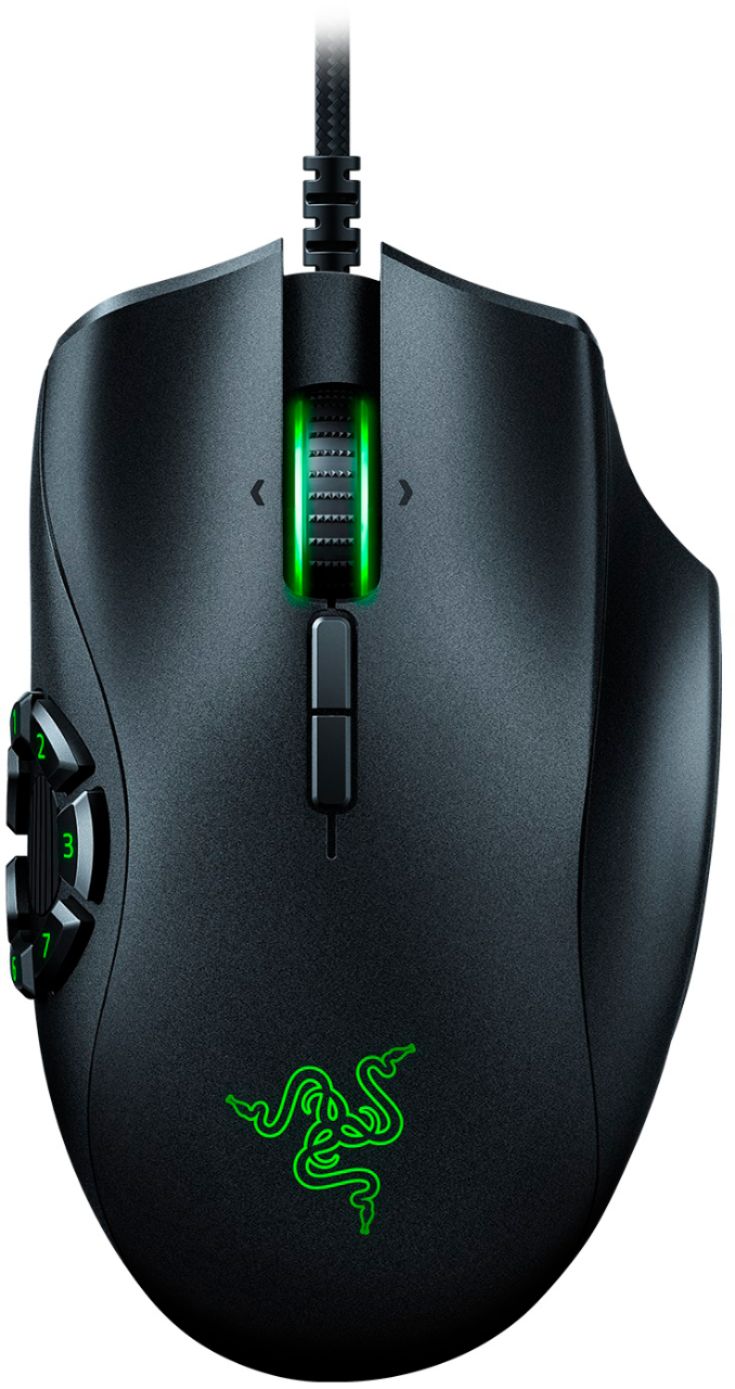
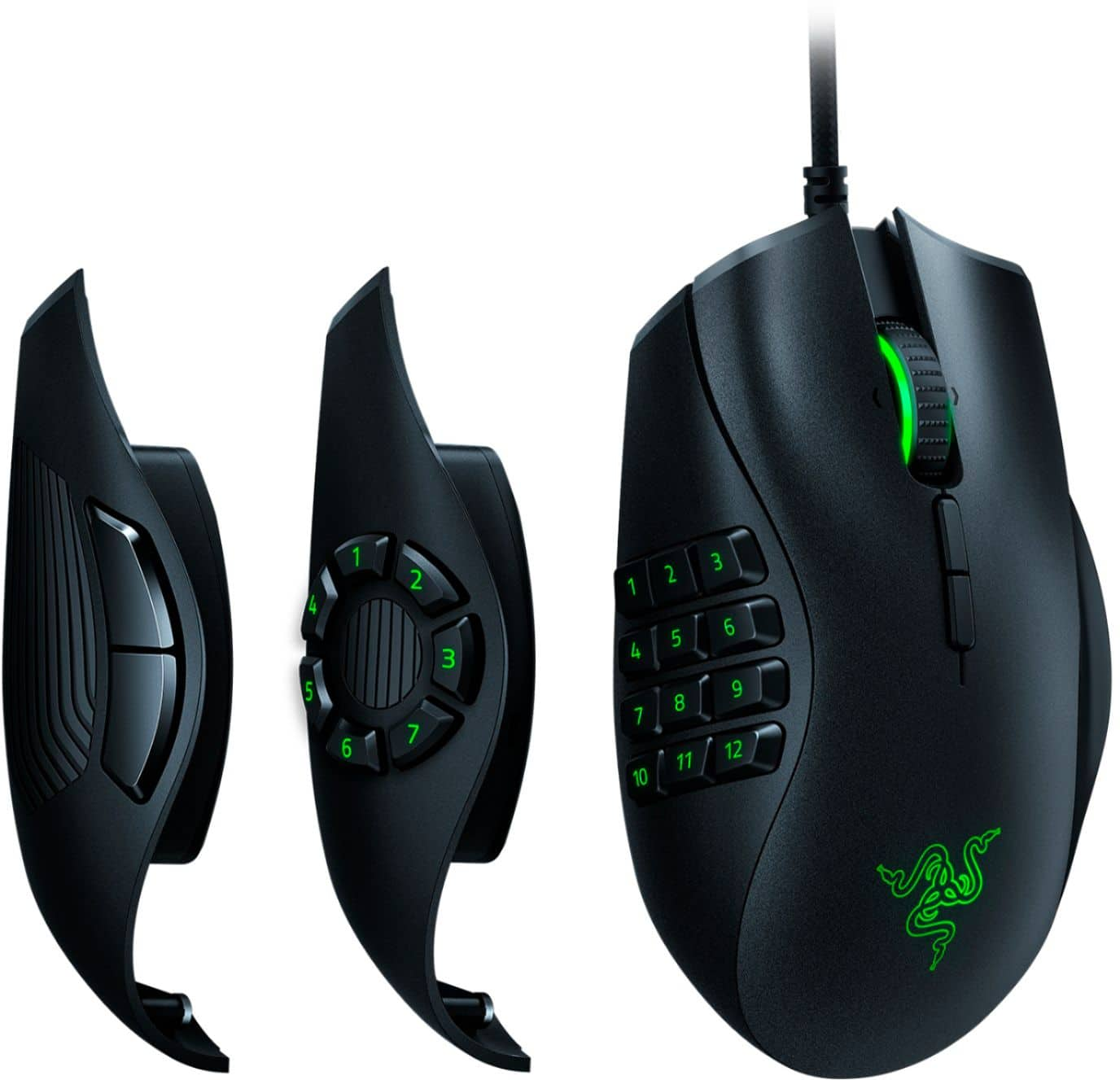
Customers admire the Naga Trinity's versatile button configurations and ease of use, praising its quality, design, and interchangeable side plates. Many appreciate the high DPI settings for precise control. However, some find the mouse's size and weight to be a drawback, and others have experienced issues with the accompanying software.
This summary was generated by AI based on customer reviews.
- Pros mentioned:Button configuration
Rated 5 out of 5 stars
Had one for a decade. Love the upgrade.
||Posted . Owned for 1 month when reviewed.This reviewer received promo considerations or sweepstakes entry for writing a review.The Naga has been my mouse for over a decade. I always figured I'd run it until it stopped work great. Never happened. The only reason I upgraded was a great deal I couldn't pass up. I'm super glad I did. The updated Trinity is sensational.
I would recommend this to a friend - Pros mentioned:Button configuration
Rated 5 out of 5 stars
Great mouse for MMO's
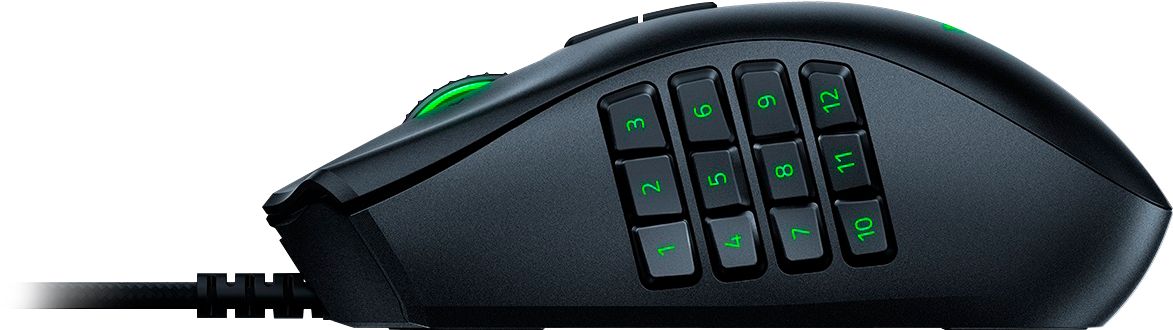
||Posted .This reviewer received promo considerations or sweepstakes entry for writing a review.I really enjoy using this mouse for World of Warcraft. The way that you can change the side panel for different games is an added bonus. Up to 12 function buttons for MMO's is a god send for spells. Must have for World of Warcraft! I don't know why I waited so long to purchase this.
I would recommend this to a friend - Pros mentioned:Design
Rated 5 out of 5 stars
Great gaming mouse!
||Posted . Owned for less than 1 week when reviewed.This reviewer received promo considerations or sweepstakes entry for writing a review.Very responsive and highly ergonomic for long sessions, only downside (and NOT Best Buy's fault) is that I had to entirely re-download the Razer software to get it to pick up the mouse (I had bought a keyboard, then the mouse a few days later.)
I would recommend this to a friend - Cons mentioned:Software
Rated 5 out of 5 stars
Works as intended
||Posted . Owned for more than 2 years when reviewed.This reviewer received promo considerations or sweepstakes entry for writing a review.Razer MMO mice work as intended. Expect software issues occasionally followed by patch to fix. Common with all companies who make this type of peripheral. The buttons wear out on avg in about a year BUT THATS WITH DAILY OVER USE.
I would recommend this to a friend - Pros mentioned:Button configuration
Rated 5 out of 5 stars
Best Mouse
||Posted . Owned for 1 year when reviewed.This reviewer received promo considerations or sweepstakes entry for writing a review.The best hands down mouse I've owned to date. The left clicker has since broke (but I am hard on mice) replaced with the one step down as I don't use the other options as much as the 12 button config.
I would recommend this to a friend - Pros mentioned:Button configuration
Rated 5 out of 5 stars
Great Mouse
||Posted . Owned for 1 month when reviewed.This reviewer received promo considerations or sweepstakes entry for writing a review.Device works really well. DPI switch isn't my cup of tea, I'd rather have my navigation buttons programmed there. I typically use the two button side piece for productivity and the 12 button for gaming. Interchanging between the two has been seemless for me.
I would recommend this to a friend - Pros mentioned:Ease of use
Rated 5 out of 5 stars
FAVORITE MICE
||Posted .This reviewer received promo considerations or sweepstakes entry for writing a review.the razer naga is my favorite mouse. i have owned 5 of these. 2 have died from so much use and the others i keep on hand for the office and other things. if i'm using a mouse, i want it to be a Naga. it just fits my hand well and the customizable shortcuts are perfect for Revit.
I would recommend this to a friend Rated 2 out of 5 stars
Good Idea, Bad Execution
||Posted .This reviewer received promo considerations or sweepstakes entry for writing a review.I took a gamble and purchased this when it was slightly discounted. At the time, it was a good deal since online stores would have them in stock but at marked up prices. The build quality of the mouse is nice. The side button panels are held on by magnets and can be switched freely even while it's plugged in. This allows to switch from one button setup to another when switching between games. This is a good novel idea for those who has a wide array of PC games. I've been using the Naga Hex for a while and it's been solid. With the games I've been playing, I'm hoping the Trinity would up the ability of being able to use keys that would have been difficult to reach or use. The Trinity uses their latest Synapse software but at the time of writing, it is in "beta". I thought nothing of it until I started trying to make full use of the software and the mouse itself. The ability to customize the lighting is interesting but it's only visual aesthetics when compared to its ability to customize and control the mouse. At one point, the Synapse software would show no mouse module in the container software. Closing and opening the window did not work. I was able to fix this by closing the software completely and restarting it. Profile switching is laggy. As in, the moment you switch out, there's a momentary pause in mouse functionality. I dealt with this issue and moved on, figuring it's one of those odd quirks that you get used to over time. Unlike the previous version of the software, there is no brief pause in the mouse when you switch between programs. There's a delay in switching the profile but the experience is still smooth. Another issue I have is that after install, there are 5 services that starts up on boot. Granted, some programs perform better when there's a framework system running in the background. But for a mere gaming mouse, I find 5 services to be excessive in how Razer programmed their Synapse 3 software. Another strange issue I encountered was in customized mouse buttons. One of the side buttons I mapped to being a double-click. This helped me in using items in some games faster, since they require a double click to use. However, I ran into issues where that double-click function would intermediately not work on the first press. Sometimes it'd happen at random. Others frequent. Still, I do not see how something as simple as a mere double-click would not register as such when I pressed it. At first, I thought it was just me not being used to the feel of the buttons or its layout. But at time goes on, I find it that it's not me but rather either the button itself or the Synapse 3 software. And lastly, the 12 side button module has a very strange design and feel to it. The buttons have a very non-uniformed shape that makes it very difficult to feel your way through them. There's no bump or anything to guide you where a certain button is at (akin to how there's a bump on the number keypad 5 on keyboards). Fully utilizing 12 side buttons on a mouse comes with a high learning curve and a button design that makes it hard to guide your thumb through. Overall, the mouse isn't what I had hoped it'd be. The idea/concept is great. But the execution is downright terrible. It did not help that the Synapse 3 software is still in beta despite the mouse being available for over 6 months. Worse yet, there's no version of the Synapse software that supports this mouse so you're stuck with using unpolished software with a variety of issues and baggage. In short, I lost on the gamble. Verdict: Don't buy. Not recommended for any scenario.
No, I would not recommend this to a friendRated 5 out of 5 stars
Great Mouse from Razer Hater
||Posted .This reviewer received promo considerations or sweepstakes entry for writing a review.I had the original razer mice, or their failed attempts at gaming gear ( if anyone remembers the glue on stickers on your $100 mouse) that had poor reliably and shoddy engineering. Figured I'd give this a try since I always get the Best Buy Warranty anyways. Mouse is great, precise tracking, works well even simply on a bedsheet without a pad, the ability to add as many buttons as you er comfortable with via the interchangeable panels is great as I prefer the buttons to be more spaced and be easily recognizable with fingers. So far 5 out of 5, if it
I would recommend this to a friend- Pros mentioned:Button configuration
Rated 5 out of 5 stars
great buy for a gamer like me.
||Posted .This reviewer received promo considerations or sweepstakes entry for writing a review.great mouse for me. it lets me game with one hand so I can hold my child or set more hot keys so I don't have to reach across the keyboard for all the keys I would need. the other attachments help out for a buck of other games.
I would recommend this to a friend - Pros mentioned:Button configuration
Rated 5 out of 5 stars
Amazing Naga Trinity is Amazing!
||Posted . Owned for 1 week when reviewed.This reviewer received promo considerations or sweepstakes entry for writing a review.I bought this with the Black Widow mechanical keyboard. I've had a Naga before, but the Trinity is something else. The fact you can switch the side plate to different button configurations makes this an ideal mouse for me.
I would recommend this to a friend - Pros mentioned:Button configuration
Rated 5 out of 5 stars
Naga Gaming mouse
||Posted . Owned for 1 week when reviewed.This reviewer received promo considerations or sweepstakes entry for writing a review.Been using the naga since it first came out for WoW. Since I have a laptop an two gaming machine I have three of them so I don't have to switch. Replacing my oldest one with this.
I would recommend this to a friend - Pros mentioned:Button configuration
Rated 5 out of 5 stars
Great product
||Posted . Owned for 1 week when reviewed.This reviewer received promo considerations or sweepstakes entry for writing a review.My son loves it, if you want me to continue to write reviews on products I buy at Best Buy, please stop creating requirements that I need to write a lot more than I have to say, also including a display name of 25 characters
I would recommend this to a friend - Pros mentioned:Button configuration
Rated 4 out of 5 stars
Great for the macros
||Posted .This reviewer received promo considerations or sweepstakes entry for writing a review.I got this to replace my 2012 Naga. Not happy about the price being as high as it is, I dont need the interchangeable face plates I just need the 12 key for WoW macros but Razer doesnt make another mouse with the 12 key face plate. Love the feel and size of the mouse, very similar to previous Naga generations.
I would recommend this to a friend - Pros mentioned:Button configuration
Rated 5 out of 5 stars
Love it
||Posted .This reviewer received promo considerations or sweepstakes entry for writing a review.I bought a corsair mouse and was disappointed because of a button acting differently than i anticipated. It was also too small for my hand. This was bigger plus the exchange side piece is a dream. It registers so easily and is easy to switch when switching games.
I would recommend this to a friend - Pros mentioned:Button configuration
Rated 4 out of 5 stars
Good mouse with multiple options.
||Posted . Owned for 3 weeks when reviewed.This reviewer received promo considerations or sweepstakes entry for writing a review.I like the flexibility this mouse offers with the different side plates to go from 12 button MMO, 6 button hex or standard 2 side button. Razer synapse allows more customisation for lighting, macros, etc. Good mouse for almost any game or professional use.
I would recommend this to a friend Rated 5 out of 5 stars
Exceptional Mouse for Hardcore Gamers
||Posted . Owned for 3 weeks when reviewed.This reviewer received promo considerations or sweepstakes entry for writing a review.The key feature is the 3 side panels that snap on and off quickly. You can go from a simple FPS mouse, to something with a few more options on the side if you are playing something a little more complex like fornite with all its building options, then add even more buttons if playing an MMO where you need 12 hotkeys at your thumb. Didn't require additional software. Can hot swap keys without unplugging the mouse. Absolutely great if you have different games that require playing a different in each... I swap the 2 buttons for FPS and 7 button for fortnite all the time.
I would recommend this to a friend- Pros mentioned:Ease of use
Rated 4 out of 5 stars
Pretty good
||Posted . Owned for 5 months when reviewed.This reviewer received promo considerations or sweepstakes entry for writing a review.Great mouse. It is comfortable to use and the key binds are easy to change and set up. My only issue is sometimes the scroll wheel gets stuck which can get very annoying sometimes. It could just be my mouse that has this issue. I would check other reviews
I would recommend this to a friend - Pros mentioned:Quality
Rated 5 out of 5 stars
Razer products are good
||Posted . Owned for 6 months when reviewed.This reviewer received promo considerations or sweepstakes entry for writing a review.Picked up the mouse on sale. Has a variety of side keyboards to change out depending on your button layout preference. Sweet rgb functions that allow to sync to other rgb functions. Razer quality is very very good
I would recommend this to a friend - Pros mentioned:Side plates
Rated 5 out of 5 stars
Love this Mouse! Razer Wins
||Posted . Owned for 7 months when reviewed.This reviewer received promo considerations or sweepstakes entry for writing a review.Great mouse! Has three magnetically attachable side plates with different button configurations! Good for a gamer that plays a lot of different types of games like MMO's, RPGs, Shooters and more.
I would recommend this to a friend