Customer Ratings & Reviews

- Model:
- RC21-01690100-R3U1
- SKU:
- 6479075
Rating by feature
- Value
Rating 3.0 out of 5 stars
- Quality
Rating 3.9 out of 5 stars
- Ease of Use
Rating 4.1 out of 5 stars
Customers are saying
Customers are pleased with the Thunderbolt 4 Certified Dock's RGB lighting, SD card slot, build quality, and Thunderbolt 4 capabilities. The dock's power delivery and charging capabilities, along with its compatibility, are also well-received. However, some customers have expressed concerns about the HDMI port being limited to 4K/60 and the overall price. Additionally, a few customers feel that the dock is short on ports.
This summary was generated by AI based on customer reviews.
- Pros mentioned:Rgb lightingCons mentioned:Price
Awesome accessory, High speed
||Posted . Owned for 4 months when reviewed.This reviewer received promo considerations or sweepstakes entry for writing a review.I have a razer laptop and it's greatly improved my functionality when I leave it set up as a desktop, I am easily able to hook it up to all of my devices so I only have to unplug one thing when I take my laptop off the desk. Plus you can't beat the light show as it syncs for all of my other razer devices and Govee Devices to make for a really cool look over by my desk. Pricey, but works nicely.
I would recommend this to a friend Its a dock, just not the correct dock.
||Posted . Owned for less than 1 week when reviewed.This reviewer received promo considerations or sweepstakes entry for writing a review.I received the dock and it functions. Please be advised though that the Mercury version of the dock does not have the Chroma RGB lighting as is mentioned in the product name. I have asked them to update the naming. This item borrows the reviews from the and information from the black one which actually does the rgb lighting (sku 6479075).
No, I would not recommend this to a friend- Pros mentioned:Build quality, PowerCons mentioned:Ports, Price

Clean, attractive and fully featured
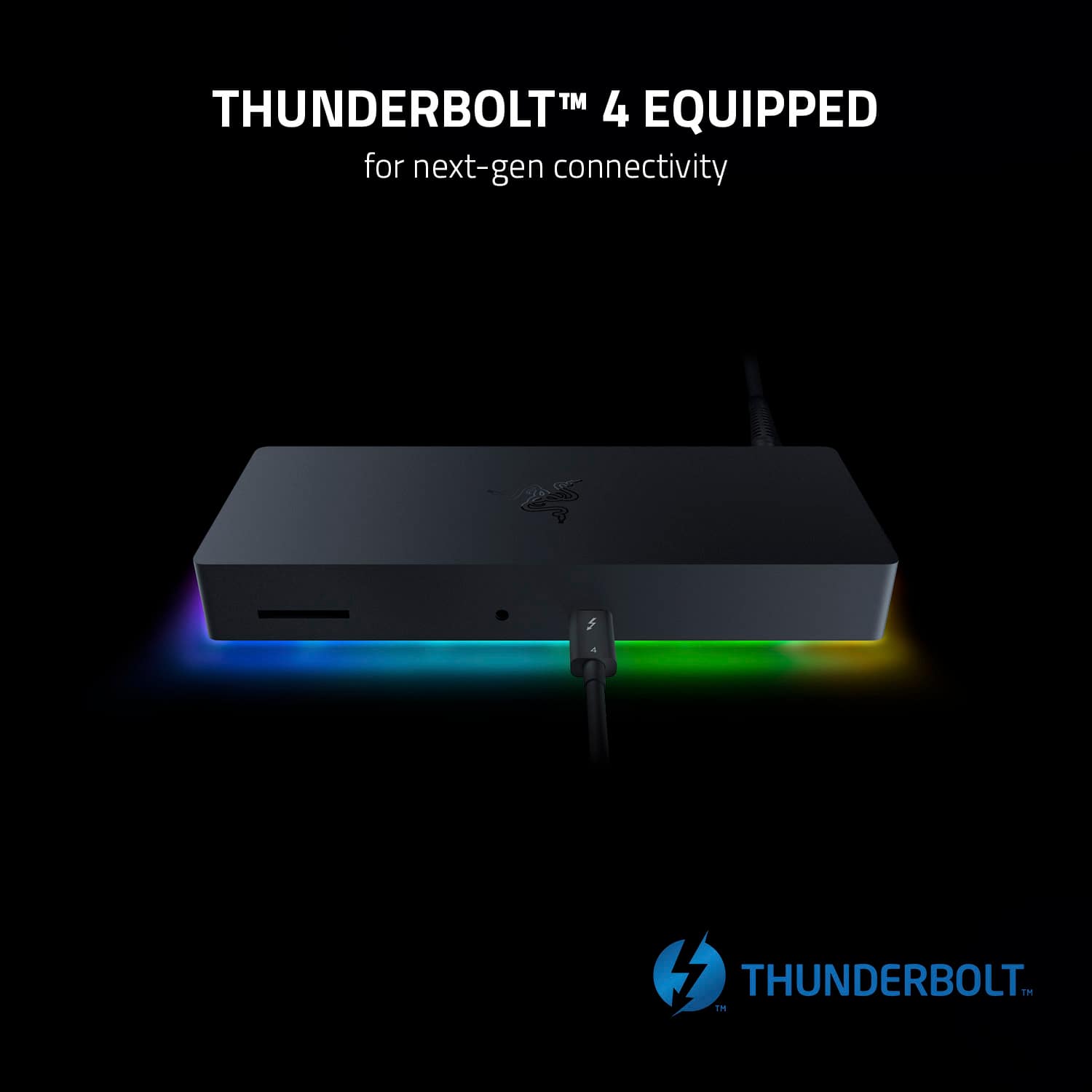
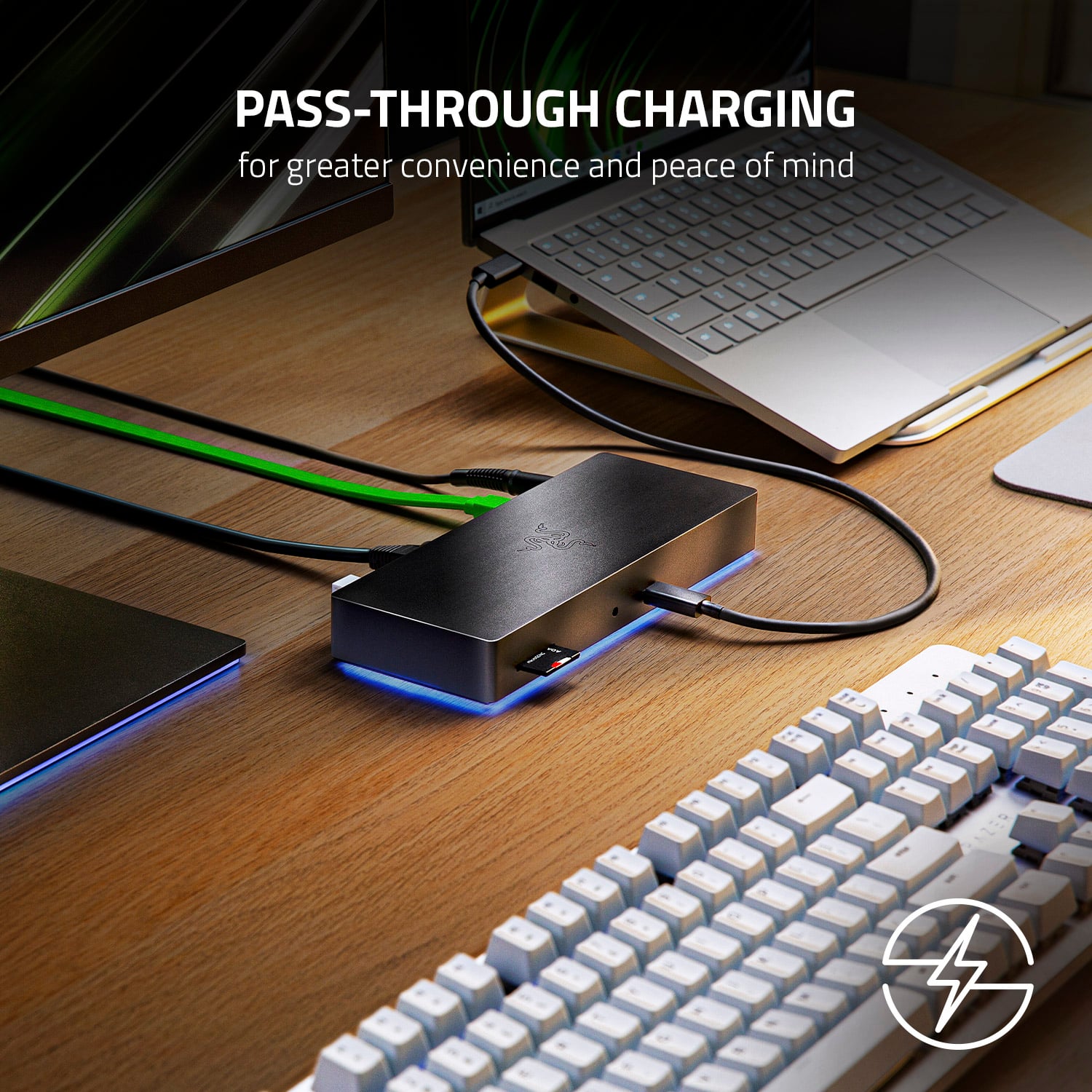
|Posted .This reviewer received promo considerations or sweepstakes entry for writing a review.TLDR: (that’s Too Long, Didn’t Read) Docks are usually all business of just connecting a lot of wires to one box and then connecting that box to your computer with one wire, but this one is not only very capable, but also fun! I would have preferred having the cable to the computer on the back and a few more ports on the front for temporary connections, but this does the job it was designed to do, and does it with panache! There is more than enough power and ports to get everything connected with a single cable to your laptop or desktop. Pros: * Small footprint. * Full-size SD card slot on the front. * 3.5mm Headphone jack on the front. * Light bar is fun and the configuration options are endless. * High-power TB cable to the computer for laptop charging, too. Cons: * Huge power brick about the size of the dock (albeit one with a huge 135W capacity, too). * No labels on any of the ports. * Minimal ports on the front. Aesthetics: Very subtle design that matches other Razer products with a matte black finish and chamfered edges. The front has 3 holes with no labeling but it’s kinda obvious what they are for; an SD card slot, a 3.5mm headphone jack and a Thunderbolt cable. The Chroma lighting is totally unnecessary for a dock, but it’s eminently cool anyway. You can even sync the dock’s lighting up with the other Chroma-controlled parts of your rig so they all work in harmony. Usability: The entire bottom is a rubber pad so the dock not only won’t slide around on your desk if you tug a cable, but also so it won’t slide away from you as you insert or remove an SD card from the front. Inserting or removing the 3.5mm headphone cable might require two hands, but it’s probably not something you’ll do often. None of the ports have labels. While this adds to the minimalist aesthetic, it does make it a tad more confusing to figure out what each port is intended for; aside from the obvious based on the shape of the plug. I generally prefer my dock to have all of the “permanent” connections in the back and all of the “temporary” connections in the front to keep things neat. This dock has the single TB cable for the PC in the front along with the SD card slot and headphone jack. I would have liked that PC cable to be in the back and have a spare USB-A and USB-C port in the front for temporary connections, but it’s not a deal-breaker. The software is very gaming-centric. I wouldn’t call it the easiest to use, but it does have a TON of configuration options for the lights on the dock. You don’t need the software for any other aspect of the dock, though. Then again, if you don’t want the Chroma lighting, there are other dock options out there for less cost. Functionality: I won’t go down the spec list or enumerate every device you can connect. Let’s just say that if you can plug it in to this dock, it’ll most likely work. I find it incredibly useful for my laptop so I can have a few 4k monitors, a hardwired network, and a few other devices all connected to the dock for use when I’m at my desk. Then when I want to take my laptop with me elsewhere, it’s just one connection to unplug. If your laptop charges over USB-C/TB, that one cable can also keep it powered up, too. Value: I would not call this dock a value-priced option. It’s not priced crazy high, but it’s not the cheap option, either. Based on Razer’s other products, I’d feel comfortable with the quality and support you’ll get from this. Conclusion: You get what you pay for, and you get a LOT with this dock. Not only does it support a ton of high-power connections, but does it with style, too. BTW, as of the time of this review, there is no Mac version of the software, but there is a Mac-specific version of the dock in white with no lighting effects (or software).
I would recommend this to a friend - Pros mentioned:Thunderbolt 4Cons mentioned:Hdmi
Sloid thunderbolt 4 hub
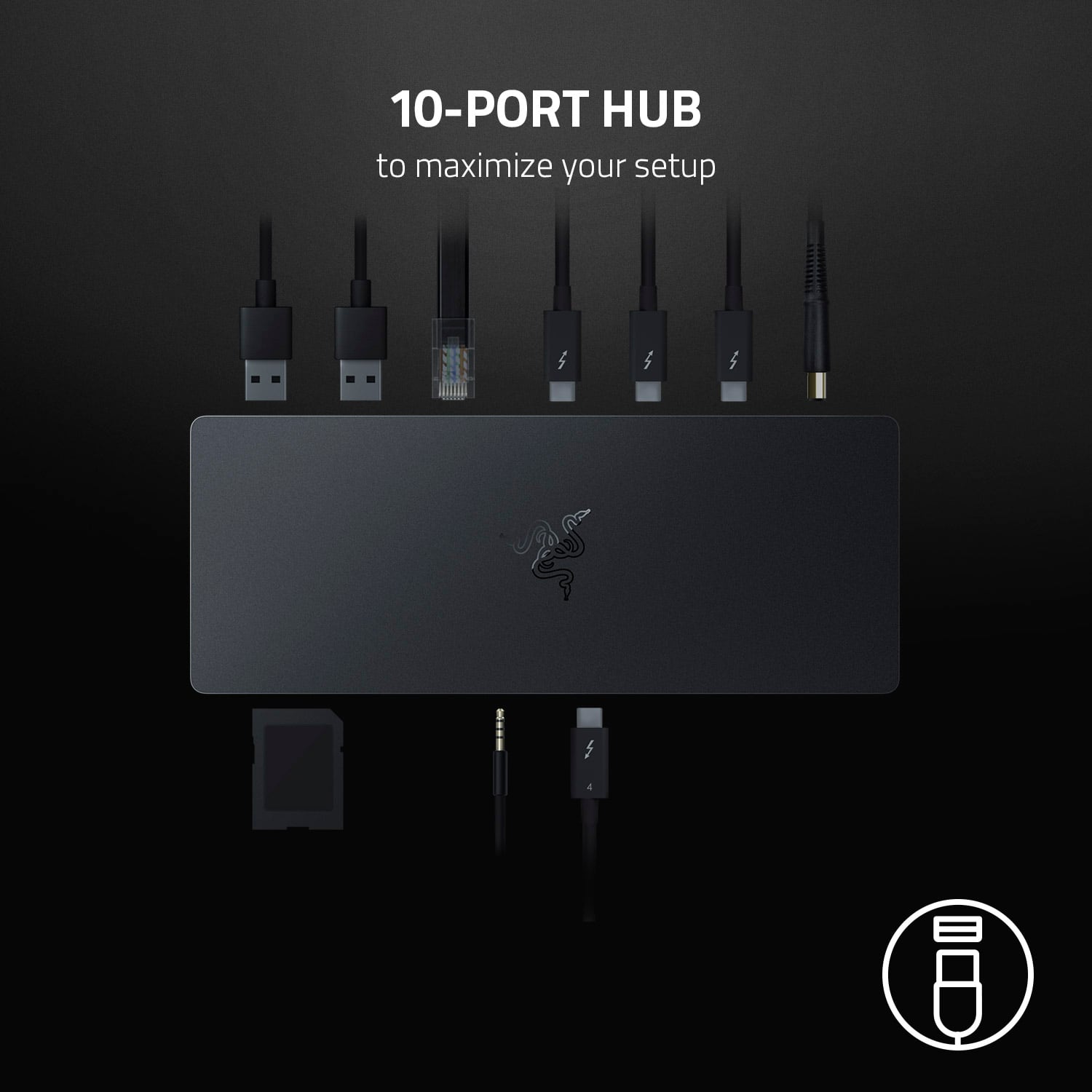
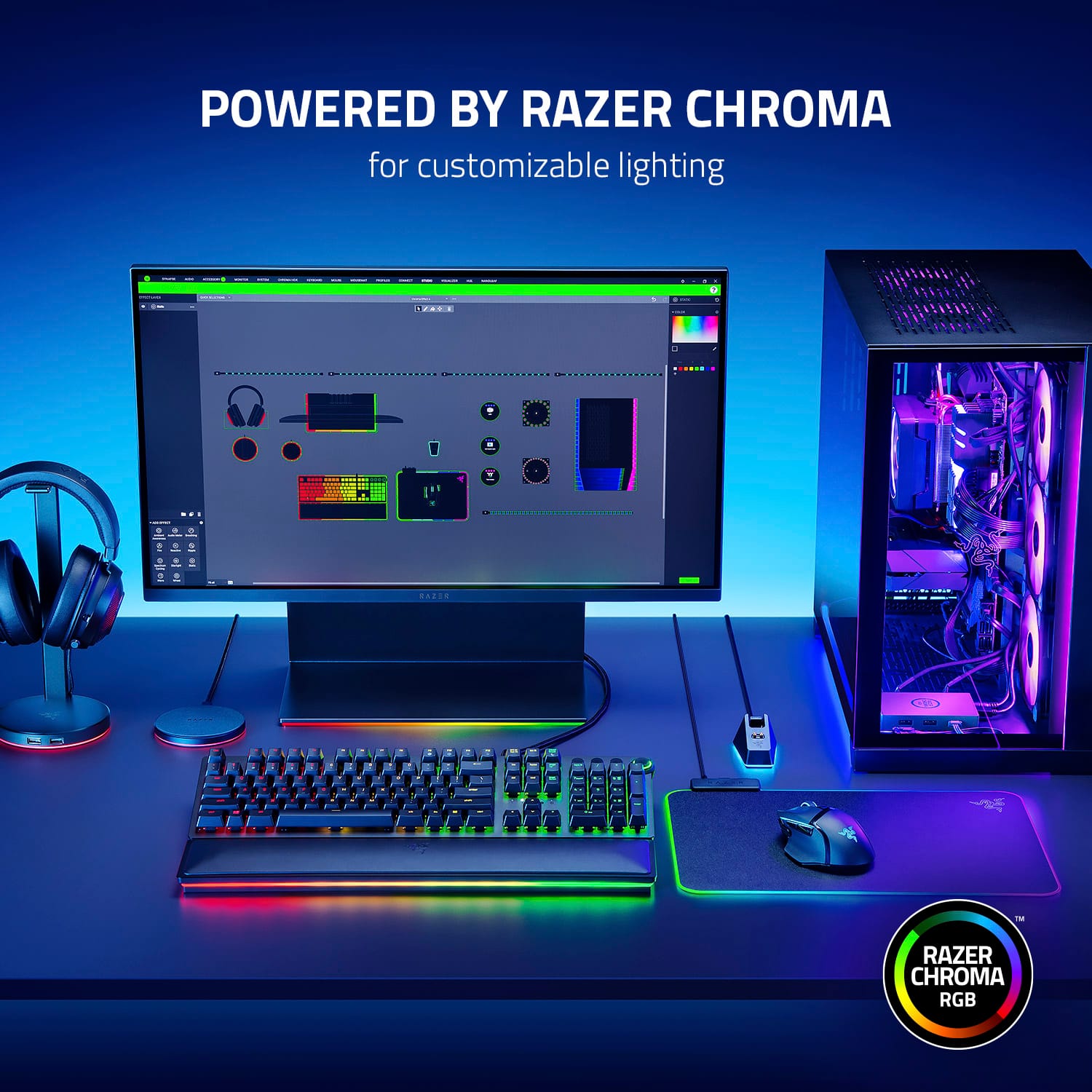
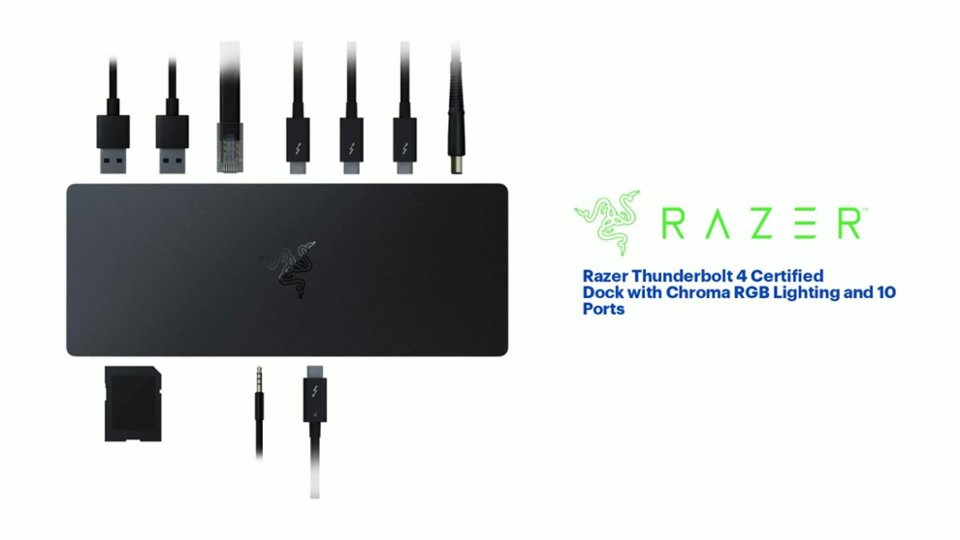
|Posted .This reviewer received promo considerations or sweepstakes entry for writing a review.This Razer thunderbolt 4 hub stands out among other hubs for the unique design and quality it provides. It is built of a solid piece of nice feel aluminum that is powered by a power adaptor. The underglow Razer Chroma lighting is gorgeous. It complements my other Razer products and can be customized via the Razer Synapse software on PC ONLY, not available on Mac OS; however, it still works without the ability to customize the hub via Synapse software. As far as the performance is concerned, I hooked up the hub into my Alienware PC via Thunderbolt 3 upstream port, which is the USB-C located in the front of the hub, and it worked flawlessly; the 4K display works like a breeze. I connected my other peripherals via the USB ports with no issues. Additionally, I use my MacBook Pro M1 for work, so this hub is absolutely a lifesaver since my MacBook Pro has only two thunderbolt ports; with the hub connected to my Macbook Pro, the 4k/120hz monitor worked smoothly via thunderbolt 4 while it keeps my Mac charged with fast charging up to 90 watts all time as thunderbolt 4 provides audio, video and power delivery. Great hub for computers with limited ports but lacks HDMI port as well as DisplayPort. I/O Ports 4 Thunderbolt™ 4 (USB-C) 3 USB-A 3.2 Gen 2 1 Gigabit Ethernet SD Card Reader, UHS-II 3.5 audio jack
I would recommend this to a friend - Pros mentioned:Power, Thunderbolt 4Cons mentioned:Hdmi
Solid dock
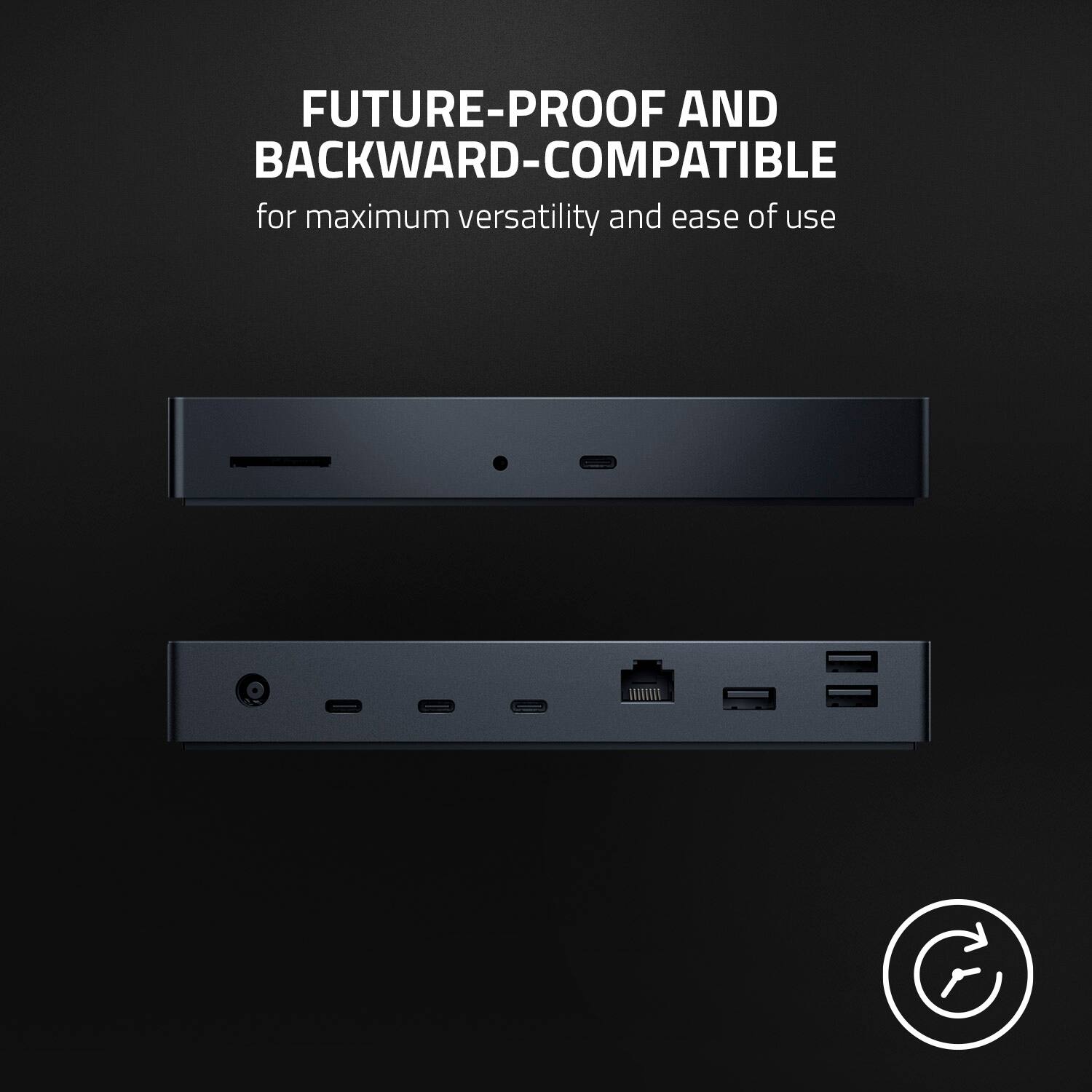
|Posted .This reviewer received promo considerations or sweepstakes entry for writing a review.This is one of the first Thunderbolt4 / USB4 docks. It’s solidly built inside and out, and it works with anything that supports Thunderbolt or USB-C. There can be limitations but those are on the computer it connects with. There is a different Verizon of this same dock, ‘Mercury’ color, or silver. It’s the same without the lights on the base. Consider this version when non-windows computers. At the house we use several computers. To some extent, the dock worked with every single one, with some limitations: - Chromebook with Thunderbolt 4 ports and Intel Iris Xe video: Everything works, connected two DisplayPort 1080p older monitors with DP to USB-C cables. The light bar cannot be controlled from ChromeOS so it light ups with a slowly rotating color effect. There might be a way of controlling the lights from the Linux subsystem on Chromebooks but didn’t try it. - macOS: An older MacBook with Intel graphics from 2017 worked perfectly, except for controlling the lights. There are no drivers needed. I was able to drive two external monitors. Gigabit ethernet and card reader are recognized. The 3.5mm audio connector works and it’s very clever on this dock: It presents itself as USB audio only when connecting earbuds to it. Unplug the cable and the audio device disappears. This is makes it much more convenient. - Current Intel 11th gen. with Nvidia RTX, Windows 11: Upon plugging the dock, Windows automatically runs the Razer installer which prompts to download and install the drivers for the lights: Razer Synapse: Windows would recognize but not drive the DisplayPort monitors but it worked perfectly with a native USB-C monitor connected through the dock. This appears to be a limitation on the laptop as these monitors also did not work when plugged directly into the laptop with an USB-C to DP cable. - Another Windows 11 laptop but with USB-C (Which supports Video but not Thunderbolt). It could drive the USB-C monitor through the dock and everything worked, including the lights on the dock. - Older Windows 10 PC with USB-C (No video): All worked except video, as expected. So the dock is able to seamlessly switch between Thunderbolt 3, Thunderbolt 4 or USB-C mode depending what’s connected to it. It’s able to route video to all three Thunderbolt 4 ports if the host PC supports it. The light bar on the base comes with the black version but not present on the silver (Mercury) color, and Razer only supports it on Windows. Construction is excellent with precisely crafted aluminum enclosure Ports on Front: - Thunderbolt4/USB4 to host. - 3.5mm audio (Only active when cable I plugged). - UHS-II SD Reader Ports on rear: - 3x Thunderbolt4/USB-C ports with DP mode (Video out) (40 Gbps ports). - 3x USB-A 3.2 (20 Gpbs ports). - Ethernet Gigabit - Power port: Barrel connector. Power: The power adapter provides 135W, used to power the dock and connected devices. It provides 90W USB-PD to the host (laptop). It was able to adequately power Windows, Chromebook and macOS laptops. (BIOS settings correctly reports 90W). Lights: The light show up as an USB device. Official drivers exist for Windows only. I tried an unofficial Razer driver on macOS and didn’t work (At least not yet). On Windows, the driver can coordinate all other Razer devices that come with programable lights and also works with smart lights like Hue, LIFX, Twinkly, etc. Nitpicks: Ethernet is Gigabit. I was expecting 2.5G, 5G or 10G Ethernet at this price level. It presents itself as a Realtek NIC and works with every OS. Overall it’s a great dock, with no-nonsense. Consider the Mercury version if not using Windows. It works with Thunderbolt4, older Thunderbolt 3 and plain USB-C. Makes a single connection to the laptop with everything I need.
I would recommend this to a friend - Pros mentioned:Rgb lighting, Thunderbolt 4Cons mentioned:Hdmi
A unique docking option
|Posted .This reviewer received promo considerations or sweepstakes entry for writing a review.For many years, I’ve been running my workstation off of a laptop - namely, a MacBook Pro. A few months ago, I shifted my main computer over to a MacMini. That said, I do still require a docking station in place so that I can utilize all my peripherals and accessories. I was drawn to this docking station by Razer because of its use of Thunderbolt 4 and because of how it uses RGB lighting effects. The dock provides a great option for creating a connection option for a laptop-based workstation. With it, you can connect your laptop to all your peripherals with one cable. One thing that was surprising to me was that there were no display port options (DisplayPort or HDMI). The USB-C ports do transmit video and audio signals, but you will have to acquire a USB-C to HDMI/DisplayPort cable in order to connect to most modern monitors. The dock works with the MacBook Pro out of the box without needing any drivers. That said, there is no Mac software to control the RGB under glow so if you are using a Mac, you won’t have any customization options and the colors will just cycle. The first time I connected the laptop to the dock, I connected it to one of the USB-C ports on the rear of the dock. These ports, I discovered, are all ‘receiver’ ports. That means, that while they can provide power to a connected computer, they aren’t going to recognize that computer as the source machine. The source port is on the front of the dock, which I found strange for cable organization purposes. I would have much rather seen this port on the front be a receive port for easy access. I also connected the dock to a Windows laptop and played around with the Synapse software. It takes a few minutes to get it downloaded and setup, but it immediately recognized the dock. Despite the lack of customization possibilities for Mac computers, the dock is very sturdy as it’s all metal and it works great for connecting USB-A and USB-C/Thunderbolt 4 devices to a single computer base. I do, however, wish the power supply was smaller and that the ports were organized differently. I will be using this Thunderbolt dock mostly with my Gaming PC and because its Thunderbolt 4 I will also plug in my MacBook Pro to get the most usability out of the ports. This is an awesome dock for both PC and Mac.
I would recommend this to a friend - Pros mentioned:Thunderbolt 4
Useful Dock But Not In Love With Razer Software
|Posted .This reviewer received promo considerations or sweepstakes entry for writing a review.If it came right down to it, I'd recommend this dock to someone who needs more ports. The four Thunderbolt 4 ports are great, as are the three USB-A ports. Add in the SD card reader and ethernet port, and you're pretty much good to go for whatever you need. Keep in mind that these are in addition to the ports you already have on your device (minus a USB-C port that this plugs into). I like this for the base functionality. Not necessarily for the RGB customizable lighting. I really don't care too much about that personally, but if I did, I'd be a little upset at the Razer Synapse software that controls it. If you don't mess with the software, the lighting does its own thing. If you want to control it, you go through the software. I found the software to be confusing to use. Maybe it's just me, but I don't like it. Also, I have to plug my laptop into an outlet using its own power cord, instead of using the dock for power. If I only have it connected to the dock, I get a BIOS warning during bootup. Not a big deal, I just plug it into the wall and I'm good to go. I like it for the basics -- the ports. The rest is just meh.
I would recommend this to a friend - Pros mentioned:Rgb lightingCons mentioned:Hdmi
Works great with Macs as well
|Posted .This reviewer received promo considerations or sweepstakes entry for writing a review.If you are a laptop user who has a dedicated work (or game) desk - this is an amazing solution to get everything connected using a single cable. Just plug all your peripherials into the dock and viola - one cable to connect to the laptop, that's it! I've plugged in 2 Monitors (via USB-C to DisplayPort cables), Ethernet network and a few USB devices right in. Dock also has an SD card reader on board which is super handy for Mac Book users. Chroma underglow lighting is a very nice touch but unfortunately there is no Mac driver for it so it just cycles thru the colors. Included power supply is 135W, with 100W available to power/charge your laptop via USB-C and the rest is available for anything you plug in. I did NOT need to install DisplayLink drivers as many docks require, in fact it works with MacBook out of the box. Couple minor things: 1) Underglow is pretty bright, so it's not ideal for bedrooms (if you leave it on). 2) It's kinda weird that Ethernet port is just 1Gbit/s - I hoped it would be at least 2.5Gbit/s or even 5Gbit/s. 3) There are no USB-C ports available on the front of the device, I do like a front facing USB-C port for the wired headset. Overall - nice dock, does what it says it will do, no weird hangs, disconnects or any other issues.
I would recommend this to a friend - Pros mentioned:Charging, Thunderbolt 4Cons mentioned:Hdmi
High quality & versatile Thunderbolt 4 dock
|Posted .This reviewer received promo considerations or sweepstakes entry for writing a review.The Razer Thunderbolt 4 Dock with Chroma RGB Lighting! TLDR: High quality & versatile dock for Thunderbolt 4 devices with Chroma RGB lighting! For connectivity, you get the following ports: - 4x Thunderbolt 4 Type C ports - 3x USB 3.2 Gen 2 Type A ports - 1x Gigabit ethernet port - 1x 3.5mm audio jack - 1x UHS-II SD card reader The dock works as intended on my Dell XPS 13”, Lenovo Yoga 910 14”, MacBook Pro 16 (intel silicon), and Macbook Air M1 (Apple silicon). The dock charges up to 90 watts and is able to fully power up all of my USB C laptops. The only thing i i would’ve wished for in this dock are HDMI 2.1 ports or DisplayPort 1.4 ports, Without it you will need a Type C to HDMI/DisplayPort cable for video out connection to your monitor/TV. Fortunately, i have a few Type C to HDMI cables and was able to connect dual 4k monitors to my connected laptops :) Another thing to note is that the Razer Synapse software is exclusive to PCs (meaning Macs do not have RGB customization options). Overall, i would highly recommend this dock to anyone that is a power user and needs port variety and expansion.
I would recommend this to a friend Great addition for gaming laptop setup
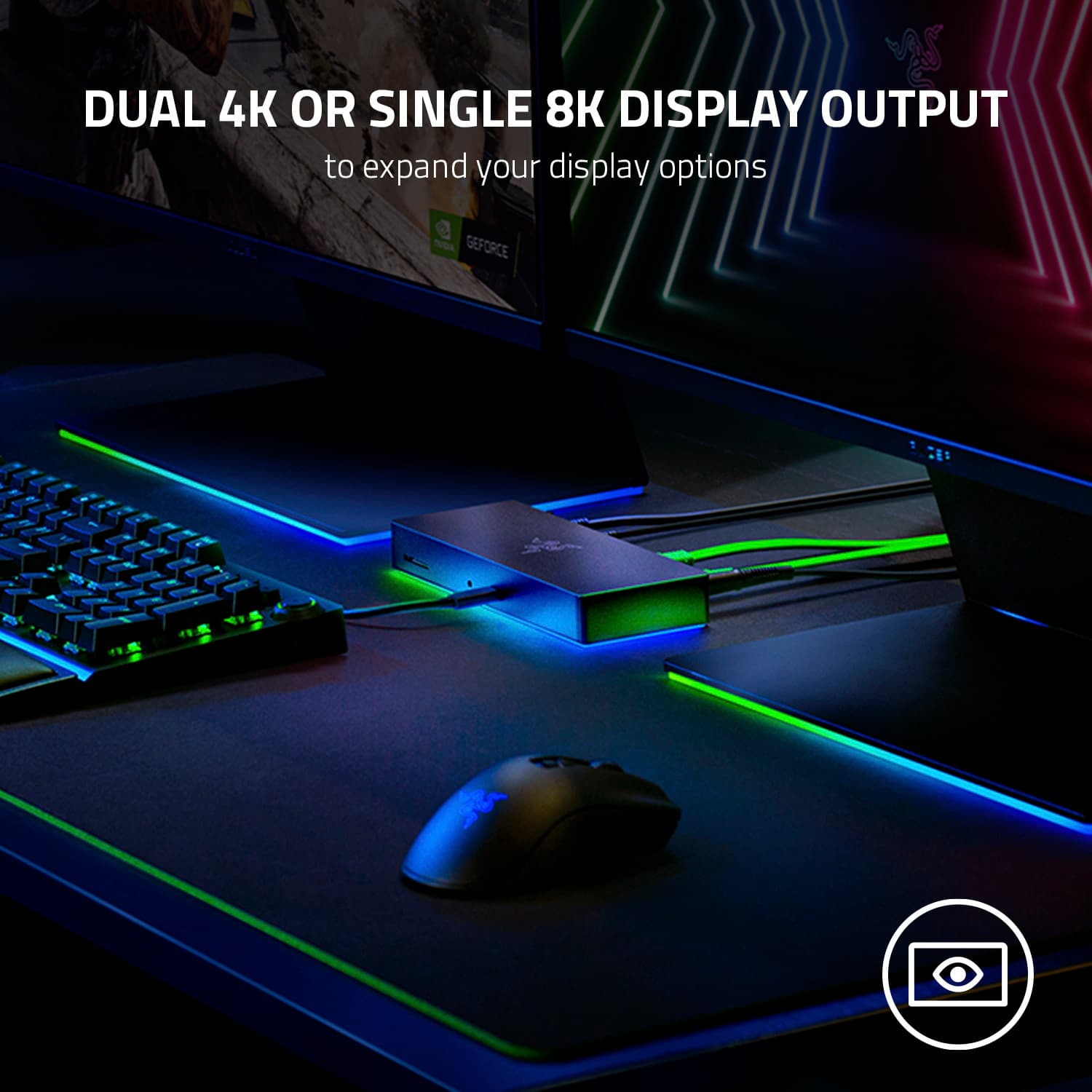
|Posted .This reviewer received promo considerations or sweepstakes entry for writing a review.Razer comes in clutch again for laptop gamers with the new Razer Thunderbolt 4 dock built to add additional ports to your setup including the ability to hook up to two additional 4K 60Hz monitors or one 8K monitor using the four legacy Thunderbolt 4 ports and is also USB4 compliant. There is also a Gigabit Ethernet port in the event you want to hard line your internet connection and your laptop does not have a Ethernet port, a 3.5 mm audio combo jack, UHS-II SD card slot, and three USB-A 3.2 Gen 2 ports. Pretty much everything you need to complete a gamer's dream set-up. If you have older monitors without USB-C video inputs, you will need to purchase USB-C to HDMI adapters separately as the Razer Thunderbolt 4 dock package only includes the power block and one USB-C cable. As an added feature, and because it's a Razer product, they added the Razer Chroma color feature you can sync with your other Razer devices through their Razer Synapse software to control the colors and other features you would expect from them. Overall, this is a great dock for laptop gamers and would recommend it to anyone with high end gaming products to connect pretty much every peripheral you can imagine with today's technology.
I would recommend this to a friend- Pros mentioned:Rgb lighting
Clutter Free and Easy to Use!
|Posted .This reviewer received promo considerations or sweepstakes entry for writing a review.I'm absolutely stoked about the Razer Dock since I got my gaming laptop earlier this year and wires simply drive me crazy! 8 ports and a memory card slot are blowing my mind. I am envisioning all these options on how to highlight the dock's color RGB changing features. Sleek really does describe it and depending on the peripherals you choose to connect you have so many options and dynamic ways of organizing your wires. I was just complaining about every stinking wire from speakers, remote, mouse, keyboard, microphone, and light. It stresses me out to have clutter while I am trying to game. The dock has really put my mind at ease because I can have the dock on my desk top near me or let it rest neatly behind the desk and hidden away. Set up was really easy and if you're like me you'll download the software that lets you truly customize the lighting features and more! I love it and my on downside to this is that the frames did take a hit and it is a small compromise.
I would recommend this to a friend - Pros mentioned:Thunderbolt 4

Design > Functionality
|Posted . Owned for 2 weeks when reviewed.This reviewer received promo considerations or sweepstakes entry for writing a review.[Employee of bestbuy] This dock is beautiful so I was disappointed when I realized its base functionality. Coming with 4 thunderbolt 4 ports seems great at first but I would still need to buy additional adapters to use with the dock. The limited I/O options is not worth the money. Other brands have the same thunderbolt ports as well as usb a, sd, card, ethernet, etc for around the same price if not cheaper.
No, I would not recommend this to a friend - Cons mentioned:Ports
Make sure it's what you want...Really...
||Posted . Owned for less than 1 week when reviewed.This reviewer received promo considerations or sweepstakes entry for writing a review.I gave it a try since honestly i thought it was white, had thunderbolt 4 and "enough" ports. I was wrong. Its more silver than white. I was disappointed in the material they used since the pic looked like it was something else almost glossy white and smooth. Also there is no rgb on the merkury version. And I'm short on ports.
No, I would not recommend this to a friend - Cons mentioned:Hdmi, Price
400 bucks for what?
||Posted . Owned for 2 months when reviewed.This reviewer received promo considerations or sweepstakes entry for writing a review.I took it back because for what it does, it is just too dang expensive, plus the laptop i bought had more ports than i expected. I guess for 400 dollars, id hope for a NIC 2.5 gigabyte ethernet or maybe some lighting, since this mercury edition has none. Considering the difference between thunderbolt 3 and 4 is very minimal, i feel like the cost difference between the 2 docks should reflect that, but it does not. Also its bulky and needs its own power supply yet provides no extra battery for the laptop.
No, I would not recommend this to a friend - Pros mentioned:Rgb lightingCons mentioned:Ports
overpriced for so few ports
||Posted .This reviewer received promo considerations or sweepstakes entry for writing a review.I guess it's good for what it is if you are a big fan of RGB and have a razer ecosystem, then this will fit right in, but if you need a lot of ports, then maybe not
No, I would not recommend this to a friend - Cons mentioned:Hdmi
DOES NOT WORK WITH M1 PRO CONNECTED TO ETHERNET!
Posted .This reviewer received promo considerations or sweepstakes entry for writing a review.I'm so disappointed right now bc i've waited weeks to buy this for my m1 pro mac and the reason i bought it and the computer was to snipe tokens and NFT's and u need to be the fastest to do so!! it worked fine until i plug in the ethernet cable, after 10 min it freezes and stops working! i've spent more time in the last week trying to fix the internet than sniping anything! So mad right now! it's also overheating even when i placed it on a laptop cooler! i'm returning
No, I would not recommend this to a friend - Pros mentioned:Rgb lighting
Great dock but pricy
||Posted . Owned for 3 weeks when reviewed.This reviewer received promo considerations or sweepstakes entry for writing a review.This device is great. Plenty of ports and works without a hitch. The RGB lights jack the price up a bit but worth it in my opinion, as an owner of other Razer products. The only downside is that I wish they would have put on two HDMI ports so I didn't have to buy USB-C to HDMI cables.
I would recommend this to a friend - Pros mentioned:Rgb lighting
Great great great! Love it. Some accessories dont
||Posted . Owned for 2 months when reviewed.This reviewer received promo considerations or sweepstakes entry for writing a review.Amazing dock. Worth the extra dollars. Future proofed and I can confidently use most of my accessories. One accessory that does not seem to work quite yet. the MIDI device does not work. Could he my drivers but will update review later.
I would recommend this to a friend Great Thunderbolt 4 Dock
||Posted . Owned for 3 weeks when reviewed.This reviewer received promo considerations or sweepstakes entry for writing a review.The Dock has been working very well since it has been installed. The only complaint I have is that is does not provide enough power for my Dell XPS 17 Laptop. Unfortunately, the Dock only provides 90W of external charging power and my laptop requires 130W to run at full performance. The external port selections are very good and sufficient for my needs.
I would recommend this to a friend- Cons mentioned:Hdmi, Price
Razer - Thunderbolt
||Posted . Owned for 3 weeks when reviewed.This reviewer received promo considerations or sweepstakes entry for writing a review.This model didn't have RGB lighting, not enough USB ports, and overpriced.
No, I would not recommend this to a friend