Customer Ratings & Reviews



- Model:
- BBY-CPW-2
- SKU:
- 6582739
Rating by feature
- Value
Rating 4.5 out of 5 stars
- Quality
Rating 4.6 out of 5 stars
- Ease of Use
Rating 4.6 out of 5 stars
Customers are saying
Customers value the CPW-2 Wireless CarPlay Adapter for its connectivity, overall performance, and compact size. Users find the setup process to be quick and appreciate the stable connection it provides, as well as the adapter's ability to perform as advertised. The audio quality is also well-received. However, some users have noted that the boot-up time can be a bit slow.
This summary was generated by AI based on customer reviews.
- Pros mentioned:Audio quality, Size

Exactly As Advertised, With Some Minor Quirks
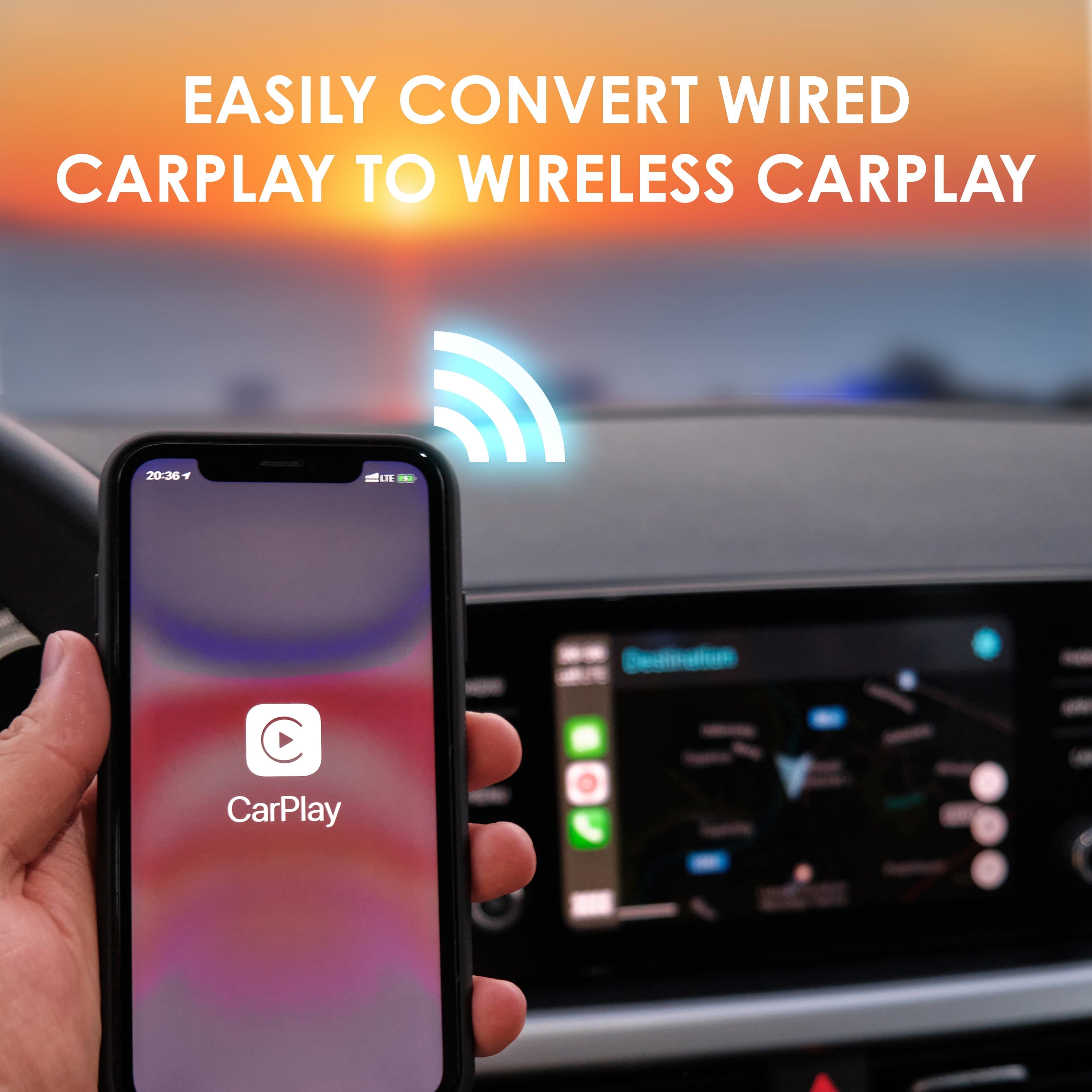
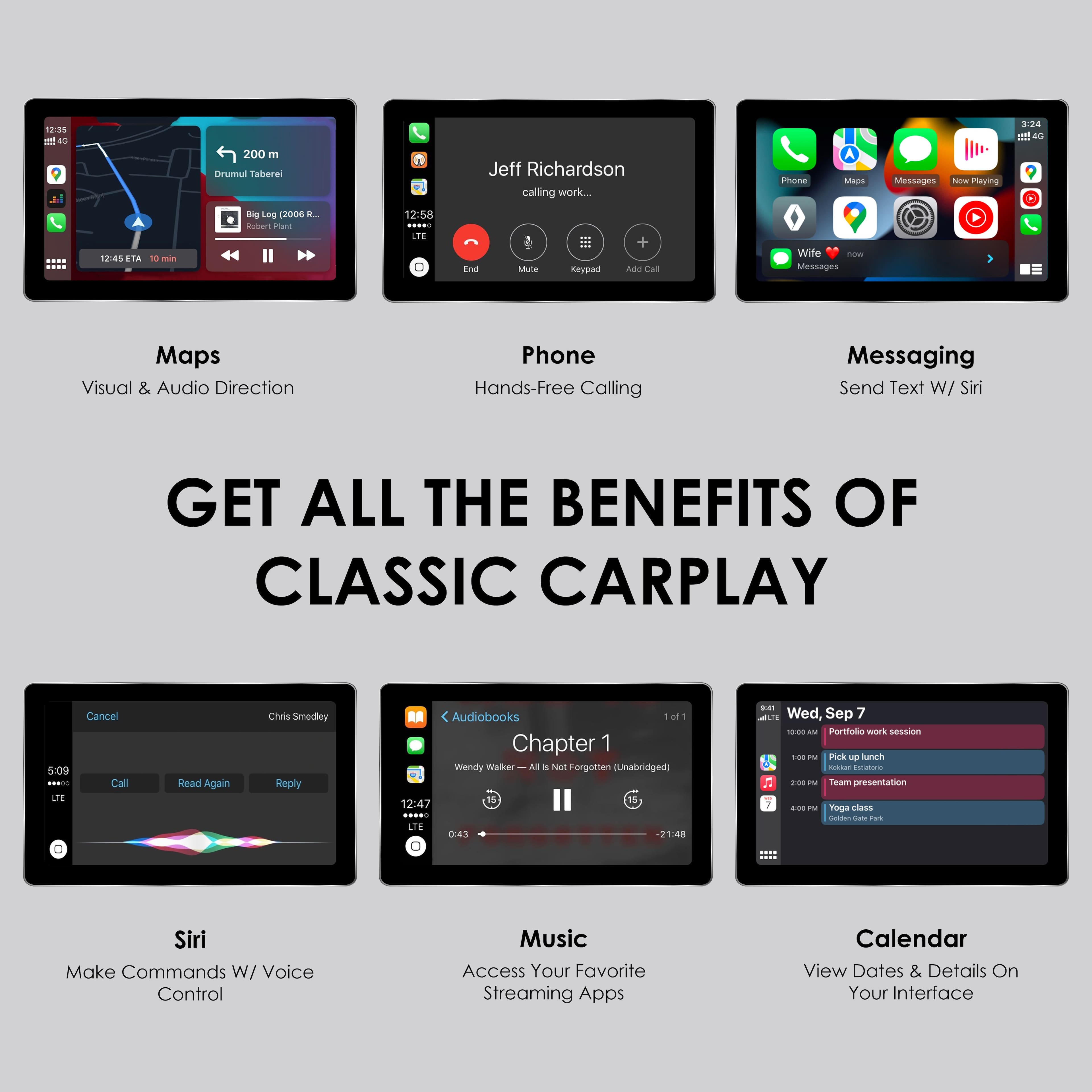
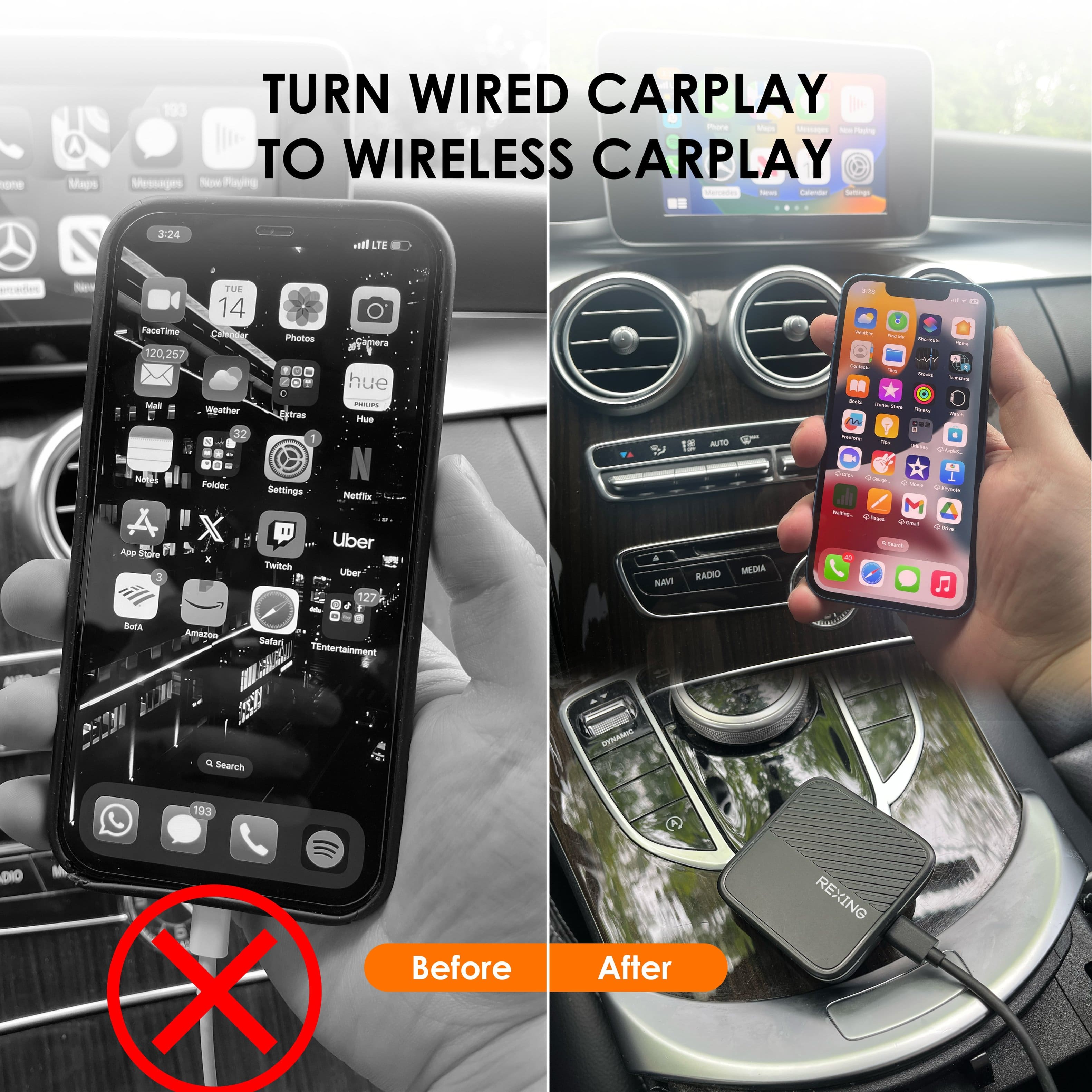
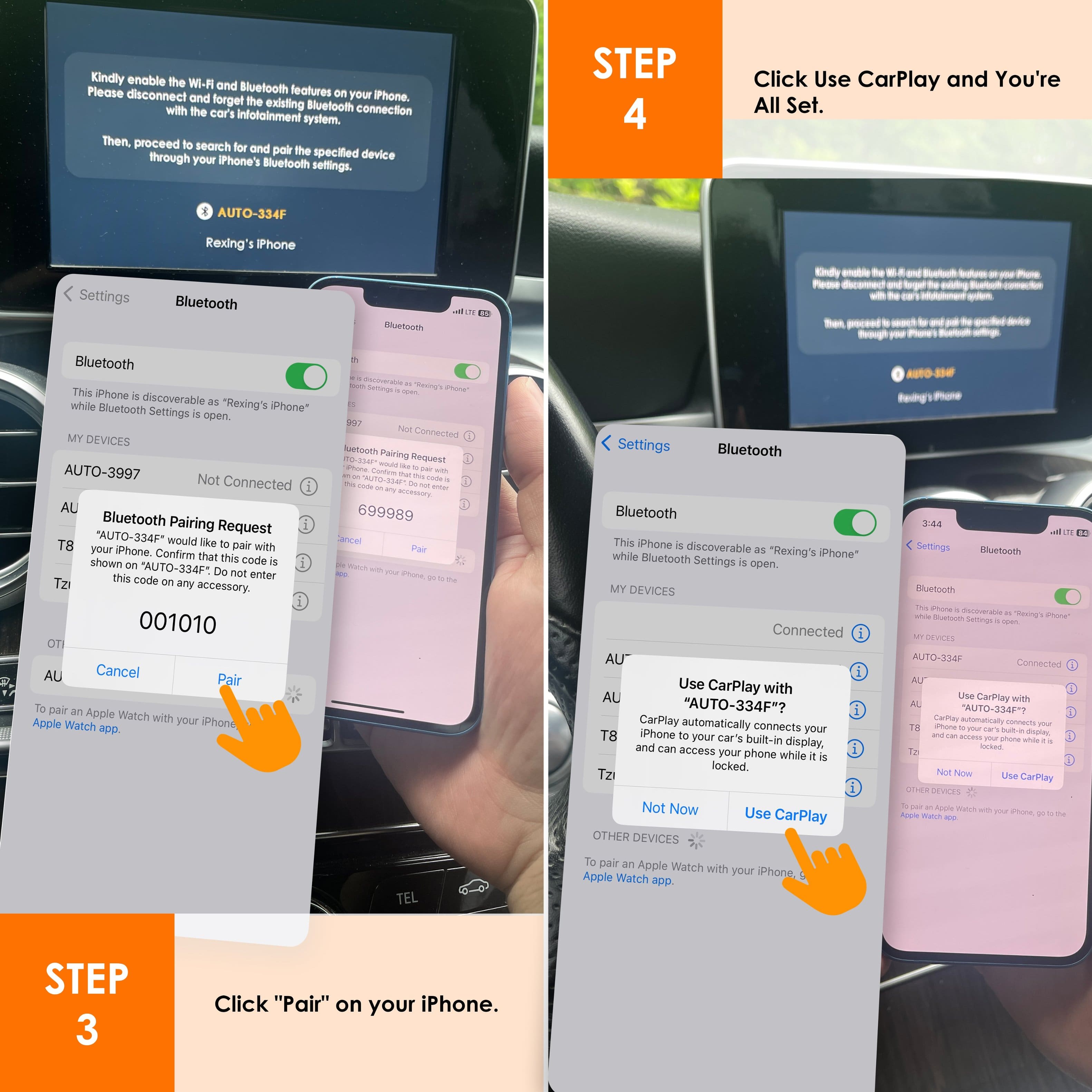
|Posted .This reviewer received promo considerations or sweepstakes entry for writing a review.The Rexing CPW-2 has one job, and does exactly that, takes your wired only Apple CarPlay system and makes it wireless. The process is really very straight forward, you plug the Rexing CPW-2 adapter into the wired CarPlay data port on your vehicle (the one you normally plug into to get wired CarPlay), and the adapter will enter bluetooth pairing mode. You find the bluetooth device on your phone, connect it, enable CarPlay on your vehicle’s display, and you are good to go. The CPW-2 is very small and extremely light, only about 2 square inches and about 1/10 of a pound, in a small plastic package. It fits nicely tucked away in my front console while still leaving room for my phone to wirelessly charge. The adapter comes with two short USB-A to USB-C and USB-C to USB-C cables, for use depending on what type of data port your car has. Once connected via bluetooth, CarPlay works exactly as it does when wired. You have access to all of the same apps, music, Siri functionality, settings, and more. My phone connects to the adapter/car on its own whenever I enter the car, and after a brief loading period, everything connects up just like if it was wired. For audio, everything now plays via bluetooth to the receiver when using CarPlay and audio quality overall is still very good, and I haven’t really noticed much if any degradation in music quality vs wired CarPlay. This all being said, while everything works the same as with wired CarPlay, except now with the added convenience of being wireless (which is a big advantage in my book), there are a few quirks I have noticed in my week with the device, at least with my vehicle (a Volvo C40 EV). First, there is a noticeable delay with this wireless CarPlay when doing things like playing/pausing media, skipping tracks, opening/closing apps, etc. It is fairly minor, about a second only, but it is noticeable coming from a wired CarPlay set-up that I was using previously. Things just feel a bit laggy when interacting with media for example, although navigating the menus and such still feels very responsive and quick. The second thing, related to the first, is that when playing media, there is a noticeable crackle/garble to the sound during the first second or so of media playing, before it sounds normal. Like when a new song starts, the first second will distort slightly and then solidify to sound normal, like the connection isn’t quite formed when new media starts playing. Thirdly, and more significantly impactful when it happens, but much less frequently, I have had issues with the device not reconnecting if I leave the car (with my phone in my pocket), while the car is still on, and then come back. This one isn’t consistent for me, but has happened a couple of times where the car simply wouldn’t start CarPlay again, and in my phone it would constantly be connected and disconnecting from the adapter in bluetooth. The only fix I found was to either completely shut the car off and come back after it reset, or forget the device in bluetooth on my phone and reconnect with it after unplugging/replugging the adapter. I don’t know if this issue is due to my car being an EV and so never really “turns off”, but it has happened a couple of times, and has been annoying, although I have always gotten it to reconnect. It is also inconsistent, as many times it reconnects just fine, so it is an inconsistent issue and overall still rare for me on the whole. By and large, I still do like the device. At the full price of $99.99 it feels a bit expensive for what it is (especially for how light and flimsy it feels), and does have more quirks than I would like for that price, even if they are minor overall. It does work like it should and I do love wireless CarPlay a lot more than needing to plug my phone in every time I get in the car. For me it is worth the value, but I do wish it was a bit more of a seamless experience overall. My partner’s car has native wireless CarPlay for instance, and feels much more like wired CarPlay with no real lag or sound distortion like I have seen using this adapter. Your vehicle type may also differ your experience, but with mine these issues were present. Still, I would recommend this if you have a wired only CarPlay system, as it really does make using CarPlay far more convenient.
I would recommend this to a friendBrand response from RexingUSA
Posted .Thank you for your review and for being a part of the REXING family!

- Pros mentioned:Connectivity, Overall performance
Making CarPlay less annoying
|Posted .This reviewer received promo considerations or sweepstakes entry for writing a review.I'm a long time Apple user and remember when I first had CarPlay available to me in a vehicle. I always thought it was silly, how there would have to be software built in to a car's head unit to make it possible. In hind sight I get it, but it was always something I looked forward to until I had it. And then you get it, and for about 5 seconds you're excited. CarPlay has certainly received massive improvements over the years, but it has always seemed to have a couple of specific annoyances that I couldn't reconcile...like the lack of app availability on CarPlay. Some apps are available, but not all. And look, I get the safety mechanism-- no software/hardware company or auto manufacturer wants you watching Youtube on your ride to work, but still... porting an app to a car's head unit display shouldn't require a ton of developer intervention. Probably my biggest complaint about the original CarPlay (and I say original because this capability exists natively in newer vehicles) was that it required a wired connection. I'm a bit of a nerd when it comes to how I mount my phone in my car, and there's just not a particularly good solution for mounting with bottom-facing charging ports. I'm sure some reading this interview will disagree, but it always annoyed me. There are so many cool wireless charger adapters available for your phone... but those tie up a power outlet, and you don't want to be feeding two power sources into your phone. Wired CarPlay is just problematic, and it has been from the start. Normally, when I write a review on a "uni-tasker" product like the Rexing CPW-2, I make some cheeky comment about what it would be like to write a review on a lamp. Lamps have effectively one job, as does the CPW-2. And it performs. No issues, no hiccups, no problems. Plug in the device, wait to pair, and you're off to the races. The CPW-2 also comes with a couple of different USB cables: one A-to-C for the schlubs out there like me who only have USB-A ports in their car, and one C-to-C for the more sophisticated types. I appreciate also that the device itself is USB-C connected. It's hard to complain about a lamp that does its job of lighting up a room. Maybe you don't like the lampshade, or the cord is that weird 70's translucent color that no one likes. But all of those things are just nitpicking. Along those lines, I would suggest two minor adjustments to the CPW-2. First: provide a couple of right-angled USB-C cables along with the rest of the package. The cost for these cables is basically nothing in the grand scheme of things, and could make a huge difference for someone wanting to really hide the device in their vehicle. Second: include some decent adhesive strips for those same nerds like me who want this thing out of sight and out of mind. Not the cheap adhesive, though. Pay the extra nickel for the good stuff. Joking aside, I love this thing. It works and does so flawlessly. It's $100, which isn't nothing, but I think it's totally acceptable considering it can move from vehicle to vehicle with you. And, if you rent a car, or are driving your spouse's for a day, you can bring this along and not have to worry about pairing your phone to multiple vehicles. Pretty nice. So if you're like me, and you don't like wired CarPlay, this is a wonderful solution.
I would recommend this to a friendBrand response from RexingUSA
Posted .Thank you for your review and for being a REXING customer!
- Pros mentioned:Connectivity, Size
An All-around Good Solution
|Posted .This reviewer received promo considerations or sweepstakes entry for writing a review.The unit was well-packaged with protective filler pieces. I was impressed that the unit itself is quite small (about 2" square by just over ½" tall). At the time of this writing, the specifications on Best Buy’s website gives the dimensions as 3.375" x 2". I think the 3.375" is one dimension of the box it comes in. There are two cables included: they are both USB-C at one end (for the unit). One cable has USB-A at the other; the other cable has USB-C at both ends. This means that whichever your vehicle uses, you’re set. The length of the cables is only a little over a foot long, so hopefully, you’ll have a space close by to keep the unit, unless you have a longer cable you would like to use. Of course, you won’t need access to the device once it is set up, so it could even be kept somewhere inside the dash. I remember when every electronic device had unique cable connectors, even different model cell phones from the same manufacturer. Isn’t it great that almost all electronic devices these days use standardized cables? The User Manual is thorough, and doesn’t assume that you know everything about CarPlay, and would probably be adequate for a newbie. While the User Manual is quite good, the microscopic text is annoying. With the white space on the pages, there was definitely room for larger text. My phone connects quickly and automatically, which is a strong requirement for me. If it takes too long, or I have to go through more than a couple steps just to get going, that becomes a deal-breaker. I was not terribly happy with the unit turning off WiFi. I can’t figure out why that would make a difference. If you want to connect your phone to your car using the wired method, you have to disconnect from the CWP-2 either specifically (the Bluetooth device listed) or by turning Bluetooth off entirely. I would rather not do either, but at least using the Bluetooth standard, it’s not difficult or complex. Of course, you can also just unplug the CWP-2 unit itself, if that’s more convenient. I was surprised at first that my previous (wired) CarPlay settings appeared to be lost, but I realized that this is a different setup. The wired settings were still there, and from CarPlay’s perspective, it represents a different vehicle. Since I wanted it exactly the same, I took screenshots of my wired configuration and set up the new (wireless) the same. It might be a good idea to change the wallpaper to be different from the wired configuration, just as a quick indicator way to see which configuration is in use.
I would recommend this to a friend - Pros mentioned:Connectivity, Size
Definitely Works But Limited Purpose
|Posted .This reviewer received promo considerations or sweepstakes entry for writing a review.This little device does exactly what it says it will do and it does it very well. In fact, it connects to my CarPlay faster than my phone does with a direct connection. I drive a 2018 Nissan Rogue with built-in CarPlay and use it every day I go to work. I use Waze or Google Maps, Audible, and the hands free calling/texting functionality religiously. This adapter is pretty small so it fits right under the radio better than my phone. The supplied cable is also short enough to not be cumbersome. Setup was a breeze. When you plug it in, it displays instructions on the screen to tell you exactly what to do. I connected via Bluetooth following those directions and it hooked up without further requirements. And every time I get into the car it reconnects without fail so far. My car initializes the internal stereo connection when I open the door so the adapter gets power and is able to connect before I turn the car on. With the phone directly connected, I had to wait for the system to fully boot before connecting or there was a 50/50 change of it failing. This adapter hasn't failed yet. In fact, I've had an Audiobook going (if you listen to them you now you have to adjust the volume to a ridiculous level to hear them), turned off the car without adjusting the volume down, came back and the book played as soon as I started the car without blowing my eardrums with the radio. It sounds small, but it's a great little feature. Functionality wise, I have no complaints about the adapter at all. However, I think it depends on your vehicle setup. My car only has 1 USB adapter so if I have this plugged in I cannot charge my phone. Which means for long drives I have to unplug the adapter and just go straight to the phone. My wife's car (2021 Honda CRV) has multiple USB adapters and a wireless charger for the phones which helps a lot. Our previous Pilot had a USB adapter in the central console area and several outside of it as well as wireless charging. That would be the optimal configuration for this device. It could sit in the console and you'd connect without having to worry about. Nice and out of the way, but with all the CarPlay convenience. But you can't fault the adapter for that. What I would like to see to give this thing 5 stars would be a magnetic wireless charging ability on the top of the adapter. I could leave it installed, but when I needed to charge my phone I would just put it on the adapter instead of physically removing one for the other. I suggest before investing in this to consider the configuration of your vehicle and see if you're gaining anything by going wireless. If so, this adapter works perfectly and I have 0 negatives to relate. But the simple convenience of wireless has limited purposes for longer drives.
I would recommend this to a friend Disappointed
||Posted . Owned for 2 months when reviewed.This reviewer received promo considerations or sweepstakes entry for writing a review.Worked for about a week, now will not stay connected.
No, I would not recommend this to a friendBrand response from RexingUSA
Posted .Hello,
I'm sorry to hear that you're experiencing this. Please reach out to our customer service department for further assistance:
Email: care@rexingusa.com
Phone: (877) 740-8004
Hours: Monday – Friday, 9:30 am – 5:00 pm EST
- Pros mentioned:ConnectivityCons mentioned:Boot-up time
Makes life easier, decent connection
|Posted .This reviewer received promo considerations or sweepstakes entry for writing a review.Having Apple CarPlay in your vehicle is a great feature to have these days, but some cars don’t allow for wireless CarPlay. This means that you would need a usb, or USB c cable to plug your phone up each and every time you exit, or enter the car. This can be a hassle, but you get used to it after a while. The Rexing CPW-2 Wireless CarPlay Adapter for iPhone gas eliminated the hassle, and allows you to be able to have your phone free of unnecessary cords, but still get wireless CarPlay features. In the box everything you will need to get started, including an easy way to get your warranty setup. The instructions are clear and simple enough, and I will admit it took about 5-8 minutes to get setup. I’ve learned for my car after using the included usb, and usb c cords, that the usb c allows for a much better connection, and less delay in playback. Cons: Depending on how your vehicle is setup, and the fact that it takes away a usb c port, you may need to unplug, or switch cables in order to charge your phone I have noticed a slight delay in playback for music etc You have to disconnect your WiFi in order for it to work as it should If you’re close enough in range, it will automatically switch a call to your car, or play music unknowingly Startup can be a bit delayed as well. Overall, it’s a great way to have wireless CarPlay in your vehicle if you don’t have the option, but minor inconveniences.
I would recommend this to a friend - Pros mentioned:Audio quality, Connectivity
Much improved design
|Posted .This reviewer received promo considerations or sweepstakes entry for writing a review.So far so good. I have been using the Rexing CPW-1 model for the past year or so. It did work but many times I had to unplug the unit and reconnect. These are somewhat vehicle specific only because as I have learned the quality of your factory radio can also influence the connection accuracy and disconnects. There isn't anything Rexing can do there. I have been using the new Rexing CPW-2 for about a week now. This one so far seems to be a big improvement in my Ford Maverick. I haven't had any disconnects. I'm sure they upgraded the internal hardware on this and it matches up much better with my vehicle. The cables needed are included and the setup is the same as pairing any other bluetooth device. The Carplay experience otherwise is exactly the same as wired. I haven't seen any audio quality differences and no noticeable lag or other issues. It also allows me to use my wireless Magsafe charger for charging which is much faster than a cable. It's a convenience item that is worth buying.
I would recommend this to a friend Perfect for any car!
Posted .This reviewer received promo considerations or sweepstakes entry for writing a review.This product is great! We already have one for my wife's car and it works perfectly. I just ordered one for my car as well. Overall great compatibility and ease of setup. Highly recommend.
I would recommend this to a friend- Pros mentioned:Audio quality, Connectivity
Great product from a great brand
Posted .This reviewer received promo considerations or sweepstakes entry for writing a review.I recently got the Rexing CPW-2 Wireless CarPlay Adapter for my iphone and it’s awesome! I’ve purchased Rexing products before and have been very happy with the quality and customer service. I was tired of having my phone cable connected to access CatPlay, and my other car has wireless, so I figured I’d give this a try and I’m glad I did! Setting it up takes less than a minute - just plug it into the USB port, connect via Bluetooth and it’s good to go! The wireless connection is solid, and lets me use my apps, navigation, and music without any cables getting in the way. It looks and feels well made and fits nicely in my car. The interface is super easy to use and makes driving a lot more convenient and safer. Definitely recommend!
I would recommend this to a friend - Pros mentioned:Connectivity
Rexing Does What Kian't?
|Posted .This reviewer received promo considerations or sweepstakes entry for writing a review.I drive a Kia EV6. It supports wired CarPlay from a specific USB type A port that is somewhat awkwardly located. There is also a very convenient wireless charging pad that really makes the USB port location seem all the more inconvenient. As far as I'm concerned, the cabin design team must have expected that wireless CarPlay would be supported, and the electronics team just didn't get the memo! Sure, you can use a longer cable (and get faster charging to boot), and yes, wired CarPlay probably is more reliable… but I've missed the convenience of an automatic, wireless connection more than once. That's where Rexing comes in with the CPW-2 Wireless CarPlay Adapter. I'm pleased to say that it works just about as well as I could expect. My phone now connects automatically and wirelessly, and the experience is virtually indistinguishable from the wired CarPlay support built into the car. (There is perhaps some additional latency with some actions, like pausing/playing music, but it's certainly tolerable for me.) It "just works," and that's about the highest praise I think I can give this device. When you first plug it in, your car should detect it as a wired CarPlay device. A simple Bluetooth pairing screen should then be projected by the CPW-2 to your car's display. You pair up your phone with the device named on that screen, and soon you'll see the normal CarPlay interface take over. When re-entering the vehicle to drive, your iPhone should automatically connect again. (Occasionally there's a bit of a delay, but unlocking my phone typically seems to be enough to prompt it to reestablish the Bluetooth connection right away.) I did notice two issues with my CPW-2. First, while pairing to my phone, iOS instructs me to verify a code that it presents is the same as what is shown on my Bluetooth device. However, no code is shown by the CPW-2 (even though it clearly is capable of drawing the interface it is projecting to my car's infotainment display). I just assumed the code was correct and completed the pairing anyway. The second issue is that when connecting the CPW-2 with the included USB type-A-to-C cable, my car would not automatically recognize the adapter as connected when it restarted, and I would need to unplug the cable and plug it back in to trigger the connection. However, when I used the existing USB cable that I had been using for wired CarPlay, it began to reliably see the CarPlay device every time. I tested the included cable with a USB cable testing device I have, and it appeared to be a fully functional USB 2.0-capable cable, so I have no idea why it was not reliable in practice. It'd be nice if Rexing could include a better cable, but in the meantime beware that you might need to use your own cable to improve connection reliability. I didn't feel either issue was a major problem. I'm still very happy with the convenience and reliability (once I swapped the cable). I have no reservation in recommending this if you're also looking to add wireless CarPlay to a vehicle with only wired CarPlay. In fact, I might purchase another one for my wife's vehicle.
I would recommend this to a friend Great adapter
|Posted .This reviewer received promo considerations or sweepstakes entry for writing a review.Word of warning – make sure your car is compatible, most are however a few vehicle models are not. Google search should let you know if it is. I tested this in a Honda CRV, Honda Ridgeline, and Hyundai Veloster, and in all cases, I substituted for an already installed wireless CarPlay adapter – overall I'm really impressed with this adapter – it works as good or in some cases even better than the others I have (which are some of the top reviewed items) Setup – this is about as easy as it gets. You simply plug the provided USB cord into the same place you would your phone for Apple CarPlay. Then follow the on-screen instructions to pair your phone to the device. From then on it will auto-connect when you start the audio system (as long as the adapter is plugged in). And this one did that without fail during my review period. Functionality – really impressed with the functionality of this system. The 3 main things that I look for are as follows: 1. Boot-up time – On this system the time is very fast – actually faster than the current systems I have which according to other reviews are some of the fastest on the market. 2. Apps function – For the apps I use on my system I found no functional issues – even with Google Maps – others I have tried seem to struggle with Google Maps however no issues with it freezing for jumping on the Rexing adapter. 3. System lag – I did notice a tiny bit of lag in Google Maps and Siri txt functions however based on others that I use regularly it was no worse and for the most part better. Misc things – I did do a firmware update and had no issues with the process or the update – they do state that if your system is functional do not update, Now the one thing that does bother me a bit and it is minor – the placement of the power on light – it is beside the USB connector – so if you place this in one of those storage pockets in the vehicle the light will almost always be facing out base on the short cord length and be a bit distracting for night driving. Especially if the light colors in your car are something other than blue. Again a very minor issue and easily fixed with a longer cord or pieces of tape 😊. Overall I would give this a 5-star rating and it probably has changed what adapter I will buy in the future.
- Cons mentioned:Boot-up time
Mostly Solid Option for Wireless CarPlay
|Posted .This reviewer received promo considerations or sweepstakes entry for writing a review.Apple CarPlay is a great way to always have the latest and greatest maps and audio entertainment (and teleconferencing...and...) capabilities available through the built-in infotainment system in your car (aka, the car stereo). But many cars still require connecting a wire (often USB-A, so slow speed charging even) from the phone to the car to get CarPlay to work. Not only is this a hassle, but the slow charging speed can also be troublesome. This Rexing adapter solves that problem. It's basically a small adapter box that you connect (via a USB-A or C cable, included) to your car and then it allows CarPlay to work wirelessly from the phone to the box and on (through the wire) to the car. Brilliant! And it MOSTLY works as advertised. I'll explain a bit more - for background purposes, I'm comparing using this box with an iPhone 15 Pro in a Subaru equipped with wired CarPlay vs using the direct wire AND vs using the same phone with CarPlay with NATIVE wireless in a BMW. Once you're set up and going for a drive, it's terrific - the CarPlay works wirelessly just like it would through a wire and there's no additional noticeable lag in controls or playback. All the functions work just as they would with a wire connected. However, as the Subaru - like most cars - cuts power to the USB ports when it's off, the box takes in some cases 30 seconds to a minute or more to boot up when you start the engine. That means no CarPlay for that time - and when it DOES boot up, it switches whatever you had on the infotainment center (say you were using the built-in nav or radio) to CarPlay as the car sees it as "just connected." The connection via a wire is near instant as is the wireless CarPlay in the BMW (natively integrated into the car) so the box is the variable. There are also times that I would be asked multiple times to confirm the connection, even after checking "every time" which doesn't happen with the wired or native wireless connection. So, all that said, this is still a solid option for Wireless CarPlay if your car doesn't support it natively. On short drives the boot time can be annoying, but on longer drives/morning commutes, it's a great companion that allows you to keep your phone in your pocket/purse while connected to CarPlay on cars that don't have a native wireless option. So if you don't mind the boot times and sometime pop up, give this a try today!
I would recommend this to a friend - Pros mentioned:Connectivity
mostly fantastic user experience
|Posted .This reviewer received promo considerations or sweepstakes entry for writing a review.I have a 2023 Kia Sportage and for some reason that I can’t understand in this day and age, the connection to apple carplay is only wired. Even worse its only thru the slower charging USB-A connection. I’ve been looking for a option to go wireless, or for Kia to make a software update to allow a wireless connection. While searching, I came across a wireless carplay adapter made by Rexing and decided to give it a try. The adapter itself is rather small and comes with wires to connect to USB-A & USB-C systems. Once you choose the correct wire for your setup, you are ready to get this connected for use. Setting the initial connection took me a little while. First, you have to forget the previous Bluetooth connection to your car. After that, you can plug in the adapter. Once you get a flashing blue light, you are ready to go back into your phone’s settings, find the Rexing adapter in your Bluetooth option, & pair the devices. Once you’re paired, your car screen should switch to the carplay view. While the initial setup / connection takes a little bit, once the connection is established, future connections take about 5 secs and carplay will be active on the screen. It’s amazing to not have to use a wired connection. You can keep your phone in your pocket or in your bag and still connect without things about it or in my case, you can use the faster charging option if your battery is running low. The adapter is game changing to me, but its not without its faults. While it appears that Rexing’s device can support more than one device, it can only prioritize one device and it does not automatically look for a second phone if the priority phone is not present. It’s just inconvenient to have to go into settings to make the connection, hopefully that’s something that can be updated thru a firmware update. If you’re looking to turn your wired apple carplay vehicle into a much more user friendly wireless connection, you can’t go wrong with the Rexing wireless carplay adapter. Initial setup takes a moment, but once connected, you’ll just have to get in your car and you’ll be connected before you know it. It’s fantastic for one user, but not perfect for multiple users as you’ll have to manually connect the non-priority device (priority device is always the last device to connect to the adapter).
I would recommend this to a friend - Pros mentioned:Connectivity
Fills a gap of functionality
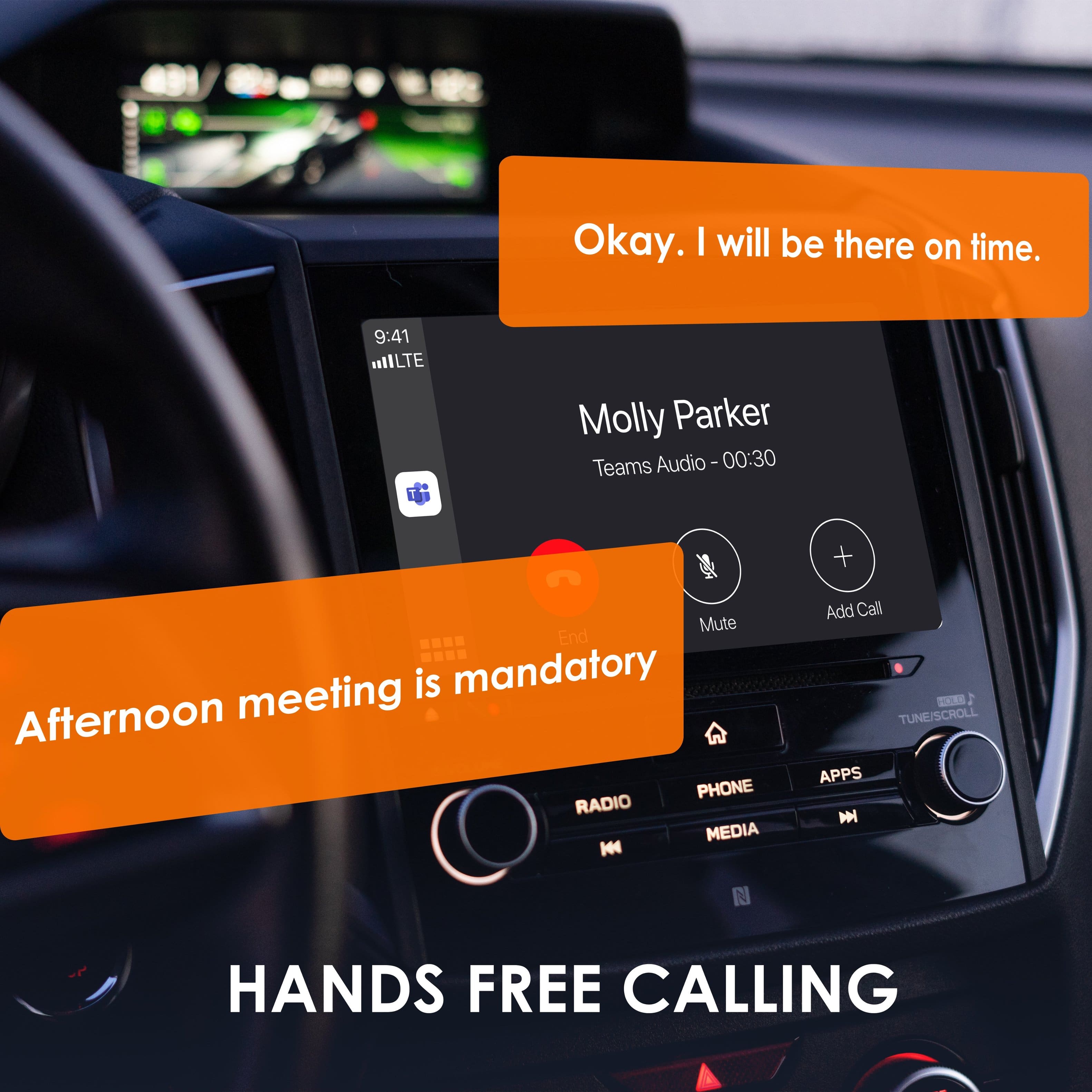
|Posted .This reviewer received promo considerations or sweepstakes entry for writing a review.I've tried other wireless CarPlay adapters with limited success with connectivity and clarity. The Rexing CPW-2 wireless CarPlay adapter works like a champ. Setup was extremely easy. A CarPlay wired USB port in your vehicle is required to link to your player. When you plug the CPW-2 into a USB port you get clear instructions on the car player screen. The instructions are very simple. You enable Bluetooth on your iPhone if it isn't already on. The onscreen instructions tell you what to look for to pair the adapter with your phone. A few touches on your iPhone enabling connectivity and pairing and you are ready to rock. The CarPlay screen comes up immediately on your car radio display. Scrolling side to side with swipes on the car display are really smooth with no noticeable delay in screen refresh. I tapped on Youtube Music and my home screen popped up with no delay or at least as quick as the phone connectivity to service allows. Since the adapter is a bridge between your iPhone and your car's CarPlay everything is seamless. I have another vehicle that has wireless CarPlay capability and the performance between the two is identical as far as I can tell. I went into Apple Music with same great results. I jumped into Waze and the map came up quickly and destination selection was as easy as if you did it directly on your phone. I tried a couple of calls using the voice command button on my steering wheel and commands were accurately received with the desired results. Calls were made and were clear with no issues. Again, the Rexing CPW-2 wireless adapter is a bridge between your iPhone and your car's CarPlay system so everything works as if the phone was in wired mode. All in all I can say this adds a level of convenience while traveling. Now I just need to get a wireless charger for the iPhone or I'll still need to plug in on longer trips to keep it charged. The CPW-2 does a great job adding some short trip convenience.
I would recommend this to a friend - Cons mentioned:Boot-up time
Pleasantly Surprised
|Posted .This reviewer received promo considerations or sweepstakes entry for writing a review.I didn't expect to like this as much as I ended up liking it. I thought it was no big deal just plugging my iPhone in every time I got in the car. But to be honest, the convenience of being able to leave my phone in my pocket, start my car, and have the song I was last listening to pop up right where I left off is pretty nice. I do wish there were some sort of adhesive so I could attach/detach from the side of my center console. The best option for that may be to get a longer usb c cable and leave the adapter in the glove compartment. The only other downside is how long it takes for it to boot up, but in reality is only about 1 - 2 minutes. Bottom line is that the Rexing CPW-2 Wireless CarPlay Adapter for iPhone - Black is worth its weight in gold (its very light) and it nice convenience for those of us who buy the base models of cars (Civic) with only wired CarPlay available. I would definitely recommend it if you're looking to increase the conveniences in your life up just a notch.
I would recommend this to a friend - Pros mentioned:Connectivity
Plug, play, and go (It’s awesome)
|Posted .This reviewer received promo considerations or sweepstakes entry for writing a review.This is just one of those have-to-get accessories if you have a CarPlay enabled car that only works with a wired connection. This provides plug-and-play wireless CarPlay functionality that was incredibly easy to set up and it’s a game-changer vs having to plug your phone into your car. I have a Subaru Outback that has wired CarPlay and it’s been great but I had to take my phone out of my pocket to plug it in to use navigation or other CarPlay functions. A 1st-world problem, I know, but still was a minor inconvenience. Going from that to just hopping into my car, starting it up, and having CarPlay automatically connect with my phone is quite the difference and it’s just much more convenient. Setup is a piece of cake where all you do is plug in the adapter to your car’s USB port (it comes with both USB-C to USB-C as well as USB-C to USB-A cables), go to your phone and pair it via bluetooth to the adapter, allow the adapter to access CarPlay, and that’s it. Now, every time I hop in my car CarPlay just automatically connects to my phone. It’s awesome. This is just one of those incredibly simple products that provides a lot of convenience and its well worth the price.
I would recommend this to a friend - Pros mentioned:Audio quality, Overall performance
So far loving it!
Posted .This reviewer received promo considerations or sweepstakes entry for writing a review.Using it in a 2021 Ram 1500 and im truly loving it! It was recommended by some friends and honestly do not regret the purchase. There is basically no lag that I’ve seen, sound quality is just as good as factory wireless and wired carplay.
I would recommend this to a friend So far so good
Posted .This reviewer received promo considerations or sweepstakes entry for writing a review.Overall I like this carplay adapter pretty well, my only issues thus far are that theres not a power or reset button on it, so when my phone messes up I have to unplug the adapter from my car to reset it, sometiems the screen goes black, and there is a delay between when I press the button in my car to change the song and when it finally changes.
I would recommend this to a friendConvenience is key
Posted .This reviewer received promo considerations or sweepstakes entry for writing a review.I pictured this being bigger from the online pics. Only about 2 inches square. I have a 2019 car that has apple play but have to do the cable switch for maps and stuff. This makes it easier and better to not have to deal with the back and forth cabling. Does a good job and works fairly seamlessly. I've used it for a short time but enough that I like it.
I would recommend this to a friendNice when it works, but not reliable.
|Posted .This reviewer received promo considerations or sweepstakes entry for writing a review.I have wireless CarPlay in my current vehicle and it works seamlessly. I have been on the lookout for a solution that allows my wife to enjoy wireless CarPlay features in her car (she has CarPlay, but not wireless; she must physically plug her phone into the car for CarPlay to work). We have tried a few different wireless solutions before, but none of them worked very well. Unfortunately, this unit is not much different. When it works, it is great, but its reliability is too sporadic, especially for my wife (who is not very tech savvy). To begin, the setup process was a little finicky. At first, the bluetooth on my phone did not see the adapter. This was fixed by unplugging the adapter and plugging it back in. Success! I then received an odd message on my car's screen about CarPlay and incompatibility or something like that. This particular message lasted for maybe 30 seconds and seemed to resolve itself. We were up and running wirelessly using this adapter. My wife could send and receive phone calls, stream her music, and use her navigation. All appeared well. The next time my wife started her car the next day, however, everything seemed to connect automatically, but there was no audio. We tried to make a phone call, which worked. After she hung up, the audio through CarPlay was then working just fine. Weird. Unfortunately, since that time, reliability continued to be a problem. When making calls, there have been audio problems and the adapter does not always work (and my wife does not have the patience nor the wherewithal to troubleshoot). Ultimately, my wife pulled out the adapter and went back to physically plugging her phone in to her car because that is 100% reliable and works every time without any problems, unless this wireless solution. Again, when it works, it works well. Unfortunately, it does not always work.
No, I would not recommend this to a friendBrand response from RexingUSA
Posted .Thank you for your detailed feedback. We're sorry to hear about the challenges you and your wife have faced with our wireless CarPlay adapter. We understand how important a reliable connection is, especially for someone who may not be as tech-savvy.
It’s great to know that when it works, the adapter enhances your experience. However, we recognize the frustration with intermittent connectivity and audio issues. Your notes about the initial setup and the subsequent connection problems are valuable, and we’ll use them to improve our product.
We appreciate your patience and hope to provide a more seamless experience in the future. Thank you for giving our product a try!