Customer Ratings & Reviews
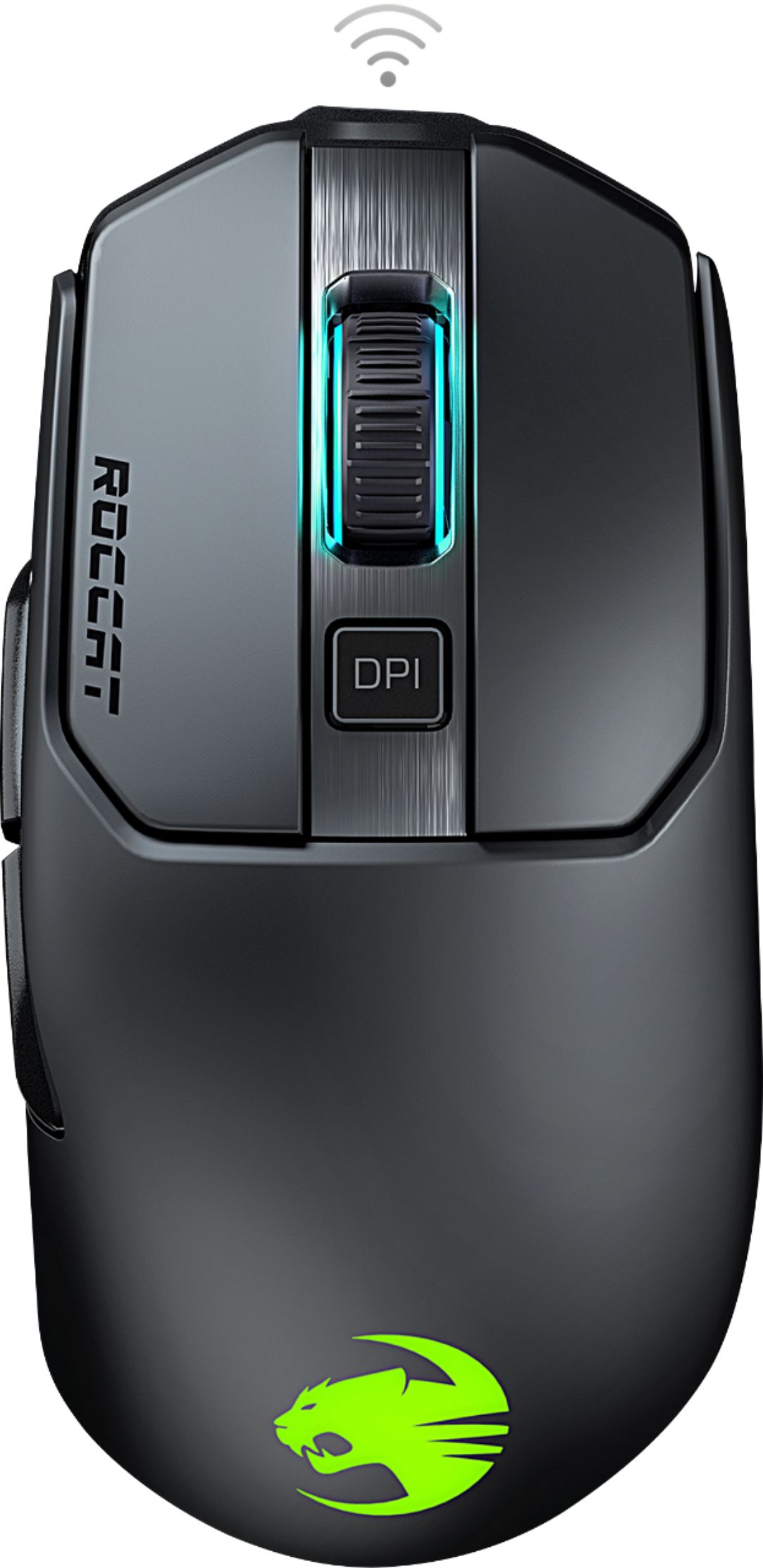
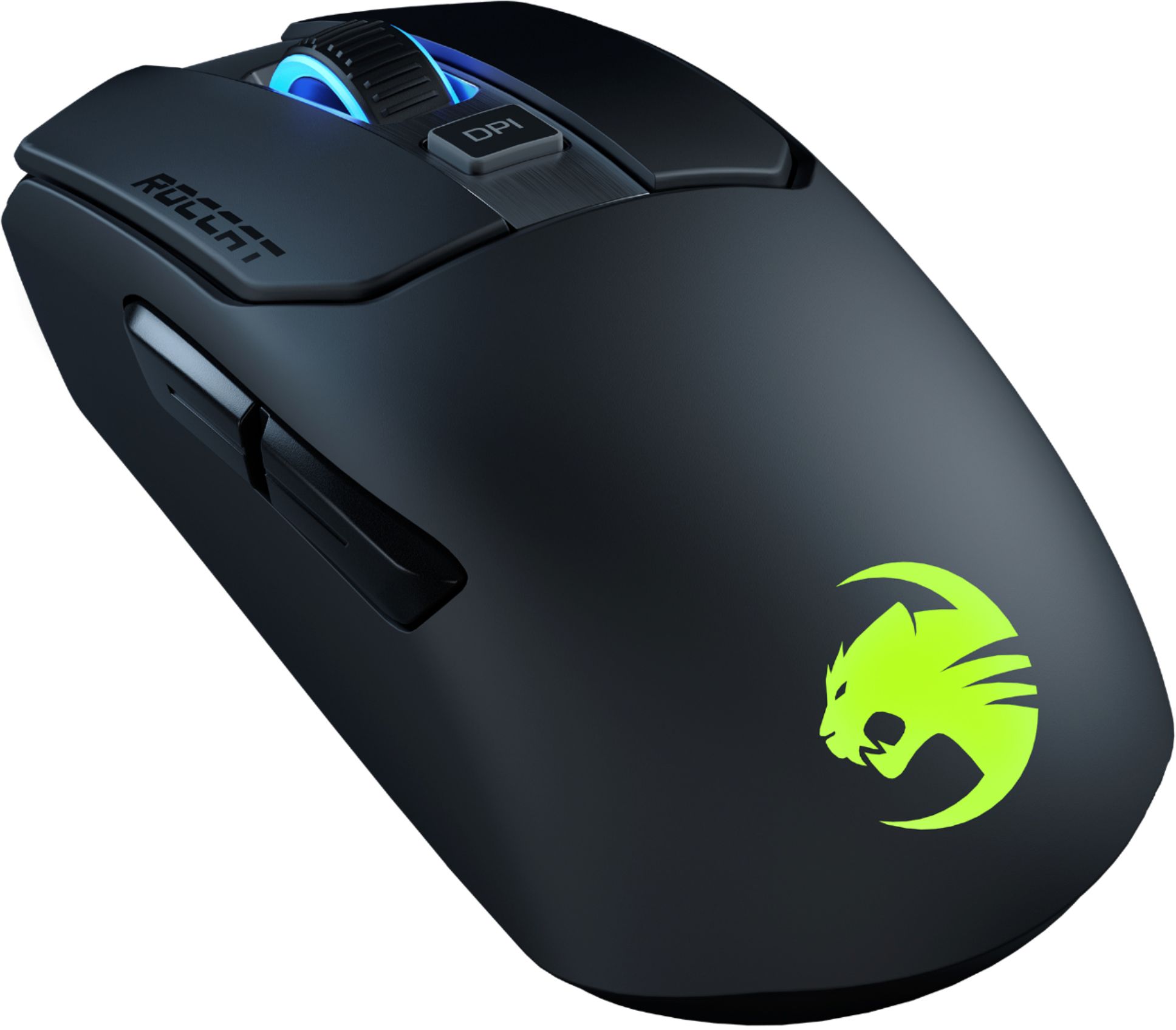
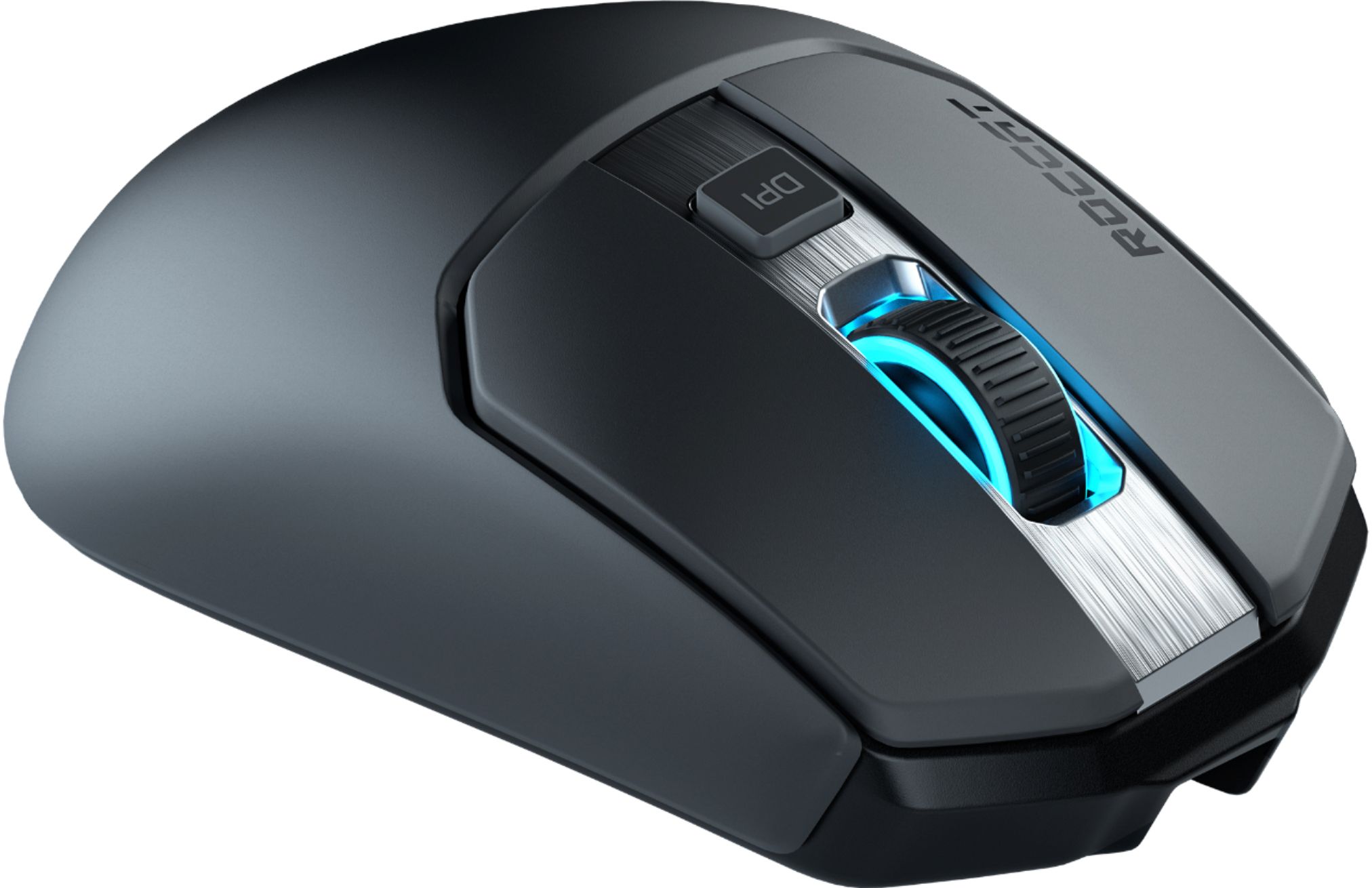
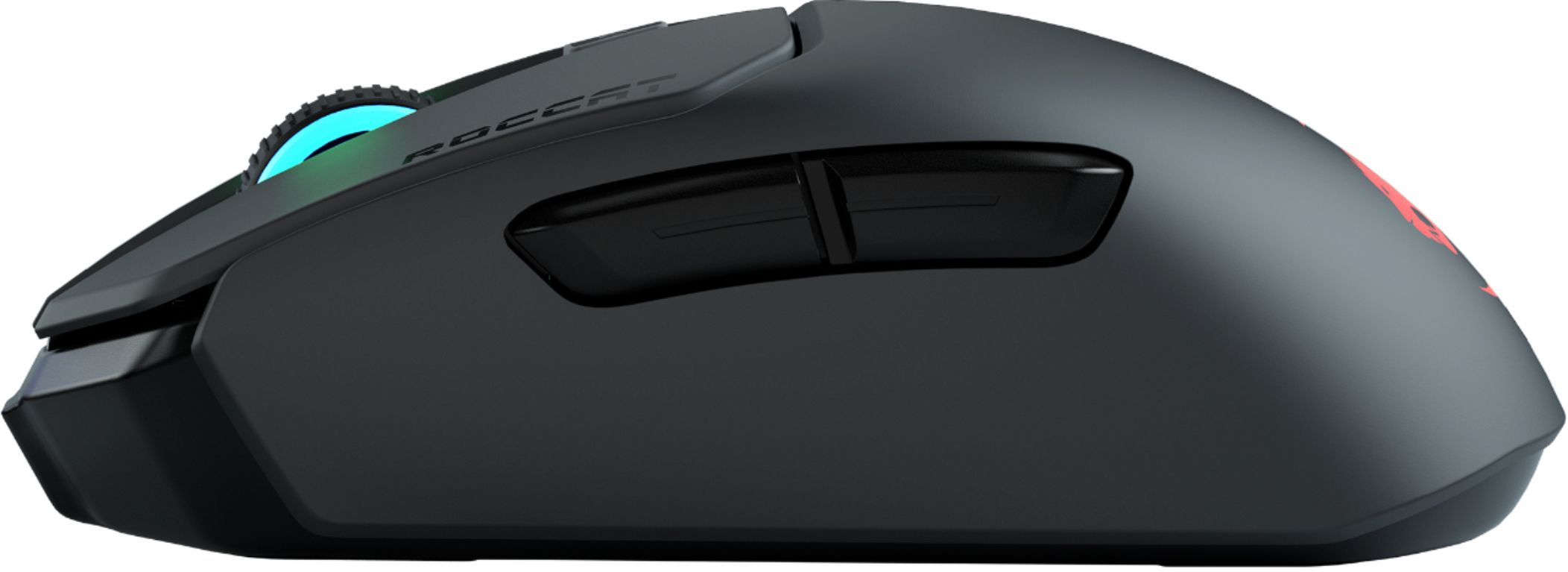
- Model:
- ROC-11-615-BK
- SKU:
- 6374952
Rating by feature
- Value
Rating 4.5 out of 5 stars
- Quality
Rating 4.6 out of 5 stars
- Ease of Use
Rating 4.6 out of 5 stars
Customers are saying
Customers are enthusiastic about the Kain 202 AIMO's lightweight design, comfortable size, and responsive performance, praising its customizable RGB lighting and high DPI range. However, some users reported issues with the scroll wheel and found the software to be less intuitive than competitors. The battery life received mixed reviews, with some describing it as "medium-good" while others found it "superb".
This summary was generated by AI based on customer reviews.
- Cons mentioned:Scroll wheel
Poor quality, just get something else.
||Posted . Owned for 1 month when reviewed.This reviewer received promo considerations or sweepstakes entry for writing a review.The Mouse is junk, two month in and I have all kind of problem with it. First the Wheel scroll is just not working properly, it spin your pages back and forth, it does the opposite of the direction you want it to go; you can't use it to scroll a page normally. Second the left click button has become way too sensitive, I'm accidentally closing all my pages when I click once; this has become a regular thing now. I regret getting this thing to match my roccat keyboard.
No, I would not recommend this to a friendBrand response from Turtle Beach Support
Posted .We're sorry to hear about your experience with your mouse.
Please reach out to Roccat's Support Team for assistance with this. The team can assist with troubleshooting or replacement service as needed under your product's warranty.
The Support Team can be reached via the Support section of the main Roccat website.
Best regards!
- Cons mentioned:Scroll wheel
Don't buy
||Posted . Owned for 6 months when reviewed.This reviewer received promo considerations or sweepstakes entry for writing a review.The reviews were right. After a few months of light use. The scroll wheel no longer functions correctly.
No, I would not recommend this to a friend Maybe next time
||Posted .This reviewer received promo considerations or sweepstakes entry for writing a review.I just had a bad experience. It feels great and it glides awesome. My PC for whatever reason just doesn’t like this mouse. Had to return it. Very bummed.
I would recommend this to a friendNope!
||Posted . Owned for 9 months when reviewed.This reviewer received promo considerations or sweepstakes entry for writing a review.Their gamming software is TERRIBLE!!!! Returned and bought Logitech like I should have in the first place.
I would recommend this to a friendNot bad.
||Posted . Owned for 1 year when reviewed.This reviewer received promo considerations or sweepstakes entry for writing a review.Iove this mouse but the center click started sticking on me a couple months after use.
No, I would not recommend this to a friendbetter than what i had
||Posted . Owned for 1 month when reviewed.This reviewer received promo considerations or sweepstakes entry for writing a review.it is ok for being wired. my wireless one had to much delay
I would recommend this to a friend- Pros mentioned:Dpi

Nice Mouse - nonexistent instructions
|Posted .This reviewer received promo considerations or sweepstakes entry for writing a review.OK...so I'm a casual gamer. I thought to myself "hey..maybe I'll like a fancy gaming mouse". I wasn't wrong, it is nice, but I'm not sure I understand all of the hype. When I opened the mouse, I was surprised to find no instructions in the box. Just a mouse, dongle, charging cable, and some other piece that I'm still not sure what to do with. I plugged the dongle into my laptop and it fired right up. No issues there are all. The mouse has a very nice feel and fits nicely in my hand. The length of the mouse was nice. I was able to relax my hand nicely and didn't have cramped fingers. The buttons are well placed and very responsive. I definitely like having the DPI button right on the mouse so I can quickly switch between the 5 preset options. I can see where this will be helpful in certain games when I'm moving between close quarters combat vs long range sniping. Here is where I got confused by the lack of instructions. I knew that a mouse of this quality had to have some type of configuration software utility but there was nothing in the box. So I looked up the mouse online and found the manufacturers website. I was able to navigate through their products and find my mouse. The site then prompted me to download their utility software. Once the software installed, it immediately wanted to run an update. I found it odd that they don't have the most current version set up as the default download, but the update ran smoothly enough, so no big deal. As soon as the software had updated, it told me that both the dongle and mouse needed to be updated as well. It said to update the dongle first, and then the mouse but didn't tell me how to do that. I was sitting at an update screen with the update button grayed out. It wasn't until I actually connected the mouse to the charging cable and plugged the cable into the USB port on my computer that they update button because available. Once I clicked the update button, it ran through it's paces and then said everything was up to date. So, after they told me to do things in a certain order, the software just did it all however it wanted anyway. OK...so I'm still trying to like this thing at this point. Then I start looking around in all the settings. I find lots of cool features such as multiple profiles that you can customize for different games and such. Plenty of cool things to do with the lights on the mouse. Highly customizable PDI settings and easy key bindings with Shift Click options. Looking good. I start to play around with these setting only to realize that nothing I change seems to stick. I'm now confused and frustrated. I messed with DPI and lights and couldn't make the changes hold. I kept looking for a save or OK button but didn't see one. Finally, as a last ditch effort, I maximized the software window. Low and behold, there was an OK button at the bottom. The default window size and placement for the software had put that section of the frame under my taskbar, so even if I scrolled down, I still would never see the OK button. It was a horrible UX experience for me and really killed my excitement over this product. Maybe if you know all of this ahead of time you can enjoy your new mouse a lot more than I did. Anyway, once I finally figured out the UI and started playing around with settings I found it to worked very well. Lots of toys to play with. There is one odd piece of hardware in the package that I just don't get. It is like a converter that seems to change the charging cord from a mini usb to a full size usb when it's not being used to charge the mouse. I'm not sure I understand why I want that or what they intend for me to do with it. I can't really review that piece because I have no idea what it is meant for. Unfortunately, I found myself thinking "this is cool, but why do I need all of this stuff on a mouse"? My conclusion is that I really don't. While it's fun to play with and gives me some Nerd Street Cred, it's just not necessary for a casual gamer. I'm not good enough for a 16ms different in click response time to matter. Perhaps a professional gamer would notice...I couldn't. So, I like how it feels. I like how it responds. I like the DPI button. I like the profiles I can save in the software. I don't like the lack of instructions. I don't like the updating processes. I don't like not knowing what the other piece of hardware is meant to be. Overall I think it's a fine mouse, but probably too expensive for what I'll actually do with it and way overkill on customization settings for most people. Perhaps if the experience had made me feel smart instead of dumb I would feel differently, but I just can't find a lot to be super excited about.
No, I would not recommend this to a friend Tough out of luck if you misplace the dongle
||Posted . Owned for 2 months when reviewed.This reviewer received promo considerations or sweepstakes entry for writing a review.thanks for choosing ROCCAT. Unfortunately, we do not yet have any replacement parts for the Kain series in stock and do not know when they will become available. If you have any more questions or need further assistance, please don't hesitate to contact me. Best regards, Technical Support Won't be getting Roccat products ever again ^^ also no bluetooth built in so that's a no go on that also. Thanks Roccat!
No, I would not recommend this to a friendUltimate Wireless Gaming Mouse
|Posted .This reviewer received promo considerations or sweepstakes entry for writing a review.HIGHLIGHTS: Lightning Fast Response Time, High DPI Precision Tracking, Ergonomic, Wireless, Long Battery Life SETUP: Setup is very easy. Just attach the USB connector to your computer and Windows will automatically detect it and install the requisite driver. The next step is to download the Swarm software to finish the installation. Once this is done, the mouse is ready to go. The customization options in Swarm are nearly infinite but can be configured and tweaked later. DESIGN AND USE: I really like how this mouse feels in my hand. It is very ergonomic and comfortable to use. I also appreciate the layout of the buttons. They are easy to reach and logically placed. The numerous buttons are all configurable via the Swarm software. I especially enjoy how the buttons depress with a very satisfying and solid “click”. The optics of this mouse are outstanding. It features the most precise tracking and control that I have ever used. The scroll wheel operation is smooth as well as precise. The mouse can be used in wired or wireless modes. Using it in wired mode charges it at the same time. The Swarm software allows all the mouse functions to be configured, including the illumination. I like the illumination under certain conditions but decided to keep it off most of the time because I find it to be distracting. It is an attractive feature, however and I am glad that it is an option. BATTERY AND CHARGING: The battery is rated to last up to 50 hours (35 hours with the illumination turned on). I gamed all weekend and still have 75 percent of the battery remaining, so I fully expect the rated battery life to be accurate. The mouse charges with the included micro USB cable. SUMMARY: I have not been able to use a wireless mouse for serious gaming in the past because I have found that they were not up to the task, until now. The ROCCAT Kain 200 has completely exceeded my expectations! Response time and battery life and are the two most critical prerequisites for a gaming mouse. This mouse features a lightning fast response time and an insanely high DPI precision tracking, that matches any quality wired gaming mouse. If you take your gaming seriously, then I highly recommend getting it and don’t think you will be disappointed if you do.
I would recommend this to a friend- Pros mentioned:Weight
A Robust Mouse!!
|Posted .This reviewer received promo considerations or sweepstakes entry for writing a review.This is my first venture into Roccat as I am unfamiliar with their products. Firstly, the mouse is aesthetically beautiful as it gives interchangeable colors in blue, yellow, purple, red and green. The mouse feels good in hand as it is lightweight and comfortable. It also is precise as it is easy to maneuver and targets with much precision and accuracy. I especially like the fact that it is plug and play. Also, the size is great as it easily compares to Logitech 603 one of my daily drivers in feel and size. This mouse is good for everyday computing as well as gaming. As such, if you are a gamer or everyday casual user, this mouse will meet your needs immensely!
I would recommend this to a friend Lots of potential...time will tell.
|Posted .This reviewer received promo considerations or sweepstakes entry for writing a review.The mouse is lightweight and came with barely any instructions, which is fine since an 8 year old probably knows how to set one up now. You can plug the mouse in directly with a cable to connect and charge it or you have a usb adapter for wireless usage. My first use, I plugged it in with the cable to begin charging and went to download the Roccat software/drivers called Roccat Swarm. Installed and updated immediately. The lighting on the mouse is pretty nice, the scroll wheel and the logo on the palm rest both light up. After I installed the software you have plenty of options which I really liked. Here are some of my observations: Pros • Lots features and customization, the changing lights on the mouse is very nice. Swarm software user interface looks good. • Aside from customization settings in the software you get a signal strength which I have yet to see with a mouse. I think this is a nice option. • Signal strength is pretty good testing from across the room. I even maintained about half signal from outside my room. • Design is nice. Mouse feels good in the hands, button placement is just right. • Nice feature that announces the DPI setting when you change. I’m usually trying to figure out what DPI I’m changing to with other mice, but getting this feedback is a nice option to have. • Smooth operation. I used it for work and for gaming, worked well in both scenarios. • Includes a cable to either connect directly to the mouse to use or to add the usb adapter if want to relocate it instead of connecting directly on your pc. Cons • They claim you can get up to 50 hours of battery life, however in the Swarm software it says the battery life is at 100% and I have 39 hours remaining. Good, but less than quoted. • I adjusted settings to see if I could increase the battery by Turing off illumination, turning off the sensor, and a few other settings and applying them but the battery life didn’t change. Also the illumination never turned off. Energy savings is on by default too. • Battery life changed to 80% in the software and the hours left dropped to 32% randomly. Then shortly later it corrected itself. I’ve noticed it jump up and down from 80 – 100%. • No carrying slot for the wifi adapter. If I wanted to use this mouse between my home and work laptop would be nice to have a safe place to keep the adapter when in transition. You get way more options for your mouse with the Swarm software compared to Windows, but I think its not something you want to leave on default settings. Go through and adjust them to get the mouse just the way you want it. This mouse is a good mouse and has a lot of potential with updates for the Swarm software, I feel like its not right where it could be. It’s not quite a 5 star mouse from my experience, but I would say it’s a 4 – 4.5 star at the time of this writing.
I would recommend this to a friend- Pros mentioned:WirelessCons mentioned:Scroll wheel
Solid wireless gaming mouse
|Posted .This reviewer received promo considerations or sweepstakes entry for writing a review.Good wireless gaming mouse - similar in size and button layout to the Logitech G 603. Buttons slightly harder to press (right more so than left) and scroll wheel is nice wide and lighted and also requires more force to scroll than the Logitech. Software and lighting are nice and mouse very precise in LOL. No place to hide the dongle if taking portable and with micro usb charge. Nice low profile on off and pairing buttons on the base.
I would recommend this to a friend - Pros mentioned:Dpi
ROCCAT KAIN 200 AIMO Gaming Mouse
|Posted .This reviewer received promo considerations or sweepstakes entry for writing a review.I’ve been testing out the ROCCAT Kain 200 AIMO Wireless Optical Gaming Mouse for the last week and love it. Very comfortable in the hand for someone like me who has big hands. Along with the mouse is a charging cable, and the wireless USB adapter. After plugging in the wireless USB adapter, you can pair it together by pressing the PAIR button under the mouse. The on/off switch is also located underneath the mouse as well. Per the user manual, its recommended to go and download the ROCCAT Swarm software from their website. The software allows the user to tweak and customize a lot of the configurations of the mouse such as vertical scroll speed, double-click speed, any of the 5 DPI Switch spots, button assignment and illumination. There are also advanced settings that can be changed as well as a view of what the current battery status is. While using the ROCCAT mouse on my Acer laptop, I noticed how accurate and precise movements were when aiming to make a shot or selecting/zooming in on certain targets. Very nice scroll wheel that can be adjust as to how many lines to scroll up/down. The DPI switch on top of the mouse just below the scroll wheel comes in hand. The forward and backward buttons are great for going back and forth between web-pages.
I would recommend this to a friend Very comfortable
|Posted .This reviewer received promo considerations or sweepstakes entry for writing a review.The mouse was easy to set up, straight out of the box. The size is comfortable for people with larger hands. I use it with the cable attached to a USB port. The mouse is very responsive with no noticeable delay. Loved it right away.
I would recommend this to a friend- Pros mentioned:Weight, Wireless
Lightweight - feels great
|Posted .This reviewer received promo considerations or sweepstakes entry for writing a review.Just recently bought a PC and started gaming again and needed a mouse and glad I purchased the ROCCAT. I love that it is wireless and lightweight. It feels like I have great control and has helped my gaming abilities.
I would recommend this to a friend - Cons mentioned:Software
Works well, confusing software
|Posted .This reviewer received promo considerations or sweepstakes entry for writing a review.The Roccat Kain 200 wireless mouse is a great all around performer. The tracking is smooth and instant. The buttons have a nice tactile feel to them. The downloadable software is a bit confusing to setup and use but does the job. The rechargeable battery is not user accessible which I find a drawback. Also, the supplied USB cable is necessary for charging the mouse and some other USB cables may not work. The charging port on the mouse is in a little recessed area which means that not just any USB cable will fit in there to charge it. I also find this a drawback.
I would recommend this to a friend Great feel! Very comfortable mouse
|Posted .This reviewer received promo considerations or sweepstakes entry for writing a review.I love the feel of this mouse. It has a great texture to it. Glides very smooth and charges fast. Love the extra buttons! I will never go without a "back" button again as I've grown so used to it, every mouse I own will have to have one. Very comfortable in the hand and very precise function. Works fantastically Would definitely recommend!
I would recommend this to a friendEasy to Set Up and Use
|Posted .This reviewer received promo considerations or sweepstakes entry for writing a review.I have recently gotten in to PC gaming again, but so many gaming mice are wired, and since I'm no professional, I was looking for a wireless solution to keep my desk neat. This mouse works great. It seems to have great accuracy, and feels great in my hands. I'm not a huge fan of the logo, but my nephew thinks it is awesome.
I would recommend this to a friend- Pros mentioned:Weight
Surprised me
Posted .This reviewer received promo considerations or sweepstakes entry for writing a review.Hands down the best mouse i have ever used, and i have the razer viper ultimate and GPW. this mouse fits me perfect, and the comfort level is amazing, the tracking is great, great sensor. The weight says 105, but honestly feels light its the perfect balanced to keep you grounded during FPS games. I highly recommend this mouse to anyone on a budget or even thinking they need to spend 150 on a mouse or more, depends your hand size obviously but i say give it a chance if not return it but its worth every penny.
I would recommend this to a friend - Cons mentioned:Software
Not Ready For Prime Time ...
|Posted .This reviewer received promo considerations or sweepstakes entry for writing a review.The ROCCAT KAIN 200 AIMO is common form factor gaming mouse with one exceptional quality ... the scroll wheel. Certainly there are other more extravagant offerings in the market, with elaborate RGB lighting schemes & custom weight configurations - but this mouse isn't one of the those. It's clearly targeted at a specific segment of the market, one that wants a familiar shape & feel to the hand and with design simplicity in mind. The left & right Titan buttons are touted as being strong & precise. Personally I felt that they are run-of-the-mill buttons in feel but no less precise. Where this mouse really stands out is the feel and action of the center scroll wheel. ROCCAT nailed it. I don't believe I've ever experienced any other consumer based wheel that rolls and clicks like this. It's in a league of its own. Mouse glide on a rigid surface is excellent but I wasn't nearly as impressed on cloth. Your impression may differ. I simply found the friction force to be too great, even with all the precisely positioned glide pads. I'm still surprised companies are not using USB-C connectors in their peripherals. What's up with that? Overall I like the ergonomics of this gaming mouse - especially the killer scroll wheel - but where this product falls short is in the Swarm control software and cursor persistence in actual gaming. First the software - The Swarm software crashes on me constantly. Randomly out of blue when using my computer and sometimes when actually manipulating the mouse settings & lighting. Sometimes it doesn't actually crash but simply closes out on its own. What? The bigger problem I experience is what appears to be a cursor persistence issues during gaming. I've tried reinstalling the software a bunch of times to no avail. By cursor persistence I mean, pointer visibility. In various games I noticed that the pointer disappears, sometimes for a split-second ... other times for several seconds or more. And when it reappears, it can pop up in an unexpected position on my gaming monitor. I own a huge collection of gaming mice and none of them behave like this. I was able to verify this strange behavior with both wired & wireless connections ... so I know it's not a wireless interference problem. Perhaps future software updates will rectify the issue. One can only hope... One last note - RGB control is one dimensional. What you set is what you get for both the wheel illumination & the ROCCAT logo. That is a big oversight in my humble opinion. Can't recommend this mouse at this time; not until ROCCAT addresses the pointer persistence issues. Pros: Simple yet elegant design. Excellent hard surface glide. Outstanding scroll wheel action. Extensive power & DPI precision controls. Cons: The so-called "performance coating" just feels like smooth plastic. Swarm software crashes constantly. Single dimension of RGB lighting control. Micro-USB connector. Yuk!
No, I would not recommend this to a friend