Customer Ratings & Reviews



- Model:
- ROC-11-415-01
- SKU:
- 6459029
Rating by feature
- Value
Rating 4.4 out of 5 stars
- Quality
Rating 4.5 out of 5 stars
- Ease of Use
Rating 4.6 out of 5 stars
Customers are saying
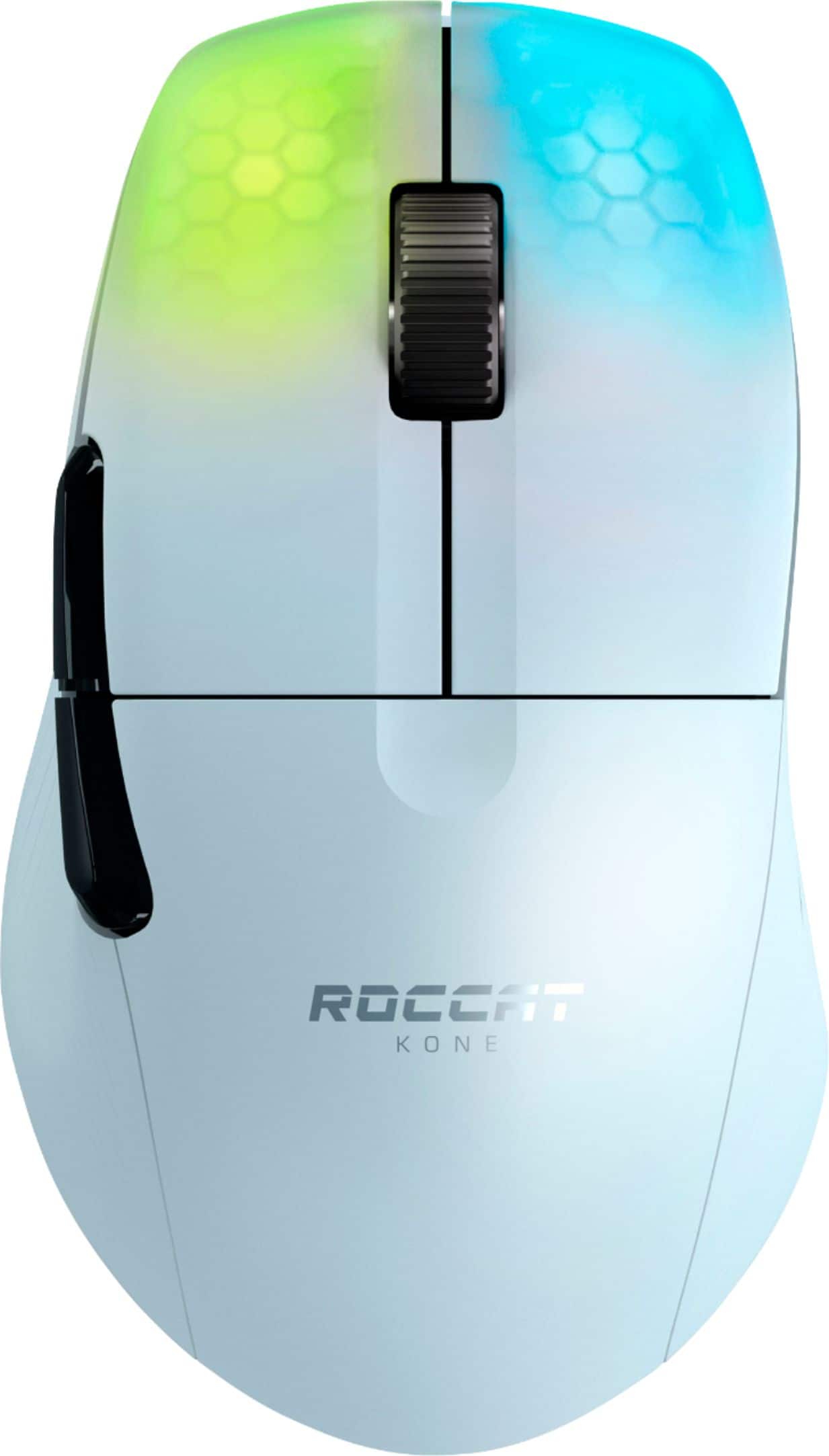
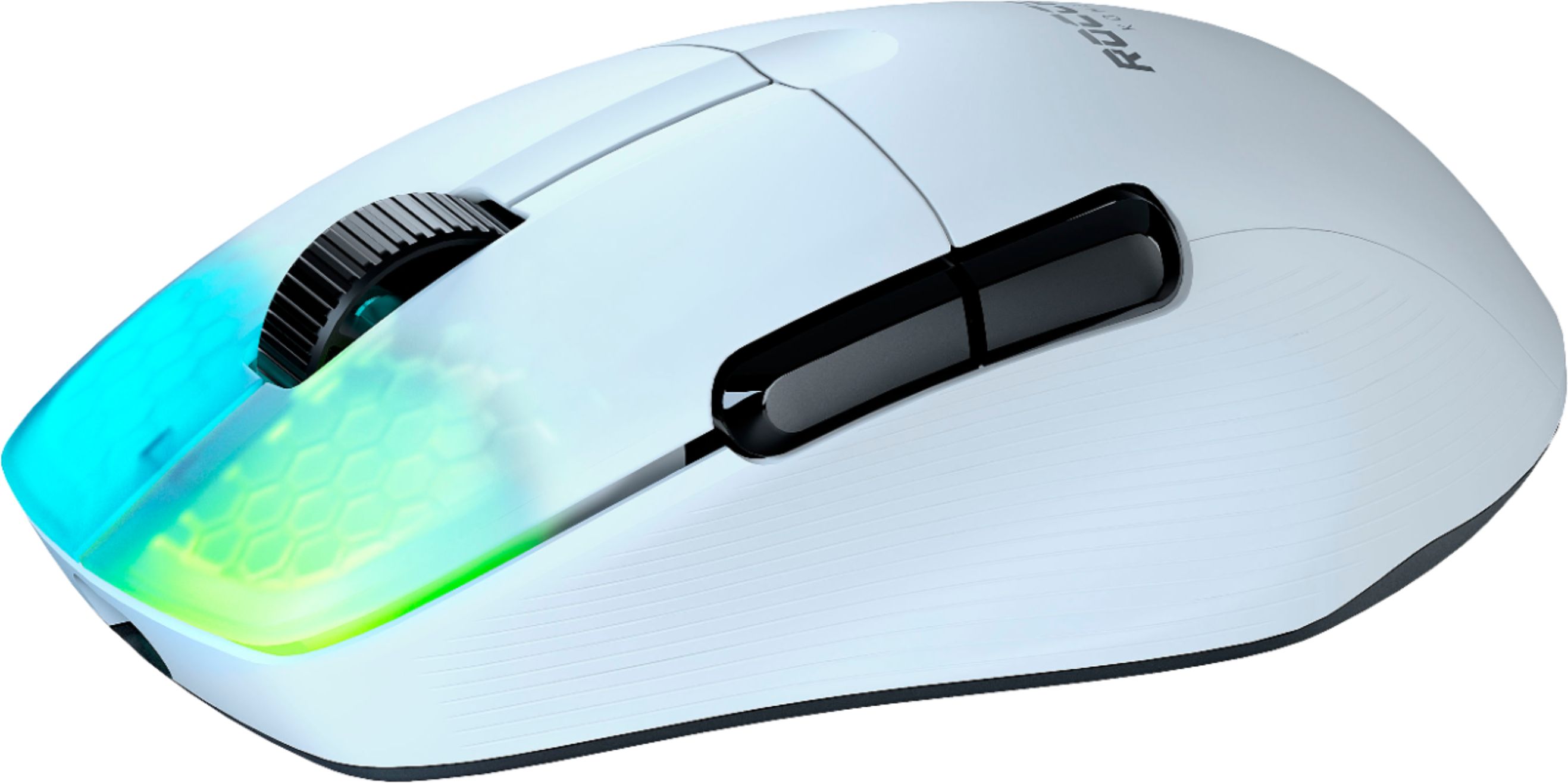
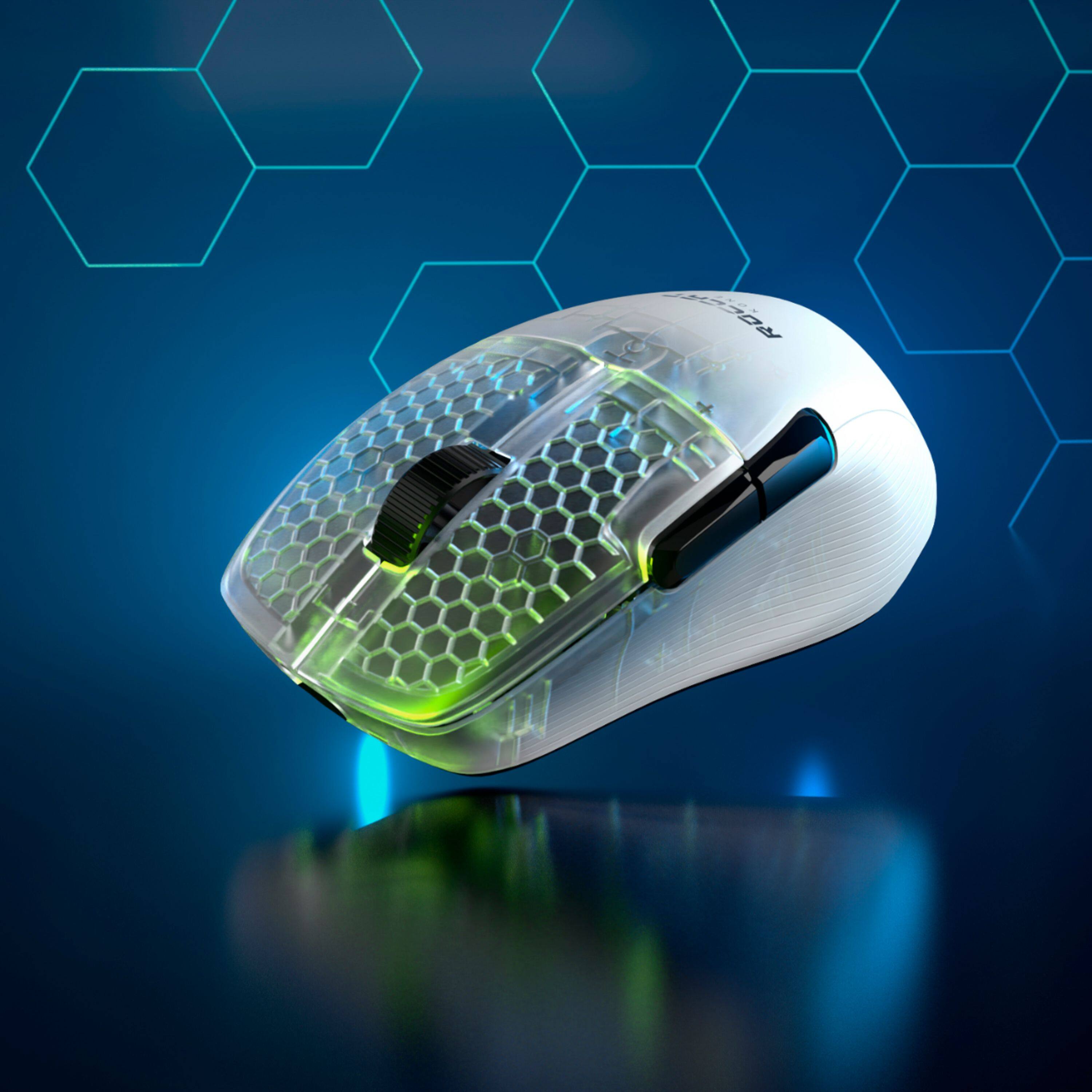
Customers are satisfied with the Kone Pro Air's lightweight design, long battery life, and responsive performance. Many appreciate the accurate scroll wheel, customizable RGB lighting, and comfortable ergonomics. While some users found the software less intuitive, the overall positive feedback highlights the mouse's excellent sensor and precise tracking. The price point is also frequently cited as a significant advantage.
This summary was generated by AI based on customer reviews.
- Pros mentioned:Rgb lighting, Weight

Visually and physically amazing
|Posted .This reviewer received promo considerations or sweepstakes entry for writing a review.First thing off the bat is how incredibly lightweight this mouse is. I was blown away. I actually had to adjust my mouse sensitivity settings due to how much quicker I can move it compared to my other mouse I was using. I have no issues at all with connectivity either. It was a seamless connection with no disruption in the wireless portion. I do like that you have the option to wire it in as well. I had carpal tunnel surgery two years ago so comfort is a big thing for me as far as hand placement goes. I am happy to say that the ergonomics of the mouse provides fantastic comfort and placement. The alternate buttons on the side are perfectly placed and not a strain to reach for. The clicking/responsiveness is also top notch. I mainly play Call Of Duty Warzone and the performance of the mouse along with the responsiveness of the buttons brings a much better aim/shooting experience and feel that it gives me an advantage over my previous mouse. I can't even go back to my previous mouse. It feels like it weighs 10lbs compared to this one. It's just such so smooth to use and always awesome to look at. The illumination is really vivid and adds an awesome visual. I'm very glad I picked this mouse up. I really don't think you can get a better mouse in this price range. Roccat really hit it out of the park with this.
I would recommend this to a friend Best gaming mouse of 2021
||Posted . Owned for less than 1 week when reviewed.This reviewer received promo considerations or sweepstakes entry for writing a review.Great product with robust space age plastic composite construction. My first roccat product and fell in love with the German design and engineering. The titan optical switch has a good feel and sounds good. Overall my main mouse for now.
I would recommend this to a friend- Pros mentioned:Battery life
Incredibly accurate and effortless mouse
|Posted .This reviewer received promo considerations or sweepstakes entry for writing a review.The Roccat Kone Air Pro. It’s a really nice mouse. It’s got a great feel to it as well as night flat finish. It looks really nice in White and I think off personal experience will reveal less spots of wear over time compared to black finishes. I’ve experienced that it with multiple Black colored Mice from several of the top Gaming Mice companies and it even shows a lot on my current every day mouse. The mouse is of course Right handed, so left handers will need to find an ambidextrous mice or one tailored for Left handed use. It’s got a comfortable feel to it regardless of grip type. I’m more of a mix of Palm and Fingertip for grip with the occasional Claw, depending on the game. It is slightly larger than my current 19 button MMO style mouse which I didn’t expect, though it’s not as tall. It does seem to fit my hand a bit better though. The mouse has some really nice glides on the bottom and it does so effortlessly on my large desk pad. It’s a much smoother and more precise glide than my current mouse. The Roccat Swarm software is very simple to use but offers a boatload of customization, from macros, illumination, button actions and so forth. One thing that does lack and I would have liked to see a dedicated button for, is their Easy-Shift. Some of the other Roccat Mice do have this button so it makes creating and using a secondary mouse action much easier, whereas you have to configure one of the buttons (8 total) to function as this. That said, it does allow you to essentially almost double the amount of actions the mouse can perform. So if you play any MMO’s, despite the limited amount of physical buttons, you could still very much use this mouse in place of the sometimes cumbersome 12+ button side mounted mice. Though I do hope that Roccat will create a mouse that caters to such a crowd that also uses these new Titan switches. The switches themselves in the mouse are their new Titan Optical kind. They seem to react instantly. Optical is likely going to be the way forward with switches as they only rely on the laser/light inside to be tripped by the press of the button cutting it off. They also will last longer as there’s less parts that need to process the click. Charging the mouse is quick, and this is in part to it using Type-C which is a great addition to any wireless mouse. Most current mice on the market utilize older Micro-USB for their charging and therefore can only charge the mouse so fast since they also rely on older USB 2.0. I didn’t ever fully drain the mouse as I tended to keep it above 50% in all my use time so as to prevent any undue interruption and remain cord free during gaming. The cable is very nice though and it’s got a generous length to it, a whole 6ft so if your case is under your desk or well off to the side, you should have plenty of reach should you need to charge while using it. I also prefer the Type-C because you don’t have to guess which way to plug it in if you’re a night time gamer with much lower ambient light. The LED’s in the tips of the mouse are very cool. They can get very very bright, probably the brightest LED’s I’ve seen on a peripheral, even brighter than a lot of and even my current keyboard which also uses Optical Switches (not Roccat though). There’s plenty of options and you can even create your own variations and change up your colors. There’s breathing, constant on, wave, pulsing, heartbeat and a few others. I kept the brightness pretty low though for battery usage sake. I neglected to note how long it did last (at least to 50%) on single charge, but it was over a couple days of gaming. It does have Bluetooth, though I did only test it via the included USB receive, of which also has a spot that you can store it in the underside of the mouse if you take it on the go with you. It really is a great mouse and ridiculously responsive with the Owl-Eye Optical sensor. Combined with the glides it’s again, a very accurate mouse. If you need a high performance, high DPI mouse that glides with little effort on nearly any surface and tracks just as well, the Kone Pro Air certainly won’t disappoint, especially since it’s also backed by a 2yr warranty. (Don’t think I’ve ever seen anything over 1yr on Mice).
I would recommend this to a friend - Pros mentioned:Weight, Wireless
A really decent gaming mouse!
|Posted .This reviewer received promo considerations or sweepstakes entry for writing a review.Gaming with a mouse has leveled up the last few years, with various manufacturers adding more keys or additional DPI functions for a more personalized browsing or gaming experience. It’s good to know that ROCCAT is setting out to define a unified gaming experience with their gaming PC accessories with the launch of the Kone. In the box you’ll find the mouse, a really nice braided USB charging cable, a wireless dongle, and a user guide. Keep in mind, that to fully utilize the features of the Kone gaming mouse, you’ll need to download and install the free ROCCAT Swarm software from their website and install a quick update. Installation depends on how you’d like to connect the mouse to your PC. You can use the included dongle by plugging in to your PC and turning on the mouse with the wireless option on the switch. If you’d like to use Bluetooth, simply move the selector switch on the bottom to Bluetooth, hold the pairing button on the bottom and follow the connection steps for your PC. Windows detected the device quickly and paired when I clicked to pair it. If you’d like to simply wire this one in, using the included USB cable to instantly start using the mouse. The dongle has a nice storage slot on the bottom of the mouse, if you’d not going to be using the dongle, or if storing. Using the included Wireless USB adapter will give you the best overall experience with this gaming mouse. While you can use the mouse with Bluetooth, and it works well, I was not able to adjust the ROCCAT Swarm settings at all, as the mouse will show up as disconnected, and simply use the default settings settings already saved to the mouse. You also aren’t able to adjust the DPI settings as easily, as there are no hardware buttons to adjust the DPI, which feels like a miss here. Therefore, in order to get the best experience from the mouse, you will need to be connected over USB or with the Wireless adapter to adjust these settings during use, with the app. The app also allows you set up profile slots, which can be toggled with the launch of an app, or just saved presets you’ve already made to key assignments or lighting. I’ve also found the app to be a bit buggy, at times requiring that I toggle AIMO on/off in order to make changes to button assignments. Keep this in mind if you’re not able to make a change to a particular setting or feature. Overall, does this hold up in gaming? Yes, it absolutely does! It’s comfortable to use, the DPI settings are really user customizable, and the lightweight gives you a bit of an edge during FPS games. I’d recommend this to anyone already bought in to the ROCCAT gaming experience and who want to take advantage of the AIMO feature across both their keyboard and mouse. Keep in mind, the SWARM app is sometimes a bit buggy, which is a bit of a shock given the app works incredibly well with their keyboard and headsets. If you ignore the odd software bugs from the SWARM app, this makes a good addition to your gaming setup.
I would recommend this to a friend - Pros mentioned:Battery life, Scroll wheel, Weight
Boring RGB, excellent everywhere else
|Posted .This reviewer received promo considerations or sweepstakes entry for writing a review.The Kone Pro wireless is the lightest wireless mouse I’ve ever used, gaming or otherwise. It feels more like an empty mouse awaiting batteries to be inserted than a mouse containing a rechargeable battery. It’s much lighter than my MX Anywhere 2 and Magic Mouse 2 wireless mice, weighing in at 72 grams compared to 105 and 100 grams for the MXa2 and MM2 respectively. Performance is top-notch although the tracking felt a little slow and the responsiveness felt a bit sluggish initially. I downloaded and installed the Roccat Swarm app and used the calibration tool to improve mouse handling. The calibration process required me to perform a series of quick targeting tests which it used to automatically calibrate the mouse to a personalized profile based upon my reaction time and accuracy. The results were impressive and the mouse performs much better. The Swarm app also allows creating additional profiles, updating the firmware of both the mouse and receiver, programming button assignments, RGB lighting customization and performance tweaking. The Kone Pro has a comfortable ergonomic design. I use a light pressure palm grip and the Kone conforms naturally to my hand with no fatigue or cramping even during long gaming sessions. Gaming movements and actions quickly became second nature thanks to excellent handling during gameplay. The glides move effortlessly across my fabric mousepad with no friction. I use the USB receiver connectivity only. I appreciate that the mouse has Bluetooth connectivity but prefer using USB receiver wireless mice for gaming. Bluetooth connectivity is great for desktop use but this mouse is on a PC used exclusively for gaming. Connectivity is reliable and I’ve experience no loss of connectivity or other issues so far. Aiming is quick and accurate during gaming and cursor movements are smooth and fluid with no noticeable latency thanks to the outstanding optical sensor. Wireless connectivity modes are selected via a sliding switch on the underside of the mouse. There is also a storage cavity for the USB receiver and a profile selection button on the underside which can also be used to place the mouse in Bluetooth pairing mode. The primary mouse buttons utilize optical switches that have a tactile feel and good, quick actuation with excellent responsiveness. The two side triggers are in a good location to avoid accidentally clicking yet convenient enough to quickly access if needed. The scroll wheel is sturdy, with virtually no wobble or play and spins with a reassuring click at each step with no loose or sloppy rotation. A fabric USB-C to USB-A charging cable is included and the mouse can be used while charging. The cable is also used to apply firmware updates. Battery life is good and does not require daily or frequent recharging. The RGB lighting is okay but nothing special, particularly on the black mouse. It may look more impressive on the white mouse but the black translucent shell mutes the effect and seems dull and boring regardless of which lighting profile is selected. I disabled lighting to extend battery life between charges. Aside from the mediocre RGB lighting, I found no other weaknesses with the Roccat Kone Pro.
I would recommend this to a friend - Pros mentioned:Weight, WirelessCons mentioned:Software
It's pretty good. The coating isn't.
||Posted .This reviewer received promo considerations or sweepstakes entry for writing a review.I've tested a few lightweight mice over the last couple of years. The G Pro (and its younger brother the X Superlight). The Viper Ultimate. Even Roccat's own Burst Pro. This mouse I'd put in a top 3 list if I made one. The lighterweight, dual wireless modes and ergonomics make this one of the better mice I've used. I am docking a star for two reasons: 1. The Swarm software. I've never been a fan of Roccat's software. It runs slow, can take a while to load, and is all around inconsistent. 2. I'm not a fan of the coating. It feels kind of slippery. I prefer the feelings of some of its competitors much more. Will be looking into grips for this. With that said, I am enjoying the mouse so far. It's been great playing Apex Legends with it. The sensor is great and doesn't seem to have any hiccups or skips. The included USB-C charging cable is flexible enough, you could use this strictly wired if it suits you. The dual wireless modes really add to the value. I can use the bluetooth mode on my tablet when I'm out and about. I love that feature! It's a shame you don't see it on more mice. 4/5 I do recommend this if you're looking for something more ergonomic than a symmetrical gaming mouse. For work? I'd check out other options.
I would recommend this to a friend - Pros mentioned:Battery life, Weight
Well designed mouse down to the charging cable.
|Posted .This reviewer received promo considerations or sweepstakes entry for writing a review.Roccat definitely put effort into this mouse. It's hard to believe that something that weighs roughly as much as a pair of socks, is this durable. PRO " AIR", they were not joking. The description states "It seamlessly fuses with your hand, virtually disappearing, keeping you focused and immersed." Yes, it most certainly does, you literally forget it's there. Nice that it doesn't need a physical AA, or AAA battery. Toting batteries with you on a trip, becomes just one more thing you have to remember to take with you. Without the dongle, this weighs in at a whopping 72.858 grams (2.57 oz.) according to my kitchen scale. That comes in under what the package says it should weigh @ 75 grams. (see pic) As in the summary for my review, even the charging cable was created with love. It has a sturdy shoelace, or sweatshirt drawstring feel to it. durable. Pros: -EXTREMELY light, but fits very well in hand Seems like it would fit any size hand seamlessly -Sensitive click pads Very easy to set up -Battery life lasts pretty long for being wireless (approx 40 hours or so from my experience) -can be very far away from computer via USB before disconnecting, great range -Customizable LED lights Cons: -Not many extra side buttons for games -Roccat Swarm is a bad software (unfortunately the only one for the mouse) -Side buttons feel too deep (require a firmer click)
I would recommend this to a friend - Pros mentioned:Battery life, Scroll wheel, Weight
Roccat's best Kone Yet
||Posted . Owned for 1 week when reviewed.This reviewer received promo considerations or sweepstakes entry for writing a review.So I'm going to keep this simple. Roccat did a wonderful job with this mouse, the coating is great, the clicks are great, the weight is great, and the sensor is great. Same with the battery life The downsides? No extension dongle, this means that you only get the USB receiver which plugs into your PC, due to this the distance can cause interference / loss of tracking, especially if your access point/router/gateway is near your computer. You can use ANY usb extension to bring the receiver closer to your mousepad, for example the Razer Chroma Charging dock, or even a logitech wireless mouse usb extension - or any other extension, with the extension and the receiver sitting on your desk next to your mousepad, then you get the proper experience. As for the software, roccat swarm works and is good, but it's too heavy for my taste. I generally use it and uninstall it The size is medium to large, and this mouse is mainly for palm/palm fingertip in my opinion. Fingertip grip and claw this one probably won't be for you Also, the scroll wheel I'm not sure what type of encoder it uses but sometimes when lightly touching the scroll wheel or scrolling forward it would register a backward scroll, not sure if that's a defect or just it being overly sensitive, but I had several occurrences where I randomly jumped in a match because of that. I also had a roccat kain which had that as an actual defect, could be possible they're using a meh encoder for the scroll wheel. Despite that the scroll itself feels really good, feels like a brushed aluminum. Anyway all that aside, this is a top tier wireless mouse. Get yourself a USB extension cable and give it a whirl. Battery life is crazy and usb-c charging is quite fast.
I would recommend this to a friend - Pros mentioned:Battery life
A wireless mouse that has changed my mind!
|Posted .This reviewer received promo considerations or sweepstakes entry for writing a review.The most significant praise I can attribute to this mouse is that it has changed my mind on my dislikes towards wireless mouses and lightweight mouses. It is a day that I thought I would never see come, but here it is. Now let me tell you more about it. I started with a Razer Basilisk wired mouse about 3 years ago for gaming. Claw grip, wired, and 92 grams weight. I have tried at least four or five other mice since then, but until this Roccat Kone Pro Air, nothing has swayed me from my preference for the robust and wired Basilisk. Now, that has all changed. As compared, these two mice on my desk could not be more different. The sleek, elegant, white Kone Pro Air with its honeycomb RGB patterns on the left and right-click buttons, light weight 75-gram feel, and palm-grip versus the substantial feeling but ham-handed 92-gram Razer Basilisk with its claw grip and two-zone RGB. What ended up changing my mind to run this mouse as my primary mouse is as follows: Long battery life. One of the last wireless mice I had only had a battery life of about 30 hours. This seems like a long time, but considering I was using the mouse for schoolwork, gaming, and personal productivity projects, I would eat up that battery life quickly. This has 100 hours plus per the manufacturer and in many full days of playing and replaying Resident Evil 8 and Hunt Showdown and doing my productivity tasks, I have not had to plug this in even once. When it comes to its charging, Roccat supplies a very good-looking braided USB A to USB C cable that matches the good looks of the mouse and enables you to utilize the mouse over a wired connection to your device. Also, it is good to be aware that when you first connect your mouse to the PC, it is going to want you to use a wired connection to update the firmware of the mouse with the Roccat Swarm software. I wanted to mention how interesting and likeable the left and right clicks of this mouse are. Roccat says that it has a mechanical click feeling with their optical Titan switch, but really, the click on the left and right is far less clicky in how it sounds versus my Basilisk! That may be a weird OCD observation, but I like how the click is less noisy and distracting but still FEELS awesome! The clicks are precise and for games like Resident Evil VIII, I really felt the control over semi-auto firearms and the precision of the clicks. Overall, this is one of the more unique mice I have ever reviewed, and I have decided to keep it as my primary gaming mouse! My only two suggestions are to be prepared to utilize the 2.4ghz USB-A dongle to achieve the best connection and lowest latency as I still distrust Bluetooth for that purpose, and to be aware that if you are needing to boot into the Bios of your PC, there are some that can only be controlled with a wired mouse, so I would keep one around just in case. Thanks, and I hope my thoughts have helped your purchasing decision!
I would recommend this to a friend - Pros mentioned:Scroll wheel, Weight
I'm satisfied with the purchase so far
||Posted . Owned for 3 weeks when reviewed.This reviewer received promo considerations or sweepstakes entry for writing a review.I was able to get this mouse for a reduced price, and it's been great so far. The mouse is very lightweight and the shape has been much better for my hand/wrist. I will say, if performs far better using the wireless dongle or while wired than it does using Bluetooth, which I was a bit disappointed by. The texture is also quite silky which I was surprised by. The materials are a step up from the wireless mice I have used in the past. The lights brightness is not too much and the buttons, while not silent, have a nice soft click. The scroll wheel also has a more traditional sounding and feeling clack if that's something you prefer. I have yet to figure out the driver entirely but I did have some issues with the selection/hold function. I had issues selecting text using the highlight function and holding down the button not being tracked properly in games. I think this is something I can fix but it is an issue at present. I would definitely recommend this mouse, though I'm not sure it is worth the full price, when compared to others in that range. However, comparing it to the other mice I have used in the 30-40$ price range, this mouse has been great, and it absolutely far outclasses the very cheap Bluetooth mice I have used before.
I would recommend this to a friend - Pros mentioned:Battery life, Rgb lighting
Excellent large ultralight mouse
||Posted . Owned for less than 1 week when reviewed.This reviewer received promo considerations or sweepstakes entry for writing a review.Very nice mouse with excellent ergonomics. The mouse is on the larger side but I prefer that for my work/play style. The RGB is a nice touch and is far more apparent than my older hyperx ultralight that it replaced. I haven’t had the need to charge them since the initial charge but so far are lasting longer than my old hyperx. I got this on a flash sale for $39 and for that price it was a steal!
I would recommend this to a friend - Pros mentioned:Battery life, Rgb lighting, Scroll wheel
Solid gaming mouse
||Posted . Owned for 1 week when reviewed.This reviewer received promo considerations or sweepstakes entry for writing a review.The Kone Pro Air is a awesome mouse. The mouse is very ligtht and glides smoothly on the mouse pad. The RBG light is subtle, but gives enough light to show the honeycomb construction underneath. The scroll wheel is solid, the side buttons are large and easy to use. I love how it has many connection options. Best part is the battery last a very long time. Overall solid mouse.
I would recommend this to a friend great wireless mouse
|Posted .This reviewer received promo considerations or sweepstakes entry for writing a review.first let me say I do love this mouse. it glides so smooth across my mouse pad. that said though, I don't know if I will use it as my main mouse. a few things that I wish it had that other mice have and that I have grown myself to being accustomed to, and why I am giving it a 4 star. That said, I will share what those things are first. all of my mice that I use, have 2 buttons under the mouse wheel, usually used to change the dpi up or down. These can usually be changed if you want. I enjoy shooter games the most, so I usually set those to keybinds in game to med up, use streaks, etc. or melee attack. so I am missing having those couple extra buttons. I also have a roccat kone aimo mouse. and that mouse has another button under the thumb that you can press. I love using that for a easy aim button. I use it to speed up the dpi to a specific dpi when pressed and it goes back when released. I love this in a game so that I can look around fast like in a BR game while looting and then release when a player is around. Just used to it. anyways that said. those are small things and I was still able to play just as good. I felt the aiming was much smoother so it made up for those. I love the honey comb look with the lighting. I do not have issues with the software and love that you can customize how you want. so i was still able to get my dpi instant change (called easy aim). just still getting used to pressing it lol. I love the braided cord. one thing worth mentioning is that you have use it in 3 different modes. Bluetooth, the usb wireless, or you can leave the button in the middle and plug it directly in with the cord. this last mode I found by accident as I unplugged the usb wireless adaptor piece and hit the mouse and saw that it moved still lol. this is great incase the battery dies out or cant hold a charge anymore. at the moment you basically have 5 buttons you can customize. this is because your left and right click buttons have to be assigned. so then you have your mouse wheel up, down and middle mouse wheel button (press in on the mouse wheel) and then your 2 side buttons above thumb. what I do love though is that you can set up a shift key. so I did this with the other thumb button. then you can assign all the other buttons to something else so when you press and hold the shift key and then press lets say right click and you assigned that to act as your p key. if you bind p to a task in a game, you don't have to reach across to hit p. you can press and hold the shift button and then press your right click. so this adds for me 5 more buttons. (I have a hard time using the other thumb button at the same time lol). over all like I said, I love how smooth and accurate and responsive this mouse is. I am just sad to see them basically take out a couple buttons I feel they could have had. even if they at least made the profile button that is on bottom and put it on the top. at least this would have given another button to use. if you like basic or for me, maybe for portable or for a streaming pc. this would be great for sure. if you like having buttons, it lacks them. I am hoping to also put up a review on youtube.
I would recommend this to a friend- Pros mentioned:Battery life, Weight, Wireless
Bad scroll wheel, but a great mouse
||Posted . Owned for 1 week when reviewed.This reviewer received promo considerations or sweepstakes entry for writing a review.I gave it a 4 since my mouse had a bad scroll wheel where it would go in the opposite direction for a second. The Sensor: Yeah it’s good Wireless Connectivity: Bluetooth Good, 2.4 GHz even better Battery: Lasts for hours unlike me DPI: Yeah I don’t see why you should use 19k DPI, unless you have a huge TV Weight: 75 grams, feels lighter, and has a great center of gravity Grip: Great Lighting: Cool
I would recommend this to a friend - Pros mentioned:Weight
Superb mouse for the money
||Posted . Owned for less than 1 week when reviewed.This reviewer received promo considerations or sweepstakes entry for writing a review.Great mouse, light weight, snappy clicks. Finally got around to using this mouse, and im very impressed with it. Especially for the ease of use with the roccat swarm software. I absolutely hate rgb software and this doesnt make me want to throw my pc in the trash. Its simple, its good, theres a ton of customization with the button mapping and macros if you want those. The mouse itself is great, fits the hand nice, side buttons are not in a place where you accidently bump them. 10/10 would buy again. 6 dpi settings you can customize to your liking. Theres nothing i dont like about it. Got it for a steal on a sake but even at full price its worth the ease of use with the software.
I would recommend this to a friend - Pros mentioned:Battery life, Weight
Former G Pro Wireless User
||Posted . Owned for 1 week when reviewed.This reviewer received promo considerations or sweepstakes entry for writing a review.Coming from a G Pro wireless, this mouse took me by surprise. It's lighter than the G pro wireless AND has a ergonomic fit. I would like to say I have a medium size hand and I have a palm fit grip when it comes to playing pc games, and this fits my hand very well. I'm giving it four stars and not five because at the price point, I wish it came with an extension to where I can plug in the receiver to the charging cord. But I like the charging cord as its a braided cable and is also USB-C. Battery life is great as well. If you turn off the RGB lighting it lasts much longer. The software allows to increase the dpi in increments of 50. Overall, if you're looking for a smaller mouse with an ergonomic fit AND that's lightweight, this mouse is great. It's hard for me to go back to my G Pro wireless now as it seems much heavier and I'm no longer comfortable with the ambidextrous mouse.
I would recommend this to a friend - Pros mentioned:Battery life, Scroll wheel, Weight
Light and smooth
||Posted . Owned for 3 weeks when reviewed.This reviewer received promo considerations or sweepstakes entry for writing a review.It fits about the same as a g703 in my (big) hand but still small compared to my old main (dark core RGB pro). The huge difference is how much lighter it is and slides so much smoother than the dark core. The clicks are awesome on all the buttons on this mouse and the chord is so flexible while charging and playing at the same time I forget it's hooked up, which doesn't happen that often because the battery lasts a long time. The scroll wheel is nice and wide and the clicks and scrolls feel great to me.
I would recommend this to a friend - Pros mentioned:Rgb lighting, Wireless
Amazing mouse
||Posted . Owned for 2 months when reviewed.This reviewer received promo considerations or sweepstakes entry for writing a review.Really cool mouse. I live that it changes colors and it’s wireless. It’s also the perfect size, the one I had previously was tiny, and I have big hands, so I just works so much better for me. It is a bit light and weight but other than that it’s awesome, it’s really cool that you can connect it through Bluetooth or the USB.
I would recommend this to a friend - Pros mentioned:Weight
Roccat mouse
||Posted . Owned for 8 months when reviewed.This reviewer received promo considerations or sweepstakes entry for writing a review.I've had this mouse for almost a year and it's amazing!!! The perfect size for my hand, I have pretty normal sized hands. Perfect weight and it's extremely responsive even when it's in wireless mode.
I would recommend this to a friend - Pros mentioned:Scroll wheel, Weight
Into ergo? Buy this mouse!
||Posted . Owned for 2 weeks when reviewed.This reviewer received promo considerations or sweepstakes entry for writing a review.Hands down the best ergo mouse I've ever used. Unbelievably light (weighs less than Viper Ultimate), and so comfortable in the hands. And I love the mouse wheel, it just works! Only downside is, no DPI switch, but just pointing that out for potential buyers, no big deal to me. The feet are very smooth as well, among the best!
I would recommend this to a friend