Customer Ratings & Reviews

- Model:
- ROC-12-622
- SKU:
- 6459032
Rating by feature
- Value
Rating 4.7 out of 5 stars
- Quality
Rating 4.7 out of 5 stars
- Ease of Use
Rating 4.7 out of 5 stars
Customers are saying
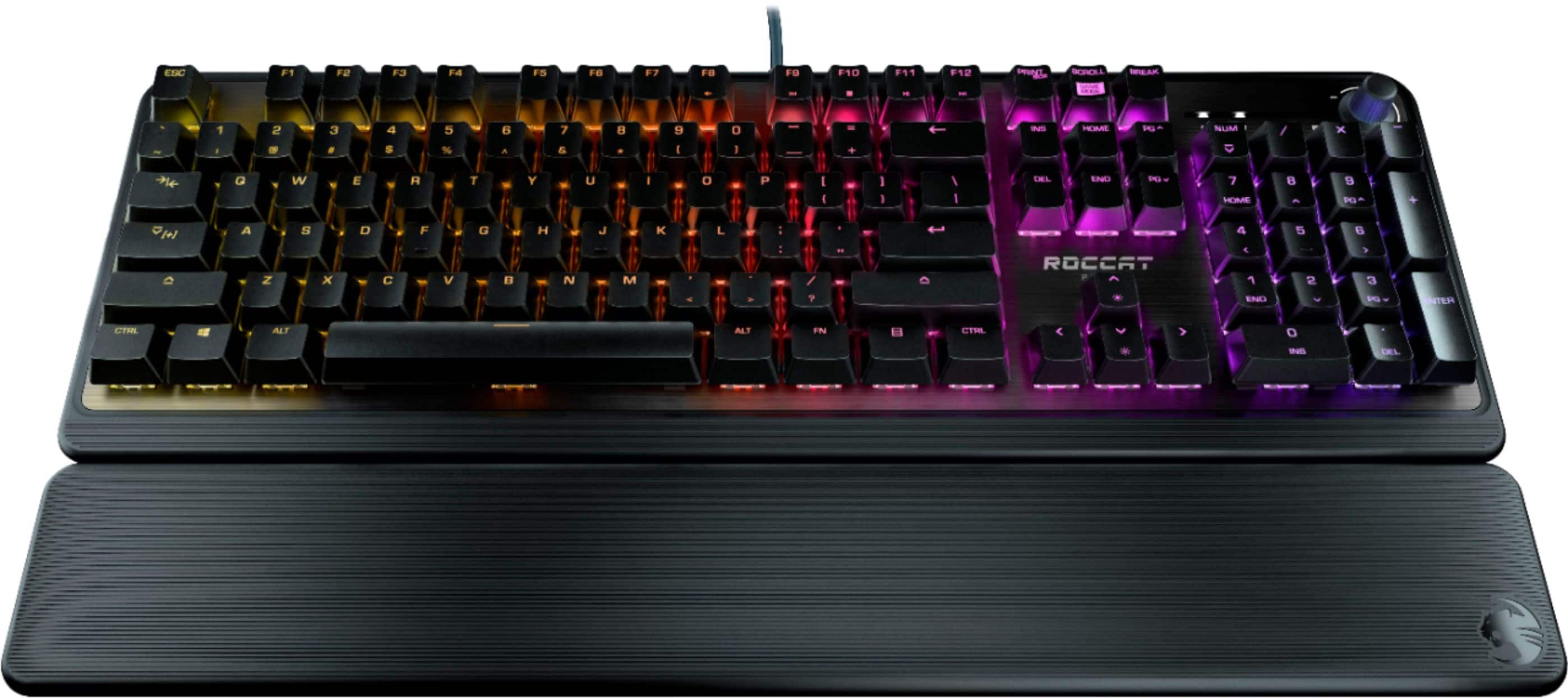
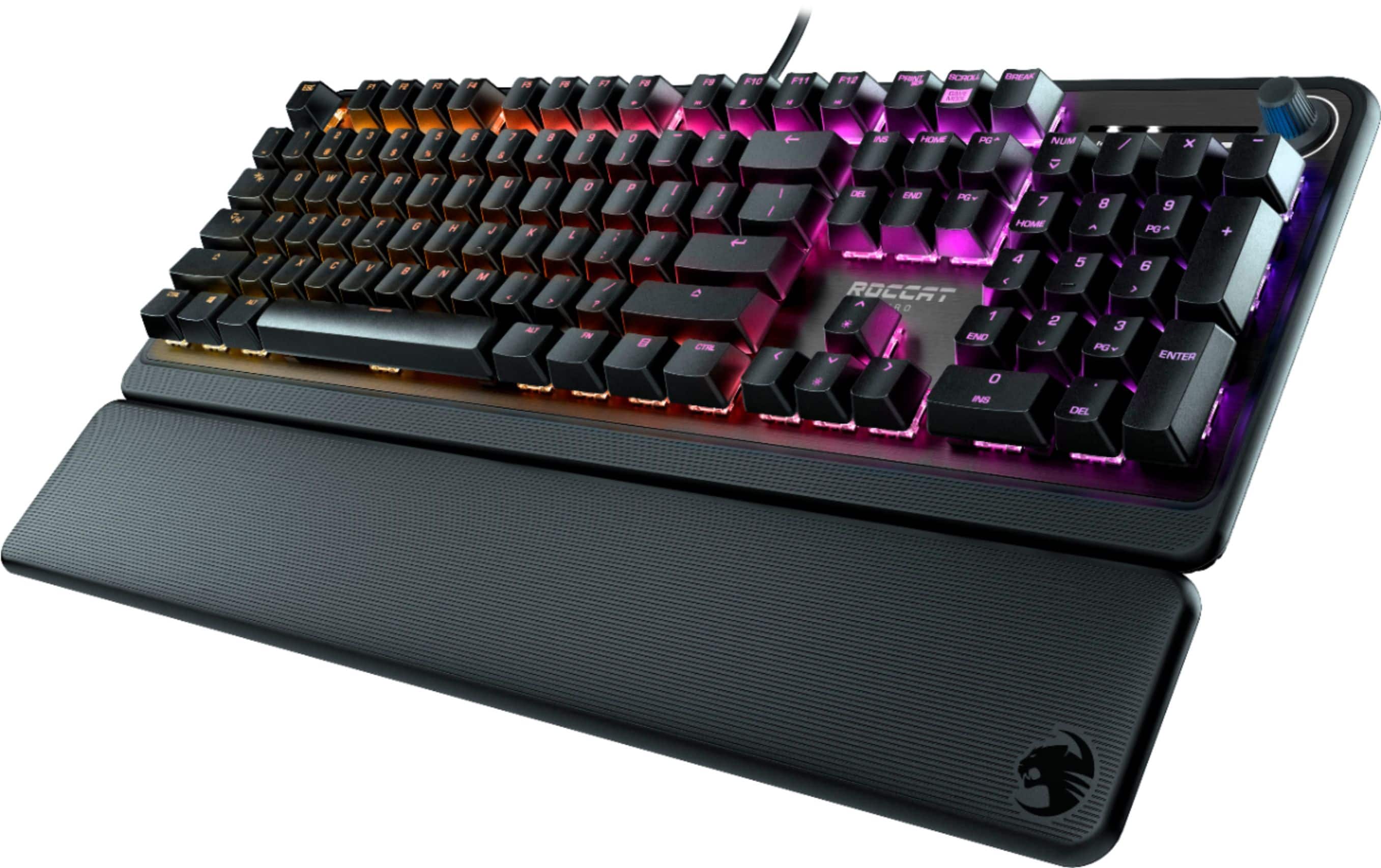
Customers regard the Pyro Full-size Wired Mechanical Linear Switch Gaming Keyboard highly, praising its excellent build quality, vibrant RGB backlighting, and comfortable palm rest. Many appreciate the inclusion of a convenient volume knob and the smooth, responsive key feel. Positive feedback also highlights the keyboard's ease of use and the effective accompanying software. The affordable price point is frequently cited as an additional benefit.
This summary was generated by AI based on customer reviews.
- Pros mentioned:Keyboard quality, Palm rest, Rgb backlighting
A Reliable Gaming Keyboard with Excellent Value fo
||Posted . Owned for 2 months when reviewed.This reviewer received promo considerations or sweepstakes entry for writing a review.As someone who’s spent a fair amount of time with the ROCCAT Pyro, I can say it’s a solid choice if you’re into gaming or just want a reliable mechanical keyboard for daily use. The linear switches are really smooth, making it easy to type quickly and accurately—perfect for both gaming and work. The keys do make a bit of noise, though, so if you’re in a shared space, that’s something to keep in mind. One of the things I really liked about this keyboard is the RGB lighting. The colors are vibrant, and you can customize them to fit your mood or match your gaming setup. Setting it up through ROCCAT’s software was straightforward, and I appreciated the level of personalization it offers, even if the macro programming isn’t as deep as I’d like. The keyboard itself feels sturdy, thanks to the brushed aluminum top, which gives it a nice premium look. That said, the plastic parts do have a bit of flex, which might not be ideal if you’re really picky about build quality. The detachable palm rest is a nice addition, especially during longer sessions, though I wish it had a bit more padding for extra comfort. In terms of performance, the Pyro delivers. It’s responsive, and the anti-ghosting feature ensures that every key press is registered, even during intense gaming moments. The keyboard is a bit on the large side, so it takes up more desk space, but I didn’t find this to be a major issue. Overall, for the price, the ROCCAT Pyro offers great value. It’s perfect if you’re looking for a mechanical keyboard that looks good, feels good, and doesn’t cost a fortune. It’s not without its quirks, but it’s definitely a solid addition to any gaming setup.
I would recommend this to a friend - Pros mentioned:Palm rest, Volume knob

A joy to type on with very little noise!
|Posted .This reviewer received promo considerations or sweepstakes entry for writing a review.The Roccat Pyro RGB Mechanical keyboard is exactly what I was looking for in a mechanical keyboard. The keys have a good amount of travel and there are a plethora of lighting options. The software is has everything you'd want to customize the lighting and remapping keys or making shortcuts as well as keeping itself and the firmware of the keyboard up to date. There is even an volume knob which makes adjusting the volume very easy. The palm rest is quite comfortable as well as easy to attach and detach. The most important part of the keyboard to me was the sound of the mechanical switches and these do not disappoint they are much quieter than my other mechanical keyboard and so far have been a joy to type on. I will definitely recommend this keyboard to anyone that is searching for one.
I would recommend this to a friend - Pros mentioned:Keyboard quality, Palm rest, Rgb backlighting
just the right one for me
||Posted . Owned for 6 months when reviewed.This reviewer received promo considerations or sweepstakes entry for writing a review.it was easy to set up. the palm rest is comfortable with the right firmness. the key clicks are soft and the backlit colors are soothing. I like the beginners' gaming keyboard very much!
I would recommend this to a friend Amazing Gaming Keyboard at an Amazing Price!
|Posted .This reviewer received promo considerations or sweepstakes entry for writing a review.The Roccat Pyro Mechanical RGB Gaming Keyboard Until I received the Roccat Pyro Mechanical RGB Gaming Keyboard, I had never heard of the Roccat line of products. For the price, this is a fantastic keyboard along with the highly configurable Swarm software that comes with it. Installation & Configuration Unboxing and plugging in the keyboard is very easy. The rubber-coated cable is durable, has a Velcro cable wrapper and a picture of a keyboard on the USB connector as a nice touch. My computer automatically installed a driver and recognized the keyboard. I went to the Roccat website, downloaded, and installed the Swarm software. The Swarm software for Windows is very impressive. It provides the ability to configure the keystroke functions, configure the color layouts and animation, save and import keyboard profiles, and assign keys for launching programs. I hate to admit I spent an entire hour just playing with all the features in Swarm. The Keyboard The keyboard itself has a volume control knob on the top right, which is very handy for adjusting volume without using keyboard keys. The base is hard plastic with a brushed aluminum top pad. The illumination of the keys can be very bright or fully adjusted for a lighter touch and even be color responsive to keypresses. The keycaps have a nice smooth feel without being too slippery to the touch. There is a unique key on the left for enabling a Shift+ mode for activating a secondary set of functions for the gaming keys. The feel of the keyboard is quite nice. The red linear switches provide a smooth throw and distance for gaming and touch typing. The activation of the switch is halfway through the press and allows for a lighter touch when needed. While there is some pressure on the keypress, it is less than many other mechanical keyboards, making this a good choice for a touch typist writer or programmer. The only thing I didn't like about the keyboard is the hard plastic wrist rest. It is very uncomfortable, and the plastic ribbing doesn't help. I removed it after a half-hour of use. Pros • Linear red mechanical switches • Brushed aluminum top plate over a plastic case • Swappable keycaps • Sturdy rubber pads prevent desktop movement • Volume knob • Swarm software for Windows provides keyboard customization • Smooth but not slippery keycaps for a pleasant feel • Keyboard picture on the USB plug for easy identification Cons • The wrist rest is uncomfortable hard plastic with grooves. This is a quality gaming keyboard with a wealth of features usually found on more expensive keyboards for the price.
I would recommend this to a friend- Pros mentioned:Keyboard quality
Top Notch Gaming Keyboard
|Posted .This reviewer received promo considerations or sweepstakes entry for writing a review.This keyboard is high quality. The ROCCAT software gives you a large amount of customization options, including key remapping, macros, numerous light effects, and different profiles. The keys feel smooth, responsive, springy and there hasn't been any problems with it registering a keystroke or having stuttering problems. Extremely responsive and accurate gaming keyboard. In all the feedback kept up with my movements in a few FPS titles (TitanFALL 2, Fortnite, WARFRAME) and Racing (Forza Horizon 4).The Wrist rest is extremely comfortable. This would be a great gaming keyboard for the money if you prioritize gaming response over wireless/switchable keys then buy this now.
I would recommend this to a friend - Pros mentioned:Keyboard quality, Rgb backlighting
Gaming Keyboard ROCCAT
||Posted . Owned for 1 year when reviewed.This reviewer received promo considerations or sweepstakes entry for writing a review.I have had this keyboard for over a year and honestly it so amazing. Works perfectly, very satisfying sounds, easy to clean, good for gaming, and the light are amazing. One thing to note is the size. Because its very long, it can take up a lot of space and be difficult to transport it.
I would recommend this to a friend Nice gaming keyboard for minimal $$
|Posted .This reviewer received promo considerations or sweepstakes entry for writing a review.The Roccat Pyro is the first product that I've used from Roccat. I've always used Logitec gaming keyboards, or their standard keyboards. To begin with, this Pyro keyboard is nicely made. The corners are rounded instead of a point, which in my opinion looks a bit nicer. The Pyro keyboard is all plastic with a thin aluminum insert under all the keys area. It also has a volume control knob in the upper right hand corner which comes in handy if you're listing to music, and then your phone rings, and you can immediately turn down the music. This keyboard isn't light in weight, nor is it heavy. Maybe just about right in the weight department. There are for rubber feet underneath that will keep the keyboard from sliding around while you're frantically battling zombies in COD, or in a firefight on Warzone. A real item I love is that the two rear feet can swing out to raise the back of the keyboard about a 1/4 inch. I really like this feature as it makes it easier for gaming as well as typing. Speaking of typing,I'm still getting used to doing so on the Pyro. The switches are very sensitive, so you barely need to touch them. This comes in so handy when you game, possibly giving you the millisecond advantage over another player where you'll live and they die. Honestly, at this point, I'm not a huge fan of how they keys are not fully lit up like all of my Logitech gaming keyboards do. For instance, any key that is capable, the secondary function does not light up. Take the number 2 key for example. The 2 lights up fine, but the @ barely can be seen, especially in daylight. While this is not the fault of Roccat, it's just the way keys are lit up for this type of keys. There is also light bleed through which is really noticeable when gaming in the dark, or near dark. See my pictures for examples. For me, this isn't a problem, but to others it could be. The way Logitech lights up their keys, there isn't any bleed through, and the whole key lights up as the light come from the middle of the key, instead of the top like most if not all gaming keyboards do. I'm hard on my keyboards while gaming as I'm just into the game I guess. I don't use the typical WASD for moving. I use the arrow keys, and at some point, I usually break one after a few years of use. It's due to the way Logitec lights up their keys with the light coming from the center of the key, and I guess there's no real way (yet) to make that stronger. I hope with this Roccat Pyro, the keyboard arrow keys will survive. Only time will tell. The cord for the Pyro is 6', yes I measured it, so it should be long enough for most people to hook up to their computer. The Pyro also comes with a detachable wrist rest. IMHO, just leave it in the box. It's just cheap plastic without ANY PADDING what so ever. IMHO, a wrist rest should have at least some padding. Not hard, cheap plastic. A few other complaints are a few of the keys are not labeled as to what they are. They just have symbols on them. The two enter keys do not say "enter", the caps lock key does not say "caps lock" Just symbols. But, the enter key next to the key pad area says "enter". Why couldn't that be on all the "enter" keys ? Personally I like to have certain keys individually color coded, so at a quick glance, I can use that key during gaming. See my pictures for example. Go to Roccats website to download the software to enable this feature where you can program the keys to your liking. My complaint here is that there are no instructions on how to do this. It took me about 15 minutes to figure out how to program individual keys to the colors I wanted. I've been using the Roccat Pyro gaming keyboard for 7-8 days now, and overall, I'm very happy with it. I'm giving it 4 out of 5 stars. I'm dinging 1/2 star for the lack of documentation either on paper, or on Roccats website as to set up the lighting effects on the keyboard. And 1/2 star for the weirdness of how they labeled two out of the three "enter" keys as well as the same weirdness for the "caps lock" key. Would this have stopped me from buying the Pyro keyboard if I had know in advance ? No, but it's just something that bugs me. And as mentioned, with roughly a weeks worth of gaming on it, so far gaming has been great. I highly recommend the Roccat Pyro gaming keyboard. It appears well made, works great, has programmable keys that you can light in different colors individually and for a very reasonable price.
I would recommend this to a friend- Pros mentioned:Keyboard quality, Palm rest
An Exceptional Gaming Experience with the ROCCAT P
||Posted . Owned for 3 weeks when reviewed.This reviewer received promo considerations or sweepstakes entry for writing a review.First and foremost, the build quality of the Pyro is outstanding. The brushed aluminum top not only provides a sleek and premium look but also ensures durability that can withstand even the most intense gaming sessions. The keyboard feels solid and substantial, making it a pleasure to use. The inclusion of a detachable palm rest is a thoughtful addition that adds to the comfort during extended periods of gaming. It provides excellent wrist support, reducing fatigue and allowing for longer gaming sessions without any discomfort. The palm rest attaches securely to the keyboard and is easily adjustable to suit individual preferences. One of the standout features of the Pyro is its mechanical linear switches. The keyboard I used was equipped with linear switches that offered an incredibly smooth keystroke experience. The actuation force was just right, and the linear movement made rapid keystrokes effortless. Whether I was typing or gaming, the keys were highly responsive, allowing for quick and precise inputs.
I would recommend this to a friend Great keyboard!! Feels great!! Fully customizable
|Posted .This reviewer received promo considerations or sweepstakes entry for writing a review.Great keyboard!! Looks and feels great!! Fully customizable. If you are a PC gamer, and have not had a mechanical keyboard before, you are in for a treat. This keyboard is just fantastic, and I love the feel of every stroke on WASD as much as I love the way it looks on my PC gaming rig! Now the only thing is, these keys are quite a bit loud, but they feel oh so good. I game with headphones on so it doesn’t matter to me personally, but might be something to consider if you have another person near you, especially during these work from home times we live in. I have my gaming rig in another room away from others. I also love the volume knob. It just feels NICE!! Included wrist rest can be attached or removed. I like it attached personally, it is just more comfortable and helps preventing carpal tunnel syndrome, and looks really cool too. The software you install to control the lighting setup is pretty great too. You can save multiple profiles, and it has something they call AIMO, and it will automatically sense what you are doing and change it’s lighting profile based on what you are doing. It works pretty well too! I don’t have any other ROCCAT AIMO products at the moment, but plan on getting a ROCCAT RGB mouse, and it the AIMO will work across the different devices. If there is one slight negative, and I would hardly call it a negative, was that there was no mention in the box that you needed to download their software, Pyro Storm, to get full control and customization out of the keyboard. At the time of me receiving my keyboard, it was so new that they did not list it under their “downloads” section for keyboard software. I emailed ROCCAT support, and just an hour later, I received not only a response, but also they added it to the list of keyboards they had this software available for. Great gaming keyboard!! Looks and feel amazing!! Great support from ROCCAT too!
I would recommend this to a friend- Pros mentioned:Key feel, Keyboard quality
A great keyboard for a good price
||Posted . Owned for 11 months when reviewed.This reviewer received promo considerations or sweepstakes entry for writing a review.I love the feel of this keyboard. The lights and keys and controls all work flawlessly.
I would recommend this to a friend - Pros mentioned:Palm rest
Awesome for the price!
||Posted . Owned for 3 weeks when reviewed.This reviewer received promo considerations or sweepstakes entry for writing a review.Really loving the feel of this keyboard! I thought the software for it might be buggy but it's been decent and barely uses any resources! The price is great and I enjoy using the palm rest, the spacing of the keys is good too.
I would recommend this to a friend Quiet and Comfortable Mechanical Keyboard
|Posted .This reviewer received promo considerations or sweepstakes entry for writing a review.The Rocccat keyboard is an easy keyboard to deploy right out of the box. The driver software is easy to find and install from the manufacturer’s website. The graphical user interface to customize the keyboard is simple to navigate while allowing users to access advanced functions for easy configurations. Any lighting schema is possible with the in-depth color options along with numerous functionalities of built-in schemas to make the lighting effects customizable to any user’s desire. The key binding in the software is easy to use to set up your hotkeys. The software allows you to save multiple profiles so you can easily switch between loadouts depending on what type of game you prefer. Compared to other mechanical keyboards this model’s noise decibel level is low. This keyboard will not be rattling around in a gamers microphone while they enjoy online play. Most mechanical keyboards I have come across in the office scenario are loud and can be heard from a few cubicles away, however this is not the case with this model. The palm rest allows for easy and convenient typing whereas other models may be off centered, or the angle can be offset which often is uncomfortable forcing users to move their forearms in awkward positions. One feature I am impressed with is the volume knob located in the upper right-hand corner of the keyboard, I wish more manufacturers could mimic this going forward as this is something very convenient. Overall, I’d recommend this product since it is quieter than your average mechanical keyboard and does have all the same functionality if not more with a smooth transition between keystrokes once the palm rest is installed.
I would recommend this to a friendThe keys to better gaming
|Posted .This reviewer received promo considerations or sweepstakes entry for writing a review.As an older gamer I usually blame the equipment or lag in internet service provider. I know it is likely me, but whoever wants to admit that. But as I get better and newer equipment to help my KDR and lap times as a gamer. The Roccat Pyro has helped quite a bit. It's really nice to type on and is an easy keyboard replacement if all you need is a backlit keyboard. But as a gaming tool. This board is really loaded with customization for all the extra keystrokes many games use for special abilities or controls. While I am still learning "SWARM" (Roccat software to change lighting and key mapping). The small changes I have learned so far are great for even the basic gaming setup. Each key on the keyboard can be its own color or be remapped to a new function/command. And while at first several keys required use of the "FN" key to use. Drag and drop function in Swarm made it so a few of the keys I wasn't using could be remapped for a single press and made better for quicker use in game. And with 5 profiles, you can have a few layouts for games and on the clock programs. Premium features that drew me in: Brushed metal finish Mechanical keys that are oh so satisfying to press Volume Knob Individual lighting and key mapping Long USB cord Removable keys for easier cleaning of keyboard Wish list for Pyro 2: Push volume knob for mute(this should have been present now) Onboard USB port and/or 3.5mm port for additional connectivity
I would recommend this to a friend- Pros mentioned:Rgb backlighting, Volume knob
Amazing keyboard for the sale price of $40
||Posted . Owned for 1 week when reviewed.This reviewer received promo considerations or sweepstakes entry for writing a review.I love this thing. It feels great to type with. It's clicky, but not in the traditional mechanical keyboard sense of the word. But it does sound really nice. The keystrokes are deep, so it you like something mounted a little closer to the board, that might be a thing. The lighting adjustments and programmable key sounds are super cool. I just use the wave and forego the sounds but my kids love messing with them. Also HUGE plus having the volume knob on the keyboard itself. Overall a great buy I'm super happy with it. Especially for getting it on sale for $40. If I had to pay $80 for it thought I'd have probably gone with a more notable brand.
I would recommend this to a friend - Pros mentioned:Palm rest, Volume knob
Keyboard is a good fit
||Posted . Owned for 3 weeks when reviewed.This reviewer received promo considerations or sweepstakes entry for writing a review.Since it's a mechanical keyboard, the clicking noise is nice. It's not too loud or overbearing. The palm rest is nice, but it is just hard plastic, not foam or anything. Still a nice touch to come with it. So far no issues while using it. Volume knob works as designed. I've heard you can download software to manage some bindings on this but haven't explored that yet.
I would recommend this to a friend - Pros mentioned:Rgb backlighting
Great keyboard
||Posted .This reviewer received promo considerations or sweepstakes entry for writing a review.Have had it less than a day. I've had a Blackwidow Elite (great green switches, but lights were not all that bright and the font on the keys were not all even all throughout the board). Have had Corsair, Hyper, etc. This board has great lighting that is not overbearing like say the Hyper X Alloy Elite, and the lettering on all the keys are evenly lit throughout. The keys are not slick, but instead have a grip-like feel to them. Some reviewers have talked about a slickness to them that eventually will show grease from fingers, but I simply don't see it. The closest I have come to their feel is the Apex keys. Quite similar. Typing is smooth and comfortable. The wrist rest stays firmly in place. I don't care that it is not a literal pillow. Unlike Razer boards, the wrist rest clips in place and STAYS there. The razer wrist rest moves. I could sit here and try like heck to find issues, and if I were a chronic complainer, I am in other areas of my life, I don't find anything wrong with this board. I am not a gamer. Just don't have the time, and if I did I still wouldn't. But typing is just great on this thing. As for noise, it honestly has the classic mechanical sound to it, but not overwhelming. I recently had a Blackwidow V3 and the space key was mega loud unlike the rest of the keys. Folks, this is a great keyboard. Of course, as luck would have it, it may totally fall apart by tomorrow but right now it is exceptional.
I would recommend this to a friend - Pros mentioned:Key feel, Palm rest, Rgb backlighting
Cool Keyboard
||Posted . Owned for 1 month when reviewed.This reviewer received promo considerations or sweepstakes entry for writing a review.Very comfortable wrist rest, fun colors, satisfying keys.
I would recommend this to a friend - Pros mentioned:Rgb backlighting, Volume knob
Worth The Money
||Posted .This reviewer received promo considerations or sweepstakes entry for writing a review.This keyboard is definitely worth the money. You can customize the RGB color scheme, has mechanical keys that are satisfying to press, and can adjust the volume with the knob on the top-right corner of the keyboard. A plus is having the wrist rest which greatly helps with comfort with gaming. My only issue is that I cannot use CAPS LOCK when in the GAMING mode, but that may be due to a setting that I have set up. Overall this is a great keyboard for the price and I would highly recommend it.
I would recommend this to a friend - Pros mentioned:Keyboard quality
Love it!
||Posted . Owned for 1 week when reviewed.This reviewer received promo considerations or sweepstakes entry for writing a review.This keynoard is fantastic. It has a thocky sound that i really enjoy, and the price was incredible. I highly recommend this keyboard for someone looking for high quality at a low price point. I also have the Roccat Vulcan Pro, and I love that keyboard, but I love the sound of the Pyro. It's not as clicky. Get this keyboard if you're in the market for a low priced mechanical keyboard.
I would recommend this to a friend - Pros mentioned:Rgb backlighting
Best bang for your buck!
||Posted . Owned for 1 week when reviewed.This reviewer received promo considerations or sweepstakes entry for writing a review.Everything about it is great! I got it for $40 and it does everything I need. The software that comes with it brings the keyboard to life and I love all the customized buttons you can set along with the ability to assign each LEDs whatever you want. Overall great product!
I would recommend this to a friend