Customer Ratings & Reviews
- Model:
- ROC-12-671-RD-AM
- SKU:
- 6376745
Rating by feature
- Value
Rating 4.6 out of 5 stars
- Quality
Rating 4.8 out of 5 stars
- Ease of Use
Rating 4.8 out of 5 stars
Customers are saying
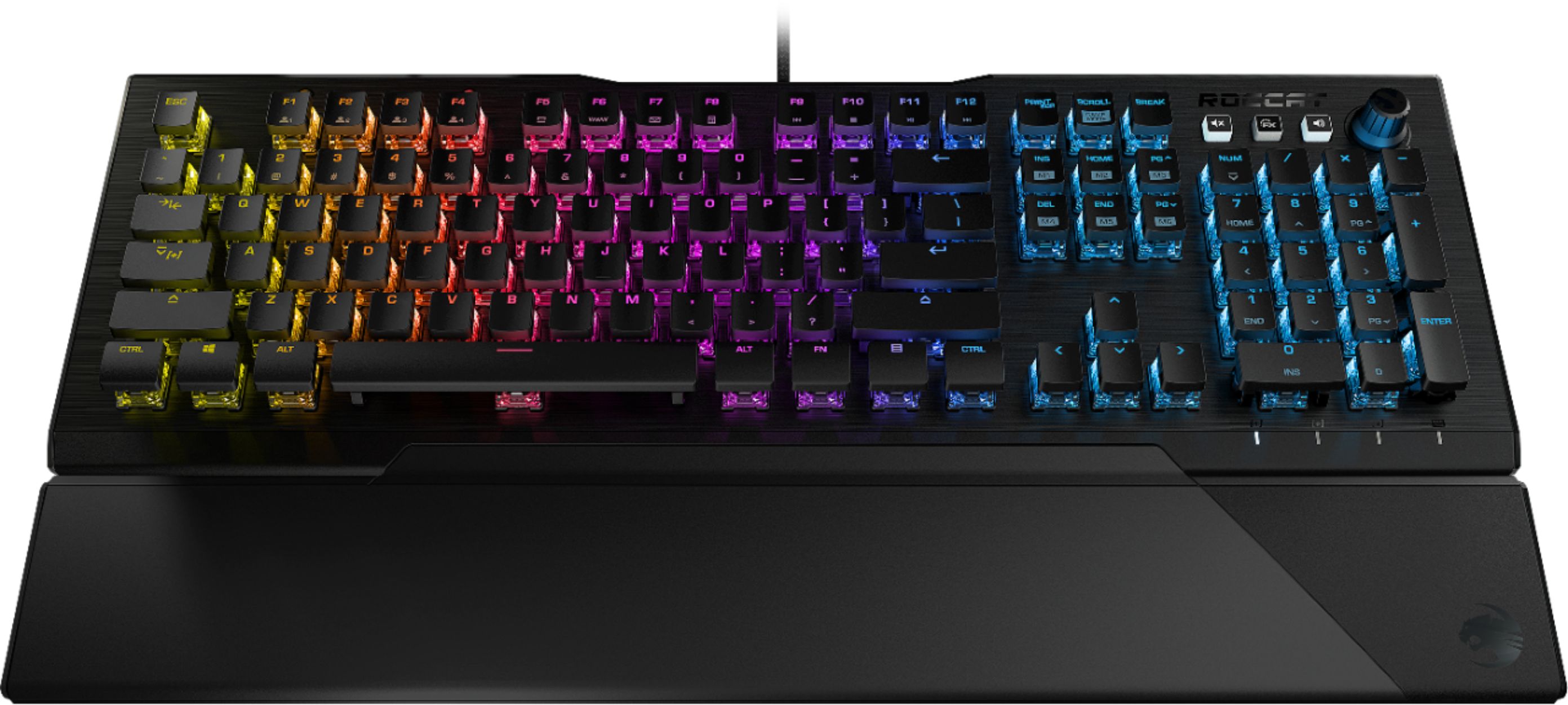
Customers are enthusiastic about the Vulcan 121 RGB keyboard's high-quality build, responsive keys, and customizable RGB lighting. Many appreciate the included wrist rest and the intuitive software for personalization. The smooth typing experience and easy setup are also frequently praised. Positive feedback highlights the keyboard's overall ease of use and satisfying features.
This summary was generated by AI based on customer reviews.
Keyboard
||Posted . Owned for 1 week when reviewed.This reviewer received promo considerations or sweepstakes entry for writing a review.Great keyboard, light key pressure and great color.
I would recommend this to a friendGREAT Keyboard!
||Posted . Owned for 1 week when reviewed.This reviewer received promo considerations or sweepstakes entry for writing a review.I love this keyboard, its the best one i've had so far!!
I would recommend this to a friend- Pros mentioned:Keyboard quality, Rgb lighting

Crown Jewel of the Roccat Gaming Line-Up
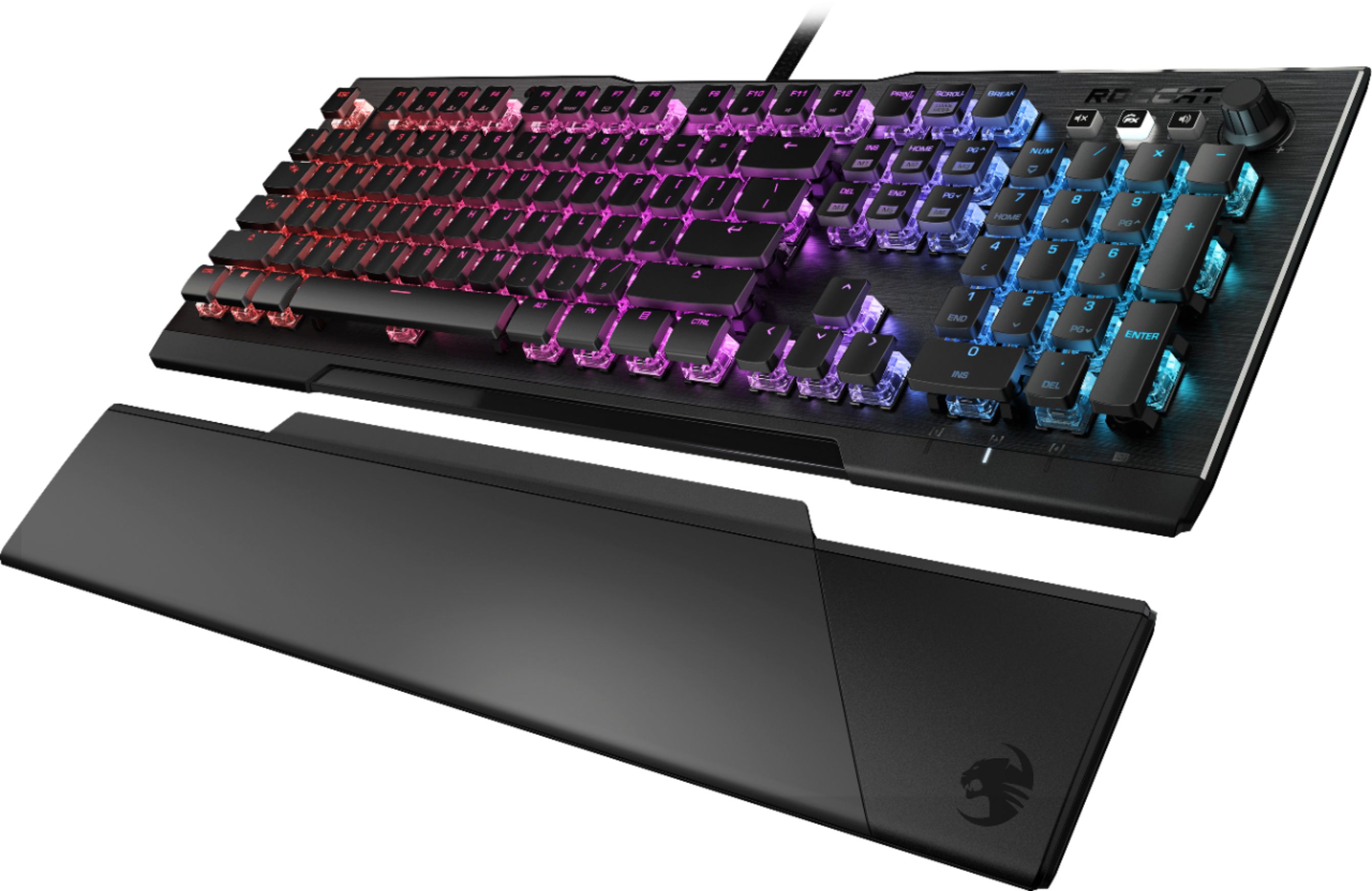
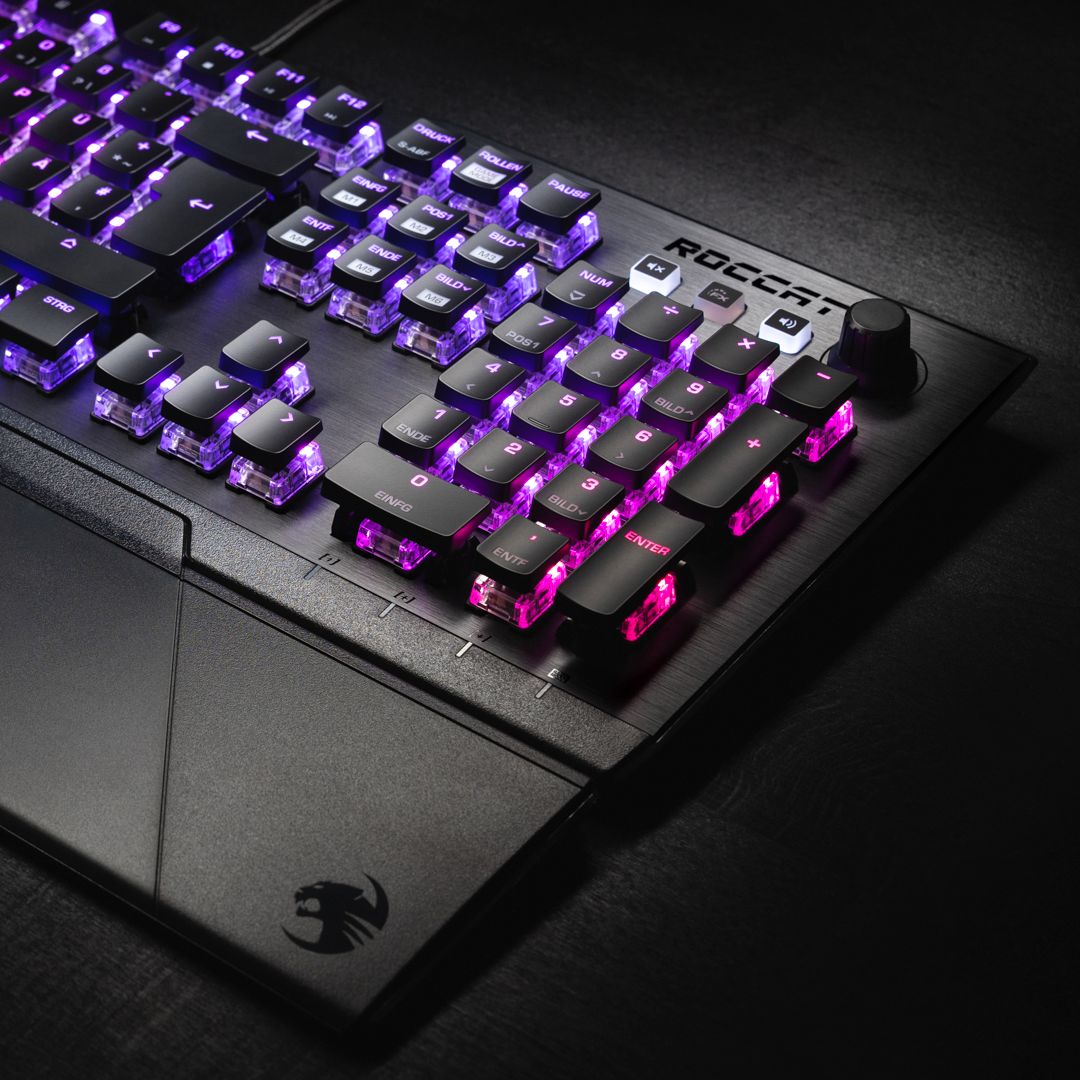
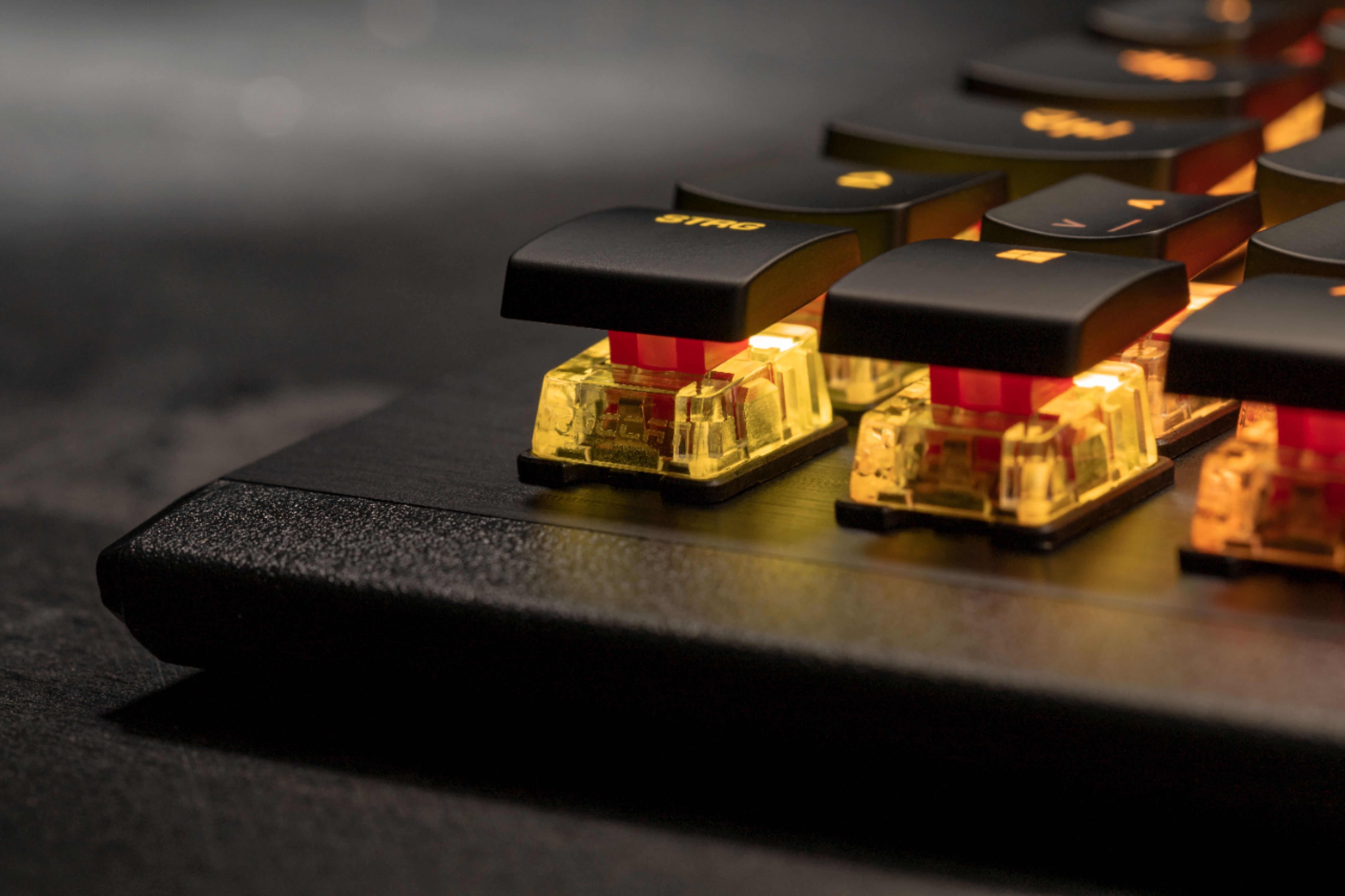
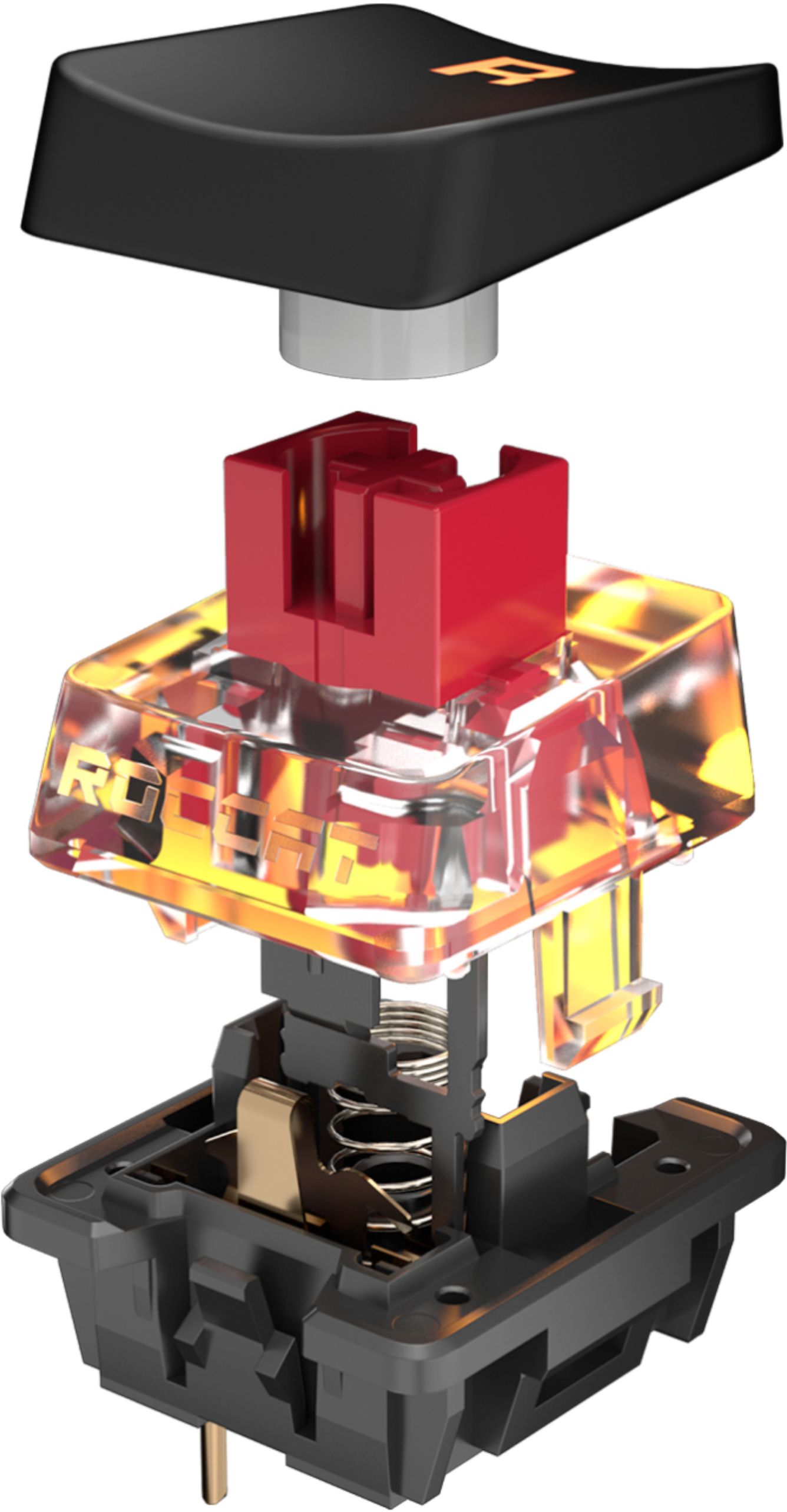
|Posted .This reviewer received promo considerations or sweepstakes entry for writing a review.The Roccat Vulcan 121 is an amazing mechanical keyboard by any respect, but it is definitely the highlight of Roccat’s current Gaming line-up. The build quality is excellent, the keys are floating so they are easy to clean and the RGB is bright and vibrant. The key caps are smooth, but they are smaller (in my opinion) compared to previous keyboards I’ve owned making the keyboard’s overall size smaller as well. This may take some getting used to for those with full-sized keyboards and key caps. The Titan switches are advertised, responsive but fast. No clicking, no loudness when typing, no tactile click. Just fast, like your old Cherry Red Switches. You will want to download the Roccat Swarm Software to maximize color coordination on the Vulcan keyboard. There’s a large wrist-wrest included that attaches magnetically. Thankfully someone decided to do this instead of the previous horrible snap-in wrist rests!!! Overall an excellent keyboard, I’d also like to see a TenKeyLess (TKL) version to further reduce the footprint on desk for gamers.
I would recommend this to a friend Money worth
||Posted . Owned for 3 weeks when reviewed.This reviewer received promo considerations or sweepstakes entry for writing a review.Its pretty good and the price is ok as well considering what you are getting
I would recommend this to a friendAlmost perfect
||Posted . Owned for less than 1 week when reviewed.This reviewer received promo considerations or sweepstakes entry for writing a review.Very nice . The software stinks , and lighting is some what limited by that . But typed very nice
I would recommend this to a friendYeet
||Posted . Owned for 3 weeks when reviewed.This reviewer received promo considerations or sweepstakes entry for writing a review.Great product, the detachable wrist rest can get annoying at times but I fidget around a lot
I would recommend this to a friend- Pros mentioned:Key feel, Rgb lighting, Software
Beautiful Keyboard
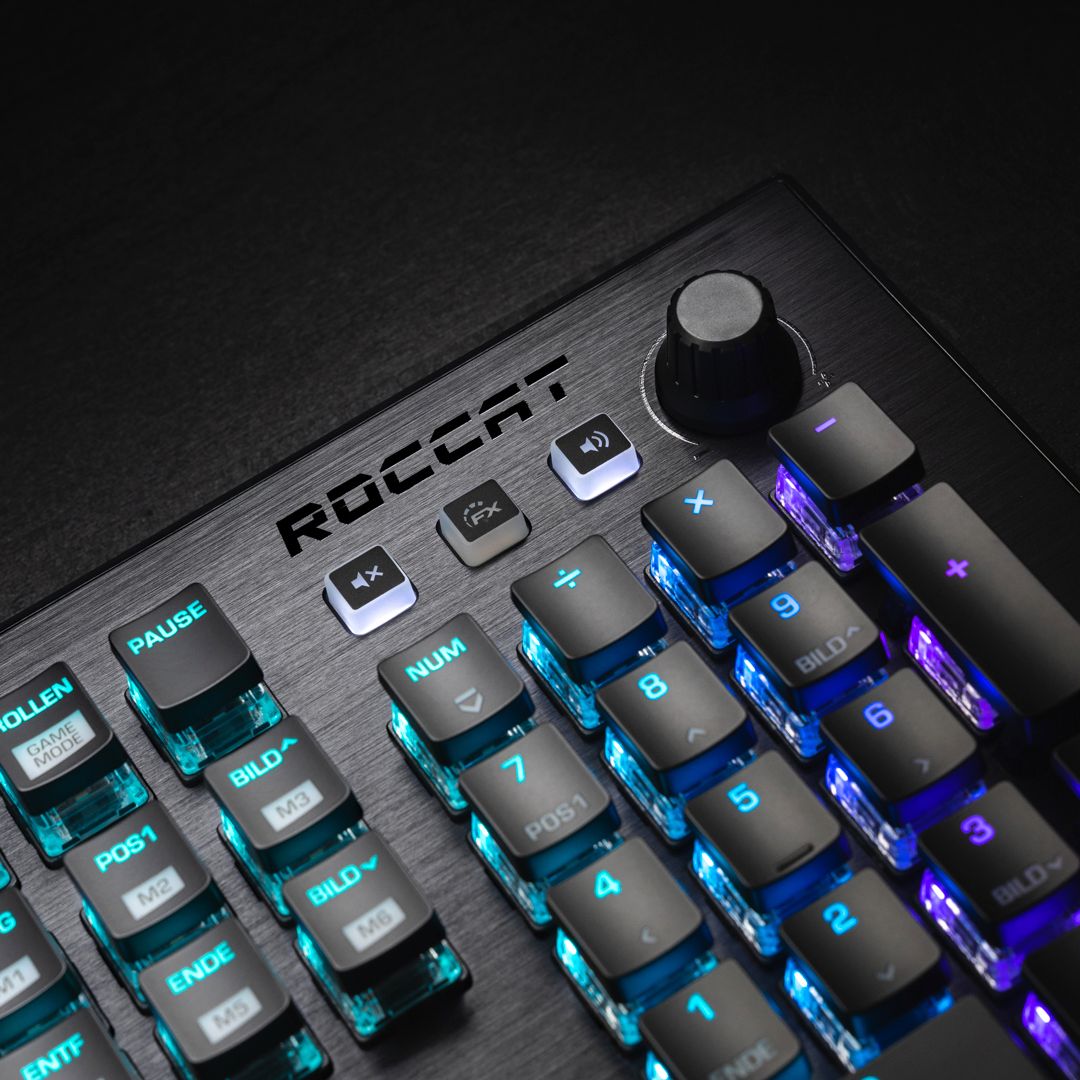
|Posted .This reviewer received promo considerations or sweepstakes entry for writing a review.Well this gaming keyboard is AMAZING. I plugged it in the computer and those RGB lights just blew me away! Beautiful color changes that flow across the keyboard from one side to the other, absolutely breathtaking! VERY responsive keys...only a light touch is needed so it's very quick and easy to use when typing. Volume knob and control right on the keyboard itself too. Extremely well made with great software. Fantastic in every way!! I am happy to say I'll use it for gaming but also for my regular keyboard as well...spoiled already by this one!! Don't hesitate if you are in the market for the coolest keyboard around!!
I would recommend this to a friend Good keyboard maybe
||Posted . Owned for 1 week when reviewed.This reviewer received promo considerations or sweepstakes entry for writing a review.Unfortunately I can't give a solid review on this item as it hasn't been delivered yet. It's been delayed and can't get any updates on it yet thanks to USPS. Seems like a nice keyboard, will gladly update once I get it.
I would recommend this to a friend- Pros mentioned:Keyboard quality, Lighting, Software
Excellent keyboard with great RGB
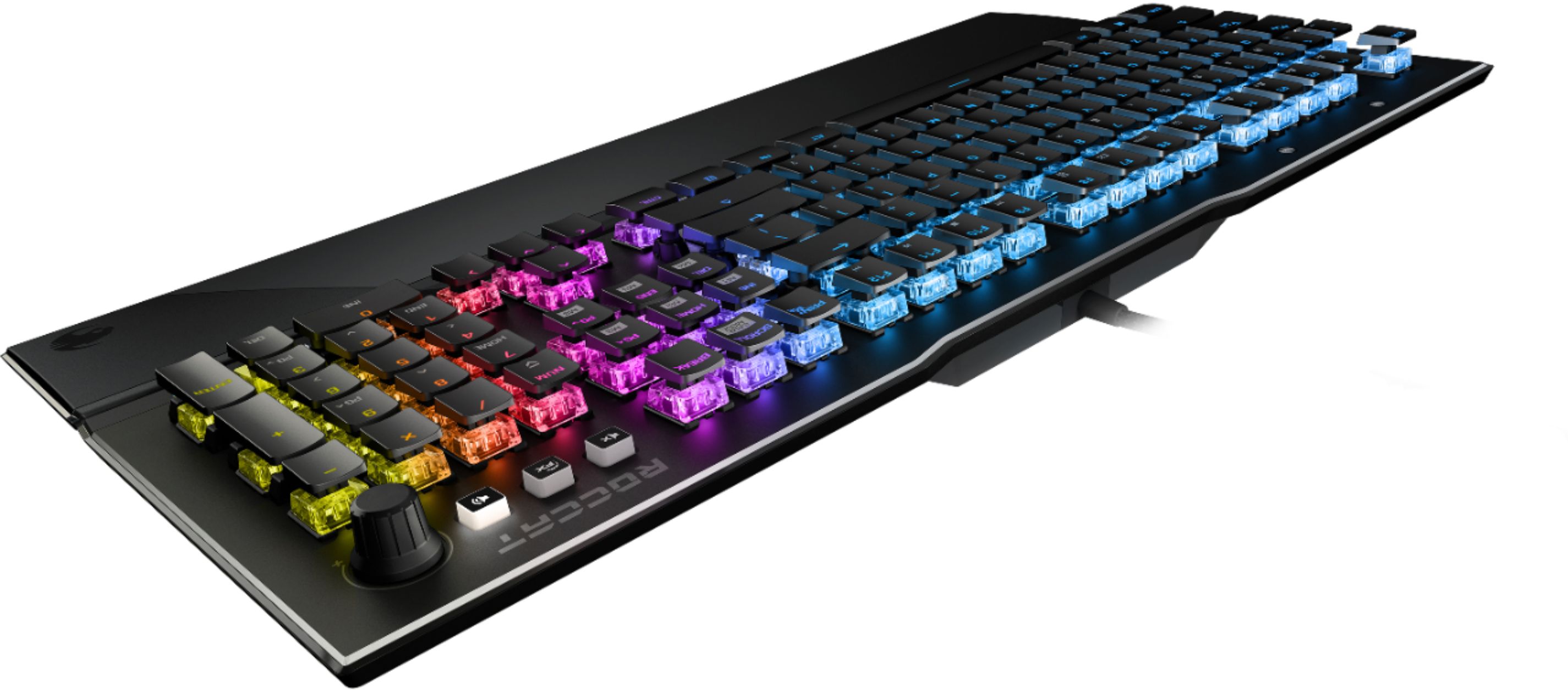
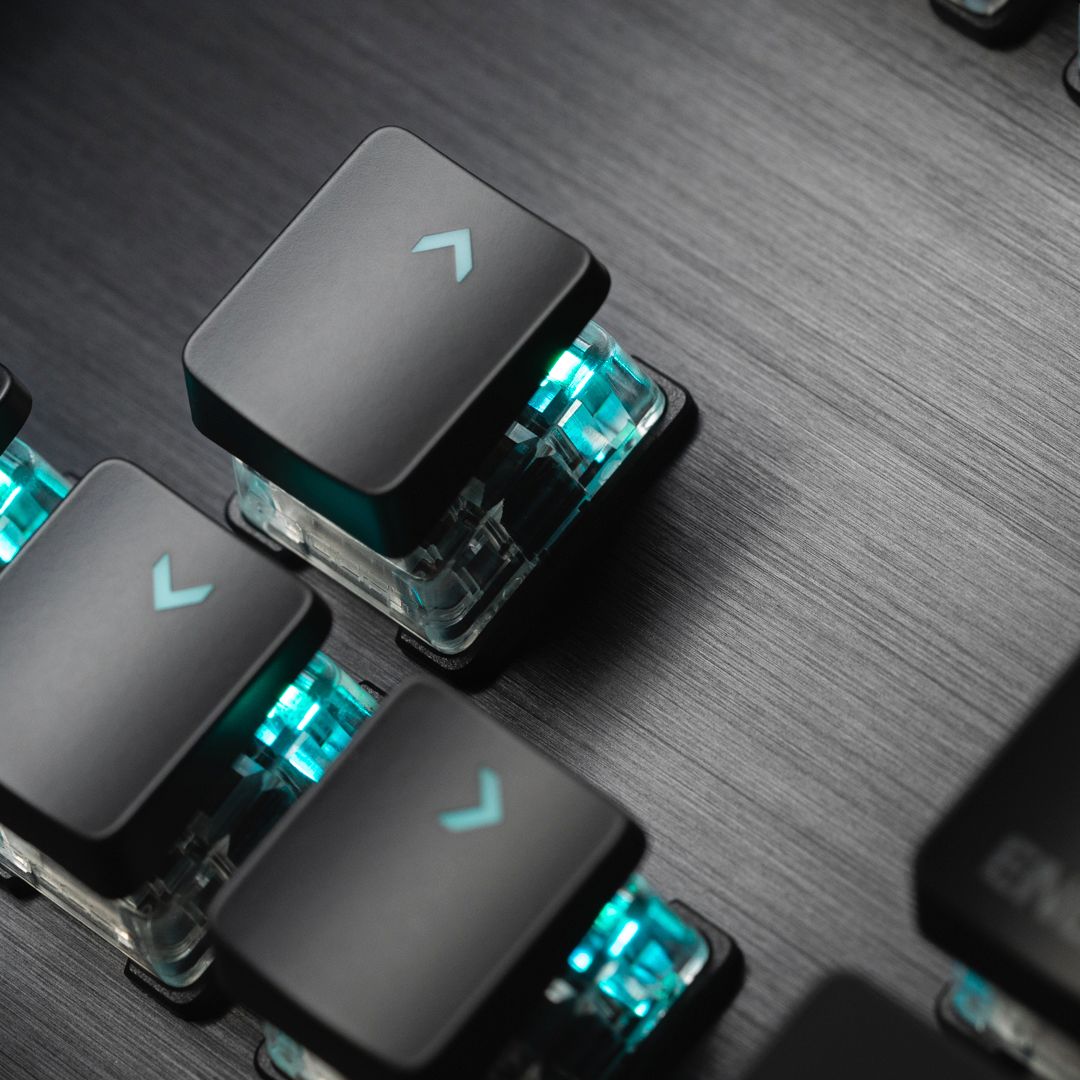
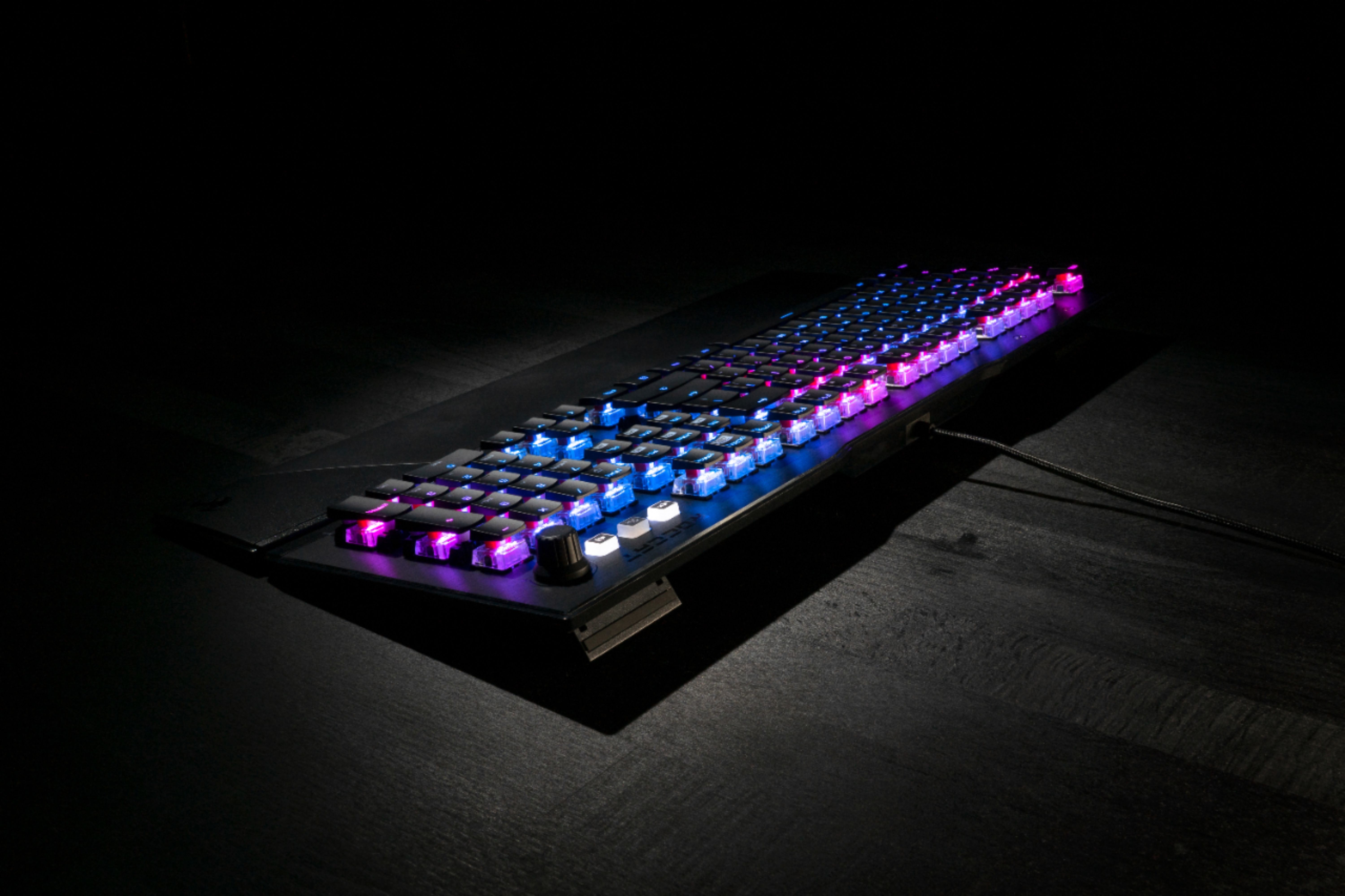
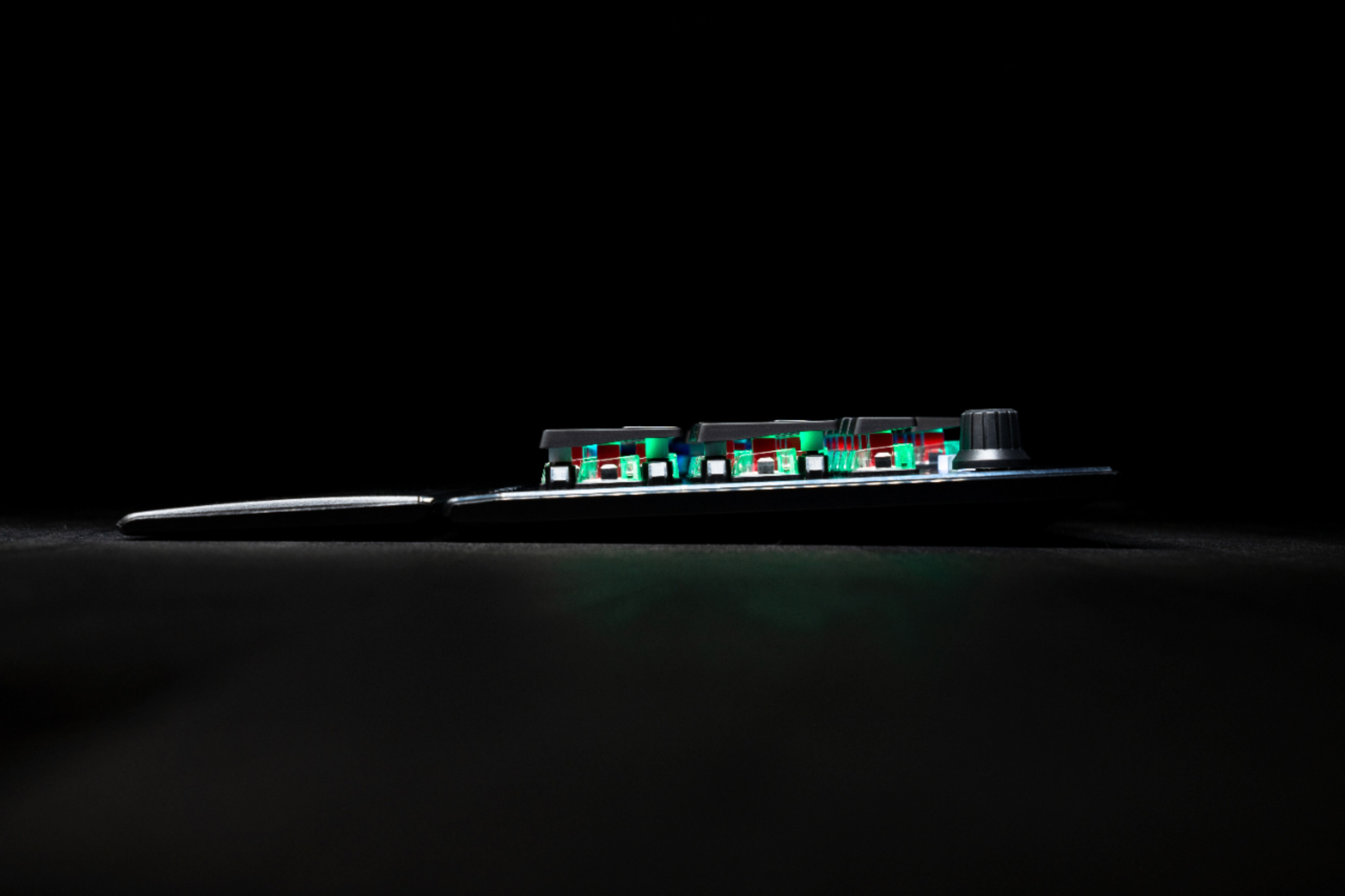
|Posted .This reviewer received promo considerations or sweepstakes entry for writing a review.I love the layout and look of this keyboard. Top plate is brushed metal. The most interesting thing about this keyboard is it uses low-profile keycaps on a full size mechanical switch. This gives a unique look and tons of RGB light comes through without full size caps blocking a lot of the light. Linear switches feel solid and firm. They feel a little firmer than Cherry Red switches, but they are just as smooth and responsive. The Roccat software has been a joy to use so far, and settings/options are plentiful and easy to understand.
I would recommend this to a friend - Pros mentioned:Key feel
Its okay.
||Posted . Owned for 1 week when reviewed.This reviewer received promo considerations or sweepstakes entry for writing a review.It's okay. A little louder than wanted. Switches feel nice, software is horrible.
No, I would not recommend this to a friendBrand response from Turtle Beach Support
Posted .Thanks for your feedback.
If you are in need of assistance with the software that can be used alongside your keyboard, please reach out directly to ROCCAT's Support Team so they can lend a helping hand. That team can be contacted via the Downloads & Support section of the main ROCCAT website.
- Pros mentioned:Keyboard quality, Rgb lighting
Nice option for gamers and everyday use
|Posted .This reviewer received promo considerations or sweepstakes entry for writing a review.Roccat continues their pace of nicely designed, quality gaming components with this Vulcan keyboard. It has a nice look to it with a quality feel in the anodized aluminum top plate. The RGB lighting and customization makes the family of Roccat gaming devices a fun and cool addition for gamers and others. The look of the keys is really quite nice as the lighting makes for a great aesthetic. Again, the Swarm software allows for some great customization options that should leave no users unsatisfied. In use the Titan mechanical switches have been responsive and speedy and I’ve found the fingertip shaped keycaps to be comfortable. No heavy pressure required. Chatter from the switches is minimal which is of preference to me. Macros can be customized, yet Roccat does provide layouts for popular games. Customization is simple and saved in profiles. Once again, I enjoy the availability of media keys and the Vulcan has a volume know which surely takes up less keyboard space, but I rather prefer the scroll wheels I have used for volume on other keyboards. In summary, the Roccat Vulcan offers great features in RGB lighting, quality build, Titan switches and media controls. Even everyday computer users will find this keyboard practical for use with a comfortable, detachable palm rest, responsive keys and great look.
I would recommend this to a friend No Go
||Posted . Owned for 9 months when reviewed.This reviewer received promo considerations or sweepstakes entry for writing a review.I thought this was going to be the greatest keyboard. HATED it! Key way too loud volume know was sloppy felt like it would just spin on its own. Their gamming software is TERRIBLE!!!! Returned and bought Logitech like I should have in the first place.
No, I would not recommend this to a friendBrand response from Turtle Beach Support
Posted .Hey there Dirt,
We appreciate your feedback and are sorry to hear that you were not a fan of your keyboard or its software. Please be aware that ROCCAT is always happy to lend a helping hand as needed via their dedicated Support Team. They can be contacted directly from the Contact Form listed on the main ROCCAT website.
Thank you very much and have yourself a wonderful day!
Keyboard
||Posted . Owned for 1 week when reviewed.This reviewer received promo considerations or sweepstakes entry for writing a review.Great value can’t wait to put it to good use thank you
I would recommend this to a friend- Pros mentioned:Lighting
Stellar Piece of Hardware
|Posted .This reviewer received promo considerations or sweepstakes entry for writing a review.I'll be honest: it's been years since I've touched a mechanical keyboard. They're so clacky and prone to breaking. But my setup needed an upgrade. So I've spent some time with the Vulcan 121 AIMO, and it's amazing. It's a beast of tech. From the start, I noticed that it's more comfortable than what I remember a mechanical keyboard feeling like. And for a mechanical keyboard, it's actually pretty quiet! With the anodized aluminum base and super smooth key caps, it feels and looks high-quality. I enjoy how dark it is and how the light comes through both the switch and the caps. The Vulcan 121 AIMO features Titan Switches. There's a lot of tiny tech in each switch, but ultimately the actuation distance is pretty short, and this is what allows me to remain as quiet as I want while typing—no loud clacking. I've noticed an incredibly fast response rate with the key strokes. I'm not as much of a twitch gamer as I used to be, but ROCCAT claims it's as fast as Cherry MX. The AIMO lighting engine makes this already beautiful keyboard even prettier. There are a few lighting settings, but I prefer the AIMO lighting. It responds to key presses, even holding a key. And it cycles through colors beautifully and organically, syncing with my other AIMO devices. If you download the ROCCAT Swarm application, you'll unlock all kinds of neat customization. The neatest thing to me is the fact that every single key can be assigned a function. I haven't gotten to explore this feature in its entirety, but the list of functions is exhaustive, from basic functions like that annoying Caps Lock to opening practically any kind of file. If I had to think of something that this keyboard lacks in, it's that maybe it could use a few more media keys, but at least you can customize two of these in Swarm. I love every other feature that this keyboard sports and can't wait to do even more with it. If you're looking for a mechanical keyboard for gaming, or you just like the pretty RGB lighting that everyone else seems to have, do yourself a favor and look into the Vulcan 121 AIMO.
I would recommend this to a friend - Pros mentioned:Key feel, Keyboard quality
Good but not a standout.
|Posted .This reviewer received promo considerations or sweepstakes entry for writing a review.It’s been a while since I reviewed a keyboard and it really is the same old same old. I am not a huge PC gamer, I tend to use gaming keyboards in a more utilitarian application more than anything else. The ROCCAT - Vulcan 121 was used over a week in a work application and some light gaming. First thing to get past is the marketing nonsense, the shiny apple of a RGB backlight is only important if you are a 13 year old. I’m not trying to insult anyone reading, but ask yourself – do you really care about how pretty a keyboard is ? Or if you are , how long do you think that will last? Here is what I think is important : Fit and finish – The Roccat - Vulcan 121 appears nice. I say appears it the keyboard tries to give it a better impression than what it may be. The top is aluminum, it has high grade , premium appearance. However, what it is screwed into is another matter- standard plastic that is nothing special. Plastic does not mean it is bad, I just think for the price the whole thing could have been aluminum. There is no flex whatsoever so it is still solid. The weight is about 2.5 lbs so it does stay in place when gaming ( I find weight important for gaming keyboards.) Keys – Like any higher end gaming keyboard, the keys are super responsive. Roccat dubs their set up as “ Titan Switch Linear – the industry’s best mix of speed and responsiveness.” Of course, that is all marketing nonsense. What I found is while it is very responsive, I would have preferred a more tactile resistance of the key stroke. I guess the best way to articulate is the keys do not offer any type of push back as you are typing. You can feel the difference compared to the Logitech 915 or even the Razor. This is a matter of preference; it has no impact on quality. What I do not like is the physical size of the keys and the spacing. Roccat uses a longer key than it is wide. I found myself mis-hitting keys quite often, something I did not find on some competing models that I have reviewed. Features – I’m not going to go into all the features, you can see that in the description and other reviews. It is the same of nearly all the other gaming keyboards. I will say I do like that you can store macros and profiles on the device itself. Not unique to the Roccat but definitely nice. In the end, peripherals should be looked at in two main areas – form and function. The RGB lights and multitude of configuration options are window dressing. Is this a nice keyboard? Absolutely. Does it stand out from the rest of pack – absolutely not. It’s price point is a few bucks less than Steel Series equivalent and nearly $90 less than the Logitech G915 ( the bar in which all other keyboards should be compared to.) . Personally, it is not a good fit for me. The keys are awkward and too easy to push. Other reviewers love the keys, but I just made too many mistakes. Bottom line is the Roccat Vulcan is a fine keyboard but you really have to try out a gaming keyboard to see what feels the best.
No, I would not recommend this to a friend Awesome Keyboard!
|Posted .This reviewer received promo considerations or sweepstakes entry for writing a review.I was really anxious to use my new Roccat Vulcan 121 keyboard. The AIMO lighting system of this keyboard is stunning, absolutely gorgeous. Pure beauty! There is nothing left to ones imagination and its really awesome looking! Customization of keyboard color schemes and some individual keys with "Swarm" software makes all of this tweaking possible. I had no problems or issues with the Swarm software. You'll just have to download it and have with it. Keyboard hook-up was a no brainer. Just plug the device directly into your computers tower. It's as simple as that. Out of the box the keyboard has a real solid feeling and the braided cable is really outstanding! The cheap plastic or rubber cable is gone forever. This keyboard has extendable legs allowing for it to the tilted towards the user. It definitely makes for an easier typing position and is a welcomed feature of this keyboard. It also has a magnetic wrist rest (which makes it fully detachable), from the main part of the keyboard. It's designed to lessen wrist fatigue especially during long gaming and computer sessions. You should note that the wrist rest is unpadded and offers no "soft" protection. Since the detachable wrist pad is removeable, it offers up more space for those consumers who have a limited amount of desk space. Keyboard responsiveness is keen. Lightning fast response time gives you a competitive edge while gaming. The keys have a nice tactile feel. Having finger tipped rounded shaped keys definitely has an awesome feel. The top of the keys cradle your fingertips. I really enjoyed this awesome keyboard. In a nutshell, it is by far the best that I have ever owned and used. Titan Switch Speed is highly responsive, smooth and fast and in my opinion cuts the competition to pieces. Game on!
I would recommend this to a friendlove this keyboard
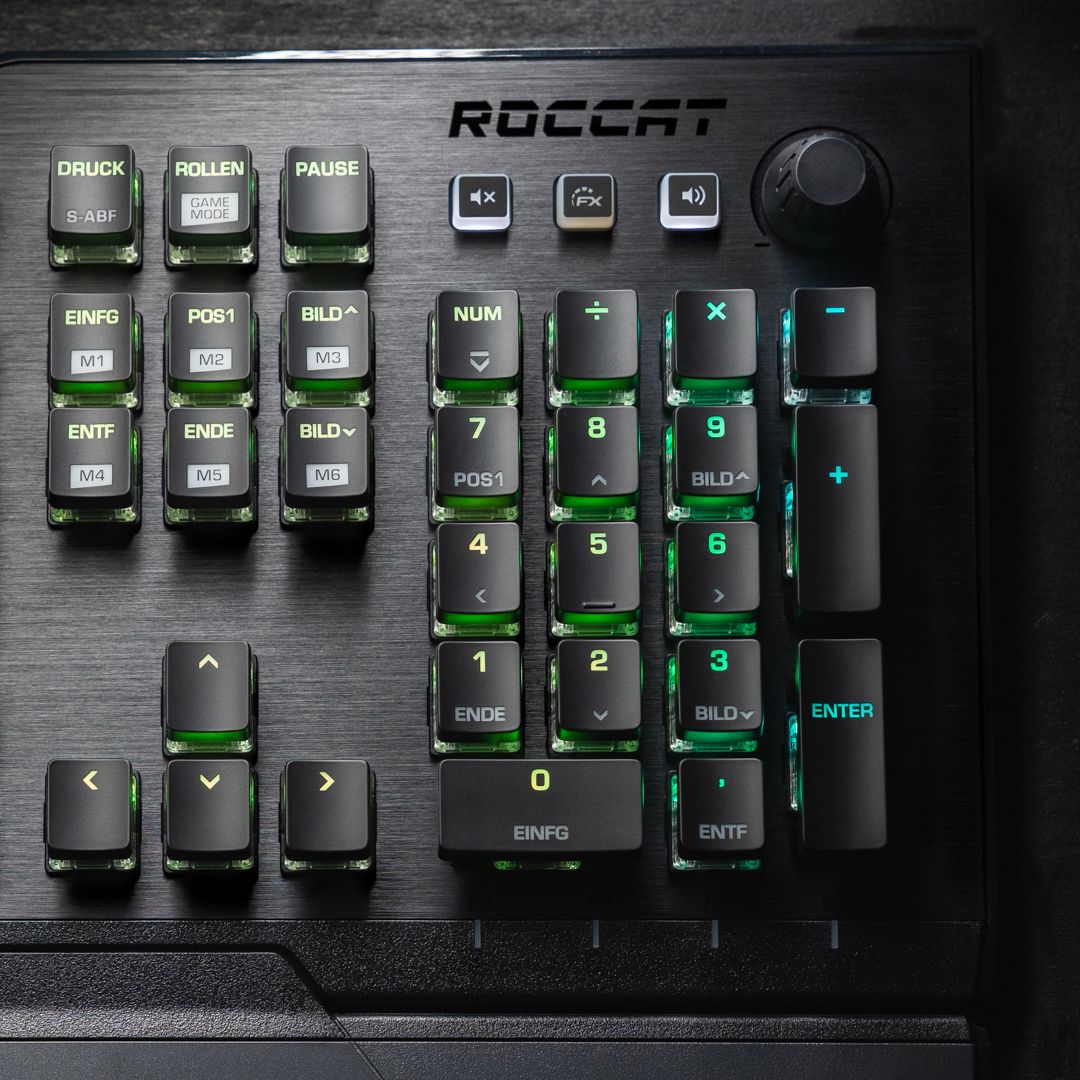
|Posted .This reviewer received promo considerations or sweepstakes entry for writing a review.so i have been using logitech for a long time now. have not really heard to much about ROCCAT. got a Kone aimo mouse, and a Elo wired headset along with this keyboard. first for the cons, at least for me and my opinion. if you want to just stick to 1 fully lit keyboard light, you have to do this for each device you have. i would love to see a button that you can click that says, sync all devices or something on that line. this way i can set lets say my keyboard to orange and then click that button and mouse and headset would also now sync. the W key has a bump on it like the F and J keys. i get why its there, but for me its annoying. i keep thinking something is on my key. keyboard is lit so easy to place hand were i need it. and if dark, i do what i always do. place hand with pointer on F key, and then adjust over. also, some now use esdf, or rdfg etc. as well as some use the arrows keys. anyways, for me annoying. there was not really a manual. even looking on the site. most things are basic. but it still nice to see. for instance, there is a knob on the upper right corner. to the left of that is 3 buttons. a mute button to mute your sound, a middle button with a FX and then a speaker button for your volume. did not know what the FX button was for. went to the software, clicked on it and it kinda gave a brief explanation. you press it, it lights up and the volume ones light goes out. this then makes the knob to turn your brightness up or down. great, but i would have loved for it to do that plus make it so the FN keys are now usable without having to hold down the FN key. which was what i thought it was. i like that it has some FN keys like to open web browser etc. however, i wish it had a way to set what you want. for instance, it has a mail key (F7), i would like to be able to set that so when i click on that, it goes to my yahoo mail, or facebook etc. i would also like to maybe see some more options for the knob. like maybe a rewind, fast forward and as you turn the knob it would slow increase or decrease the speed. and i assume the M1-M6 are macro keys? but i am not sure how to set them. again this is where a manual would be in handy or a easy way to set them. would love to click on the key in the software and then be able to click the M1 and then assign how i want that key to work or the options on what i can do. again those keys would be great to set up for specific websites or something. now for pros. i love how the keyboard lights up and not only lights up the main key functions, but also the secondary functions as well. so like 4 is main key function, and secondary (or shift key for that) is $ sign. the 4 is more lit up, but you can still see the $ sign as well. i like that it has a knob for volume up and down. and it is neat that it also has the FX key so you can change what the knob does to a degree. i like that is has a game mode, which then things like the caps lock can now be a easy shift key, which when pressed allows you to make other keys something else. this is great cause it can be hard to hit keys on the right side of keyboard while gaming. so you can make W for instance now become M for map or something. whats nice is you can also select this to be a easy shift for all devices, a specific device etc. love how it feels, responds and looks. its not loud other then how hard you press the keys and then they click when they bottom out. you can set up 4 profiles so if you have others who use the same computer, you can easily set up profiles so if they mess with settings, you just click your profile and it goes to your settings. it has some macro settings you can do and set up as well. think 6 so plenty. and you can set up for different games. i am not a macro person myself and never used them or set up. and again, love how it looks. the colors can get bright and i love that. my room was dark and the walls lit up, loved that. i dont use the wrist pad, but its easy to use or take off. its magnetic. feels great, i just dont have a lot of room to begin with. and just used to never using one. so overall. well pleased with this keyboard and i have replaced my set up with ROCCAT as i enjoy all of their gear i have and love how they work great to gether.
I would recommend this to a friend- Pros mentioned:Software
Diggin it.
|Posted .This reviewer received promo considerations or sweepstakes entry for writing a review.This keyboard is a real pleasure to type on, I don't know how else to put it. The gaming is great. It is very responsive. As other reviews have said, the software should be downloaded to customize the specialty keys. I was worried that I would not be able to turn off the color, but the lights can be brighter, dim, or off. I thought I would not like to do regular typing on it, but it is not a problem for me at all. Like I said, it's oddly pleasurable because the keys are not super flat against the keyboard like my laptop. The colors are beautiful to look it too. The quality is very obvious and I'm very pleased with this keyboard.
I would recommend this to a friend Great keyboard
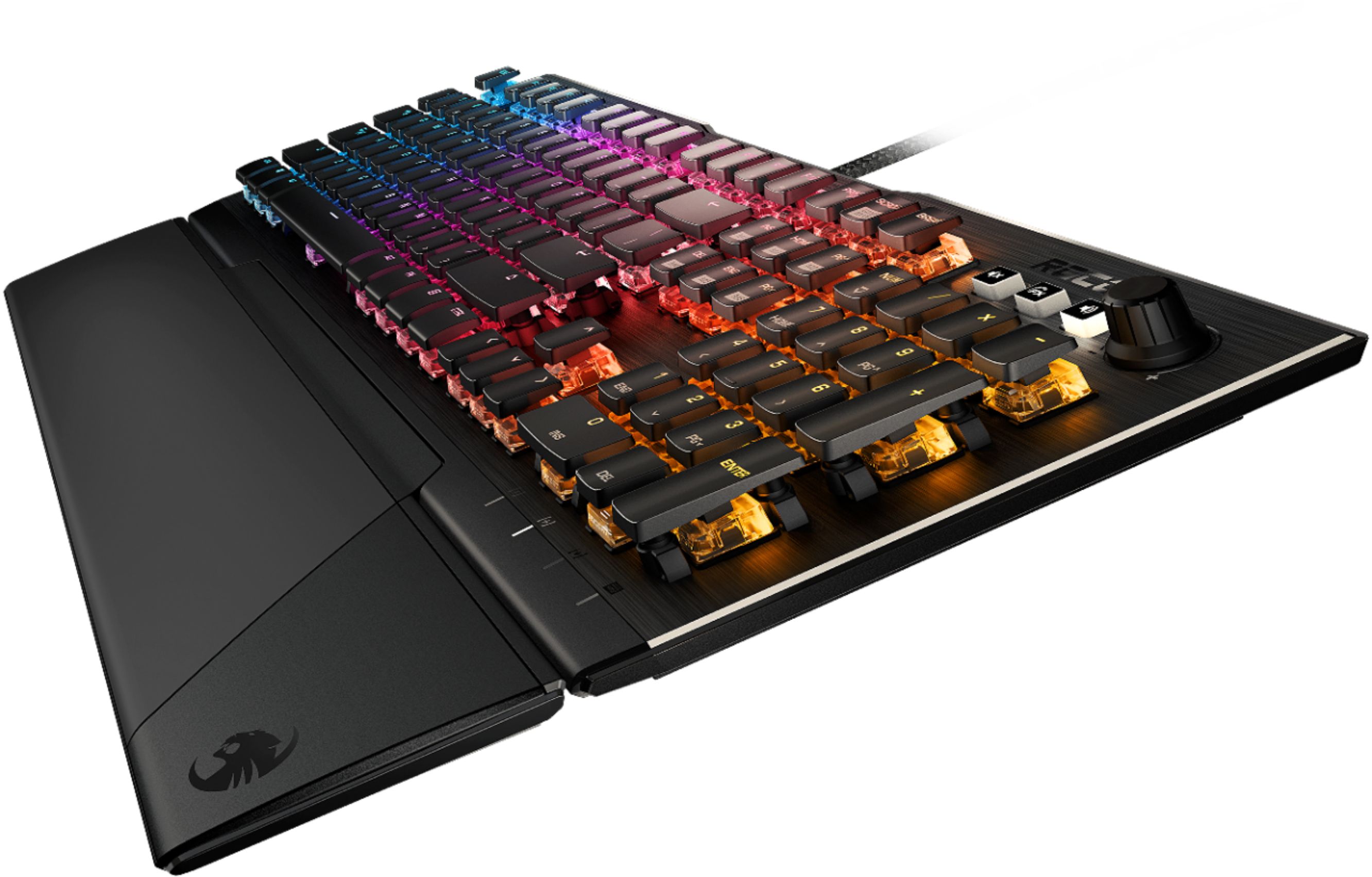
|Posted .This reviewer received promo considerations or sweepstakes entry for writing a review.I like it. I love the responsive mechanical keys, and I can type really fast on them. They're not quite as loud as the cherry red keys on my other gaming keyboards, and they're a little squishier and I think the key travel is a little less, so it's a bit of a quicker response for me. The keyboard layout and spacing are pretty normal so it's very well suited to everyday use as well as gaming. There's a knob that toggles between sound volume and keyboard brightness, so that's handy, and it has a mute button, which is great for conferencing and stuff. The keyboard has feet along the back edge so you can angle it up or flat. I've gotten really used to my other keyboard that had feet along the front edge so you could angle it back, so I wish this keyboard were more adjustable. The wrist rest is okay, but not adjustable. I like the magnet attachment, it makes it really handy for moving around. The keyboard looks gorgeous. There's an elegant brushed metal face and there's some amount of weight to it so it feels really steady. The way the key caps are minimized gives it a cool look that seems like the keys are floating above a field of light. It's also really easy to clean dust and crud out of there. The Swarm software is where this really shines. You get an amazing amount of customization in colors and key mapping, and it remembers profiles. There's lots and lots of other settings. You get to choose between some keyboard sounds. You can make it sound like a typewriter, and there's a couple of arcade sounds if you really want to add some crazy feel to your games. I just leave the sound off though. The mechanics give it plenty of sound already. Another thing that's really cool is you can fine-tune the responsiveness by setting the key repeat rate. I haven't experimented with it yet, but I'm sure it could help cut down on typing errors for really fast typers. This is a quality keyboard at a really good price.
I would recommend this to a friend- Pros mentioned:Lighting
Good but not great...
|Posted .This reviewer received promo considerations or sweepstakes entry for writing a review.This is probably my 5th gaming keyboard in about 2 years and compared to the Logitech ones that I have been using and my kids have been using this one just isn't nearly as solid feeling. It looks great and the colors are awesome underneath the keys the way they have them laid out with them being raised up. With the software installed you can also synch up to a Roccat mouse or headset so they are changing or matching in synch with each other. The keys have a decent click but do not have the same feel/resistance of other traditional mechanical keyboards. There is the ability to load multiple profiles for various button configurations via the software as well as the ability to use the knob to adjust not only the volume but also the light effects. The MOST annoying thing about this keyboard is this stupid shortcut key is between the FN and CTRL keys that I CONSTANTLY hit with the side of my hand when typing. It is annoying and is probably my biggest gripe. I used it for gaming and playing FPS and the keyboard works well but the annoyance of that shortcut key and having to use the software to disable it is rather bothersome. Overall I would not choose this keyboard over the other Logitech Mechanical gaming keyboards I have and currently use on other computers in my house so this one is going to the kids if I keep it.
No, I would not recommend this to a friend