Customer Ratings & Reviews

- Model:
- 3920R
- SKU:
- 6293217
Rating by feature
- Value
Rating 4.7 out of 5 stars
- Quality
Rating 4.7 out of 5 stars
- Ease of Use
Rating 4.7 out of 5 stars
Customers are saying
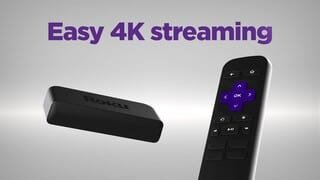
Customers admire the Premiere Streaming Media Player's ease of use, excellent picture quality, and its affordability. Many appreciate the device's streaming capabilities and compact size. While some users found the remote control to be less than ideal, the positive feedback on performance and setup outweighs the negative comments.
This summary was generated by AI based on customer reviews.
Took back to store
||Posted .This reviewer received promo considerations or sweepstakes entry for writing a review.We took this back to store. Our internet isn’t fast enough for this device
No, I would not recommend this to a friendBrand response from Roku Team
Posted .Hi there, we're sorry to hear that this product did not work out for you!
For the highest possible quality when streaming movies and TV shows, we recommend you connect your Roku streaming player or Roku TV to a high-speed internet connection. We offer more details outlining what kind of internet connection is required here: https://support.roku.com/article/208755308.
If you decide to give it another shot in the future, feel free to reference our helpful FAQ article: http://go.roku.com/connectivity that offers connectivity tips for our customers.
We hope this helps!
Roku Customer Advocate
Good
||Posted .This reviewer received promo considerations or sweepstakes entry for writing a review.It's useful, has a lot of old movies to choose from, has Netflix, pandora, hulu, Amazon, etc. Pretty handy.
I would recommend this to a friendRoku4k
||Posted .This reviewer received promo considerations or sweepstakes entry for writing a review.It is good but the issue is I have 3 4k TV but this 4k does not work with older 4k.
I would recommend this to a friendStopped working correctly within a month
||Posted .This reviewer received promo considerations or sweepstakes entry for writing a review.Less than a month after buying this the picture became blurry and often times I couldn’t get a connection. I replaced it with the old Roku and everything worked correctly. Best Buy wouldn’t exchange it because it was more than 15 days. I very disappointed with the Best Buy service. Now I’m waiting to hear back from Roku. No telephone number available only email for customer service.
No, I would not recommend this to a friendNot worth it
||Posted . Owned for 4 months when reviewed.This reviewer received promo considerations or sweepstakes entry for writing a review.After about a year it’s stopped connecting to my home network. Wouldn’t buy again.
No, I would not recommend this to a friendBrand response from Roku Team
Posted .Hello, we're sorry to hear about your troubles. It sounds like there could be an issue with the strength of your wireless connection. Be sure that your router is within range of the device and avoid obstructions like cabinets and walls when possible.
As a tip, you can check the strength of your internet connection by going to Settings > Network > Check connection. This will test the quality of the signal and also measure the speed of that connection, to be sure that your signal is strong enough.
If you're continuing to have troubles, please reference our helpful FAQ article: http://go.roku.com/connectivity
This page will provide you with common concerns, troubleshooting, error codes, and recommended actions. We hope this helps!
Roku Customer Advocate
Internet F/M Requirement
||Posted . Owned for 1 month when reviewed.This reviewer received promo considerations or sweepstakes entry for writing a review.Needs an internet jack as well. I realize the more expensive units have this port.
I would recommend this to a friendBrand response from Roku Team
Posted .Hi there, thanks for your review. We appreciate the feedback and we'll be sure to pass it along to our product team.
As a tip, you can check the strength of your internet connection by going to Settings > Network > Check connection. This will test the quality of the signal and also measure the speed of that connection, to be sure that your signal is strong enough. Visit go.roku.com/connectivity for more tips to improve your wireless connection.
Happy Streaming!
Roku Customer Advocate
Not as reliable as my other "stick" ROKU.
||Posted . Owned for 3 weeks when reviewed.This reviewer received promo considerations or sweepstakes entry for writing a review.It works. Is it remarkable>no but it does the job pretty well. Seems to "buffer" a lot.
I would recommend this to a friendGreat! Sling offer is NEW SUBSCRIBERS ONLY!
||Posted . Owned for 1 month when reviewed.This reviewer received promo considerations or sweepstakes entry for writing a review.The Roku box is great! However, when I purchased it, Best buy did NOT list the Sling offer as "New subscribers only", not even in the fine print. The Best Buy website has been updated since my purchase. I was a bit disappointed when I put the offer code into my Sling account and it bounced. Product is great, Best Buy's former description: disappointing.
I would recommend this to a friendSignal Problems
||Posted .This reviewer received promo considerations or sweepstakes entry for writing a review.I bought a Roku a few months ago. But since a month the intensity to acquire Wi-Fi is not good. It shows me only one signal line. I have tried placing it as factory but it does not fix the problem. I have other Rokus in my house and they work perfectly with the wifi I have. ¿Do you have a solution?... Thanks .
I would recommend this to a friendBrand response from Roku Team
Posted .Hi Gabriela, thanks for taking a moment to share your feedback with us.
Signal strength can vary due to factors and we're here to help! Be sure that your router is within range of the device and avoid obstructions like cabinets and walls when possible. We recommend visiting our FAQ article to walk through some our more helpful connection tips and resolutions: https://support.roku.com/article/213122277.
Other devices currently accessing the network, such as other streaming players, computers, game consoles, and mobile devices may effect the quality of your network connection. You might want to temporarily stop using any such device and check if that makes a difference.
As a tip, you can check the strength of your internet connection by going to Settings > Network > Check connection. This will test the quality of the signal and also measure the speed of that connection, to be sure that your signal is strong enough.
We hope this helps!
Roku Customer Advocate
Average
||Posted .This reviewer received promo considerations or sweepstakes entry for writing a review.Average, I expected more from Roku. If you own smart phone is pointless.
No, I would not recommend this to a friendRoku -premiere
||Posted . Owned for less than 1 week when reviewed.This reviewer received promo considerations or sweepstakes entry for writing a review.A bit confusing at first. Could not find how to see live tv with all channels.
I would recommend this to a friendBrand response from Roku Team
Posted .Hi there, thanks for your review. We're happy to know that you were able to get up and rolling!
Did you know that our Support site has a suite of helpful articles and online video tutorials? You can get started with a step-by-step walkthrough of the setup details, watch video tutorials, or get answers to our most commonly asked questions through our help FAQ articles.
If you're still in need of viewing Live TV, check out this article to help: https://support.roku.com/article/115012658287. Additionally, you can locate Live TV options on The Roku Channel. Simply go to your home screen on your Roku and select The Roku Channel App. From here, you can scroll down to Live TV Channel Guide, instant access to more than 100 free, live streaming channels.
Happy Streaming!
Roku Customer Advocate
Nice
||Posted . Owned for 1 year when reviewed.This reviewer received promo considerations or sweepstakes entry for writing a review.Works as supposed. Good option to watch X-finity witout pay for they box via app.
I would recommend this to a friendIt doesn't pull much signal strength...
||Posted . Owned for 1 month when reviewed.This reviewer received promo considerations or sweepstakes entry for writing a review.It doesn't pull much signal. Maybe it doesn't need to, but the old one it replaced pulled more bandwidth. I will write more after it has gotten more use. I enjoy the GUI as always. I do wish had had bought a few levels up from this for more features since I enjoy the tv it is hooked to more than the old TV, so I am using it more often.
I would recommend this to a friendOkay product
||Posted .This reviewer received promo considerations or sweepstakes entry for writing a review.This product should have Bluetooth capability to connect wirelessly headphone option
I would recommend this to a friend- Cons mentioned:Remote control
awful!!!!
||Posted . Owned for 8 months when reviewed.This reviewer received promo considerations or sweepstakes entry for writing a review.This remote has no on/off switch and no volume. plus you must be 3 inches from the receiver for the remote to work. I am thinking about contacting the company and try to get my money back. I have the other roku in another room and it is not premier and it is PERFECT!
No, I would not recommend this to a friend What I expected
||Posted .This reviewer received promo considerations or sweepstakes entry for writing a review.Doesn’t work I easily with my tv as I hoped. Can’t seem to switch from using the Roku back to Directv
I would recommend this to a friendDefective
||Posted . Owned for 3 weeks when reviewed.This reviewer received promo considerations or sweepstakes entry for writing a review.Bought this on 12/27/19 at Best Buy. Worked great for about a week, then started to freeze up, disconnect and fade in and out. Thought it was my router since this was supposed to be an upgrade from my Roku Express.However, all other devices worked fine including a roku express on another tv. I disconnected the premier and reset my old roku express and that works fine but will not get newer apps like apple or disney +. Emailed roku, but no response. Best Buy likey won't take it back since the package has been opened. Guess I'm stuck.
No, I would not recommend this to a friendnot bad
||Posted .This reviewer received promo considerations or sweepstakes entry for writing a review.the only trouble u u cannot record programs? else it is a little bit of work, to get certain tv programs
No, I would not recommend this to a friendWorked fine for a year only.
||Posted . Owned for 1 year when reviewed.This reviewer received promo considerations or sweepstakes entry for writing a review.I've owned several Roku sticks and all of them are still working except for the original one because it became outdated. However, this last one that I bought a year ago stopped working properly a couple of months ago. It will not get a strong WiFi signal anymore, even if next to the modem/router.
No, I would not recommend this to a friendCable saver
||Posted .This reviewer received promo considerations or sweepstakes entry for writing a review.Ok product . Definitely saves you money from not having to rent cable boxes
I would recommend this to a friend