Customer Ratings & Reviews

- Model:
- 3920R
- SKU:
- 6293217
Rating by feature
- Value
Rating 4.7 out of 5 stars
- Quality
Rating 4.7 out of 5 stars
- Ease of Use
Rating 4.7 out of 5 stars
Customers are saying
Customers admire the Premiere Streaming Media Player's ease of use, excellent picture quality, and its affordability. Many appreciate the device's streaming capabilities and compact size. While some users found the remote control to be less than ideal, the positive feedback on performance and setup outweighs the negative comments.
This summary was generated by AI based on customer reviews.
No Internet
||Posted .This reviewer received promo considerations or sweepstakes entry for writing a review.Returned the device because it doesn’t access the internet. The reason for 2 stars is because the box or other info didn’t state that. My son has one and loves it.
I would recommend this to a friend- Cons mentioned:Heat
Hot Roku
||Posted . Owned for 2 weeks when reviewed.This reviewer received promo considerations or sweepstakes entry for writing a review.This unit gets hot and I am past my 15 days to return it. If people don't mind electrical stuff getting hot.
No, I would not recommend this to a friendBrand response from Roku Team
Posted .Hello, thanks for your review. Your Roku player will automatically display a warning indicator on-screen when the unit is getting too warm. To resolve this error message, we invite you to visit: go.roku.com/tempcheck.
You may want to try finding a cooler location for your Roku player. For example, avoid placing the unit inside a cabinet or other closed space. Avoid placing the unit on top of other electronic devices such as cable boxes, routers, or audio/video receivers. You'll also want to avoid placing the device in direct sunlight.
If your issue continues, please contact us directly at support.roku.com/contactus so that we can assist you directly.
Roku Customer Advocate
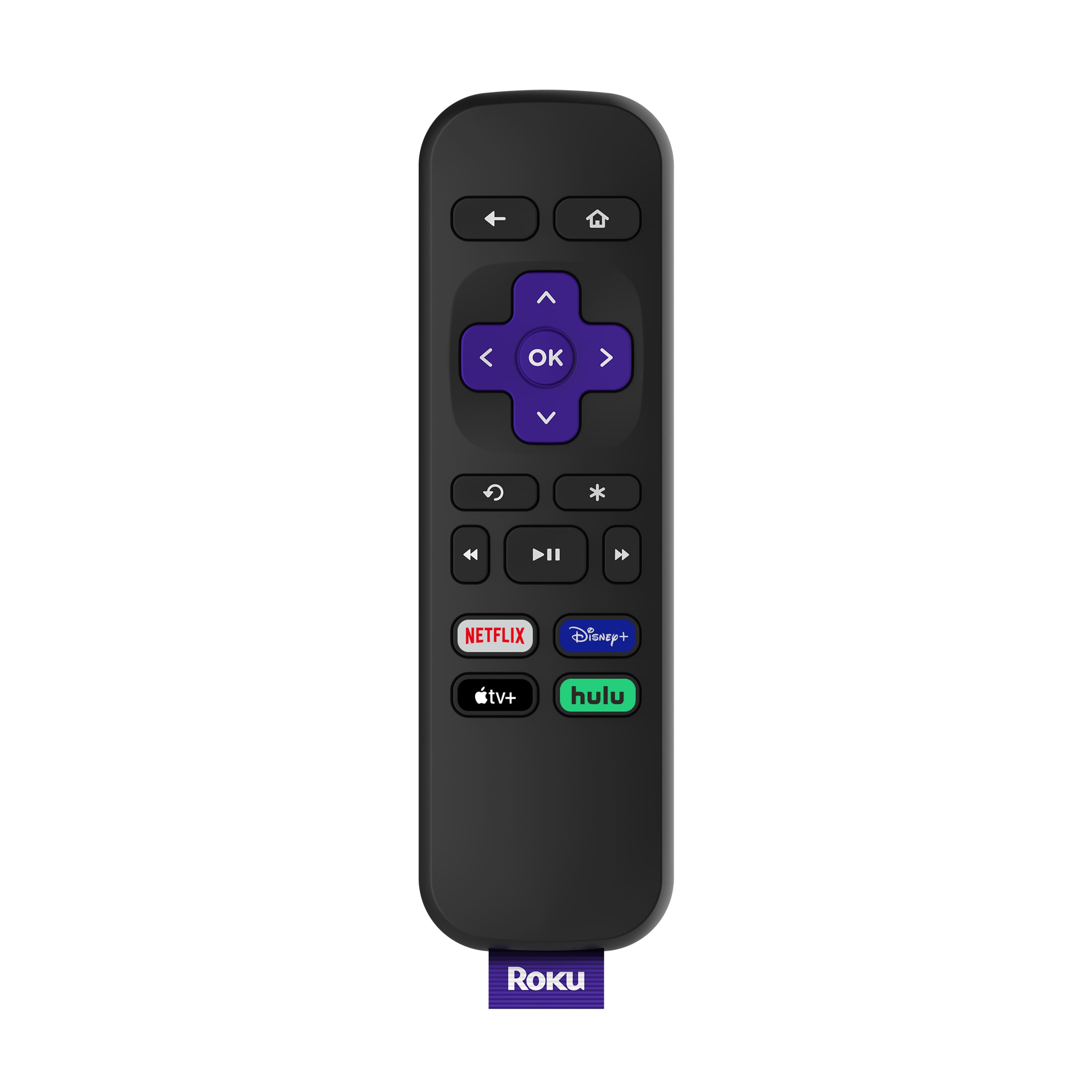
- Cons mentioned:Remote control
Roku
||Posted . Owned for 3 weeks when reviewed.This reviewer received promo considerations or sweepstakes entry for writing a review.Was completely unhappy with device. There is no tv controls on the remote and it has to have line of sight for it to work at all.
No, I would not recommend this to a friend - Cons mentioned:Remote control
Worthless
||Posted . Owned for 1 year when reviewed.This reviewer received promo considerations or sweepstakes entry for writing a review.The remote is worthless on this Roku and when I eventually had to reset it- I have no ability to control anything on it.
No, I would not recommend this to a friend its ok
||Posted . Owned for less than 1 week when reviewed.This reviewer received promo considerations or sweepstakes entry for writing a review.if you dont have a smart tv this is a 5 all day but i really needed atmos support and it just wont work with it so for that i cant give it more than 2 stars
I would recommend this to a friend- Cons mentioned:Remote control
Free movies with Roku Channel/Free TV with Locast
Posted .This reviewer received promo considerations or sweepstakes entry for writing a review.I have used Roku for years,including several different models.The best new thing of note is Roku has recently released The Roku Channel,which has hundreds of free movies.It is ad supported.And now Locast.org app gives you free local broadcast stations CBS,NBC,FOX,ABC and PBS.Locast now offers local TV network broadcasts for New York,Boston,Chicago,Houston,Dallas,Denver areas and plans to add many more cities.This means many folks will no longer need antennas to watch local networks for free. Roku has just about every app you can imagine (YouTube/Pandora/Netflix/Amazon/Hulu/HBO Now) plus tons of more apps in many different categories.Roku Premiere 2018 works fine,but you need to point the remote at the device,unlike other Roku models.Here are some points to consider when deciding on which model of Roku to buy: 1)If you need to connect by WiFi in a room far away from your WiFi router,I would recommend the Roku Streaming Stick PLUS or Roku Ultra. 2)If you have a 4K TV,I would recommend the Roku Ultra or Roku Streaming Stick PLUS. 3)To search for content using your voice,go with either the Streaming Stick,Streaming Stick PLUS or Ultra.All 3 of these models also have a remote that can control the power and volume on your TV. There is also a Roku app for Android & iPhone/iPad that lets you use your smartphone/tablet to control any Roku device and use your phone/tablet on-screen keyboard or voice for searches. 4)If you want a wired ethernet connection,go with the Roku Ultra. 5)If you want to connect to an old TV with RCA/Composite audio/video jacks,you will need the Express PLUS 6)The Express and 2018 Premiere models have a remote where it has to be pointed at the device,unlike the other Roku models. 7)If you are only going to buy one Roku device,I would recommend the Roku Ultra.The Ultra has many unique features that the other Roku models don't such as: -Gaming buttons to play video games -Remote finder to find a lost remote control -Ethernet port for a wired connection -Micro SD card slot -USB Port -Night listening mode (this lowers the volume of loud,explosive sounds and raises the volume of soft sounds like whispers.Very useful!!) -Headphone jack on the remote for listening without disturbing others For those who have not used a Roku before,here are some tips that might be helpful: 1)There is no monthly fee to use a Roku.There are many free channels/apps with free movies,music and TV programs and some people use Roku only for the free channels and do not pay any fees. You do NOT have to enter credit card info if you only wish to view free content and you can always add credit card info to your account later for paid channels/apps.If you plan on viewing free content only,I suggest setting up a Roku account before you activate the device.When you reach the page to enter credit card info,some browsers will show a "Skip,I'll add later" option at the bottom.If you do not see this option,simply log out of your account,then log back in.You may have to then enter a different activation code for your device if you skip entering credit card info during device set up,but you do NOT have to enter credit card info if you only want to view free content. 2)Some of the most popular free channels/apps are: YouTube,Pandora radio,The Roku Channel,Pluto TV,Tubi TV,Crackle,CBS News,NBC News,ABC,PBS, PBS KIds and many more.You can also find a free live stream of FOX News on YouTube by searching "Fox News Live" on YouTube. 3)Some of the most popular paid channels/apps are Netflix,Hulu,Amazon video,HBO Now,Vudu,Sling TV,Spectrum TV and Direct TV Now. 4)If you are looking for a bundle of channels of live TV to replace cable TV,check out Sling TV,YouTube TV,Spectrum TV,Direct TV Now,Hulu,Pluto TV and Playstation Vue.All of these are paid services except for Pluto TV,which is free. 5)To find and add new channels on Roku,just press the Home button on the remote control,scroll down and select "Streaming Channels".There you will find thousands of channels/apps in many different categories and many of them are free. My one gripe about Roku (and other streaming devices) is the lack of a fully functional web browser and I hope Roku will include web browsing on models in the near future.I have been surfing the web on the big screen for years and find it ridiculous when an internet connected TV device does not allow you to surf the internet and forces one to switch to yet another internet connected device to do so. I am aware of screen mirroring function from smartphone/PC/tablet but find that a poor excuse to not include a web browser.Many people who type a lot of messages and/or emails like myself prefer typing on a wireless keyboard rather than a phone/tablet/remote control. Bottom Line:You can now get a Roku device to to replace your cable TV box & service or to replace an antenna for free local network TV.
I would recommend this to a friend - Cons mentioned:Remote control
Terrible Product
||Posted .This reviewer received promo considerations or sweepstakes entry for writing a review.Not good, you always have to face the remote toward the base unit otherwise it will not work,
No, I would not recommend this to a friendBrand response from Roku Team
Posted .Hi there! We're sorry to hear the remote didn't meet your needs. Learn more about optimizing the position of your player with an IR remote at https://support.roku.com/article/235746748-why-are-button-presses-on-the-remote-missed-by-my-roku-express-express-or-roku-premiere-.
If you're looking for an Enhanced Voice Remote with TV power and volume functions, grab one at www.roku.com under 'Accessories'. To have the Enhanced Voice Remote included, choose from the Premiere+, Streaming Stick, Streaming Stick+, or Ultra. Your feedback is very important to us and we'll certainly forward it to our product team. We hope you're enjoying the other aspects of your new Roku player.
Happy Streaming!
Roku Customer Advocate
Had to call to get local stations for streaming
||Posted . Owned for 1 month when reviewed.This reviewer received promo considerations or sweepstakes entry for writing a review.We had to call to stream local channels because it was set on Texas. The item was not easy to use, good thing there is customer service.
No, I would not recommend this to a friendConfusing for a non techie
||Posted .This reviewer received promo considerations or sweepstakes entry for writing a review.I was expecting to receive a device that would be much more easier to use and understand. I find Roku difficult to schroll through and find what I’m looking for.
No, I would not recommend this to a friend- Cons mentioned:Remote control
roku
||Posted .This reviewer received promo considerations or sweepstakes entry for writing a review.Picture is not clear. remote does not have power button. overall very disappointed.
No, I would not recommend this to a friend - Pros mentioned:Ease of use
Comcast Replacement
||Posted . Owned for 3 weeks when reviewed.This reviewer received promo considerations or sweepstakes entry for writing a review.Not a good replacement for a cable box. Took them back and got Chromescast instead. Much easier.
No, I would not recommend this to a friend not happy
||Posted . Owned for 3 weeks when reviewed.This reviewer received promo considerations or sweepstakes entry for writing a review.I purchased a G80T tv and I am not happy with the sound and the jerky picture. I will contact Samsung in the near future.
No, I would not recommend this to a friendBrand response from Roku Team
Posted .Hi there, the Roku Premiere supports video resolutions up to 4K with a compatible TV setup. Having a strong wireless connection and a position within close proximity to your router are the first steps in troubleshooting. Be sure that you're avoiding obstructions from the router like walls and cabinets.
We'd also recommend using the High-Speed HDMI Cable that came with your Roku Premiere. And you'll want to check to make sure that you're running the latest update located in your Roku's Settings menu.
Lastly, for the best display resolution automatically, make sure that your "Display Type" setting has turned on "Auto-detect". Grab more tips and troubleshooting techniques on our Support site: https://support.roku.com/article/225735828
We hope this helps you out.
Happy Streaming!
Roku Customer Advocate
- Cons mentioned:Remote control
Roku premium is not good
||Posted .This reviewer received promo considerations or sweepstakes entry for writing a review.This the worst item I have ever seen no volume button not power button
No, I would not recommend this to a friendBrand response from Roku Team
Posted .Hi there, we're sorry to hear the remote didn't meet your needs. If you're looking for a Voice Remote with TV power and volume functions, grab one at www.roku.com under 'Accessories'.
To have a Voice Remote included, choose from the Express 4K+, Streaming Stick 4K, Streaming Stick 4K+, or Ultra. We offer a comprehensive comparison chart on our website that can help users determine which player best suits their personal needs and budgets here: https://www.roku.com/products/compare.
Your feedback is very important to us and we'll certainly forward it to our product team.
Roku Customer Advocate
WiFi not strong enough
||Posted .This reviewer received promo considerations or sweepstakes entry for writing a review.My media room is upstairs and my router is downstairs. I’m sure it’s a good product but the signal was never strong enough to watch anything. Very blurry.
No, I would not recommend this to a friend- Pros mentioned:Picture quality
Nice pic
||Posted .This reviewer received promo considerations or sweepstakes entry for writing a review.Nice picture but audio didn't work, despite troubleshooting. Disappointed. Was looking forward to using this.
No, I would not recommend this to a friend - Cons mentioned:Remote control
Roku
||Posted . Owned for 1 month when reviewed.This reviewer received promo considerations or sweepstakes entry for writing a review.I live the older models; the new ones have no volume control and no on/off button.
No, I would not recommend this to a friendBrand response from Roku Team
Posted .Hello! Thanks for your feedback. If you're looking for an Enhanced Voice Remote with TV power and volume functions, grab one at www.roku.com under 'Accessories'.
To have the Enhanced Voice Remote included, choose from the Premiere+, Streaming Stick, Streaming Stick+, or Ultra. We offer a comprehensive comparison chart on our website that can help users determine which player best suits their personal needs and budgets here: https://www.roku.com/products/compare.
Your feedback is very important to us and we'll certainly forward it to our product team.
Happy Streaming!
Roku Customer Advocate
- Cons mentioned:Remote control
Remote
||Posted . Owned for less than 1 week when reviewed.This reviewer received promo considerations or sweepstakes entry for writing a review.The remote that comes with this will not control your TV. There is no power button or sound buttons.
No, I would not recommend this to a friend The Roku did not work the best I thought it would
||Posted . Owned for 3 weeks when reviewed.This reviewer received promo considerations or sweepstakes entry for writing a review.No very Good...it takes a long time to upload and I have the fastest intranet ...it also stops between a movie. Not too impressed.
No, I would not recommend this to a friendUpset with the way I was handled AFTER the sale!
||Posted .This reviewer received promo considerations or sweepstakes entry for writing a review.I like Roku, hated the way I was treated when it didn't work right! I was told by your ASSociate that I needed to spend all kinds of money to have my system checked out. I called Amazon, explained what was happening, and they got me the router I needed to make it work! That sale could have been yours if you has someone who knew what was going on!
I would recommend this to a friendVery disappointed.
||Posted . Owned for 1 month when reviewed.This reviewer received promo considerations or sweepstakes entry for writing a review.Thought the Roku would be a great new addition to my home theatre. GUESS AGAIN. Never got the chance to use it. Now just sits in the box. Found it will only connect to wifi from a router. I live in the country, not good internet here. So, I use my cell phone with the mobile hotspot for internet. The Roku WONT hook up to a mobile hotspot. Tried everything. Very disappointed.......
No, I would not recommend this to a friend