Customer Ratings & Reviews
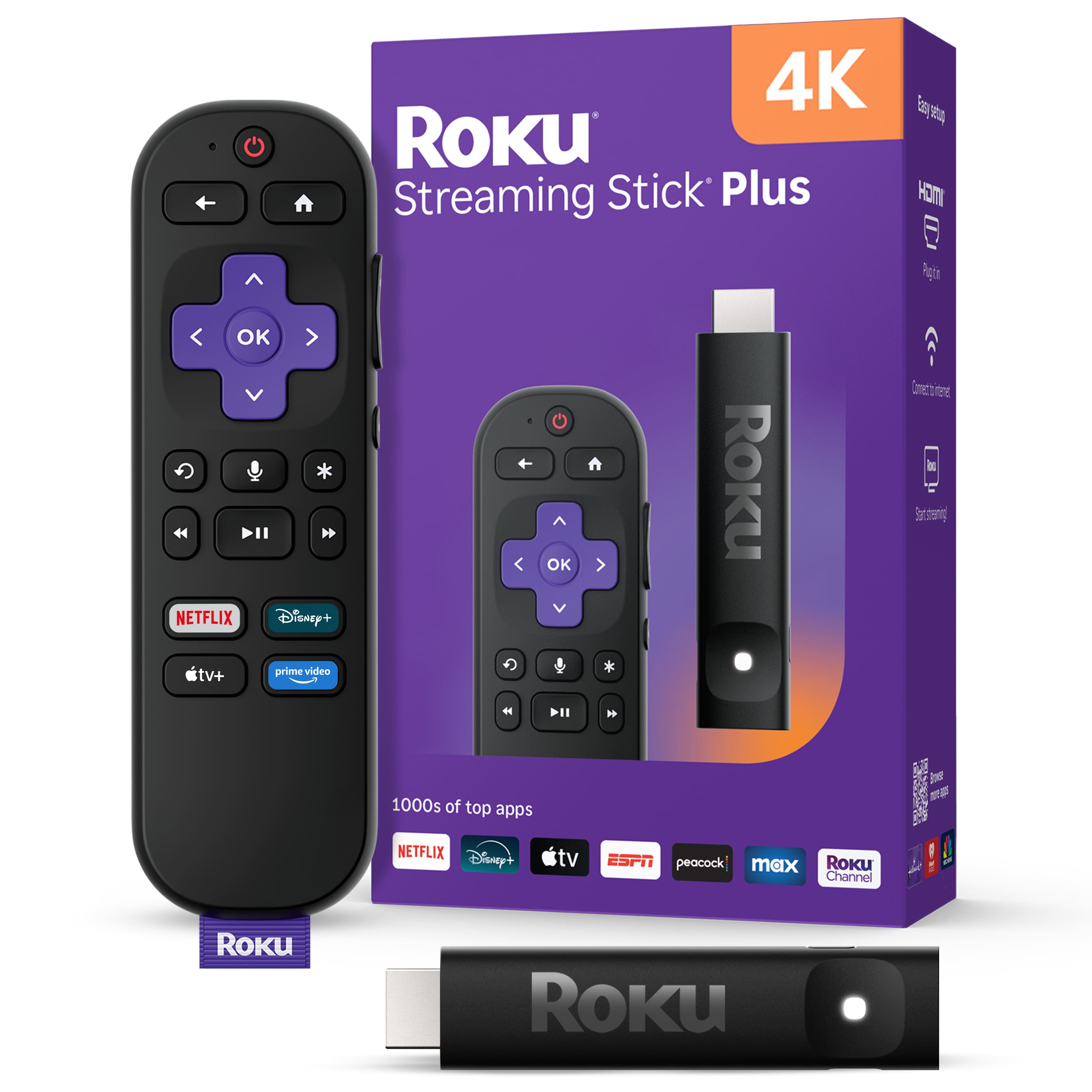






- Model:
- 3830R
- SKU:
- 12061443
Rating by feature
- Value
Rating 4.8 out of 5 stars
- Quality
Rating 4.7 out of 5 stars
- Ease of Use
Rating 4.8 out of 5 stars
Does not work with Tablo 4th Gen
||Posted .This reviewer received promo considerations or sweepstakes entry for writing a review.It is pretty good for streaming but will not work with the tablo 4th gen. Have tried all the tablo workarounds that I could find but nothing works so waiting on a roku fix which is apparently not going to happen since this has been an issue for a couple years
I would recommend this to a friendBrand response from Roku Team
Posted .Hi Randy, thanks for sharing. Have you had a chance to contact our customer support team? We'd be happy to learn more and help troubleshoot this with you! Visit us online at support.roku.com/contactus to get started and connect with an agent. Your feedback is very important to us and we’re eager to assist. Thanks! Elmer, Roku Customer Advocate

- Cons mentioned:Connectivity
Pastor Thomas Brito
||Posted . Owned for 2 weeks when reviewed.This reviewer received promo considerations or sweepstakes entry for writing a review.To difficult to connect & operate Could not connectto tv
No, I would not recommend this to a friendBrand response from Roku Team
Posted .Hi Thomas, help is here! To connect a Roku Streaming Stick, plug it into your TV's HDMI port, connect it to a power source, and then turn on your TV to select the correct HDMI input. After the initial physical connection, follow the on-screen instructions to connect to Wi-Fi, activate your device by linking it to a Roku account, and set up your remote and desired streaming channels. You can refer to this link to learn more at https://support.roku.com/article/4406543606551. If you encounter any challenges during the setup or activation process, please do not hesitate to reach out to us at https://support.roku.com/contactus. Happy Streaming! Elmer, Roku Customer Advocate
To long for my reciever.
||Posted . Owned for 3 weeks when reviewed.This reviewer received promo considerations or sweepstakes entry for writing a review.I'm sure it worked fine, but I could not get it to fit behind my receiver. It's to long.
I would recommend this to a friendBrand response from Roku Team
Posted .Hi there! We get that setting up your device can be tricky, but don’t worry, we’re here to help! We suggest using an HDMI extender for your convenience, which you can get at https://my.roku.com/hdmi for free. We're here to ensure you enjoy a seamless streaming experience!
Elmer, Roku Customer Advocate
- Cons mentioned:Connectivity
4K unit won’t connect to WiFi.
||Posted . Owned for 3 weeks when reviewed.This reviewer received promo considerations or sweepstakes entry for writing a review.I bought several Roku sticks for an Airbnb I was setting up. This one was the only 4K unit. All the others setup easily and connected to my WiFi fine. This 4k unit, for some reason just would not connect to my WiFi. I tried many times. I replaced with a non-4K unit and it works.
No, I would not recommend this to a friendBrand response from Roku Team
Posted .Hi there! Help is here. As a quick tip, try unplugging your Wi-Fi router for at least 60 seconds to resolve this issue. Then, restart your Roku device by navigating to Home > Settings > System > System Restart. You can find additional tips to improve your Wi-Fi connection at https://support.roku.com/article/213122277#section-1. Additionally, consider connecting to a different network, such as a mobile hotspot, to determine if the problem lies with your Wi-Fi router or Roku device. If the issue persists, please feel free to contact us at support.roku.com/contactus. We're here to ensure you enjoy a seamless streaming experience!
Elmer, Roku Customer Advocate
BEWARE
||Posted .This reviewer received promo considerations or sweepstakes entry for writing a review.Glitches, freezes, cuts out, drops reception, especially when this Roku stick is updating!
No, I would not recommend this to a friendBrand response from Roku Team
Posted .Hello! Thank you for letting us know. We’re happy to help fix this issue. To start, try unplugging your Wi-Fi router for at least 60 seconds. Then, restart your Roku device by going to Home > Settings > System > System Restart. You can find more tips to improve your Wi-Fi connection at https://support.roku.com/article/213122277#section-1. Additionally, try to reset your device's Wi-Fi connection through the Roku system. You can refer to this link for guidance at https://support.roku.com/article/208757008#section-2. If none of these suggestions work, please contact a member of our team so that we can assist you directly at support.roku.com/contactus.
Thank you!
Elmer, Roku Customer Advocate
Not a good device
||Posted . Owned for 2 weeks when reviewed.This reviewer received promo considerations or sweepstakes entry for writing a review.This Roku 4k device needs daily resetting to work. By resetting, I mean I have to pull out the plug each time I want to use it and replug it into the power source. Otherwise, there's always an error message asking me to pull out the HDMI plug.
No, I would not recommend this to a friendBrand response from Roku Team
Posted .Hi there! Thank you for sharing with us. For a quick resolution, it is essential to ensure that your device is operating on the latest software version, as this will significantly enhance its functionality and provide access to the most recent features. To verify, please navigate to Home > Settings > System > Software Update > Check Now. Additionally, one potential reason for this issue could be related to the power adapter, cord, or outlet. If you haven't already, please ensure that everything is securely connected at the back of the TV. We also recommend using an adapter with a power output of 5 Volts and 1 Amp (1000 mA) and plugging it into a wall outlet. Connecting to a wall outlet has the added advantage of ensuring that your Roku streaming player doesn’t need to power up each time you turn on your TV, allowing your player to be ready for use faster than if it were connected to the TV. You can refer to this link to learn more: https://support.roku.com/article/208755468. If the issue persists, please let us know at http://support.roku.com/contactus. Thank you! Elmer, Roku Customer Advocate
- Cons mentioned:Connectivity
not good
||Posted . Owned for 1 month when reviewed.This reviewer received promo considerations or sweepstakes entry for writing a review.Wireless stopped working after 3 days of use, tried factory reset was no help.
No, I would not recommend this to a friendBrand response from Roku Support
Posted .Hi, Tommy. We appreciate your patience regarding this matter. Do you see any error messages on the screen? To fix this, you can reset your device's network connection. Go to Settings > Advanced system restart > Network connection reset > Reset connection to reset your network connection. Here's a helpful link to connect to the internet: https://support.roku.com/article/115015760328. You can also get assistance from our Roku support online at http://support.roku.com/contactus. We'll be more than happy to help you. Happy Streaming! Bernie, Roku Customer Advocate
Just OK
||Posted . Owned for 3 weeks when reviewed.This reviewer received promo considerations or sweepstakes entry for writing a review.Roku is giving us the opportunity to view Spectrum since our TCL doesn’t come with the Spectrum app. However, the volume button doesn’t work well.
No, I would not recommend this to a friendBrand response from Roku Team
Posted .Hi Lisa, thank you for sharing your experience with us. We're here to help! To start, please try resetting your remote for TV control setup. You can follow these steps: Press Home > Settings > Remote & Devices > Remote > Choose your voice remote from the list and select 'Set up remote for TV control.' For detailed instructions, you can also refer to our FAQ article at https://support.roku.com/article/115013019828. If the issue persists, please let us know at http://support.roku.com/contactus. We're committed to ensuring you enjoy a seamless streaming experience! Elmer, Roku Customer Advocate
Not that great
||Posted .This reviewer received promo considerations or sweepstakes entry for writing a review.I have a roku TV, it has slowed terribly. I bought the stock to keep my ui consistent but it turned out to be a disappointment. Getting slower with each week and i don’t see it going strong for long. Just got and tried fire stick, it seems to be snappier and smoother to navigate ( so far) but I’m confident fire stick is the better choice.
No, I would not recommend this to a friendBrand response from Roku Team
Posted .Hi John, thanks for sharing! Do you see any error messages on the screen? To fix this, you can reset your device's network connection. Go to Settings > Advance system restart > Network connection reset > Reset connection to reset your network connection. Here's a helpful link to connect to the internet: https://support.roku.com/article/115015760328. You can also get assistance from our Roku support online at http://support.roku.com/contactus. We'll be more than happy to help you. Happy Streaming! Bernie, Roku Customer Advocate
Rick -review Roku unit.
||Posted . Owned for 3 weeks when reviewed.This reviewer received promo considerations or sweepstakes entry for writing a review.Had to replace it as it no longer received signal. Confirmed problem by using the part from another unit.
I would recommend this to a friendBrand response from Roku Team
Posted .Hi Rick, thank you for sharing your experience with us. The issue you've described seems a bit unusual. We recommend following these steps to potentially resolve the issue: First, try restarting your Roku device by navigating to Home > Settings > System > System Restart. It is also essential to ascertain the stability of your Wi-Fi connection to enable uninterrupted streaming. For further guidance, please refer to the following link: https://support.roku.com/article/213122277#section-1. Additionally, consider connecting to a different network, such as a mobile hotspot, to determine if the issue lies with your Wi-Fi router or Roku device. If the problem persists, please feel free to reach out to us at support.roku.com/contactus.
Thanks!
Elmer, Roku Customer Advocate
- Cons mentioned:Connectivity
Roku Streaming Stick
||Posted . Owned for 3 weeks when reviewed.This reviewer received promo considerations or sweepstakes entry for writing a review.Not happy with this at all. Will be returning them (3) soon. Do not connect with my hot spot box easily. Lose connection regularly.
No, I would not recommend this to a friendBrand response from Roku Team
Posted .Hi Bonnie, thank you for letting us know. We're happy to help fix this issue. First, try resetting your device's Wi-Fi connection through the Roku system. You can refer to this link for guidance at https://support.roku.com/article/208757008#section-2. Additionally, consider unplugging your Wi-Fi router for at least 60 seconds, then restarting your Roku device by going to Home > Settings > System > System Restart, which may help to improve your Wi-Fi connection. You can refer to this link to learn more at https://support.roku.com/article/213122277#section-1. If none of these suggestions work, please get in touch with our support team at support.roku.com/contactus.
Thank you!
Elmer, Roku Customer Advocate
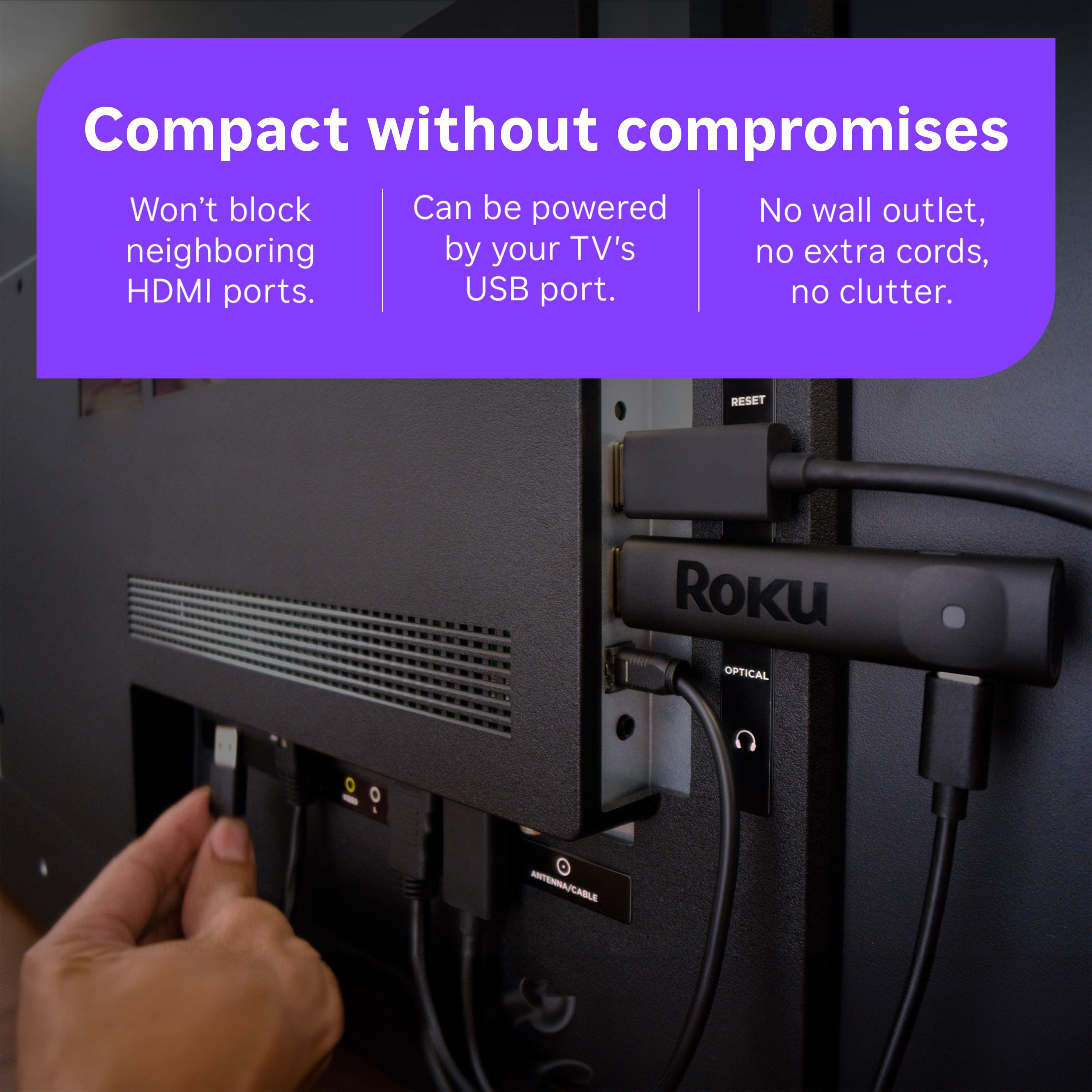
No way to get wall power, only USB
||Posted .This reviewer received promo considerations or sweepstakes entry for writing a review.No way to plug into wall power so if your TV doesn't have a USB port or doesn't deliver enough power through it, you are out of luck. Also, BestBuy fulfillment sucks. Order confirm gave delivery date a day later than the page when ordering. Then, they didn't fulfill it in time and shipped a slow/cheap way so it was four days later than originally promised. Never ordering from BestBuy again.
No, I would not recommend this to a friendBrand response from Roku Team
Posted .Hi Mark, Thanks for sharing. We understand what you feel. If you would like to share your experience with the store, you can contact their team here: https://www.bestbuy.com/services/presales/contactus/education?contact. They will surely value your feedback. Thanks for choosing Roku and Happy Streaming! Bernie, Roku Customer Advocate
Roku not needed
||Posted .This reviewer received promo considerations or sweepstakes entry for writing a review.Bought Roku thinking I would need it. TV I bought was a smart TV and had enough apps on it. Ordered online and picked up in store in eatontown. Try to return Roku to store, was told it was over 14 days and I could not return it. Not happy about that, never realized there was a 14-day return policy.
No, I would not recommend this to a friendBrand response from Roku Team
Posted .Hi David, we understand how you feel, and we're so sorry to hear about this. If you would like to share your experience, you can contact their team here:https://www.bestbuy.com/services/presales/contactus/education?contact. They will surely value your feedback. Thanks for choosing Roku and Happy Streaming! Elmer, Roku Customer Advocate
andrea j
||Posted . Owned for 2 weeks when reviewed.This reviewer received promo considerations or sweepstakes entry for writing a review.it was confusing and it was returned within 3 days from the day from when it was purchased
No, I would not recommend this to a friendBrand response from Roku Team
Posted .Hi Andrea, thanks for taking a moment to share. We’re sorry to hear that it didn’t work out but we appreciate your feedback nonetheless. If there is anything that we can assist you with down the road, please don't hesitate to reach out. In the meantime, we will be sure to pass this along to the product team. Thanks! Elmer, Roku Customer Advocate
Store checked remote for workability
||Posted .This reviewer received promo considerations or sweepstakes entry for writing a review.Did not work after it was installed. Return ed to store and it was tested and they confirmed it did not work.
No, I would not recommend this to a friendBrand response from Roku Team
Posted .Hi Carol, thanks for taking a moment to share. We’re sorry to hear that it didn’t work out, but we appreciate your feedback nonetheless. If there is anything that we can assist you with down the road, please don't hesitate to reach out. In the meantime, we will be sure to pass this along to the product team. Thanks! Elmer, Roku Customer Advocate
- Pros mentioned:Ease of use, Setup
Making Streaming a Breeze
Posted .This reviewer received promo considerations or sweepstakes entry for writing a review.Easy to use, extensive content and quick to set up. Perfect for my sports addiction. I have one on every TV (3)
I would recommend this to a friend - Pros mentioned:Overall performance
Whoo Hoo Roku!
Posted .This reviewer received promo considerations or sweepstakes entry for writing a review.Love my Roku. I am able to watch many of my favorite shows, both recent and past!
I would recommend this to a friend Roku Streaming Stick
Posted .This reviewer received promo considerations or sweepstakes entry for writing a review.The sales associate was very helpful. We are pleased with the purchase.
I would recommend this to a friendRoku Stick
Posted .This reviewer received promo considerations or sweepstakes entry for writing a review.The device has significantly improved my tv from dropping the internet.
I would recommend this to a friend- Cons mentioned:Connectivity
Roku Stick
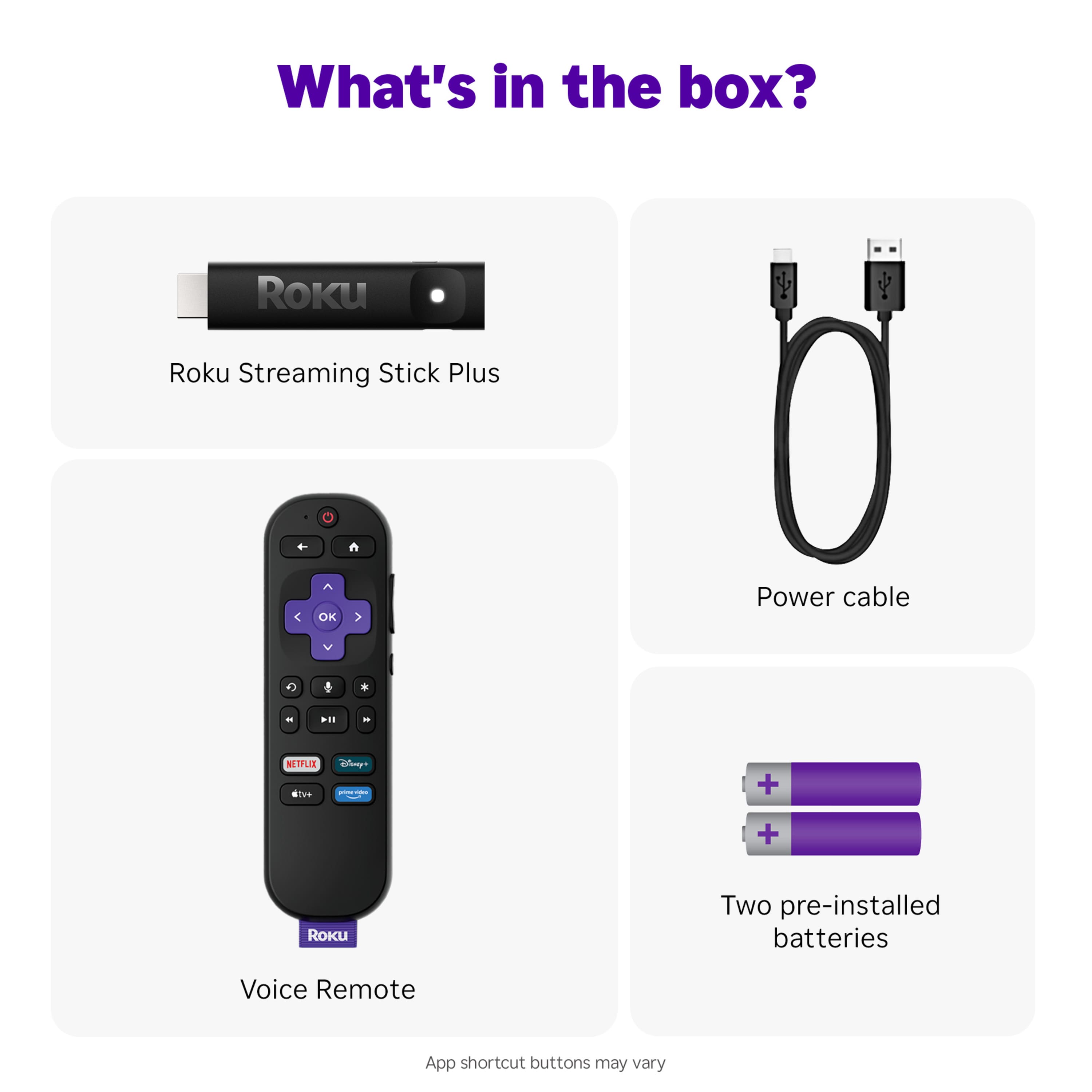
Posted .This reviewer received promo considerations or sweepstakes entry for writing a review.It's okay. I didnt. Realize the stick had to be plugged in with a USB c cord for it to work. It also doesn't work for the TV power.
I would recommend this to a friendBrand response from Roku Support
Posted .Hi Ares, thank you for sharing your experience. The Roku Streaming Stick does need to be powered through its USB-C connection, and some TV USB ports may not provide enough power for reliable operation. In those cases, using a standard power adapter is a great alternative; any compatible adapter you trust should work. If your Roku device still isn’t powering on or you encounter any other issues, our support team is ready to assist you. You can reach us anytime at support.roku.com/contactus to connect with chat support. Thank you! Elmer, Roku Customer Advocate