Customer Ratings & Reviews






- Model:
- 3830R
- SKU:
- 6619105
Rating by feature
- Value
Rating 4.8 out of 5 stars
- Quality
Rating 4.8 out of 5 stars
- Ease of Use
Rating 4.8 out of 5 stars
Customers are saying
Customers are impressed with the Streaming Stick Plus 2025, highlighting its overall performance and ease of use. Many appreciate the simple setup process and the voice-enabled remote control. While the device generally receives positive feedback, some users have reported connectivity issues, and others have noted concerns with the button layout.
This summary was generated by AI based on customer reviews.
Highly Recommended
||Posted . Owned for 1 month when reviewed.This reviewer received promo considerations or sweepstakes entry for writing a review.Got this for the patio. Easy to install and operate.
I would recommend this to a friendTV product
||Posted . Owned for 2 weeks when reviewed.This reviewer received promo considerations or sweepstakes entry for writing a review.Great product which allows older TV’s to be modernized for current App’s
I would recommend this to a friendeasy to use
||Posted .This reviewer received promo considerations or sweepstakes entry for writing a review.love the Roku it makes watching streaming services so easy
I would recommend this to a friendGreat gift for seniors
||Posted .This reviewer received promo considerations or sweepstakes entry for writing a review.Great price. Easiest device for gifting to seniors
I would recommend this to a friendWising Up Our Dumb TV
||Posted . Owned for 2 weeks when reviewed.This reviewer received promo considerations or sweepstakes entry for writing a review.We are learning to appreciate Roku and the opportunity to escape large cable bills. We especially enjoyed the Best Buy employee.
I would recommend this to a friendHappy camper
||Posted . Owned for 1 month when reviewed.This reviewer received promo considerations or sweepstakes entry for writing a review.It’s great. Like how it work. Easy to hook up. Love the picture quality. Love all the channels.
I would recommend this to a friendExcellent device from Best buy
||Posted . Owned for 2 weeks when reviewed.This reviewer received promo considerations or sweepstakes entry for writing a review.My Roku device is working excellently well and my kids are enjoying it with no issues.
I would recommend this to a friend- Pros mentioned:Overall performance
Great replacement
||Posted . Owned for less than 1 week when reviewed.This reviewer received promo considerations or sweepstakes entry for writing a review.Great replacement for mo older product. Works as advertised.
I would recommend this to a friend Alright Not as Bad
||Posted . Owned for 2 weeks when reviewed.This reviewer received promo considerations or sweepstakes entry for writing a review.The volum e when you turn it up stays like stuck and put the volume all the way up dislike tht the most.
I would recommend this to a friendRoku stick
||Posted . Owned for 3 weeks when reviewed.This reviewer received promo considerations or sweepstakes entry for writing a review.don’t like the interface, when fast forwarding it does not show anything but the time, so you have not idea where you are.
No, I would not recommend this to a friendBrand response from Roku Support
Posted .Hello, Fred. Thank you for sharing your review of your experience. We are here to assist you. Please verify if you have the latest software update by navigating to Settings > System > Software update. Restarting the device after the update may also be beneficial. If the issue continues, you can contact Roku support online at http://support.roku.com/contactus to connect with an agent who can provide assistance. Your feedback is highly valued, and we are eager to help. Happy Streaming! Bernie, Roku Customer Advocate

Great product
||Posted . Owned for 1 month when reviewed.This reviewer received promo considerations or sweepstakes entry for writing a review.This is my third one. As cable prices continue to grow I find using Roku on bedrooms and such is a money saver and easy to use
I would recommend this to a friend- Cons mentioned:Connectivity
Would be 5 stars if did not lose wifi constantly
||Posted . Owned for 1 month when reviewed.This reviewer received promo considerations or sweepstakes entry for writing a review.I bought 2 both seem to lose wifi constantly. They work i guess just have to reconmect wifi often. If the wifi was consistent I would give 5 stars. Interface is slick, and speed of device is good. I didmt like the interface of the Amazon Fire Sticks.
No, I would not recommend this to a friendBrand response from Roku Team
Posted .Hi there, thanks for sharing! Do you see any error messages on the TV? We appreciate you being a fan of Roku. We have recommendations for you to try. We want you to try using your mobile hotspot to see if there’s a difference. If the hotspot works, we advise you to contact your Internet Service Provider to troubleshoot your Wi-Fi. If the hotspot is not working, try to reset the connection. Go to Settings > System > Advance system settings > Network connection reset. Contact our support team online if you need help at support.roku.com/contactus. Happy Streaming! Bernie, Roku Customer Advocate
Love roku
||Posted . Owned for 1 week when reviewed.This reviewer received promo considerations or sweepstakes entry for writing a review.This is my third Roku device over the past decade. I have tried other streaming sticks and devices and just prefer the Roku ecosystem, remote, and interface
I would recommend this to a friendNice!
||Posted . Owned for 3 weeks when reviewed.This reviewer received promo considerations or sweepstakes entry for writing a review.Very easy to set up and use. We greatly appreciated the sales associate's assistance in store.
I would recommend this to a friendRoku Streaming Stick
||Posted . Owned for 3 months when reviewed.This reviewer received promo considerations or sweepstakes entry for writing a review.We have three TVs using Roku. A lot better than cable tv. Never had a problem with it.
I would recommend this to a friendBetter Roku Remote
||Posted . Owned for 3 months when reviewed.This reviewer received promo considerations or sweepstakes entry for writing a review.Needed a new Roku remote, but ended up getting the new stick too. Newer remote is so much better with voice and volume. Still a ton of clicks though.
I would recommend this to a friendfree tv
||Posted . Owned for 2 weeks when reviewed.This reviewer received promo considerations or sweepstakes entry for writing a review.fantastic! watching free tv! No longer have to pay expensive streaming television! Thank you Best Buy!!
I would recommend this to a friendFourth ROKU device - 4k and voice remote +++
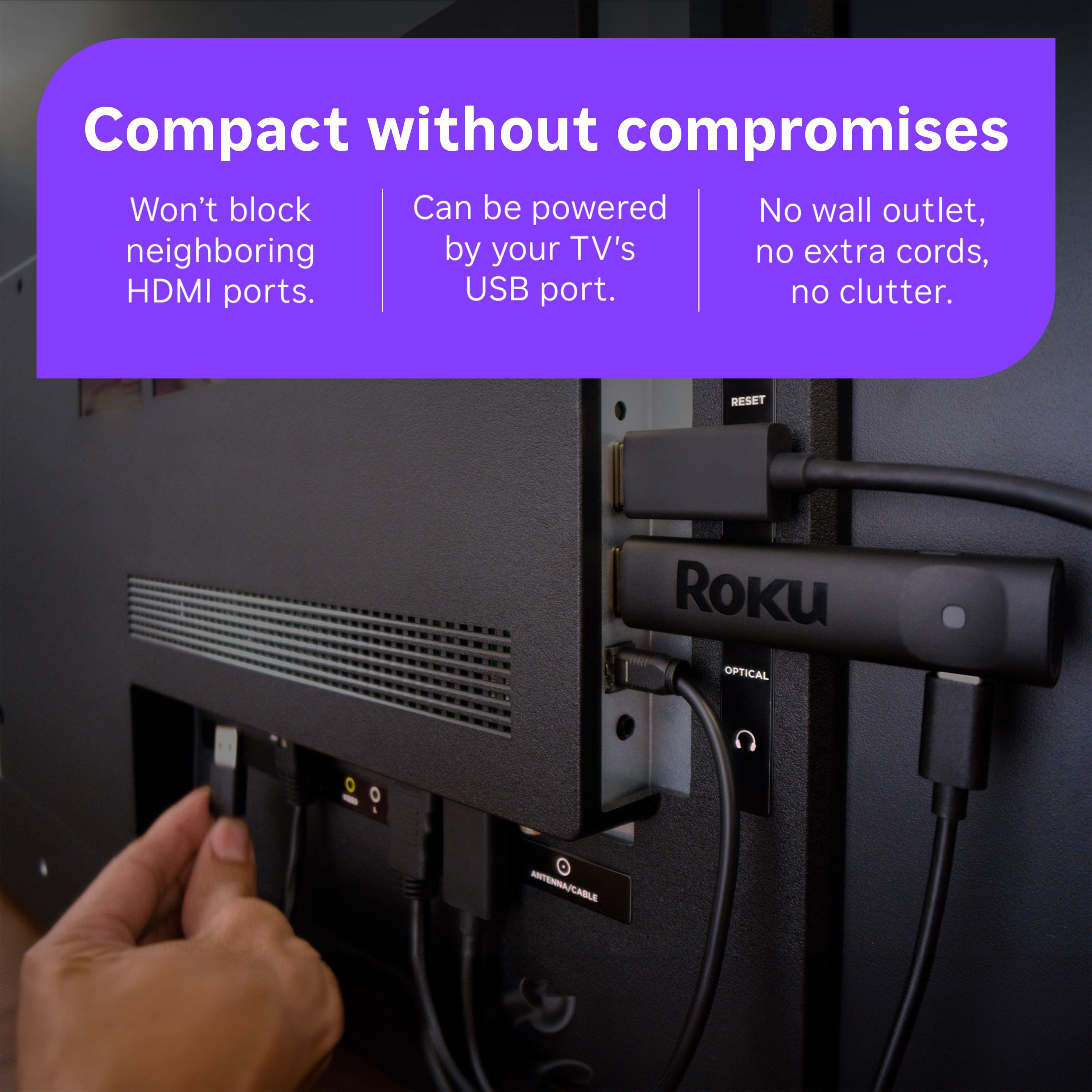
||Posted .This reviewer received promo considerations or sweepstakes entry for writing a review.Purchased specifically as a "travel" ROKU. No external power supply required, just a standard USB-A which can be found on most TVs. Only downside is not about the ROKU, but the services that track location and don't provide full functionality if you aren't at home (e.g. HULU Live). Yet I can use my phone and cast to the TV. SMH.
I would recommend this to a friendBrand response from Roku Team
Posted .Hi there! Thanks for sharing with us. Please note that Roku devices can be used internationally, but there may be limitations on the availability of specific apps and content based on the region. While the device itself will function, some streaming services and channels may not be accessible or may offer different content libraries outside of the officially supported countries. If you need further clarification, let us know at support.roku.com/contactus.
Thanks!
Elmer, Roku Customer Advocate
Great for home or travel use
||Posted . Owned for 1 week when reviewed.This reviewer received promo considerations or sweepstakes entry for writing a review.Recently purchased as I am on an extended project out of town. The hotel setup was easy and seamless.
I would recommend this to a friendPretty good.
||Posted .This reviewer received promo considerations or sweepstakes entry for writing a review.I like it. I can watch YouTube and Netflix on my Samsung TV again.
I would recommend this to a friend