Customer Ratings & Reviews


- Model:
- 4800R
- SKU:
- 6424781
Rating by feature
- Value
Rating 4.6 out of 5 stars
- Quality
Rating 4.7 out of 5 stars
- Ease of Use
Rating 4.7 out of 5 stars
Customers are saying
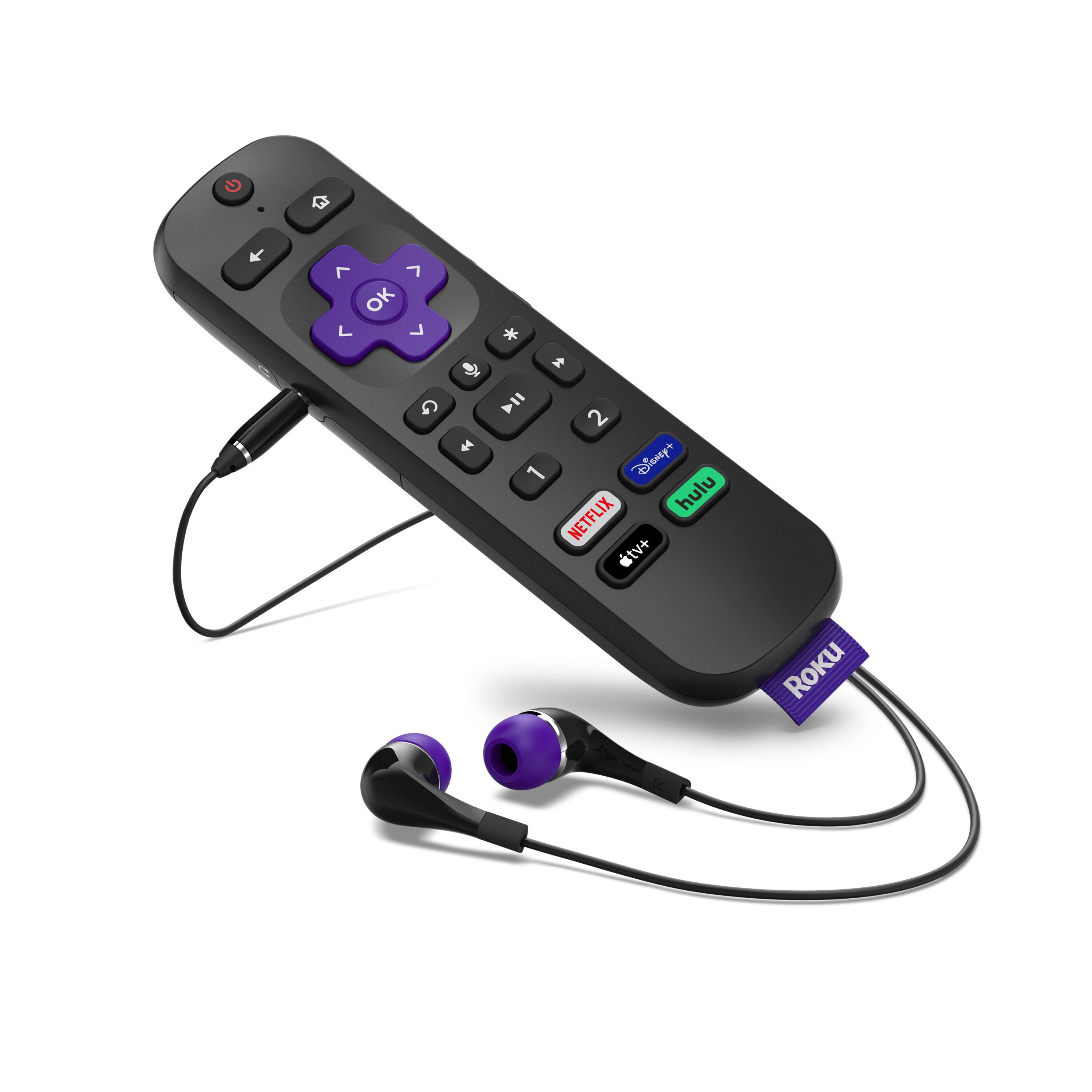
Customers have good things to say about the Ultra Streaming Device's ease of use, picture quality, and remote control. Many appreciate the inclusion of a headphone jack and Dolby Vision, along with the device's 4K capabilities and smooth performance. The user-friendly interface and straightforward setup are also frequently praised. A common concern, however, centers around the remote's battery life.
This summary was generated by AI based on customer reviews.
poor quality lately
||Posted . Owned for 1.5 years when reviewed.This reviewer received promo considerations or sweepstakes entry for writing a review.they all go bad after a year, start rebooting and quality of picture declines. next i probably go for something better
I would recommend this to a friendIt’s a streaming device
||Posted . Owned for 1 month when reviewed.This reviewer received promo considerations or sweepstakes entry for writing a review.It’s ok it has had a few hiccups and if you buying it make sure to get the warranty because I’ve had to just stop working before
I would recommend this to a friendRoku
||Posted . Owned for 1 month when reviewed.This reviewer received promo considerations or sweepstakes entry for writing a review.After update the remote does not turn tv off and on or adjust the volume. You think with the amount of money we paid for it they would fix that update
No, I would not recommend this to a friendBrand response from Roku Team
Posted .Hi Brenda, thanks for your feedback! Have you had a chance to contact our customer support team? We'd be happy to learn more and help troubleshoot this with you! Visit us online at support.roku.com/contactus to get started and connect with an agent. Your feedback is very important to us and we’re eager to assist.
Thank you!
Roku Customer Advocate
Dissatisfied
||Posted .This reviewer received promo considerations or sweepstakes entry for writing a review.The box worked fine but the remote quit working a week after I purchased it. Roku’s web site offers no phone number or any contact information for parts. I had to take it back to the store and was informed that it was a one time deal unless I purchased the warranty. I thought Roku was a reliable device but a company that only stands behind their product for 2 weeks can’t be very good.
No, I would not recommend this to a friendBrand response from Roku Team
Posted .Oh no! We're always here to help. Please visit us online at support.roku.com/contactus to get started connecting with an agent via chat or email. Your feedback is very important to us and we’re eager to assist.
Thank you!
Roku Customer Advocate
I like Roku but the upgrade unit is not worth it
||Posted . Owned for 1 month when reviewed.This reviewer received promo considerations or sweepstakes entry for writing a review.It can be buggy when you try to watch while it is recording the same show. Other than that, I don't see any difference from the less expansive Roku.
I would recommend this to a friendBrand response from Roku Team
Posted .Hi Jim, thank you for your feedback! We'd be interested to learn more about the buggy features you described. Does this happen on certain channels that your watching and certain shows? Feel free to us directly at [email protected] so that we can assist. When you do, be sure to mention this review and your Roku device ID number.
Thanks!
Roku Customer Advocate
Zoom in when fast forwarding
||Posted . Owned for 1 month when reviewed.This reviewer received promo considerations or sweepstakes entry for writing a review.When it's working it's great! Some recent bug is causing the picture to zoom in if you fast forward. Also the volume changes between shows.
I would recommend this to a friendBrand response from Roku Team
Posted .Hi there, if the volume is changing dramatically between shows, try enabling or disabling "Volume Leveling" in your settings while you're streaming by pressing *.
The zoom you mentioned does not sound like normal behavior and we'd like to learn more. Please send us an email at [email protected] mentioning this review and your device ID so that we can assist. We're interested to know what channels this is occurring on and what content you're watching when it happens.
Thanks!
Roku Customer Advocate
- Pros mentioned:Headphone jack, Remote control
Great streaming box
Posted .This reviewer received promo considerations or sweepstakes entry for writing a review.If anyone is considering getting one of these used, get it. I bought one when they first came out, and I'm still using it daily nearly 5 years later. Still fast, still has solid video and audio quality, and the remote still makes me happy. We don't use the voice search often and very rarely use headphones with the remote, but when we do use those features they're convenient to have. The RF remote has forever spoiled me ... IR remotes now feel like work!
I would recommend this to a friend Apple TV is the superior device.
||Posted . Owned for 1 month when reviewed.This reviewer received promo considerations or sweepstakes entry for writing a review.Glitchy and somewhat disappointing since my earlier model was less glitchy and my Internet is the fastest Cox offers. No excuse.
No, I would not recommend this to a friendBrand response from Roku Team
Posted .Hi there, thanks for your feedback! Have you had a chance to contact our customer support team? We'd be happy to learn more and help troubleshoot this with you! Visit us online at support.roku.com/contactus to get started and connect with an agent. Your feedback is very important to us and we’re eager to assist.
Thank you!
Roku Customer Advocate
eddie
||Posted .This reviewer received promo considerations or sweepstakes entry for writing a review.use with comcast it is ok not great. Like the netflix and amazon but the set up is way to long and ask way to many questions
I would recommend this to a friendBrand response from Roku Team
Posted .Hi Ed, thanks for your review. Our product team is always on the lookout to improve our products based on our customer's feedback. We appreciate the review and we'll be sure to pass it along.
Happy Streaming!
Roku Customer Advocate
Fix Volume Issue Please!!
||Posted .This reviewer received promo considerations or sweepstakes entry for writing a review.It has everthing you need but for some reason the volume level is low. I usually keep my volume at 20 but when using the Roku its at 85
No, I would not recommend this to a friendBrand response from Roku Team
Posted .Hi Andrew, help has arrived! We'd like to connect with you and learn more. Please send us an email at [email protected] so that we can assist you directly. We look forward to hearing from you!
Roku Customer Advocate
- Pros mentioned:Headphone jack
Bill
||Posted . Owned for 3 weeks when reviewed.This reviewer received promo considerations or sweepstakes entry for writing a review.The one I got was garbage. Even hooked up with a ethernet cable instead of through Wi-Fi I had to reset it 50 or 60 times in 4 days. For $70 compared to the $30 that I paid for the Roku stick Plus that only connects with Wi-Fi that is unacceptable. The best thing about the product was the remote with the headset Jack but that's not worth $70.
No, I would not recommend this to a friendBrand response from Roku Team
Posted .Hi Bill, this certainly isn’t the kind of experience we’d hope you would have. If you still have the device, please send us an email at [email protected] so that we can work with you directly. Be sure to mention this review along with your device ID. Your feedback is very important to us and we’re eager to assist.
Thank you!
Roku Customer Advocate
Roku
||Posted .This reviewer received promo considerations or sweepstakes entry for writing a review.Remote control needs to be better make it better.needs to improve the control
No, I would not recommend this to a friendBrand response from Roku Team
Posted .Hello, thanks for taking a moment to share with us!
For customers who are having concerns with their remote, we recommend visiting our helpful FAQ article to review troubleshooting steps: https://support.roku.com/article/208755708.
If you continue having trouble, send us an email so that we can assist! Visit support.roku.com/contactus to get started.
We hope this helps!
Roku Customer Advocate
Okay
||Posted . Owned for 3 weeks when reviewed.This reviewer received promo considerations or sweepstakes entry for writing a review.Hard to tell sometimes how well these things work. Depends on the quality of your Internet.
I would recommend this to a friendStreaming device.
||Posted . Owned for 8 months when reviewed.This reviewer received promo considerations or sweepstakes entry for writing a review.I tried this Roku and could make it work after all the net connection? Maybe it is me.
I would recommend this to a friendBeware before purchasing
||Posted . Owned for 3 weeks when reviewed.This reviewer received promo considerations or sweepstakes entry for writing a review.Made this purchase to get the newest updated Roku box so I could give my other previous model to a family member. This model will not play an streaming app channel through and entire program without giving a network connection error. As soon as I acknowledge the error by clicking on the ok button displayed on my tv screen it goes back to what I was watching without any issue. I have made certain all apps are updated as well as the Roku box itself. This did not resolve the issue. I reinstalled my previous box and never experienced this issue. One final note, this issue only happens at the top of the hour when one program is concluding and the other is about to begin. I don’t recommend purchasing this model. Also one final note. I can use the same apps built into my tv without any issue. I only use the Roku box because my LG tv doesn’t support the Spectrum app.
No, I would not recommend this to a friendBrand response from Roku Team
Posted .Hello, this doesn't sound like typical behavior and we'd like to help. It's possible that there could be an issue with the strength of your wireless connection. Check the strength of your internet connection by going to Settings > Network > Check connection. This will test the quality of the signal and also measure the speed of that connection, to be sure that you're signal is strong enough.
We also recommend visiting this helpful FAQ article - https://support.roku.com/article/208755728. Here, you'll find a list of common error codes, what they mean, and the recommended actions to resolve them.
If you're continuing to have trouble, we'd be happy to assist you directly. Send us an email at [email protected] and let us know your device ID and what channels you usually see this error occur. We look forward to resolving this with you!
Roku Customer Advocate
Returning after one day
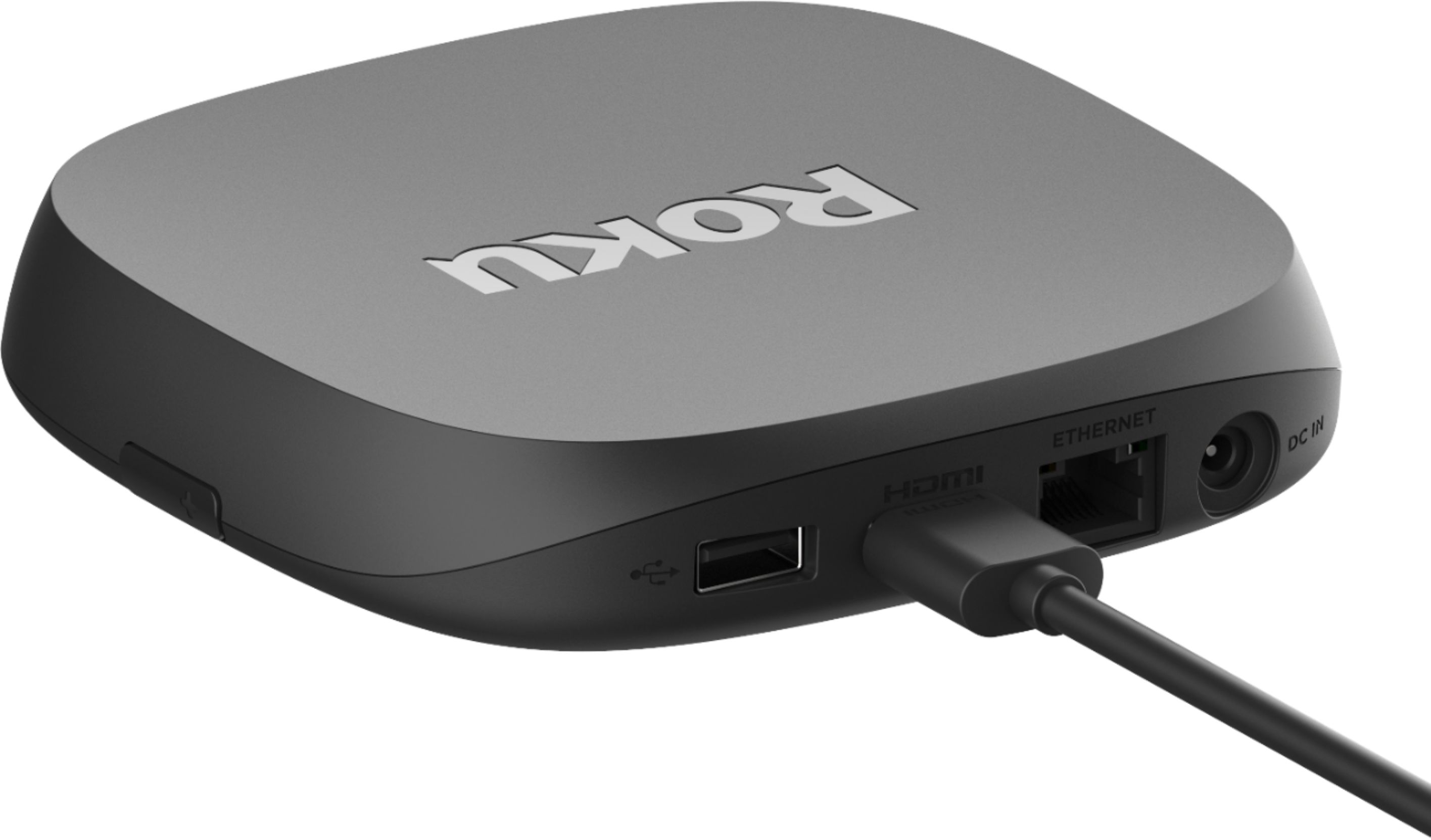
||Posted .This reviewer received promo considerations or sweepstakes entry for writing a review.Roku does not recognized Wired connection and WiFi range isn't great. Roku forums are filled with service requests to resolve the ethernet issue. The only helpful posts are from other users stating to reduce WiFi connection via port switch to 10/100. Returning the thing after a day.
No, I would not recommend this to a friendBrand response from Roku Team
Posted .Hi Greetjos, thanks for your feedback! Have you had a chance to contact our customer support team? We'd be happy to learn more and help troubleshoot this with you! Visit us online at support.roku.com/contactus to get started and connect with an agent. Your feedback is very important to us and we’re eager to assist.
Thank you!
Roku Customer Advocate
Almost excellent
||Posted .This reviewer received promo considerations or sweepstakes entry for writing a review.Would be super great. But do not have Dish Network app. So I will return it. No good. There is also a few Glitches
I would recommend this to a friendBrand response from Roku Team
Posted .Hello, we want to thank you for your feedback. We strive to create an amazing entertainment experience for our customers by offering access to thousands of streaming channels.
If you decide to give it another shot, don't forget to check out The Roku Channel, featuring thousands of movies, TV shows, and live streaming TV channels, all 100% free. We also have an online portal that will allow you to see which channels are available to download. Learn more here https://therokuchannel.roku.com/.
Roku Customer Advocate
Too many HDCP errors
||Posted . Owned for less than 1 week when reviewed.This reviewer received promo considerations or sweepstakes entry for writing a review.Started out as a great device but quickly became a problem. I wanted a Dolby Vision device and like my Streaming Stick+, no DV, so I spent the money on the Ultra. It worked fine at first...great video/audio...elegant user interface...easy to set up and use...then it didn't work well. I had repeated and sporadic HDCP errors which I couldn't resolve despite following all of Roku's instructions. They have no telephone support so no help from that end and the Roku Community shows many with the same problems. Too bad as I really like the user interface. I returned it and bought a Fire TV Stick 4K, which has DV, and it has worked great without a single HDCP error but their user interface is not as good as Roku's.
No, I would not recommend this to a friendBrand response from Roku Team
Posted .Hi there, we appreciate your feedback and we’re sorry to hear that the device did not meet your needs. We’ve released an update that we believe has resolved the HDCP anomaly that you mentioned. If you decide to give Roku another chance, we’re always here to help! Send us an email at [email protected] and we’d be happy to assist you directly next time.
Happy Streaming!
Roku Customer Advocate
Supposed to be good
||Posted . Owned for 1 week when reviewed.This reviewer received promo considerations or sweepstakes entry for writing a review.i bought it as it has good reviews...it doesn't set up easily...in fact I haven't been able to get it to work yet.
I would recommend this to a friendBrand response from Roku Team
Posted .Help has arrived! Did you know that our Support site has a suite of helpful FAQs and online video tutorials? You can get started with a step-by-step walkthrough of the setup details here: https://support.roku.com/article/223372368 or watch a video tutorial here: https://youtu.be/uCy20HaW770.
Otherwise, feel free to contact us so that an agent can assist you directly: https://support.roku.com/contactus. Be sure to and mention this review and your Roku device ID number so that we can best assist!
Roku Customer Advocate
It's an okay product!
||Posted . Owned for 2 weeks when reviewed.This reviewer received promo considerations or sweepstakes entry for writing a review.What can I say it's a Roku player new little upgrades it's ok product I got it for $60 by Best Buy can't beat that
I would recommend this to a friendBrand response from Roku Team
Posted .Hi Luis, thanks so much for your review! We're glad to hear that you're enjoying the upgrade. If you need any assistance down the road, don't hesitate to reach out to our support team.
Happy Streaming!
Roku Customer Advocate