Customer Ratings & Reviews


- Model:
- 4800R
- SKU:
- 6424781
Rating by feature
- Value
Rating 4.6 out of 5 stars
- Quality
Rating 4.7 out of 5 stars
- Ease of Use
Rating 4.7 out of 5 stars
Customers are saying
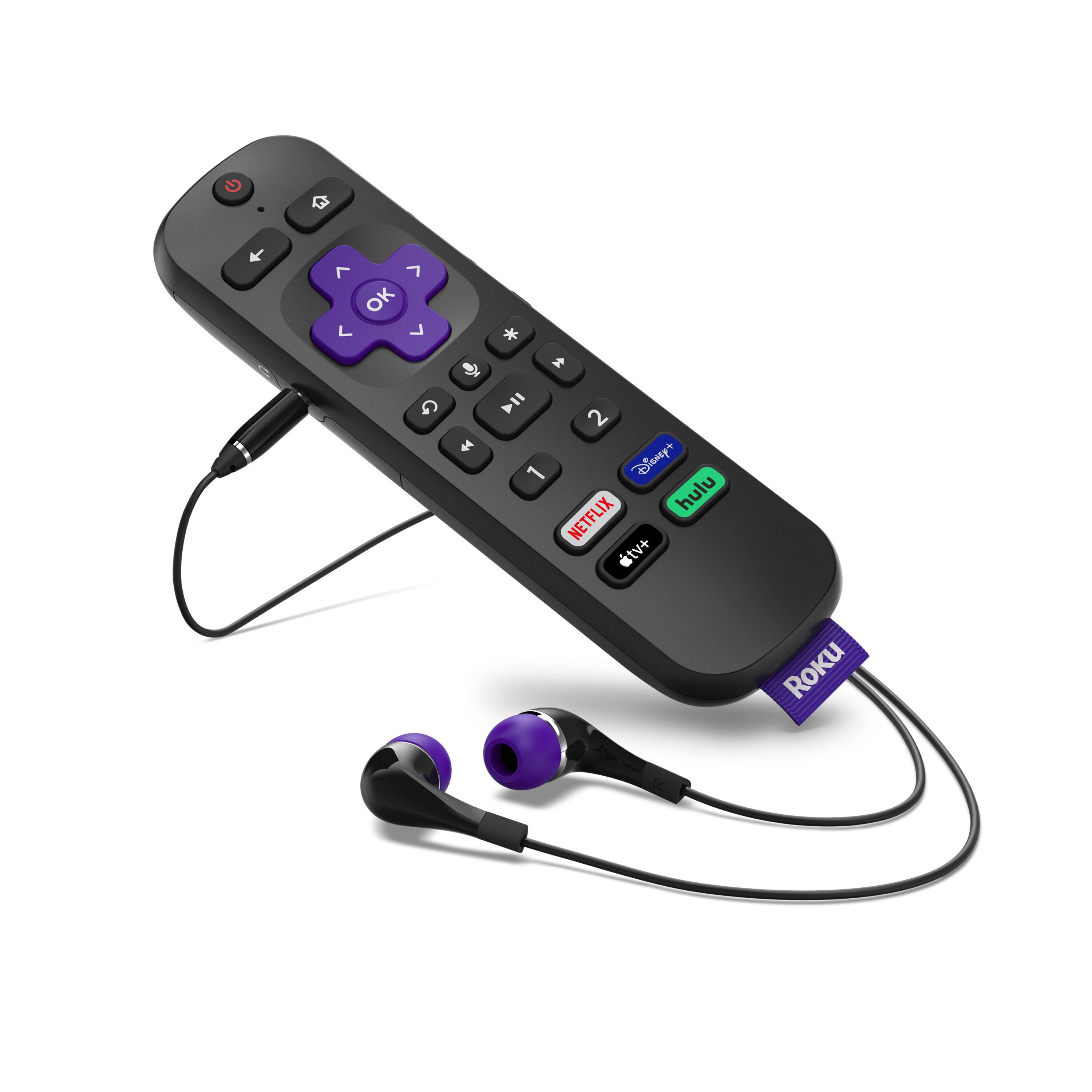
Customers have good things to say about the Ultra Streaming Device's ease of use, picture quality, and remote control. Many appreciate the inclusion of a headphone jack and Dolby Vision, along with the device's 4K capabilities and smooth performance. The user-friendly interface and straightforward setup are also frequently praised. A common concern, however, centers around the remote's battery life.
This summary was generated by AI based on customer reviews.
Skip it
||Posted . Owned for 3 weeks when reviewed.This reviewer received promo considerations or sweepstakes entry for writing a review.Picture quality not as good as the streaming stick plus. Very disappointed.
No, I would not recommend this to a friendBrand response from Roku Team
Posted .Hi Marc, this doesn’t sound like a typical experience and we’d like to learn more. The 2020 Ultra is our top-of-the-line streaming player—the first Roku ever to give users access to cinematic Dolby Vision picture and Dolby Atmos sound. If you haven't already, be sure to take a look at our suite of FAQ and troubleshooting articles online: https://support.roku.com/article/223372368. This will help resolve common errors during the setup process.
If you're still having trouble, don't hesitate to contact us directly at [email protected]. We'd be happy to help get you up and streaming!
Roku Customer Advocate
len
||Posted . Owned for 1 week when reviewed.This reviewer received promo considerations or sweepstakes entry for writing a review.i feel the price is too high for what you get you should lower the price
I would recommend this to a friendPossible bad unit
||Posted . Owned for 1 month when reviewed.This reviewer received promo considerations or sweepstakes entry for writing a review.Some glitches during operation. I plan to replace it through the plan.
I would recommend this to a friendBrand response from Roku Team
Posted .Oh no! We're always here to help, Stephen. Please send us an email at customer.advocate@roku.com with the details. We rely on customer feedback and would appreciate the opportunity to learn more about the glitching you described. Be sure to and mention this review and your Roku device ID number so that we can best assist.
Thanks!
Roku Customer Advocate
No good after return policy ends
||Posted . Owned for 3 months when reviewed.This reviewer received promo considerations or sweepstakes entry for writing a review.Started off great with no issues but recently the device has started power cycling itself. It also is throwing off the color scheme when streaming Plex, an issue I don't have on any other roku device or roku tvs. Wish I could return but too late now. Switching to another product.
No, I would not recommend this to a friendBrand response from Roku Team
Posted .Hi JaeVon, this doesn’t sound like a typical experience and we’d like to learn more. Do you still have the device, by chance? Please contact us directly at customer.advocate@roku.com so that we can assist. Be sure to mention this review and your Roku device ID number.
Thanks!
Roku Customer Advocate
Doesn't work anymore
||Posted . Owned for 8 months when reviewed.This reviewer received promo considerations or sweepstakes entry for writing a review.Device stopped powering up couple of months ago so started using Xfinity flex Instead but it doesn't have apple tv+. Roku device was working great and actually enjoyed watching all content in one place. Wish returns are easier. Feels like a pricey mistake.
No, I would not recommend this to a friendBad picture quality
||Posted . Owned for less than 1 week when reviewed.This reviewer received promo considerations or sweepstakes entry for writing a review.I would think that devices would get better as they release new versions. But this seemed to be a downgrade. I thought maybe Peacock just had bad picture quality. But then I saw really bad fuzziness even with picture adjustments when watching Three Stooges on Vudu. And Batman The Animated Series had really bad jerky animation sequences. Compared it to an older model Roku, & sure enough, picture was fine on it. I know older shows will have some timy flaws because of their time period, but it shouldn't look hideous. I will be returning this.
No, I would not recommend this to a friendBrand response from Roku Team
Posted .Hi Mateo, thanks for taking a moment to share your feedback with us. Based on your description of your issue, it sounds like there could be an issue with the strength of your wireless connection.
Be sure that your router is within range of the device and avoid obstructions like cabinets and walls when possible. As a tip, you can check the strength of your internet connection by going to Settings > Network > Check connection. This will test the quality of the signal and measure the speed to be sure that your signal is strong enough. You may also want to try to connect this player to another TV, or a TV closer to your WiFi router in an effort to isolate the issue.
If you're continuing to have troubles, please reference our helpful FAQ article: http://go.roku.com/connectivity. This page will provide you with common concerns, troubleshooting, error codes, and recommended actions.
We hope this helps!
Roku Customer Advocate
Roku
||Posted . Owned for 3 weeks when reviewed.This reviewer received promo considerations or sweepstakes entry for writing a review.Works okay. Kind of clunky interface. Remote is awkward.
I would recommend this to a friendBrand response from Roku Team
Posted .Hi there, thanks for taking a moment to share your feedback with us. Customer feedback is incredibly valuable to us and we'll be sure to pass your comments along to our product team.
If there is anything that we can assist you with along the way, don't hesitate to connect with a member of our customer support team at support.roku.com/contactus. We hope that you continue to enjoy the new product!
Happy Streaming!
Roku Customer Advocate
ROKU
||Posted .This reviewer received promo considerations or sweepstakes entry for writing a review.Not simple to set up and use. Its OK, but not great.
I would recommend this to a friendBrand response from Roku Team
Posted .Hi there, this is certainly not the experience we'd hope for you to have. If you're still having troubles, check out our Support website!
For your Roku Ultra player, we'd recommend starting here: https://support.roku.com/article/360053315174
This article features answers to our most commonly asked questions, step-by-step troubleshooting resolutions, tips to watch your favorite content, video tutorials, and more.
If you need further assistance, don't hesitate to contact us directly. Visit support.roku.com/contactus to connect with an agent.
We hope that gets you up and streaming soon!
Roku Customer Advocate
Not Satisfied
||Posted . Owned for 3 weeks when reviewed.This reviewer received promo considerations or sweepstakes entry for writing a review.I returned because it wouldn’t connect to my remote.
I would recommend this to a friendBrand response from Roku Team
Posted .Hi there, thanks for your feedback. It’s possible that the Roku device picked up the wrong code for your TV upon setup. Try repairing the remote by walking through the steps in this support article: https://support.roku.com/article/360004786894
If you continue to have any issues, don’t hesitate to contact us at customer.advocate@roku.com and mention this review. We’re always here to help.
Happy Streaming!
Roku Customer Advocate
Not impressed
||Posted . Owned for 2 months when reviewed.This reviewer received promo considerations or sweepstakes entry for writing a review.I purchased this as I have 2 roku premieres and signal cuts out intermittently. I expected to get better signal reception by going with the ultra. Turns out it looses signal MORE then the premieres I have. Expected more and got less so I'm not impressed.
No, I would not recommend this to a friendBrand response from Roku Team
Posted .Hi Andy, thanks for taking a moment to share your feedback with us.
Signal strength can vary due to factors and we're here to help! We recommend visiting our FAQ article to walk through some our more helpful connection tips and resolutions: https://support.roku.com/article/213122277.
As a tip, you can check the strength of your internet connection by going to Settings > Network > Check connection. This will test the quality of the signal and also measure the speed of that connection, to be sure that your signal is strong enough.
Other devices currently accessing the network, such as other streaming players, computers, game consoles, and mobile devices may effect the quality of your network connection. You might want to temporarily stop using any such device and check if that makes a difference.
If your router and Roku device both support 5GHz, you could also try connecting to the 5GHz wireless network for improved network strength.
We hope this helps! If your issue continues, please contact us directly at support.roku.com/contactus so that we can assist you directly to resolve.
Happy Streaming!
Roku Customer Advocate
No HDR
||Posted .This reviewer received promo considerations or sweepstakes entry for writing a review.Tried every way I could to get this to pass an HDR signal to my brand new LG OLED TV. Neither wired or wireless would work. Tried calling Roku customer support and was told in the recording that they no longer provide live support. I have had many Rokus in the past and this is my first problem. Buy this one at your own risk. Will take it back tomorrow.
No, I would not recommend this to a friendBrand response from Roku Team
Posted .Hi there, we're sorry to hear about your setup troubles. If you haven't already, be sure to visit the helpful FAQ on our support site for setting up your streaming player for HDR: https://support.roku.com/article/235168467
As a tip, you'll want to make sure to check that your TV is running the latest software, and that the HDMI 2.0 input is configured to enable HDR. Many TVs that support HDR do not enable HDR by default. On an LG HDR TV, you can usually change this by navigating to Home > HDMI > Settings > Advanced > Picture > HDMI ULTRA DEEP COLOR > On > Restart
Always use a premium High Speed HDMI Cable and be sure to be utilizing a good internet connection with enough bandwidth to stream HDR (up to 25 Mbps may be needed).
If you're still having trouble, please contact us to assist at [email protected]. Our team is happy to help get you up and streaming!
Roku Customer Advocate
Defective Unit
||Posted . Owned for 2 months when reviewed.This reviewer received promo considerations or sweepstakes entry for writing a review.I did significant amount of troubleshooting and determined that this Roku 4800 has a problem decoding HDR. My older Roku 4670 decodes the HDR just fine. I returned the new 4800 to BB with no hassle.
No, I would not recommend this to a friendDo not waste your money
||Posted . Owned for 1 month when reviewed.This reviewer received promo considerations or sweepstakes entry for writing a review.Not worth picking up if your hoping for Bluetooth listening with your headphones but if your looking for a somewhat faster but not really loading Roku streaming then I guess this is for you but I wouldn’t recommend this at all it’s not super fast compared to the 2019 model and to use Bluetooth feature you need to buy the Roku Bluetooth sound bar which is another few hundred dollars not worth it
No, I would not recommend this to a friendBrand response from Roku Team
Posted .Hi Eddie, we really appreciate your feedback. The 2020 Ultra is our top-of-the-line streaming player—the first Roku ever to give users access to cinematic Dolby Vision picture and Dolby Atmos sound. Bluetooth streaming on the 2020 Ultra allows for users to cast their favorite music, podcasts, and more to their TV with a connected device, such as a phone or tablet. While Bluetooth pairing for items such as wireless headphones is not supported, the included headphones can be used with your Roku remote or Roku mobile app to enjoy private listening. We hope this helps!
Roku Customer Advocate
Roku
||Posted . Owned for 3 weeks when reviewed.This reviewer received promo considerations or sweepstakes entry for writing a review.It’s used best when there’s no breeze the minute the trees are blowing the picture goes out comes back in goes out and comes back in not reliable during any storm or any wind otherwise it’s fine that’s a Roku
No, I would not recommend this to a friendDONOT BUY -
||Posted . Owned for 1 week when reviewed.This reviewer received promo considerations or sweepstakes entry for writing a review.I have multiple Rokus and this one is just flat out horrible. Sound on the earbuds when connected to the remote is significantly lower than what I'm used to with other Rokus. The difference in sound volume between 50 and 100% is negligible and even at 100% its modestly low. Contacted support and all i was told is we will respond by email.... I would return it if i still had the box. The other problem i have is the CEC on HDMI, it keeps continuously changing the input on my TV to Roku when the TV is on... and if the TV is off, it will turn it on. Worst device i have ever used i would give zero stars if i could.
No, I would not recommend this to a friendBrand response from Roku Team
Posted .Hi there, thanks so much for being a fan of ours! We appreciate the feedback and we'd like to help resolve the input issue you're experiencing. If you haven't already, try turning off 1-touch play, located inside of your System Audio Control settings. We believe this should solve your concern but you can learn more about additional troubleshooting steps here: https://support.roku.com/article/115008012587.
We hope this helps!
Roku Customer Advocate
Returned item
||Posted . Owned for 3 weeks when reviewed.This reviewer received promo considerations or sweepstakes entry for writing a review.Unfortunately I needed to return this item. Picture was freezing up or else it would keep returning to the main menu. These issues occurred repeatedly over 3 days.
No, I would not recommend this to a friendBrand response from Roku Team
Posted .Hi Jace, this certainly isn’t the kind of experience we’d hope you would have and we are here to help.
If you still have the device, please check for the latest update under your Settings menu to ensure that you are on the newest software version. Once updated, be sure to restart your device.
If your issue continues, please contact us directly at support.roku.com/contactus so that we can assist. Be sure to mention this review and your device ID number.
Roku Customer Advocate
- Cons mentioned:Battery life
Mrs B
||Posted . Owned for 2 months when reviewed.This reviewer received promo considerations or sweepstakes entry for writing a review.Goes through batteries every 3 days! Ear piece tangles easily. Should have bought a stick!
No, I would not recommend this to a friendBrand response from Roku Team
Posted .Hi there, we appreciate your feedback and we're here to help. Please be aware that if you are using private listening, it will typically drain the battery on your remote faster than when not being used.
If you are not using private listening with your remote and are still experiencing issues with battery drain, we'd be happy to work with you directly to assist. Please visit us online at support.roku.com/contactus to connect with a member of our support team.
Happy Streaming!
Roku Customer Advocate
Good for a year
||Posted . Owned for 1 year when reviewed.This reviewer received promo considerations or sweepstakes entry for writing a review.While I loved the player when it worked, it stopped working completely about a month after the warranty was up. So I’m stuck w: a paperweight now. Figured it was just my player but my cousin’s suffered the same fate. Loved the UI, how quick it was at connecting to wifi and it was always smooth and seamless at playing 4K content. Just won’t last you very long, maybe they’ll update the player and fix this issue
No, I would not recommend this to a friendTerrible on all levels.
||Posted .This reviewer received promo considerations or sweepstakes entry for writing a review.I give this streaming device no stars, because it's terrible. When you watch a movie on Netflix or VUDU in 1080p resolution, this box tries to put it on Dolby Vision, this is wrong on all levels. Also it tries to put the movie in Dolby Atmos also wrong. It also makes your sound bar cut out. This is one of the the worst electronic product, I have ever bought. Also no phone support from Roku. They also want you to pay for on line support, again wrong on all levels. I will be returning this terrible device tomorrow.
No, I would not recommend this to a friendBrand response from Roku Team
Posted .Hello, please know that Roku has never charged for creating a Roku account, setting up your device, or offering support assistance. If you believe you are the victim of a fraudulent support scam from another company you can report the details at https://support.roku.com/report-scam.
Based on your review, it sounds like you may have seamless mode turned on. We'd recommend trying to turn this off in your TV's advanced settings. Look for the "HDR Always On" setting and be sure it's turned off. You might also want to try turning off your Roku player's Auto-detect display mode. To do so, navigate to Settings > Display type > Auto-detect.
We hope this helps!
Roku Customer Advocate
Too many issues
||Posted . Owned for 4 months when reviewed.This reviewer received promo considerations or sweepstakes entry for writing a review.First month using was great! Such a big upgrade from my older roku. Last 2 months have been horrible. The sound when I use the apps goes away. You can hear the menu sounds and the sound it makes when you select an app, but once it loads you can’t hear anything. I’ve tried about 5 hdmi cables and same thing. I’ve had to reset it back to factory settings about 4 times now just so I can hear the sound. O well time to move on.
No, I would not recommend this to a friend