Customer Ratings & Reviews


- Model:
- 4800R
- SKU:
- 6424781
Rating by feature
- Value
Rating 4.6 out of 5 stars
- Quality
Rating 4.7 out of 5 stars
- Ease of Use
Rating 4.7 out of 5 stars
Customers are saying
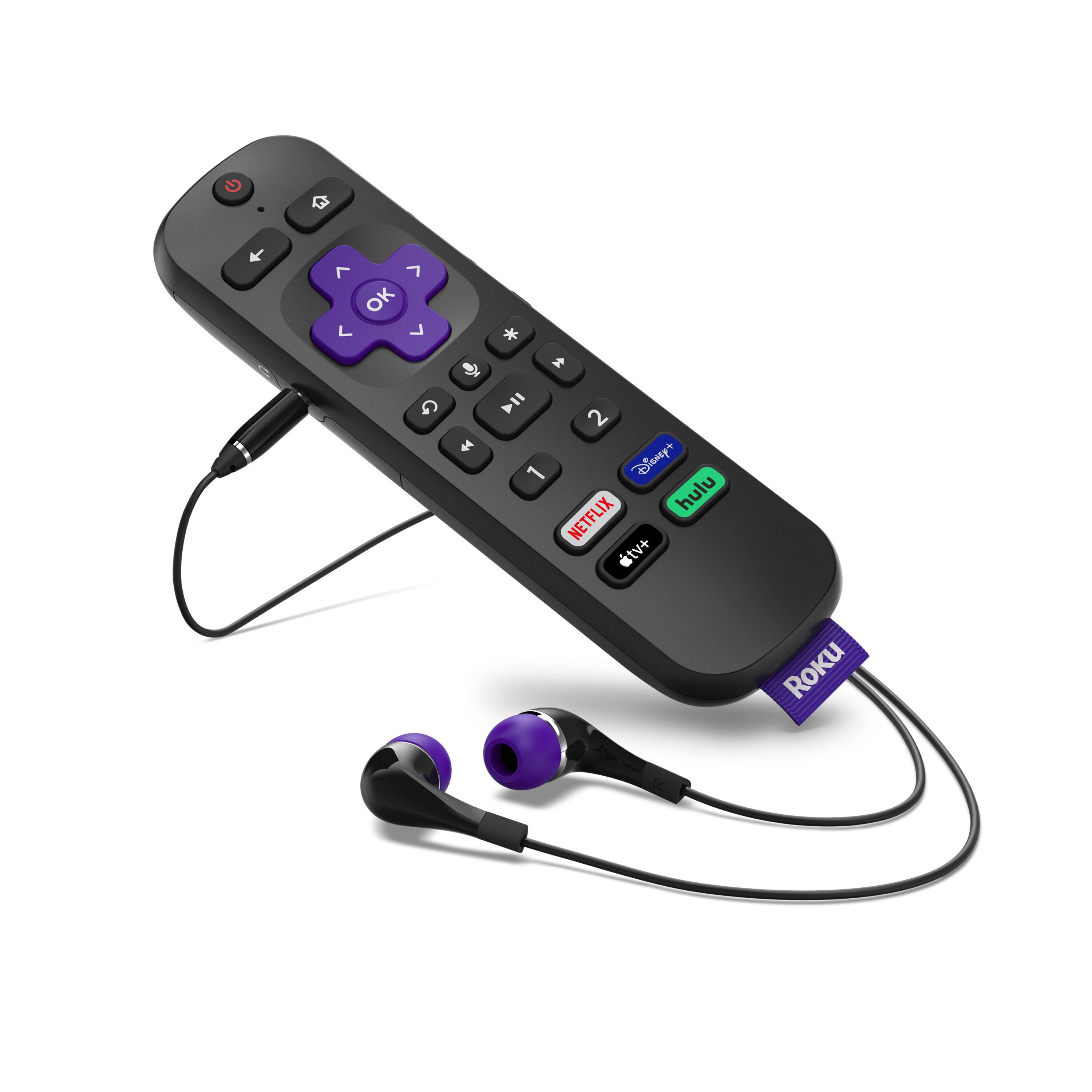
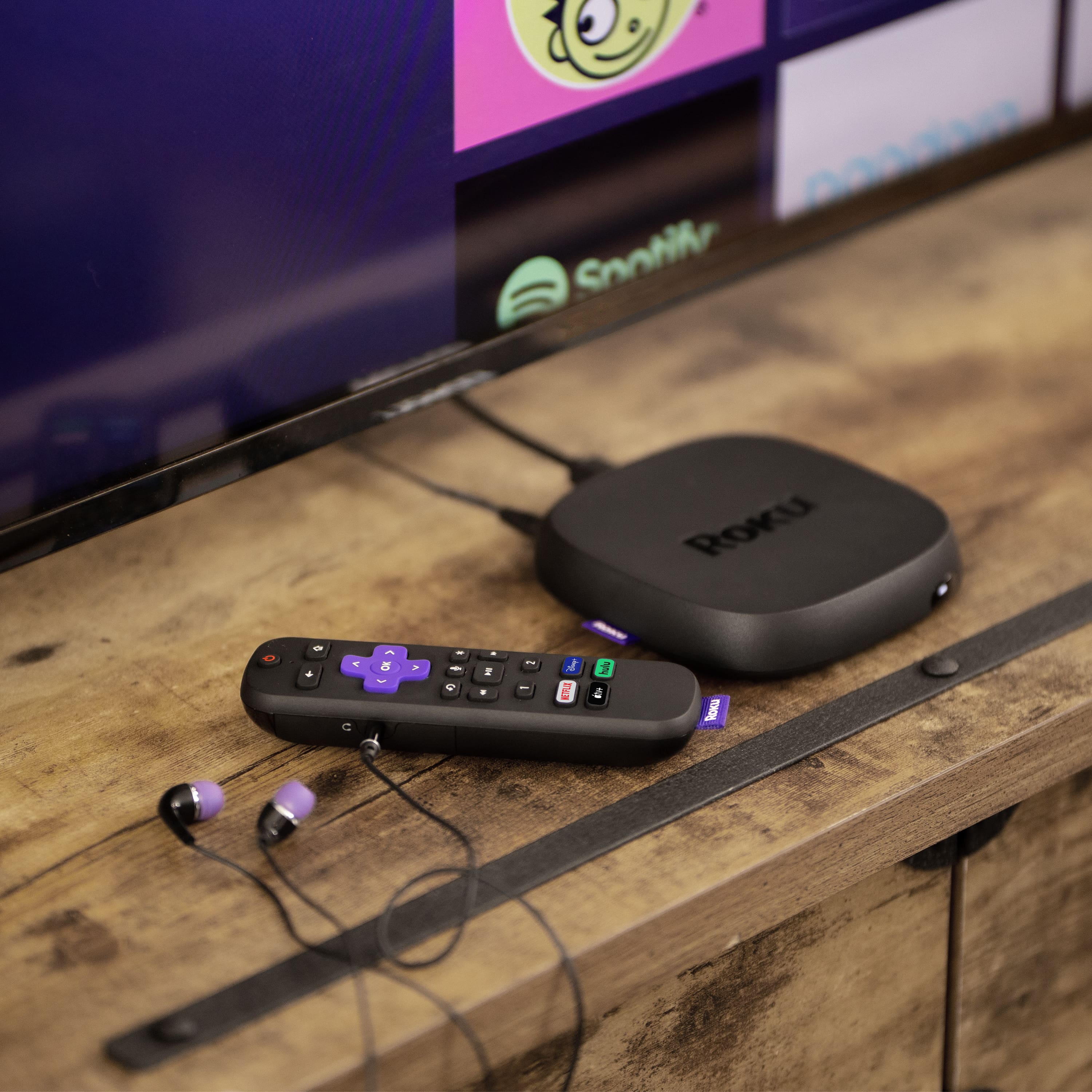
Customers have good things to say about the Ultra Streaming Device's ease of use, picture quality, and remote control. Many appreciate the inclusion of a headphone jack and Dolby Vision, along with the device's 4K capabilities and smooth performance. The user-friendly interface and straightforward setup are also frequently praised. A common concern, however, centers around the remote's battery life.
This summary was generated by AI based on customer reviews.
Roku Defect
||Posted . Owned for 1 month when reviewed.This reviewer received promo considerations or sweepstakes entry for writing a review.There is an issue with the Roku Ultra. Pausing during a show the screen goes blank and the sound keeps playing. Many users ate complaining on Roku forum. Roku states no fix as of yet
No, I would not recommend this to a friendGreat product
Posted .This reviewer received promo considerations or sweepstakes entry for writing a review.I would recommend this product to everyone streaming is definitely the way to go in the Roku is what you should have to do it.
I would recommend this to a friendInferior streaming device
||Posted . Owned for less than 1 week when reviewed.This reviewer received promo considerations or sweepstakes entry for writing a review.I can't recommend this to anyone. After numerous factory resets this model would freeze and take forever to reboot. Additionally, the colors and washed out and do not look good. Great reomr, though. Apple should take note.
No, I would not recommend this to a friendBrand response from Roku Team
Posted .Hi there, this does not sound like a normal experience and we'd like to help. Have you had a chance to contact our customer support team? We'd be happy to learn more and help troubleshoot this with you!
Visit us online at support.roku.com/contactus to get started and connect with an agent. Your feedback is very important to us and we’re eager to assist.
Thank you!
Roku Customer Advocate
Roku Ulta
||Posted . Owned for 1 month when reviewed.This reviewer received promo considerations or sweepstakes entry for writing a review.Got this unit because I wanted the wireless earbuds. It worked well for about 30 minutes then stopped. All activities on the remote then stopped. I have another Roku regular unit which works fine. I returned the Roku ulta for full credit.
No, I would not recommend this to a friendBrand response from Roku Team
Posted .Hello, thank you for the feedback. Even though you've returned the device, we'd be interested to hear more about your remote so that we may benefit from your feedback. Please contact us directly at [email protected] so that we can assist. Be sure to mention this review and your device ID number, if you have it.
Thanks!
Roku Customer Advocate
Terrible
||Posted . Owned for 2 months when reviewed.This reviewer received promo considerations or sweepstakes entry for writing a review.Absolutely awful! Have had multiple Roku devices, but this one keeps restarting every 5 minutes on YouTube and YouTubeTV apps. I have updated several times and this still happens. Unusable.
No, I would not recommend this to a friendBrand response from Roku Team
Posted .Hello, This is certainly not the kind of experience we would hope for you to have and this does not sound like typical behavior. Is this only happening on one channel?
Sometimes, performing a system restart on the player can resolve this. Other times, you might need to uninstall and reinstall the affected channels, check the status of your wireless connection, or contact the channel's service provider. (However, please do not uninstall YouTube TV at this time as it cannot be re-downloaded to your player).
Our Support site has a robust FAQ article that may help, too. Learn more: https://support.roku.com/article/208755548. We hope this helps!
If your issue continues, please contact us directly at support.roku.com/contactus so that we can assist.
Roku Customer Advocate
King of the universe
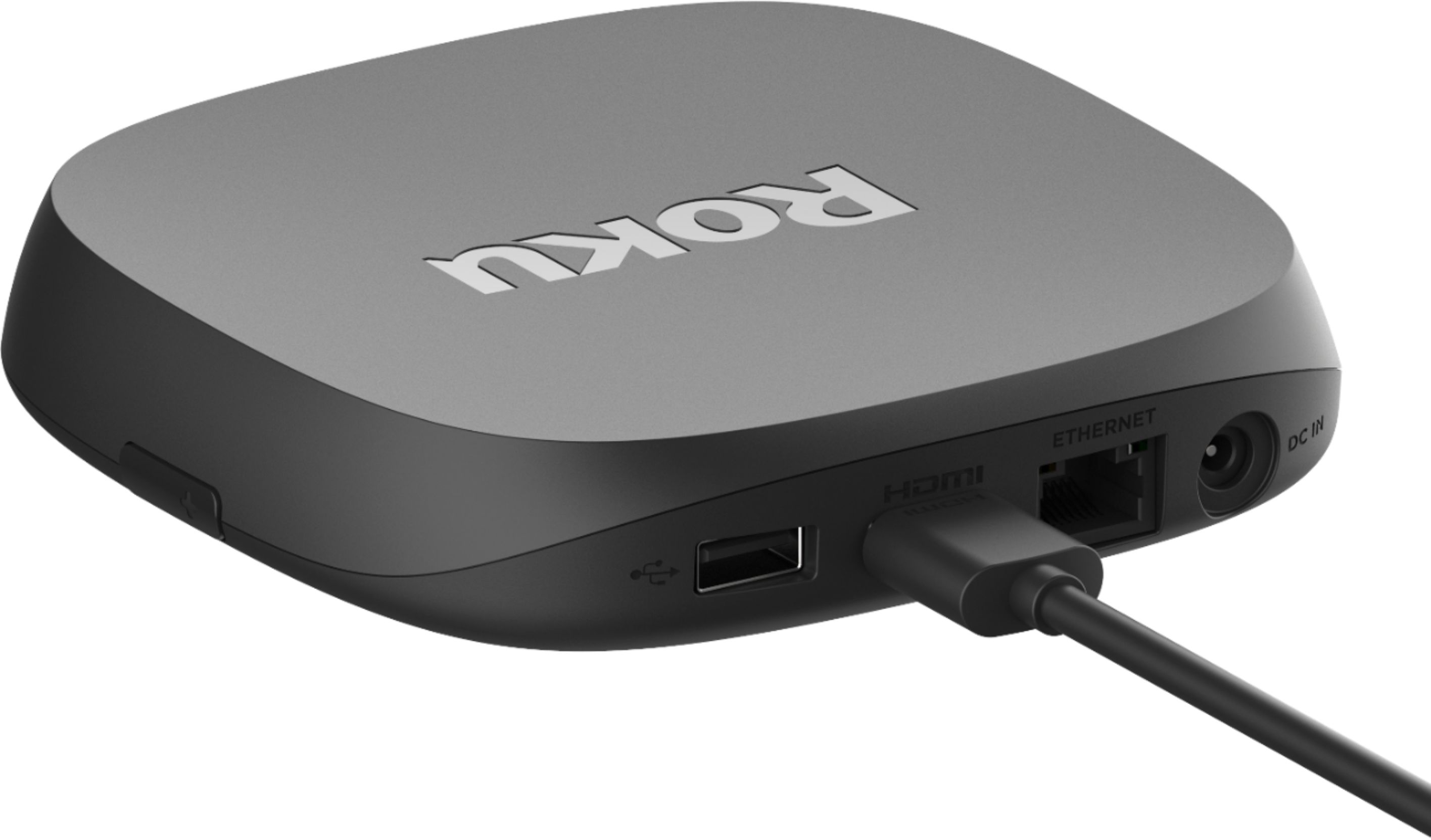
||Posted .This reviewer received promo considerations or sweepstakes entry for writing a review.Sold me an HDMI cable that was included in the box. Now I have to go back to the store for a refund. Had to purchase an Ethernet cable that was not included in the box. Low product knowledge.
No, I would not recommend this to a friendBrand response from Roku Team
Posted .Hi there, thanks for your feedback and we apologize if there was any confusion. The 2020 Roku Ultra can be used with or without an ethernet cable. Those who do not have an ethernet cable can connect directly to their wireless connection. If you're having trouble getting connect, visit our FAQ article here: https://support.roku.com/article/208755728.
To learn more about how to setup your new Roku player, check out our helpful video tutorial: https://youtu.be/uCy20HaW770.
We hope this helps get you up and streaming and enjoy your new player!
Roku Customer Advocate
Roku
||Posted .This reviewer received promo considerations or sweepstakes entry for writing a review.We have a smart TV and as such used it for various streaming platforms and We were not satisfied with the device, it is a little useless. There are other devices much better.
No, I would not recommend this to a friendBrand response from Roku Team
Posted .Hi Manuel, we appreciate you sharing and we’d like to learn more.
The 2020 Ultra is our top-of-the-line streaming player—the first Roku ever to give users access to cinematic Dolby Vision picture and Dolby Atmos sound. If you haven't already, be sure to take a look at our suite of FAQ, troubleshooting, and tips & tricks articles at https://support.roku.com/article/360053315174.
If you'd like to share your product feedback with us directly, please contact us at customer.advocate@roku.com. We'd be happy to help to pass your comments along to the team.
Roku Customer Advocate
Disappointed of limited use
||Posted . Owned for 3 weeks when reviewed.This reviewer received promo considerations or sweepstakes entry for writing a review.Disappointed that we bought this to be able to use for our spectrum tv and we can’t hook it up because they can’t come to agreement. So I wouldn’t buy if your hoping to use it for this.
No, I would not recommend this to a friendBrand response from Roku Team
Posted .Hi there, we have some great news to share with you! The Spectrum Channel is now available to download for all Roku players as of August 17, 2021. If you're having trouble locating the channel, make sure that your device is on the newest software update.
To stay in the loop with all upcoming announcements, we recommend subscribing to our blog: https://blog.roku.com. Many thanks for your continued support.
Happy Streaming!
Roku Customer Advocate
Crashes Too Much
||Posted . Owned for 4 months when reviewed.This reviewer received promo considerations or sweepstakes entry for writing a review.Constantly crashes on Hulu Live. I thought it was Hulu so I tried a Firestick and it only happens on the Roku.
No, I would not recommend this to a friend- Pros mentioned:Ease of use, Remote control
GREAT BUY
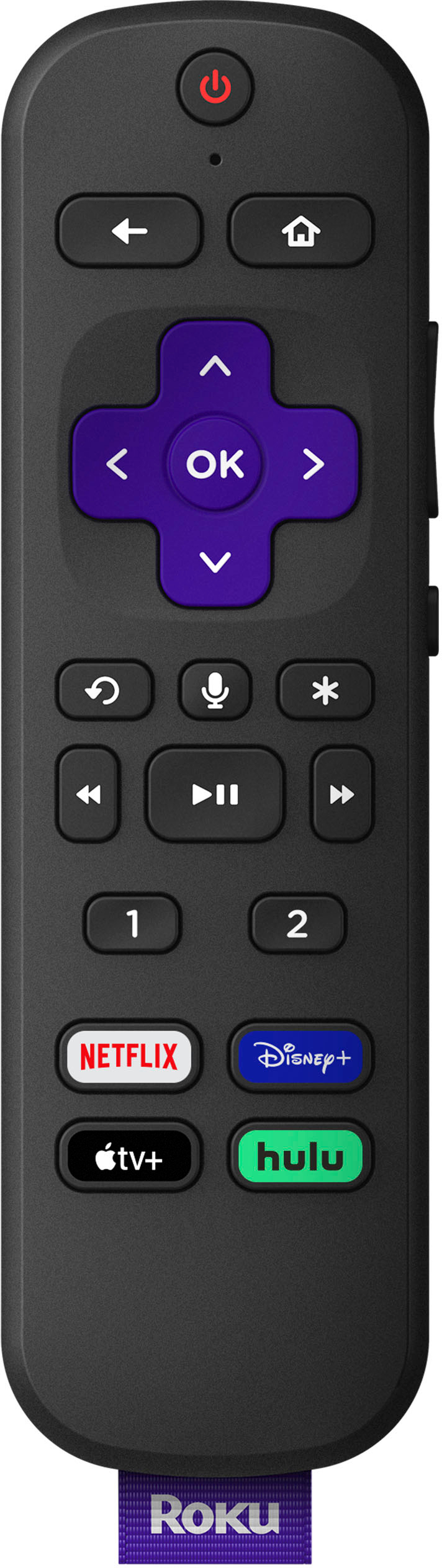
Posted .This reviewer received promo considerations or sweepstakes entry for writing a review.This product was an upgrade from the very first original Roku devices that I own (the original purple Roku stick and the Roku 3 device (i believe it came out around 2011-2013)) and I’m very happy/excited I purchased this item. Pros: plug and play right out the box (connect to WiFi/Ethernet cord, go through the prompts on the device and that’s it you’re good to go), remote has: head-phone jack/volume control button/mute button (a huge plus when wanting to listen to shows in peace without disturbing others & one of the main reasons I choose this device compared to other Roku options), lightweight, sleek design, more freedom to download a lot of apps (compared to other streaming devices…at least in my opinion), cost: was a good deal to me (keep in mind I bought the Roku Ulta & Roku Ultra LT: both devices are almost identical as far as look goes, have ease of use right out the box, and the main difference I noticed is in the remote controls as far as looks/some functions (one has the voice control/button options of 1 & 2; the other does not have the number buttons on them), device comes with most the items you’ll need so it is literally ready to use right out the box which is really convenient and durability. Cons: the cons are not for the device itself but just my little rant of things I feel that could be improved overall (not just with Roku devices but any/all streaming devices in general): I wish all remotes came with the headphone jack that would be awesome and save some customers some money in the end because as I mentioned (as far as Roku devices goes) they all do the same thing and offer great service but the headphone jack is a huge plus in my opinion. It would be convenient if the buttons lit up as well for easier use at night (but you can always buy a remote cover that glows in the dark for that issue), and that’s about it. I would highly recommend this device to anyone; I gave one as a gift and the person was very happy because they were tired of paying high prices for cable, so it came right on time.
I would recommend this to a friend Roku does not believe in its own products
||Posted . Owned for 7 months when reviewed.This reviewer received promo considerations or sweepstakes entry for writing a review.No integration with roku speakers or roku subwoofer. Move to streambar, worst product ever. After 10 years using roku products moving to apple tv. Sad
No, I would not recommend this to a friendBrand response from Roku Team
Posted .Hi Reg, thanks for your feedback. We'll be sure to pass your comments along to the product team.
Our Wireless Speakers and Roku Subwoofer must be paired to a Roku TV, Roku Streambar, Roku Streambar Pro, or Roku Smart Soundbar. We apologize for any confusion this may have caused you.
If there is anything we can assist you with regarding the Streambar, please visit us online at support.roku.com/contactus to connect with an agent. Your feedback is very important to us and we’re eager to assist.
Thanks for being a longtime fan of ours and Happy Streaming!
Roku Customer Advocate
Freezing up.
||Posted . Owned for 1 month when reviewed.This reviewer received promo considerations or sweepstakes entry for writing a review.I had to return after 3 weeks use keep freezing up on my apps, will buy again at later date when bugs or worked out. Going back 2019 model.
No, I would not recommend this to a friendBrand response from Roku Team
Posted .Hi Jim, this doesn’t sound like a typical experience and we’d like to learn more about the freezing that you mentioned. Did it happen on certain channels or specific shows? If you still have the device, please contact us directly at customer.advocate@roku.com so that we can assist. We rely on customer feedback and appreciate your input!
Roku Customer Advocate
ROKU VS ROKU
||Posted . Owned for 1 month when reviewed.This reviewer received promo considerations or sweepstakes entry for writing a review.Does not work on my ROKU television it’s as though there are two magnets trying to connect from the negative side.
No, I would not recommend this to a friendBrand response from Roku Team
Posted .Hello, thanks for reaching out. This does not sound like a typical experience and we'd like to help.
All Roku players are designed to work with any TV which has an HDMI port. We'd recommend trying a different HDMI port on your TV or even a different TV in an attempt to isolate the issue.
We also a suite of helpful articles on our website that may help you get started here: https://support.roku.com/article/360053315174.
If you need further assistance, don't hesitate to contact us directly. Visit support.roku.com/contactus to connect with an agent.
We hope that gets you up and streaming soon!
Roku Customer Advocate
No Instructions
||Posted . Owned for 3 weeks when reviewed.This reviewer received promo considerations or sweepstakes entry for writing a review.This is too hard to use. I’m not sure how it works. It doesn’t come with any instructions.
No, I would not recommend this to a friendBrand response from Roku Team
Posted .Hi Gerry, this is certainly not the experience we'd hope for you to have. If you're still having trouble, check out our Support website!
For your Roku Ultra player, we'd recommend starting here: https://support.roku.com/article/360053315174. This article features answers to our most commonly asked questions, step-by-step troubleshooting resolutions, tips to watch your favorite content, video tutorials, and more.
If you need further assistance, don't hesitate to contact us directly. Visit support.roku.com/contactus to connect with an agent.
We hope this gets you up and streaming soon!
Roku Customer Advocate
Sucks
||Posted . Owned for 1 year when reviewed.This reviewer received promo considerations or sweepstakes entry for writing a review.Sucks. Stopped working right at a day before the warranty ended. Go figure
No, I would not recommend this to a friendPass on this one
||Posted . Owned for 1 week when reviewed.This reviewer received promo considerations or sweepstakes entry for writing a review.Never would stay connected to Wi-Fi. Easy to connect but would not maintain connection!
No, I would not recommend this to a friendBrand response from Roku Team
Posted .Hi there, thanks for taking a moment to share your feedback with us. Signal strength can vary due to factors and we're here to help!
Other devices currently accessing the network, such as other streaming players, computers, game consoles, and mobile devices may effect the quality of your network connection. You might want to temporarily stop using any such device and check if that makes a difference.
If you're continuing to have troubles, please reference our helpful FAQ article: http://go.roku.com/connectivity. This page will provide you with common concerns, troubleshooting, error codes, and recommended actions.
We hope this helps!
Roku Customer Advocate
Defective product
||Posted . Owned for 3 weeks when reviewed.This reviewer received promo considerations or sweepstakes entry for writing a review.I was excited about getting this and it came defected. Ended up ordering somewhere else.
No, I would not recommend this to a friendToo many issues
||Posted . Owned for less than 1 week when reviewed.This reviewer received promo considerations or sweepstakes entry for writing a review.Too slow to use and multiple apps kept giving errors when trying to play content.
No, I would not recommend this to a friendBrand response from Roku Team
Posted .Hi there, we're sorry to hear about your experience and we're here to help! Are you receiving an HDCP error? If so, we have a helpful article and video that will walk you through some more detailed troubleshooting options here: https://support.roku.com/article/230317588.
As a quick tip, be sure that you unplug everything, from the HDMI connector to the power cord, before reconnecting and restarting your Roku player. Also, you can try to use a different HDMI port on your TV or a different TV in an attempt to isolate the issue.
If your issue continues, please contact us directly at support.roku.com/contactus so that we can assist you directly. We look forward to getting you up and streaming!
Roku Customer Advocate
Don’t buy
||Posted . Owned for 5 months when reviewed.This reviewer received promo considerations or sweepstakes entry for writing a review.Remote is a piece of crap has stopped working and Roku will do Nothing about it
No, I would not recommend this to a friendWeak to get signal
||Posted . Owned for 3 weeks when reviewed.This reviewer received promo considerations or sweepstakes entry for writing a review.Too weak to get connected to wi-if. Appletv works great in the same room but Roku freezes and disconnected
No, I would not recommend this to a friendBrand response from Roku Team
Posted .Hi there, thanks for taking a moment to share your feedback with us.
Signal strength can vary due to factors and we're here to help! We recommend visiting our FAQ article to walk through some our more helpful connection tips and resolutions: https://support.roku.com/article/213122277.
Other devices currently accessing the network, such as other streaming players, computers, game consoles, and mobile devices may effect the quality of your network connection. You might want to temporarily stop using any such device and check if that makes a difference.
You can check the strength of your internet connection by going to Settings > Network > Check connection. This will test the quality of the signal and also measure the speed of that connection, to be sure that your signal is strong enough.
If your router and Roku device both support 5GHz, we'd recommend connecting to the 5GHz wireless network for improved network strength.
Alternatively, it may also help to manually change the wireless channel. You can find more details about how to executive this linked in the FAQ article above.
We hope this helps!
Roku Customer Advocate