Customer Ratings & Reviews

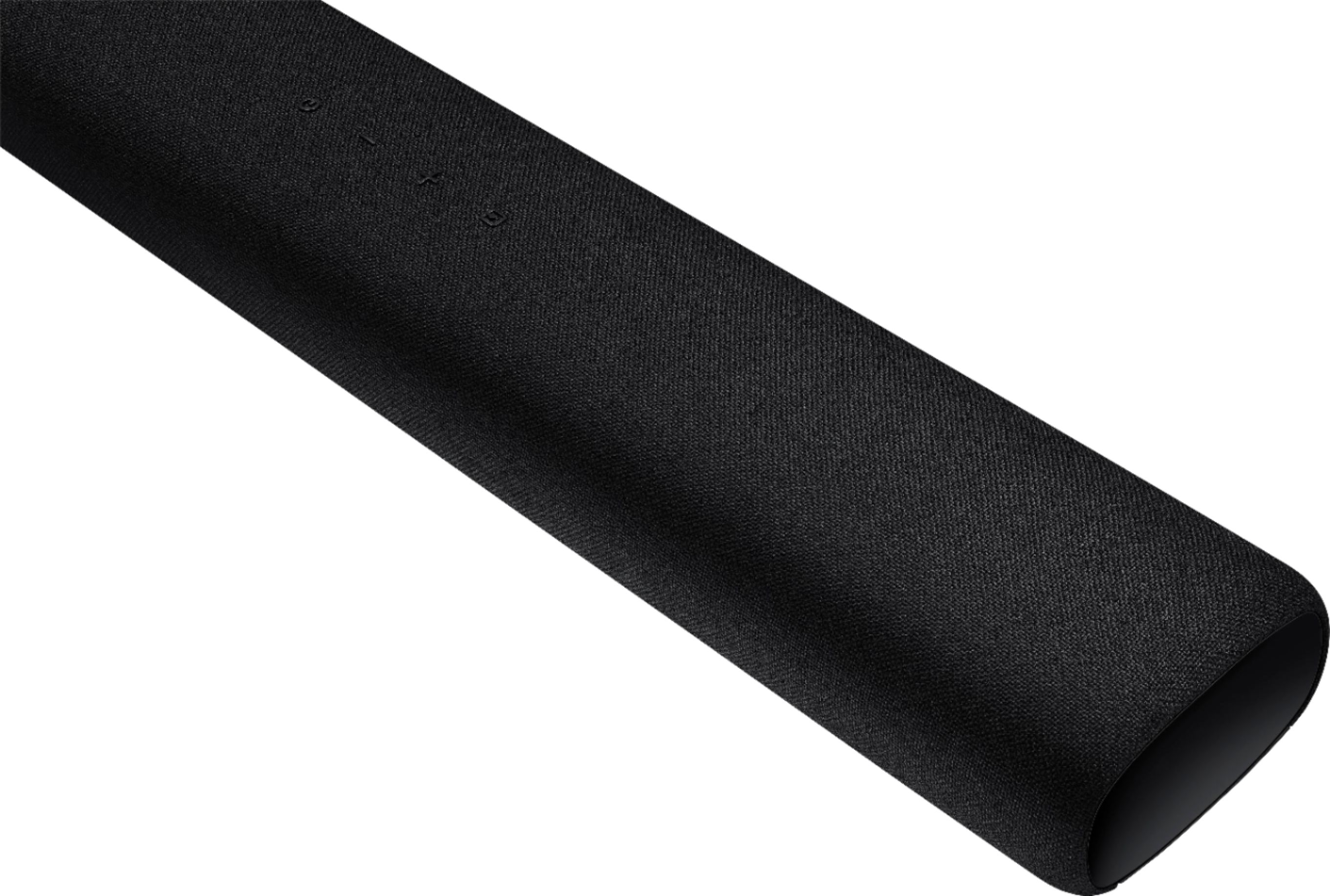
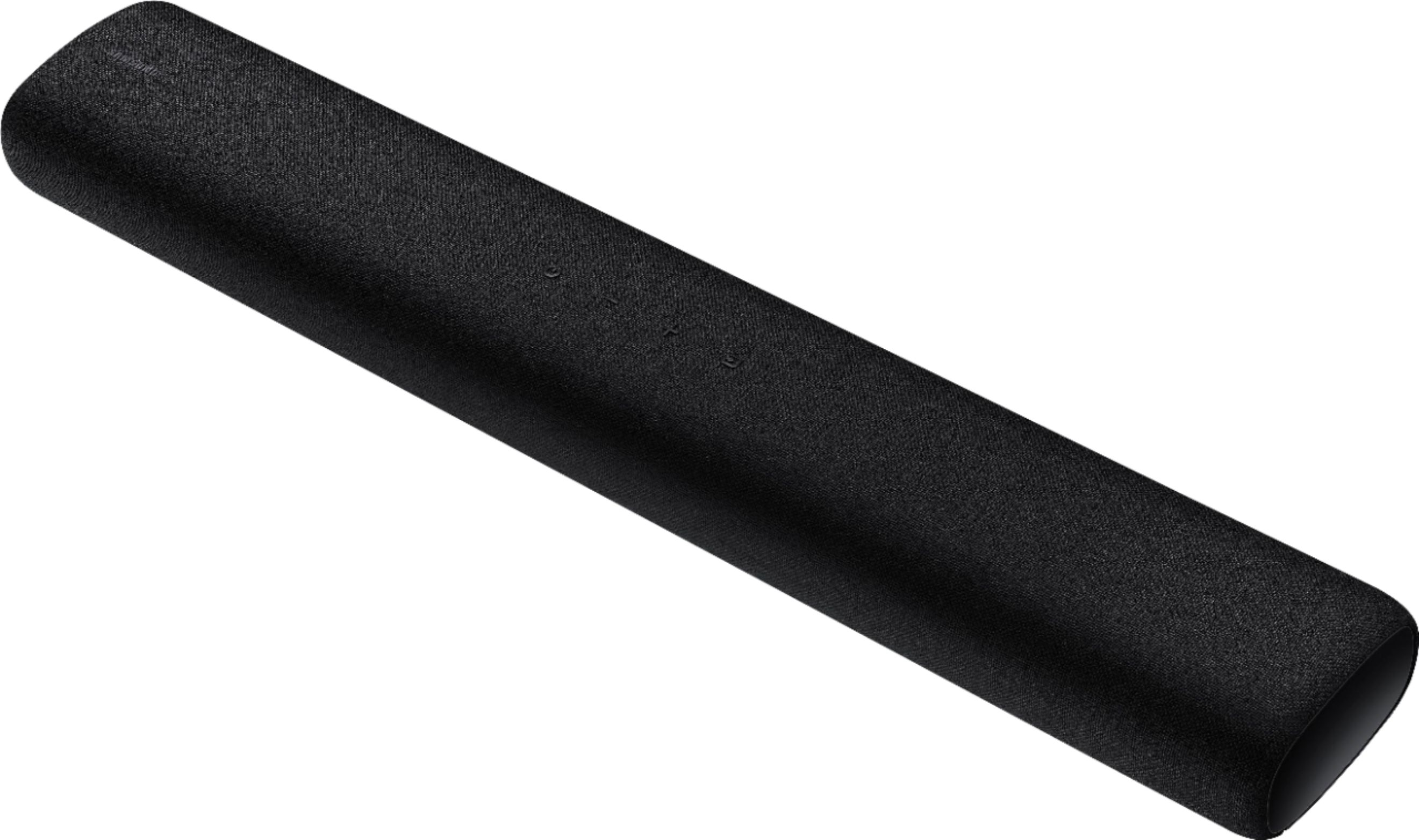

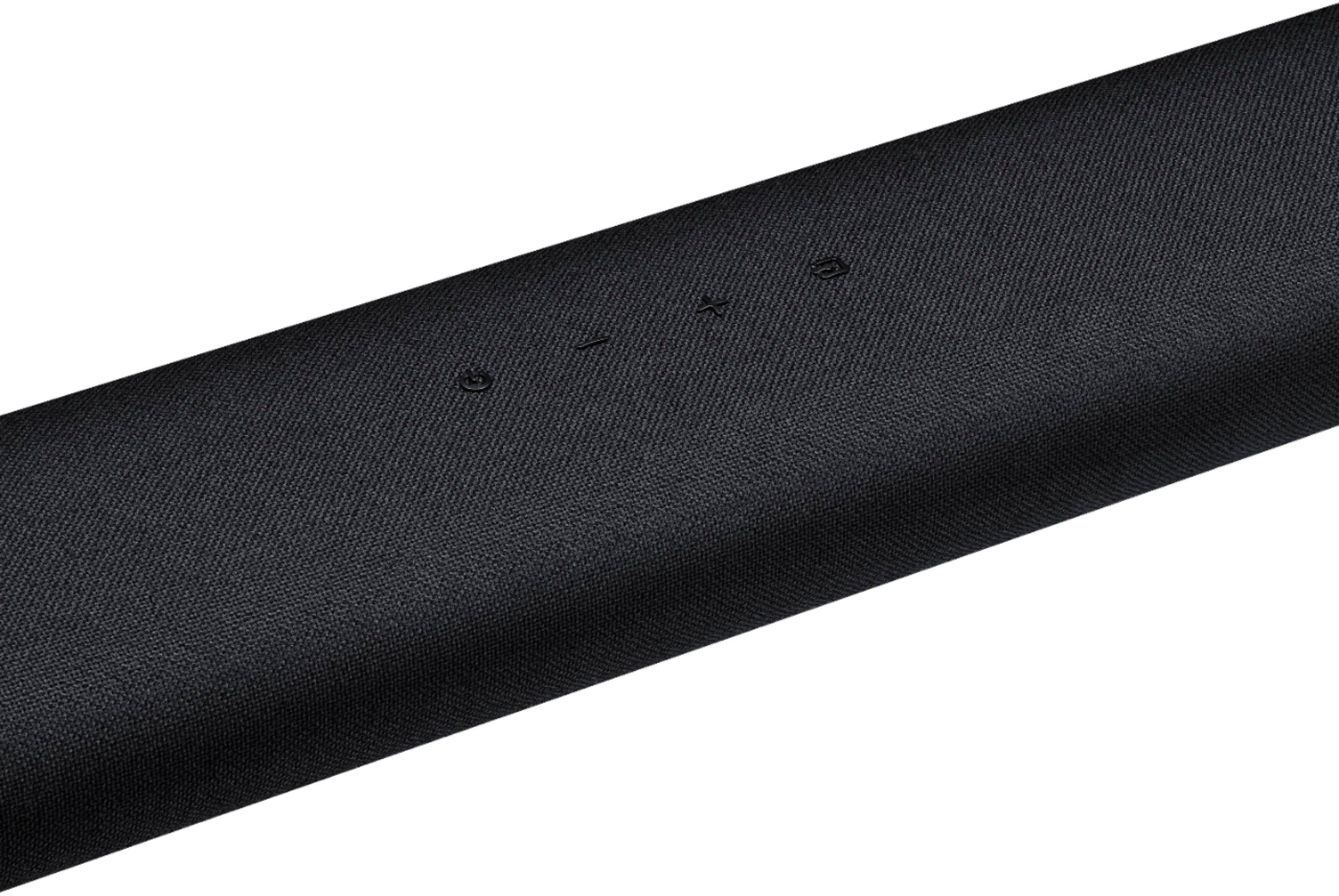


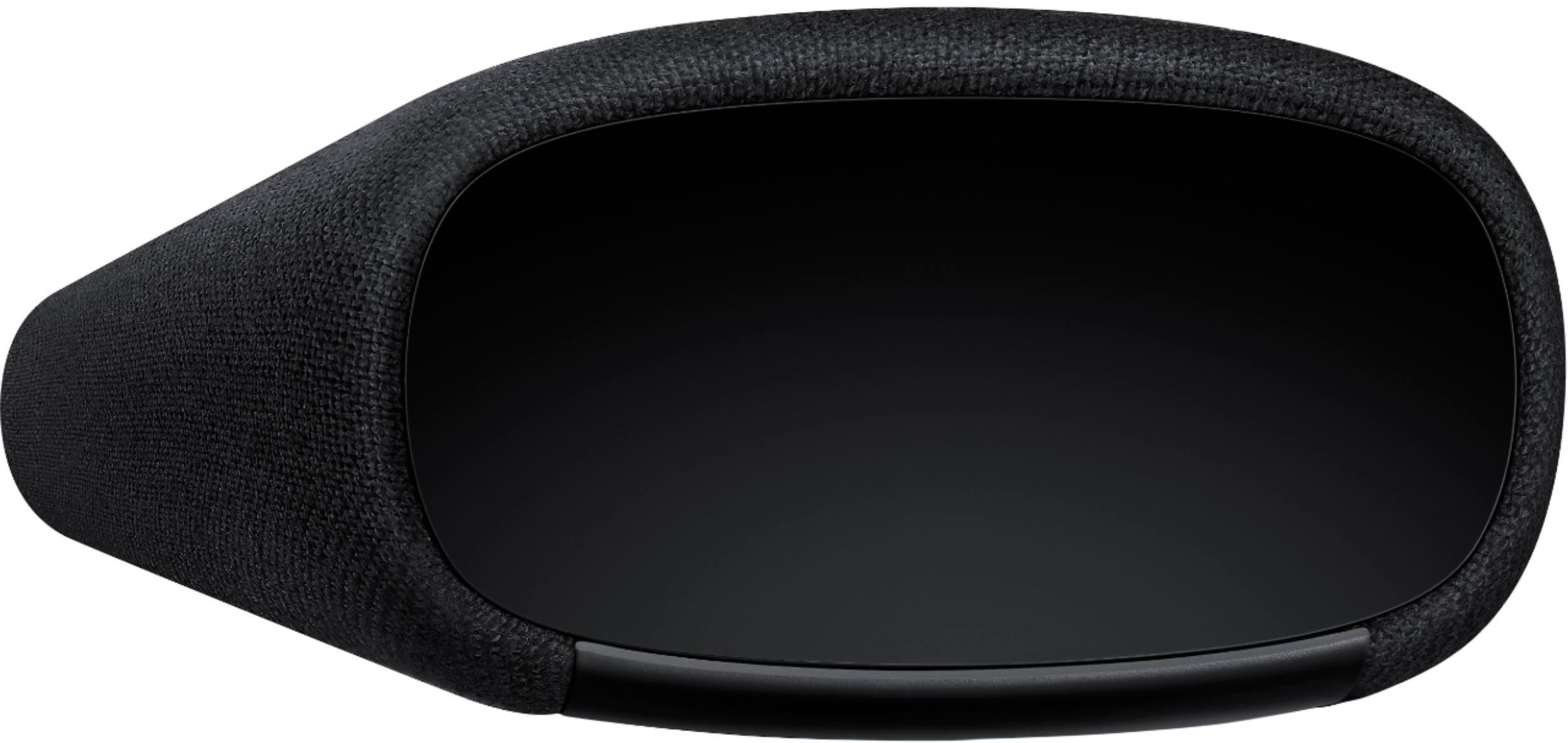
- Model:
- HW-S40T
- SKU:
- 6415461
Rating by feature
- Value
Rating 4.2 out of 5 stars
- Quality
Rating 4.3 out of 5 stars
- Ease of Use
Rating 4.3 out of 5 stars
Customers are saying
Customers are delighted by the 2.0-Channel Soundbar's sound quality, describing it as 'very good' and praising its 'wonderful clarity.' They also appreciate its compact size and affordable price, calling it a 'great item for the price.' However, some customers have experienced issues with the remote control not working, connectivity issues, and the lack of a volume display on the front of the unit.
This summary was generated by AI based on customer reviews.
- Cons mentioned:Remote control
Poor interface with Samsung TV
||Posted . Owned for 2 weeks when reviewed.This reviewer received promo considerations or sweepstakes entry for writing a review.I purchased both the TV and the sound bar. The sound bar requires as separate remote and that remote does not have a volume changing ability. Possibly I am missing something? I was hoping I would be able to use my TV remote for both but no such ability.
No, I would not recommend this to a friendBrand response from Samsung
Posted .Olivia:
Thank you for purchasing the Samsung HW-S40T Soundbar. You can adjust the Soundbar volume using the TV’s remote control. This function can be used with IR remote controls only. Bluetooth remote controls (remote controls that require pairing) are not supported. Set the TV speaker to External Speaker to use this function.
1) Turn Off the Soundbar.
2) Push up and hold the WOOFER button for 5 seconds. Each time you push the WOOFER button up and hold it for 5 seconds, the mode switches in the following order: “Samsung-TV Remote” (Default mode), “Off-TV Remote”, “All-TV Remote”. The LED indicator status changes each time the mode is changed.
Detailed instructions can be found on pg. 14 of the Full Manual : https://downloadcenter.samsung.com/content/UM/202007/20200709085730162/HW-S40T_S41T_ZA_FullManual_01_ENG_200526.pdf
For further assistance, please contact Samsung Customer Support.
1) Phone: 1-800-SAMSUNG, (available 8AM to 12AM EST - 7 days a week)
2) LiveChat: https://www.samsung.com/us/support/#contact_us_for_support
3) Facebook Messenger: https://www.facebook.com/samsungsupport
4) Twitter: https://twitter.com/SamsungSupport
5) The Samsung Members Community is also a great resource for getting help from Samsung moderators and customers: https://us.community.samsung.com
If you have not already done so, we invite you to register your new Samsung product at:
https://www.samsung.com/us/account/signin/?redirect=https%3A%2F%2Fwww.samsung.com%2Fus%2Fsupport%2Fregister%2F
Registering your product gives you access to easy warranty support, convenient opt-in to special promos and offers, faster troubleshooting and service, and quick notification of system updates.
~ Samsung Solutions
Great product for the price
||Posted . Owned for 2 months when reviewed.This reviewer received promo considerations or sweepstakes entry for writing a review.Great product but wish it had a wireless feature or at least HDMI port
I would recommend this to a friendBrand response from Samsung
Posted .Hi Kiki,
Thank you for purchasing the Samsung HW-S40T Soundbar and for your review. Thank you for sharing your thoughts on the features you are requesting. We appreciate your feedback on the design and will share it with our design teams.
Should you ever have questions or need help with features, specs, or operation, we are here to help.
1) Phone: 1-800-SAMSUNG, (available 8AM to 12AM EST - 7 days a week)
2) LiveChat: https://www.samsung.com/us/support/#contact_us_for_support
3) Facebook Messenger: https://www.facebook.com/samsungsupport
4) Twitter: https://twitter.com/SamsungSupport
5) The Samsung Members Community is also a great resource for getting help from Samsung moderators and customers: https://us.community.samsung.com
If you have not already done so, we invite you to register your new Samsung product at:
https://www.samsung.com/us/account/signin/?redirect=https%3A%2F%2Fwww.samsung.com%2Fus%2Fsupport%2Fregister%2F
Registering your product gives you access to easy warranty support, convenient opt-in to special promos and offers, faster troubleshooting and service, and quick notification of system updates.
~ Samsung Ambassador
Average
||Posted . Owned for 10 months when reviewed.This reviewer received promo considerations or sweepstakes entry for writing a review.Not as loud as i wanted it.Loud connection sound..
No, I would not recommend this to a friendIt’s ok
||Posted . Owned for 3 weeks when reviewed.This reviewer received promo considerations or sweepstakes entry for writing a review.It’s Ok. The sound isn’t quality but for the money, it works.
No, I would not recommend this to a friendBrand response from Samsung
Posted .Hi Kimmymac,
Thank you for purchasing the Samsung HW-S40T featuring Music Mode which delivers optimized sound to match music genre and Smart Sound which optimizes sound settings based on what you are watching. I'm sorry to see that you are not completely happy with performance.
To optimize your audio experience, please try the various sound modes this model offers. Press the SOUND MODE button on your remote, and then select your desired sound effect: STANDARD, MUSIC, or SMART SOUND.
You can further adjust TREBLE and BASS via the SOUND CONTROL button (looks like a gear symbol).
If there is anything we can do to improve your enjoyment to 5 stars -- such as helping to optimize settings for your specific usage scenario -- please let us know. You can reach Samsung Customer Support at:
1) Phone: 1-800-SAMSUNG, (available 8AM to 12AM EST - 7 days a week)
2) LiveChat: https://www.samsung.com/us/support/#contact_us_for_support
3) Facebook Messenger: https://www.facebook.com/samsungsupport
4) Twitter: https://twitter.com/SamsungSupport
5) The Samsung Members Community is also a great resource for getting help from Samsung moderators and customers: https://us.community.samsung.com
If you have not already done so, we invite you to register your new Samsung product at:
https://www.samsung.com/us/account/signin/?redirect=https%3A%2F%2Fwww.samsung.com%2Fus%2Fsupport%2Fregister%2F
Registering your product gives you access to easy warranty support, convenient opt-in to special promos and offers, faster troubleshooting and service, and quick notification of system updates.
~ Samsung Ambassador
It’s meh
||Posted . Owned for 1 month when reviewed.This reviewer received promo considerations or sweepstakes entry for writing a review.No 3.5mm jack which for its size I was surpised by, sounded okay
I would recommend this to a friendBrand response from Samsung
Posted .Mulv2:
Thank you for purchasing the Samsung HW-S40T Soundbar and for your review. Thank you for sharing your thoughts available inputs. We appreciate your feedback on the design and will share it with our design teams.
To optimize your audio experience, please try the various sound modes this model offers. Press the SOUND MODE button on your remote, and then select your desired sound effect: STANDARD, MUSIC, or SMART SOUND.
You can further adjust TREBLE and BASS via the SOUND CONTROL button (looks like a gear symbol).
Should you ever have questions or need help with features, specs, or operation, we are here to help.
1) Phone: 1-800-SAMSUNG, (available 8AM to 12AM EST - 7 days a week)
2) LiveChat: https://www.samsung.com/us/support/#contact_us_for_support
3) Facebook Messenger: https://www.facebook.com/samsungsupport
4) Twitter: https://twitter.com/SamsungSupport
5) The Samsung Members Community is also a great resource for getting help from Samsung moderators and customers: https://us.community.samsung.com
If you have not already done so, we invite you to register your new Samsung product at:
https://www.samsung.com/us/account/signin/?redirect=https%3A%2F%2Fwww.samsung.com%2Fus%2Fsupport%2Fregister%2F
Registering your product gives you access to easy warranty support, convenient opt-in to special promos and offers, faster troubleshooting and service, and quick notification of system updates.
~ Samsung Solutions
Worst Samsung electronic gear, ever made.
||Posted . Owned for 1.5 years when reviewed.This reviewer received promo considerations or sweepstakes entry for writing a review.Probabnly the most frustrating electronics purchase in the past 20 years. Yes, it looks cool, but the on-unit and remote controls are maddeningly unclear, and just don't work. You'll need to go on Youtube to find a helpful customer show you how to change batteries in the horrible remote. The optical interface just doesn't work half the time, and the bugs in the software are manifold: one exmple, when you turn off the set at the end of the night the system has a woman's voice loudly exclaim "Digital Audio In".. ...lady, I'd like to tell you where you can put that Digtial Audio.
No, I would not recommend this to a friendWould skip this item...
||Posted . Owned for 3 months when reviewed.This reviewer received promo considerations or sweepstakes entry for writing a review.I bought this soundbar but had to replace it within a few month. The sound just isn't really rich and it doesn't give you the theatre feel. I'd recommend buying a soundbar with a woofer.
No, I would not recommend this to a friendBrand response from Samsung
Posted .SaqDaBar14,
Thank you for your review of the Samsung HW-S40T Soundbar. I am sorry to hear that it did not work out for you and have returned your unit. I understand your disappointment.
Your feedback is very important to us and will be shared with our product team.
Please know that should you ever need assistance with settings or adjustments with a future Samsung purchase to optimize your sound experience, Samsung Customer Support is here to help.
1) Phone: 1-800-SAMSUNG, (available 8AM to 12AM EST - 7 days a week)
2) LiveChat: https://www.samsung.com/us/support/#contact_us_for_support
3) Facebook Messenger: https://www.facebook.com/samsungsupport
4) Twitter: https://twitter.com/SamsungSupport
5) The Samsung Members Community is also a great resource for getting help from Samsung moderators and customers: https://us.community.samsung.com
~ Samsung Ambassador
ANNOYINGLY RIDUCLOUS!!!
||Posted . Owned for 2 months when reviewed.This reviewer received promo considerations or sweepstakes entry for writing a review.The soundbar sounds great; however, this thing annoyingly will announce, "Digital Audio In!!!" once or twice an hour, for no reason. Updating firmware (a chore unto itself) does not take care of the problem. As a result, the only thing I can do is leave the stupid thing unplugged when not in use. Others have complained to SAMSUNG about this issue. Unless you don't mind having bejesus scared out of you when this thing lets you know that the digital audio is in, stay away!
No, I would not recommend this to a friendBrand response from Samsung
Posted .Hi Skynut38,
Thank you for purchasing the HW-S40T and for your review. A new firmware update has just been released which will allow you to disable the voice guide feature. Ver. 1103 is available on Samsung.com.
After your firmware update: With the Soundbar turned off, press and hold the source key on the Soundbar remote control for 5 seconds. The Soundbar will then turn of automatically. To re-enable the voice guide, repeat the above process.
If your issue has not been resolved, please reach out to Samsung Customer Support so we can better understand your issue and provide you with troubleshooting assistance or warranty service.
For further assistance, please contact Samsung Customer Support.
1) Phone: 1-800-SAMSUNG, (available 8AM to 12AM EST - 7 days a week)
2) LiveChat: https://www.samsung.com/us/support/#contact_us_for_support
3) Facebook Messenger: https://www.facebook.com/samsungsupport
4) Twitter: https://twitter.com/SamsungSupport
5) The Samsung Members Community is also a great resource for getting help from Samsung moderators and customers: https://us.community.samsung.com
If you have not already done so, we invite you to register your new Samsung product at:
https://www.samsung.com/us/account/signin/?redirect=https%3A%2F%2Fwww.samsung.com%2Fus%2Fsupport%2Fregister%2F
Registering your product gives you access to easy warranty support, convenient opt-in to special promos and offers, faster troubleshooting and service, and quick notification of system updates.
~ Samsung Ambassador
Expect more
||Posted . Owned for 4 months when reviewed.This reviewer received promo considerations or sweepstakes entry for writing a review.Brand new and this was missing the stands hard to connect to Bluetooth. Unless u physically unplug it it will stay on.
No, I would not recommend this to a friendBrand response from Samsung
Posted .Hi Nope17,
I am very sorry to see that you are having connection issues between the soundbar and TV. If you are connecting wirelessly via Bluetooth, please follow these steps:
1) Press the PAIR button on the remote to enter BT PAIRING mode
a. or press the SOURCE button on the top panel and then select BT. “BT” changes to “BT PAIRING” in a few seconds automatically or changes to “BT READY” if there is a connect record.
b. When BT READY appears, press and hold the SOURCE button on the top panel of the Soundbar for more than 5 seconds to display BT PAIRING.
2) Select Bluetooth mode on the TV
3) Select “[AV] Samsung Soundbar S4-Series” from the list on the TV’s screen. An available Soundbar is indicated with “Need Pairing” or “Paired” on the TV’s Bluetooth device list. To connect the TV to the Soundbar, select the message, and then establish a connection. - When the TV is connected, [TV Name] → “BT” appears on the Soundbar’s front display.
4) You can now hear TV sound from the Soundbar.
If the device fails to connect
- If a previously connected Soundbar listing (e.g. “[AV] Samsung Soundbar S4-Series”) appears in the list, delete it.
- Then repeat steps 1 through 3
Once you have connected your soundbar for the first time, use the “BT READY” mode to reconnect.
This model does not come with stands or wall mount.
For further assistance, please contact Samsung Customer Support and a representative will gladly help you.
1) Phone: 1-800-SAMSUNG, (available 8AM to 12AM EST - 7 days a week)
2) LiveChat: https://www.samsung.com/us/support/#contact_us_for_support
3) Facebook Messenger: https://www.facebook.com/samsungsupport
4) Twitter: https://twitter.com/SamsungSupport
5) The Samsung Members Community is also a great resource for getting help from Samsung moderators and customers: https://us.community.samsung.com
If you have not already done so, we invite you to register your new Samsung product at:
https://www.samsung.com/us/account/signin/?redirect=https%3A%2F%2Fwww.samsung.com%2Fus%2Fsupport%2Fregister%2F
Registering your product gives you access to easy warranty support, convenient opt-in to special promos and offers, faster troubleshooting and service, and quick notification of system updates.
~ Samsung Ambassador
Sound Bar
||Posted . Owned for 1 month when reviewed.This reviewer received promo considerations or sweepstakes entry for writing a review.Overall a disappointment. It does not provide the directional affect we had expected. The column control is nearly non existent.
No, I would not recommend this to a friendBrand response from Samsung
Posted .Hi Soundspace,
Thank you for purchasing the S40T Samsung Soundbar and for your review. We appreciate your feedback regarding the audio performance and volume control of your unit.
To optimize your audio experience, please try the various sound modes this model offers. Press the SOUND MODE button on your remote, and then select your desired sound effect: STANDARD, MUSIC, or SMART SOUND.
You can further adjust TREBLE and BASS via the SOUND CONTROL button (looks like a gear symbol).
I hope this tip helps improve your sound experience. Should you need further assistance with features, functions, settings, or adjustments, please contact Samsung Customer Support:
1) Phone: 1-800-SAMSUNG / Available 8 AM - 12 AM EST 7 days a week
2) LiveChat: https://www.samsung.com/us/support/contact/
3) Text HELP to 62913
4) Samsung Members App
5) Facebook Messenger: https://www.facebook.com/samsungsupport
6) Twitter: https://twitter.com/SamsungSupport
7) The Samsung TV Community is also a great resource for getting help from Samsung moderators and customers: https://us.community.samsung.com/
If you have not already done so, we invite you to register your new Samsung product at:
https://www.samsung.com/us/account/signin/?redirect=https%3A%2F%2Fwww.samsung.com%2Fus%2Fsupport%2Fregister%2F
Registering your product gives you access to easy warranty support, convenient opt-in to special promos and offers, faster troubleshooting and service, and quick notification of system updates.
We look forward to hearing from you.
~ Samsung Specialist
ABFT123
||Posted .This reviewer received promo considerations or sweepstakes entry for writing a review.I purchased a “new” product. I was sold a refurbished or used/open box item at full price.
No, I would not recommend this to a friendNot that great
||Posted .This reviewer received promo considerations or sweepstakes entry for writing a review.No wireless capability. Doesn’t even work with SmartThings. I would recommend upgrading to a different more up to date model.
No, I would not recommend this to a friendBrand response from Samsung
Posted .Hi Creamer,
Thank you for purchasing the 2020 Samsung HW-S40T All-In-One Soundbar. With two built in woofers and tweeters built into the frame, you can enjoy room-filling sound with one unit.
Your feedback regarding Wi-Fi support and the SmartThings app is very important to us and will be shared with our product team.
If there is anything we can do to improve your sound experience -- such as helping to optimize settings for your specific usage scenario -- please let us know. You can reach Samsung Customer Support at:
1) Phone: 1-800-SAMSUNG, (available 8AM to 12AM EST - 7 days a week)
2) LiveChat: https://www.samsung.com/us/support/#contact_us_for_support
3) Facebook Messenger: https://www.facebook.com/samsungsupport
4) Twitter: https://twitter.com/SamsungSupport
5) The Samsung Members Community is also a great resource for getting help from Samsung moderators and customers: https://us.community.samsung.com
If you have not already done so, we invite you to register your new Samsung product at:
https://www.samsung.com/us/account/signin/?redirect=https%3A%2F%2Fwww.samsung.com%2Fus%2Fsupport%2Fregister%2F
Registering your product gives you access to easy warranty support, convenient opt-in to special promos and offers, faster troubleshooting and service, and quick notification of system updates.
~ Samsung Ambassador
Terrifying
||Posted . Owned for 1.5 years when reviewed.This reviewer received promo considerations or sweepstakes entry for writing a review.My sound bar had a malfunction where it would continuously turn on in the middle of the night and at max volume scream "SAMSUNG ACTIVE!!!" scared my wife and I to death because we thought someone was breaking into our house. I returned the. product and now I don't have a sound bar. Funny memory, terrible product.
No, I would not recommend this to a friendSound
||Posted . Owned for 1 month when reviewed.This reviewer received promo considerations or sweepstakes entry for writing a review.Problem from the beginning with gargling sound. Went into store suggested I buy a sound bar. I did. Did not solve the problem. You need to turn off the TV and try several times to clear up the problem. I will be returning this item to the store on Friday, September 4th.
No, I would not recommend this to a friendBrand response from Samsung
Posted .Sandi:
I am very sorry to see that you are experiencing sound distortion with your HW-S40T Soundbar featuring Smart Sound which optimizes sound based on what you are watching.
Please try these tips to improve performance:
You may want to adjust your settings to improve performance. Refer to pages 11-13 of the User Manual: https://downloadcenter.samsung.com/content/UM/202007/20200709085730162/HW-S40T_S41T_ZA_FullManual_01_ENG_200526.pdf
...to adjust sounds modes, treble, bass, and more.
If you need further assistance, please know we are here to help. You can reach Samsung Audio Support at:
1) Phone: 1-800-SAMSUNG, (available 8AM to 12AM EST - 7 days a week)
2) LiveChat: https://www.samsung.com/us/support/#contact_us_for_support
3) Facebook Messenger: https://www.facebook.com/samsungsupport
4) Twitter: https://twitter.com/SamsungSupport
5) The Samsung Members Community is also a great resource for getting help from Samsung moderators and customers: https://us.community.samsung.com
If you have not already done so, we invite you to register your new Samsung product at:
https://www.samsung.com/us/account/signin/?redirect=https%3A%2F%2Fwww.samsung.com%2Fus%2Fsupport%2Fregister%2F&user=dsr-registration
Registering your product gives you access to easy warranty support, convenient opt-in to special promos and offers, faster troubleshooting and service, and quick notification of system updates.
~ Samsung Solutions
- Cons mentioned:Remote control
So So product
||Posted . Owned for 3 weeks when reviewed.This reviewer received promo considerations or sweepstakes entry for writing a review.The voice command is annoying and it doesn’t automatically turn on with a remote
No, I would not recommend this to a friendBrand response from Samsung
Posted .Hi Bprince,
Thank you for purchasing the HW-S40T and for your review. A firmware update has been released which will allow you to disable the voice guide feature. Firmware ver. 1103 is available on Samsung.com You can update your firmware by using a USB device. Updating the firmware on your soundbar gives you all the benefits of the latest improvements.
This is a very important step: After your firmware update: With the Soundbar turned off, press and hold the source key on the Soundbar remote control for 5 seconds. The Soundbar will then turn of automatically. To re-enable the voice guide, repeat the above process.
I am very sorry to hear that you are experiencing issues with your soundbar’s remote. First, you may want to replace your batteries in the remote. Also, be sure that the distance between the remote and soundbar main unit is not too far.
For further assistance, please contact Samsung Customer Support at:
1) Phone: 1-800-SAMSUNG, (available 8AM to 12AM EST - 7 days a week)
2) LiveChat: https://www.samsung.com/us/support/#contact_us_for_support
3) Facebook Messenger: https://www.facebook.com/samsungsupport
4) Twitter: https://twitter.com/SamsungSupport
5) The Samsung Members Community is also a great resource for getting help from Samsung moderators and customers: https://us.community.samsung.com
If you have not already done so, we invite you to register your new Samsung product at:
https://www.samsung.com/us/account/signin/?redirect=https%3A%2F%2Fwww.samsung.com%2Fus%2Fsupport%2Fregister%2F
Registering your product gives you access to easy warranty support, convenient opt-in to special promos and offers, faster troubleshooting and service, and quick notification of system updates.
~ Samsung Ambassador
Sound bar
||Posted . Owned for 1 month when reviewed.This reviewer received promo considerations or sweepstakes entry for writing a review.Sound quality not great. When not in use must turn volume down or voice on speaker continuously says audio in.
No, I would not recommend this to a friendBrand response from Samsung
Posted .Hello Samsung: Thank you for purchasing the HW-S40T and for your review. A new firmware update has just been released which will allow you to disable the voice guide feature. Ver. 1103 is available on Samsung.com
After your firmware update: With the Soundbar turned off, press and hold the source key on the Soundbar remote control for 5 seconds. The Soundbar will then turn of automatically. To re-enable the voice guide, repeat the above process.
I hope this helps. For further assistance, please contact Samsung Customer Support.
1) Phone: 1-800-SAMSUNG, (available 8AM to 12AM EST - 7 days a week)
2) LiveChat: https://www.samsung.com/us/support/#contact_us_for_support
3) Facebook Messenger: https://www.facebook.com/samsungsupport
4) Twitter: https://twitter.com/SamsungSupport
5) The Samsung Members Community is also a great resource for getting help from Samsung moderators and customers: https://us.community.samsung.com
If you have not already done so, we invite you to register your new Samsung product at:
https://www.samsung.com/us/account/signin/?redirect=https%3A%2F%2Fwww.samsung.com%2Fus%2Fsupport%2Fregister%2F
Registering your product gives you access to easy warranty support, convenient opt-in to special promos and offers, faster troubleshooting and service, and quick notification of system updates.
~ Samsung Specialist
- Pros mentioned:Easy setup
upset
||Posted . Owned for 3 weeks when reviewed.This reviewer received promo considerations or sweepstakes entry for writing a review.Set up was a easy but now the sound bar will not turn off no matter what.
No, I would not recommend this to a friendBrand response from Samsung
Posted .Monkeys:
Thank you for purchasing the Samsung HW-S40T soundbar. I am sorry you are experiencing issues with your soundbar not turning off. If your soundbar is turning off on its own, please know that there is an Auto Power Down feature that turns off the soundbar automatically. However, if you are trying to turn off your soundbar manually without success, please contact Samsung Customer Support so we can further assist you with troubleshooting or warranty service.
For further assistance, please contact Samsung Customer Support.
1) Phone: 1-800-SAMSUNG, (available 8AM to 12AM EST - 7 days a week)
2) LiveChat: https://www.samsung.com/us/support/#contact_us_for_support
3) Facebook Messenger: https://www.facebook.com/samsungsupport
4) Twitter: https://twitter.com/SamsungSupport
5) The Samsung Members Community is also a great resource for getting help from Samsung moderators and customers: https://us.community.samsung.com
If you have not already done so, we invite you to register your new Samsung product at:
https://www.samsung.com/us/account/signin/?redirect=https%3A%2F%2Fwww.samsung.com%2Fus%2Fsupport%2Fregister%2F
Registering your product gives you access to easy warranty support, convenient opt-in to special promos and offers, faster troubleshooting and service, and quick notification of system updates.
~ Samsung Ambassador
Poor choice of sound bar
||Posted . Owned for 3 weeks when reviewed.This reviewer received promo considerations or sweepstakes entry for writing a review.Not much better sound than the TV itself. Woofer does virtually nothing to the sound.
No, I would not recommend this to a friendBrand response from Samsung
Posted .Hi tvsoundbar,
Thank you for purchasing the Samsung HW-S40T featuring Music Mode which delivers optimized sound to match music genre and Smart Sound which optimizes sound settings based on what you are watching. I'm sorry to see that you are not completely happy with performance.
To optimize your audio experience, please try the various sound modes this model offers. Press the SOUND MODE button on your remote, and then select your desired sound effect: STANDARD, MUSIC, or SMART SOUND.
You can further adjust TREBLE and BASS via the SOUND CONTROL button (looks like a gear symbol).
Using the WOOFER button on the remote, you can adjust the volume of the subwoofer between -6 to +6 by toggling the button up or down. To set the subwoofer volume level to 0, press the button in.
I hope this tip helps improve your sound experience. Should you need further assistance with features, functions, settings, or adjustments, please contact Samsung Customer Support.
1) Phone: 1-800-SAMSUNG, (available 8AM to 12AM EST - 7 days a week)
2) LiveChat: https://www.samsung.com/us/support/#contact_us_for_support
3) Facebook Messenger: https://www.facebook.com/samsungsupport
4) Twitter: https://twitter.com/SamsungSupport
5) The Samsung Members Community is also a great resource for getting help from Samsung moderators and customers: https://us.community.samsung.com
~ Samsung Ambassador
2 channel sound bar
||Posted . Owned for less than 1 week when reviewed.This reviewer received promo considerations or sweepstakes entry for writing a review.I returned this item simply because it does not come with wall mount brackets, nor can I order any because no part number is recommended or given, nor does BestBuy know what to use... VERY disappointed!
No, I would not recommend this to a friendBrand response from Samsung
Posted .Hi ShannonLeeWolfe,
Thank you for your review of the Samsung HW-T40T Soundbar. I am sorry to hear that it did not work out for you and have returned your unit. I understand your disappointment.
Your feedback is very important to us and will be shared with our product team.
Please know that should you ever need assistance with settings or adjustments with a future Samsung purchase to optimize your sound experience, Samsung Customer Support is here to help.
1) Phone: 1-800-SAMSUNG, (available 8AM to 12AM EST - 7 days a week)
2) LiveChat: https://www.samsung.com/us/support/#contact_us_for_support
3) Facebook Messenger: https://www.facebook.com/samsungsupport
4) Twitter: https://twitter.com/SamsungSupport
5) The Samsung Members Community is also a great resource for getting help from Samsung moderators and customers: https://us.community.samsung.com
~ Samsung Ambassador
This soundbar does not seem to work on my tv.
||Posted . Owned for 3 weeks when reviewed.This reviewer received promo considerations or sweepstakes entry for writing a review.I have seen no difference in the quality of the sound on my tv. The remote also seems useless. Personally I would not recommend this soundbar although this was the unit the sales person recommended to me.
No, I would not recommend this to a friendBrand response from Samsung
Posted .Moms:
Thank you for purchasing the Samsung HW-S40T featuring Music Mode which delivers optimized sound to match music genre and Smart Sound which optimizes sound settings based on what you are watching. I'm sorry to see that you are not completely happy with performance.
To optimize your audio experience, please try the various sound modes this model offers. Press the SOUND MODE button on your remote, and then select your desired sound effect: STANDARD, MUSIC, or SMART SOUND.
You can further adjust TREBLE and BASS via the SOUND CONTROL button (looks like a gear symbol).
I hope this tip helps improve your sound experience. Should you need further assistance with features, functions, settings, or adjustments, please contact Samsung Customer Support.
1) Phone: 1-800-SAMSUNG, (available 8AM to 12AM EST - 7 days a week)
2) LiveChat: https://www.samsung.com/us/support/#contact_us_for_support
3) Facebook Messenger: https://www.facebook.com/samsungsupport
4) Twitter: https://twitter.com/SamsungSupport
5) The Samsung Members Community is also a great resource for getting help from Samsung moderators and customers: https://us.community.samsung.com
If you have not already done so, we invite you to register your new Samsung product at:
https://www.samsung.com/us/account/signin/?redirect=https%3A%2F%2Fwww.samsung.com%2Fus%2Fsupport%2Fregister%2F&user=dsr-registration
Registering your product gives you access to easy warranty support, convenient opt-in to special promos and offers, faster troubleshooting and service, and quick notification of system updates.
~ Samsung Solutions