Customer Ratings & Reviews
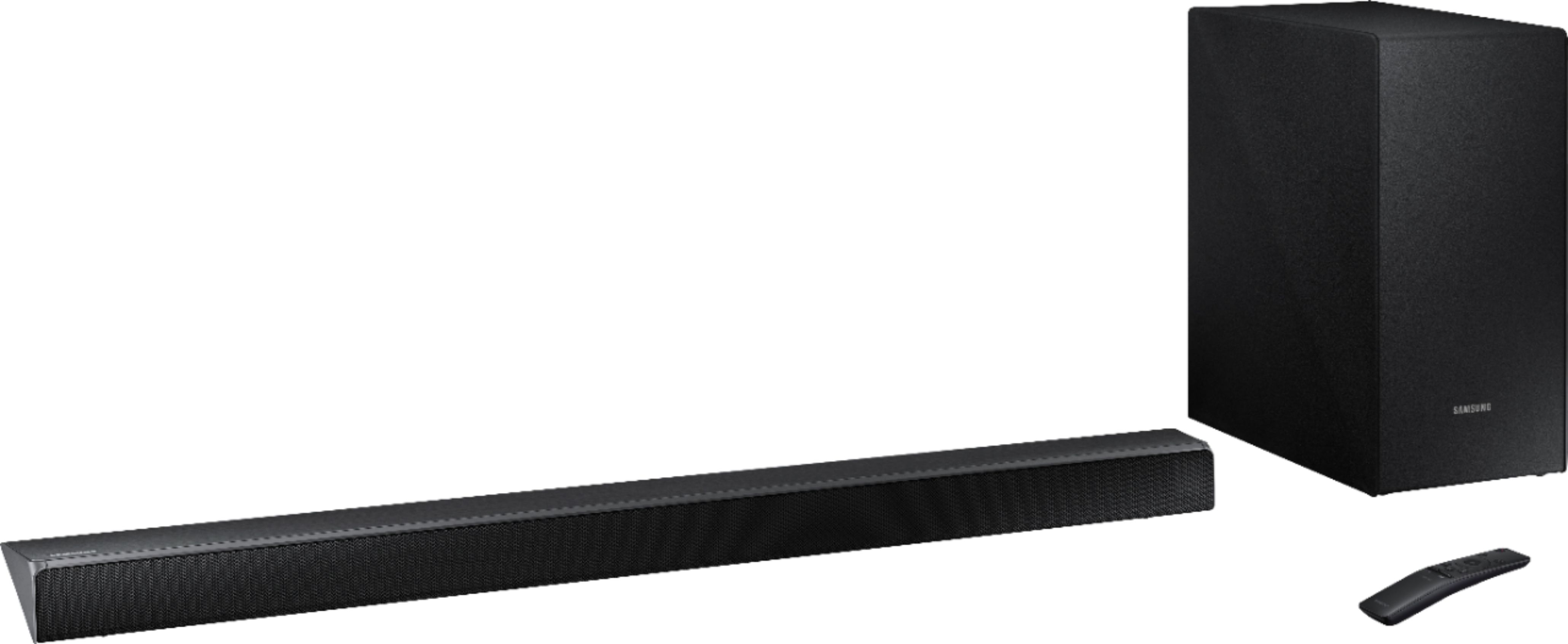
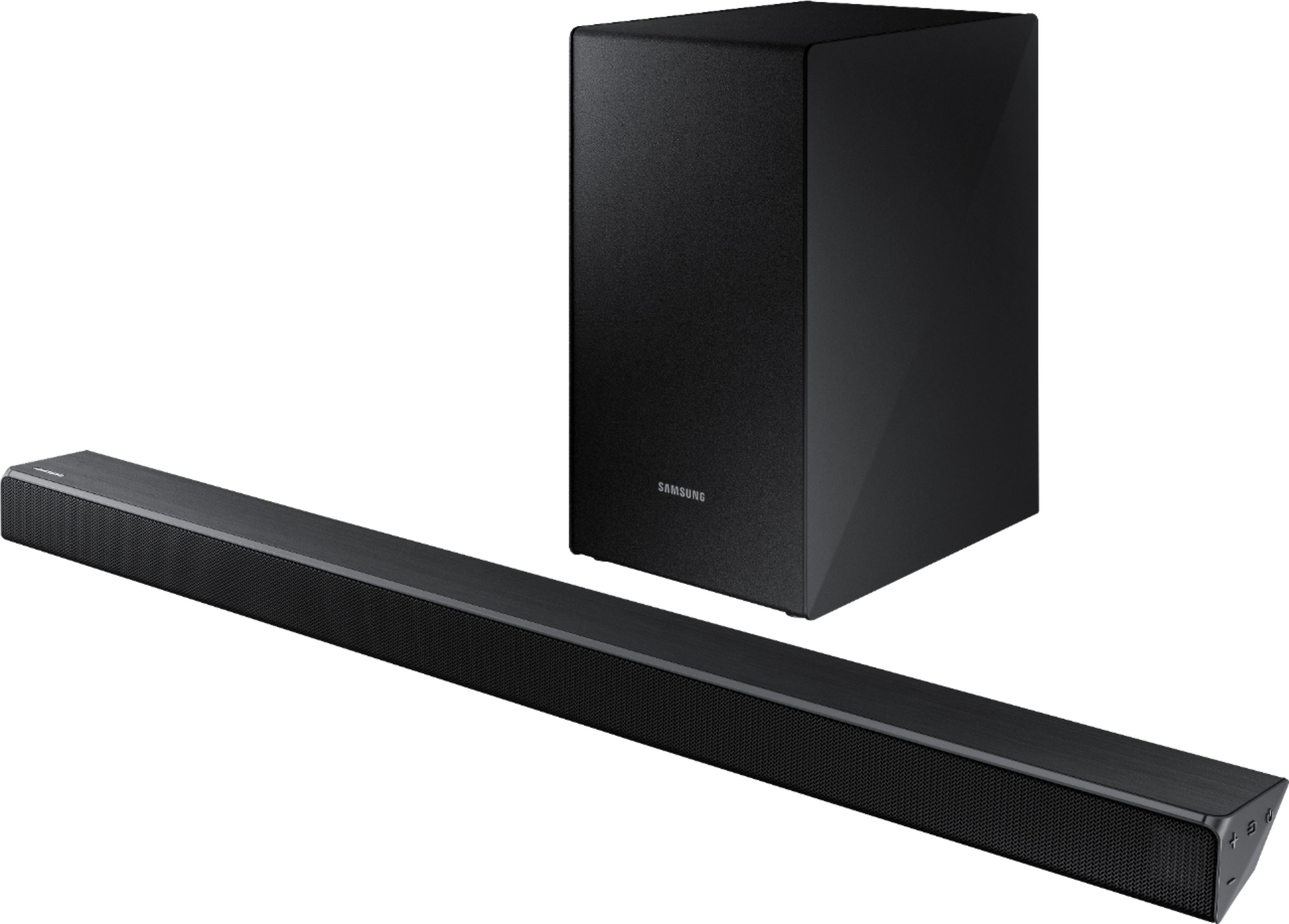



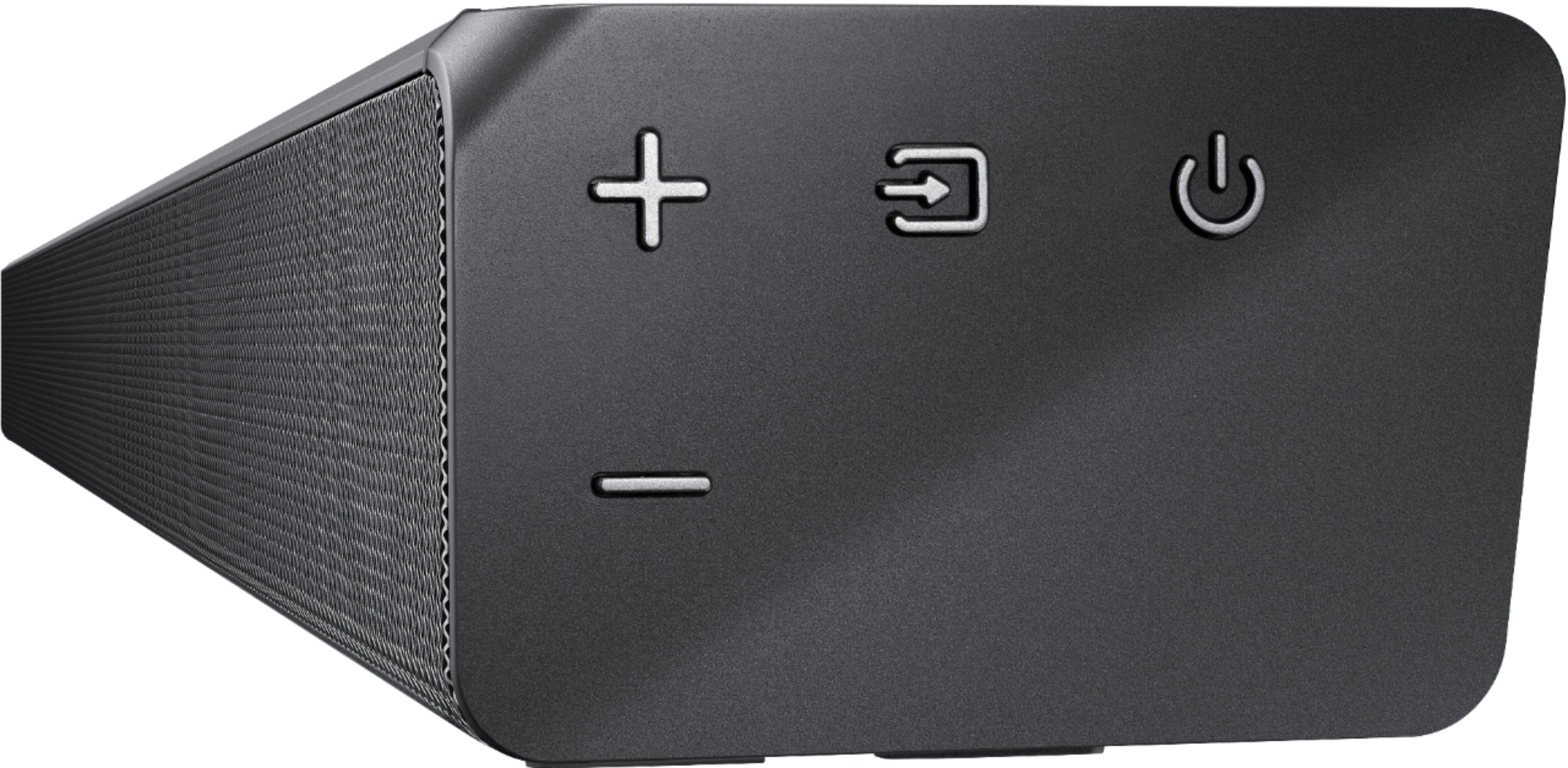
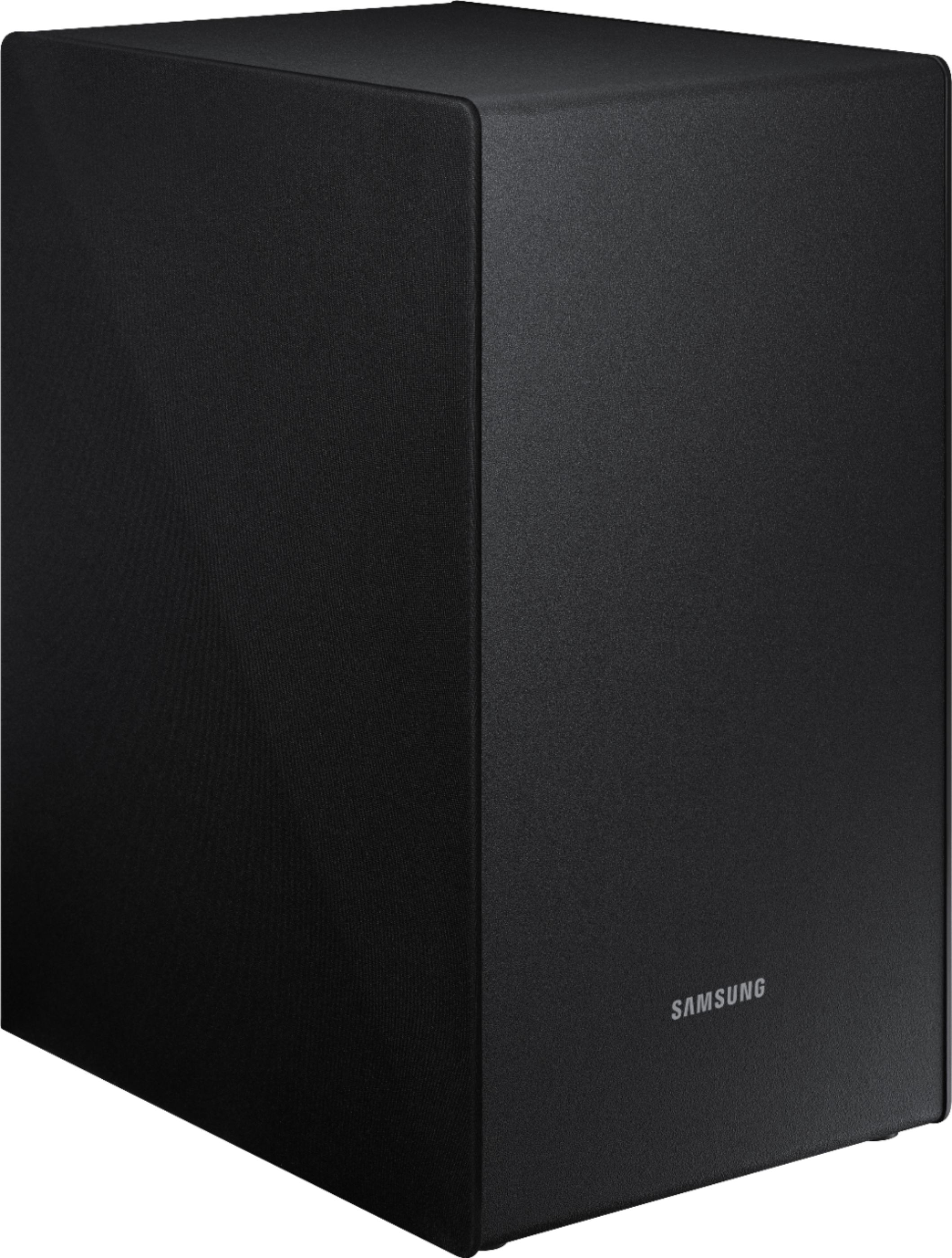
- Model:
- HW-N450/ZA
- SKU:
- 6199820
Rating by feature
- Value
Rating 4.4 out of 5 stars
- Quality
Rating 4.4 out of 5 stars
- Ease of Use
Rating 4.6 out of 5 stars
Customers are saying
Customers are impressed with the sound quality, easy setup, bass, and price of the 2.1-Channel Soundbar System with 6-1/2" Wireless Subwoofer and Digital Amplifier. Many customers rave about the excellent sound quality and the convenience of the easy setup. Others appreciate the amount of bass the soundbar delivers and feel it is a great value for the price.
This summary was generated by AI based on customer reviews.
- Cons mentioned:Expensive
Sound is not great
||Posted .This reviewer received promo considerations or sweepstakes entry for writing a review.Sales person convinced me to buy this sound bar when there were less expensive and this bar is no better.
No, I would not recommend this to a friendBrand response from Samsung
Posted .mccc1234:
Thank you for purchasing this Samsung HW-N450 Soundbar System. I am sorry to hear that you were not completely satisfied with its low volume.
Please check the connection between the Soundbar and other source devices, and try the following tips that may help improve the volume level.
1. Check the source volume. For example, if connected to a mobile phone using Bluetooth, increase the volume on the mobile phone.
2. If the Soundbar is connected to a TV thru HDMI, make sure to use the HDMI-ARC jack on the TV and select “External speakers” as the TV sound output.
3. Then check the TV for the audio output format sent to the Soundbar. Typical options are PCM, Dolby Digital, and Bitstream. Select the option that optimizes the sound from your source.
4. Change the SOUND MODE on the Soundbar by using the Soundbar’s remote. Select the appropriate mode for the individual room acoustics.
5. Turn on Dynamic Range Control. This is done by pressing and holding the SOUND MODE button on the remote control while the Soundbar is in standby mode.
I hope these tips help to enhance your audio enjoyment.
For further assistance on sound adjustment or other feature usages, please contact us via any of the below options:
1) Phone: 1-800-SAMSUNG (ask for Soundbars)
Available 8AM - 12AM EST (Mon-Fri) / 9AM - 11PM EST (Sat-Sun)
2) LiveChat or Email: https://www.samsung.com/us/support/#contact_us_for_support
3) Facebook Messenger: https://www.facebook.com/samsungsupport
4) Twitter: https://twitter.com/SamsungSupport
The Samsung Home Theater & Home Audio Community is also a great resource for getting help from Samsung moderators and customers: https://us.community.samsung.com/t5/Home-Theater-Home-Audio/bd-p/hometheaterhomeaudio
- Samsung Solutions
- Pros mentioned:Sound quality
Not very sound with my tv.
||Posted . Owned for 7 months when reviewed.This reviewer received promo considerations or sweepstakes entry for writing a review.Does not out much sound when paired with my ROKU TV. Much better sound when paired with my iPhone.
No, I would not recommend this to a friend It’s ok
||Posted .This reviewer received promo considerations or sweepstakes entry for writing a review.I love the sound bar and seems to work for what I wanted. However, the sound sometimes goes mute and I have to turn it off and then back on.
No, I would not recommend this to a friendBrand response from Samsung
Posted .Melody:
I am sorry to hear that you are experiencing issues with the sound muting and needs to be restarted.
Please give us the opportunity to assist you by contacting Samsung Customer Support via any of the following options:
1) Phone: 1-800-SAMSUNG (ask for Soundbars)
Available 8AM - 12AM EST (Mon-Fri) / 9AM - 11PM EST (Sat-Sun)
2) LiveChat or Email: https://www.samsung.com/us/support/#contact_us_for_support
3) Facebook Messenger: https://www.facebook.com/samsungsupport
4) Twitter: https://twitter.com/SamsungSupport
5) The Samsung Home Theater & Home Audio Community is also a great resource for getting help from Samsung moderators and customers: https://us.community.samsung.com/t5/Home-Theater-Home-Audio/bd-p/hometheaterhomeaudio
We look forward to hearing from you.
- Samsung Solutions
Overpriced
||Posted .This reviewer received promo considerations or sweepstakes entry for writing a review.Not the best sound quality for the value. You can get almos the same sound quality for much cheaper.
No, I would not recommend this to a friendCould be better
||Posted .This reviewer received promo considerations or sweepstakes entry for writing a review.Its a nice looking soundbar but there was not enough "umph" so I had to return. If you don't need bass then its not that bad.
I would recommend this to a friendBrand response from Samsung
Posted .vikerious:
I am very sorry to see that you were not happy with the bass performance of this HW-N550 soundbar and have returned it.
Your feedback is very important to us and will be shared with our product team.
Should you ever decide to give Samsung audio products another try and have concerns or questions, please know we are always here to help. You can contact Samsung Customer Support by any of the below options:
1) Phone: 1-800-SAMSUNG (ask for Soundbars)
Available 8AM - 12AM EST (Mon-Fri) / 9AM - 11PM EST (Sat-Sun)
2) LiveChat or Email: https://www.samsung.com/us/support/#contact_us_for_support
3) Facebook Messenger: https://www.facebook.com/samsungsupport
4) Twitter: https://twitter.com/SamsungSupport
5) The Samsung Home Theater & Home Audio Community is also a great resource for getting help from Samsung moderators and customers: https://us.community.samsung.com/t5/Home-Theater-Home-Audio/bd-p/hometheaterhomeaudio
Again, thank you for taking the time to share your experience. We hope to regain you as a customer in the near future.
- Samsung Solutions
Sound bar system
||Posted . Owned for 1.5 years when reviewed.This reviewer received promo considerations or sweepstakes entry for writing a review.not the best sound. I dont use it at all anymore. Could never get it to since with the TV.
No, I would not recommend this to a friendSoundbar is decent,woofer is barely audible.
||Posted .This reviewer received promo considerations or sweepstakes entry for writing a review.Soundbar is decent,woofer and rear speakers are barely audible. This "starter set" is overpriced and under delivers.
No, I would not recommend this to a friendBrand response from Samsung
Posted .Earl:
Thank you for purchasing this Samsung HW-N450 Soundbar System. I am sorry to hear that you were not completely satisfied with its sound performance.
Please contact Samsung Customer Support so that we can better investigate your issue and assist you towards a resolution via any of the below options:
1) Phone: 1-800-SAMSUNG
2) LiveChat or Email: https://www.samsung.com/us/support/#contact_us_for_support
3) Facebook Messenger: http://m.me/samsungsupport
4) Twitter: https://twitter.com/messages/compose?recipient_id=18768513
We hope to hear from you soon.
- Samsung Solutions
It was okay
||Posted .This reviewer received promo considerations or sweepstakes entry for writing a review.It was only slightly better than the t.v. speakers. Go for the next level up if your willing to spend the money.
No, I would not recommend this to a friendBrand response from Samsung
Posted .Valli:
Thank you for purchasing this Samsung HW-N450 Soundbar System. I am sorry to hear that you were not completely satisfied with its low volume.
Please check the connection between the Soundbar and other source devices, and try the following tips that may help improve the volume level.
1. Check the source volume. For example, if connected to a mobile phone using Bluetooth, increase the volume on the mobile phone.
2. If the Soundbar is connected to a TV thru HDMI, make sure to use the HDMI-ARC jack on the TV and select “External speakers” as the TV sound output.
3. Then check the TV for the audio output format sent to the Soundbar. Typical options are PCM, Dolby Digital, and Bitstream. Select the option that optimizes the sound from your source.
4. Change the SOUND MODE on the Soundbar by using the Soundbar’s remote. Select the appropriate mode for the individual room acoustics.
5. Turn on Dynamic Range Control. This is done by pressing and holding the SOUND MODE button on the remote control while the Soundbar is in standby mode.
I hope these tips help to enhance your audio enjoyment.
For further assistance on sound adjustment or other feature usages, please contact us via any of the below options:
1) Phone: 1-800-SAMSUNG
2) LiveChat or Email: https://www.samsung.com/us/support/#contact_us_for_support
3) Facebook Messenger: http://m.me/samsungsupport
4) Twitter: https://twitter.com/messages/compose?recipient_id=18768513
- Samsung Solutions
OK
||Posted .This reviewer received promo considerations or sweepstakes entry for writing a review.I am not that happy with the sound. It is hard to distinguish the words as the sound is not clear and crisp.
No, I would not recommend this to a friendBrand response from Samsung
Posted .notsony,
Thank you for purchasing this Samsung HW-N450 Soundbar System. I am sorry to hear that you are experiencing issue with the voice volume.
Please give us the opportunity to assist you by contacting Samsung Customer Support via one of the following options:
1) Toll-free calling: 1-800-SAMSUNG
2) LiveChat or Email: https://www.samsung.com/us/support/#contact_us_for_support
3) Facebook Messenger: http://m.me/samsungsupport
4) Twitter: https://twitter.com/messages/compose?recipient_id=18768513
Samsung is committed to providing the best possible product experience, quality, and value, and we are always here to help with any of your questions or concerns.
-Samsung Solutions
Disappointed
||Posted .This reviewer received promo considerations or sweepstakes entry for writing a review.I tried to place the subwoofer in different locations, but will not still cut out from time to time.
No, I would not recommend this to a friendBrand response from Samsung
Posted .Marcus:
I am very sorry to see that you are having issues with your soundbar cutting out.
Please contact us so that we can better investigate your issue and assist you towards a solution or replacement by any the following options:
1) Phone: 1-800-SAMSUNG
2) LiveChat or Email: https://www.samsung.com/us/support/#contact_us_for_support
3) Facebook Messenger: http://m.me/samsungsupport
4) Twitter: https://twitter.com/messages/compose?recipient_id=18768513
We look forward to hearing from you soon.
- Samsung Solutions
1st Sound Bar
||Posted .This reviewer received promo considerations or sweepstakes entry for writing a review.We like the sound from the sound bar, but the controls do not work as well as I expected them to.
I would recommend this to a friendBrand response from Samsung
Posted .Papa2:
Thank you for purchasing this Samsung N450 Soundbar System. I am sorry to hear that you are experiencing issues with the controls.
Please give us the opportunity to assist you by contacting Samsung Customer Support via any of the below options:
1) Phone: 1-800-SAMSUNG
2) LiveChat or Email: https://www.samsung.com/us/support/#contact_us_for_support
3) Facebook Messenger: http://m.me/samsungsupport
4) Twitter: https://twitter.com/messages/compose?recipient_id=18768513
Again, I am very sorry for the inconveniences you have had, and hope that we will hear from you soon.
- Samsung Solutions
What a disappointment!
||Posted . Owned for 7 months when reviewed.This reviewer received promo considerations or sweepstakes entry for writing a review.I purchased this at the same time as my new tv to upgrade my home theater I hooked up and was immediately disappointed the sound is not nearly as clear as my old vizio that I paid half the cost for. The bass is not there when you are watching a movie I tried everything to make it sound better but unfortunately I returned 2 days later.
No, I would not recommend this to a friendOk
||Posted . Owned for 1.5 years when reviewed.This reviewer received promo considerations or sweepstakes entry for writing a review.Not bad but don’t expect a great lows. Perfect for a small room though.
I would recommend this to a friendEh ok
||Posted .This reviewer received promo considerations or sweepstakes entry for writing a review.Decent sound bar, clean sound, the subwoofer is awful. Practically no bass even at high settings.
No, I would not recommend this to a friendBrand response from MrSamsung
Posted .Xbox3,
Thank you for your review of the Samsung Audio Soundbar. I am sorry to hear that you are not satisfied with the bass sound quality.
Please know that the HW-N450 has a dedicated Subwoofer level control on your remote.
Push the button up or down to adjust the volume of the subwoofer to -12 or between -6 to
+6. To set the subwoofer volume level to 0, press the button.
You can select from TREBLE, BASS or AUDIO SYNC
.
•To control the volume of the treble or bass sound, select TREBLE or BASS in Sound Settings, and then adjust the volume between -6~+6 by using the Up/Down buttons.
•Press and hold the (Sound Control) button for about 5 seconds to adjust the sound for each frequency band. 150Hz, 300Hz, 600Hz, 1.2KHz, 2.5KHz, 5KHz, and 10KHz are selectable using the Left/Right buttons and each can be adjusted to a setting between -6 to +6 using the Up/Down
buttons.
•If the video on the TV and audio from the Soundbar are not synchronized, select
AUDIO SYNC in Sound Settings, and then set the audio delay between 0~300 millisecond by
using the Up/Down buttons. (Not available in “USB” mode.)
•AUDIO SYNC is only supported for some functions.
I hope this helps to resolve the issues. For further assistance, please contact Samsung Customer Support toll-free at 1-800-SAMSUNG and a representative will gladly help you.
You can also contact Samsung via LiveChat or email. Please copy-paste this link into your browser: http://www.samsung.com/us/support/contact
We are likewise reachable via Facebook Messenger at: https://www.facebook.com/samsungsupport/app/158125230916392/
Or find us on Twitter at: https://twitter.com/messages/compose?recipient_id=18768513
Samsung is committed to providing the best possible product experience, quality, and value, and we are always here to help with any of your questions or concerns. We look forward to hearing from you.
-Samsung Solutions
Good introductory system
||Posted .This reviewer received promo considerations or sweepstakes entry for writing a review.Good introductory system for the money. I liked the fact that you can add on extra speakers.
I would recommend this to a friendBrand response from Samsung
Posted .SMSgtSteve,
Thank you for purchasing this Samsung HW-N450 Soundbar System.
If you ever have questions or need assistance, please know that Samsung is always here to help.
You can reach at either of the following options:
1) Toll-free calling: 1-800-SAMSUNG
2) LiveChat or Email: https://www.samsung.com/us/support/#contact_us_for_support
3) Facebook Messenger: http://m.me/samsungsupport
4) Twitter: https://twitter.com/messages/compose?recipient_id=18768513
Thank you for choosing Samsung.
-Samsung Solutions
Slow remote response
||Posted .This reviewer received promo considerations or sweepstakes entry for writing a review.The remote has to be pointed toward the sound bar not the television set and I can no longer see a flashing icon on the TV screen showing me that my television is muted or what sound level I’m at. It’s much more trouble than I thought it would ever be and I’m almost sorry I bought it. The sound is not that much better either.
No, I would not recommend this to a friendBrand response from Samsung
Posted .Cindy:
Thank you for sharing your review of this Samsung N450 Soundbar System I am very sorry to see that you are having issues with the remote.
Please contact us so that we can better investigate your issue and assist you towards a solution by any the following options:
1) Phone: 1-800-SAMSUNG
2) LiveChat or Email: https://www.samsung.com/us/support/#contact_us_for_support
3) Facebook Messenger: http://m.me/samsungsupport
4) Twitter: https://twitter.com/messages/compose?recipient_id=18768513
Again, I am very sorry for the inconveniences you have had, and hope that we will hear from you soon.
- Samsung Solutions
Not so great
||Posted .This reviewer received promo considerations or sweepstakes entry for writing a review.Sound keeps going in and out. Changes with each channel. Doesn't seem that strong.
No, I would not recommend this to a friendBrand response from Samsung
Posted .Elsie:
I am very sorry for the issues you have encountered with your Soundbar Systems.
Please contact Samsung Customer Support so that we can better investigate your issue and assist you towards a resolution.
You can reach us via any of the below options:
1) Phone: 1-800-SAMSUNG (ask for Soundbars)
Available 8AM - 12AM EST (Mon-Fri) / 9AM - 11PM EST (Sat-Sun)
2) LiveChat or Email: https://www.samsung.com/us/support/#contact_us_for_support
3) Facebook Messenger: https://www.facebook.com/samsungsupport
4) Twitter: https://twitter.com/SamsungSupport
5) The Samsung Home Theater & Home Audio Community is also a great resource for getting help from Samsung moderators and customers: https://us.community.samsung.com/t5/Home-Theater-Home-Audio/bd-p/hometheaterhomeaudio
Samsung is committed to providing the best possible product experience, quality, and value, and we are always here to help with any of your questions or concerns.
- Samsung Solutions
Can’t recommend
||Posted . Owned for 7 months when reviewed.This reviewer received promo considerations or sweepstakes entry for writing a review.Starting about 4 months after purchase, the sound began to periodically cut out. It didn’t happen often so at first I didn’t report it to Samsung, but it eventually became annoying enough that I did. They had me reset it, which appeared to fix the issue, but then it started happening again the next day. I called again, they told me to try using an optical cable. Once I got that set up, the issue continued. I called again and this time they offered to repair it under the standard warranty. I just got it back yesterday, but only got to watch something this evening. The issue popped up again so I called Samsun again and now I have to send it back again. I will say that Samsung’s support is great, but I’m getting very frustrated that they can’t resolve the issue. I’ll update this when they send the unit back to me again.
No, I would not recommend this to a friendGreat sound
||Posted . Owned for 1 year when reviewed.This reviewer received promo considerations or sweepstakes entry for writing a review.Disappointed when exactly a year later the chip in the sound bar goes out
No, I would not recommend this to a friendSound bar
||Posted .This reviewer received promo considerations or sweepstakes entry for writing a review.It's good. But it doesn't sync with Hulu we have to turn it up to over 70
I would recommend this to a friendBrand response from Samsung
Posted .Gifts:
I am sorry to hear that you are experiencing issues setting up Hulu.
Please give us the opportunity to assist you by contacting Samsung Customer Support via any of the following options:
1) Phone: 1-800-SAMSUNG (ask for Soundbars)
Available 8AM - 12AM EST (Mon-Fri) / 9AM - 11PM EST (Sat-Sun)
2) LiveChat or Email: https://www.samsung.com/us/support/#contact_us_for_support
3) Facebook Messenger: https://www.facebook.com/samsungsupport
4) Twitter: https://twitter.com/SamsungSupport
5) The Samsung Home Theater & Home Audio Community is also a great resource for getting help from Samsung moderators and customers: https://us.community.samsung.com/t5/Home-Theater-Home-Audio/bd-p/hometheaterhomeaudio
We look forward to hearing from you.
- Samsung Solutions