Customer Ratings & Reviews




- Model:
- HW-A430/ZA
- SKU:
- 6477363
Rating by feature
- Value
Rating 4.5 out of 5 stars
- Quality
Rating 4.4 out of 5 stars
- Ease of Use
Rating 4.4 out of 5 stars
Customers are saying
Customers are pleased with the sound quality, bass, and ease of use of this 2.1-channel soundbar. Many also appreciate its reasonable price and the convenience of Bluetooth connectivity. However, some customers reported issues with the maximum volume level and the functionality of the remote control. The soundbar's size and setup were generally well-received.
This summary was generated by AI based on customer reviews.
- Pros mentioned:Sound quality
Surround system
||Posted . Owned for 2 months when reviewed.This reviewer received promo considerations or sweepstakes entry for writing a review.You get what you pay for, but really nice Black Friday special. Got mine for 129.99
I would recommend this to a friendBrand response from Samsung
Posted .Hi User1,
Thank you for purchasing the Samsung HW-A430 and for your review. I am glad to hear that you are happy with the performance of your new soundbar.
If you are experiencing specific issues which caused you to give this a 3-star rating, please know Samsung Customer Support is here to help. Please call us at 1-800-SAMSUNG (ask for Soundbars), available 8AM - 12AM EST, 7 days a week.
For additional support resources, visit us on the Samsung website and click on the ‘Support’ link in the upper right corner of the homepage for:
1) Chat with Us/Product Help: To begin a chat or find solutions, choose ‘TVs & Home Theater’ and select your model & topic.
2) Manuals & Software
3) Warranty Info
4) Register a Product: For access to easy warranty support, convenient opt-in to special promos and offers, faster troubleshooting and service, and quick notification of system updates
5) Contact Us
~ Samsung Solutions
Rusty's soundbar
||Posted . Owned for 3 weeks when reviewed.This reviewer received promo considerations or sweepstakes entry for writing a review.While the system does not have a huge amount of bass, I'm really satisfied with its performance with my TV set up.
I would recommend this to a friend- Pros mentioned:Bass
Low Sound quality
||Posted .This reviewer received promo considerations or sweepstakes entry for writing a review.Sound clarity is missing when the bass is high. Over all ok
No, I would not recommend this to a friendBrand response from Samsung
Posted .Hi Makam,
Thank you for sharing your review of the Samsung HW-A430. We appreciate your feedback regarding the audio performance of your soundbar.
For precise audio adjustments, you can use the 7-band frequency equalizer to optimize the sound for your room acoustics. With the sound mode set to Standard, press, and hold the Sound Control button for about 5 seconds. 150Hz, 300Hz, 600Hz, 1.2kHz, 2.5kHz, 5kHz, and 10kHz are selectable using the Left/Right buttons and each can be adjusted to a setting between -6 to +6 using the Up/Down buttons.
If you need further assistance, please know Samsung Customer Support is here to help.
Should you ever have questions or need help, Samsung is here for you. Just give us a call at 1-800-SAMSUNG (Ask for Soundbars), 8AM - 12AM EST, 7 days a week. Our LiveChat agents are also available by clicking on the ‘Support’ link on our website.
~ Samsung Solutions
Speaker did not work out of the box
||Posted . Owned for 3 weeks when reviewed.This reviewer received promo considerations or sweepstakes entry for writing a review.Had to ship to Samsung because no sound comes out of speaker. Unfortunately didn’t take it out of the box for a few weeks and was out of the Best Buy window. When and if Samsung can fix it will I be able to accurately rate this item. For now its 0 stars because it doesn’t work :(
No, I would not recommend this to a friendBrand response from Samsung
Posted .Hello SamsungFanTX,
Thank you for purchasing the HW-A430 Soundbar. I am sorry to see that you have experienced this issue with your Soundbar.
Once you receive your soundbar replacement please contact us if you have any comments, concerns or need assistance with adjusting any settings. Call us at 1-800-SAMSUNG (ask for Soundbars), available 8 AM – 12 AM EST, 7 days a week.
LiveChat with an agent by clicking the ‘Support’ link on the Samsung website.
~Samsung Solutions
Better sound ever
||Posted . Owned for 3 weeks when reviewed.This reviewer received promo considerations or sweepstakes entry for writing a review.I like the sound. More volume. Seems like we're in a theater I recommend this speakers.
I would recommend this to a friendsoundbar
||Posted .This reviewer received promo considerations or sweepstakes entry for writing a review.soundbar is ok for the money. sub doesnt put out much ounch at all and highs arent very high. but was cheap
No, I would not recommend this to a friendSub Not Loud enough
||Posted . Owned for 1 month when reviewed.This reviewer received promo considerations or sweepstakes entry for writing a review.The subwoofer is really not that loud for it to be a Samsung I am not impressed
No, I would not recommend this to a friendBrand response from Samsung
Posted .Hello Thea,
Thank you for sharing your review regarding the HW-A430 Soundbar. We appreciate your thoughts regarding the bass levels.
To control the volume of the treble or bass sound, press the SOUND CONTROL button to select TREBLE or BASS and then adjust the volume between -6~+6 by using the Up/Down buttons.
Press and hold the SOUND CONTROL button for about 5 seconds to adjust the sound for each frequency band. 150Hz, 300Hz, 600Hz, 1.2kHz, 2.5kHz, 5kHz, and 10kHz are selectable using the Left/Right buttons and each can be adjusted to a setting between -6 to +6 using the Up/Down buttons. (Make sure the Sound mode is set to “STANDARD”).
If you want to use the pre-equalized sound mode, BASS BOOST might be the best for you. Press SOUND MODE on the provided Samsung Soundbar remote until you see BASS BOOST.
I hope these tips help you enjoy your new product.
You can always contact us for further help at 1-800-SAMSUNG (Ask for Soundbars), 8 AM – 12 AM EST, 7 days a week. Our LiveChat agents are also available by clicking on the ‘Support’ link on our website.
~ Samsung Solutions
Needs better instructions
||Posted . Owned for less than 1 week when reviewed.This reviewer received promo considerations or sweepstakes entry for writing a review.They need to say right up front in the instructions that you have to use the optic cable. Wasted an hour trying to pair it with the pairing instructions but it doesn’t work. Just use the optic cable and it will work. Not sure why they have instructions for Bluetooth. Hoping the sound is better than the instructions
No, I would not recommend this to a friendBrand response from Samsung
Posted .Hello Brandon,
We appreciate your feedback regarding the initial setup of your HW-A430 Soundbar.
To assist you in the functions and settings of your new soundbar, you can download the full user manual directly from Samsung’s website by clicking “Support” in the top right corner. Then go to “Manuals & Software” > “TVs & Home Theater” > “Home Theater” > “Sound Bars”. From there, you can select the HW-A430 under A Series.
Should you need any additional assistance with settings or features of your soundbar please contact Samsung Customer Support at:
Call us at 1-800-SAMSUNG (ask for Soundbars), available 8 AM – 12 AM EST, 7 days a week.
LiveChat with an agent by clicking the ‘Support’ link on the Samsung website.
~Samsung Solutions
Move on to the next one
||Posted . Owned for 9 months when reviewed.This reviewer received promo considerations or sweepstakes entry for writing a review.Really poor quality. Subwoofer almost never works.
No, I would not recommend this to a friendBrand response from Samsung
Posted .Hello ChristopherO,
Thank you for sharing your experiences with the HW-C450 Soundbar. I am sorry to see that your initial time with the Soundbar has not been ideal.
There are a few steps you can take to troubleshoot your Soundbar.
First, try doing a soft reset, unplug the soundbar from the outlet for roughly 30 seconds, and then plug it back in.
Next update the firmware on your Soundbar. You can download the firmware directly from Samsung’s website by clicking “Support” in the top right corner. Then go to “Manuals & Software” > “TVs & Home Theater” > “Home Theater” > “Sound Bars”. From there, you can select the HW-C450 under Standard.
Download the update and install it via a USB thumb stick to your soundbar. If you need additional help, there are how-to instructions on this page. Please know that Samsung Customer Service is here to assist as well.
If this still does not correct your issue, then do a hard reset. With the Soundbar on, press the + & - Volume buttons on the body of the soundbar at the same time for at least 5 seconds. INIT OK” appears on the display and then the Soundbar is reset.
Should you ever have questions or need help, please call us at 1-800-SAMSUNG (ask for Soundbars), available 8 AM – 12 AM EST, 7 days a week.
For additional support resources, visit us on the Samsung website and click on the ‘Support’ link in the upper right corner of the homepage for:
1) Chat with Us/Product Help: To begin a chat or find solutions, choose ‘TVs & Home Theater’ and select your model & topic.
2) Manuals & Software
3) Warranty Info
4) Register a Product: For access to easy warranty support, convenient opt-in to special promos and offers, faster troubleshooting and service, and quick notification of system updates
5) Contact Us
~ Samsung Solutions
low end
||Posted . Owned for 1 year when reviewed.This reviewer received promo considerations or sweepstakes entry for writing a review.Decent value for the price, subwoofer is way underwhelming.
No, I would not recommend this to a friendBrand response from Samsung
Posted .Hello SteveW,
Thank you for sharing your review of the Samsung HW-A430. We appreciate your feedback regarding the audio performance of your soundbar.
This soundbar features a powerful wireless subwoofer, as well as Bass Boost mode to instantly amplify the bass with a touch of a button. You can try manually optimizing your settings by pressing the SOUND MODE button on your remote, and then selecting the desired sound effect by choosing STANDARD, SURROUND SOUND, or BASS BOOST.
You can further adjust TREBLE via the SOUND CONTROL button (looks like a gear symbol).
There are two additional adjustments that can be made for bass and subwoofer:
1) Using the WOOFER button on the remote, you can adjust the volume of the subwoofer between -6 to +6 by toggling the button up or down. To set the subwoofer volume level to 0, press the button down
2) Adjust the bass control by pressing the SOUND CONTROL button on the remote control, then select BASS to increase the level. You can adjust the volume between -6 to +6 by using the Up/Down buttons.
For precise audio adjustments, you can use the 7-band frequency equalizer to optimize the sound for your room acoustics. With the sound mode set to Standard, press, and hold the Sound Control button for about 5 seconds. 150Hz, 300Hz, 600Hz, 1.2kHz, 2.5kHz, 5kHz, and 10kHz are selectable using the Left/Right buttons and each can be adjusted to a setting between -6 to +6 using the Up/Down buttons.
If you need further assistance, please know Samsung Customer Support is here to help. Call us at 1-800-SAMSUNG (ask for Soundbars), available 8 AM – 12 AM EST, 7 days a week.
LiveChat with an agent by clicking the ‘Support’ link on the Samsung website.
~Samsung Solutions
Ease of Use
||Posted . Owned for 3 weeks when reviewed.This reviewer received promo considerations or sweepstakes entry for writing a review.Good Simple Soundbar if you have mounted your TV. Simple set up with Samsung TV.
I would recommend this to a friendComplain
||Posted . Owned for 2 weeks when reviewed.This reviewer received promo considerations or sweepstakes entry for writing a review.I bought this device but the big one doesn’t work.
No, I would not recommend this to a friendBrand response from Samsung
Posted .Hello WallsendB,
Thank you for purchasing the HW-A445 Samsung Soundbar. So we can better assist you, please contact Samsung Customer Support at 1-800-SAMSUNG (ask for Soundbars), available 8 AM – 12 AM EST, 7 days a week.
LiveChat with an agent by clicking the ‘Support’ link on the Samsung website.
~Samsung Solutions
- Pros mentioned:Sound quality
Value
||Posted . Owned for 1 month when reviewed.This reviewer received promo considerations or sweepstakes entry for writing a review.Good purchase for the money. Sound pretty good. Close to theater sound.
I would recommend this to a friendBrand response from Samsung
Posted .Hi Binion,
Thank you for purchasing the Samsung HW-A430 and for your review. I am glad to hear that you are happy with the performance of your new soundbar.
If you are experiencing specific issues which caused you to give this a 3-star rating, please know Samsung Customer Support is here to help. Please please call us at 1-800-SAMSUNG (ask for Soundbars), available 8AM - 12AM EST, 7 days a week.
For additional support resources, visit us on the Samsung website and click on the ‘Support’ link in the upper right corner of the homepage for:
1) Chat with Us/Product Help: To begin a chat or find solutions, choose ‘TVs & Home Theater’ and select your model & topic.
2) Manuals & Software
3) Warranty Info
4) Register a Product: For access to easy warranty support, convenient opt-in to special promos and offers, faster troubleshooting and service, and quick notification of system updates
5) Contact Us
~ Samsung Solutions
Decent soundbar; good value
||Posted . Owned for 1 month when reviewed.This reviewer received promo considerations or sweepstakes entry for writing a review.It was decent; pretty good value but probably not the best in terms of sound. Will get the job done.
I would recommend this to a friendGreat Value for the Money!
||Posted . Owned for 1 week when reviewed.This reviewer received promo considerations or sweepstakes entry for writing a review.This little system packs a punch! It sounds fantastic when watching sports or watching movies. Samsung makes quality products.
I would recommend this to a friendWorks well
||Posted . Owned for 1 month when reviewed.This reviewer received promo considerations or sweepstakes entry for writing a review.Works well for a medium sized room. Sound is adequate. Just wished it worked with the Fire remote.
I would recommend this to a friendCool
||Posted . Owned for 3 weeks when reviewed.This reviewer received promo considerations or sweepstakes entry for writing a review.Nice add on to living room. Sounds really good when we
I would recommend this to a friendLame
||Posted . Owned for 1 year when reviewed.This reviewer received promo considerations or sweepstakes entry for writing a review.Worked for about a month and no longer works. Blue light continues flashing. Subwoofer doesn’t connect only soundbar. So frustrating. I like Samsung products just not this one. Major waste of money.
No, I would not recommend this to a friendBrand response from Samsung
Posted .Hi JenniferM,
Your experience is important to us, and this isn’t what we’d like to hear. Please try these troubleshooting steps to try and resolve the connection issues you are experiencing with your Samsung HW-A430 soundbar.
First, try doing a soft reset, unplug the soundbar from the outlet for roughly 30 seconds and then plug it back in.
If this still does not correct your issue, then do a hard reset. With the Soundbar on, press the + & - Volume buttons on the body of the soundbar at the same time for at least 5 seconds. INIT OK” appears on the display and then the Soundbar is reset.
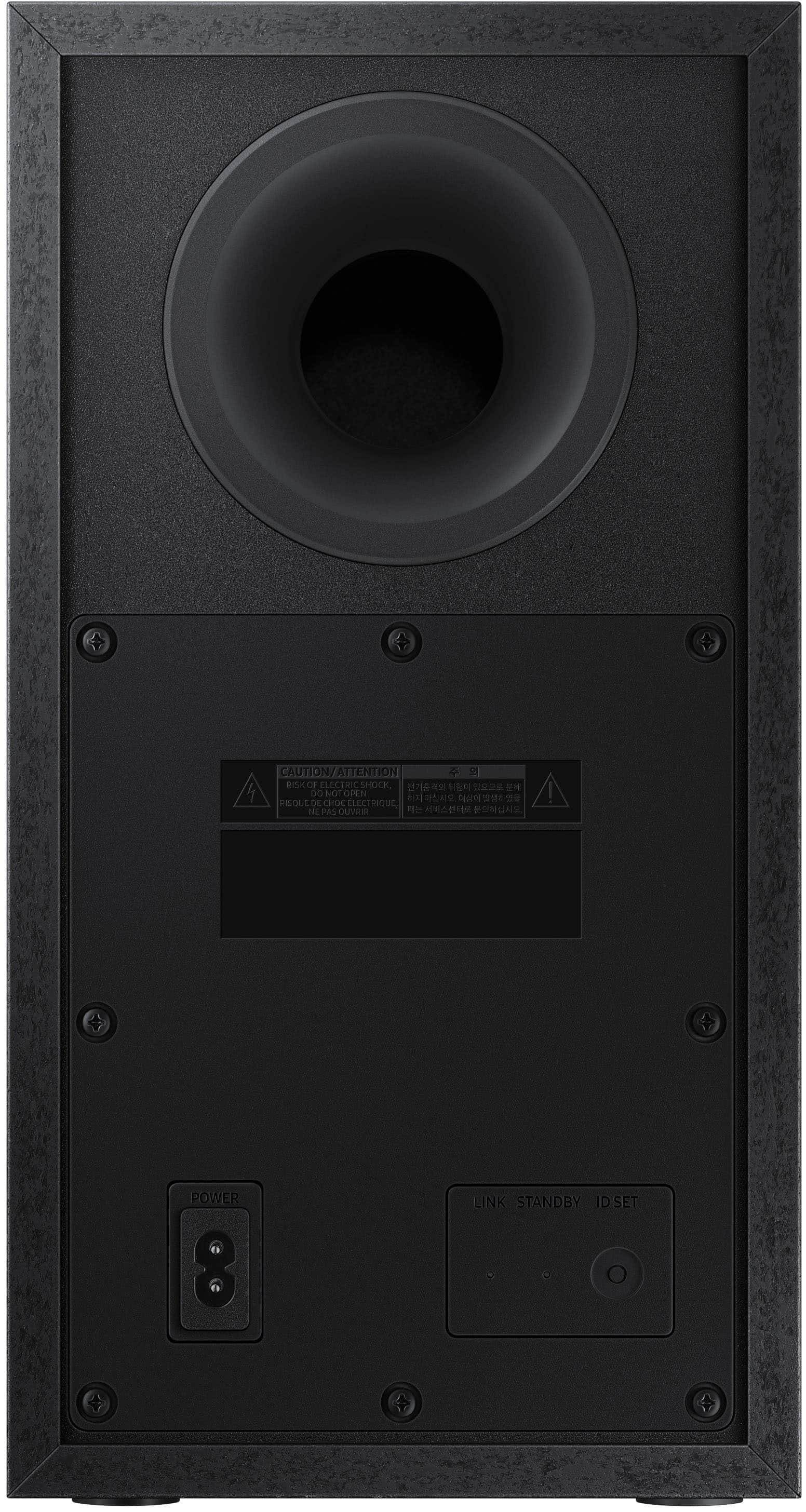
You can also try to manually connect the soundbar to the subwoofer, after both soundbar and subwoofer are plugged in to a wall outlet, press and hold the ID SET button on the back of the subwoofer for at least 5 seconds. The red indicator on the rear of the subwoofer turns off and the blue indicator blinks.
Press and hold the Up button on the remote control for at least 5 seconds. The ID SET message appears on the display of the Soundbar for a moment, and then it disappears. The Soundbar will automatically power on when ID SET is complete.
Check if the LINK LED is solid blue (connection complete). The LINK LED indicator stops blinking and glows a solid blue when a connection is established between the Soundbar and the Wireless Subwoofer.
If you need more help, Samsung is here for you. Please call us at 1-800-SAMSUNG, 8AM - 12AM EST (Ask for Soundbars), 7 days a week. Our Live Chat agents are also available by clicking on the ‘Support’ link on our website.
~ Samsung Solutions
Great value, must have if you use stock speakers
||Posted . Owned for less than 1 week when reviewed.This reviewer received promo considerations or sweepstakes entry for writing a review.Ended up only paying $91 for this which is a great deal, not the greatest sound quality but for the price & features this thing is amazing.
I would recommend this to a friendHollow sound!
||Posted . Owned for 1 month when reviewed.This reviewer received promo considerations or sweepstakes entry for writing a review.Sounded hollow. Was not happy with purchase. Returned it to BB
No, I would not recommend this to a friendBrand response from Samsung
Posted .Hello Gary,
Thank you for your review of the Samsung HW-A430 Soundbar and for sharing the experience that has caused you to return your unit. Your feedback is very important to us and will be shared with our product team.
Should you ever decide to give Samsung Soundbars another try and have questions or need assistance with settings, setup, or features, please know we are always here to help.
Call us at 1-800-SAMSUNG (ask for Soundbars), available 8 AM – 12 AM EST, 7 days a week.
~ Samsung Solutions