Customer Ratings & Reviews


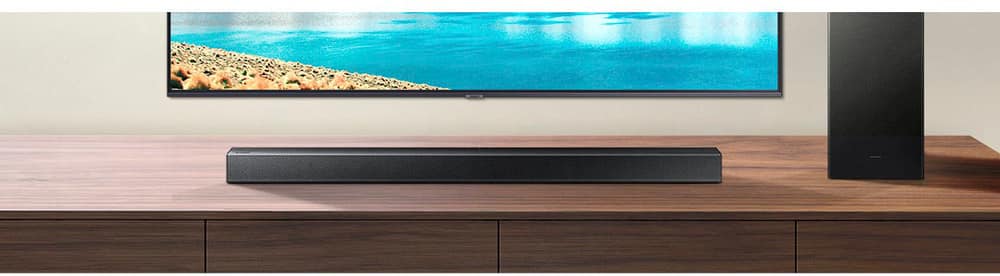
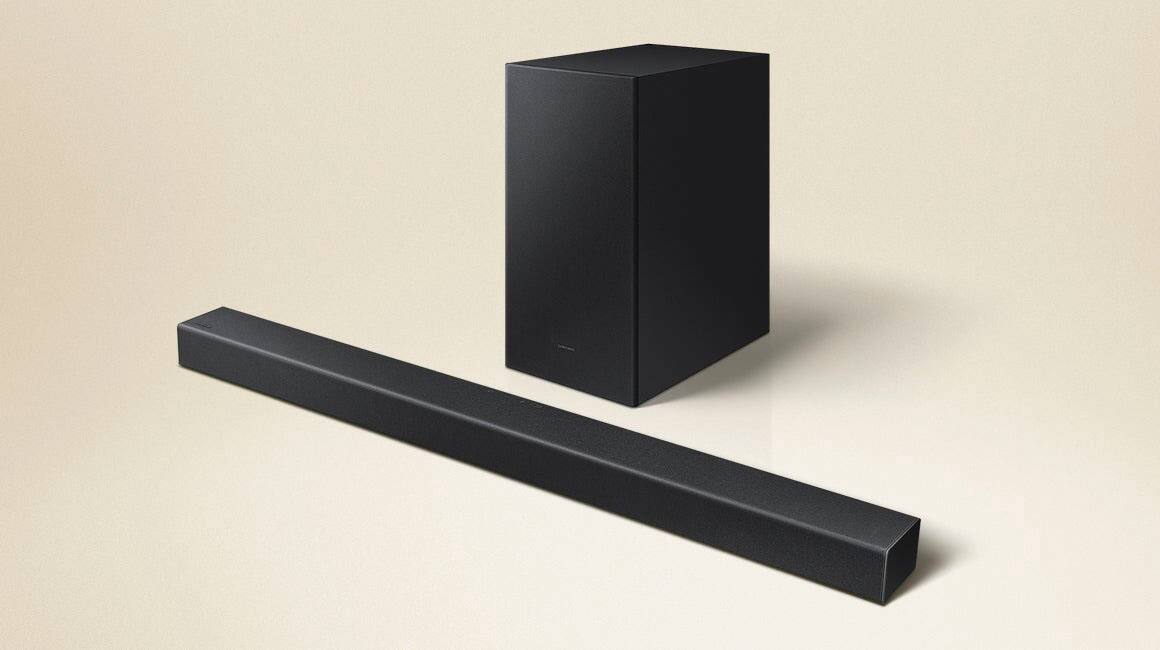
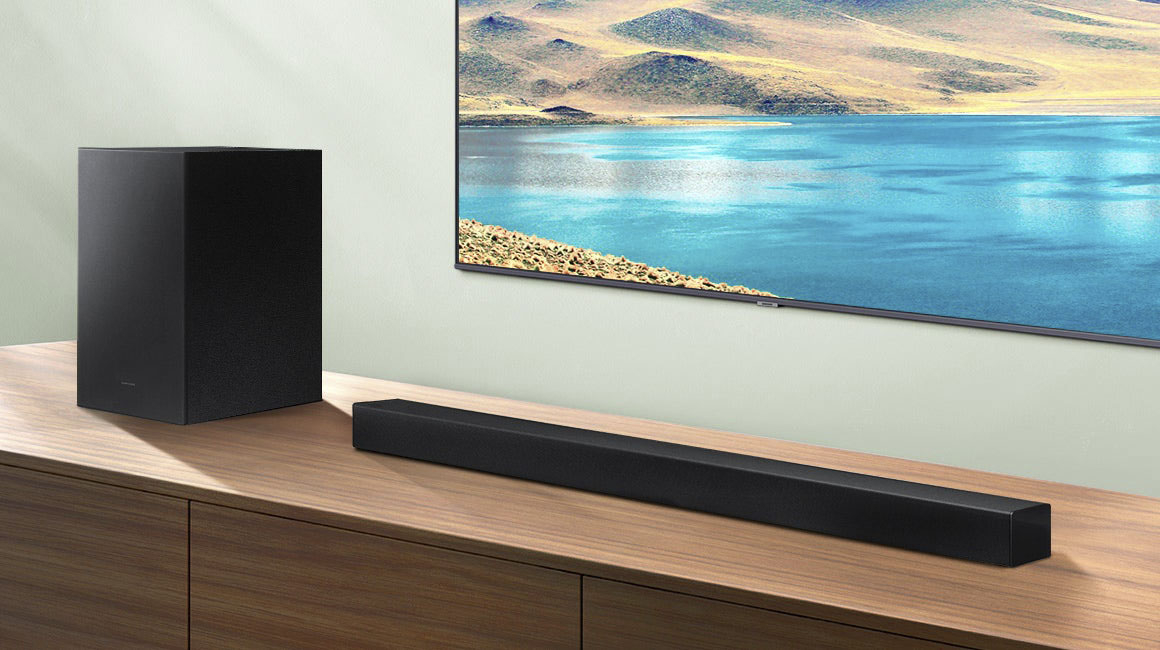
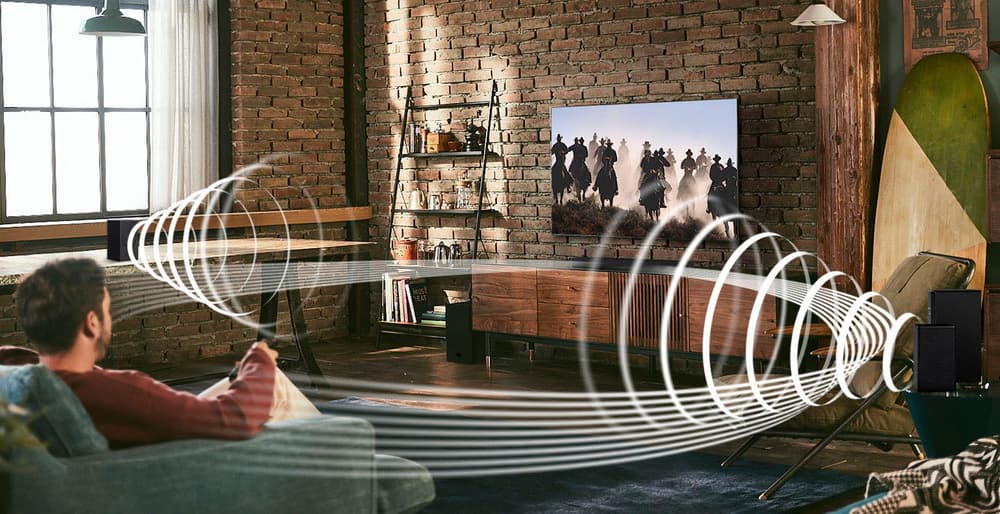


- Model:
- HW-A430/ZA
- SKU:
- 6477363
Rating by feature
- Value
Rating 4.5 out of 5 stars
- Quality
Rating 4.4 out of 5 stars
- Ease of Use
Rating 4.4 out of 5 stars
Customers are saying
Customers are pleased with the sound quality, bass, and ease of use of this 2.1-channel soundbar. Many also appreciate its reasonable price and the convenience of Bluetooth connectivity. However, some customers reported issues with the maximum volume level and the functionality of the remote control. The soundbar's size and setup were generally well-received.
This summary was generated by AI based on customer reviews.
No thanks
Posted .This reviewer received promo considerations or sweepstakes entry for writing a review.Big no for me. I have a 2.1 Vizio sounbar and sub that i wanted to replace (volume cuts in and out) with this one but it sounds horrible in comparrison. Small step up from tv speakers. It’s soooo bad…even at 129.00 it’s bad.
No, I would not recommend this to a friendBrand response from Samsung
Posted .Hi William,
Thank you for sharing your review of the Samsung HW-A430. We appreciate your feedback regarding the audio performance of your soundbar.
You can try manually optimizing your settings by pressing the SOUND MODE button on your remote, and then selecting the desired sound effect by choosing STANDARD, SURROUND SOUND, BASS BOOST, GAME, or ADAPTIVE.
You can further adjust TREBLE and BASS via the SOUND CONTROL button (looks like a gear symbol).
If you need further assistance, please know Samsung Customer Support is here to help. Please call us at 1-800-SAMSUNG (ask for Soundbars), available 8AM - 12AM EST, 7 days a week.
For additional support resources, visit us on the Samsung website and click on the ‘Support’ link in the upper right corner of the homepage for:
1) Chat with Us/Product Help: To begin a chat or find solutions, choose ‘TVs & Home Theater’ and select your model & topic.
2) Manuals & Software
3) Warranty Info
4) Register a Product: For access to easy warranty support, convenient opt-in to special promos and offers, faster troubleshooting and service, and quick notification of system updates
5) Contact Us
~ Samsung Solutions
Soundbar
Posted .This reviewer received promo considerations or sweepstakes entry for writing a review.very disappointed with quality of sound. And, the remote control does not control the volume ! Volume control is manually set on the sound bar itself.
No, I would not recommend this to a friendBrand response from Samsung
Posted .Hello RichardB,
Thank you for sharing your review of the Samsung HW-A430. We appreciate your feedback regarding the audio performance of your soundbar.
This soundbar features a powerful wireless subwoofer, as well as Bass Boost mode to instantly amplify the bass with a touch of a button. You can try manually optimizing your settings by pressing the SOUND MODE button on your remote, and then selecting the desired sound effect by choosing STANDARD, SURROUND SOUND, or BASS BOOST.
You can further adjust TREBLE via the SOUND CONTROL button (looks like a gear symbol).
There are two additional adjustments that can be made for bass and subwoofer:
1) Using the WOOFER button on the remote, you can adjust the volume of the subwoofer between -6 to +6 by toggling the button up or down. To set the subwoofer volume level to 0, press the button down
2) Adjust the bass control by pressing the SOUND CONTROL button on the remote control, then select BASS to increase the level. You can adjust the volume between -6 to +6 by using the Up/Down buttons.
For precise audio adjustments, you can use the 7-band frequency equalizer to optimize the sound for your room acoustics. With the sound mode set to Standard, press, and hold the Sound Control button for about 5 seconds. 150Hz, 300Hz, 600Hz, 1.2kHz, 2.5kHz, 5kHz, and 10kHz are selectable using the Left/Right buttons and each can be adjusted to a setting between -6 to +6 using the Up/Down buttons.
Lastly, try fresh batteries for your remote, this can help any with issues that your remote is having. Know that the remote volume and woofer buttons need to be pushed forward or pulled back to increase or decrease the volume and bass levels.
If we can further help with any other issues, please know we are here for you. Just call us at 1-800-SAMSUNG (Ask for Soundbars), 8 AM – 12 AM EST, 7 days a week. Or visit us on the Samsung website and click on the ‘Support’ link for:
• LiveChat with an agent
• Manuals, Software, & Warranty Info
~ Samsung Solutions
Not that loud
Posted .This reviewer received promo considerations or sweepstakes entry for writing a review.Not as loud as I’d like it but it will do for now. I’m definitely replacing it.
No, I would not recommend this to a friendBrand response from Samsung
Posted .Hello MalikR,
Thank you for your review of the Samsung HW-A430 Soundbar and for sharing your experiences with the issues that have caused you to consider returning your soundbar.
If you have not yet returned your unit, please give us the opportunity to troubleshoot your issue and work toward a solution.
You can reach Samsung Support at 1-800-SAMSUNG (ask for Soundbars) 8 AM – 12 AM EST, 7 days a week.
~Samsung Solutions
- Cons mentioned:Volume
un happy with volume
Posted .This reviewer received promo considerations or sweepstakes entry for writing a review.Full volume is unsatisfactory. My TV has louder volume than the sound bar-- not happy. need to return it
No, I would not recommend this to a friendBrand response from Samsung
Posted .Hi there,
We appreciate you sharing your audio experience with us. Your feedback is very important to us and will be shared with our product team. If you don't have a surround system, you will probably want to select PCM audio on your TV. You'll get much louder volume that way, and potentially better sound quality.
If your Digital Output Audio Format isn't set to PCM, for instance if you have a Dolby option selected, then you will likely notice decreased maximum volume. Dolby options are designed for surround systems (like 3.1.2 or 7.1), whereas PCM provides great sound quality for stereo speakers.
On a Samsung TV this can be found at Home > Settings > Sound > Expert Settings. (It can also be found in the Quick Settings.)
I hope this helps improve your experience with the soundbar! For further assistance with settings, features, or functions, please contact Samsung Customer Support at 1-800-SAMSUNG (ask for Soundbars), available 8AM - 12AM EST, 7 days a week.
For additional support resources, visit us on the Samsung website and click on the ‘Support’ link in the upper right corner of the homepage for:
1) Chat with Us/Product Help: To begin a chat or find solutions, choose ‘TVs & Home Theater’ and select your model & topic.
2) Manuals & Software
3) Warranty Info
4) Register a Product: For access to easy warranty support, convenient opt-in to special promos and offers, faster troubleshooting and service, and quick notification of system updates
5) Contact Us
~ Samsung Solutions
Terrible product
Posted .This reviewer received promo considerations or sweepstakes entry for writing a review.Does not work. Goes off. Samsung service helpful but still not working. Will request a replacement.
No, I would not recommend this to a friendBrand response from Samsung
Posted .Hello RamD,
Thank you for sharing your experiences with the HW-A430 Soundbar. I am sorry to see that your out-of-box experience was not ideal.
Once you receive your replacement, please contact Samsung Customer Support if you have any questions or concerns. Call us at 1-800-SAMSUNG (ask for Soundbars), available 8 AM – 12 AM EST, 7 days a week.
LiveChat with an agent by clicking the ‘Support’ link on the Samsung website.
~Samsung Solutions
sound bar
Posted .This reviewer received promo considerations or sweepstakes entry for writing a review.can’t get the voice and sound in sync three different people tried
No, I would not recommend this to a friendBrand response from Samsung
Posted .Hi there,
Please reach out to Samsung Customer Support so we can better investigate your issue and provide you with troubleshooting assistance.
Call us at 1-800-SAMSUNG (ask for Soundbars), available 8 AM – 12 AM EST, 7 days a week.
LiveChat with an agent by clicking the ‘Support’ link on the Samsung website.
~Samsung Solutions
Waste of time & money
Posted .This reviewer received promo considerations or sweepstakes entry for writing a review.Returned because my TV speakers sounded better. Took 30 mins or more to get sub to finally connect to sound bar.
No, I would not recommend this to a friendBrand response from Samsung
Posted .Hi Texan,
Thank you for purchasing the Samsung HW-A430 and for sharing your review. Your experience is very important to us and will be shared with our product team.
It is possible that your unit needed minor troubleshooting, a firmware update, or adjustments in settings.
Should you ever decide to give Samsung Soundbars another try and have questions or need assistance with settings, setup, or features, please know we are always here to help. Call us at 1-800-SAMSUNG (ask for Soundbars), available 8AM - 12AM EST, 7 days a week.
For additional support resources, visit us on the Samsung website and click on the ‘Support’ link in the upper right corner of the homepage for:
1) Contact Us: For additional Chat & Text options, choose ‘TVs & Home Theater’ and select your model & topic.
2) Manuals, Software, & Warranty Info
We hope to regain you as a customer in the future.
~ Samsung Solutions
Don't buy open box
Posted .This reviewer received promo considerations or sweepstakes entry for writing a review.Bought open box. Package was missing the optical cable.
No, I would not recommend this to a friendBrand response from Samsung
Posted .Hello BridgetmB,
Thank you for purchasing the Samsung HW-A430 Soundbar. We appreciate you sharing your feedback regarding parts missing from your recent purchase.
We recommend contacting Best Buy directly for assistance. We hope your issue is resolved in a timely manner.
Should you ever have questions or need help, please call us at 1-800-SAMSUNG (ask for Soundbars), available 8 AM – 12 AM EST, 7 days a week.
For additional support resources such as downloading a full manual, visit us on the Samsung website and click on the ‘Support’ link in the upper right corner of the homepage.
~Samsung Solutions
- Cons mentioned:Volume
Avoid
Posted .This reviewer received promo considerations or sweepstakes entry for writing a review.Avoid this item, the original one wouldn’t communicate with the bass speaker, the replacement won’t adjust the volume with the remote control
No, I would not recommend this to a friendBrand response from Samsung
Posted .Hello BillW,
Thank you for sharing your experiences with us regarding the HW-A430 Soundbar. Your feedback is critical in our pursuit of bringing you the best in audio products.
Samsung is committed to providing the best possible product experience, quality, and value, and we back this soundbar with a 1-year limited manufacturer's warranty.
So that we can better assist you, please reach out to Samsung Support via:
1) 1-800-SAMSUNG, 8 AM - 12 AM EST, 7 days a week. Ask for "Soundbars."
2) LiveChat with an agent by clicking the ‘Support’ link on the Samsung website homepage.
~Samsung Solutions
Waste-Save your money
Posted .This reviewer received promo considerations or sweepstakes entry for writing a review.This was a waste of money,only reason I got it because the reviews were good and it was on sale. Save your money
No, I would not recommend this to a friendBrand response from Samsung
Posted .Hi BFirst,
Thank you for sharing your review of the HW-A430 Soundbar. We value your feedback and will share it with our teams.
If there is anything we can do to improve your enjoyment such as helping to optimize settings for your specific sound scenario, please contact Samsung Customer Support at 1-800-SAMSUNG (ask for Soundbars), available 8AM - 12AM EST, 7 days a week.
For additional support resources, visit us on the Samsung website and click on the ‘Support’ link in the upper right corner of the homepage for:
1) Chat with Us/Product Help: To begin a chat or find solutions, choose ‘TVs & Home Theater’ and select your model & topic.
2) Manuals & Software
3) Warranty Info
4) Register a Product: For access to easy warranty support, convenient opt-in to special promos and offers, faster troubleshooting and service, and quick notification of system updates
5) Contact Us
~ Samsung Solutions
Sound quality is below average
Posted .This reviewer received promo considerations or sweepstakes entry for writing a review.Didn’t like the sound quality at all. I had to return and got 3.1.2.
No, I would not recommend this to a friendBrand response from Samsung
Posted .Hello Aaqid,
Thank you for sharing your review of the Samsung HW-A430 and for sharing your experience with this soundbar, detailing the reasons you have decided to replace it with a different model.
Your feedback regarding this model is important to us and will be shared with our internal teams.
Should you have questions or need assistance with settings, setup, or features, with your new Samsung soundbar, please know we are always here to help.
Please call us at 1-800-SAMSUNG, 8AM - 12AM EST (Ask for Soundbars), 7 days a week. Our LiveChat agents are also available by clicking on the ‘Support’ link on our website.
~ Samsung Solutions
No HDMI support
Posted .This reviewer received promo considerations or sweepstakes entry for writing a review.Does not have HDMI. Could not get Bluetooth to pair with my tv
No, I would not recommend this to a friendBrand response from Samsung
Posted .Hello AlexG,
Thank you for sharing your experiences with your HW-A430 Soundbar. I am sorry to see that you are not fully satisfied with your purchase.
So that we can better troubleshoot this issue and provide steps towards a solution, please contact Samsung Soundbar Support.
Call us at 1-800-SAMSUNG (ask for Soundbars), available 8 AM – 12 AM EST, 7 days a week.
LiveChat with an agent by clicking the ‘Support’ link on the Samsung website.
~Samsung Solutions
Soundbar
Posted .This reviewer received promo considerations or sweepstakes entry for writing a review.The hookup on the soundbar was something missing on TV or vice versa..It was snowing and I asked for another day to return it I wanted to bring it back and trade it for something better and they would not extend my time so I bought the soundbar from another supplier and had UPS come and pick it up to return it.
No, I would not recommend this to a friendBrand response from Samsung
Posted .Hi Ali38,
Thank you for your review of the Samsung HW-A430 Soundbar System. We appreciate you sharing your experience with us. It is our customers’ concerns and opinions that drive our continuous efforts towards delivering world-class service and products. Your feedback is very important to us and will be shared with our product team.
Should you ever decide to give Samsung Soundbars another try and have questions or need assistance with settings, setup, or features, please know we are always here to help. Call us at 1-800-SAMSUNG (ask for Soundbars), available 8AM - 12AM EST, 7 days a week.
For additional support resources, visit us on the Samsung website and click on the ‘Support’ link in the upper right corner of the homepage for:
1) Contact Us: For additional Chat & Text options, choose ‘TVs & Home Theater’ and select your model & topic.
2) Manuals, Software, & Warranty Info
We hope to regain you as a customer in the future.
~ Samsung Solutions
Sound system
Posted .This reviewer received promo considerations or sweepstakes entry for writing a review.Doesnt work great. Woffer doesnt work. Sound foesnt sinc.
No, I would not recommend this to a friendBrand response from Samsung
Posted .Hi Kauf,
Thank you for sharing the issues you are experiencing with your Samsung HW-A430 Soundbar. So we can better understand the problems you are experiencing with the subwoofer and audio sync issues and provide you with troubleshooting assistance or warranty service, please contact Samsung Customer Support at 1-800-SAMSUNG (ask for Soundbars), available 8AM - 12AM EST, 7 days a week.
For additional support resources, visit us on the Samsung website and click on the ‘Support’ link in the upper right corner of the homepage for:
1) Chat with Us/Product Help: To begin a chat or find solutions, choose ‘TVs & Home Theater’ and select your model & topic.
2) Manuals & Software
3) Warranty Info
4) Register a Product: For access to easy warranty support, convenient opt-in to special promos and offers, faster troubleshooting and service, and quick notification of system updates
5) Contact Us
~ Samsung Solutions
Nothing to spend money on.
Posted .This reviewer received promo considerations or sweepstakes entry for writing a review.Waste of money, poorly built, display on soundbar installed upside down, menu speeds through, nothing selectable, RETURNED! Bought a VIZIO which is a vast improvement!
No, I would not recommend this to a friendBrand response from Samsung
Posted .Hello,
Thank you for your review of the HW-A430 Samsung Soundbar. Your input is invaluable in our continuous pursuit of delivering the best in product and customer experience
Should you ever decide to give Samsung audio products another try and have concerns or questions, please know we are always here to help. You can contact Samsung Customer Support by any of the below options:
Again, thank you for taking the time to share your experience. We hope to regain you as a customer in the future.
Call us at 1-800-SAMSUNG (ask for Soundbars), available 8 AM – 12 AM EST, 7 days a week.
LiveChat with an agent by clicking the ‘Support’ link on the Samsung website.
~Samsung Solutions
Do not Buy!
Posted .This reviewer received promo considerations or sweepstakes entry for writing a review.Unfortunately the subwoofer never worked. Compared to TV sound, the sound bar is a downgrade. Even after adjusting the EQ settings it never sounded full or clear.
No, I would not recommend this to a friendBrand response from Samsung
Posted .Hi Timma77,
I am very sorry to hear about the difficulties your experienced with the setup of your wireless subwoofer. We completely understand your frustrations and are here to help! If the auto-connection process fails, you can try manually connecting the sub to the soundbar.
Before performing the manual connection procedure, check whether the power cables for the Soundbar and subwoofer are connected properly and make sure that the Soundbar is turned off.
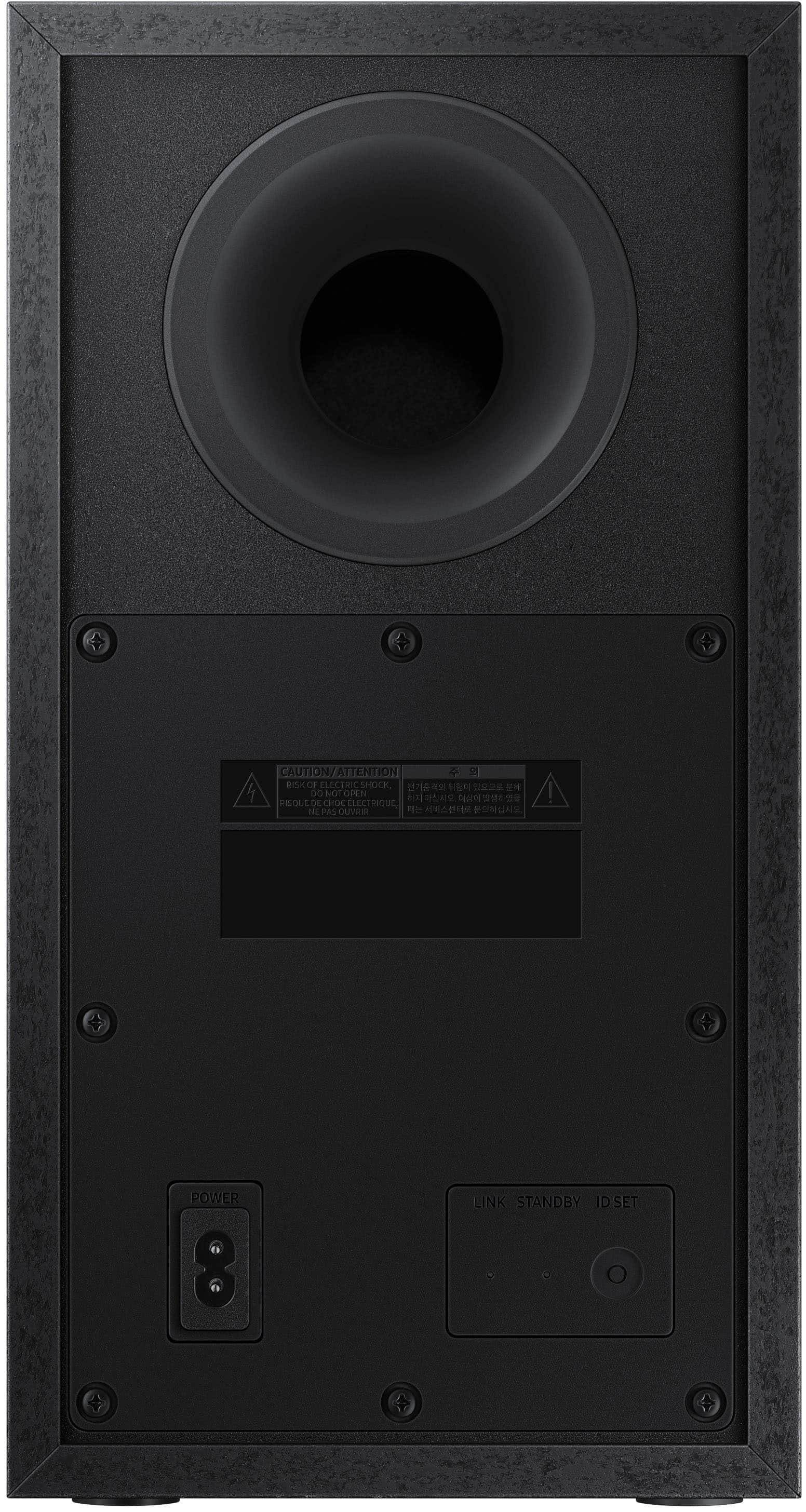
Press and hold ID SET on the rear of the subwoofer for at least 5 seconds. The red indicator on the rear of the subwoofer turns off and the blue indicator blinks. Press and hold the Up button on the remote control for at least 5 seconds. The ID SET message appears on the display of the Soundbar for a moment, and then it disappears. The Soundbar will automatically power on when ID SET is complete. The LINK LED indicator stops blinking and glows a solid blue when a connection is established between the Soundbar and the Wireless Subwoofer.
I hope this helps! Should you require additional assistance with this, please contact Samsung Customer Support at 1-800-SAMSUNG (ask for Soundbars), available 8AM - 12AM EST, 7 days a week.
For additional support resources, visit us on the Samsung website and click on the ‘Support’ link in the upper right corner of the homepage for:
1) Chat with Us/Product Help: To begin a chat or find solutions, choose ‘TVs & Home Theater’ and select your model & topic.
2) Manuals & Software
3) Warranty Info
4) Register a Product: For access to easy warranty support, convenient opt-in to special promos and offers, faster troubleshooting and service, and quick notification of system updates
5) Contact Us
~ Samsung Solutions
Horrible quality
Posted .This reviewer received promo considerations or sweepstakes entry for writing a review.The sound bar is useless. The TV is louder than the sound bar itself. Very disappointed to say the least.
No, I would not recommend this to a friendBrand response from Samsung
Posted .Hi RSPP,
I’m sorry to hear that your experience did not match your expectations. You can try manually optimizing your settings by pressing the SOUND MODE button on your remote, and then selecting the desired sound effect by choosing STANDARD or SURROUND SOUND.
You can further adjust TREBLE and BASS via the SOUND CONTROL button (looks like a gear symbol).
For precise audio adjustments, you can use the 7-band frequency equalizer to optimize the sound for your room acoustics.
(Add if cx is also complaining about weak bass/sub):
Additionally, there are two adjustments that can be made for bass and subwoofer:
1) Using the WOOFER button on the remote, you can adjust the volume of the subwoofer between -6 to +6 by toggling the button up or down. To set the subwoofer volume level to 0, press the button down
2) Adjust the bass control by pressing the SOUND CONTROL button (gear icon) on the remote control, then select BASS to increase the level. You can adjust the volume between -6 to +6 by using the Up/Down buttons.
Please know, some sources have their own volume control which might be set too low. Please check the volume control of the external device (cable box or satellite box, DVD, Blu-ray, etc.) connected to your TV or soundbar. Also, check the cable connection between an external device and the TV or soundbar and then try cable connection again.
If you need further assistance, please know Samsung Customer Support is here to help at 1-800-SAMSUNG (ask for Soundbars), available 8AM - 12AM EST, 7 days a week.
For additional support resources, visit us on the Samsung website and click on the ‘Support’ link in the upper right corner of the homepage for:
1) Chat with Us/Product Help: To begin a chat or find solutions, choose ‘TVs & Home Theater’ and select your model & topic.
2) Manuals & Software
3) Warranty Info
4) Register a Product: For access to easy warranty support, convenient opt-in to special promos and offers, faster troubleshooting and service, and quick notification of system updates
5) Contact Us
~ Samsung Ambassador
Subwoofer
Posted .This reviewer received promo considerations or sweepstakes entry for writing a review.Subwoofer has blue tooth issues. Had to get a replacement from samsung
No, I would not recommend this to a friendBrand response from Samsung
Posted .Hello,
Thank you for sharing your review regarding the HW-A430 Soundbar. I am sorry to see that you had to go through exchanging your soundbar for a new one.
If you need any assistance with optimizing, settings or concerns about your new soundbar, please contact Samsung Customer Service.
Call us at 1-800-SAMSUNG (ask for Soundbars), available 8 AM – 12 AM EST, 7 days a week.
LiveChat with an agent by clicking the ‘Support’ link on the Samsung website.
~Samsung Solutions
Wish it worked
Posted .This reviewer received promo considerations or sweepstakes entry for writing a review.It came broken. I think the power cord doesn’t work.
No, I would not recommend this to a friendBrand response from Samsung
Posted .Hello Breelucas,
Thank you for sharing your experiences with the HW-A430 Soundbar. I am sorry that you have experienced this issue.
Please contact Samsung Customer Service and we will be happy to assist you.
Call us at 1-800-SAMSUNG (ask for Soundbars), available 8 AM – 12 AM EST, 7 days a week.
LiveChat with an agent by clicking the ‘Support’ link on the Samsung website.
~Samsung Solutions