Customer Ratings & Reviews




- Model:
- HW-A430/ZA
- SKU:
- 6477363
Rating by feature
- Value
Rating 4.5 out of 5 stars
- Quality
Rating 4.4 out of 5 stars
- Ease of Use
Rating 4.4 out of 5 stars
Customers are saying
Customers are pleased with the sound quality, bass, and ease of use of this 2.1-channel soundbar. Many also appreciate its reasonable price and the convenience of Bluetooth connectivity. However, some customers reported issues with the maximum volume level and the functionality of the remote control. The soundbar's size and setup were generally well-received.
This summary was generated by AI based on customer reviews.
Great unit great value
||Posted . Owned for 3 weeks when reviewed.This reviewer received promo considerations or sweepstakes entry for writing a review.Great unit great value !!!!!!!!!!!!!!!!!!!!!!!!!!!
I would recommend this to a friend- Pros mentioned:Sound quality
Good
||Posted . Owned for 1 month when reviewed.This reviewer received promo considerations or sweepstakes entry for writing a review.I like this a lot. It’s sounds great. Makes me feel like I’m at the movies sometimes lol. The only complaint I really have is there are no lights on the bar but other than that I like it.
I would recommend this to a friend - Pros mentioned:Sound quality
Unbelievable Value
||Posted . Owned for 3 months when reviewed.This reviewer received promo considerations or sweepstakes entry for writing a review.Definitely recommend this soundbar! For its price, its simply the best value. I feel it delivers better quality than comparable $250-300 models from LG and Sony. Plus, you can always get a pair of rear speakers to get a full surround sound setup.
I would recommend this to a friend - Pros mentioned:Ease of use
Greatly Improved
||Posted . Owned for 1 month when reviewed.This reviewer received promo considerations or sweepstakes entry for writing a review.Got the same soundbar for my living room a few years ago and this one was super easy to set up with Firestick and Samsung TV. Came with the connections I needed instead of having to find it after the fact.
I would recommend this to a friend Great soundbar, maybe defective subwoof
||Posted . Owned for 1 month when reviewed.This reviewer received promo considerations or sweepstakes entry for writing a review.Alright, the subwoofer really doesn't add much, I've tried music, action movies, mine may be a dud but when I bought it it was the same price with or without subwoofer. Big paperweight
I would recommend this to a friendBrand response from Samsung
Posted .Hi Zach,
Thank you for purchasing the Samsung HW-A430 Soundbar. We value your feedback regarding the subwoofer.
By design, the purpose of the subwoofer is to reproduces low frequency sounds and not musical tones. It adds rich tones and deepens sound effects, like the rumbles of an explosion or the depth in bass guitars and drums.
There are three adjustments that can be made for bass and subwoofer:
1) Using the WOOFER button on the remote, you can adjust the volume of the subwoofer between -6 to +6 by toggling the button up or down. To set the subwoofer volume level to 0, press the button down
2) Adjust the bass control by pressing the SOUND CONTROL button (gear icon) on the remote control, then select BASS to increase the level. You can adjust the volume between -6 to +6 by using the Up/Down buttons.
3) Press the SOUND MODE button on your remote, and then select BASS BOOST mode. This will provide you with a larger emphasis on bass sound.
For precise audio adjustments, you can use the 7-band frequency equalizer to optimize the sound for your room acoustics.
I hope this helps. For further assistance with features, settings, adjustments, or functions please contact Samsung Customer Support at 1-800-SAMSUNG (ask for Soundbars), available 8AM - 12AM EST, 7 days a week.
For additional support resources, visit us on the Samsung website and click on the ‘Support’ link in the upper right corner of the homepage for:
1) Chat with Us/Product Help: To begin a chat or find solutions, choose ‘TVs & Home Theater’ and select your model & topic.
2) Manuals & Software
3) Warranty Info
4) Register a Product: For access to easy warranty support, convenient opt-in to special promos and offers, faster troubleshooting and service, and quick notification of system updates
5) Contact Us
~ Samsung Solutions
- Cons mentioned:Remote control
Okay soundbar
||Posted . Owned for 4 months when reviewed.This reviewer received promo considerations or sweepstakes entry for writing a review.Okay middle of the road soundbar. Was not clearly advertised that it came with a remote. This soundbar automatically turns on when you turn your TV on. There is no way to disable this feature because the soundbar has no Auto Power Link support. I confirmed this with Samsung tech support. I found this annoying because my previous Samsung Soundbar which was very similar model and spec wise had the option to disable Auto Power Link. Overall, mediocre features and experience while using this soundbar.
No, I would not recommend this to a friendBrand response from Samsung
Posted .Hi Artist,
Thank you for sharing your review of the Samsung HW-A430. We appreciate your feedback regarding the audio performance of your soundbar.
This soundbar features a powerful wireless subwoofer, as well as Bass Boost mode to instantly amplify the bass with a touch of a button. You can try manually optimizing your settings by pressing the SOUND MODE button on your remote, and then selecting the desired sound effect by choosing STANDARD, SURROUND SOUND, or BASS BOOST.
You can further adjust TREBLE via the SOUND CONTROL button (looks like a gear symbol).
There are two additional adjustments that can be made for bass and subwoofer:
1) Using the WOOFER button on the remote, you can adjust the volume of the subwoofer between -6 to +6 by toggling the button up or down. To set the subwoofer volume level to 0, press the button down
2) Adjust the bass control by pressing the SOUND CONTROL button on the remote control, then select BASS to increase the level. You can adjust the volume between -6 to +6 by using the Up/Down buttons.
For precise audio adjustments, you can use the 7-band frequency equalizer to optimize the sound for your room acoustics. With the sound mode set to Standard, press, and hold the Sound Control button for about 5 seconds. 150Hz, 300Hz, 600Hz, 1.2kHz, 2.5kHz, 5kHz, and 10kHz are selectable using the Left/Right buttons and each can be adjusted to a setting between -6 to +6 using the Up/Down buttons.
If you need further assistance, please know Samsung Customer Support is here to help.
Should you ever have questions or need help, please call us at 1-800-SAMSUNG (ask for Soundbars), available 8AM - 12AM EST, 7 days a week.
For additional support resources, visit us on the Samsung website and click on the ‘Support’ link in the upper right corner of the homepage for:
1) Chat with Us/Product Help: To begin a chat or find solutions, choose ‘TVs & Home Theater’ and select your model & topic.
2) Manuals & Software
3) Warranty Info
4) Register a Product: For access to easy warranty support, convenient opt-in to special promos and offers, faster troubleshooting and service, and quick notification of system updates
5) Contact Us
~ Samsung Solutions
- Pros mentioned:Ease of use, Sound quality
Good for the price
||Posted . Owned for 1 month when reviewed.This reviewer received promo considerations or sweepstakes entry for writing a review.Good quality sound. Easy set up. Not compatible with Samsung remote control for tv, and not compatible with satellite speakers
I would recommend this to a friendBrand response from Samsung
Posted .Hello MTwiseguy,
Thank you for purchasing the HW-A430 Soundbar. As long as your soundbar is connected to your TV with either an optical cable or HDMI via ARC, you can control the volume and mute the soundbar using your Samsung TV's remote. The soundbar should also turn on and off with the TV.
TV remotes have to be enabled on your soundbar. By default, Samsung TV remotes are enabled on your soundbar. If it isn't working, be sure the soundbar is powered on, then press and hold the WOOFER button up until ON - TV REMOTE appears on the display (about 5 seconds).
For detailed instructions, please visit: https://www.samsung.com/us/support/answer/ANS00049279/
Also, make sure you are using the SWA-9100S Wireless Rear Kit with the HW-A430.
I hope this helps to resolve the issue for you. If you need further assistance, please reach out to us via any of the following options:
1-800-SAMSUNG (ask for Soundbars), available 8 AM – 12 AM EST, 7 days a week.
For additional support resources, visit us on the Samsung website and click on the ‘Support’ link in the upper right corner of the homepage for:
1) Chat with Us/Product Help: To begin a chat or find solutions, choose ‘TVs & Home Theater’ and select your model & topic.
2) Manuals & Software
3) Warranty Info
4) Register a Product: For access to easy warranty support, convenient opt-in to special promos and offers, faster troubleshooting and service, and quick notification of system updates
5) Contact Us
~ Samsung Solutions
Average
||Posted . Owned for 1.5 years when reviewed.This reviewer received promo considerations or sweepstakes entry for writing a review.The bass wasn’t the best for music but other then that it was a good speaker
I would recommend this to a friend- Pros mentioned:Sound quality
Review
||Posted . Owned for less than 1 week when reviewed.This reviewer received promo considerations or sweepstakes entry for writing a review.It’s a good soundbar but the sound is low. I don’t understand why even if you turn it to the max. The price I got it at is fair but I wouldn’t pay more
I would recommend this to a friend - Cons mentioned:Volume
Decent soundbar
||Posted . Owned for 2 months when reviewed.This reviewer received promo considerations or sweepstakes entry for writing a review.This Samsung soundbar is ok. It was on sale and I couldn’t resist the price. I have a Samsung tv so the pairing was easy. It’s easy to use and it sounds good but not great. You can’t control it with the tv remote so you have to keep both remotes with you. It’s not as loud as I wanted but for the price, I kept it. The sound lags and echos so you have to turn your tv volume off and just use the soundbar volume which I don’t like.
I would recommend this to a friendBrand response from Samsung
Posted .Hi Anie,
Thank you for purchasing the Samsung HW-A430 and for sharing your detailed review. The feedback you have provided is important to us and will be shared with our product teams.
If your soundbar is connected to your TV with an optical cable, you can control the volume and mute the soundbar using your Samsung TV's remote.
1) Use the TV remote to navigate to Settings, select Sound, and then select Sound Output on your Samsung TV.
2) Select your Samsung soundbar, and then select Close. Now you can use your TV remote to adjust volume and mute the soundbar. The soundbar should also turn on and off with the TV.
Other manufacturer’s remotes may have to be enabled on your soundbar. First, turn Off the Soundbar. Once powered off, push up and hold the WOOFER button for 5 seconds. Each time you push the WOOFER button up and hold it for 5 seconds, the mode switches in the following order: “OFF-TV REMOTE” (Default mode), “SAMSUNG-TV REMOTE”, “ALL-TV REMOTE”. Please also make sure your speaker settings on the TV are set to External Speaker.
If you don't have a surround system, you will probably want to select PCM. You'll get much louder volume that way, and potentially better sound quality. If your Digital Output Audio Format isn't set to PCM, for instance if you have a Dolby option selected, then you will likely notice decreased maximum volume. Dolby options are designed for surround systems (like 3.1.2 or 7.1), whereas PCM provides great sound quality for stereo speakers.
On a Samsung TV this can be found at Home > Settings > Sound > Expert Settings. (It can also be found in the Quick Settings.)
If the video on the TV and audio from the soundbar are not synchronized, press the SOUND CONTROL button on the soundbar remote, until you see AUDIO SYNC on the display. You can then set the audio delay between 0~300 milliseconds by using the Up/Down buttons.
Additionally, please make sure your soundbar is using the latest firmware version (v.1009). You can update the firmware version of your soundbar by using a USB device. If available, you may also want to update the firmware version of your TV which may feature audio delay improvements.
If you continue to experience audio delay, and are connected wirelessly, please use the included digital optical audio cable to connect the soundbar to the TV. Using a wired connection instead of wireless often eliminates the audio delay entirely and improves the user experience.
I hope these tips help you further enjoy your experience with the Samsung soundbar. Should you ever have questions or need help, please call us at 1-800-SAMSUNG (ask for Soundbars), available 8AM - 12AM EST, 7 days a week.
For additional support resources, visit us on the Samsung website and click on the ‘Support’ link in the upper right corner of the homepage for:
1) Chat with Us/Product Help: To begin a chat or find solutions, choose ‘TVs & Home Theater’ and select your model & topic.
2) Manuals & Software
3) Warranty Info
4) Register a Product: For access to easy warranty support, convenient opt-in to special promos and offers, faster troubleshooting and service, and quick notification of system updates
5) Contact Us
~ Samsung Solutions
- Pros mentioned:Bass
Good for Low-end TVs, easy to setup
||Posted .This reviewer received promo considerations or sweepstakes entry for writing a review.Good price, but you do get what you pay for. Very easy to setup with our Samsung Frame TV via optical cable, immediately recognized by the TV and synced. Wireless subwoofer was easy to sync and has a lot of kick to it. Besides having bass now, the soundbar itself sounds muffled and mono compared with the built in TV speakers. If you don't have a higher-end television this may not be a good fit for you but was a great fit for our lower-end TVs.
No, I would not recommend this to a friendBrand response from Samsung
Posted .Hello Donald,
Thank you for sharing your feedback regarding the HW-A430 Soundbar. Your feedback is very important in our pursuit of bringing you the best in audio experiences.
There are a few steps you can take to optimize your overall audio experience.
Using the SOUND MODE button, try the different pre-equalized sound modes, STANDARD, SURROUND SOUND, and BASS BOOST.
When you press the SOUND CONTROL button you are able to adjust the TREBLE and BASS between -6 to +6 using the UP/DOWN buttons of the provided soundbar remote.
Press and hold the (Sound Control) button for about 5 seconds to adjust the sound for each frequency band. 150Hz, 300Hz, 600Hz, 1.2kHz, 2.5kHz, 5kHz, and 10kHz are selectable using the Left/Right buttons and each can be adjusted to a setting between -6 to +6 using the Up/Down buttons. (Make sure the Sound mode is set to “STANDARD”.)
Lastly, push the WOOFER button up or down to adjust the level of the woofer (bass) to -12 or between -6 to +6. To set the woofer (bass) volume level to 0 (Default), press the button in.
Should you ever have questions or need help, please call us at 1-800-SAMSUNG (ask for Soundbars), available 8 AM – 12 AM EST, 7 days a week.
For additional support resources such as downloading a full manual, visit us on the Samsung website and click on the ‘Support’ link in the upper right corner of the homepage.
~Samsung Solutions
- Pros mentioned:Sound quality
Great gift
||Posted . Owned for 3 weeks when reviewed.This reviewer received promo considerations or sweepstakes entry for writing a review.Bought this speaker for my dad using an LG TV, the sound is so way cooler than with tv speakers. He is truly enjoying binge watching his shows and movies bow with this aurroind system. Great price!
I would recommend this to a friend Great gift
||Posted . Owned for 1 month when reviewed.This reviewer received promo considerations or sweepstakes entry for writing a review.Was a great gift for my mother for Christmas, got a great deal on it too
I would recommend this to a friendNice addition
||Posted . Owned for less than 1 week when reviewed.This reviewer received promo considerations or sweepstakes entry for writing a review.Perfect for our spare bedroom. 75 in TV and this guy make a great pair!
I would recommend this to a friend- Pros mentioned:Sound quality
Fine, but there's better.
||Posted . Owned for 4 months when reviewed.This reviewer received promo considerations or sweepstakes entry for writing a review.This Set was good, but after researching I found the 650 is better. I ended up returning for the 650 that comes with a remote. It all depends on how much you wan to spend.
I would recommend this to a friend Acceptable for small enough room
||Posted . Owned for 1 year when reviewed.This reviewer received promo considerations or sweepstakes entry for writing a review.Decent soundbar for bedroom usage. Subwoofer cuts out sometimes if it is not close enough to the bar
I would recommend this to a friendBrand response from Samsung
Posted .Hi JonpierreA,
Thank you for taking a moment to review the HW-A430 Soundbar.
Regarding the subwoofers loss of connection please note:
• Do not connect the power cord of this product or your TV to a wall outlet until all connections between components are complete.
• Before moving or installing this product, be sure to turn off the power and disconnect the power cord.
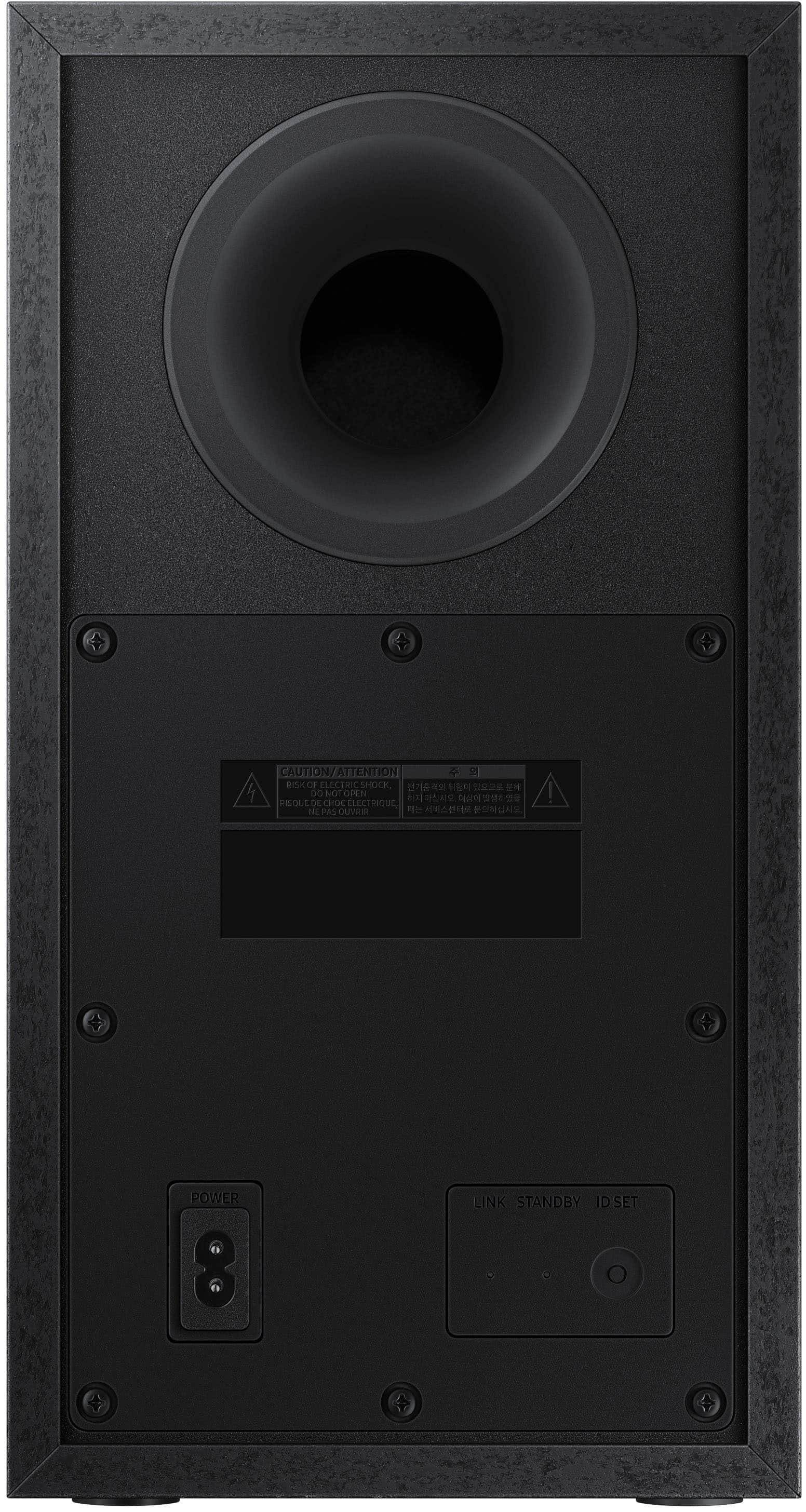
• If the main unit is powered off, the wireless subwoofer will go into stand-by mode and the STANDBY LED on the rear of the sub-woofer will turn red after blinking in blue several times.
• If you use a device that uses the same frequency (5.8GHz) as the Soundbar near the Soundbar, interference may cause some sound interruption.
• The maximum transmission distance of the main unit’s wireless signal is about 32.8 ft but may vary depending on your operating environment. If a steel-concrete or metallic wall is between the main unit and the wireless subwoofer, the system may not operate at all because the wireless signal cannot penetrate metal.
• Wireless receiving antennas are built into the wireless subwoofer. Keep the unit away from water and moisture.
• For optimal listening performance, make sure that the area around the wireless subwoofer and the Wireless Receiver Module (sold separately) is clear of any obstructions.
If you need more help, Samsung is here for you. Please call us at 1-800-SAMSUNG, 8AM - 12AM EST (Ask for Soundbars), 7 days a week. Our Live Chat agents are also available by clicking on the ‘Support’ link on our website.
~ Samsung Solutions
- Pros mentioned:Sound quality
Samsung sound bar
||Posted . Owned for 1 month when reviewed.This reviewer received promo considerations or sweepstakes entry for writing a review.Love my sound bar its nice tht its wireless u can put the dub woffer in another room. Sound quality is great and very reasonable price. And since my tv is also samsung it paired easily.
I would recommend this to a friend - Pros mentioned:Sound quality
Nice product
||Posted . Owned for 1 week when reviewed.This reviewer received promo considerations or sweepstakes entry for writing a review.Very nice sound bar. Had to use the wire for the sound to come on when the tv turned on. On Bluetooth i had to change the tv settings every time. The wire connected easy and was provided.
I would recommend this to a friend Everyone loves it.
||Posted . Owned for 3 weeks when reviewed.This reviewer received promo considerations or sweepstakes entry for writing a review.I bought this as a gift for my son. The whole family loves it.
I would recommend this to a friend- Pros mentioned:Bass
Great speaker
||Posted . Owned for 3 weeks when reviewed.This reviewer received promo considerations or sweepstakes entry for writing a review.Using this for outside patio/pool area and has great bass. Don’t love the fact that connecting Bluetooth from phone to tv and back is a bit of a pain.
I would recommend this to a friend