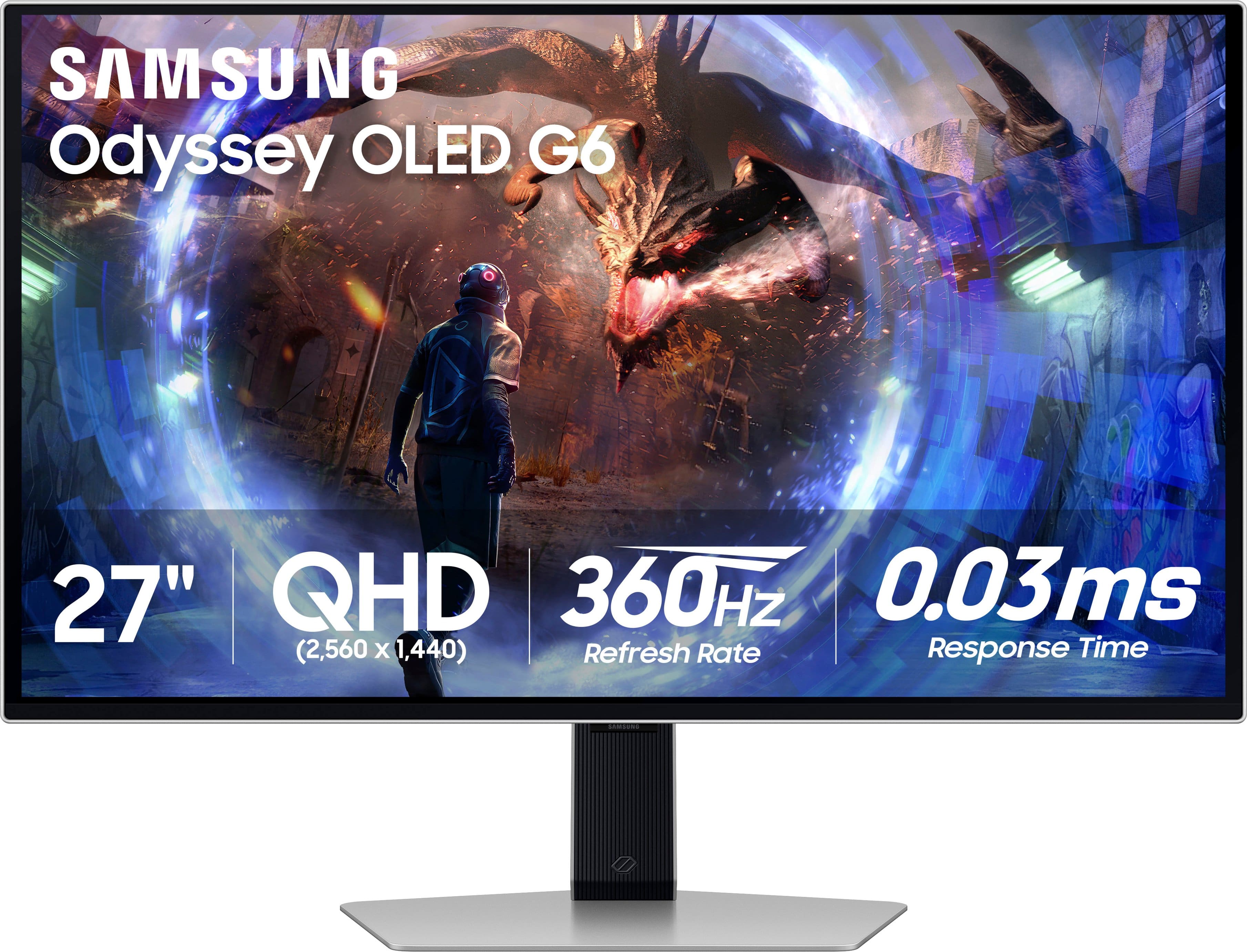
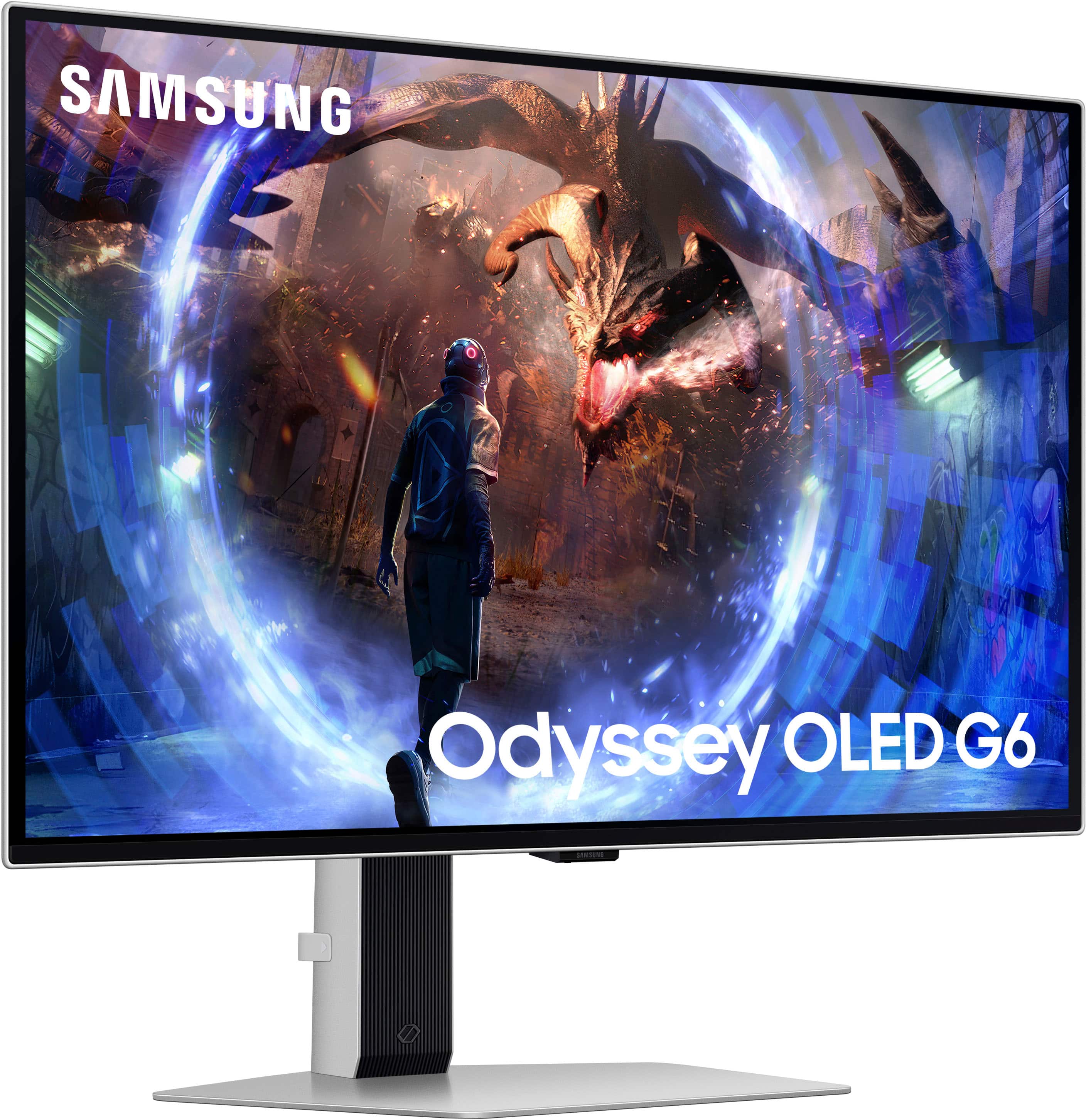
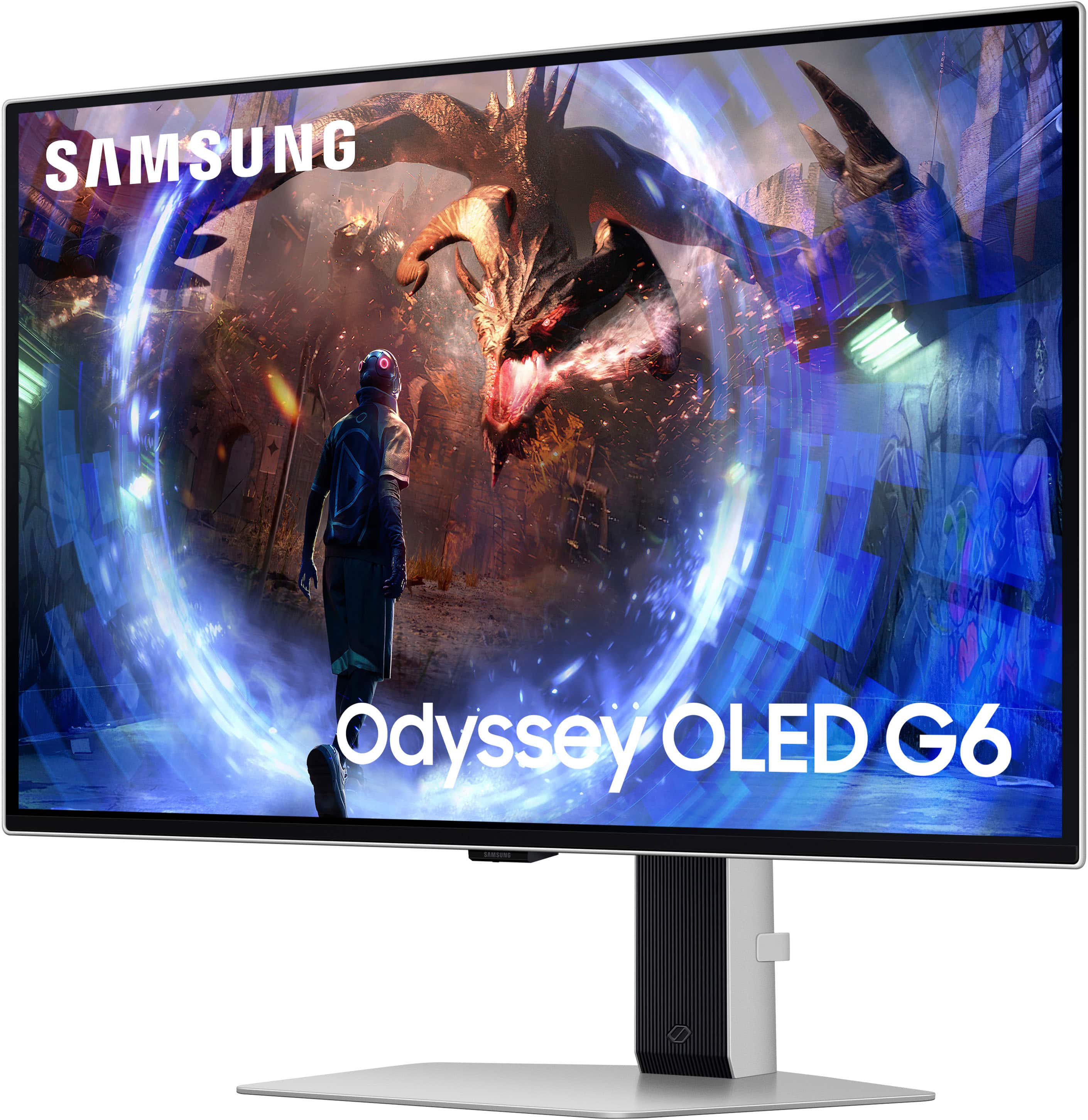
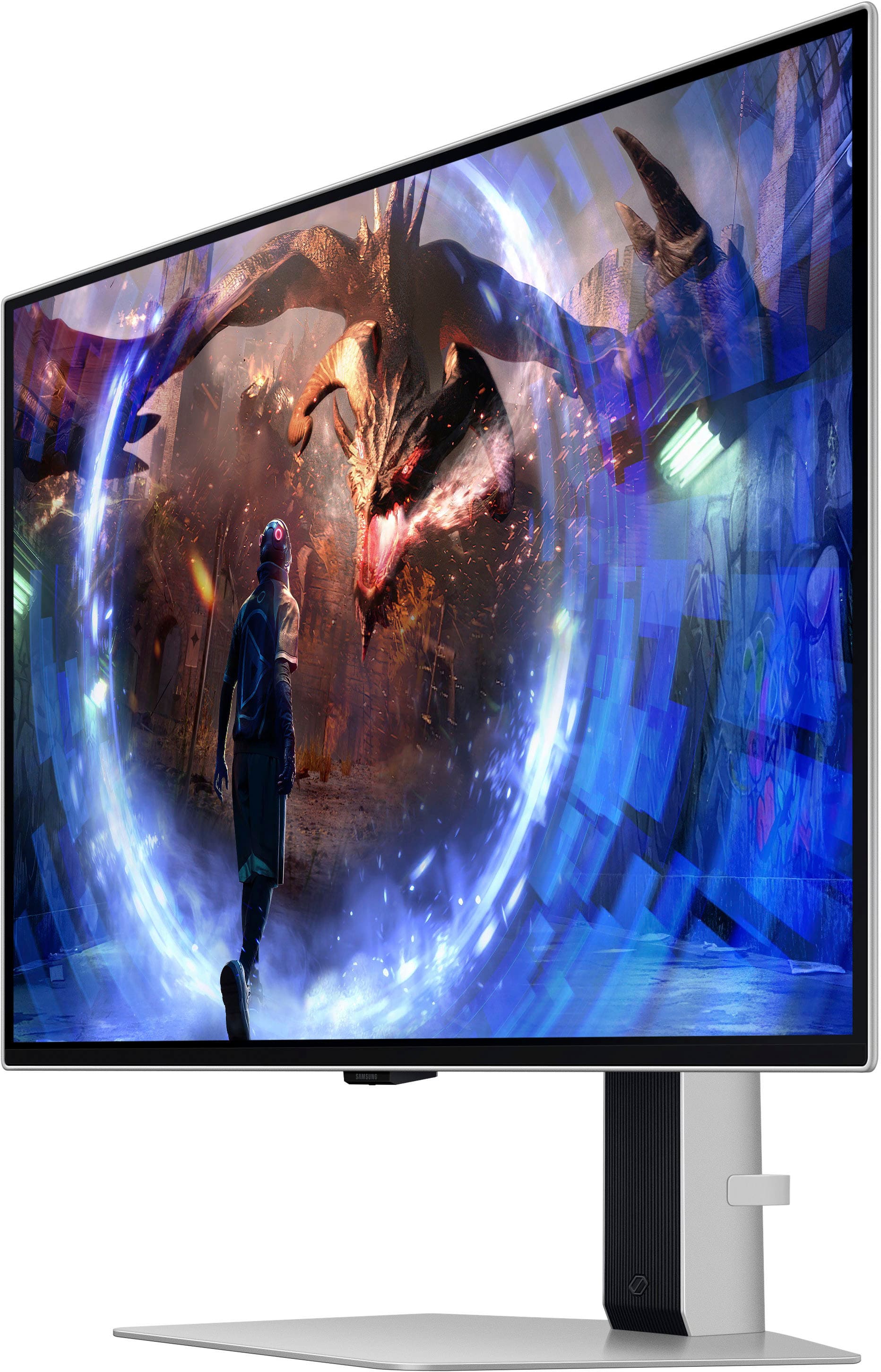
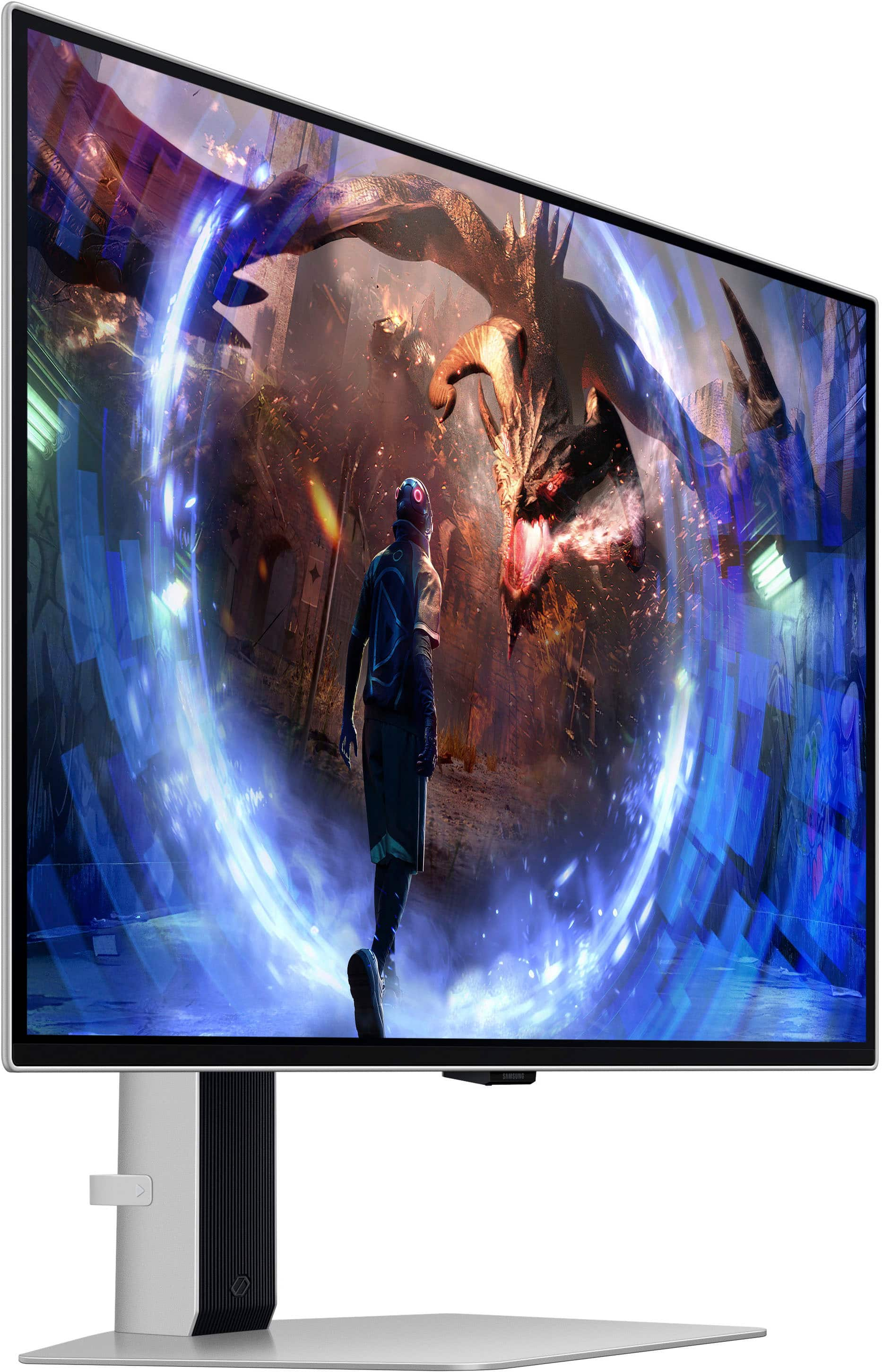
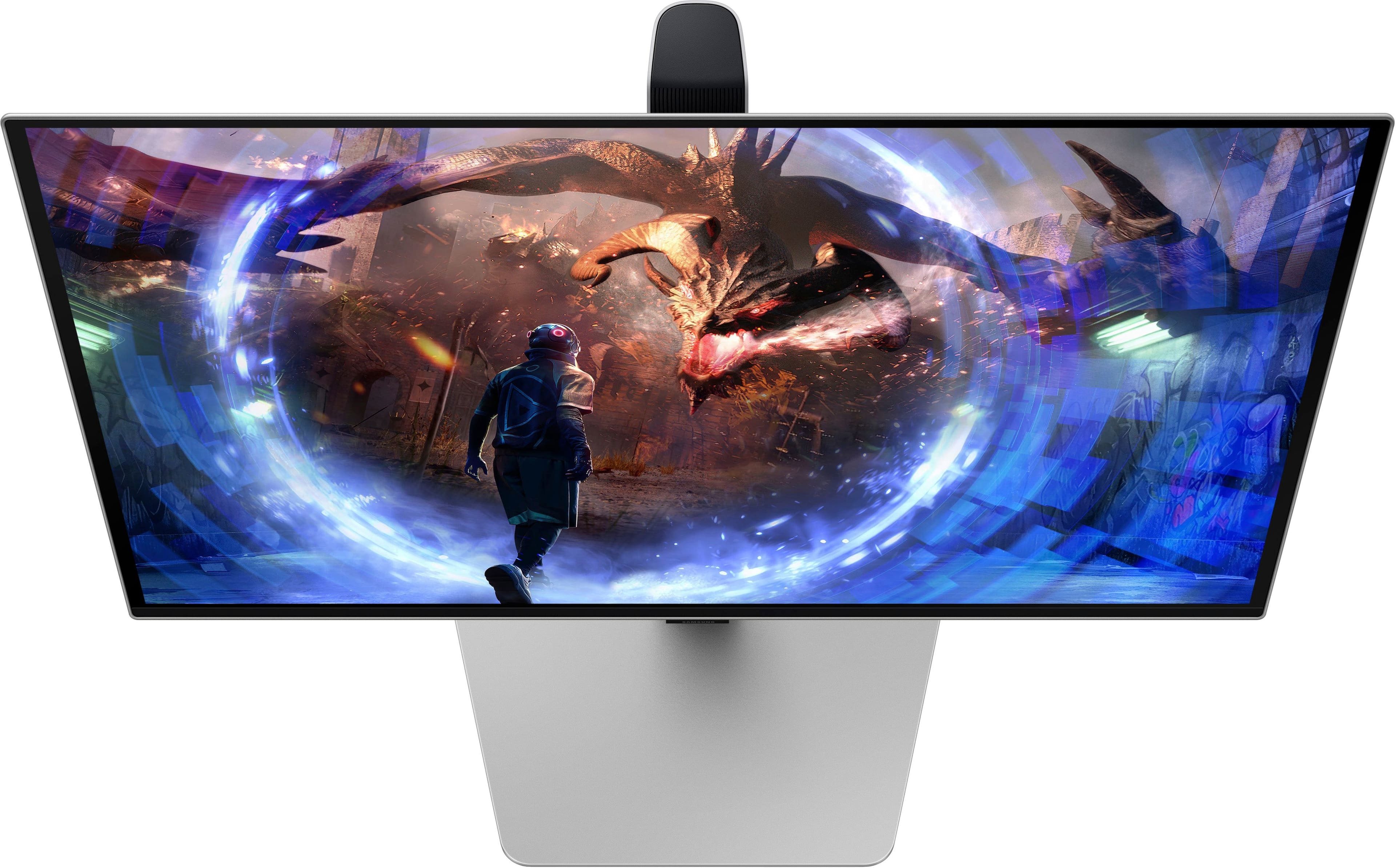
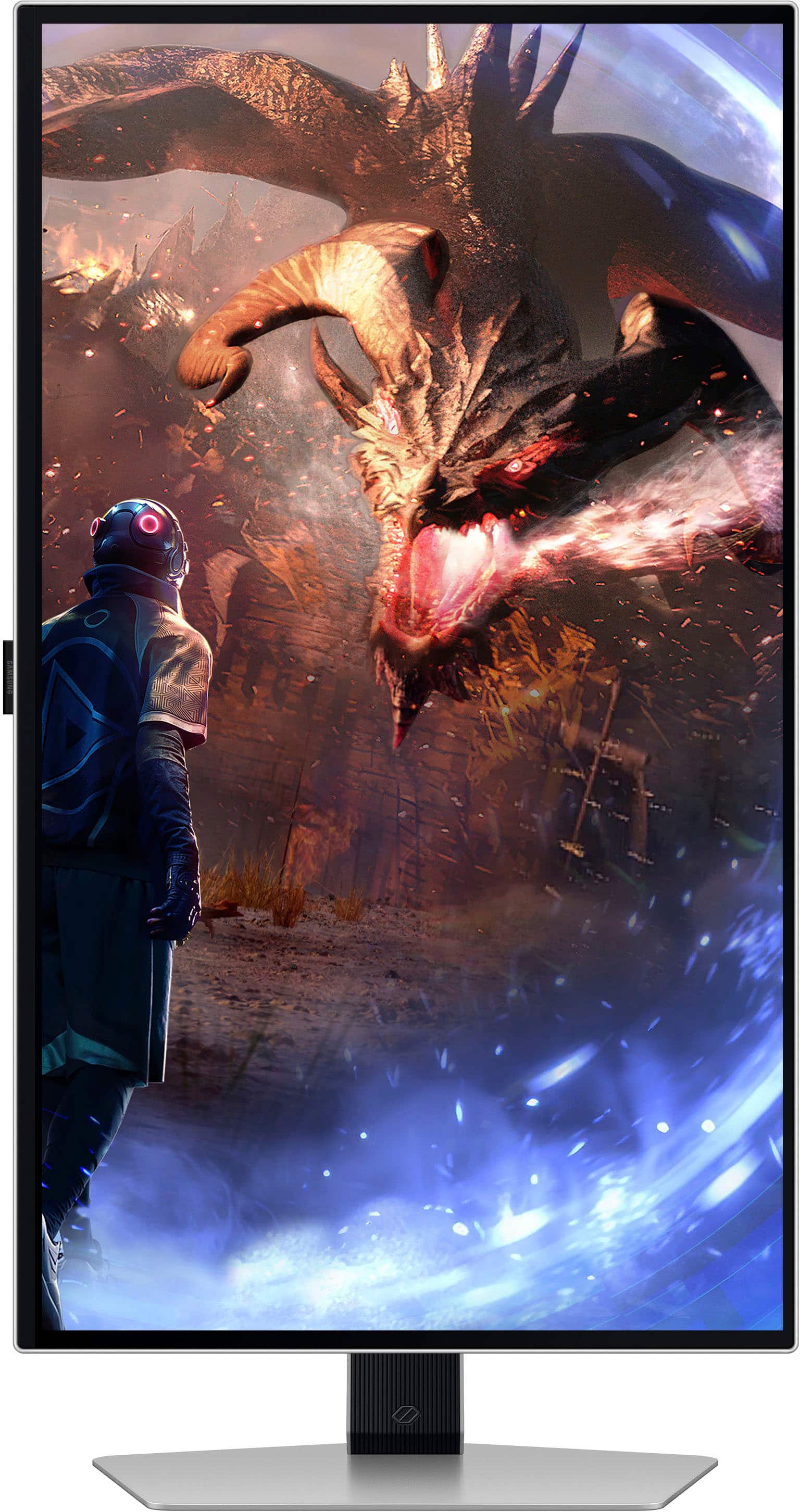
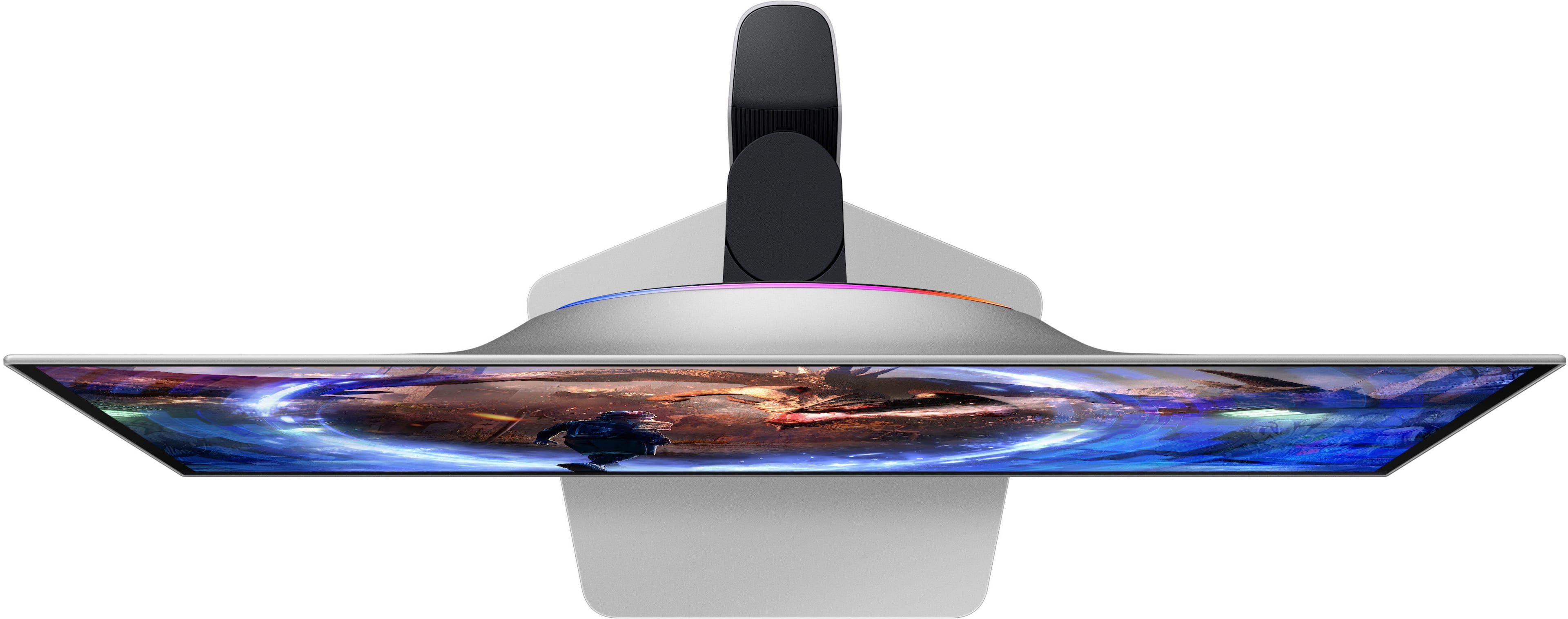
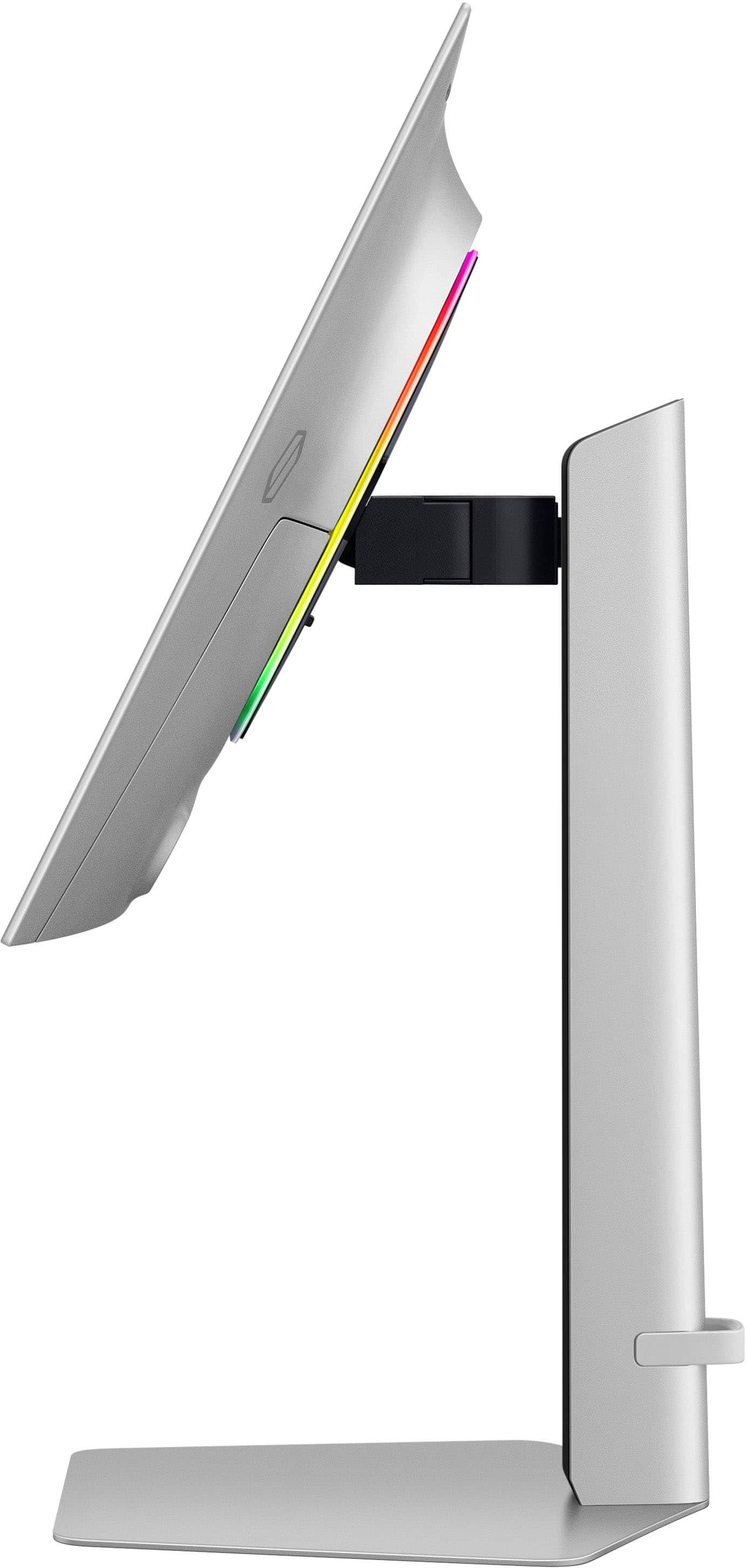
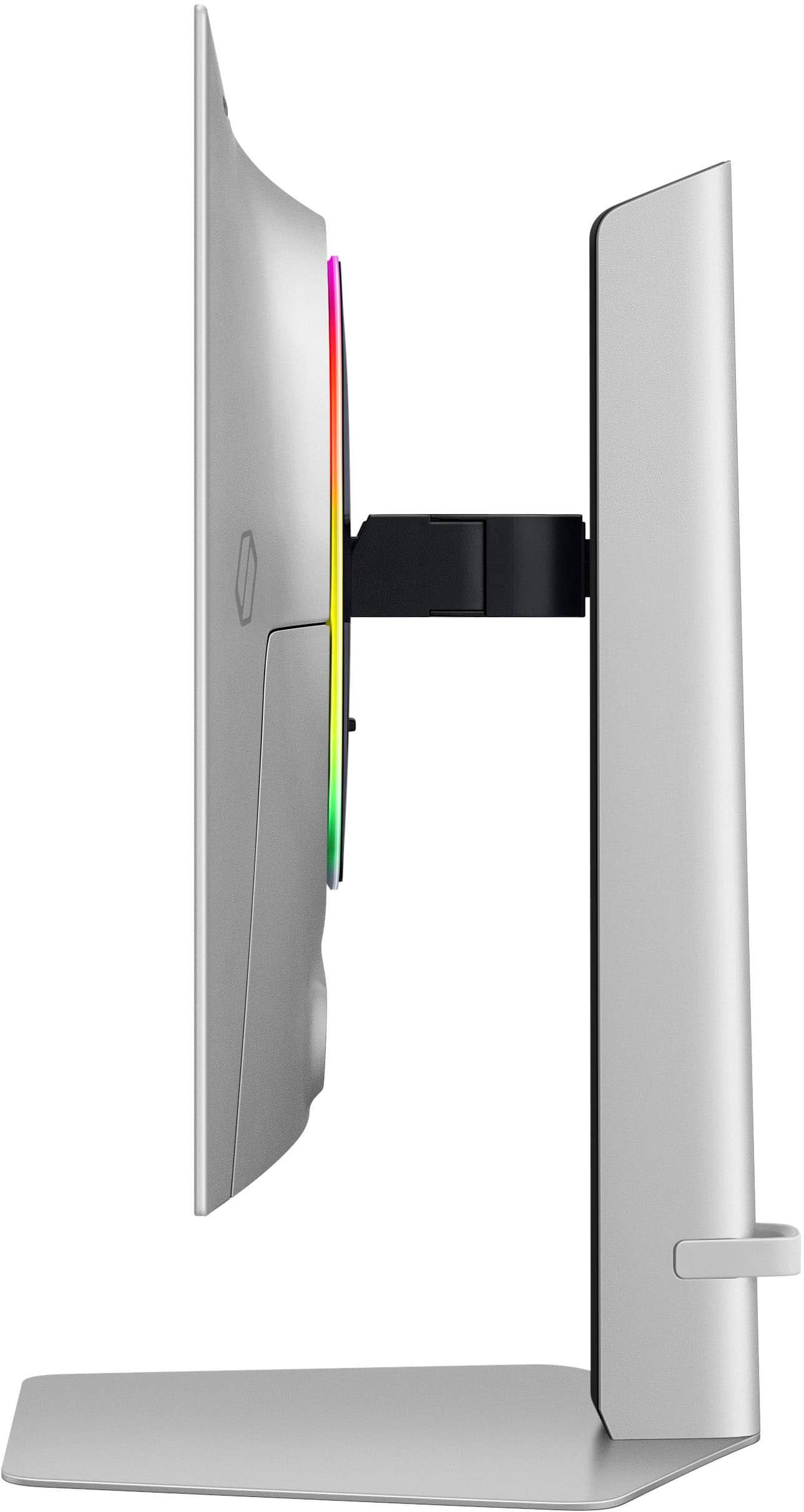
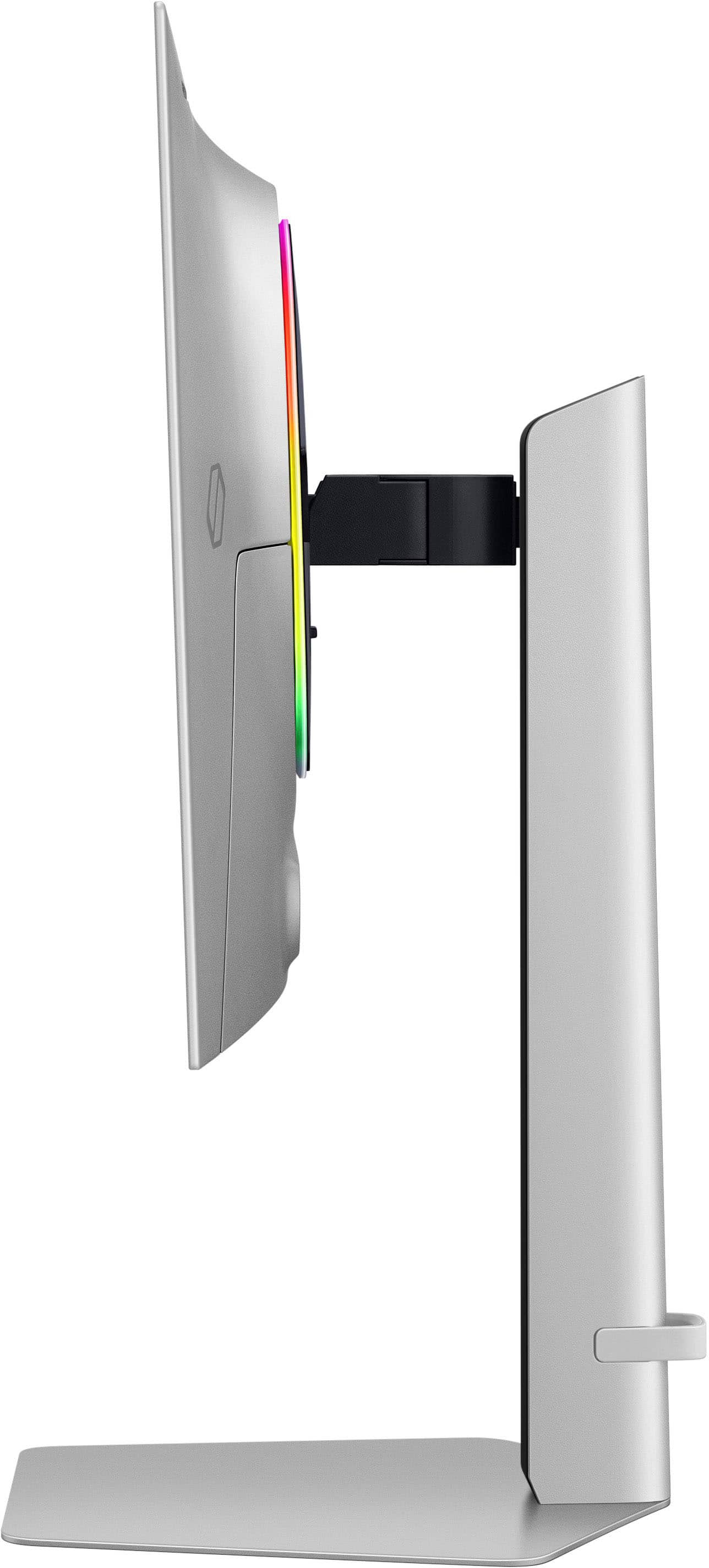
Customers commend the 27" Odyssey OLED G6 gaming monitor for its exceptional picture quality, high refresh rate, and deep black levels, enhancing the gaming experience. The OLED quality and HDR contribute to visually stunning graphics, while the sleek design and ergonomic stand are also appreciated. Glare is minimal, but some find the cable management to be basic. Overall, the monitor's visual performance and design receive high praise.
This summary was generated by AI based on customer reviews.
The vast majority of our reviews come from verified purchases. Reviews from customers may include My Best Buy members, employees, and Tech Insider Network members (as tagged). Select reviewers may receive discounted products, promotional considerations or entries into drawings for honest, helpful reviews.
Page 4 Showing 61-80 of 392 reviews
Rated 2 out of 5 stars
Nice monitor poor quality screen
|
|
Posted .
This reviewer received promo considerations or sweepstakes entry for writing a review.
First few days I was amazed at how smooth it was…but then on the 3rd day it started to show dead pixels. I tried all the different methods to see if it would fix but it wouldn’t.
No, I would not recommend this to a friend
Brand response from Samsung
Posted .
We are very sorry to see that you have encountered issues with the 27" Odyssey OLED G6 Gaming Monitor. Samsung products are engineered to the highest standards of performance and quality. We understand your disappointment and hope that you will give us a chance to assist with investigating the issues you have encountered with the pixels further. For further assistance, please contact Samsung Customer Support via: 1-800-SAMSUNG, available 8AM - 12AM EST (Mon-Fri) / 9AM - 11PM EST (Sat-Sun).
Pros mentioned:
Picture quality, Refresh rate
Cons mentioned:
Cable management
Rated 5 out of 5 stars
Samsung's Best Monitor to Date
|
Posted .
This reviewer received promo considerations or sweepstakes entry for writing a review.
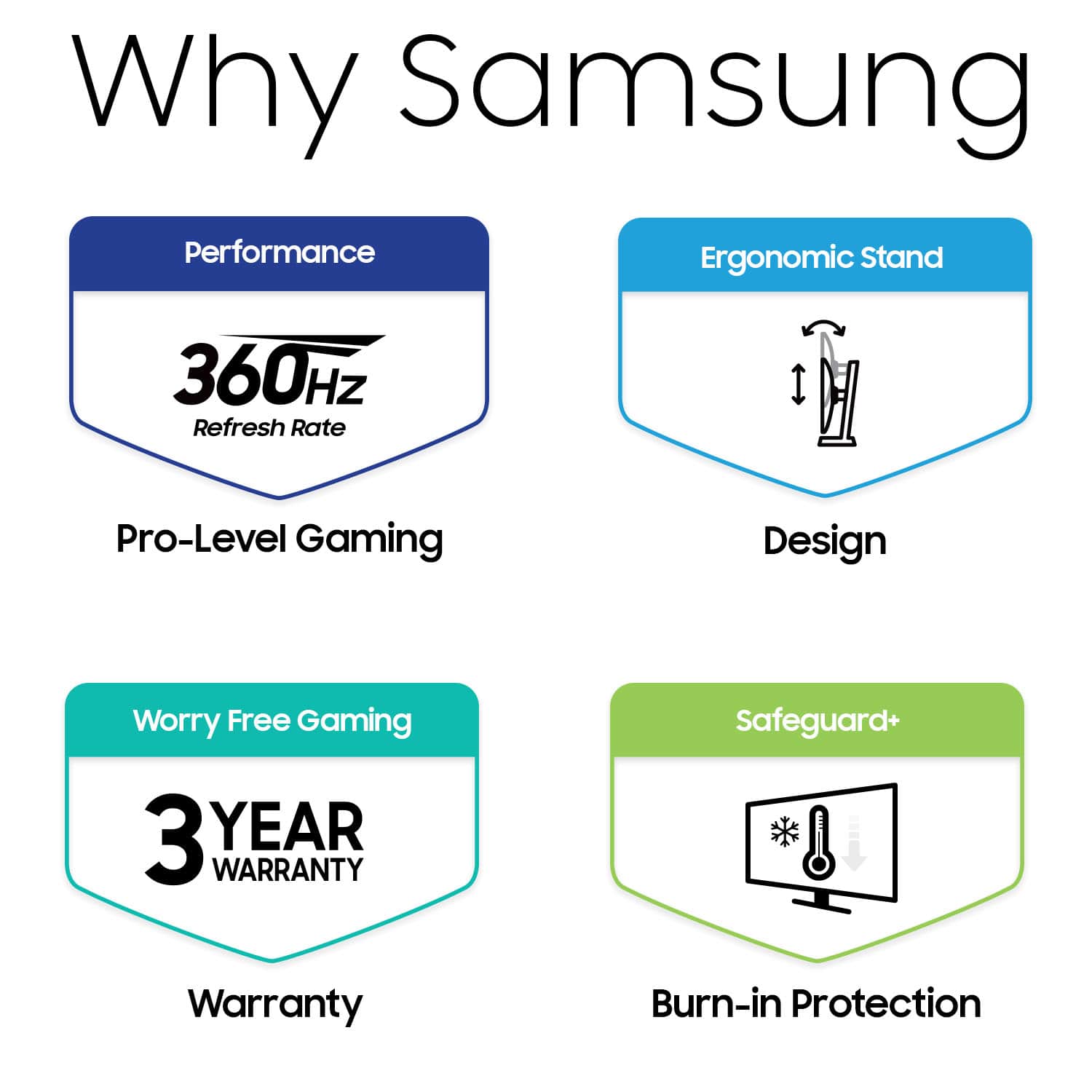
Samsung has released their new 27" Odyssey G6 OLED QHD Freesync gaming monitor, and it doesn't disappoint. The box includes the monitor, base, stand (connects base to monitor), HDMI cable, DP cable, USB/PC cable, power cable with transformer (split), and quick user guide/paperwork. The monitor comes with a manufacturer's 3-year warranty.
PROS:
-----------
* The base/stand/monitor connect easily with no tools. Also easy to break down if needed.
* The monitor is VESA and has HAS/TILT/SWIVEL/PIVOT ability. Extremely versatile.
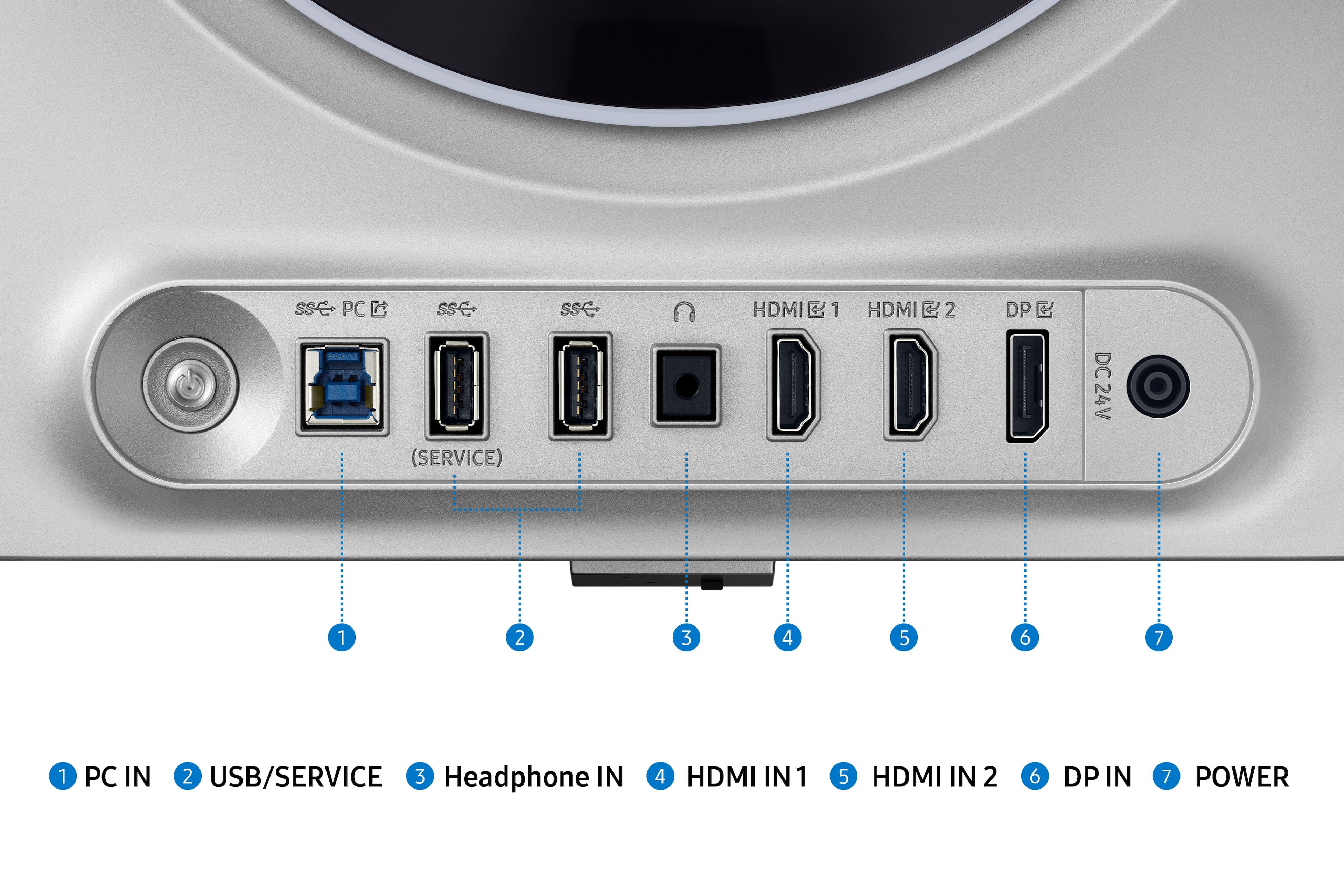
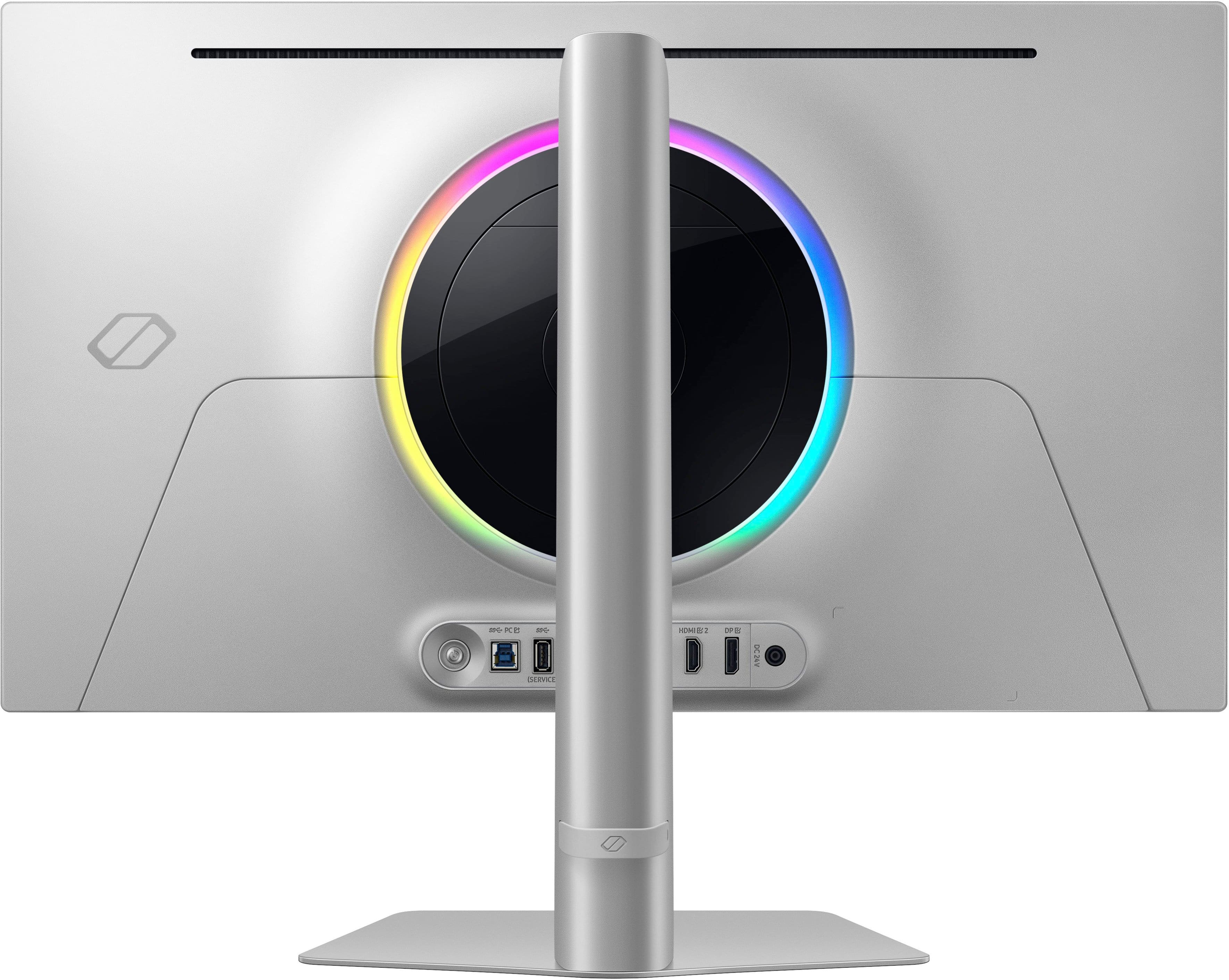
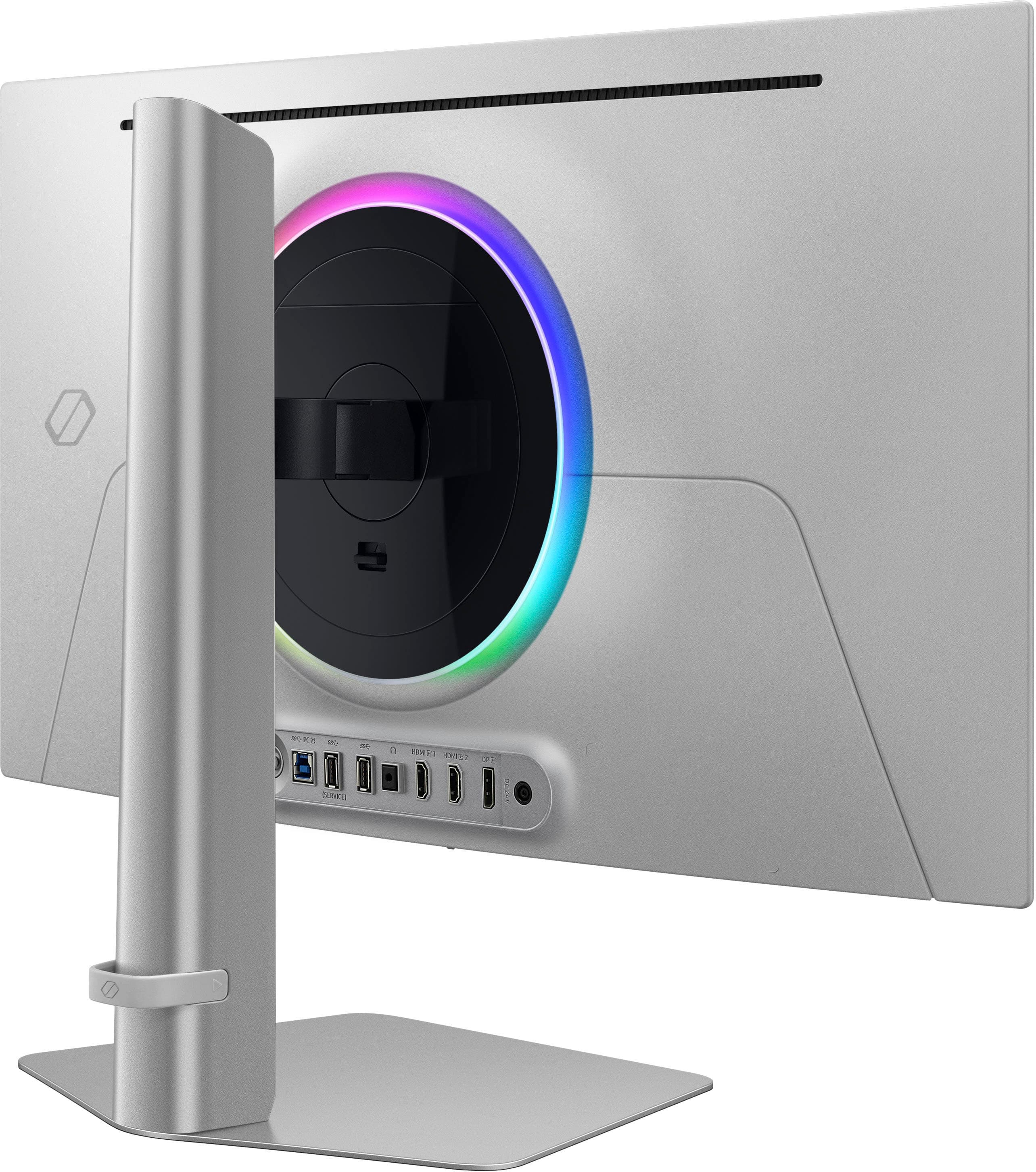
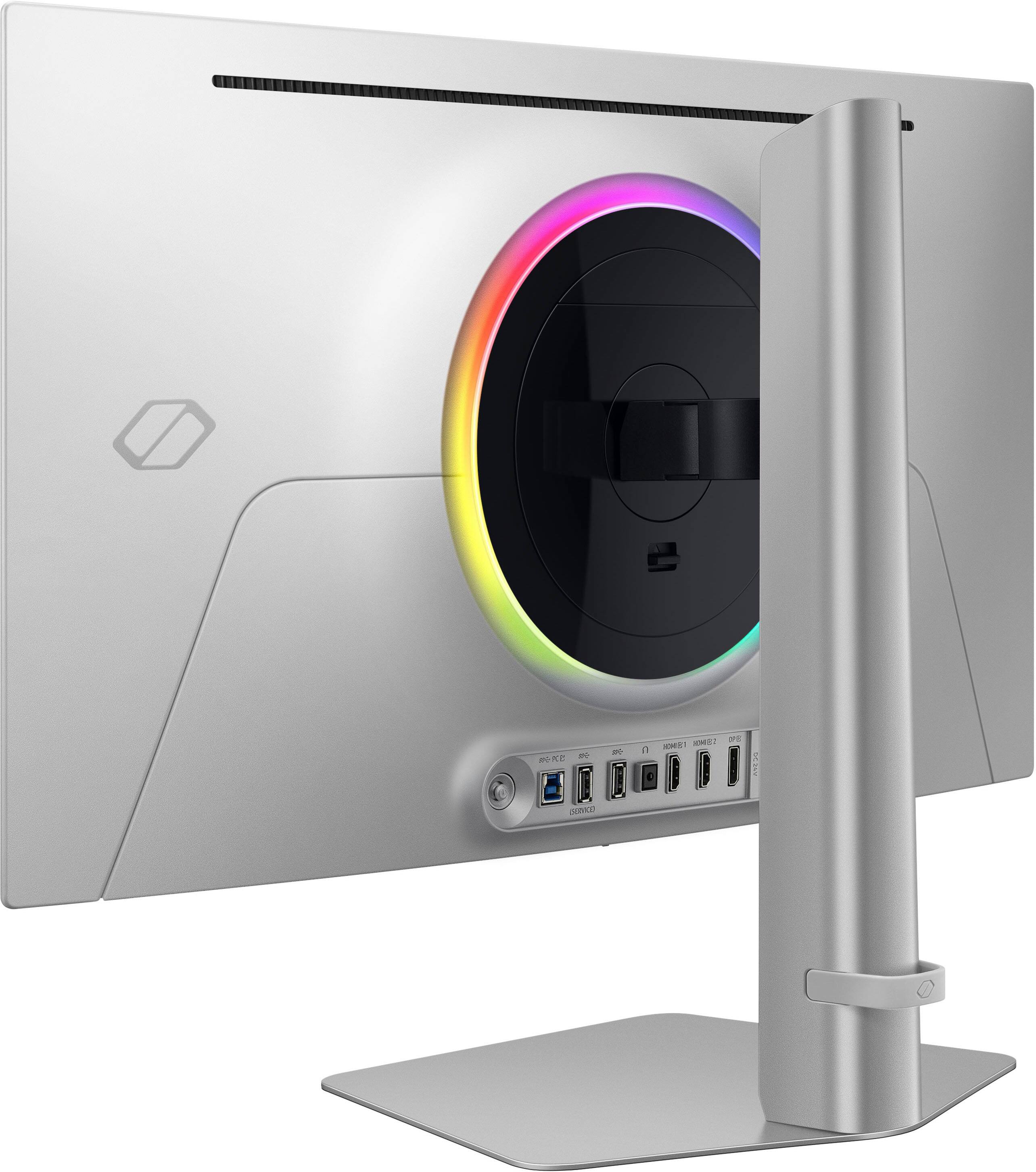
* Plenty of connections and ports with easy access on the rear - USB 3.0 PC, (2) USB3.0, (2) HDMI 2.1, headphones jack, DP1.4, and DC in. What I love here are the ports facing outwards instead of downwards.
* 360Hz is likely overkill for most games; however when playing games, it's extremely smooth. PS5's only have the ability to output to 120Hz, so you're likely going to see the biggest gains and serious smoothness on PC games. Additionally, 0.03ms response time is as good as it gets anywhere.
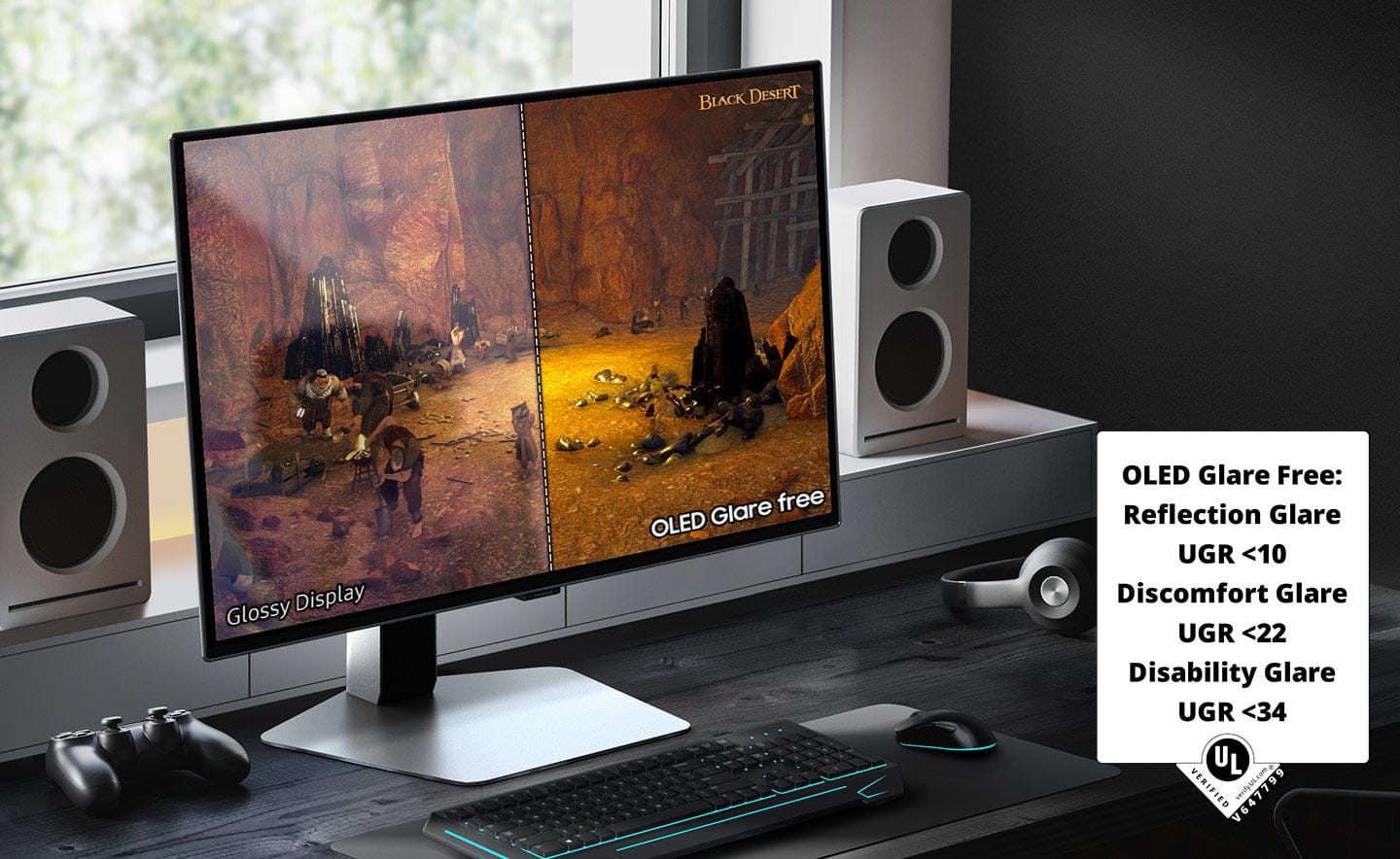
* The OLED glare-free screen is huge. The screen is quite visible from wider angles as well.
* The OLED Safeguard+ technology is a huge addition to this monitor. This is a feature that helps control the temperature of the screen itself to help prevent burn-in.
* The monitor itself if made of thin, sleek, and very strong metal. The built-quality is very good and sturdy.
* The user menu is easy to use with the reverse joystick on the rear of the unit. There is enough room underneath the screen itself to place your hand easily to make changes. Upon turning on the first time, it offers the user a QR code to register the monitor right off the bat. After scanning the QR code, the fields are auto-populated in your browser with the model and serial number... this was a super easy process and a great feature I haven't seen on any other monitor.
* The circle LED light on the rear can be changed in a handful of ways. Nice touch.
* HDR blacks are very black - as good as I have seen in any monitor. These blacks can obviously be adjusted further if needed.
CONS:
-----------
* Cable management is basic at best. There's a rubber ring on the rear that does the job but it's not very fancy. I would have liked to see a better design for cable management but it is acceptable.
OTHER OBSERVATIONS:
-----------
* If the monitor needs to travel, it can be placed in the Styrofoam easily in the original box after the base/stand/monitor is broken down easily.
CONCLUSION:
=====================
The 2 main features of this monitor are the 360Hz refresh rate and the abundant ways the monitor self-regulates the screen temperature and ability to combat screen burn-in and making the monitor last for years. This is likely the best picture I have ever seen on any monitor. It's vivid, bright, colorful, and has every ergonomic ability available. The price point is high, but in this case, you're getting what you pay for. I highly recommend this monitor from Samsung. The G6 is extremely top-notch. The only thing that would make this monitor better is if it was a 21:9 aspect ratio, but that's nitpicking. Great job, Samsung!
I would recommend this to a friend
Rated 1 out of 5 stars
JUNK!!!!!!!! BUYER BEWARE
|
|
Posted .
This reviewer received promo considerations or sweepstakes entry for writing a review.
Barely a year old and the power button joystick literally fell off. Clearly defective and what does Best Buy and Samsung tell me to do? Go kick rocks.. I'll never EVER buy another Samsung product as long as I live.
No, I would not recommend this to a friend
Brand response from Samsung
Posted .
Please know you are leaving a review for the Samsung 27"Odyssey OLED G6(G60SD), not the service provided by a third party seller. Please follow up directly with the seller for further assistance. We hope your issue is resolved in a timely manner. Should you have questions regarding Samsung TVs, please contact Samsung Support at 1-800-SAMSUNG, 8AM - 12AM EST, 7 days a week. Our LiveChat agents are also available by clicking on the ‘Support’ link on our website.
Rated 1 out of 5 stars
Good quality but...
|
|
Posted .
This reviewer received promo considerations or sweepstakes entry for writing a review.
Good monitor but back jog button broke after a month of purchase, I wish would have done research before buying because its a known common issue with this monitor.
No, I would not recommend this to a friend
Brand response from Samsung
Posted .
Please know you are leaving a review for the [series/model], not the service provided by a third party seller. Please follow up directly with the seller for further assistance. We hope your issue is resolved in a timely manner. Should you have questions regarding Samsung TVs, please contact Samsung Support at 1-800-SAMSUNG, 8AM - 12AM EST, 7 days a week. Our LiveChat agents are also available by clicking on the ‘Support’ link on our website.
Pros mentioned:
Picture quality, Refresh rate
Cons mentioned:
Glare
Rated 5 out of 5 stars
Gorgeous Ultra Fast Gaming Monitor
|
Posted .
This reviewer received promo considerations or sweepstakes entry for writing a review.
Samsung's new 27" OLED is drop dead beautiful. I have it in a 2 monitor set up paired with an UW OLED. As both monitors support up to 1440p, it made my rig look awesome.
Unpacking
--------------------
In the box is the base, arm, power brick, paperwork, monitor, USB cable, HDMI and Display Port cables. Assembly is quite easy as well. Just screw the arm into the base and then using the 2 grooves, guide the arm unto the back of the monitor until it clicks and you're done.
As the arm is adjustable, you get quite a bit of freedom on getting the G6 to your perfect preference. Height adjustment, tilt and swivel degrees are great for using it portrait or landscape. Or if you perfer mounting, it is 100x100 VESA compatible.
One thing I didn't like about the G6 is where the power button is located. You have to reach under and up to where all the inputs are to access the power/navigation nipple every time you want to get to the OSD menu or power on/off. There is no remote for it.
Performance
--------------------
It's literally second to none for it's size. 27 Inch in my opinion is perfect @ 1440p. 360Hz refresh with 0.03ms GTG is phenomenal. Of course your mileage will vary depending on your rig, but I am still using last gen's 3090 and achieved great results. As the monitor is Freesync, you can use RTX cards just fine with it.
One thing to note is that when I 1st used the monitor, I noticed Windows set the refresh rate to 120 and I had to manually change it to 360. No issues since then. Colors were great via HDR and SDR and I did not have any tearing or artifacts while gaming. Buttery smooth is an understatement.
Even though this G6 is a matte screen to prevent glaring, I noticed the were ever so slightly different then my Glossy UW OLED sitting right next to it. I actually liked the Samsung's color better.
Final thoughts
--------------------
If 27inch is your sweet spot and looking for a premium OLED, then this Samsung will check every box on your list.
Pros
360HZ 0.03gtg - enough to sell me instantly
Burn in prevention
OLED mean perfect blacks and colors
1440p resolution
Cons
The power button/ nav nipple is horribly placed
No remote to remedy above complaint
Definitely recommend to all the most hardcore of gamers.
I would recommend this to a friend
Pros mentioned:
Hdr, Oled quality, Refresh rate
Rated 5 out of 5 stars
Excellent choice
|
Posted .
This reviewer received promo considerations or sweepstakes entry for writing a review.
The 27" Odyssey OLED G6 (G60SD) QHD 360Hz 0.03ms FreeSync Premium Pro Gaming Monitor with HDR is a top-of-the-line gaming monitor with its stunning QHD (2560x1440) OLED display. The OLED screen allows no screen glare and gives true black, which helps produce a smooth look. The 27-inch screen size is a perfect size for competitive and noncompetitive gamers.
The Samsung Odyssey OLED G6's standout features are its high refresh rate and rapid response time. With a refresh rate of 360hz and a response time of 0.03ms, it ensures smooth, blur-free gameplay, even in fast-paced scenarios. The monitor's edge is designed to aid competitive gamers in maintaining accuracy and precision, adding to its appeal.
With FreeSync Premium Pro, screen tearing and stuttering are a thing of the past, providing an exhilarating gaming experience. The monitor's support for HDR delivers a wider range of colors and improved contrast, enhancing the visual depth of your games. Games that support HDR will benefit from more vivid and lifelike visuals, making every scene more immersive and keeping you on the edge of your seat.
The Samsung Odyssey OLED G6 is not just about performance; it's also about your comfort. Its sleek, modern design seamlessly integrates into any gaming setup, while the bezels and minimalist stand contribute to a clean and sophisticated look. The monitor's top-notch build quality ensures stability and durability, and its ergonomic adjustments, including tilt, swivel, and height adjustments, cater to comfortable long-term use. With this monitor, you can game for hours without discomfort, ensuring your satisfaction.
It has various connectivity options, including HDMI 2.1 and DisplayPort 1.4, making it compatible with a wide range of gaming PCs and consoles. The monitor also features multiple USB ports for added convenience. The on-screen display (OSD) menu is intuitive and easy to navigate, allowing users to quickly customize settings to their preferences.
Suppose you're looking for a gaming monitor with exceptional visuals, lightning-fast performance, and many features designed to enhance your gaming experience. The Samsung Odyssey OLED G6 is an excellent choice that won't disappoint.
I would recommend this to a friend
Pros mentioned:
Black levels, Oled quality, Refresh rate
Rated 4 out of 5 stars
Fantastic Monitor With Some Minor Annoyances
|
Posted .
This reviewer received promo considerations or sweepstakes entry for writing a review.
For the past week, I've been testing the new Samsung Odyssey OLED G6 (G60SD). Overall, it's a fantastic monitor with some minor annoyances and a questionable bezel design.
Setup was extremely simple and required no tools. It consisted of just three parts that twisted or snapped into place. The stand is fully adjustable, and the 27-inch screen is the perfect size for productivity. The port selection on the back is excellent. It has 2 HDMI ports, 1 DisplayPort, 1 AUX jack, 2 USB-A ports, and a USB-B port for data transfer.
When it comes to performance, the OLED panel is fantastic. I love the glare-free matte coating, which effectively rejects light reflection from any direction. The black levels and brightness are amazing, and color reproduction is some of the most vivid I've seen on a desktop monitor. Furthermore, the 360Hz refresh rate provides a very smooth picture, and the sub-millisecond response times of 0.03ms make this monitor ideal for competitive gaming. This monitor also features backlighting, which is a nice touch. It looks great if the back of the monitor is exposed, but if it's facing a wall, it's not bright enough to provide significant ambient lighting.
The on-screen menu is fairly simple to use and offers a decent amount of customization for the monitor. However, on initial startup, I keep getting a "calibration not complete" error, and there is no clear menu option for calibration. Additionally, the nub for navigating the menu may need some break-in time. Up, down, left, and right worked perfectly, but I found it took multiple tries to get it to accept a center press. This was a minor annoyance but something to consider.
The bezels of this monitor are probably my biggest annoyance. While the monitor is powered off, they look minimal. When the monitor is powered on, they appear average. However, I've noticed a visible uneven 1/8 - 2/8 inch gap between the bezel and the display area. This is more prevalent on the right side of the screen, making the bezel look uneven. This probably wouldn't be a big deal for most people, but if you have OCD or plan on using two of these monitors, you will notice it.
That said, if you prioritize speed and picture quality, I think this is a fantastic monitor. However, there are some minor annoyances to consider.
I would recommend this to a friend
Brand response from Samsung
Posted .
We are delighted to hear you've had an overall, positive experience with your OLED G6 Monitor.
Thank you for your feedback to help us improve our products and services. If there is anything we can do to assist you and improve your product experience, please don't hesitate to contact Samsung Customer Support via:
1-800-SAMSUNG, available 8AM - 12AM EST (Mon-Fri) / 9AM - 11PM EST (Sat-Sun).
Your thoughts and opinions are very important to Samsung.
Pros mentioned:
Black levels, Refresh rate
Rated 5 out of 5 stars
Fantastic Piece of Gaming Hardware.
|
Posted .
This reviewer received promo considerations or sweepstakes entry for writing a review.
The Samsung Odyssey G6 might just be a game-changer in the world of gaming monitors. This 27-inch OLED monitor, with its QHD (2560 x 1440) resolution OLED display offers an immersive gaming experience that is second to none.
The first thing you notice about the Odyssey G6 is its design. It’s as thin as paper and has a top-tier design. The sleek metal design and ergonomic stand provide optimal comfort for extended gaming sessions. It's height adjustable and is at home whether in portrait or landscape mode.
The performance of the Odyssey G6 is where it truly shines. With a 360Hz refresh rate and a 0.03ms response time (GtG), it delivers ultra-fast and smooth gaming action. This, combined with AMD FreeSync Premium Pro, allows for seamless and stutter-free gaming experiences.
The OLED Safeguard+ technology includes a unique Dynamic Cooling System with a Pulsating Heat Pipe in the monitor to prevent burn-in as well as thermal modulation that auto-controls brightness. The OLED Glare Free technology significantly reduces glare from external light sources, ensuring that your gaming experience is not compromised.
The OLED display is nothing short of remarkable. The Odyssey G6 delivers superior brightness with an expansive spectrum of colors and nearly limitless shades. The deep black levels with dynamic contrast enable supreme depth in scenes. The visuals are simply stunning, with dazzling color and definition.
The Samsung Odyssey G6 is a top-tier gaming monitor that offers an unparalleled gaming experience. It's certainly a significant investment, however with its combination of cutting-edge technology, sleek design, and superior performance it may just be a must-have for any serious gamer.
I would recommend this to a friend
Pros mentioned:
Oled quality, Picture quality
Rated 5 out of 5 stars
Samsung - 27" Odyssey OLED G6 360Hz
|
Posted .
This reviewer received promo considerations or sweepstakes entry for writing a review.
With OLEDs finally becoming a mainstay in the PC gaming space, I couldn't have been more excited to get my hands on the new Samsung 27" Odyssey G6 OLED! This monitor is packed with some game changing features (no pun intended).
---Unboxing/Setup---
The Samsung 27" Odyssey G6 OLED is packaged very well with a simple set of instructions, along with included cables (power, HDMI, Display Port, USB) in the top foam whle the display itself was sandwiched between the upper and lower foam pieces.
Setting up the stand was very easy and requires no tools. You simply place the arm onto the base turned to the right, and twist the arm until it locks into place. This exceeds most other stands I've used, which normally require screwing in the base. This saves both time and effort. The stand then slips into the back of the monitor in the normal way I've experienced most stands to attach to monitors. You insert two clips at the top and the bottom "snaps" into place.
Plug in your cable of choice and/or need, in my case is Display Port. It's nice that Samsung offered all of the high speed cables you may need.
I found the factory calibration to be spot on. I tweaked a few of the color and sharpness settings just to get a base line for the factory calibration, though after making adjustment, I resoted back to the defaults and left them there. This is highly unusual for any display to not require any tweaking to improve upon the image quality. My panel had nearly flawless color reproduction, contract, and sharpness. It's worth nothing the sharpness of this panel is set to "10". Conventional calibration would suggest turning this down to "0" however in this panels case, 10 was sharp, but not over sharp and anything less resulted in blur. Anything higher resulted in over sharpening. 10 is the right setting here.
The built in lighting effects have a few options to choose from. Full spectrum, singular color with either static, pulse, and a few other effects, or, it will attempt to complement whatever average colors are presented on the screen at the time. I ultimately landed on the automatic color changing feature which I found to be the most immersive and logical.
---Hardware Quality---
This monitor is aesthetically beautiful from a hardware perspective. A very thin panel attached to a slightly concave backing. The stand is made of metal is has no problems supporting the monitor. There is minimal vibrational movement and there is no chance of this ever toppling over. The panel itself has no visible blemishes or manufacturer defects of any kind. This is a premium looking display.
---Features---
Freesync: I won't get into what freesync is here, by now, this is a staple along with Gsync and plenty written on the subject. This monitor uses Freesync in favor of Gsync. I like this choice as both AMD and Nvidia graphics cards can get the benefit. I had no problems with my Nvidia graphics card picking up "Gsync" and working as such under the "Freesync" technology. Screen tearing, and refresh rates all worked as expected. Perfect execution here.
360Hz with 0.03ms response time: Wow. This is the best combination of numbers of any monitor available. If your PC is capable or hitting 360FPS, you will see the ultimate benefit of a 360Hz monitor. The only game I could get this high was Counter-Strike 2. It was amazing. Combined with the fast pixel switching of OLED, the 0.03ms resulted in absolutely ZERO blurriness and the feeling of ultra, lifelike smoothness was pretty hard to believe at first. This instantly made me a better player and I was able to get off quicker and more accurate shots then I've ever been able to before. It was also a lot less stress on the eyes as no blurriness from the LCDs of yesterday were at play here.
OLED Safeguard+: I did not have enough time to validate whether or not Samsung's new OLED burn-in protection actually works, but Samsung claims this new technology is capable of preventing burn-in by dimming areas of the screen where static images remain for too long. It essentially "cools" the pixels down by limiting brightness. I did not notice this in physical use. Whatever is happening in the background does not effect picture quality where it is noticeably visual. Time will tell if this has a positive long term effect, but I am glad it is here none the less.
Anti-Glare: This is maybe the most impressive feature of the bunch! There is absolutely ZERO reflective glare on this display. I've used hundreds of displays over the years with "Anti-glare" and this is by far the absolute best! It completely eliminates glare and reflections from even the brightest windows. I had my display right in front of a very, very bright window and the screen looked as if that window didn't exist. Colors were bright, sharp and uninterrupted. This alone makes this monitor a complete game changer in the space. I cannot wait to see this on more TVs and other products from Samsung in the future.
Other: There are some other features of this motor such as static cross hairs for FPS games, eye strain modes, rear lighting (which I commented on in the setup, so not going to reiterate it here). Most gaming monitors have these features and they are not unique to this display. I'm mentioning here for awareness, but none of these should really be considered as anything that matter from a decision making stand point.
---Performance---
While I've touched on most of this above, I will simply reiterate that this monitor PERFORMS! It is super fast and responsive, outstanding color accuracy and it is absolutely, without a question, one of the top gaming monitors on the market today. This is an amazing combination of features. Samsung knocked this out of the park with nothing holding back. Even in 2024 with RTX 4090 GPUs, at 360Hz, 1440 is still a sweet spot in delivering a sharp, but making it possible to hit higher frames than a 4k or 5k monitor could be pushed. For dedicated gaming, there simply isn't a need for anything over 1440 and the ability to get closer to that 360FPS sweet spot on this monitor, the better!
---Conclusion---
Simply put, buy it. Unless you require a larger monitor, or cannot use an OLED for some reason, there is no reason not to buy this monitor over anything else. Thank you Samsung for the opportunity to review this monitor. Thank you for putting something out that is truly innovative and game changing. Excellent work!
I would recommend this to a friend
Pros mentioned:
Hdr
Cons mentioned:
Glare
Rated 5 out of 5 stars
One Must Have!
Posted .
This reviewer received promo considerations or sweepstakes entry for writing a review.
I was looking for a replacement monitor for my aging 8+ year old Acer Predator 2k TN Panel Monitor. Over many years I've used my old Acer Predator monitor with 3 different gaming builds and never thought I was really missing anything with OLED or more modern gaming monitors. I decided to try something new, modern and wanted to see if I could up my quality of gaming will keeping my 2k resolution with my current gaming rig.
I want to start off by how immediate and shocked I was when first turning on my monitor and just looking at my desktop. The color difference between my old TN panel monitor and this OLED monitor is literally night and day! I have 2 other 10+ year old TN panel monitors, left and right of this screen and immediately can't stand looking at my other 1080p 60hz monitors because of the massive color difference and how bland my other monitors look. I never knew what I was missing until today!
From a specs perspective, this monitor outshines everything I've ever had. I had to upgrade my display cable to be able support 360hz, as my older display cable didn't work. Luckily there was one in the box, though some may need to get a longer cable that support 360hz if your PC is father then 4-5ft away from your display output.
Additionally, the HDR capabilities on this monitor are breathtaking! I haven't really had much HDR experience with other monitors, but I can say initial impressions blow me away when playing HDR enabled content.
This monitor has 2 additional inputs outside of the display port so hooking up a console, or media to this monitor would be a breeze and switching inputs is easy. The Monitor also has 2 3.0 USB ports in the back as well if looking to hook up a USB hub near the monitor, though not sure if both work identically, as one is marked as service. There are no speakers on this monitor, which is fine by me, as I use headphones or dedicated speakers. I should mention though there is a headphone jack on the back with its independent output in the settings. It is only a 2 channel output from initial testing so would not be expect 7.1 surround.
I also love that the base is a solid flat base vs traditional V shaped bases on the older models of Odyssey monitors. The base is solid and VERY stable, though I do wish the base was matte black for my gaming setup. There is practically no glare on this monitor what so ever. With an overheard bright light right on top of my head, I see no glare or light bounce off this monitor.
If I had to choose between my older 8 year old 2k SDR Monitor and this OLED HDR 2k monitor, I would choose this OLED monitor every time! The colors pop, the blacks are deep, and the pixel density is beyond what I've ever owned for my gaming setup.
For the price, you are getting a great monitor! Though be prepared for a hefty investment as this is a brand name high quality monitor. One I will be using for many years to come.
I will update this review if I ever encounter long term burn in, but with this monitors various technologies that prevent this very issue, I doubt this will be an issue.
If you have the capital to get a quality 360hz OLED gaming monitor, aren't looking for the overly demanding 4k gaming experience, want a reasonable 2k gaming experience, and looking for colors that will rock your world. I recommend this a thousand times over!
I would recommend this to a friend
Pros mentioned:
Oled quality, Refresh rate
Rated 5 out of 5 stars
I’m really impressed!
|
Posted .
This reviewer received promo considerations or sweepstakes entry for writing a review.
This is my first time using an OLED monitor and I must say that it is a very pleasant experience. Comparing this monitor to the LCD monitors I use, it is practically day and night. Despite having a few things that could be better, it is without a doubt a great product.
This Samsung G6 OLED monitor comes packaged in a regular box like other monitors from the brand, pretty simple considering the range of the product and that it is a relatively new model. Inside the box comes the monitor with a removable adhesive plastic that protects the screen, a metal plate that functions as the base of the monitor, a stand that holds the monitor (ready to assemble), a usb cable, a HDMI and a DisplayPort cable, a power supply, a quick guide and the user manual.
The quick guide, which is handy once you open the box, outlines the steps required to unbox the monitor. Unboxing is a fairly simple and intuitive process, practically by following the instructions you end up removing the monitor already assembled and ready to connect. The metal base is large and heavy enough to hold the monitor. The stand is made of plastic and lets you raise and lower the monitor, and the piece that connects the monitor to the stand allows the monitor to tilt and swivel as well. At the bottom of the stand there is a kind of silicone strap that is used for cable management.
The monitor has different types of inputs, USB, HDMI, DP and Headphone Jack on the back and to one side is the power button which in turn is the menu button and works to navigate it as well, which I consider is not the best position for such an important button. Also on the back is a led light ring that can be configured from the monitor menu. Despite being on the back and not necessarily important, this led light ring is a plus, more RGB is always appreciated ;)
The monitor is 2560 x 1440p resolution, with a refresh rate of 360Hz, 0.03 ms response time, OLED Glare Free technology, also features FreeSync Premium Pro synchronization technology, and OLED Safeguard+ which prevents the LEDs from burn-in due to excess heat.
Regarding the performance, coming from 1080p 144Hz monitors, I must say that it is impressive. The first thing you can notice is that the color reproduction is outstanding, the colors are more vivid and the blacks are really black, compared with my previous monitors it looks like gray vs black. In gaming the refresh rate of 360Hz plus the 2560 x 1440p resolution is a fascinating combination, playing becomes a whole experience, for me it is a huge leap. The monitor responds very quickly and the image looks spectacular. It has an outstanding brightness, in my case in a dark room I use the monitor almost at minimum brightness and with the light on about 35% - 40%, plus the anti glare does a great job. Playing content is likewise a pleasant and immersive experience, vibrant colors, dark blacks in a very good resolution. I could go on and on about how good this monitor looks at virtually any task, but having it in front of me there are no more words to say, it's simply stunning.
Something that caught my attention is a function that is basically picture in picture, that is, you can connect another device (such as another pc or tablet for example) and have a small rectangle on the screen playing what the other device emits, the size and position can be changed in settings . An interesting feature that could be useful for some people. The only thing I noticed is that some functions are disabled when using this feature.
In short, this Samsung G6 OLED monitor has what it needs and more for those looking for a monitor with high refresh rate (especially if you are a gamer), that responds quickly, has a good resolution and color reproduction. Useful for daily tasks, playing video games, playing content, etc. It is an easy to assemble product since no tools are needed. It has a futuristic design and color. This monitor can be positioned in different ways. And the OLED screen is certainly a delight to the eye, highly recommended.
I would recommend this to a friend
Pros mentioned:
Black levels, Oled quality, Picture quality
Rated 5 out of 5 stars
OLEDs are the way to go
|
|
Posted .
This reviewer received promo considerations or sweepstakes entry for writing a review.
These Samsung Odyssey OLEDs are great. I have this 27" and 49" ultrawide. The color quality is great, OLED offers true blacks and really makes games look sharp. I could see some complaints about it not being bright enough when in a very well lit room, but I don't have that issue. Other than the quality of the picture on the monitor, I purchased this monitor for the connections on the back. I use the USB hub on the back, and both the Display Port and HDMI port. I will switch back and forth from a gaming console on the HDMI port and my gaming pc on the display port.
I would recommend this to a friend
Rated 5 out of 5 stars
Samsung - 27" Odyssey OLED G6 G60SD
|
Posted .
This reviewer received promo considerations or sweepstakes entry for writing a review.
Out of the box, this is a beautifully designed monitor, super thin with a sturdy base. It adjusts high enough that the monitor can be rotated to the vertical position easily. It can also swivel and tilt to get the perfect angle for your needs.There is a flexible strap at the rear of the vertical post for cable management. The base and back of the monitor are finished in silver which extends to a thin frame around the monitor. I wish they would have done that edge in black, I find it takes away from the floating appearance of the beautiful screen.
The screen is done up with glare free technology to kill reflections. That’s a hot button issue for some users, some people are Team Glossy and hate on anything else. My PC is in a room near a large window and glare is an issue. I can confirm that the OLED Glare Free works and I didn’t notice any haze from it not being a glossy screen. I would encourage you to see this screen in person before you judge. The colors are vibrant and the blacks are outstanding as you’d expect from a Samsung OLED. Everyone that has come over to see it has been amazed. The monitor has AMD FreeSync Premium Pro on by default so it’s compatible with my Radeon GPU. I did have to go in to display settings on Windows and change to frequency to 360hz, it defaulted to 120. Higher frequency makes more heat in the display but I understand this monitor has heat tubes in the vapor chamber to help with that. Samsung says :
"Both new Odyssey OLED models feature Samsung OLED Safeguard+, a new proprietary burn-in protection technology. This technology is the first in the world to prevent burn-in by applying a pulsating heat pipe to the monitor. Additionally, the Dynamic Cooling System evaporates and condenses a coolant to diffuse heat five times more effectively than the older graphite sheet method, which prevents burn-in by reducing temperature at the core. The monitor also detects static images like logos and taskbars, automatically reducing their brightness to provide another means of burn-in prevention.”
There’s a video online of a person cutting open the tubes to show the coolant running out. Not the way to treat a monitor!
I read the instruction manual but it wasn’t clear to me at first how to turn CoreLighting+ on. After fiddling with it, I found you just have to tap the power button to bring up a larger menu than you get from just toggling the multifunction stick. Besides CoreLighting+ and many other settings, you can also select to turn on one of about a half dozen built in crosshairs to give you a virtual aim point if you play a game to doesn’t have a built in aim point. The crosshairs are even adjustable to line up POA/POI in game. Pretty cool feature I didn’t see mentioned before.
I would recommend this to a friend
Pros mentioned:
Black levels, Picture quality, Refresh rate
Rated 5 out of 5 stars
Stunning OLED Display – A Game Changer!
|
|
Posted . Owned for 1 week when reviewed.
This reviewer received promo considerations or sweepstakes entry for writing a review.
This Samsung OLED monitor is absolutely incredible! The colors are rich and vibrant, the blacks are truly deep, and the 360Hz refresh rate makes everything feel ultra-smooth. Whether I’m gaming or working, the picture quality is next-level, with unbeatable clarity and responsiveness. The build quality is premium, and the design is sleek. HDR performance is top-notch, making movies and games look breathtaking. If you’re looking for a high-performance monitor, this is worth every penny. Highly recommended!
I would recommend this to a friend
Pros mentioned:
Black levels, Refresh rate
Rated 5 out of 5 stars
Sleek looking monitor for gaming
|
Posted .
This reviewer received promo considerations or sweepstakes entry for writing a review.
I've used quite a few different gaming monitors in the past but I've always wanted to try out an OLED monitor to see what all the hype is about. Having used this monitor for the past week or so, OLED is definitely the way to go.
My previous monitor was an LG ultrawide, 160Hz/1440p monitor. Looked nice for sure and it was an ultrawide (45") so definitely a nice monitor to have. That said, the picture quality was a bit off and the colors were a bit muted on it. Even after fiddling around with the contrast/color/brightness/etc., still didn't "pop" as I thought it would. This is what led me to wanting to try out OLED monitors and that led me to this one.
Size wise, it's decent but not great. Some people like small monitors and others like large, ultrawide monitors. That said, size is good for me.
Connectivity. This has all the ports you'll need to get setup with your PC. Monitor comes with USB/DisplayPort/HDMI cables so you're good to go right out of the box.
The real talking point here is the picture this monitor provides. The contrast and color depth of the monitor are superb. The blacks are a really deep black and all other colors just pop on screen. Very vibrant colors from this monitor. Add in the 360Hz refresh rate and 0.03ms response time and you have a VERY good gaming monitor.
I would recommend this to a friend
Pros mentioned:
Oled quality, Picture quality, Refresh rate
Rated 5 out of 5 stars
OLED + 360 Hz = Perfection
|
|
Posted .
This reviewer received promo considerations or sweepstakes entry for writing a review.
This monitor is insane! Super smooth at 360 Hz and the colors are unreal thanks to the OLED. Games look sharp and feel super responsive with zero lag. It’s not super bright in sunlight, but in normal lighting it’s perfect. Easily one of the best monitors I’ve owned.
I would recommend this to a friend
Pros mentioned:
Black levels, Oled quality, Picture quality
Rated 5 out of 5 stars
Best purchase ever!!!
|
|
Posted . Owned for 1 week when reviewed.
This reviewer received promo considerations or sweepstakes entry for writing a review.
Never had Oled before. Wasn’t expecting much difference, but let me just say wow. My games and movies look so much better, the way the black looks black and not grey makes everything 10x better. The colors are perfect. I’m thinking about buying another one as a second monitor or a gift for my brother in law. I would recommend this item to anyone who is serious about their set up.
I would recommend this to a friend
Pros mentioned:
Oled quality, Picture quality, Refresh rate
Rated 5 out of 5 stars
Great monitor
|
|
Posted . Owned for 3 weeks when reviewed.
This reviewer received promo considerations or sweepstakes entry for writing a review.
The Samsung Odyssey G6 OLED is a fast and sharp 27-inch gaming monitor with a 360Hz refresh rate and super quick response time, making it great for competitive gaming. The OLED screen shows deep blacks, bright colors, and strong contrast, which looks amazing in games and videos. It has a sturdy stand, glare protection, and features to help prevent screen burn-in. Some small downsides are that text can look a little fuzzy and you’ll need a powerful PC to get the most out of it.
I would recommend this to a friend
Pros mentioned:
Oled quality, Refresh rate
Rated 5 out of 5 stars
AMAZING Colors with DAY AND NIGHT difference.
|
|
Posted . Owned for 2 months when reviewed.
This reviewer received promo considerations or sweepstakes entry for writing a review.
The Samsung 27" Odyssey OLED G6 (G60SD) is a top-tier gaming monitor that combines stunning visuals and high performance. Its QHD OLED display offers exceptional color accuracy, deep blacks, and vivid HDR, creating an immersive experience for gaming and media. With an impressive 360Hz refresh rate and 0.03ms response time, it delivers ultra-smooth gameplay with zero motion blur, making it perfect for competitive gaming. The FreeSync Premium Pro technology ensures seamless synchronization, reducing screen tearing. Its sleek silver design, slim bezels, and adjustable stand make it an attractive addition to any setup. Overall, the Odyssey G6 is an outstanding choice for gamers seeking top-tier performance and visual quality.
I would recommend this to a friend
Pros mentioned:
Oled quality, Picture quality
Rated 5 out of 5 stars
Amazing FPS and picture quality
|
|
Posted . Owned for 3 weeks when reviewed.
This reviewer received promo considerations or sweepstakes entry for writing a review.
Paired with an RTX 5080, this is type of monitor is the best option. Most games I run on high quality settings with DLSS and Ultra Performance as my settings. I average about 300+ frames on almost every game I play, especially CoD BO6. This monitor handles everything very well and it's a significant difference in picture quality and Performance vs a 165HZ 2K monitor that most people commonly use.
When paired with a powerful GPU, you get a very smooth experience, significantly better picture quality because of the OLED, and yes, darker colors stand out better and more detailed, so things just dont blend in like they would on a cheaper quality monitor.
If you know you can't get high FPS with your current set up, consider this monitor with the 240Hz limit, as it's a little cheaper in price, but the same great quality.