Customer Ratings & Reviews







- Model:
- HW-Q700A/ZA
- SKU:
- 6454216
Rating by feature
- Value
Rating 4.4 out of 5 stars
- Quality
Rating 4.6 out of 5 stars
- Ease of Use
Rating 4.5 out of 5 stars
Customers are saying
Customers are impressed with the soundbar's sound quality, describing it as amazing and praising its bass. They also appreciate the easy setup process and the inclusion of Dolby Atmos. While some users have experienced connectivity issues, the overall sentiment is positive, with many customers praising the soundbar's price-to-performance ratio.
This summary was generated by AI based on customer reviews.
Ok if your upgrading tv sound
||Posted . Owned for 1 month when reviewed.This reviewer received promo considerations or sweepstakes entry for writing a review.Pretty decent sound gift for my parents so great for them I need more bass
No, I would not recommend this to a friendBrand response from Samsung
Posted .Hi Cali,
Thank you for your review of this Samsung HW-Q700A Soundbar. We appreciate you sharing your feedback regarding the bass performance.
There are two adjustments that can be made to maximize bass from the soundbar and subwoofer:
1. Using the WOOFER button on the remote, you can adjust the level between -6 to +6. To set the subwoofer volume level to 0, press the button in.
2. Adjust the bass control by pressing the SOUND CONTROL button (gear icon) on the remote control, then select BASS to increase the level. You can adjust the volume between -6 to +6 by using the Up/Down buttons.
For precise audio adjustments, you can use the 7-band frequency equalizer to optimize the sound for your room acoustics.
I hope this helps. For further assistance with features, settings, adjustments, or functions please contact Samsung Customer Support at 1-800-SAMSUNG (ask for Soundbars), available 8AM - 12AM EST, 7 days a week.
For additional support resources, visit us on the Samsung website and click on the ‘Support’ link in the upper right corner of the homepage for:
1) Chat with Us/Product Help: To begin a chat or find solutions, choose ‘TVs & Home Theater’ and select your model & topic.
2) Manuals & Software
3) Warranty Info
4) Register a Product: For access to easy warranty support, convenient opt-in to special promos and offers, faster troubleshooting and service, and quick notification of system updates
5) Contact Us
~ Samsung Solutions
Very little bass
||Posted . Owned for 1 month when reviewed.This reviewer received promo considerations or sweepstakes entry for writing a review.Clear crisp highs but very weak bass. Sounds better than the TV speakers.
No, I would not recommend this to a friendBrand response from Samsung
Posted .Hi tdm1xp!
Thank you for sharing your review of the Samsung HW-Q700A Soundbar. We appreciate your feedback regarding the audio performance of your soundbar. This soundbar features a powerful wireless subwoofer, as well Acoustic Beam which keeps your sound in sync with the action.
You can try quickly optimizing audio performance for your specific content by pressing the SOUND MODE button on your remote, and then selecting the desired sound effect by choosing STANDARD, SURROUND SOUND, GAME PRO, or ADAPTIVE SOUND
You can further adjust TREBLE and BASS via the SOUND CONTROL button (looks like a gear symbol).
Refer to pages 9-10 of the User Manual for detailed instructions: https://downloadcenter.samsung.com/content/UM/202104/20210416033935001/AH81-13903A-00_FM_HW-Q700A_ZA_ENG_210409.0.pdf
If you need further assistance, please know we are here to help. You can reach Samsung Customer Support at:
1-800-SAMSUNG (ask for Soundbars), available 8AM -12AM EST, 7 days a week. Or text HELP to 62913.
For additional support resources, visit us on the Samsung website and click on the ‘Support’ link in the upper right corner of the homepage for:
1) More ‘Contact Us’ options – LiveChat, Facebook, Twitter, Samsung Community, Samsung Members app
2) Manuals & Software
3) Warranty Info
4) Product Registration: For access to easy warranty support, convenient opt-in to special promos and offers, faster troubleshooting and service, and quick notification of system updates.
~ Samsung Solutions
Sound is not bold
||Posted . Owned for 3 weeks when reviewed.This reviewer received promo considerations or sweepstakes entry for writing a review.Sound is fair but not as bold as my previous MS-650 was.
No, I would not recommend this to a friendBrand response from Samsung
Posted .Hi Enaud,
Thank you for purchasing the Samsung HW-Q700A Soundbar and for your review. We appreciate your feedback regarding the sound performance of your new Samsung soundbar when compared to your previous unit.
Please know, if you are not satisfied with the performance of your soundbar, you can try the various built in sound modes to quickly tune the audio to your liking. Press the SOUND MODE button on your remote, and then selecting the desired sound effect by choosing STANDARD, SURROUND SOUND, GAME PRO, or ADAPTIVE SOUND
Additionally, if you would like louder (or softer) bass from your subwoofer, you can adjust the level by rocking the WOOFER button on the soundbar remote, and then adjusting the level from -6 to +6. To set the subwoofer volume level to 0, press the button in.
I hope this helps. If you need further assistance, please know we are here to help. You can reach Samsung Customer Support at 1-800-SAMSUNG (ask for Soundbars), available 8AM - 12AM EST, 7 days a week.
For additional support resources, visit us on the Samsung website and click on the ‘Support’ link in the upper right corner of the homepage for:
1) Chat with Us/Product Help: To begin a chat or find solutions, choose ‘TVs & Home Theater’ and select your model & topic.
2) Manuals & Software
3) Warranty Info
4) Register a Product: For access to easy warranty support, convenient opt-in to special promos and offers, faster troubleshooting and service, and quick notification of system updates
5) Contact Us
~ Samsung Solutions
Decent soundbar
||Posted . Owned for 1 month when reviewed.This reviewer received promo considerations or sweepstakes entry for writing a review.It will do the job for most. Not for audiophiles.
I would recommend this to a friendBrand response from Samsung
Posted .Hi anothercustomer,
Thank you for sharing your review of the HW-Q700A Soundbar. We value your feedback and will share it with our teams.
If there is anything we can do to improve your enjoyment such as helping to optimize settings for your specific sound scenario, please contact Samsung Customer Support at 1-800-SAMSUNG (ask for Soundbars), available 8AM - 12AM EST, 7 days a week.
For additional support resources, visit us on the Samsung website and click on the ‘Support’ link in the upper right corner of the homepage for:
1) Chat with Us/Product Help: To begin a chat or find solutions, choose ‘TVs & Home Theater’ and select your model & topic.
2) Manuals & Software
3) Warranty Info
4) Register a Product: For access to easy warranty support, convenient opt-in to special promos and offers, faster troubleshooting and service, and quick notification of system updates
5) Contact Us
~ Samsung Solutions
- Pros mentioned:Bass, Dolby atmos, Easy setupCons mentioned:Connectivity
Q700A Soundbar Review
Posted .This reviewer received promo considerations or sweepstakes entry for writing a review.We received the Q700A soundbar a couple weeks ago to go with our Q70A TV. The setup was simple, just a few cables and good to go. The bluetooth linking for the subwoofer was finicky and took a few tries but worked perfectly after that. The bass is great at +3 and sounds great. The product integrates perfectly with the Q70A TV. We've only had the chance to watch one movie with Dolby Atmos but it was a great experience and a significant improvement. The best improvement with this soundbar was on some movies that have low dialog volume and loud action sequences, no more having to mess with the volume constantly while watching. No delay or sync issues have been noticed which seem to be a problem with other soundbars. Overall this is a great product and an excellent option for someone who doesn't want to setup a full 7.1 home theater.
I would recommend this to a friend Probably the worst purchase I’ve ever made
||Posted .This reviewer received promo considerations or sweepstakes entry for writing a review.I have now bought two of these because I had to return the first one since it doesn’t even turn on when you plug-in and I called Samsung the second time around thinking that it was some thing I did only to have them tell me that it probably is defective and I even had an audio video tech guy come in and look at it to see if I was doing something wrong and they told me that both of them have just not been working and Samsung told me they’ve been sitting in the warehouse for so long that now they probably don’t work
No, I would not recommend this to a friendBrand response from Samsung
Posted .Hi Madison,
Thank you for purchasing the Samsung HW-Q700A Soundbar. We appreciate you sharing your experience with us. Your details regarding power issues will be shared with our product teams.
Samsung products are engineered to the highest standards of performance and quality and we back this model with a 1-year limited manufacturer's warranty, if purchased brand-new directly from an authorized seller.
Please contact Samsung Customer Support for troubleshooting or warranty assistance. Call us at 1-800-SAMSUNG (ask for Soundbars), available 8AM - 12AM EST, 7 days a week.
For additional support resources, visit us on the Samsung website and click on the ‘Support’ link in the upper right corner of the homepage for:
1) Chat with Us/Product Help: To begin a chat or find solutions, choose ‘TVs & Home Theater’ and select your model & topic.
2) Manuals & Software
3) Warranty Info
4) Register a Product: For access to easy warranty support, convenient opt-in to special promos and offers, faster troubleshooting and service, and quick notification of system updates
5) Contact Us
~ Samsung Solutions
- Cons mentioned:Connectivity
sound problem
||Posted .This reviewer received promo considerations or sweepstakes entry for writing a review.The sound Bar could not be connected with the cable Best Buy sent, so the tech had to use my old cable and DVD player to connect. The sound Bar cuts out often.
No, I would not recommend this to a friendBrand response from Samsung
Posted .Hi unsatisfied,
Thank you for purchasing the Samsung HW-Q700A and for sharing your review. Your experience regarding the setup and sound dropping is important to us and will be shared with our product teams.
Please know that the HW-Q700A soundbar includes an HDMI cable allowing it to connect to a wide range of TVs available today. The soundbar can be connected via both Optical or HDMI. Connecting your soundbar to the TV with HDMI will give you the best possible audio. There are 2 ways to connect your soundbar using HDMI: either by connecting a device to your soundbar (like a Blu-ray player or a video game system) and then connecting the soundbar to the TV, or by using ARC (Audio Return Channel).
Connect your soundbar and a device using HDMI:
- Make sure the TV, soundbar, and device are turned off. Then, connect one end of an HDMI cable into any HDMI port on your TV (make a note of which one). Next, connect the other end to the HDMI OUT port on your soundbar.
- Connect a second HDMI cable from the HDMI OUT port on your cable box or video game system to the HDMI IN port on your soundbar.
- Turn your device on. Then, turn the soundbar on and press Source or Function to change the soundbar to HDMI.
- Turn the TV on and press Source or Function to change the TV to the HDMI port that you connected the soundbar to in Step 1.
- You will see a picture from the device on your TV and hear audio from the soundbar.
- Turn on Anynet + on your soundbar (this is done by pressing right on the soundbar remote navigation button). This will cause the soundbar to turn on automatically when you turn on your cable box or video game system.
Connect your soundbar with HDMI ARC:
ARC lets the TV and soundbar to transfer audio back and forth using one HDMI cable. In other words, you can use the HDMI port as both an input and audio output.
- To set up HDMI ARC, power on your TV and soundbar.
- Next, connect one end of an HDMI cable into the HDMI IN (ARC) port on your TV.
- Connect the other end into the HDMI OUT (TV-ARC) port on your soundbar.
- Next, change the source on your soundbar to the D.IN. setting. After a few seconds, "TV ARC" will appear on the soundbar's display, and the TV will transfer audio through the soundbar.
Should you ever have questions or need help, please call us at 1-800-SAMSUNG (ask for Soundbars), available 8AM - 12AM EST, 7 days a week.
For additional support resources, visit us on the Samsung website and click on the ‘Support’ link in the upper right corner of the homepage for:
1) Contact Us: For additional Chat & Text options, choose ‘TVs & Home Theater’ and select your model & topic.
2) Manuals & Software
3) Warranty Info
4) Register a Product: For access to easy warranty support, convenient opt-in to special promos and offers, faster troubleshooting and service, and quick notification of system updates
~ Samsung Solutions
- Pros mentioned:Price
L.A. Curtis
||Posted . Owned for 3 weeks when reviewed.This reviewer received promo considerations or sweepstakes entry for writing a review.Samsung still has a problem providing a subwoofer with any kind of bass response. The product Carries a good sales price, but disappoints in performance.
No, I would not recommend this to a friendBrand response from Samsung
Posted .Hi Annie,
Thank you for your review of this Samsung HW-Q700A Soundbar. We appreciate you sharing your feedback regarding the bass performance.
There are two adjustments that can be made to maximize bass from the soundbar and subwoofer:
1) Using the WOOFER button on the remote, you can adjust the level between -6 to +6. To set the subwoofer volume level to 0, press the button in.
2) Adjust the bass control by pressing the SOUND CONTROL button (gear icon) on the remote control, then select BASS to increase the level. You can adjust the volume between -6 to +6 by using the Up/Down buttons.
For precise audio adjustments, you can use the 7-band frequency equalizer to optimize the sound for your room acoustics.
I hope this helps. For further assistance with features, settings, adjustments, or functions please contact Samsung Customer Support at 1-800-SAMSUNG (ask for Soundbars), available 8AM - 12AM EST, 7 days a week.
For additional support resources, visit us on the Samsung website and click on the ‘Support’ link in the upper right corner of the homepage for:
1) Chat with Us/Product Help: To begin a chat or find solutions, choose ‘TVs & Home Theater’ and select your model & topic.
2) Manuals & Software
3) Warranty Info
4) Register a Product: For access to easy warranty support, convenient opt-in to special promos and offers, faster troubleshooting and service, and quick notification of system updates
5) Contact Us
~ Samsung Solutions
Beyond annoying!
||Posted . Owned for less than 1 week when reviewed.This reviewer received promo considerations or sweepstakes entry for writing a review.Horrible experience with this soundbar. Connection process was smooth but later that night strange random popping noises occurred. Spent 2 hours with tech support and none of the “solutions” worked including connection check,replace HDMI cable,switch to optic connection and update firmware. 3 days later sounds of gunfire occurred when working my Comcast DVR and using my Firestick. No one could stand it. Polk soundbar previously on the same Samsung Q 80 TV was flawless. Returning to store tomorrow.
No, I would not recommend this to a friendBrand response from Samsung
Posted .Hi,
Thank you for sharing your review of the Samsung HW-Q700A Soundbar. I’m sorry to hear that your out-of-box experience has initially fallen short of your expectations. We appreciate your feedback regarding the issues you are experiencing and are planning on returning it.
Samsung stands behind the quality and performance of our Soundbars with a limited 1-year manufacturer’s warranty when purchased brand-new from an authorized dealer. Please give us the opportunity to gather additional information from you so we can isolate this issue and provide additional troubleshooting or warranty assistance.
Should you want to troubleshoot your issue first, please contact Samsung Customer Support.
Call us at 1-800-SAMSUNG (ask for Soundbars), available 8AM - 12AM EST, 7 days a week.
For additional support resources, visit us on the Samsung website and click on the ‘Support’ link in the upper right corner of the homepage for:
1) Contact Us: For additional Chat & Text options, choose ‘TVs & Home Theater’ and select your model & topic.
2) Manuals, Software, & Warranty Info
We look forward to hearing from you.
~ Samsung Solutions
still cuts out sound just like the others
||Posted . Owned for 2 weeks when reviewed.This reviewer received promo considerations or sweepstakes entry for writing a review.it still cuts out sound like the others. Samsung tech says its likely the tv. but who knows. frustrating. multiple in home assessments. brought in one. they sent to samsung for repair. after two weeks and not receiving my soundbar they swapped it out for this one. Now it does the same things. cuts out sound for a little while or a long time. switches between bt and wifi sound from HDMI. weird. maybe it is the samsung tv. we will see
No, I would not recommend this to a friendBrand response from Samsung
Posted .Hi samsunghwq700a,
Thank you for purchasing the Samsung HW-Q700A soundbar and for your review. Your feedback regarding sound cut-outs and source switching issues are important to us and will be shared with our product teams.
Please make sure you are running the latest firmware update which includes improved sound connectivity. You can update your firmware ver. 1009.2 by Auto Update, using the SmartThings app, or by using a USB device. You should also make sure you are running the latest firmware update on your TV.
So we can better understand the other problems you are experiencing and provide you with troubleshooting assistance or warranty service, please contact Samsung Customer Support at:
1-800-SAMSUNG (ask for Soundbars), available 8AM -12AM EST (Mon-Fri), 9AM – 6PM EST (Sat). Or text HELP to 62913.
For additional support resources, visit us on the Samsung website and click on the ‘Support’ link in the upper right corner of the homepage for:
1) More ‘Contact Us’ options – LiveChat, Facebook, Twitter, Samsung Community, Samsung Members app
2) Manuals & Software
3) Warranty Info
4) Register a Product: For access to easy warranty support, convenient opt-in to special promos and offers, faster troubleshooting and service, and quick notification of system updates
~ Samsung Ambassador
- Pros mentioned:Easy setup, Sound quality

Superb Sound!
|Posted .This reviewer received promo considerations or sweepstakes entry for writing a review.I have several soundbars in my house - as most TVs just cannot produce a decent quality audio stream at all. This Samsung 3.1.2 soundbar does not disappoint - and the minute I hooked it up and was cranking some bluetooth tunes, the kids came running to see what was producing such big sounds! The Dolby Atmos/DTSfeature is nice, but I think it is hard to pull off Atmos sound on a single unit soundbar - so although I do hear a slight difference it's not as good as the Atmos I have setup in the basement with dedicated speakers. Overall - I'm impressed with the sound and ease of setup - and if you are looking for an entry level start into Atmos - or you're just tired of straining to hear on those little TV speakers - this soundbar will greatly improve your audio experience!
I would recommend this to a friend Doesn't help
||Posted . Owned for 5 months when reviewed.This reviewer received promo considerations or sweepstakes entry for writing a review.Not happy with the adjustability, I bought the sound bar to allow me to hear people speaking and it doesn't seem to allow this
No, I would not recommend this to a friendBrand response from Samsung
Posted .Hi Dale,
Thank you for purchasing the HW-Q700A Soundbar and for your review. We value your feedback regarding quiet center channel dialogue. To improve your experience, press the Sound Mode button on your remote control and select Adaptive Sound. In Adaptive Sound mode, the soundbar analyzes the content and volume to optimize the audio rendering resulting in clearer dialogue.
If connected to the SmartThings app, you can also enable the Voice Enhancement feature through the Advanced Sound Settings.
I hope this helps. For further assistance with features, functions, or adjustments to settings, please contact Samsung Customer Support at 1-800-SAMSUNG (ask for Soundbars), available 8AM - 12AM EST, 7 days a week.
For additional support resources, visit us on the Samsung website and click on the ‘Support’ link in the upper right corner of the homepage for:
1) Contact Us: For additional Chat & Text options, choose ‘TVs & Home Theater’ and select your model & topic.
2) Manuals & Software
3) Warranty Info
4) Register a Product: For access to easy warranty support, convenient opt-in to special promos and offers, faster troubleshooting and service, and quick notification of system updates
~ Samsung Solutions
Soundbar
||Posted . Owned for 1 month when reviewed.This reviewer received promo considerations or sweepstakes entry for writing a review.Cannot get voices to be loud enough. Two month wait from Geek Squad. I waited a couple weeks to install otherwise I would return it
No, I would not recommend this to a friendBrand response from Samsung
Posted .Hi DanD!
Thank you for sharing your review of the Samsung HW-Q700A Soundbar. We value your feedback regarding the sound performance of your soundbar. You can try manually optimizing your audio experience by pressing the SOUND CONTROL button (looks like a gear) to access the setting items such as TREBLE, BASS, SYNC, CENTER LEVEL, TOP LEVEL, and VIRTUAL ON/OFF. The selected item can be adjusted using the Up/Down buttons.
– To control the volume of the treble or bass sound, select TREBLE or BASS in Sound Settings, and then adjust the volume between -6 to +6 by using the Up/Down buttons.
– Press and hold the SOUND CONTROL button for about 5 seconds to adjust the sound for each frequency band. 150Hz, 300Hz, 600Hz, 1.2kHz, 2.5kHz, 5kHz, and 10kHz are selectable using the Left/Right buttons and each can be adjusted to a setting between -6 to +6 using the Up/Down buttons. (Make sure the Sound mode is set to “STANDARD”.)
– To control the volume of each speaker, select CENTER LEVEL or TOP LEVEL in Sound Settings, and then adjust the volume between -6 to +6 by using the Up/Down buttons.
If you need further assistance, please know we are here to help. You can reach Samsung Customer Support at:
1-800-SAMSUNG (ask for Soundbars), available 8AM -12AM EST (Mon-Fri), 9AM – 6PM EST (Sat). Or text HELP to 62913.
For additional support resources, visit us on the Samsung website and click on the ‘Support’ link in the upper right corner of the homepage for:
1) More ‘Contact Us’ options – LiveChat, Facebook, Twitter, Samsung Community, Samsung Members app
2) Manuals & Software
3) Warranty Info
4) Product Registration: For access to easy warranty support, convenient opt-in to special promos and offers, faster troubleshooting and service, and quick notification of system updates.
~ Samsung Solutions
JUNK
||Posted . Owned for 2 months when reviewed.This reviewer received promo considerations or sweepstakes entry for writing a review.Im vary disappointed in best buy. They sold me this sound bar to go with my new Samsung 8K tv. Junk. TV junk. Best Buy did not want to help me with the products they convinced me to buy. Sound dosent match up, sound switch's back in forth between the sound bar and the TV speaker, input on the sound bar in a pain and always switching or turning off, could not get Alexa to work, eARC compatibility errors
No, I would not recommend this to a friendBrand response from Samsung
Posted .Hi Techguy101!
Thank you for purchasing the Samsung HW-Q700A soundbar and for your review. Your feedback regarding connection issues is important to us and will be shared with our product teams.
Please make sure you are running the latest firmware update which includes improved connectivity. You can update your firmware ver. 1006.3 by Auto Update, using the SmartThings app, or by using a USB device.
So we can better understand the other problems you are experiencing and provide you with troubleshooting assistance or warranty service, please contact Samsung Customer Support at:
1-800-SAMSUNG (ask for Soundbars), available 8AM -12AM EST (Mon-Fri), 9AM – 6PM EST (Sat). Or text HELP to 62913.
For additional support resources, visit us on the Samsung website and click on the ‘Support’ link in the upper right corner of the homepage for:
1) More ‘Contact Us’ options – LiveChat, Facebook, Twitter, Samsung Community, Samsung Members app
2) Manuals & Software
3) Warranty Info
4) Product Registration: For access to easy warranty support, convenient opt-in to special promos and offers, faster troubleshooting and service, and quick notification of system updates.
~ Samsung Solutions
- Cons mentioned:Compatibility
Not worth it
||Posted . Owned for 3 weeks when reviewed.This reviewer received promo considerations or sweepstakes entry for writing a review.Returned. Not great sound and didn’t work with the rear speaker system
No, I would not recommend this to a friendBrand response from Samsung
Posted .Hi Rsop,
Thank you for your review of the Samsung Q700A Soundbar and for sharing the issues that have caused you to return your unit. Your experience is very important to us and will be shared with our product team.
It is possible that your unit needed minor troubleshooting, a firmware update, or adjustments in settings.
Should you ever decide to give Samsung Soundbars another try and have questions or need assistance with settings, setup, or features, please know we are always here to help. Call us at 1-800-SAMSUNG (ask for Soundbars), available 8AM - 12AM EST, 7 days a week.
For additional support resources, visit us on the Samsung website and click on the ‘Support’ link in the upper right corner of the homepage for:
1) Chat with Us/Product Help: To begin a chat or find solutions, choose ‘TVs & Home Theater’ and select your model & topic.
2) Manuals & Software
3) Warranty Info
4) Register a Product: For access to easy warranty support, convenient opt-in to special promos and offers, faster troubleshooting and service, and quick notification of system updates
5) Contact Us
~ Samsung Solutions
Sucks
||Posted . Owned for 6 months when reviewed.This reviewer received promo considerations or sweepstakes entry for writing a review.The sound keeps going in and out. It didn’t start happening until my return date was over.
No, I would not recommend this to a friendBrand response from Samsung
Posted .Hi Pmoney,
Thank you for purchasing the Samsung HW-Q700A and for your review. We appreciate you sharing your experience with occasionally not hearing any sound from your soundbar. You may want to check that the cable connection is not loose. Remove the cable and connect again.
You may also want to initialize your soundbar again by pressing the - + (volume) buttons at the same time for at least 5 seconds. “INIT” appears on the display when the soundbar is initialized.
Please also make sure that you have the latest firmware update (v.1010.1). You can update your firmware by Auto Update, using the SmartThings app, or by using a USB device.
For further assistance, please contact Samsung Customer Support at 1-800-SAMSUNG (ask for Soundbars), available 8AM - 12AM EST, 7 days a week.
For additional support resources, visit us on the Samsung website and click on the ‘Support’ link in the upper right corner of the homepage for:
1) Chat with Us/Product Help: To begin a chat or find solutions, choose ‘TVs & Home Theater’ and select your model & topic.
2) Manuals & Software
3) Warranty Info
4) Register a Product: For access to easy warranty support, convenient opt-in to special promos and offers, faster troubleshooting and service, and quick notification of system updates
5) Contact Us
~ Samsung Solutions
- Pros mentioned:Easy setup
Outstanding sound bar
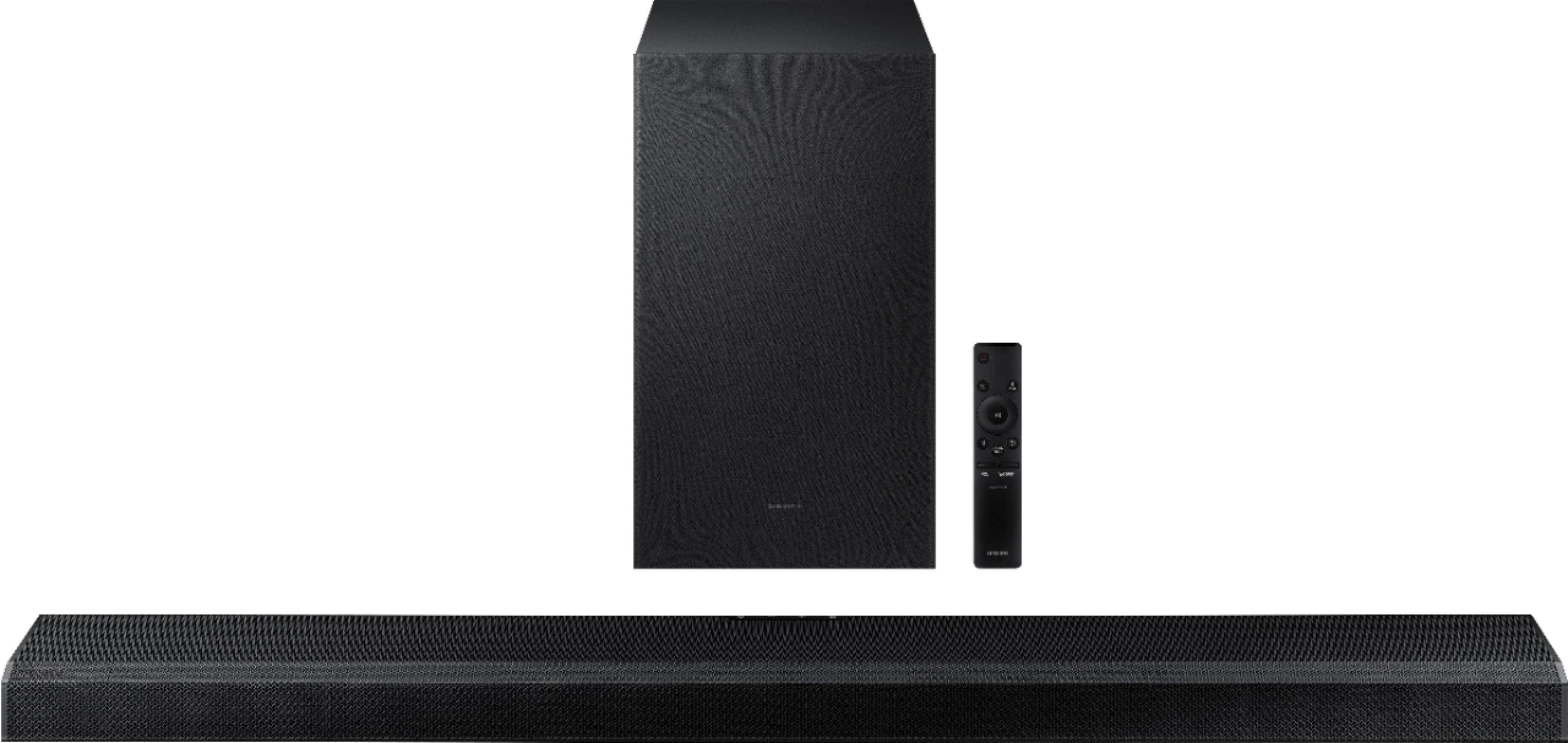
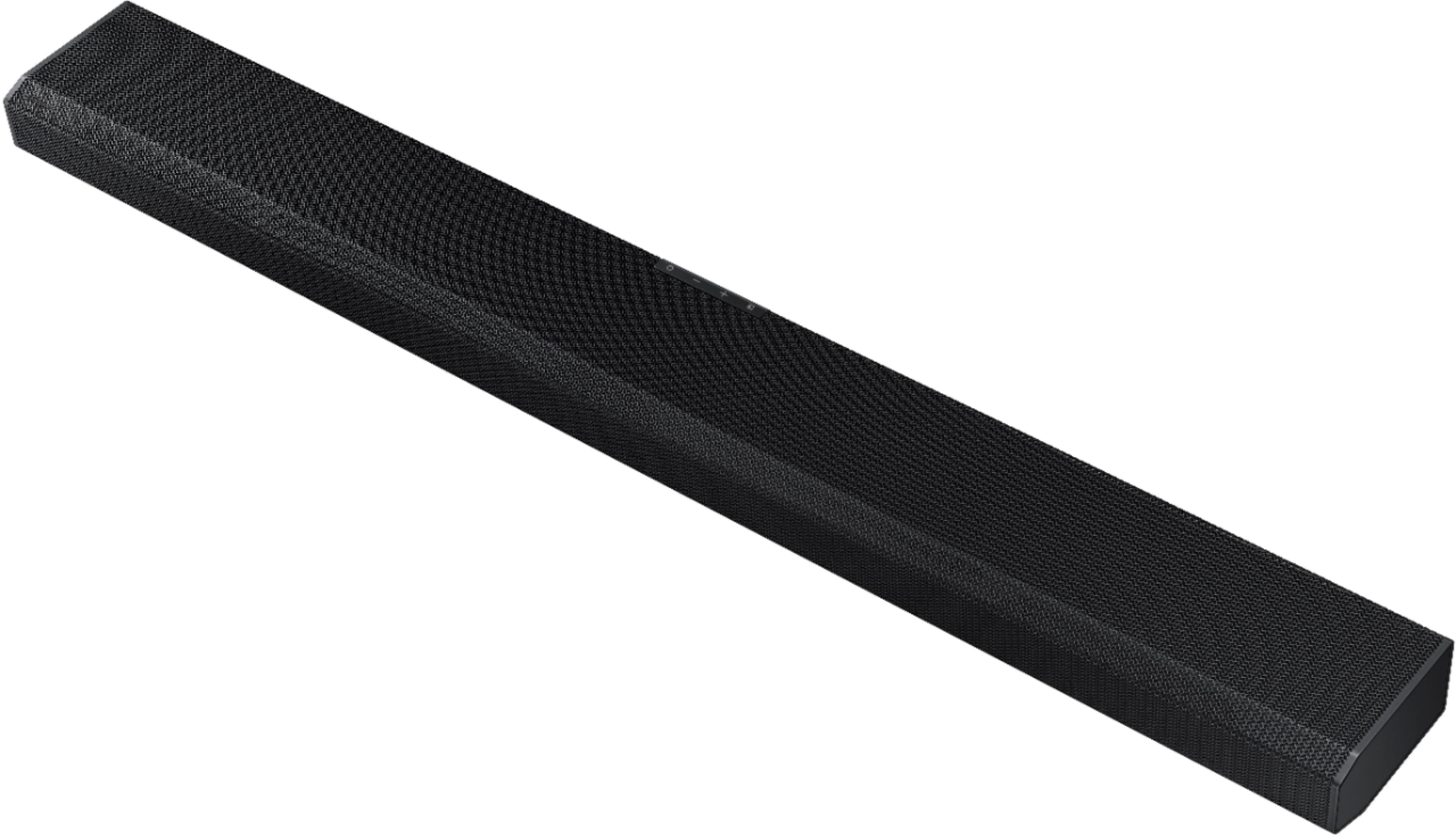
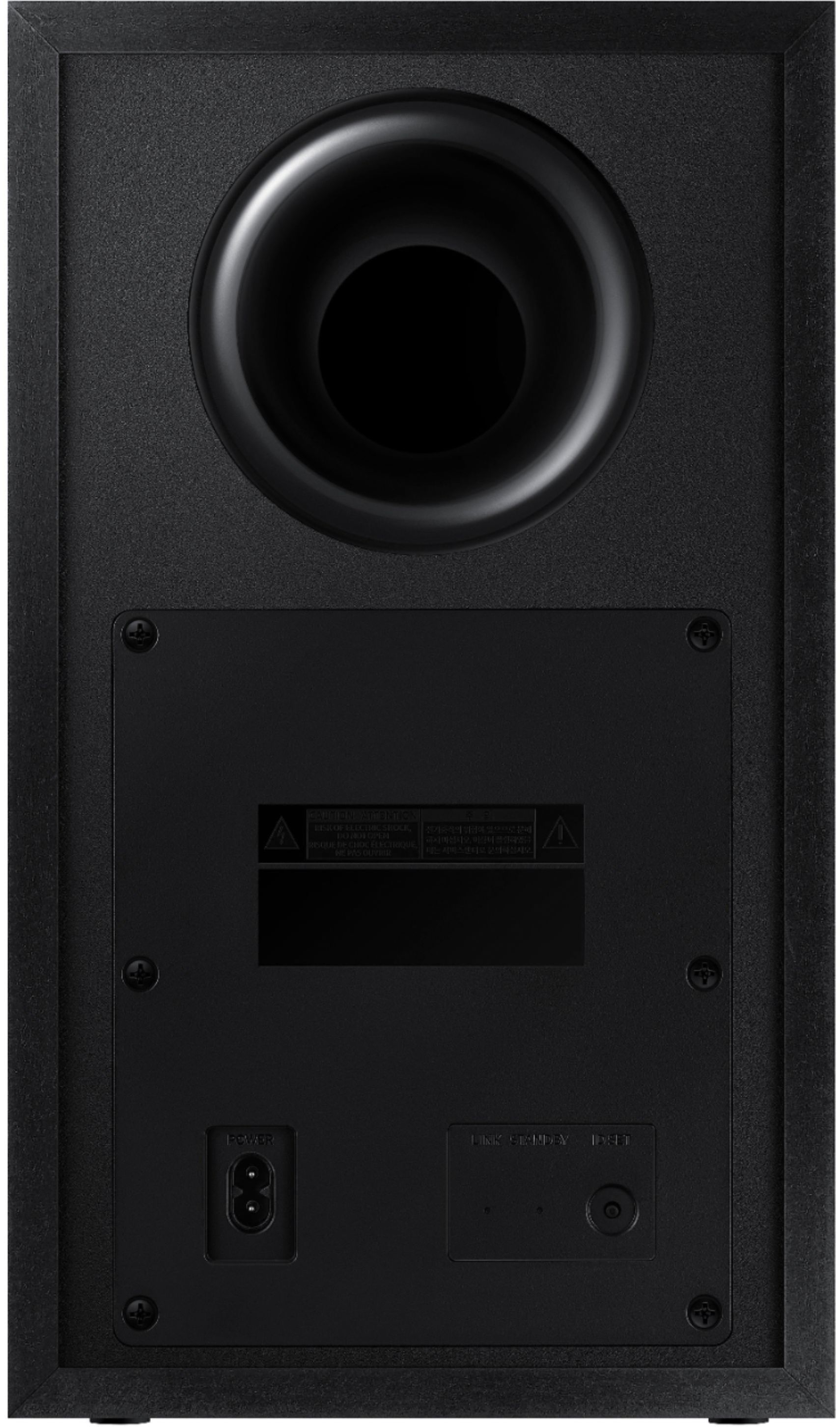
|Posted .This reviewer received promo considerations or sweepstakes entry for writing a review.Summary: I love this speaker. It hits way above its weight class with strong powerful sound, great feature set and a good look overall. It is easy to set up and can be expanded for greater surround sound. Unboxing: The box is extremely form fitting to the device and comes packaged in an L shape box. Inside you will find the speaker, an HDMI cable, power cables, the subwoofer, a remote and some documentation. It is well packed to protect it in transit and easy to unbox. Set up: If you simply want to plug it in and go that is available to you. The Subwoofer is wireless but it is pre-synced with the sound bar so you won’t have to do anything fancy to get them paired. There is a separate power cable for the subwoofer and the sound bar. The HDMI cable should be connected to the HDMI-ARC connection for greatest feature set and the ability to control the volume and power with just your TV remote. I highly recommend digging through your TV settings and ensuring your sound is set up for some sort of surround compatibility so you don’t limit yourself to a setup that doesn’t bring out the full feature set. I tried further setup on a Samsung S21 Ultra but had some difficulty pairing them together. After a number of tries, it did eventually work and updated the firmware. If you use a Samsung Phone, you can pair it with Samsung Smartthings and add it to your home devices in their ecosystem. Bluetooth streaming is a breeze with Samsung phones and you can simply hover your phone near the device to get them paired up for audio. Use/performance: I tried it out with my Xbox One Series X and Apple TV 4K which both have Atmos support. Configuration on those devices was minimal but you have to ensure Atmos is enabled. Watching a few movies that have Atmos support, I was in love with this speaker. The top firing speakers are not mind blowing but they provide additional fullness to the sound and greater immersion. The sound bar and subwoofer are extremely loud if you so wish and the audio has great contrast between highs and lows. Bass is powerful so I did have to turn that down a bit. Upgrading: There are addition wireless surround speakers available for purchase with this unit but you would have to set them up to pair with the device the first time. If you are looking for better surround, I highly recommend that upgrade for a full 5.1.2 system. Even though the app pairing was a bit wonky, I think the only other thing I would like improved is the build quality of the subwoofer, it feels a little on the cheaper side of build quality. Even with those hits against it, I still give it 5 out of 5 stars.
I would recommend this to a friend Don't waste your money.
||Posted . Owned for 1 month when reviewed.This reviewer received promo considerations or sweepstakes entry for writing a review.Does not provide great sound. It's definitely not worth the price
No, I would not recommend this to a friendBrand response from Samsung
Posted .Hi Steve,
Thank you for sharing your review of the Samsung HW-Q700A Soundbar. We appreciate your feedback regarding the audio performance of your soundbar. This soundbar features a powerful wireless subwoofer, as well Acoustic Beam which keeps your sound in sync with the action.
You can try optimizing audio performance for your specific content by pressing the SOUND MODE button on your remote, and then selecting the desired sound effect by choosing STANDARD, SURROUND SOUND, GAME PRO, or ADAPTIVE SOUND
You can further adjust TREBLE and BASS via the SOUND CONTROL button (looks like a gear symbol).
Refer to pages 9-10 of the User Manual for detailed instructions: https://downloadcenter.samsung.com/content/UM/202104/20210416033935001/AH81-13903A-00_FM_HW-Q700A_ZA_ENG_210409.0.pdf
If you need further assistance, please know we are here to help. You can reach Samsung Customer Support at:
1-800-SAMSUNG (ask for Soundbars), available 8AM - 12AM EST, 7 days a week.
For additional support resources, visit us on the Samsung website and click on the ‘Support’ link in the upper right corner of the homepage for:
1) Chat with Us/Product Help: To begin a chat or find solutions, choose ‘TVs & Home Theater’ and select your model & topic.
2) Manuals & Software
3) Warranty Info
4) Register a Product: For access to easy warranty support, convenient opt-in to special promos and offers, faster troubleshooting and service, and quick notification of system updates
5) Contact Us
~ Samsung Ambassador
Don’t buy open box! They don’t have all the parts!
||Posted .This reviewer received promo considerations or sweepstakes entry for writing a review.Don’t ever buy open box. The remote was missing, I’ve been on hold for over 45 minutes to be told that I have to drive approximately 60 minutes to the nearest store in the hopes that they have a sound system to replace the one I bought, that’s stated all the items where included……
No, I would not recommend this to a friendBrand response from Samsung
Posted .Hi,
Thank you for purchasing the Samsung HW-Q700A Soundbar. We appreciate you sharing your feedback regarding parts missing from your recent purchase. If purchased brand-new and unopened, please contact Samsung Customer Support and a representative will gladly help you. If purchased in open-box condition, we recommend contacting Best Buy directly for assistance.
We hope your issue is resolved in a timely manner.
If there is anything we can do to improve your rating of the product from a 1-star, such as optimize settings or assist with setup, please call us at 1-800-SAMSUNG (ask for Soundbars), available 8AM - 12AM EST, 7 days a week.
For additional support resources, visit us on the Samsung website and click on the ‘Support’ link in the upper right corner of the homepage for:
1) Chat with Us/Product Help: To begin a chat or find solutions, choose ‘TVs & Home Theater’ and select your model & topic.
2) Manuals & Software
3) Warranty Info
4) Register a Product: For access to easy warranty support, convenient opt-in to special promos and offers, faster troubleshooting and service, and quick notification of system updates
5) Contact Us
~ Samsung Solutions
Worst entertainment purchase ever
||Posted . Owned for 1 week when reviewed.This reviewer received promo considerations or sweepstakes entry for writing a review.Tiny tin sound sooo disappointed. Remote is useless, must use app on phone, zero bass and i have wasted more than 10 hours with tec support, And it's made me decide to never purchase a Samsung product again remember that I have their phone and their TVI am beyond disappointed
No, I would not recommend this to a friendBrand response from Samsung
Posted .Hi txtomcat,
We appreciate you sharing your feedback regarding the performance of your HW-Q700A sound system.
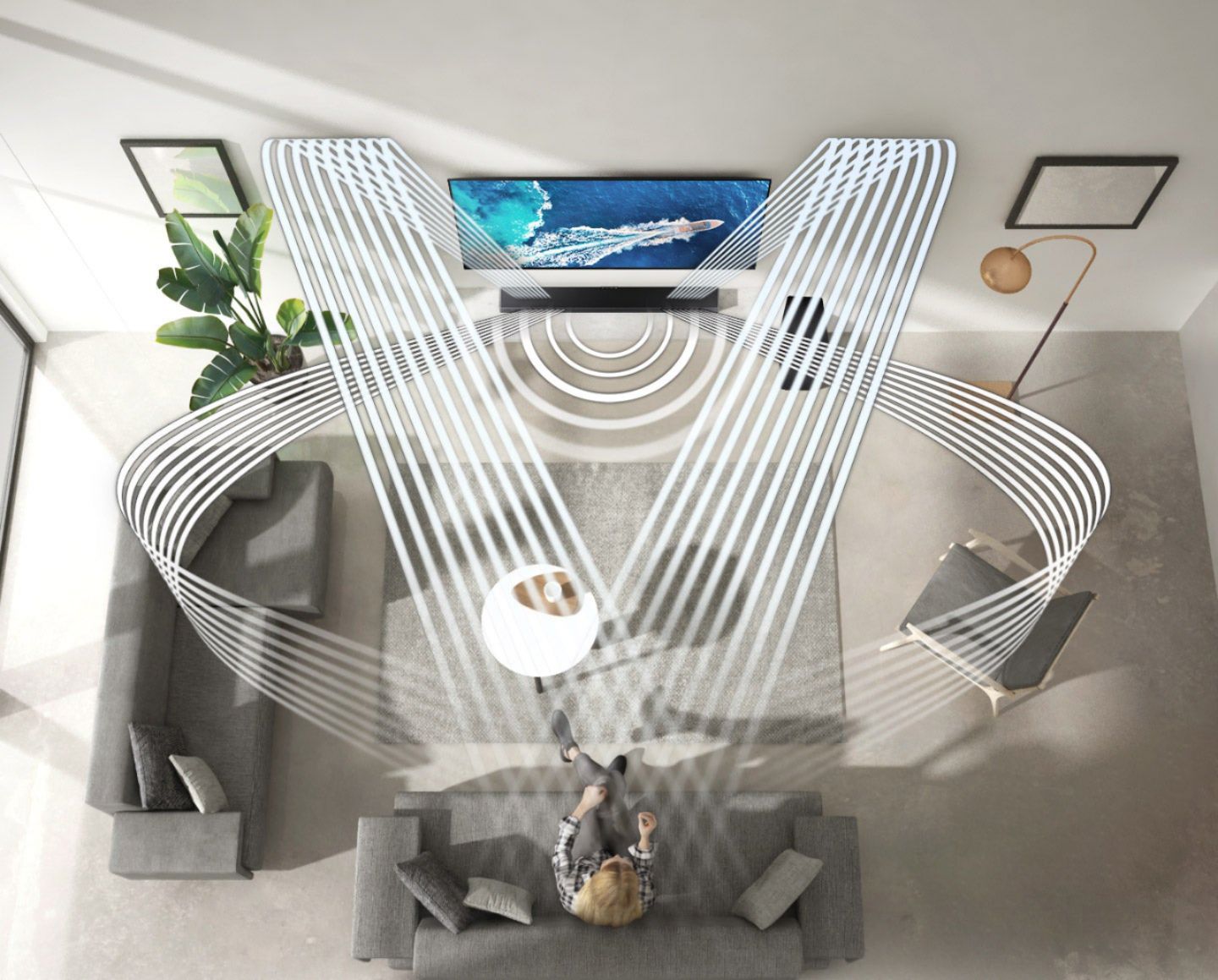
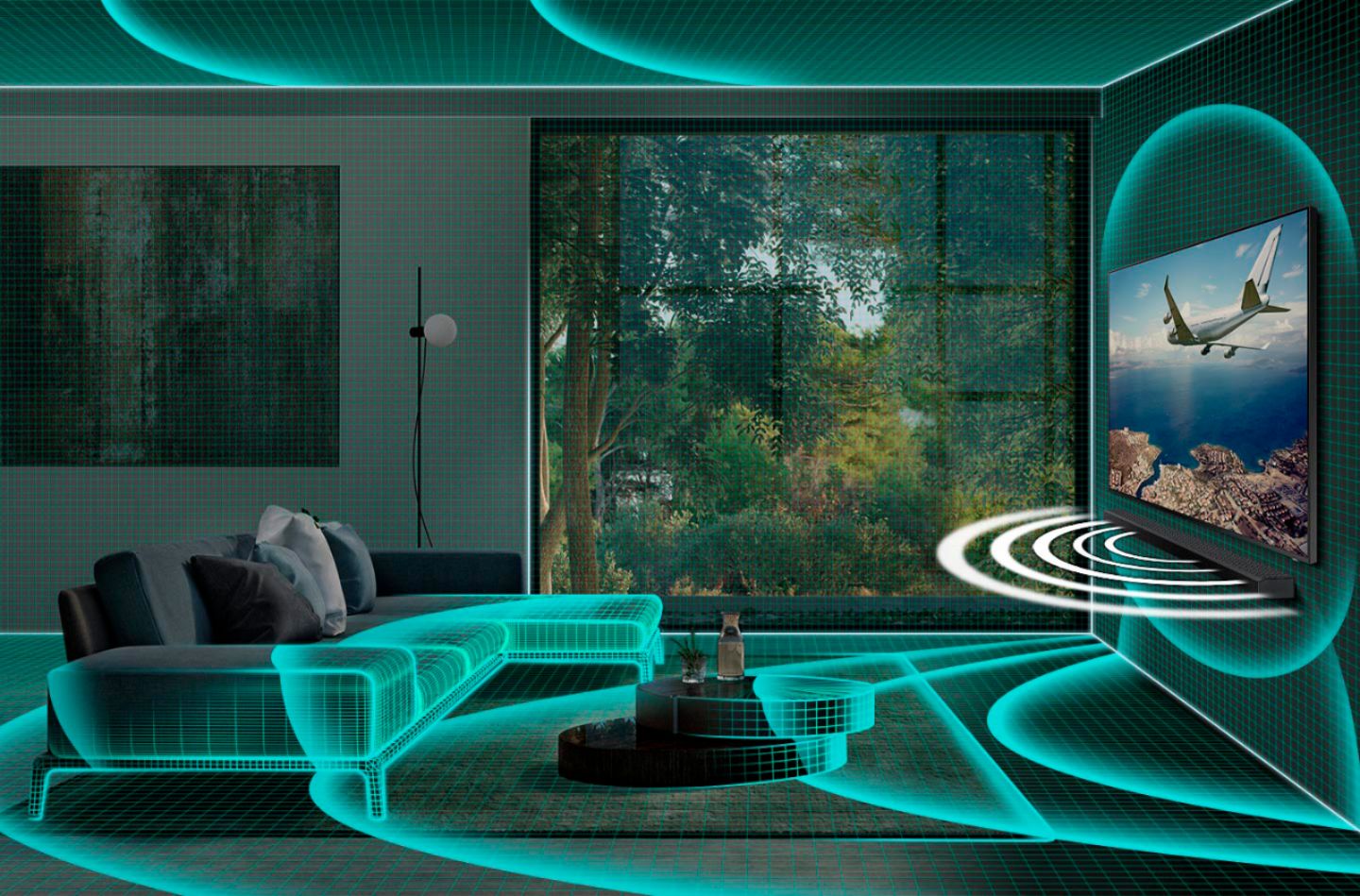
Our 2021 HW-Q700A 3.1.2ch Acoustic Beam Soundbar was designed to deliver immersive 3D sound. Speakers firing from the front, side, and top brings the surround sound to life. Adaptive Sound automatically analyzes the sound signal to optimize sound based on each scene including voices at the lowest volumes.
You can try optimizing audio performance for your specific content by pressing the SOUND MODE button on your remote, and then selecting the desired sound effect by choosing STANDARD, SURROUND SOUND, GAME, or ADAPTIVE SOUND.
Additionally, there are two adjustments that can be made to maximize bass from the soundbar and subwoofer:
1) Using the WOOFER button on the remote, you can adjust the level between -6 to +6. To set the subwoofer volume level to 0, press the button in.
2) Adjust the bass control by pressing the SOUND CONTROL button (gear icon) on the remote control, then select BASS to increase the level. You can adjust the volume between -6 to +6 by using the Up/Down buttons.
For precise audio adjustments, you can use the 7-band frequency equalizer to optimize the sound for your room acoustics.
I hope this helps you better enjoy your audio experience.
Should you ever have questions or need help, please call us at 1-800-SAMSUNG (ask for Soundbars), available 8AM - 12AM EST, 7 days a week.
For additional support resources, visit us on the Samsung website and click on the ‘Support’ link in the upper right corner of the homepage for:
1) Chat with Us/Product Help: To begin a chat or find solutions, choose ‘TVs & Home Theater’ and select your model & topic.
2) Manuals & Software
3) Warranty Info
4) Register a Product: For access to easy warranty support, convenient opt-in to special promos and offers, faster troubleshooting and service, and quick notification of system updates
5) Contact Us
~ Samsung Solutions