Customer Ratings & Reviews

- Model:
- HW-R650/ZA
- SKU:
- 6327857
Rating by feature
- Value
Rating 4.4 out of 5 stars
- Quality
Rating 4.5 out of 5 stars
- Ease of Use
Rating 4.5 out of 5 stars
Customers are saying
Customers are positive about the sound quality, easy setup, price, bass, and Bluetooth connectivity of the 3.1-Channel 340W Soundbar System with 6-1/2" Wireless Subwoofer. They appreciate the impressive sound quality, simple setup process, affordability, strong bass, and convenient Bluetooth connection. However, some customers have expressed concerns about the connectivity issues, limited volume, and size of the soundbar and subwoofer.
This summary was generated by AI based on customer reviews.
- Cons mentioned:Connectivity
Okay sound/problematic Bluetooth
||Posted . Owned for 1 month when reviewed.This reviewer received promo considerations or sweepstakes entry for writing a review.Most of the time it does not connect via Bluetooth and you have to pair it again. Sound quality is okay. Not impressed.
No, I would not recommend this to a friendBrand response from Samsung
Posted .JJmik:
Thank you for purchasing this Samsung HW-R650 Soundbar featuring a dedicated center channel for clear dialogue and a wireless subwoofer for deep bass. I am sorry to hear that you are not completely happy with performance.
To optimize your audio experience, please try the various sound modes this model offers. Press the SOUND MODE button on your remote, and then select your desired sound effect: STANDARD, SURROUND SOUND, GAME, or SMART.
You can further adjust TREBLE and BASS via the SOUND CONTROL button (looks like a gear symbol).
Please refer to pages 22-24 in the User Manual for audio setting adjustments: http://downloadcenter.samsung.com/content/UM/201903/20190312112428032/HW-R650_ZA_FullManual_00_ENG_190211.pdf
So that we can better troubleshoot the Bluetooth connection concern, please reach out to us at:
1) Phone: 1-800-SAMSUNG
Available 8AM - 12AM EST (Mon-Fri) / 9AM - 11PM EST (Sat-Sun)
2) LiveChat: https://www.samsung.com/us/support/#contact_us_for_support
3) Facebook Messenger: https://www.facebook.com/samsungsupport
4) Twitter: https://twitter.com/SamsungSupport
5) The Samsung Members Community is also a great resource for getting help from Samsung moderators and customers: https://us.community.samsung.com
If you have not already done so, we invite you to register your new Samsung product at: https://us.community.samsung.com
Registering your product gives you access to easy warranty support, convenient opt-in to special promos and offers, faster troubleshooting and service, and quick notification of system updates.
Still not sure I like this product.
||Posted . Owned for 3 months when reviewed.This reviewer received promo considerations or sweepstakes entry for writing a review.Sound is very difficult to adjust between television stations, I have to turn the sound bar off when watching some programs with fluxing sound track.
No, I would not recommend this to a friendWoofer and Sound Bar
||Posted . Owned for 9 months when reviewed.This reviewer received promo considerations or sweepstakes entry for writing a review.Woofer is a five star rating but the sounder is only a two star rating. I willing to help Samsung with a much needed engineering change.
No, I would not recommend this to a friendOk for sound, Issues with Source default
||Posted . Owned for 1 month when reviewed.This reviewer received promo considerations or sweepstakes entry for writing a review.Bought this sound bar to go with a Samsung Smart tv. Sound bar works better than the TV speakers, but the subwoofer is lacking. TV is connected via HDMI to the cable box & TV. Extremely annoyed with the having to change the source on the sound bar every time the tv 7 sound bar are turned on. The sound bar does not remember the last source used, and by connecting the sound bar & tv, I can no longer chance the speaker setting in the tv setup.
No, I would not recommend this to a friendBrand response from Samsung
Posted .MITeCaRa:
Thank you for sharing your review of this Samsung soundbar.
Please know that the soundbar will remember the last setting before it was turned off.
So that we can better assist you with why your soundbar is not remembering the last source used, please reach out to us at:
1) Phone: 1-800-SAMSUNG
Available 8AM - 12AM EST (Mon-Fri) / 9AM - 11PM EST (Sat-Sun)
2) LiveChat: https://www.samsung.com/us/support/#contact_us_for_support
3) Facebook Messenger: https://www.facebook.com/samsungsupport
4) Twitter: https://twitter.com/SamsungSupport
5) The Samsung Members Community is also a great resource for getting help from Samsung moderators and customers: https://us.community.samsung.com
If you have not already done so, we invite you to register your new Samsung product at: https://us.community.samsung.com
Registering your product gives you access to easy warranty support, convenient opt-in to special promos and offers, faster troubleshooting and service, and quick notification of system updates.
We hope to hear from you.
Sounds ok
||Posted . Owned for 1 month when reviewed.This reviewer received promo considerations or sweepstakes entry for writing a review.was expecting better quality sound Maybe the sound could be better with a tv same brand. Not sure
No, I would not recommend this to a friendBrand response from Samsung
Posted .Tcs71:
Thank you for sharing your review of the Samsung HW-R650. I am sorry to see that you are not completely happy with performance.
You can try optimizing audio performance for your specific content by pressing the SOUND MODE button on your soundbar remote, and then selecting the desired sound effect by choosing STANDARD, SURROUND SOUND, GAME, or SMART.
The Sound Control button on the remote (looks like a gear) can be used to adjust TREBLE and BASS.
Press and hold the Sound Control button for about 5 seconds to fine-tune the sound for each of seven frequency bands.
Using the WOOFER button on the remote, you can adjust the volume of the subwoofer between -6 to +6 by toggling the button up or down. To set the subwoofer volume level to 0, press the button down.
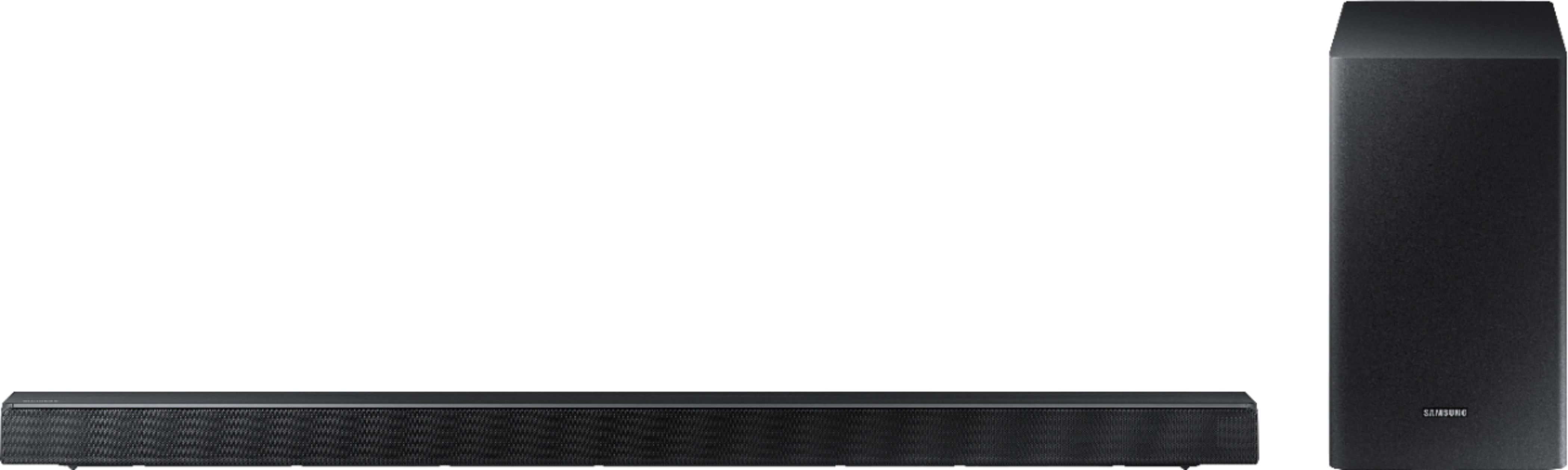
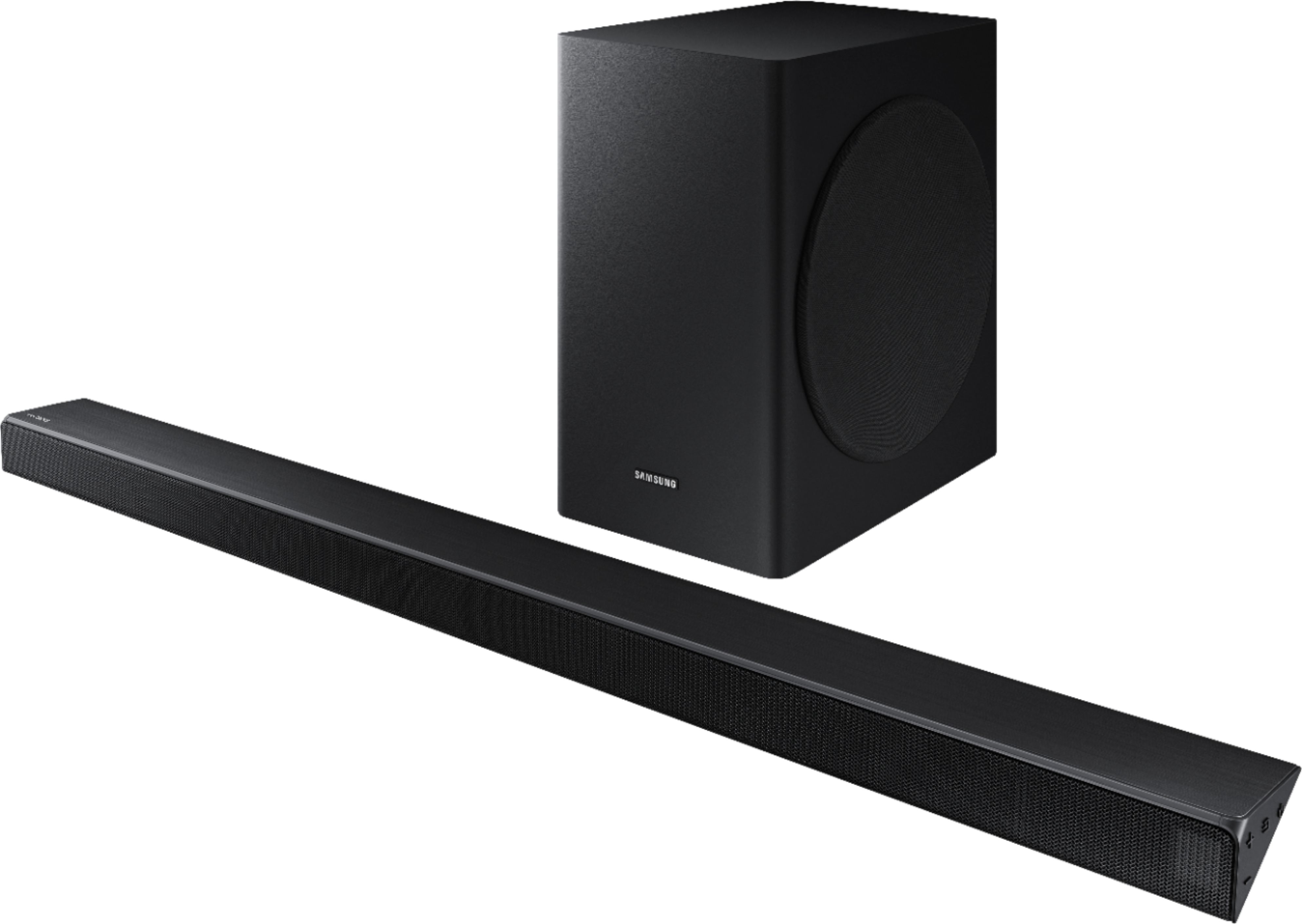
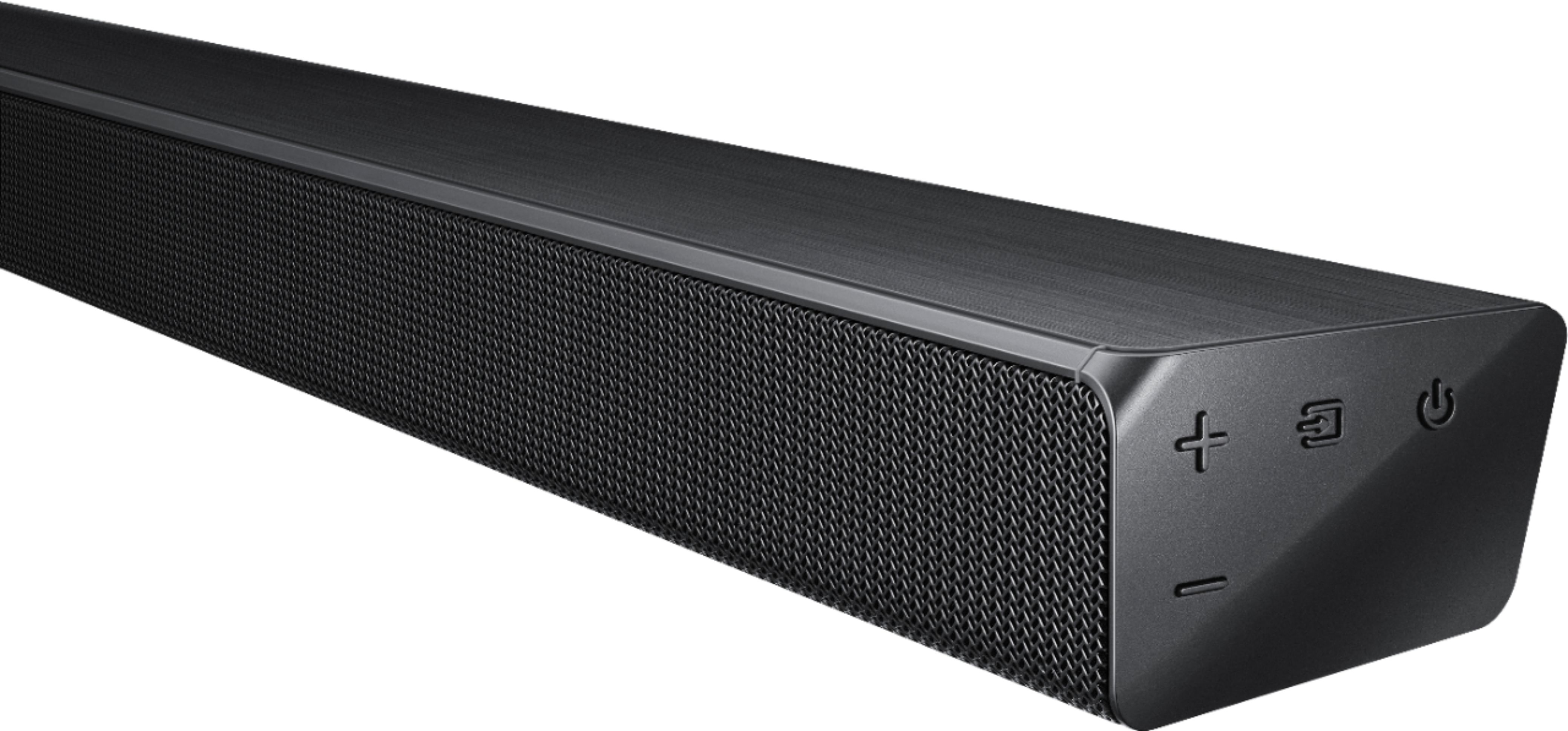
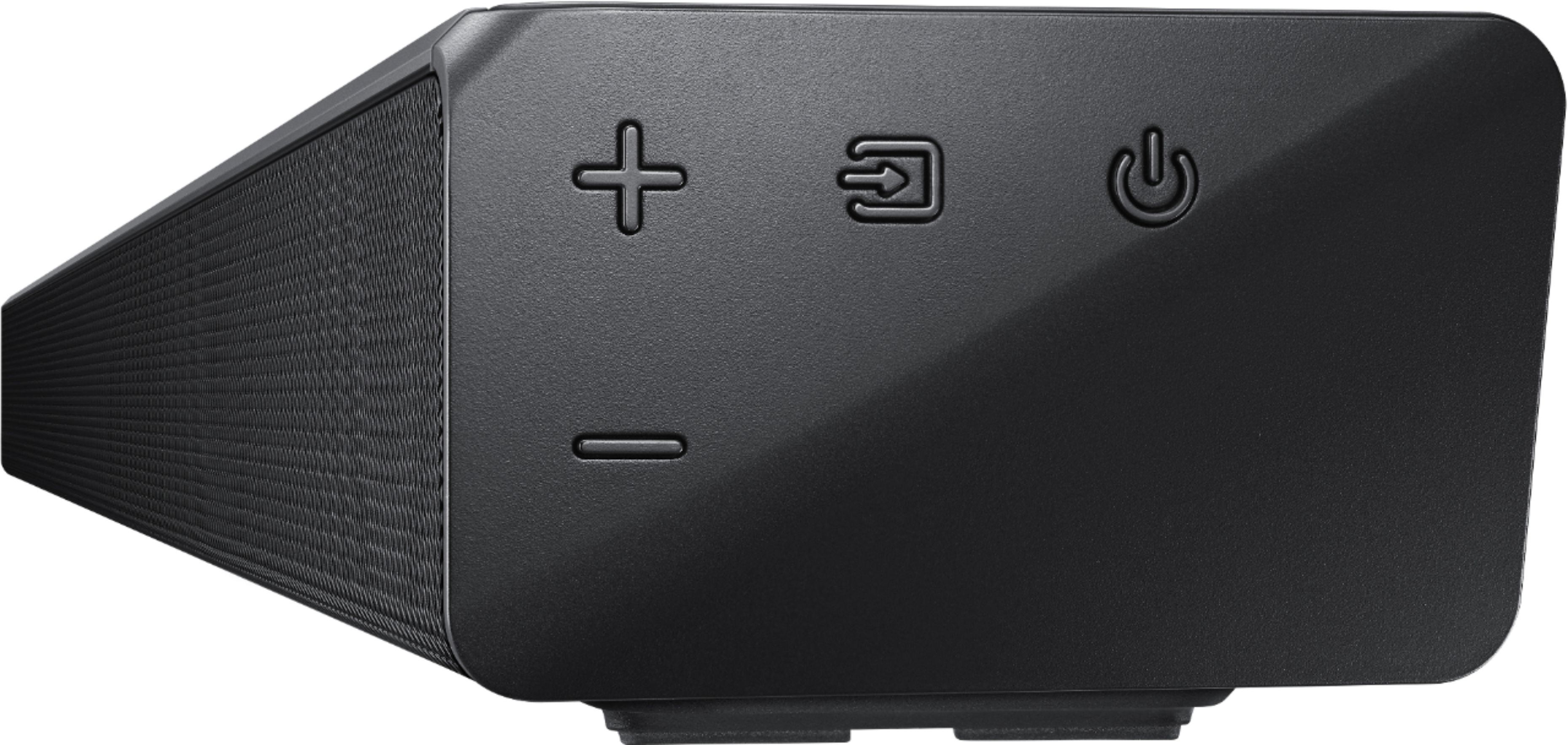
Also, please check that the soundbar is correctly positioned with the SAMSUNG logo facing up towards the ceiling. We have found that many customers are misplacing the soundbar with the SAMSUNG logo perpendicular to the floor (facing you when seated), with the unit resting on the speakers, resulting in muffled sound.
If we can be of more assistance, please reach out to us at:
1) Phone: 1-800-SAMSUNG
Available 8AM - 12AM EST (Mon-Fri) / 9AM - 11PM EST (Sat-Sun)
2) LiveChat: https://www.samsung.com/us/support/#contact_us_for_support
3) Facebook Messenger: https://www.facebook.com/samsungsupport
4) Twitter: https://twitter.com/SamsungSupport
5) The Samsung Members Community is also a great resource for getting help from Samsung moderators and customers: https://us.community.samsung.com
Lastly, we invite you to register your new Samsung product at: https://www.samsung.com/us/support/register/
...for access to easy warranty support, convenient opt-in to special promos & offers, faster troubleshooting & service, and quick notification of system updates.
Sound is Good
||Posted . Owned for 10 months when reviewed.This reviewer received promo considerations or sweepstakes entry for writing a review.I feel that the sound could be a little more rounded less my guess is lack of mid range frequency. Low score for higher price..
I would recommend this to a friend- Pros mentioned:Sound quality
Bummer
||Posted . Owned for 1 week when reviewed.This reviewer received promo considerations or sweepstakes entry for writing a review.It was an open box so I’m hoping it was defective. The volume level would CONTINUALLY go from whatever it was set (usually 12) to level 35; no matter what audio setting the TVs was on! When it was working it really sounded good for the price but I could not get it to stop elevating it’s volume level. I returned it.
No, I would not recommend this to a friend Sound bar
||Posted . Owned for 1 week when reviewed.This reviewer received promo considerations or sweepstakes entry for writing a review.I purchased this for my Mom. It's okay not the best. I would spend more next time to get a better quality.
No, I would not recommend this to a friendMissing Remote
||Posted . Owned for 2 weeks when reviewed.This reviewer received promo considerations or sweepstakes entry for writing a review.Called Twice - 1st time sent to parts team, they were closed 2nd time 1.5 hours wait, asked to be called back - nothing.
I would recommend this to a friendGood
||Posted . Owned for 3 weeks when reviewed.This reviewer received promo considerations or sweepstakes entry for writing a review.Could’ve been easier to connect to tv but other then that it’s a good system. Need to purchase surround sound in addition to this.
I would recommend this to a friendBrand response from Samsung
Posted .Huyd:
Thank you for sharing your review of the Samsung HW-R650 Soundbar.
To check out the specs and features of the compatible SWA-8500S Loudspeaker kit, please visit: https://www.bestbuy.com/site/samsung-wireless-rear-loudspeakers-works-with-select-samsung-soundbars-pair-black/5754510.p?skuId=5754510
If you should ever need help or have questions about features or operation, please know that we are here to help. You can reach us at:
1) Phone: 1-800-SAMSUNG (ask for Soundbars)
Available 8AM - 12AM EST (Mon-Fri) / 9AM - 11PM EST (Sat-Sun)
2) LiveChat or Email: https://www.samsung.com/us/support/#contact_us_for_support
3) Facebook Messenger: https://www.facebook.com/samsungsupport
4) Twitter: https://twitter.com/SamsungSupport
The Samsung Members Community is also a great resource for getting help from Samsung moderators and customers: https://us.community.samsung.com/t5/Get-Help/ct-p/get-help
If you have not already done so, we invite you to register your new Samsung product at: https://www.samsung.com/us/support/register/
Registering your product gives you access to easy warranty support, convenient opt-in to special promos & offers, faster troubleshooting & service, and quick notification of system updates.
Thanks for choosing Samsung.
The remote is a problem
||Posted . Owned for 3 weeks when reviewed.This reviewer received promo considerations or sweepstakes entry for writing a review.There’s a problem. The remote is very hard for me to insert the batteries. So far I can not get good use of the speaker
No, I would not recommend this to a friendOk sound. No bass
||Posted . Owned for 3 weeks when reviewed.This reviewer received promo considerations or sweepstakes entry for writing a review.I bought this on sale for the 3.1 system. There was no bass. I even went to YouTube and used the bass test videos. Still wasn’t impressed. Returned it to Best Buy with no problem and bought the JBL 3.1. It has impressive bass and sound. It shakes the living room. If bass isn’t important to your listening then this Samsung may do ok for you, but if you like bass then this isn’t the soundbar for you.
No, I would not recommend this to a friendBrand response from Samsung
Posted .Papa:
I am very sorry to see that you were not happy with the bass performance on this model and have returned it.
There are two adjustments that can be made for bass and subwoofer:
1) Using the WOOFER button on the remote, you can adjust the volume of the subwoofer between -6 to +6 by toggling the button up or down. To set the subwoofer volume level to 0, press the button down
2) Adjust the bass control by pressing the SOUND CONTROL button (gear icon) on the remote control, then select BASS to increase the level. You can adjust the volume between -6 to +6 by using the Up/Down buttons.
Should you ever decide to give Samsung audio products another try and have concerns or questions, please know we are always here to help. You can contact Samsung Customer Support by any of the below options:
1) Phone: 1-800-SAMSUNG (ask for Soundbars)
Available 8AM - 12AM EST (Mon-Fri) / 9AM - 11PM EST (Sat-Sun)
2) LiveChat: https://www.samsung.com/us/support/#contact_us_for_support
3) Facebook Messenger: https://www.facebook.com/samsungsupport
4) Twitter: https://twitter.com/SamsungSupport
The Samsung Members Community is also a great resource for getting help from Samsung moderators and customers: https://us.community.samsung.com/t5/Get-Help/ct-p/get-help
Again, thank you for taking the time to share your experience. We hope to regain you as a customer in the near future.
real weak
||Posted . Owned for 2 weeks when reviewed.This reviewer received promo considerations or sweepstakes entry for writing a review.for the price, you would assume the sound would be crisp, clear and overall awesome. I maxed out the subwoofer bass and still not strong enough. my logitech 623s put out more power for more than half the price. spent atleast hours and research just to find out this soundbar set sucked. i guess ill just go for the full home theater system. it looks nice though. about the only thing i can give them props for.
No, I would not recommend this to a friendBrand response from Samsung
Posted .Hugo713:
I am very sorry to see that you are not happy with overall sound clarity and bass performance from the wireless subwoofer.
If the soundbar itself is not producing clear sound, please check its positioning as it has come to our attention that customers may be positioning the soundbar incorrectly, resulting in poor sound quality. The soundbar should be placed with the SAMSUNG logo facing up towards the ceiling. If you position the soundbar with the logo facing up, you will see the display/status panel and the speakers will be facing outward. (Refer to product photos on BestBuy.com and zoom in on the photos) If you have incorrectly placed the soundbar with the SAMSUNG logo perpendicular to the floor (facing you when you sit), then sound will be muffled.
There are two adjustments that can be made to maximize the potential of the included wireless subwoofer:
1) Using the WOOFER button on the remote, you can adjust the volume of the subwoofer between -6 to +6 by pressing the button up or down. To set the subwoofer volume level to 0, press the button
2) Adjust the bass control by pressing the SOUND CONTROL button (gear icon) on the remote control, then select BASS to increase the level. You can adjust the volume between -6 to +6 by using the Up/Down buttons.
For precise audio adjustments, you can use the 7-band frequency equalizer to optimize the sound for your room acoustics.
I hope these tips help to solve your issue. For further help, please contact us via any of the below options:
1) Phone: 1-800-SAMSUNG (ask for Soundbars)
Available 8AM - 12AM EST (Mon-Fri) / 9AM - 11PM EST (Sat-Sun)
2) LiveChat or Email: https://www.samsung.com/us/support/#contact_us_for_support
3) Facebook Messenger: https://www.facebook.com/samsungsupport
4) Twitter: https://twitter.com/SamsungSupport
The Samsung Members Community is also a great resource for getting help from Samsung moderators and customers: https://us.community.samsung.com/t5/Get-Help/ct-p/get-help
If you have not already done so, we invite you to register your new Samsung Soundbar at: https://www.samsung.com/us/support/register/
Registering your product gives you access to easy warranty support, convenient opt-in to special promos & offers, faster troubleshooting & service, and quick notification of system updates.
Good sound for a small room!
||Posted . Owned for 1 month when reviewed.This reviewer received promo considerations or sweepstakes entry for writing a review.It works well with my Samsung TV! I wish there was a way to adjust the volume of the surround sound rear speakers!
I would recommend this to a friendBrand response from Samsung
Posted .JimB:
Thank you for purchasing the Samsung HW-R650 soundbar with wireless subwoofer. This model does not have rear surround speakers.
If you wish to adjust the volume of the subwoofer, use the WOOFER button on the remote to adjust the volume between -6 to +6 by toggling the button up or down.
If you need further assistance, please know we are here to help. You can reach Samsung Support via:
1) Phone: 1-800-SAMSUNG
Available 8AM - 12AM EST (Mon-Fri) / 9AM - 11PM EST (Sat-Sun)
2) LiveChat: https://www.samsung.com/us/support/#contact_us_for_support
3) Facebook Messenger: https://www.facebook.com/samsungsupport
4) Twitter: https://twitter.com/SamsungSupport
5) The Samsung Members Community is also a great resource for getting help from Samsung moderators and customers: https://us.community.samsung.com
To optimize your product experience, we encourage you to register your new Samsung product at: https://www.samsung.com/us/support/register/
…and gain access to easy warranty support, convenient opt-in to special promos & offers, faster troubleshooting & service, and quick notification of system updates.
Does not work with Vizio P65 (also from BB)
||Posted . Owned for 10 months when reviewed.This reviewer received promo considerations or sweepstakes entry for writing a review.I usually wait a year before doing reviews. I guess now is time. I bought the vizo Quantum and Samsung soundbar in store thinking the advice would be helpful. Not likely to do that again...to the review. the sound bar does not work consistently on the Vizio Arc connection. infact there are no voice sounds ever, only background. I also have it hooked up with Digital optical which works but was not my intent, two controls. Overall the sound is not that good anyway. very poor voice differentiation. soundbar is no better than the TV built in sound.. Perhaps if used with a Samsung tv it would be better...Feels like I was sold a combination for commission purposes vs compatitibiliy. BTW. the sound bar did not come with any HW to connect to the bottom of the tv. My first mistake, should of taken it back instead of creating an attachment. I have applied all firmware updates to no avail. Honestly I would not buy either again. will do the review on the Vizio shortly...
No, I would not recommend this to a friendGood... not great
||Posted . Owned for 1 month when reviewed.This reviewer received promo considerations or sweepstakes entry for writing a review.This is just an ok soundbar. Set up was easy. Controls are straight forward. Sound is good but nothing special.
I would recommend this to a friendBrand response from Samsung
Posted .JamesMeyerPhoto:
Thank you for purchasing this Samsung HW-R650 Soundbar featuring a dedicated center channel for clear dialogue and a Wireless Subwoofer for deep bass. I am sorry to hear that you are not completely happy with performance.
Please know that the HW-R650 features Smart Sound Mode to automatically analyze your content and optimize sound settings for the best audio delivery. You can also select from STANDARD, SURROUND SOUND, and GAME effects by pressing the SOUND MODE button on the soundbar remote.
If there is anything we can do to improve your enjoyment to 5 stars, please let us know. You can reach Samsung Soundbar Support at:
1) Phone: 1-800-SAMSUNG (ask for Soundbars)
Available 8AM - 12AM EST (Mon-Fri) / 9AM - 11PM EST (Sat-Sun)
2) LiveChat or Email: https://www.samsung.com/us/support/#contact_us_for_support
3) Facebook Messenger: https://www.facebook.com/samsungsupport
4) Twitter: https://twitter.com/SamsungSupport
The Samsung Members Community is also a great resource for getting help from Samsung moderators and customers: https://us.community.samsung.com/t5/Get-Help/ct-p/get-help
If you have not already done so, we invite you to register your new Samsung product at: https://www.samsung.com/us/support/register/
Registering your product gives you access to easy warranty support, convenient opt-in to special promos & offers, faster troubleshooting & service, and quick notification of system updates.
Thanks for choosing Samsung.
Sort of OK
||Posted . Owned for 3 weeks when reviewed.This reviewer received promo considerations or sweepstakes entry for writing a review.We bought it to help clarify the voices for hard of hearing. It really didn't do what we wanted so returned it.
No, I would not recommend this to a friendBrand response from Samsung
Posted .Andy:
Thank you for your review of this Samsung HW-R650 Soundbar. I am sorry that it did not work out for you and have returned the soundbar.
Your overall customer experience feedback is important to us and will be shared with the product team.
Should you ever decide to give Samsung audio products another try and have concerns or questions, please know we are always here to help. You can contact Samsung Customer Support by any of the below options:
1) Phone: 1-800-SAMSUNG (ask for Soundbar) Available 8AM - 12AM EST (Mon-Fri) / 9AM - 11PM EST (Sat-Sun)
2) LiveChat or Email: https://www.samsung.com/us/support/#contact_us_for_support
3) Facebook Messenger: https://www.facebook.com/samsungsupport
4) Twitter: https://twitter.com/SamsungSupport
The Samsung Home Theater & Home Audio Community is also a great resource for getting help from Samsung moderators and customers: https://us.community.samsung.com/
Again, thank you for taking the time to share your experience. We hope to regain you as a customer in the near future.
- Samsung Solutions
I wasn’t impressed
||Posted . Owned for 1 month when reviewed.This reviewer received promo considerations or sweepstakes entry for writing a review.Not that much bass and I have to turn it up every time it comes on which is delayed. Not a big fan
No, I would not recommend this to a friendTerrible samsung support
||Posted . Owned for 4 months when reviewed.This reviewer received promo considerations or sweepstakes entry for writing a review.Being a loyal samsumg customer, phones, tvs, tablet, figured this was a no brainer. Bought the sytem dec.2019, subwoofer stopped connecting in Feb. Contacted tech support and spent 2 hrs going over various options to reset. Finally said to pack it up and ups back, shipping label sent. Never bothered telling to pack in one box. 2 weeks+ to get a second label. Technicians got it fixed, march 10. System has been lost by ups since march 13, over a month now. Filed claim with ups and samsung, who have not lifted a finger to resolve this. We are waiting for ups to decide it is lost. I have tried every option including small claims court, good luck during covid 19. From Facebook I have from other former Samsung customers of same issues and no satisfaction. Buyer be warned.
No, I would not recommend this to a friendNot sure because we can't get it to work
||Posted . Owned for 3 weeks when reviewed.This reviewer received promo considerations or sweepstakes entry for writing a review.We can't get it to connect with our TV which is not good. And the cables needed you have to by separate
No, I would not recommend this to a friendBrand response from Samsung
Posted .Evy0416:
I am sorry to see that you are having some difficulties with setting up your Samsung HW-R650 with your TV.
An Optical Cable is included with this unit for connecting to your TV. You can also connect via Bluetooth or HDMI.
Please refer to pages 10-12 in the User Manual on how to connect to your TV: http://downloadcenter.samsung.com/content/UM/201903/20190312112428032/HW-R650_ZA_FullManual_00_ENG_190211.pdf
If you need further assistance, please know we are here to help. You can reach Samsung Support via:
1) Phone: 1-800-SAMSUNG
Available 8AM - 12AM EST (Mon-Fri) / 9AM - 11PM EST (Sat-Sun)
2) LiveChat: https://www.samsung.com/us/support/#contact_us_for_support
3) Facebook Messenger: https://www.facebook.com/samsungsupport
4) Twitter: https://twitter.com/SamsungSupport
5) The Samsung Members Community is also a great resource for getting help from Samsung moderators and customers: https://us.community.samsung.com
If you have not already done so, we invite you to register your new Samsung product at: https://us.community.samsung.com
Registering your product gives you access to easy warranty support, convenient opt-in to special promos and offers, faster troubleshooting and service, and quick notification of system updates.