Customer Ratings & Reviews





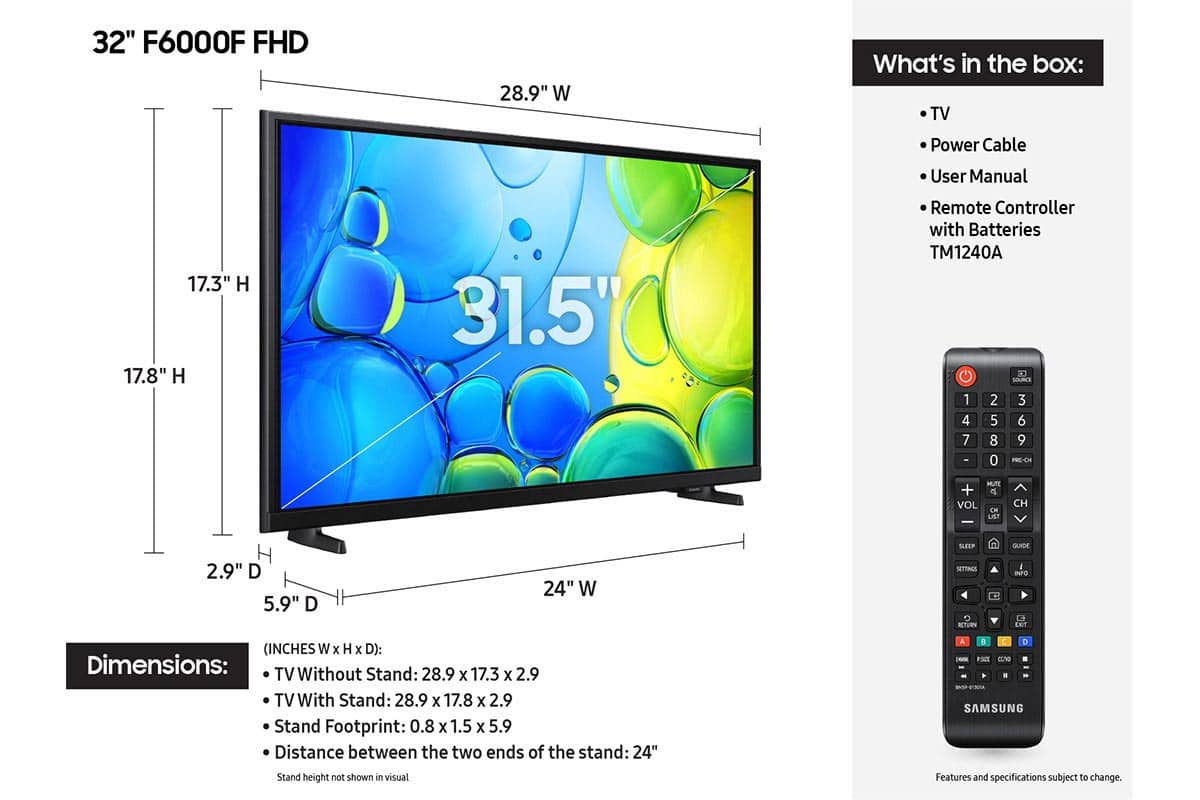






- Model:
- UN32F6000FFXZA
- SKU:
- 11997357
Rating by feature
- Picture Quality
Rating 4.8 out of 5 stars
- Sound Quality
Rating 4.5 out of 5 stars
- Brightness
Rating 4.8 out of 5 stars
- Cons mentioned:Responsiveness
This tv is slow and a hassle
||Posted . Owned for 6 months when reviewed.This reviewer received promo considerations or sweepstakes entry for writing a review.I would never purchase this tv again. I have had it for months now and it reverts to Samsung tv every time you turn it off. So if you want to watch certain apps, you have to select HDMI. The remote control is one of the worst I’ve ever had. It’s just not intuitive. Compared to my Sony in the living room, this tv is slow and requires effort to do the simplist things.
No, I would not recommend this to a friendBrand response from Samsung
Posted .Hi SoCalLiz,
Thank you for your review. While your F6000F TV may currently default to Samsung TV Plus when powered on, you can customize what your TV does at startup by adjusting the Start Screen Options.
To do this, navigate to: Settings > All Settings > Advanced Features > Start Screen Option and choose from the following:
1. Start with Smart Hub Home – Automatically launches Smart Hub when the TV is turned on. You can enable or disable this option based on your preference.
2. Autorun Multi View Casting – If you cast YouTube content from your mobile device, the TV will automatically display the content using Multi View.
3. Autorun Multi View Mirroring – When you screen mirror your mobile device, Multi View will automatically open to show your device’s screen.
If you need help adjusting these settings or have any other questions, please contact Samsung Support at 1-800-SAMSUNG, 8AM – 12AM EST, 7 days a week. LiveChat agents are also available by clicking on the ‘Support’ link on our website.
~Samsung Advisor
- Pros mentioned:Weight
Good tv
||Posted .This reviewer received promo considerations or sweepstakes entry for writing a review.Very good tv great brightness and I love the weight
I would recommend this to a friend - Pros mentioned:Picture quality
Decent TV for the price
||Posted . Owned for 2 weeks when reviewed.This reviewer received promo considerations or sweepstakes entry for writing a review.This Samsung has great picture quality especially considering the low price. However, the sound quality of the built in speakers is disappointing. Also, only two HDMI ports and an antenna input limits connectivity; if you use the HDMI ARC to output sound then you basically have a single input.
I would recommend this to a friendBrand response from Samsung
Posted .Hi MichaelT,
Thank you for purchasing Samsung’s F6000F TV and for sharing your feedback regarding low volume. To start, we recommend making sure your TV is running the latest firmware, as updates can include improvements to sound performance: Home > left directional key > Settings > Support > Software Update
If volume levels still seem too low, you can improve sound performance by adjusting a few key settings:
Sound Mode: Navigate to: Settings > All Settings > Sound > Sound Mode
Auto Volume: This feature helps maintain consistent volume levels across content and input sources. Turn it on under: Settings > All Settings > Sound > Expert Settings > Auto Volume = On
You can also explore Expert Settings to fine-tune sound output with adjustments for Balance, Equalizer, and more.
For personalized support with these settings or selecting a soundbar to complement your setup, contact Samsung Support at 1-800-SAMSUNG (8AM – 12AM EST, 7 days a week) or use LiveChat via the ‘Support’ link on our website.
~ Samsung Advisor
- Pros mentioned:Picture quality
New TV
||Posted . Owned for 1 month when reviewed.This reviewer received promo considerations or sweepstakes entry for writing a review.Love this TV, picture is so clear. The sound is fire. We will be buying a 2nd tv for another room.
I would recommend this to a friend Buy it
||Posted . Owned for 2 weeks when reviewed.This reviewer received promo considerations or sweepstakes entry for writing a review.Love their products. Ordered for my daughter. Picture is super clear volume is great. Love the Samsung tv option as well. Definitely buying another different size for my other kids
I would recommend this to a friend- Pros mentioned:Picture quality
Samsung 32 inch TV
||Posted .This reviewer received promo considerations or sweepstakes entry for writing a review.Very satisfied at this time.I would purchase another Samsung television.I have three at this time.
I would recommend this to a friend - Pros mentioned:Picture quality
Samsung awesome TV
||Posted .This reviewer received promo considerations or sweepstakes entry for writing a review.Samsung 32" was very easy to setup. The picture quality is excellent. Picked it up during Black Friday pricing.
I would recommend this to a friend - Pros mentioned:Picture quality
Great value for the price.
||Posted .This reviewer received promo considerations or sweepstakes entry for writing a review.After the time it takes to activate all of the apps, the television works very well. I need to figure out how to have it go to the HDMI 1 input when the TV is turned on.
I would recommend this to a friend - Pros mentioned:Setup ease
nice tv
||Posted . Owned for 2 weeks when reviewed.This reviewer received promo considerations or sweepstakes entry for writing a review.cool tv, easy to set up. good for older people with bigger button remote
I would recommend this to a friend Worth it
||Posted . Owned for 1 month when reviewed.This reviewer received promo considerations or sweepstakes entry for writing a review.This tv is just what I wanted for a spare bedroom. As stated under reviews there is a slight delay with the remote but not a big issue for me. Overall completely happy with it.
I would recommend this to a friend- Pros mentioned:Picture quality
Samsung tv
||Posted . Owned for 1 month when reviewed.This reviewer received promo considerations or sweepstakes entry for writing a review.It works great for the space we have. Great picture
I would recommend this to a friend - Pros mentioned:Picture quality
Samsung Smart TV review
||Posted . Owned for 1 month when reviewed.This reviewer received promo considerations or sweepstakes entry for writing a review.Screen provides a clear, sharp picture and colors are vibrant.
I would recommend this to a friend - Pros mentioned:Picture quality
Nice tv
||Posted .This reviewer received promo considerations or sweepstakes entry for writing a review.Good buy, excellent for the little space we have, nice image, sharp, very good value.
I would recommend this to a friend - Pros mentioned:Picture quality
Samsung TV
||Posted . Owned for 2 weeks when reviewed.This reviewer received promo considerations or sweepstakes entry for writing a review.Really pleased with this TV easy to sett up and dowmload my apps. Crystaal clear picture. Sales person at the store helped me decide on this product. Very helpful.
I would recommend this to a friend - Pros mentioned:Picture quality
Great 32” Samsung Smart TV
||Posted . Owned for 3 weeks when reviewed.This reviewer received promo considerations or sweepstakes entry for writing a review.This works so much better with my streaming services that I subscribe to. It has all but eliminated the frozen screens and being kicked out often. It’s hard to find a small screen tv that can handle multiple streaming services but this does the job well.
I would recommend this to a friend - Pros mentioned:Picture quality
great tv for the price
||Posted .This reviewer received promo considerations or sweepstakes entry for writing a review.This TV was purchased for my guest bedroom. It was easy to set up and the picture quality is great.
I would recommend this to a friend - Pros mentioned:Picture quality
This was exactly what I was looking for!
||Posted . Owned for 3 weeks when reviewed.This reviewer received promo considerations or sweepstakes entry for writing a review.Excellent screen for the price and just the right features as well!
I would recommend this to a friend - Pros mentioned:Size
Office TV
||Posted .This reviewer received promo considerations or sweepstakes entry for writing a review.Perfect size TV for small office and don't have all the fancy bells and whistles for external soundbar or anything else but for OTA is excellent.
I would recommend this to a friend - Pros mentioned:Size
Small room tv
||Posted .This reviewer received promo considerations or sweepstakes entry for writing a review.This is a great set for a small room. I was a great gift for a kid's room,
I would recommend this to a friend - Pros mentioned:Picture quality
Samsung
||Posted . Owned for 1 month when reviewed.This reviewer received promo considerations or sweepstakes entry for writing a review.Excellent and crystal clear picture my father loved this item.
I would recommend this to a friend