Customer Ratings & Reviews
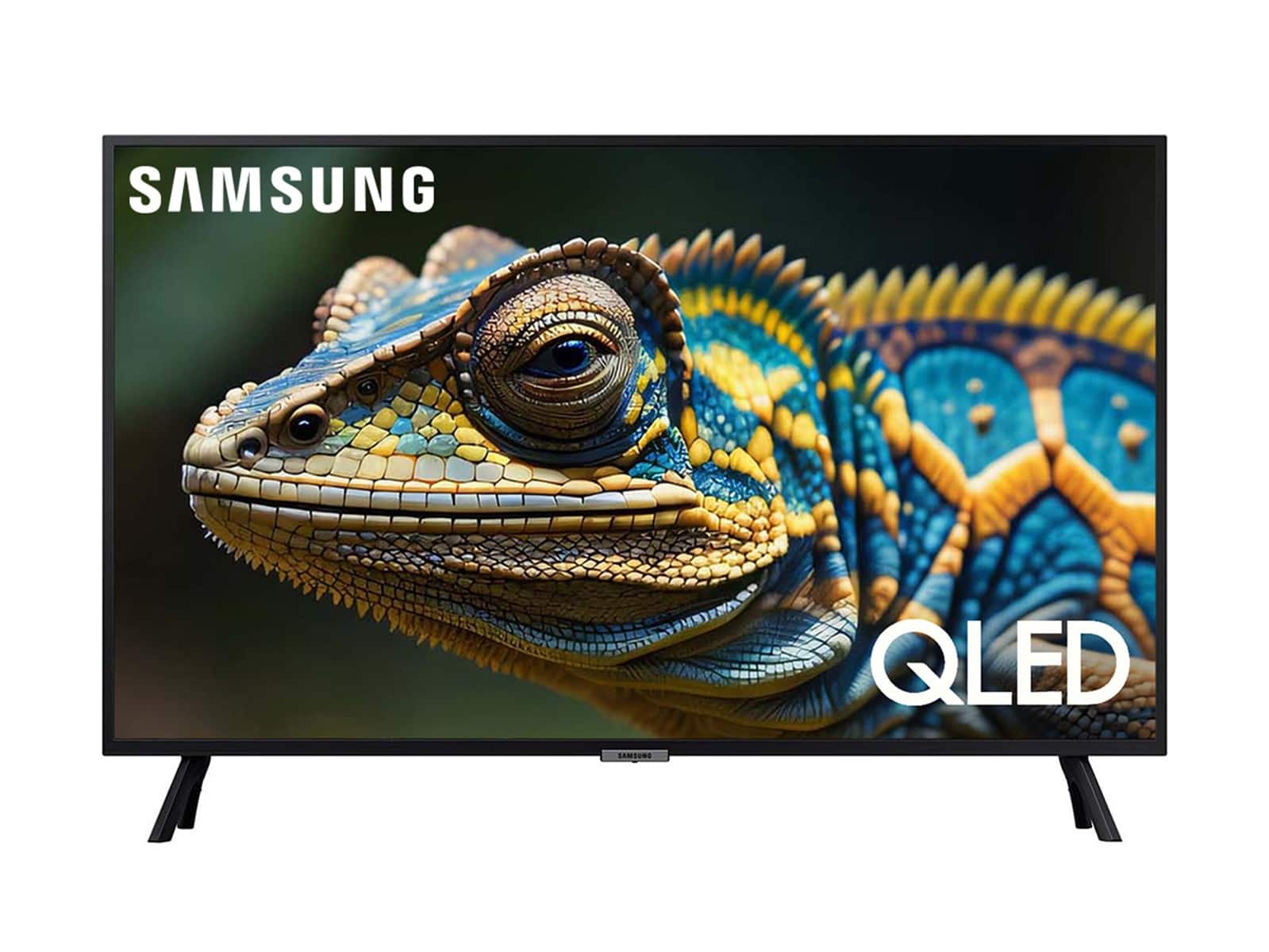
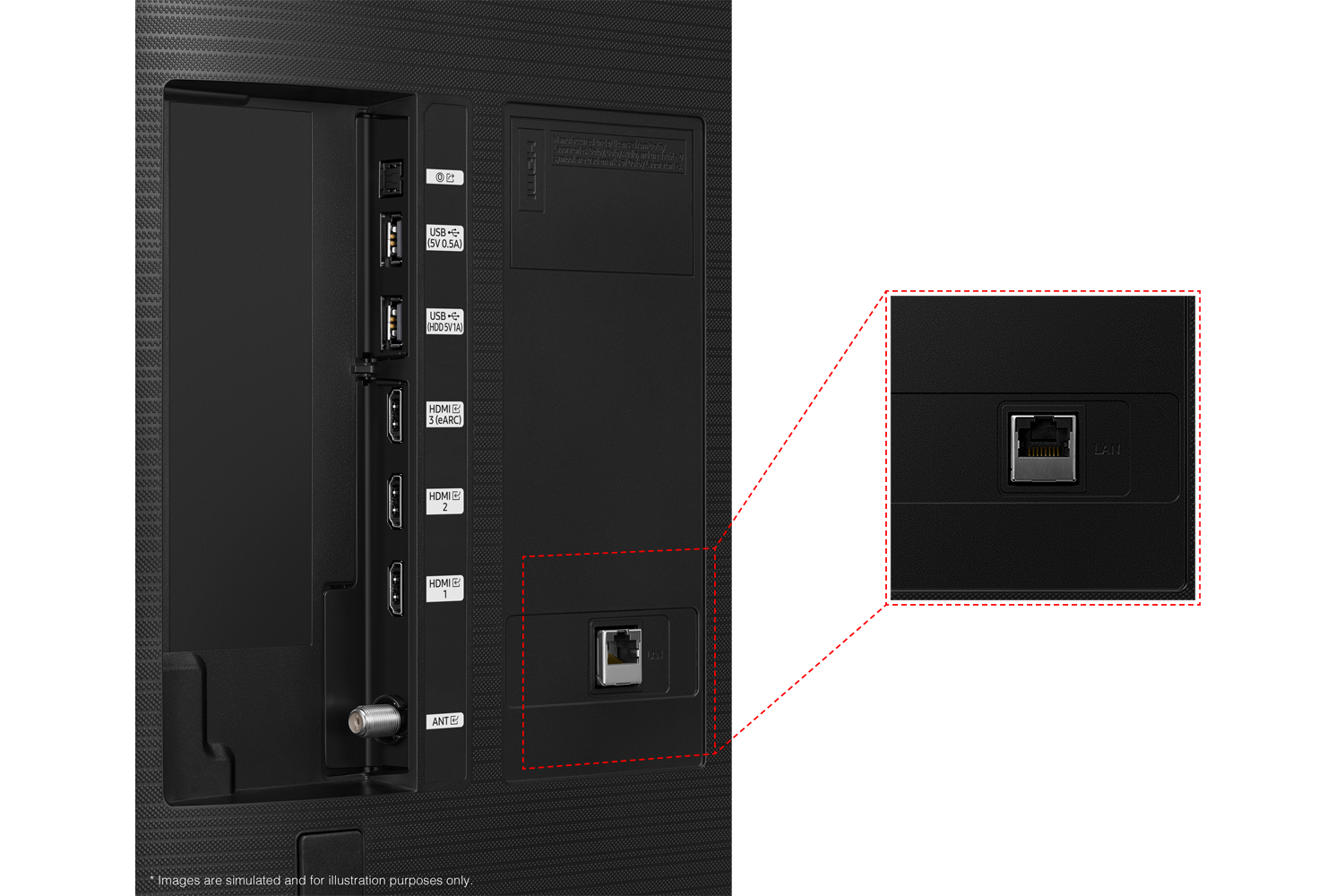
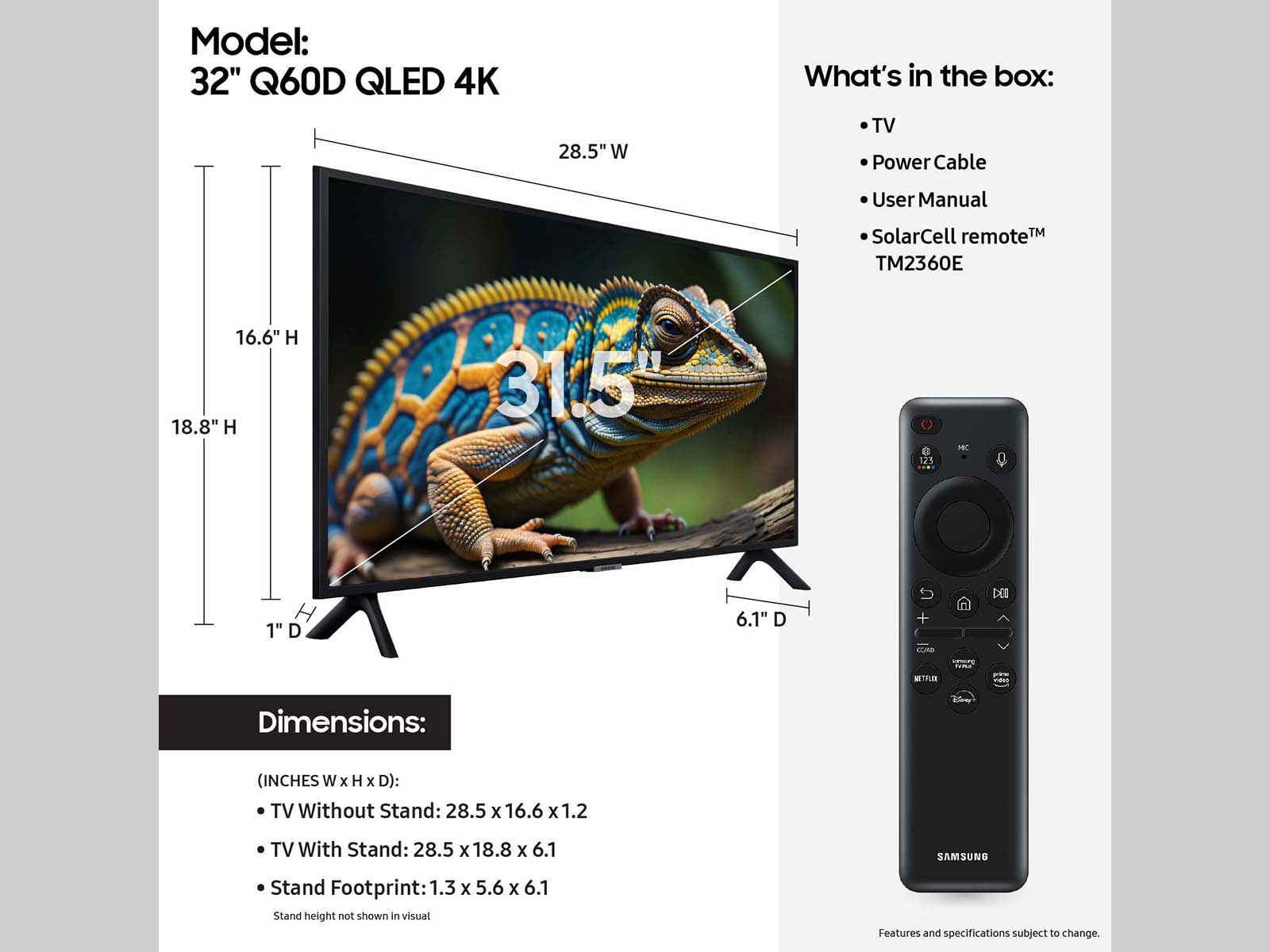






- Model:
- QN32Q60DAFXZA
- SKU:
- 10961923
Rating by feature
- Picture Quality
Rating 4.8 out of 5 stars
- Sound Quality
Rating 4.5 out of 5 stars
- Brightness
Rating 4.8 out of 5 stars
to a friend
Average
||Posted . Owned for 1 week when reviewed.This reviewer received promo considerations or sweepstakes entry for writing a review.Nice tv. However, it is not the most user friendly .
I would recommend this to a friendMike Jarboe
||Posted . Owned for 1 month when reviewed.This reviewer received promo considerations or sweepstakes entry for writing a review.All good to acceptable. I had difficulty navigating the setting, but OK .. now.
I would recommend this to a friendOpened before but sold as new
||Posted . Owned for 3 weeks when reviewed.This reviewer received promo considerations or sweepstakes entry for writing a review.I bought the Samsung 32" Q60D QLED TV as new. When I opened the box, it was obvious that it had been opened - the insturctions were taped onto the package and the screws for the feet were missing. Check before you leave the store! The TV itself is great.
I would recommend this to a friendBrand response from Samsung
Posted .JanetY,
We appreciate you sharing your purchase experience. We recommend you contact Best Buy Customer Support or your local Best Buy store directly for assistance in correcting this situation. We hope your issue is resolved in a timely manner.
Should you have questions or concerns regarding the usage or setup of your TV once your issue has been resolved, please contact Samsung Customer Support at 1-800-SAMSUNG, 8AM - 12AM EST, 7 days a week. Or visit us on the Samsung website and click on the ‘Support’ link for:
• LiveChat
• Manuals, Software, & Warranty Info
~ Samsung Specialist
TV good setup hard
||Posted . Owned for 3 weeks when reviewed.This reviewer received promo considerations or sweepstakes entry for writing a review.The tv is great. But setup was painful. captions were very hard to get right. Samsung support was very very good. But being on the phone for 2 hours was painful. Now everything is good.
I would recommend this to a friendBrand response from Samsung
Posted .GREAT,
We're sorry to hear you found the setup process complicated. If there's anything we can do to further improve your experience, please reach Samsung Support at 1-800-SAMSUNG, 8AM - 12AM EST, 7 days a week. Our LiveChat agents are also available by clicking on the ‘Support’ link on our website.
~ Samsung Specialist
Inspected by Best Buy
||Posted .This reviewer received promo considerations or sweepstakes entry for writing a review.The TV was missing both the power cord and remote. while it was a scratch and dent item, it was clearly sealed with tape stating, "Inspected by Best Buy". How can item missing critical operating items pass inspection? How could it be determined that the TV even worked without a power cord? The only positive part of this transaction is that it was easy to return at my local BestBuy
No, I would not recommend this to a friendBrand response from Samsung
Posted .kwag82,
We appreciate your feedback regarding parts missing from your TV. If purchased brand-new and unopened, please contact Samsung Customer Support and a representative will gladly help you. If purchased in open-box condition, we recommend contacting Best Buy directly for assistance. We hope your issue is resolved in a timely manner.
Should you have questions or concerns on usage or setup of your TV once your issue has been resolved, please call us at 1-800-SAMSUNG, 8AM - 12AM EST, 7 days a week. Our LiveChat agents are also available by clicking on the ‘Support’ link on our website.
~ Samsung Specialist
Customer
||Posted .This reviewer received promo considerations or sweepstakes entry for writing a review.Remote control device is of poor quality. Best Buy will not send out Geek Squad unless TV is 42" or larger.
No, I would not recommend this to a friendBrand response from Samsung
Posted .StevenC,
We appreciate your review of Samsung’s Q60D TV. So we can better understand the issues you’re experiencing and provide you with troubleshooting assistance, please reach out to Samsung Customer Support at 1-800-SAMSUNG, 8AM - 12AM EST, 7 days a week. Our LiveChat agents are also available by clicking on the ‘Support’ link on our website.
~ Samsung Specialist
Don’t waste your money
||Posted .This reviewer received promo considerations or sweepstakes entry for writing a review.This is a lousy TV. Picture is not very good and the biggest issue is that if you try to connect this TV using wi-fi, it takes FOREVER to connect and bring up the service and the movie, streaming show or station you want to watch. Worst TV I’ve ever owned.
No, I would not recommend this to a friendPurchase a more stable stand with the TV.
||Posted . Owned for 1 month when reviewed.This reviewer received promo considerations or sweepstakes entry for writing a review.The stand for this TV is NOT Stable. Not even 3 months after purchase a cord was lightly moved and it fell and the screen caught on the door of my cabinet. I'm still trying to see if I can fix it.
I would recommend this to a friendBrand response from Samsung
Posted .Thrawn323,
We appreciate your review of Samsung’s Q60D TV. So we can better understand the stand issues you’re experiencing and provide you with assistance, please reach out to Samsung Customer Support at 1-800-SAMSUNG, 8AM - 12AM EST, 7 days a week. LiveChat with an agent as well as manuals, software, and warranty info can be found at the ‘Support’ link on our Samsung website.
~ Samsung Specialist
BAD AUDIO QUALITY!
||Posted . Owned for 3 weeks when reviewed.This reviewer received promo considerations or sweepstakes entry for writing a review.Expecting higher audio quality on this 2024 model! However, Samsung continues to furnish unacceptable sound quality in their smaller screen TV''s. Should have gone with SONY!
No, I would not recommend this to a friendBrand response from Samsung
Posted .SEMPERFI,
Thank you for purchasing Samsung's Q60D TV and for your feedback on the sound. To ensure you’ve got the latest sound quality updates, please confirm that your TV is up to date with the latest firmware version. You can check by going to: Home > Menu > Settings > Support > Software Update.
If the sound is still not to your liking after updating firmware, there are several sound settings you can adjust to suit your personal preferences.
• Sound Modes may better meet your personal preferences. Go to: Menu > Settings > All Settings > Sound > Sound Mode, or Expert Settings to fine-tune and customize your sound.
• Adaptive Sound will also further optimize sound quality by analyzing the viewing space and the acoustic components of the content. Go to: Menu > Settings > All Settings > General & Privacy > Intelligent Mode Settings.
To assist you with possible sound settings adjustments for a better audio experience or choosing a Samsung Soundbar to complement your viewing enjoyment, please reach out to us at 1-800-SAMSUNG, 8 AM - 12 AM EST, seven days a week.
~ Samsung Specialist
Unsatisfied
||Posted . Owned for 1 month when reviewed.This reviewer received promo considerations or sweepstakes entry for writing a review.Was promised by buying the plus membership when I picked up both TVs, I would be able to price match for 60 days. I even have that in writing!! But when I try to get a price match thru chat, I am told I am outside of the 14 day window. I continue to tell them I have a written agreement from the Geek Squad manager. I live 70 miles from the store. It doen't make me a happy customer!
I would recommend this to a friendBrand response from Samsung
Posted .Hi InNeed,
Thank you for sharing your experience with us regarding price matching through Best Buy. I recommend calling your local store so they can better assist you.
Should you ever have questions or need help, Samsung is here for you. Just give us a call at 1-800-SAMSUNG, 8AM - 12AM EST, 7 days a week. Our LiveChat agents are also available by clicking on the ‘Support’ link on our website.
~Samsung Advisor
Regret Buying this model.
||Posted . Owned for 1 month when reviewed.This reviewer received promo considerations or sweepstakes entry for writing a review.The solar cell powered remote has not worked since day 1. Best Buy was unable to help or replace it. Tge audio drops in the middle of a program and sometimes the video disappears. Ii have 5 other models if Samsung TVs and have never had any issues. Can this TV be replaced for me?
No, I would not recommend this to a friendBrand response from Samsung
Posted .ShwetaP,
I’m sorry to hear your Q60D TV’s remote is not working as expected. Please try these steps which may help resolve this:
1. Press and hold Return and Microphone buttons (diagonally up and to the right of Return). This will reset the remote.
2. Stand within 1 foot of the TV and press and hold Return and Play/Pause simultaneously for at least 5 seconds or until a message appears on your TV indicating that the remote is now connected
If you’re still experiencing issues with the remote, please also try the following:
- Unplug the TV for 30 seconds, and plug it back in.
- Try moving closer to the TV and re-pairing.
- Check to see if your remote is charged: Settings > All Settings > General & Privacy > Power and Energy Saving > Available Remote Battery
- Check for available firmware updates on your TV: Settings > Support > Software Update > Update Now
The intermittent audio/picture loss could be prompted by several potential scenarios such as a connection issue, the most common problem, or an issue with an externally connected device and/or its settings.
Please give us the opportunity to further assist you by calling us at 1-800-SAMSUNG, 8AM - 12AM EST, 7 days a week. LiveChat with an agent as well as manuals, software, and warranty info can be found at the ‘Support’ link on our Samsung website.
~ Samsung Specialist
Forced to use a Samsung account
||Posted . Owned for 1 week when reviewed.This reviewer received promo considerations or sweepstakes entry for writing a review.Tv seems ok, I only bought this to run web apps but any time I try to open one to sign in, the tv prompts me to log in with a Samsung account. No, I didn't want to log into a Samsung account, I'm trying to watch Netflix. I'll return it if I can't find a solution that doesn't involve a Samsung account that I don't want.
No, I would not recommend this to a friendBrand response from Samsung
Posted .StevenW,
Thank you for your review. You will need a Samsung Account to access Smart Hub, our network-based smart service that includes apps (e.g., streaming service apps) and our other smart features available through your device.
Should you ever have questions or need help, Samsung is here for you. Just give us a call at 1-800-SAMSUNG, 8AM - 12AM EST, 7 days a week. Our LiveChat agents are also available by clicking on the ‘Support’ link on our website.
~ Samsung Specialist
Tv keeps shutting down.
||Posted . Owned for 1 month when reviewed.This reviewer received promo considerations or sweepstakes entry for writing a review.I love the tv. But I have constant issues with it shutting down randomly. It drives me crazy! To expensive to have that happen.
I would recommend this to a friendBrand response from Samsung
Posted .NicholasB,
It’s unfortunate to hear your Q60D TV is turning off by itself. Please try a few troubleshooting steps that may help solve the issue:
1. Unplug the TV from the wall outlet or surge protector and leave it unplugged for 30 seconds.
2. Check the power cord to see if there is any visible damage.
3. Plug the TV power cord back into the wall outlet. If you were using a surge protector, bypass it for now and use a wall outlet.
4. Try to update the software. In some cases, a software update can correct the problem. There is a risk, however. If the TV turns off during the software update, it could damage the TV. Updates can take up to 30 minutes depending on network speed, so if the TV is not turning off too frequently, try updating the software.
If the TV continues to turn off by itself, please call us at 1-800-SAMSUNG, 8AM - 12AM EST, 7 days a week. Our LiveChat agents are also available by clicking on the ‘Support’ link on our website.
~ Samsung Specialist
32" Class Q60D 4K
||Posted . Owned for 1 month when reviewed.This reviewer received promo considerations or sweepstakes entry for writing a review.The writing on the screen is not legible. Not fond of the remote that came with it ordered compatible one of internet barely works.
No, I would not recommend this to a friendBrand response from Samsung
Posted .JoniJ,
Thank you for sharing your thoughts on the picture quality of your Q60D TV. To ensure you’ve got the latest image quality updates, please confirm that your TV is up to date with the latest firmware version. You can check by going to: Home > Menu > Settings > Support > Software Update.
If the picture you’re seeing is still not to your liking after updating firmware, there are several picture settings you may want to try adjusting.
Go to Home > Menu > Settings > All Settings > Picture > Picture Mode
...and select the mode that best fits your usage:
1. Standard: Is the default mode suitable for general viewing environments
2. Dynamic: Makes the picture brighter and clearer in bright viewing environments
3. Eco: Provided to save energy
4. Movie: Suitable for watching TV or movies in a dark room
5. Filmmaker Mode: Provides source content just as the creators intended. If the image is defined as Filmmaker Mode, it’ll automatically switch to Filmmaker Mode while watching.
So that we can understand the remote issues you've described, please reach out to Samsung Support at 1-800-SAMSUNG, 8AM - 12AM EST, 7 days a week. Our LiveChat agents are also available by clicking on the ‘Support’ link on our website.
We look forward to hearing from you.
~ Samsung Specialist
Used TV
||Posted . Owned for 2 weeks when reviewed.This reviewer received promo considerations or sweepstakes entry for writing a review.Bought what was supposed to be a new tv but the remote and screws were missing and the tv had cleary been used. It was not an open box item and once again was told it was brand new.
No, I would not recommend this to a friendBrand response from Samsung
Posted .We appreciate your feedback regarding parts missing from your TV. If purchased brand-new and unopened, please contact Samsung Customer Support and a representative will gladly help you. If purchased in open-box condition, we recommend contacting Best Buy directly for assistance. We hope your issue is resolved in a timely manner.
Should you have questions or concerns on usage or setup of your TV once your issue has been resolved, please call us at 1-800-SAMSUNG, 8AM - 12AM EST, 7 days a week. Or visit us on the Samsung website and click on the ‘Support’ link for:
• LiveChat
• Manuals, Software, & Warranty Info
~ Samsung Specialist
Open box
||Posted .This reviewer received promo considerations or sweepstakes entry for writing a review.Bought as open box good. Got a cracked tv. Returned same day. Crazy how best buy rated that TV as good for sale. Wasted my time
No, I would not recommend this to a friendBrand response from Samsung
Posted .Hi Manuel,
Thank you for your review and for sharing your open-box experience with the Q60D TV. If you ever have questions or need support, we’re here to help. Call us at 1-800-SAMSUNG, available from 8AM - 12AM EST, seven days a week. You can also connect with a LiveChat agent by clicking the ‘Support’ link on our website.
~ Samsung Advisor
Not for me
||Posted . Owned for 1 month when reviewed.This reviewer received promo considerations or sweepstakes entry for writing a review.I really miss the TV the only thing I miss about it the most is the Futures that it had came with the television the flip side of it I did not like some of the color schemes because it made the movies look fake and ashy
No, I would not recommend this to a friendBrand response from Samsung
Posted .Hi,
We appreciate your review of Samsung’s Q60D TV. So we can better understand the issues you’re experiencing and provide you with troubleshooting assistance, please reach out to Samsung Customer Support at 1-800-SAMSUNG, 8AM - 12AM EST, 7 days a week. Or visit us on the Samsung website and click on the ‘Support’ link for:
• LiveChat
• Manuals, Software, & Warranty Info
~ Samsung Specialist
Training your store sale reps
||Posted . Owned for less than 1 week when reviewed.This reviewer received promo considerations or sweepstakes entry for writing a review.Just a word of advice! when customers buy from your store have sales reps make sure the customer knows about the time sensitive return policy at time of purchase not when the item is being returned!
I would recommend this to a friendBrand response from Samsung
Posted .Customerneedstoknow,
Please know you are leaving a review and 1-star rating for the Q60D TV, but we are sorry to hear of your Best Buy experience, nonetheless. You may want to consider providing feedback directly to the Best Buy store where you made your purchase.
Should you have questions on the Q60D TV itself, Samsung is here for you. You can reach us at 1-800-SAMSUNG, 8AM - 12AM EST, 7 days a week. Our LiveChat agents are also available by clicking on the ‘Support’ link on our website.
~ Samsung Specialist
sorta crappy
||Posted . Owned for 3 months when reviewed.This reviewer received promo considerations or sweepstakes entry for writing a review.i THINK i BOUGHT A LEMON TO REPLACE WHAT i HAD. Not at all satisyied with my choice. sound is not as good channels are way to dark what is a person to do?
No, I would not recommend this to a friendBrand response from Samsung
Posted .Hi there,
I’m sorry to hear you’re not fully satisfied with the Q60D TV’s picture quality. If the image is too dim, please try disabling some of the TV's energy efficiency functions, as these will automatically adjust your picture and may cause your screen to appear brighter or darker than preferred. Go to: Home > Menu > Settings > All Settings > General & Privacy > Power and Energy Saving > turn off Brightness Optimization, Brightness Reduction, and Motion Lighting
You can also customize the brightness level of your screen between 0 – 50 to your preference. Go to: Home > Menu > Settings > All Settings > Picture > Expert Settings
There are also are several sound settings you can adjust to suit your personal preferences.
• Sound Modes may better meet your personal preferences. Go to: Menu > Settings > All Settings > Sound > Sound Mode, or Expert Settings to fine-tune and customize your sound.
• Adaptive Sound will also further optimize sound quality by analyzing the viewing space and the acoustic components of the content. Go to: Menu > Settings > All Settings > General & Privacy > Intelligent Mode Settings.
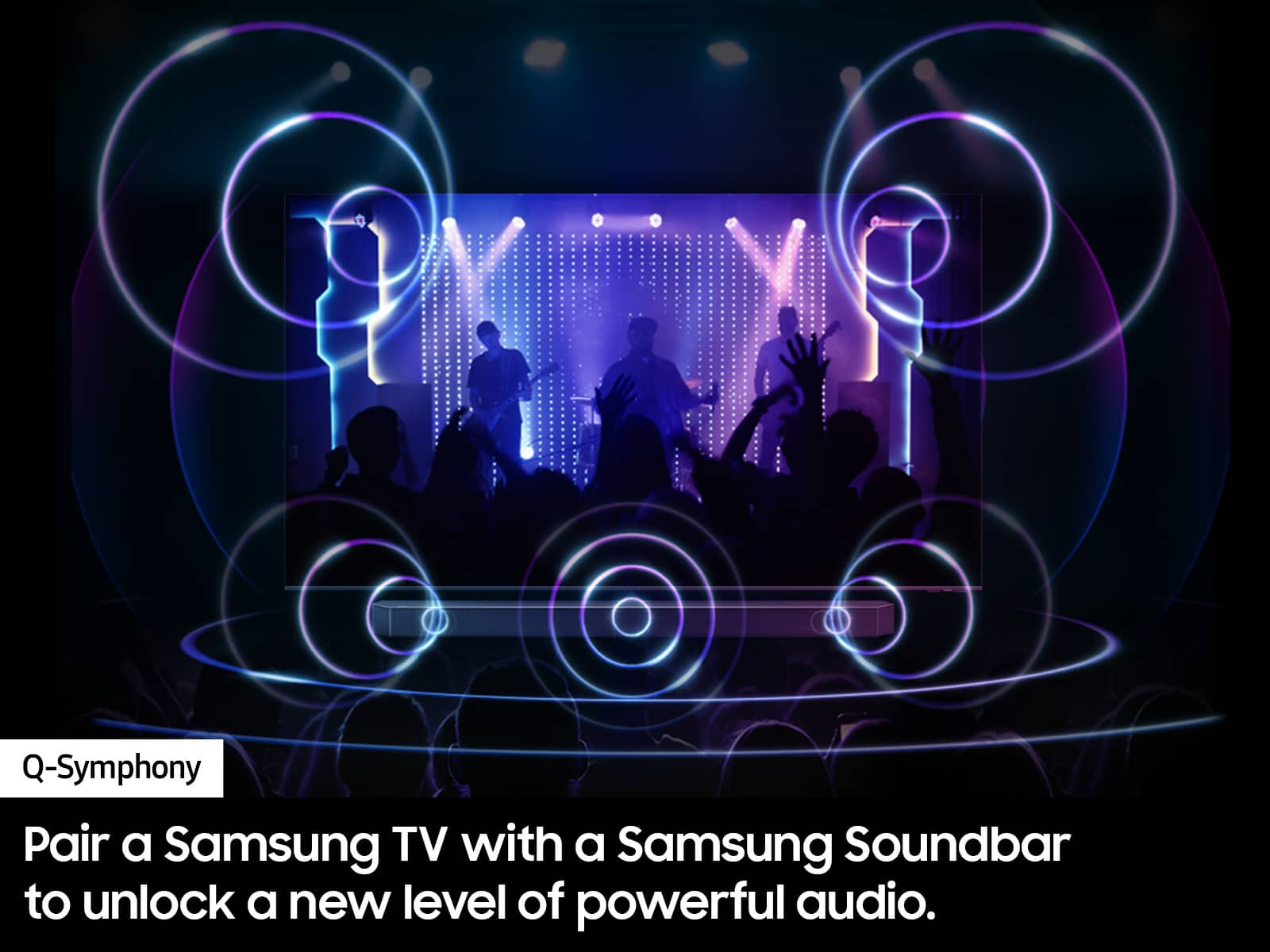
Should you choose to add a Samsung Soundbar to your TV, please know that our Q-Series Soundbars (such as the HW-Q600C) feature Q-Symphony which will synchronize with the speakers of your TV for an immersive 3D sound experience.
To assist you with possible sound settings adjustments for a better audio experience or choosing a Samsung Soundbar to complement your viewing enjoyment, please reach out to us at 1-800-SAMSUNG, 8 AM - 12 AM EST, seven days a week.
~ Samsung Specialist
QLED TV
||Posted . Owned for 1 month when reviewed.This reviewer received promo considerations or sweepstakes entry for writing a review.Sound went on off sometime would quit on its on sometime just come on for a few minutes then turn off again
No, I would not recommend this to a friendBrand response from Samsung
Posted .DonB,
It’s unfortunate to hear you’re not receiving sound from your Q60D TV. There are a few troubleshooting steps you can try:
1) Please check the volume control of your TV, and then check the volume control of any external devices (cable box or satellite box, DVD, Blu-ray, etc.) connected to your TV. Also check the cable connection between any external device and the TV and then try cable connection again.
2) Set Sound Output to TV Speaker by going to: Settings > All Settings > Sound > Sound Output
3) Check whether Digital Output Audio Format is set to Pass-Through by going to Settings > All Settings > Sound > Expert Settings > Digital Output Audio Format > Auto
If there is sound but it is not clear, run a diagnostic test. On the remote control, press the Home button. Go to Settings > Support > Device Care > Self Diagnosis > Sound Test.
I hope this helps. Should your issue persist, please contact Samsung Customer Support at 1-800-SAMSUNG, 8AM - 12AM EST, 7 days a week. Or visit us on the Samsung website and click on the ‘Support’ link for:
• LiveChat
• Manuals, Software, & Warranty Info
~ Samsung Specialist