Customer Ratings & Reviews
- Model:
- LS32DG802SNXZA
- |
- SKU:
- 10893231
Customer reviews
Rating 4.5 out of 5 stars with 340 reviews
(340 customer reviews)Rating by feature
- Display Quality4.7
Rating 4.7 out of 5 stars
- Ease of Use4.4
Rating 4.4 out of 5 stars
- Features4.5
Rating 4.5 out of 5 stars
to a friend
Rated 2 out of 5 stars
Nice screen but bad software
||Posted . Owned for 3 weeks when reviewed.This reviewer received promo considerations or sweepstakes entry for writing a review.Beautiful display but the software is buggy and eventually didn’t turn back on.
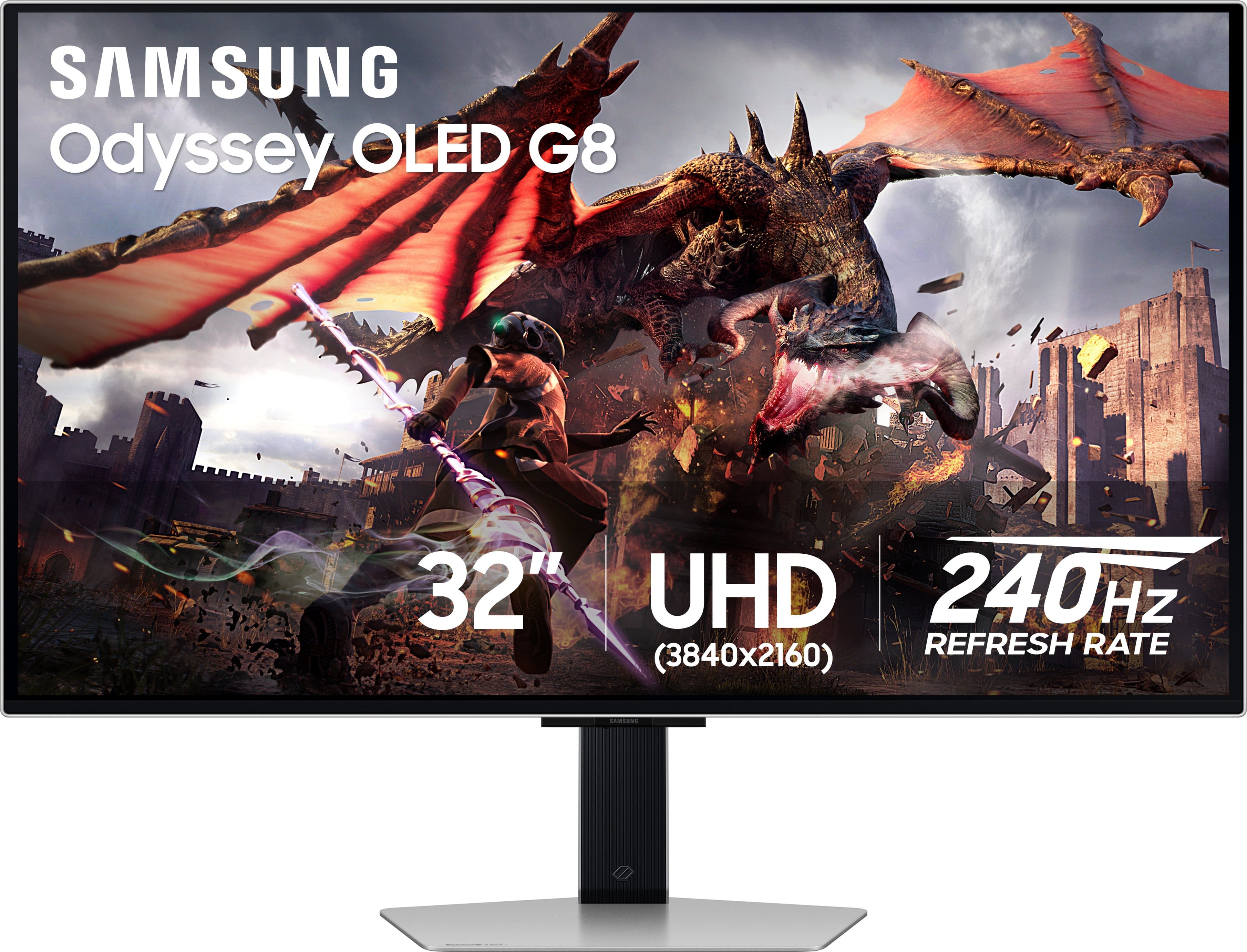
This review is from Samsung - 32" Odyssey OLED G8 (G80SD) 4K UHD 240Hz 0.03ms Smart Gaming Monitor with HDR - Silver
No, I would not recommend this to a friendBrand response from Samsung
Posted .We are very sorry to see that you have encountered issues with the Samsung Odyssey G80SD Monitor. We understand your disappointment and hope that you will give us a chance to assist with troubleshooting or warranty service.
Samsung products are engineered to the highest standards of performance and quality and we back this model with a limited time manufacturer's warranty, if purchased brand-new from an authorized dealer.
For further assistance or to begin warranty service, please contact Samsung Customer Support via:
1-800-SAMSUNG, available 8AM - 12AM EST (Mon-Fri) / 9AM - 11PM EST (Sat-Sun)
Samsung is committed to providing the best possible product experience, quality, and value, and we are always here to help with any of your questions or concerns.
Rated 1 out of 5 stars
Had to return
||Posted . Owned for 1 week when reviewed.This reviewer received promo considerations or sweepstakes entry for writing a review.It had a vertical line. I had to return it. The picture was good otherwise. Sound was teeny.
This review is from Samsung - 32" Odyssey OLED G8 (G80SD) 4K UHD 240Hz 0.03ms Smart Gaming Monitor with HDR - Silver
No, I would not recommend this to a friendBrand response from Samsung
Posted .Thank you for bringing this issue to our attention as Samsung is committed to providing the best possible product experience, quality, and value. Samsung greatly values our customers’ feedback and we utilize your concerns and opinions in our relentless efforts towards delivering world-class products. We are very sorry to hear that you returned this product and hope to have you back as a customer again.
If you ever need assistance in the future, please contact Samsung Customer Support and a rep will be happy to assist you:
1-800-SAMSUNG, available 8AM - 12AM EST (Mon-Fri) / 9AM - 11PM EST (Sat-Sun)
Rated 5 out of 5 stars
Best multi-domain monitor EVER - gaming etc.
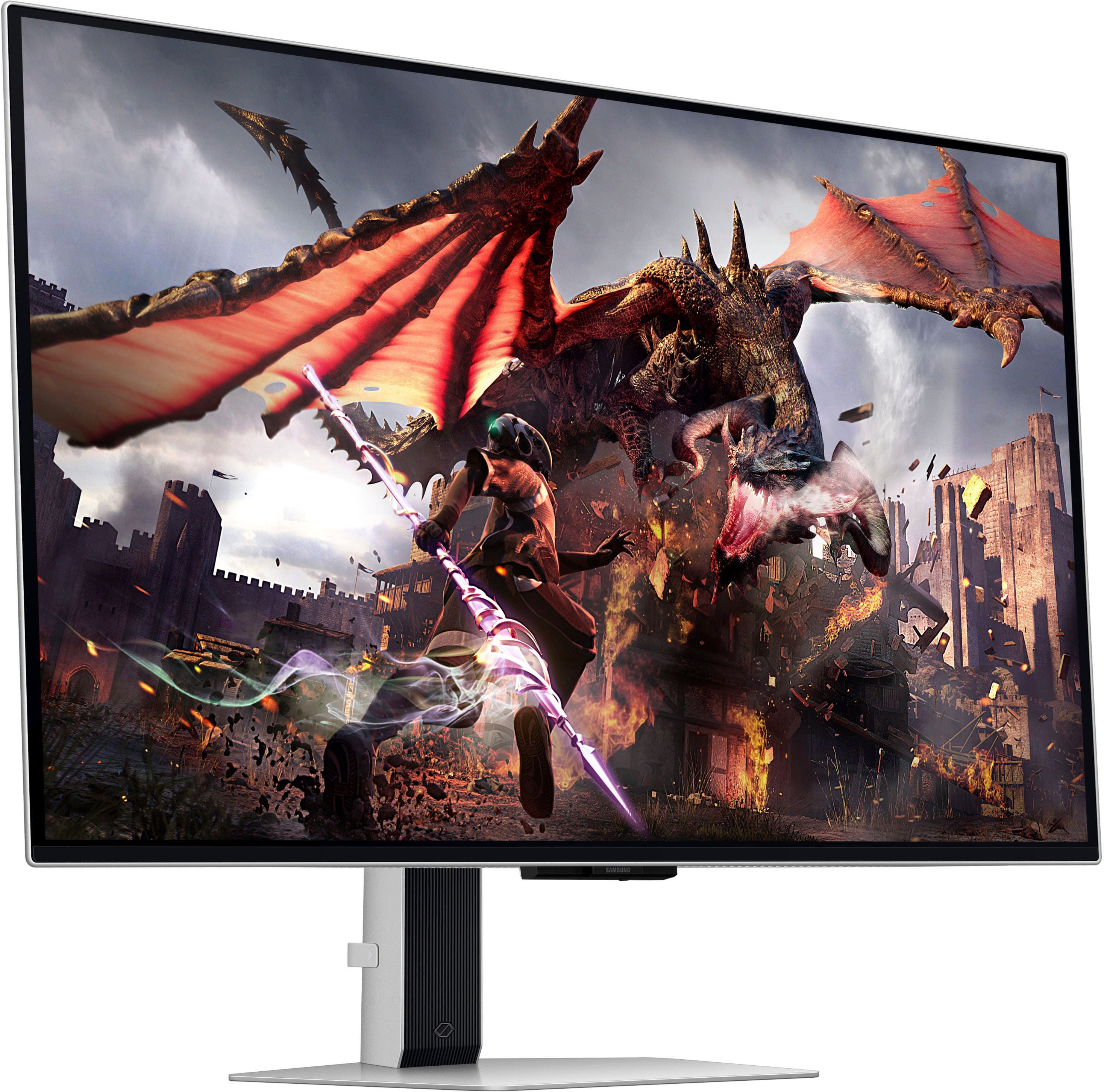
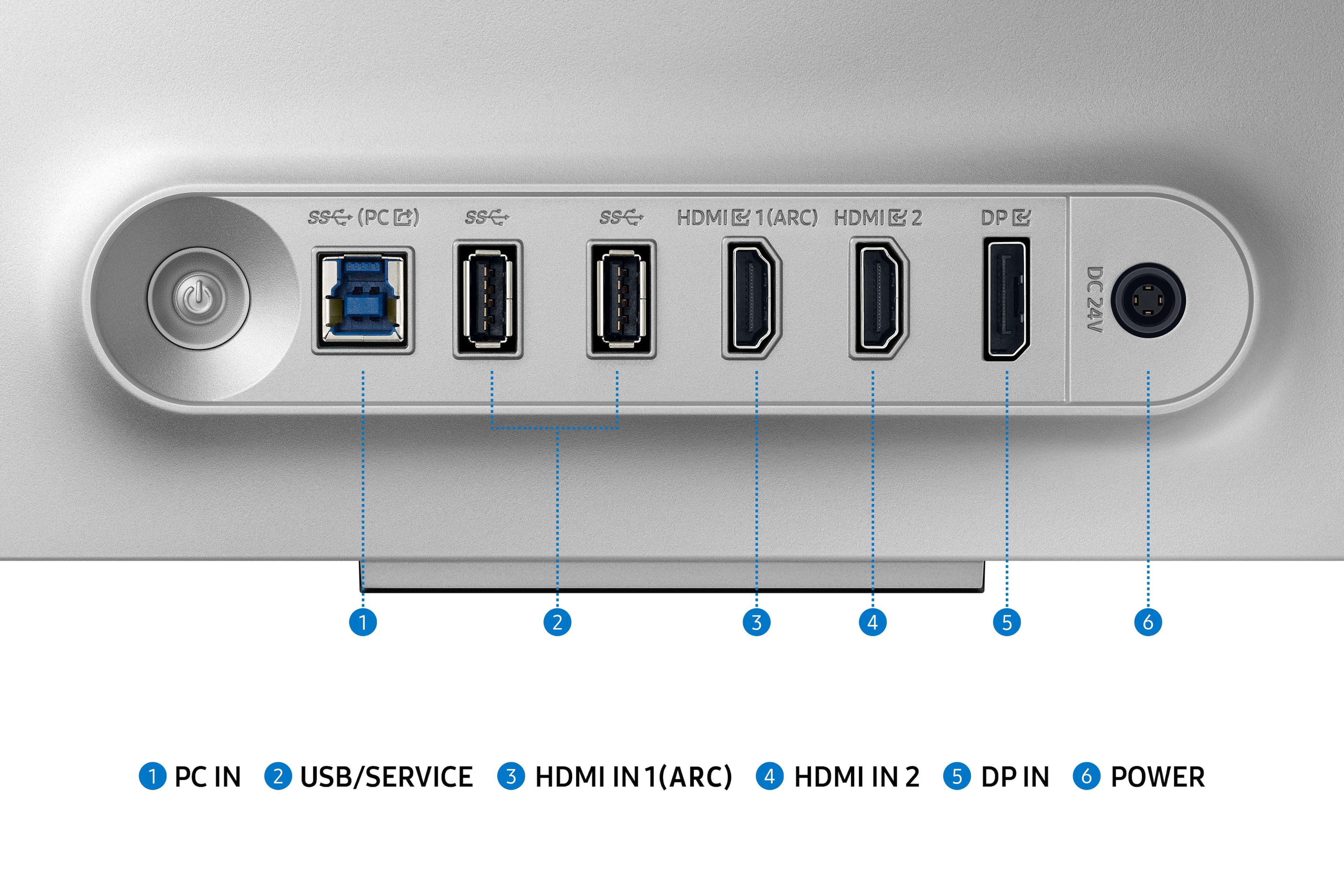
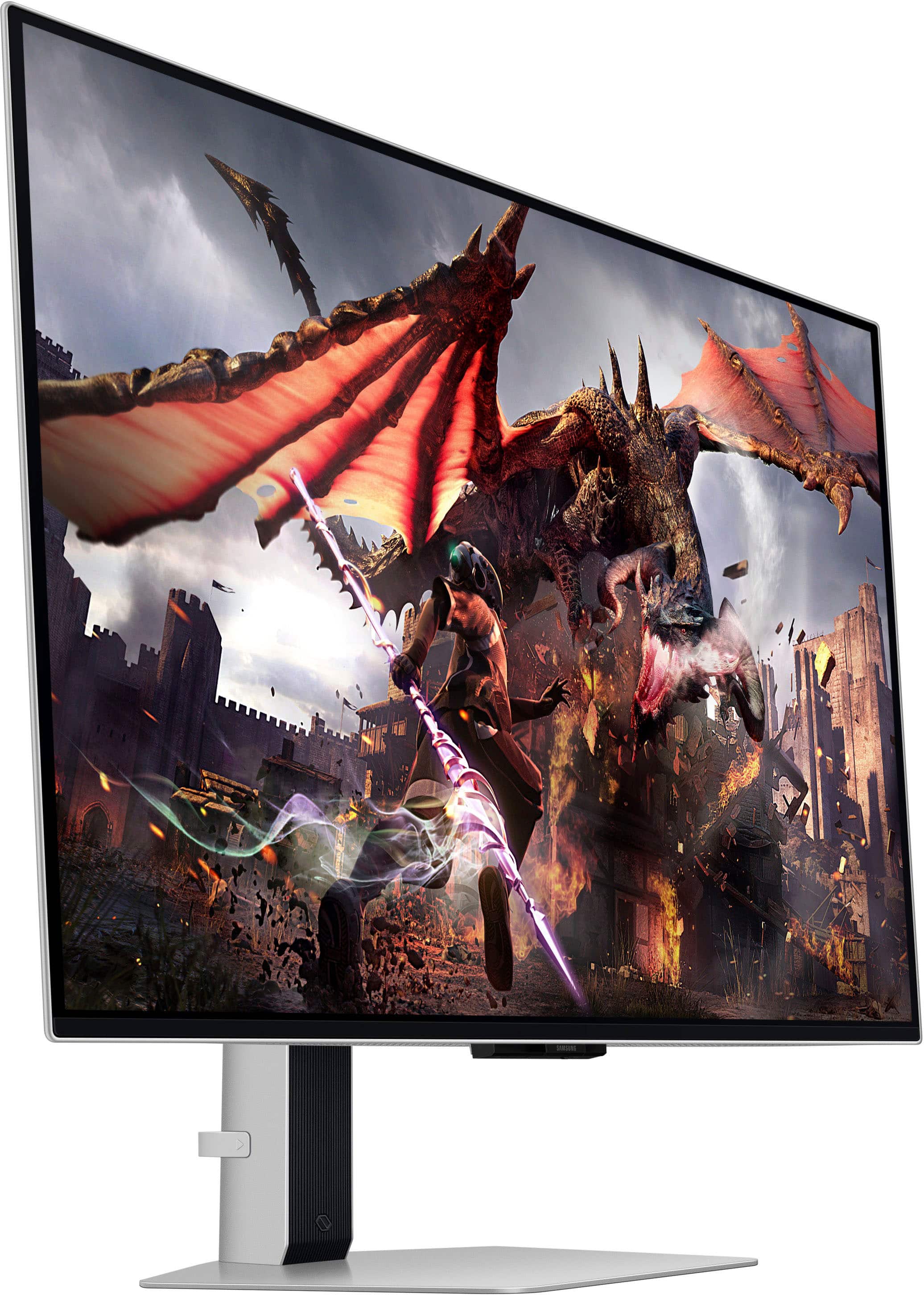
|Posted .This reviewer received promo considerations or sweepstakes entry for writing a review.The Samsung 32" Odyssey OLED G80SD cutting edge monitor gaming/media dynamo incorporates the best of Smart TV and gaming technology into one phenomenal display package. Designed for gamers, creative professionals, and office productivity users, all will find task specific and shared task functionality. 4K resolution, OLED quality, and a up to a 240Hz refresh rate creates an incomparable visual experience for a 32-inch monitor/smart TV. State of the art AI-driven processing, a plethora of smart features, and voice assistant support raise it beyond the functionality of a traditional monitor or TV. Built-in streaming capabilities and low input lag provide seamless transitions between gaming, multimedia consumption and other activities. Monitor setup is a sinch, the included remote and multiple connectivity options, including Bluetooth, WiFi and HDMI ARC, ensures very easy and flexible setup. For gamers, the G80SD's ability to support 240Hz refresh rates, VRR, and ultra-low input lag (.03ms) makes it an extraordinary choice. The gaming hub and streaming capabilities, including support for GeForce Now, provide a comprehensive gaming ecosystem that rivals or complements dedicated gaming PCs. The CorSync RGB LED lighting provides some great eye candy for all users. In productivity mode, the monitor's high refresh rate and precise color accuracy make it a joy to use for everything from browsing the web to intensive Photoshop work. The 240Hz smoothness enhances the overall user experience, making tasks feel more intuitive and responsive. And you can fully rotate it 90 degrees. Major points for me: 1. Super-premium monitor/display/TV 2. Weight (pounds): 18.5 (with stand) Video Inputs: 2X HDMI 2.1, 1X DisplayPort 1.4 USB: 2X USB 3.0 Resolution: 3.840 x 2.160 pixels Maximum refresh Rate: 240 Hz 3. Auto HDR, VRR, and auto low latency mode 4. QR codes simplify setup 5. 5 minute or less initial setup time 6. Apple AirPlay 7. Near-instant 0.03ms response time 8. Integrated Samsung Gaming Hub 9. Quantum Dot OLED 10. Color gamut covering 99% of the DCI color space (CIE1976) 11. Hull-screen sustained brightness of about 250 nits 12. Heat pipe based cooling system 13. ABR (automatic brightness reduction) 14. Dual 10w speaker system In short the Samsung 32" Odyssey OLED G80SD does it all! - would love to see the same specs in up to 100+ inches
This review is from Samsung - 32" Odyssey OLED G8 (G80SD) 4K UHD 240Hz 0.03ms Smart Gaming Monitor with HDR - Silver
I would recommend this to a friendRated 1 out of 5 stars
Monitor
||Posted . Owned for 3 months when reviewed.This reviewer received promo considerations or sweepstakes entry for writing a review.For that expensive of a monitor, it’s not worth the money. Color is off screen flickers, and the overall color and presentation of the monitor is not very good.
This review is from Samsung - 32" Odyssey OLED G8 (G80SD) 4K UHD 240Hz 0.03ms Smart Gaming Monitor with HDR - Silver
No, I would not recommend this to a friendBrand response from Samsung
Posted .Thank you for your review. Samsung is committed to providing the best possible product experience, quality, and value. Samsung greatly values our customers’ feedback and we utilize your concerns and opinions in our relentless efforts towards delivering world-class products. We are very sorry to hear this product didn't meet your expectations and hope to have you back as a customer again. If there is anything we can do to assist you and improve your product experience, please don't hesitate to contact Samsung Customer Support via: 1-800-SAMSUNG, available 8AM - 12AM EST (Mon-Fri) / 9AM - 11PM EST (Sat-Sun)
Rated 5 out of 5 stars
Amazing!
|Posted .This reviewer received promo considerations or sweepstakes entry for writing a review.The Samsung Odyssey OLED G8 (G80SD) is so incredible that I'm not even sure where to start. Without question the best monitor I have ever used. Everything is very well thought out. The build quality is excellent and it is designed to be a tool free setup. I had it snapped together and running within a couple of minutes. Unlike many other monitors, this one actually comes with all the cables you might need. There is a little bit of setup with the Tizen software but nothing to painful. The built in speakers are nice and better than most built in monitor speakers. However, for most I think you will still want to use external computer speakers. Particularly for gaming. As a gaming monitor there is nothing like this. To have a 240hz OLED with such amazing color would have been unheard of only a few years ago. Game play with is so perfect it really is something that needs to be seen to be believed. And for the creatives out there, it is color corrected and perfect for video & photo editing as well. The new matte finish coating to help prevent glare is nothing to worry about. It works great yet has no visible effect of sharpness. As a smart tv it works much better than I could have expected. The built in channels and apps have you covered. And the tv picture quality is everything you would expect from an OLED. It upscales most shows to DVD quality. I haven't found it to be laggy in any respects (as a monitor or tv). I really like the remote! Easy to understand and I can't begin to tell you how nice it is not to have to reach behind or under the monitor to make adjustments with finicky little buttons that are hidden. I would like to be able to give you some negatives because I feel every product has them. However, I really can't find any flaws with this monitor and I expect I will be using it for years to come. Highly recommended!
This review is from Samsung - 32" Odyssey OLED G8 (G80SD) 4K UHD 240Hz 0.03ms Smart Gaming Monitor with HDR - Silver
I would recommend this to a friendRated 1 out of 5 stars
DO NOT BUY FROM BEST BUY
||Posted . Owned for 1 month when reviewed.This reviewer received promo considerations or sweepstakes entry for writing a review.DO NOT, I REPEAT DO NOT ORDER WITH BEST BUY! THIS ITEM WAS STOLEN OUT OF MY FRONT DOOR, I HAVE VIDEO PROOF AND OTHER PROOF AND BEST BUY REFUSES TO REPLACE OR REFUND
This review is from Samsung - 32" Odyssey OLED G8 (G80SD) 4K UHD 240Hz 0.03ms Smart Gaming Monitor with HDR - Silver
No, I would not recommend this to a friendBrand response from Samsung
Posted .We are sorry you have not received your Odyssey QD-OLED G8 monitor. Please follow up directly with Best Buy for further assistance. We hope your issue is resolved in a timely manner. Should you have questions regarding the usage or setup of your monitor once you've received it, please contact Samsung Support at 1-800-SAMSUNG, 8AM - 12AM EST, 7 days a week. Our LiveChat agents are also available by clicking on the ‘Support’ link on our website.
Rated 5 out of 5 stars
QD-OLED monitor with TV functionality
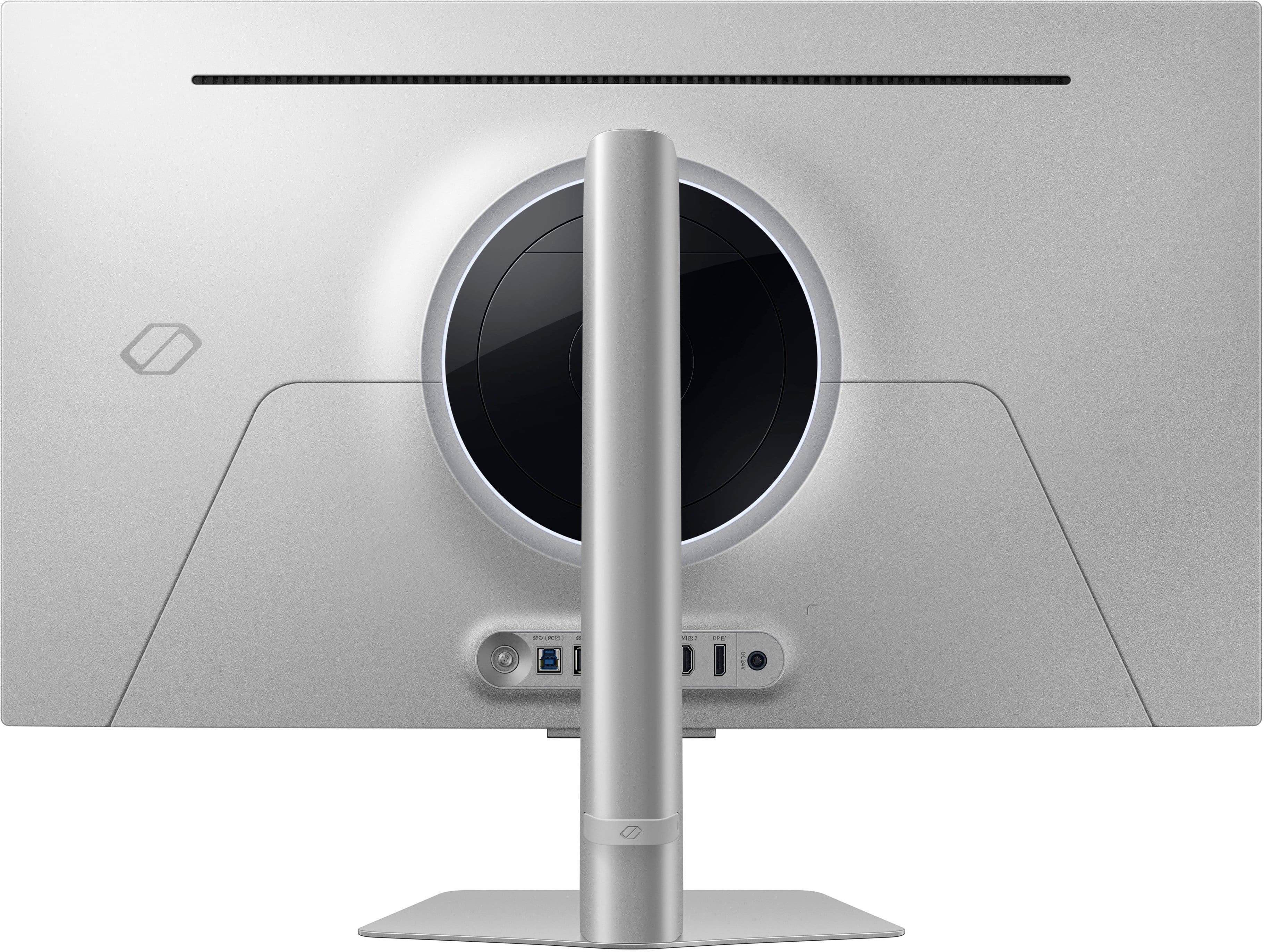
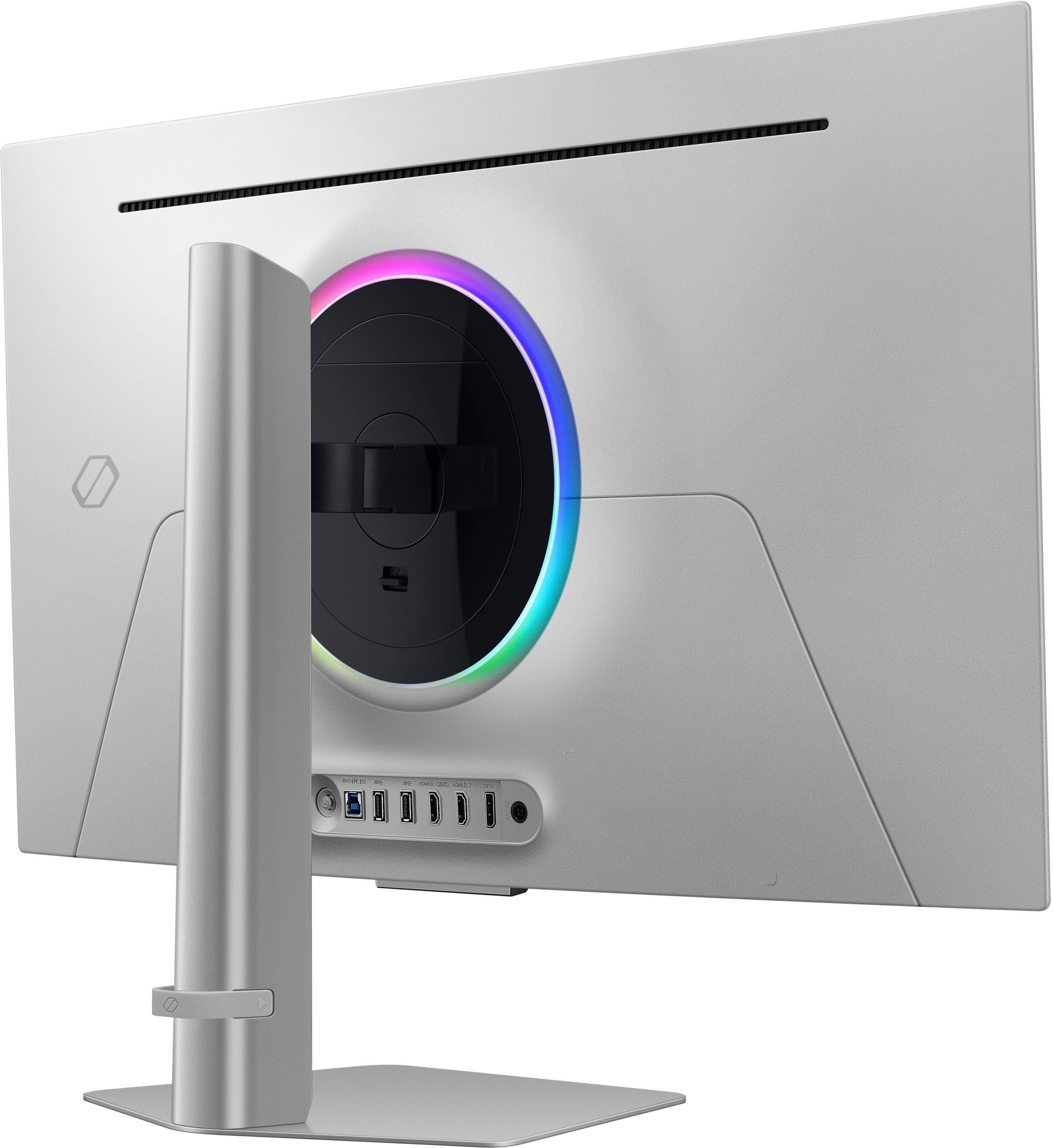
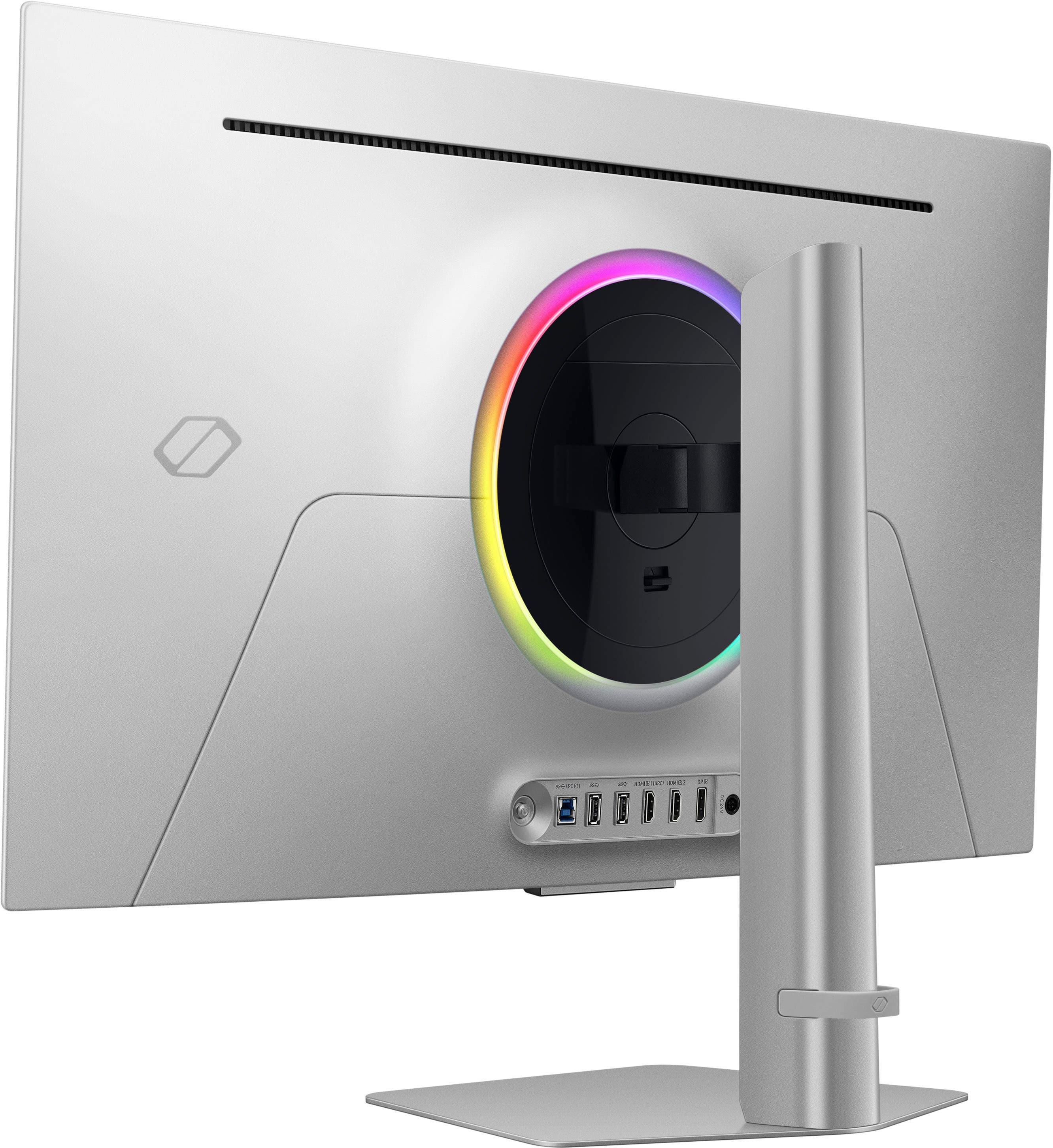
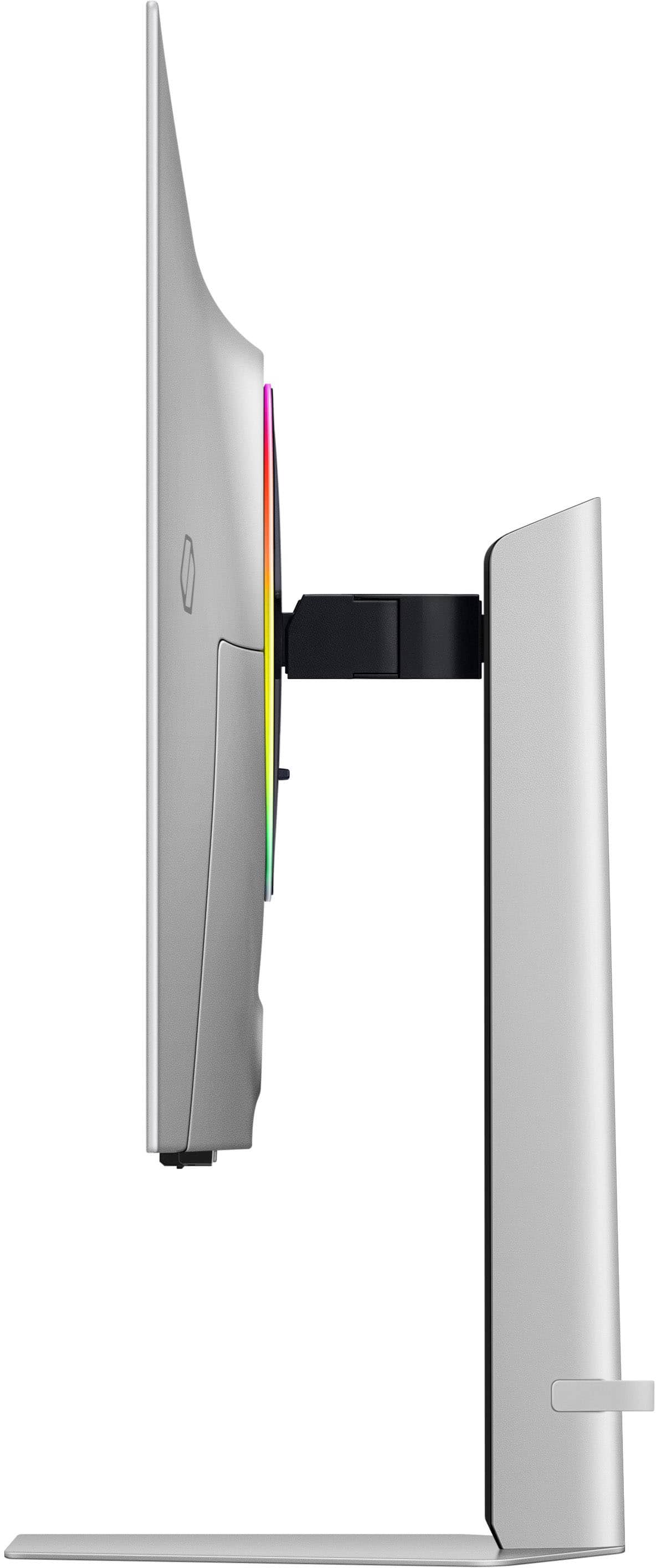
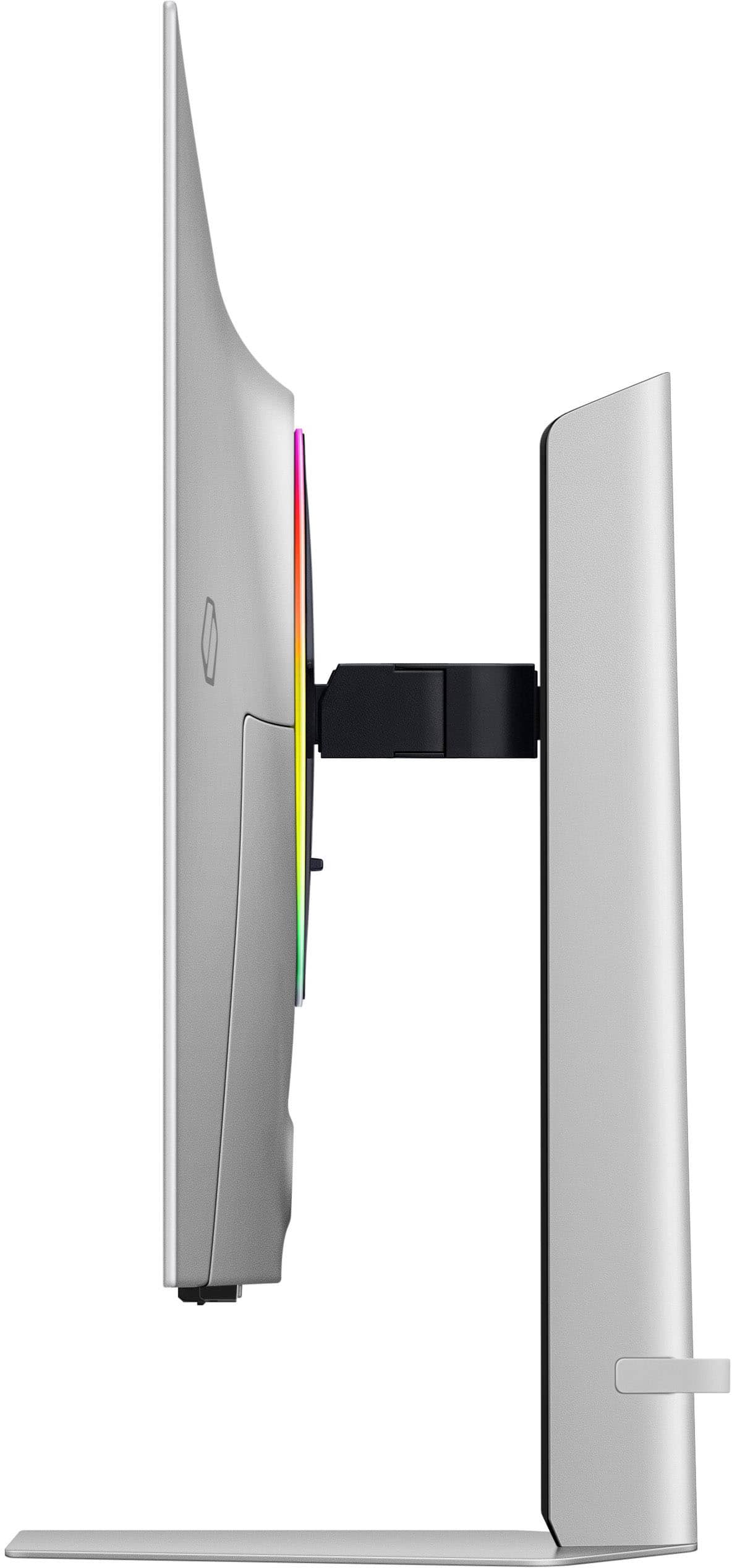
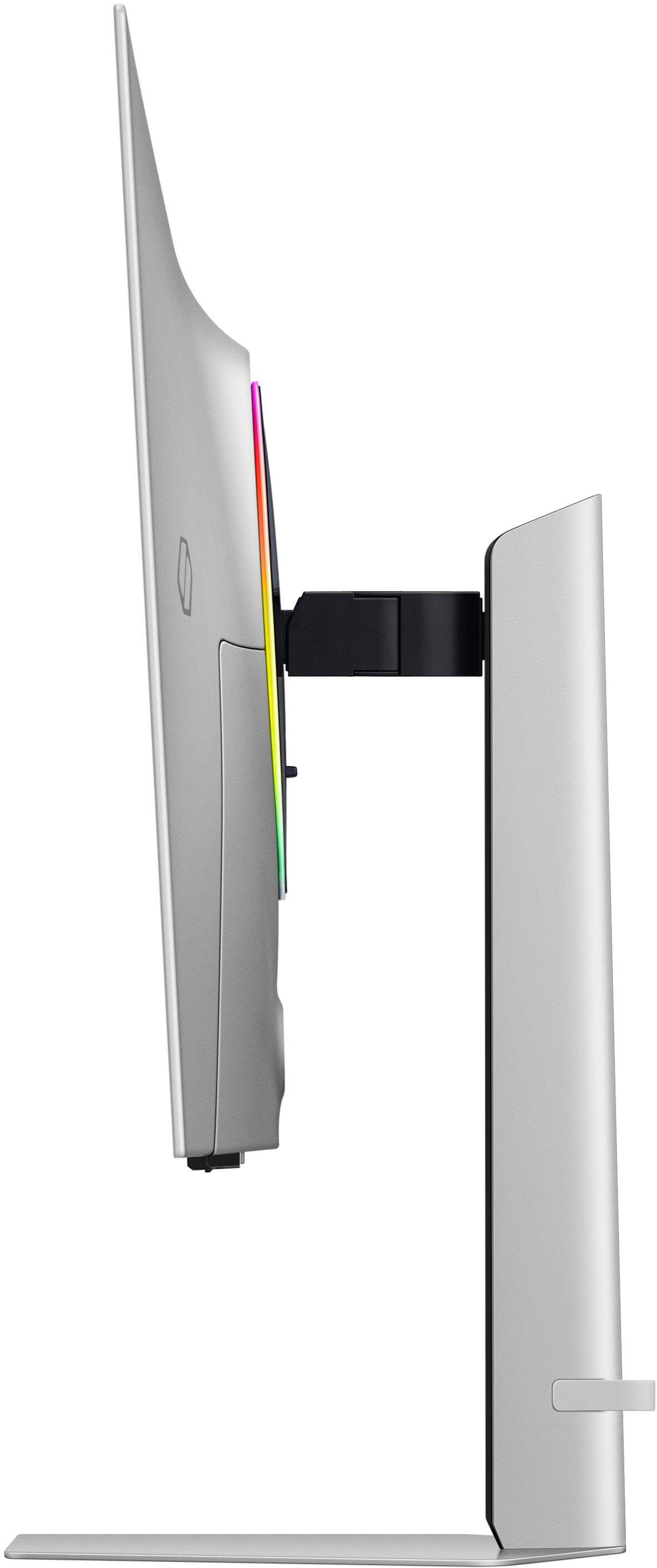
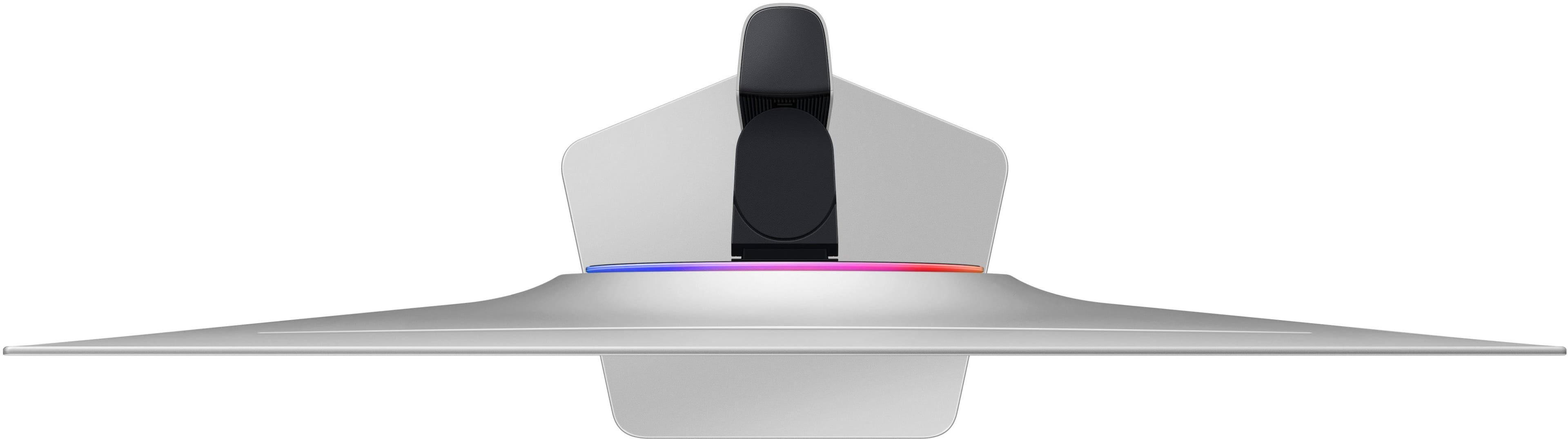
|Posted .This reviewer received promo considerations or sweepstakes entry for writing a review.To be completely transparent, part of my experience is a bit biased because this is my first OLED screen. Compared to QLED screens I’ve used before, even before getting into the brightness of the panel, the hype is real. Something about the way OLED can display blacks makes it more real, almost silky. At default setting at natural, colors were quite accurate for 6500K. 240Hz refresh rate and 0.03ms response rates are standard for this tier of monitor. Ports include HDMI 2.1 and DisplayPort inputs, with a little rubber cable management loop in the back. Samsung touts a “metal” design, and the monitor does have a nice aluminum base frame. However, the arm is a mix of plastic and metal, which still felt plenty sturdy and all but disappears from sight while in use. Samsung reportedly used a new generation matte finish to reduce glare, and it did seem to reduce glare compared to my other office monitor. One nitpick: Samsung’s Tizen interface bleeds into every.thing. It’s one of my biggest gripes with my Samsung smart TV’s, and unfortunately, because the G80SD has TV functionality, Samsung has introduced their abhorrent menu system. Compared to changing settings for a typical monitor, you need to jump through what seems like at least 2-3 additional menus in order to reach what you want. And ads. Ads sneak in everywhere. Other than the UI, I greatly enjoy everything else about this monitor. The screen is slim so despite being 32 in, it doesn’t take up much. The tradeoff, likely to keep the screen slimmer, is much of the electronics were moved into a large external brick. For my desk, I have a hook that I can attach to behind view, but something to note. Overall, OLED is amazing, and color accuracy is great.
This review is from Samsung - 32" Odyssey OLED G8 (G80SD) 4K UHD 240Hz 0.03ms Smart Gaming Monitor with HDR - Silver
I would recommend this to a friendRated 1 out of 5 stars
flickers on and off
||Posted . Owned for 3 weeks when reviewed.This reviewer received promo considerations or sweepstakes entry for writing a review.great monitor but the monitor flickers off and on randomly. if i knew this i wouldn't have purchased this monitor.
This review is from Samsung - 32" Odyssey OLED G8 (G80SD) 4K UHD 240Hz 0.03ms Smart Gaming Monitor with HDR - Silver
No, I would not recommend this to a friendBrand response from Samsung
Posted .We are very sorry to see that you have encountered issues with the Samsung OLED G80SD Monitor. We understand your disappointment and hope that you will give us a chance to assist with troubleshooting or warranty service.
Samsung products are engineered to the highest standards of performance and quality and we back this model with a limited time manufacturer's warranty, if purchased brand-new from an authorized dealer.
For further assistance or to begin warranty service, please contact Samsung Customer Support via:
1-800-SAMSUNG, available 8AM - 12AM EST (Mon-Fri) / 9AM - 11PM EST (Sat-Sun)
Samsung is committed to providing the best possible product experience, quality, and value, and we are always here to help with any of your questions or concerns.
Rated 5 out of 5 stars
Everything, including the kitchen sink
|Posted .This reviewer received promo considerations or sweepstakes entry for writing a review.Samsung’s top of the line Odyssey series of displays has a new G8 beast – a 32” OLED display that is more than just a typical computer monitor. Focused on PC gaming, this display can do 240hz 4k with an incredibly fast 0.03ms response time. As an OLED panel, the display has deep blacks and shadows with no light bleed in high contrast scenes. The most interesting thing about this display is that it is much more than just a PC gaming monitor, which is apparent when you open the box and find a remote control… Speaking of the box, when opening it up you’ll find the stand, some instructions, a collection of cables (which is a welcome change from some other brands that have stopped including them), the substantial power brick, and the previously mentioned remote control. Assembling the stand takes about 30 seconds. A zero-tool assembly makes this a breeze. Just insert the stand to the base, rotate it 90 degrees, and clip the mount to the display panel. Poof, done. The final setup is clean, simple, and understated. This display would look great in any setup, from a classy office to an RGB gamer dungeon. Connections are easy as all ports are visible and push directly into the back. A small silicone strap on the stand helps with cable management . One little quibble is with the power connector – it’s a right angle connector that overlaps the display port input. You have to turn it at kind of an odd angle to avoid the display port connection, and the barrel plug does not go all the way flush to the back of the display. Don’t force it thinking it should go in further – it won’t, and you risk damaging something. Powering up the display is when you realize this isn’t just your typical “dumb” PC monitor. This is a fully featured Tizen TV with Samsung’s latest “AI” upscaling chip that is being used on even their 8K TVs. This is where the remote comes into play. Even that is premium – it’s a USB-C rechargeable remote, not something that needs to be fed AAAs. The remote allows for getting to and changing settings without an awkward reach around the monitor and trying to blindly press menu buttons, which is welcome. Bringing up the game bar is kind of odd, you have to press and hold the play/pause button for 3 seconds on the remote to get it to pop up. As a Smart TV, this thing has a bit of a setup process to get it on wireless and registered with Samsung. You can do this via the remote, a QR code using Samsung SmartThings on a phone, or by directly connecting a keyboard to the display’s USB ports. I used the app method, which requires a Samsung account and a few steps, but it got the display online and ready to go. This thing even has far field mics in it for voice assistants, either Samsung’s “Bixby” or Amazon’s Alexa. I decided that was a bit much and didn’t enable either, but they are there if you want them. Since this display is connected to wireless, it can pull down its own updates and doesn’t depend on any clunky PC software to try to update it. Additionally, you can configure and set up the lighting directly on the display using the remote, including a screen sampler mode, with no software or CPU chewing process required on your gaming rig. This is a really welcome feature for people who like to keep their PC with minimal software loads. It also has integrated speakers, again allowing it to act as a standalone TV. They are better than most monitors, but lack any kind of low end response. This display also has something very rare for a PC monitor – one of the HDMI ports supports ARC, so you can send audio to a soundbar or AV receiver. The display itself has a new generation matte coating, that promises exceptional glare reduction while still transmitting clear colors. In my opinion, it works. This display isn’t the brightest, but the exceptional amount of ambient light reduction still makes it very visible, even in rooms with natural light. Burn in is always the biggest worry with OLED screens, and Samsung has developed some new methods to help combat it. The panel itself is actually larger than a 4K resolution, and area that is in use will shift between some power cycles to keep more static screen elements from burning the same set of pixels. Additionally, the display features a heat pipe system that pulls heat away from the panel, which is a major cause of premature aging on OLED panels. Doing common sense things like setting a fast display off timer on your PC and hiding the task bar also help. Coming from a 27” 4K 144hz IPS panel with local dimming (not mini-LED), this display is a revelation. The complete color uniformity, no light bleed, and blazing fast response times makes for an incredible experience in games. The extra screen space fills your field of vision and games feel much more immersive. Not fighting light bleed in darker games in the corners means less eye strain and overall gaming is a joy, especially if you have a gaming PC that can really drive it. Finally, the price and overall value. This thing is expensive. Really expensive. Since you are getting more than just a monitor, you are paying for features you may not practically need. For example, I’m not sure I’ll ever use the smart TV functions of this display. It’s already connected to a PC which can run the same apps. If you are in a small space like a dorm room or a bedroom I can see where these features could be useful as you can use the remote and voice control to have it work as a TV and not need to use a PC. There are some side benefits to the extra technology, notably that it can pull down its own updates and the lighting controls don’t require software on your PC, along with a remote for changing settings. It is one of the latest QD-OLED panels and for gaming it is excellent. If you can afford it and especially if you can use the extra features then this is a display you should consider.
This review is from Samsung - 32" Odyssey OLED G8 (G80SD) 4K UHD 240Hz 0.03ms Smart Gaming Monitor with HDR - Silver
I would recommend this to a friendRated 3 out of 5 stars
Beautiful picture, but I found myself disappointed
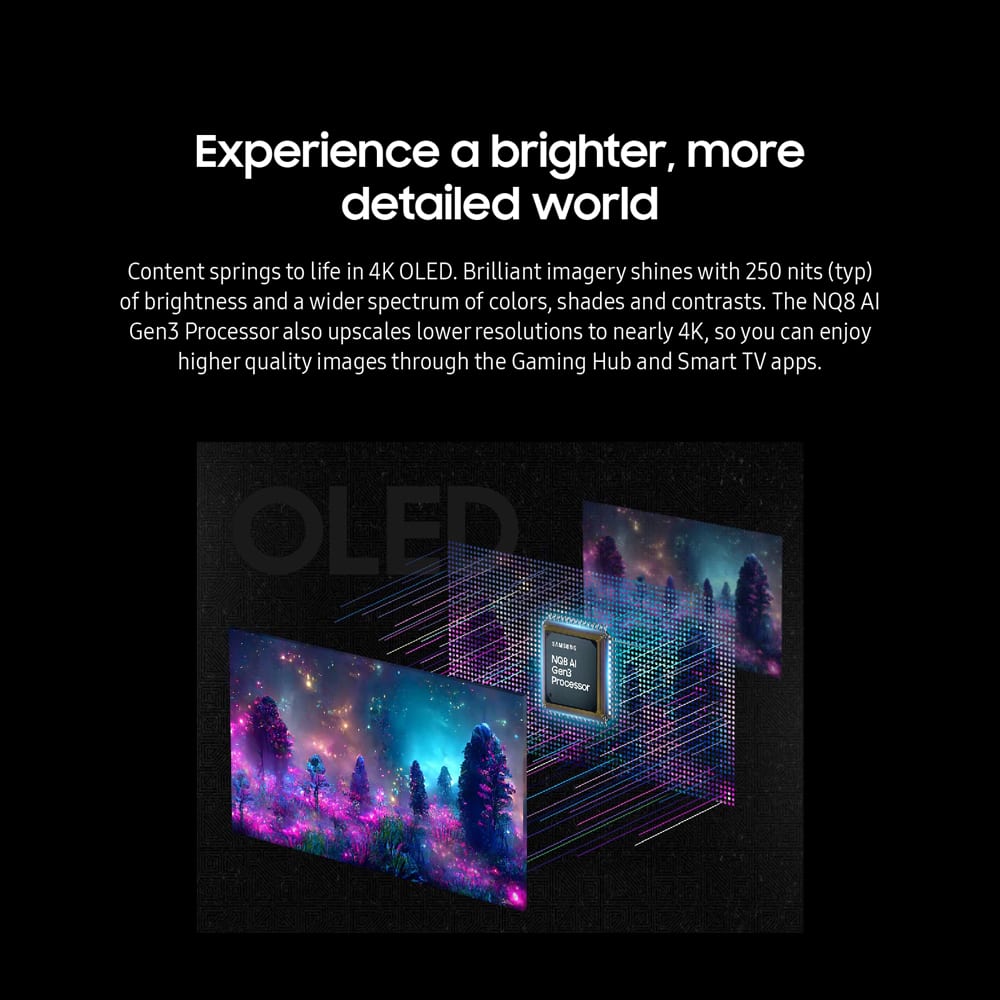
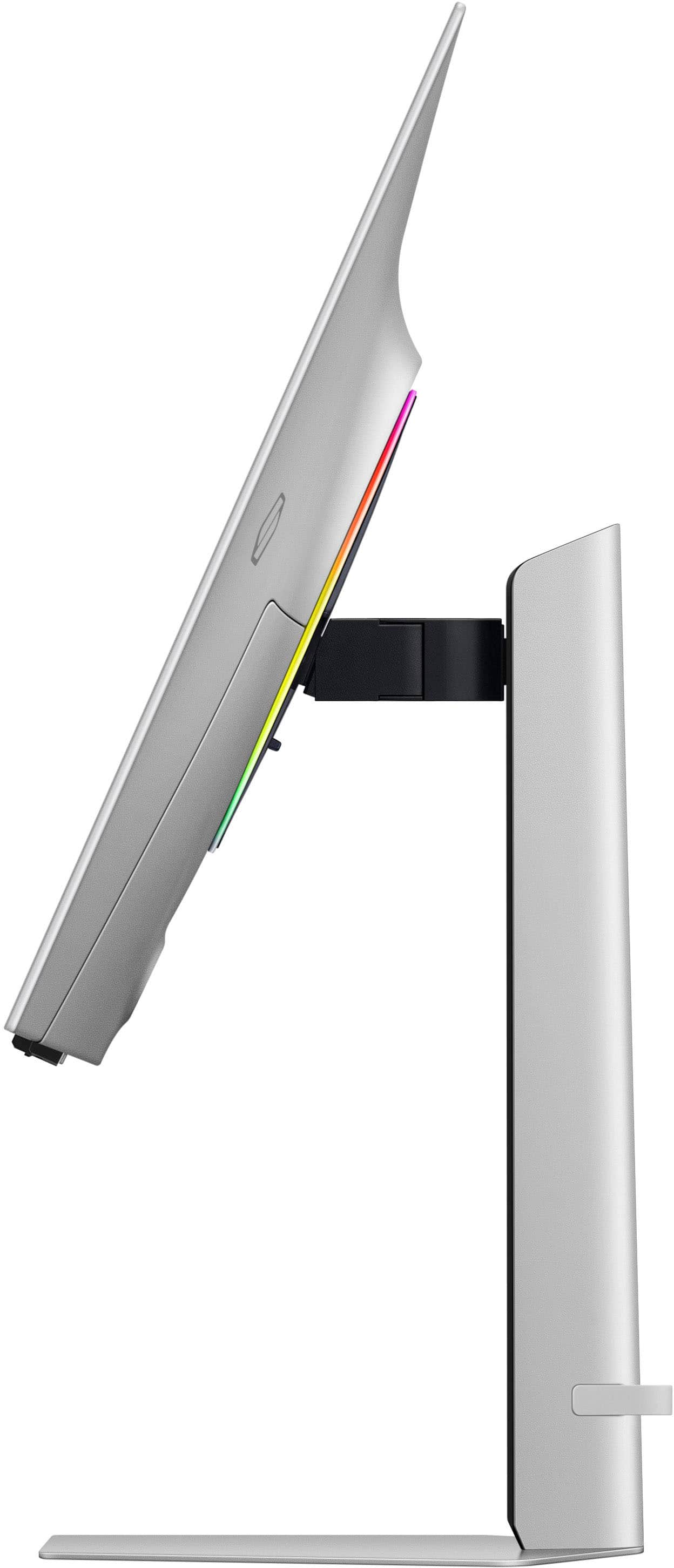
|Posted .This reviewer received promo considerations or sweepstakes entry for writing a review.When I opened up the box and removed the monitor, I was impressed with the thin bezels and just how thin the monitor was (from front-to-back). The included stand does indeed support both landscape and portrait orientations, but it took me a few minutes to figure that out because I had to tilt the monitor up before rotating into portrait orientation because there is virtually no clearance between the bottom of the monitor and the base of the stand once the monitor is in that orientation (meaning the corners of the monitor kept hitting my desk when I tried to simply rotate the monitor without tilting it). That may sound like a weird complaint, but it was just one of many things that befuddled me with this particular monitor, especially given the price. Speaking of the stand, there really was no thought given to cable management at all. There is a little bracket (?... strap?) on the bottom, toward the rear of the stand that would help consolidate cords, but they are still just dangling there from the back of the monitor until they reach the desk at the back of the stand. As I continue unboxing, I also realized one of the reasons why the monitor was so thin... There is a huge power brick that must be used with the monitor. The cord is arguably long enough so that the power brick can be on the floor or out of the way, but it is rather large. When looking at the ports that are provided, I was a little surprised that there was no USB-C/Thunderbolt 4 port, so no charging your laptop while using a single USB-C/Thunderbolt cable. Along those lines, the monitor includes a USB-A hub with only two ports. As you need to use a port from your PC for the monitor's hub, this option provides you one additional port and I am a little challenged to see the value of this hub (especially as USB-C is nowhere to be found). There are two HDMI ports (one of which supports ARC) and one DisplayPort, but more on that in a second. When I turned on the monitor for the first time, I was a little surprised because of the setup process. First, Samsung included a license agreement that asked me to give permission for Samsung to share my information with advertisers. What? Never seen that on a gaming monitor before. When I clicked to the next screen, however, I realized the monitor included its own operating system and allows for streaming apps like Disney+, Hulu, YouTube, and others. Interesting. I also had to log into my wireless network as a result (no physical Ethernet cable option, so hopefully you have a strong wireless signal with adequate bandwidth). The use of this OS seemed to create some issues with my computer, however, as the monitor would recognize a computer was connected to either the DisplayPort or HDMI (I tried both), but it would not display the PC's output and would eventually timeout and turn itself off. I had to reboot my computer after the cable was connected to the monitor. Then everything seemed to work, sort of. Occasionally, the monitor would take me back to its own OS rather than sticking with my PC. The monitor also had a pop-up on the screen that told me I could install a Samsung program of some sort on my computer to control the monitor. I did not make it that far, however. Once the monitor was finally up and running, I then tried to change the settings. Whenever I did that, it took me back to the monitor's OS screen (which made it difficult to optimize some of the settings while seeing what was on the screen from the PC). The monitor included a remote control, which seemed strange until I found out the monitor can run streaming apps. Clicking the "gear" button on the remote, which I figured was a setting button, took me to some type of screen where I could only enter numbers that should show on the screen in a long string of numbers as I continued to add them. I still have absolutely no idea what that was about. At this point, I disconnected the monitor from my gaming PC and thought I would try it with my Mac. I had the same issue when connecting the monitor... It saw it was connected to a computer, but would time out without displaying an image and my Mac did not recognize the monitor (although it did see an AirPlay option). It took a reboot of the Mac to address this issue. This connection to my Mac wound up being important because I then tried to use the monitor as my main display and take advantage of its speakers (without having to use the external speakers that I was currently using, which would free up some desk space). The built-in speakers in the monitor are very tinny and horrible. Maybe by itself, I wouldn't have noticed, but I tried playing some music through them and, for the sake of comparison, switched over to my Apple Studio Display (which is only a few hundred dollars more expensive than this monitor). The difference was night-and-day. The Apple display provided rich sound with impressive bass that made the sound from the Samsung quite embarrassing, actually. While I suspect a typical gaming rig would not use built-in monitor speakers, this particular monitor is also a streaming TV (for lack of a better description) and the audio quality is brutal. There is apparently a backlight on the monitor that "matches your mood and vibe with ambient lighting." I did not even notice it and had absolutely no idea how to set that up. The funny thing is that I have not really even talked about the picture quality yet, which is why someone buys a gaming monitor in the first place. The 4K UHD OLED screen is indeed beautiful (with a 240Hz refresh rate, 0.03ms response time, and typical brightness of 250 nits). Unfortunately, the inclusion of Samsung's "Gaming Hub" (which provides access to streaming platforms, gaming consoles, and Smart TV apps) along with sub-par speakers diminished the experience for me to the point where I simply wound up going back to my previous display and sound setup. So, in the end, the picture quality is indeed stellar, but the other aspects of this monitor (the bad speakers and Tizen operating system) really diminish its value. I have never had such a challenge hooking up a monitor before and ongoing challenges with modifying settings. If you have separate speakers and are willing to tolerate the learning curve that comes with this monitor having its own operating system, it may be worth considering. Personally, though, I cannot help but think there are better options out there for the money.
This review is from Samsung - 32" Odyssey OLED G8 (G80SD) 4K UHD 240Hz 0.03ms Smart Gaming Monitor with HDR - Silver
No, I would not recommend this to a friendBrand response from Samsung
Posted .Thank you for bringing this issue to our attention as Samsung is committed to providing the best possible product experience, quality, and value. Samsung greatly values our customers’ feedback and we utilize your concerns and opinions in our relentless efforts towards delivering world-class products. We are very sorry to hear this product didn't meet your expectations and hope to have you back as a customer again. If there is anything we can do to assist you and improve your product experience, please don't hesitate to contact Samsung Customer Support via: 1-800-SAMSUNG, available 8AM - 12AM EST (Mon-Fri) / 9AM - 11PM EST (Sat-Sun)
Rated 5 out of 5 stars
Features out the wazzoo!
Posted .This reviewer received promo considerations or sweepstakes entry for writing a review.I was not aware of how many sick features this monitor had. There is occaisoonally some trouble with inputs from ypur devices, and it stems from the features that borderline make it a smart TV. That said, many of the features I expected not to use, and find myself totally appreciating. I use the remote and jump straight into youtube or netflix, and dont even turn on my PC. As a monitor- its freakin siiiiick. The OLED panel is excellent, and the 240hz refresh rate... at 4k?? Brother. Its grand. If your PC can take advantage, its beautiful. Dont get an OLED unless youre comfortable never going back.
This review is from Samsung - 32" Odyssey OLED G8 (G80SD) 4K UHD 240Hz 0.03ms Smart Gaming Monitor with HDR - Silver
I would recommend this to a friendRated 5 out of 5 stars
The OLED Era is Upon Us
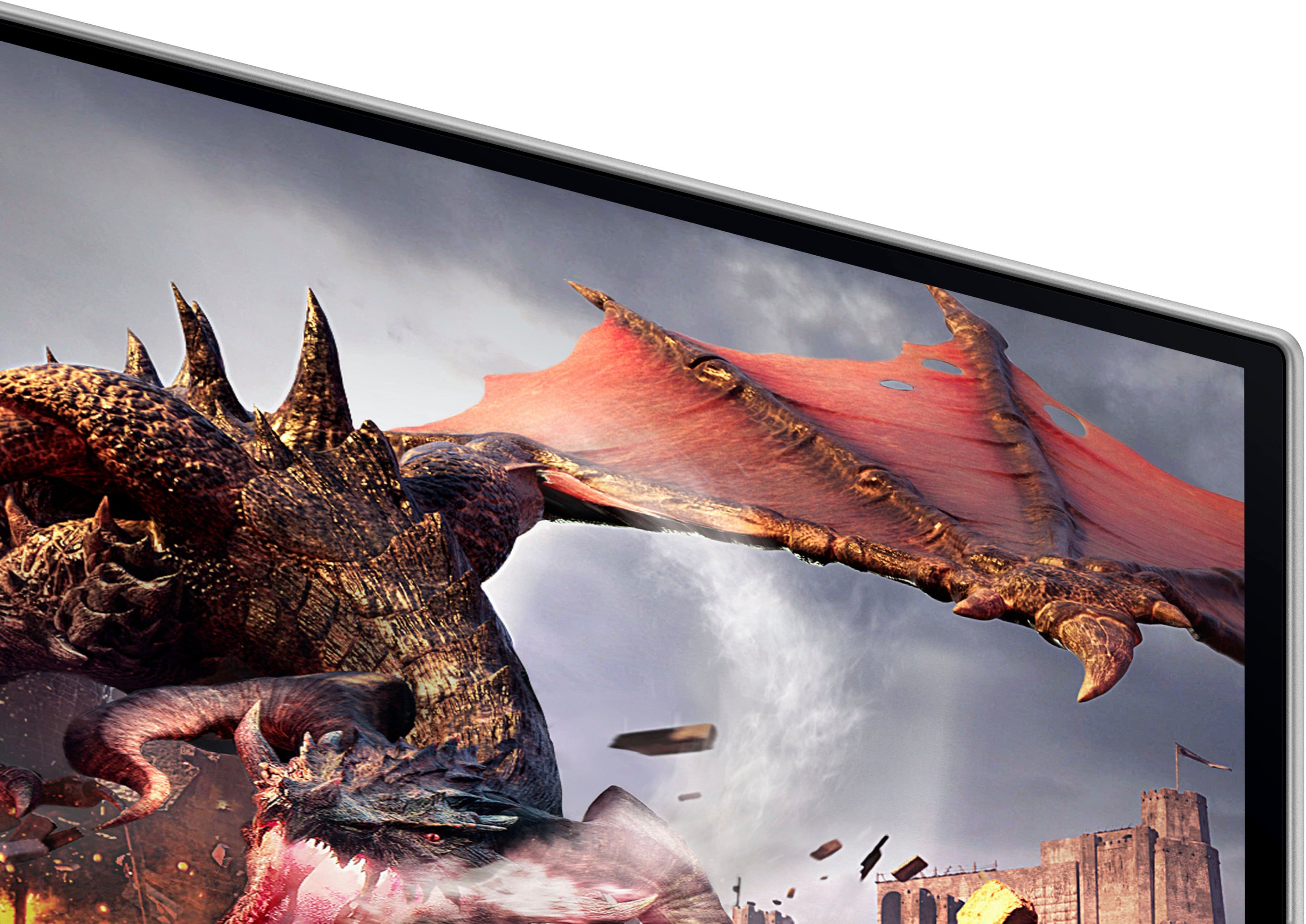
|Posted .This reviewer received promo considerations or sweepstakes entry for writing a review.I have been dreaming of a monitor upgrade ever since OLED gaming monitors have taken the industry by storm. My trusty (but aging) display just wasn't delivering the visual punch I craved anymore. Enter the Samsung Odyssey G80SD, a 32-inch OLED powerhouse promising to be a game-changer (literally). After putting it through its paces for an extended period, here's my in-depth analysis of this feature-packed monitor. Unboxing and Setup: A Streamlined Experience: Unlike some monitors that require an engineering degree to assemble, the G80SD boasts a refreshingly simple setup process. No tools are needed – just a few clicks with the included stand, and you're ready to go. The stand itself offers a good range of adjustments, including tilt, swivel, and height (though some users might find the height adjustment a bit limited compared to some LG models). The design is a welcome departure from my previous monitor's bulkiness. It's sleek, modern, and boasts a subtle elegance that complements any desk setup. A Visual Feast for Gamers and Content Consumers Alike: The real magic lies in the display itself. Samsung's implementation of OLED technology delivers a visual spectacle that had me constantly impressed. Deep blacks, vibrant colors that practically leap off the screen, and incredibly sharp details create an immersive experience that's hard to beat. Whether you're exploring a fantastical world in a game or watching the latest blockbuster movie, the G80SD pulls you right in. More Than Just a Pretty Face: The G80SD isn't just about stunning visuals – it's a gamer's dream come true. The blazing-fast 240Hz refresh rate eliminates any lag or ghosting, ensuring smooth gameplay even in the most fast-paced titles. This translates to a significant competitive edge and a more immersive experience, allowing you to react quicker and feel truly connected to the action. But the G80SD doesn't stop there. It boasts a dedicated Gaming Hub that provides access to streaming services like GeForce Now, opening the door to a vast library of games without the need for a high-end gaming PC. This, coupled with features like VRR (variable refresh rate) and ultra-low input lag, makes the G80SD a compelling alternative or a fantastic complement to a dedicated gaming machine. Beyond Gaming: The G80SD surprised me with its built-in smart features. It's essentially a Samsung TV disguised as a monitor! With the included remote, I can access all my favorite streaming apps with ease, making it perfect for movie nights or catching up on shows. The built-in AI processing further elevates the experience by upscaling even 1080p content to look fantastic. But the G80SD's usefulness extends beyond entertainment. The high refresh rate makes everyday tasks feel more responsive, whether you're browsing the web, scrolling through documents, or editing photos in Photoshop. Additionally, the color accuracy is top-notch, making it a great choice for creative work. A Few Considerations Before You Upgrade: While the G80SD shines in most aspects, there are a few things to keep in mind: • Brightness: The brightness delivers a fantastic picture in most situations. However, hardcore HDR enthusiasts might find themselves wanting a bit more punch, especially in brightly lit environments. • Bezels: The bezels are a tad thicker than I'd prefer for a premium monitor, especially for those seeking a truly immersive setup. Gamers with multi-monitor configurations might find the bezels distracting. The Final Verdict: A Monitor Worth the Investment Despite the minor drawbacks, the Samsung Odyssey G80SD is a phenomenal monitor. It delivers a stunning visual experience, boasts a blazing-fast refresh rate for gamers, and offers a surprising amount of smart features for everyday use. It's an investment, for sure, but for those looking for a top-of-the-line monitor that blurs the lines between gaming and everyday productivity, the G80SD is definitely worth considering. Just be sure to weigh the limitations in brightness and bezel size against the overall feature set before making the leap.
This review is from Samsung - 32" Odyssey OLED G8 (G80SD) 4K UHD 240Hz 0.03ms Smart Gaming Monitor with HDR - Silver
I would recommend this to a friendRated 5 out of 5 stars
Top gaming monitor in 2024!
|Posted .This reviewer received promo considerations or sweepstakes entry for writing a review.This review is on a Samsung - 32" Odyssey OLED G8 (G80SD) 4K UHD 240Hz - LS32DG802SNXZA. My main use for this monitor is for gaming but you get so much more. First of all, setup for this monitor is a breeze. You place the stand into the base and twist to lock on. Then you hook the stand into the monitor and snap down. Couldn't be easier. Once it was powered on, all I had to do is use my Samsung S23 to set it up. It immediately recognized the monitor through the SmartThings app. From there it completely set it up with my account, Wi-Fi info, and registered the product in a few minutes. The screen can easily rotate or tilt and it stays in place. Then I connected my XBOX Series X and it recognized that it was an XBOX and added the XBOX logo as the picture for the input. The monitor passes the majority of checks for XBOX 4K details. It doesn't support Dolby Vision for gaming or content at 4K 24Hz or 50Hz. A really nice feature is a map cast to another device. So as I am playing my game, I can cast the game map(radar) to another monitor and enlarge it. I connected my XBOX controller to it by BT and can control all functions and play games through the cloud. The remote that comes with it is very thin and has a solar cell built in to recharge the battery. I would have liked to see and the remote a source select button but it can still be found after pressing the settings button. Holding down the play button will bring up the game bar. Holding down he volume button will bring up an Accessibility menu. Holding down the channel button will bring up the Samsung channel guide. There is a built in microphone on the remote and also one in the monitor. There is a hidden switch next to the microphone on the monitor if you want to turn it off. I can also connect a BT mouse and keyboard. Then I turn on DeX on my Samsung S23 and can use it like a computer. Sweet! Now on to the picture quality. The picture is amazing, stunning and just gorgeous whether it is gaming, menus or TV. New games look incredible and smooth during play with no lag or flicker. Old games however don't look as good with HDR turned on. It looks a bit too washed but you can turn it off to fix this. There is no glare on this screen. If you are worried about burn-in it has a new Pulsating Heat Pipe built in to help guard against burn-in. It also has a screen saver to help. The last feature that I thoroughly enjoy is Alexa built-in. Now I can control all my devices through the monitor. For some reason the Alexa app did not work to start with and I had to re-install but after that it worked. This monitor is a must have if you are serious about gaming or just want to watch movies.
This review is from Samsung - 32" Odyssey OLED G8 (G80SD) 4K UHD 240Hz 0.03ms Smart Gaming Monitor with HDR - Silver
I would recommend this to a friendRated 5 out of 5 stars
Excellent 3rd Gen QD-OLED Panel
|Posted .This reviewer received promo considerations or sweepstakes entry for writing a review.I have used a handful of earlier generation OLED monitors in the past, and so far this 3rd generation has been my favorite. Samsung's 3rd gen panels are a noticeable improvement. The colors seem a lot more vibrant, even though OLED has historically always had great color. The infinite contrast and .03ms response time makes game visuals pop, while also being as crystal clear as possible. I have this monitor currently connected to my gaming PC, and my work laptop. Switching inputs is no problem even though the gaming PC runs it at 240hz, and the work laptop operates at 60hz. I have not had any issues with blurry text or color fringing around text on this new panel. Coming from an IPS 4K panel, the text is clear and readable on this new OLED. There are no physical controls on this monitor, which has been a bit of an adjustment. However, the included remote is quick and convenient to switch inputs and adjust any image settings. It functions like a fast and responsive smart TV in general with the remote. The built in cpu and streaming services are lightning fast. It's great to have the option to use this is an upper-tier streaming TV, while also being able to use it for productivity and high refresh rate gaming. Overall I am very happy with this monitor, and the physical design is clean and sleek on my desk.
This review is from Samsung - 32" Odyssey OLED G8 (G80SD) 4K UHD 240Hz 0.03ms Smart Gaming Monitor with HDR - Silver
I would recommend this to a friendRated 2 out of 5 stars
An OLED monitor that thinks it's a Smart TV
Posted .This reviewer received promo considerations or sweepstakes entry for writing a review.Yikes, where do I begin… How does a monitor that has a great picture only get two out of five stars? Here’s how: This is more a TV without a built-in tuner than an actual monitor. I’ve heard that technically you can use the monitor without connecting it to your WiFi, but the entire start up process is filled with steps trying to get you to create a Samsung account, log in to your streaming service accounts, connect your monitor to your WiFi so it can be a “smart” device. The out of box experience is nothing like you’d expect for a gaming monitor, and I mean that in a bad way. Speaking of the monitor acting like a TV, it comes with a remote. That’s the only way to turn the monitor on. There are no buttons on the monitor. Even my OLED TV has buttons behind the screen if I need to turn it on without the remote. The remote is a small, thin, USB-C charged remote that you need to use every time you want to turn the monitor on or off, and it’s more annoying in practice than it sounds. The UI options are disturbingly bad. Want to lower the brightness to use the monitor in a dark room? Cool! Everything dims…except the UI. Every time you do something with the remote that pulls up the UI, expect blindingly white UI components despite having dialed in the brightness for a dim room. FPS display? Nope, my 8 year old Acer Predator can do this no problem, but there’s no meaningful options on this expensive monitor. Virtual aim point? Not something I typically use, but my Acer’s was useful, this is a few comically large green and red presets that obstruct the screen and are useless. And…that’s it. No, really, aside from a Virtual Aim Point, the only other options you get are Screen Ratio, Minimap Zoom, Sound Output and More Settings. But how does the monitor work? In the handful of days I’ve had it, I’ve gotten garbled static multiple times for a fraction of a second. It’s rare, but it happens. And that’s using the Display Port cable that the monitor ships with. None of that matches the quality of experience I would expect with a monitor of this price. Insult to injury, Samsung support is abysmal. In trying to address a single issue with the monitor, I had to speak with multiple agents, getting a new support ticket each time. At no point did any agent ever reply to any e-mail I sent to their ticket. Every e-mail I sent would almost immediately be replied to with my own e-mail being sent back to me, and I’m genuinely unsure of whether any of my e-mails were ever even seen by a Samsung agent. But back to the image: How is it? It’s pretty great. But if you expect to go to blurbusters.com’s UFO Test and see a beautiful image, it really isn’t that much better than my eight-year-old Acer Predator’s prefomance. Between Samsung’s support, the monitor’s horrible UI, remote, limited options and occasional garbled static, I don’t even want this monitor in my house. I’m returning it. I do want a nice gaming OLED monitor eventually, but when I do get one, it will not be a Samsung.
This review is from Samsung - 32" Odyssey OLED G8 (G80SD) 4K UHD 240Hz 0.03ms Smart Gaming Monitor with HDR - Silver
No, I would not recommend this to a friendBrand response from Samsung
Posted .Thank you for your review. Samsung is committed to providing the best possible product experience, quality, and value. Samsung greatly values our customers’ feedback and we utilize your concerns and opinions in our relentless efforts towards delivering world-class products. We are very sorry to hear this product didn't meet your expectations and hope to have you back as a customer again. If there is anything we can do to assist you and improve your product experience, please don't hesitate to contact Samsung Customer Support via: 1-800-SAMSUNG, available 8AM - 12AM EST (Mon-Fri) / 9AM - 11PM EST (Sat-Sun)
Rated 5 out of 5 stars
BEST OLED
Posted .This reviewer received promo considerations or sweepstakes entry for writing a review.this was THE ONE i looked at all the olde they had ij stock, alienware, msi, asus you name it, this was THE ONLY ONE that the image was TRULY THERE you can feel the immersion the color the blacks and whites its just that gooood
This review is from Samsung - 32" Odyssey OLED G8 (G80SD) 4K UHD 240Hz 0.03ms Smart Gaming Monitor with HDR - Silver
I would recommend this to a friendRated 3 out of 5 stars
true warranty
Posted .This reviewer received promo considerations or sweepstakes entry for writing a review.The three-year warranty for Samsung's 32-inch OLED monitor does not explicitly cover burn-in, but it does include coverage for pixel defects, which may include burn-in. To be eligible for the warranty, burn-in must be determined to be a manufacturing defect rather than a result of user behavior.
This review is from Samsung - 32" Odyssey OLED G8 (G80SD) 4K UHD 240Hz 0.03ms Smart Gaming Monitor with HDR - Silver
No, I would not recommend this to a friendBrand response from Samsung
Posted .Thank you for your review. Please contact Samsung Customer Support so that we can better understand your issue and assist with a solution.
You can reach us via any of the below options:
If you need further assistance, we are here to help. You can reach Samsung Support at 1-800-SAMSUNG, available 8AM - 12AM EST (Mon-Fri) / 9AM - 11PM EST (Sat-Sun).
Or visit our Samsung website and click on the SUPPORT link in the upper right corner for:
• Contact Us Options (LiveChat, Remote Support, Facebook, Twitter)
• Product Support
• Manuals and Downloads
• Warranty Info
• Product Registration: Registering your product gives you access to easy warranty support, convenient opt-in to special promos and offers, faster troubleshooting and service, and quick notification of system updates
• Samsung Community: A great resource for getting help from Samsung moderators and customers
Registering your product gives you access to easy warranty support, convenient opt-in to special promos and offers, faster troubleshooting and service, and quick notification of system updates.
Again, we are sorry for any confusion you have had and hope that we will hear from you soon.
Rated 4 out of 5 stars
Great monitor!
Posted .This reviewer received promo considerations or sweepstakes entry for writing a review.The product is top notch but i could do without all the TV functionality. To me, it takes away from what i think most people are buying this monitor. The next refresh should drop the TV functionality and focus on a pure monitor.
This review is from Samsung - 32" Odyssey OLED G8 (G80SD) 4K UHD 240Hz 0.03ms Smart Gaming Monitor with HDR - Silver
I would recommend this to a friendRated 5 out of 5 stars
Great monitor
Posted .This reviewer received promo considerations or sweepstakes entry for writing a review.Amazing monitor. 4k 240hz give you greater experience on everything. But that also needs hardware support.
This review is from Samsung - 32" Odyssey OLED G8 (G80SD) 4K UHD 240Hz 0.03ms Smart Gaming Monitor with HDR - Silver
I would recommend this to a friendRated 2 out of 5 stars
Great panel, Horrible Company
Posted .This reviewer received promo considerations or sweepstakes entry for writing a review.The panel on this monitor is one of the best and will be for a while. Unfortunately, it's completely hamstrung by Samsung's horrible OS (Android) and its firmware. The monitor signal drops out randomly for at least a half second of blackness several times a day. This isn't due to the massive throughput of 4K gaming - it even happens while just reading a news story in your web browser! This monitor also causes Windows to reboot when bringing the system out of sleep (about every third time I wake my machine it's a hard reboot). Ensuring you have a quality HDMI cable with the latest spec (2.1) makes no difference. Latest GPU drivers make no difference either. Samsung sucks and Samsung doesn't care. They've always been slow to correct their firmware foibles (monitor is currently on version 1301.5). Maybe 18 months from now they'll get around to fixing things but they're in no hurry. I'll also note the OSD built into this thing is disrupting to the point of obnoxiousness. Not sure why they think we need an OS to run a monitor instead of a basic BIOS, but you'll get the OSD popping up whenever there are any changes to the signal being sent from the GPU to this monitor. No way to turn off the overbearing OSD.
This review is from Samsung - 32" Odyssey OLED G8 (G80SD) 4K UHD 240Hz 0.03ms Smart Gaming Monitor with HDR - Silver
No, I would not recommend this to a friendBrand response from Samsung
Posted .Thank you for bringing these issues to our attention as Samsung is committed to providing the best possible product experience, quality, and value. Samsung greatly values our customers’ feedback and we utilize your concerns and opinions in our relentless efforts towards delivering world-class products. If you ever need assistance in the future, please contact Samsung Customer Support and a rep will be happy to assist you: 1-800-SAMSUNG, available 8AM - 12AM EST (Mon-Fri) / 9AM - 11PM EST (Sat-Sun)