Customer Ratings & Reviews


- Model:
- LS37D800UANXZA
- SKU:
- 12323428
Rating by feature
- Display Quality
Rating 4.5 out of 5 stars
- Ease of Use
Rating 4.6 out of 5 stars
- Features
Rating 4.4 out of 5 stars
- Pros mentioned:Build quality, Connectivity, Resolution

Great option for color, resolution and quality
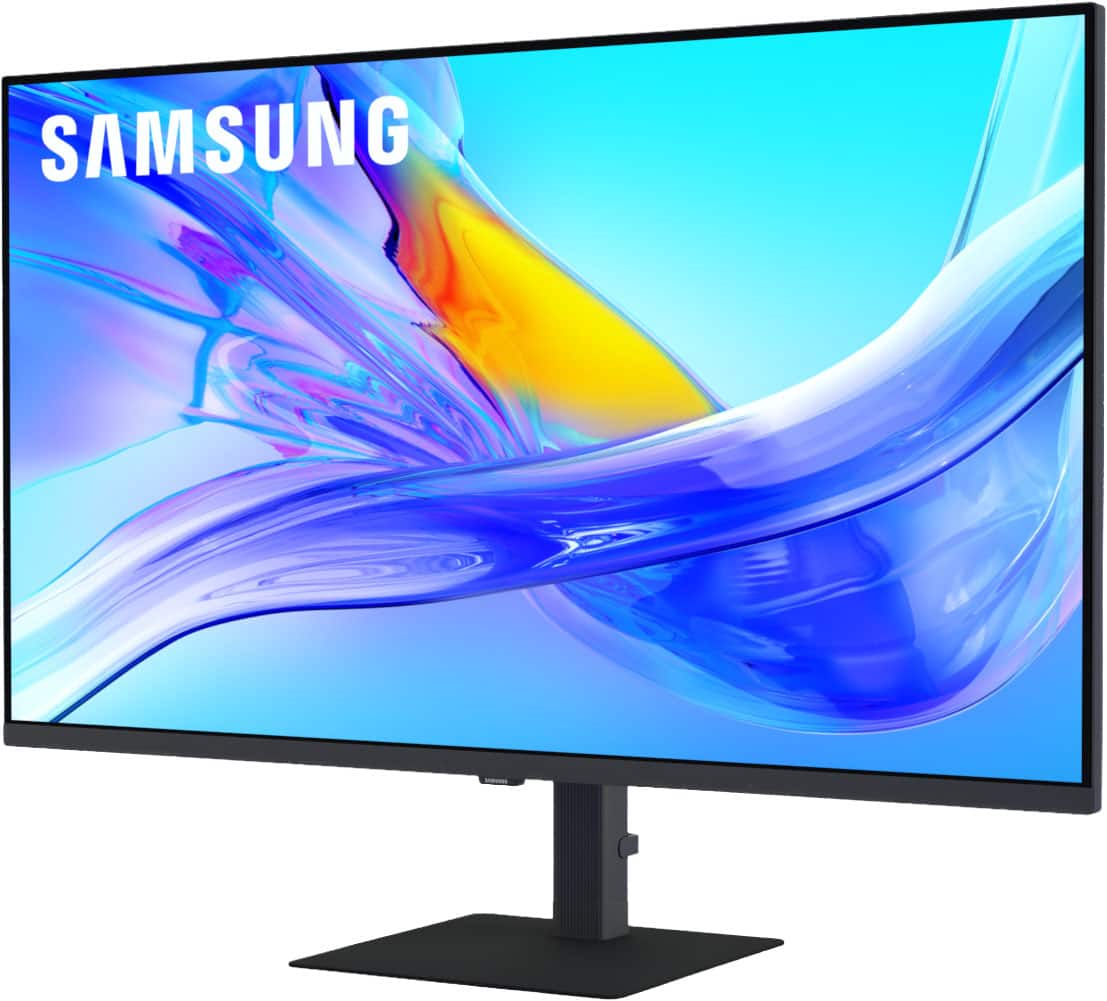
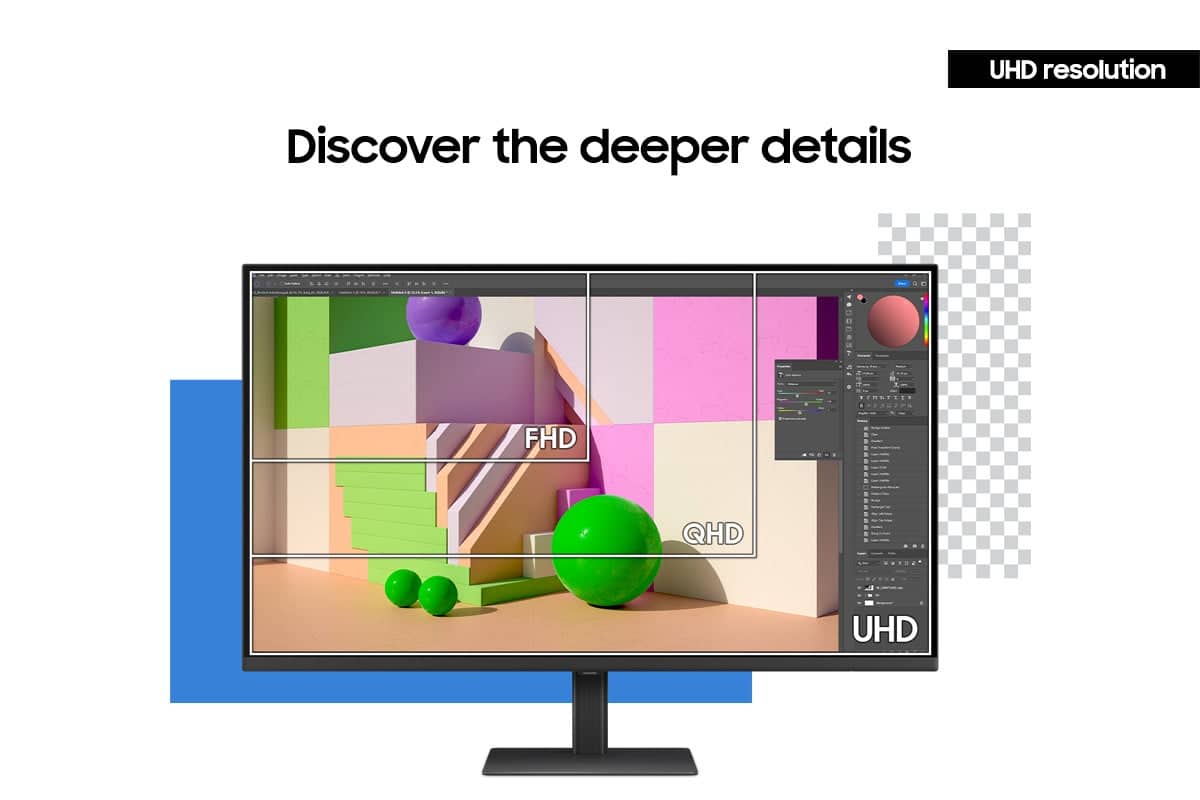
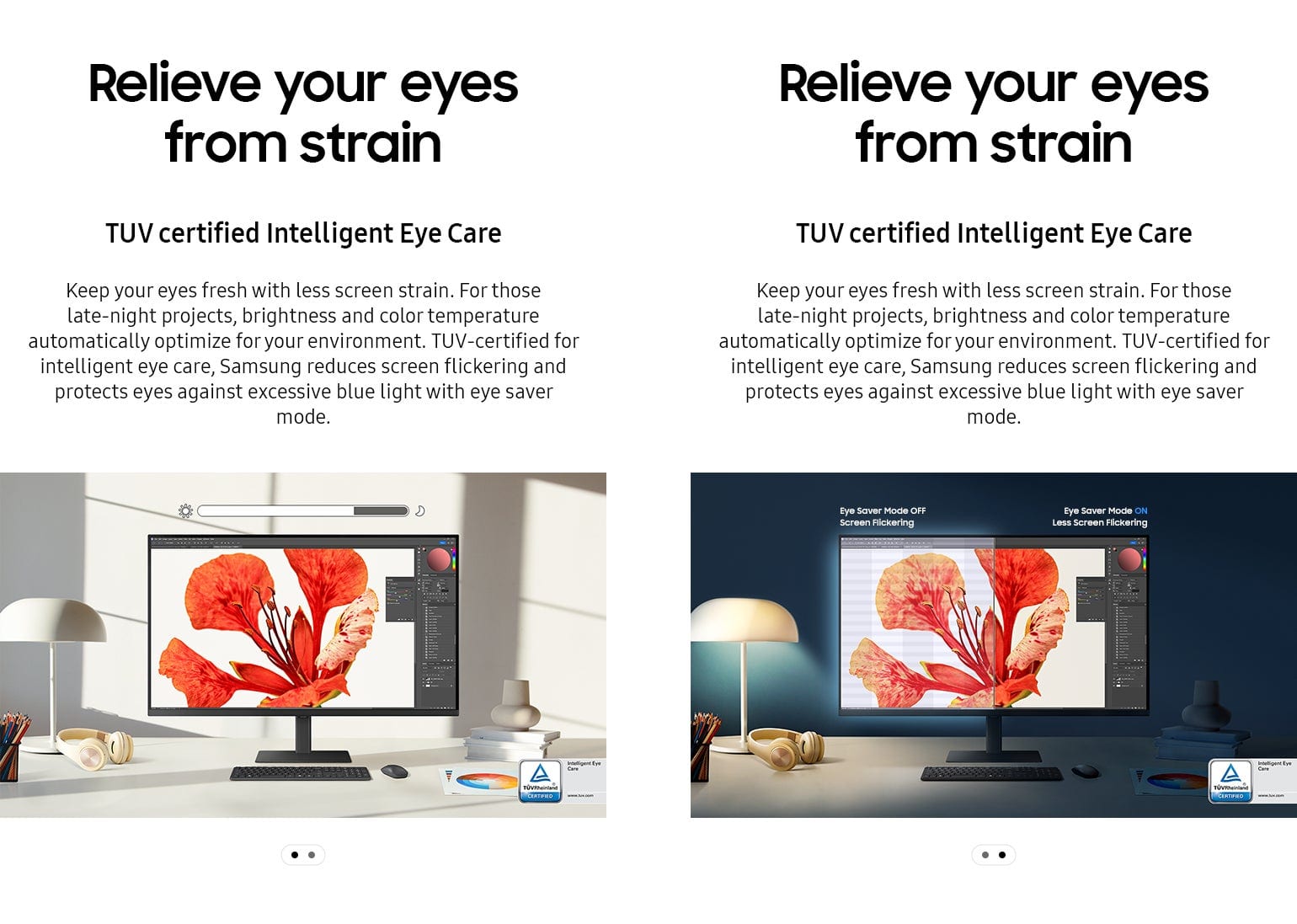
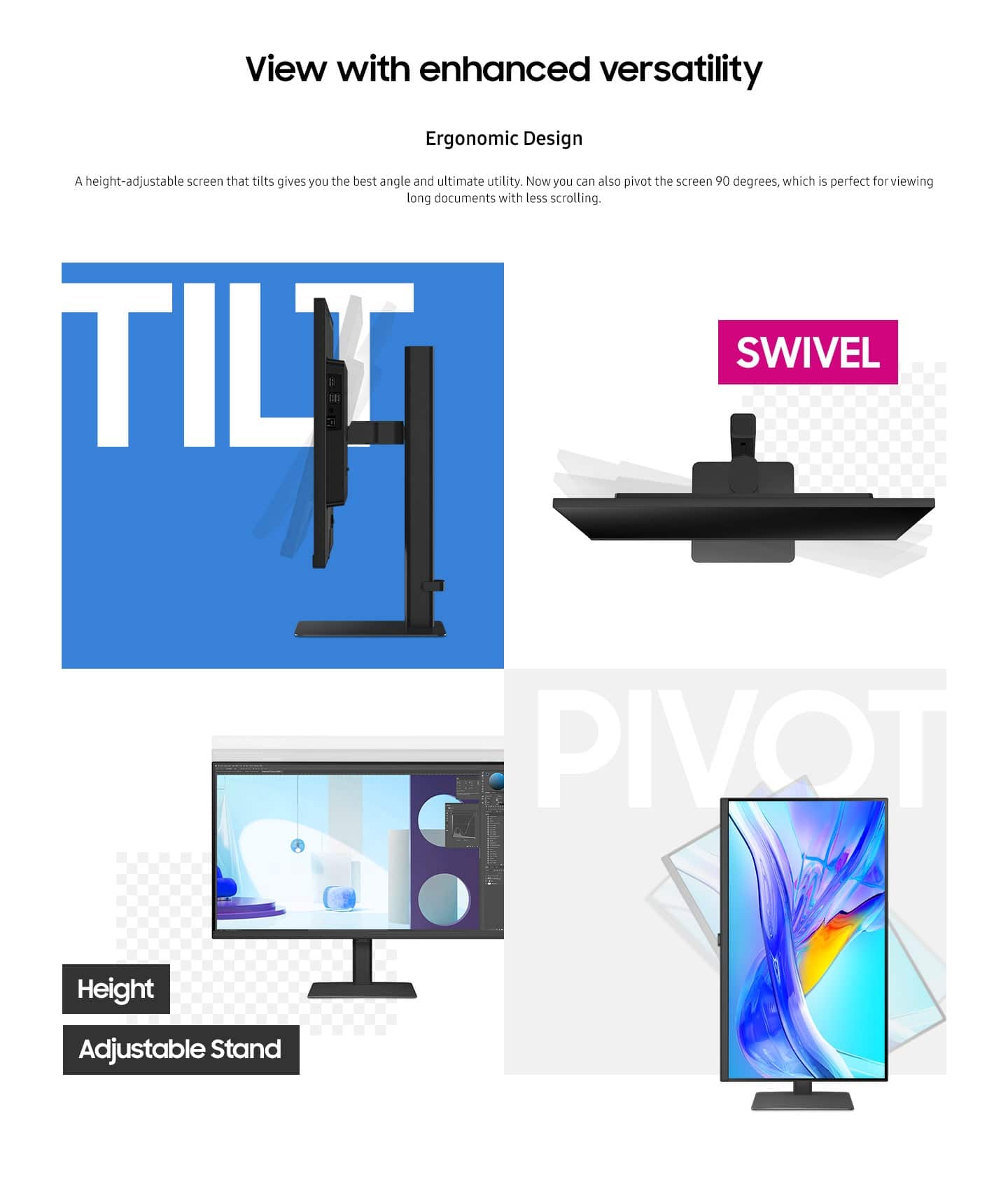
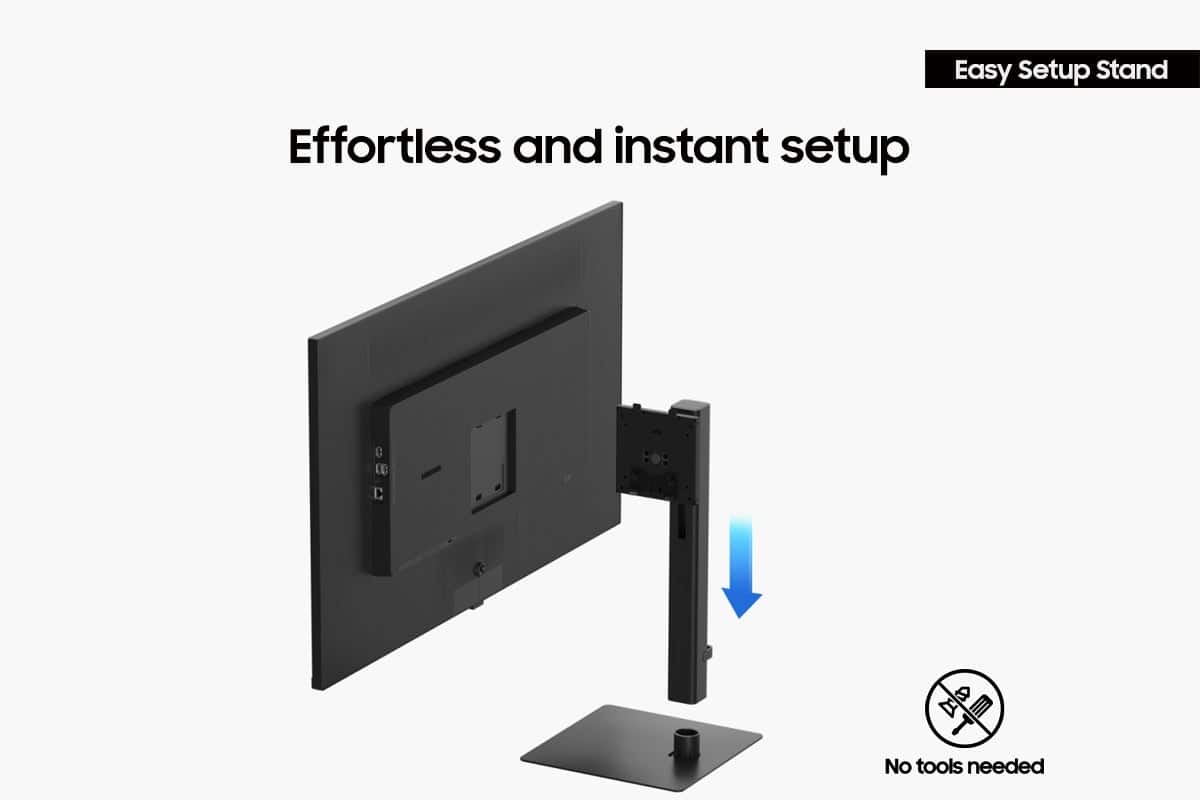
|Posted .This reviewer received promo considerations or sweepstakes entry for writing a review.The Samsung 37” Viewfinity S8 S80UD monitor definitely makes an impression for a number of reasons. For anyone working with video, photos or design work you’ll have no lack of screen space as this 37” monitor is vast. Yes, I expected an upgrade from my current monitor setup, but was still hit with the wow factor of just how large this monitor is. The 4K UHD resolution is quite nice for any video activities with HDR10 providing a great color gamut with excellent color likeness and contrast. Some features to make use easier on the eyes the are The Eye Saver mode to reduce blue light and the anti glare, matte display. The S8 is nicely designed with a slim bezel and the ergonomic stand lends itself to very easy set up. No tools needed to assemble and the stand is very sturdy with a solid, quality build. This monitor covers all the needed options to tilt, swivel, pivot 90 degrees, and adjust height. Connect via HDMI, Display Port or USB-C. A built-in KVM switch enables one to connect and utilize two sources to the monitor at the same time. Choose PIP, PBP and split screen for more productive multi tasking. Especially for those doing creative tasks related to video, photo or content creation I think the S80UD will be a pleasure to use given its great resolution and true to life colors. For more text and data driven tasks one might consider this to be more than one realistically needs or its sheer size may take up more desk area than one may be able to allocate. My suggestion would be to consider the dimensions and ensure your setup and needs are a good match for a monitor of this size. The quality of this S8 monitor is great, connectivity and inputs offer great utility and the customization of modes and options for automatic optimization of brightness and color optimization will be based on your environment.
I would recommend this to a friend Unreliable Construction
||Posted . Owned for 2 months when reviewed.This reviewer received promo considerations or sweepstakes entry for writing a review.I bought this monitor brand new less than 90 days ago and 2/3 of the screen suddenly went black from failed back light LEDs. The store will not refund me or exchange the monitor so now I'm stuck sending this to Samsung and won't even hear back for 4-6 weeks, almost as long as I've owned it for. Buy a different monitor, and maybe shop at a different store.
No, I would not recommend this to a friendBrand response from Samsung
Posted .RyanK:
We appreciate you sharing the details of your monitor issue and for your patience while waiting for your RMA. Should you need further assistance after your service is complete, please contact Samsung Customer Support.
Please call us at 1-800-SAMSUNG, available daily from 8AM - 9PM EST Monday - Friday, and 8AM - 6PM Saturday and Sunday. You can also chat with a LiveChat agent by clicking the ‘Support’ link on our website for:
• Live Chat
• Manuals, Software, & Warranty Info
• Creating a Service ticket
~ Samsung Monitors
- Pros mentioned:Connectivity, Ergonomics, Resolution
Ridiculous…in a good way
|Posted .This reviewer received promo considerations or sweepstakes entry for writing a review.Wow. This screen is ridiculous in the best way possible. It was clear that this product is huge as soon as the shipping box arrived. When I brought it inside, I put it next to my vacuum cleaner that was sitting out. It’s almost as tall as that, for comparison. That’s pretty crazy when you’re talking about a monitor. Before this monitor, I had a two screen (sometimes even three screen with my laptop) set up. I love that I can have one screen that shows off even better and eliminate the need for multiple screens now. The resolution is the best you can get right now and it shows. I had pretty decent screens before, but I feel like I’m still seeing things in a new way with this monitor. Everything is in sharper focus not to mention can be made huge because of the overall size of this screen. Setting this up with simple as you’d expect, other than a huge, so it’s a little bit tricky to maneuver initially. I love the USB-C connection, everything moves quick, no lag. And the ergonomic stand ensures. I can set it up exactly where I need it for my best comfort level. If you’re looking for a giant monitor with excellent quality graphics, this is the one.
I would recommend this to a friend - Pros mentioned:Build quality, Connectivity, Screen size
Great tech + quality but carefully consider size
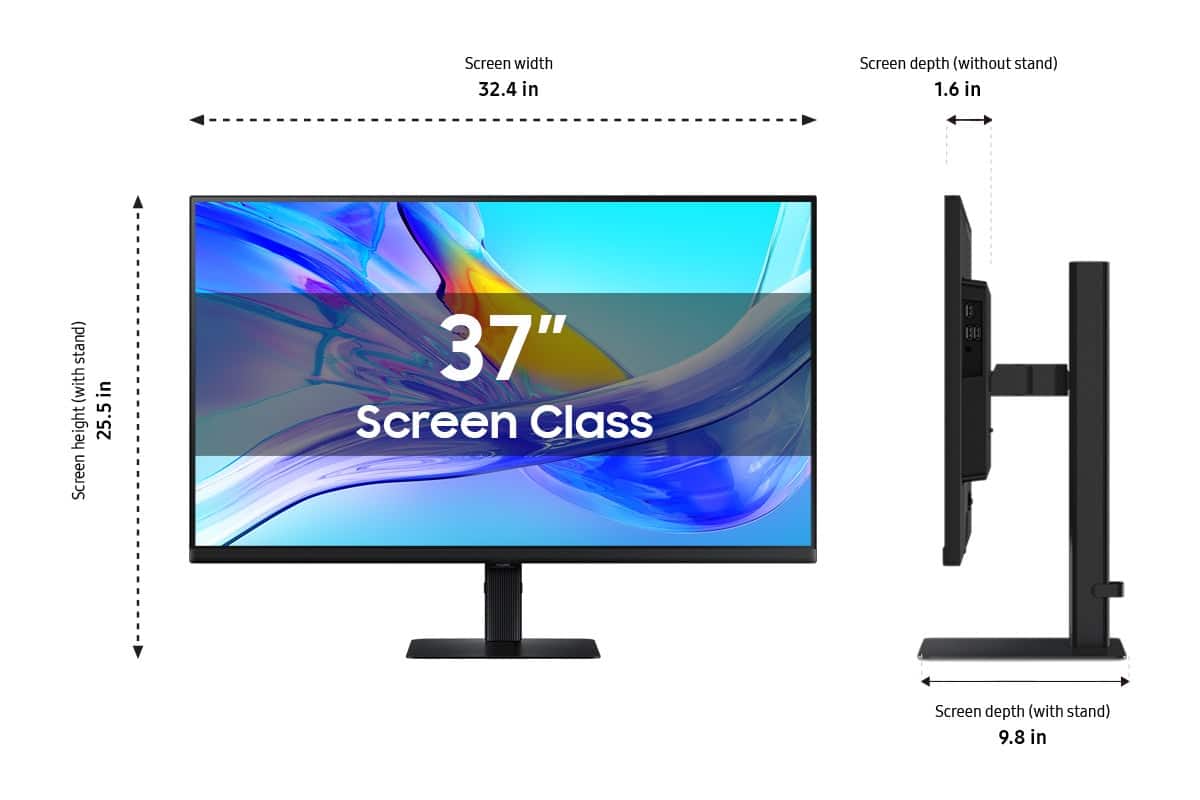
|Posted .This reviewer received promo considerations or sweepstakes entry for writing a review.Like many things in tech, monitors have been on an enlargement trend. It wasn't that many years ago we were all using 17-inch 4:3 ratio monitors, wondering when those fancy HD widescreen monitors would finally come down in price. Fast foward to today, and this Samsung ViewFinity S8 monitor pushes the boundaries on size, with a larger screen size than any monitor I've ever used -- and a larger screen than my first LCD TV! Not content with just being large, Samsung packs a good amount of the latest tech into the 37" S8, too. So how does this big'n stack up? The S8 arrived tightly packed in heavy-duty cardboard and thick stryrofoam packaging. While not plastic-free, I can understand why this beast of a monitor was protected by form-fitted styrofoam -- you'll want to use the box's built-in handles to move it, trust me! Unboxing was straightforward, with minimal assembly needs. Samsung's included adjustable stand doesn't require any tools to assemble, which is great. It's well-made and very adjustable, and I like the solidness of the metal monitor base. For my specific monitor setup I mounted the S8 on an adjustable monitor arm, which was nearly as simple owing to the standard VESA mount built into the back of the S8, no special adapter needed. I just screwed in the monitor arm's mounting plate and snapped the plate to the arm. While large, the S8 isn't absurdly heavy, and my monitor arm has no trouble holding it steady. The easy setup process continued with cabling and connections. The S8 includes a wealth of connection options including a USB-C port that can also power your laptop, which enables a one-cable connection when done correctly. I also like that the power cable is a standard connector with no external power "brick," which makes for a cleaner setup and allows you to use a longer or shorter cord if needed. In my case, the included cord was the perfect length. While I'd normally default to a USB-C connection, my office desk setup includes a USB/Thunderbolt hub already, so I opted to connect the S8 via HDMI and a USB-B-to-USB-A cable. I was pleased to see Samsung included a high-quality USB-C and HDMI cable in the box, although I used my existing cables and have had no issues. I have a webcam mounted on top of the S8 and connected to the monitor's built-in USB ports and have had no issues with it performing as expected. Samsung includes a great port selection the S8 and it has worked without issue for me connected to my laptop through my USB/Thunderbolt dock. After connecting everything and putting in my computer it took only a few moments for my Mac to recognize the external monitor and display an image. For reference, I'm using a MacBook Pro with Apple Silicon. As expected, the default zoom made text and images comically large, but I was able to adjust this in the Mac Settings app easily and had no trouble dialing in a comfortable screen zoom. After this initial setup I haven't had any trouble with my Mac's handling of the S8 and haven't had to mess with any advanced settings, either. I've been using a 27" external monitor for many years, so the S8 is quite the jump in size. Let me be clear: this monitor is huge, and the size difference is pretty jarring. Even with the monitor on an adjustable arm pushed all the way back, the amount of screen real estate is practically absurd, and that's without adjusting the screen zoom all the way out. If you're looking for one large screen to do the work of two smaller screens, that's absolutely possible with the 37" S8. Truthfully I'm still getting used to the screen size. You'll definitely appreciate the adjustability of Samsung's included stand, although I'm glad I have the S8 mounted on a monitor arm that lets me position the screen as far back on my desk as possible. Honestly, I'm still adjusting to the 37" screen size, and frankly, it's probably too big for my desk setup, even when pushed all the way back. I recommend carefully considering your setup and the available screen sizes before purchasing. As for display quality and color reproduction, I'm pleased with what Samsung is offering here. The 4K resolution is crisp and clean, and colors are generally very good. The S8 is very bright, too, so bright that I've had to turn it down to avoid eye strain, even in my brightly-lit office. This is a good problem to have, though, as it gives lots of flexibility. Samsung's on-screen menus, controlled with a convenient joystick behind the logo on the bottom of the screen, give you tons of control as well. I've settled on using "Original" picture mode, which reproduces the signal from my Mac accurately without over processing. I highly recommend visiting the Samsung website and downloading the full S8 product manual so you understand all the various adjustments available to you in the on-screen menu. After selecting a picture mode and turning down the brightness a bit I've been pleased with the S8's image quality. What I have noticed, however, is the sheer size of the screen requires more looking up/down/around than I'm used to, and this is where I notice some color shifting/wash out depending on how I'm sitting relative to the screen. The 37" S8 uses a VA panel, which provides excellent contrast but perhaps narrower viewing angles than the more common IPS technology. When viewed straight on everything on the S8 looks great, but looking at the edges or corners I notice color-shifting. With such a large screen I'm not sure this is avoidable, unless you position the monitor pretty far away. That's certainly possible, given the S8's size and resolution, so again, I would carefully consider your desk setup and how large of a screen you really need before purchase. In sum, the 37" S8 from Samsung is a very good monitor. It's well-made, has a great stand and VESA mounting option, lots of ports, a "one-cable" USB-C port with data and power capabilities, and unbeatable screen real real estate. Brightness and colors are very good, but the size and panel type do result in some color shift/washout at the edges, which I'm not sure is avoidable at this screen size. If you really, really need a monitor this size the S8 is a great choice, but I would give some thought to the smaller screen sizes in the S8 lineup, which use IPS technology for better viewing angles and might be a better fit for the average desk setup.
I would recommend this to a friend Bad Monitor
||Posted . Owned for 2 weeks when reviewed.This reviewer received promo considerations or sweepstakes entry for writing a review.The product is not working well, the picture blinking, it disappear and come back and the monitor need to be returned.
No, I would not recommend this to a friendBrand response from Samsung
Posted .Badproduct:
We appreciate your review of Samsung’s S80UD Monitor. So we can better understand the issues you’re experiencing and provide you with troubleshooting assistance, please reach out to Samsung Customer Support at 1-800-SAMSUNG, available daily from 8AM - 9PM EST Monday - Friday, and 8AM - 6PM Saturday and Sunday. You can also chat with a LiveChat agent by clicking the ‘Support’ link on our website for:
• Live Chat
• Manuals, Software, & Warranty Info
• Creating a Service ticket
~ Samsung Monitors
- Pros mentioned:Build quality, Ergonomics
SAMSUNG 37” VIEWFINITIY 4K UHD HIGH RES MONITOR
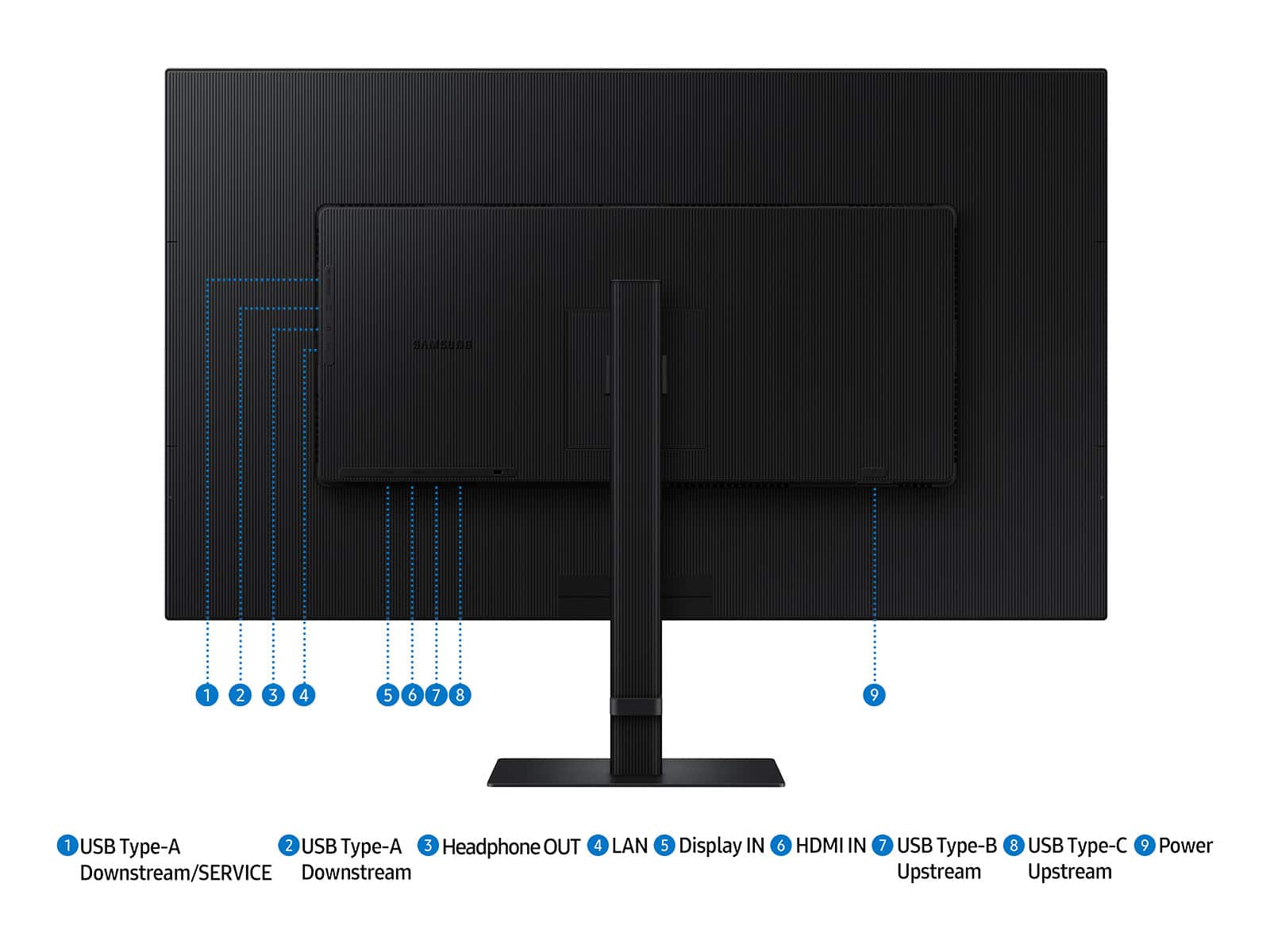
|Posted .This reviewer received promo considerations or sweepstakes entry for writing a review.So I just received my Samsung 37” ViewFinity LED 4K High Resolution Monitor w/HDR10 about a week ago and have been putting it through its paces. Samsung makes really great monitors as I have come to find out over the years, so my expectations are that this monitor will be as amazing if not better than the others I’ve used in the past. Unboxing included the following: * Samsung 37” ViewFinity Monitor * Stand Base and Arm * HDMI Cable * USB-C Cable * Power Cord * User Manual First off, I must say that this monitor is very sleek in design and is aesthetically pleasing to the eye. Setup is pretty much straightforward, but Samsung has done something a little different with connecting the stand to the base. Most monitors today use a bottom screw to connect the base and the stand/arm together. Samsung decided to go with a twist and lock setup, simply by placing the stand/arm inside the base and twisting it to lock it in place. I like this better than the screw. Sometimes the little flip tab that you used to twist the screw in can pop off as it had with other monitors I’ve owned. Once the stand and base are connected, simply align the tabs on the top of the monitor plate and slide them into the grooves on the back of the monitor, and that’s it. This monitor comes with a number of ports, and I’m glad that added ports are on the side of the monitor like most TV manufacturers do. There are 2 USB-A ports on the side of the monitor as well as a headphone out port and a LAN port. Underneath the monitor is the Display In port, HDMI IN port, USB-B port, and USB-C port. Also on the back of the monitor near the bottom is the power button. Now, this is not necessarily a deal breaker for me, but I’m not a big fan of the power toggle buttons that some manufacturers are placing on monitors these days. To me, because of the position of the power toggle button, it can become finicky at times, and the slightest movement will have you selecting something you didn’t want to select. However, you will need to use this power toggle to enter other setup features within the monitor system, such as picture color, size, etc. In my testing, I must say, I was really impressed with the ViewFinity monitor, especially at its size of 37”, it’s more than enough for my needs. I have it connected to my M1 Mac mini. The colors are amazing, and they almost pop right off the screen. Sound quality was not bad either with the integrated speakers. Something else I almost forgot to mention is that this monitor can be used at just about any angle as it rotates, swivels, and tilts to your liking, as well as its height can move up and down along the stand/arm. Overall, this is a very solid monitor, and you can’t go wrong with it.
I would recommend this to a friend - Pros mentioned:ResolutionCons mentioned:Refresh rate
Beast of a monitor!
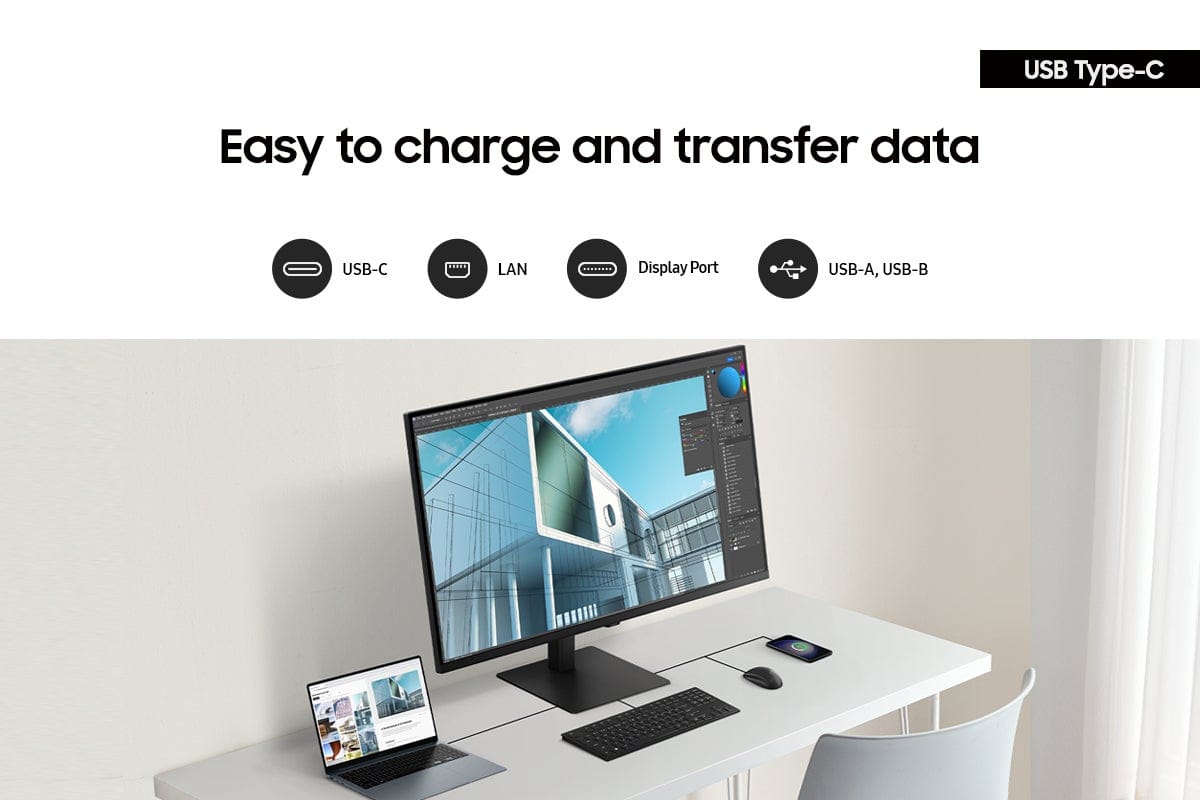
|Posted .This reviewer received promo considerations or sweepstakes entry for writing a review.For the dedicated productivity enthusiast or digital professional committed to highly efficient, multitasking work, you have found the right monitor for you! This monitor is honestly so well featured and gorgeous to behold. 37” of 4K resolution pixels just baffles me as a young millennial who remembers our first flat screen TV in 2008 being a 1080p 37” television that just boggled our minds back then. Now, my work and leisure-use monitor is the same size and many times greater the resolution! I love the use of this monitor. I have a 2021 MacBook 14” M1 Pro that I do all of my work and productivity activities on, and thanks to the USB-C display and 90-watt power delivery charging of this monitor, I can easily hook up to the monitor with just a single click of a USB-C cable! The monitor also has the right blend of features that help keep the price from being astronomical while still providing most end-users exactly the right experience they are looking for. Allow me to elaborate. First of all, this is no gaming monitor. It is only 60Hz refresh, which I will admit is vaguely disappointing. My MBP can go up to 120Hz refresh, so sometimes when I am running the Samsung monitor as an extended monitor to the MacBook, I find the slower refresh rate to be a little jarring, as it is evidenced in aspects like clunkier scrolling and more jarring mouse and page movements. However, I should confess that I am a first-person shooter gamer in my spare time, and I am used to screens with 165Hz refresh and higher, so I am very sensitive to frames (or their absence). The average user won’t even notice, so that is a good value here. An additional good value is that they went LED on the display type with a VA panel on this monitor. Neither of these technologies is the cutting edge available in 2025, but they are, again, perfectly adequate for average users and allow this to be a 37” 4K monitor with excellent I/O, even if it is not the most featured panel they have used. All of this in composite has resulted in a monitor that I think is going to be just right for 95% of users. As to the color accuracy or higher refresh needs of some users, you may want to look elsewhere. Thanks for reading, and I hope this review has helped guide your purchasing decision!
I would recommend this to a friend - Pros mentioned:Build quality, Connectivity, Ergonomics
Solid 4K Monitor for Work and Multitasking
|Posted .This reviewer received promo considerations or sweepstakes entry for writing a review.I've had the Samsung 37" ViewFinity S8 S80UD 4K UHD monitor for a few weeks now, mostly for content creation and secondary tasks, and I would say it performed like you expect out of a monitor of this type. The 4K resolution is crisp and provided ample screen real estate, which is advantageous for having multiple windows open or for editing high-resolution video. It appears the color accuracy is pretty accurate out of the box, and HDR10 is nice to have and does give a little bit more contrast and brightness - the differences are more noticeable in the context of media consumption compared to professional tasks. The USB-C connectivity is an awesome feature - as it powered my laptop (up to 90W) while transferring data to my laptop at the same time, which is nice and keeps things cleaner for cable organization. The built-in LAN port is also convenient to provide wired internet. The KVM switch performed well switching between my work laptop and my home desktop, and Picture-by-Picture mode is surprisingly usable. In terms of physical design of the monitor, setup and adjustments were simple and straightforward. The stand is quite sturdy, and I found the height, swivel and tilting adjustments to be user-friendly to find a comfortable height and position. The eye care features are a nice touch especially for long hours of work, though sometimes the automatic brightness adjustment of the monitor can be a little inconsistent. Overall, I was impressed with the ViewFinity S8 and offers some good functional and image quality, especially for users that are professional or serious multitaskers.
I would recommend this to a friend - Pros mentioned:Build quality, Resolution
The Perfect Size! (Big but not too big)
|Posted .This reviewer received promo considerations or sweepstakes entry for writing a review.I’ve played around with monitor sizes over the years from a 27”, 32”, and even a 40” but I’ve always wanted a 37” but no one seemed to be making one...but finally here it is! To me, this is the maximum size that’s actually usable without putting a strain on your neck. A 32” is great but I always felt like there was opportunity for more real estate. With a 40”, I found that too large where I would have to move my neck too much which caused strain. This 37” finally offers the perfect size for my needs with an expansive and usable display which maximizes my productivity. Viewing angles are also a concern with larger monitors especially if you have the monitor at a closer distance but I find no issues where even the outer most corners are crisp and clear. Being that it’s larger than my previous 32” monitor, I found that I had to have more distance between me and the monitor where I feel having it at least 18” away is about ideal where I had my 32” closer. Another highlight is the stand where it offers a wide range of adjustability with height as well as angles for both up and down as well as right to left. The base also doesn’t take up much space on my desk which I appreciate. The 4K resolution is fantastic but this monitor could be even better if it had 5K resolution, but of course, that would make it much more expensive! I feel the price point of this monitor is fair for what it offers. The 60Hz refresh rate suits my productivity tasks extremely well. I use it for video editing, photo editing, as well as research and writing and it fits my needs, however I could see it not being as ideal for gaming. Can’t be happier with this display. It’s literally what I’ve been wanting for years. Highly recommended!
I would recommend this to a friend - Pros mentioned:Build quality, Screen size
Love Having Such a Huge Display!
|Posted .This reviewer received promo considerations or sweepstakes entry for writing a review.It took less than 12 hours for my girlfriend to go from that thing is ridiculous to I want to use your PC when I’m online and you’re not using it! She loves it, and I may like it more than she does. I had been thinking about getting a larger screen for my PC for a while now. I usually run 3 monitors, one being a curved screen I have set in portrait mode for whenever I need to write anything of substance. But the other two have been replaced by this fabulous display. I thought I may like one large screen better than 2 smaller ones, but I underestimated how much easier it is to keep my stuff organized. The screen is big enough where I can have 4 windows, 1 set in each quadrant. Then just max a window when needed. The part I wasn’t sure about before I got this thing was if each window would be big enough for it to really be usable, it is. The screen is beautiful and bright. The menus are easy to navigate and select various options. I quickly found a display preset called gaming that was perfect for me. The screen itself is very lightweight, but the base feels sturdy and well designed. Watching videos on it look incredible. The first thing I did was put on a stunning 4k nature video. I sat down to watch it and did the final step; I slowly removed the protective plastic film on the screen itself. As the true clear capabilities of this monitor were slowly revealed a choirlike harmonious hum built up in the back of my mind. The combination of beauty of the filmed nature and my upgraded PCs new video capability just gave me one of those wow moments. I have a beautiful 4k TV and one of the monitors this one replaced was a really nice 4k screen. I think this one just hits some sort of sweet spot with the size of the screen and how far from the screen I sit. I tested out several of my favorite games including simulation and building types along with Elden Ring and Dragons Dogma 2 and everything ran smooth and clean. All in all I absolutely love this monitor and how it changed my PC set-up. If I knew someone looking for a larger screen in this price range I would absolutely recommend it to a friend.
I would recommend this to a friend - Pros mentioned:Ergonomics, Screen size
Crazy big monitor
|Posted .This reviewer received promo considerations or sweepstakes entry for writing a review.First off, this thing is huge. I thought I was accidentally shipped a TV when it showed up at my door. I knew 37" was going to be large but seeing it in person is an experience. I work from home and spend hours every day on my laptop. I've had other wide or larger displays before and appreciate not straining my eyes. I usually have two monitors set up and my laptop screen depending on the tasks I'm working on. This is so large I can use just this and my laptop screen if needed. It's crystal clear and easier on the eyes than other monitors I've used before. I don't really have to worry about overhead lighting or a bunch of glare which I've had issues with other monitors in the past. It's easy to adjust brightness but this is something that was easy to set up and honestly worked beautifully straight out of the box after initial set up. I appreciate the stand being low profile, I was worried about needing a ton of desk space since I also use a full size keyboard and mouse while working but everything fit nicely on my average sized desk. This would be awesome for someone who works on computers all day as well as people who tend to increase font size or zoom in while working or reading. I love that this was big enough to replace two monitor and downsize without feeling like I lost monitor space. I like the low profile bezel as well. It's a sleek looking option with more than enough space.
I would recommend this to a friend - Pros mentioned:Build quality, Screen size
Best 37 incher out there
|Posted .This reviewer received promo considerations or sweepstakes entry for writing a review.I am really enjoying this monitor. The colors just pop, especially when turning on the HDR 10. I have found my new gaming monitor for foreseeable future. A 37 inch monitor is actually perfect for gaming/work setup for me. It offers just enough screen real estate to display two full-size browser windows so I can work my remote IT job and game a little bit in the evening on one monitor with a nice small footprint compared to the giant 48 inch monitors that are out there. I do like the giant monitors, but they take up giant room as well. The build quality on this monitor is really good. Nothing is flexible or plastic feeling. Everything feels solid. The 4K screen is absolutely gorgeous and the images almost look 3-D. They really pop that much. I highly recommend this monitor for any kind of graphic artist, remote IT worker or any kind of light gamer who wants a really good low profile experience that doesn’t cut any corners when it comes to resolution and HDR. Samsung has dialed in a winner.
I would recommend this to a friend - Pros mentioned:Screen size
NO smarts - An OK no-frills display experience...
|Posted .This reviewer received promo considerations or sweepstakes entry for writing a review.This is a fantastic no-extras monitor package. Its exactly what some users want: 90W USB-C "docking" capabilities for less desk clutter but still some docking-like advantages for a desktop-like experience, and no other frills to get in the way, such as Samsung's Tizen SmartTV OS that's made its way to their Odyssey line of gaming monitors. Instead what you get here is 37 diagonal inches of PURE 4K BLISS! It's just a monitor. It just has a nice, clean color reproduction, with immediate recognition as a 4K display by my Dell laptop I tested with, and perfect automatic image calibration out of the box. I was pleasantly surprised by the textured finish of the display screen, just matte enough to diffuse any direct reflections and direct light, putting this screen through my gauntlet test of facing my westward office window at dinnertime in the summer, sure to be the brightest outdoor light influence this thing will ever experience. It was sheer pleasure ripping that glossy protective film off and see that gorgeous anti-glare screen. Now for some criticisms that may/may not matter to prospective buyers in this price range: - The HDR functions of this display are good, range seemed adequate, but it took some HDR calibration in Windows to get things to serviceable as it relates to good color reproduction in FULL HDR10 mode in Windows 10 - Some screens do better on this in Windows, others fail miserably... Thing one needed a little prodding, and it SEEMS to be pretty good. I dont know if this is strictly a monitor issue or a problem with Windows 10 and MacOS themselves. I wouldnt want to use HDR mode on this thing during media/content creation/editing. - The OSD/controls are ABYSMAL - Ugly, pixelated menus on a singular joystick control - Grainy, unintuitive navigation and minimal settings to control picture quality, some of which seem to have some effect in HDR mode, but not enough of one compared to competing monitors. - SDR and HDR brightness leave a little to be desired - I know I was testing against a backlight here, but it left me wanting more... - Text scrolling and motion, even at 60hz was FULL of ghosting like a 30Hz display mode would produce - I tried playing with the color space controls (Defaulted to full band RGB and set to 10-bit color) but no matter what web- and document-based black text on white backgrounds look awful when scrolling or moving around the screen - The UI elements didnt fare so badly, but in HDR mode, all of this was exacerbated. I think a flagship ViewFinity monitor in 2025 should knock my socks off in brightness, color and motion - Especially from the world's display leader! This thing should impress, and it merely JUST satisfies.
No, I would not recommend this to a friendBrand response from Samsung
Posted .Thank you for your purchase and review of the 37" ViewFinity S8 High Resolution Monitor! Samsung is committed to providing the best possible product experience, quality, and value. We greatly value your feedback and we utilize your concerns and opinions in our relentless efforts towards delivering world-class products. If you ever need assistance in the future, please contact Samsung Customer Support and a rep will be happy to assist you: 1-800-SAMSUNG, available 8AM - 12AM EST (Mon-Fri) / 9AM - 11PM EST (Sat-Sun)
- Cons mentioned:Black level, Refresh rate
Washed Out, Flimsy Build Quality
|Posted .This reviewer received promo considerations or sweepstakes entry for writing a review.For a 4k Display, I would've expected a much more crisp image over my current 2k Curved monitor. But for me, this monitor did not deliver on my expectations of a more crisp, clean, vibrant image. First off, just the physical build quality of the monitor was worrisome to me. When I set it up and started using it, it felt to me that the corners were bowed outwards. After a full day of work, I felt my eyes strained even more because the outward bow of the bottom corners caused a weird effect on the screen that caused my eyes to keep training down towards the corners. Like it honestly felt like the monitor was so large and cheaply made, that it was trying to naturally curve. When I feel the corners, they are flimsy, weak, and the entire frame just feels like it can break. The display quality really isn't anything to run home about. The blacks are extremely washed out, HDR10 never looked good, despite trying to set custom profiles to make the monitor look good, I could never get it to look better than a basic desktop monitor. Mind you, I even was using AMD software and running a 9070XT on my desktop and couldn't make it look better. The one cool feature I like is how it can be used as a KVM, that makes it convenient for switching between my work laptop and my gaming rig. Speaking of gaming, do not even try to game on this monitor, wow, I regret trying!! It was a terrible experience, the amount of screen tearing, lag, I mean yeah its only 60 HZ (which is low, at this price point and at 4k you need at least 120HZ). I know it is not advertised as a gaming monitor, but even using it as a work monitor, I could not use it for more than a day before switching back to my old monitor which provides a much crisper image.
No, I would not recommend this to a friendBrand response from Samsung
Posted .Thank you for bringing these issues to our attention as Samsung is committed to providing the best possible product experience, quality, and value. Samsung greatly values our customers’ feedback and we utilize your concerns and opinions in our relentless efforts towards delivering world-class products.
If you ever need assistance in the future, please contact Samsung Customer Support and a rep will be happy to assist you:
1-800-SAMSUNG, available 8AM - 12AM EST (Mon-Fri) / 9AM - 11PM EST (Sat-Sun)
An excellent choice for productivity
|Posted .This reviewer received promo considerations or sweepstakes entry for writing a review.The UHD is definitely important on this one and snapping windows with windows and arrow keys or at the top in windows 11. When the screen first turned on it wanted to set the screen to 300% which made everything giant, if you have eye sight issues this could be a serious benefit, it’s one of the only screens were 300% actually looked usable. I changed it to 150% and it was the then I could use 4 applications easily on the screen at the same time. Two of these side by side would be absolutely killer on multitasking, even one is pretty amazing. The ratio is excellent for getting work done. Movies and gaming look good on it but it’s definitely optimized for work. I love the KVM switch (a KVM switch allows you to share your USB devices like a mouse and keyboard between devices), it didn’t come with the regular USB B to A or C but it did come with a USB C to USB C cable, so if you are actually wanting to utilize the KVM feature you’ll need to order a cable which is cheap enough. The USB C has power, but only around 25W or so that I saw from measuring it, so for instance my work laptop that needs 90+W of power kept making the the monitor turn off, pluggin in my regular charging fixed this issue. If you have a low power laptop then this is a one plug monitor which is is awesome, if you have a high power required laptop you’ll need your charger as well. Overall, this monitor is absolutely perfect for getting work done with the ability to adjust to different heights easily and the only thing I could really want out of it is more powered delivered via USB C.
I would recommend this to a friend- Pros mentioned:ConnectivityCons mentioned:Black level
The good and the bad
|Posted .This reviewer received promo considerations or sweepstakes entry for writing a review.First the good- There are some pros to this display for folks who don't care about accuracy and brightness disparity. The display is sharp in the 4K resolution offered. Cable management is really nice and easy with this. It has 3 USB's vs 2 for comparable LG displays. The stand is super-nice and flat, and allows much more room on a smaller deck than the typical curved LG display stand for your laptop. The USB-C is super-convenient to charge your laptop with less cables. The power cable is simple, it doesn't have that huge brick and dual cords that the LG has. Just a simple, narrow (nice for power strips) polarized plug. And now the bad- The LED light is dominant at the bottom of the screen making a website that actually doesn't have a color gradient (e.g light to dark or vice versa), appear like it does. The brightness is overwhelming and will hurt your retinas looking at it all day. I had my brightness down to 5, and it still seemed too bright. Blacks appear gray. The monitor isn’t the best but far from the worst with some tweaking out the box. All and all a midrange monitor but decent for where it sits.
Brand response from Samsung
Posted .Thank you for bringing these issues to our attention as Samsung is committed to providing the best possible product experience, quality, and value. Samsung greatly values our customers’ feedback and we utilize your concerns and opinions in our relentless efforts towards delivering world-class products.
If you ever need assistance in the future, please contact Samsung Customer Support and a rep will be happy to assist you:
1-800-SAMSUNG, available 8AM - 12AM EST (Mon-Fri) / 9AM - 11PM EST (Sat-Sun)
- Pros mentioned:Resolution, Screen size
Beautiful picture
Posted .This reviewer received promo considerations or sweepstakes entry for writing a review.Beautiful picture and great size. The 4K is amazing and works great with my computer. We used a USB-C cable and it heated up to be very hot at the plug on the monitor, so we had to change cables, but that fixed the issue.
I would recommend this to a friend Perfect Size
Posted .This reviewer received promo considerations or sweepstakes entry for writing a review.The monitor was as expected and a good price. I like the size and plan to use it for homework with multiple tabs open at once.
I would recommend this to a friend