Customer Ratings & Reviews




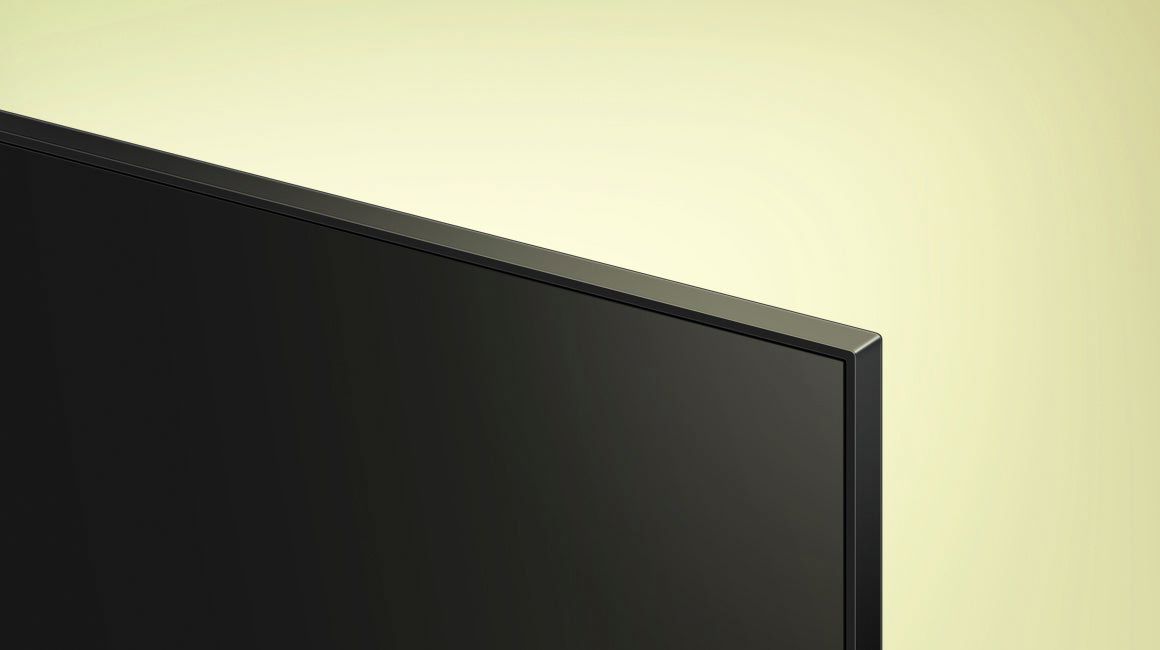







- Model:
- UN43AU8000FXZA
- SKU:
- 6452966
Rating by feature
- Picture Quality
Rating 4.8 out of 5 stars
- Sound Quality
Rating 4.1 out of 5 stars
- Brightness
Rating 4.7 out of 5 stars
Customers are saying
Customers are delighted by the picture quality and ease of use of the 43" Class 8000 Series LED 4K UHD Smart Tizen TV. Many also appreciate the smart TV features, the price point, and the sleek design. However, some users have expressed concerns regarding the remote control's ergonomics and the volume control's range. A few customers also mentioned that the operating system and user interface could be improved for a smoother experience.
This summary was generated by AI based on customer reviews.
Ok
||Posted . Owned for 1 month when reviewed.This reviewer received promo considerations or sweepstakes entry for writing a review.Overall good for the price, just wish it was a little bit louder, my phone is actually louder than the tv
I would recommend this to a friendBrand response from Samsung
Posted .Hi Mike,
Thank you for purchasing the Samsung AU8000 Crystal UHD TV and for your review. One possible cause for the low volume is the source. Some sources have their own volume control which might be set too low.
Please check the volume control of the external device (cable box or satellite box, DVD, Blu-ray, etc.) connected to your TV. Also, check the cable connection between an external device and the TV and then try cable connection again.
We recommend you try a Sound Test under Support > Self Diagnosis > Start Sound Test. Another way to check the source volume is to test an internal streaming source like Netflix or YouTube to compare.
You may also want to select from several Sound Modes and advanced settings to meet your personal preferences. Press the Home button on your remote, and then navigate to Settings > Sound > Sound Mode
I hope this helps improve your audio experience. Should you need further assistance or have any questions, please contact Samsung Customer Support at 1-800-SAMSUNG (ask for TVs), available 8AM - 12AM EST, 7 days a week.
For additional support resources, visit us on the Samsung website and click on the ‘Support’ link in the upper right corner of the homepage for:
1) Chat with Us/Product Help: To begin a chat or find solutions, choose ‘TVs & Home Theater’ and select your model & topic.
2) Register a Product: For access to easy warranty support, convenient opt-in to special promos and offers, faster troubleshooting and service, and quick notification of system updates.
3) Manuals & Software
4) Warranty Info
5) Contact Us
~ Samsung Solutions
Poor Sound
||Posted . Owned for 3 weeks when reviewed.This reviewer received promo considerations or sweepstakes entry for writing a review.I have to turn the sound up to 90 to hear the TV on any channel.
No, I would not recommend this to a friendBrand response from Samsung
Posted .Hi WellNow,
Thank you for purchasing the Samsung AU8000 Crystal UHD TV and for your review. One possible cause for the low volume is the source. Some sources have their own volume control which might be set too low.
Please check the volume control of the external device (cable box or satellite box, DVD, Blu-ray, etc.) connected to your TV. Also, check the cable connection between an external device and the TV and then try cable connection again.
We recommend you try a Sound Test under Support > Self Diagnosis > Start Sound Test. Another way to check the source volume is to test an internal streaming source like Netflix or YouTube to compare.
You may also want to select from several Sound Modes and advanced settings to meet your personal preferences. Press the Home button on your remote, and then navigate to Settings > Sound > Sound Mode
I hope this helps improve your audio experience. Should you need further assistance or have any questions, please contact Samsung Customer Support at 1-800-SAMSUNG (ask for TVs), available 8AM - 12AM EST, 7 days a week.
For additional support resources, visit us on the Samsung website and click on the ‘Support’ link in the upper right corner of the homepage for:
1) Chat with Us/Product Help: To begin a chat or find solutions, choose ‘TVs & Home Theater’ and select your model & topic.
2) Register a Product: For access to easy warranty support, convenient opt-in to special promos and offers, faster troubleshooting and service, and quick notification of system updates.
3) Manuals & Software
4) Warranty Info
5) Contact Us
~ Samsung Solutions
- Cons mentioned:Remote control
Beware!
||Posted . Owned for less than 1 week when reviewed.This reviewer received promo considerations or sweepstakes entry for writing a review.Remote control operation was so complex and difficult to understand that neither I or my wife could figure out how to use it effectively! Requires smart phone or computer with internet access to set-up. Considering returning the set! No useable instructions were included.
No, I would not recommend this to a friendBrand response from Samsung
Posted .Dave,
I'm sorry to hear of your experience with the AU8000 TV's remote. To assist you in learning the various features, functions, and settings of the remote, you can download the Remote Control Guide directly from Samsung’s website under ‘Support’ (top right corner) > Manuals & Software > TVs & Home Theater. From there, you can select the AU8000 under Crystal UHD TVs > A Model Lineup. Additionally, you can find other guides and manuals to further assist you with your TV’s features.
If you need more help, Samsung is here for you. Please call us at 1-800-SAMSUNG, 8AM - 12AM EST, 7 days a week. Our LiveChat agents are also available by clicking on the ‘Support’ link on our website.
~ Samsung Specialist
Poor return (time frame) policy
||Posted . Owned for 2 months when reviewed.This reviewer received promo considerations or sweepstakes entry for writing a review.I have bought four Samsung TVs and this 43” is the one I wish I had not bought. It has a very poor speaker making sound sound tinny. We would have taken it back for an exchange but because my wife and I both became sick we could not take it back because of Best Buy’s very short return/exchange policy.
No, I would not recommend this to a friendBrand response from Samsung
Posted .Hi MichialH,
Thank you for sharing your thoughts regarding the AU8000 TV’s sound quality. Please know we are here to help. We recommend adjusting the Sound Settings to improve your experience. You can change the Sound Mode by going to Settings > Sound > Sound Mode.
You can also customize the sound with Expert Settings by going to Settings > Sound > Expert Settings.
To assist you with possible sound settings adjustments for a better audio experience or choosing a Samsung Soundbar to complement your viewing enjoyment, please reach out to us at 1-800-SAMSUNG, 8 AM - 12 AM EST, seven days a week. LiveChat with an agent, as well as manuals, software, and warranty info, can be found at the ‘Support’ link on our Samsung website.
~ Samsung Advisor
Malfunction
||Posted . Owned for less than 1 week when reviewed.This reviewer received promo considerations or sweepstakes entry for writing a review.This TV was returned to the store after a frustrating experience of the picture blinking out frequently when watching movies. I was never able to calibrate the color as the screen would go black each time the Apple color calibration tool was run. I called Samsung support and was told to turn the contrast down below the default level that was factory set.
No, I would not recommend this to a friendBrand response from Samsung
Posted .Hi Howard,
Thank you for your review of the Samsung AU8000 Crystal UHD TV and for sharing the issues that have caused you to return your unit. Your experience is very important to us and will be shared with our product team.
It is possible that your unit needed minor troubleshooting, a firmware update, or adjustments in settings.
Should you ever decide to give Samsung TVs another try and have questions or need assistance with settings, setup, or features, please know we are always here to help. Call us at 1-800-SAMSUNG (ask for TVs), available 8AM - 12AM EST, 7 days a week.
For additional support resources, visit us on the Samsung website and click on the ‘Support’ link in the upper right corner of the homepage for:
1) Chat with Us/Product Help: To begin a chat or find solutions, choose ‘TVs & Home Theater’ and select your model & topic.
2) Manuals, Software, & Warranty Info
We hope to regain you as a customer in the future.
~ Samsung Solutions
- Cons mentioned:Remote control
Stuck on set-up screen
||Posted . Owned for 1 week when reviewed.This reviewer received promo considerations or sweepstakes entry for writing a review.We got this and it was frozen on the set-up screen, nothing I could do would make it leave the set-up screen, controller is just like a fire stick control with voice command and it just sucks as it wouldn't get off the set-up screen.
No, I would not recommend this to a friendBrand response from Samsung
Posted .Hi Juan!
Thank you for sharing the issues you are experiencing with your Samsung AU8000 TV. So we can better understand the problems you are experiencing and provide you with troubleshooting assistance or warranty service, please contact Samsung Customer Support at:
1-800-SAMSUNG (ask for TVs), available 8AM -12AM EST M-F (9AM – 6PM EST Sat). Or text HELP to 62913.
For additional support resources, visit us on the Samsung website and click on the ‘Support’ link in the upper right corner of the homepage for:
1) More ‘Contact Us’ options – LiveChat, Facebook, Twitter, Samsung Community, Samsung Members app
2) Manuals & Software
3) Warranty Info
4) Product Registration: For access to easy warranty support, convenient opt-in to special promos and offers, faster troubleshooting and service, and quick notification of system updates.
We look forward to hearing from you.
~ Samsung Solutions
- Pros mentioned:Picture quality
Purchased November 2021
||Posted . Owned for 3 weeks when reviewed.This reviewer received promo considerations or sweepstakes entry for writing a review.Fantastic picture. Worst sounding TV I’ve ever heard.
No, I would not recommend this to a friendBrand response from Samsung
Posted .Hi Lance,
Thank you for purchasing the Samsung AU8000. I am glad to hear your are enjoying the picture quality provided by your new Crystal UHD TV. Your feedback regarding the sound quality is important to us and will be shared with our product teams. There are several sound settings you can adjust to suit your personal sound preferences.
Change the Sound Mode by going to: Settings > Sound > Sound Mode
You can also customize the sound with Expert Settings by going to: Settings > Sound > Expert Settings
To assist you with possible sound settings adjustments for a better audio experience, or choosing a Samsung Soundbar to complement your viewing enjoyment, please reach out to us at 1-800-SAMSUNG (ask for TVs), available 8AM - 12AM EST, 7 days a week.
For additional support resources, visit us on the Samsung website and click on the ‘Support’ link in the upper right corner of the homepage for:
1) Chat with Us/Product Help: To begin a chat or find solutions, choose ‘TVs & Home Theater’ and select your model & topic.
2) Register a Product: For access to easy warranty support, convenient opt-in to special promos and offers, faster troubleshooting and service, and quick notification of system updates.
3) Manuals & Software
4) Warranty Info
5) Contact Us
~ Samsung Solutions
Channel surfing?!
||Posted . Owned for 2 weeks when reviewed.This reviewer received promo considerations or sweepstakes entry for writing a review.The picture quality is fine. Changing channels is not. I may need to call Samsung a fourth time and get more assistance on the best/easiest way to change channels. Now I have to scroll through the entire guide or through all the channels to get to another channel. Using Alexa requires additional commands. Very frustrating!
No, I would not recommend this to a friendBrand response from Samsung
Posted .Hi MJCT,
Thank you for purchasing the Samsung AU8000 and for sharing your experience with the remote and changing channels. Your feedback is important to us and will be shared with our product teams.
To make channel navigation easier, you can designate frequently watched channels as favorite channels. Favorite channels are highlighted in the Edit Channels and Channel List screens with the heart symbol. You can create up to five favorites lists so that your family members can create their own personal favorites list. Go to:
Home > Live TV > Channel List > Edit Channels
1) Press the left directional button on the remote to select the desired Favorites list.
2) Press the right directional button to select Add Channels.
3) Select the desired channel in the list on the screen.
4) Press Add Channels to add the selected channel in the Favorites list. Select Favorites 1 - Favorites 5 on the Edit Channels screen and the following functions are available (Add Channels, Remove, Change Order, & Rename Favorites)
I hope this tip helps. If there is anything we can do to further assist and improve your user experience, please do let us know by contacting Samsung Customer Support at 1-800-SAMSUNG (ask for TVs), available 8AM - 12AM EST, 7 days a week.
For additional support resources, visit us on the Samsung website and click on the ‘Support’ link in the upper right corner of the homepage for:
1) Chat with Us/Product Help: To begin a chat or find solutions, choose ‘TVs & Home Theater’ and select your model & topic.
2) Register a Product: For access to easy warranty support, convenient opt-in to special promos and offers, faster troubleshooting and service, and quick notification of system updates.
3) Manuals & Software
4) Warranty Info
5) Contact Us
~ Samsung Solutions
Horrible sound
||Posted . Owned for less than 1 week when reviewed.This reviewer received promo considerations or sweepstakes entry for writing a review.Absolutely the worst speakers you will ever attempt to deal with.... Can not get over how bad they are...... Will need to get sound bar or surround sound ..... seriously you can't even listen to the sound on this tv.
No, I would not recommend this to a friendBrand response from Samsung
Posted .Hi CoreyP,
Thank you for sharing your thoughts regarding the AU8000 TV’s sound quality. To tune the sound to your liking, you may want to try adjusting several sound settings to suit your personal sound preferences. You can change the Sound Mode by going to Settings > Sound > Sound Mode.
You can also customize the sound with Expert Settings by going to Settings > Sound > Expert Settings.
To assist you with possible sound settings adjustments for a better audio experience or choosing a Samsung Soundbar to complement your viewing enjoyment, please reach out to us at 1-800-SAMSUNG, 8 AM - 12 AM EST, seven days a week. LiveChat with an agent, as well as manuals, software, and warranty info, can be found at the ‘Support’ link on our Samsung website.
~ Samsung Advisor
Good picture, sound quality poor.
||Posted . Owned for 1 month when reviewed.This reviewer received promo considerations or sweepstakes entry for writing a review.Nice tv but sound quality was not good. I had to purchase a sound bar.
No, I would not recommend this to a friendBrand response from Samsung
Posted .Michael,
Thank you for purchasing Samsung's AU8000 Crystal UHD TV and for sharing your thoughts regarding the sound quality. Your feedback is appreciated and will be shared with our internal teams.
Should you ever have questions or need help, Samsung is here for you! Just give us a call at 1-800-SAMSUNG, 8AM - 12AM EST, 7 days a week. Our LiveChat agents are also available by clicking on the ‘Support’ link on our website.
~ Samsung Specialist
Samsung 43 inch
||Posted . Owned for 3 weeks when reviewed.This reviewer received promo considerations or sweepstakes entry for writing a review.Unable so far to get a good picture. Will like to return this
No, I would not recommend this to a friendBrand response from Samsung
Posted .Hi Poorpicture,
Thank you for your feedback on the picture quality of the Samsung AU8000 TV. Samsung prides itself on high-quality products and a great customer experience. Please know we are here to help you.
First, let's ensure you have the latest Firmware on your TV. Please go to Settings> Support> Software Update and easily update from there if needed.
Next, there are several sound settings you can adjust to suit your personal sound preferences.
Change the Sound Mode by going to Settings > Sound > Sound Mode.
You can customize the sound with Expert Settings by going to Settings > Sound > Expert Settings.
I hope this helps you enjoy your experience.
If you’d like more help with settings, please know we’re here to help! Call us at 1-800-SAMSUNG, 8 AM - 12 AM EST, seven days a week. Or visit us on the Samsung website and click on the ‘Support’ link for:
1) LiveChat
2) Manuals, Software, & Warranty Info
~ Samsung Advisor
Samsung TV
||Posted . Owned for 1 month when reviewed.This reviewer received promo considerations or sweepstakes entry for writing a review.It is much too thin and gets too hot I had to take it back.
No, I would not recommend this to a friendBrand response from Samsung
Posted .Hi CASBERRY,
It’s unfortunate to hear of the issues that have caused you to return your AU8000 TV. Your experience is very important to us and will be shared with our product team.
Should you ever decide to give Samsung TVs another try and have questions or need help with settings, setup, or features, please know we’re here to help. Call us at 1-800-SAMSUNG, 8 AM - 12 AM EST, seven days a week.
LiveChat with an agent, as well as manuals, software, and warranty info, can be found at the ‘Support’ link on our Samsung website.
We hope to regain you as a customer in the future.
~ Samsung Advisor
Samsung 43” au8000
||Posted . Owned for 2 weeks when reviewed.This reviewer received promo considerations or sweepstakes entry for writing a review.Tv picture is fine. Average. But the sound is horrible. It sounds all muffled. You also have to turn it up very loud like 65 before you can start to understand what someone is saying. But I got it for the bluetooth. I watch tv while on treadmill and it gets very hot in our bedroom. So with the noise from treadmill and fans I have to turn volume up all the way up to 100 just to be able to hear people talking. Sound is horrible its all muffled. Even with brand knew earbuds I have to have it up to 75 and it still sounds muffled. I wanted to return it but we had to buy a new full motion wall mount and my husband wont take it down. Still have box but grandson,4 yrs old, decided to break off some of the styrofoam. So I guess I’m stuck with a $330 tv that sucks.
No, I would not recommend this to a friendBrand response from Samsung
Posted .Puddlejumer71,
Thank you for sharing your thoughts regarding the AU8000 TV’s sound quality. To tune the sound to your liking, you may want to try adjusting the several sound settings to suit your personal sound preferences. You can change the Sound Mode by going to: Settings > Sound > Sound Mode
You can also customize the sound with Expert Settings by going to: Settings > Sound > Expert Settings
To assist you with possible sound settings adjustments for a better audio experience, or choosing a Samsung Soundbar to complement your viewing enjoyment, please reach out to us at 1-800-SAMSUNG, 8AM - 12AM EST, 7 days a week. Or visit us on the Samsung website and click on the ‘Support’ link for:
1) LiveChat
2) Manuals, Software, & Warranty Info
~ Samsung Specialist
Average TV
||Posted . Owned for 1 month when reviewed.This reviewer received promo considerations or sweepstakes entry for writing a review.Quality of picture is fine, but the sound is pretty bad.
No, I would not recommend this to a friendBrand response from Samsung
Posted .Hi Debbie,
Thank you for sharing your thoughts regarding the Samsung AU8000 TV’s sound quality. To tune the sound, you may want to try adjusting the sound settings to suit your personal sound preferences.
You can change the Sound Mode by going to Settings > Sound > Sound Mode.
You can also customize the sound with Expert Settings by going to Settings > Sound > Expert Settings.
To assist you with possible sound settings adjustments for a better audio experience, or choosing a Samsung Soundbar to complement your viewing enjoyment, please reach out to us at 1-800-SAMSUNG, 8 AM - 12 AM EST, 7 days a week. Our LiveChat agents are also available by clicking on the ‘Support’ link on our website.
~ Samsung Advisor
disappointed
||Posted . Owned for 1 week when reviewed.This reviewer received promo considerations or sweepstakes entry for writing a review.Voices are VERY tinny. Hard to listen to. Headache for sure.
No, I would not recommend this to a friendBrand response from Samsung
Posted .Hi there,
We appreciate your thoughts regarding the sound quality. To tune the sound to your liking, you may want to try adjusting the several sound settings to suit your personal sound preferences. You can change the Sound Mode by going to: Settings > Sound > Sound Mode
You can also customize the sound with Expert Settings by going to: Settings > Sound > Expert Settings
To assist you with possible sound settings adjustments for a better audio experience, or choosing a Samsung Soundbar to complement your viewing enjoyment, please reach out to us at 1-800-SAMSUNG (ask for TVs), available 8AM - 12AM EST, 7 days a week.
For additional support resources, visit us on the Samsung website and click on the ‘Support’ link in the upper right corner of the homepage for:
1) Chat with Us/Product Help: To begin a chat or find solutions, choose ‘TVs & Home Theater’ and select your model & topic.
2) Register a Product: For access to easy warranty support, convenient opt-in to special promos and offers, faster troubleshooting and service, and quick notification of system updates.
3) Manuals & Software
4) Warranty Info
5) Contact Us
~ Samsung Solutions
Good smart tv.
||Posted . Owned for 1 month when reviewed.This reviewer received promo considerations or sweepstakes entry for writing a review.Good Smart TV. Sound not as great as I thought it would be though.
I would recommend this to a friendBrand response from Samsung
Posted .Hi TWReview,
Thank you for purchasing the AU8000 Crystal UHD TV and for sharing your feedback regarding the sound quality. Your input is important to improving our product experience and your feedback will be shared with our internal teams.
Please know there are several sound settings you can adjust to suit your personal sound preferences.
Change the Sound Mode by going to: Settings > Sound > Sound Mode
You can also customize the sound with Expert Settings by going to: Settings > Sound > Expert Settings
To assist you with possible sound settings adjustments for a better audio experience, or choosing a Samsung Soundbar to complement your viewing enjoyment, please reach out to us at: 1-800-SAMSUNG (ask for TVs), available 8AM - 12AM EST, 7 days a week.
For additional support resources, visit us on the Samsung website and click on the ‘Support’ link in the upper right corner of the homepage for:
1) Chat with Us/Product Help: To begin a chat or find solutions, choose ‘TVs & Home Theater’ and select your model & topic.
2) Register a Product: For access to easy warranty support, convenient opt-in to special promos and offers, faster troubleshooting and service, and quick notification of system updates.
3) Manuals & Software
4) Warranty Info
5) Contact Us
~ Samsung Solutions
color
||Posted .This reviewer received promo considerations or sweepstakes entry for writing a review.Color will not stabilize once set, has to be reset after turn on.
No, I would not recommend this to a friendBrand response from Samsung
Posted .Hi nothing,
Thank you for purchasing the Samsung AU8000 Crystal UHD TV and for your review. Your input is invaluable in our continuous pursuit of delivering the best in product and customer experience.
So that we can better understand your issue and provide you with troubleshooting assistance, please contact Samsung TV Customer Support.
Call us at 1-800-SAMSUNG (ask for TVs), available 8AM - 12AM EST, 7 days a week.
For additional support resources, visit us on the Samsung website and click on the ‘Support’ link in the upper right corner of the homepage for:
1) Contact Us: For additional Chat & Text options, choose ‘TVs & Home Theater’ and select your model & topic.
2) Manuals & Software
3) Warranty Info
4) Register a Product: For access to easy warranty support, convenient opt-in to special promos and offers, faster troubleshooting and service, and quick notification of system updates.
~ Samsung Solutions
Needs A Sound Bar
||Posted . Owned for 1 month when reviewed.This reviewer received promo considerations or sweepstakes entry for writing a review.The sound is Terrible, Be sure to ask about the sound Quality !!
No, I would not recommend this to a friendBrand response from Samsung
Posted .Hi,
Thank you for purchasing the AU8000 Crystal UHD TV and for sharing your feedback regarding the sound quality. There are several sound settings you can adjust to suit your personal sound preferences.
Change the Sound Mode by going to: Settings > Sound > Sound Mode
You can also customize the sound with Expert Settings by going to: Settings > Sound > Expert Settings
To assist you with possible sound settings adjustments for a better audio experience, or choosing a Samsung Soundbar to complement your viewing enjoyment, please reach out to us at: 1-800-SAMSUNG (ask for TVs), available 8AM - 12AM EST, 7 days a week.
For additional support resources, visit us on the Samsung website and click on the ‘Support’ link in the upper right corner of the homepage for:
1) Chat with Us/Product Help: To begin a chat or find solutions, choose ‘TVs & Home Theater’ and select your model & topic.
2) Register a Product: For access to easy warranty support, convenient opt-in to special promos and offers, faster troubleshooting and service, and quick notification of system updates.
3) Manuals & Software
4) Warranty Info
5) Contact Us
~ Samsung Solutions
Tv sucks
||Posted . Owned for 2 months when reviewed.This reviewer received promo considerations or sweepstakes entry for writing a review.Sound keeps going out. I do not recommend this TV.
No, I would not recommend this to a friendBrand response from Samsung
Posted .Hi Geezy,
I’m sorry to hear that your out-of-box experience has initially fallen short of your expectations.
When there is an issue with the sound on the TV, you can check whether the issue is caused by the product, or the broadcasting signal and cables.
- To check sound output, select Settings > Support > Device Care > Self Diagnosis > Sound Test.
- If the test reveals a problem, select Settings > Sound > Expert Settings > Reset Sound.
- If the test shows no problems, select Settings > Support > Device Care > Self Diagnosis > Signal Information, and check whether the signal strength is too weak or not.
If the same problem continues, a software update or factory reset may be required.
Should you need further assistance troubleshooting this issue, please call us at
1-800-SAMSUNG (ask for TVs), available 8AM - 12AM EST, 7 days a week. Or text "SUPPORT" to 800-726-7864.
For additional support resources, visit us on the Samsung website and click on the ‘Support’ link in the upper right corner of the homepage for:
1) More ‘Contact Us’ options – LiveChat, Facebook, Twitter, Samsung Community, Samsung Members app
2) Manuals & Software
3) Warranty Info
4) Product Registration: For access to easy warranty support, convenient opt-in to special promos and offers, faster troubleshooting and service, and quick notification of system updates.
~ Samsung Solutions
live and learn
||Posted . Owned for 3 weeks when reviewed.This reviewer received promo considerations or sweepstakes entry for writing a review.i'm not very pleased with my new tv. the sound sucks, i had to purchase a soundbar system to have more bass, it had too much treble. the picture is light unless you're looking at it head-on. i wish i had purchased a different brand tv.
No, I would not recommend this to a friendBrand response from Samsung
Posted .Hi neverwrecked,
We appreciate you sharing your experience with the AU8000 Crystal UHD TVs. Your details regarding the image and sound quality of your TV are important to us and will be shared with our internal teams. You may want to try adjusting the settings to improve your picture and sound.
Your TV has several Picture Modes to choose from allowing you to enjoy content in optimal conditions. Go to Home > Settings > Picture > Picture Mode
1) Standard: Is the default mode suitable for general viewing environments.
2) Natural: Reduces eye strain for a comfortable viewing experience.
3) Movie: Is suitable for watching TV or movies in a dark room.
4) Dynamic: Makes the picture brighter and clearer in bright viewing environments.
5) Filmmaker Mode: You can watch the source content (e.g., movie) as it is. If the image is defined as Filmmaker Mode, it will automatically switch to Filmmaker Mode while watching.
You can also go to: Settings > Picture > Expert Settings and configure the TV settings to your taste with additional functions.
Additionally, there are several sound settings you can adjust to suit your personal sound preferences. Change the Sound Mode by going to: Settings > Sound > Sound Mode
You can also customize the sound with Expert Settings by going to: Settings > Sound > Expert Settings
I hope this helps you enjoy the experience provided by your new Samsung Crystal UHD TV. If there is anything else we can do to improve your experience with your new soundbar, please reach out to Samsung Customer Support at 1-800-SAMSUNG (ask for TVs), available 8AM - 12AM EST, 7 days a week.
For additional support resources, visit us on the Samsung website and click on the ‘Support’ link in the upper right corner of the homepage for:
1) Chat with Us/Product Help: To begin a chat or find solutions, choose ‘TVs & Home Theater’ and select your model & topic.
2) Register a Product: For access to easy warranty support, convenient opt-in to special promos and offers, faster troubleshooting and service, and quick notification of system updates.
3) Manuals & Software
4) Warranty Info
5) Contact Us
~ Samsung Solutions