Customer Ratings & Reviews
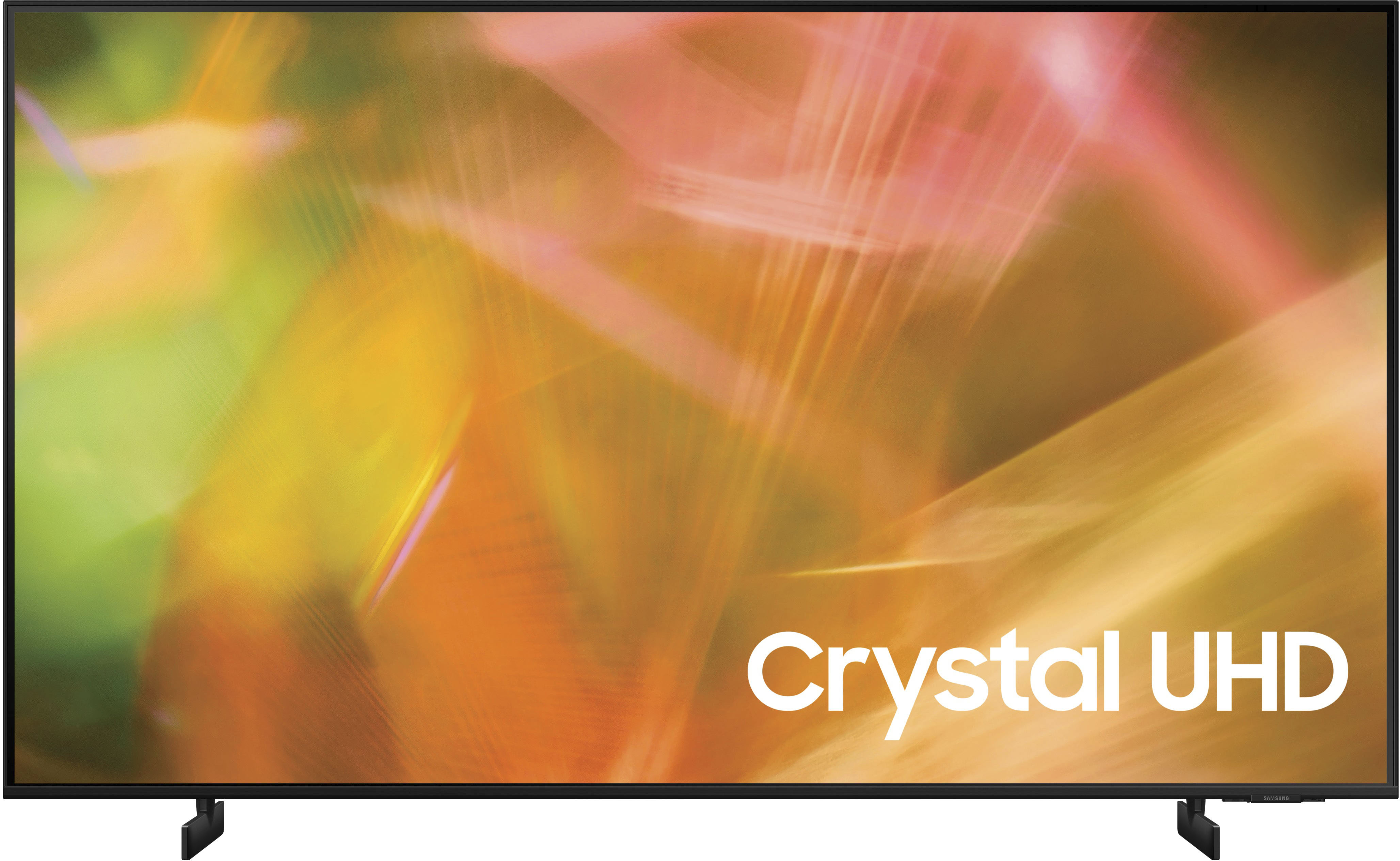
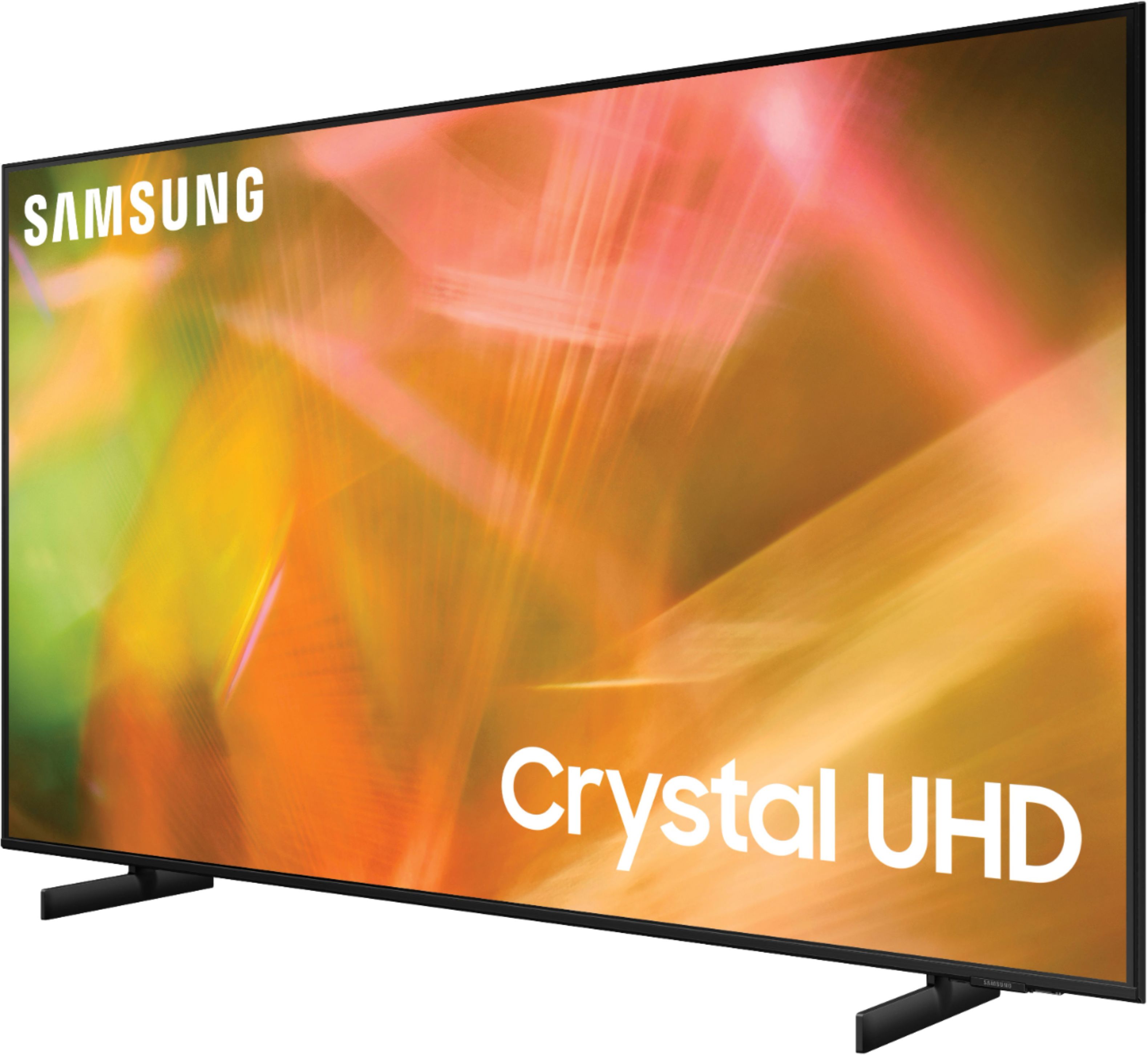

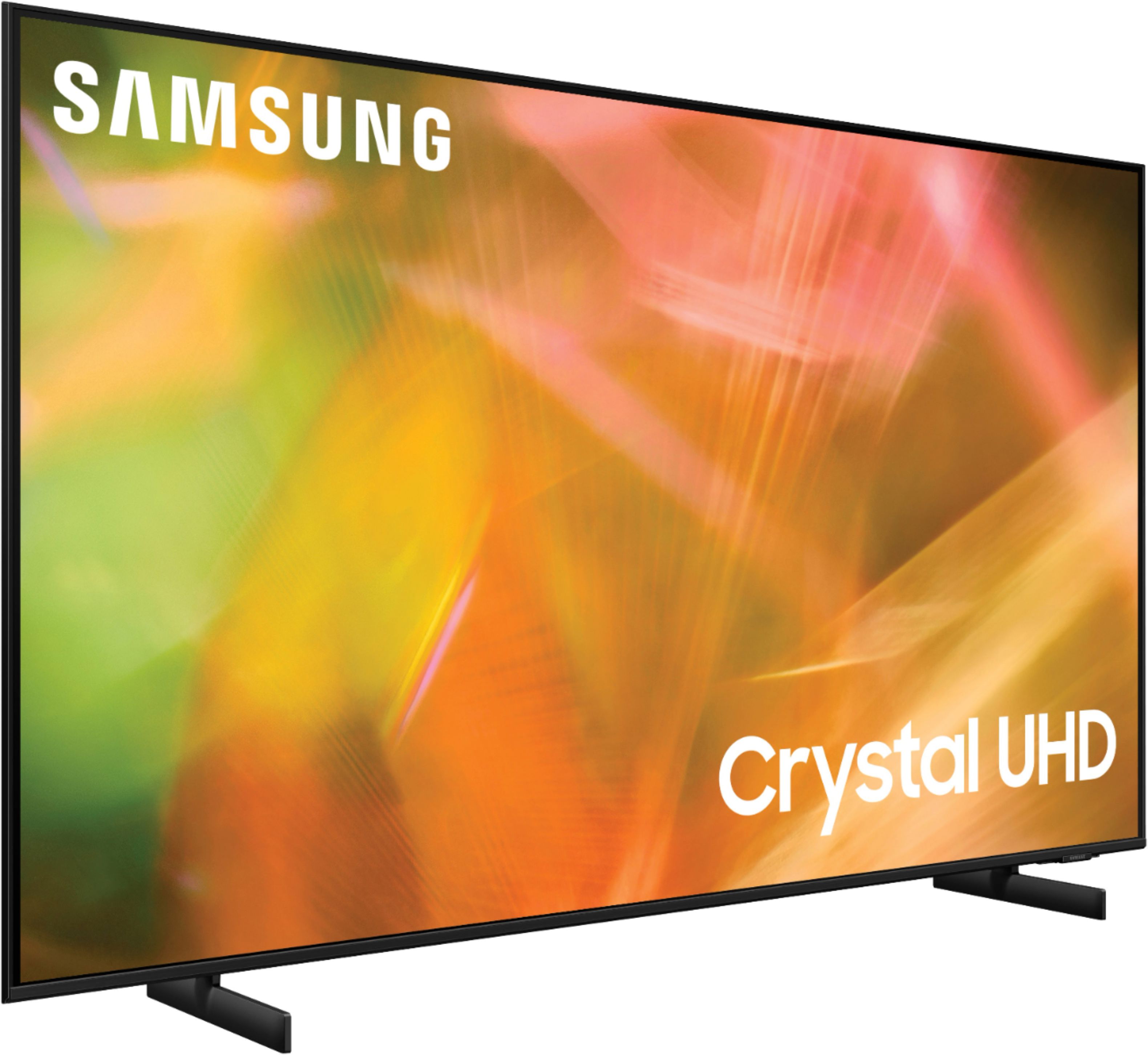


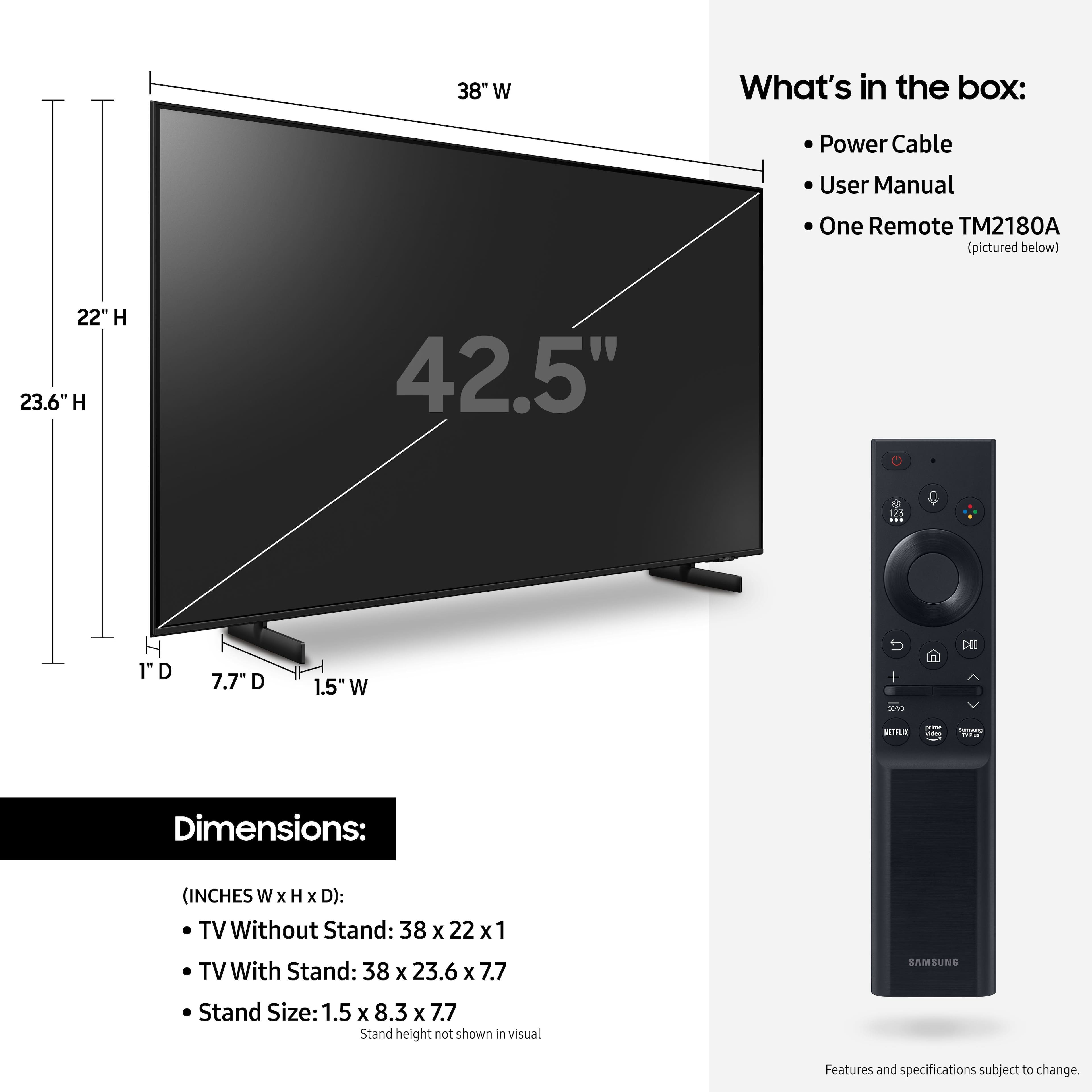

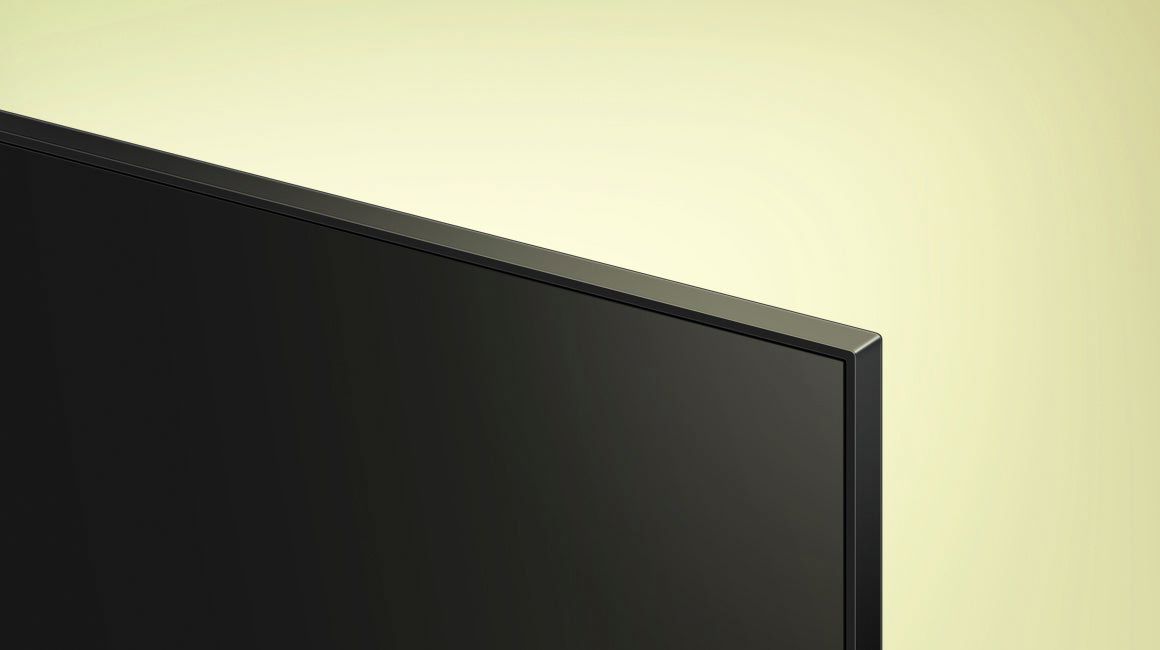







- Model:
- UN43AU8000FXZA
- SKU:
- 6452966
Rating by feature
- Picture Quality
Rating 4.8 out of 5 stars
- Sound Quality
Rating 4.1 out of 5 stars
- Brightness
Rating 4.7 out of 5 stars
Customers are saying
Customers are delighted by the picture quality and ease of use of the 43" Class 8000 Series LED 4K UHD Smart Tizen TV. Many also appreciate the smart TV features, the price point, and the sleek design. However, some users have expressed concerns regarding the remote control's ergonomics and the volume control's range. A few customers also mentioned that the operating system and user interface could be improved for a smoother experience.
This summary was generated by AI based on customer reviews.
Not easy to use
||Posted . Owned for 3 weeks when reviewed.This reviewer received promo considerations or sweepstakes entry for writing a review.Can only use voice command on remote which does not work consistently, I will be returning this TV
No, I would not recommend this to a friendBrand response from Samsung
Posted .Hi Edward,
Thank you for sharing your review of the Samsung AU8000 Crystal UHD TV. Samsung stands behind the quality and performance of our TVs with a limited 1-year manufacturer’s warranty when purchased brand-new from an authorized dealer.
Should you want to troubleshoot your issue first, please contact Samsung Customer Support. at 1-800-SAMSUNG (ask for TVs), available 8AM - 12AM EST, 7 days a week.
For additional support resources, visit us on the Samsung website and click on the ‘Support’ link in the upper right corner of the homepage for:
1) Chat with Us/Product Help: To begin a chat or find solutions, choose ‘TVs & Home Theater’ and select your model & topic.
2) Register a Product: For access to easy warranty support, convenient opt-in to special promos and offers, faster troubleshooting and service, and quick notification of system updates.
3) Manuals & Software
4) Warranty Info
5) Contact Us
~ Samsung Solutions
Worst Samsung TV I have purchased.
||Posted . Owned for less than 1 week when reviewed.This reviewer received promo considerations or sweepstakes entry for writing a review.I am a huge fan of Samsung TV’s. Between my 5, I replace one every year and try to stay up to date. This TV has a wonderful screen, but sounds like a cellphone in a beer can. It’s absolute garbage on audio to where it’s non enjoyable. I will be returning this tv. It’s cool if you have external audio, but garbage if you don’t.
No, I would not recommend this to a friendBrand response from Samsung
Posted .ckyuv,
Thank you for purchasing the Samsung 43" AU8000 Crystal UHD TV and for sharing your thoughts regarding the sound quality. To tune the sound to your liking, you may want to try adjusting the several sound settings to suit your personal sound preferences. You can change the Sound Mode by going to: Settings > Sound > Sound Mode
You can also customize the sound with Expert Settings by going to: Settings > Sound > Expert Settings
To assist you with possible sound settings adjustments for a better audio experience, or choosing a Samsung Soundbar to complement your viewing enjoyment, please reach out to us at 1-800-SAMSUNG, 8AM - 12AM EST, 7 days a week. Our LiveChat agents are also available by clicking on the ‘Support’ link on our website.
~ Samsung Specialist
43” 8000 Series Led 4K UHD Smart Tizen TV, Samsung
||Posted . Owned for 3 weeks when reviewed.This reviewer received promo considerations or sweepstakes entry for writing a review.We were not lucky with our Samsung TV. The first one didn’t work at all. The second one didn’t work properly with YouTube.TV. Motherboard replacement didn’t work either. We decided to return it.
No, I would not recommend this to a friendBrand response from Samsung
Posted .Hi!
Thank you for your review of the Samsung AU8000 Crystal UHD TV and for sharing the issues that have caused you to return your unit. Your experience is very important to us and will be shared with our product team.
It is possible that your unit needed minor troubleshooting, a firmware update, or adjustments in settings.
Should you ever decide to give Samsung TVs another try and have questions or need assistance with settings, setup, or features, please know we are always here to help. Call us at 1-800-SAMSUNG (ask for TVs), available 8AM -12AM EST M-F (9AM – 6PM EST Sat). Or text HELP to 62913.
For additional support resources, visit us on the Samsung website and click on the ‘Support’ link in the upper right corner of the homepage for:
1) More ‘Contact Us’ options – LiveChat, Facebook, Twitter, Samsung Community, Samsung Members app
2) Manuals, Software, & Warranty Info
We hope to regain you as a customer in the future.
~ Samsung Solutions
Sound quality
||Posted . Owned for less than 1 week when reviewed.This reviewer received promo considerations or sweepstakes entry for writing a review.Terrible sound i have tvs 6 years older better sound sounds like echo chamber.
No, I would not recommend this to a friendBrand response from Samsung
Posted .Hi there,
Thank you for purchasing the Samsung 43" AU8000 Crystal UHD TV and for sharing your thoughts regarding the sound quality. To tune the sound to your liking, you may want to try adjusting the several sound settings to suit your personal sound preferences. You can change the Sound Mode by going to: Settings > Sound > Sound Mode
You can also customize the sound with Expert Settings by going to: Settings > Sound > Expert Settings
To assist you with possible sound settings adjustments for a better audio experience, or choosing a Samsung Soundbar to complement your viewing enjoyment, please reach out to us at 1-800-SAMSUNG (ask for TVs), available 8AM - 12AM EST, 7 days a week.
For additional support resources, visit us on the Samsung website and click on the ‘Support’ link in the upper right corner of the homepage for:
1) Chat with Us/Product Help: To begin a chat or find solutions, choose ‘TVs & Home Theater’ and select your model & topic.
2) Register a Product: For access to easy warranty support, convenient opt-in to special promos and offers, faster troubleshooting and service, and quick notification of system updates.
3) Manuals & Software
4) Warranty Info
5) Contact Us
~ Samsung Solutions
Inconvenient and still not resolved
||Posted . Owned for 1 month when reviewed.This reviewer received promo considerations or sweepstakes entry for writing a review.Wrong bracket supplied three times and had the geek squad there three times and they said the store keeps giving the wrong bracket for my sound bar even worse you have to go to the store in person can’t do anything on the phone very very Inconvenient and still not resolved
No, I would not recommend this to a friendBrand response from Samsung
Posted .Hi JosephD,
Thank you for sharing your installation experience with the AU8000 TV at Best Buy. Please know your feedback will be shared with our internal teams.
I recommend reaching out to Best Buy and providing feedback so they can better assist you. I hope your TV is installed very soon.
If there’s anything we can ever help with, please call us at 1-800-SAMSUNG, 8 AM - 12 AM EST, seven days a week. Or visit us on the Samsung website and click on the ‘Support’ link for:
1) LiveChat
2) Manuals, Software, & Warranty Info
~ Samsung Advisor
Bad sound
||Posted . Owned for 1 month when reviewed.This reviewer received promo considerations or sweepstakes entry for writing a review.Thought I was buying quality. Picture is ok but the sound is the worst. My cell phone music sounds better. I put the tv on risers to emit the sound from the bottom where the speakers are..not good. The equalizer doesn't work at all . No bass , no treble. I am returning this tv. Samsung is not the answer.
No, I would not recommend this to a friendBrand response from Samsung
Posted .Hi there,
We appreciate you sharing your experience with us. To tune the sound to your liking, you may want to try adjusting the several sound settings to suit your personal sound preferences. You can change the Sound Mode by going to: Settings > Sound > Sound Mode
You can also customize the sound with Expert Settings by going to: Settings > Sound > Expert Settings
To assist you with possible sound settings adjustments for a better audio experience, or choosing a Samsung Soundbar to complement your viewing enjoyment, please reach out to us at 1-800-SAMSUNG (ask for TVs), available 8AM - 12AM EST, 7 days a week.
For additional support resources, visit us on the Samsung website and click on the ‘Support’ link in the upper right corner of the homepage for:
1) Chat with Us/Product Help: To begin a chat or find solutions, choose ‘TVs & Home Theater’ and select your model & topic.
2) Register a Product: For access to easy warranty support, convenient opt-in to special promos and offers, faster troubleshooting and service, and quick notification of system updates.
3) Manuals & Software
4) Warranty Info
5) Contact Us
~ Samsung Solutions
Returned 3 times
||Posted . Owned for 7 months when reviewed.This reviewer received promo considerations or sweepstakes entry for writing a review.I returned 3 of these TVs due to pixel issues. Do not buy this unless you like returning TVs to the store. Go with a Vizio first try, perfect pixels. I generally like Samsung products, but I think the factory where these are produced has some quality control issues.
No, I would not recommend this to a friendBrand response from Samsung
Posted .muneutsu,
It’s unfortunate to hear of the issues that have caused you to return your AU8000 TV. Your experience is very important to us and will be shared with our product team.
Please know we’re always here to help, and we could’ve provided additional troubleshooting assistance to resolve any issues you were experiencing.
Should you ever decide to give Samsung TVs another try and have questions or need help with settings, setup, or features, please know we’re here to help. Call us at 1-800-SAMSUNG, 8AM - 12AM EST, 7 days a week.
LiveChat with an agent as well as manuals, software, and warranty info can be found at the ‘Support’ link on our Samsung website.
We hope to regain you as a customer in the future.
~ Samsung Specialist
Beware!!!
||Posted . Owned for 4 months when reviewed.This reviewer received promo considerations or sweepstakes entry for writing a review.Picture will go blank for a few seconds (for no reason) then return with muted sound. This started last week ( beginning of Nov) so of course I can’t return to store for a new one.
No, I would not recommend this to a friendBrand response from Samsung
Posted .Hi AnnaM,
We appreciate your feedback on the AU8000 TV; please know we are here to help you.
First, let's ensure you are running the latest Firmware. Go to Settings> Support> Software Update.
Next, please check whether Digital Output Audio Format is set to Pass-Through by going to Settings > Sound > Expert Settings > Digital Output Audio Format > Auto.
Next, if you have a device connected via HDMI, please check to ensure Anynet+ is set up correctly. Go to Settings > General > External Device Manager > Anynet+.
Finally, the TV's energy-saving modes may have been enabled, causing the TV to turn off. Please ensure both are off.
-Go to Settings > General > Power and Energy Saving > Auto Power Off
-Go to Settings > General > System Manager > Time > Off Timer
If you continue to have issues, please call us so we can troubleshoot further with you or set up a warranty appointment. Contact us at 1-800-SAMSUNG, 8 AM - 12 AM EST, seven days a week. Our LiveChat agents are also available by clicking on the ‘Support’ link on our website.
~ Samsung Advisor
Returned the product
||Posted . Owned for 1 week when reviewed.This reviewer received promo considerations or sweepstakes entry for writing a review.Similar to others, we had problems with this TV. The TV was frozen at the start up screen. After seeing all the other poor reviews, we took this TV back and upgraded to a higher class television.
No, I would not recommend this to a friendBrand response from Samsung
Posted .Hi RedStephens!
Thank you for your review of the Samsung 43" AU8000 TV and for sharing the issues that have caused you to return your unit. Your experience is very important to us and will be shared with our product team.
It is possible that your unit needed minor troubleshooting, a firmware update, or adjustments in settings.
Should you ever decide to give Samsung TVs another try and have questions or need assistance with settings, setup, or features, please know we are always here to help. Call us at 1-800-SAMSUNG (ask for TVs), available 8AM -12AM EST M-F (9AM – 6PM EST Sat). Or text HELP to 62913.
For additional support resources, visit us on the Samsung website and click on the ‘Support’ link in the upper right corner of the homepage for:
1) More ‘Contact Us’ options – LiveChat, Facebook, Twitter, Samsung Community, Samsung Members app
2) Manuals, Software, & Warranty Info
We hope to regain you as a customer in the future.
~ Samsung Solutions
Sound quality was awful, faulty set or bad design?
||Posted . Owned for 3 weeks when reviewed.This reviewer received promo considerations or sweepstakes entry for writing a review.The sound was terrible, we returned it. They marked it as faulty but when we read more reviews on it it doesn’t get good sound quality reviews from anyone. We swapped it for the 50” that is awesome.
No, I would not recommend this to a friendBrand response from Samsung
Posted .Shivs,
It’s unfortunate to hear that your experience with Samsung’s 43" AU8000 TV fell short of expectations. I also want to thank you for giving us a chance to make things right, and we greatly appreciate your patience in having deal with the inconvenience of an exchange.
Should you need help with your new unit, please contact Samsung Customer Support at 1-800-SAMSUNG, 8AM - 12AM EST, 7 days a week. Our LiveChat agents are also available by clicking on the ‘Support’ link on our website.
~ Samsung Specialist
Another faulty Samsung tv.
||Posted . Owned for 3 weeks when reviewed.This reviewer received promo considerations or sweepstakes entry for writing a review.The TV has no sound just like the other Samsung I previously purchased. I will be returning it also tomorrow 12/31/2022..
No, I would not recommend this to a friendBrand response from Samsung
Posted .Hello WilletteR,
I’m sorry to hear that your experience with Samsung’s AU8000 TV has fallen short of your expectations. Your feedback is very important to us and will be shared with our internal product team.
Should you want to troubleshoot your issue first, please try the following steps, which may improve the issues you are experiencing with the lack of sound.
If we can further help with any other issues, please know we are here for you. Just call us at 1-800-SAMSUNG, 8 AM - 12 AM EST, seven days a week. Our LiveChat agents are also available by clicking on the ‘Support’ link on our website.
~ Samsung Advisor
TV does not work
||Posted . Owned for 7 months when reviewed.This reviewer received promo considerations or sweepstakes entry for writing a review.CSR Audio Dongle error has destroyed the TV. It comes up no matter what. The TV no longer works. Do not buy, the Smart features are horrible.
No, I would not recommend this to a friendBrand response from Samsung
Posted .Hi there,
Thank you for sharing the issues you are experiencing with your Samsung AU8000 TV. So we can better understand the problems you are experiencing and provide you with troubleshooting assistance or warranty service, please contact Samsung Customer Support.
You can reach us at 1-800-SAMSUNG (ask for TVs), available 8AM - 12AM EST, 7 days a week.
For additional support resources, visit us on the Samsung website and click on the ‘Support’ link in the upper right corner of the homepage for:
1) Chat with Us/Product Help: To begin a chat or find solutions, choose ‘TVs & Home Theater’ and select your model & topic.
2) Register a Product: For access to easy warranty support, convenient opt-in to special promos and offers, faster troubleshooting and service, and quick notification of system updates.
3) Manuals & Software
4) Warranty Info
5) Contact Us
~ Samsung Solutions
Tom
||Posted . Owned for 1 month when reviewed.This reviewer received promo considerations or sweepstakes entry for writing a review.Started out great but screen went out on day 28. Still had backlight. Best Buy was great and allowed us to switch to another brand.
No, I would not recommend this to a friendBrand response from Samsung
Posted .Hi there,
We are very sorry to hear about the screen going out on your AU8000 TV. . Your feedback is appreciated and will be shared with our internal teams.
Should you ever decide to give Samsung TVs another try and have questions or need help with settings, setup, or features, please know we’re here to help. Call us at 1-800-SAMSUNG, 8 AM - 12 AM EST, seven days a week.
LiveChat with an agent, as well as manuals, software, and warranty info, can be found at the ‘Support’ link on our Samsung website.
We hope to regain you as a customer in the future.
~ Samsung Advisor
Bad
||Posted . Owned for 3 months when reviewed.This reviewer received promo considerations or sweepstakes entry for writing a review.Not good. Have always bought Samsung TV's, every other room has one. This one died on day two. Put my Samsung from 12 years ago back up.
No, I would not recommend this to a friendBrand response from Samsung
Posted .Hi mark819,
Thank you for purchasing the Samsung AU8000 and for sharing the issues you are experiencing with your unit. Your feedback is important to us and will be shared with our product teams.
Samsung is committed to providing the best possible product experience, quality, and value. We back this Samsung TV with a 1-year limited manufacturer's warranty, including authorized repair for manufacturer defect, if purchased brand-new directly from an authorized seller. You can see the full details of your warranty here: https://www.samsung.com/us/support/service/warranty/UN43AU8000FXZA
Please give us the opportunity to assist you by contacting Samsung Customer Support at 1-800-SAMSUNG (ask for TVs), available 8AM - 12AM EST, 7 days a week.
For additional support resources, visit us on the Samsung website and click on the ‘Support’ link in the upper right corner of the homepage for:
1) Chat with Us/Product Help: To begin a chat or find solutions, choose ‘TVs & Home Theater’ and select your model & topic.
2) Register a Product: For access to easy warranty support, convenient opt-in to special promos and offers, faster troubleshooting and service, and quick notification of system updates.
3) Manuals & Software
4) Warranty Info
5) Contact Us
~ Samsung Solutions
Lasted 7 months
||Posted . Owned for 7 months when reviewed.This reviewer received promo considerations or sweepstakes entry for writing a review.Has black lines running horizontally across entire screen. Only lasted 7 months. Now to play the warrenty game.
No, I would not recommend this to a friendBrand response from Samsung
Posted .Hi AndrewW,
Thank you for purchasing the Samsung AU8000 TV and for sharing your experience with your TV not displaying correctly. You may want to try the following troubleshooting steps:
1. If any external devices are connected, check all input cable connections
2. If the issue persists, define precisely what is wrong with the display. For example, mosaics and blocks, multiple lines or white dots, and fixed horizontal or vertical lines.
3. Try changing channels using the remote control. Is the issue the same on all channels?
4. Press the Home button (looks like a house), select Source, and choose another input source. Is the issue the same on all sources?
5. If the same problem persists, run a diagnostic test. (Home > Settings > Support > Device Care > Self Diagnosis > Picture Test)
6. If the problem disappears during the test, check your TV signal (Home > Settings > Support > Device Care > Self Diagnosis > Signal Information) to check the signal strength. The signal strength must be more than 20 dB (more than 4 bars on the icon) for stable signal reception
Should your issue persist, please contact Samsung Customer Support at 1-800-SAMSUNG, 8 AM - 12 AM EST, seven days a week. Our LiveChat agents are also available by clicking on the ‘Support’ link on our website.
~ Samsung Advisor
Need to exchange or return
||Posted .This reviewer received promo considerations or sweepstakes entry for writing a review.Overall not realíable. The remote does not connect to the tv sometimes there are other random problems with the operation of the tv as well.
No, I would not recommend this to a friendBrand response from Samsung
Posted .Hi Gusgus,
Thank you for your review of Samsung’s AU8000 Crystal UHD TV and for sharing your experience with your remote not working. If you press any key on the remote, and the LED indicator at the top of your remote stays on for about 3 seconds rather than blinking, please try the following steps to reset your remote:
1) Long press the RETURN key and ENTER key together for about 10 seconds if your remote was once paired already with the TV, you do not need to re-pair it again. However, if it was not paired with the TV, pairing must be done after the reset.
2) The RETURN key is on the left side of your remote and looks like a curved, backwards pointing arrow.
3) The ENTER key is the button in the center of your directional ring.
I hope this helps, should you need further assistance, please contact Samsung TV Support at 1-800-SAMSUNG (ask for TVs), available 8AM - 12AM EST, 7 days a week.
For additional support resources, visit us on the Samsung website and click on the ‘Support’ link in the upper right corner of the homepage for:
1) Chat with Us/Product Help: To begin a chat or find solutions, choose ‘TVs & Home Theater’ and select your model & topic.
2) Register a Product: For access to easy warranty support, convenient opt-in to special promos and offers, faster troubleshooting and service, and quick notification of system updates.
3) Manuals & Software
4) Warranty Info
5) Contact Us
~ Samsung Solutions
Major Flop
||Posted . Owned for 1 month when reviewed.This reviewer received promo considerations or sweepstakes entry for writing a review.My father could not get the tv to work and had to return it, Womp Womp. We are usually a fan of Samsung.
No, I would not recommend this to a friendBrand response from Samsung
Posted .Hi Dinah,
Thank you for taking the time to provide feedback on your TU7000 TV. Please know your feedback will be shared with our internal product teams. We take pride in our products and are sorry to hear that your experience was not up to our high standards.
We do hope you will give Samsung another chance when purchasing your next TV. If there’s anything we can ever help with, please call us at 1-800-SAMSUNG, 8 AM - 12 AM EST, seven days a week. Or visit us on the Samsung website and click on the ‘Support’ link for:
1) LiveChat
2) Manuals, Software, & Warranty Info
~ Samsung Advisor
TV
||Posted . Owned for less than 1 week when reviewed.This reviewer received promo considerations or sweepstakes entry for writing a review.I must have bought a lemon, This TV needs to be taken off the market
No, I would not recommend this to a friendBrand response from Samsung
Posted .Hi MarcellaB,
Thank you for your feedback on the AU8000 TV and for sharing your experience. Samsung is committed to providing the best possible product experience, quality, and value. We back this Samsung TV with a 1-year limited manufacturer's warranty, including authorized repair for manufacturer defect, if purchased brand-new directly from an authorized seller.
Please give us a chance to make this right by calling us at 1-800-SAMSUNG, 8 AM - 12 AM EST, seven days a week. Our LiveChat agents are also available by clicking on the ‘Support’ link on our website.
~ Samsung Advisor
Open box screen went bad after 4 months
||Posted . Owned for 4 months when reviewed.This reviewer received promo considerations or sweepstakes entry for writing a review.This was a replacement because the original tv's screen went bad after 4 months; granted, it was open box
No, I would not recommend this to a friendBrand response from Samsung
Posted .Hi Parklander,
Thank you for your purchase and feedback on the Samsung AU8000 TV. We appreciate your patience in dealing with the hassle of getting a replacement TV; we understand how frustrating that can be.
If there’s anything we can ever help with, please call us at 1-800-SAMSUNG, 8 AM - 12 AM EST, seven days a week. Or visit us on the Samsung website and click on the ‘Support’ link for:
1) LiveChat
2) Manuals, Software, & Warranty Info
~ Samsung Advisor
Do not buy
||Posted . Owned for 7 months when reviewed.This reviewer received promo considerations or sweepstakes entry for writing a review.Lasted about 2 month before the colors completely changed and quality ent way way way way down.
No, I would not recommend this to a friendBrand response from Samsung
Posted .Hi Aria,
We are sorry to hear you are having issues with your Samsung AU8000 TV's picture quality. Please know Samsung prides itself on high-quality products, and we are here to help you.
First, please ensure your TV is running the latest firmware version. Go to Settings > Support > Software Update.
Next, try out the below Picture Modes to adjust the colors you see on the screen. Go to Home > Settings > Picture > Picture Mode for the below choices:
1) Standard: Default mode suitable for general viewing environments.
2) Natural: Reduces eye strain for a comfortable viewing experience.
3) Movie: Most suitable for watching TV or movies in a dark room.
4) Dynamic: Makes the picture brighter and clearer in bright viewing environments.
5) Filmmaker Mode: You can watch the source content (e.g., movie) as it is. If the image is defined as Filmmaker Mode, it will automatically switch to Filmmaker Mode while watching.
Finally, let's run a picture test to try and discover what the issue may be. It's possible it could be an external device you are using. Go to Home > Settings > Support > Device Care > Self Diagnosis > Picture Test.
If these steps do not fix your issue, go to Settings > Support > Device Care > Self Diagnosis > Reset Smart Hub.
If you continue to have issues, Samsung is here for you. Please call us at 1-800-SAMSUNG, 8 AM - 12 AM EST, seven days a week. Our LiveChat agents are also available by clicking on the ‘Support’ link on our website.
~ Samsung Advisor