Customer Ratings & Reviews
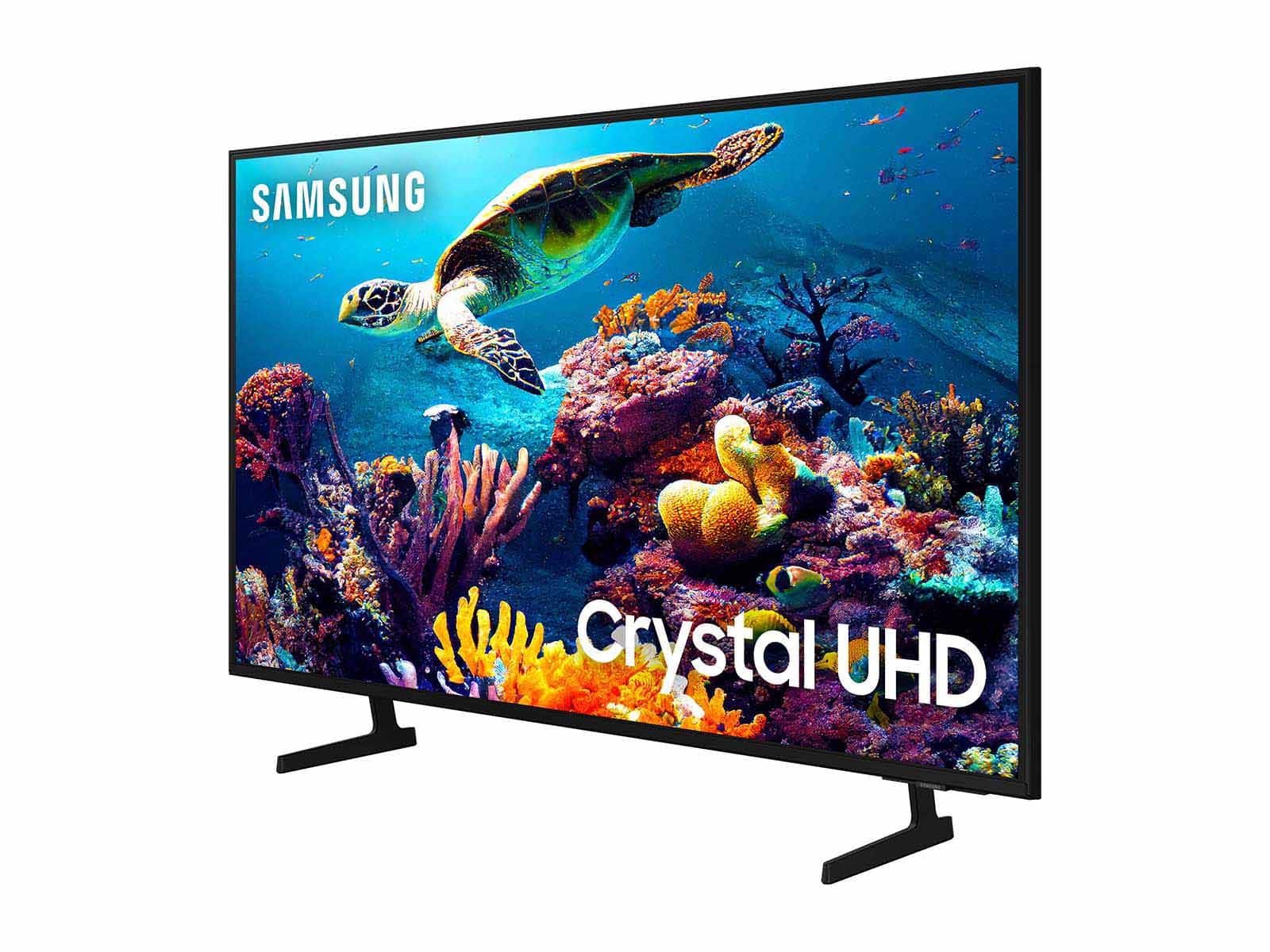
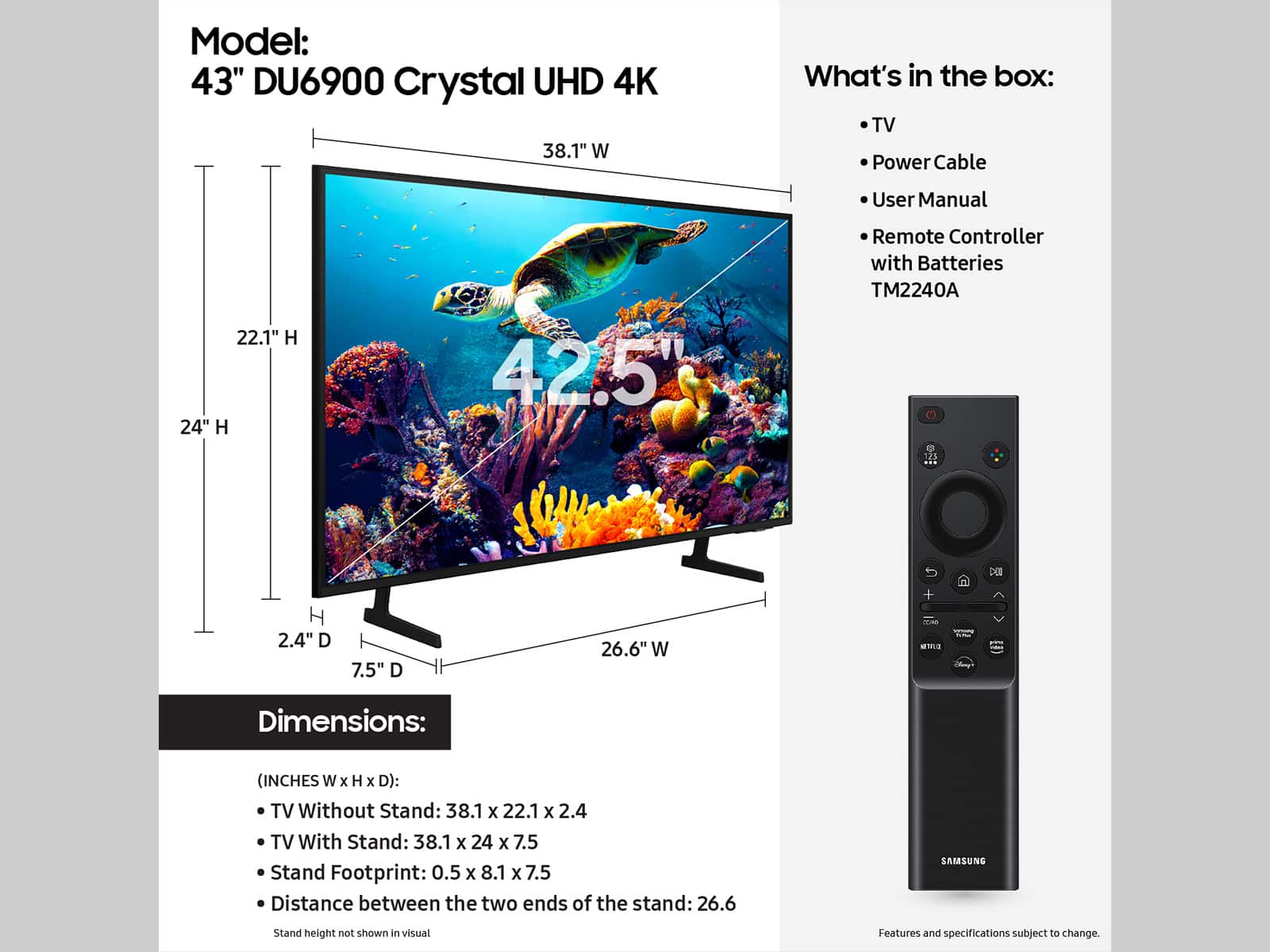
- Model:
- UN43DU6900FXZA
- |
- SKU:
- 6601392
Customer reviews
Rating 4.6 out of 5 stars with 450 reviews
(450 customer reviews)Rating by feature
- Picture Quality4.7
Rating 4.7 out of 5 stars
- Sound Quality4.5
Rating 4.5 out of 5 stars
- Brightness4.7
Rating 4.7 out of 5 stars
Customers are saying
Customers are pleased with the picture quality and ease of use of the 43” Class DU6900 Series Crystal UHD 4K Smart Tizen TV (2024). Many also appreciate the straightforward setup process and the TV's lightweight design. However, some users expressed concerns about the remote control's design and the TV's brightness levels in certain viewing conditions. The TV's affordability is also frequently praised.
This summary was generated by AI based on customer reviews.
Rated 3 out of 5 stars
Great sound but could be better picture
||Posted . Owned for 3 weeks when reviewed.This reviewer received promo considerations or sweepstakes entry for writing a review.Tv doesn’t have the clearest picture. I understand why is was very inexpensive.
No, I would not recommend this to a friendBrand response from Samsung
Posted .TracyN,
We appreciate you sharing your experience with the DU6900 TV. Your feedback regarding image quality is essential to us and will be shared with our internal teams. Please try adjusting the below image settings to improve your picture.
Go to Home > Settings > All Settings > Picture > Picture Mode and select the mode that best fits your usage:
1) Standard: Default mode suitable for general viewing environments.
2) Natural: Reduces eye strain for a comfortable viewing experience.
3) Movie: Most suitable for watching TV or movies in a dark room.
4) Dynamic: Makes the picture brighter and clearer in bright viewing environments.
5) Filmmaker Mode: You can watch the source content (e.g., movie) as it is. If the image is defined as Filmmaker Mode, it will automatically switch to Filmmaker Mode while watching.
You can also go to Settings > All Settings> Picture > Expert Settings > to manually fine-tune your image.
If you need more help, Samsung is here for you. Call us at 1-800-SAMSUNG, 8 AM - 12 AM EST, seven days a week. Our LiveChat agents are also available by clicking on the ‘Support’ link on our website.
~ Samsung Pro
Rated 2 out of 5 stars
Low image quality
||Posted . Owned for 1 week when reviewed.This reviewer received promo considerations or sweepstakes entry for writing a review.Not a good image quality. You should go for at least a qled
No, I would not recommend this to a friendBrand response from Samsung
Posted .FabioR,
We appreciate you sharing your experience with the DU6900 TV. Your feedback regarding image quality is essential to us and will be shared with our internal teams. Please try adjusting the below image settings to improve your picture.
Go to Home > Settings > All Settings > Picture > Picture Mode and select the mode that best fits your usage:
1) Standard: Default mode suitable for general viewing environments.
2) Natural: Reduces eye strain for a comfortable viewing experience.
3) Movie: Most suitable for watching TV or movies in a dark room.
4) Dynamic: Makes the picture brighter and clearer in bright viewing environments.
You can also go to Settings > All Settings> Picture > Expert Settings > to manually fine-tune your image.
If you need more help, Samsung is here for you. Call us at 1-800-SAMSUNG, 8 AM - 12 AM EST, seven days a week. Our LiveChat agents are also available by clicking on the ‘Support’ link on our website.
~Samsung Pro
Rated 1 out of 5 stars
Blatant company interest scam
||Posted . Owned for 2 weeks when reviewed.This reviewer received promo considerations or sweepstakes entry for writing a review.This has to be the worst customer service I have ever experienced. I had the delivery person sit outside our home and say we weren't home and updated the app that the item was being returned and at the return facility all while sitting outside our home and not ringing out bell. We have now waited 2 weeks for a refund. This is a monopoly to make money from your customers who. Wait weeks for a refund as you collect interest on our money. I will never use ypu online service again. This is a blatant scam and horrible service.
No, I would not recommend this to a friendBrand response from Samsung
Posted .LJamie,
Please know you are leaving a review for the DU6900 TV, not the service provided by Best Buy. Please follow up directly with Best Buy for further assistance. We hope your issue is resolved in a timely manner. Should you have questions regarding Samsung TVs, please contact Samsung Support at 1-800-SAMSUNG, 8 AM – 12 AM EST, 7 days a week. Our LiveChat agents are also available by clicking on the ‘Support’ link on our website.
~Samsung Pro
Rated 1 out of 5 stars
Never Delivered
||Posted . Owned for 2 weeks when reviewed.This reviewer received promo considerations or sweepstakes entry for writing a review.Unfortunately, UPS and Best Buy had ongoing errors and miscommunication on getting this product shipped to me. Although, I was promised another unit they opted to refund the money vs. just sending me a comparable model.
No, I would not recommend this to a friendBrand response from Samsung
Posted .PointsReview,
I'm sorry you have not received your TV yet. Please follow up directly with Best Buy for further assistance. Should you have questions regarding Samsung TVs, please contact Samsung Support at 1-800-SAMSUNG, 8 AM – 12 AM EST, 7 days a week. Our LiveChat agents are also available by clicking on the ‘Support’ link on our website.
~Samsung Pro
Rated 2 out of 5 stars
Ms.
||Posted . Owned for 3 weeks when reviewed.This reviewer received promo considerations or sweepstakes entry for writing a review.Having trouble with volume. Won’t go up high enough to hear. Have tried everything I know of. Actually new some help from Best Buy.
No, I would not recommend this to a friendBrand response from Samsung
Posted .RobertaW,
Thank you for sharing your experience with low volume. There are several volume features you can adjust, which may improve your audio experience.
1) Auto Volume automatically adjusts the sound to a certain level when changing channels or switching to another external input. Go to Settings > All Settings> Sound > Expert Settings > Auto Volume.
2) Adaptive Sound automatically adjusts to a specific volume level while watching TV. The TV analyzes your volume usage history by time period to automatically adjust the volume when you use an app or switch to an external input source. Go to Settings> All Settings> Sound> Sound Mode> Adaptive Sound.
3) Several Sound Modes are likewise available to meet your personal preferences: Home > Settings > All Settings> Sound > Sound Mode.
Also, some sources have their own volume control, which might need to be set higher. Please check the volume control of the external device (cable box or satellite box, DVD, Blu-ray, etc.) connected to your TV. Also, check the cable connection between an external device and the TV and then try the cable connection again.
If you need further assistance, we would be happy to help! Please feel free to contact Samsung Support at 1-800-SAMSUNG, available from 8 AM to 12 AM EST, seven days a week. You can also chat with us on Samsung.com for immediate assistance.
~Samsung Pro
Rated 1 out of 5 stars
Damage
||Posted .This reviewer received promo considerations or sweepstakes entry for writing a review.Came damaged in delivery and said they couldn’t do anything. Very disappointed
No, I would not recommend this to a friendBrand response from Samsung
Posted .Zayy,
We appreciate you sharing your delivery experience and that your TV exhibited damage upon opening and setup. We recommend contacting Best Buy Customer Support or your local Best Buy store directly for assistance in correcting this situation. We hope your issue is resolved quickly.
If you ever have product questions or need help, Samsung is here for you! Give us a call at 1-800-SAMSUNG, 8 AM - 12 AM EST, seven days a week. Our LiveChat agents are also available by clicking on the ‘Support’ link on our website.
~Samsung Pro
Rated 1 out of 5 stars
Terrible TV - Even for the Price
||Posted .This reviewer received promo considerations or sweepstakes entry for writing a review.I usually tend to buy cheaper, lowet end tv's, but I was honestly shocked at how bad this tv was... Picture was totally washed out even after adjusting over and over and sound was average at best. Probably the last Samsung I'll ever purchase....
No, I would not recommend this to a friendBrand response from Samsung
Posted .RyanV,
We appreciate you sharing your experience with the DU6900 TV. Your feedback regarding image quality is essential to us and will be shared with our internal teams. Please try adjusting the below image settings to improve your picture. I see that you’ve already tried adjusting your image, but I did want to share the following adjustments with you, just in case:
Go to Home > Settings > All Settings > Picture > Picture Mode and select the mode that best fits your usage:
1) Standard: Default mode suitable for general viewing environments.
2) Natural: Reduces eye strain for a comfortable viewing experience.
3) Movie: Most suitable for watching TV or movies in a dark room.
4) Dynamic: Makes the picture brighter and clearer in bright viewing environments.
5) Filmmaker Mode: You can watch the source content (e.g., movie) as it is. If the image is defined as Filmmaker Mode, it will automatically switch to Filmmaker Mode while watching.
You can also go to Settings > All Settings> Picture > Expert Settings > to manually fine-tune your image.
For sound adjustments, go to Settings> All Settings> Sound.
If you need more help, Samsung is here for you. Call us at 1-800-SAMSUNG, 8 AM - 12 AM EST, seven days a week. Our LiveChat agents are also available by clicking on the ‘Support’ link on our website.
~ Samsung Pro
Rated 1 out of 5 stars
Dark spot on TV
||Posted .This reviewer received promo considerations or sweepstakes entry for writing a review.The screen on the TV has a dark spot on it. Samsung customer service will only come to your house to repair, will not return it even if their products were sent to you showing clear faults out of the box. Avoid this one.
No, I would not recommend this to a friendBrand response from Samsung
Posted .Aaron,
We are glad that you reached out to us regarding the display issues you are seeing on your Samsung DU6900 TV. I have a few recommendations that may resolve the dark spots you are seeing on your screen.
First, let's ensure you are running the latest Firmware. Go to Settings> Support> Software Update.
Next, run a diagnostic test. Go to Home > Settings > Support > Device Care > Self Diagnosis > Picture Test. If there are no issues during the Picture Test, this means your TV is working fine. To identify and fix the issue, first, try replacing the cable of the external device that is showing lines.
- If the shadows still appear after replacing the cable, troubleshoot the external device.
- If shadows appear during the Picture Test, proceed to the next step.
If dots or shadows appear during your test, the TV will need service. Please reach out to us so we can schedule a warranty appointment. 1-800-SAMSUNG, 8 AM - 12 AM EST, seven days a week. LiveChat with an agent, as well as manuals, software, and warranty info, can be found at the ‘Support’ link on our Samsung website.
~ Samsung Pro
Rated 1 out of 5 stars
Samsung TV
||Posted .This reviewer received promo considerations or sweepstakes entry for writing a review.I was on the phone for three hours with Samsung trying to get the app of Samsung’s channels and it would not locate it so I could use the TV. Took the TV back awful
No, I would not recommend this to a friendBrand response from Samsung
Posted .StfrancisPacker,
We appreciate you sharing your user experience. Should you ever decide to give Samsung TVs another try and have questions or need help with settings, setup, or features, we would be happy to help. Call us at 1-800-SAMSUNG, 8 AM – 12 AM EST, seven days a week. LiveChat with an agent, as well as manuals, software, and warranty info, can be found at the ‘Support’ link on our Samsung website.
We hope to regain you as a customer in the future.
~ Samsung Pro
Rated 1 out of 5 stars
This tv is horrible
||Posted . Owned for 2 weeks when reviewed.This reviewer received promo considerations or sweepstakes entry for writing a review.Fit to screen option greyed out half tv is black border. Spoke with Samsung customer service they said it cannot be changed (why have the option). If you want to see half your screen and a black border be my guest and purchase. If not I recommend a different brand all together
No, I would not recommend this to a friendBrand response from Samsung
Posted .Sean,
Thank you for purchasing the DU6900 TV. Please know that HD channels will have black bars on either side of the screen when displaying upscaled SD (4:3) content. Black bars will appear at the top and bottom of the screen when watching movies with aspect ratios different from your TV. Adjust the picture size options on your external device or set the TV to full screen.
Go to: Home > Settings > All Settings> Picture > Picture Size Settings > Picture Size
Should you need further assistance with settings, features, or functions, please contact Samsung Customer Support. You can call us at 1-800-SAMSUNG, 8 AM - 12 AM EST, seven days a week. Our LiveChat agents are also available by clicking on the ‘Support’ link on our website.
~ Samsung Pro
Rated 1 out of 5 stars
Worked Only One Day
||Posted . Owned for 3 weeks when reviewed.This reviewer received promo considerations or sweepstakes entry for writing a review.Bought two of these. One worked only 1 day. turned one to a screen of multicolor lines. Hopefully second tv will hold up. Sound quality poor. Must turn up volume setting high to hear.
No, I would not recommend this to a friendBrand response from Samsung
Posted .AnitaB,
Thank you for purchasing the Samsung DU6900 TV and for sharing your experience with your TV not displaying properly. Please try the following troubleshooting steps:
1. If any external devices are connected, check all input cable connections
2. If the issue persists, define precisely what is wrong with the display. For example, mosaics and blocks, multiple lines or white dots, and fixed horizontal or vertical lines.
3. Try changing channels using the remote control. Is the issue the same on all channels?
4. Press the Home button (looks like a house), select Source, and choose another input source. Is the issue the same on all sources?
5. If the same problem persists, run a diagnostic test. (Home > Settings > Support > Device Care > Self Diagnosis > Picture Test)
6. If the problem disappears during the test, check your TV signal (Home > Settings > Support > Device Care > Self Diagnosis > Signal Information) to check the signal strength. The signal strength must be more than 20 dB (more than 4 bars on the icon) for stable signal reception
Should your issue persist, please contact Samsung Customer Support. You can call us at 1-800-SAMSUNG, 8 AM - 12 AM EST, seven days a week. Our LiveChat agents are also available by clicking on the ‘Support’ link on our website.
~ Samsung Pro
Rated 1 out of 5 stars
TV pick-up
||Posted . Owned for 3 weeks when reviewed.This reviewer received promo considerations or sweepstakes entry for writing a review.The lady just drug out the TV box from the back on the floor not even attempting to pick it up or even ask someone else for help very bad customer service
No, I would not recommend this to a friendBrand response from Samsung
Posted .TyroneM,
Please know you are leaving a review for the DU6900 TV, not the service provided by Best Buy. Please follow up directly with Best Buy for further assistance. We hope your issue is resolved in a timely manner. Should you have questions regarding Samsung TVs, please contact Samsung Support at 1-800-SAMSUNG, 8 AM – 12 AM EST, 7 days a week. Our LiveChat agents are also available by clicking on the ‘Support’ link on our website.
~Samsung Pro
Rated 1 out of 5 stars
Stopped working
||Posted . Owned for 1 month when reviewed.This reviewer received promo considerations or sweepstakes entry for writing a review.It stopped working within 35 days. Could not return do to 14 day return policy
No, I would not recommend this to a friendBrand response from Samsung
Posted .ShakeelahG,
Thank you for taking the time to provide feedback on your DU6900 TV. Please know that your feedback will be shared with our internal product teams. We take pride in our products and are sorry to hear that your experience was not up to our high standards.
Samsung is committed to providing the best possible product experience, quality, and value. We back this Samsung TV with a 1-year limited manufacturer's warranty, including authorized repair for manufacturer defect, if purchased brand-new directly from an authorized seller. You can see the full details of your warranty on Samsung's website. Go to Support (upper right corner) and select Warranty information. This will allow you to search for your product and view the full details of the included warranty.
Please give us the chance to make this right by contacting Samsung Customer Support at 1-800-SAMSUNG, 8 AM - 12 AM EST, seven days a week. Our LiveChat agents are also available by clicking on the ‘Support’ link on our website.
~Samsung Pro
Rated 1 out of 5 stars
Tv Samsung 45 inch
||Posted . Owned for 2 months when reviewed.This reviewer received promo considerations or sweepstakes entry for writing a review.They bring me this tv and the screen was messed I couldn’t even used the tv
I would recommend this to a friendBrand response from Samsung
Posted .IsmaelM,
Thank you for letting us know that you received a broken DU6900 TV upon delivery. We appreciate your patience in having to deal with the hassle of an exchange. We recommend contacting Best Buy Customer Support or your local Best Buy store directly for assistance in correcting this situation. We hope your issue is resolved quickly.
If you ever have product questions or need help, Samsung is here for you! Give us a call at 1-800-SAMSUNG, 8 AM - 12 AM EST, seven days a week. Our LiveChat agents are also available by clicking on the ‘Support’ link on our website.
~Samsung Pro
Rated 1 out of 5 stars
Worst experience with BB
||Posted . Owned for 3 weeks when reviewed.This reviewer received promo considerations or sweepstakes entry for writing a review.Worst experience with BB. Customer service is the worst. No one is available to help.
No, I would not recommend this to a friendBrand response from Samsung
Posted .DavidT,
Please know you are leaving a review for the DU6900 TV, not the service provided by Best Buy. Please follow up directly with Best Buy for further assistance. We hope your issue is resolved in a timely manner. Should you have questions regarding Samsung TVs, please contact Samsung Support at 1-800-SAMSUNG, 8 AM – 12 AM EST, 7 days a week. Our LiveChat agents are also available by clicking on the ‘Support’ link on our website.
Rated 1 out of 5 stars
Never again
||Posted . Owned for 2 months when reviewed.This reviewer received promo considerations or sweepstakes entry for writing a review.Don’t do the buy one get one free I was sent a broken TV
No, I would not recommend this to a friendBrand response from Samsung
Posted .DanielleM,
Thank you for letting us know that you received a broken DU6900 TV upon delivery. We appreciate your patience in having to deal with the hassle of an exchange. We recommend contacting Best Buy Customer Support or your local Best Buy store directly for assistance in correcting this situation. We hope your issue is resolved quickly.
If you ever have product questions or need help, Samsung is here for you! Give us a call at 1-800-SAMSUNG, 8 AM - 12 AM EST, seven days a week. Our LiveChat agents are also available by clicking on the ‘Support’ link on our website.
~Samsung Pro
Rated 1 out of 5 stars
You must sign into a Samsung account to use thi TV
||Posted . Owned for less than 1 week when reviewed.This reviewer received promo considerations or sweepstakes entry for writing a review.I purchased this TV and am shocked to learn that in order to use it, you must create and sign into a Samsung account.
No, I would not recommend this to a friendBrand response from Samsung
Posted .John,
Thank you for taking the time to provide feedback on your DU6900 TV. Please know that your feedback will be shared with our internal product teams. We take pride in our products and are sorry to hear that your experience was not up to our high standards.
A Samsung Account is required for network-based smart services, including streaming apps and other smart features. If you do not have a Samsung Account, you can easily create one here:
https://account.samsung.com/membership/intro. It’s free to sign up; terms apply.
If you ever have questions or need help, Samsung is here for you! Give us a call at 1-800-SAMSUNG, 8 AM - 12 AM EST, seven days a week. Our LiveChat agents are also available by clicking on the ‘Support’ link on our website.
~Samsung Pro
Rated 1 out of 5 stars
Cracked screen
||Posted . Owned for 3 weeks when reviewed.This reviewer received promo considerations or sweepstakes entry for writing a review.Tv showed up with a cracked screen. Still waiting for a refund.
No, I would not recommend this to a friendBrand response from Samsung
Posted .BrianJ,
We appreciate you sharing your delivery experience and that your TV exhibited damage upon opening and setup. Unfortunately, even if a TV is double-boxed and the packaging shows no evidence of harm, a TV can still be damaged during transit if proper care is not taken. For example, if the TV were sitting in an incorrect orientation – laid on its side or tilted – during transit, damage could have been done.
We recommend contacting Best Buy Customer Support or your local Best Buy store directly for assistance in correcting this situation. We hope your issue is resolved quickly.
If there’s anything we can ever help with, please call us at 1-800-SAMSUNG, 8 AM - 12 AM EST, seven days a week. Or visit us on the Samsung website and click on the ‘Support’ link for:
1) LiveChat
2) Manuals, Software, & Warranty Info
~ Samsung Pro
- Pros mentioned:Picture quality, Setup
Rated 5 out of 5 stars
Samsung 43" tv
Posted .This reviewer received promo considerations or sweepstakes entry for writing a review.Very happy with the setup, the ease of operation, & quality of sound & picture.
I would recommend this to a friend - Pros mentioned:Picture quality
Rated 5 out of 5 stars
Good purchase
Posted .This reviewer received promo considerations or sweepstakes entry for writing a review.Purchased for my son. He loves it. Says it has great sound and picture quality.
I would recommend this to a friend