Customer Ratings & Reviews
















- Model:
- QN43Q7FAAFXZA
- SKU:
- 6619443
Rating by feature
- Picture Quality
Rating 4.8 out of 5 stars
- Sound Quality
Rating 4.6 out of 5 stars
- Brightness
Rating 4.8 out of 5 stars
Customers are saying
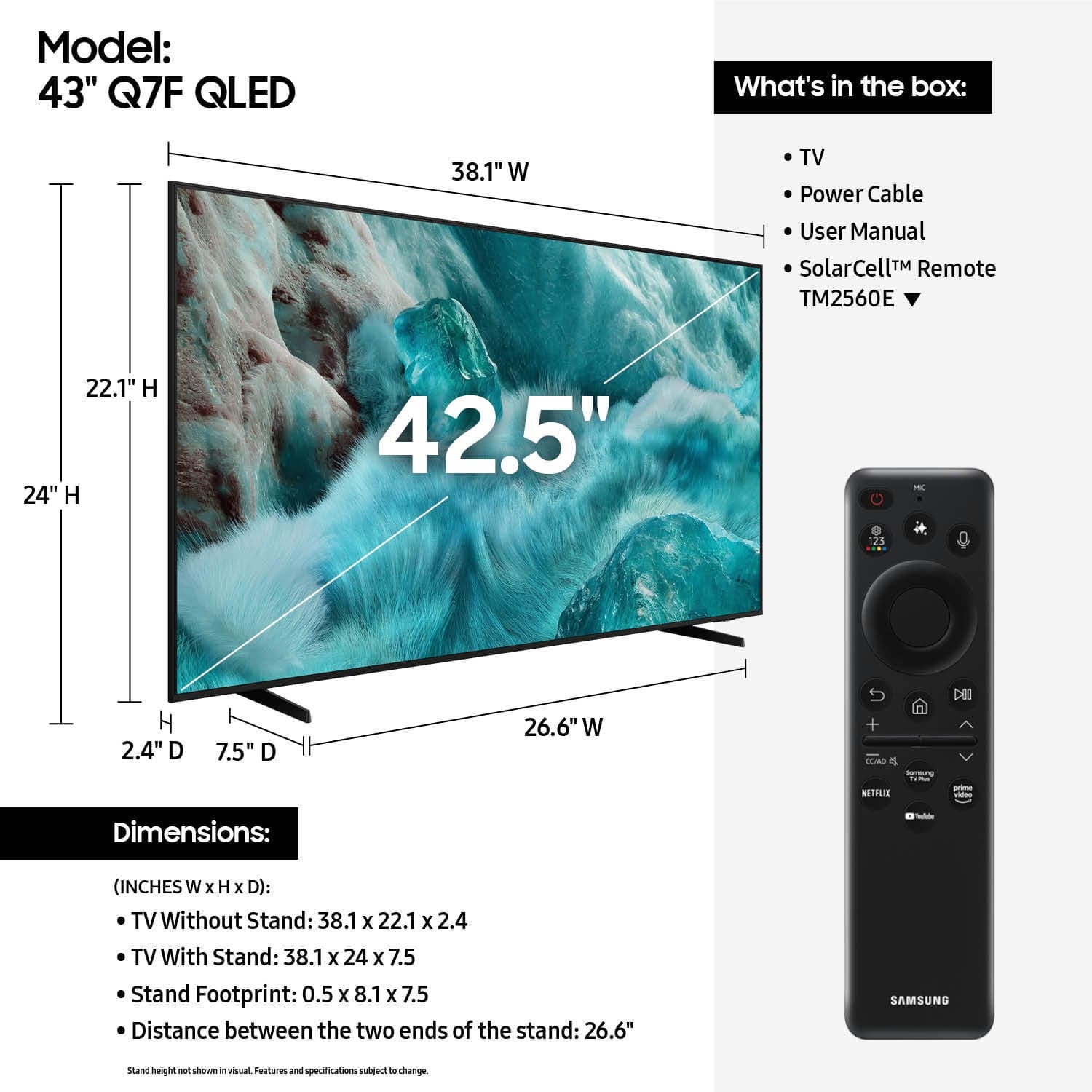
Customers are pleased with the excellent picture quality of the 43” Class Q7F Series QLED 4K UHD SamsungVision AI Smart Tizen TV (2025). Many also appreciate how easy it is to install and setup, as well as its perfect size and light weight. The only notable drawback mentioned by some customers is the remote control.
This summary was generated by AI based on customer reviews.
- Pros mentioned:Picture quality
thunder cloud.
||Posted . Owned for 1 month when reviewed.This reviewer received promo considerations or sweepstakes entry for writing a review.little bitter sharper in the color. brighter, in the setting of picture.
I would recommend this to a friend - Pros mentioned:Picture quality
Worth the money
||Posted .This reviewer received promo considerations or sweepstakes entry for writing a review.Love the tv. Got the apps i use. Looks good with the Playstation 5
I would recommend this to a friend - Pros mentioned:Picture quality
Great
||Posted . Owned for 3 weeks when reviewed.This reviewer received promo considerations or sweepstakes entry for writing a review.Great TV, No complaints, don't get a TCL whatever You do! Samsung is better!
I would recommend this to a friend - Pros mentioned:Picture quality
Just what I needed
||Posted . Owned for 3 weeks when reviewed.This reviewer received promo considerations or sweepstakes entry for writing a review.Works great. Good price point for what it is. Tizen great platform for streaming every app I need.
I would recommend this to a friend - Pros mentioned:Picture quality
Television
||Posted . Owned for 2 months when reviewed.This reviewer received promo considerations or sweepstakes entry for writing a review.Great Tv perfect for our bedroom, the quality and performance is awesome
I would recommend this to a friend - Pros mentioned:Picture quality
Great Value
||Posted . Owned for 1 month when reviewed.This reviewer received promo considerations or sweepstakes entry for writing a review.This TV is a great Value with Excellent quality picture
I would recommend this to a friend Samsung TV
||Posted . Owned for 2 weeks when reviewed.This reviewer received promo considerations or sweepstakes entry for writing a review.Good clear picture on the television set. We hung this on the wall in the guest bedroom.
I would recommend this to a friend- Pros mentioned:Picture quality
Samsung Q7F 43 inch TV
||Posted . Owned for 3 weeks when reviewed.This reviewer received promo considerations or sweepstakes entry for writing a review.Great fit for the bedroom. Excellent picture and smart TV functionality. Sorry I missed the sale by 3 weeks.
I would recommend this to a friend - Pros mentioned:Size
From a stupid TV to a Smart TV! lol
||Posted . Owned for 1 month when reviewed.This reviewer received promo considerations or sweepstakes entry for writing a review.Excellent product. Fits my bedroom perfectly! I love all my Samsung products.
I would recommend this to a friend - Pros mentioned:Picture quality
43 inch TV
||Posted . Owned for 3 weeks when reviewed.This reviewer received promo considerations or sweepstakes entry for writing a review.Easy to set up! Great picture. Fits perfectly, sounds great.
I would recommend this to a friend Smart TV
||Posted . Owned for 3 weeks when reviewed.This reviewer received promo considerations or sweepstakes entry for writing a review.Love my tv! The salesman was very helpful and knowledgeable to assist me in choosing the best tv for me! So helpful that i returned recently to purchase a sound bar for my new tv!
I would recommend this to a friend- Pros mentioned:Picture quality
Great TV at fair price
||Posted . Owned for 1 month when reviewed.This reviewer received promo considerations or sweepstakes entry for writing a review.Great TV with easy install. Good picture quality.
I would recommend this to a friend - Pros mentioned:Picture quality
Oscar Farrar
||Posted . Owned for 3 weeks when reviewed.This reviewer received promo considerations or sweepstakes entry for writing a review.This tv has great quality and the smart is flawless. Great purchase.
I would recommend this to a friend New Samsung TV
||Posted . Owned for 2 weeks when reviewed.This reviewer received promo considerations or sweepstakes entry for writing a review.This new Samsung 43” tv is great. Very happy with product and service
I would recommend this to a friend- Pros mentioned:Picture quality
Money well spent
||Posted . Owned for 3 weeks when reviewed.This reviewer received promo considerations or sweepstakes entry for writing a review.TV is great. Product person was even better. Great value for the $
I would recommend this to a friend - Pros mentioned:Picture quality
Nice tv
||Posted . Owned for 1 month when reviewed.This reviewer received promo considerations or sweepstakes entry for writing a review.Easy to install and great picture. Apps were easy to access.
I would recommend this to a friend Over priced for a small tv.
||Posted . Owned for 3 weeks when reviewed.This reviewer received promo considerations or sweepstakes entry for writing a review.I purchased this tv because the one I wanted was not in stock and had to be ordered. The picture doesn't seem much better than my old 20 yr. old Insigina. Unable to connect to internet. My other tvs connect ok, The stand fit my stand top where others were too wide for my space was another reason I bought it. It's ok but over priced.
I would recommend this to a friendBrand response from Samsung
Posted .RobertE,
We appreciate your feedback on the picture quality of Samsung’s Q7F TV. If the image doesn’t quite match your preferences, there are several adjustments you can make to better suit your viewing environment and content type.
First, please ensure your TV is running the latest firmware, as updates may include important picture quality enhancements. Go to: Home > Left directional button > Settings > Support > Software Update > Update Now
To explore picture mode options, navigate to: Home > Left directional button > Settings > All Settings > Picture > Picture Mode. Options include:
• Standard – Ideal for general viewing
• Dynamic – Brighter and more vibrant for well-lit spaces
• Eco – Optimized for energy efficiency
• Movie – Best for viewing in low light
• Filmmaker Mode – Preserves the content creator’s intent and disables motion smoothing for supported content
You can further customize your image by going to: Settings > All Settings > Picture > Expert Settings, where you can adjust Brightness, Contrast, Color Tone, Sharpness, Contrast Enhancer and more.
If you’d like help finding the best picture settings for your preferences, please don’t hesitate to contact Samsung Support at 1-800-SAMSUNG, available 8AM – 12AM EST, 7 days a week. You can also LiveChat with an agent or explore additional resources on our website by clicking the ‘Support’ link.
~ Samsung Specialist
- Pros mentioned:Picture quality
Solid tv
||Posted . Owned for 3 weeks when reviewed.This reviewer received promo considerations or sweepstakes entry for writing a review.Good picture, snappy response and quick loading once it’s all set up. Great for casual watching.
I would recommend this to a friend Perfect tv
||Posted . Owned for 3 weeks when reviewed.This reviewer received promo considerations or sweepstakes entry for writing a review.Perfect tv does it all, does not shut off on me when watching tv.
I would recommend this to a friend- Pros mentioned:Picture quality
I love it
||Posted . Owned for 3 months when reviewed.This reviewer received promo considerations or sweepstakes entry for writing a review.Excelente TV for y daughter room. Good quality and sound.
I would recommend this to a friend