Customer Ratings & Reviews
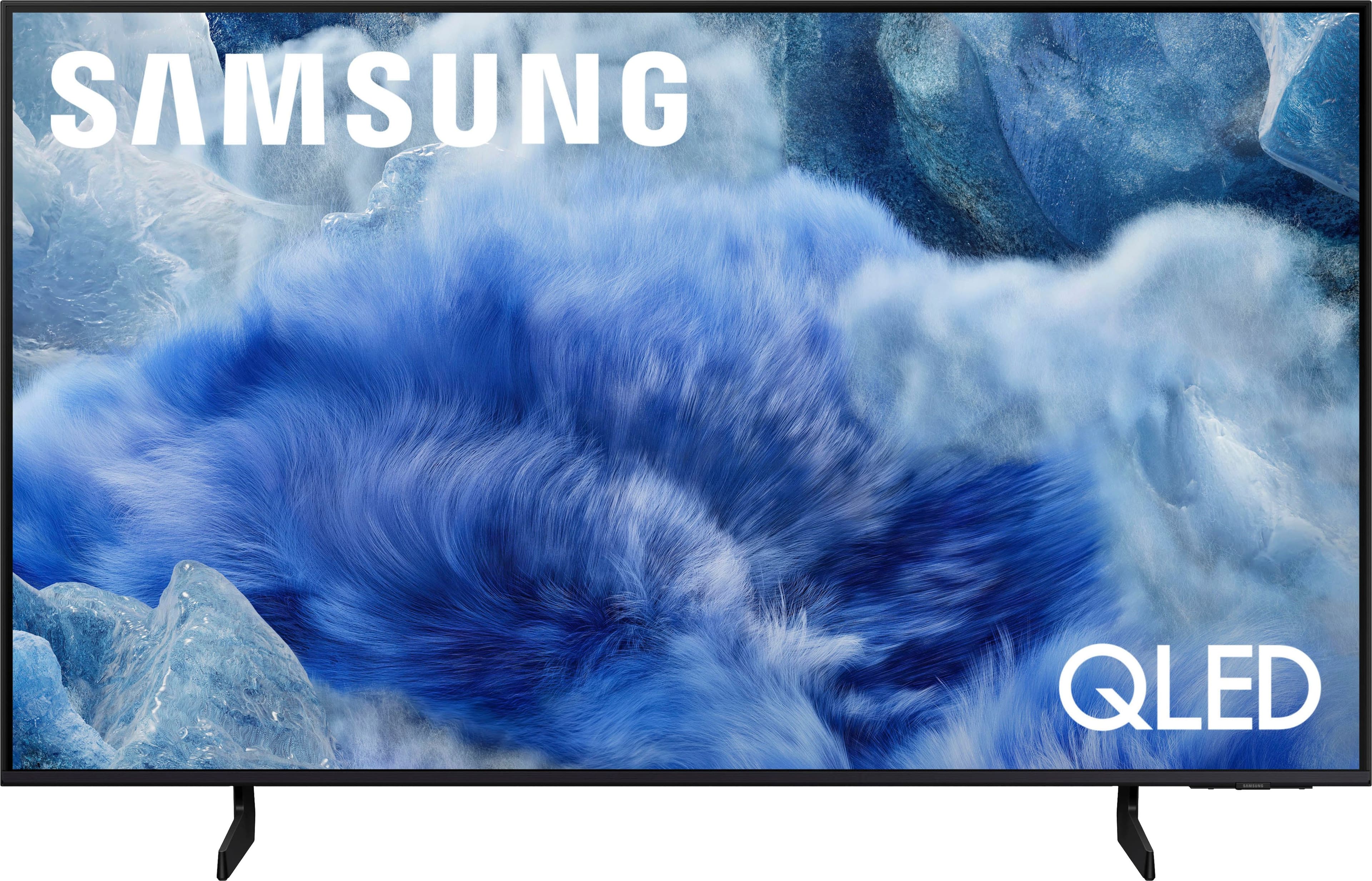
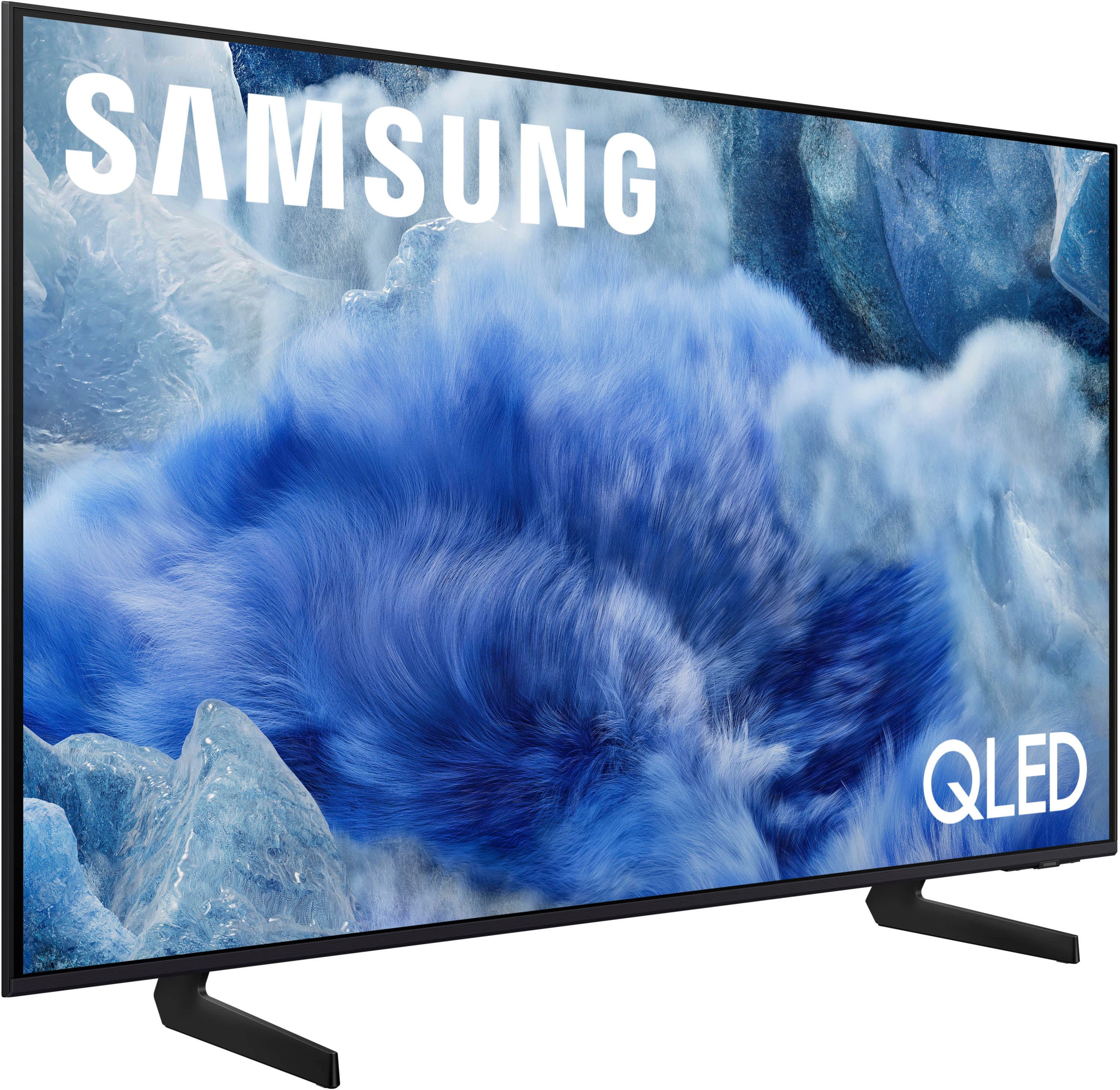


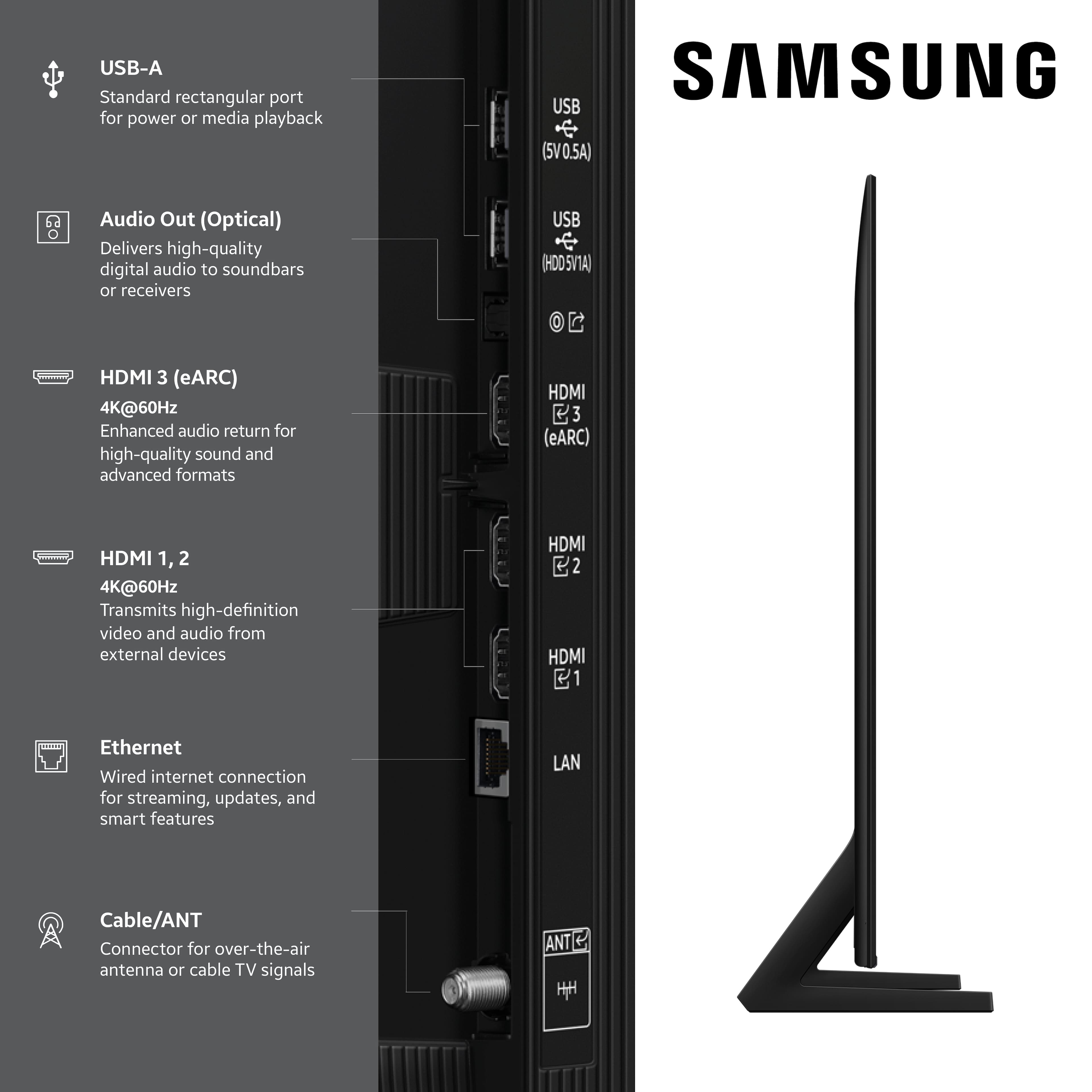
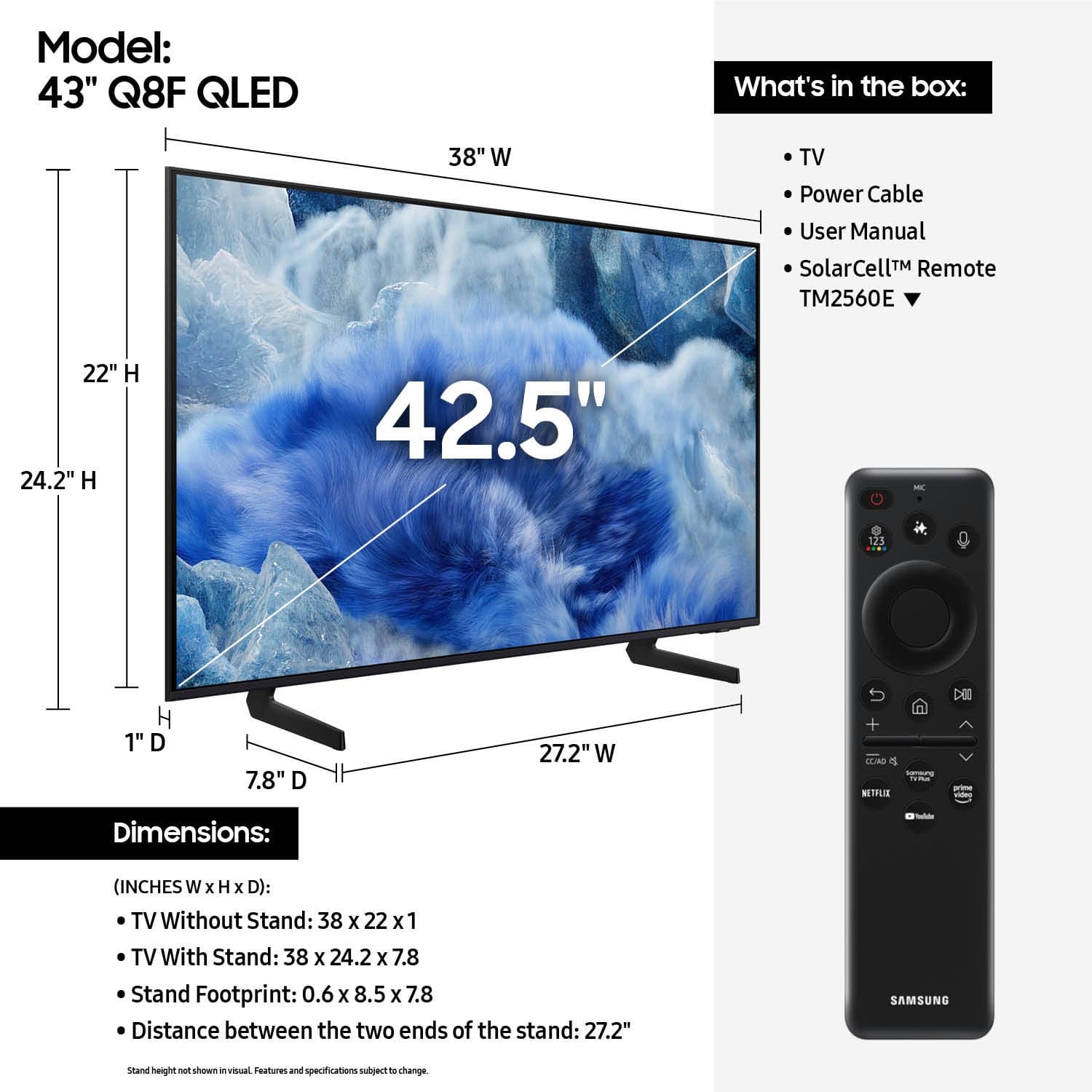

 100% Color Volume 100% Color Volume with Quantum Dot Over a billion colors that don't fade, even in the brightest scenes *QLED televisions can produce 100% Volume in the DCI-PS colorspace, the format most cinema screens and HDR movies for television.](https://pisces.bbystatic.com/image2/BestBuy_US/images/products/684f880e-f8dd-4c6c-91d9-5f55b1534a3c.jpg)







- Model:
- QN43Q8FAAFXZA
- |
- SKU:
- 10313292
Customer reviews
Rating 4.7 out of 5 stars with 319 reviews
(319 customer reviews)Rating by feature
- Picture Quality4.8
Rating 4.8 out of 5 stars
- Sound Quality4.6
Rating 4.6 out of 5 stars
- Brightness4.8
Rating 4.8 out of 5 stars
- Pros mentioned:Setup ease, Smart tv features
Rated 5 out of 5 stars
Exemplary
||Posted .This reviewer received promo considerations or sweepstakes entry for writing a review.Exceedingly lucid ai enabled Smart TV that takes under 5 minutes to setup post installation. Samsung TV Plus which is uncoincidentally the first app inset on the smart tv makes a TV services provider like Fios needless. Essentially internet is the chief requisite to have accessibility to cable. Intelligible features such as reverting to subtitles soon as volume drops to 0 or turning on sensing when someone walks by unit. Keenly apparent why Samsung is the market leader in this sector and has been for well over a decade.
This review is from Samsung - 43” Class Q8F Series QLED 4K UHD SamsungVision AI Smart Tizen TV (2025)
I would recommend this to a friend - Pros mentioned:Picture quality
Rated 5 out of 5 stars
Stunning 4K QLED Picture + Perfect for Gaming
||Posted .This reviewer received promo considerations or sweepstakes entry for writing a review.I’m absolutely blown away by this OLED TV. The picture quality is unreal—deep blacks, insanely vibrant colors, and clarity that honestly makes regular TVs look washed out. Movies feel cinematic, and the contrast is so sharp that even darker scenes look detailed instead of muddy. Setup was super easy and the TV menu is smooth and responsive. The sound is also surprisingly good for a slim OLED, but pairing it with a soundbar takes it to another level. I mainly use it for streaming and gaming, and it performs beautifully—fast response time, crisp motion, and no weird blur. Watching 4K content on this is genuinely an experience. If you’re on the fence about OLED, this TV is worth every dollar. It’s easily the best TV I’ve ever owned and I’d recommend it to anyone who wants top-tier picture quality.
This review is from Samsung - 43” Class Q8F Series QLED 4K UHD SamsungVision AI Smart Tizen TV (2025)
I would recommend this to a friend - Pros mentioned:Picture quality
Rated 5 out of 5 stars
Overall a great television for the bedroom
||Posted . Owned for 1 month when reviewed.This reviewer received promo considerations or sweepstakes entry for writing a review.I picked up this televison to replace a 10 year old Samsung for the bedroom that, while working fine, was missing some of the new features i wanted. I’ve had it for about a month now and use it almost every night. The TV itself is sleek and modern looking sitting on our dresser with its thin profile and simple legs. Both the image and sound quality are great and I’ve found that it excels in the bedroom at night because even with the brightness turned way down, the image quality is still really strong.
This review is from Samsung - 43” Class Q8F Series QLED 4K UHD SamsungVision AI Smart Tizen TV (2025)
I would recommend this to a friend Rated 5 out of 5 stars
Welcome to 2026 (well, 2025)
||Posted . Owned for 2 weeks when reviewed.This reviewer received promo considerations or sweepstakes entry for writing a review.Great visuals and sound just right out of the box to start with. If you’re a techie, have a field day with it and play with the thousand and one apps, settings and different voices to talk to, not the ones in your head, these ones actually come from the TV, phew! Copilot, Alexa, Bingy (I think that’s his name. Is it a he?) they’re all in there ready to take over if you feel like pressing a button it’s too much in this day and age. Have fun it’s all there, fill yourself up with subscriptions, because why not? They’re the credit cards of the 21st century. Have fun! The only thing is that they should have like an injection or something that puts all this information on how to use all those things and functionalities at once in your brain. I’m just kidding, we don’t need that. We should be ok with the old school trial and error system that got us through so much. Enjoy it, cause this one is a keeper.
This review is from Samsung - 43” Class Q8F Series QLED 4K UHD SamsungVision AI Smart Tizen TV (2025)
I would recommend this to a friend- Pros mentioned:Picture quality
Rated 5 out of 5 stars
This TV is AWESOME!!
||Posted . Owned for 1 month when reviewed.This reviewer received promo considerations or sweepstakes entry for writing a review.I am super happy with this TV. This is definitely an upgrade for me. Theres so much you can do with this TV i don't even know how to use all the features yet, but I’m excited to learn. The picture is great and fits all my visual needs for relaxing and watching my favorite movies or playing my favorite games via Samsung game streaming.
This review is from Samsung - 43” Class Q8F Series QLED 4K UHD SamsungVision AI Smart Tizen TV (2025)
I would recommend this to a friend - Pros mentioned:Picture quality, Setup ease
Rated 5 out of 5 stars
Samsung 43”
||Posted . Owned for 2 weeks when reviewed.This reviewer received promo considerations or sweepstakes entry for writing a review.The TV was easy to setup and get running. The picture quality is great and the sound is also great. I recommend this TY.
This review is from Samsung - 43” Class Q8F Series QLED 4K UHD SamsungVision AI Smart Tizen TV (2025)
I would recommend this to a friend - Pros mentioned:Picture quality, Setup ease
Rated 5 out of 5 stars
Very nice picture
||Posted . Owned for 2 weeks when reviewed.This reviewer received promo considerations or sweepstakes entry for writing a review.I bought this for my bedroom, very good picture I think the sound of the built in speakers is fine Setup is unbelievably easy lots of nice features
This review is from Samsung - 43” Class Q8F Series QLED 4K UHD SamsungVision AI Smart Tizen TV (2025)
I would recommend this to a friend - Pros mentioned:Picture quality
Rated 5 out of 5 stars
Excellent Television
||Posted . Owned for 2 weeks when reviewed.This reviewer received promo considerations or sweepstakes entry for writing a review.This is our 2nd Samsung television and we couldn't be happier. It works well with Alexa and Smart things app. The setup was seamless and the picture quality is excellent in our bright sunny kitchen. This TV is with every penny.
This review is from Samsung - 43” Class Q8F Series QLED 4K UHD SamsungVision AI Smart Tizen TV (2025)
I would recommend this to a friend - Pros mentioned:Picture quality
Rated 5 out of 5 stars
Great for small guest room
||Posted . Owned for 1 month when reviewed.This reviewer received promo considerations or sweepstakes entry for writing a review.perfect size for a small guest bedroom. The picture is beautifully clear! Good sound on it as well. Love my samsung TVs.
This review is from Samsung - 43” Class Q8F Series QLED 4K UHD SamsungVision AI Smart Tizen TV (2025)
I would recommend this to a friend - Pros mentioned:Picture quality
Rated 5 out of 5 stars
Samsung 43” QLED 4K UHD TV
||Posted . Owned for 1 month when reviewed.This reviewer received promo considerations or sweepstakes entry for writing a review.This TV fits great in an 12’ X 12’ sized room. I was concerned that maybe I should’ve bought the 50” but it has never been an issue. Older movies look great and newer movies are clear and sharp. I don’t use the AI assistant but the remote takes very little time to learn w/o having to search for buttons. The audio is decent but I hope to get a sound bar in the future. From WiFi streaming to DVD’s this TV is a great choice.
This review is from Samsung - 43” Class Q8F Series QLED 4K UHD SamsungVision AI Smart Tizen TV (2025)
I would recommend this to a friend - Pros mentioned:Picture quality
Rated 4 out of 5 stars
A New Improvement!
||Posted .This reviewer received promo considerations or sweepstakes entry for writing a review.Definitely a huge upgrade from my 2015 Led version i had previously. Vivid clarity and new features. Multi-view is awesome! Gaming and watching movies is a new experience. I love to set YouTube screen savers to match my lighting in the background when relaxing.
This review is from Samsung - 43” Class Q8F Series QLED 4K UHD SamsungVision AI Smart Tizen TV (2025)
I would recommend this to a friend - Pros mentioned:Picture quality
Rated 5 out of 5 stars
43inch TV
||Posted . Owned for less than 1 week when reviewed.This reviewer received promo considerations or sweepstakes entry for writing a review.Great picture. Previously had a Samsung T V and worked well for many many years.
This review is from Samsung - 43” Class Q8F Series QLED 4K UHD SamsungVision AI Smart Tizen TV (2025)
I would recommend this to a friend - Pros mentioned:Setup ease
Rated 4 out of 5 stars
Perfect Bar TV
||Posted . Owned for 1 month when reviewed.This reviewer received promo considerations or sweepstakes entry for writing a review.This tv is exactly what I wanted for my little bar area in my basement. The clarity is great and easy to use. I would recommend this tv.
This review is from Samsung - 43” Class Q8F Series QLED 4K UHD SamsungVision AI Smart Tizen TV (2025)
I would recommend this to a friend Rated 5 out of 5 stars
Samsung QLED TV
||Posted . Owned for 2 weeks when reviewed.This reviewer received promo considerations or sweepstakes entry for writing a review.I have three Samsung TVs. I even have a Samsung phone. I never have an issue with Samsung products. The picture quality is great!!!
This review is from Samsung - 43” Class Q8F Series QLED 4K UHD SamsungVision AI Smart Tizen TV (2025)
I would recommend this to a friend- Pros mentioned:Picture quality
Rated 5 out of 5 stars
SAMSUNG QLED 4KUHD
||Posted . Owned for 1 month when reviewed.This reviewer received promo considerations or sweepstakes entry for writing a review.This TV was an excellent choice. The picture is so sharp, it makes you feel as though you are on the set.
This review is from Samsung - 43” Class Q8F Series QLED 4K UHD SamsungVision AI Smart Tizen TV (2025)
I would recommend this to a friend Rated 5 out of 5 stars
Great product
||Posted . Owned for 3 weeks when reviewed.This reviewer received promo considerations or sweepstakes entry for writing a review.Great Tv for the price and awesome quality.Best buy also had amazing customer service.
This review is from Samsung - 43” Class Q8F Series QLED 4K UHD SamsungVision AI Smart Tizen TV (2025)
I would recommend this to a friendRated 5 out of 5 stars
Samsung 43” TV
||Posted . Owned for 2 weeks when reviewed.This reviewer received promo considerations or sweepstakes entry for writing a review.Love this TV. Perfect size, amazing picture and beautiful color.
This review is from Samsung - 43” Class Q8F Series QLED 4K UHD SamsungVision AI Smart Tizen TV (2025)
I would recommend this to a friendRated 5 out of 5 stars
Great TV/Great Price
||Posted . Owned for 3 weeks when reviewed.This reviewer received promo considerations or sweepstakes entry for writing a review.Very happy we chose the Q8F series QLED TV. The colors and clarity are amazing. We are in our late 70's and had no problem setting it up. Yes......we would recommend this tv for all.
This review is from Samsung - 43” Class Q8F Series QLED 4K UHD SamsungVision AI Smart Tizen TV (2025)
I would recommend this to a friendRated 5 out of 5 stars
Samsung quality
||Posted . Owned for 2 weeks when reviewed.This reviewer received promo considerations or sweepstakes entry for writing a review.Great service,helpful staff great tv easy to set up and use.
This review is from Samsung - 43” Class Q8F Series QLED 4K UHD SamsungVision AI Smart Tizen TV (2025)
I would recommend this to a friendRated 5 out of 5 stars
Great purchase
||Posted . Owned for 3 weeks when reviewed.This reviewer received promo considerations or sweepstakes entry for writing a review.Very pleased with this purchase and the quality of the TV picture.
This review is from Samsung - 43” Class Q8F Series QLED 4K UHD SamsungVision AI Smart Tizen TV (2025)
I would recommend this to a friend