Customer Ratings & Reviews





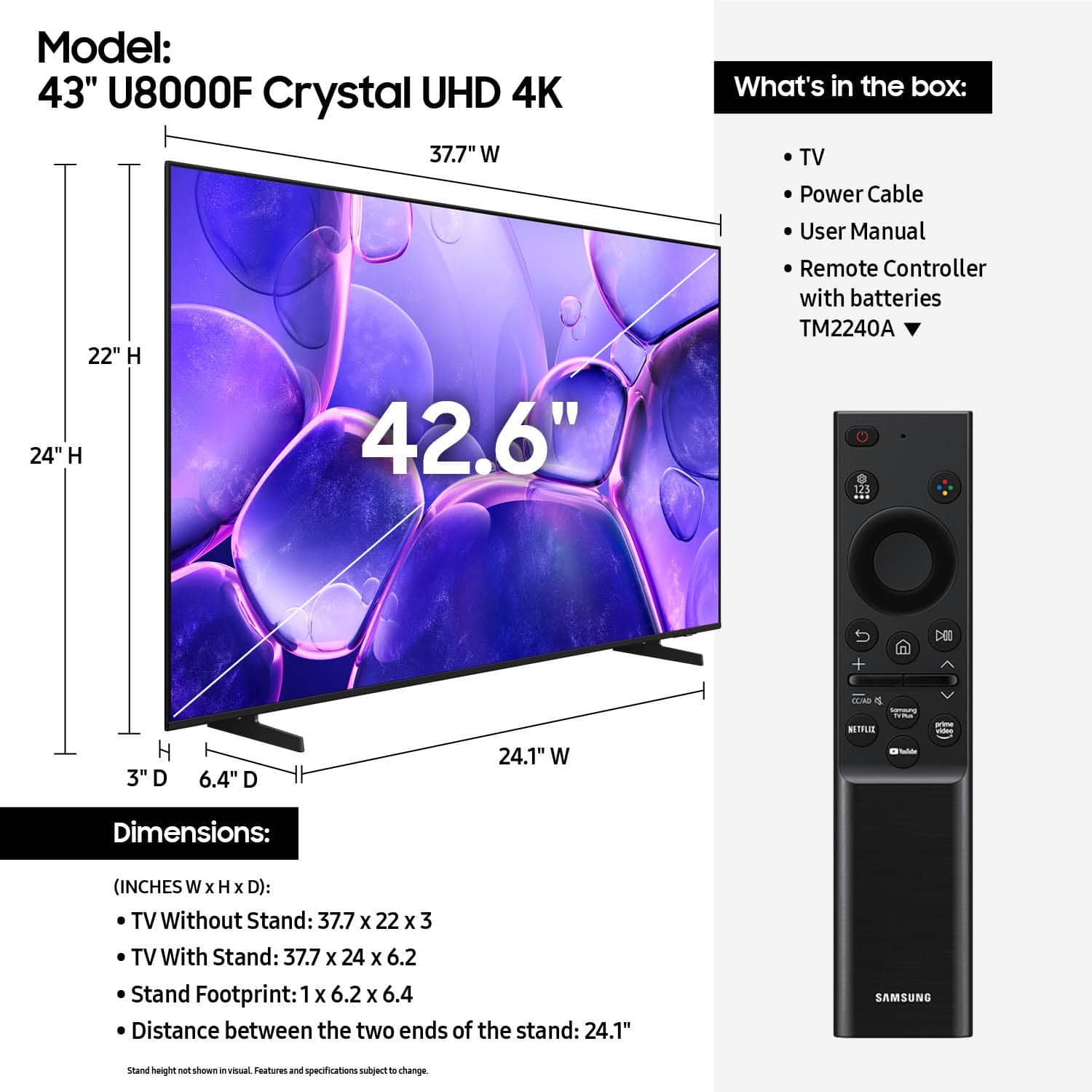










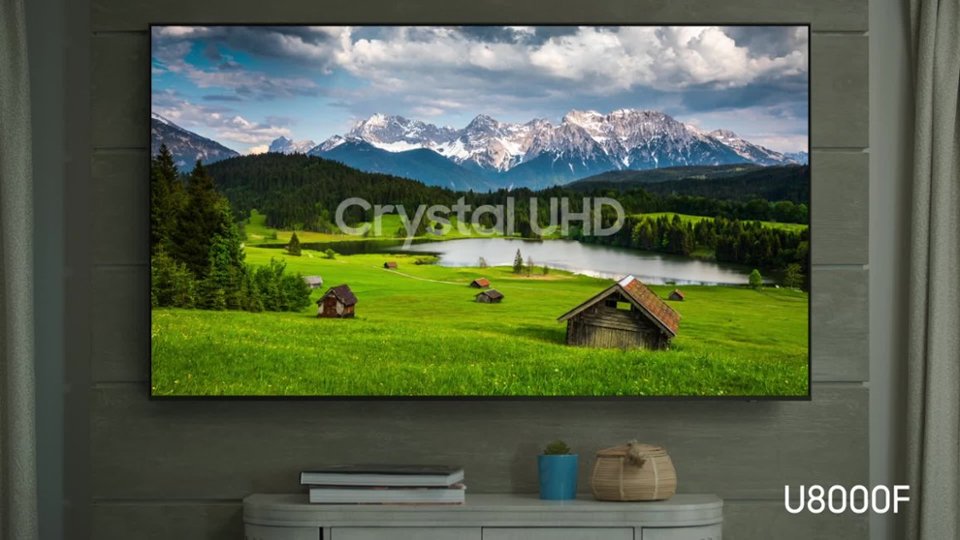


- Model:
- UN43U8000FFXZA
- SKU:
- 10517890
Rating by feature
- Picture Quality
Rating 4.8 out of 5 stars
- Sound Quality
Rating 4.6 out of 5 stars
- Brightness
Rating 4.7 out of 5 stars
Samsung Smart Tv
||Posted . Owned for 3 weeks when reviewed.This reviewer received promo considerations or sweepstakes entry for writing a review.I bought this TV for my girlfriend as part of her Christmas gifts. And a few days after Christmas she took it out the box and set everything up and said it played fine. Later that night she said it wouldnt turn on just a black screen and she's tried it several times afterwards and till nothing. So yea its definitely going back to the store for a return or refund. Hopefully I bought just a bad apple out of the bunch.
No, I would not recommend this to a friendBrand response from Samsung
Posted .Hi JamesT,
Thanks for your review. If you're seeing intermittent black screens, it's often related to HDMI cable connection or an issue with an external device. We'd appreciate the opportunity to walk you through a few checks and help get things working as expected.
Please call Samsung Support at 1-800-SAMSUNG, 8AM – 12AM EST, 7 days a week. LiveChat with an agent as well as product manuals, software, and warranty info can also be found under the ‘Support’ link on our website.
~Samsung Advisor
Samsung TV
||Posted . Owned for 3 weeks when reviewed.This reviewer received promo considerations or sweepstakes entry for writing a review.Tv picture was not as clear as I thought it would be.
No, I would not recommend this to a friendBrand response from Samsung
Posted .Hi TyroneC,
Thank you for your feedback on the Samsung U8000F TV. If the picture appears unclear, dull, or lacks definition, there are several settings you can adjust to improve clarity and overall image quality. Go to: Settings > All Settings > Picture > Expert Settings, and review these key settings:
Picture Clarity Settings: While originally intended for motion handling, these can also impact overall clarity
• Off: Disables motion enhancements
• Auto: Automatically adjusts based on content
• Custom: Lets you fine-tune:
o Judder Reduction – Helps smooth out uneven motion
o LED Clear Motion – Boosts sharpness in fast-moving content
o Noise Reduction – Reduces distortion and enhances detail in lower-resolution sources
Core Picture Settings
• Brightness – Controls overall screen brightness
• Contrast – Enhances the difference between bright and dark areas
• Sharpness – Adjusts edge definition; closer to 20 increases detail
• Color – Enhances depth and intensity of colors
And don’t forget to check for the latest firmware, which may improve performance: Settings > Support > Software Update > Update Now
These adjustments can make a noticeable difference in overall clarity. If you need further help tailoring the settings to your preferences or environment, please contact Samsung Support at 1-800-SAMSUNG, 8AM – 12AM EST, 7 days a week. LiveChat is also available via the ‘Support’ link on our website.
~ Samsung Advisor
New samsung TV does not work properly
||Posted .This reviewer received promo considerations or sweepstakes entry for writing a review.this tv has not worked properly since I got it. The remotes (samsung and direct tv) do not consistently work with regards to 1 turning the unit on and off. 2 adjusting the volume of even sound. I have spent hours on the phone with direct tv and with samsung without a successful resolution. I think I will try the geek squad. If that does not work I will throw this tv way, take the loss and start over
No, I would not recommend this to a friendBrand response from Samsung
Posted .PaulH,
We appreciate you taking the time to let us know about your experience with your U8000F TV. So that we can better troubleshoot this issue and provide steps towards a solution, please contact Samsung Support at 1-800-SAMSUNG, 8AM – 12AM EST, 7 days a week, or visit our website for LiveChat.
~ Samsung Specialist
Owner
||Posted . Owned for 2 months when reviewed.This reviewer received promo considerations or sweepstakes entry for writing a review.TV picture quality is not good. The remote doesn't have a voice command. Instead of TV staying on last channel watched, it alwsys returns to Samsung Plus.
No, I would not recommend this to a friendBrand response from Samsung
Posted .Hi MelWill
,
Thank you for sharing your review. Your TV Works With Alexa, meaning you’ll need to connect a standalone Alexa device, such as an Echo speaker, to control compatible smart home devices and some experiences on your TV. Here are the steps:
1. Download both the Amazon Alexa and Samsung SmartThings apps, if you don't already have them. Both are available for iOS or Android devices.
2. Make sure your Alexa device and TV are both connected to the same Wi-Fi network.
3. Your TV must be enabled within the SmartThings app. If not, make sure you are signed in with your Samsung account on the TV: Settings > All Settings > Samsung Account
4. Log in to the SmartThings app with the same Samsung account. Tap Devices, and if your TV isn’t already shown, tap + to add it to the app.
5. In the Alexa app, enable the SmartThings skill and sign into your Samsung account. This will automatically connect your Samsung TV to Alexa and let you use voice commands to control your television.
If you need more help, we’re here. Give us a call at 1-800-SAMSUNG (8AM – 12AM EST, 7 days a week). You can also connect with a LiveChat agent through the Support link on our website.
~ Samsung Advisor
Broken TV was refused Refund or Replace
||Posted .This reviewer received promo considerations or sweepstakes entry for writing a review.I received this at the store in Chesapeake, VA. Took it out of the box it was broken Went to use the TV for our event and the TV was broken in the box. No evidence of issues with the box. Brought it in for a refund our replacement before the return cut off only to be denied and had some 24 hour rule, for return of broken items, which I had never seen. We purchase many many TV's from you I believe this is unsatisfactory, and will have me thinking I should look for another source.
No, I would not recommend this to a friendBrand response from Samsung
Posted .Hi DavidS,
Thank you for your feedback. We recommend reaching out directly to Best Buy.
If there’s anything we can assist with, please don’t hesitate to call us at 1-800-SAMSUNG, available daily from 8AM - 12AM EST. You can also visit the Samsung website and click on ‘Support’ for:
• Live Chat
• Manuals, Software, & Warranty Info
~ Samsung Advisor
did not work out
||Posted .This reviewer received promo considerations or sweepstakes entry for writing a review.Ordered TV on Saturday Nov 29th. At end of ordering was asked when I wanted TV delivered. I chose Monday, the first between noon and 2pm. Never arrived. Checked status and all it noted was delayed by Rhoadies. Waited a week...nothing from Best Buy. So contacted customer service. Cancelled and got a refund. That part was very efficient.
I would recommend this to a friendBrand response from Samsung
Posted .Hi fmga,
Thank you for sharing your experience with us. We are sorry to hear that your order was cancelled. We hope you’ll consider Samsung again in the future. If you do, we’re always here to help with setup and support. Reach us at 1-800-SAMSUNG (8AM – 12AM EST, 7 days a week), or visit our website to chat live and access manuals or software.
~Samsung Advisor
Absolutely no audio output.
||Posted . Owned for 3 weeks when reviewed.This reviewer received promo considerations or sweepstakes entry for writing a review.Got the t v home. Was preparing it to install. Found absolutely no audio output built into this model. Repacked returned never powered it up.
No, I would not recommend this to a friendBrand response from Samsung
Posted .Ornairon,
Thank you for sharing your thoughts on the available inputs for the U8000F. If an Optical port is a crucial part of your setup needs, you’ll find that connection starting with our Q8F Series and above.
For future purchases, we recommend double-checking the product specs on Best Buy’s site to ensure the model you choose has the ports you need. You’ll find the full list under the “Specifications” tab (just beneath the Highlights section): https://www.bestbuy.com/site/samsung-43-class-q7f-series-qled-4k-uhd-samsungvision-ai-smart-tizen-tv-2025/6619443.p?skuId=6619443
Should you ever need assistance with your TV, Samsung is here for you. Reach out by calling 1-800-SAMSUNG between 8AM - 12AM EST, any day of the week. You can also chat with us online by visiting the ‘Support’ section of our website.
~ Samsung Specialist
Wrong type of tv sold
||Posted . Owned for 1 week when reviewed.This reviewer received promo considerations or sweepstakes entry for writing a review.Had to go to the store 3 times, as i was sold the wrong model twice. Store msnager Tyler was great in correcting the mistakes. Felt there should hsve been some type og compensation for my trouble
I would recommend this to a friendBrand response from Samsung
Posted .Hi BobGa,
We appreciate your patience and loyalty to the Samsung brand. If there’s anything we can assist with, please don’t hesitate to call us at 1-800-SAMSUNG, available daily from 8AM - 12AM EST. You can also visit the Samsung website and click on ‘Support’ for:
• Live Chat
• Manuals, Software, & Warranty Info
~ Samsung Advisor
Dissatisfied with set up.
||Posted . Owned for less than 1 week when reviewed.This reviewer received promo considerations or sweepstakes entry for writing a review.Not sure how to rate the tv since I asked the Geek Squad to not connect the old DVD player to the new tv because it turns on and off automatically which makes the new tv turn on and the video screen opens automatically. I need the geek Squad technician to come back and disconnect the DVD player so my new tv will work correctly. I will submit a better review when this has been completed.
I would recommend this to a friendBrand response from Samsung
Posted .Hi JudithS,
Thank you for sharing your experience with Geek Squad. If you have not already done so, please reach out to Best Buy directly for assistance.
If you ever have questions or need support, we’re here to help. Call us at 1-800-SAMSUNG, available from 8AM - 12AM EST, seven days a week. You can also connect with a LiveChat agent by clicking the ‘Support’ link on our website.
~ Samsung Advisor
Done with Samsung
||Posted .This reviewer received promo considerations or sweepstakes entry for writing a review.Died in 3 weeks. Will look to another brand. I've purchased five Samsung televisions and this is this only one that is not still working. Likely will get my money back and buy LG. Samsung has gone down hill in quality so fast.
No, I would not recommend this to a friendBrand response from Samsung
Posted .Please know you are leaving a review for the [series/model], not the service provided by a third party seller. Please follow up directly with the seller for further assistance. We hope your issue is resolved in a timely manner. Should you have questions regarding Samsung TVs, please contact Samsung Support at 1-800-SAMSUNG, 8AM - 12AM EST, 7 days a week. Our LiveChat agents are also available by clicking on the ‘Support’ link on our website.
Returned item
||Posted . Owned for 1 week when reviewed.This reviewer received promo considerations or sweepstakes entry for writing a review.Not clear screen and sound very blurry and not a good screen
No, I would not recommend this to a friendBrand response from Samsung
Posted .Hi Jgbrooklyn,
Thank you for your feedback on the Samsung U8000F TV. If the picture appears unclear, dull, or lacks definition, there are several settings you can adjust to improve clarity and overall image quality. Go to: Settings > All Settings > Picture > Expert Settings, and review these key settings:
Picture Clarity Settings: While originally intended for motion handling, these can also impact overall clarity
• Off: Disables motion enhancements
• Auto: Automatically adjusts based on content
• Custom: Lets you fine-tune:
o Judder Reduction – Helps smooth out uneven motion
o LED Clear Motion – Boosts sharpness in fast-moving content
o Noise Reduction – Reduces distortion and enhances detail in lower-resolution sources
Core Picture Settings
• Brightness – Controls overall screen brightness
• Contrast – Enhances the difference between bright and dark areas
• Sharpness – Adjusts edge definition; closer to 20 increases detail
• Color – Enhances depth and intensity of colors
And don’t forget to check for the latest firmware, which may improve performance: Settings > Support > Software Update > Update Now.
We also recommend running a Sound Test to check for audio issues: Home > left directional key > Settings > Support > Device Care > Self Diagnosis > Sound Test
If these issues continues or you’d like assistance, feel free to contact Samsung Support at 1-800-SAMSUNG, available daily from 8AM - 12AM EST. You can also visit the Samsung website and click on ‘Support’ for:
• Live Chat
• Manuals, Software, & Warranty Info
~Samsung Advisor
Worthless piece of technology
||Posted .This reviewer received promo considerations or sweepstakes entry for writing a review.I have another Samsung so bought this for my mom thinking it would be a good tv, but within four months it broke. And it’s outside the return/exchange window for Best Buy.
No, I would not recommend this to a friendBrand response from Samsung
Posted .BHWMD,
It’s unfortunate to hear about your experience with Samsung’s U8000F TV. We’re committed to delivering quality, value, and the best possible product experience. This TV is backed by a 1-year limited manufacturer’s warranty, which includes authorized repair for eligible defects when purchased brand-new from an authorized retailer. To review full warranty terms, you can enter your model number here: https://www.samsung.com/us/support/warranty/
We’d appreciate the opportunity to assist further. Please contact Samsung Customer Support at 1-800-SAMSUNG (8AM – 12AM EST, 7 days a week), or connect with a LiveChat agent by clicking the ‘Support’ link on our website.
~ Samsung Specialist
Need a refund....
||Posted .This reviewer received promo considerations or sweepstakes entry for writing a review.ordered, picked it up at store, was an open box, when i asked why, vague answer. took it, now have a Tv that has a red screen, then yellow and sometimes works.
No, I would not recommend this to a friendBrand response from Samsung
Posted .Hi Tolerant,
We’re sorry to hear about the issue you're experiencing with your Samsung U8000F TV. In many cases, flickering, signal loss, or no picture from an HDMI source can be caused by the connected device or the HDMI cable being used. Please try the following steps:
1. Check the external device: Ensure the connected device (e.g., gaming console, Blu-ray player, streaming box) is running the latest firmware. If available, try connecting a different external device to see if the issue persists.
2. Check the HDMI cable: Make sure you're using a High Speed Certified HDMI Cable, ideally one rated for 4K or higher, depending on your content.
If the problem continues after checking these, please contact Samsung Support so we can help diagnose and resolve the issue. You can reach us at 1-800-SAMSUNG, 8AM – 12AM EST, 7 days a week. LiveChat is also available on our website under the ‘Support’ section.
~Samsung Advisor
Sound quality
||Posted . Owned for 1 month when reviewed.This reviewer received promo considerations or sweepstakes entry for writing a review.The quality of the sound is poor so now I am forced to spend more money on a sound bar.
No, I would not recommend this to a friendBrand response from Samsung
Posted .Hi DorisR,
Thanks for your feedback on the sound quality of your Samsung U8000F TV. To start, please make sure your TV is running the latest firmware: Settings > Support > Software Update > Update Now
If you're still not satisfied with the audio, try these adjustments:
• Sound Mode or Expert Settings to adjust bass, treble, and balance
• Auto Volume: Helps keep volume consistent across inputs and channels: Settings > Sound > Expert Settings > Auto Volume
For fuller, more immersive sound, consider a Samsung S- or Q-Series Soundbar with Q-Symphony, which works in sync with your TV speakers.
For help with sound adjustments or choosing a soundbar to complement your setup, please contact us at 1-800-SAMSUNG, 8 AM – 12 AM EST, 7 days a week. Or visit us on the Samsung website and click on the ‘Support’ link for:
• LiveChat
• Manuals, Software, & Warranty Info
~ Samsung Advisor
Had to replace
||Posted . Owned for 1 month when reviewed.This reviewer received promo considerations or sweepstakes entry for writing a review.damaged out of the box. Replacement is great. I spent a great deal of time going back and forth just to get what I WANTED. I purchased a 65 inchTV and sound bar at the same time. For some reason BB kept indicating I wanted the 43 inch tv delivered and mounted when I wanted the 65 inch TV delivered and mounted and store pickup for the 43.
No, I would not recommend this to a friendBrand response from Samsung
Posted .Hi MarkF,
Thank you for sharing your experience. If you ever have product questions or need help, please do not hesitate to reach out to us at 1-800-SAMSUNG, available daily from 8AM - 12AM EST. You can also visit the Samsung website and click on ‘Support’ for:
• Live Chat
• Manuals, Software, & Warranty Info
~ Samsung Advisor
Desiree got a free TV
||Posted .This reviewer received promo considerations or sweepstakes entry for writing a review.Best Buy did not update my address and sent TV to old address.
No, I would not recommend this to a friendBrand response from Samsung
Posted .Hi coffee,
Thank you for sharing your experience with us. Please reach out to Best Buy directly to assist you with your order. We hope your issue is resolved quickly.
If you have any questions or need help, we’re always here. Call 1-800-SAMSUNG from 8AM - 12AM EST, seven days a week, or connect with a LiveChat agent anytime by selecting ‘Support’ on our website.
~Samsung Advisor
Samsung is not a good brand on TV
||Posted . Owned for 1 month when reviewed.This reviewer received promo considerations or sweepstakes entry for writing a review.Not goog as soon as I turn on the TV the screen, it was horrible like when you make a parcel, it breaks all the image
No, I would not recommend this to a friendBrand response from Samsung
Posted .Hi MarinaS,
Thank you for your feedback on the Samsung U8000F TV and your experience when watching fast-motion content. If the picture appears blurry or unnatural during high-speed scenes, there are several settings you can adjust to improve motion clarity.
Go to: Home > left directional key > Settings > All Settings > Picture > Expert Settings, and review these key settings:
Picture Clarity Settings
• Off: Disables all motion enhancement
• Auto: Automatically adjusts motion clarity based on content
• Custom: Enables manual control of:
o Judder Reduction: Smooths motion in film-based content
o LED Clear Motion: Increases sharpness during fast movement
o Noise Reduction: Helps reduce distortion in lower-quality sources
Additional Picture Controls
• Brightness – Adjust overall image brightness
• Contrast – Controls the difference between light and dark areas
• Sharpness – Enhances the definition of object edges
• Color – Adjusts color intensity for more natural or vivid tones
We hope these settings help improve your viewing experience, especially with fast-moving content. If you'd like further assistance, feel free to reach out to Samsung Support at 1-800-SAMSUNG, 8AM – 12AM EST, 7 days a week. LiveChat is also available via the ‘Support’ link on our website.
~ Samsung Advisor
Defective Screen, Returnef
||Posted .This reviewer received promo considerations or sweepstakes entry for writing a review.Defective screen, had a bubble on it and scrapes along one side of the frame, returned. The lack of quality control with such an obvious flaw puts purchasing another Samsung out of the question
No, I would not recommend this to a friendBrand response from Samsung
Posted .Hi Silver71,
We're truly sorry to hear this and understand how frustrating it can be to notice damage or a defect after your TV has been delivered or installed. Please reach out directly to Best Buy to assist you with an exchange.
If there’s anything we can assist with, please don’t hesitate to call us at 1-800-SAMSUNG, available daily from 8AM - 12AM EST. You can also visit the Samsung website and click on ‘Support’ for:
• Live Chat
• Manuals, Software, & Warranty Info
~ Samsung Advisor
Don't bother
||Posted .This reviewer received promo considerations or sweepstakes entry for writing a review.Don't waste your money, won't work without them wanting your credit card for some "membership" thing and without it the tv absolutely not work.
No, I would not recommend this to a friendBrand response from Samsung
Posted .Hi LP12,
Thank you for reaching out to us. Please know you should NOT have to enter your Credit Card to set up your Samsung TV. So we can better support you, please call us at 1-800-SAMSUNG, available from 8AM to 12AM EST, seven days a week. Or visit the Samsung website and click on the ‘Support’ link for:
• LiveChat with an agent
• Manuals, Software, and Warranty Info
~ Samsung Advisor
sam sung tv
||Posted . Owned for 1 month when reviewed.This reviewer received promo considerations or sweepstakes entry for writing a review.Picture quality was very poor as well as sound a very poor tv
No, I would not recommend this to a friendBrand response from Samsung
Posted .Hi NormanP,
We appreciate your feedback on the picture quality of Samsung’s U8000F TV. If the image doesn’t quite match your preferences, there are several adjustments you can make to better suit your viewing environment and content type.
First, please ensure your TV is running the latest firmware, as updates may include important picture quality enhancements. Go to: Home > Left directional button > Settings > Support > Software Update > Update Now
To explore picture mode options, navigate to: Home > Left directional button > Settings > All Settings > Picture > Picture Mode. Options include:
• Standard – Ideal for general viewing
• Dynamic – Brighter and more vibrant for well-lit spaces
• Eco – Optimized for energy efficiency
• Movie – Best for viewing in low light
• Filmmaker Mode – Preserves the content creator’s intent and disables motion smoothing for supported content
You can further customize your image by going to: Settings > All Settings > Picture > Expert Settings, where you can adjust Brightness, Contrast, Color Tone, Sharpness, Contrast Enhancer and more.
If you’d like help finding the best picture settings for your preferences, please don’t hesitate to contact Samsung Support at 1-800-SAMSUNG, available 8AM – 12AM EST, 7 days a week. You can also LiveChat with an agent or explore additional resources on our website by clicking the ‘Support’ link.
~ Samsung Advisor