Customer Ratings & Reviews
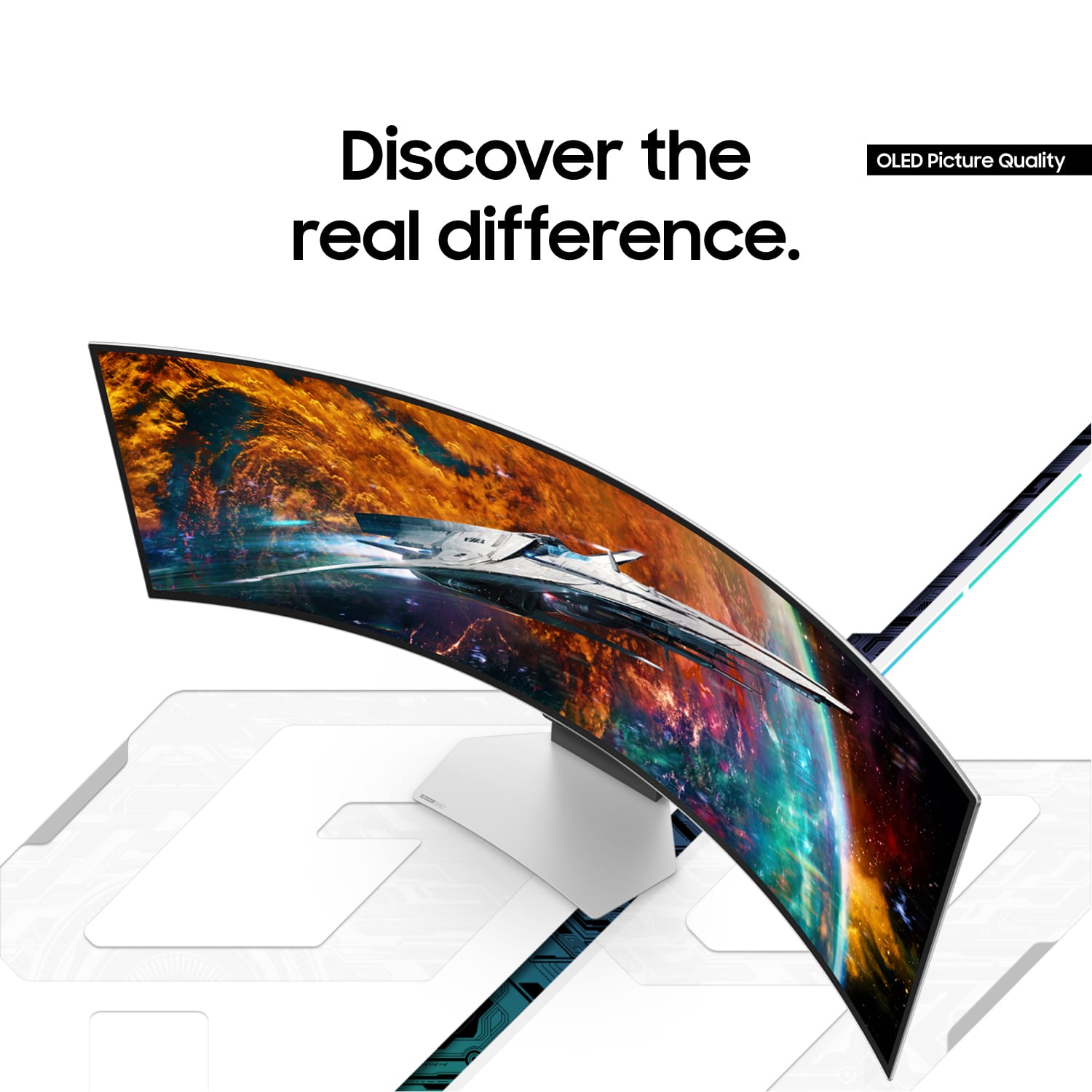
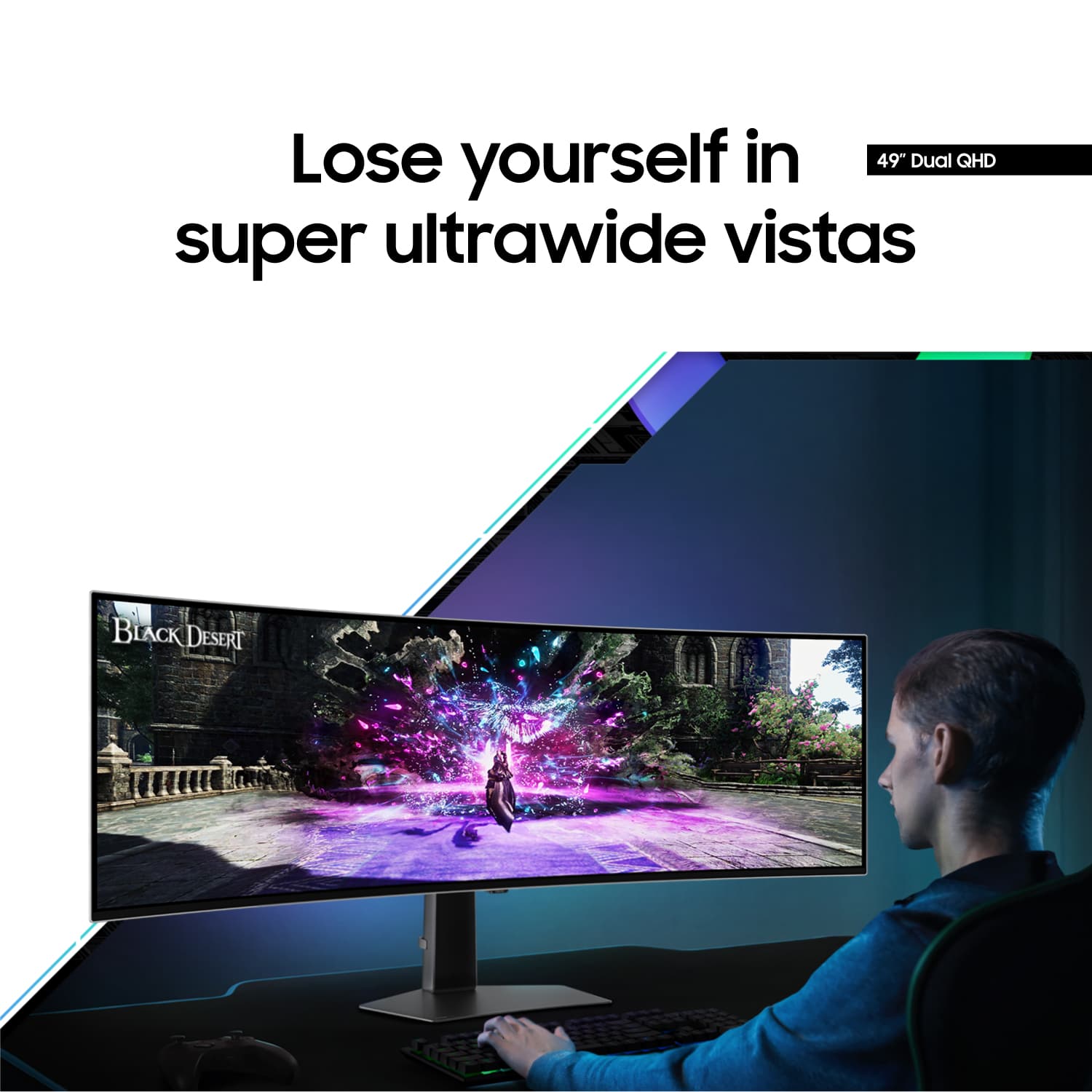
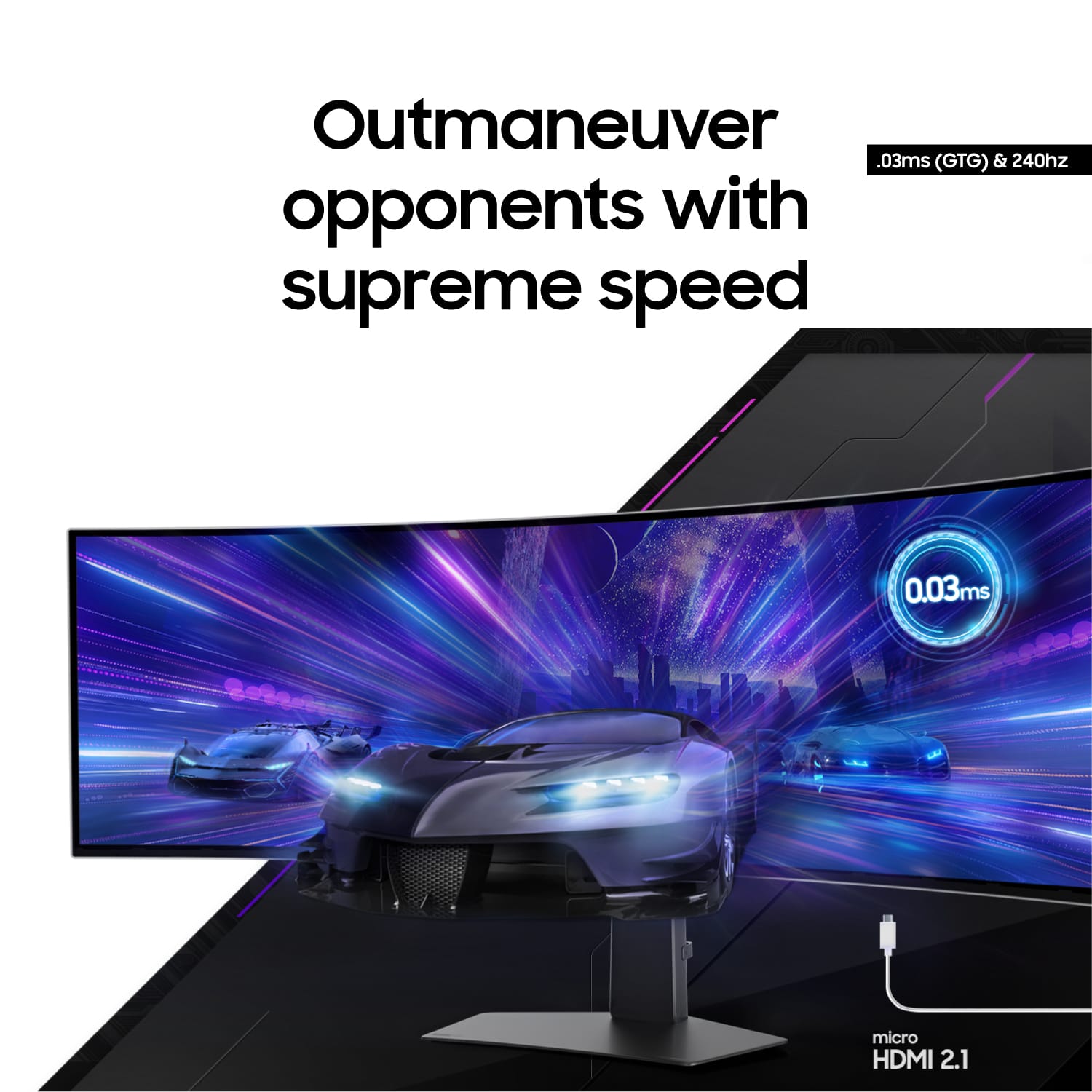
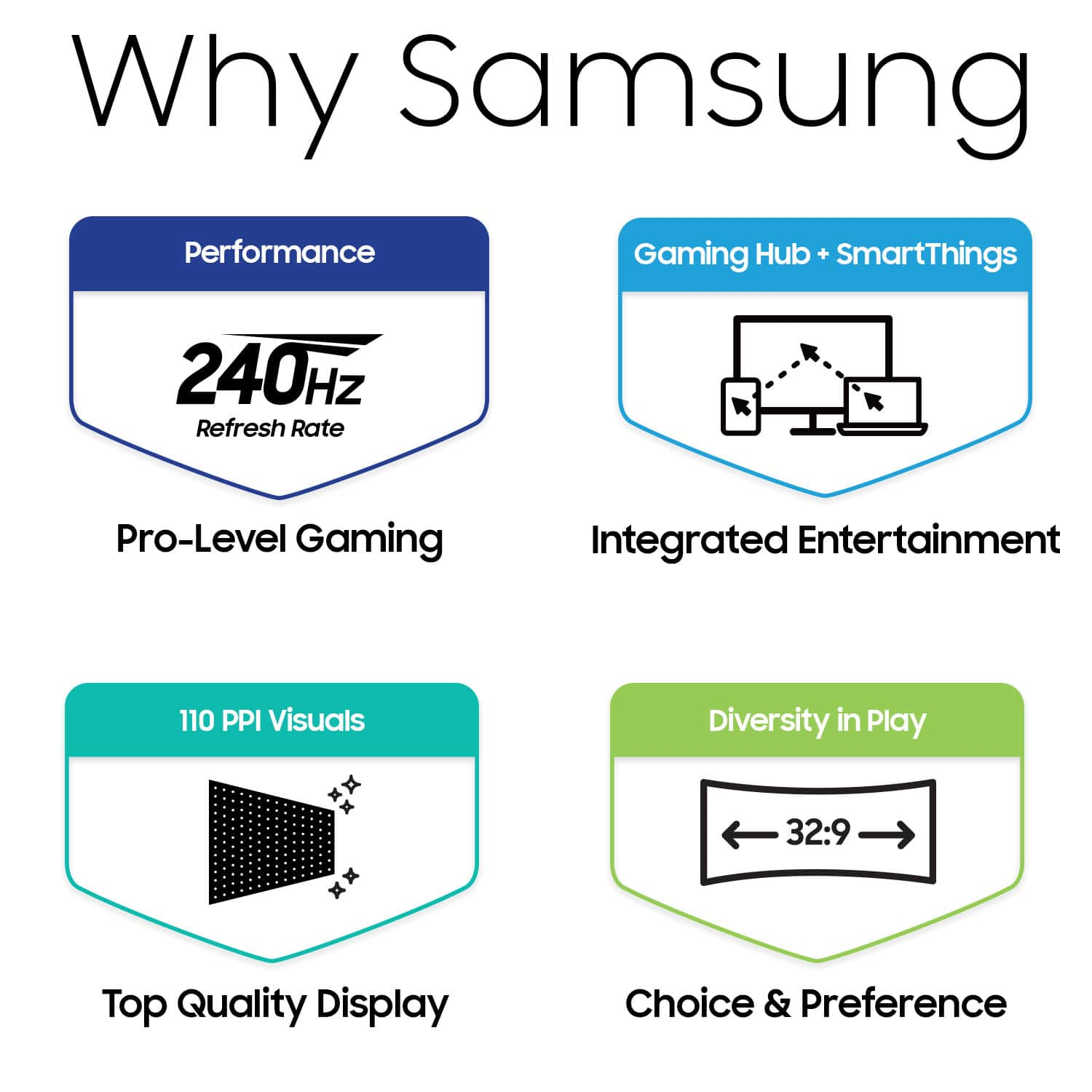
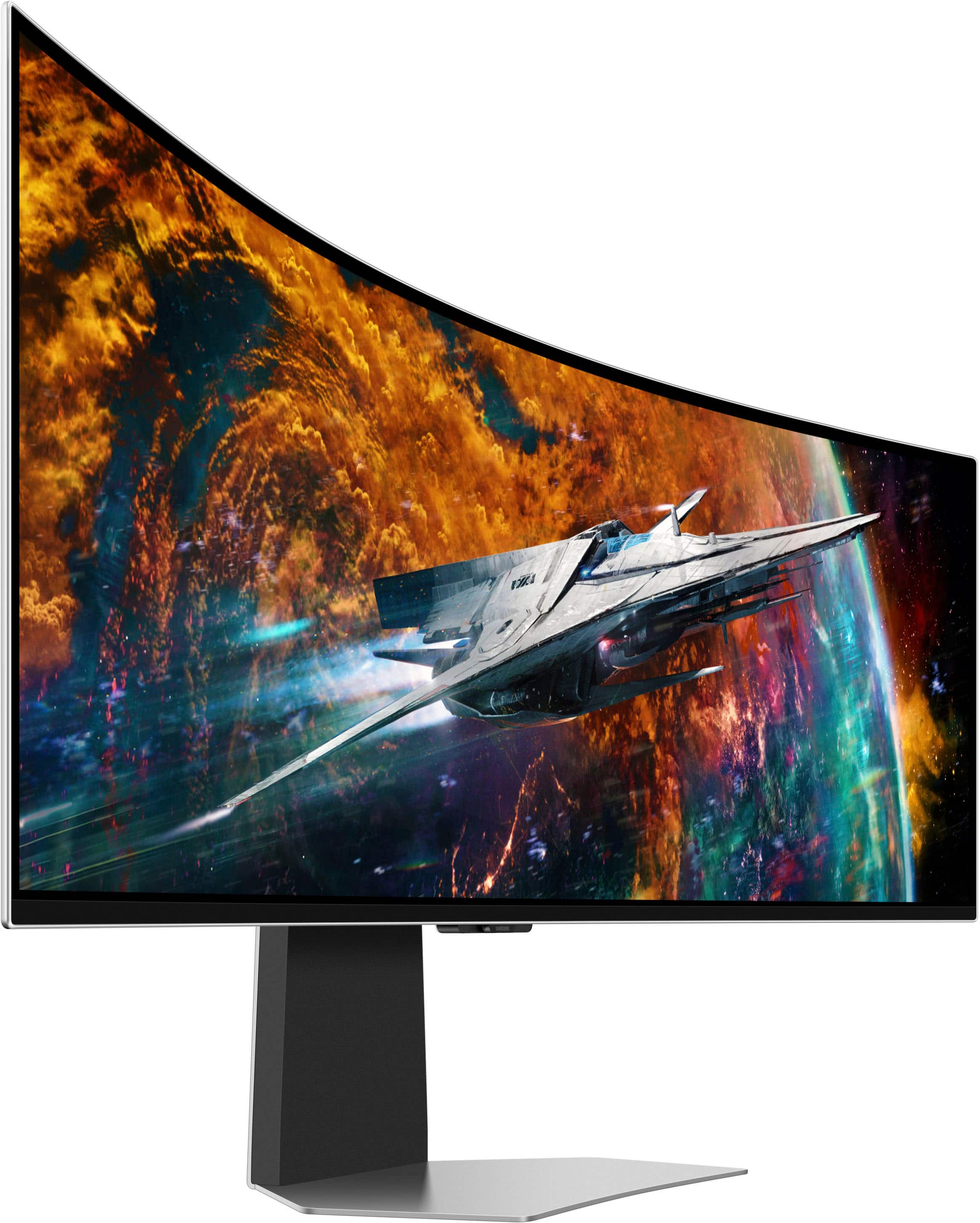

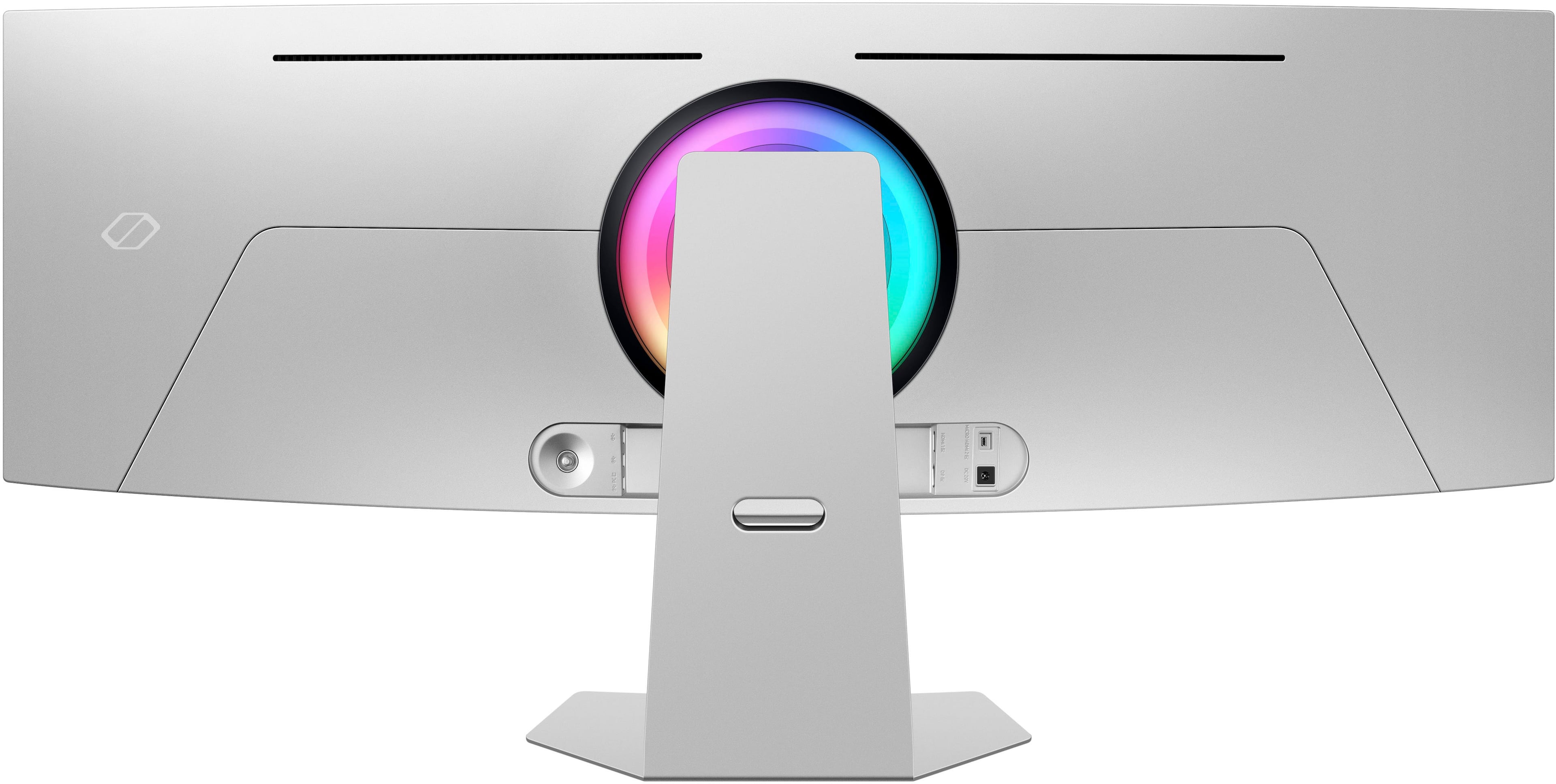
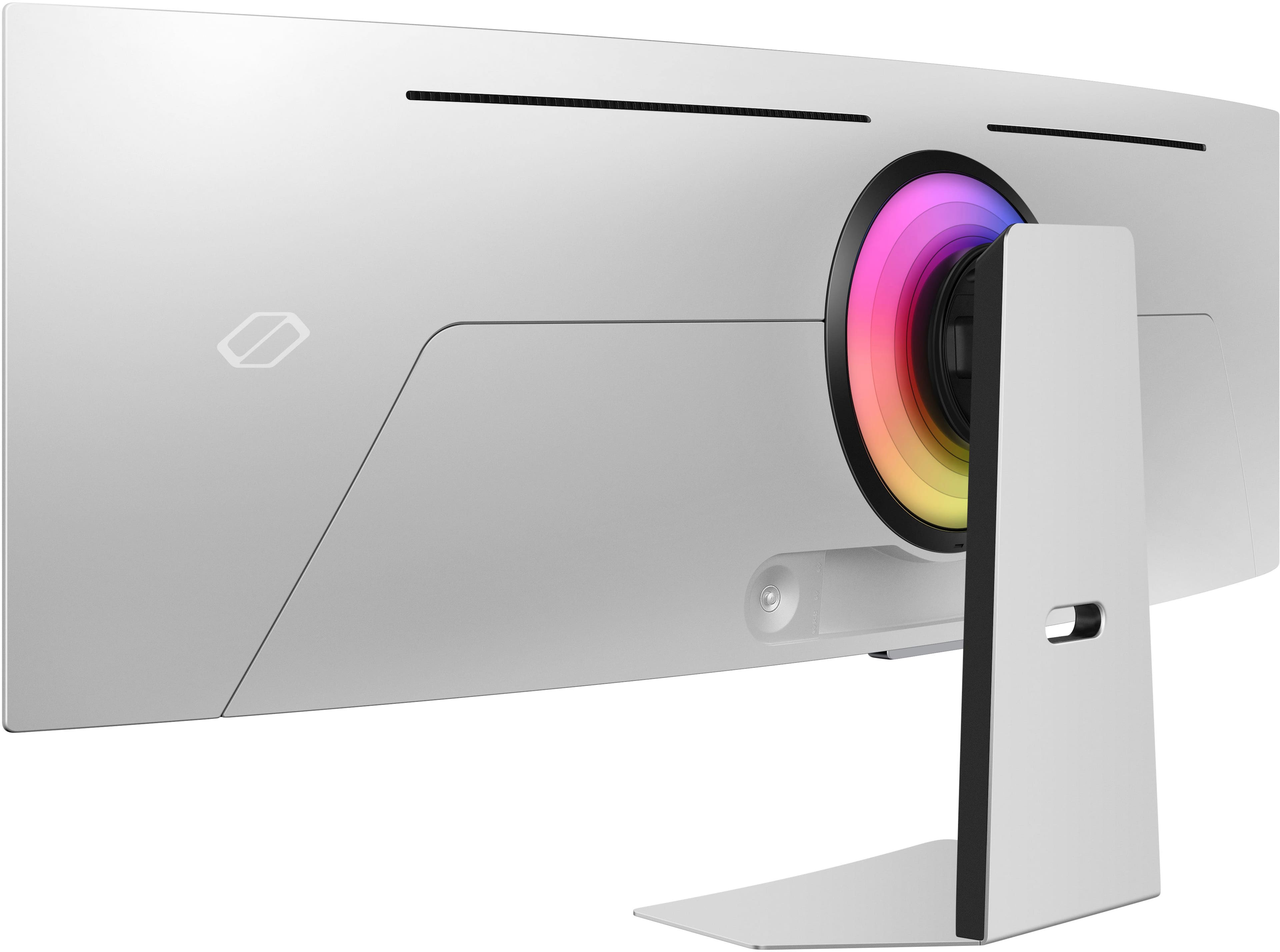
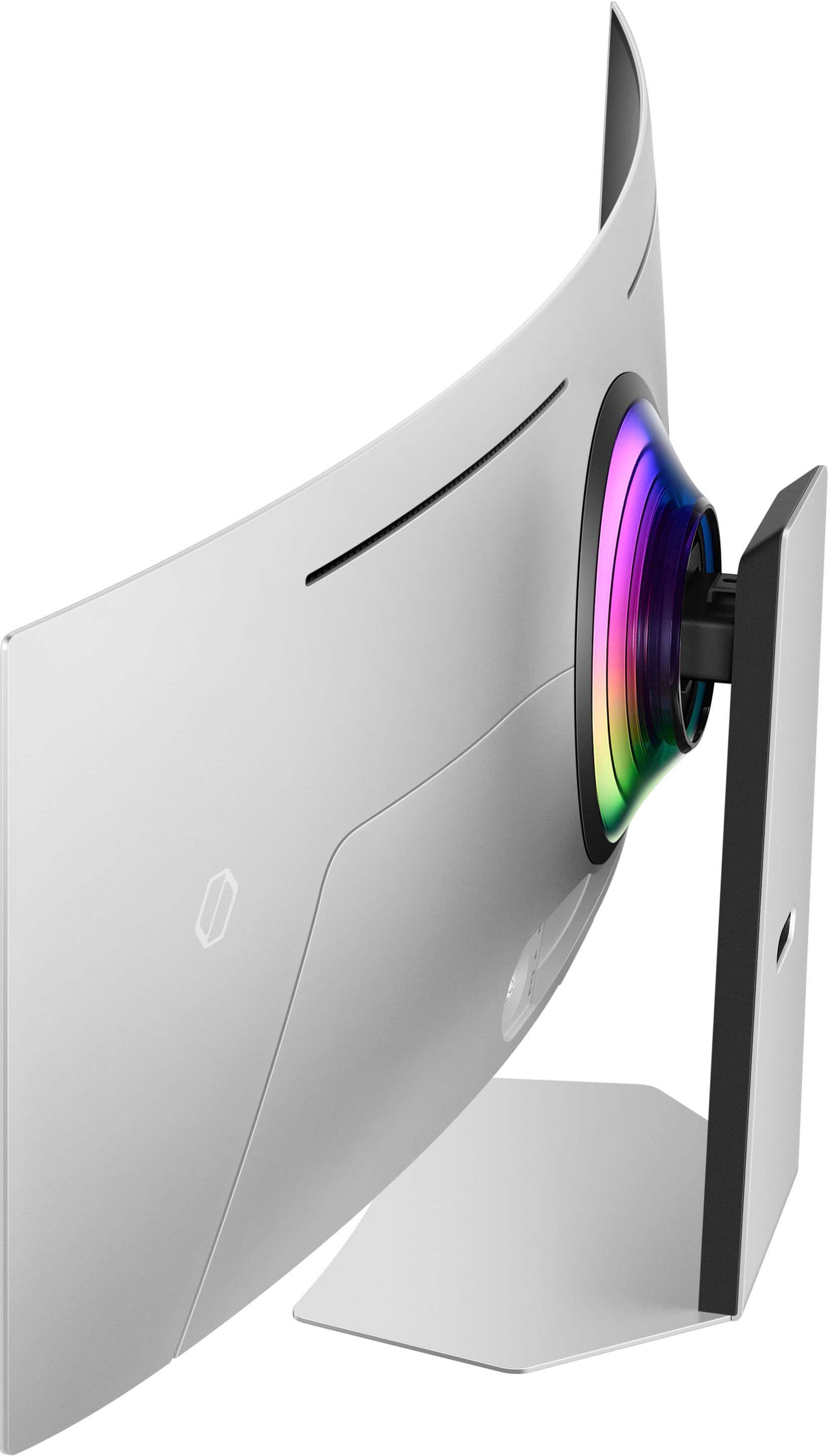


- Model:
- LS49CG954SNXZA
- SKU:
- 11359130
Rating by feature
- Display Quality
Rating 4.7 out of 5 stars
- Ease of Use
Rating 4.2 out of 5 stars
- Features
Rating 4.4 out of 5 stars
Was good now is bad
||Posted . Owned for 6 months when reviewed.This reviewer received promo considerations or sweepstakes entry for writing a review.It had worked goof for 6 months or so now its acting up never been hit wacked or anything and it comstanly goes to a old tv screen wgen losing sitnal
No, I would not recommend this to a friendBrand response from Samsung
Posted .We are very sorry to see that you have encountered issues with the Samsung OLED G9 Monitor. We understand your disappointment and hope that you will give us a chance to assist with troubleshooting or warranty service.
Samsung products are engineered to the highest standards of performance and quality and we back this model with a 1-year limited manufacturer's warranty, if purchased brand-new from an authorized dealer.
For further assistance or to begin warranty service, please contact Samsung Customer Support via:
1-800-SAMSUNG, available 8AM - 12AM EST (Mon-Fri) / 9AM - 11PM EST (Sat-Sun)
Samsung is committed to providing the best possible product experience, quality, and value, and we are always here to help with any of your questions or concerns.
- Pros mentioned:Refresh rate, Resolution, Screen sizeCons mentioned:Connectivity
It's Good, It's Not Great
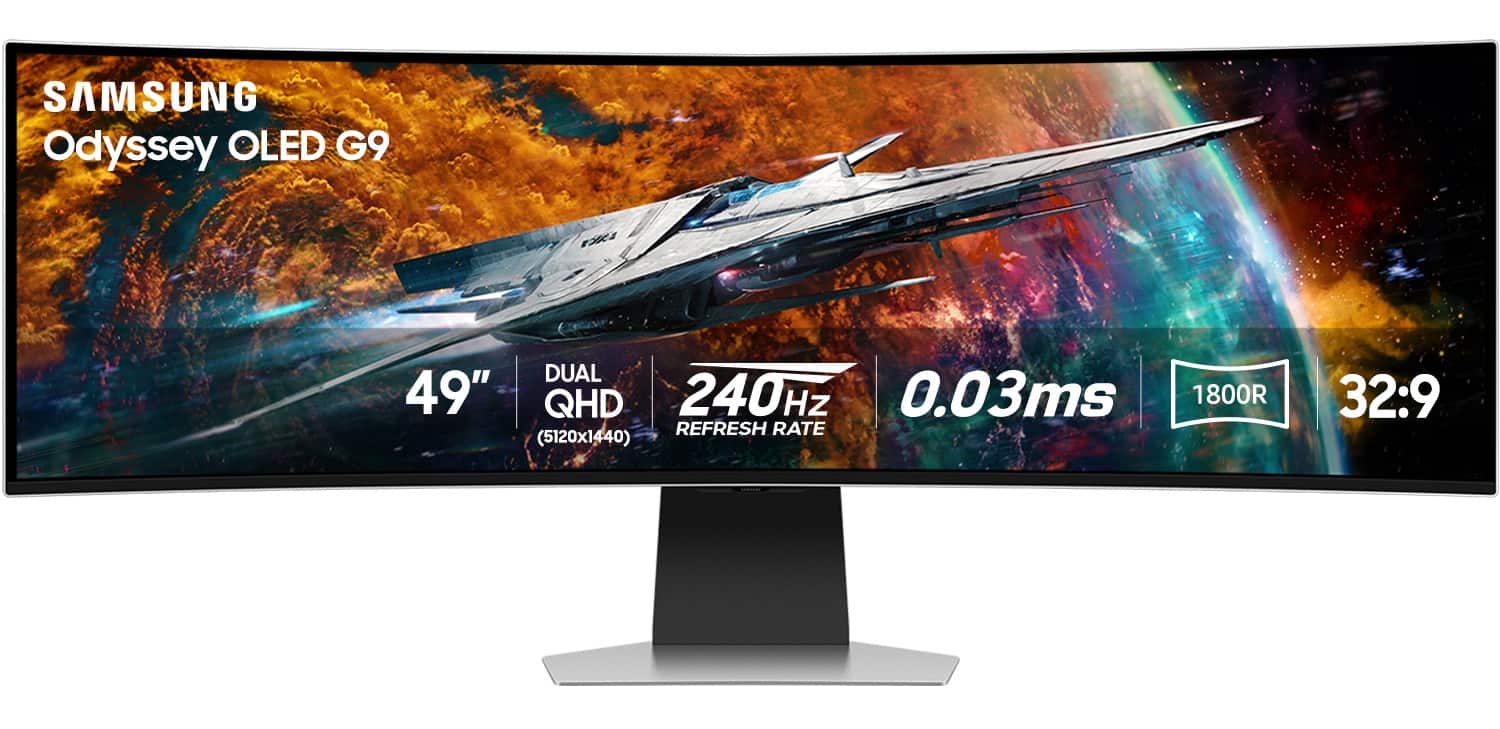
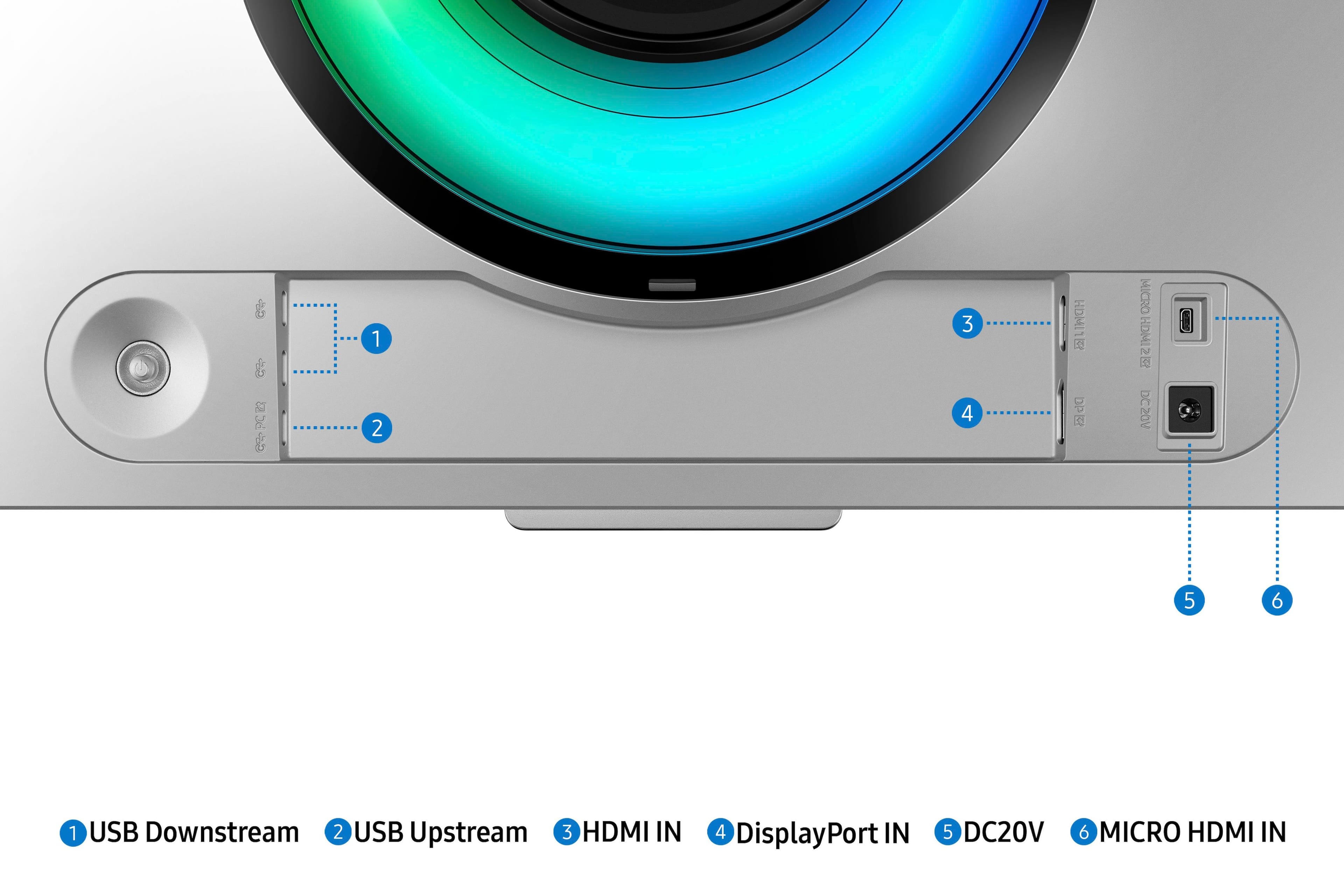
||Posted . Owned for 2 weeks when reviewed.This reviewer received promo considerations or sweepstakes entry for writing a review.Overall, even with the short-comings of this monitor I am mildly impressed. That said, I am also mildly frustrated with the product itself. First off, I have had the monitor for approximately 14 days. Secondly, its the first ultra-wide monitor that I have utilized. Thirdly, it's the third OLED monitor that I have utilized. The monitor itself responds very well, in-fact the 0.03ms response timing is fantastic. Coupled with the 240hz and the maximum resolution, it took me a day or two to get used too. Gaming wise, it has been interesting. Quite a few of the games I play daily, does not utilize the resolution. It's not the monitor's fault, so I just use windowed mode on those. Still, fantastic for gaming. Productivity wise, may not be the monitor for you. While images and text are crisp, it is still very straining on the eyes. This leads into one of my major frustrations. It does have an eyecare mode, and in-fact works rather well. What isn't advertised though is that it drops the overall refresh rate to 120hz, and caps the resolution at 3260x1080 and turns off quite a bit of other features with it. As far as responsiveness goes, I am unsure on if it's still 0.03ms. Unfortunately, it's highly doubtful. Either way, if you are purchasing it to utilize for productivity and for eyecare features, this is most likely not the monitor for you and I would highly recommend looking at alternative options. Alright, onward! One of the odd but useful features it does, is that it adapts / moves pixels around to prevent burn-in and other typical OLED related issues. It is definitely a useful feature to keep active, but I am still not used to seeing it happen and it can trip me up from time to time. That said, it's not performance impacting to the machine, only to me. Lol Here is another issue, directly related to the product / software, and support. This specific model has issue when it comes to using VRR and Gsync. It has been documented over numerous platforms, unfortunately I have also experienced issues. While exiting games, it will go to a black screen and essentially go into a count-down to shut off. It also happens if you reboot, instead of shutting down. Not everyone experiences this, but a good majority from what I am reading via Facebook Reddit, and/or other marketplaces have quite a few individuals commenting on it. Much of this is due to firmware related issues to which Samsung has not addressed within the last few versions thus far. I hope they do soon! Lastly, and the biggest pain is cable and rear-port placement. If you don't have a whole lot of room behind the monitor, and/or cant swivel it around then I would recommend plugging in all cables that were included before setting it up. If you are curious, just look at the images that are provided, and you will notice where the HDMI and Display-Ports are located. I understand it's for clean cable routing through the stand that's included, it's still a huge pain though. All of that leads into my final thoughts, and/or feelings for this product. Overall, it's a fantastic monitor as long as you can get over some of the issues / quality-of-life stuff, and/or some of the software hiccups. - Image quality is great - Responsiveness is awesome - Resolution is fantastic (Barring Eyecare Mode) - Smart-TV functionality is about what you would expect - Build Quality overall is decent (Not fantastic) - Included feature-set is fantastic Again, it's good but not great for this price point. If improvements are made, I will definitely revisit my review and make changes as I feel necessary.
No, I would not recommend this to a friend - Pros mentioned:Oled quality, Refresh rate, Resolution
0OLEDG9
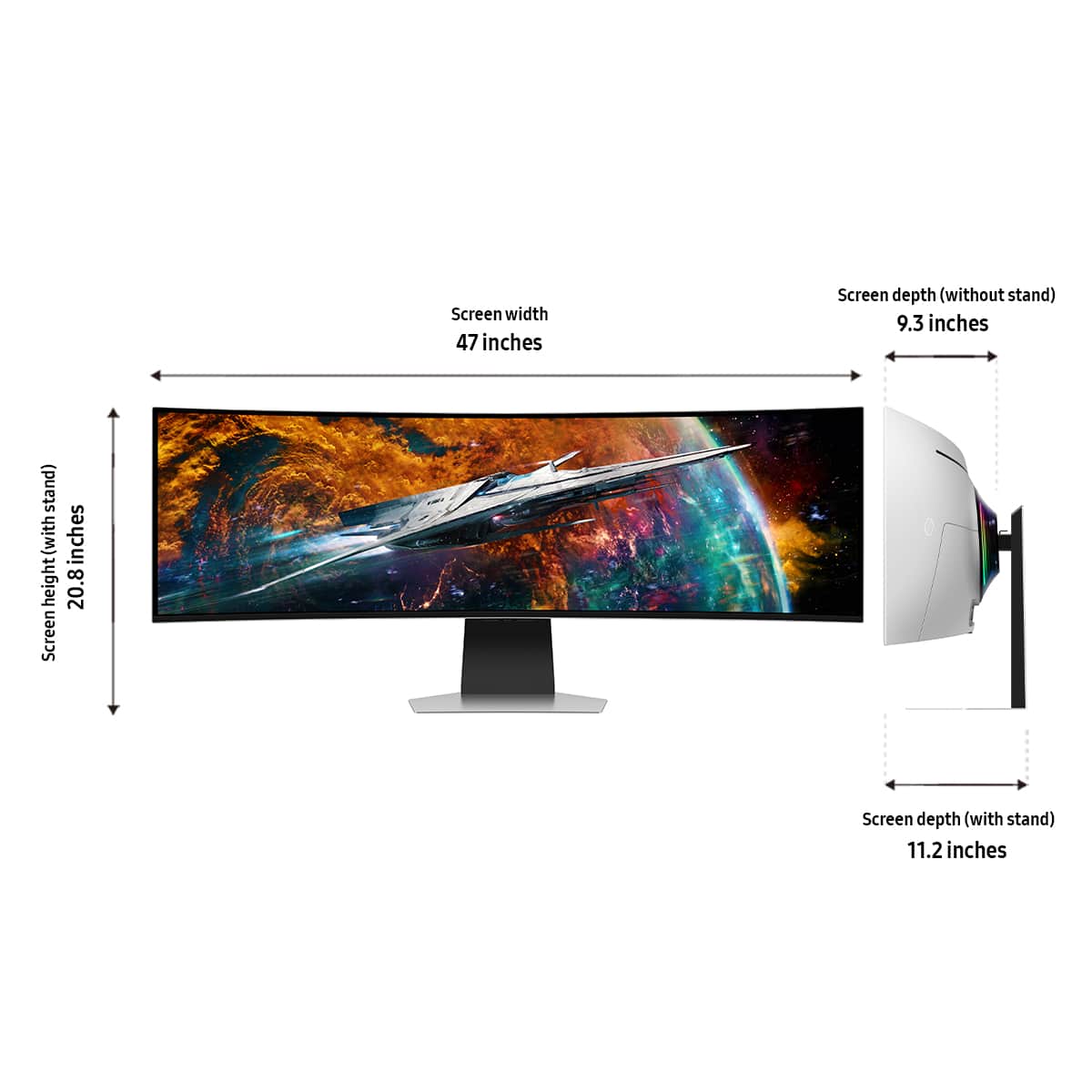
||Posted .This reviewer received promo considerations or sweepstakes entry for writing a review.Design & Build Quality: Premium and Futuristic The first thing you'll notice is just how massive and immersive this 49" curved display really is. The 32:9 aspect ratio is equivalent to having two 27" QHD monitors side by side — but with no bezel or gap in between. It wraps around your field of vision perfectly, pulling you right into the action whether you're gaming, editing, or multitasking. The Silver finish looks sleek and futuristic, and the 1000R curvature matches your natural field of view for an incredibly comfortable viewing experience. The build quality feels rock solid, with adjustable height, tilt, and swivel for ergonomic flexibility. It’s also VESA-mount compatible for those who want a clean desk setup. Display Quality: Absolutely Stunning OLED Brilliance This is where the G95SC shines brightest — literally. The OLED panel produces perfect blacks, infinite contrast, and stunningly vibrant colors. Whether you're exploring dark environments in games or color grading in creative software, the depth and accuracy are unmatched. Resolution: The DQHD (5120 x 1440) resolution gives you sharp detail across the entire ultra-wide space. HDR: It supports HDR10+ and DisplayHDR True Black 400, delivering rich dynamic range and lifelike visuals. Pixel Response Time: With an incredibly fast 0.03ms response time, motion is buttery smooth with zero ghosting or blur. Refresh Rate: The 240Hz refresh rate is a dream for competitive gamers. Every frame is crystal clear and responsive, especially when paired with G-Sync or FreeSync support. Color Accuracy: With near-perfect factory calibration, it's excellent for professional creative work right out of the box. Whether you're gaming, watching high-res content, or editing videos and photos, the visual quality is nothing short of cinematic. Gaming Performance: Elite-Level Specs for Elite-Level Play If you're a serious gamer, this monitor is a game-changer. It combines ultra-wide immersion with elite specs: 240Hz refresh rate + 0.03ms response time = eSports-grade performance G-Sync and FreeSync Premium Pro compatible, eliminating tearing and stutter OLED tech means ultra-low input lag and perfect motion clarity Game Bar lets you easily tweak settings mid-game It’s not just for immersive single-player games either — the screen real estate gives you an edge in competitive titles by showing more of the battlefield. Smart Features & Connectivity: More Than Just a Monitor What makes the G95SC extra special is that it doubles as a Smart TV and entertainment hub: Built-in Smart Hub includes streaming apps like Netflix, YouTube, Prime Video, and more — no PC or console needed Samsung Gaming Hub allows access to cloud gaming platforms like Xbox Cloud Gaming and NVIDIA GeForce Now, even without a connected console or PC Built-in speakers are decent for casual use, though serious users may want external audio Ample ports: HDMI 2.1, DisplayPort, USB-C with 90W charging, and USB hub You can literally use this monitor for gaming, content creation, productivity, and entertainment — all without switching devices. ✅ Pros: Breathtaking OLED visuals with perfect blacks and brilliant colors Ultra-smooth 240Hz refresh rate with 0.03ms response time Immersive 49" ultra-wide curved display (32:9 aspect ratio) G-Sync, FreeSync, and HDMI 2.1 support Smart TV & cloud gaming built in — no PC required USB-C with 90W charging = clutter-free workstation Excellent build quality and sleek futuristic design ❌ Cons: Premium price tag — but worth it for enthusiasts OLED risk of burn-in (mitigated by Samsung’s protections) Large footprint — requires significant desk space Built-in speakers are average for the price
I would recommend this to a friend - Pros mentioned:Oled quality, Refresh rate, Screen size

Groundbreaking gaming monitor, less good for work
|Posted .This reviewer received promo considerations or sweepstakes entry for writing a review.This is screen is utterly gorgeous in multiple ways, as long as you’re not using it for daily productivity. The screen has all of the super-beneficial picture quality features of an OLED, with fully black blacks, and punchy colors, 240hz refresh rate and HDR to boot. Games look amazing on this display, leaping forward and providing a new immersive experience that will make you want to load up bright and punchy games like Cyberpunk, just to see it from this new experience. Many modern games support wide screens and I found the result to be uniquely immersive. Just amazing. The only real downside is that some (or maybe most) games will render the HUD or UI elements in the far corners of the screen, meaning that if you’re racing in Forza 5, you may need to look to the sides for things like current speed or the mini-map. In terms of design, the screen looks fantastic. It’s razor thin with a futuristic vibe and doesn’t have the bulk of their older models. The stand base is a hefty metal. It looks great on desk. The curve is helpful since it’s so wide. It’s quite nice. It’s not 100% perfect though… the ports on the back are a bit hard to get to. It would have been better if they connected straight out the back, rather than to the inner-side. The power cable and huge power brick are also proprietary for some reason, which could make them harder to replace if needed. At the very least, I wish they would have had a standard power cable plug shape between the transformer and the wall. And beyond the gaming, that’s where you may find potential deal breakers for some. Mainly if you plan on using this display for primary productivity - think word processing, reading on the web, etc. - the OLED’s triangular sub-pixel layout makes Windows struggle to render text with the sharpness and readability you’d want if being used for work on a daily basis, complicated by not being the highest resolutions at about 100 ppi. When connected to HDMI, text was so bad that I would not have recommended this to anyone, but via the included DisplayPort cable’s better data throughput (which you should absolutely use instead of HDMI), it’s much more in line with other monitors, even if the text feels a bit muddier despite fiddling with all controls afforded to me by the operating system. I would have liked Samsung to provide a custom driver to work around this. Instead, Samsung has added a lot of multimedia functions to the display, almost making it a smart tv, with a remote and more or less relegating the ‘display’ aspect of the screen as an app within it - just like on a smart tv with it’s various input controls. In practice this is fine, you can largely ignore all of this extra functionality, but it’s a bit strange that a display so targeted at a premium gamer audience would have features that they would likely never need. For example, no gamer will want to use the lag-prone (as I observed it to be) built-in Xbox cloud streaming functionality, they will instead attach their own gaming pc to play games. I can’t imagine many people will take advantage of the screen mirroring functionality either, as it’s a bit slow and not the highest resolution. Verdict: This is a media display. Amazing for gamers, assuming you have a high-end desktop that can run it, and assuming gaming is your primary use case for the display. I would not recommend it if you spend a large chunk of your time web browsing, emailing, or doing other reading-heavy tasks that could induce eye strain. But once more... if you are buying it for gaming, it results in probably the best gaming monitor ever created. You just can’t beat OLED for games and entertainment, and since this has the refresh rate to match.
I would recommend this to a friendBrand response from Samsung
Posted .We are delighted to hear you've had a positive experience with your Odyssey G95SC Monitor.
We appreciate the feedback you have provided. If there is anything we can do to assist you and improve your product experience, please don't hesitate to contact Samsung Customer Support via:
1-800-SAMSUNG, available 8AM - 12AM EST (Mon-Fri) / 9AM - 11PM EST (Sat-Sun).
Your thoughts and opinions are very important to Samsung.
2 weeks and already a line thru it.
||Posted . Owned for 1 week when reviewed.This reviewer received promo considerations or sweepstakes entry for writing a review.Only had it for 2 weeks, already has a line right thru the screen. Thought it was a bad video file, but nope, a solid line of messed up pixels.
No, I would not recommend this to a friendBrand response from Samsung
Posted .We are very sorry to see that you have encountered issues with the 49" Odyssey OLED G9 Gaming Monitor. We understand your disappointment and hope that you will give us a chance to assist with investigating the issues you have encountered with the pixels further. Samsung is committed to providing the best possible product experience, quality, and value, and we are always here to help with any of your questions or concerns. For further assistance, please contact Samsung Customer Support via: 1-800-SAMSUNG, available 8AM - 12AM EST (Mon-Fri) / 9AM - 11PM EST (Sat-Sun).
Glitching screen
||Posted . Owned for 1 week when reviewed.This reviewer received promo considerations or sweepstakes entry for writing a review.Trued and Changed cables and nothing it would glitch no matter what we tried. Returned and decided to hold out until 2024 4k oled
No, I would not recommend this to a friendBrand response from Samsung
Posted .Thank you for bringing this issue to our attention as Samsung is committed to providing the best possible product experience, quality, and value. Samsung greatly values our customers’ feedback and we utilize your concerns and opinions in our relentless efforts towards delivering world-class products. We are very sorry to hear that you returned this product and hope to have you back as a customer again.
If you ever need assistance in the future, please contact Samsung Customer Support and a rep will be happy to assist you:
1-800-SAMSUNG, available 8AM - 12AM EST (Mon-Fri) / 9AM - 11PM EST (Sat-Sun)
- Pros mentioned:Oled quality, Refresh rate
Good screen but a bit disappointed with support
Posted .This reviewer received promo considerations or sweepstakes entry for writing a review.I've read multiple reviews and have seen a ton of videos of people that had issues or bricked screens, luckily I've had none of those issues when receiving it; although I've only had it for roughly a month now. To summarize my experience with this screen: It looks incredible and works pretty well, but, for a monitor at a price range that rivals a mid-range pc, it lacks a few features and feels kind of bloated. Pros - OLED panel and colors look incredible, my games and movies have never looked this crisp and the high refresh rate is noticeable and definitely impactful - The sleek form factor is pretty nice and the screen was easy enough to mount on my own because it isn't super heavy - The included stand is really high quality although I've opted to swap it out for a monitor arm to save up some desk space - With the right settings, text is pretty clear for me. I use this screen for gaming, productivity (coding), and for watching content and I've had no complaints with it - Blacks look very good and "inky" and peak brightness is not bad even for an OLED panel - So far no issues with burn in even whilst viewing a ton of static content for work - Controller is pretty nice Cons - Embarrassing I/O support. For a screen this expensive and "new", it does not have DP 2.1 support, it only has one DP port, one HDMI port (albeit 2.1), and a mini HDMI port which is near unusable for a screen like this. It does offer some USBC ports for peripherals, but I'd much rather have more display ports. Unfortunately without adding more expensive gear, this screen only truly supports two devices at maximum capacity. - The included Samsung TV OS is more annoying than it is a premium feature; it feels slow and sluggish like bloatware. My experience with it so far is that it simply slows down my boot time. - My Samsung TV remote controller for whatever reason triggers both my TV and this display. Its very annoying to open Netflix on both my monitor and my actual TV when I'm trying to just watch TV because my monitor picks up my TV signal as it was built with TV software. - The screen gets hot through extended usage. Not blazing hot, but definitely noticeably hot - The curvature is too small to be fully immersive. It is impossible to get the full ultrawide experience of being able to have an expanded field of view where most things are visible straight on because the screen is too flat for it. I constantly have to turn left and right to see things on the sides of my screen. - The screen's native aspect ratio is super ultra wide (32:9) which simply isn't supported by most forms of media and games. You will almost never be able to get the full resolution and quality of games/content on fullscreen without blackbars - Not a unique problem with this particular screen but, if you stream content via discord or a different app, your viewers will have a bad experience if they don't have a similar resolution as you. This problem is exacerbated by HDR settings that you'd probably want to configure for the screen to get a nicer image as changing those settings will wash out the color on non-oled monitors for anyone viewing your screen since OLEDs tend to run darker than regular panels. This isn't a unique problem of this monitor so can't dock points for that, but well worth mentioning. - The included Samsung DP cable is not certified and is laughably short - If you want to play triple A games on ultramax with ray tracing and HDR enabled, your FPS will be really low with a panel this large and feature-full even with a RTX 4090. Although again, this is not a unique issue to this panel and Moreso with any panel that supports resolutions of 4K+. Overall, this panel is probably worth the price, but doesn't come without its flaws. I can see someone who doesnt care to screen share and doesn't necessarily care about playing games at maximum FPS that would love this screen. This is definitely not the best screen to pickup if your focus is strictly for gaming; there are objectively better options for that. It also probably isn't the best screen to pickup for just consuming content as, once again, its really expensive and many screens support dynamic HDR, have arguably more features than this one, and doesn't have a weird aspect ratio that just isn't supported natively. If, however, you're someone who wants a screen that is pretty good for gaming, top notch for productivity, and pretty good for consuming content; this is a very good and probably the best Samsung screen out there.
I would recommend this to a friend - Pros mentioned:Refresh rate, Resolution, Screen size
Perfect monitor for gaming and work!
||Posted . Owned for less than 1 week when reviewed.This reviewer received promo considerations or sweepstakes entry for writing a review.I use this monitor mostly for work but I do use it for a little bit a play too! I upgraded from 3 x 24" ASUS ProArt 1920 x 1200 displays. This monitor has spoiled me. I don't think I can go back to using multi-monitors again unless it's to add to above or next to this one. For instance: streaming. Much to my surprise there was no audio output connection! It didn't occur to me that it would be missing an audio output since it does have built in speakers. I ended up using a Bluetooth audio adapter which has been working pretty well so far. I only use the audio output if and when I use the built in apps. My computer audio goes directly to my speakers. The built in Apps work very well. All the apps I would use on a TV are there on the Samsung store. I would have liked an option to watch the apps in a small screen to one side (PIP) style. I removed a star for the lack of audio port and none of the default picture settings working well for me. Pros Great screen real estate Perfect resolution for my purposes 5120 x 1440 @ 240 Hz Good PPI (for my purposes) Amazing Colors and the blackest of blacks Extremely configurable. The setting that you can customize will require some time to get used to but it is well worth experimenting to get the monitor just the way you like it. Has 3 inputs: Display Port Normal HDMI Micro-HDMI (adapter cable provided) Supports 2 x 16:9 inputs or dual display from built in apps and PC input. Very bright display for my purposes Handy little remote control Integrates with Samsung phones are provides a remote built into your phone that’s always ready Built in Apps / Home screen for watching all of your Streams. Cons Built in speakers are kind of tinny sounding. I could actually enjoy watching or playing anything on them. No Audio Output connection, Options are Bluetooth and HDMI passthrough OLED Burn in Concern (none experienced so far, 6 weeks) Screen takes a long time to turn on from standby to display my desktop, so I don't really see post messages from my computer Does not support PIP (Picture in Picture), only side by side mode. Was not happy with the built in out of the box standard image settings, none of the modes were good for me.
I would recommend this to a friend - Pros mentioned:Oled quality, Refresh rate, Screen size
Excellent Choice for Flight and Racing Sims
||Posted . Owned for 1 month when reviewed.This reviewer received promo considerations or sweepstakes entry for writing a review.I picked this monitor up over Black Friday when it went on sale to use on my new gaming PC primarily for Microsoft Flight Simulator and Forza Motorsports. The fact that it is an OLED panel and is self emissive means that every single pixel is its own dimming zone so you have over 7 million of them. All I will say is that the level of immersion is so much better vs a typical 16:9 display. You see so much more of your environment so as long as your game supports the wider 32:9 ratio, which is essentially 2 16:9 monitors "glued" together. It won't give you the amazing immersion of a triple monitor setup but you don't have to look at 2 monitor bezels in the middle or need an ultra expensive video card to drive all 3 screens either. One negative aspect is that the display does make you turn your head more to see objects or HUDs in games that are not in your peripheral vision which means you are going to have a harder time using this monitor for FPS type of games and have no option to relocate your HUDs. Before getting this display, I had to return a mini-LED monitor due to bad dimming zones especially in high contrast settings and knew that OLED is the only way to go. So far I have ZERO dead pixels out of the box so I guess I got lucky with the well documented Samsung panel lottery. But I am a Totaltech member so I am not worried about issues about deal pixels or burn in, which I have not had any issues with so far, for the first 2 years. The "smart" aspect of the monitor is a bit of a gimmick since you have easy access to streaming services if you are using the monitor with any PC. And if I want to relax, I will go watch TV on my 77" LG OLED TV instead. The high 240Hz refresh rate is a total game changer. I easily can tell the difference even with 120Hz where there is less image trailing compared to my older LG IPS 4K display which uses LCD technology. If you're a gamer, OLED is the only way to go at the moment. Using this monitor for productivity purposes has not been too bad. It's definitely not ideal as a LCD panel that has "square" subpixel layout but the current setup of the Samsung subpixels are an improvement over earlier generation "triangular" layout which made text very fuzzy and headache inducing. The bigger issue is whether screen burn in will occur with extended static display use. As I said earlier, I have no burn in so far as Samsung does refresh the pixels and does have other protective measures such as pixel shift that is almost unnoticeable. One of the other inherent issues with OLED is that you have limited screen brightness due to heat. So true HDR is really not as good as on a good Mini-LED panel. Keep that in mind. And unfortunately, Samsung did reduce the overall brightness of this panel in one of their recent firmware updates. I luckily knew about this and got a a panel that was delivered with an older firmeware and disabled automatic update to prevent the lost of max advertised brightness. In conclusion, I would say that the Samsung OLED G9 is an excellent choice if you are a gamer and only use the display for occasional productivity use. It's the perfect setup for someone who wants more immersion like for racing and flight sims. It's also great for open world games such as Red Dead Redemption. The technical specs of the display are impressive with excellent 240Hz refresh rate and the number of pixels at about 7.3 million is a hair under 4K which many recent cards will be able to drive with little compromise if you don't set graphics to Ultra. But keep in mind that Samsung does NOT have the best QC and so you need to check the display out carefully and maybe even get an extended warrranty just in case.
I would recommend this to a friend - Pros mentioned:Overall performance, Refresh rate, Screen size
Amazing Monitor — Totally Worth It!
||Posted .This reviewer received promo considerations or sweepstakes entry for writing a review.The Samsung Odyssey 49" has been one of the best upgrades I’ve made to my setup. The screen is huge and super clear, and the curve makes everything feel really immersive. Whether I’m gaming, watching movies, or working with multiple windows, it handles it all without any issues. Colors look great, the refresh rate is smooth, and it’s just an all-around awesome monitor. If you’re thinking about going ultra-wide, this one is definitely worth it
I would recommend this to a friend - Pros mentioned:Refresh rate
Beautiful and Fast
|Posted .This reviewer received promo considerations or sweepstakes entry for writing a review.Pros Insanely fast 240Hz refresh rate Perfect blacks Colors seem very accurate Can reproduce reds faithfully Gets extremely bright in small areas Overall bright for an OLED monitor Works with FreeSync and G-Sync Offers virtual aim point Bias light improves immersion Tons of features Integrated cloud gaming Integrated SmartThings HUB Offers split screen Very light for its size using separate power adapter Extremely wide angle for supported games Decent speakers built in Cons Limited game support Unsupported games can have a fisheye effect Menu layout feels clunky at times Blacks and turn dark gray in bright room Not as well suited for bright areas overall Speakers sometimes distort Menu system needs refinement Remote needs extra buttons Odd placement of mini HDMI port USB-C ports tight lighting cable options Monitor doesn’t seem to wake automatically Compatibility problems with systems that have iGPU and dGPU Only 1 year warranty Warranty doesn’t cover burn in Massive power adapter ClearType can’t adjust for pixel arrangement Design and Features The Odyssey G95SC is in a very small niche of super ultra-wide monitors. While it can be used for production it is targeted at gaming and content consumption. For a gaming monitor the design is still relatively clean with a single piece stand that is comprised of a plastic shell painted silver but most likely has some metal inside for strength. It attaches to the monitor with a push lock system and the base attaches to the vertical section via two captured wingnuts. In the box is a VESA mount adapter. Also provided is a remote, which is needed to control it as there are no external buttons. There is a bias lighting ring on the back where the stand attaches which can be set to a static color or reproduce the most prevalent color on the screen. For the affect to work the screen would have to be close enough to a wall to reflect. There are no software settings or drivers require to adjust this. It reads the video signal and changes color based on the signal. The power cable includes an extremely large power brick as the monitor can use up to 220 Watts. The downside is finding somewhere to place the power brick. The advantage is with a separate power supply the monitor is much lighter and easier to handle. A DisplayPort cable, mini HMDI to HDMI cable, and USB-C to USB-A adapter are included in the box. A strange omission is the lack of DisplayPort over USB-C support or at the very least an adapter cable. Many gamers now have gaming laptops where the dGPU is accessed via DisplayPort over USB-C. Some reports state it has support for DisplayPort over USB-C but in testing using certified cable it did not work. The inclusion of a mini-HDMI port also seems a bit odd as well as the placement of the port outside the main port facing directly backwards instead of sideways like the rest. This limits placement slightly if your cable is more rigid. Both the HDMI port and mini-HDMI port are HDMI 2.1 and the DisplayPort is version 1.4. The spec sheet states the maximum brightness is 250 nits but that it is HDR 400 certified. This should mean a maximum brightness of at least 400. Checking in Windows it reports a peak brightness of 400 nits. The monitor has 1GB of onboard storage to accommodate installing apps such as YouTube, Netflix, or Tubi TV. While not stated in the specs, in the menu it seems to have be able to function as a SmartThings HUB with Matter support. Even if you don’t set that up it can still access any SmartThings devices and can be added as a SmartThings device itself to control. The monitor can display an app with an input source in split screen. This means you could watch something like Tubi TV on one side and display your computer on the other half. The monitor is limited to one app and one input source or two input sources. You cannot use split screen with two apps. Setup and Performance Unlike a regular monitor, the G95C has a setup wizard for connecting to Wi-Fi and setting up apps. Before a firmware update the monitor had issues connecting to 5G Wi-Fi. The update fixed it but occasionally the monitor sometimes forget Wi-Fi settings when turned off. Connecting a laptop another issue was encountered. The first laptop had a Ryzen GPU. Even with the MUX switch enabled the most the HDMI port could work with was 1080P. It is rated at HDMI 2.0b so it should have gone to at least 4K60. After purchasing a USB-C to DisplayPort cable worked without a problem. The next laptop has an RTX 3070 with an HDMI 2.1 port. The system recognized the monitor and adjusted resolution properly but then would never display an image. No adjustments were successful in getting the monitor to work. The issue seemed to stem from the autodetect mode on the monitor. When the laptop changed modes and adjusted to the correctly resolution. The monitor would display that is detecting the connection. As soon as this came up the laptop would show disconnected and reset. The easiest system to work with was a gaming desktop with an RTX 3070. It worked without issues using HDMI and DisplayPort. In the end, the laptop issues didn’t seem to be based on the type of GPU but how display signals were handled between the iGPU and gGPU. If your gaming system has both, it would be best to be prepared for some troubleshooting. After connecting to the laptop with the Ryzen GPU with the adapter cable the resolution defaulted to a lower resolution but showed the correct recommended resolution which is a bit unusual. After changing to the recommended resolution, it defaulted to 120Hz instead of 240 from reason. Selecting 240 worked without any issues. Overall, the connection process just seemed more finicky than normal. Once everything was up and running the fun starts. First things to know is the subpixel arrangement isn’t well suited to productivity work. While ClearType attempts to improve things Windows just doesn’t natively understand Quantum Dot properly so black text on a white background isn’t ideal. It could work for short stints but of course it is primarily a gaming and content consumption monitor, and it shows. While it works ok in bright rooms your blacks turn gray and the monitor but turn down the lights and this monitor really shines. The blacks become completely black, and colors can really stand out. The monitor might be rated at 400 nits, but it sure seems like it can boost locally to higher. Scenes with spotlights or gun flashes could be so bright the screen was hard to look at. While we didn’t have any way to verify screen response times it wouldn’t have mattered because no one in our family was able to sense any type of lag. We thought we had good gaming monitors until seeing just how things could be with the G95SC. One specific example was in Doom Eternal. Our family has a specific game save on Nightmare that has not moved in over a year. After switching to the G95SC not only did the super ultrawide help but it also showcased the hurdle was just as much our previous monitor. After the switch it only took 2 attempts to finish. The best way to describe the feeling is CRT type responsiveness. In Halo Infinite the amount of field of view almost feels like cheating. In COD games the virtual aim point comes in handy. With so many gray and green tones it is hard to see the crosshairs, but you can add a virtual one that glows on top of the game making it almost too easy to see where you are aiming. In Forza Horizon 5 the field of view means not only can you see out the front window almost the entire driver side and some of the passenger side. The exception was Minecraft. At first it seemed like maxing out the field of view to 110 degrees would make for an immersive combo. While the resolution was correct, it turned out that increasing the field of view only increased the fisheye effect. Distortion seemed best somewhere between 70 and 90 degrees. This is where you will find the one weakness of this monitor. If a game doesn’t support the 32:9 ratio, then you either lose screen real estate or you end up with a fisheye view. Even when you lose screen real estate because the OLED could be completely black so it wouldn’t distract. The other option is you can opt to play a video on the other half of the screen. Final Thoughts There is just too much to cover in a relatively short review. The monitor has a ton more features, some more refined than others. Connectivity requires tweaking and some aspects of the menus are a clunky in traditional Samsung fashion but where it really counts, in performance it’s hard to beat. If love to game and play games that can take advantage of a 32:9 aspect and are looking for the best monitor available for immersive gameplay it’s had to beat the Samsung Odyssey G95SC monitor.
I would recommend this to a friendBrand response from Samsung
Posted .We are delighted to hear you've had a positive experience with your Odyssey G95SC Monitor.
We appreciate the feedback you have provided. If there is anything we can do to assist you and improve your product experience, please don't hesitate to contact Samsung Customer Support via:
1-800-SAMSUNG, available 8AM - 12AM EST (Mon-Fri) / 9AM - 11PM EST (Sat-Sun).
Your thoughts and opinions are very important to Samsung.
- Pros mentioned:Overall performance, Refresh rate, Screen size
Excellent for gamers!
||Posted . Owned for 3 months when reviewed.This reviewer received promo considerations or sweepstakes entry for writing a review.The Samsung Curved LED Monitor offers an immersive viewing experience, making it an excellent choice for gamers. Its curved design enhances depth perception, reduces glare, and provides a more engaging gaming experience. The high refresh rate and crisp display ensure smooth gameplay, while the vibrant colors and deep contrasts make visuals pop. However, when it comes to office work, especially in a multi-screen setup, this monitor may not be the most convenient option. The curved design can create alignment issues when used with multiple monitors, making transitions between screens less seamless. Additionally, text and spreadsheets might appear slightly distorted at the edges, which can be a concern for those working with precise data or extensive documents.
I would recommend this to a friend - Pros mentioned:Oled quality
Amazing Hardware. Let's Leave It At That.
|Posted .This reviewer received promo considerations or sweepstakes entry for writing a review.The Samsung G95SC 49" OLED monitor offers a game-changing visual experience once you dive into gaming. The colors are vibrant, and the immersive wrap-around screen truly enhances the gameplay. However, there are a few drawbacks that cannot be overlooked. Firstly, the setup process of the G95SC was unnecessarily complicated. It took me almost an hour to get everything up and running smoothly. Unboxing and putting the monitor together was pretty smooth, but between signing up for SmartThings and trying to get the monitor connected to my Wi-Fi amongst constant errors I was raging pretty hard. I was also annoyed because my primary gaming laptop only has USB-C output and the monitor didn’t come with a USB-C to HDMI cable, it came with a MicroHDMI to HDMI cable. Another disappointing aspect is the user interface for the smart TV and input selection. Navigating through menus and accessing different settings was a hassle and super frustrating when you expect a smooth and intuitive experience. If you plan on only using this as a gaming monitor and never change the inputs or use the SmartTV you’ll be fine, but for such a premium monitor I would have expected much better. Response from the remote was laggy and more often than not I somehow ended up on a TV guide for Samsungs ridiculous fake TV service. However, once you overcome these initial hurdles, the G95SC truly shines in its color reproduction and immersive display. I have never seen colors so beautiful on a monitor. The 49" curved screen wraps around your field of view and there were no distracting bezels. The OLED technology delivers stunning colors, with bright whites, deep blacks, and near infinite color contrast. I have litterally never been more engagedand captivated when playing my games. Ultimately, the Samsung G95SC 49" OLED monitor has its share of flaws, including a complicated setup process and an underwhelming smart TV UI. However, if you can overcome these initial challenges, the monitor's stunning colors and immersive display make it a game changer for gamers. If you prioritize visual quality and immersion above other aspects, the G95SC is worth considering.
I would recommend this to a friendBrand response from Samsung
Posted .Thank you for your review of the Odyssey G95SC and bringing these issues to our attention. Samsung is committed to providing the best possible product experience, quality, and value. Samsung greatly values our customers’ feedback and we utilize your concerns and opinions in our relentless efforts towards delivering world-class products. We are very sorry to hear this product didn't fully meet your expectations and hope to have you back as a customer again.
If you ever need assistance in the future, please contact Samsung Customer Support and a rep will be happy to assist you:
1-800-SAMSUNG, available 8AM - 12AM EST (Mon-Fri) / 9AM - 11PM EST (Sat-Sun)
- Pros mentioned:Overall performance, Refresh rate, Resolution
Samsung Monitor
||Posted .This reviewer received promo considerations or sweepstakes entry for writing a review.Immersive Experience with the Samsung Odyssey 49-Inch Monitor** I recently purchased the Samsung Odyssey 49-inch monitor, and I must say, it has completely transformed my computing experience. Here are some highlights that stand out: **Stunning Display Quality:** The QLED technology delivers vibrant colors and deep blacks, making everything from gaming to movie-watching a visual treat. The 5120x1440 resolution provides a level of detail that is simply unmatched. **Immersive Curved Design:** The 1800R curvature wraps around my field of vision, creating an immersive experience that pulls you into the action. Whether I'm gaming or working on multiple tasks, the curvature enhances my focus and reduces eye strain. **Smooth Performance:** With a 240Hz refresh rate and 1ms response time, the monitor handles fast-paced gaming beautifully. I’ve noticed a significant reduction in motion blur, making it perfect for competitive gaming.
I would recommend this to a friend Great For Gaming and Productivity
||Posted . Owned for 11 months when reviewed.This reviewer received promo considerations or sweepstakes entry for writing a review.This Samsung G95SC QD-OLED 49-inch 32:9 aspect ratio 240Hz ultra widescreen monitor is sometimes awkward, but awesome. The firmware updates changed the game from this monitor being a pain to operate into a smooth operating dream. But, only update once then shut off auto-update once configured how you like it. The 5120x1440p, 103ppi, is plenty clear and so immersive when gaming. It allows for many open windows for productivity also. The look of the panel with its silver metal finish on the back with RGB ring is appealing. Almost all apps and games now offer this 32:9 aspect ratio, no problems. It DOES NOT come calibrated no matter what the direction tell you. You WILL need to adjust everything to your liking or to a picture quality configurator device. Some of the functions do the opposite of what they say, and I attribute that to the lack of translation accuracy between Chinese and English users. My suggestion is to update your firmware once, and shut off auto-update. Calibrate the screen and leave it alone. The vertical height seems very thin compared to its width but it's an optical illusion. The lit part of the screen is exactly two 27-inch monitors screens viewing area next to each other. The bezels are a bit wide but they don't appear too thick because the glossy coating goes all the way to the edge. The laminate seems to be doing well after a year, no peeling up. If you can afford the newer 4K version, it solves the height problem, and may be a bit clearer, but I hope you have a RTX 5090 at least to run the thing in games with above 60FPS. As it is my ROG Strix RTX 4080 OC struggles to keep this anywhere near 240FPS in games. So, keep that in mind.
I would recommend this to a friend- Pros mentioned:Overall performance, Refresh rate, Screen size
Immersive Gaming Experience
||Posted .This reviewer received promo considerations or sweepstakes entry for writing a review.When you compare the picture quality, brightness, color range and responsiveness to other monitors, I just can't go back to anything less. I feel like I have never truly experienced my games before. the 240 hz refresh rate is buttery smooth, with the snappiest response time at .03 ms. and the ultrawide screen is immersive, complimented by the ambient back lighting. This was a massive upgrade from my previous set up.
I would recommend this to a friend - Pros mentioned:Oled quality, Overall performance, Refresh rate
Samsung Odyssey OLED G9 49” Gaming Monitor Review
||Posted . Owned for 1 month when reviewed.This reviewer received promo considerations or sweepstakes entry for writing a review.The Samsung Odyssey OLED G9 is a testament to the future of gaming monitors, combining several high-end features into one immersive package. Display Quality: Boasting a Dual QHD resolution, the visuals are crisp and detailed, perfectly complementing its OLED display that delivers deep blacks and vibrant colors. The curved design encapsulates the user, providing an unparalleled immersive experience. The HDR400 is a pleasant addition, though some might argue for a higher HDR standard given the monitor’s other top-tier specifications. Performance: A 240Hz refresh rate combined with a 0.03ms response time is nothing short of astounding. Design: With its 49” display, this monitor is a behemoth and might not be for everyone, especially those with limited desk space. However, for those who can accommodate it, the Odyssey G9 offers a cinematic gaming experience that few other monitors can match. Smart Features: The inclusion of smart features is a nod to the evolving nature of monitors, making it more versatile beyond just gaming. Final Thoughts: While it’s undoubtedly on the pricier side, the Samsung Odyssey OLED G9 is a dream-come-true for gamers seeking a high-performance, ultra-immersive display. Its combination of OLED technology, high refresh rate, and low response time sets a new standard for gaming monitors.
I would recommend this to a friend AMAZING GRAPHICS- SOLID DESIGN
|Posted .This reviewer received promo considerations or sweepstakes entry for writing a review.The picture clarity on this monitor is amazing, not true 4k but i can't tell especially with all the HD streaming and solid gaming graphics- I am running a 3080FE. The SET-UP: It's pretty simple pretty similar to any other monitor but i did notice you can use USB-C to connect to a pc/laptop. I am still using the DP and an HDMI for a secondary input. The height adjustment and tilt are still very precise and smooth. The stand included makes personalizing the height and angle for different users a breeze. The controls are a little awkward to get to as they sit behind the monitor and you pretty much feel around and ply with the settings. This isn't much of a drawback because it comes with a remote control which lets you adjust all settings. I do wish the cable management was different, even if running the cables thru the slots it still has a messy look. The speaker is decent but with a monitor this size and quality you don't want decent, you want amazing. I installed a sound bar for gaming and streaming and just don't use the monitor speakers. It has (3) USB-C ports on the back and not in an easy position if you are counting to frequently connect and disconnect ands USB device. The ring light on the back has always been cool, this lighting system is very vibrant and smooth transitions but a light on the back of the monitor was never a draw for me. Ambient lioghting for gaming or movies isn't a big plus but it is nice even though a bit gimmicky. The curve although considerable less aggressive than the 1800R Neo G9 has a nice open feel. Meaning I feel like I get more real estate when streaming or using multiple windows for productivity. I do miss it a bit for gaming but gaming still looks amazing. I did not experience any motion blur or imaging issues. The biggest change was the Menu Homepage- the workplace, entertainment, media...you cans witch over to live samsung tv which is nice and there are a lot of channels but I would have liked to have enjoyed it in a window and use the PC in the other half of the screen. The problem is you can't do any type of PIP when using that option. It also has a automatic input selector which sometimes misses the mark because it will cycle thru after the computer goes into sleep mode. It happens in-frequently but it will still require grabbing the remote and changing the input. The colors look amazing and the BLACK levels look awesome, there is no light bleed or uneven levels. The gaming takes full advantage of this and provides a very surreal environmenet. Overall an amazing monitor with a few design hiccups but the images/color and responsiveness are amazing and well worth it for me.
I would recommend this to a friend- Pros mentioned:Oled quality, Screen size
Overall would recommend ✅
||Posted .This reviewer received promo considerations or sweepstakes entry for writing a review.I absolutely love this monitor. The screen is gorgeous—colors look incredible, the OLED contrast is unreal, and everything feels super smooth at 240Hz. Gaming and movies both look stunning, and it’s honestly one of the most beautiful displays I’ve ever owned. That said, I don’t love that it functions kind of like a TV instead of a straightforward monitor. The “smart” interface and TV-style menus/settings can feel a little clunky when you just want simple monitor behavior and quick adjustments. Overall, still a fantastic display and I’m really happy with it—just be aware it has more of a TV vibe than a traditional monitor.
I would recommend this to a friend - Pros mentioned:Refresh rate
Replaced two monitors with this one
|Posted .This reviewer received promo considerations or sweepstakes entry for writing a review.The Samsung Odyssey 49” G95SC is huge and heavy. I believe the package itself weighs around 40 lbs. This thing is big. I can replace my 32” Ultrawide Samsung monitor and Dell 27”. The power brick is also big. I was hoping to just reuse the power cable from the previous monitor but it’s different. The power brick uses a barrel plug and the other side is not the traditional PC UPS power adapter. For my use case, the feature I love best is the multiview feature. I can use my Mac Mini M2 and my gaming PC in a split view configuration. I can pick between two sources. Sometimes I’ll have Youtube TV app running. The resolution for gaming is 1440p in this mode. I can get 120Hz refresh. When using the whole screen, Windows seems to scale fine. I had issues with scaling with macOS. The highest resolution supported with HDMI is 3840x2160 and it has some issues. You will need to buy a USB-C to DisplayPort cable. This will enable 5120x1440 resolution. But this is great with productivity because there’s so much real estate. I can have so many windows open and make it visible. The monitor has built-in wifi. There is already a firmware update as soon as I plugged it in. You will need a Samsung account to download apps. You can stream to the monitor from iOS devices. It comes with a rechargeable remote. It charges through a USB-C port at the bottom of the remote. There is bluetooth capability and you can connect speakers and headphones to it. Otherwise, there are built-in speakers. They are not great but they work fine. Here are some things I’d like to mention to watch out for. I bought HDMI cables from Monoprice. The cables themselves have this large circular piece. The hole the monitor has to feed cables through is too small. I ended up using different HDMI cables so I can feed it through the hole. Please check the photos. Next, there are three USB-C ports. One carries display signal. I haven’t figured out how to use it with my MacMini M2. Maybe it’s exclusively for Thunderbolt which the monitor does not have. The other two you can plug in peripherals or external drive. I plugged in keyboard and mouse thinking I can hop between computers but the mouse seems to only work to navigate around menus. It comes with cables: display port, USB-C to USB-A female, micro HDMI to HDMI. I was hoping it came with HDMI cables and/or USB-C but it didn’t. There is only 1 displayport and 1 full size HDMI port. For a monitor of this size, it would be nice to have another displayport and/or another HDMI port because I have two computers that will be using the monitor. Since the display port is being used by my Mac Mini M2, my PC will have to use HDMI which does not support the full refresh rate. Navigating around the menus have some lag and sometimes the screen would turn dark for a second or two. The multiview can be confusing at first with regards to selecting various sources. Overall, the monitor is great. I tried to list things to consider while using it just so you are aware. They are not deal breakers for me but can slow down workflow. But once you have things set, it works well. The curve takes getting used to but when it comes to productivity apps, you can open so many windows and see them all at the same time. And being ultra wide, you can view two sources at the same time.
I would recommend this to a friend