Customer Ratings & Reviews



- Model:
- HW-Q850T/ZA
- SKU:
- 6400657
Rating by feature
- Value
Rating 4.0 out of 5 stars
- Quality
Rating 4.3 out of 5 stars
- Ease of Use
Rating 4.2 out of 5 stars
Customers are saying
Customers have good things to say about the sound quality, easy setup, Dolby Atmos, and bass of the 5.1.2-Channel Soundbar. They appreciate the good sound quality and features, easy hookup system, amazing Dolby Atmos, and shockingly good bass. However, some customers have concerns about the rear speakers not being Bluetooth, the price not being worth it, and connectivity issues with Samsung TVs.
This summary was generated by AI based on customer reviews.
Good system.
||Posted . Owned for 1 month when reviewed.This reviewer received promo considerations or sweepstakes entry for writing a review.It’s a good system good sound. Wish the rear speakers were truly wire less.
I would recommend this to a friendBrand response from Samsung
Posted .Hi Monu,
Thank you for purchasing the Samsung HW-Q850T Soundbar System which comes with a subwoofer and rear speaker kit. I am very sorry for any confusion about the wireless description of the rear speakers.
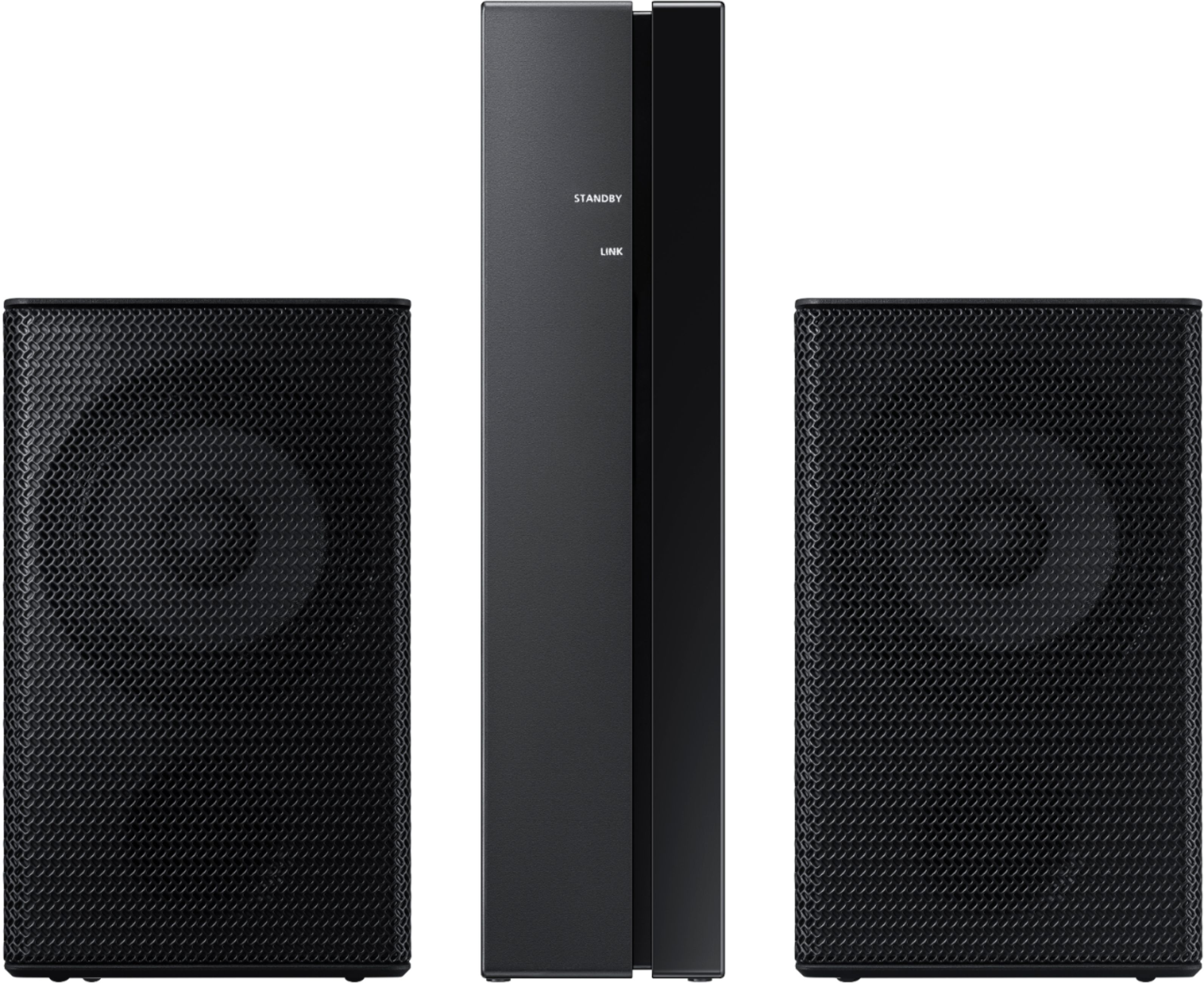
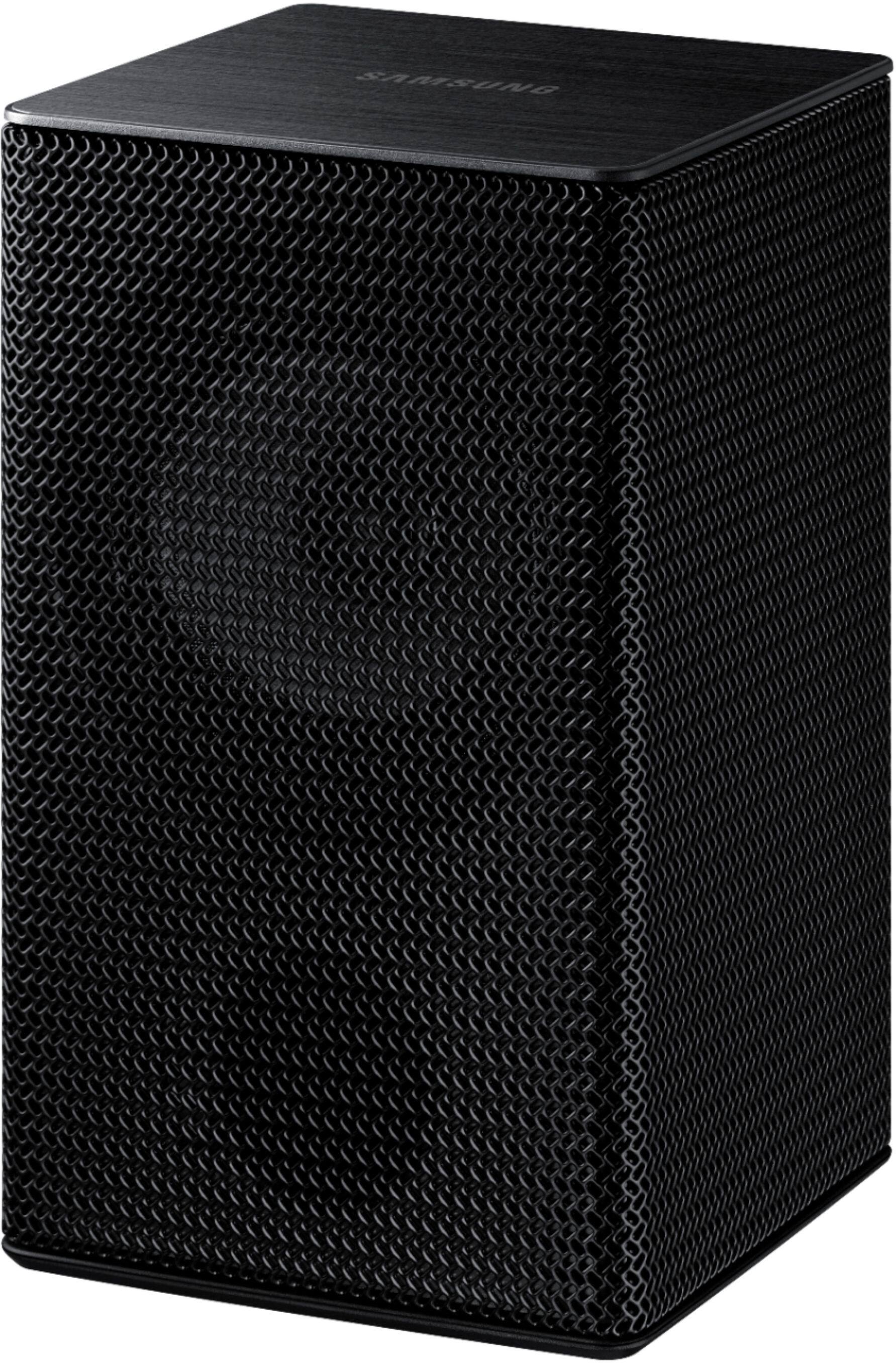
Occasionally, customers have trouble hiding and running speaker wires from the front of the room (where their soundbar is) to the back of their room (where they have their rear speakers). The Rear Speaker Kit eliminates that hassle. Connect the rear speakers to its wireless module and place these three in the back of your room. One wire is required to connect each rear speaker to the wireless module. Then plug in the power cable to the module. The “wireless” convenience is in connecting your soundbar and any other speakers at the front of the room to the rear speakers – this can now be done via Wi-Fi through the wireless module, eliminating any clutter of long wires running the length of your room.
If there is anything we can do to improve your enjoyment to 5 stars -- such as helping to optimize settings for your specific usage scenario -- please let us know. You can reach Samsung Customer Support at:
1) Phone: 1-800-SAMSUNG, (available 8AM to 12AM EST - 7 days a week)
2) LiveChat: https://www.samsung.com/us/support/#contact_us_for_support
3) Facebook Messenger: https://www.facebook.com/samsungsupport
4) Twitter: https://twitter.com/SamsungSupport
5) The Samsung Members Community is also a great resource for getting help from Samsung moderators and customers: https://us.community.samsung.com
If you have not already done so, we invite you to register your new Samsung product at:
https://www.samsung.com/us/account/signin/?redirect=https%3A%2F%2Fwww.samsung.com%2Fus%2Fsupport%2Fregister%2F
Registering your product gives you access to easy warranty support, convenient opt-in to special promos and offers, faster troubleshooting and service, and quick notification of system updates.
~ Samsung Ambassador
sub
||Posted . Owned for 3 weeks when reviewed.This reviewer received promo considerations or sweepstakes entry for writing a review.ok, not great.hooked up , little surround speakers, for outdoors not so good
No, I would not recommend this to a friendBrand response from Samsung
Posted .Hi MikeZZZ,
Thank you for sharing your review of the Samsung HW-Q850T Soundbar. I am sorry to see that you are not completely happy with the sound performance. You can try manually optimizing your audio experience by pressing the SOUND CONTROL button (looks like a gear) to access the setting items such as TREBLE, BASS, SYNC, CENTER LEVEL, SIDE LEVEL, FRONT TOP LEVEL, REAR LEVEL, REAR TOP LEVEL, and VIRTUAL ON/OFF. The selected item can be adjusted using the Up/Down buttons.
– To control the volume of the treble or bass sound, select TREBLE or BASS in Sound Settings, and then adjust the volume between -6~+6 by using the Up/Down buttons.
– Press and hold the SOUND CONTROL button for about 5 seconds to adjust the sound for each frequency band. 150Hz, 300Hz, 600Hz, 1.2kHz, 2.5kHz, 5kHz, and 10kHz are selectable using the Left/Right buttons and each can be adjusted to a setting between -6 to +6 using the Up/Down buttons. (Make sure the Sound mode is set to “STANDARD”.)
– To control the volume of each speaker select CENTER LEVEL, SIDE LEVEL, or FRONT TOP LEVEL in Sound Settings, and then adjust the volume between -6~+6 by using the Up/Down buttons.
– If the video on the TV and audio from the Soundbar are not synchronized, select SYNC in Sound Control, and then set the audio delay between 0~300 milliseconds by using the Up/Down buttons.
– SYNC is only supported for some functions.
– If Surround Speakers are connected, select REAR LEVEL and then use the Up/Down buttons to adjust the volume within a -6 to +6 range.
– The VIRTUAL Speaker function can be turned ON/OFF by using the Up/Down buttons.
If there is anything we can do to improve your sound such as helping to optimize settings, please let us know. You can reach Samsung Customer Support at:
For further assistance, please contact Samsung Customer Support.
1) Phone: 1-800-SAMSUNG, (available 8AM to 12AM EST - 7 days a week)
2) LiveChat: https://www.samsung.com/us/support/#contact_us_for_support
3) Facebook Messenger: https://www.facebook.com/samsungsupport
4) Twitter: https://twitter.com/SamsungSupport
5) The Samsung Members Community is also a great resource for getting help from Samsung moderators and customers: https://us.community.samsung.com
If you have not already done so, we invite you to register your new Samsung product at:
https://www.samsung.com/us/account/signin/?redirect=https%3A%2F%2Fwww.samsung.com%2Fus%2Fsupport%2Fregister%2F
Registering your product gives you access to easy warranty support, convenient opt-in to special promos and offers, faster troubleshooting and service, and quick notification of system updates.
~ Samsung Ambassador
- Pros mentioned:Sound quality
Demo mode sucks
||Posted . Owned for 2 months when reviewed.This reviewer received promo considerations or sweepstakes entry for writing a review.Purchased this out of box and was set to store use only with demo mode. Impossible to set to one input. Returned the next day. For the 10 seconds this would work before it shuffled inputs it did sound incredible
I would recommend this to a friend Good Sound High Price
||Posted . Owned for 1 year when reviewed.This reviewer received promo considerations or sweepstakes entry for writing a review.Sound was smaller then I expected from a premium product!
No, I would not recommend this to a friendSound bar
||Posted . Owned for 3 weeks when reviewed.This reviewer received promo considerations or sweepstakes entry for writing a review.Sounds ok in a smaller room for the price I guess it’s ok at best
I would recommend this to a friendBrand response from Samsung
Posted .Hi Jeff,
Thank you for sharing your review of the Samsung HW-Q850T Soundbar. I am sorry to see that you are not completely happy with the sound performance. You can try manually optimizing your audio experience by pressing the SOUND CONTROL button (looks like a gear) to access the setting items such as TREBLE, BASS, SYNC, CENTER LEVEL, SIDE LEVEL, FRONT TOP LEVEL, REAR LEVEL, REAR TOP LEVEL, and VIRTUAL ON/OFF. The selected item can be adjusted using the Up/Down buttons.
– To control the volume of the treble or bass sound, select TREBLE or BASS in Sound Settings, and then adjust the volume between -6~+6 by using the Up/Down buttons.
– Press and hold the SOUND CONTROL button for about 5 seconds to adjust the sound for each frequency band. 150Hz, 300Hz, 600Hz, 1.2kHz, 2.5kHz, 5kHz, and 10kHz are selectable using the Left/Right buttons and each can be adjusted to a setting between -6 to +6 using the Up/Down buttons. (Make sure the Sound mode is set to “STANDARD”.)
– To control the volume of each speaker select CENTER LEVEL, SIDE LEVEL, or FRONT TOP LEVEL in Sound Settings, and then adjust the volume between -6~+6 by using the Up/Down buttons.
– If the video on the TV and audio from the Soundbar are not synchronized, select SYNC in Sound Control, and then set the audio delay between 0~300 milliseconds by using the Up/Down buttons.
– SYNC is only supported for some functions.
– If Surround Speakers are connected, select REAR LEVEL and then use the Up/Down buttons to adjust the volume within a -6 to +6 range.
– The VIRTUAL Speaker function can be turned ON/OFF by using the Up/Down buttons.
Should you have questions or need assistance with settings, setup, or features, please know we are always here to help at:
For further assistance, please contact Samsung Customer Support.
1) Phone: 1-800-SAMSUNG, (available 8AM to 12AM EST - 7 days a week)
2) LiveChat: https://www.samsung.com/us/support/#contact_us_for_support
3) Facebook Messenger: https://www.facebook.com/samsungsupport
4) Twitter: https://twitter.com/SamsungSupport
5) The Samsung Members Community is also a great resource for getting help from Samsung moderators and customers: https://us.community.samsung.com
If you have not already done so, we invite you to register your new Samsung product at:
https://www.samsung.com/us/account/signin/?redirect=https%3A%2F%2Fwww.samsung.com%2Fus%2Fsupport%2Fregister%2F
Registering your product gives you access to easy warranty support, convenient opt-in to special promos and offers, faster troubleshooting and service, and quick notification of system updates.
~ Samsung Ambassador
Great Acoustics
||Posted . Owned for 1 month when reviewed.This reviewer received promo considerations or sweepstakes entry for writing a review.The item has an incredible sound. The acoustics is great
I would recommend this to a friendBrand response from Samsung
Posted .SamsungSmarttv,
Thank you for purchasing the Samsung HW-Q850T soundbar giving you 3D sound with a dedicated center channel for crystal clear dialogue and rear speaker kit for a full surround experience.
Adaptive Sound automatically detects what you are watching and optimizes your sound based on each scene.
With Q-Symphony, your TV & soundbar speakers work together for better surround sound.
With Alexa built-in, you can control your soundbar and other compatible devices using voice commands.
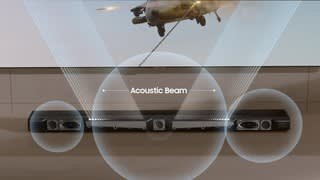
Acoustic beam delivers directional sound that makes it feel like you are a part of the scene.
If there is anything we can do to improve your enjoyment to 5 stars -- such as helping to optimize settings for your specific usage scenario -- please let us know. You can reach Samsung Customer Support at:
1) Phone: 1-800-SAMSUNG, (available 8AM to 12AM EST - 7 days a week)
2) LiveChat: https://www.samsung.com/us/support/#contact_us_for_support
3) Facebook Messenger: https://www.facebook.com/samsungsupport
4) Twitter: https://twitter.com/SamsungSupport
5) The Samsung Members Community is also a great resource for getting help from Samsung moderators and customers: https://us.community.samsung.com
If you have not already done so, we invite you to register your new Samsung product at:
https://www.samsung.com/us/account/signin/?redirect=https%3A%2F%2Fwww.samsung.com%2Fus%2Fsupport%2Fregister%2F
Registering your product gives you access to easy warranty support, convenient opt-in to special promos and offers, faster troubleshooting and service, and quick notification of system updates.
~ Samsung Ambassador
System
||Posted . Owned for 1 week when reviewed.This reviewer received promo considerations or sweepstakes entry for writing a review.Not as good as Samsung 8 I bought.cant get enough bass
No, I would not recommend this to a friendBrand response from Samsung
Posted .Hi James,
Thank you for your review of this Samsung HW-Q850T Soundbar. I am very sorry that you are not completely happy with the bass performance.
There are two adjustments that can be made to maximize bass from the soundbar and subwoofer:
1) Using the WOOFER button on the remote, you can adjust the volume of the subwoofer between -6 to +6 by toggling the button up or down. To set the subwoofer volume level to 0, press the button in.
2) Adjust the bass control by pressing the SOUND CONTROL button (gear icon) on the remote control, then select BASS to increase the level. You can adjust the volume between -6 to +6 by using the Up/Down buttons.
For precise audio adjustments, you can use the 7-band frequency equalizer to optimize the sound for your room acoustics.
I hope this helps. For further assistance with features, settings, adjustments, or functions please contact Samsung Customer Support at:
1) Phone: 1-800-SAMSUNG, (available 8AM to 12AM EST - 7 days a week)
2) LiveChat: https://www.samsung.com/us/support/#contact_us_for_support
3) Facebook Messenger: https://www.facebook.com/samsungsupport
4) Twitter: https://twitter.com/SamsungSupport
5) The Samsung Members Community is also a great resource for getting help from Samsung moderators and customers: https://us.community.samsung.com
If you have not already done so, we invite you to register your new Samsung product at:
https://www.samsung.com/us/account/signin/?redirect=https%3A%2F%2Fwww.samsung.com%2Fus%2Fsupport%2Fregister%2F
Registering your product gives you access to easy warranty support, convenient opt-in to special promos and offers, faster troubleshooting and service, and quick notification of system updates.
~ Samsung Ambassador
Not so loud
||Posted . Owned for 1 month when reviewed.This reviewer received promo considerations or sweepstakes entry for writing a review.Ended up going with a receiver nothing better than that
No, I would not recommend this to a friendBrand response from Samsung
Posted .Fonzo310:
Thank you for purchasing the HW-Q850T Soundbar. I am sorry to see that you are not completely happy with the sound performance. You can try manually optimizing your audio experience by pressing the SOUND CONTROL button (looks like a gear) to access the setting items such as TREBLE, BASS, SYNC, CENTER LEVEL, FRONT TOP LEVEL, REAR LEVEL, and VIRTUAL ON/OFF. The selected item can be adjusted using the Up/Down buttons.
– To control the volume of the treble or bass sound, select TREBLE or BASS in Sound Settings, and then adjust the volume between -6~+6 by using the Up/Down buttons.
– Press and hold the SOUND CONTROL button for about 5 seconds to adjust the sound for each frequency band. 150Hz, 300Hz, 600Hz, 1.2kHz, 2.5kHz, 5kHz, and 10kHz are selectable using the Left/Right buttons and each can be adjusted to a setting between -6 to +6 using the Up/Down buttons. (Make sure the Sound mode is set to “STANDARD”.)
– To control the volume of the each speaker select CENTER LEVEL, or FRONT TOP LEVEL in Sound Settings, and then adjust the volume between -6~+6 by using the Up/Down buttons.
If you need further assistance, please know we are here to help. You can reach Samsung Customer Support at:
1) Phone: 1-800-SAMSUNG, (available 8AM to 12AM EST - 7 days a week)
2) LiveChat: https://www.samsung.com/us/support/#contact_us_for_support
3) Facebook Messenger: https://www.facebook.com/samsungsupport
4) Twitter: https://twitter.com/SamsungSupport
5) The Samsung Members Community is also a great resource for getting help from Samsung moderators and customers: https://us.community.samsung.com
If you have not already done so, we invite you to register your new Samsung product at:
https://www.samsung.com/us/account/signin/?redirect=https%3A%2F%2Fwww.samsung.com%2Fus%2Fsupport%2Fregister%2F&user=dsr-registration
Registering your product gives you access to easy warranty support, convenient opt-in to special promos and offers, faster troubleshooting and service, and quick notification of system updates.
~ Samsung Solutions
- Cons mentioned:Price
not worth the price
||Posted . Owned for 1 week when reviewed.This reviewer received promo considerations or sweepstakes entry for writing a review.Had to return the sound was absolutely not up to par I love Samsung and own everything Samsung but they dropped the Baul on this one definitely not worth the price I bought it at 699 still wasn't worth it
No, I would not recommend this to a friendBrand response from Samsung
Posted .Jesse,
Thank you for your review of the Samsung HW-Q850T Soundbar System. I am sorry to hear that it did not work out for you and have returned your unit. I understand your disappointment.
Your feedback is very important to us and will be shared with our product team.
Please know that should you ever need assistance with settings or adjustments with a future Samsung purchase to optimize your sound experience, Samsung Customer Support is here to help.
1) Phone: 1-800-SAMSUNG, (available 8AM to 12AM EST - 7 days a week)
2) LiveChat: https://www.samsung.com/us/support/#contact_us_for_support
3) Facebook Messenger: https://www.facebook.com/samsungsupport
4) Twitter: https://twitter.com/SamsungSupport
5) The Samsung Members Community is also a great resource for getting help from Samsung moderators and customers: https://us.community.samsung.com
~ Samsung Ambassador
Avoid for Gaming.
||Posted . Owned for 2 weeks when reviewed.This reviewer received promo considerations or sweepstakes entry for writing a review.There was a massive audio delay when trying to get this to play games in Dolby Atmos. I have an LG TV and an Xbox One X. The X would not recognize this as a Dolby Atmos compatible device. Swapped out to the LG sound bar and I haven’t had issues since.
No, I would not recommend this to a friendBrand response from Samsung
Posted .Haybud:
Thank you for sharing your review of the Samsung HW-Q850T soundbar. I am very sorry that your experience with this soundbar was less than perfect, and you have decided to return it. However, please know that this model does support Dolby Atmos. It is possible that your issue may have been resolved with a firmware update. Nonetheless, I do sincerely apologize for the let down.
Should you ever decide to give Samsung Audio Products another try and have questions or need assistance with settings, setup, or features, please know we are always here to help. Should you ever decide to give Samsung audio products another try and have concerns or questions, please know we are always here to help. You may contact Samsung Customer Support by any of the below options:
1) Phone: 1-800-SAMSUNG, (available 8AM to 12AM EST - 7 days a week)
2) LiveChat: https://www.samsung.com/us/support/#contact_us_for_support
3) Facebook Messenger: https://www.facebook.com/samsungsupport
4) Twitter: https://twitter.com/SamsungSupport
5) The Samsung Members Community is also a great resource for getting help from Samsung moderators and customers: https://us.community.samsung.com
~ Samsung Ambassador
- Pros mentioned:Easy setup, Sound quality

Incredible sound quality
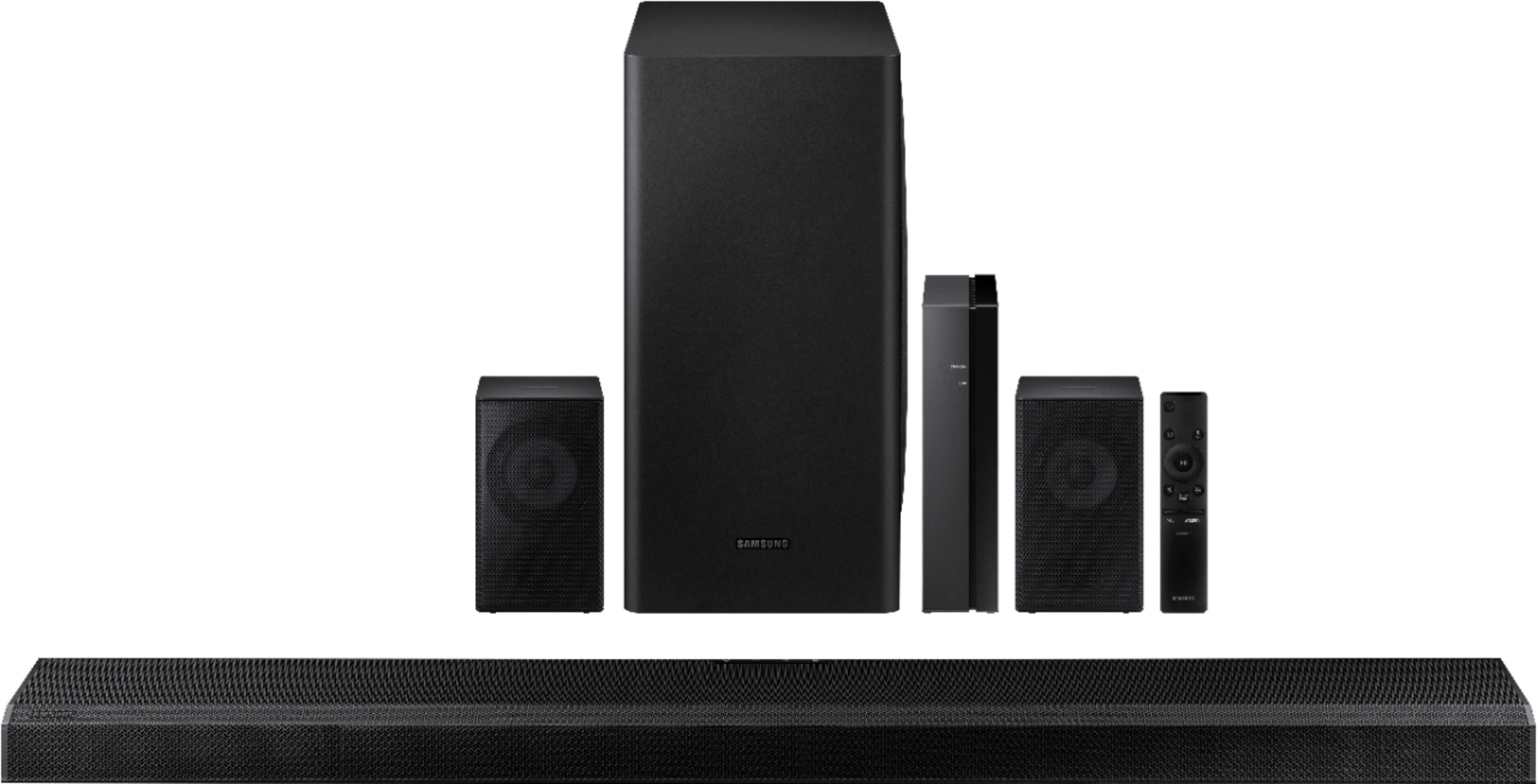
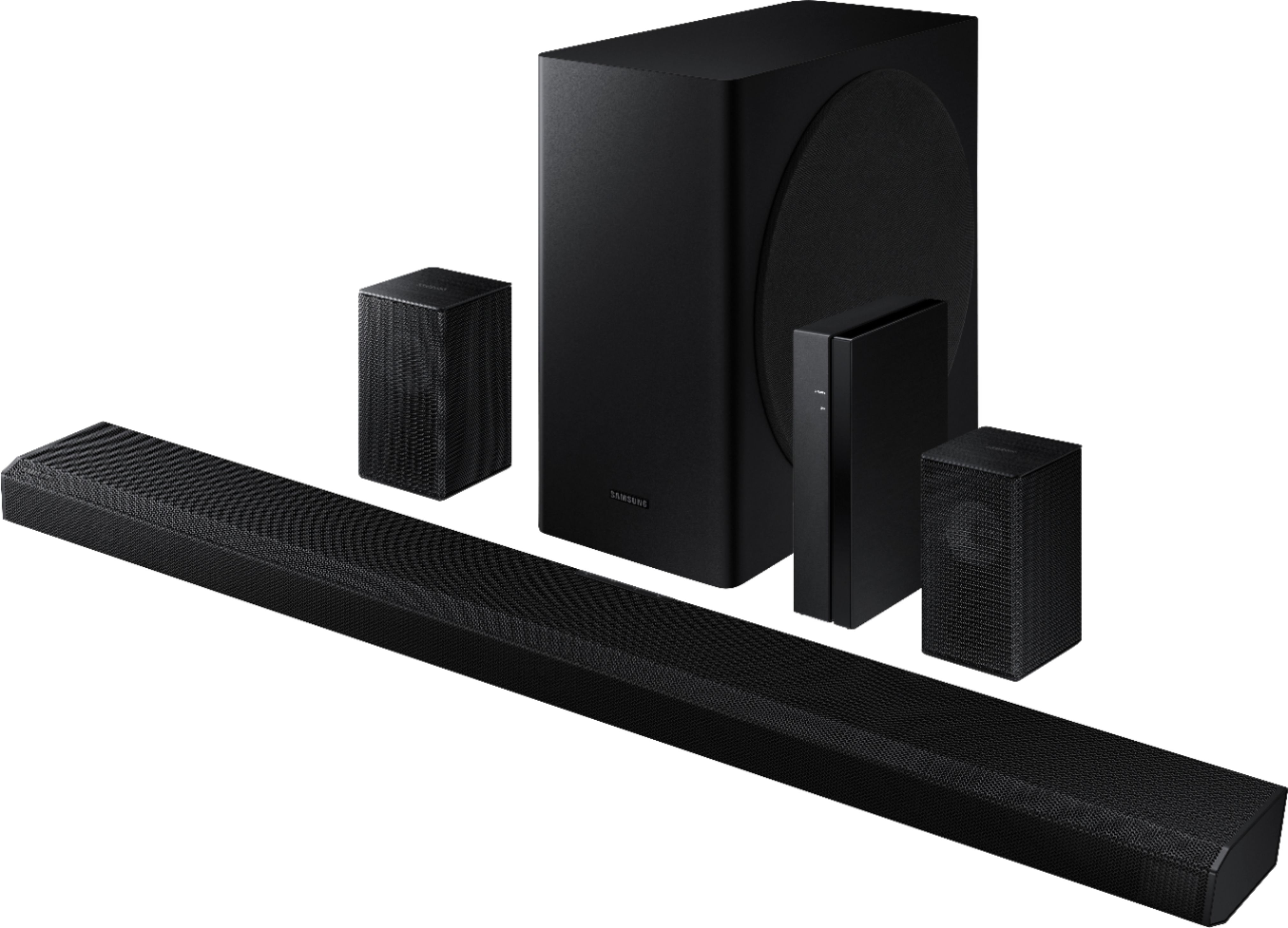
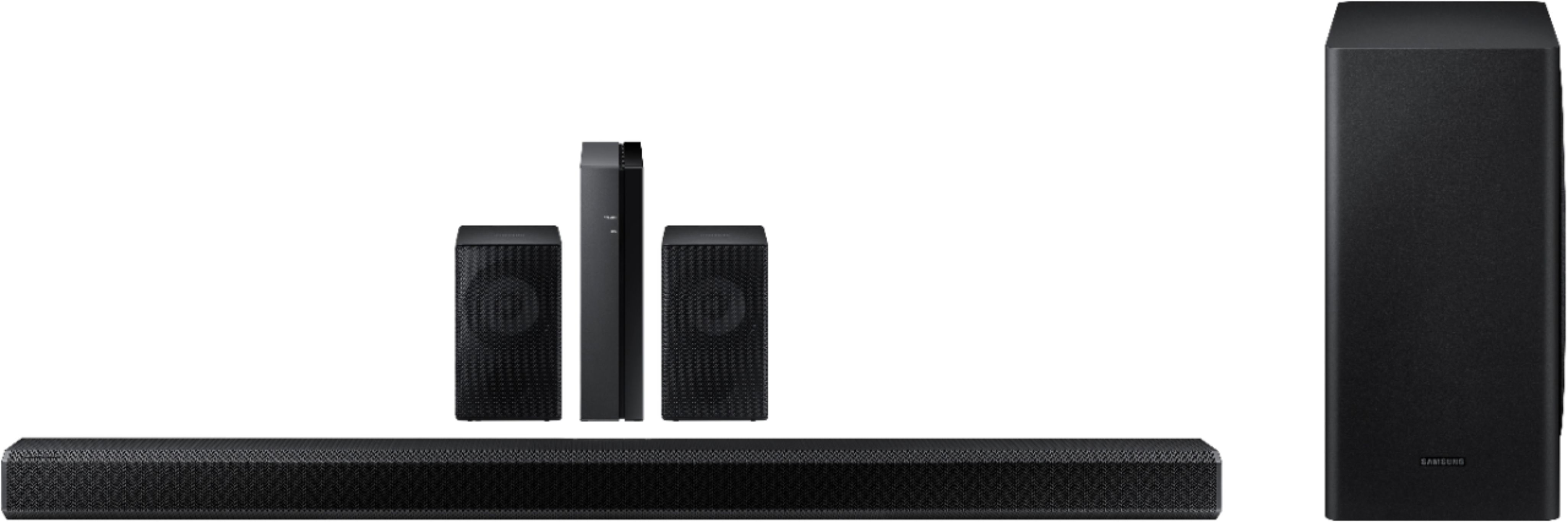
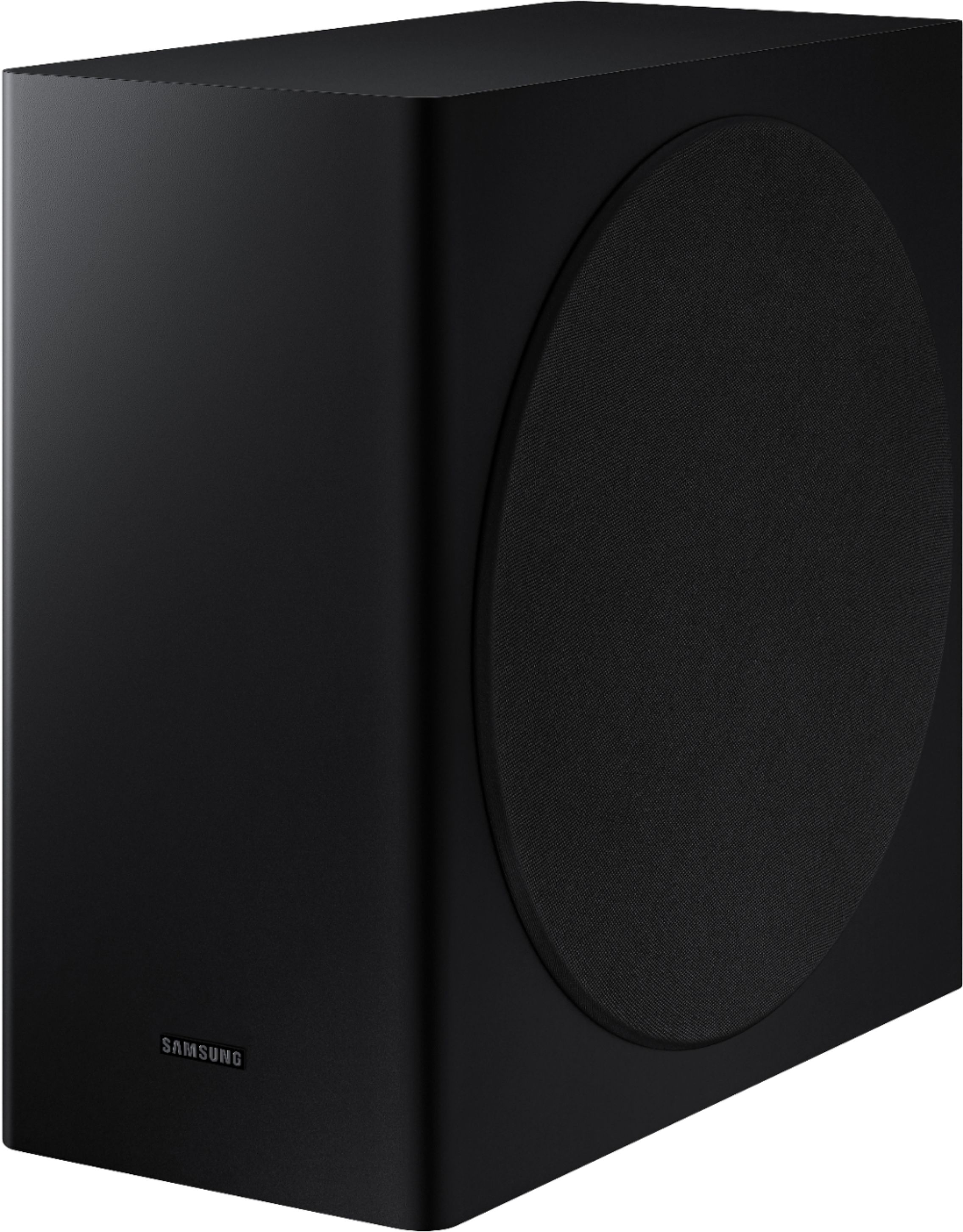
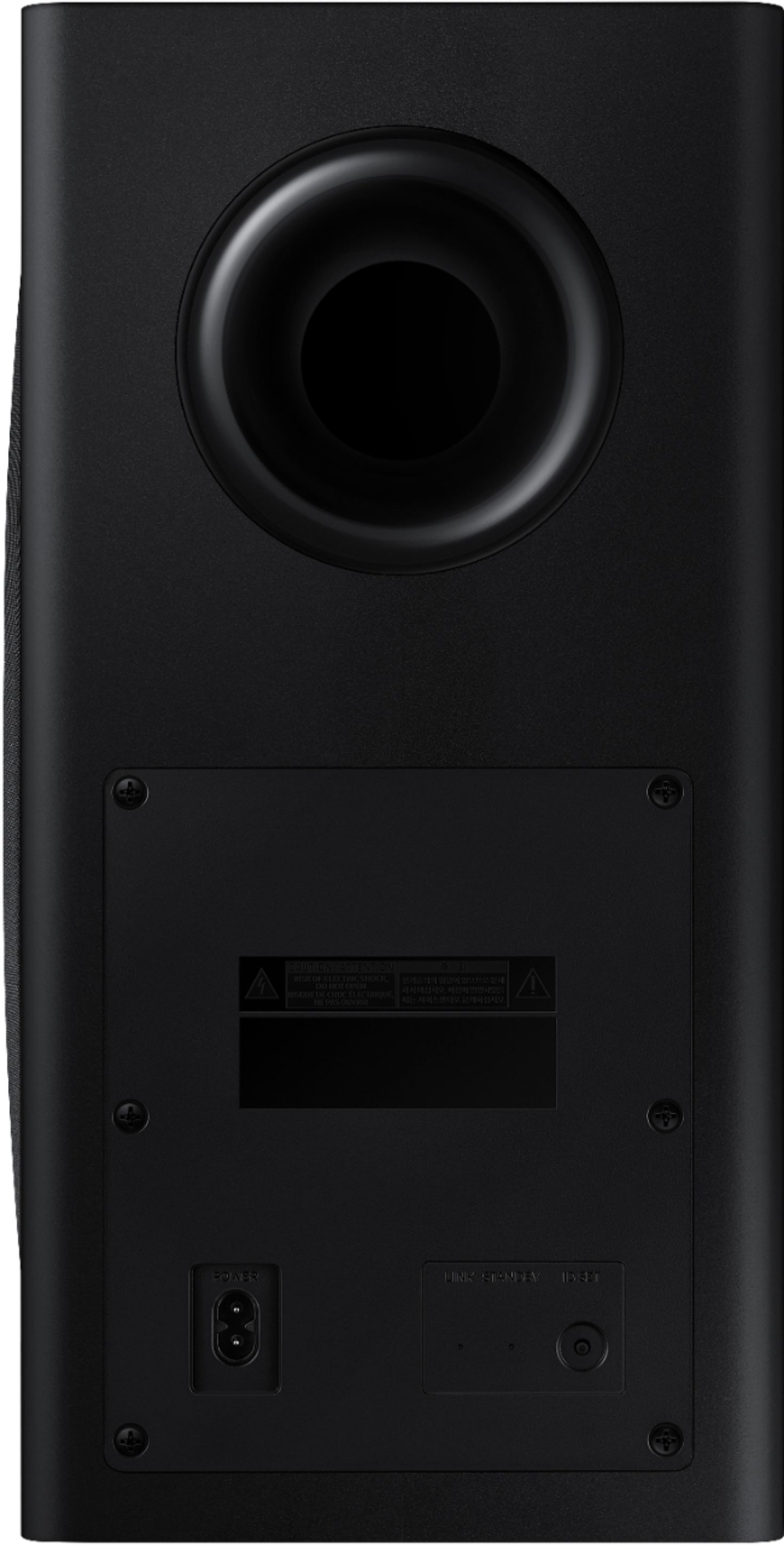
|Posted .This reviewer received promo considerations or sweepstakes entry for writing a review.This soundbar with the components that come with it is easy to set up, but you do need to follow directions (just pointing out for those of you more experienced with electronics- review that part before setup). This is mostly to ensure that the system is connected and plugged in in the right order; pay attention to the part of the directions about connecting, because it’s easy to think you need to do all the steps; it shows three different methods for connecting to the TV, HDMI or optical or a wireless connection. It comes with the HDMI cable, and wires for the small speakers, but you’ll need an optical cable if you choose that option. The subwoofer connects wirelessly. These directions are very clear; a lot of today’s devices send you to a website or app for additional instructions, and this was not the case here. This product comes with the soundbar, the subwoofer, the receiver, the two smaller speakers, a remote, the batteries for the remote, cables/wires mentioned above, all the power cords, and pieces to wall-mount the small surround sound speakers. I didn’t need anything else, not even tools to put it all together, following the instructions that came with it. It looks good but does not stand out after it has all been all set up. I tucked the receiver, which is slim, only a couple of inches wide, to the side on a shelf, and it’s fairly discreet. One of the surround sound speakers is on an upper shelf where it sits among the more colorful items on that shelf and the other is off on the other side. The subwoofer is bigger than I expected, but it still doesn’t take up much space. I like that it all kind of blends in with the rest of the décor, although the set is an attractive matte black if you’re looking at all the components. The first thing I noticed is how heavy the soundbar is when I first removed it from the box. It is longer and heavier than any soundbar I’ve handled before. It is as wide as the TV it’s sitting in front of, and cannot fit underneath most TVs. The sensor on the TV I have is on the bottom, and when sitting back on the couch, it was slow to respond at times. I was able to lift the TV up about two inches and that solved that issue, without having to invest in stands or anything else. If your TV is wall mounted, that won’t be an issue. I like that the soundbar came with everything that I needed. I can still control the volume with the TV remote, but can also use the remote that came with it, and have to use that remote to make other changes to the system. I did have to turn the bass down at one point. Someone was playing a video game, and it sounded like there was thunder in the living room, and then I realized it was because it was switched from TV viewing to a gaming system without turning the volume down, and the bass was turned up too much on top of that. When the overall volume and bass were reduced, the sound was perfect for that game. We weren’t used to the full surround sound where the whole room seems part of it. The Dolby Atmos and DTS- what Samsung calls True Surround Sound- are the sound technologies combined to provide a truly immersive experience, for more enjoyable gameplay, and an amazing experience for watching TV and movies- just make any minor adjustments for personal preference, and you can hear the depth it adds to the sound when watching anything you have on. Turn off the lights, and it’s a home theater experience in one setup. The Samsung remote only controls the soundbar, and volume for the TV, but cannot be used to do anything else, so it does add another remote to the living room setup. It would have been nice to have a universal remote that controls the soundbar and the TV, if nothing else, especially since this is not an inexpensive product; I don’t consider that really a ‘con’ against this item, since it more than makes up for such a minor point with the caliber of the components, and the outstanding sound quality of the whole system. I highly recommend this soundbar.
I would recommend this to a friendBrand response from Samsung
Posted .MrAnubisKitty:
Thank you for purchasing the Samsung HW-Q850T soundbar giving you 3D sound with a dedicated center channel for crystal clear dialogue and rear speaker kit for a full surround experience. With Alexa built-in, you can control your soundbar and other compatible devices using voice commands.
Should you ever have any questions or concerns or need help with settings or features, please contact Samsung Customer Support.
1) Phone: 1-800-SAMSUNG, Available 8AM -12AM EST (7 Days a Week)
2) LiveChat: https://www.samsung.com/us/support/#contact_us_for_support
3) Facebook Messenger: https://www.facebook.com/samsungsupport
4) Twitter: https://twitter.com/SamsungSupport
5) The Samsung Members Community is also a great resource for getting help from Samsung moderators and customers: https://us.community.samsung.com
If you have not already done so, we invite you to register your new Samsung product at: https://www.samsung.com/us/account/signin/?redirect=https%3A%2F%2Fwww.samsung.com%2Fus%2Fsupport%2Fregister%2F
Registering your product gives you access to easy warranty support, convenient opt-in to special promos and offers, faster troubleshooting and service, and quick notification of system updates.
~ Samsung Solutions
Very Disappointing
||Posted . Owned for less than 1 week when reviewed.This reviewer received promo considerations or sweepstakes entry for writing a review.I’ve had the soundbar and remote speakers hooked up for a few days now. So far not at all impressed. The sound quality of the bar itself is ok at best. The remote speakers are crap. Very disappointed overall. Will probably return next week.
No, I would not recommend this to a friendBrand response from Samsung
Posted .Hi Rebsc,
Thank you for sharing your review of the Samsung HW-Q850T Soundbar. I am sorry to see that you are not completely happy with the sound performance and are considering returning your unit. Your feedback is very important to us and will be shared with our product team.
You can try manually optimizing your audio experience by pressing the SOUND CONTROL button (looks like a gear) to access the setting items such as TREBLE, BASS, SYNC, CENTER LEVEL, FRONT TOP LEVEL, REAR LEVEL, and VIRTUAL ON/OFF. The selected item can be adjusted using the Up/Down buttons.
– To control the volume of the treble or bass sound, select TREBLE or BASS in Sound Settings, and then adjust the volume between -6~+6 by using the Up/Down buttons.
– Press and hold the SOUND CONTROL button for about 5 seconds to adjust the sound for each frequency band. 150Hz, 300Hz, 600Hz, 1.2kHz, 2.5kHz, 5kHz, and 10kHz are selectable using the Left/Right buttons and each can be adjusted to a setting between -6 to +6 using the Up/Down buttons. (Make sure the Sound mode is set to “STANDARD”.)
– To control the volume of each speaker select CENTER LEVEL, or FRONT TOP LEVEL in Sound Settings, and then adjust the volume between -6~+6 by using the Up/Down buttons.
– If the video on the TV and audio from the Soundbar are not synchronized, select SYNC in Sound Control, and then set the audio delay between 0~300 milliseconds by using the Up/Down buttons.
– SYNC is only supported for some functions.
– If Surround Speakers are connected, select REAR LEVEL and then use the Up/Down buttons to adjust the volume within a -6 to +6 range.
– The VIRTUAL Speaker function can be turned ON/OFF by using the Up/Down buttons.
If there is anything we can do to improve your sound such as helping to optimize settings, please let us know. You can reach Samsung Customer Support at:
1) Phone: 1-800-SAMSUNG, (available 8AM to 12AM EST - 7 days a week)
2) LiveChat: https://www.samsung.com/us/support/#contact_us_for_support
3) Facebook Messenger: https://www.facebook.com/samsungsupport
4) Twitter: https://twitter.com/SamsungSupport
5) The Samsung Members Community is also a great resource for getting help from Samsung moderators and customers: https://us.community.samsung.com
If you have not already done so, we invite you to register your new Samsung product at:
https://www.samsung.com/us/account/signin/?redirect=https%3A%2F%2Fwww.samsung.com%2Fus%2Fsupport%2Fregister%2F
Registering your product gives you access to easy warranty support, convenient opt-in to special promos and offers, faster troubleshooting and service, and quick notification of system updates.
~ Samsung Ambassador
Sound cuts out
||Posted . Owned for 3 months when reviewed.This reviewer received promo considerations or sweepstakes entry for writing a review.I seem to be one of the unlucky customers that experiences connection drop out. I was hoping the firmware update 1017.5 would have solved my issues but it has not. This soundbar does great when the connection is good but atmos programs and most newer content throws it into a frenzy. Subwoofer also cuts out intermittently even only being 8ft away from the soundbar. Rear speakers are very lackluster also. I am now beyond my return date and don’t know where to go from here? It is connected to a Samsung Q70Raf. Maybe I will switch out the provided hdmi cord and go to optical? Very frustrating to the point I leave the $800 soundbar turned off most of the time. Please help
No, I would not recommend this to a friendBrand response from Samsung
Posted .B951:
Thank you for your review of the HW-Q850T Soundbar. I am sorry to hear that you are experiencing connection issues even after updating to the latest firmware. Many issues that are software related can be resolved by re-initializing the Soundbar. While the set is on, press and hold the Vol+ and Vol- buttons on the Soundbar for about 6 seconds.
If issues persist, please contact Samsung Customer Support for additional troubleshooting and assistance.
1) Phone: 1-800-SAMSUNG, (available 8AM to 12AM EST - 7 days a week)
2) LiveChat: https://www.samsung.com/us/support/#contact_us_for_support
3) Facebook Messenger: https://www.facebook.com/samsungsupport
4) Twitter: https://twitter.com/SamsungSupport
5) The Samsung Members Community is also a great resource for getting help from Samsung moderators and customers: https://us.community.samsung.com
If you have not already done so, we invite you to register your new Samsung product at:
https://www.samsung.com/us/account/signin/?redirect=https%3A%2F%2Fwww.samsung.com%2Fus%2Fsupport%2Fregister%2F
Registering your product gives you access to easy warranty support, convenient opt-in to special promos and offers, faster troubleshooting and service, and quick notification of system updates.
~ Samsung Solutions
- Pros mentioned:Sound quality
I do NOT recommend
||Posted . Owned for 9 months when reviewed.This reviewer received promo considerations or sweepstakes entry for writing a review.Garbage, don’t buy. The subwoofer is to large for the enclosure. Music does great at high volumes, movies the same. Otherwise it’s a trash system with no low end.
No, I would not recommend this to a friend - Pros mentioned:Easy setup, Sound quality
A Great 5.1.2 Soundbar
|Posted .This reviewer received promo considerations or sweepstakes entry for writing a review.I have owned a few soundbar/sub systems prior to this one, and this Samsung - 5.1.2-Channel 450W Soundbar with 8" Wireless Subwoofer simply blows the others out of the water in terms of sound quality. With room-shaking bass and the clearest mids and highs I have heard from a soundbar, this product brings the user’s multimedia space to life. Whether you are only listening to music from your phone via Bluetooth or you are driving your entire home theater with this product, it delivers in terms of volume, clarity, and range. However, it is important to note that the system only reached this level of performance after a bit of tweaking with the on-board settings and options. In fact, directly out-of-the-box, I was actually a little disappointed with the performance of the product. It had a rather “tinny” quality to a lot of the vocals and instrumentals with the music that I was initially testing the product with, and the lows left a lot to be desired. Thankfully, this was remedied entirely by lowering the treble and the mids by a few points and upping the bass and subwoofer substantially. While it may sound like I’m angling exclusively for heavy low-end, the tweaks that I made resulted in one of the most satisfying listening experiences that I’ve ever had. After getting the product out of the box, the setup process was a little daunting at first, but once I had an understanding of the connections that were required between all of the pieces included, I was able to get it operational in about half an hour (granted, a large portion of this time was spent figuring out where I wanted to place the speakers in the room rather than actually getting those connections established). After this, I spent only about fifteen minutes tweaking the levels to a point that I found satisfactory. There are three different modes that you’ll typically interact with the soundbar through, those being: Bluetooth, HDMI, and Digital Audio. I’ve spent most of my time with the product interacting with it via Bluetooth, and I have to say the virtual 5.1 surround sound that the soundbar offers via Bluetooth is immersive and really impressive. The product does a near-perfect job in virtualizing 5.1 surround sound and splitting the sound up to the appropriate speakers; frankly, I have a hard time telling the difference between when I am using Bluetooth vs HDMI and Digital Audio. As far as audio over HDMI and Digital Audio input goes, they offer similarly amazing sound quality and fidelity. Movies come to life, and the overall sound quality (clarity, volume and directionality) rivals the performance of my (much more expensive) traditional surround setup. It really sounds great! Did I mention it has Amazon Alexa?! This thing is cool! Overall, I am exceedingly happy with the quality of this product and I’ll be using it for years to come as the main driver behind my basement theater and music system. Listening to the Samsung 450W soundbar with 8" wireless sub reminded me of that feeling the first time I replaced the stock sound system in my car. I can’t believe the difference! My listening experience went from serviceable to simply amazing in the short forty-five minutes it took me to unbox the product and get it set up and tweaked to my liking. I would have no hesitation in recommending it to anyone.
I would recommend this to a friend - Cons mentioned:Rear speakers
Not wireless as the box says!
||Posted . Owned for 3 weeks when reviewed.This reviewer received promo considerations or sweepstakes entry for writing a review.“Wireless speakers” are not wireless. That’s the main reason we bought this system. Sound is just ok. Disappointed for sure but stuck with it as the box was thrown away.
No, I would not recommend this to a friendBrand response from Samsung
Posted .Hi Sheri,
Thank you for sharing your review of the Samsung HW-Q850T Soundbar. Your feedback is very important to us and will be shared with our product team.
I am sorry to see that you are not completely happy with the sound performance. You can try manually optimizing your audio experience by pressing the SOUND CONTROL button (looks like a gear) to access the setting items such as TREBLE, BASS, SYNC, CENTER LEVEL, SIDE LEVEL, FRONT TOP LEVEL, REAR LEVEL, REAR TOP LEVEL, and VIRTUAL ON/OFF. The selected item can be adjusted using the Up/Down buttons.
– To control the volume of the treble or bass sound, select TREBLE or BASS in Sound Settings, and then adjust the volume between -6~+6 by using the Up/Down buttons.
– Press and hold the SOUND CONTROL button for about 5 seconds to adjust the sound for each frequency band. 150Hz, 300Hz, 600Hz, 1.2kHz, 2.5kHz, 5kHz, and 10kHz are selectable using the Left/Right buttons and each can be adjusted to a setting between -6 to +6 using the Up/Down buttons. (Make sure the Sound mode is set to “STANDARD”.)
– To control the volume of each speaker select CENTER LEVEL, SIDE LEVEL, or FRONT TOP LEVEL in Sound Settings, and then adjust the volume between -6~+6 by using the Up/Down buttons.
– If the video on the TV and audio from the Soundbar are not synchronized, select SYNC in Sound Control, and then set the audio delay between 0~300 milliseconds by using the Up/Down buttons.
– SYNC is only supported for some functions.
– If Surround Speakers are connected, select REAR LEVEL and then use the Up/Down buttons to adjust the volume within a -6 to +6 range.
– The VIRTUAL Speaker function can be turned ON/OFF by using the Up/Down buttons.
If there is anything we can do to improve your sound such as helping to optimize settings, please let us know. You can reach Samsung Customer Support at:
1) Phone: 1-800-SAMSUNG, (available 8AM to 12AM EST - 7 days a week)
2) LiveChat: https://www.samsung.com/us/support/#contact_us_for_support
3) Facebook Messenger: https://www.facebook.com/samsungsupport
4) Twitter: https://twitter.com/SamsungSupport
5) The Samsung Members Community is also a great resource for getting help from Samsung moderators and customers: https://us.community.samsung.com
If you have not already done so, we invite you to register your new Samsung product at:
https://www.samsung.com/us/account/signin/?redirect=https%3A%2F%2Fwww.samsung.com%2Fus%2Fsupport%2Fregister%2F
Registering your product gives you access to easy warranty support, convenient opt-in to special promos and offers, faster troubleshooting and service, and quick notification of system updates.
~ Samsung Ambassador
- Cons mentioned:Price
Not a good sound/ sound is not loud enough
||Posted . Owned for 3 weeks when reviewed.This reviewer received promo considerations or sweepstakes entry for writing a review.This sound bars are not what I expected for 1000$ is worsted , the sound is not loud enough I think there other items out there for cheaper prices and with a better sound
No, I would not recommend this to a friendBrand response from Samsung
Posted .Argelia:
I am sorry to see that you are not completely happy with the performance of the HW-Q850T sound system featuring audio-enhancing technologies like Acoustic Beam for directional sound, Adaptive Sound mode to optimize content, and wireless subwoofer for deep bass.
You can try manually optimizing your audio experience by pressing the SOUND CONTROL button (looks like a gear) to access the setting items such as TREBLE, BASS, SYNC, CENTER LEVEL, FRONT TOP LEVEL, REAR LEVEL, and VIRTUAL ON/OFF. The selected item can be adjusted using the Up/Down buttons.
To control the volume of the treble or bass sound, select TREBLE or BASS in Sound Settings, and then adjust the volume between -6~+6 by using the Up/Down buttons. To control the volume of the each speaker select CENTER LEVEL, or FRONT TOP LEVEL in Sound Settings, and then adjust the volume between -6~+6 by using the Up/Down buttons.
If you need further assistance, please know we are here to help. You can reach Samsung Customer Support via:
1) Phone: 1-800-SAMSUNG, (available 8AM to 12AM EST - 7 days a week)
2) LiveChat: https://www.samsung.com/us/support/#contact_us_for_support
3) Facebook Messenger: https://www.facebook.com/samsungsupport
4) Twitter: https://twitter.com/SamsungSupport
5) The Samsung Members Community is also a great resource for getting help from Samsung moderators and customers: https://us.community.samsung.com
If you have not already done so, we invite you to register your new Samsung product at:
https://www.samsung.com/us/account/signin/?redirect=https%3A%2F%2Fwww.samsung.com%2Fus%2Fsupport%2Fregister%2F&user=dsr-registration
Registering your product gives you access to easy warranty support, convenient opt-in to special promos and offers, faster troubleshooting and service, and quick notification of system updates.
~ Samsung Solutions
- Cons mentioned:Rear speakers
Wireless rear speakers aren’t wireless
||Posted . Owned for 2 weeks when reviewed.This reviewer received promo considerations or sweepstakes entry for writing a review.I returned it. Very frustrating that these guys advertise “wireless rear speakers” that aren’t wireless at all. That’s the reason I bought this over others.
No, I would not recommend this to a friendBrand response from Samsung
Posted .Dummywhoboughtthese,
Thank you for your review of the HW-Q850T Soundbar System. I am sorry to hear that it did not work out for you and have returned your unit. I understand your disappointment.
Your feedback is very important to us and will be shared with our product team.
Please know that should you ever need assistance with settings or adjustments with a future Samsung purchase to optimize your sound experience, Samsung Customer Support is here to help.
1) Phone: 1-800-SAMSUNG, (available 8AM to 12AM EST - 7 days a week)
2) LiveChat: https://www.samsung.com/us/support/#contact_us_for_support
3) Facebook Messenger: https://www.facebook.com/samsungsupport
4) Twitter: https://twitter.com/SamsungSupport
5) The Samsung Members Community is also a great resource for getting help from Samsung moderators and customers: https://us.community.samsung.com
~ Samsung Ambassador
False advertising
||Posted . Owned for 3 weeks when reviewed.This reviewer received promo considerations or sweepstakes entry for writing a review.Does NOT have alexa built in, which was a major buying point for me, amongst other smaller irritations. Wouldn't buy again, wouldn't recommend to a friend. Almost ready to never buy another Samsung product.
No, I would not recommend this to a friendBrand response from Samsung
Posted .atx55:
Thank you for purchasing the HW-Q850T. Please know that your model does indeed have Alexa built-in. With Alexa built-in, you can control your soundbar and other compatible devices using voice commands.
To set up the Alexa functionality, you must do it within the SmartThings app. However, if you are having trouble, follow these steps on your smart phone:
1. First delete the Soundbar from your SmartThings account: At the top left corner of the main page, tap on the 3 horizontal bars > Devices > tap on the 3 vertical dots on the top right corner > Delete > select the Soundbar > Delete
2. Uninstall the SmartThings app from your smart phone
3. Reinstall the SmartThings app from the app store
4. Sign into your SmartThings account
5. Tap the + button at the top right of the main page > select Device > AV > Samsung > Soundbar
6. After the Soundbar has been added, select the Soundbar from the main page
7. Tap on the 3 vertical dots on the top right corner and tap on “Alexa Settings” to log in to your Amazon account
Additionally, please make sure you are running the latest firmware update. You can update your firmware ver. 1016.0 by Auto Update, using the SmartThings app, or by using a USB device.
I hope this helps. For further assistance, please contact Samsung Customer Support.
1) Phone: 1-800-SAMSUNG, (available 8AM to 12AM EST - 7 days a week)
2) LiveChat: https://www.samsung.com/us/support/#contact_us_for_support
3) Facebook Messenger: https://www.facebook.com/samsungsupport
4) Twitter: https://twitter.com/SamsungSupport
5) The Samsung Members Community is also a great resource for getting help from Samsung moderators and customers: https://us.community.samsung.com
If you have not already done so, we invite you to register your new Samsung product at:
https://www.samsung.com/us/account/signin/?redirect=https%3A%2F%2Fwww.samsung.com%2Fus%2Fsupport%2Fregister%2F&user=dsr-registration
Registering your product gives you access to easy warranty support, convenient opt-in to special promos and offers, faster troubleshooting and service, and quick notification of system updates.
~ Samsung Solutions
- Cons mentioned:Connectivity
Buyer's remorse
||Posted . Owned for 1 week when reviewed.This reviewer received promo considerations or sweepstakes entry for writing a review.Can't manually select optical input if an arc device is connected. The sound bar will randomly turn off while playing audio.
No, I would not recommend this to a friendBrand response from Samsung
Posted .BestBye:
Thank you for purchasing the HW-Q850T Soundbar. The Digital Audio Input is either Optical or HDMI, you cannot use both at the same time.
Should you need further assistance, please contact Samsung Customer Support.
1) Phone: 1-800-SAMSUNG, (available 8AM to 12AM EST - 7 days a week)
2) LiveChat: https://www.samsung.com/us/support/#contact_us_for_support
3) Facebook Messenger: https://www.facebook.com/samsungsupport
4) Twitter: https://twitter.com/SamsungSupport
5) The Samsung Members Community is also a great resource for getting help from Samsung moderators and customers: https://us.community.samsung.com
If you have not already done so, we invite you to register your new Samsung product at:
https://www.samsung.com/us/account/signin/?redirect=https%3A%2F%2Fwww.samsung.com%2Fus%2Fsupport%2Fregister%2F&user=dsr-registration
Registering your product gives you access to easy warranty support, convenient opt-in to special promos and offers, faster troubleshooting and service, and quick notification of system updates.
~ Samsung Solutions