Customer Ratings & Reviews
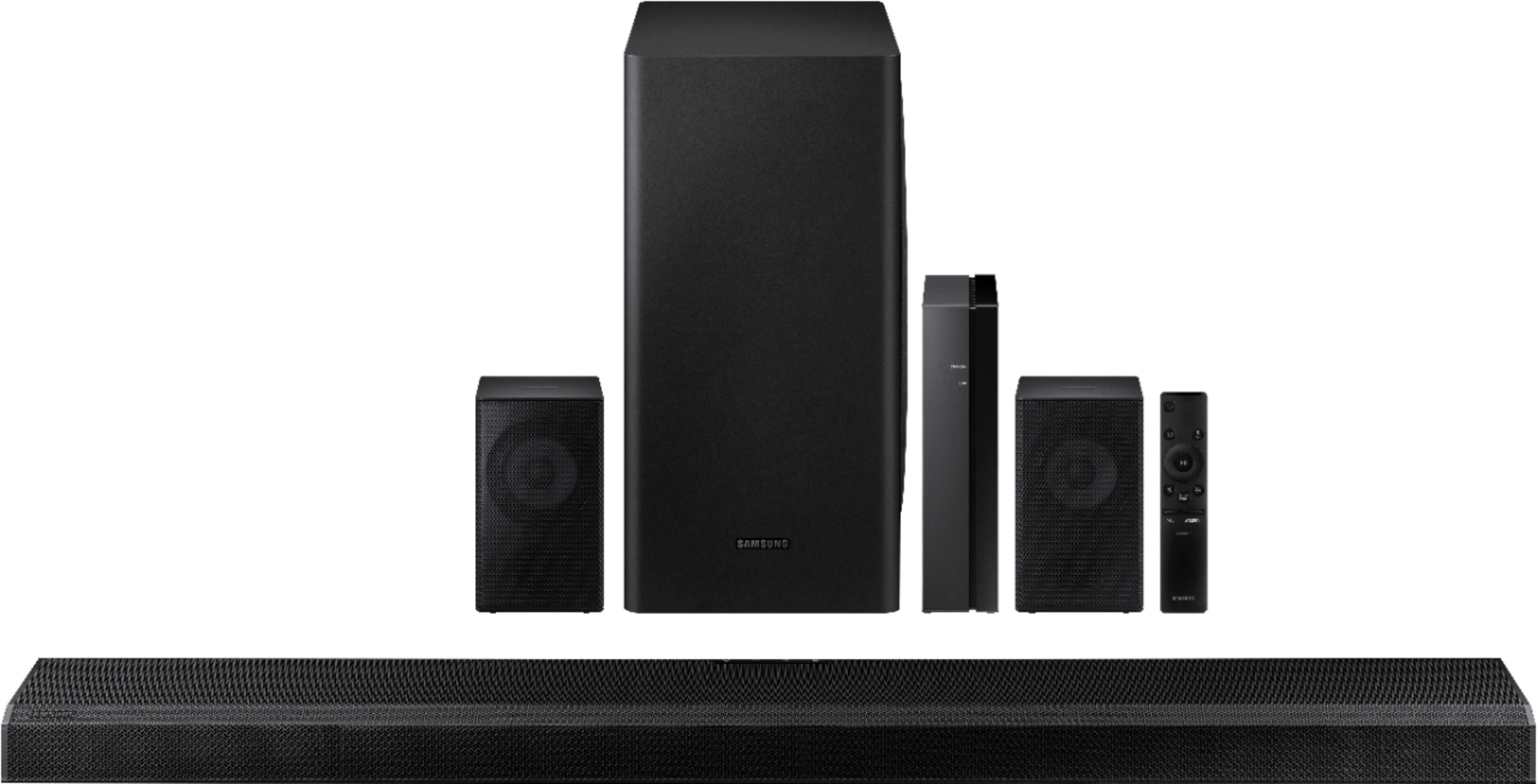
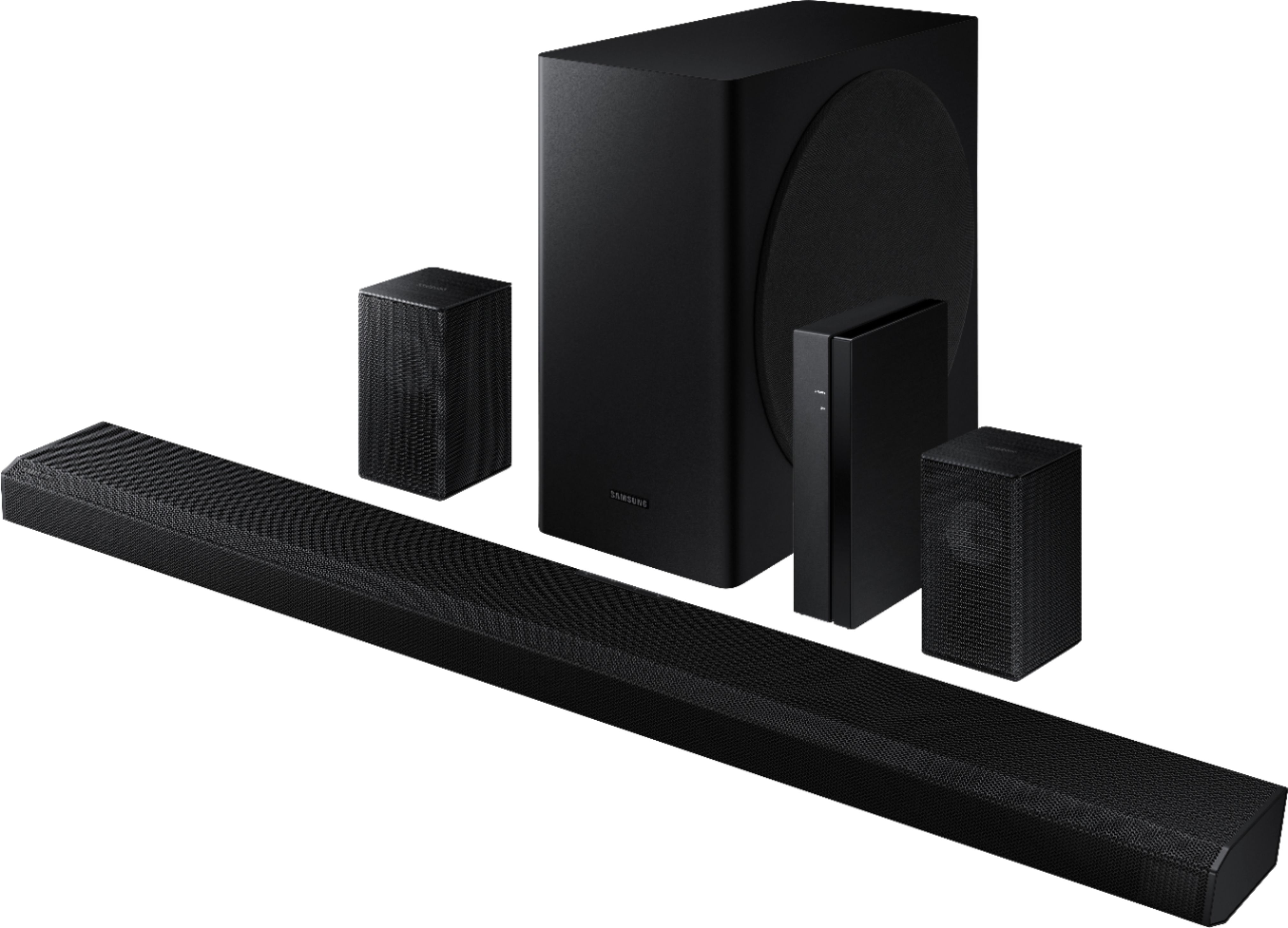
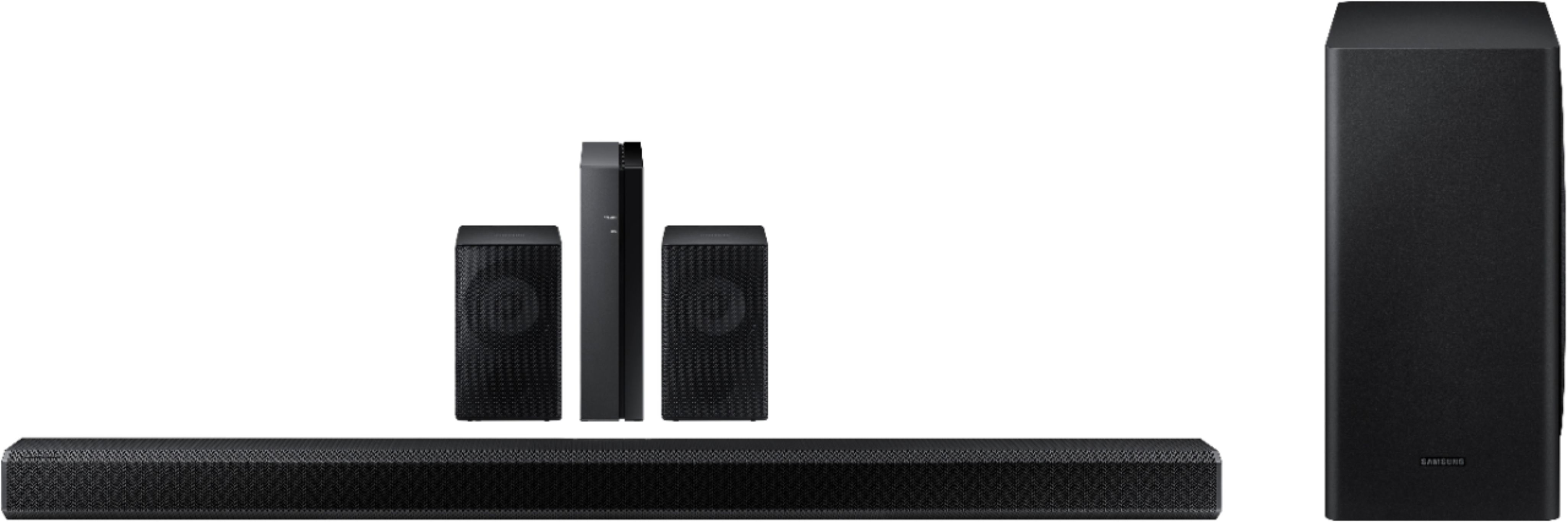



- Model:
- HW-Q850T/ZA
- SKU:
- 6400657
Rating by feature
- Value
Rating 4.0 out of 5 stars
- Quality
Rating 4.3 out of 5 stars
- Ease of Use
Rating 4.2 out of 5 stars
Customers are saying
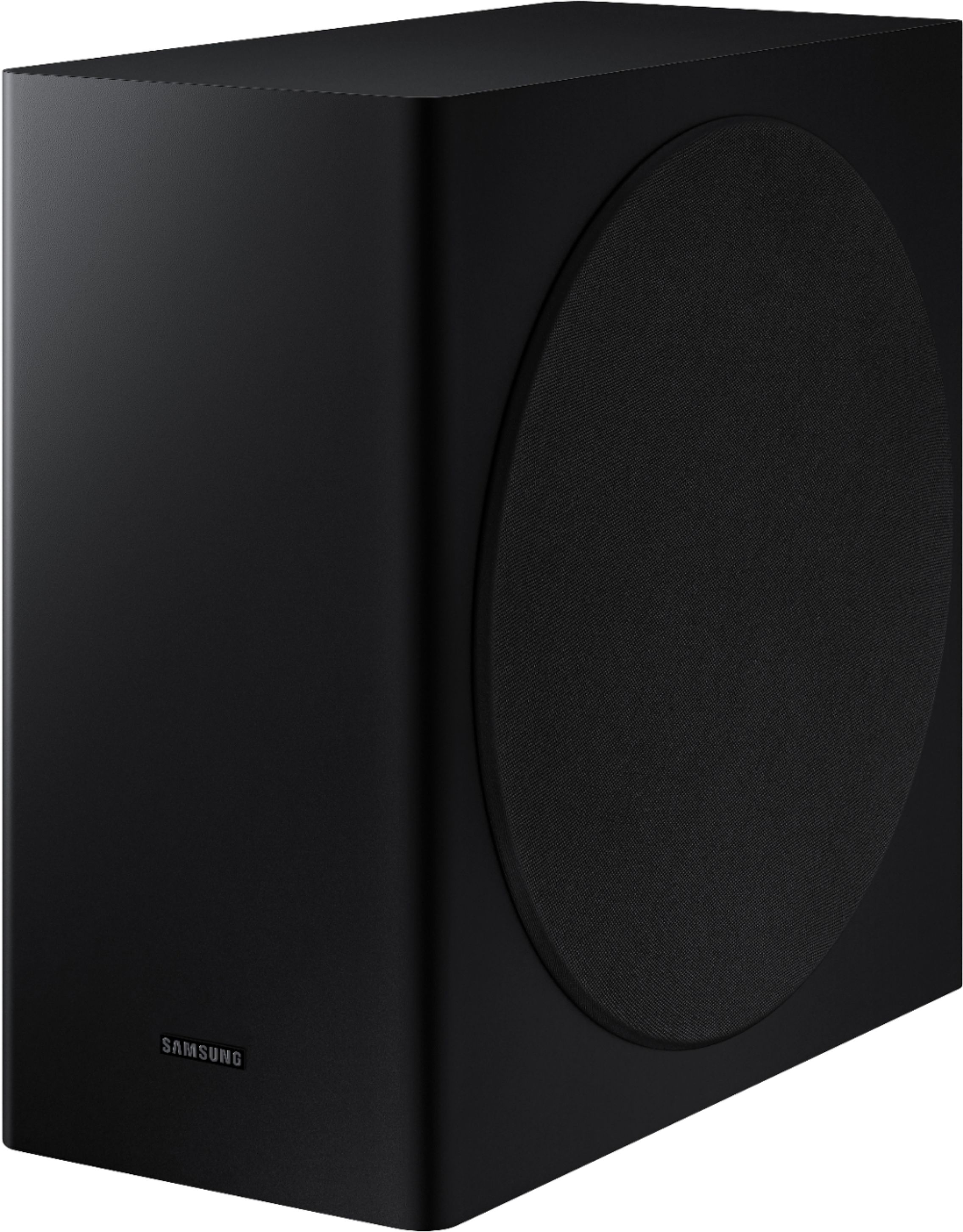
Customers have good things to say about the sound quality, easy setup, Dolby Atmos, and bass of the 5.1.2-Channel Soundbar. They appreciate the good sound quality and features, easy hookup system, amazing Dolby Atmos, and shockingly good bass. However, some customers have concerns about the rear speakers not being Bluetooth, the price not being worth it, and connectivity issues with Samsung TVs.
This summary was generated by AI based on customer reviews.
Avoid
||Posted . Owned for 1 year when reviewed.This reviewer received promo considerations or sweepstakes entry for writing a review.Never buying a Samsung soundbar again if I can help it. Sound intermittently cuts off. Samsung recently pushed out a firmware update that sent my soundbar into a boot loop, which of course means no sound. And hey...their online support is completely worthless. I'm to blame for buying it, but Samsung is to blame for everything else. F- from Samsung.
No, I would not recommend this to a friendSamsung Soundbar
||Posted .This reviewer received promo considerations or sweepstakes entry for writing a review.Decent sound, but I was having major lip sync issues. I tried everything and eventually threw in the towel and exchanged it for a Sony soundbar.
No, I would not recommend this to a friendBrand response from Samsung
Posted .Hi John,
Thank you for your review of the Samsung HW-Q850T Soundbar System. I am sorry to hear that it did not work out for you and have returned your unit. Your feedback is very important to us and will be shared with our product team.
Should you ever decide to give Samsung audio products another try and have concerns or questions, please know we are always here to help. You can contact Samsung Customer Support by any of the below options:
1) Phone: 1-800-SAMSUNG, (available 8AM to 12AM EST - 7 days a week)
2) LiveChat: https://www.samsung.com/us/support/#contact_us_for_support
3) Facebook Messenger: https://www.facebook.com/samsungsupport
4) Twitter: https://twitter.com/SamsungSupport
5) The Samsung Members Community is also a great resource for getting help from Samsung moderators and customers: https://us.community.samsung.com
Again, thank you for taking the time to share your experience. We hope to regain you as a customer in the near future.
~ Samsung Ambassador
Doesnt come with all the parts
||Posted .This reviewer received promo considerations or sweepstakes entry for writing a review.If you plan on buying a premium sound bar thay comes with all of the parts to install. Look elsewhere. They do not include the mounting screws to mount the tv to your wall. They give you brackets but nothing else. Kind of a sham to spend a thousand bucks and Samsung or Best Buy could not mention that not everything is included. Plus it is not truly wireless. You have a hub which you connect the rear channels to with speaker wire. This whole thing has been a let down.
No, I would not recommend this to a friendBrand response from Samsung
Posted .JuniorMT:
Thank you for purchasing the Samsung HW-Q850T Soundbar which includes a Rear Speaker Kit. I am very sorry for any confusion about the wireless description.
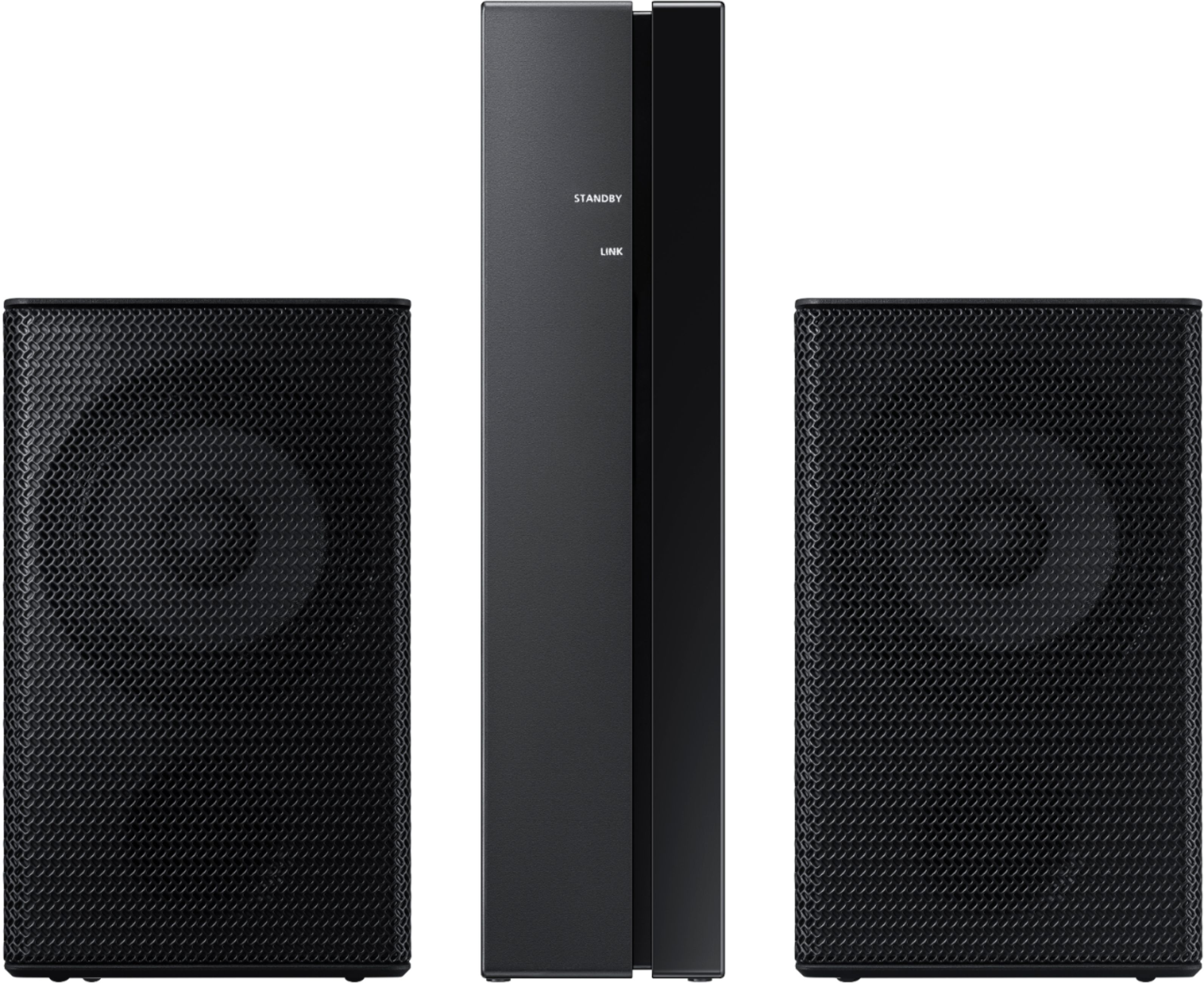
Often times, customers have trouble hiding and running speaker wires from the front of the room (where their soundbar is) to the back of their room (where they have their rear speakers). The Rear Speaker Kit eliminates that hassle. Connect the rear speakers to its wireless module and place these three in the back of your room. One wire is required to connect each rear speaker to the wireless module. Then plug in the power cable to the module. The “wireless” convenience is in connecting your soundbar and any other speakers at the front of the room to the rear speakers – this can now be done via Wi-Fi through the wireless module, eliminating any clutter of long wires running the length of your room.
For complete setup instructions, please refer to your User Manual or go to this link:
https://downloadcenter.samsung.com/content/UM/202005/20200522132321716/AH81-11670A-00_FM_HW-Q850T_ZA_ENG_20200508.pdf
If you need further assistance or have questions, please feel free to reach Samsung Support.
1) Phone: 1-800-SAMSUNG, Available 8AM -12AM EST (7 Days a Week)
2) LiveChat: https://www.samsung.com/us/support/#contact_us_for_support
3) Facebook Messenger: https://www.facebook.com/samsungsupport
4) Twitter: https://twitter.com/SamsungSupport
5) The Samsung Members Community is also a great resource for getting help from Samsung moderators and customers: https://us.community.samsung.com
If you have not already done so, we invite you to register your new Samsung product at: https://www.samsung.com/us/account/signin/?redirect=https%3A%2F%2Fwww.samsung.com%2Fus%2Fsupport%2Fregister%2F
Registering your product gives you access to easy warranty support, convenient opt-in to special promos and offers, faster troubleshooting and service, and quick notification of system updates.
~ Samsung Solutions
- Pros mentioned:Easy setup, Sound quality

Powerful & great for movies!
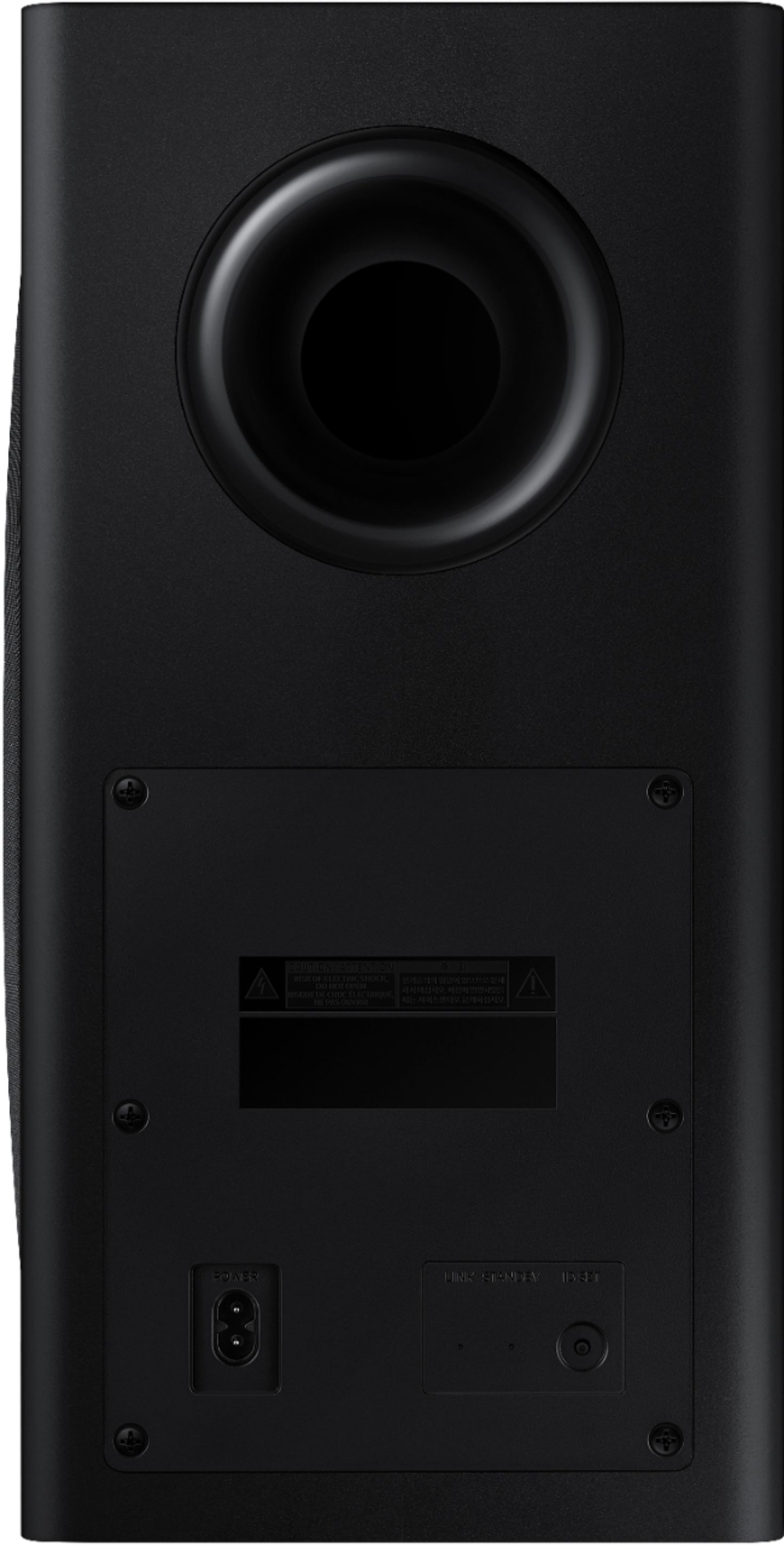
|Posted .This reviewer received promo considerations or sweepstakes entry for writing a review.This soundbar just took our TV & movie watching to a whole new level. Apparently I had no idea how underpowered our prior soundbar was. This one totally blows it out of the water. And the addition of the surround speakers has made movies so much better. The subwoofer has plenty of power to give you a bit of the movie theater experience. -Start to finish, setup took about 60 minutes. The included instructions (you actually get more than just a poster of diagrams) were fairly clear, and easy to follow. -Both satellite speakers are hardwired into a single, wireless receiver box. So, although you do have a couple of speaker wires to deal with, at least you don’t have to worry about running wires from the front of the room to the back. -Using my Samsung phone to connect the soundbar to wifi took only 3 taps, no passwords or pairing codes. -The soundbar wouldn’t update using the Smartthings app, so I had to manually download the update & apply it via USB. Hopefully just a temporary glitch. -Not all settings can be altered via the app, some settings can only be changed via the app. -Has a handful of sound profiles: Standard, Surround, Adaptive, and Game Pro. It would be nice if you could configure separate music and TV/Movie profiles, as some don’t care for surround sound when listening to music. -Works seamlessly with Spotify connect. -If you have a Samsung phone, it has this cool feature where you can just tap your phone on the soundbar, and it’ll transfer what you’re listening to on your phone over to the soundbar. -High frequencies were extremely smooth, and not harsh. Low frequencies were fairly tight/controlled but may be overpowering for some out of the box (easily corrected with eq.)
I would recommend this to a friendBrand response from Samsung
Posted .cw77:
Thank you for purchasing the Samsung HW-Q850T soundbar giving you 3D sound with a dedicated center channel for crystal clear dialogue and rear speaker kit for a full surround experience. I am glad that from setup to exploring all the features, you have found it to be easy.
Should you ever have any questions or concerns or need help with settings or features, please contact Samsung Customer Support.
1) Phone: 1-800-SAMSUNG, Available 8AM -12AM EST (7 Days a Week)
2) LiveChat: https://www.samsung.com/us/support/#contact_us_for_support
3) Facebook Messenger: https://www.facebook.com/samsungsupport
4) Twitter: https://twitter.com/SamsungSupport
5) The Samsung Members Community is also a great resource for getting help from Samsung moderators and customers: https://us.community.samsung.com
If you have not already done so, we invite you to register your new Samsung product at: https://www.samsung.com/us/account/signin/?redirect=https%3A%2F%2Fwww.samsung.com%2Fus%2Fsupport%2Fregister%2F
Registering your product gives you access to easy warranty support, convenient opt-in to special promos and offers, faster troubleshooting and service, and quick notification of system updates.
~ Samsung Solutions
Not Sure
||Posted . Owned for 1 month when reviewed.This reviewer received promo considerations or sweepstakes entry for writing a review.I still have not gotten this working yet, Weak instructions, there must be some setting that I need to change. I can not find it
No, I would not recommend this to a friendBrand response from Samsung
Posted .Hi John,
Thank you for your review of the Samsung Q850T Soundbar System. If you need additional help with setup, or have any questions or concerns with this soundbar, please reach out to us via any of the below options:
1) Phone: 1-800-SAMSUNG, (available 8AM to 12AM EST - 7 days a week)
2) LiveChat: https://www.samsung.com/us/support/#contact_us_for_support
3) Facebook Messenger: https://www.facebook.com/samsungsupport
4) Twitter: https://twitter.com/SamsungSupport
5) The Samsung Members Community is also a great resource for getting help from Samsung moderators and customers: https://us.community.samsung.com
If you have not already done so, we invite you to register your new Samsung product at:
https://www.samsung.com/us/account/signin/?redirect=https%3A%2F%2Fwww.samsung.com%2Fus%2Fsupport%2Fregister%2F
Registering your product gives you access to easy warranty support, convenient opt-in to special promos and offers, faster troubleshooting and service, and quick notification of system updates.
~ Samsung Ambassador
The worst
||Posted . Owned for less than 1 week when reviewed.This reviewer received promo considerations or sweepstakes entry for writing a review.Save your money buy a polk soundbar instead! Subwoofer is weak , and volume from rear speakers is almost nonexistent. This is a sad excuse for a soundbar. Samsung should be embarrassed producing this product. I can see why Haran Kardon took their name off this product. They certainly don't want to go down with this ship!
No, I would not recommend this to a friendBrand response from Samsung
Posted .Frank72:
Thank you for sharing your review of the Samsung HW-Q850T Soundbar. I am sorry to see that you are not completely happy with the sound performance. You can try manually optimizing your audio experience by pressing the SOUND CONTROL button (looks like a gear) to access the setting items such as TREBLE, BASS, SYNC, CENTER LEVEL, FRONT TOP LEVEL, REAR LEVEL, and VIRTUAL ON/OFF. The selected item can be adjusted using the Up/Down buttons.
To control the volume of the treble or bass sound, select TREBLE or BASS in Sound Settings, and then adjust the volume between -6~+6 by using the Up/Down buttons.
By design, the surround speakers are supposed to simulate sounds happening behind the viewer. Therefore, most of the time the surround channels are only used for ambient sounds, which are naturally lower in volume.
However, there are a few settings you can change to adjust the surround effect to your preference:
1) Make sure that the source (e.g. TV output) is sending surround channels to the Soundbar. If the source is not capable of surround, then set the Surround mode to OFF on the Soundbar by pressing the Surround button on the remote.
2) If the source has surround channels, select the desired Sound Mode from the Soundbar remote.
3) Turn off Dynamic Range Control. This is done by pressing and holing the Sound Mode button while the Soundbar is in standby mode. Depending on your soundbar model, you may or may not have DRC.
4) Increase the volume level of the surround speakers using the Sound Control button on the Soundbar remote control. Press the Sound Control button on the soundbar remote (looks like a gear), then select REAR LEVEL and use the Up/Down buttons to adjust the volume within a -6 to +6 range.
I hope these tips help to enhance your audio enjoyment.
Should you need further assistance with this issue or have any questions, please contact Samsung Customer Support.
1) Phone: 1-800-SAMSUNG, (available 8AM to 12AM EST - 7 days a week)
2) LiveChat: https://www.samsung.com/us/support/#contact_us_for_support
3) Facebook Messenger: https://www.facebook.com/samsungsupport
4) Twitter: https://twitter.com/SamsungSupport
5) The Samsung Members Community is also a great resource for getting help from Samsung moderators and customers: https://us.community.samsung.com
If you have not already done so, we invite you to register your new Samsung product at:
https://www.samsung.com/us/account/signin/?redirect=https%3A%2F%2Fwww.samsung.com%2Fus%2Fsupport%2Fregister%2F
Registering your product gives you access to easy warranty support, convenient opt-in to special promos and offers, faster troubleshooting and service, and quick notification of system updates.
~ Samsung Solutions
Unimpressive sound
||Posted . Owned for 1 month when reviewed.This reviewer received promo considerations or sweepstakes entry for writing a review.I returned the system because it would periodically cut out during movies and shows. The rear speakers were very quiet.
No, I would not recommend this to a friendBrand response from Samsung
Posted .Jkuzzi:
Thank you for your review of this Samsung Soundbar System. I am sorry to hear that it did not work out for you and have returned your unit.
Your feedback is very important to us and will be shared with our product team.
Should you ever decide to give Samsung audio products another try and have concerns or questions, please know we are always here to help. You can contact Samsung Customer Support by any of the below options:
1) Phone: 1-800-SAMSUNG, (available 8AM to 12AM EST - 7 days a week)
2) LiveChat: https://www.samsung.com/us/support/#contact_us_for_support
3) Facebook Messenger: https://www.facebook.com/samsungsupport
4) Twitter: https://twitter.com/SamsungSupport
5) The Samsung Members Community is also a great resource for getting help from Samsung moderators and customers: https://us.community.samsung.com
~ Samsung Solutions
Do more research
||Posted . Owned for 1 month when reviewed.This reviewer received promo considerations or sweepstakes entry for writing a review.1 month and the sound just quit. I tried all inputs and have to turn up to 100 just to barely hear it
No, I would not recommend this to a friendBrand response from Samsung
Posted .Hello Doyourreasearch,
Thank you for your review of the Samsung HW-Q850T Soundbar. We appreciate your feedback regarding the low volume you are experiencing with your unit.
You may want to check that the cable connection is not loose. Remove the cable and connect again.
You may also want to initialize your soundbar again by pressing the - + (volume) buttons at the same time for at least 5 seconds. “INIT” appears on the display when the soundbar is initialized.
Please also make sure you are running the latest firmware update on your soundbar. You can update your firmware ver. 1019.5 by Auto Update, using the SmartThings app, or by using a USB device.
Should you need further assistance with this issue, or have any questions about features or operation, please know that Samsung is here to help. You can contact us via any of the below options:
1-800-SAMSUNG (ask for Soundbars), available 8AM -12AM EST, 7 days a week. Or text HELP to 62913.
For additional support resources, visit us on the Samsung website and click on the ‘Support’ link in the upper right corner of the homepage for:
1) More ‘Contact Us’ options – LiveChat, Facebook, Twitter, Samsung Community, Samsung Members app
2) Manuals & Software
3) Warranty Info
4) Product Registration: For access to easy warranty support, convenient opt-in to special promos and offers, faster troubleshooting and service, and quick notification of system updates.
We look forward to hearing from you.
~ Samsung Specialist
Terrible
||Posted . Owned for 2 weeks when reviewed.This reviewer received promo considerations or sweepstakes entry for writing a review.Maybe it was just a bad unit but the sound went out every 5 min or so for a few seconds on the worst discs and every 20 min or so on the best discs. I returned it and got the Vizio Elevate and have had no issues. I will say as a positive, the app had way more features than the Vizio.
No, I would not recommend this to a friendBrand response from Samsung
Posted .Frankeinstein:
Thank you for your review of the Samsung HW-Q850T Soundbar System. I am sorry to hear that you experienced periodic shut-offs and have returned the product. I understand your disappointment. Your feedback is very important to us and will be shared with our product team.
Should you ever decide to give Samsung audio products another try and have concerns or questions, please know we are always here to help. You can contact Samsung Customer Support by any of the below options:
1) Phone: 1-800-SAMSUNG, (available 8AM to 12AM EST - 7 days a week)
2) LiveChat: https://www.samsung.com/us/support/#contact_us_for_support
3) Facebook Messenger: https://www.facebook.com/samsungsupport
4) Twitter: https://twitter.com/SamsungSupport
5) The Samsung Members Community is also a great resource for getting help from Samsung moderators and customers: https://us.community.samsung.com
~ Samsung Solutions
- Pros mentioned:Sound quality
Powerful sound, easy setup, ATMOS!
|Posted .This reviewer received promo considerations or sweepstakes entry for writing a review.I wanted a wireless setup for a medium sized man cave so I didn’t have to spend much time trying to hide wires and such, but I also wanted something with significant sound and features. Enter the Q850T, with a minimal footprint and wireless rear speakers and subwoofer I figured I can’t go wrong! No significant surround sound experience is needed to get this system up and running. Easy out of the box, simple directions and a couple of power outlets to power up the individual pieces and you’re good to go! All I needed to do was connect the HDMI/ARC cable to the port on the sound bar and my TV and I was done. Connecting to the ARC port allows controllability of the soundbar with your TV remote, though not all functions are available (depending on your TV) besides power and volume, so to fine tune EQ profiles or settings you’ll still use the included Samsung remote. Lastly, I am not planning on connecting the system to Alexa at this time. So let’s get to the real part of this review – the sound. I have had various home theater setups over the years from HTIB to customized systems with tower speakers, expensive receivers and amplifiers and the list goes on… Needless to say I am over it, as the Q850T produces extremely high-quality sound and deep bass almost effortlessly it seems. It will never outperform and specialized power full home theater system but depending on the room size you might not even notice. I have this setup in an 18 x 20 room, and it is amazing. I have run various ATMOS demos and been blown away by the pinpoint accuracy of the sound throughout the room, its freakishly good! I haven’t come across too many titles that use ATMOS besides Haunting of Hill House on Netflix, but I can guarantee you that it will have you looking around the room and over shoulder to see where that creepy sound came from! I have a PS4 and Xbox hooked up to this and gameplay is just immensely more enjoyable when I can crank CoD or BF and not worry about bothering my wife! Music, movies, and video games all sound amazing through the Q850T system, I can’t praise it enough – highly recommended!
I would recommend this to a friend Bad rear speaker sound
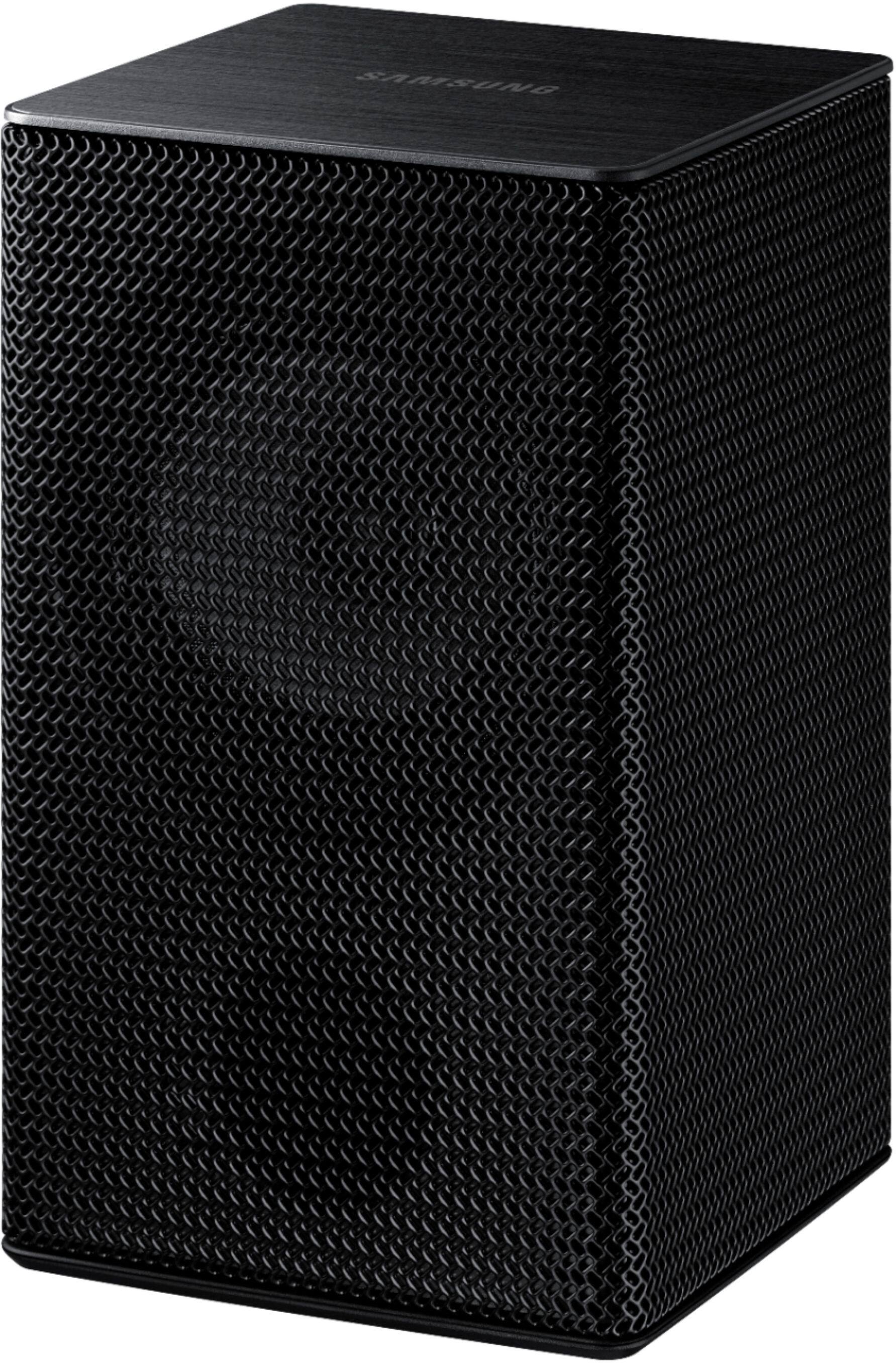
||Posted . Owned for 1 month when reviewed.This reviewer received promo considerations or sweepstakes entry for writing a review.I was very disappointed ! Although the soundbar itself is very good, the wireless rear speakers are a total failure. The sound is very low and after reading all the manuals and searching online, the only solution to get decent sound from them is to connect them to an amplifier. Now it cost me over $100 to get them to a decent sound level.
No, I would not recommend this to a friendBrand response from Samsung
Posted .Hi FGJR,
Thank you for sharing your review of the Samsung HW-Q850T Soundbar. I am sorry to see that you are not completely happy with the sound performance. You can try manually optimizing your audio experience by pressing the SOUND CONTROL button (looks like a gear) to access the setting items such as TREBLE, BASS, SYNC, CENTER LEVEL, SIDE LEVEL, FRONT TOP LEVEL, REAR LEVEL, REAR TOP LEVEL, and VIRTUAL ON/OFF. The selected item can be adjusted using the Up/Down buttons.
– To control the volume of the treble or bass sound, select TREBLE or BASS in Sound Settings, and then adjust the volume between -6~+6 by using the Up/Down buttons.
– Press and hold the SOUND CONTROL button for about 5 seconds to adjust the sound for each frequency band. 150Hz, 300Hz, 600Hz, 1.2kHz, 2.5kHz, 5kHz, and 10kHz are selectable using the Left/Right buttons and each can be adjusted to a setting between -6 to +6 using the Up/Down buttons. (Make sure the Sound mode is set to “STANDARD”.)
– To control the volume of each speaker select CENTER LEVEL, SIDE LEVEL, or FRONT TOP LEVEL in Sound Settings, and then adjust the volume between -6~+6 by using the Up/Down buttons.
– If the video on the TV and audio from the Soundbar are not synchronized, select SYNC in Sound Control, and then set the audio delay between 0~300 milliseconds by using the Up/Down buttons.
– SYNC is only supported for some functions.
– If Surround Speakers are connected, select REAR LEVEL and then use the Up/Down buttons to adjust the volume within a -6 to +6 range.
– The VIRTUAL Speaker function can be turned ON/OFF by using the Up/Down buttons.
I hope these tips help improve your sound experience. Should you need further assistance with features, functions, settings, or adjustments, please contact Samsung Customer Support at:
For further assistance, please contact Samsung Customer Support.
1) Phone: 1-800-SAMSUNG, (available 8AM to 12AM EST - 7 days a week)
2) LiveChat: https://www.samsung.com/us/support/#contact_us_for_support
3) Facebook Messenger: https://www.facebook.com/samsungsupport
4) Twitter: https://twitter.com/SamsungSupport
5) The Samsung Members Community is also a great resource for getting help from Samsung moderators and customers: https://us.community.samsung.com
If you have not already done so, we invite you to register your new Samsung product at:
https://www.samsung.com/us/account/signin/?redirect=https%3A%2F%2Fwww.samsung.com%2Fus%2Fsupport%2Fregister%2F
Registering your product gives you access to easy warranty support, convenient opt-in to special promos and offers, faster troubleshooting and service, and quick notification of system updates.
~ Samsung Ambassador
------------------------
Ver 2: (if product has already been returned, do not include registration info as above)
1) Phone: 1-800-SAMSUNG, (available 8AM to 12AM EST - 7 days a week)
2) LiveChat: https://www.samsung.com/us/support/#contact_us_for_support
3) Facebook Messenger: https://www.facebook.com/samsungsupport
4) Twitter: https://twitter.com/SamsungSupport
5) The Samsung Members Community is also a great resource for getting help from Samsung moderators and customers: https://us.community.samsung.com
~ Samsung Ambassador
DO NOT BUY REAR SPEAKERS
||Posted . Owned for 1 month when reviewed.This reviewer received promo considerations or sweepstakes entry for writing a review.Great sound quality, however package mentioned wireless. The wireless rear speakers are NOT wireless! cable is needed and is not long enough to reach the receiver. Completely disappointed with the advertising of this product, I haven't been able to place the rear speakers as I need a longer cable to reach.
No, I would not recommend this to a friendBrand response from Samsung
Posted .Hello Amber,
Thank you for purchasing the Samsung HW-Q850T Soundbar System which comes with a subwoofer and rear speaker kit. I am very sorry for any confusion about the wireless description of the rear speakers.
Occasionally, customers have trouble hiding and running speaker wires from the front of the room (where their soundbar is) to the back of their room (where they have their rear speakers). The Rear Speaker Kit eliminates that hassle. Connect the rear speakers to its wireless module and place these three in the back of your room. One wire is required to connect each rear speaker to the wireless module. Then plug in the power cable to the module. The “wireless” convenience is in connecting your soundbar and any other speakers at the front of the room to the rear speakers – this can now be done via Wi-Fi through the wireless module, eliminating any clutter of long wires running the length of your room.
For complete setup instructions, please refer to your User Manual or go to this link:
HW-Q850T & SWA-9000S Rear Kit:
https://downloadcenter.samsung.com/content/UM/202005/20200522132321716/AH81-11670A-00_FM_HW-Q850T_ZA_ENG_20200508.pdf
If you need further assistance or have questions, please feel free to reach Samsung Support.
1) Phone: 1-800-SAMSUNG, (available 8AM to 12AM EST - 7 days a week)
2) LiveChat: https://www.samsung.com/us/support/#contact_us_for_support
3) Facebook Messenger: https://www.facebook.com/samsungsupport
4) Twitter: https://twitter.com/SamsungSupport
5) The Samsung Members Community is also a great resource for getting help from Samsung moderators and customers: https://us.community.samsung.com
~ Samsung Ambassador
Garbage
||Posted .This reviewer received promo considerations or sweepstakes entry for writing a review.This sound bar combo is good but not worth the price. Was not happy with it.
No, I would not recommend this to a friendBrand response from Samsung
Posted .David:
Thank you for sharing your user experience with the HW-Q850T Samsung Soundbar.
If there is anything we can do to improve your enjoyment to 5 stars -- such as helping to optimize settings for your specific usage scenario -- please let us know. You can reach Samsung Customer Support at:
1) Phone: 1-800-SAMSUNG, (available 8AM to 12AM EST - 7 days a week)
2) LiveChat: https://www.samsung.com/us/support/#contact_us_for_support
3) Facebook Messenger: https://www.facebook.com/samsungsupport
4) Twitter: https://twitter.com/SamsungSupport
5) The Samsung Members Community is also a great resource for getting help from Samsung moderators and customers: https://us.community.samsung.com
If you have not already done so, we invite you to register your new Samsung product at:
https://www.samsung.com/us/account/signin/?redirect=https%3A%2F%2Fwww.samsung.com%2Fus%2Fsupport%2Fregister%2F
Registering your product gives you access to easy warranty support, convenient opt-in to special promos and offers, faster troubleshooting and service, and quick notification of system updates.
~ Samsung Ambassador
Terrible product sound bar
||Posted .This reviewer received promo considerations or sweepstakes entry for writing a review.Terrible product and service from manufacturer. We had it for 3 weeks installed by best buy it. was a fight to get a new from best buy even though we are elite and have total tech support,...I would not recommend very expensive and terrible service by manufacturer and best buy.
No, I would not recommend this to a friendBrand response from Samsung
Posted .Hi happy,
Thank you for your feedback on the Samsung HW-Q850T Soundbar System. I am very sorry for the issues you have encountered and understand your disappointment. Your user experience is very important to us and will be shared with our teams.
Should you wish to check the status of your repair or need any further assistance, please contact us:
1) Phone: 1-800-SAMSUNG, (available 8AM to 12AM EST - 7 days a week)
2) LiveChat: https://www.samsung.com/us/support/#contact_us_for_support
3) Facebook Messenger: https://www.facebook.com/samsungsupport
4) Twitter: https://twitter.com/SamsungSupport
5) The Samsung Members Community is also a great resource for getting help from Samsung moderators and customers: https://us.community.samsung.com
~ Samsung Ambassador
Samsung sound bar is fair
||Posted . Owned for 3 weeks when reviewed.This reviewer received promo considerations or sweepstakes entry for writing a review.The two small speakers do not work, the subwoofer is weak.
No, I would not recommend this to a friendBrand response from Samsung
Posted .Hi Rico,
Thank you for your review of this Samsung HW-Q850T Soundbar. I am very sorry that you are not completely happy with the bass performance.
There are two adjustments that can be made to maximize bass from the soundbar and subwoofer:
1) Using the WOOFER button on the remote, you can adjust the volume of the subwoofer between -6 to +6 by toggling the button up or down. To set the subwoofer volume level to 0, press the button in.
2) Adjust the bass control by pressing the SOUND CONTROL button (gear icon) on the remote control, then select BASS to increase the level. You can adjust the volume between -6 to +6 by using the Up/Down buttons.
For precise audio adjustments, you can use the 7-band frequency equalizer to optimize the sound for your room acoustics.
I am very sorry to hear that rear speakers on your HW-Q850T Soundbar are not working.
Samsung is committed to providing the best possible product experience, quality, and value. We back this model with a 1-year limited manufacturer's warranty if purchased brand-new directly from an authorized seller.
Please reach out to Samsung Customer Support directly so we can better diagnose your issue and provide you with troubleshooting assistance or warranty service at:
1) Phone: 1-800-SAMSUNG, (available 8AM to 12AM EST - 7 days a week)
2) LiveChat: https://www.samsung.com/us/support/#contact_us_for_support
3) Facebook Messenger: https://www.facebook.com/samsungsupport
4) Twitter: https://twitter.com/SamsungSupport
5) The Samsung Members Community is also a great resource for getting help from Samsung moderators and customers: https://us.community.samsung.com
If you have not already done so, we invite you to register your new Samsung product at:
https://www.samsung.com/us/account/signin/?redirect=https%3A%2F%2Fwww.samsung.com%2Fus%2Fsupport%2Fregister%2F
Registering your product gives you access to easy warranty support, convenient opt-in to special promos and offers, faster troubleshooting and service, and quick notification of system updates.
~ Samsung Ambassador
Speakers
||Posted . Owned for 1 month when reviewed.This reviewer received promo considerations or sweepstakes entry for writing a review.I didn't like the sound low quality and difficult to install.
No, I would not recommend this to a friendBrand response from Samsung
Posted .Elvis:
Thank you for sharing your review of the Samsung HW-Q850T Soundbar. I am sorry to see that you are not completely happy with the sound performance. You can try manually optimizing your audio experience by pressing the SOUND CONTROL button (looks like a gear) to access the setting items such as TREBLE, BASS, SYNC, CENTER LEVEL, FRONT TOP LEVEL, REAR LEVEL, and VIRTUAL ON/OFF. The selected item can be adjusted using the Up/Down buttons.
If you need additional help with setup, or have any questions or concerns with this soundbar, please reach out to us via any of the below options:
1) Phone: 1-800-SAMSUNG, (available 8AM to 12AM EST - 7 days a week)
2) LiveChat: https://www.samsung.com/us/support/#contact_us_for_support
3) Facebook Messenger: https://www.facebook.com/samsungsupport
4) Twitter: https://twitter.com/SamsungSupport
5) The Samsung Members Community is also a great resource for getting help from Samsung moderators and customers: https://us.community.samsung.com
If you have not already done so, we invite you to register your new Samsung product at:
https://www.samsung.com/us/account/signin/?redirect=https%3A%2F%2Fwww.samsung.com%2Fus%2Fsupport%2Fregister%2F
Registering your product gives you access to easy warranty support, convenient opt-in to special promos and offers, faster troubleshooting and service, and quick notification of system updates.
~ Samsung Solutions
- Pros mentioned:Sound quality
Good sound, and great match for Samsung TV
|Posted .This reviewer received promo considerations or sweepstakes entry for writing a review.I've been using this soundbar for about two weeks with a mix of music, broadcast (HD) TV, and streaming services connected to my non-4K, 2014 Samsung 65" TV. Overall, this is a great soundbar, but at full retail price, there are better values out there. The sound quality is good, with clear vocals, highs and mids. The bass response is not as good as I was expecting, given that it has an 8" sub. The inclusion of surround speakers in the package are a nice addition, however I had some difficulty getting them to pair initially, and the speaker wire has a proprietary connector to the wireless module, and the length is only about 10 feet, so this limits your flexibility in speaker placement. Also, the speakers have a keyhole-style screw hole instead of a threaded mount point, so plan accordingly for your mounting locations. The soundbar has Wifi connectivity, but it's only for integration with SmartThings, and not for streaming music. The SmartThings integration only allows you to control the basic functions of the soundbar - there's no Google cast support, Sonos, or anything else that you would think would be present given the network connectivity. I'm not an Amazon Alexa user, so I was unable to test out that feature, but hopefully they can add Google Assistant support too. It supports HDMI ARC, and was very easy to connect. I do occasionally have issues with the soundbar not auto-turning on with the TV like it's supposed to, which is slightly annoying. I could fix it via my Harmony remote programming, but the point is that it should work consistently. Overall, this is a decent soundbar and a good match if you're looking for decent sound quality and good Dolby/DTS surround support. Just some of the feature choices are half-baked and the flexibility is not all the way there given the MSRP asking price.
I would recommend this to a friend All Dressed up & Nowhere to go
||Posted . Owned for 4 months when reviewed.This reviewer received promo considerations or sweepstakes entry for writing a review.Did not work...to be fair it was an open box item. However, the rear speakers did not work and nor the remote. I was excited when I purchased it and sad when I returned it :-(
No, I would not recommend this to a friendWorst purchase ever..
||Posted . Owned for 2 months when reviewed.This reviewer received promo considerations or sweepstakes entry for writing a review.Purchase on 2/17/21 & power stop working 5/1/21. Unfortunately I didn't purchase the Best Buy warranty, so now I'll have to go through Samsung headache return process. Don't waste your time it's not loud enough for the price.
No, I would not recommend this to a friendBrand response from Samsung
Posted .Hi Tony20,
Thank you for purchasing the Samsung HW-Q850T Soundbar and for your review. Please know that Samsung is committed to providing the best possible product experience, quality, and value, and your feedback will be shared with our product and customer care teams.
Should you have any issues with your unit after troubleshooting or warranty service is complete, please contact Samsung Customer Support at 1-800-SAMSUNG (ask for Soundbars), available 8AM -12AM EST, 7 days a week. Or text HELP to 62913.
For additional support resources, visit us on the Samsung website and click on the ‘Support’ link in the upper right corner of the homepage for:
1) More ‘Contact Us’ options – LiveChat, Facebook, Twitter, Samsung Community, Samsung Members app
2) Manuals & Software
3) Warranty Info
4) Product Registration: For access to easy warranty support, convenient opt-in to special promos and offers, faster troubleshooting and service, and quick notification of system updates.
We look forward to hearing from you.
~ Samsung Specialist
- Pros mentioned:Dolby atmos, Easy setup, Sound quality
Great Sound! Easy to set up.
Posted .This reviewer received promo considerations or sweepstakes entry for writing a review.Sound is amazing. Our old surround sound quit working so we replaced it with this system. We do not have a TV capable of Dolby Atmos, but this system works great with our older Samsung TV. The sub-woofer makes the room shake. Highs, mids and lows are great. I feel like we are at the movies. First movie we put on was Star Wars, The Last Jedi. It did not disappoint. We are looking forward to playing music on this system. Very easy to set up. We had an older Samsung home theater system with wireless rear speakers and this system just dropped right in. Paring was not hard. You will need to pair your TV to they system via Bluetooth if you want to use your cable or TV remote for volume.
I would recommend this to a friendBrand response from Samsung
Posted .Av8trix:
I am happy to hear that setup and pairing to your TV was easy. Your HW-Q850T 5.1.2 channels soundbar with Dolby Atmos/DTS:X and wireless rear speakers was designed to bring you 3D sound from every direction. With Adaptive Sound, your soundbar automatically optimizes the sound based on each scene and lets you hear voices clearly on low volumes.
Should you ever have any questions or concerns or need help with settings or features, please contact Samsung Customer Support.
1) Phone: 1-800-SAMSUNG, Available 8AM -12AM EST (7 Days a Week)
2) LiveChat: https://www.samsung.com/us/support/#contact_us_for_support
3) Facebook Messenger: https://www.facebook.com/samsungsupport
4) Twitter: https://twitter.com/SamsungSupport
5) The Samsung Members Community is also a great resource for getting help from Samsung moderators and customers: https://us.community.samsung.com
If you have not already done so, we invite you to register your new Samsung product at: https://www.samsung.com/us/account/signin/?redirect=https%3A%2F%2Fwww.samsung.com%2Fus%2Fsupport%2Fregister%2F
Registering your product gives you access to easy warranty support, convenient opt-in to special promos and offers, faster troubleshooting and service, and quick notification of system updates.
~ Samsung Solutions