Customer Ratings & Reviews
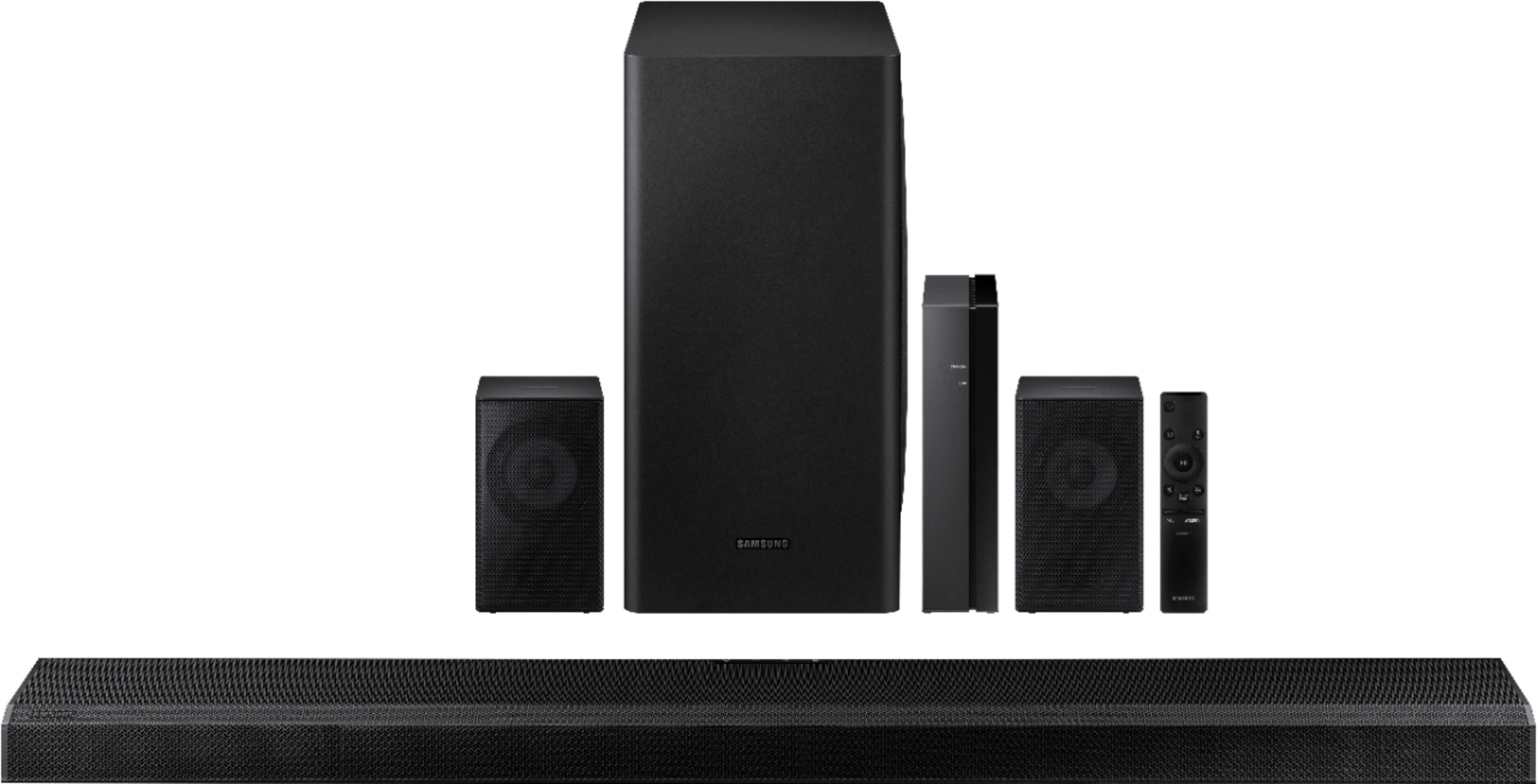
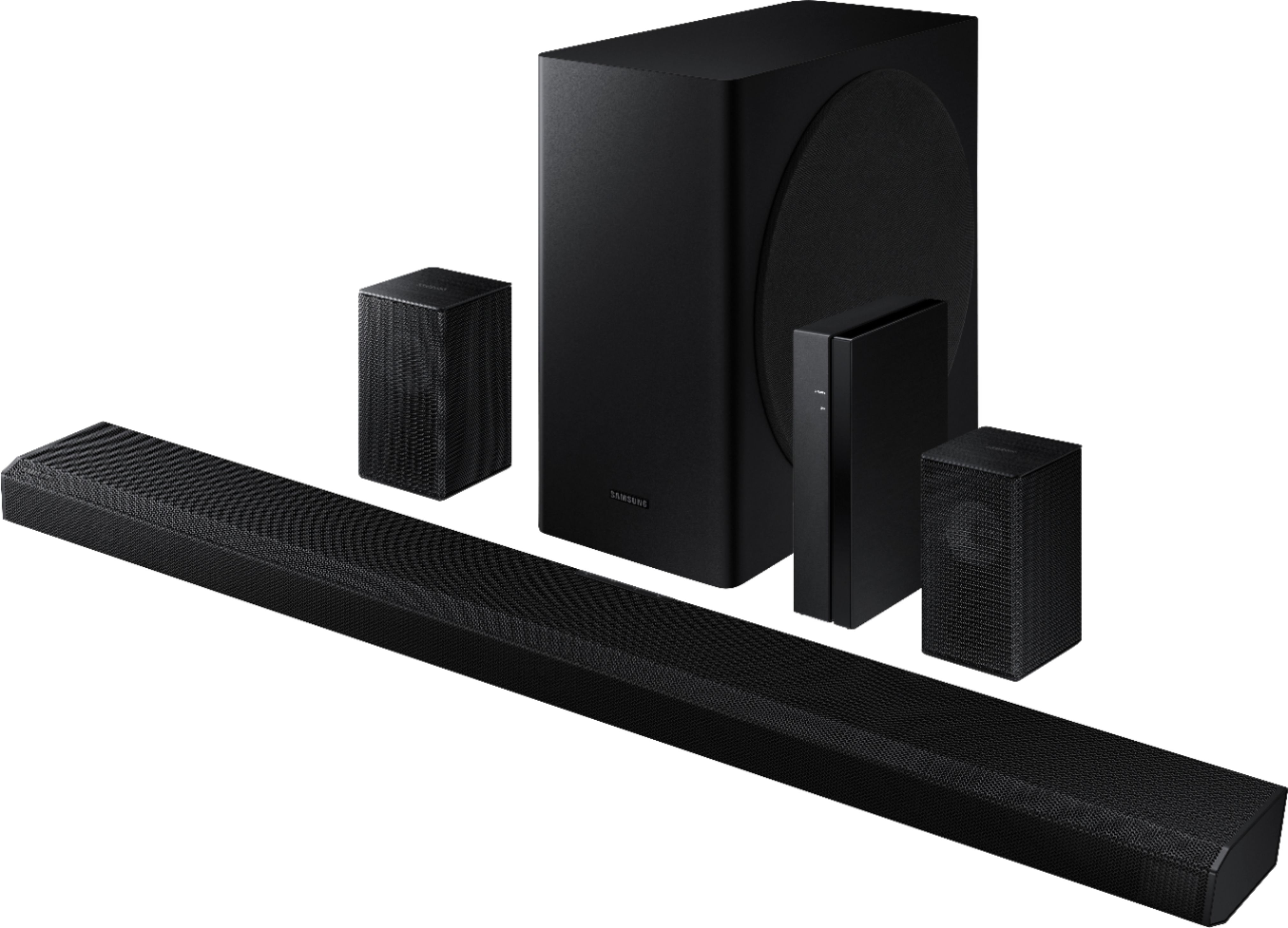
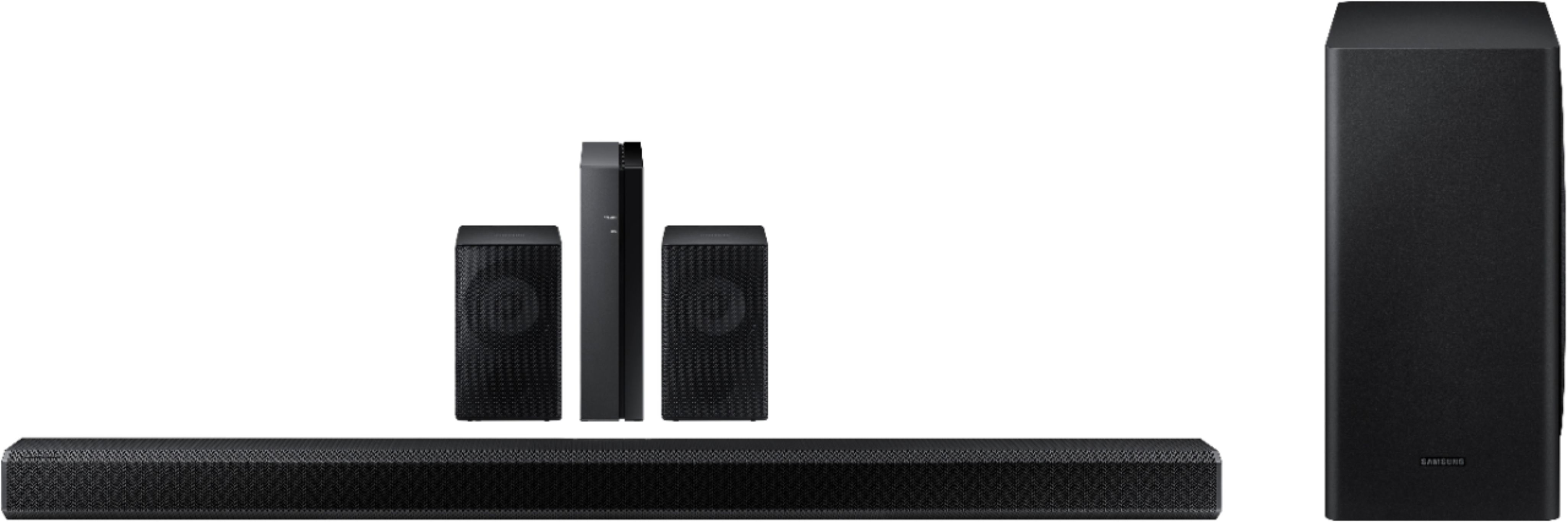



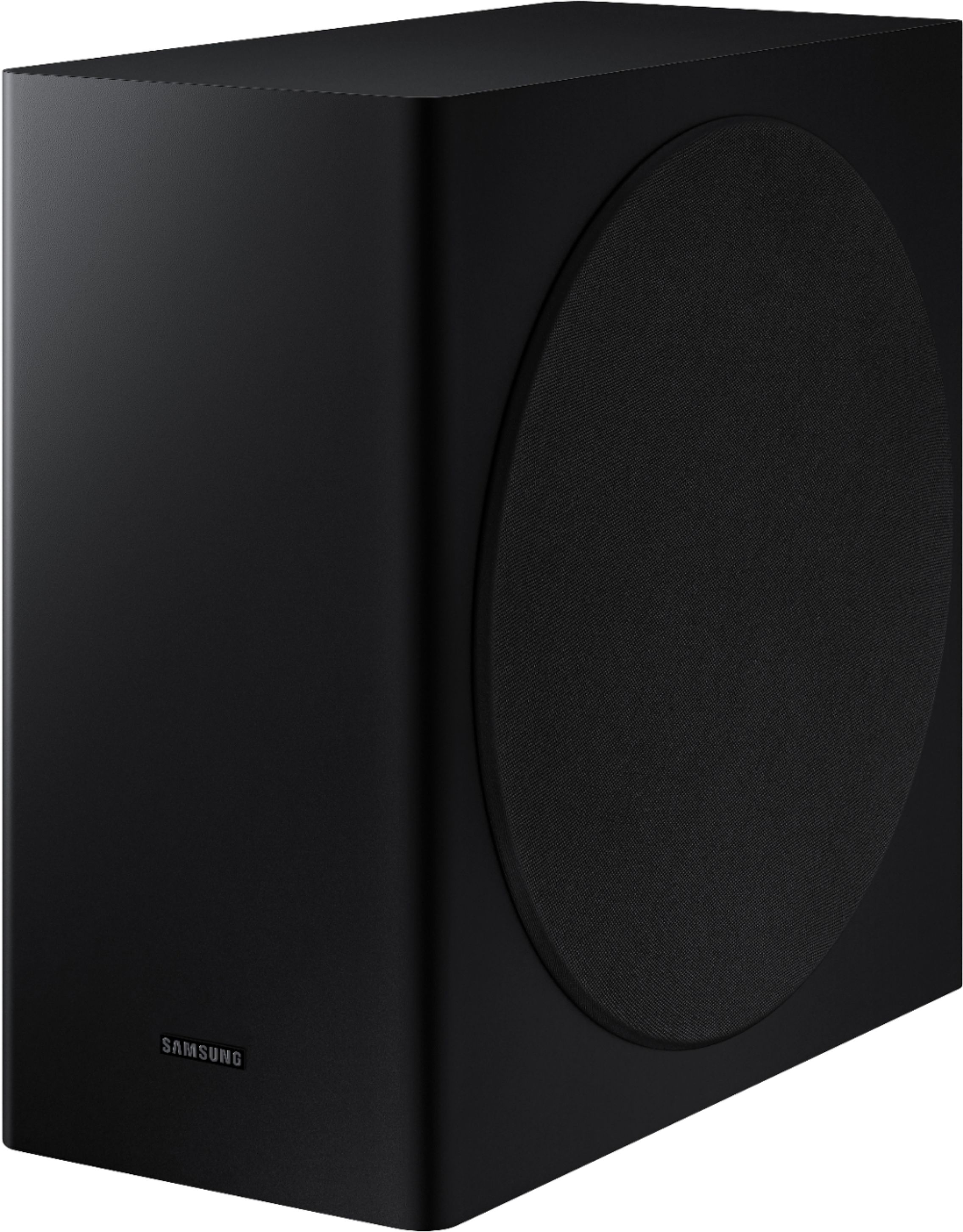
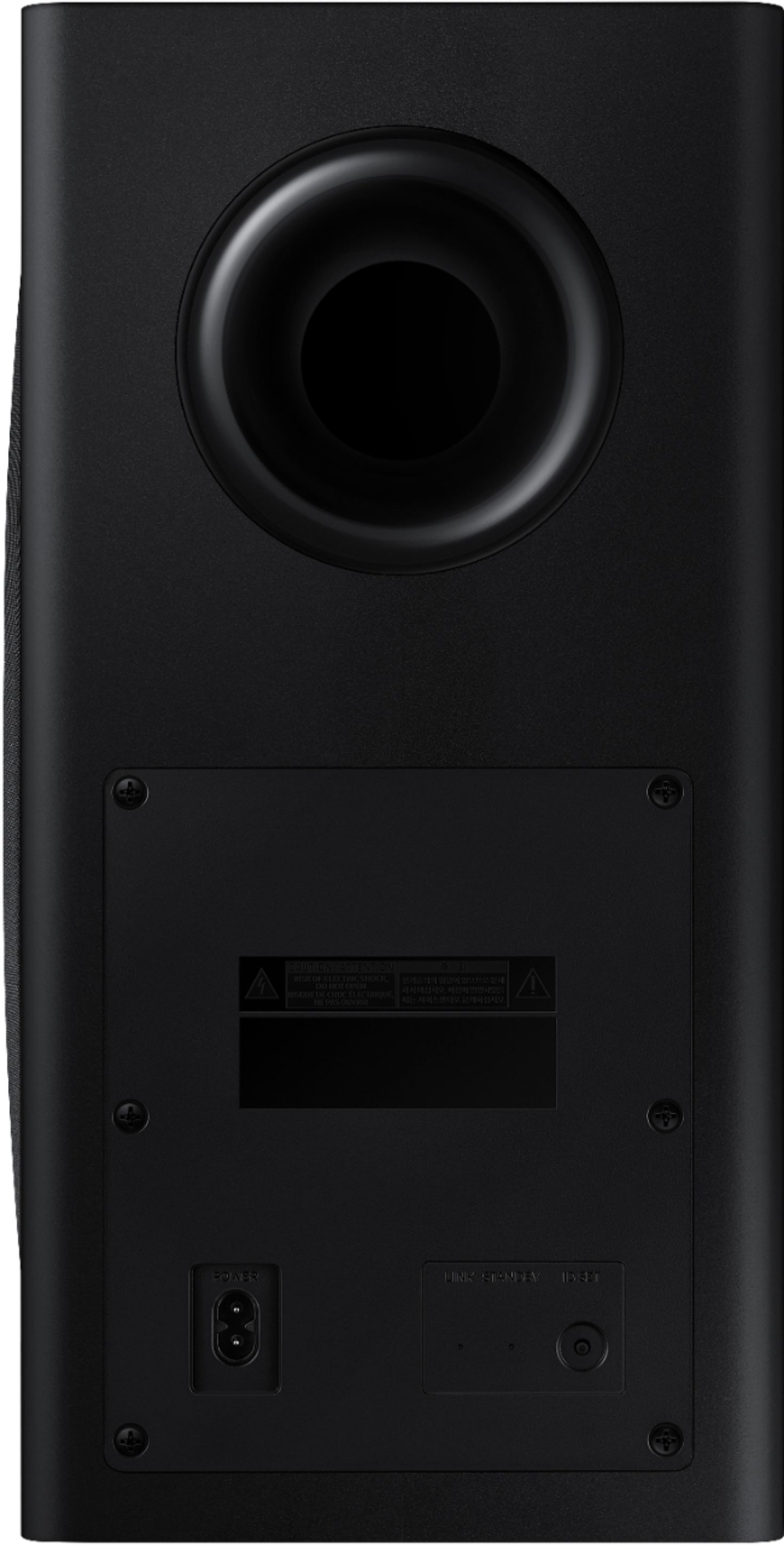
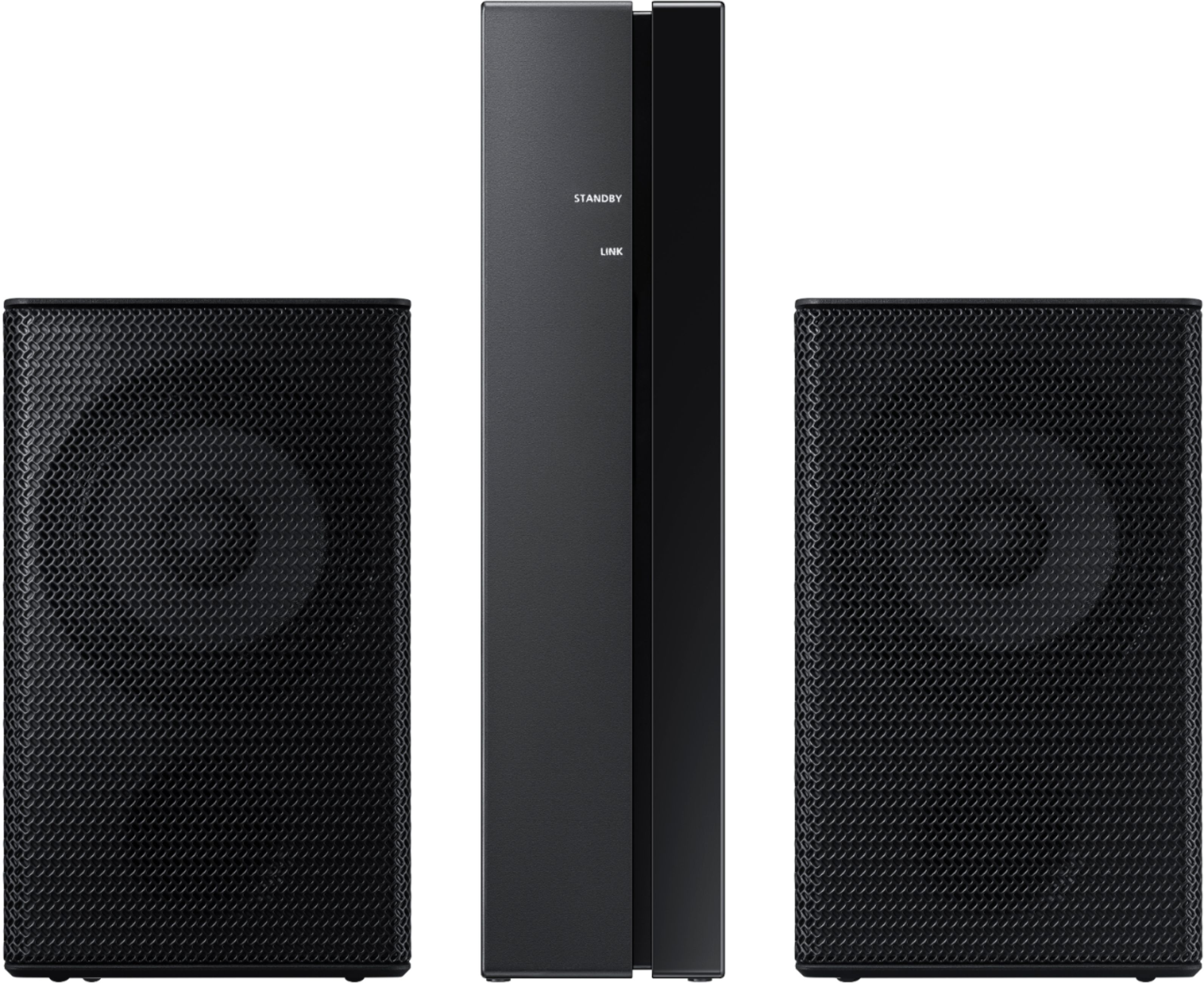
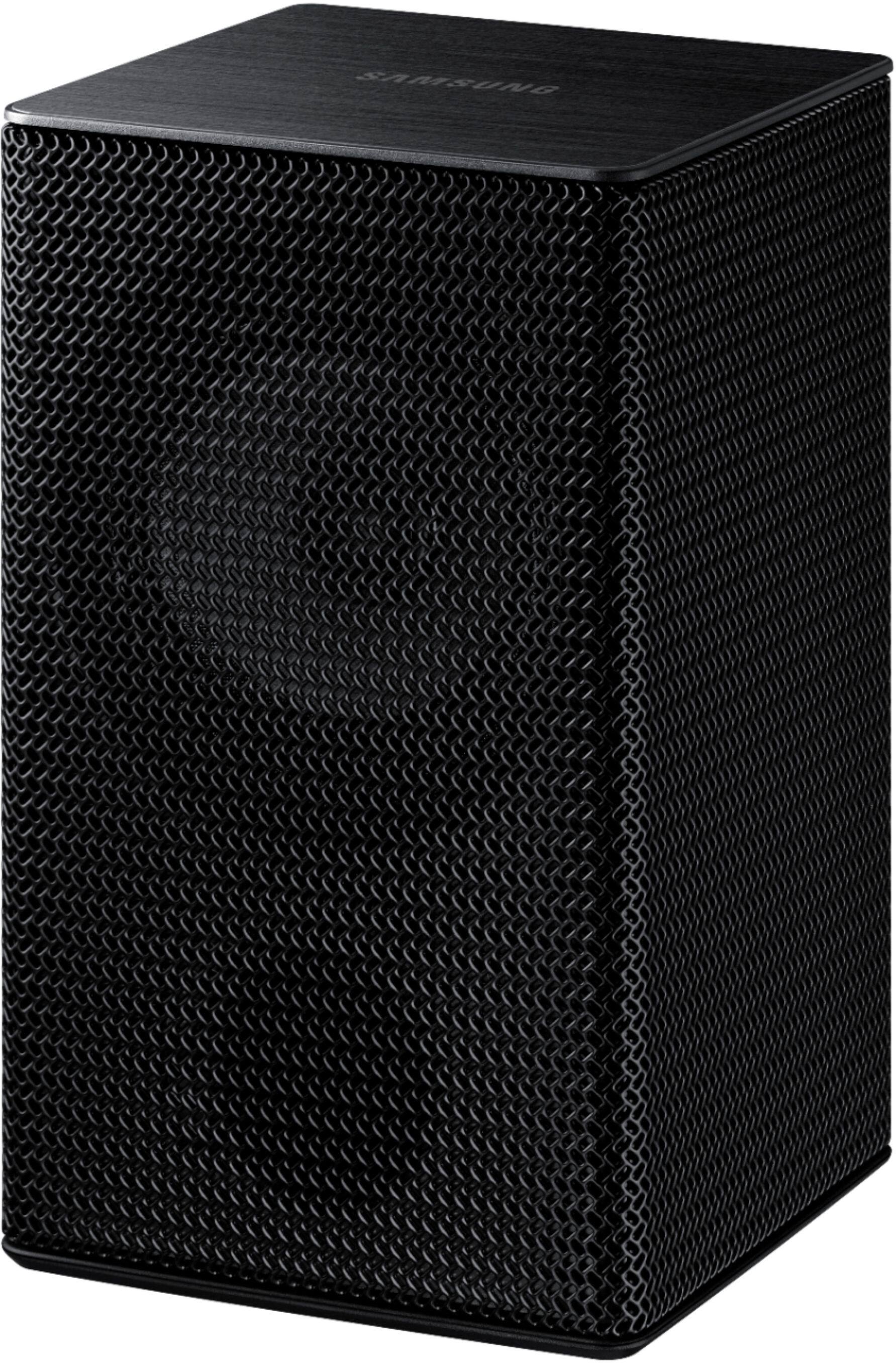
- Model:
- HW-Q850T/ZA
- SKU:
- 6400657
Rating by feature
- Value
Rating 4.0 out of 5 stars
- Quality
Rating 4.3 out of 5 stars
- Ease of Use
Rating 4.2 out of 5 stars
Customers are saying
Customers have good things to say about the sound quality, easy setup, Dolby Atmos, and bass of the 5.1.2-Channel Soundbar. They appreciate the good sound quality and features, easy hookup system, amazing Dolby Atmos, and shockingly good bass. However, some customers have concerns about the rear speakers not being Bluetooth, the price not being worth it, and connectivity issues with Samsung TVs.
This summary was generated by AI based on customer reviews.

Be patient...
|Posted .This reviewer received promo considerations or sweepstakes entry for writing a review.Let me start by saying that I’m using this system with a non-Samsung TV, so I’m hoping that some who may not have a Samsung TV will still consider this system. We have a 65” LG OLED that was originally paired with a matching Atmos soundbar setup. That one sounded OK…at times. It had a lot of difficulty with cutting in and out. So, now on to the Samsung Q850T — The setup was pretty intuitive and easy to follow with the owner’s manual. I had no negative issues with the app, and when the remote isn’t handy but your phone is, you can change settings through the app. The positioning of the inputs is a bit awkward, but I would imagine their placement would help if someone were trying to mount this to a wall by keeping cables and such more easily hidden. My initial impression was that everything sounded so harsh. Especially, for example, while watching an NFL playoff game from last Dec. when the crowd would erupt. Found myself turning the volume up and down constantly — but that’s on me. I hadn’t really taken the time to fine tune the settings to my taste…and I’ll get to that. Besides the harshness, I was wondering where the bass was; was the sub even working, let alone the rear speakers. Was I going to need to go back to the old system? I really had to devote some time to giving this system a chance. I also decided to find another NFL game to watch, and wait for a segment where the crowd went nuts — and be armed with my trusty remote so I could listen, pause, adjust (one setting at a time), rewind, and listen again to the exact same segment. You get it — apples to apples and all that. What I began to hear amazed me. The harshness went away and the bass is more true-to-life. Not muddy and overpowering (which is what I’d been listening to for the past year and a half). I realize that we all have different tastes in what we like to hear from our sound systems. Everyone needs to explore on their own — and that’s really the main thing to remember when you get this system, especially if you’re in a similar situation equipment-wise. For me, I found that the Adaptive sound mode is most favorable for multiple video experiences. The Surround and Standard modes — more for music. Note: settings range from -6 to +6. I have the sub setting all the way on high (6), the bass at about 4, the treble at -1 to 0, the front at 4, center at 5, and the rear at 2. (Sometimes, for some movies, I’ll bump the rear to 5. Call me wild). I’ll say it again, these settings are to my taste and you’ll want to be patient and take some time finding what works for you. Now that I’ve done all this, there’s no going back. The sound is real and the bass is no longer muddy. It is crisp and precise and fills the room — and we have a large 18 x 27 ft room. It really shines when you try out some of the Dolby Atmos examples that you can stream. If you’re willing to be patient and give yourself some time, I think you will truly love what the Samsung system has to offer. P.S. I must add that I, too, have had no luck with the Alexa feature. Samsung says it’s an Amazon thing. We shall see if the bugs get worked out. For me, that’s not a deal killer, but that's why I've dinged this one star. It may be an Amazon issue, but Samsung needs to take ownership and work with Amazon for a fix since they're using this feature as part of the promotion of the product. Maybe they are.
I would recommend this to a friendNot today
||Posted . Owned for 1 month when reviewed.This reviewer received promo considerations or sweepstakes entry for writing a review.This sound system is a bust. My cheap LG sound bar is much better than this Samsung. Not worth the money! I returned it for a higher quality LG sound bar. I saved money in the switch and received a better product.
No, I would not recommend this to a friendBrand response from Samsung
Posted .Freepoints:
Thank you for your review of the Samsung HW-W850T Soundbar System. I am sorry to hear that it did not work out for you and have returned your unit. Your feedback is very important to us and will be shared with our product team.
Should you ever decide to give Samsung audio products another try and have concerns or questions, please know we are always here to help. You can contact Samsung Customer Support by any of the below options:
1) Phone: 1-800-SAMSUNG, (available 8AM to 12AM EST - 7 days a week)
2) LiveChat: https://www.samsung.com/us/support/#contact_us_for_support
3) Facebook Messenger: https://www.facebook.com/samsungsupport
4) Twitter: https://twitter.com/SamsungSupport
5) The Samsung Members Community is also a great resource for getting help from Samsung moderators and customers: https://us.community.samsung.com
Again, thank you for taking the time to share your experience. We hope to regain you as a customer in the near future.
~ Samsung Ambassador
Not worth it
||Posted . Owned for 3 weeks when reviewed.This reviewer received promo considerations or sweepstakes entry for writing a review.This system is not worth half of the price is market for.the speakers could be at its maximum volume and you can still hold a conversation.the bass is ok but not great,I refunded my unit I would not recommend.☹️
No, I would not recommend this to a friendBrand response from Samsung
Posted .Will:
Thank you for your review of the HW-Q850T Soundbar. I am sorry to hear that it did not work out for you and have returned your unit. I understand your disappointment.
Your feedback is very important to us and will be shared with our product team.
Please know that should you ever need assistance with settings or adjustments with a future Samsung purchase to optimize your sound experience, Samsung Customer Support is here to help via:
1) Phone: 1-800-SAMSUNG, (available 8AM to 12AM EST - 7 days a week)
2) LiveChat: https://www.samsung.com/us/support/#contact_us_for_support
3) Facebook Messenger: https://www.facebook.com/samsungsupport
4) Twitter: https://twitter.com/SamsungSupport
5) The Samsung Members Community is also a great resource for getting help from Samsung moderators and customers: https://us.community.samsung.com
~ Samsung Ambassador
Does not pair with TV
||Posted . Owned for 1 month when reviewed.This reviewer received promo considerations or sweepstakes entry for writing a review.Does not pair with my brand new Samsung 4K TV. It worked for a while, sound was ok, but not what I expected for $850. Then it stopped working and will not pair with the tv anymore. Again not what I expected for $850.
No, I would not recommend this to a friendBrand response from Samsung
Posted .Craig:
I am very sorry to see that you are having connection issues between the soundbar and TV. If you are connecting wirelessly via Bluetooth, please follow these steps:
1) Press the PAIR button on the remote to enter BT PAIRING mode
- “BT” changes to “BT PAIRING” in a few seconds automatically or changes to “BT READY” if there is a connect record.
- When “BT READY” appears, press and hold the (Mic On/Off) button on the top panel of the Soundbar for more than 5 seconds to display “BT PAIRING”.
2) Select Bluetooth mode on the Samsung TV: Home > Settings (gear button on remote) > Sound > Sound Output > Bluetooth Speaker List > [AV] Samsung Soundbar Q850T (Bluetooth))
3) Select “[AV] Samsung Soundbar Q850T” from the list on TV’s screen. An available Soundbar is indicated with “Need Pairing” or “Paired” on the TV’s Bluetooth device list. To connect the Samsung TV to the Soundbar, select the message, and then establish a connection.
- When the Samsung TV is connected, [TV Name] > “BT” appears on the Soundbar’s front display
4) After you have connected the Soundbar to your Samsung TV the first time, use the “BT READY” mode to reconnect.
If you have an existing Soundbar (e.g., [AV] Samsung Soundbar Q850T) on the list of speakers on the Samsung TV, delete it. Then repeat steps 1 through 3.
If your issue persists, please contact Samsung Customer Support for assistance.
bad sound bar system
||Posted . Owned for 3 weeks when reviewed.This reviewer received promo considerations or sweepstakes entry for writing a review.ER had setting up issues, it has a delay when someone is speaking on the TV, it is not truly wireless. I had to return the speaker system because it was deflective or just not working correctly.
No, I would not recommend this to a friendBrand response from Samsung
Posted .Thesoundbarisbad,
Thank you for your review of the Samsung HW-Q850T Soundbar System. I am sorry to hear that it did not work out for you and have returned your unit. I understand your disappointment.
Your feedback is very important to us and will be shared with our product team.
Please know that should you ever need assistance with settings or adjustments with a future Samsung purchase to optimize your sound experience, Samsung Customer Support is here to help.
1) Phone: 1-800-SAMSUNG, (available 8AM to 12AM EST - 7 days a week)
2) LiveChat: https://www.samsung.com/us/support/#contact_us_for_support
3) Facebook Messenger: https://www.facebook.com/samsungsupport
4) Twitter: https://twitter.com/SamsungSupport
5) The Samsung Members Community is also a great resource for getting help from Samsung moderators and customers: https://us.community.samsung.com
~ Samsung Ambassador
Still doesn’t work
||Posted . Owned for 2 weeks when reviewed.This reviewer received promo considerations or sweepstakes entry for writing a review.We have called Best Buy’s and STILL no feedback on why this $1000 sound bar doesn’t work.Geek squad installed it, couldn’t get it working and here we are. Two weeks later.
No, I would not recommend this to a friendBrand response from Samsung
Posted .Thedogs2:
I am very sorry you are experiencing issues setting up your HW-Q850T Soundbar. Please reach out to Samsung Customer Support so we can better understand your issue and provide you with troubleshooting assistance or warranty service.
1) Phone: 1-800-SAMSUNG, (available 8AM to 12AM EST - 7 days a week)
2) LiveChat: https://www.samsung.com/us/support/#contact_us_for_support
3) Facebook Messenger: https://www.facebook.com/samsungsupport
4) Twitter: https://twitter.com/SamsungSupport
5) The Samsung Members Community is also a great resource for getting help from Samsung moderators and customers: https://us.community.samsung.com
If you have not already done so, we invite you to register your new Samsung product at:
https://www.samsung.com/us/account/signin/?redirect=https%3A%2F%2Fwww.samsung.com%2Fus%2Fsupport%2Fregister%2F&user=dsr-registration
Registering your product gives you access to easy warranty support, convenient opt-in to special promos and offers, faster troubleshooting and service, and quick notification of system updates.
Samsung is committed to providing the best possible product experience, quality, and value. We back this model with a 1-year limited manufacturer's warranty if purchased brand-new directly from an authorized seller.
~ Samsung Support
Better products available
||Posted . Owned for more than 2 years when reviewed.This reviewer received promo considerations or sweepstakes entry for writing a review.Performs nothing like what you hear in the store- in just over a year no longer working
No, I would not recommend this to a friendVery disappointed for the money.
||Posted . Owned for 2 weeks when reviewed.This reviewer received promo considerations or sweepstakes entry for writing a review.Not amazing for the money. I was very disappointed in the sound I got from this bar. I would stay away from this one.
No, I would not recommend this to a friendBrand response from Samsung
Posted .Hi AAM9,
Thank you for sharing your review of the Samsung HW-Q850T Soundbar. Your feedback is very important to us and will be shared with our product team. I am sorry to see that you are not completely happy with the sound performance.
You can try manually optimizing your audio experience by pressing the SOUND CONTROL button (looks like a gear) to access the setting items such as TREBLE, BASS, SYNC, CENTER LEVEL, SIDE LEVEL, FRONT TOP LEVEL, REAR LEVEL, REAR TOP LEVEL, and VIRTUAL ON/OFF. The selected item can be adjusted using the Up/Down buttons.
– To control the volume of the treble or bass sound, select TREBLE or BASS in Sound Settings, and then adjust the volume between -6~+6 by using the Up/Down buttons.
– Press and hold the SOUND CONTROL button for about 5 seconds to adjust the sound for each frequency band. 150Hz, 300Hz, 600Hz, 1.2kHz, 2.5kHz, 5kHz, and 10kHz are selectable using the Left/Right buttons and each can be adjusted to a setting between -6 to +6 using the Up/Down buttons. (Make sure the Sound mode is set to “STANDARD”.)
– To control the volume of each speaker select CENTER LEVEL, SIDE LEVEL, or FRONT TOP LEVEL in Sound Settings, and then adjust the volume between -6~+6 by using the Up/Down buttons.
– If the video on the TV and audio from the Soundbar are not synchronized, select SYNC in Sound Control, and then set the audio delay between 0~300 milliseconds by using the Up/Down buttons.
– SYNC is only supported for some functions.
– If Surround Speakers are connected, select REAR LEVEL and then use the Up/Down buttons to adjust the volume within a -6 to +6 range.
– The VIRTUAL Speaker function can be turned ON/OFF by using the Up/Down buttons.
If there is anything we can do to improve your sound such as helping to optimize settings, please let us know. You can reach Samsung Customer Support at:
1) Phone: 1-800-SAMSUNG, (available 8AM to 12AM EST - 7 days a week)
2) LiveChat: https://www.samsung.com/us/support/#contact_us_for_support
3) Facebook Messenger: https://www.facebook.com/samsungsupport
4) Twitter: https://twitter.com/SamsungSupport
5) The Samsung Members Community is also a great resource for getting help from Samsung moderators and customers: https://us.community.samsung.com
~ Samsung Ambassador
Missing parts etc
||Posted . Owned for 3 weeks when reviewed.This reviewer received promo considerations or sweepstakes entry for writing a review.Missing parts, audio would not sync with video despite the stated range of adjustability had to return product.
No, I would not recommend this to a friendBrand response from Samsung
Posted .Lamusic:
Thank you for your review of this Samsung Soundbar System. I am sorry to hear that it did not work out for you and have returned your unit.
Your feedback is very important to us and will be shared with our product team.
Should you ever decide to give Samsung audio products another try and have concerns or questions, please know we are always here to help. You can contact Samsung Customer Support by any of the below options:
1) Phone: 1-800-SAMSUNG, (available 8AM to 12AM EST - 7 days a week)
2) LiveChat: https://www.samsung.com/us/support/#contact_us_for_support
3) Facebook Messenger: https://www.facebook.com/samsungsupport
4) Twitter: https://twitter.com/SamsungSupport
5) The Samsung Members Community is also a great resource for getting help from Samsung moderators and customers: https://us.community.samsung.com
If you have not already done so, we invite you to register your new Samsung product at:
https://www.samsung.com/us/account/signin/?redirect=https%3A%2F%2Fwww.samsung.com%2Fus%2Fsupport%2Fregister%2F&user=dsr-registration
Registering your product gives you access to easy warranty support, convenient opt-in to special promos and offers, faster troubleshooting and service, and quick notification of system updates.
~ Samsung Solutions
failing to function within a year
||Posted . Owned for 10 months when reviewed.This reviewer received promo considerations or sweepstakes entry for writing a review.Within a year the soundbar started failing so that now it just constantly chain restarts
No, I would not recommend this to a friend- Pros mentioned:Sound quality
A Well-Rounded Theatre and Audio Experience
|Posted .This reviewer received promo considerations or sweepstakes entry for writing a review.The Samsung Q850T is a great starter pack for the person who is looking to cover all their audio needs with the overall high quality of Samsung. The three-piece kit makes it a no brainer, and this trio provides a solid base for your audio entertainment system. The 850QT is compatible with most TVs, not just Samsung, so you can elevate your overall theater experience seamlessly. Speaking of seamless, the 850QT is compatible with Alexa/Bluetooth so you can control hands-free and use the speakers beyond just the TV. Overall, a high-quality sound system with strong range and a lot of power. Features: - Bluetooth/Alexa pairing - Able to mount on wall for cleaner look with included wall mount brackets - Supported play formats: Dolby Atmos (True HD / Digital Plus), Dolby Digital, DTS Master Audio, DTS:X, DTS PROS: - Great, powerful sound that fills the room from every side and angle. - Very easy to set up with clear instruction manual. - The ability to set up/pair with Alexa and Bluetooth makes it more than your average TV speakers. - Compatible with Non-Samsung TVs. No problem pairing with our Sony TV - Kit of parts system that covers every audio need for a well-rounded sound CONS: As with any all-inclusive system, it’s everything or nothing which is actually both a pro or a con depending on how you look at it. Conclusion: If you are overwhelmed with the technicalities of the home theater system and want an all-in-one kit that has you covered with quality you can trust, go with the Samsung 850QT and you will not be disappointed. Fills the entire space with dimensional sound that will enhance your overall entertainment experience.
I would recommend this to a friend Bad buy
||Posted . Owned for 1 month when reviewed.This reviewer received promo considerations or sweepstakes entry for writing a review.We returned it after our installer informed us that it wasn't a tru wireless sound system.
No, I would not recommend this to a friendBrand response from Samsung
Posted .Hi Nope,
Thank you for your review of the Samsung HW-Q850T Soundbar System. I am sorry to hear that it did not work out for you and have returned your unit. I understand your disappointment.
Your feedback is very important to us and will be shared with our product team.
Please know that should you ever need assistance with settings or adjustments with a future Samsung purchase to optimize your sound experience, Samsung Customer Support is here to help.
1) Phone: 1-800-SAMSUNG, (available 8AM to 12AM EST - 7 days a week)
2) LiveChat: https://www.samsung.com/us/support/#contact_us_for_support
3) Facebook Messenger: https://www.facebook.com/samsungsupport
4) Twitter: https://twitter.com/SamsungSupport
5) The Samsung Members Community is also a great resource for getting help from Samsung moderators and customers: https://us.community.samsung.com
~ Samsung Ambassador
- Pros mentioned:Bass
A Great Soundbar
|Posted .This reviewer received promo considerations or sweepstakes entry for writing a review.This is an awesome soundbar system and one of the best on the market. This is an upgrade from my old LG 2.1 soundbar system and I've gotta say its a perfect addition with my new 75" Nanocell. The sound is crisp and clear, with the added twin tweeters you're getting a full surround sound experience in even the biggest of rooms, and the woofer gives you some deep and impacting base. It has multiple preset sound settings for different media preferences and of course has the option to manually adjust audio settings (i.e. Bass, Treb, etc.). It uses and comes included with and HDMI ARc cable, has Bluetooth connectivity, and has a slot for optical connection but a optical cable isn't included. I will say that this is a huge upgrade from my old set up and I'm able to hear the difference. There are only 2 negeative things I can say about this Soundbar system. 1. I'm not a fan how they designed the woofer speaker facing the side wall (long side facing) so you'll need to place it in a position that is wide to have the woofer facing out wards (or towards the viewer). 2. The base setting is limited and sounds like they already have it set up higher than average at normal level, it ranges up to +6 or down to -12, at -6 it sounds like its already without base and at 0 it has some significant bass, so going up to the max seems almost underwhelming. Still with all this in mind I can say its an awesome Soundbar system and has taken my movie and gaming experiences to a whole new level. I would absolutely recommend it to anyone looking for premium soundbar to complete their home theater set up.
I would recommend this to a friend Trash
||Posted . Owned for 2 months when reviewed.This reviewer received promo considerations or sweepstakes entry for writing a review.Sound is super out of sync I had a later model and it worked better then this
No, I would not recommend this to a friendBrand response from Samsung
Posted .Hi Ariel,
Thank you for purchasing the HW-Q70T Soundbar. If the video on the TV and audio from the Soundbar are not synchronized, select SYNC in SOUND CONTROL (looks like a gear), and then set the audio delay between 0~300 milliseconds by using the Up/Down buttons.
I hope this helps. If there is anything we can do to improve your sound such as helping to optimize settings, please let us know. You can reach Samsung Customer Support at:
1) Phone: 1-800-SAMSUNG, (available 8AM to 12AM EST - 7 days a week)
2) LiveChat: https://www.samsung.com/us/support/#contact_us_for_support
3) Facebook Messenger: https://www.facebook.com/samsungsupport
4) Twitter: https://twitter.com/SamsungSupport
5) The Samsung Members Community is also a great resource for getting help from Samsung moderators and customers: https://us.community.samsung.com
If you have not already done so, we invite you to register your new Samsung product at:
https://www.samsung.com/us/account/signin/?redirect=https%3A%2F%2Fwww.samsung.com%2Fus%2Fsupport%2Fregister%2F
Registering your product gives you access to easy warranty support, convenient opt-in to special promos and offers, faster troubleshooting and service, and quick notification of system updates.
~ Samsung Ambassador
K
||Posted . Owned for 3 weeks when reviewed.This reviewer received promo considerations or sweepstakes entry for writing a review.Not worth the money! The sound quality is poor. Buy something else.
No, I would not recommend this to a friendBrand response from Samsung
Posted .Hi Nothappy,
Thank you for sharing your review of the Samsung HW-Q850T Soundbar. I am sorry to see that you are not completely happy with the sound performance. You can try manually optimizing your audio experience by pressing the SOUND CONTROL button (looks like a gear) to access the setting items such as TREBLE, BASS, SYNC, CENTER LEVEL, SIDE LEVEL, FRONT TOP LEVEL, REAR LEVEL, REAR TOP LEVEL, and VIRTUAL ON/OFF. The selected item can be adjusted using the Up/Down buttons.
– To control the volume of the treble or bass sound, select TREBLE or BASS in Sound Settings, and then adjust the volume between -6~+6 by using the Up/Down buttons.
– Press and hold the SOUND CONTROL button for about 5 seconds to adjust the sound for each frequency band. 150Hz, 300Hz, 600Hz, 1.2kHz, 2.5kHz, 5kHz, and 10kHz are selectable using the Left/Right buttons and each can be adjusted to a setting between -6 to +6 using the Up/Down buttons. (Make sure the Sound mode is set to “STANDARD”.)
– To control the volume of each speaker select CENTER LEVEL, SIDE LEVEL, or FRONT TOP LEVEL in Sound Settings, and then adjust the volume between -6~+6 by using the Up/Down buttons.
– If the video on the TV and audio from the Soundbar are not synchronized, select SYNC in Sound Control, and then set the audio delay between 0~300 milliseconds by using the Up/Down buttons.
– SYNC is only supported for some functions.
– If Surround Speakers are connected, select REAR LEVEL and then use the Up/Down buttons to adjust the volume within a -6 to +6 range.
– The VIRTUAL Speaker function can be turned ON/OFF by using the Up/Down buttons.
If there is anything we can do to improve your sound such as helping to optimize settings, please let us know. You can reach Samsung Customer Support at:
1) Phone: 1-800-SAMSUNG, (available 8AM to 12AM EST - 7 days a week)
2) LiveChat: https://www.samsung.com/us/support/#contact_us_for_support
3) Facebook Messenger: https://www.facebook.com/samsungsupport
4) Twitter: https://twitter.com/SamsungSupport
5) The Samsung Members Community is also a great resource for getting help from Samsung moderators and customers: https://us.community.samsung.com
If you have not already done so, we invite you to register your new Samsung product at:
https://www.samsung.com/us/account/signin/?redirect=https%3A%2F%2Fwww.samsung.com%2Fus%2Fsupport%2Fregister%2F
Registering your product gives you access to easy warranty support, convenient opt-in to special promos and offers, faster troubleshooting and service, and quick notification of system updates.
~ Samsung Ambassador
Disappointed
||Posted .This reviewer received promo considerations or sweepstakes entry for writing a review.Cant sync with q80 Samsung tv. Can not get voice to match
No, I would not recommend this to a friendBrand response from Samsung
Posted .Hi Overpriced,
Thank you for sharing your review of the Samsung HW-Q850T Soundbar. I am sorry to see that you are experiencing issues with getting the voice to match.
If the video on the TV and audio from the Soundbar are not synchronized, select SYNC in Sound Control, and then set the audio delay between 0~300 milliseconds by using the Up/Down buttons.
– SYNC is only supported for some functions.
If you need further assistance with this issue, please know we are here to help. You can reach Samsung Customer Support at:
For further assistance, please contact Samsung Customer Support.
1) Phone: 1-800-SAMSUNG, (available 8AM to 12AM EST - 7 days a week)
2) LiveChat: https://www.samsung.com/us/support/#contact_us_for_support
3) Facebook Messenger: https://www.facebook.com/samsungsupport
4) Twitter: https://twitter.com/SamsungSupport
5) The Samsung Members Community is also a great resource for getting help from Samsung moderators and customers: https://us.community.samsung.com
If you have not already done so, we invite you to register your new Samsung product at:
https://www.samsung.com/us/account/signin/?redirect=https%3A%2F%2Fwww.samsung.com%2Fus%2Fsupport%2Fregister%2F
Registering your product gives you access to easy warranty support, convenient opt-in to special promos and offers, faster troubleshooting and service, and quick notification of system updates.
~ Samsung Ambassador
- Pros mentioned:Sound qualityCons mentioned:Price
Great Soundbar....But nothing ideal!
Posted .This reviewer received promo considerations or sweepstakes entry for writing a review.First, this is not a step-by-step review. When I bought the bar (was an open box), I didn't take a look at the reviews, nor the quality of the bar on the websites. I just bought the bar, because I thought it would be the same as Q90R's. I was absolutely wrong and didn't figure this point out until the installation got done. It was quite tricky for the second language English speaker to install the bar without the help of YouTube, where the problem will start because you won't find anything on the websites talking about this bar other than BestBuy and Samsung. So, I used my engineering brain since I am an engineer to understand the manual and install all the components. However, what was being said above, after you figure out the right setup to your room, you will find that this soundbar is perfect with the variety of shows and movies that streamed through the popular platforms, such as Netflix, Amazon Prime, Apple Tv+, ...etc. You may need to adjust the volume with every show, not because of the bar, but the bar can pick every different detail in the sound quality that built-in with the show. Alexa doest work at all, as well as updating the soundbar, and don't tell me to remove and reinstall the smart things app, because I did it. Again, the soundbar is good for the price I paid, but it will be a little pricey for ~$900. Lastly, if you want to live the experience, you have to install the rear-speakers in the back of your sitting and at a low level from the ground, not too high.
I would recommend this to a friend Theater sound at home
|Posted .This reviewer received promo considerations or sweepstakes entry for writing a review.This product comes with 2 satellite speakers, the main soundbar, powered sub, and a receiver to make the satellites 'wireless'. The sound is great, with no discernible distortion when you turn it up (I wouldn't suggest REALLY cranking this system up unless you live out in the woods). Just as reference, I have this setup via the ARC HDMI connection on my Sony flatscreen. Setup was quick and easy, with everything syncing right away. I was also able to connect my iPhone via Bluetooth without issue. There isn't much here to tweak audio-wise so audiophiles may want more, but for me just having the multiple sound settings along with Bass adjust works perfectly. I'm not sure I buy into the 'wireless' speaker part. The satellites are connected via wires to a hub. Getting it setup is fine, but unless you have a place to run the wires, it can look messy. My only gripe in regard to sound quality is that it's been hard to adjust the system to have a good balance of voice and everything else. Even trying the Adaptive setting, though this seems to work the best of available options, it's not perfect. Since I've seen this issue in pretty much any audio enhanced situation, I'm not sure it's fair to knock the product for this. The only other issue I had was due to my setup. The sound bar blocks the TVs IR. As a workaround callback to the old days, I've got some aluminum foil setup in a way to bounce the signals in for now (a little tip for anyone with the same issue).
I would recommend this to a friend- Pros mentioned:Sound quality
Great for a smallish room.
Posted .This reviewer received promo considerations or sweepstakes entry for writing a review.I'm coming from a full home theater with a 120" screen and floorstanding THX speakers to a much more slimmed down 86" TV w/ a sound bar. This soundbar would not have worked in my previous theater, but I moved homes and I've got a much smaller (but much more utilized) room. I wanted something cleaner/more elegant with fewer wires all over the place, but I also wanted something that sounds good, especially when watching movies. For what this is, this is excellent. I never thought I would actually want/like a soundbar, and I'm a bit surprised I like this, but it really is (for my room) great. In my small 12x13 room, this fills the room nicely. I normally watch TV/movies with my wife, so it's rare i can crank the volume too loudly. In this room, floorstanding THX speakers would be a waste. But I wanted to get rid of all the wiring in my room and wanted a much cleaner look. While any soundbar will have compromises, for my purposes, I have zero complaints. All the features I could want. Great sound. Plenty loud. I'm not that old (51) but I was using closed captioning all the time before I bought this. Now, I use it a whole lot less. I had to decide between 4 or 5 stars. I think the Magnolia employees' knowledge and willingness to help me decide what to buy gives it the extra star. For the price for this room, this easily suits my needs.
I would recommend this to a friend - Pros mentioned:Sound quality
Quirky setup but once setup, sounds awesome!
Posted .This reviewer received promo considerations or sweepstakes entry for writing a review.I replaced my Onkyo 5.1 home theater system with this one when I got a new TV. I was skeptical and was not expecting great sound from a soundbar. I wanted a clean look and not clutter up my room with giant speakers, a receiver and all the wiring. These speakers sounds great, no matter the source. The adaptive sound works incredibly well. I do wish it had just a little more "punch" when playing some types of music. I had to go through the setup process twice and you'll have to tweak the settings on your TV to enable eARC, atmost, etc.
I would recommend this to a friend