Customer Ratings & Reviews
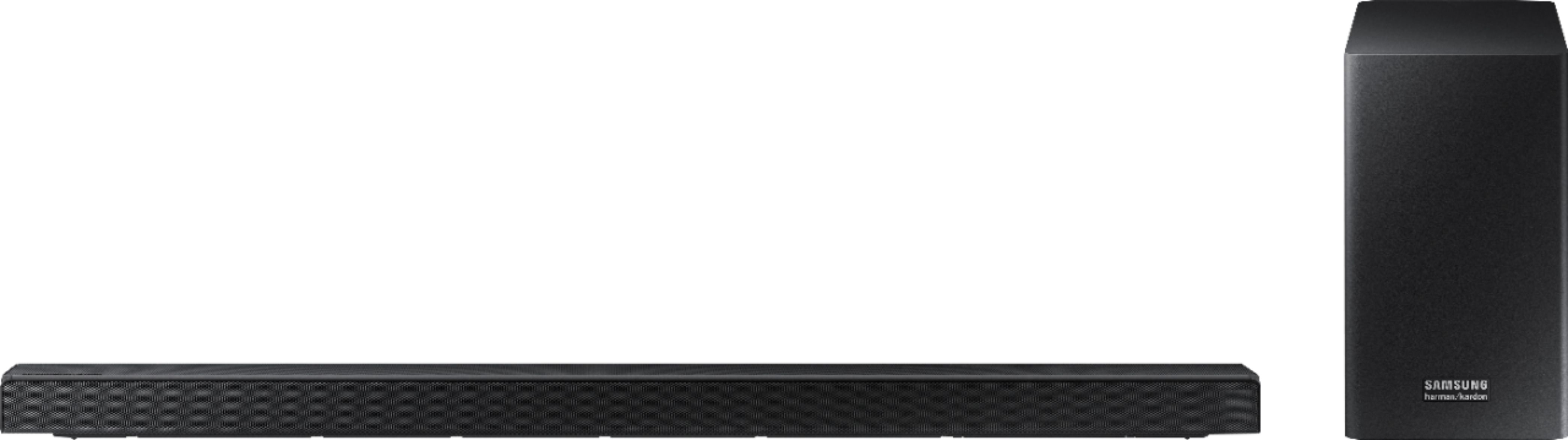
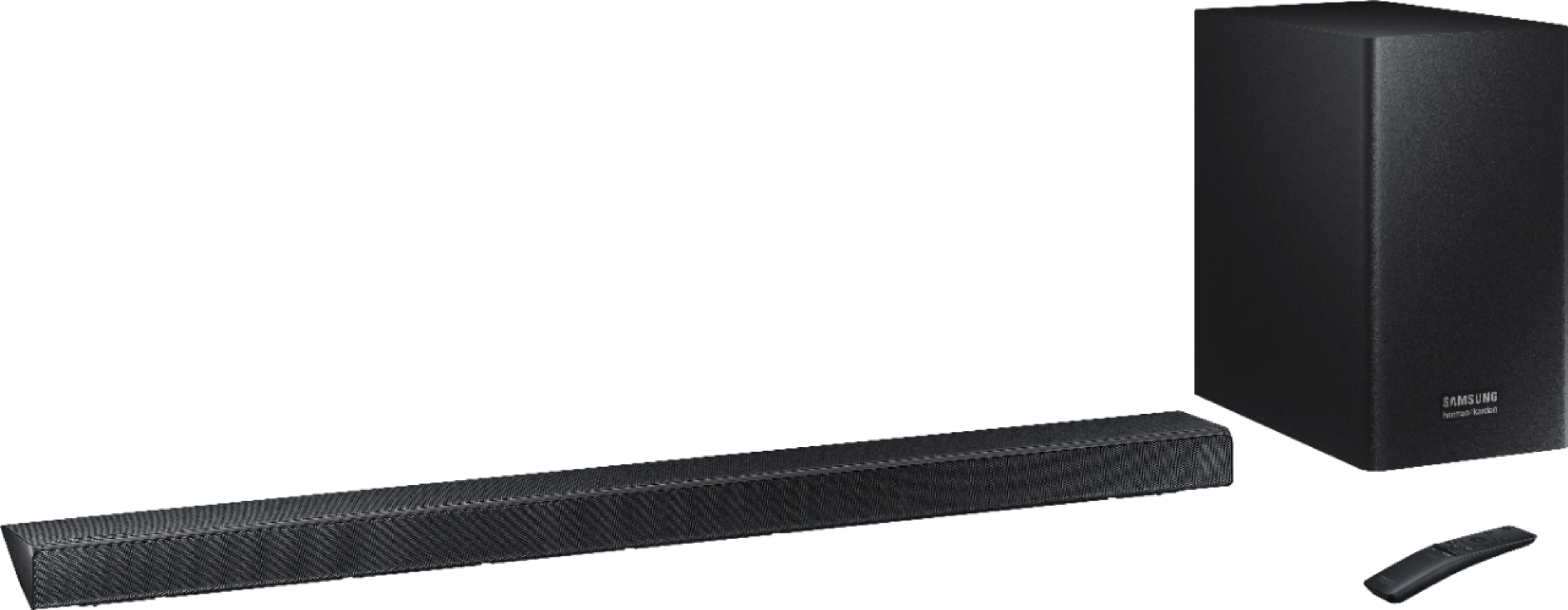


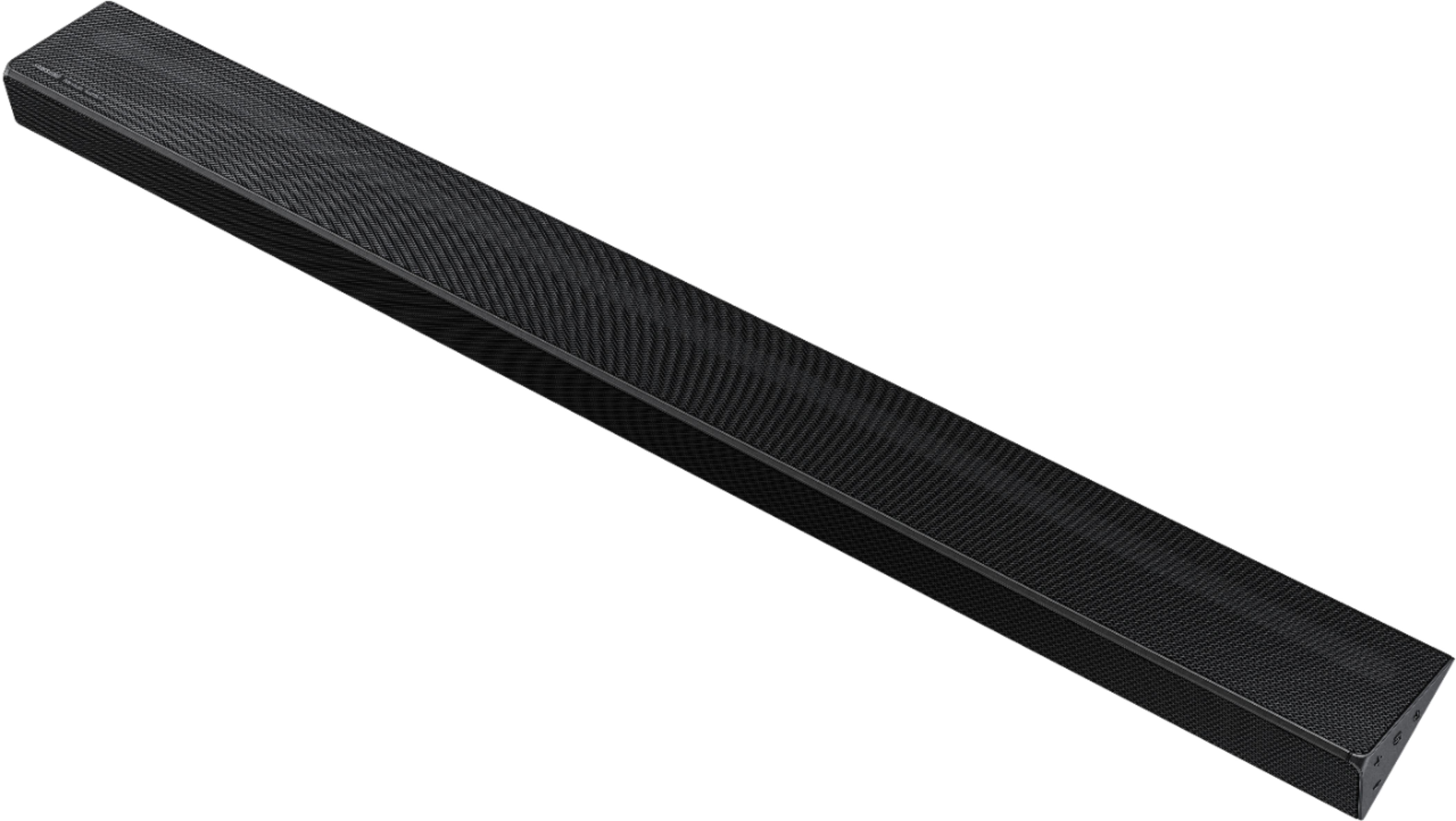

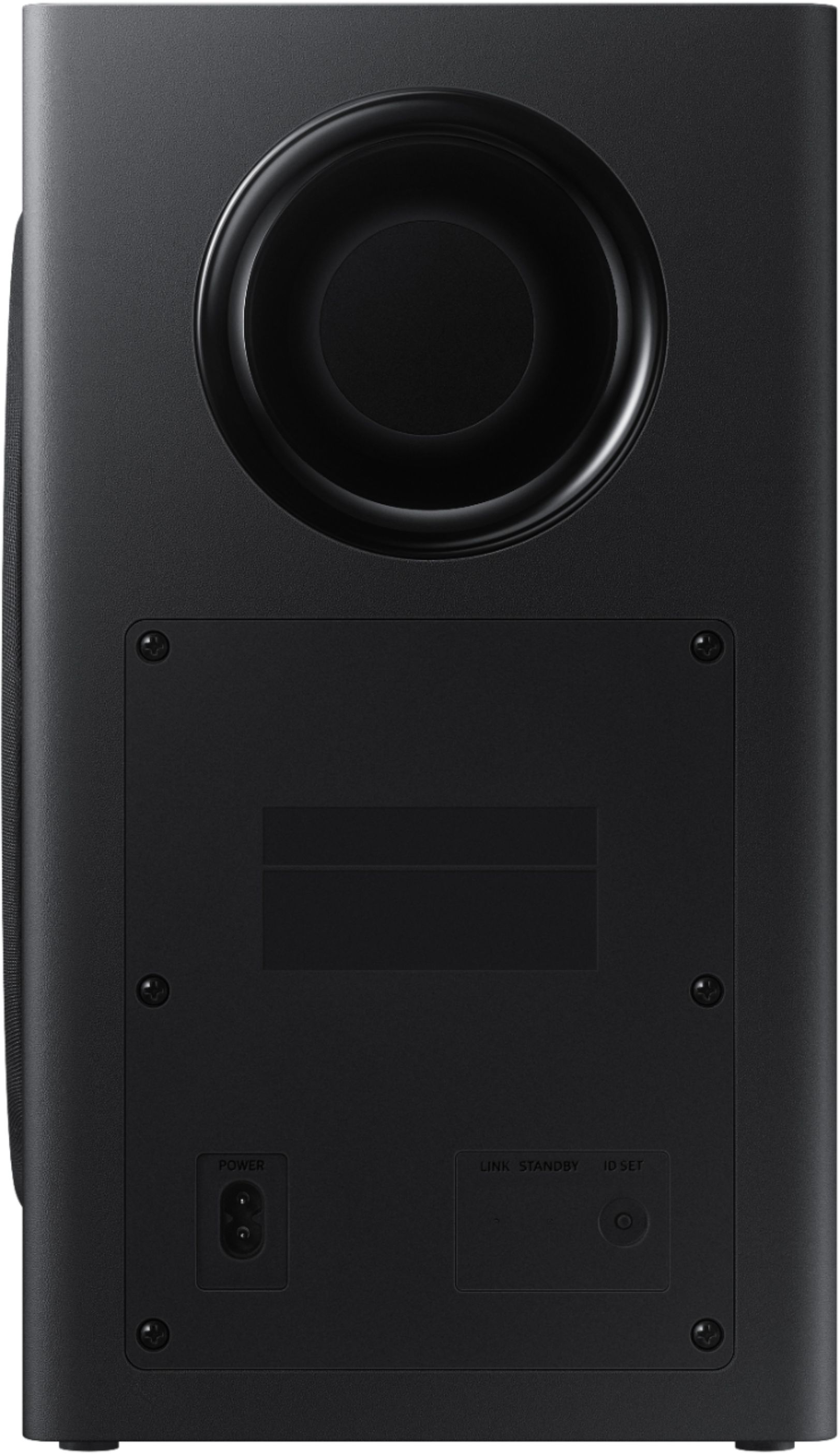
- Model:
- HW-Q60R/ZA
- SKU:
- 6327856
Rating by feature
- Value
Rating 4.4 out of 5 stars
- Quality
Rating 4.6 out of 5 stars
- Ease of Use
Rating 4.6 out of 5 stars
Customers are saying
Customers are enthusiastic about the sound quality, describing it as amazing. They also appreciate the easy setup and the price, calling it a great value for exceptional sound. The bass is praised for being low and powerful. Some customers have expressed concerns about the volume, wishing it could be louder, and a few have mentioned that the soundbar creates an echo with the TV sound. There are also a few comments about the size of the soundbar, with some customers wishing it were smaller.
This summary was generated by AI based on customer reviews.
Great sound set up for our new tv
||Posted . Owned for 2 months when reviewed.This reviewer received promo considerations or sweepstakes entry for writing a review.Perfect addition to our Samsung - 82" LED Smart TV
I would recommend this to a friendGreat mid level sound bar
||Posted . Owned for 1 month when reviewed.This reviewer received promo considerations or sweepstakes entry for writing a review.Good not great performance. Good deal for the price.
I would recommend this to a friendIt’s ok, but....
||Posted . Owned for 1 month when reviewed.This reviewer received promo considerations or sweepstakes entry for writing a review.I have this on A TV in my front room… My game room has the Bose 700 system. Unfortunately Samsung is no comparison to Bose… If you have the means and are looking for premium sound from your television I would highly recommend either the Bose or the Santos.
No, I would not recommend this to a friendBrand response from Samsung
Posted .Prey:
Thank you for sharing your review of the Samsung HW-Q60R Soundbar. I am sorry to see that you are not completely happy with performance.
Our 2019 HW-Q60R Samsung Harman Kardon Soundbar with Samsung Acoustic Beam technology was designed to deliver rich, panoramic sound. A center channel is further dedicated to ensuring dialogue is always clear-sounding. Adaptive Sound mode additionally optimizes sound by analyzing your content and producing the best audio output.
Please try these tips to improve performance:
1) Check that the soundbar is correctly positioned with the SAMSUNG logo facing up towards the ceiling. We have found that many customers are misplacing the soundbar with the SAMSUNG logo perpendicular to the floor (facing you when seated), with the unit resting on the speakers, resulting in muffled sound.
2) Adjust your settings. Refer to pages 22-24 of the User Manual: http://downloadcenter.samsung.com/content/UM/201905/20190502131706388/HW-Q60R_ZC_FullManual_01_ENG_FRA_190227.pdf
...to adjust sounds modes, treble, bass, frequencies, subwoofer, and more.
There are two adjustments that can be made to maximize bass from soundbar and subwoofer:
1) Using the WOOFER button on the remote, you can adjust the volume of the subwoofer between -6 to +6 by toggling the button up or down. To set the subwoofer volume level to 0, press the button down.
2) Adjust the bass control by pressing the SOUND CONTROL button (gear icon) on the remote control, then select BASS to increase the level. You can adjust the volume between -6 to +6 by using the Up/Down buttons.
For precise audio adjustments, you can use the 7-band frequency equalizer to optimize the sound for your room acoustics.
If you need further assistance, please know we are here to help. You can reach Samsung DAV Support via:
1) Phone: 1-800-SAMSUNG (ask for Soundbars)
Available 8AM - 12AM EST (Mon-Fri) / 9AM - 11PM EST (Sat-Sun)
2) LiveChat: https://www.samsung.com/us/support/#contact_us_for_support
3) Facebook Messenger: https://www.facebook.com/samsungsupport
4) Twitter: https://twitter.com/SamsungSupport
The Samsung Members Community is also a great resource for getting help from Samsung moderators and customers: https://us.community.samsung.com/t5/Get-Help/ct-p/get-help
If you have not already done so, we invite you to register your new Samsung product at: https://www.samsung.com/us/support/register/
Registering your product gives you access to easy warranty support, convenient opt-in to special promos & offers, faster troubleshooting & service, and quick notification of system updates.
Not what I expected for the cost that I paid for.
||Posted . Owned for 3 weeks when reviewed.This reviewer received promo considerations or sweepstakes entry for writing a review.Overall the sound bar is okay, the in-store demo isn’t the game once hooked up. I have to turn the sound bar up almost half way just to get some decent sound.
No, I would not recommend this to a friendBrand response from Samsung
Posted .Voltaire:
Thank you for your review of this Samsung HW-Q60 Soundbar. I am very sorry that you are not completely happy with the bass performance.
There are two adjustments that can be made to maximize the potential of the included wireless subwoofer. First is to increase the WOOFER level from the included remote control. Second is to adjust the bass control: Press the Sound Control button (gear icon) on the remote control, then select BASS to increase the level.
Finally, for precise audio adjustments, you can use the 7-band frequency equalizer to optimize the sound for your room acoustics.
I hope these tips help to solve your issue.
If the issue persists, please contact us via any of the below options:
1) Phone: 1-800-SAMSUNG (ask for Soundbars)
Available 8AM - 12AM EST (Mon-Fri) / 9AM - 11PM EST (Sat-Sun)
2) LiveChat or Email: https://www.samsung.com/us/support/#contact_us_for_support
3) Facebook Messenger: https://www.facebook.com/samsungsupport
4) Twitter: https://twitter.com/SamsungSupport
The Samsung Home Theater & Home Audio Community is also a great resource for getting help from Samsung moderators and customers: https://us.community.samsung.com/
If you have not already done so, we invite you to register your new Samsung Soundbar at: https://www.samsung.com/us/support/register/
Registering your product gives you access to easy warranty support, convenient opt-in to special promos & offers, faster troubleshooting & service, and quick notification of system updates.
Samsung is committed to providing the best possible product experience, quality, and value, and we are always here to help with any of your questions or concerns.
- Samsung Solutions
Sound fluctuates
||Posted . Owned for 1 month when reviewed.This reviewer received promo considerations or sweepstakes entry for writing a review.Have noticed the sound cuts out and also does not raise or lower on the all in one remote. Need to have Geek Squad come and check out. Cannot recommend until this problem resolves
No, I would not recommend this to a friendBrand response from Samsung
Posted .Slatts:
Thank you for purchasing the Samsung HW-Q60R Soundbar System. I am sorry to hear that you are experiencing connection issues.
So that we can better understand your setup and troubleshoot your issue, please reach out to Samsung Support at:
1) Phone: 1-800-SAMSUNG
- Available 8AM - 12AM EST (Mon-Fri) / 9AM - 11PM EST (Sat-Sun)
2) LiveChat: https://www.samsung.com/us/support/#contact_us_for_support
3) Facebook Messenger: https://www.facebook.com/samsungsupport
4) Twitter: https://twitter.com/SamsungSupport
5) The Samsung Members Community is also a great resource for getting help from Samsung moderators and customers: https://us.community.samsung.com
If you have not already done so, we invite you to register your new Samsung product at: https://us.community.samsung.com
Registering your product gives you access to easy warranty support, convenient opt-in to special promos and offers, faster troubleshooting and service, and quick notification of system updates.
~ Samsung Solutions
Not impressed
||Posted . Owned for 1 year when reviewed.This reviewer received promo considerations or sweepstakes entry for writing a review.Purchased this sound bar to compliment the sound quality for the Samsung QN75Q70RAFXZA I purchased. The sound bar did not do too much to help, aside from being louder than the tv speakers. The arc cable that came with it did not work right, every other time you would turn on the tv, the sound bar would not be synced. I finally connected it with a hdmi cable, problem was solved. Like my review for the television, the sound is horrible. You cannot hear voices, voices sound muted and hard to make out. I thought I was buying a good television and sound bar, what good is it if you can't hear what is being said.
No, I would not recommend this to a friendMeh
||Posted . Owned for 5 months when reviewed.This reviewer received promo considerations or sweepstakes entry for writing a review.Not happy, should be better especially for the price I paid. Dialog is way too low when compared to sound. Search the internet, audio sources and messed with the settings. Shouldn’t be that hard just to watch a movie.
No, I would not recommend this to a friendSubwoofer not impressive
||Posted . Owned for 1 month when reviewed.This reviewer received promo considerations or sweepstakes entry for writing a review.Bought a Samsung OLED TV and it had poor reviews so I also purchased this sound bar. Not enough of a difference to warrant the 279.00 I spent on it. It was a great price since is regularly cost 499.00 but still not worth the price.
No, I would not recommend this to a friendBrand response from Samsung
Posted .Hiker:
Thank you for purchasing the Samsung HW-Q60R and a Samsung QLED TV.
I am very sorry that you are not completely happy with the bass performance.
There are two adjustments that can be made to maximize bass from soundbar and subwoofer:
1) Using the WOOFER button on the remote, you can adjust the volume of the subwoofer between -6 to +6 by toggling the button up or down. To set the subwoofer volume level to 0, press the button down.
2) Adjust the bass control by pressing the SOUND CONTROL button (gear icon) on the remote control, then select BASS to increase the level. You can adjust the volume between -6 to +6 by using the Up/Down buttons.
For precise audio adjustments, you can use the 7-band frequency equalizer to optimize the sound for your room acoustics.
Refer to pages 22-24 of the User Manual for audio setting adjustments: http://downloadcenter.samsung.com/content/UM/201905/20190502131706388/HW-Q60R_ZC_FullManual_01_ENG_FRA_190227.pdf
...to adjust sounds modes, treble, bass, frequencies, subwoofer, and more.
If we can be of more assistance, please contact us at:
1) Phone: 1-800-SAMSUNG
Available 8AM - 12AM EST (Mon-Fri) / 9AM - 11PM EST (Sat-Sun)
2) LiveChat: https://www.samsung.com/us/support/#contact_us_for_support
3) Facebook Messenger: https://www.facebook.com/samsungsupport
4) Twitter: https://twitter.com/SamsungSupport
5) The Samsung Members Community is also a great resource for getting help from Samsung moderators and customers: https://us.community.samsung.com
If you have not already done so, we invite you to register your new Samsung product at: https://us.community.samsung.com
Registering your product gives you access to easy warranty support, convenient opt-in to special promos and offers, faster troubleshooting and service, and quick notification of system updates.
Disappointed
||Posted . Owned for 3 weeks when reviewed.This reviewer received promo considerations or sweepstakes entry for writing a review.The sound quality is average at best, when we shut the Tv and the sound bar off at the same time ( which the tv shuts down first) the sound bar reverts back to the TV speaker. The bar is not perfectly synced to the TV on all shows.
No, I would not recommend this to a friendBrand response from Samsung
Posted .Indyguy:
Thank you for sharing your user experience of the Samsung HW-Q60R. I am very sorry to hear that performance has been inconsistent and that the soundbar is not perfectly synced to your TV.
Please reach out to Samsung Support so that we can better diagnose your issue and assist towards a solution. You can reach us via:
1) Phone: 1-800-SAMSUNG (ask for Soundbar)
Available 8AM - 12AM EST (Mon-Fri) / 9AM - 11PM EST (Sat-Sun)
2) LiveChat or Email: https://www.samsung.com/us/support/#contact_us_for_support
3) Facebook Messenger: https://www.facebook.com/samsungsupport
4) Twitter: https://twitter.com/SamsungSupport
If you have not already done so, we invite you to register your new Samsung Soundbar at: https://www.samsung.com/us/support/register/
Registering your product gives you access to easy warranty support, convenient opt-in to special promos & offers, faster troubleshooting & service, and quick notification of system updates.
We look forward to hearing from you.
- Samsung Solutions
Its good but not great.
||Posted .This reviewer received promo considerations or sweepstakes entry for writing a review.It is a decent soundbar but not great. I want to take out my all surround Sound receiver and my old passive sound bar to give a modern look. But my 6 year old bar sound a-lot better I will probably install it in my bedroom.
No, I would not recommend this to a friendBrand response from Samsung
Posted .Mrcoffee:
Thank you for purchasing the Samsung HW-Q60R. I'm sorry to see you are not completely happy with performance.
Our 2019 HW-Q60R Samsung Harman Kardon Soundbar with Samsung Acoustic Beam technology was designed to deliver rich, panoramic sound. A center channel is further dedicated to ensuring dialogue is always clear-sounding. Adaptive Sound mode additionally optimizes sound by analyzing your content and producing the best audio output.
Please try these tips to improve performance:
1) Check that the soundbar is correctly positioned with the SAMSUNG logo facing up towards the ceiling. We have found that many customers are misplacing the soundbar with the SAMSUNG logo perpendicular to the floor (facing you when seated), with the unit resting on the speakers, resulting in muffled sound. The SAMSUNG logo should be facing up to the ceiling.
2) Adjust your settings. Refer to pages 22-24 of the User Manual: http://downloadcenter.samsung.com/content/UM/201905/20190502131706388/HW-Q60R_ZC_FullManual_01_ENG_FRA_190227.pdf
...to adjust sounds modes, treble, bass, frequencies, subwoofer, and more.
If we can further help enhance your enjoyment of this soundbar, please know we are here to help. You can reach Samsung DAV Support via:
1) Phone: 1-800-SAMSUNG (ask for Soundbars)
Available 8AM - 12AM EST (Mon-Fri) / 9AM - 11PM EST (Sat-Sun)
2) LiveChat: https://www.samsung.com/us/support/#contact_us_for_support
3) Facebook Messenger: https://www.facebook.com/samsungsupport
4) Twitter: https://twitter.com/SamsungSupport
The Samsung Members Community is also a great resource for getting help from Samsung moderators and customers: https://us.community.samsung.com/t5/Get-Help/ct-p/get-help
If you have not already done so, we invite you to register your new Samsung product at: https://www.samsung.com/us/support/register/
Registering your product gives you access to easy warranty support, convenient opt-in to special promos & offers, faster troubleshooting & service, and quick notification of system updates.
Very Disappointing
||Posted .This reviewer received promo considerations or sweepstakes entry for writing a review.I started to have problems as soon as the Geek Squad installed this soundbar. First, I thought maybe it wasn't compatible with my 2018 Samsung TV as the soundbar is the 2019 model. I contacted Samsung who told me it was compatible. The problem I found was that the TV kept reverting back to TV sound versus sound from the soundbar. Also, sometimes the TV sound and the soundbar were both operating at the same time. Best Buy came out a few times and corrected the situation, only to have it continue. Best Buy also replaced it for a new unit. If you mute the TV, it will automatically go to TV sound when it's unmuted. If I turn the volume down completely instead of muting, I can manage to keep the soundbar on when I turn up the volume again. I can't be positive it's the soundbar problem, but it's possible they did not program my Comcast remote properly. I've given up on it and decided to work with it the best I can.
No, I would not recommend this to a friendBrand response from Samsung
Posted .vwfl:
Thank you for your review of this Samsung HW-Q60R Soundbar. I am very sorry that you are experiencing sound issues with your soundbar
I hope the following tips help to solve your issue.
1. Turn on the Soundbar and press the SOUND MODE button on the remote for 6 seconds. Check that the display shows ON-Bluetooth Power.
2. Do not turn off the Soundbar before turning off the TV. In other words, turn the TV off first, after a while the Soundbar will automatically turn off too.
If the issue persists, please contact us via any of the below options:
1) Phone: 1-800-SAMSUNG (ask for Soundbars) Available 8AM - 12AM EST (Mon-Fri) / 9AM - 11PM EST (Sat-Sun)
2) LiveChat or Email: https://www.samsung.com/us/support/#contact_us_for_support
3) Facebook Messenger: https://www.facebook.com/samsungsupport
4) Twitter: https://twitter.com/SamsungSupport
The Samsung Home Theater & Home Audio Community is also a great resource for getting help from Samsung moderators and customers: https://us.community.samsung.com/
Again, I am very sorry for the inconveniences you have had, and hope that we will hear from you soon.
- Samsung Solutions
.
Was expecting more
||Posted . Owned for 3 weeks when reviewed.This reviewer received promo considerations or sweepstakes entry for writing a review.I was a little disappointed with the sound of 5.1. The remote for the Samsung TV should work with turning on and off the sound bar but only work sometimes. But once the sound bar is turned on manually the remote work great
No, I would not recommend this to a friendBrand response from Samsung
Posted .DNegron:
Thank you for sharing your review of this Samsung Soundbar.
I am sorry to hear that you are having some issues with the remote and with sound quality.
To use the TV remote to control the soundbar, please refer to Page 25 of the User Manual: http://downloadcenter.samsung.com/content/UM/201905/20190502131706388/HW-Q60R_ZC_FullManual_01_ENG_FRA_190227.pdf
For assistance with settings optimized to your usage scenario, please press the SOUND MODE button on the soundbar remote, and then select from: STANDARD, SURROUND SOUND, GAME PRO, or ADAPTIVE SOUND. You can also adjust TREBLE, BASS, and SYNC under SOUND CONTROL (looks like a gear symbol on the remote) settings.
Should you need further assistance, please contact Samsung Customer Support and a representative will gladly help you.
1) Phone: 1-800-SAMSUNG (ask for Soundbars)
Available 8AM - 12AM EST (Mon-Fri) / 9AM - 11PM EST (Sat-Sun)
2) LiveChat or Email: https://www.samsung.com/us/support/#contact_us_for_support
3) Facebook Messenger: https://www.facebook.com/samsungsupport
4) Twitter: https://twitter.com/SamsungSupport
The Samsung Members Community is also a great resource for getting help from Samsung moderators and customers: https://us.community.samsung.com/t5/Get-Help/ct-p/get-help
If you have not already done so, we invite you to register your new Samsung Soundbar at: https://www.samsung.com/us/support/register/
Registering your product gives you access to easy warranty support, convenient opt-in to special promos & offers, faster troubleshooting & service, and quick notification of system updates.
Thought it would be adequate
||Posted . Owned for 3 weeks when reviewed.This reviewer received promo considerations or sweepstakes entry for writing a review.Bought this thinking with 5.1 sound and dedicated center channel for voice would be good. Waited, tweaked it for 2 weeks. Just didn’t have that”wow”. Returned for Q80R. Will review that in detail later
No, I would not recommend this to a friendBrand response from Samsung
Posted .JoeyT:
Thank you for your review of this Samsung HW-Q60R Soundbar System. I am sorry to hear that it did not work out for you and have purchased a different model.
Your feedback is very important to us and will be shared with our product team.
Should you have questions or concern with your new soundbar, please know we are always here to help. You can contact Samsung Customer Support by any of the below options:
1) Phone: 1-800-SAMSUNG (ask for Soundbars)
Available 8AM - 12AM EST (Mon-Fri) / 9AM - 11PM EST (Sat-Sun)
2) LiveChat: https://www.samsung.com/us/support/#contact_us_for_support
3) Facebook Messenger: https://www.facebook.com/samsungsupport
4) Twitter: https://twitter.com/SamsungSupport
5) The Samsung Members Community is also a great resource for getting help from Samsung moderators and customers: https://us.community.samsung.com/t5/Get-Help/ct-p/get-help
Again, thank you for taking the time to share your experience.
~ Samsung Soltions
Good sound system but doesn’t work with Samsung TV
||Posted . Owned for 2 months when reviewed.This reviewer received promo considerations or sweepstakes entry for writing a review.Bought this Samsung soundbar to go with my new Samsung TV but had problems with it. Was constantly hearing an echo. Found out, even with the sound turned off on the TV, when the Soundbar would turn on it somehow was synchronized with the TV and would turn the TV audio back on automatically so a double sound would be heard. Not sure I understand why this was happening but the Bestbuy tech said it would work great with another brand of TV or I could switch to another brand soundbar. I got a JBL soundbar and it’s working great now. Was told this happens a lot with Samsungs.
No, I would not recommend this to a friendBrand response from Samsung
Posted .Gran:
I am very sorry to see that you had issues with echo and soundbar-TV on/off, and that you have returned this product.
Please know that if you ever have questions or need help with a Samsung product, you can reach out to Samsung Support via several options:
1) Phone: 1-800-SAMSUNG
Available 8AM - 12AM EST (Mon-Fri) / 9AM - 11PM EST (Sat-Sun)
2) LiveChat or Email: https://www.samsung.com/us/support/#contact_us_for_support
3) Facebook Messenger: https://www.facebook.com/samsungsupport
4) Twitter: https://twitter.com/SamsungSupport
The Samsung Members Community is also a great resource for getting help from Samsung moderators and customers: https://us.community.samsung.com/t5/Get-Help/ct-p/get-help
Registering your product at https://www.samsung.com/us/support/register/ also gives you access to easy warranty support, convenient opt-in to special promos & offers, faster troubleshooting & service, and quick notification of system updates.
We hope to regain you as a customer.
Sound bar went out
||Posted . Owned for 1.5 years when reviewed.This reviewer received promo considerations or sweepstakes entry for writing a review.This thing sounded great until the 1 year warranty was up. Did get a good deal though. Next time I’ll get the extended warranty.
I would recommend this to a friendDecent Sound - Super annoying lack of audio contro
||Posted . Owned for 3 months when reviewed.This reviewer received promo considerations or sweepstakes entry for writing a review.Sounds great playing music, but watching a movie is horrible. It has no feature that takes it out of surround sound. Vocal dialogue, like in the movies, only comes from the center speaker (unless specified to come out of a specific other speaker). It makes it incredibly hard to hear spoken dialogue during 90% of all movies. I hate it. I wish I could exchange it for something that isn’t so annoying. I’m a technical director - I know audio technology (it’s my industry) - this thing is annoyingly underdeveloped. Don’t buy it.
No, I would not recommend this to a friendNot bad
||Posted . Owned for 1 month when reviewed.This reviewer received promo considerations or sweepstakes entry for writing a review.It sounds good, but for the price I’d have hoped for earc capability or at least more than 1 hdmi port. I ended up returning and went up a mode to the q70r which made quite a difference.
I would recommend this to a friendBrand response from Samsung
Posted .TimB:
Thank you for sharing your review about eARC. Your thoughts are important to us and have been shared with our internal teams.
I'm glad to see the HW-Q70R better fits your needs.
If you should ever need assistance with features, specs, or usage, please know we are here to help. You can reach Samsung Support via:
1) Phone: 1-800-SAMSUNG
Available 8AM - 12AM EST (Mon-Fri) / 9AM - 11PM EST (Sat-Sun)
2) LiveChat: https://www.samsung.com/us/support/#contact_us_for_support
3) Facebook Messenger: https://www.facebook.com/samsungsupport
4) Twitter: https://twitter.com/SamsungSupport
5) The Samsung Members Community is also a great resource for getting help from Samsung moderators and customers: https://us.community.samsung.com
If you have not already done so, we invite you to register your new Samsung product at: https://us.community.samsung.com
Registering your product gives you access to easy warranty support, convenient opt-in to special promos and offers, faster troubleshooting and service, and quick notification of system updates.
- Cons mentioned:Echo
Not very good quality sound. Better than stock tv.
||Posted . Owned for 3 weeks when reviewed.This reviewer received promo considerations or sweepstakes entry for writing a review.Not the harmon kardon quality i expect. Creates echo with tv sound. No bass punch just muffled bass. Better than nothing.
No, I would not recommend this to a friendBrand response from Samsung
Posted .Buyer1:
Thank you for sharing your user experience with this soundbar.
There should not be an echo sound. When you turn on the TV, the TV should turn on the soundbar and automatically switch from TV speakers to soundbar output.
To improve sound performance, please try the below:
1) Check that the soundbar is correctly positioned with the SAMSUNG logo facing up towards the ceiling. We have found that many customers are misplacing the soundbar with the SAMSUNG logo perpendicular to the floor (facing you when seated), with the unit resting on the speakers, resulting in muffled sound.
2) Adjust your settings. Refer to pages 22-24 of the User Manual: http://downloadcenter.samsung.com/content/UM/201905/20190502131706388/HW-Q60R_ZC_FullManual_01_ENG_FRA_190227.pdf
...to adjust sounds modes, treble, bass, frequencies, subwoofer, and more.
If you need further assistance, please know we are here to help. You can reach Samsung DAV Support via:
1) Phone: 1-800-SAMSUNG (ask for Soundbars)
Available 8AM - 12AM EST (Mon-Fri) / 9AM - 11PM EST (Sat-Sun)
2) LiveChat: https://www.samsung.com/us/support/#contact_us_for_support
3) Facebook Messenger: https://www.facebook.com/samsungsupport
4) Twitter: https://twitter.com/SamsungSupport
The Samsung Members Community is also a great resource for getting help from Samsung moderators and customers: https://us.community.samsung.com/t5/Get-Help/ct-p/get-help
If you have not already done so, we invite you to register your new Samsung product at: https://www.samsung.com/us/support/register/
Registering your product gives you access to easy warranty support, convenient opt-in to special promos & offers, faster troubleshooting & service, and quick notification of system updates.
Ok but not the best
||Posted . Owned for 11 months when reviewed.This reviewer received promo considerations or sweepstakes entry for writing a review.I’ve been experiencing issues with clarity. Words are hard to understand. Tried different expensive HDMI cables and still having issues. Do your research.
No, I would not recommend this to a friendOK - Not excellent
||Posted . Owned for 1 month when reviewed.This reviewer received promo considerations or sweepstakes entry for writing a review.I thought the price was kind of high for the power that comes out of it. I could have bought a cheaper one and probably would have had the same output
No, I would not recommend this to a friend