Customer Ratings & Reviews
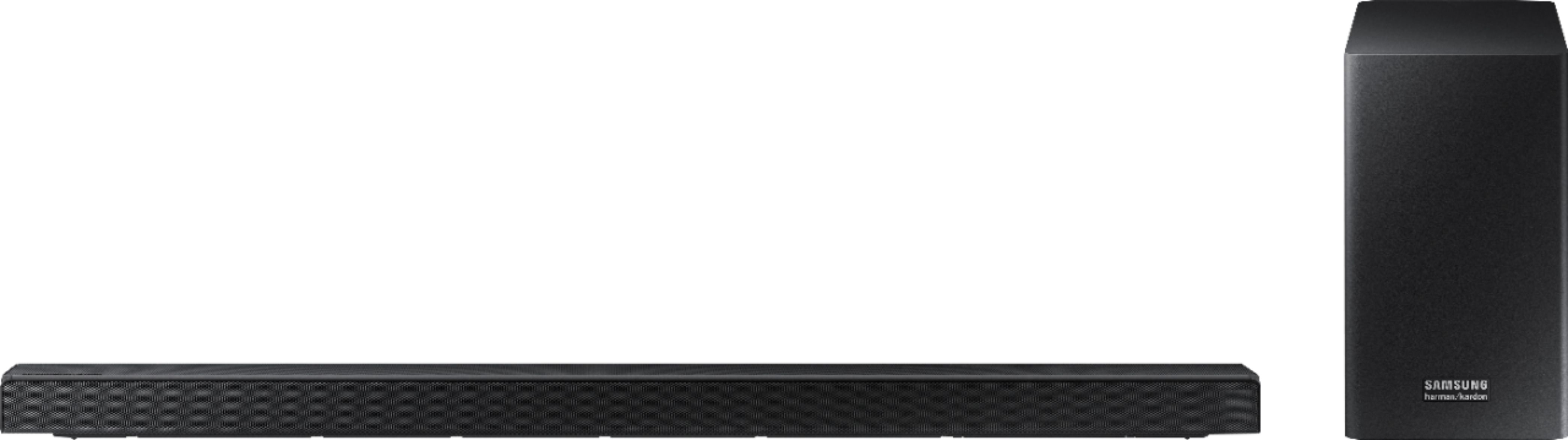
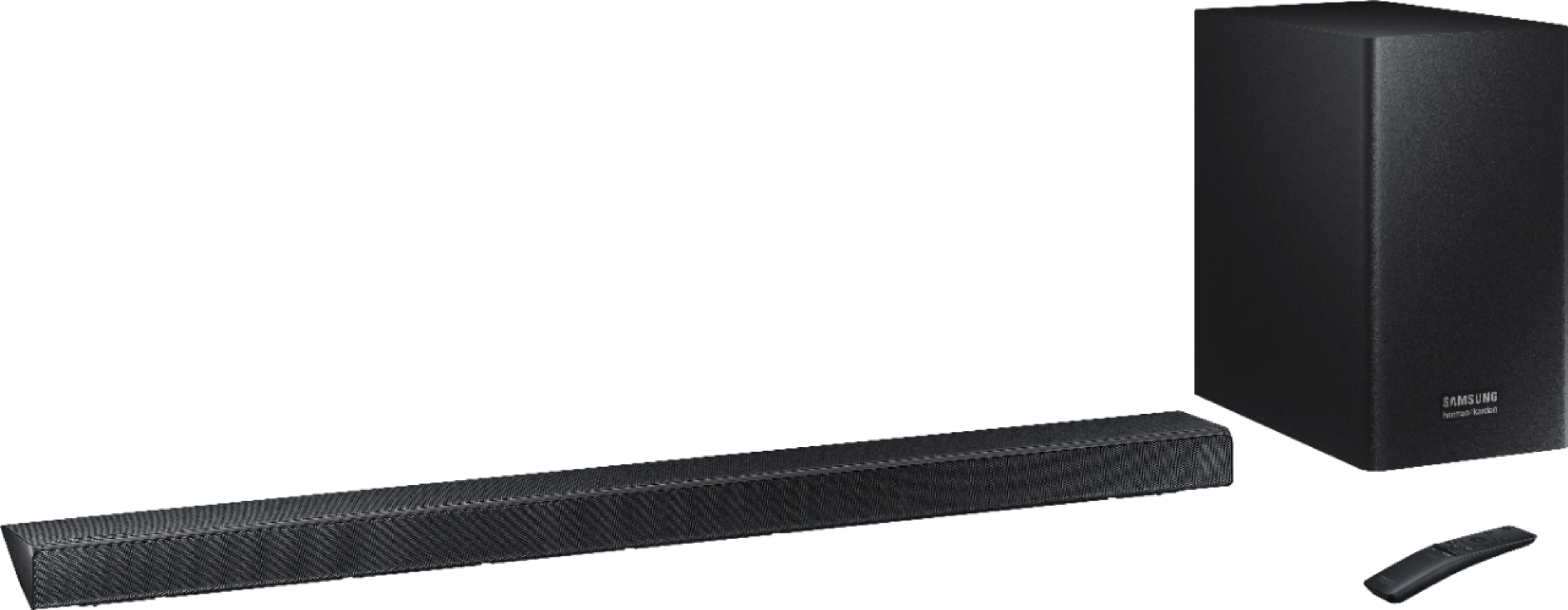



- Model:
- HW-Q60R/ZA
- SKU:
- 6327856
Rating by feature
- Value
Rating 4.4 out of 5 stars
- Quality
Rating 4.6 out of 5 stars
- Ease of Use
Rating 4.6 out of 5 stars
Customers are saying
Customers are enthusiastic about the sound quality, describing it as amazing. They also appreciate the easy setup and the price, calling it a great value for exceptional sound. The bass is praised for being low and powerful. Some customers have expressed concerns about the volume, wishing it could be louder, and a few have mentioned that the soundbar creates an echo with the TV sound. There are also a few comments about the size of the soundbar, with some customers wishing it were smaller.
This summary was generated by AI based on customer reviews.
Doesn’t work.
||Posted .This reviewer received promo considerations or sweepstakes entry for writing a review.I don’t know yet if some setting is causing the problem but can not adjust the volume. It is either mute or full blast. I am not happy
No, I would not recommend this to a friendBrand response from Samsung
Posted .L123:
Thank you for purchasing this Samsung HW-Q60R Soundbar. I am sorry to hear that you are experiencing volume control issues.
Please give us the opportunity to assist you by contacting Samsung Customer Support via any of the below options:
1) Phone: 1-800-SAMSUNG (ask for Soundbars)
Available 8AM - 12AM EST (Mon-Fri) / 9AM - 11PM EST (Sat-Sun)
2) LiveChat or Email: https://www.samsung.com/us/support/#contact_us_for_support
3) Facebook Messenger: https://www.facebook.com/samsungsupport
4) Twitter: https://twitter.com/SamsungSupport
The Samsung Home Theater & Home Audio Community is also a great resource for getting help from Samsung moderators and customers: https://us.community.samsung.com/
If you have not already done so, we invite you to register your new Samsung Soundbar at: https://www.samsung.com/us/support/register/
Registering your product gives you access to easy warranty support, convenient opt-in to special promos & offers, faster troubleshooting & service, and quick notification of system updates.
Again, I am very sorry for the inconveniences you have had, and hope that we will hear from you soon.
- Samsung Solutions
No Bass
||Posted .This reviewer received promo considerations or sweepstakes entry for writing a review.Sounded great in the store, not so great at home. Lacks the bass I am looking for. Originally picked up a JBL unit but salesman said this was a better unit. Paired this with a Q6F.
No, I would not recommend this to a friendBrand response from Samsung
Posted .Sidneyjr:
Thank you for your review of this Samsung HW-Q60 Soundbar. I am very sorry that you are not completely happy with the bass performance.
There are two adjustments that can be made to maximize the potential of the included wireless subwoofer. First is to increase the WOOFER level from the included remote control. Second is to adjust the bass control: Press the Sound Control button (gear icon) on the remote control, then select BASS to increase the level.
Finally, for precise audio adjustments, you can use the 7-band frequency equalizer to optimize the sound for your room acoustics.
I hope these tips help to solve your issue.
If the issue persists, please contact us via any of the below options:
1) Phone: 1-800-SAMSUNG (ask for Soundbars)
Available 8AM - 12AM EST (Mon-Fri) / 9AM - 11PM EST (Sat-Sun)
2) LiveChat or Email: https://www.samsung.com/us/support/#contact_us_for_support
3) Facebook Messenger: https://www.facebook.com/samsungsupport
4) Twitter: https://twitter.com/SamsungSupport
The Samsung Home Theater & Home Audio Community is also a great resource for getting help from Samsung moderators and customers: https://us.community.samsung.com/
If you have not already done so, we invite you to register your new Samsung Soundbar at: https://www.samsung.com/us/support/register/
Registering your product gives you access to easy warranty support, convenient opt-in to special promos & offers, faster troubleshooting & service, and quick notification of system updates.
Samsung is committed to providing the best possible product experience, quality, and value, and we are always here to help with any of your questions or concerns.
- Samsung Solutions
Stopped working just after 1 year warranty
||Posted . Owned for 1 year when reviewed.This reviewer received promo considerations or sweepstakes entry for writing a review.Can you give no stars?? I bought this in March of 2020. It stopped working July of 2021. Tried Samsung support and got nowhere.
No, I would not recommend this to a friendDo not buy!
||Posted . Owned for 2 months when reviewed.This reviewer received promo considerations or sweepstakes entry for writing a review.We were very disappointed in this sound bar. Poor quality sound. Do not recommend.
No, I would not recommend this to a friendBrand response from Samsung
Posted .Riley5:
Thank you for purchasing this Samsung HW-Q60R Soundbar System. I am sorry to hear that you were not completely satisfied with its sound performance.I understand your disappointment and hope that you will give us a chance to assist with troubleshooting to make your audio experience more tailored to your home entertainment environment.
You can reach us via any of the below options:
1) Phone: 1-800-SAMSUNG (ask for Soundbars)
Available 8AM - 12AM EST (Mon-Fri) / 9AM - 11PM EST (Sat-Sun)
2) LiveChat or Email: https://www.samsung.com/us/support/#contact_us_for_support
3) Facebook Messenger: https://www.facebook.com/samsungsupport
4) Twitter: https://twitter.com/SamsungSupport
The Samsung Home Theater & Home Audio Community is also a great resource for getting help from Samsung moderators and customers: https://us.community.samsung.com/
If you have not already done so, we invite you to register your new Samsung Soundbar at: https://www.samsung.com/us/support/register/
Registering your product gives you access to easy warranty support, convenient opt-in to special promos & offers, faster troubleshooting & service, and quick notification of system updates.
We look forward to hearing from you soon.
- Samsung Solutions
Won't respond to remote
||Posted . Owned for 6 months when reviewed.This reviewer received promo considerations or sweepstakes entry for writing a review.Less than 6 mos. old, won't respond to remote at all. Samsung tech support won't respond to text, don't do call support due to covid.
No, I would not recommend this to a friendSamsung Soundbar hw- qq⁰]
||Posted . Owned for less than 1 week when reviewed.This reviewer received promo considerations or sweepstakes entry for writing a review.Soundbar system, although it was open box, did not let me know what was missing. It was missing Remote and one power cable.
No, I would not recommend this to a friendnot impressed and returned
||Posted . Owned for 5 months when reviewed.This reviewer received promo considerations or sweepstakes entry for writing a review.this sound bar did not link to the tv well and the sound had a 4 second delay. ended up returning this and bought the next level up.
No, I would not recommend this to a friendIt SUCKS
||Posted . Owned for 4 months when reviewed.This reviewer received promo considerations or sweepstakes entry for writing a review.Works when it wants to. Just a piece of crap. Don't waste your money on this piece of crap
No, I would not recommend this to a friendBrand response from Samsung
Posted .Nanc:
Thank you for your review of this Samsung Soundbar System. I am sorry to hear that you are experiencing issues with your Samsung HW-Q60R Soundbar.
So that we can better understand your issue and assist you or answer any questions, please contact Samsung Customer Support by any of the below options:
1) Phone: 1-800-SAMSUNG (ask for Soundbars)
Available 8AM - 12AM EST (Mon-Fri) / 9AM - 11PM EST (Sat-Sun)
2) LiveChat: https://www.samsung.com/us/support/#contact_us_for_support
3) Facebook Messenger: https://www.facebook.com/samsungsupport
4) Twitter: https://twitter.com/SamsungSupport
The Samsung Members Community is also a great resource for getting help from Samsung moderators and customers: https://us.community.samsung.com/t5/Get-Help/ct-p/get-help
~ Samsung Solutions
I do not recommend
||Posted . Owned for 2 months when reviewed.This reviewer received promo considerations or sweepstakes entry for writing a review.Keeps disconnecting from my Samsung 8 series tv. Tired of unplugging the tv from power to get reconnected.
No, I would not recommend this to a friendSubwoofer not working
||Posted . Owned for 1 month when reviewed.This reviewer received promo considerations or sweepstakes entry for writing a review.The subwoofer does not connect at all. Tried everything, googled it, youtubed it, asked at the store...nothing.
No, I would not recommend this to a friendBrand response from Samsung
Posted .kinguitos:
I am very sorry to see that you are not able to connect the subwoofer to the soundbar.
The soundbar and subwoofer should connect automatically when they are turned on, making enjoying your entertainment super easy. If for some reason they don't, you can connect manually just as easily.
Note: The subwoofer automatically turns on when you plug in the power cord, and is configured to connect with the included soundbar only.
Connect the power cords for the soundbar and the subwoofer to the back of each, and then plug both into a wall outlet. Turn the Soundbar on, and the subwoofer should begin to connect automatically. When the subwoofer is completely connected, the blue LED LINK Indicator on the subwoofer stops blinking and glows continuously. If the blue LED does not stop blinking, the process has failed.
For manual connection, please follow the below:
1) Connect the power cords for the soundbar and the subwoofer to the back of each, and then plug both into a wall outlet.
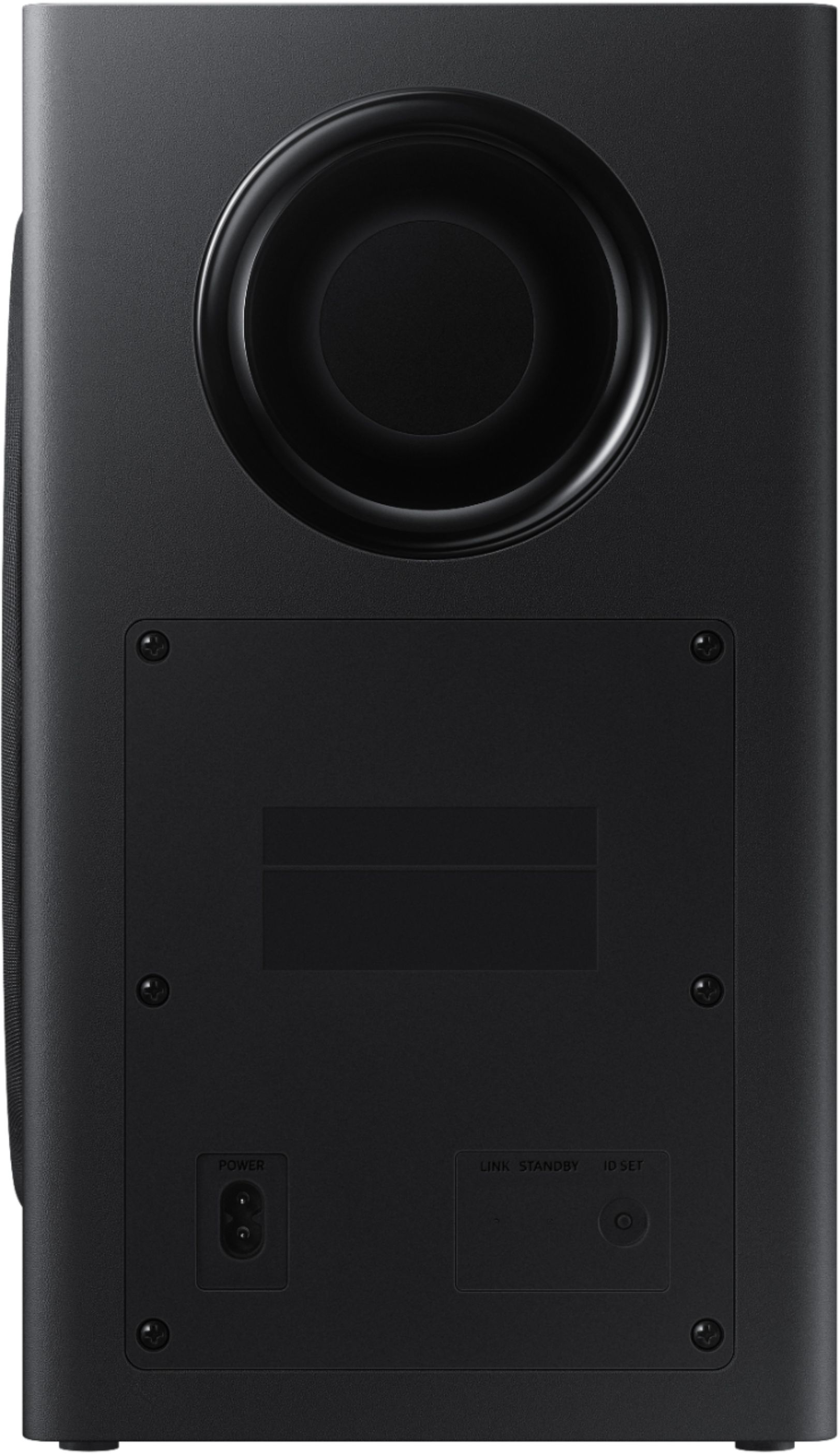
2) Use a small pointed object to press the ID SET button on the back of the subwoofer.
3) Continue holding until STANDBY turns off and LINK (Blue LED) blinks quickly.
4) While the soundbar is turned off, press and hold Mute on the remote control.
5) Continue holding until ID SET appears on the soundbar's display.
6) To finalize the connection, turn on the soundbar while the subwoofer's Blue LED blinks.
7) The main unit and the subwoofer are now connected and the Blue LED should be solid. If the Blue LED is still blinking, the process has failed. Turn off the soundbar and start again from Step 2.
If you need further assistance, please know we are here to help. You can reach Samsung DAV Support via:
1) Phone: 1-800-SAMSUNG (ask for Soundbars)
Available 8AM - 12AM EST (Mon-Fri) / 9AM - 11PM EST (Sat-Sun)
2) LiveChat or Email: https://www.samsung.com/us/support/#contact_us_for_support
3) Facebook Messenger: https://www.facebook.com/samsungsupport
4) Twitter: https://twitter.com/SamsungSupport
The Samsung Members Community is also a great resource for getting help from Samsung moderators and customers: https://us.community.samsung.com/t5/Get-Help/ct-p/get-help
If you have not already done so, we invite you to register your new Samsung product at: https://www.samsung.com/us/support/register/
Registering your product gives you access to easy warranty support, convenient opt-in to special promos & offers, faster troubleshooting & service, and quick notification of system updates.
Could, might have been...
||Posted . Owned for 3 weeks when reviewed.This reviewer received promo considerations or sweepstakes entry for writing a review.My 9 yr. old TV would not support that technology. Best Buy associates/tech support concluded that...
No, I would not recommend this to a friendBrand response from Samsung
Posted .Indy:
Thank you for your review of this Samsung Soundbar System. I am sorry to hear that it did not match the specifications of your TV.
Your feedback is very important to us and will be shared with our product team.
Should you ever have concerns or questions using this soundbar system with a different TV, please know we are always here to help. You can contact Samsung Customer Support by any of the below options:
1) Phone: 1-800-SAMSUNG (ask for Soundbars)
Available 8AM - 12AM EST (Mon-Fri) / 9AM - 11PM EST (Sat-Sun)
2) LiveChat: https://www.samsung.com/us/support/#contact_us_for_support
3) Facebook Messenger: https://www.facebook.com/samsungsupport
4) Twitter: https://twitter.com/SamsungSupport
The Samsung Members Community is also a great resource for getting help from Samsung moderators and customers: https://us.community.samsung.com/t5/Get-Help/ct-p/get-help
Again, thank you for taking the time to share your experience.
~ Samsung Solutions
Wasted Purchase
||Posted . Owned for 11 months when reviewed.This reviewer received promo considerations or sweepstakes entry for writing a review.It died in less than a year. Need I say more. That's a lot of money down the drain.
No, I would not recommend this to a friendGarbage
||Posted . Owned for 3 months when reviewed.This reviewer received promo considerations or sweepstakes entry for writing a review.Constantly disconnects from Samsung Q80 tv. Sometimes the tv remote works volume sometimes not.
No, I would not recommend this to a friendBrand response from Samsung
Posted .Disappointedd:
I am very sorry to see that you are having disconnection issues between your Samsung TV and this soundbar, and unreliable performance with the TV remote controlling the soundbar.
So that we can better troubleshoot these two issues in the context of your specific setup, please reach out to Samsung Home Entertainment Support at:
1) Phone: 1-800-SAMSUNG (ask for Soundbars)
Available 8AM - 12AM EST (Mon-Fri) / 9AM - 11PM EST (Sat-Sun)
2) LiveChat: https://www.samsung.com/us/support/#contact_us_for_support
3) Facebook Messenger: https://www.facebook.com/samsungsupport
4) Twitter: https://twitter.com/SamsungSupport
The Samsung Members Community is also a great resource for getting help from Samsung moderators and customers: https://us.community.samsung.com/t5/Get-Help/ct-p/get-help
To optimize your product experience, we encourage you to register your new Samsung Soundbar at: https://www.samsung.com/us/support/register/
…and gain access to easy warranty support, convenient opt-in to special promos & offers, faster troubleshooting & service, and quick notification of system updates.
We hope to hear from you.
surround sound not the best
||Posted . Owned for 7 months when reviewed.This reviewer received promo considerations or sweepstakes entry for writing a review.This sound bar does not work well with my Q90 TV and I am not happy about it.
No, I would not recommend this to a friendLED display quit after 1 week
||Posted .This reviewer received promo considerations or sweepstakes entry for writing a review.Common problem with LED display. Display quits working
No, I would not recommend this to a friendWorst ever.
||Posted . Owned for 1 month when reviewed.This reviewer received promo considerations or sweepstakes entry for writing a review.Sounds absolutely nothing like it does in store. Never again
No, I would not recommend this to a friendBrand response from Samsung
Posted .Stripedram:
I am very sorry to see that you were not able to enjoy at home the same audio quality you experienced in store. Please reach out to Samsung Support so that we can assist with settings customized to your usage scenario at home.
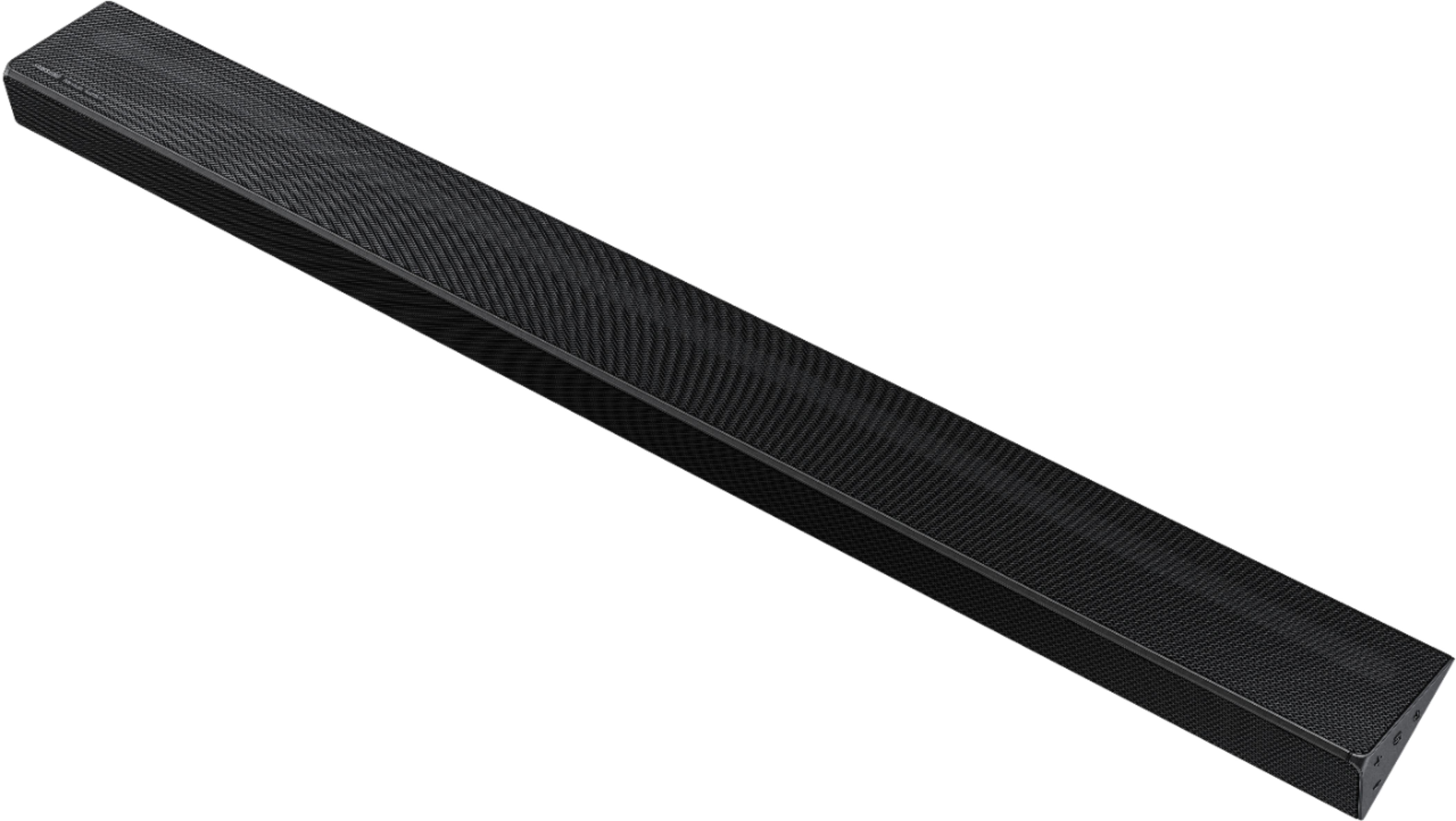
A possible cause for low sound quality may even be that the Soundbar is incorrectly positioned such that the SAMSUNG logo is not facing up towards the ceiling. This is a common mistake.
If you position the soundbar with the logo facing up, you will see the display/status panel and the speakers will be facing outward. (Refer to product photos on BestBuy.com and zoom in on the photos) If you have incorrectly placed the soundbar with the display side down and the SAMSUNG logo facing you when you are seated, you will experience muffled or low quality sound because the unit will be resting on the speakers.
Should you need further assistance, please contact Samsung Customer Support and a representative will gladly help you.
1) Phone: 1-800-SAMSUNG (ask for Soundbars)
Available 8AM - 12AM EST (Mon-Fri) / 9AM - 11PM EST (Sat-Sun)
2) LiveChat or Email: https://www.samsung.com/us/support/#contact_us_for_support
3) Facebook Messenger: https://www.facebook.com/samsungsupport
4) Twitter: https://twitter.com/SamsungSupport
The Samsung Members Community is also a great resource for getting help from Samsung moderators and customers: https://us.community.samsung.com/t5/Get-Help/ct-p/get-help
If you have not already done so, we invite you to register your new Samsung Soundbar at: https://www.samsung.com/us/support/register/
Registering your product gives you access to easy warranty support, convenient opt-in to special promos & offers, faster troubleshooting & service, and quick notification of system updates.
No good sound
||Posted . Owned for 3 weeks when reviewed.This reviewer received promo considerations or sweepstakes entry for writing a review.No no ...
No, I would not recommend this to a friendBrand response from Samsung
Posted .Chris:
I am sorry to see that you are not completely happy with the performance of the HW-Q60R sound system featuring audio-enhancing technologies like Acoustic Beam for directional sound, Adaptive Sound mode to optimize content, and wireless subwoofer for deep bass.
Please try these tips to improve performance:
1) Check that the soundbar is correctly positioned with the SAMSUNG logo facing up towards the ceiling. We have found that many customers are misplacing the soundbar with the SAMSUNG logo perpendicular to the floor (facing you when seated), with the unit resting on the speakers, resulting in muffled sound.
2) Adjust your settings. Refer to pages 22-24 of the User Manual: http://downloadcenter.samsung.com/content/UM/201905/20190502131706388/HW-Q60R_ZC_FullManual_01_ENG_FRA_190227.pdf
...to adjust sounds modes, treble, bass, frequencies, subwoofer, and more.
If you need further assistance, please know we are here to help. You can reach Samsung DAV Support via:
1) Phone: 1-800-SAMSUNG (ask for Soundbars)
Available 8AM - 12AM EST (Mon-Fri) / 9AM - 11PM EST (Sat-Sun)
2) LiveChat: https://www.samsung.com/us/support/#contact_us_for_support
3) Facebook Messenger: https://www.facebook.com/samsungsupport
4) Twitter: https://twitter.com/SamsungSupport
The Samsung Members Community is also a great resource for getting help from Samsung moderators and customers: https://us.community.samsung.com/t5/Get-Help/ct-p/get-help
If you have not already done so, we invite you to register your new Samsung product at: https://www.samsung.com/us/support/register/
Registering your product gives you access to easy warranty support, convenient opt-in to special promos & offers, faster troubleshooting & service, and quick notification of system updates.
Not so great
||Posted . Owned for 2 weeks when reviewed.This reviewer received promo considerations or sweepstakes entry for writing a review.Not what I thought doesn’t make much of a difference
No, I would not recommend this to a friendBrand response from Samsung
Posted .Tony:
I am very sorry to see that performance did not meet your expectations.
Our 2019 HW-Q60R Samsung Harman Kardon Soundbar with Samsung Acoustic Beam technology was designed to deliver rich, panoramic sound. A center channel is further dedicated to ensuring dialogue is always clear-sounding. Adaptive Sound mode additionally optimizes sound by analyzing your content and producing the best audio output.
Please try these tips to improve performance:
1) Check that the soundbar is correctly positioned with the SAMSUNG logo facing up towards the ceiling. We have found that many customers are misplacing the soundbar with the SAMSUNG logo perpendicular to the floor (facing you when seated), with the unit resting on the speakers, resulting in muffled sound.
2) Adjust your settings. Refer to pages 22-24 of the User Manual: http://downloadcenter.samsung.com/content/UM/201905/20190502131706388/HW-Q60R_ZC_FullManual_01_ENG_FRA_190227.pdf
...to adjust sounds modes, treble, bass, frequencies, subwoofer, and more.
If you need further assistance, please know we are here to help. You can reach Samsung DAV Support via:
1) Phone: 1-800-SAMSUNG (ask for Soundbars)
Available 8AM - 12AM EST (Mon-Fri) / 9AM - 11PM EST (Sat-Sun)
2) LiveChat: https://www.samsung.com/us/support/#contact_us_for_support
3) Facebook Messenger: https://www.facebook.com/samsungsupport
4) Twitter: https://twitter.com/SamsungSupport
The Samsung Members Community is also a great resource for getting help from Samsung moderators and customers: https://us.community.samsung.com/t5/Get-Help/ct-p/get-help
If you have not already done so, we invite you to register your new Samsung product at: https://www.samsung.com/us/support/register/
Registering your product gives you access to easy warranty support, convenient opt-in to special promos & offers, faster troubleshooting & service, and quick notification of system updates.
Again, please reach out to us if you need any assistance.
- Pros mentioned:Sound quality
Good for the price.
Posted .This reviewer received promo considerations or sweepstakes entry for writing a review.It’s a nice mid range sound bar sounds pretty good, can be a little finicky connecting to rear satellites at times. Held me over until I decided to buy a premium system.
I would recommend this to a friend - Pros mentioned:Bass, Price
First Sound Bar worth buying.
Posted .This reviewer received promo considerations or sweepstakes entry for writing a review.I looked online for a sound bar and found this one on sale $50 off. Printed out the add and went to my local Best Buy that said they had 2 in stock. I almost bought the Bose until I saw the $1200 price tag attached to it. This one isn't as clear, but it pumps out some bass and I don't need much more for the living room. Great quality for under $500. Great for music and movies.
I would recommend this to a friend