Customer Ratings & Reviews
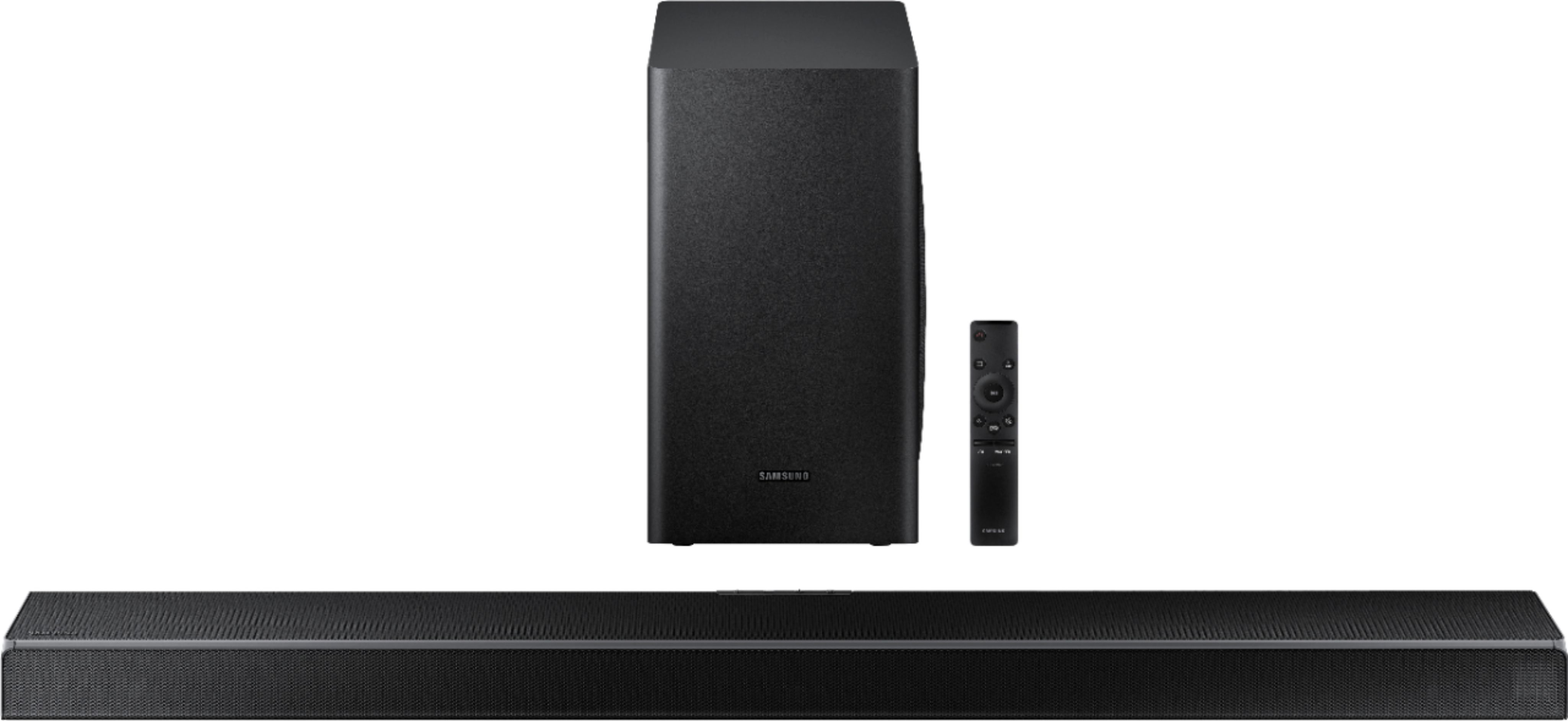
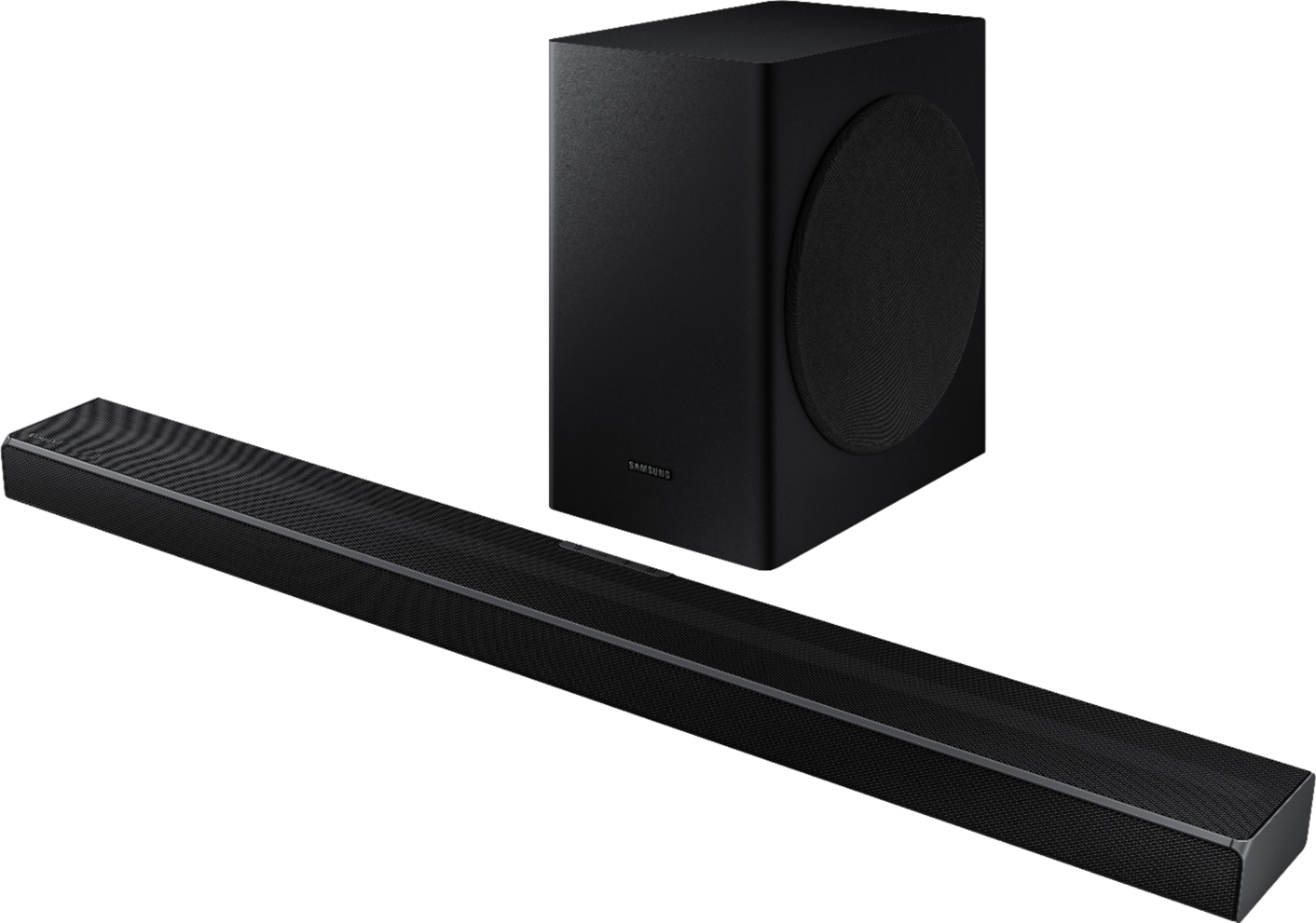

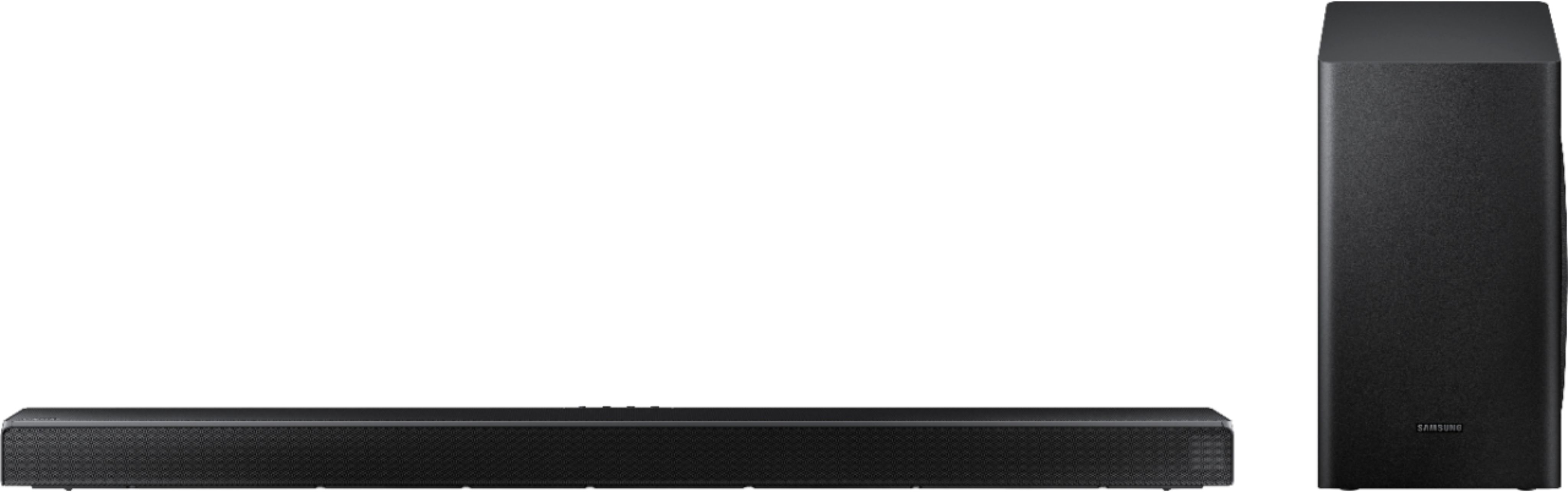

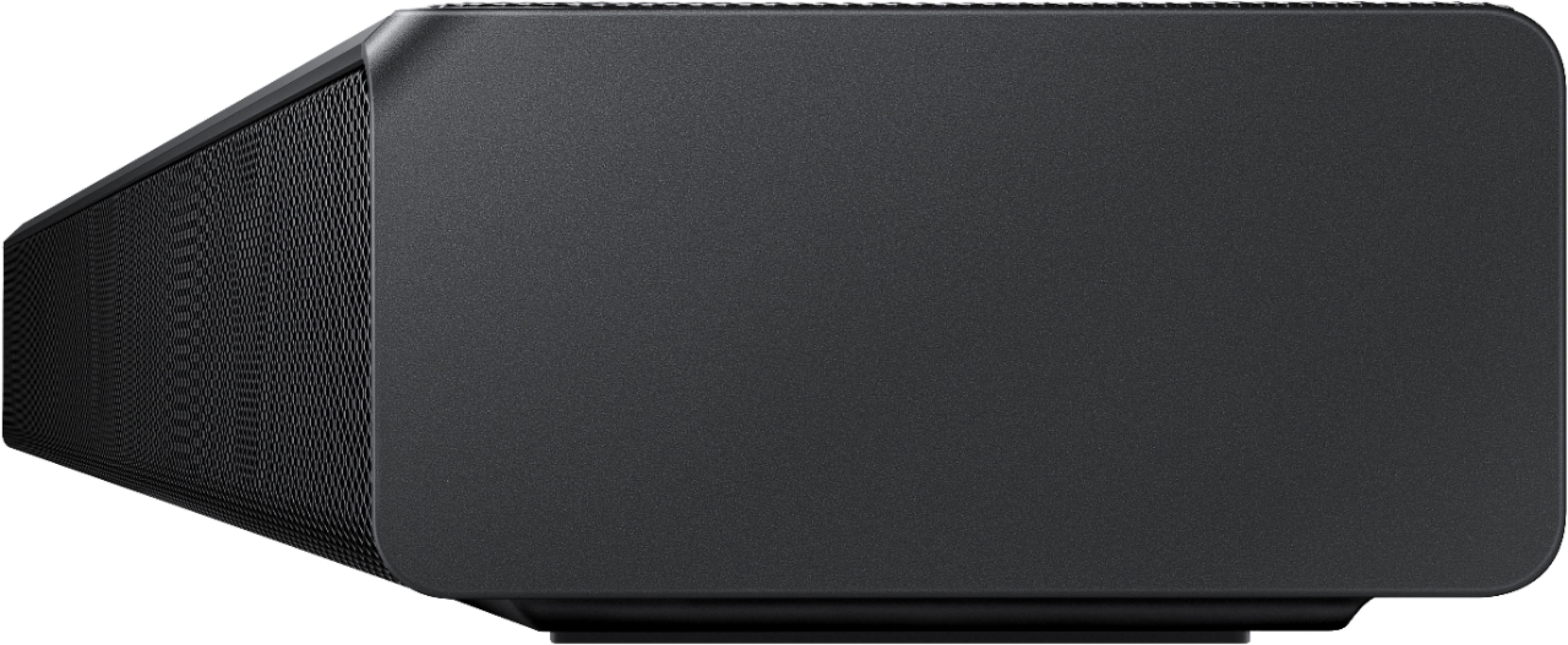



- Model:
- HW-Q60T/ZA
- SKU:
- 6400661
Rating by feature
- Value
Rating 4.4 out of 5 stars
- Quality
Rating 4.5 out of 5 stars
- Ease of Use
Rating 4.6 out of 5 stars
Customers are saying
Customers appreciate the superb sound quality and easy setup of the 5.1-Channel Soundbar. They are pleased with the price-to-value ratio and find that the bass is well-balanced. However, some users have experienced connectivity issues and feel that the volume could be louder.
This summary was generated by AI based on customer reviews.
- Cons mentioned:Connectivity
Use
||Posted . Owned for 10 months when reviewed.This reviewer received promo considerations or sweepstakes entry for writing a review.Was not as advertised was not able to hook up al my systems to it. so it was essentially useless to me.
No, I would not recommend this to a friend When the best have fallen below the mark
||Posted . Owned for 2 months when reviewed.This reviewer received promo considerations or sweepstakes entry for writing a review.Very difficult to adjust the settings. All you get are a lot or bass and treble OR a lot of bass an treble. Don't get me wrong, I am technology savvy and know how to download an instruction book, but when you have neighbors complaining.....this probably isn't the best device to have in an apartment building. Do a lot of research before buying this product. Only giving it 2-stars because I am a Samsung fan, but maybe not anymore!?
No, I would not recommend this to a friendSOUND BAR REVIEW
||Posted .This reviewer received promo considerations or sweepstakes entry for writing a review.I have this sound bar in my 800 sqft apartment. It does a nice job with music, sports, movies and tv shows. The bass is not as powerful as I wish for it to be.
I would recommend this to a friendBrand response from Samsung
Posted .Hi NEWK,
Thank you for your review of this Samsung HW-Q60T Soundbar. I am very sorry that you are not completely happy with the bass performance.
There are two adjustments that can be made to maximize bass from the soundbar and subwoofer:
1) Using the WOOFER button on the remote, you can adjust the volume of the subwoofer between -6 to +6 by toggling the button up or down. To set the subwoofer volume level to 0, press the button in.
2) Adjust the bass control by pressing the SOUND CONTROL button (gear icon) on the remote control, then select BASS to increase the level. You can adjust the volume between -6 to +6 by using the Up/Down buttons.
For precise audio adjustments, you can use the 7-band frequency equalizer to optimize the sound for your room acoustics.
I hope this helps. For further assistance with features, settings, adjustments, or functions please contact Samsung Customer Support at:
1) Phone: 1-800-SAMSUNG, (available 8AM to 12AM EST - 7 days a week)
2) LiveChat: https://www.samsung.com/us/support/#contact_us_for_support
3) Facebook Messenger: https://www.facebook.com/samsungsupport
4) Twitter: https://twitter.com/SamsungSupport
5) The Samsung Members Community is also a great resource for getting help from Samsung moderators and customers: https://us.community.samsung.com
If you have not already done so, we invite you to register your new Samsung product at:
https://www.samsung.com/us/account/signin/?redirect=https%3A%2F%2Fwww.samsung.com%2Fus%2Fsupport%2Fregister%2F
Registering your product gives you access to easy warranty support, convenient opt-in to special promos and offers, faster troubleshooting and service, and quick notification of system updates.
~ Samsung Ambassador
Samsung 5.1 sound bar
||Posted . Owned for 5 months when reviewed.This reviewer received promo considerations or sweepstakes entry for writing a review.Works okay but has a somewhat low bass sound from the subwoofer. It is okay for the price, but it will not rock the house when you turn it up!
No, I would not recommend this to a friendNot so good
||Posted . Owned for 4 months when reviewed.This reviewer received promo considerations or sweepstakes entry for writing a review.Not so great. The first one that was shipped was a second hand one that was porned off as new. The second one I had to pickup at the store cause there wasn't a more online. Now for how it proforms, the subwoofer makes a annoying low tone when no base is emitted when using the HDMI input, and yes I have tried multiple HDMI cables with the same results.
No, I would not recommend this to a friendOnly for certain Samsung TVs (a bad experience)
||Posted . Owned for 1 month when reviewed.This reviewer received promo considerations or sweepstakes entry for writing a review.I Had a Best Buy in home consultation where I purchased many items to include a 70 in TV and this sound bar. I would have hoped the person coming to the house would provide professional recommendations for a sound bar that worked well with the TV (an LG) that I purchased mid Nov and had installed with the sound bar late November 2020. However, he recommended this Samsung sound bar. Unfortunately, it doesn’t sound as good as an older/less expensive sound bar I have on another TV. After doing some research, last night, I’ve now found that this sound bar is optimized for use with certain Samsung TVs and doesn’t use some of its functions with Other brands. A disappointing experience with the sound bar and the Best Buy consolidation.
No, I would not recommend this to a friendBrand response from Samsung
Posted .Hi NOR1,
Thank you for sharing your review of the Samsung HW-Q60T Soundbar. I am sorry to see that you are not completely happy with the sound performance. This soundbar features a powerful wireless subwoofer, as well as Game Pro Mode, Dolby Digital Plus, and DTS Digital Surround for deep bass, rich sound, and clear tones.
You can try optimizing audio performance for your specific content by pressing the SOUND MODE button on your remote, and then selecting the desired sound effect by choosing STANDARD, SURROUND SOUND, GAME PRO, ADAPTIVE SOUND, or DTS VIRTUAL:X.
You can further adjust TREBLE and BASS via the SOUND CONTROL button (looks like a gear symbol).
Refer to pages 22-24 of the User Manual for detailed instructions: https://downloadcenter.samsung.com/content/UM/202004/20200417163727097/HW-Q60T_ZA_FullManual_02_ENG_200219.pdf
If you need further assistance, please know we are here to help. You can reach Samsung Customer Support at:
1) Phone: 1-800-SAMSUNG, (available 8AM to 12AM EST - 7 days a week)
2) LiveChat: https://www.samsung.com/us/support/#contact_us_for_support
3) Facebook Messenger: https://www.facebook.com/samsungsupport
4) Twitter: https://twitter.com/SamsungSupport
5) The Samsung Members Community is also a great resource for getting help from Samsung moderators and customers: https://us.community.samsung.com
If you have not already done so, we invite you to register your new Samsung product at:
https://www.samsung.com/us/account/signin/?redirect=https%3A%2F%2Fwww.samsung.com%2Fus%2Fsupport%2Fregister%2F
Registering your product gives you access to easy warranty support, convenient opt-in to special promos and offers, faster troubleshooting and service, and quick notification of system updates.
~ Samsung Ambassador
Sounds great but complicated
||Posted . Owned for 9 months when reviewed.This reviewer received promo considerations or sweepstakes entry for writing a review.Sound is much improved over Samsung TV alone. However it gets out of sync with TV remote. This is difficult for my elderly parents to resolve.
I would recommend this to a friendDoesn't really give clear voice recognition.
||Posted . Owned for 3 weeks when reviewed.This reviewer received promo considerations or sweepstakes entry for writing a review.We still have to turn it up as sound is not clear on most streaming videos/shows/news. We both aren't deaf....
No, I would not recommend this to a friendBrand response from Samsung
Posted .Katie:
I am very sorry to see that you are not completely happy with the clarity of the sound you are experiencing.
You may want to try Adaptive Sound. Press the Sound Mode button on your remote control and select Adaptive Sound. In Adaptive Sound mode, the soundbar analyzes the content and volume to optimize the audio rendering resulting in clearer dialogue.
Try using Dynamic Range Control (DRC). DRC lets you apply dynamic range control to Dolby Digital tracks. With DRC turned on, loud sounds will be reduced.
1) Turn off your Soundbar.
2) While the Soundbar is off, press and hold the Sound Mode button on the remote control for 6 seconds until you see “DRC ON” shown on the display.
3) To turn off DRC, repeat steps 1 and 2 above.
For further assistance with features, functions, or adjustments to settings, please contact Samsung Customer Support.
1-800-SAMSUNG, Available 8AM -12AM EST (7 Days a Week)
Or visit our Samsung website and click on the SUPPORT link in the upper right corner for:
1) Contact Us Options (LiveChat, Remote Support, Facebook, Twitter)
2) Product Support
3) Manuals and Downloads
4) Warranty Info
5) Product Registration: Registering your product gives you access to easy warranty support, convenient opt-in to special promos and offers, faster troubleshooting and service, and quick notification of system updates
6) Samsung Community: A great resource for getting help from Samsung moderators and customers and more
7) …and more product, repair, order, and care options
Again, thank you for taking the time to share your thoughts on this product. Your feedback helps us continuously deliver best-in-class products and service.
~ Samsung Solutions
Sound bar.
||Posted . Owned for 1 month when reviewed.This reviewer received promo considerations or sweepstakes entry for writing a review.The demo model in the store was great. Unfortunately, I had to return it because my ancient LG plasma did not have any output audio connections.
I would recommend this to a friendBrand response from Samsung
Posted .Hello OldMan,
Thank you for your review of the Samsung HW-Q60T Soundbar System. I am sorry to hear that it did not work out for you and have returned your unit. I understand your disappointment.
Your feedback is very important to us and will be shared with our product team.
Please know that should you ever need assistance with settings or adjustments with a future Samsung purchase to optimize your sound experience, Samsung Customer Support is here to help.
1) Phone: 1-800-SAMSUNG, (available 8AM to 12AM EST - 7 days a week)
2) LiveChat: https://www.samsung.com/us/support/#contact_us_for_support
3) Facebook Messenger: https://www.facebook.com/samsungsupport
4) Twitter: https://twitter.com/SamsungSupport
5) The Samsung Members Community is also a great resource for getting help from Samsung moderators and customers: https://us.community.samsung.com
~ Samsung Ambassador
Good for small room.
||Posted . Owned for 1 year when reviewed.This reviewer received promo considerations or sweepstakes entry for writing a review.Loud enough for a small room. Bought for living room but had to move to bedroom since it was not loud enough for the living room.
I would recommend this to a friendGood - Not Great
||Posted .This reviewer received promo considerations or sweepstakes entry for writing a review.Hooked up easy, delivery from BB was very good. Sound is just ok, but not really noticeably better than the TV speakers. TV is a 70" Samsung
No, I would not recommend this to a friendBrand response from Samsung
Posted .Hi Soundbar,
Thank you for sharing your review of the Samsung HW-Q60T Soundbar. I am sorry to see that you are not completely happy with the sound performance. This soundbar features a powerful wireless subwoofer, as well as Game Pro Mode, Dolby Digital Plus, and DTS Digital Surround for deep bass, rich sound, and clear tones.
You can try optimizing audio performance for your specific content by pressing the SOUND MODE button on your remote, and then selecting the desired sound effect by choosing STANDARD, SURROUND SOUND, GAME PRO, ADAPTIVE SOUND, or DTS VIRTUAL:X.
You can further adjust TREBLE and BASS via the SOUND CONTROL button (looks like a gear symbol).
There are two adjustments that can be made to maximize bass from the soundbar and subwoofer:
1) Using the WOOFER button on the remote, you can adjust the volume of the subwoofer between -6 to +6 by toggling the button up or down. To set the subwoofer volume level to 0, press the button in.
2) Adjust the bass control by pressing the SOUND CONTROL button (gear icon) on the remote control, then select BASS to increase the level. You can adjust the volume between -6 to +6 by using the Up/Down buttons.
For precise audio adjustments, you can use the 7-band frequency equalizer to optimize the sound for your room acoustics.
Refer to pages 22-24 of the User Manual for detailed instructions: https://downloadcenter.samsung.com/content/UM/202004/20200417163727097/HW-Q60T_ZA_FullManual_02_ENG_200219.pdf
If you need further assistance, please know we are here to help. You can reach Samsung Customer Support at:
1) Phone: 1-800-SAMSUNG, (available 8AM to 12AM EST - 7 days a week)
2) LiveChat: https://www.samsung.com/us/support/#contact_us_for_support
3) Facebook Messenger: https://www.facebook.com/samsungsupport
4) Twitter: https://twitter.com/SamsungSupport
5) The Samsung Members Community is also a great resource for getting help from Samsung moderators and customers: https://us.community.samsung.com
If you have not already done so, we invite you to register your new Samsung product at:
https://www.samsung.com/us/account/signin/?redirect=https%3A%2F%2Fwww.samsung.com%2Fus%2Fsupport%2Fregister%2F
Registering your product gives you access to easy warranty support, convenient opt-in to special promos and offers, faster troubleshooting and service, and quick notification of system updates.
~ Samsung Ambassador
It good enough
||Posted . Owned for 1 month when reviewed.This reviewer received promo considerations or sweepstakes entry for writing a review.It’s was alright The sales person sold me this one but there were other ones at a better price and way better he was just trying to sale me this one
I would recommend this to a friendBrand response from Samsung
Posted .Dave88:
Thank you for purchasing the 2020 Samsung HW-Q60T Soundbar. Your soundbar’s Adaptive Sound feature optimizes sound based on each scene and lets you hear voices clearly at low volumes. With Dolby Audio and DTS Virtual:X, sounds are rich and robust, creating a 3D surround sound experience. Feel like you’re part of the scene with sharp, realistic sound.
Should you ever have any questions or concerns or need help with settings or features, please contact Samsung Customer Support.
1) Phone: 1-800-SAMSUNG, (available 8AM to 12AM EST - 7 days a week)
2) LiveChat: https://www.samsung.com/us/support/#contact_us_for_support
3) Facebook Messenger: https://www.facebook.com/samsungsupport
4) Twitter: https://twitter.com/SamsungSupport
5) The Samsung Members Community is also a great resource for getting help from Samsung moderators and customers: https://us.community.samsung.com
If you have not already done so, we invite you to register your new Samsung product at:
https://www.samsung.com/us/account/signin/?redirect=https%3A%2F%2Fwww.samsung.com%2Fus%2Fsupport%2Fregister%2F&user=dsr-registration
Registering your product gives you access to easy warranty support, convenient opt-in to special promos and offers, faster troubleshooting and service, and quick notification of system updates.
~ Samsung Solutions
Acoustic
||Posted . Owned for 2 weeks when reviewed.This reviewer received promo considerations or sweepstakes entry for writing a review.Sound doesn't seem that clear to me. Purchased it and paired it with my Samsung TV but overall I'm not sure why the sound seems dull and not crisp.
No, I would not recommend this to a friendBrand response from Samsung
Posted .ChelleJ:
I am sorry to see that you are not completely happy with the performance of your HW-Q60T sound system
Our 2020 HW-Q60T 5.1ch Acoustic Beam Soundbar was designed to deliver immersive 3D sound. Speakers firing from the front, side, and top brings the surround sound to life. Adaptive Sound automatically analyzes the sound signal to optimize sound based on each scene including voices at the lowest volumes.
You can try optimizing audio performance for your specific content by pressing the SOUND MODE button on your remote, and then selecting the desired sound effect by choosing STANDARD, SURROUND SOUND, GAME, or ADAPTIVE SOUND.
You can further adjust TREBLE and BASS via the SOUND CONTROL button (looks like a gear symbol).
If you need further assistance, please know we are here to help. You can reach Samsung Customer Support at:
1) Phone: 1-800-SAMSUNG, (available 8AM to 12AM EST - 7 days a week)
2) LiveChat: https://www.samsung.com/us/support/#contact_us_for_support
3) Facebook Messenger: https://www.facebook.com/samsungsupport
4) Twitter: https://twitter.com/SamsungSupport
5) The Samsung Members Community is also a great resource for getting help from Samsung moderators and customers: https://us.community.samsung.com
If you have not already done so, we invite you to register your new Samsung product at:
https://www.samsung.com/us/account/signin/?redirect=https%3A%2F%2Fwww.samsung.com%2Fus%2Fsupport%2Fregister%2F&user=dsr-registration
Registering your product gives you access to easy warranty support, convenient opt-in to special promos and offers, faster troubleshooting and service, and quick notification of system updates.
~ Samsung Solutions
Never used
||Posted . Owned for 1 month when reviewed.This reviewer received promo considerations or sweepstakes entry for writing a review.Was an open box purchase, but since it did not have any accessories or instructions, I returned immediately. Never took it home or used.
I would recommend this to a friendNeeds performance
||Posted . Owned for less than 1 week when reviewed.This reviewer received promo considerations or sweepstakes entry for writing a review.The sound it's ok..I found out the audio optix wire it's not included..only the HDMI cable and this one get disconnected most of the time ..
No, I would not recommend this to a friendBrand response from Samsung
Posted .Hi Modort,
Thank you for purchasing the Samsung HW-Q60T and for your review. I am sorry that you are experiencing connections issues. Please make sure you are running the latest firmware update which includes improved connectivity. You can update your firmware ver.1003.6 by Auto Update, or by using a USB device.
If you are occasionally not hearing any sound from your soundbar. You may want to check that the cable connection is not loose. Remove the cable and connect again.
You may also want to initialize your soundbar again by pressing the - + (volume) buttons at the same time for at least 5 seconds. “INIT” appears on the display when the soundbar is initialized.
Should you need further assistance with this issue, or have any questions about features or operation, please know that Samsung is here to help. You can contact us via any of the below options:
1) Phone: 1-800-SAMSUNG, (available 8AM to 12AM EST - 7 days a week)
2) LiveChat: https://www.samsung.com/us/support/#contact_us_for_support
3) Facebook Messenger: https://www.facebook.com/samsungsupport
4) Twitter: https://twitter.com/SamsungSupport
5) The Samsung Members Community is also a great resource for getting help from Samsung moderators and customers: https://us.community.samsung.com
If you have not already done so, we invite you to register your new Samsung product at:
https://www.samsung.com/us/account/signin/?redirect=https%3A%2F%2Fwww.samsung.com%2Fus%2Fsupport%2Fregister%2F
Registering your product gives you access to easy warranty support, convenient opt-in to special promos and offers, faster troubleshooting and service, and quick notification of system updates.
~ Samsung Ambassador
- Cons mentioned:Volume
Nope, nope and nope.
||Posted . Owned for 3 weeks when reviewed.This reviewer received promo considerations or sweepstakes entry for writing a review.I tried to go this route to clean up the setup without luck. Horrible volume. Lack of bass, even with a powered sub. Even with my Samsung TV, HDMI ARC was flaky causing constant glitches in sound source changes from TV. I went back to my wired Yamaha receiver with Martin Logan speakers.
No, I would not recommend this to a friendBrand response from Samsung
Posted .TipsyKraken:
Thank you for sharing your review of the Samsung HW-Q60T Soundbar. I am sorry to see that you are not completely happy with the sound performance. This soundbar features a powerful wireless subwoofer, as well as Game Pro Mode, Dolby Digital Plus, and DTS Digital Surround for deep bass, rich sound, and clear tones.
You can try optimizing audio performance for your specific content by pressing the SOUND MODE button on your remote, and then selecting the desired sound effect by choosing STANDARD, SURROUND SOUND, GAME PRO, ADAPTIVE SOUND, or DTS VIRTUAL:X.
You can further adjust TREBLE and BASS via the SOUND CONTROL button (looks like a gear symbol).
If you need further assistance, please know we are here to help. You can reach Samsung Customer Support at:
1) Phone: 1-800-SAMSUNG, (available 8AM to 12AM EST - 7 days a week)
2) LiveChat: https://www.samsung.com/us/support/#contact_us_for_support
3) Facebook Messenger: https://www.facebook.com/samsungsupport
4) Twitter: https://twitter.com/SamsungSupport
5) The Samsung Members Community is also a great resource for getting help from Samsung moderators and customers: https://us.community.samsung.com
If you have not already done so, we invite you to register your new Samsung product at:
https://www.samsung.com/us/account/signin/?redirect=https%3A%2F%2Fwww.samsung.com%2Fus%2Fsupport%2Fregister%2F
Registering your product gives you access to easy warranty support, convenient opt-in to special promos and offers, faster troubleshooting and service, and quick notification of system updates.
~ Samsung Solutions
It’s average sound
||Posted . Owned for less than 1 week when reviewed.This reviewer received promo considerations or sweepstakes entry for writing a review.Most want a all around loud but quality sound well this will work for those in a small setting but for a big room or so then go with more quality.
No, I would not recommend this to a friendBrand response from Samsung
Posted .MrsDorsey:
Thank you for sharing your review of the Samsung HW-Q60T Soundbar. I am sorry to see that you are not completely happy with the sound performance. This soundbar features a powerful wireless subwoofer, as well as Game Mode, Dolby Digital Plus, and DTS Digital Surround for deep bass, rich sound, and clear tones.
You can try optimizing audio performance for your specific content by pressing the SOUND MODE button on your remote, and then selecting the desired sound effect by choosing STANDARD, SURROUND SOUND, GAME, or SMART.
You can further adjust TREBLE and BASS via the SOUND CONTROL button (looks like a gear symbol).
Refer to pages 22-24 of the User Manual for detailed instructions: https://downloadcenter.samsung.com/content/UM/202004/20200417163727097/HW-Q60T_ZA_FullManual_02_ENG_200219.pdf
If you need further assistance, please know we are here to help. You can reach Samsung Customer Support via:
1) Phone: 1-800-SAMSUNG, Available 8AM -12AM EST (7 Days a Week)
2) LiveChat: https://www.samsung.com/us/support/#contact_us_for_support
3) Facebook Messenger: https://www.facebook.com/samsungsupport
4) Twitter: https://twitter.com/SamsungSupport
5) The Samsung Members Community is also a great resource for getting help from Samsung moderators and customers: https://us.community.samsung.com
If you have not already done so, we invite you to register your new Samsung product at: https://www.samsung.com/us/account/signin/?redirect=https%3A%2F%2Fwww.samsung.com%2Fus%2Fsupport%2Fregister%2F
Registering your product gives you access to easy warranty support, convenient opt-in to special promos and offers, faster troubleshooting and service, and quick notification of system updates.
~ Samsung Solutions
It’s ok
||Posted . Owned for 2 weeks when reviewed.This reviewer received promo considerations or sweepstakes entry for writing a review.The sound bar system sounds good. However once my TV remote synced the sound bar remote became inactivity... still trying to get it to work.
No, I would not recommend this to a friendBrand response from Samsung
Posted .Danny:
Thank you for purchasing the Samsung HW-Q60T Soundbar. As long as your soundbar is connected to your TV with either an optical cable or HDMI via ARC, you can control the volume and mute the soundbar using your Samsung TV's remote.
1) Use the TV remote to navigate to Settings, select Sound, and then select Sound Output on your Samsung TV.
2) Select your Samsung soundbar, and then select Close. Now you can use your TV remote to adjust volume and mute the soundbar. The soundbar should also turn on and off with the TV.
By default, Samsung TV remotes should be able to control Samsung soundbars. If it isn't working, be sure the soundbar is powered on, and then press and hold the WOOFER button up until "ON - TV REMOTE" appears on the display (about 5 seconds). Next, you'll need to choose between connecting with an optical cable or an HDMI cable.
You can refer to this article for further details: https://www.samsung.com/us/support/answer/ANS00049279/
For any other questions or concerns you may have, please contact Samsung Customer Support:
1) Phone: 1-800-SAMSUNG, (available 8AM to 12AM EST - 7 days a week)
2) LiveChat: https://www.samsung.com/us/support/#contact_us_for_support
3) Facebook Messenger: https://www.facebook.com/samsungsupport
4) Twitter: https://twitter.com/SamsungSupport
5) The Samsung Members Community is also a great resource for getting help from Samsung moderators and customers: https://us.community.samsung.com
If you have not already done so, we invite you to register your new Samsung product at:
https://www.samsung.com/us/account/signin/?redirect=https%3A%2F%2Fwww.samsung.com%2Fus%2Fsupport%2Fregister%2F&user=dsr-registration
Registering your product gives you access to easy warranty support, convenient opt-in to special promos and offers, faster troubleshooting and service, and quick notification of system updates.
~ Samsung Solutions
Not very loud
||Posted . Owned for 1 month when reviewed.This reviewer received promo considerations or sweepstakes entry for writing a review.I bought the Samsung because our tv is Samsung, it isn’t as loud as I thought it would be. The look of it is nice. Easy to connect.
No, I would not recommend this to a friendBrand response from Samsung
Posted .Hi Stiles,
I am sorry to see that you are not completely happy with the performance of your Samsung HW-Q60T Soundbar. Our 2020 HW-Q60T 5.1ch Acoustic Beam Soundbar was designed to deliver immersive 3D sound. Speakers firing from the front, side, and top brings the surround sound to life.
Adaptive Sound automatically analyzes the sound signal to optimize sound based on each scene including voices at the lowest volumes.
You can try optimizing audio performance for your specific content by pressing the SOUND MODE button on your remote, and then selecting the desired sound effect by choosing STANDARD, SURROUND SOUND, GAME, or ADAPTIVE SOUND.
You can further adjust TREBLE and BASS via the SOUND CONTROL button (looks like a gear symbol).
There are two adjustments that can be made to maximize bass from the soundbar and subwoofer:
1) Using the WOOFER button on the remote, you can adjust the volume of the subwoofer between -6 to +6 by toggling the button up or down. To set the subwoofer volume level to 0, press the button in.
2) Adjust the bass control by pressing the SOUND CONTROL button (gear icon) on the remote control, then select BASS to increase the level. You can adjust the volume between -6 to +6 by using the Up/Down buttons.
For precise audio adjustments, you can use the 7-band frequency equalizer to optimize the sound for your room acoustics.
I hope this helps. For further assistance with features, settings, adjustments, or functions please contact Samsung Customer Support.
1) Phone: 1-800-SAMSUNG, (available 8AM to 12AM EST - 7 days a week)
2) LiveChat: https://www.samsung.com/us/support/#contact_us_for_support
3) Facebook Messenger: https://www.facebook.com/samsungsupport
4) Twitter: https://twitter.com/SamsungSupport
5) The Samsung Members Community is also a great resource for getting help from Samsung moderators and customers: https://us.community.samsung.com
If you have not already done so, we invite you to register your new Samsung product at:
https://www.samsung.com/us/account/signin/?redirect=https%3A%2F%2Fwww.samsung.com%2Fus%2Fsupport%2Fregister%2F
Registering your product gives you access to easy warranty support, convenient opt-in to special promos and offers, faster troubleshooting and service, and quick notification of system updates.
~ Samsung Ambassador
Sound quality is there, but no Bass
||Posted . Owned for less than 1 week when reviewed.This reviewer received promo considerations or sweepstakes entry for writing a review.Really great system but lacks atmos and bass. I would recommend if youre not into bass that much and pair it with the rear speakers.
I would recommend this to a friendBrand response from Samsung
Posted .Hi Ashwin,,
Thank you for your review of this Samsung HW-Q60T Soundbar. I am very sorry that you are not completely happy with the bass performance.
There are two adjustments that can be made to maximize bass from the soundbar and subwoofer:
1) Using the WOOFER button on the remote, you can adjust the volume of the subwoofer between -6 to +6 by toggling the button up or down. To set the subwoofer volume level to 0, press the button in.
2) Adjust the bass control by pressing the SOUND CONTROL button (gear icon) on the remote control, then select BASS to increase the level. You can adjust the volume between -6 to +6 by using the Up/Down buttons.
For precise audio adjustments, you can use the 7-band frequency equalizer to optimize the sound for your room acoustics.
I hope this helps. For further assistance with features, settings, adjustments, or functions please contact Samsung Customer Support.
For further assistance, please contact Samsung Customer Support.
1) Phone: 1-800-SAMSUNG, (available 8AM to 12AM EST - 7 days a week)
2) LiveChat: https://www.samsung.com/us/support/#contact_us_for_support
3) Facebook Messenger: https://www.facebook.com/samsungsupport
4) Twitter: https://twitter.com/SamsungSupport
5) The Samsung Members Community is also a great resource for getting help from Samsung moderators and customers: https://us.community.samsung.com
If you have not already done so, we invite you to register your new Samsung product at:
https://www.samsung.com/us/account/signin/?redirect=https%3A%2F%2Fwww.samsung.com%2Fus%2Fsupport%2Fregister%2F
Registering your product gives you access to easy warranty support, convenient opt-in to special promos and offers, faster troubleshooting and service, and quick notification of system updates.
~ Samsung Ambassador