Customer Ratings & Reviews
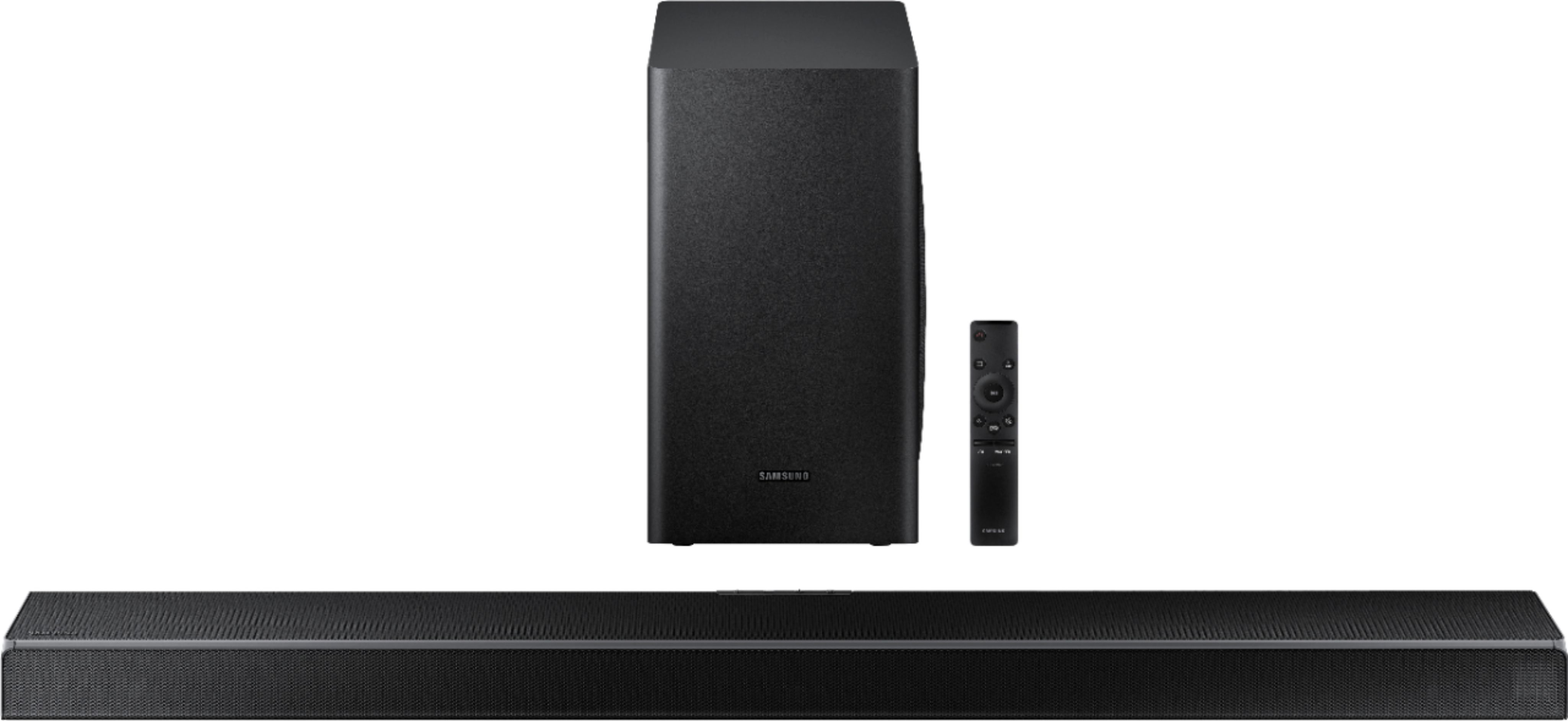
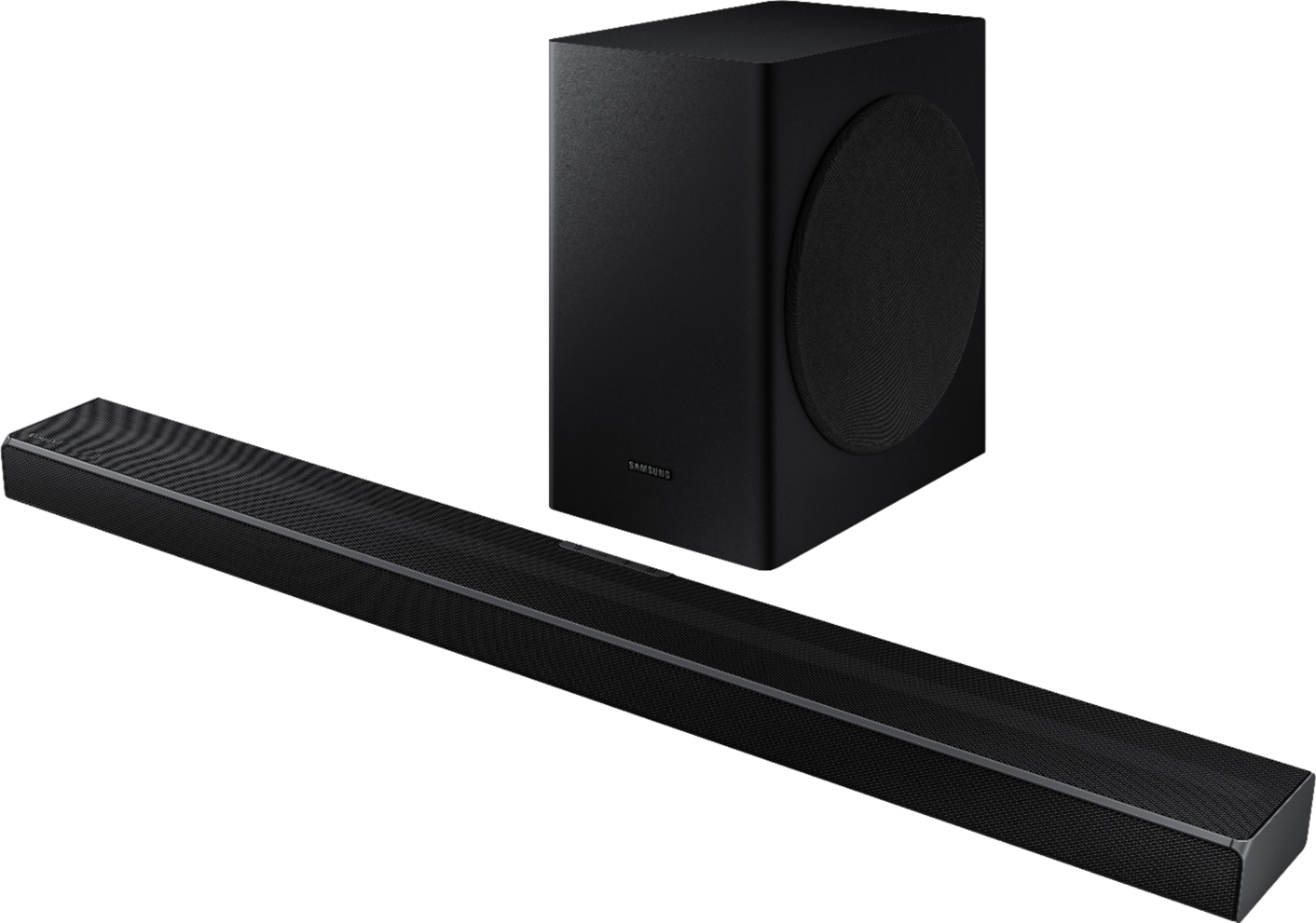

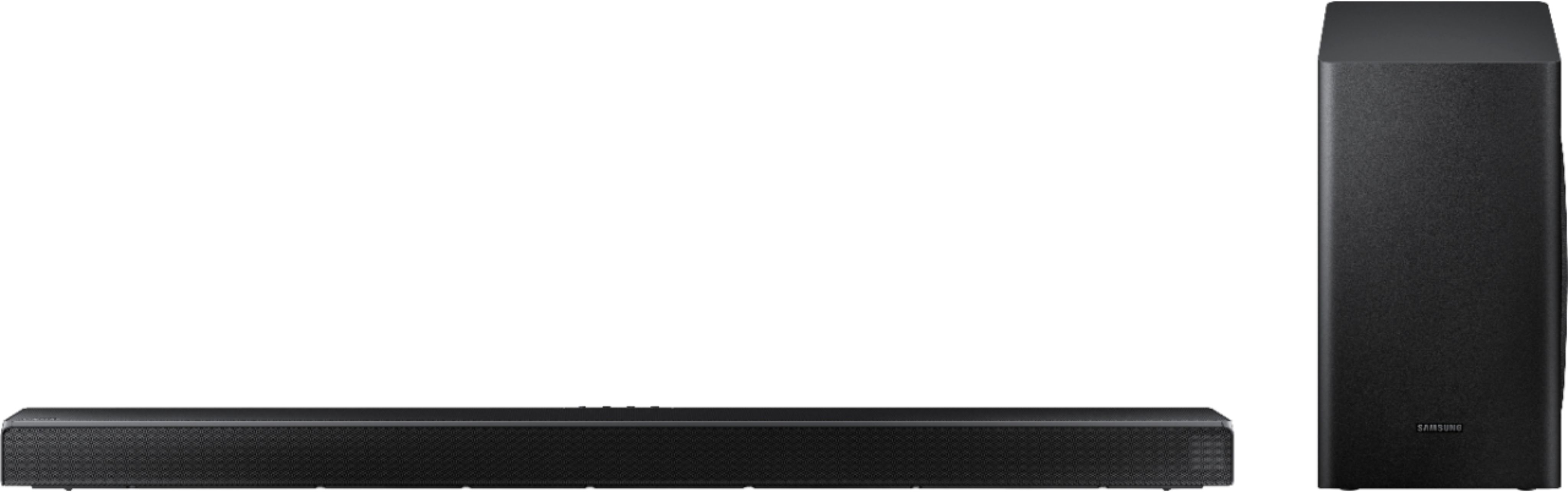

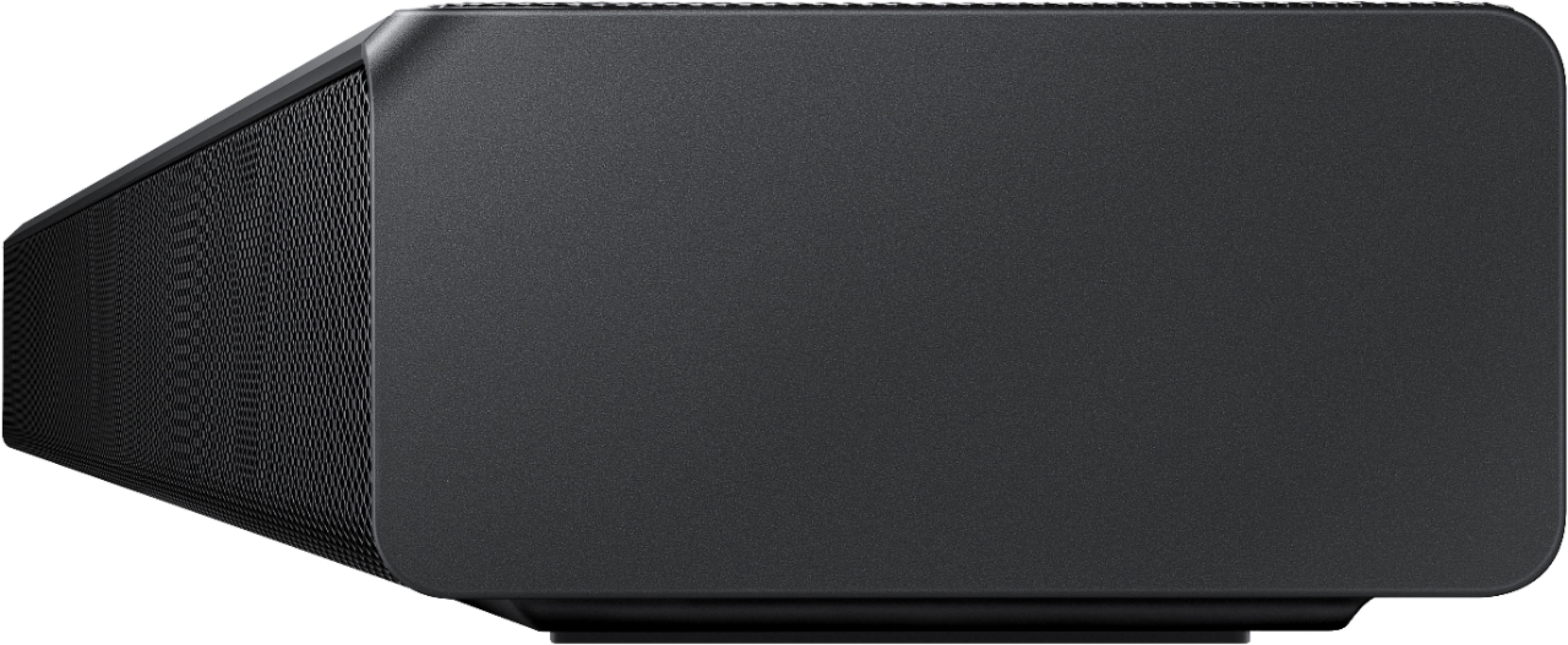



- Model:
- HW-Q60T/ZA
- SKU:
- 6400661
Rating by feature
- Value
Rating 4.4 out of 5 stars
- Quality
Rating 4.5 out of 5 stars
- Ease of Use
Rating 4.6 out of 5 stars
Customers are saying
Customers appreciate the superb sound quality and easy setup of the 5.1-Channel Soundbar. They are pleased with the price-to-value ratio and find that the bass is well-balanced. However, some users have experienced connectivity issues and feel that the volume could be louder.
This summary was generated by AI based on customer reviews.
- Cons mentioned:Volume
Living room
||Posted . Owned for 4 months when reviewed.This reviewer received promo considerations or sweepstakes entry for writing a review.It's not what I wanted I wanted something louder much louder so I wish I did more research
No, I would not recommend this to a friendBrand response from Samsung
Posted .Hi Raigan,
Thank you for sharing your thoughts on the Samsung HW-Q60T Soundbar. I am sorry that you are not completely happy with the volume output on this model.
For assistance with settings that are best suited to your specific usage scenario, please reach out to us at:
1) Phone: 1-800-SAMSUNG, (available 8AM to 12AM EST - 7 days a week)
2) LiveChat: https://www.samsung.com/us/support/#contact_us_for_support
3) Facebook Messenger: https://www.facebook.com/samsungsupport
4) Twitter: https://twitter.com/SamsungSupport
5) The Samsung Members Community is also a great resource for getting help from Samsung moderators and customers: https://us.community.samsung.com
Also, please know that room size does play a factor in choosing the appropriate soundbar for your desired audio expectations. Samsung does offer various soundbar systems ranging from 2.1Ch 200W systems to 7.1.4Ch 512W systems, as well as Rear Loudspeaker Kits.
For our complete lineup, please visit: https://www.samsung.com/us/televisions-home-theater/home-theater/
Thanks for choosing Samsung.
~ Samsung Ambassador
This purchase was a mistake
||Posted . Owned for 1 month when reviewed.This reviewer received promo considerations or sweepstakes entry for writing a review.Not at all the quality I expected, the sound cuts in and out. I wish I would have returned it and got another LG like I had previously. This was not even worth the price I paid for it on sale, nothing is more annoying that sound going in and out while you are watching tv. This happens no matter what type of connection I use and on all the different sound settings. When it does work, the sound quality is average.
No, I would not recommend this to a friendBrand response from Samsung
Posted .Hi Nikki903,
Thank you for your review of this Samsung HW-Q60T Soundbar. I am sorry to hear that you are experiencing the sound cutting in and out. It may be due to connection issues.
There are a few things you may want to check:
1) The maximum wireless signal transmission distance is about 33 ft.
2) If there is a wall between the sound bar and the subwoofer it may cause interference or not work at all depending on the material in the wall.
3) If there is a device that uses the same wireless frequency near the Soundbar, interference may cause some sound interruption.
4) Check all of the sources on the soundbar. If the audio is dropping while watching TV it could be an issue with the broadcast.
5) Also, please be sure you have the latest firmware update, ver. 1003.6. You can update your firmware by using a USB device.
Should you need further assistance with this issue, or have any questions about features or operation, please know that Samsung is here to help.
For further assistance, please contact Samsung Customer Support.
1) Phone: 1-800-SAMSUNG, (available 8AM to 12AM EST - 7 days a week)
2) LiveChat: https://www.samsung.com/us/support/#contact_us_for_support
3) Facebook Messenger: https://www.facebook.com/samsungsupport
4) Twitter: https://twitter.com/SamsungSupport
5) The Samsung Members Community is also a great resource for getting help from Samsung moderators and customers: https://us.community.samsung.com
If you have not already done so, we invite you to register your new Samsung product at:
https://www.samsung.com/us/account/signin/?redirect=https%3A%2F%2Fwww.samsung.com%2Fus%2Fsupport%2Fregister%2F
Registering your product gives you access to easy warranty support, convenient opt-in to special promos and offers, faster troubleshooting and service, and quick notification of system updates.
~ Samsung Ambassador
- Pros mentioned:Sound quality
Needs work
||Posted .This reviewer received promo considerations or sweepstakes entry for writing a review.Sound was good. Connection was terrible. It took almost forever connect with the subwoofer.
No, I would not recommend this to a friendBrand response from Samsung
Posted .SamsungAddict,
Thank you for sharing your user experience with the HW-Q60T Samsung Soundbar. I am sorry to hear that you experienced issues connecting the subwoofer.
Please make sure you are running the latest firmware update which includes improved connectivity. You can update your firmware ver. 1017.5 by Auto Update, using the SmartThings app, or by using a USB device.
If there is anything we can do to improve your enjoyment to 5 stars -- such as helping to optimize settings for your specific usage scenario -- please let us know. You can reach Samsung Customer Support at:
1) Phone: 1-800-SAMSUNG, (available 8AM to 12AM EST - 7 days a week)
2) LiveChat: https://www.samsung.com/us/support/#contact_us_for_support
3) Facebook Messenger: https://www.facebook.com/samsungsupport
4) Twitter: https://twitter.com/SamsungSupport
5) The Samsung Members Community is also a great resource for getting help from Samsung moderators and customers: https://us.community.samsung.com
If you have not already done so, we invite you to register your new Samsung product at:
https://www.samsung.com/us/account/signin/?redirect=https%3A%2F%2Fwww.samsung.com%2Fus%2Fsupport%2Fregister%2F
Registering your product gives you access to easy warranty support, convenient opt-in to special promos and offers, faster troubleshooting and service, and quick notification of system updates.
~ Samsung Ambassador
Best bang for your buck
||Posted . Owned for 6 months when reviewed.This reviewer received promo considerations or sweepstakes entry for writing a review.It’s okay not the best but I’d say for the price can’t complain good for smaller rooms lacks something when in bigger rooms
I would recommend this to a friendBrand response from Samsung
Posted .Hi Abo95,
Thank you for sharing your review of the Samsung HW-Q60T Soundbar. I am sorry to see that you are not completely happy with the sound performance. This soundbar features a powerful wireless subwoofer, as well as Game Pro Mode, Dolby Digital Plus, and DTS Digital Surround for deep bass, rich sound, and clear tones.
You can try optimizing audio performance for your specific content by pressing the SOUND MODE button on your remote, and then selecting the desired sound effect by choosing STANDARD, SURROUND SOUND, GAME PRO, ADAPTIVE SOUND, or DTS VIRTUAL:X.
You can further adjust TREBLE and BASS via the SOUND CONTROL button (looks like a gear symbol).
There are two adjustments that can be made to maximize bass from the soundbar and subwoofer:
1) Using the WOOFER button on the remote, you can adjust the volume of the subwoofer between -6 to +6 by toggling the button up or down. To set the subwoofer volume level to 0, press the button in.
2) Adjust the bass control by pressing the SOUND CONTROL button (gear icon) on the remote control, then select BASS to increase the level. You can adjust the volume between -6 to +6 by using the Up/Down buttons.
For precise audio adjustments, you can use the 7-band frequency equalizer to optimize the sound for your room acoustics.
Refer to pages 22-24 of the User Manual for detailed instructions: https://downloadcenter.samsung.com/content/UM/202004/20200417163727097/HW-Q60T_ZA_FullManual_02_ENG_200219.pdf
If you need further assistance, please know we are here to help. You can reach Samsung Customer Support at:
1) Phone: 1-800-SAMSUNG, (available 8AM to 12AM EST - 7 days a week)
2) LiveChat: https://www.samsung.com/us/support/#contact_us_for_support
3) Facebook Messenger: https://www.facebook.com/samsungsupport
4) Twitter: https://twitter.com/SamsungSupport
5) The Samsung Members Community is also a great resource for getting help from Samsung moderators and customers: https://us.community.samsung.com
If you have not already done so, we invite you to register your new Samsung product at:
https://www.samsung.com/us/account/signin/?redirect=https%3A%2F%2Fwww.samsung.com%2Fus%2Fsupport%2Fregister%2F
Registering your product gives you access to easy warranty support, convenient opt-in to special promos and offers, faster troubleshooting and service, and quick notification of system updates.
~ Samsung Ambassador
Overrated
||Posted . Owned for 3 weeks when reviewed.This reviewer received promo considerations or sweepstakes entry for writing a review.Sound bar is ok. Woofer is overrated with basic tv stations. Garbles men’s voices so need to turn off when watching standard shows.
No, I would not recommend this to a friendBrand response from Samsung
Posted .Xxxx:
Thank you for sharing your review of the Samsung HW-Q60T Soundbar. I am sorry to see that you are not completely happy with the sound performance. This soundbar features a powerful wireless subwoofer, as well as Game Pro Mode, Dolby Digital Plus, and DTS Digital Surround for deep bass, rich sound, and clear tones.
You can try optimizing audio performance for your specific content by pressing the SOUND MODE button on your remote, and then selecting the desired sound effect by choosing STANDARD, SURROUND SOUND, GAME PRO, ADAPTIVE SOUND, or DTS VIRTUAL:X.
You can further adjust TREBLE and BASS via the SOUND CONTROL button (looks like a gear symbol).
Refer to pages 22-24 of the User Manual for detailed instructions: https://downloadcenter.samsung.com/content/UM/202004/20200417163727097/HW-Q60T_ZA_FullManual_02_ENG_200219.pdf
If you need further assistance, please know we are here to help. You can reach Samsung Customer Support at:
1) Phone: 1-800-SAMSUNG, (available 8AM to 12AM EST - 7 days a week)
2) LiveChat: https://www.samsung.com/us/support/#contact_us_for_support
3) Facebook Messenger: https://www.facebook.com/samsungsupport
4) Twitter: https://twitter.com/SamsungSupport
5) The Samsung Members Community is also a great resource for getting help from Samsung moderators and customers: https://us.community.samsung.com
If you have not already done so, we invite you to register your new Samsung product at:
https://www.samsung.com/us/account/signin/?redirect=https%3A%2F%2Fwww.samsung.com%2Fus%2Fsupport%2Fregister%2F&user=dsr-registration
Registering your product gives you access to easy warranty support, convenient opt-in to special promos and offers, faster troubleshooting and service, and quick notification of system updates.
~ Samsung Solutions
Not great with highs or lows
||Posted . Owned for less than 1 week when reviewed.This reviewer received promo considerations or sweepstakes entry for writing a review.I was excited about getting this based off the reviews. But was very disappointed. I'm pretty picky when it comes to sound quality. I don't need top of the line, but I do want nice crisp high notes and some low end to balance it out. This lacked both. It was full of a lot of mid-range notes. I hooked it up next to my current older LG 2.1 system and there was no comparison. I paid less than half the price for it.
No, I would not recommend this to a friendBrand response from Samsung
Posted .Ghouse:
Thank you for sharing your review of the Samsung HW-Q60T Soundbar. I am sorry to see that you are disappointed with the sound performance. This soundbar features a powerful wireless subwoofer, as well as Game Pro Mode, Dolby Digital Plus, and DTS Digital Surround for deep bass, rich sound, and clear tones.
You can try optimizing audio performance for your specific content by pressing the SOUND MODE button on your remote, and then selecting the desired sound effect by choosing STANDARD, SURROUND SOUND, GAME PRO, ADAPTIVE SOUND, or DTS VIRTUAL:X.
You can further adjust TREBLE and BASS via the SOUND CONTROL button (looks like a gear symbol).
Refer to pages 22-24 of the User Manual for detailed instructions: https://downloadcenter.samsung.com/content/UM/202004/20200417163727097/HW-Q60T_ZA_FullManual_02_ENG_200219.pdf
If you need further assistance, please know we are here to help. You can reach Samsung Customer Support at:
1) Phone: 1-800-SAMSUNG, (available 8AM to 12AM EST - 7 days a week)
2) LiveChat: https://www.samsung.com/us/support/#contact_us_for_support
3) Facebook Messenger: https://www.facebook.com/samsungsupport
4) Twitter: https://twitter.com/SamsungSupport
5) The Samsung Members Community is also a great resource for getting help from Samsung moderators and customers: https://us.community.samsung.com
If you have not already done so, we invite you to register your new Samsung product at:
https://www.samsung.com/us/account/signin/?redirect=https%3A%2F%2Fwww.samsung.com%2Fus%2Fsupport%2Fregister%2F
Registering your product gives you access to easy warranty support, convenient opt-in to special promos and offers, faster troubleshooting and service, and quick notification of system updates.
~ Samsung Ambassador
HDMI ARC SUCKS!!!!!
||Posted . Owned for 3 weeks when reviewed.This reviewer received promo considerations or sweepstakes entry for writing a review.I HAVE THE HDMI ARC CONNECTED TO MY LG TV IT WILL PLAY FINE ALL DAY BUT EVERY DAY WHEN I FIRST CONNECT IT IT WILL NOT PLAY I HAVE TO KEEP RECONNECTING UNTIL IT PLAYS AFTER THAT ITS OK I CALLED LG AND SAMSUNG BOTH CLAIM ITS THE OTHER ONES PROBLEM I HAVE XFINITY FOR MY TV WITH SOUNDBAR PROGRAMED TO REMOTE THIS IS VERY FRUSTRATING I HAVE TO USE THREE REMOTES TO GET IT TO WORK HELP PLEASE!!!!!
No, I would not recommend this to a friendBrand response from Samsung
Posted .Hello BROBRITE,
Thank you for your review of the Samsung Q60T Soundbar. We appreciate your feedback regarding the connectivity issues you are experiencing.
Here are a few things you can check to resolve the ARC issue:
1) Make sure the TV has the latest software version
2) Try setting the digital audio output setting on the TV to PCM
3) Try a different HDMI cable. The cable should be a high-speed HDMI cable capable of 4K/30Hz
If you need additional help, please reach out to us again via any of the below options:
1-800-SAMSUNG (ask for Soundbars), available 8AM -12AM EST, 7 days a week. Or text HELP to 62913.
For additional support resources, visit us on the Samsung website and click on the ‘Support’ link in the upper right corner of the homepage for:
1) More ‘Contact Us’ options – LiveChat, Facebook, Twitter, Samsung Community, Samsung Members app
2) Manuals & Software
3) Warranty Info
4) Product Registration: For access to easy warranty support, convenient opt-in to special promos and offers, faster troubleshooting and service, and quick notification of system updates.
We look forward to hearing from you.
~ Samsung Specialist
Don't Buy. Not ready for release.
||Posted . Owned for 1 week when reviewed.This reviewer received promo considerations or sweepstakes entry for writing a review.This Samsung Q60T Soundbar sounds just okay with my Samsung Q80T 49" TV. I can barely hear the subwoofer. The soundbar itself is ... alright. The Soundbar and TV were designed to go together. BUT, this soundbar will NOT provide Q-Symphony sound. Samsung sells the Q-Symphony feature as a new and exciting way to deliver Surround Sound. Unlike most soundbars that are designed to operate with the TV's integral speakers turned OFF, the Samsung Q60T soundbar is supposed to operate WITH compatible TVs' integral speakers to deliver a "symphonic" like surround sound. Unfortunately, mine doesn't work. I have spent hours and hours on the phone with Samsung tech support and Best Buy Total Tech Support to no avail. Each technician has assured me that my TV and Soundbar are set up exactly right .... and yet, my 2020 Samsung Q80T TV's speakers will NOT work with my 2020 Samsung Q60T soundbar. Samsung is looking into the bugs on this very recent release of the Q60T Soundbar and the less recent Q80T TV. But for now, nobody knows why this expensive and supposedly compatible combo will NOT work as advertised. I cannot recommend this product. It does not work as advertised and, in my opinion, was not ready for release.
No, I would not recommend this to a friendBrand response from Samsung
Posted .maukro:
Q-Symphony allows the Soundbar to sync with a Samsung TV to bring your sound through two devices for optimum surround effect.
When the Soundbar is connected, the menu, “TV+Soundbar” appears under the Sound Output menu of the TV. Select the corresponding menu.
When a Samsung Soundbar that supports Q-Symphony is connected, the menu name such as "TV + Soundbar" appears under Sound Output ( Settings > Sound > Sound Output). Select the menu. (Example: TV + [AV] Soundbar series name (HDMI) or TV + Optical)
It can operate according to the Codec supported by TV. This function is supported only when the HDMI Cable or Optical Cable (not supplied) is connected.
Q-Symphony is not supported by Multi View
Please contact Samsung Customer Support for further assistance.
1) Phone: 1-800-SAMSUNG, available 8AM - 9PM EST, Mon - Fri
2) LiveChat: https://www.samsung.com/us/support/#contact_us_for_support
3) Facebook Messenger: https://www.facebook.com/samsungsupport
4) Twitter: https://twitter.com/SamsungSupport
5) The Samsung Members Community is also a great resource for getting help from Samsung moderators and customers: https://us.community.samsung.com
If you have not already done so, we invite you to register your new Samsung product at: https://www.samsung.com/us/account/signin/?redirect=https%3A%2F%2Fwww.samsung.com%2Fus%2Fsupport%2Fregister%2F
Registering your product gives you access to easy warranty support, convenient opt-in to special promos and offers, faster troubleshooting and service, and quick notification of system updates.
~ Samsung Solutions
Need bigger sound
||Posted . Owned for 1 month when reviewed.This reviewer received promo considerations or sweepstakes entry for writing a review.The subwoofer and soundbar's sound are sub-par. They both need more power. There is no wi-fi as well. Not a good fit for sound.
No, I would not recommend this to a friendBrand response from Samsung
Posted .DThom:
Thank you for sharing your review of the Samsung HW-Q60T Soundbar. I am sorry to see that you are not completely happy with the sound performance. This soundbar features a powerful wireless subwoofer, as well as Game Pro Mode, Dolby Digital Plus, and DTS Digital Surround for deep bass, rich sound, and clear tones.
You can try optimizing audio performance for your specific content by pressing the SOUND MODE button on your remote, and then selecting the desired sound effect by choosing STANDARD, SURROUND SOUND, GAME PRO, ADAPTIVE SOUND, or DTS VIRTUAL:X.
You can further adjust TREBLE and BASS via the SOUND CONTROL button (looks like a gear symbol).
Refer to pages 22-24 of the User Manual for detailed instructions: https://downloadcenter.samsung.com/content/UM/202004/20200417163727097/HW-Q60T_ZA_FullManual_02_ENG_200219.pdf
You can connect your soundbar without cables via Bluetooth.
1) Press the PAIR button on the remote to enter BT PAIRING mode
a. or press the SOURCE button on the top panel and then select BT. “BT” changes to “BT PAIRING” in a few seconds automatically or changes to “BT READY” if there is a connect record.
b. When BT READY appears, press and hold the SOURCE button on the top panel of the Soundbar for more than 5 seconds to display BT PAIRING.
Once your soundbar is in pairing mode, you can select the source from your TV.
If you need further assistance, please know we are here to help. You can reach Samsung Customer Support via:
1) Phone: 1-800-SAMSUNG, (available 8AM to 12AM EST - 7 days a week)
2) LiveChat: https://www.samsung.com/us/support/#contact_us_for_support
3) Facebook Messenger: https://www.facebook.com/samsungsupport
4) Twitter: https://twitter.com/SamsungSupport
5) The Samsung Members Community is also a great resource for getting help from Samsung moderators and customers: https://us.community.samsung.com
If you have not already done so, we invite you to register your new Samsung product at:
https://www.samsung.com/us/account/signin/?redirect=https%3A%2F%2Fwww.samsung.com%2Fus%2Fsupport%2Fregister%2F&user=dsr-registration
Registering your product gives you access to easy warranty support, convenient opt-in to special promos and offers, faster troubleshooting and service, and quick notification of system updates.
~ Samsung Solutions
Had to take back
||Posted . Owned for less than 1 week when reviewed.This reviewer received promo considerations or sweepstakes entry for writing a review.Even though it was an upgrade to my 9 year oldit did not provide clarity in the voices.
No, I would not recommend this to a friend- Cons mentioned:Connectivity
Did not perform well, if at all
||Posted . Owned for 3 weeks when reviewed.This reviewer received promo considerations or sweepstakes entry for writing a review.Taking the soundbar out to see if everything was ok, I hooked it up bluetooth to my Galaxy note 10+ 5G phone. I was not impressed at all. However, the soundbar was made exclusively for the Samsung product TV that I purchased so I Hooked up the TV. I could not get the product to work no matter what. I returned the soundbar.
No, I would not recommend this to a friendBrand response from Samsung
Posted .Habes,
Thank you for your review of the Samsung HW-Q60T Soundbar. I am sorry to hear that you were not completely happy and have returned your unit.
Your feedback is very important to us and will be shared with our product team.
Please know that should you ever need assistance with settings or adjustments with a future Samsung purchase to optimize your sound experience, Samsung Customer Support is here to help.
1) Phone: 1-800-SAMSUNG, (available 8AM to 12AM EST - 7 days a week)
2) LiveChat: https://www.samsung.com/us/support/#contact_us_for_support
3) Facebook Messenger: https://www.facebook.com/samsungsupport
4) Twitter: https://twitter.com/SamsungSupport
5) The Samsung Members Community is also a great resource for getting help from Samsung moderators and customers: https://us.community.samsung.com
~ Samsung Ambassador
Didn’t work
||Posted . Owned for 8 months when reviewed.This reviewer received promo considerations or sweepstakes entry for writing a review.My product did not work. But I bought it as an open box so I quickly returned. The other one was perfect!
I would recommend this to a friendvery disappointed
||Posted . Owned for 1 week when reviewed.This reviewer received promo considerations or sweepstakes entry for writing a review.very unhappy. the first soundbar received stoped emiting sound when the geek squad left & turned the TV & soundbar off. when i turned on the TV the sound came out of the TV not the soundbar. I removed the hdmi cable from the #3 hdmi-arc port on the TV & bar reinserted into the hdmi port #4 hdmi port still no sound tried the optical port still no sound. geek squad came back and couldn't get it to work. returned it in person to the store got a new unit and installed it. it worked for 2 days with the recommended hdmi arc port then stopped. it is now working for 3 days with the optical cable connection.
No, I would not recommend this to a friendBrand response from Samsung
Posted .Hi mikeyg,
I am very sorry that you are experiencing connection issues with your HW-Q60T soundbar. Please make sure you are running the latest firmware update which includes improved connectivity. You can update your firmware ver. 1003.6 by using a USB device.
You can find the firmware update on the product page of your HW-Q60T soundbar on the Samsung website.
Should you need further assistance with this issue, or have any questions about features or operation, please know that Samsung is here to help at:
1) Phone: 1-800-SAMSUNG, (available 8AM to 12AM EST - 7 days a week)
2) LiveChat: https://www.samsung.com/us/support/#contact_us_for_support
3) Facebook Messenger: https://www.facebook.com/samsungsupport
4) Twitter: https://twitter.com/SamsungSupport
5) The Samsung Members Community is also a great resource for getting help from Samsung moderators and customers: https://us.community.samsung.com
If you have not already done so, we invite you to register your new Samsung product at:
https://www.samsung.com/us/account/signin/?redirect=https%3A%2F%2Fwww.samsung.com%2Fus%2Fsupport%2Fregister%2F
Registering your product gives you access to easy warranty support, convenient opt-in to special promos and offers, faster troubleshooting and service, and quick notification of system updates.
~ Samsung Ambassador
So so
||Posted . Owned for 3 weeks when reviewed.This reviewer received promo considerations or sweepstakes entry for writing a review.Sound gets cut so far through HDMI or OPTICAL cables.. every other day.. this has never happened until this model
No, I would not recommend this to a friendBrand response from Samsung
Posted .Hi Nadachowski.
I am very sorry that you are experiencing sound cut-outs which may be due to connection issues with your soundbar. Please make sure you are running the latest firmware update which includes improved connectivity. You can update your firmware to ver. 1003.6 by using a USB device. You can find the update on the product page of your HW-Q60T Soundbar on the Samsung website.
Should you need further assistance with this issue, or have any questions about features or operation, please know that Samsung is here to help. You can contact us via any of the below options:
1) Phone: 1-800-SAMSUNG, (available 8AM to 12AM EST - 7 days a week)
2) LiveChat: https://www.samsung.com/us/support/#contact_us_for_support
3) Facebook Messenger: https://www.facebook.com/samsungsupport
4) Twitter: https://twitter.com/SamsungSupport
5) The Samsung Members Community is also a great resource for getting help from Samsung moderators and customers: https://us.community.samsung.com
If you have not already done so, we invite you to register your new Samsung product at:
https://www.samsung.com/us/account/signin/?redirect=https%3A%2F%2Fwww.samsung.com%2Fus%2Fsupport%2Fregister%2F
Registering your product gives you access to easy warranty support, convenient opt-in to special promos and offers, faster troubleshooting and service, and quick notification of system updates.
~ Samsung Ambassador
You get what you pay for
||Posted . Owned for 1 month when reviewed.This reviewer received promo considerations or sweepstakes entry for writing a review.Eh, not fantastic. Subwoofer is barely audible. Pay a little more for a higher quality soundbar
No, I would not recommend this to a friend- Cons mentioned:Volume
beware
||Posted . Owned for 3 months when reviewed.This reviewer received promo considerations or sweepstakes entry for writing a review.Not to happy with this sound bar. have to really turn it up loud to hear any of the big action scenes. always wants to turn itself on with tv not the greatest for listening to music on i wouldn't recommend especially as this wasn't a cheap model
No, I would not recommend this to a friend Lacking sound quality and poor reliability
||Posted . Owned for 3 weeks when reviewed.This reviewer received promo considerations or sweepstakes entry for writing a review.Spent the extra money on this sound bar and paired with the wireless speakers (which are in no way wireless) Sound bar quit paring HDMI and HDMI ARC 3 days in and was returned Bass sound is very good from the sub. Audio quality is very lacking for the 340w output. Was not satisfied with audio quality When it quit 3 days later also, I knew there was no reason to exchange it for a new one
No, I would not recommend this to a friendBrand response from Samsung
Posted .Blazer67:
Thank you for your review of this Samsung Soundbar System. I am sorry to hear that it did not work out for you and have returned your unit. I understand your disappointment.
Your feedback is very important to us and will be shared with our product team.
1) Phone: 1-800-SAMSUNG, (available 8AM to 12AM EST - 7 days a week)
2) LiveChat: https://www.samsung.com/us/support/#contact_us_for_support
3) Facebook Messenger: https://www.facebook.com/samsungsupport
4) Twitter: https://twitter.com/SamsungSupport
5) The Samsung Members Community is also a great resource for getting help from Samsung moderators and customers: https://us.community.samsung.com
If you have not already done so, we invite you to register your new Samsung product at:
https://www.samsung.com/us/account/signin/?redirect=https%3A%2F%2Fwww.samsung.com%2Fus%2Fsupport%2Fregister%2F&user=dsr-registration
Registering your product gives you access to easy warranty support, convenient opt-in to special promos and offers, faster troubleshooting and service, and quick notification of system updates.
~ Samsung Solutions
Better choices exist.
||Posted . Owned for 1 month when reviewed.This reviewer received promo considerations or sweepstakes entry for writing a review.I suppose it did what it was supposed to do. But with equalization capabilities - all I could do was add or subtract base (which was good.) But I needed more mid-range volume. Not possible. Returned this device to BB for an exchange to the Samsung 7.1 channel. Much better. Happy with the 7.1. The 5.1 just wasn't acceptable.
No, I would not recommend this to a friendSoundbar
||Posted .This reviewer received promo considerations or sweepstakes entry for writing a review.Great sound from the front but can barely hear the subwoffer at all...needs more volume on the subwoffer!
No, I would not recommend this to a friendBrand response from Samsung
Posted .Hi Tony,
Thank you for your review of this Samsung HW-Q60T Soundbar. I am very sorry that you are not completely happy with the bass performance.
There are two adjustments that can be made to maximize bass from the soundbar and subwoofer:
1) Using the WOOFER button on the remote, you can adjust the volume of the subwoofer between -6 to +6 by toggling the button up or down. To set the subwoofer volume level to 0, press the button in.
2) Adjust the bass control by pressing the SOUND CONTROL button (gear icon) on the remote control, then select BASS to increase the level. You can adjust the volume between -6 to +6 by using the Up/Down buttons.
For precise audio adjustments, you can use the 7-band frequency equalizer to optimize the sound for your room acoustics.
I hope this helps. For further assistance with features, settings, adjustments, or functions please contact Samsung Customer Support at:
1) Phone: 1-800-SAMSUNG, (available 8AM to 12AM EST - 7 days a week)
2) LiveChat: https://www.samsung.com/us/support/#contact_us_for_support
3) Facebook Messenger: https://www.facebook.com/samsungsupport
4) Twitter: https://twitter.com/SamsungSupport
5) The Samsung Members Community is also a great resource for getting help from Samsung moderators and customers: https://us.community.samsung.com
If you have not already done so, we invite you to register your new Samsung product at:
https://www.samsung.com/us/account/signin/?redirect=https%3A%2F%2Fwww.samsung.com%2Fus%2Fsupport%2Fregister%2F
Registering your product gives you access to easy warranty support, convenient opt-in to special promos and offers, faster troubleshooting and service, and quick notification of system updates.
~ Samsung Ambassador
Bass could be better
||Posted . Owned for 3 weeks when reviewed.This reviewer received promo considerations or sweepstakes entry for writing a review.All in all I was quite pleased with this system. Like I said the bass could have been deeper, but still pleased.
I would recommend this to a friendBrand response from Samsung
Posted .Cshows1:
Thank you for your review of this Samsung HW-Q60T Soundbar. I am very sorry that you are not completely happy with the bass performance.
There are two adjustments that can be made to maximize bass from the soundbar and subwoofer:
1) Using the WOOFER button on the remote, you can adjust the volume of the subwoofer between -6 to +6 by toggling the button up or down. To set the subwoofer volume level to 0, press the button in.
2) Adjust the bass control by pressing the SOUND CONTROL button (gear icon) on the remote control, then select BASS to increase the level. You can adjust the volume between -6 to +6 by using the Up/Down buttons.
For precise audio adjustments, you can use the 7-band frequency equalizer to optimize the sound for your room acoustics.
I hope this helps. For further assistance with features, settings, adjustments, or functions please contact Samsung Customer Support.
1) Phone: 1-800-SAMSUNG, (available 8AM to 12AM EST - 7 days a week)
2) LiveChat: https://www.samsung.com/us/support/#contact_us_for_support
3) Facebook Messenger: https://www.facebook.com/samsungsupport
4) Twitter: https://twitter.com/SamsungSupport
5) The Samsung Members Community is also a great resource for getting help from Samsung moderators and customers: https://us.community.samsung.com
If you have not already done so, we invite you to register your new Samsung product at:
https://www.samsung.com/us/account/signin/?redirect=https%3A%2F%2Fwww.samsung.com%2Fus%2Fsupport%2Fregister%2F&user=dsr-registration
Registering your product gives you access to easy warranty support, convenient opt-in to special promos and offers, faster troubleshooting and service, and quick notification of system updates.
~ Samsung Solutions