Customer Ratings & Reviews
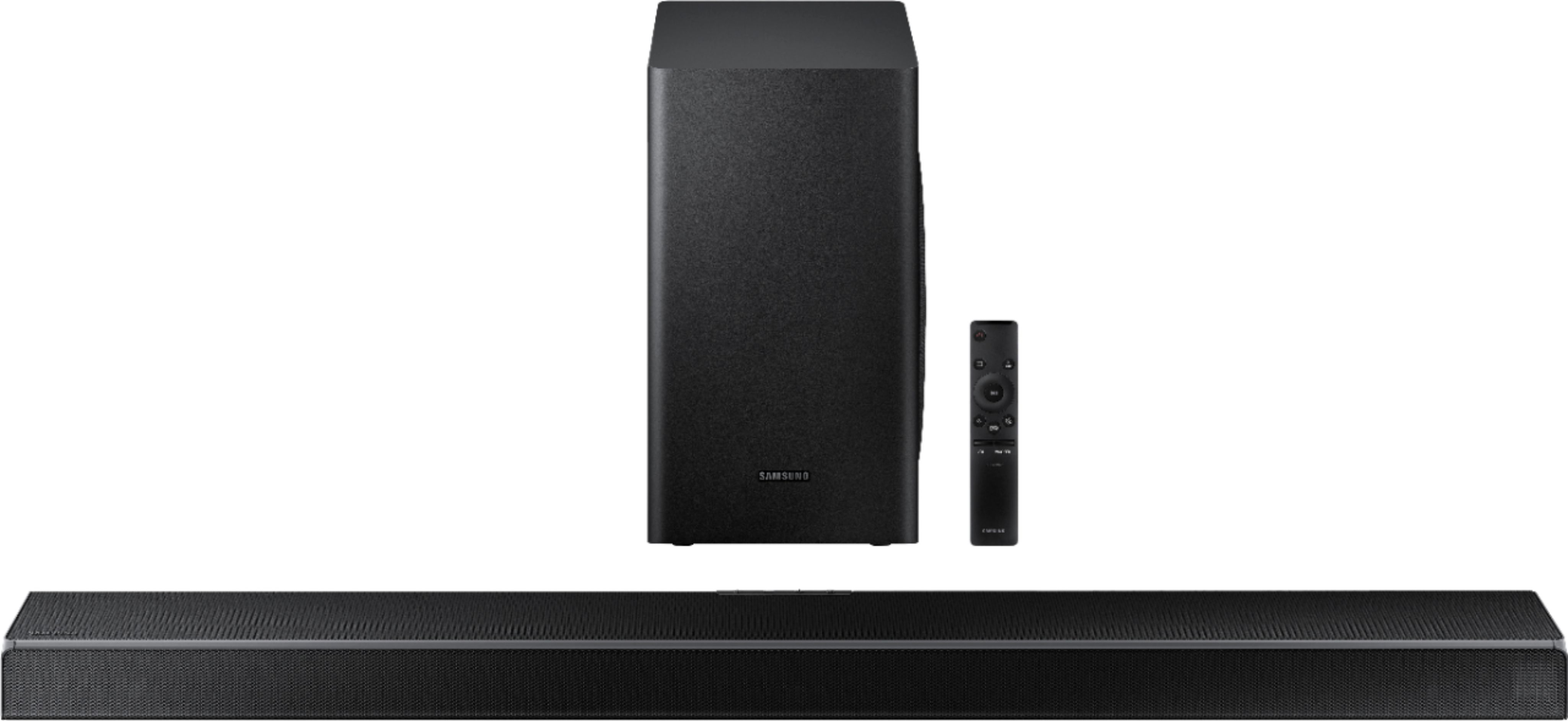
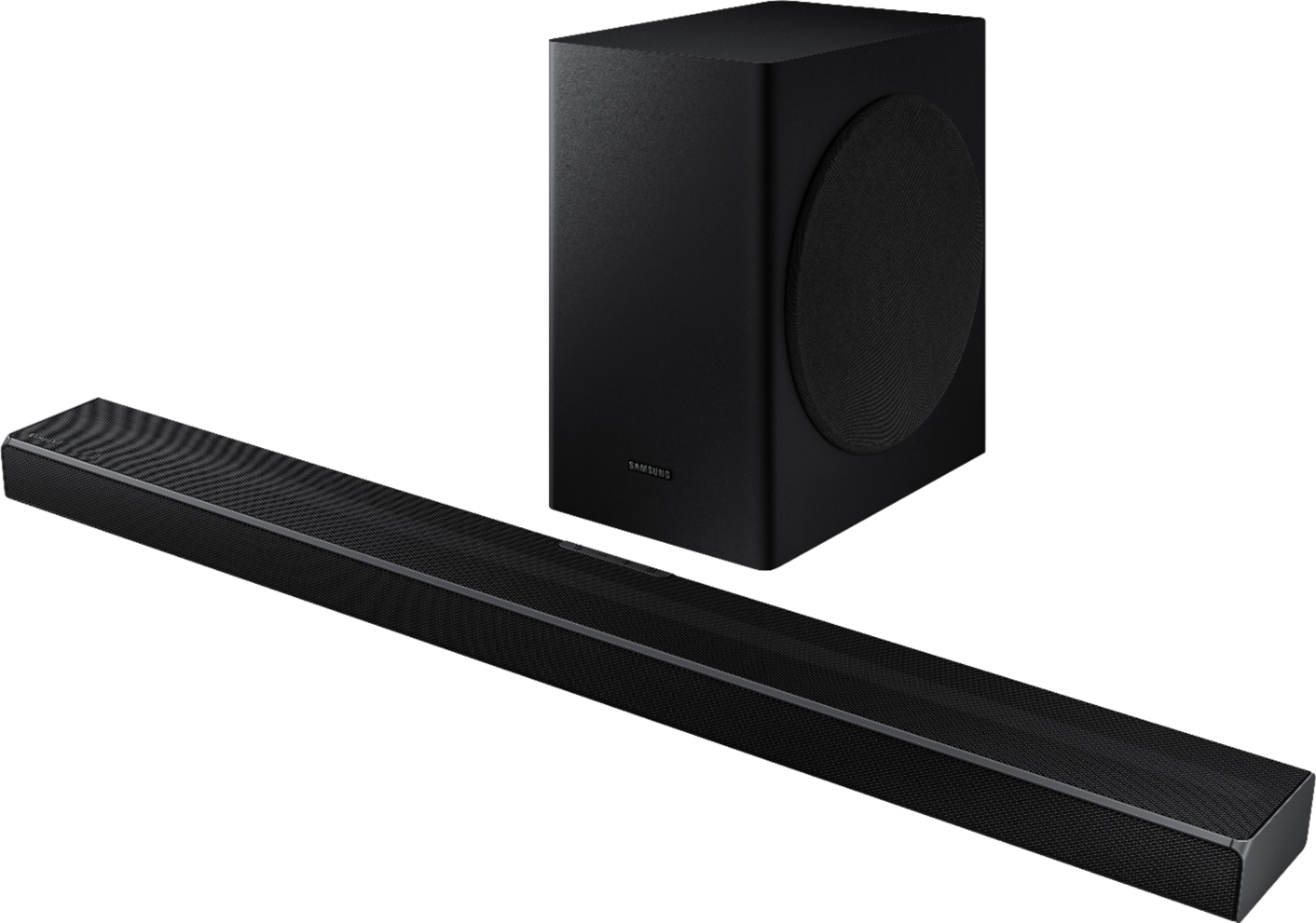

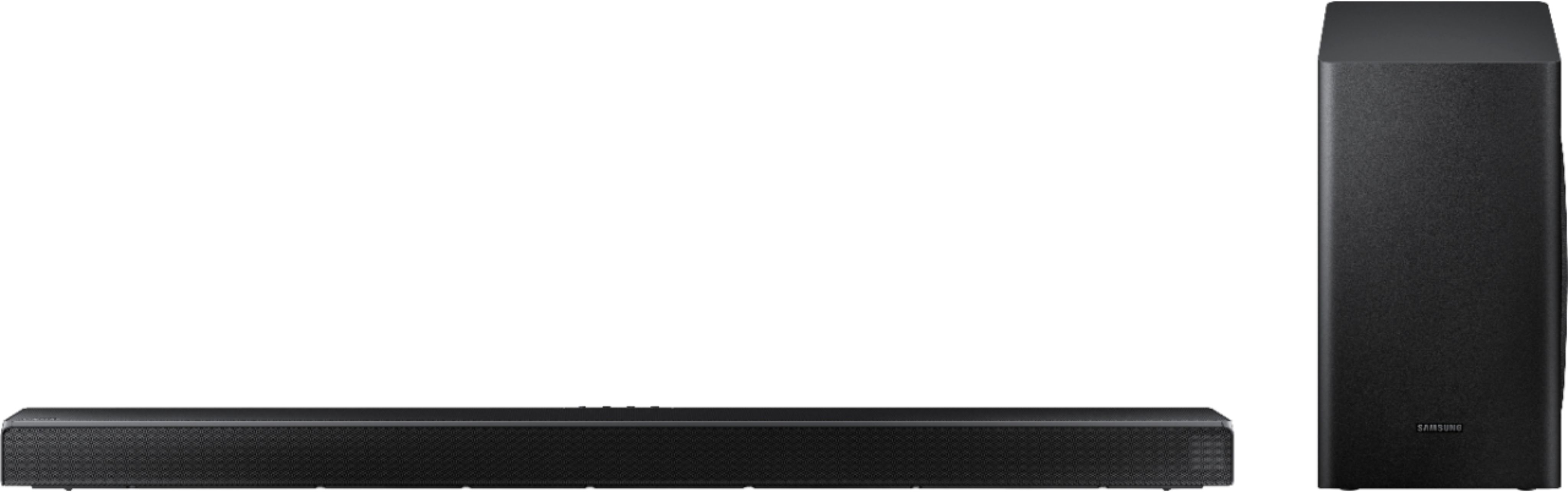

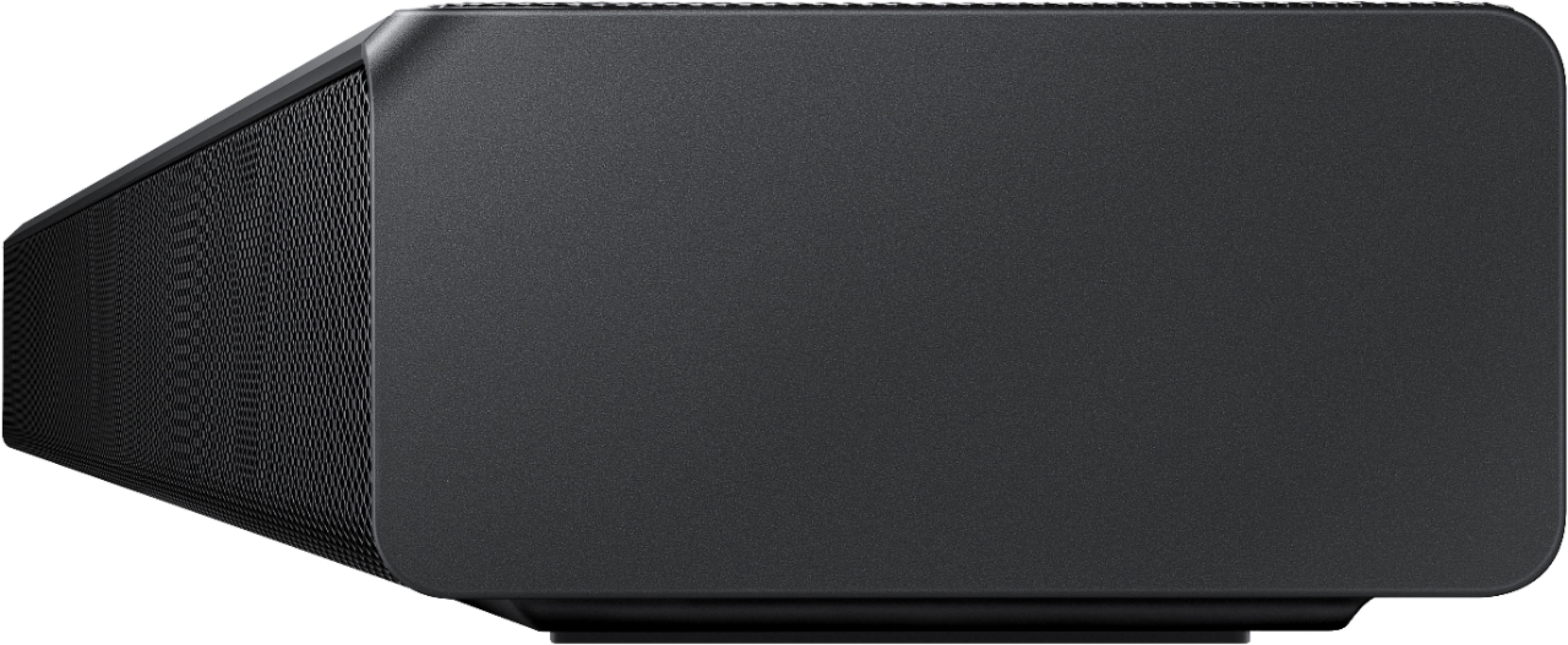



- Model:
- HW-Q60T/ZA
- SKU:
- 6400661
Rating by feature
- Value
Rating 4.4 out of 5 stars
- Quality
Rating 4.5 out of 5 stars
- Ease of Use
Rating 4.6 out of 5 stars
Customers are saying
Customers appreciate the superb sound quality and easy setup of the 5.1-Channel Soundbar. They are pleased with the price-to-value ratio and find that the bass is well-balanced. However, some users have experienced connectivity issues and feel that the volume could be louder.
This summary was generated by AI based on customer reviews.
Frustrating
||Posted . Owned for 1 month when reviewed.This reviewer received promo considerations or sweepstakes entry for writing a review.Frustrating that I can’t get the bar and sub to sync with the TV yet. I’ll take another run at it tomorrow
I would recommend this to a friendBrand response from Samsung
Posted .Hi Wyer,
I am very sorry to see that you are having connection issues between the soundbar and TV. If you are connecting wirelessly via Bluetooth, please follow these steps:
1) Press the PAIR button on the remote to enter BT PAIRING mode
- “BT” changes to “BT PAIRING” in a few seconds automatically or changes to “BT READY” if there is a connect record.
- When “BT READY” appears, press and hold the (Mic On/Off) button on the top panel of the Soundbar for more than 5 seconds to display “BT PAIRING”.
2) Select Bluetooth mode on the Samsung TV: Home > Settings (gear button on remote) > Sound > Sound Output > Bluetooth Speaker List > [AV] Samsung Soundbar Q60T (Bluetooth))
3) Select “[AV] Samsung Soundbar Q60T” from the list on TV’s screen. An available Soundbar is indicated with “Need Pairing” or “Paired” on the TV’s Bluetooth device list. To connect the Samsung TV to the Soundbar, select the message, and then establish a connection.
- When the Samsung TV is connected, [TV Name] > “BT” appears on the Soundbar’s front display
4) After you have connected the Soundbar to your Samsung TV the first time, use the “BT READY” mode to reconnect.
If you have an existing Soundbar (e.g., [AV] Samsung Soundbar Q60T) on the list of speakers on the Samsung TV, delete it. Then repeat steps 1 through 3.
If your issue persists, please contact Samsung Customer Support at:
1) Phone: 1-800-SAMSUNG, (available 8AM to 12AM EST - 7 days a week)
2) LiveChat: https://www.samsung.com/us/support/#contact_us_for_support
3) Facebook Messenger: https://www.facebook.com/samsungsupport
4) Twitter: https://twitter.com/SamsungSupport
5) The Samsung Members Community is also a great resource for getting help from Samsung moderators and customers: https://us.community.samsung.com
If you have not already done so, we invite you to register your new Samsung product at:
https://www.samsung.com/us/account/signin/?redirect=https%3A%2F%2Fwww.samsung.com%2Fus%2Fsupport%2Fregister%2F
Registering your product gives you access to easy warranty support, convenient opt-in to special promos and offers, faster troubleshooting and service, and quick notification of system updates.
~ Samsung Ambassador
Sound bar
||Posted . Owned for 3 weeks when reviewed.This reviewer received promo considerations or sweepstakes entry for writing a review.Average sound with limited pre-select settings. Hardly any bass. Expected a lot more for what I paid for.
No, I would not recommend this to a friendBrand response from Samsung
Posted .Hi AllProDad,
Thank you for sharing your review of the Samsung HW-Q60T Soundbar. I am sorry to see that you are not completely happy with the sound performance. This soundbar features a powerful wireless subwoofer, as well as Game Pro Mode, Dolby Digital Plus, and DTS Digital Surround for deep bass, rich sound, and clear tones.
You can try optimizing audio performance for your specific content by pressing the SOUND MODE button on your remote, and then selecting the desired sound effect by choosing STANDARD, SURROUND SOUND, GAME PRO, ADAPTIVE SOUND, or DTS VIRTUAL:X.
You can further adjust TREBLE and BASS via the SOUND CONTROL button (looks like a gear symbol).
There are two adjustments that can be made to maximize bass from the soundbar and subwoofer:
1) Using the WOOFER button on the remote, you can adjust the volume of the subwoofer between -6 to +6 by toggling the button up or down. To set the subwoofer volume level to 0, press the button in.
2) Adjust the bass control by pressing the SOUND CONTROL button (gear icon) on the remote control, then select BASS to increase the level. You can adjust the volume between -6 to +6 by using the Up/Down buttons.
For precise audio adjustments, you can use the 7-band frequency equalizer to optimize the sound for your room acoustics.
I hope this helps. For further assistance with features, settings, adjustments, or functions please contact Samsung Customer Support at:
For further assistance, please contact Samsung Customer Support.
1) Phone: 1-800-SAMSUNG, (available 8AM to 12AM EST - 7 days a week)
2) LiveChat: https://www.samsung.com/us/support/#contact_us_for_support
3) Facebook Messenger: https://www.facebook.com/samsungsupport
4) Twitter: https://twitter.com/SamsungSupport
5) The Samsung Members Community is also a great resource for getting help from Samsung moderators and customers: https://us.community.samsung.com
If you have not already done so, we invite you to register your new Samsung product at:
https://www.samsung.com/us/account/signin/?redirect=https%3A%2F%2Fwww.samsung.com%2Fus%2Fsupport%2Fregister%2F
Registering your product gives you access to easy warranty support, convenient opt-in to special promos and offers, faster troubleshooting and service, and quick notification of system updates.
~ Samsung Ambassador
- Pros mentioned:Sound quality
No Dolby atmos
||Posted . Owned for 1 week when reviewed.This reviewer received promo considerations or sweepstakes entry for writing a review.No Dolby atmos so I am not a fan. Sound quality crisp for the price
No, I would not recommend this to a friendBrand response from Samsung
Posted .Hi Fady,
Thank you for sharing your review of the Samsung HW-Q60T Soundbar. I am sorry to see that you are not completely happy with the sound performance. This soundbar features a powerful wireless subwoofer, as well as Game Pro Mode, Dolby Digital Plus, and DTS Digital Surround for deep bass, rich sound, and clear tones.
You can try optimizing audio performance for your specific content by pressing the SOUND MODE button on your remote, and then selecting the desired sound effect by choosing STANDARD, SURROUND SOUND, GAME PRO, ADAPTIVE SOUND, or DTS VIRTUAL:X.
You can further adjust TREBLE and BASS via the SOUND CONTROL button (looks like a gear symbol).
Refer to pages 22-24 of the User Manual for detailed instructions: https://downloadcenter.samsung.com/content/UM/202004/20200417163727097/HW-Q60T_ZA_FullManual_02_ENG_200219.pdf
If there is anything we can do to improve your enjoyment to 5 stars -- such as helping to optimize settings for your specific usage scenario -- please let us know. You can reach Samsung Customer Support at:
For further assistance, please contact Samsung Customer Support.
1) Phone: 1-800-SAMSUNG, (available 8AM to 12AM EST - 7 days a week)
2) LiveChat: https://www.samsung.com/us/support/#contact_us_for_support
3) Facebook Messenger: https://www.facebook.com/samsungsupport
4) Twitter: https://twitter.com/SamsungSupport
5) The Samsung Members Community is also a great resource for getting help from Samsung moderators and customers: https://us.community.samsung.com
If you have not already done so, we invite you to register your new Samsung product at:
https://www.samsung.com/us/account/signin/?redirect=https%3A%2F%2Fwww.samsung.com%2Fus%2Fsupport%2Fregister%2F
Registering your product gives you access to easy warranty support, convenient opt-in to special promos and offers, faster troubleshooting and service, and quick notification of system updates.
~ Samsung Ambassador
Shop around
||Posted . Owned for 1 month when reviewed.This reviewer received promo considerations or sweepstakes entry for writing a review.No bass at all my Vizio soundbar and subwoofer that I paid $100 for had better sound
No, I would not recommend this to a friendunresponsive
||Posted . Owned for 2 months when reviewed.This reviewer received promo considerations or sweepstakes entry for writing a review.This soundbar worked fine for the first two month, but then it randomly started disconnecting from the TV. Then I noticed it wouldn't let me turn it off or on, it was just stuck in an unresponsive state. You need to unplug it and plug it back in so it can start working again. I have always had Samsun soundbars without any problems until this one.
No, I would not recommend this to a friendBrand response from Samsung
Posted .Hi Spider,
I am sorry that you are experiencing connection issues with your soundbar. Please make sure you are running the latest firmware update which includes improved connectivity. You can update your firmware ver. 1003.6 by using a USB device. You can find the firmware update on the product page of your HW-Q60T soundbar on the Samsung website.
I am also very sorry to hear that your soundbar is not turning on or off. Please check that the power cord is firmly plugged into the wall outlet and power adapter. Unplug and reconnect the power cord to the wall outlet and the power adapter to make sure the connection is secure. Also, please check that power adapter is firmly connected to the main unit. Disconnect the power adapter from the Soundbar and reconnect to make sure the connection is firm and secure.
Should you need further assistance, or have any questions about features or operation, please know that Samsung is here to help. You can contact us via any of the below options:
1) Phone: 1-800-SAMSUNG, (available 8AM to 12AM EST - 7 days a week)
2) LiveChat: https://www.samsung.com/us/support/#contact_us_for_support
3) Facebook Messenger: https://www.facebook.com/samsungsupport
4) Twitter: https://twitter.com/SamsungSupport
5) The Samsung Members Community is also a great resource for getting help from Samsung moderators and customers: https://us.community.samsung.com
If you have not already done so, we invite you to register your new Samsung product at:
https://www.samsung.com/us/account/signin/?redirect=https%3A%2F%2Fwww.samsung.com%2Fus%2Fsupport%2Fregister%2F
Registering your product gives you access to easy warranty support, convenient opt-in to special promos and offers, faster troubleshooting and service, and quick notification of system updates.
~ Samsung Ambassador
Mid and high range is just fair but not great
||Posted . Owned for 7 months when reviewed.This reviewer received promo considerations or sweepstakes entry for writing a review.The mid and high range on movie dialog is not very loud. The subwoofer works great though.
No, I would not recommend this to a friendowner
||Posted .This reviewer received promo considerations or sweepstakes entry for writing a review.When using it with Dish Network, the sound is off from the voices, but other than that it works well.
I would recommend this to a friendBrand response from Samsung
Posted .Michael:
Thank you for purchasing the HW-Q60T soundbar and for your review. I am very sorry for the sound synchronization issue you are experiencing.
If the video on the TV and audio from the soundbar are not synchronized, press the SOUND CONTROL button on the soundbar remote, until you see AUDIO SYNC on the display. You can then set the audio delay between 0~300 milliseconds by using the Up/Down buttons.
You can also try the below to minimize the delay:
1) Connect the source directly to the Soundbar’s HDMI input, then connect the Soundbar to the HDMI ARC input on the TV.
2) On the TV, set the Sound Delay level to 0. Home > Settings > Sound > Expert Settings > Digital Output Audio Delay: “0”
3) Change the audio format to PCM on both the source device and the TV.
For additional troubleshooting steps, please refer to this online guide:
https://www.samsung.com/us/support/troubleshooting/TSG01110022/
I hope the above helps to solve your issue. If you need further help, please reach out to Samsung Customer Support.
1) Phone: 1-800-SAMSUNG, (available 8AM to 12AM EST - 7 days a week)
2) LiveChat: https://www.samsung.com/us/support/#contact_us_for_support
3) Facebook Messenger: https://www.facebook.com/samsungsupport
4) Twitter: https://twitter.com/SamsungSupport
5) The Samsung Members Community is also a great resource for getting help from Samsung moderators and customers: https://us.community.samsung.com
~ Samsung Ambassador
Okay soundbar
||Posted . Owned for 2 weeks when reviewed.This reviewer received promo considerations or sweepstakes entry for writing a review.Subwoofer cuts out often, works good when its not cutting out. Cant complaint for around 200 bucks
I would recommend this to a friendBrand response from Samsung
Posted .Hi Samsungtvguy,
Thank you for your review of this Samsung HW-Q60T Soundbar. I am sorry to hear that you are experiencing connection issues.
If the audio from the wireless subwoofer is dropping out intermittently there are a few things to check:
1) The maximum wireless signal transmission distance is about 33 ft.
2) If there is a wall between the sound bar and the subwoofer it may cause interference or not work at all depending on the material in the wall.
3) If there is a device that uses the same wireless frequency (2.4 GHz) near the Soundbar, interference may cause some sound interruption.
4) Check all of the sources on the soundbar. If the audio is dropping while watching TV it could be an issue with the broadcast.
5) Also, please be sure you have the latest firmware update (ver 1003.6). You can update your firmware by using a USB device.
As for the random disconnection between Soundbar and subwoofer, placement of the devices is often an important factor. Please try to bring the units closer together and move large items that are in between the line of sight of each other.
If the issue persists, please contact us via any of the below options:
For further assistance, please contact Samsung Customer Support.
1) Phone: 1-800-SAMSUNG, (available 8AM to 12AM EST - 7 days a week)
2) LiveChat: https://www.samsung.com/us/support/#contact_us_for_support
3) Facebook Messenger: https://www.facebook.com/samsungsupport
4) Twitter: https://twitter.com/SamsungSupport
5) The Samsung Members Community is also a great resource for getting help from Samsung moderators and customers: https://us.community.samsung.com
If you have not already done so, we invite you to register your new Samsung product at:
https://www.samsung.com/us/account/signin/?redirect=https%3A%2F%2Fwww.samsung.com%2Fus%2Fsupport%2Fregister%2F
Registering your product gives you access to easy warranty support, convenient opt-in to special promos and offers, faster troubleshooting and service, and quick notification of system updates.
~ Samsung Ambassador
- Cons mentioned:Connectivity
This sound bar is a lemon!
||Posted . Owned for 3 weeks when reviewed.This reviewer received promo considerations or sweepstakes entry for writing a review.I am completely unsatisfied with this purchase. This sound bar is not connecting properly to my TV, both are Samsung. The TV ARC which is needed to get the best quality sound is not working any longer and I've only had this product for two weeks! Hopefully the Geek Squad can resolve this issue!
No, I would not recommend this to a friendBrand response from Samsung
Posted .Boss:
Thank you for purchasing the HW-Q60T Soundbar. I am sorry to hear that you are experiencing connection issues via HDMI to TV (eARC/ARC).
Please try the following troubleshooting steps:
1) With the Soundbar and TV turned on, connect the HDMI cable (not supplied).
2) “TV ARC” appears in the display window of the Soundbar main unit and the Soundbar plays TV Sound.
a. If TV sound is inaudible, press the (Source) button on the remote control or on the right side of the Soundbar to switch to “D.IN” mode. The screen displays “D.IN” and “TV ARC” in sequence, and the TV sound is played.
b. If “TV ARC” does not appear in the display window of the Soundbar main unit, confirm that the cable is connected to the correct port.
c. Use the volume buttons on the TV’s remote control to change the volume on the Soundbar.
For additional step-by-step troubleshooting tips, please visit this support guide: https://www.samsung.com/ca/support/tv-audio-video/tv-connecting-a-soundbar-using-hdmi/
For further assistance, please contact Samsung Customer Support and a representative will gladly help you.
1) Phone: 1-800-SAMSUNG, (available 8AM to 12AM EST - 7 days a week)
2) LiveChat: https://www.samsung.com/us/support/#contact_us_for_support
3) Facebook Messenger: https://www.facebook.com/samsungsupport
4) Twitter: https://twitter.com/SamsungSupport
5) The Samsung Members Community is also a great resource for getting help from Samsung moderators and customers: https://us.community.samsung.com
If you have not already done so, we invite you to register your new Samsung product at:
https://www.samsung.com/us/account/signin/?redirect=https%3A%2F%2Fwww.samsung.com%2Fus%2Fsupport%2Fregister%2F&user=dsr-registration
Registering your product gives you access to easy warranty support, convenient opt-in to special promos and offers, faster troubleshooting and service, and quick notification of system updates.
~ Samsung Solutions
Good sound but missing punch
||Posted . Owned for 3 weeks when reviewed.This reviewer received promo considerations or sweepstakes entry for writing a review.The system sounds great but doesn’t produce the movie theater sound like my other soundbar
No, I would not recommend this to a friendBrand response from Samsung
Posted .Hi NewHomeowner,
Thank you for purchasing the HW-Q60T Samsung Soundbar and for your review. We appreciate your feedback regarding the audio performance. This soundbar features a powerful wireless subwoofer, as well as Game Pro Mode, Dolby Digital Plus, and DTS Digital Surround for deep bass, rich sound, and clear tones.
You can try optimizing audio performance for your specific content by pressing the SOUND MODE button on your remote, and then selecting the desired sound effect by choosing STANDARD, SURROUND SOUND, GAME PRO, ADAPTIVE SOUND, or DTS VIRTUAL:X.
You can further adjust TREBLE and BASS via the SOUND CONTROL button (looks like a gear symbol).
Refer to pages 22-24 of the User Manual for detailed instructions: https://downloadcenter.samsung.com/content/UM/202004/20200417163727097/HW-Q60T_ZA_FullManual_02_ENG_200219.pdf
If you need further assistance, please know we are here to help. You can reach Samsung Customer Support at 1-800-SAMSUNG (ask for Soundbars), available 8AM -12AM EST, 7 days a week. Or text HELP to 62913.
For additional support resources, visit us on the Samsung website and click on the ‘Support’ link in the upper right corner of the homepage for:
1) More ‘Contact Us’ options – LiveChat, Facebook, Twitter, Samsung Community, Samsung Members app
2) Manuals & Software
3) Warranty Info
4) Product Registration: For access to easy warranty support, convenient opt-in to special promos and offers, faster troubleshooting and service, and quick notification of system updates.
We hope to hear from you soon.
~ Samsung Specialist
Lacks punch
||Posted . Owned for 1 month when reviewed.This reviewer received promo considerations or sweepstakes entry for writing a review.Not the performance I expected. Found out that the display model in store was the previous year harman kardon model which sounded great. Got this home spent hours on phone with samsung support only to realize that it was doing the best it could. Maybe I expected too much for the price
No, I would not recommend this to a friendBrand response from Samsung
Posted .jtm123:
I am sorry to see that you are not completely happy with the performance of your HW-Q60T sound system
Our 2020 HW-Q60T 5.1ch Acoustic Beam Soundbar was designed to deliver immersive 3D sound. Speakers firing from the front, side, and top brings the surround sound to life. Adaptive Sound automatically analyzes the sound signal to optimize sound based on each scene including voices at the lowest volumes.
You can try optimizing audio performance for your specific content by pressing the SOUND MODE button on your remote, and then selecting the desired sound effect by choosing STANDARD, SURROUND SOUND, GAME, or SMART.
You can further adjust TREBLE and BASS via the SOUND CONTROL button (looks like a gear symbol).
If you need further assistance, please know we are here to help. You can reach Samsung Customer Support via:
1) Phone: 1-800-SAMSUNG, (available 8AM to 12AM EST - 7 days a week)
2) LiveChat: https://www.samsung.com/us/support/#contact_us_for_support
3) Facebook Messenger: https://www.facebook.com/samsungsupport
4) Twitter: https://twitter.com/SamsungSupport
5) The Samsung Members Community is also a great resource for getting help from Samsung moderators and customers: https://us.community.samsung.com
If you have not already done so, we invite you to register your new Samsung product at:
https://www.samsung.com/us/account/signin/?redirect=https%3A%2F%2Fwww.samsung.com%2Fus%2Fsupport%2Fregister%2F&user=dsr-registration
Registering your product gives you access to easy warranty support, convenient opt-in to special promos and offers, faster troubleshooting and service, and quick notification of system updates.
~ Samsung Solutions
Does not support 60 fps pass through @ 4K
||Posted . Owned for 2 months when reviewed.This reviewer received promo considerations or sweepstakes entry for writing a review.This soundbar sounds pretty good but it does not support 60 Hz pass through @ 4K. I have been able to get it to push through 1080P @ 60 Hz and 4K @ 30 Hz. If I go straight to my TV from the source (a minidesktop) I can get 4K @ 60 Hz so it's not the TV, it's not the source, and it's not the HDMI cable (rated for 48 gbps). Samsung has answered the question that it does support 60 fps but the fact is it does not. If other customers have been able to get it to support 60 fps @ 4K then my model is defective. I recently purchased a display source that is able to push 4K @ 60 Hz but of course it's after the return policy of the soundbar purchase. I'd like Samsung or Best Buy to make it right.
No, I would not recommend this to a friendSoundbar
||Posted . Owned for 1 month when reviewed.This reviewer received promo considerations or sweepstakes entry for writing a review.Plenty of sound modes. Sounds good but not as loud as I would like. Easy to connect to the TV.
I would recommend this to a friendBrand response from Samsung
Posted .Samsung:
Thank you for sharing your review of the Samsung HW-Q60T Soundbar. I am sorry to see that you are not completely happy with the sound performance. This soundbar features a powerful wireless subwoofer, as well as Game Pro Mode, Dolby Digital Plus, and DTS Digital Surround for deep bass, rich sound, and clear tones.
You can try optimizing audio performance for your specific content by pressing the SOUND MODE button on your remote, and then selecting the desired sound effect by choosing STANDARD, SURROUND SOUND, GAME PRO, ADAPTIVE SOUND, or DTS VIRTUAL:X.
You can further adjust TREBLE and BASS via the SOUND CONTROL button (looks like a gear symbol).
Refer to pages 22-24 of the User Manual for detailed instructions: https://downloadcenter.samsung.com/content/UM/202004/20200417163727097/HW-Q60T_ZA_FullManual_02_ENG_200219.pdf
If you need further assistance, please know we are here to help. You can reach Samsung Customer Support at:
1) Phone: 1-800-SAMSUNG, (available 8AM to 12AM EST - 7 days a week)
2) LiveChat: https://www.samsung.com/us/support/#contact_us_for_support
3) Facebook Messenger: https://www.facebook.com/samsungsupport
4) Twitter: https://twitter.com/SamsungSupport
5) The Samsung Members Community is also a great resource for getting help from Samsung moderators and customers: https://us.community.samsung.com
If you have not already done so, we invite you to register your new Samsung product at:
https://www.samsung.com/us/account/signin/?redirect=https%3A%2F%2Fwww.samsung.com%2Fus%2Fsupport%2Fregister%2F
Registering your product gives you access to easy warranty support, convenient opt-in to special promos and offers, faster troubleshooting and service, and quick notification of system updates.
~ Samsung Solutions
Not as loud as I expected
||Posted . Owned for less than 1 week when reviewed.This reviewer received promo considerations or sweepstakes entry for writing a review.I picked this brand over JBL and I’m a bit disappointed. It’s not as loud as I thought it would be.
No, I would not recommend this to a friendBrand response from Samsung
Posted .Jersey:
Thank you for sharing your review of the Samsung HW-Q60T Soundbar. I am sorry to see that you are not completely happy with the sound performance. This soundbar features a powerful wireless subwoofer, as well as Game Pro Mode, Dolby Digital Plus, and DTS Digital Surround for deep bass, rich sound, and clear tones.
You can try optimizing audio performance for your specific content by pressing the SOUND MODE button on your remote, and then selecting the desired sound effect by choosing STANDARD, SURROUND SOUND, GAME PRO, ADAPTIVE SOUND, or DTS VIRTUAL:X.
You can further adjust TREBLE and BASS via the SOUND CONTROL button (looks like a gear symbol).
Refer to pages 22-24 of the User Manual for detailed instructions: https://downloadcenter.samsung.com/content/UM/202004/20200417163727097/HW-Q60T_ZA_FullManual_02_ENG_200219.pdf
If you need further assistance, please know we are here to help. You can reach Samsung Customer Support via:
1) Phone: 1-800-SAMSUNG, (available 8AM to 12AM EST - 7 days a week)
2) LiveChat: https://www.samsung.com/us/support/#contact_us_for_support
3) Facebook Messenger: https://www.facebook.com/samsungsupport
4) Twitter: https://twitter.com/SamsungSupport
5) The Samsung Members Community is also a great resource for getting help from Samsung moderators and customers: https://us.community.samsung.com
If you have not already done so, we invite you to register your new Samsung product at:
https://www.samsung.com/us/account/signin/?redirect=https%3A%2F%2Fwww.samsung.com%2Fus%2Fsupport%2Fregister%2F&user=dsr-registration
Registering your product gives you access to easy warranty support, convenient opt-in to special promos and offers, faster troubleshooting and service, and quick notification of system updates.
~ Samsung Solutions
- Pros mentioned:Easy setup

Decent Entry Level Soundbar
|Posted .This reviewer received promo considerations or sweepstakes entry for writing a review.If you are looking for a decent entry level soundbar to enhance your movie watching experience, this may just fit the bill. In the box you will find everything you need to get up and running, except the optical cable. While it is not required, I definitely recommend as the quality of the output is dramatically improved. You will find wall mounting hardware, an HDMI cable, basic instructions, as well as the soundbar, subwoofer, and remote (batteries included). The installation instructions could be a little more informative. Someone who is not adept with setting up home audio may find this a bit cumbersome. Connecting the subwoofer to the soundbar via bluetooth could not be easier. Plug both the subwoofer and soundbar into outlets, power on, and the connection is automatic. Now, connecting the soundbar to your tv is a bit more tricky. First, decide how you will connect (bluetooth, HDMI, or optical). I would only recommend bluetooth if you don't have any available ports on your tv. HDMI and optical will provide easier setup and higher quality sound. Once connected, you will need to decide which audio profile you want to experience (standard, surround, etc.) You may also need to go into your tv settings and adjust the speaker source / output from the built-in tv speakers to the soundbar. I am not a fan of the included remote. Luckily, once you are setup you can control the volume from your tv remote. The included remote had me muting my sound when trying to increase the volume. So it now just sits behind my tv with several other unused remotes. Once you are setup and running, the soundbar is rather maintenance free. I have mine set to automatically turn on and off with the tv power. The sound quality is what you would expect for the price category. This isn't going to blow away the audiophiles, but it will dramatically improve your home theatre experience. The subwoofer provides plenty of bass and "thump". The sound output from the soundbar is loud, and clean until you hit between 50% - 60% max. At that point I began to detect slight distortion. Otherwise, no real complaints with the audio. My installation is in a 20'x16' room and 25%-30% max is more than sufficient for everyday viewing. I actually like this soundbar by Samsung. It feels very solid and well-built. Definitely not a cheap, flimsy plastic device. I love the sleek, modern appearance. It fits perfectly under my 60" 4K. Samsung really just needs to improve the installation / setup guide, as wellas the remote. Overall, this is something I would recommend to a friend or family member.
I would recommend this to a friend Ok, not what I expected
||Posted . Owned for 1 month when reviewed.This reviewer received promo considerations or sweepstakes entry for writing a review.This is ok. Not what I expected. We had to buy rear speakers so we can hear the TV better.
No, I would not recommend this to a friendBrand response from Samsung
Posted .Hi JFatz,
Thank you for purchasing the 2020 Samsung HW-Q60T Soundbar. I am happy to hear that you are enjoying the 5.1 channels with Acoustic Beam directional sound.
This soundbar features a powerful wireless subwoofer, as well as Game Pro Mode, Dolby Digital Plus, and DTS Digital Surround for deep bass, rich sound, and clear tones.
You can try optimizing audio performance for your specific content by pressing the SOUND MODE button on your remote, and then selecting the desired sound effect by choosing STANDARD, SURROUND SOUND, GAME PRO, ADAPTIVE SOUND, or DTS VIRTUAL:X.
You can further adjust TREBLE and BASS via the SOUND CONTROL button (looks like a gear symbol).
Refer to pages 22-24 of the User Manual for detailed instructions: https://downloadcenter.samsung.com/content/UM/202004/20200417163727097/HW-Q60T_ZA_FullManual_02_ENG_200219.pdf
If there is anything we can do to improve your enjoyment to 5 stars -- such as helping to optimize settings for your specific usage scenario -- please let us know. You can reach Samsung Customer Support at:
1) Phone: 1-800-SAMSUNG, (available 8AM to 12AM EST - 7 days a week)
2) LiveChat: https://www.samsung.com/us/support/#contact_us_for_support
3) Facebook Messenger: https://www.facebook.com/samsungsupport
4) Twitter: https://twitter.com/SamsungSupport
5) The Samsung Members Community is also a great resource for getting help from Samsung moderators and customers: https://us.community.samsung.com
If you have not already done so, we invite you to register your new Samsung product at:
https://www.samsung.com/us/account/signin/?redirect=https%3A%2F%2Fwww.samsung.com%2Fus%2Fsupport%2Fregister%2F
Registering your product gives you access to easy warranty support, convenient opt-in to special promos and offers, faster troubleshooting and service, and quick notification of system updates.
~ Samsung Ambassador
Sound Bar
||Posted . Owned for 4 months when reviewed.This reviewer received promo considerations or sweepstakes entry for writing a review.Low sound. Not enough volume .
No, I would not recommend this to a friendBrand response from Samsung
Posted .butch:
Thank you for sharing your review of the Samsung HW-Q60T Soundbar. I am sorry to see that you are not completely happy with the sound performance. This soundbar features a powerful wireless subwoofer, as well as Game Pro Mode, Dolby Digital Plus, and DTS Digital Surround for deep bass, rich sound, and clear tones.
You can try optimizing audio performance for your specific content by pressing the SOUND MODE button on your remote, and then selecting the desired sound effect by choosing STANDARD, SURROUND SOUND, GAME PRO, ADAPTIVE SOUND, or DTS VIRTUAL:X.
You can further adjust TREBLE and BASS via the SOUND CONTROL button (looks like a gear symbol).
There are two adjustments that can be made to maximize bass from the soundbar and subwoofer:
1) Using the WOOFER button on the remote, you can adjust the volume of the subwoofer between -6 to +6 by toggling the button up or down. To set the subwoofer volume level to 0, press the button in.
2) Adjust the bass control by pressing the SOUND CONTROL button (gear icon) on the remote control, then select BASS to increase the level. You can adjust the volume between -6 to +6 by using the Up/Down buttons.
For precise audio adjustments, you can use the 7-band frequency equalizer to optimize the sound for your room acoustics.
Refer to pages 22-24 of the User Manual for detailed instructions: https://downloadcenter.samsung.com/content/UM/202004/20200417163727097/HW-Q60T_ZA_FullManual_02_ENG_200219.pdf
If you need further assistance, please know we are here to help. You can reach Samsung Customer Support at:
1) Phone: 1-800-SAMSUNG, (available 8AM to 12AM EST - 7 days a week)
2) LiveChat: https://www.samsung.com/us/support/#contact_us_for_support
3) Facebook Messenger: https://www.facebook.com/samsungsupport
4) Twitter: https://twitter.com/SamsungSupport
5) The Samsung Members Community is also a great resource for getting help from Samsung moderators and customers: https://us.community.samsung.com
If you have not already done so, we invite you to register your new Samsung product at:
https://www.samsung.com/us/account/signin/?redirect=https%3A%2F%2Fwww.samsung.com%2Fus%2Fsupport%2Fregister%2F
Registering your product gives you access to easy warranty support, convenient opt-in to special promos and offers, faster troubleshooting and service, and quick notification of system updates.
~ Samsung Ambassador
NOT Surround Sound
||Posted . Owned for less than 1 week when reviewed.This reviewer received promo considerations or sweepstakes entry for writing a review.I knew it sounded to good to be true. They used a lot of fancy words in their description like Acoustic Beam and 3D Surround Sound that "wraps around you". In reality you can barely hear any difference on Left/Right sound, no "wrap around" at all. It does sound better than the TV speakers but should not be called Surround Sound.
No, I would not recommend this to a friendBrand response from Samsung
Posted .Hi Husky45,
Thank you for sharing your review of the Samsung HW-Q60T Soundbar. I am sorry to see that you are not completely happy with the sound performance. This soundbar features a powerful wireless subwoofer, as well as Game Pro Mode, Dolby Digital Plus, and DTS Digital Surround for deep bass, rich sound, and clear tones.
You can try optimizing audio performance for your specific content by pressing the SOUND MODE button on your remote, and then selecting the desired sound effect by choosing STANDARD, SURROUND SOUND, GAME PRO, ADAPTIVE SOUND, or DTS VIRTUAL:X.
You can further adjust TREBLE and BASS via the SOUND CONTROL button (looks like a gear symbol).
There are two adjustments that can be made to maximize bass from the soundbar and subwoofer:
1) Using the WOOFER button on the remote, you can adjust the volume of the subwoofer between -6 to +6 by toggling the button up or down. To set the subwoofer volume level to 0, press the button in.
2) Adjust the bass control by pressing the SOUND CONTROL button (gear icon) on the remote control, then select BASS to increase the level. You can adjust the volume between -6 to +6 by using the Up/Down buttons.
For precise audio adjustments, you can use the 7-band frequency equalizer to optimize the sound for your room acoustics.
Refer to pages 22-24 of the User Manual for detailed instructions: https://downloadcenter.samsung.com/content/UM/202004/20200417163727097/HW-Q60T_ZA_FullManual_02_ENG_200219.pdf
If you need further assistance, please know we are here to help. You can reach Samsung Customer Support at:
For further assistance, please contact Samsung Customer Support.
1) Phone: 1-800-SAMSUNG, (available 8AM to 12AM EST - 7 days a week)
2) LiveChat: https://www.samsung.com/us/support/#contact_us_for_support
3) Facebook Messenger: https://www.facebook.com/samsungsupport
4) Twitter: https://twitter.com/SamsungSupport
5) The Samsung Members Community is also a great resource for getting help from Samsung moderators and customers: https://us.community.samsung.com
If you have not already done so, we invite you to register your new Samsung product at:
https://www.samsung.com/us/account/signin/?redirect=https%3A%2F%2Fwww.samsung.com%2Fus%2Fsupport%2Fregister%2F
Registering your product gives you access to easy warranty support, convenient opt-in to special promos and offers, faster troubleshooting and service, and quick notification of system updates.
~ Samsung Ambassador
Samsung HW-Q60T 5.1ch Soundbar
||Posted . Owned for 2 months when reviewed.This reviewer received promo considerations or sweepstakes entry for writing a review.It is not very powerful and the audio quality is normal, for a small room it is OK.
No, I would not recommend this to a friendBrand response from Samsung
Posted .Hi Daniel,
Thank you for sharing your review of the Samsung HW-Q60T Soundbar. I am sorry to see that you are not completely happy with the sound performance. This soundbar features a powerful wireless subwoofer, as well as Game Pro Mode, Dolby Digital Plus, and DTS Digital Surround for deep bass, rich sound, and clear tones. Your soundbar’s Adaptive Sound feature optimizes sound based on each scene and lets you hear voices clearly at low volumes.
You can try optimizing audio performance for your specific content by pressing the SOUND MODE button on your remote, and then selecting the desired sound effect by choosing STANDARD, SURROUND SOUND, GAME PRO, ADAPTIVE SOUND, or DTS VIRTUAL:X.
You can further adjust TREBLE and BASS via the SOUND CONTROL button (looks like a gear symbol).
Refer to pages 22-24 of the User Manual for detailed instructions: https://downloadcenter.samsung.com/content/UM/202004/20200417163727097/HW-Q60T_ZA_FullManual_02_ENG_200219.pdf
If you need further assistance, please know we are here to help. You can reach Samsung Customer Support at:
1) Phone: 1-800-SAMSUNG, (available 8AM to 12AM EST - 7 days a week)
2) LiveChat: https://www.samsung.com/us/support/#contact_us_for_support
3) Facebook Messenger: https://www.facebook.com/samsungsupport
4) Twitter: https://twitter.com/SamsungSupport
5) The Samsung Members Community is also a great resource for getting help from Samsung moderators and customers: https://us.community.samsung.com
If you have not already done so, we invite you to register your new Samsung product at:
https://www.samsung.com/us/account/signin/?redirect=https%3A%2F%2Fwww.samsung.com%2Fus%2Fsupport%2Fregister%2F
Registering your product gives you access to easy warranty support, convenient opt-in to special promos and offers, faster troubleshooting and service, and quick notification of system updates.
~ Samsung Ambassador
Get a receiver instead
||Posted . Owned for 1 week when reviewed.This reviewer received promo considerations or sweepstakes entry for writing a review.I’ve always had receivers (or only tv speakers). After a power surge took out one of our receivers we tried this sound bar for the simplicity of it. It sounded awful. I actually preferred the tv speakers on out 82” Samsung versus this sound bar. It may just be an issue I’ll have with any soundbar - but I won’t buy another.
No, I would not recommend this to a friendBrand response from Samsung
Posted .Jayel77,
Thank you for sharing your review of the Samsung HW-Q60T Soundbar. I am sorry to see that you are not completely happy with the sound performance. This soundbar features a powerful wireless subwoofer, as well as Game Pro Mode, Dolby Digital Plus, and DTS Digital Surround for deep bass, rich sound, and clear tones.
You can try optimizing audio performance for your specific content by pressing the SOUND MODE button on your remote, and then selecting the desired sound effect by choosing STANDARD, SURROUND SOUND, GAME PRO, ADAPTIVE SOUND, or DTS VIRTUAL:X.
You can further adjust TREBLE and BASS via the SOUND CONTROL button (looks like a gear symbol).
Refer to pages 22-24 of the User Manual for detailed instructions: https://downloadcenter.samsung.com/content/UM/202004/20200417163727097/HW-Q60T_ZA_FullManual_02_ENG_200219.pdf
If you need further assistance, please know we are here to help. You can reach Samsung Customer Support at:
1) Phone: 1-800-SAMSUNG, (available 8AM to 12AM EST - 7 days a week)
2) LiveChat: https://www.samsung.com/us/support/#contact_us_for_support
3) Facebook Messenger: https://www.facebook.com/samsungsupport
4) Twitter: https://twitter.com/SamsungSupport
5) The Samsung Members Community is also a great resource for getting help from Samsung moderators and customers: https://us.community.samsung.com
If you have not already done so, we invite you to register your new Samsung product at:
https://www.samsung.com/us/account/signin/?redirect=https%3A%2F%2Fwww.samsung.com%2Fus%2Fsupport%2Fregister%2F
Registering your product gives you access to easy warranty support, convenient opt-in to special promos and offers, faster troubleshooting and service, and quick notification of system updates.
~ Samsung Ambassador