Customer Ratings & Reviews
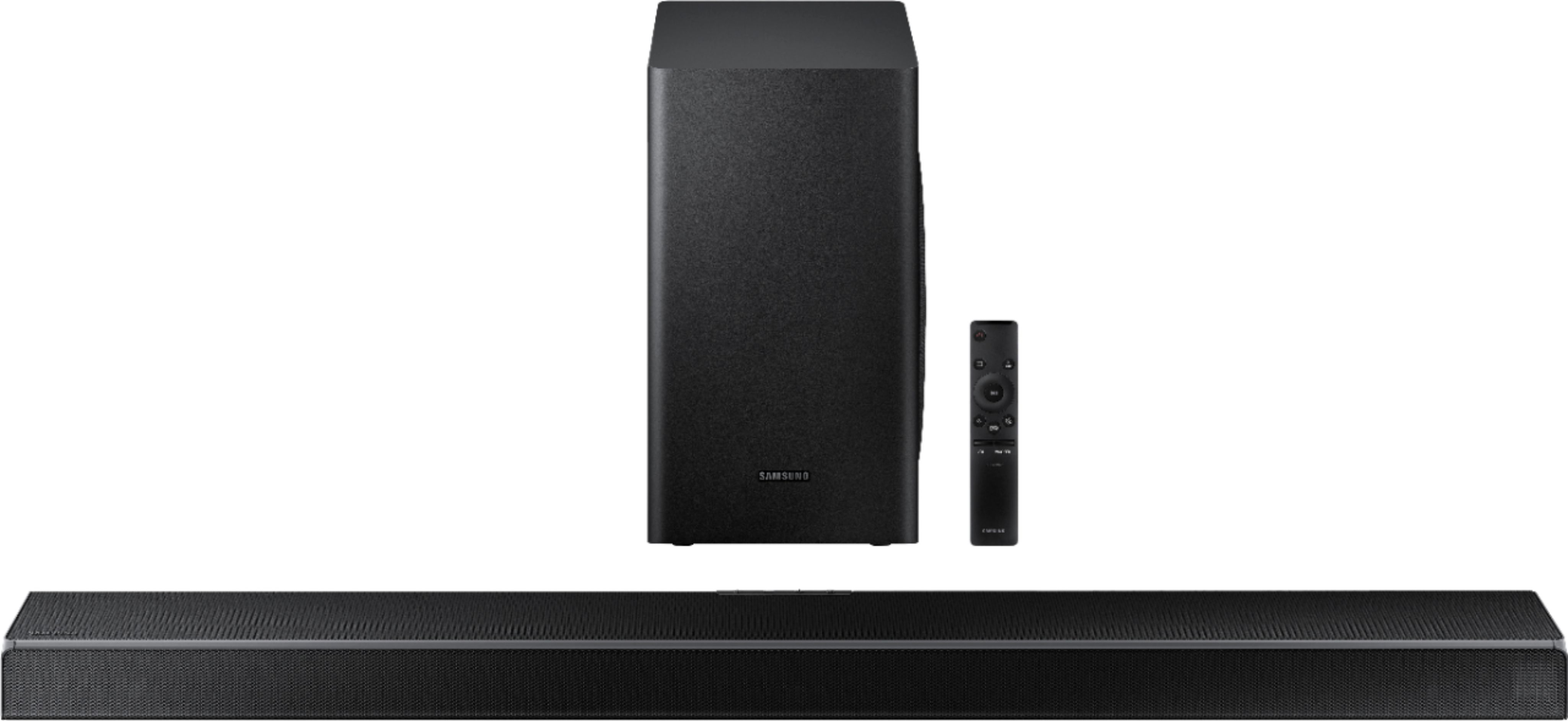
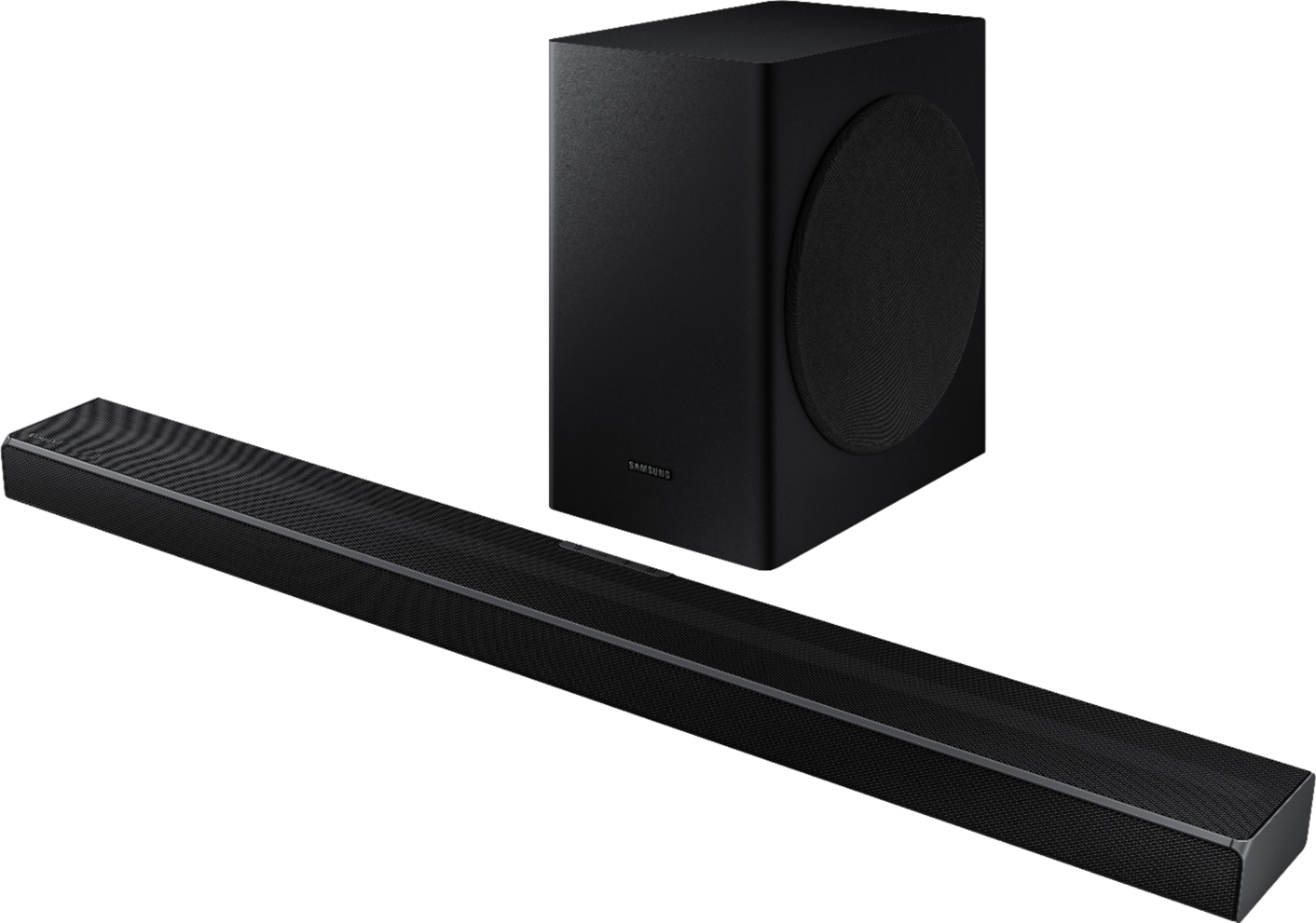

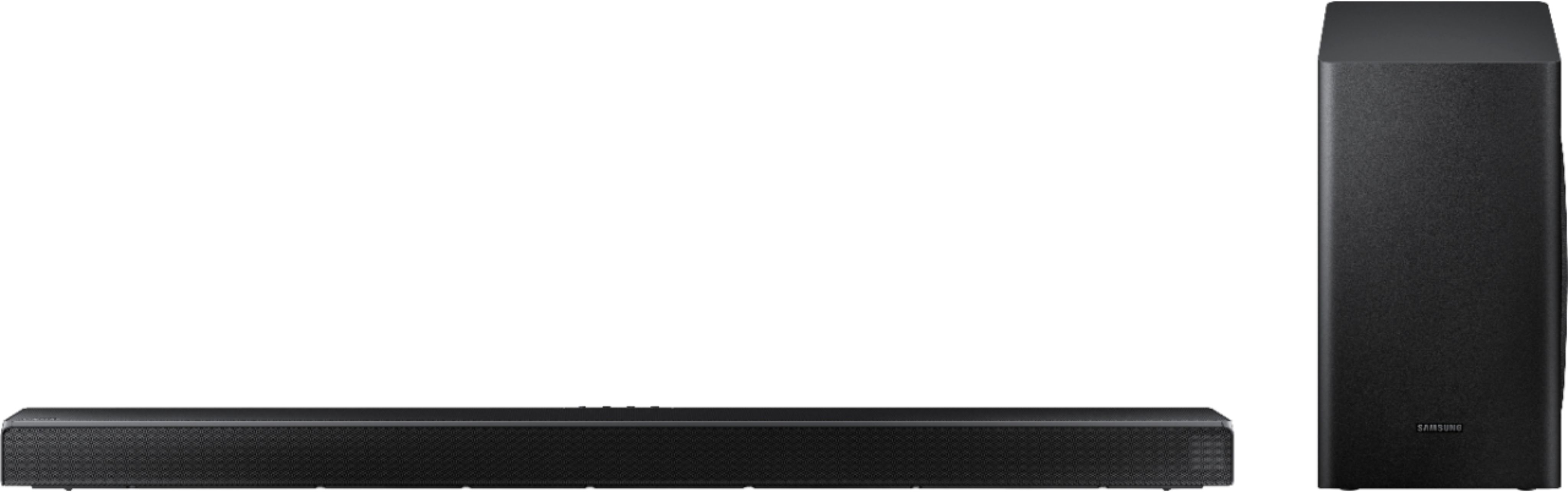

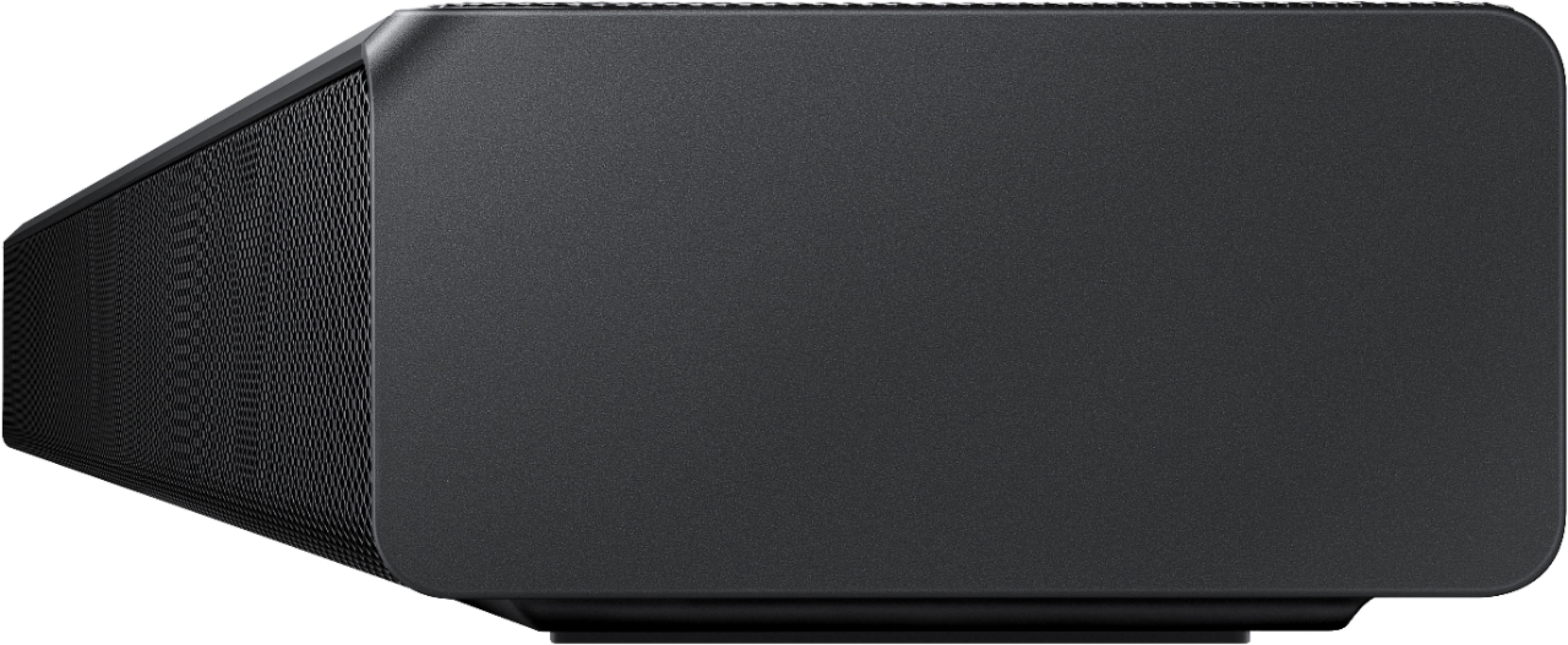



- Model:
- HW-Q60T/ZA
- SKU:
- 6400661
Rating by feature
- Value
Rating 4.4 out of 5 stars
- Quality
Rating 4.5 out of 5 stars
- Ease of Use
Rating 4.6 out of 5 stars
Customers are saying
Customers appreciate the superb sound quality and easy setup of the 5.1-Channel Soundbar. They are pleased with the price-to-value ratio and find that the bass is well-balanced. However, some users have experienced connectivity issues and feel that the volume could be louder.
This summary was generated by AI based on customer reviews.
OK sound bar but sub-woofer is no good
||Posted . Owned for 1 week when reviewed.This reviewer received promo considerations or sweepstakes entry for writing a review.easy to setup, I am very disappointed in the sub-woofer. Lucky to hear the bass. No thump. Tried hooking up with bluetooth, Hdmi and optical with same results. If you like to hear the bass then this is not for you.
No, I would not recommend this to a friendBrand response from Samsung
Posted .Hi rusty,
Thank you for sharing your review of the Samsung HW-Q60T Soundbar. I am sorry to see that you are not completely happy with the sound performance. This soundbar features a powerful wireless subwoofer, as well as Game Pro Mode, Dolby Digital Plus, and DTS Digital Surround for deep bass, rich sound, and clear tones.
You can try optimizing audio performance for your specific content by pressing the SOUND MODE button on your remote, and then selecting the desired sound effect by choosing STANDARD, SURROUND SOUND, GAME PRO, ADAPTIVE SOUND, or DTS VIRTUAL:X.
You can further adjust TREBLE and BASS via the SOUND CONTROL button (looks like a gear symbol).
There are two adjustments that can be made to maximize bass from the soundbar and subwoofer:
1) Using the WOOFER button on the remote, you can adjust the volume of the subwoofer between -6 to +6 by toggling the button up or down. To set the subwoofer volume level to 0, press the button in.
2) Adjust the bass control by pressing the SOUND CONTROL button (gear icon) on the remote control, then select BASS to increase the level. You can adjust the volume between -6 to +6 by using the Up/Down buttons.
For precise audio adjustments, you can use the 7-band frequency equalizer to optimize the sound for your room acoustics.
I hope this helps. For further assistance with features, settings, adjustments, or functions please contact Samsung Customer Support at:
1) Phone: 1-800-SAMSUNG, (available 8AM to 12AM EST - 7 days a week)
2) LiveChat: https://www.samsung.com/us/support/#contact_us_for_support
3) Facebook Messenger: https://www.facebook.com/samsungsupport
4) Twitter: https://twitter.com/SamsungSupport
5) The Samsung Members Community is also a great resource for getting help from Samsung moderators and customers: https://us.community.samsung.com
If you have not already done so, we invite you to register your new Samsung product at:
https://www.samsung.com/us/account/signin/?redirect=https%3A%2F%2Fwww.samsung.com%2Fus%2Fsupport%2Fregister%2F
Registering your product gives you access to easy warranty support, convenient opt-in to special promos and offers, faster troubleshooting and service, and quick notification of system updates.
~ Samsung Ambassador
Soundbar died 13 months in.
||Posted . Owned for 1 year when reviewed.This reviewer received promo considerations or sweepstakes entry for writing a review.We had this delivered Dec 2020, it had been "ok" until January 2021 - the wireless sub wouldn't drop in and our which was a nuisance, otherwise ok. This month though, it just died.
No, I would not recommend this to a friendAnnoying problem.
||Posted . Owned for 1 month when reviewed.This reviewer received promo considerations or sweepstakes entry for writing a review.Quality of the sound is good, but the sound randomly goes out for a second or two. Trying to communicate with Samsung, but that is proving to be difficult.
No, I would not recommend this to a friendBrand response from Samsung
Posted .Bell30man:
Thank you for purchasing the HW-Q600T soundbar and for your review. I am very sorry to hear that you are experiencing random audio drops. Please be sure your firmware release is (v. 1001.8). I recommend using the SmartThings apps to update your soundbar.
If your issue persists, please contact Samsung Customer Support.
1) Phone: 1-800-SAMSUNG, (available 8AM to 12AM EST - 7 days a week)
2) LiveChat: https://www.samsung.com/us/support/#contact_us_for_support
3) Facebook Messenger: https://www.facebook.com/samsungsupport
4) Twitter: https://twitter.com/SamsungSupport
5) The Samsung Members Community is also a great resource for getting help from Samsung moderators and customers: https://us.community.samsung.com
If you have not already done so, we invite you to register your new Samsung product at:
https://www.samsung.com/us/account/signin/?redirect=https%3A%2F%2Fwww.samsung.com%2Fus%2Fsupport%2Fregister%2F
Registering your product gives you access to easy warranty support, convenient opt-in to special promos and offers, faster troubleshooting and service, and quick notification of system updates.
~ Samsung Ambassador
Not what I expected
||Posted . Owned for 3 weeks when reviewed.This reviewer received promo considerations or sweepstakes entry for writing a review.Sound quality was great. However, the direction of the sound was distorted when mounted. The speakers on located on the top which makes it hard to get the full sound. Ended up returning the unit.
No, I would not recommend this to a friendBrand response from Samsung
Posted .Hello KelvJ,
Thank you for your review of this Samsung HW-Q60T Soundbar System. I am sorry to hear that it did not work out for you and have returned your unit. I understand your disappointment.
Your feedback is very important to us and will be shared with our product team.
Please know that should you ever need assistance with settings or adjustments with a future Samsung purchase to optimize your sound experience, Samsung Customer Support is here to help.
1) Phone: 1-800-SAMSUNG, (available 8AM to 12AM EST - 7 days a week)
2) LiveChat: https://www.samsung.com/us/support/#contact_us_for_support
3) Facebook Messenger: https://www.facebook.com/samsungsupport
4) Twitter: https://twitter.com/SamsungSupport
5) The Samsung Members Community is also a great resource for getting help from Samsung moderators and customers: https://us.community.samsung.com
~ Samsung Ambassador
Almost no difference
||Posted . Owned for 3 weeks when reviewed.This reviewer received promo considerations or sweepstakes entry for writing a review.There is barley a difference compared to the stock speakers on my Samsung q6. Seriously do not waste your money. Just save up for a better brand. I’ll be returning mine for either the Bose or sonos
No, I would not recommend this to a friendBrand response from Samsung
Posted .Hi Adam,
I am sorry to see that you are not completely happy with the performance of your HW-Q60T sound system
Our 2020 HW-Q60T 5.1ch Acoustic Beam Soundbar was designed to deliver immersive 3D sound. Speakers firing from the front, side, and top brings the surround sound to life. Adaptive Sound automatically analyzes the sound signal to optimize sound based on each scene including voices at the lowest volumes.
You can try optimizing audio performance for your specific content by pressing the SOUND MODE button on your remote, and then selecting the desired sound effect by choosing STANDARD, SURROUND SOUND, GAME, or ADAPTIVE SOUND.
You can further adjust TREBLE and BASS via the SOUND CONTROL button (looks like a gear symbol).
There are two adjustments that can be made to maximize bass from the soundbar and subwoofer:
1) Using the WOOFER button on the remote, you can adjust the volume of the subwoofer between -6 to +6 by toggling the button up or down. To set the subwoofer volume level to 0, press the button in.
2) Adjust the bass control by pressing the SOUND CONTROL button (gear icon) on the remote control, then select BASS to increase the level. You can adjust the volume between -6 to +6 by using the Up/Down buttons.
For precise audio adjustments, you can use the 7-band frequency equalizer to optimize the sound for your room acoustics.
If you need further assistance, please know we are here to help. You can reach Samsung Customer Support at:
1) Phone: 1-800-SAMSUNG, (available 8AM to 12AM EST - 7 days a week)
2) LiveChat: https://www.samsung.com/us/support/#contact_us_for_support
3) Facebook Messenger: https://www.facebook.com/samsungsupport
4) Twitter: https://twitter.com/SamsungSupport
5) The Samsung Members Community is also a great resource for getting help from Samsung moderators and customers: https://us.community.samsung.com
If you have not already done so, we invite you to register your new Samsung product at:
https://www.samsung.com/us/account/signin/?redirect=https%3A%2F%2Fwww.samsung.com%2Fus%2Fsupport%2Fregister%2F
Registering your product gives you access to easy warranty support, convenient opt-in to special promos and offers, faster troubleshooting and service, and quick notification of system updates.
~ Samsung Ambassador
Wouldn’t recommend
||Posted .This reviewer received promo considerations or sweepstakes entry for writing a review.Had to return this product because it would disconnect from Bluetooth while watching movies. Reset the unit multiple times and tried trouble shooting it many times before returning it to Best Buy.
No, I would not recommend this to a friendBrand response from Samsung
Posted .Hi Malin,
Thank you for your review of this Samsung HW-Q60T Soundbar System. I am sorry to hear that it did not work out for you and have returned your unit. I understand your disappointment.
Your feedback is very important to us and will be shared with our product team.
Please know that should you ever need assistance with settings or adjustments with a future Samsung purchase to optimize your sound experience, Samsung Customer Support is here to help.
1) Phone: 1-800-SAMSUNG, (available 8AM to 12AM EST - 7 days a week)
2) LiveChat: https://www.samsung.com/us/support/#contact_us_for_support
3) Facebook Messenger: https://www.facebook.com/samsungsupport
4) Twitter: https://twitter.com/SamsungSupport
5) The Samsung Members Community is also a great resource for getting help from Samsung moderators and customers: https://us.community.samsung.com
~ Samsung Ambassador
- Cons mentioned:Volume
Dísappointed
||Posted . Owned for 1 month when reviewed.This reviewer received promo considerations or sweepstakes entry for writing a review.I put the volume all the way up to 100, and the volume is not very loud, plus the remote does not work...very disappointed. Do not recommend.
No, I would not recommend this to a friendBrand response from Samsung
Posted .Hi Volume,
Thank you for sharing your review of the Samsung HW-Q60T Soundbar. I am sorry to see that you are not completely happy with the sound performance. This soundbar features a powerful wireless subwoofer, as well as Game Pro Mode, Dolby Digital Plus, and DTS Digital Surround for deep bass, rich sound, and clear tones.
You can try optimizing audio performance for your specific content by pressing the SOUND MODE button on your remote, and then selecting the desired sound effect by choosing STANDARD, SURROUND SOUND, GAME PRO, ADAPTIVE SOUND, or DTS VIRTUAL:X.
You can further adjust TREBLE and BASS via the SOUND CONTROL button (looks like a gear symbol).
There are two adjustments that can be made to maximize bass from the soundbar and subwoofer:
1) Using the WOOFER button on the remote, you can adjust the volume of the subwoofer between -6 to +6 by toggling the button up or down. To set the subwoofer volume level to 0, press the button in.
2) Adjust the bass control by pressing the SOUND CONTROL button (gear icon) on the remote control, then select BASS to increase the level. You can adjust the volume between -6 to +6 by using the Up/Down buttons.
For precise audio adjustments, you can use the 7-band frequency equalizer to optimize the sound for your room acoustics.
Refer to pages 22-24 of the User Manual for detailed instructions: https://downloadcenter.samsung.com/content/UM/202004/20200417163727097/HW-Q60T_ZA_FullManual_02_ENG_200219.pdf
I am also very sorry to hear that you are experiencing issues with your soundbar’s remote. First, you may want to replace your batteries in the remote. Also, be sure that the distance between the remote and soundbar main unit is not too far.
If you need further assistance, please know we are here to help. You can reach Samsung Customer Support at:
For further assistance, please contact Samsung Customer Support.
1) Phone: 1-800-SAMSUNG, (available 8AM to 12AM EST - 7 days a week)
2) LiveChat: https://www.samsung.com/us/support/#contact_us_for_support
3) Facebook Messenger: https://www.facebook.com/samsungsupport
4) Twitter: https://twitter.com/SamsungSupport
5) The Samsung Members Community is also a great resource for getting help from Samsung moderators and customers: https://us.community.samsung.com
If you have not already done so, we invite you to register your new Samsung product at:
https://www.samsung.com/us/account/signin/?redirect=https%3A%2F%2Fwww.samsung.com%2Fus%2Fsupport%2Fregister%2F
Registering your product gives you access to easy warranty support, convenient opt-in to special promos and offers, faster troubleshooting and service, and quick notification of system updates.
~ Samsung Ambassador
- Pros mentioned:Easy setup, Sound quality

Quality Soundbar better with add on
|Posted .This reviewer received promo considerations or sweepstakes entry for writing a review.I highly recommend this soundbar. The sound quality is very good compared to other sound bars I have heard in the past. The setup is extremely easy as well. The package does NOT include a digital optical cable which is what I used to connect. I would recommend picking one up and using that method. HDMI works fine too and is included, but with so many devices I find using digital optical the best solution. In the manual, there is a recommendation for some wireless rear speakers to effectively turn this unit into a full 5.1 surround system. I would also highly recommend that upgrade. Everything is very easy to set up and use... as long as you have easy access to the ports on your TV and plugs in the wall it shouldn't take more than 20 minutes. This is a massive upgrade from TV speakers if you've never had a soundbar before. I used this to replace a 10 year old Sony 5.1 system so I am accustomed to a high level of sound quality and I am not at all disappointed in the change one bit. Impressive work from Samsung to deliver this kind of quality for the price. Again, I would recommend the Samsung wireless speaker add on mentioned in the user manual for this product as well.
I would recommend this to a friend Second to MANY
||Posted . Owned for 9 months when reviewed.This reviewer received promo considerations or sweepstakes entry for writing a review.Sound quality mediocre compared to other set ups out there a year ago. Not just quit working and having to take back for Geek Squad to trouble shoot/repair.
No, I would not recommend this to a friendWireless subwoofer bad design
||Posted . Owned for 2 months when reviewed.This reviewer received promo considerations or sweepstakes entry for writing a review.I should have know when the sales person in the store said the sub on the display model never worked that it might not be an isolated issue. I purchased a brand new one and the subwoofer constantly crackled/hissed/echoed delayed sound/played interference noises and frequently lost signal. This is similar to what the store rep stated the display model had been doing. Nothing anywhere near the section of the house could have caused any signal issues. Had to return as without the sub, this pricey unit is worthless.
No, I would not recommend this to a friendBrand response from Samsung
Posted .redtommy:
Thank you for your review of the Samsung HW-Q60T Soundbar System. I am sorry to hear that you experienced issues with your unit and have returned the product. This issue is definitely not normal, and I apologize for the disappointment.
Should you ever decide to give Samsung audio products another try and have concerns or questions, please know we are always here to help. You can contact Samsung Customer Support by any of the below options:
1) Phone: 1-800-SAMSUNG, (available 8AM to 12AM EST - 7 days a week)
2) LiveChat: https://www.samsung.com/us/support/#contact_us_for_support
3) Facebook Messenger: https://www.facebook.com/samsungsupport
4) Twitter: https://twitter.com/SamsungSupport
5) The Samsung Members Community is also a great resource for getting help from Samsung moderators and customers: https://us.community.samsung.com
~ Samsung Solutions
Not good
||Posted . Owned for less than 1 week when reviewed.This reviewer received promo considerations or sweepstakes entry for writing a review.Definitely is not what i need. For this price is not good. Not good. My oled cx sound is pretty similar. So literally this is not and upgrade. Only waste of money
No, I would not recommend this to a friendBrand response from Samsung
Posted .Hi Giovanni,
I am sorry to see that you are not completely happy with the performance of your HW-Q60T sound system.
Our 2020 HW-Q60T 5.1ch Acoustic Beam Soundbar was designed to deliver immersive 3D sound. Speakers firing from the front, side, and top brings the surround sound to life. Adaptive Sound automatically analyzes the sound signal to optimize sound based on each scene including voices at the lowest volumes.
You can try optimizing audio performance for your specific content by pressing the SOUND MODE button on your remote, and then selecting the desired sound effect by choosing STANDARD, SURROUND SOUND, GAME, or ADAPTIVE SOUND.
You can further adjust TREBLE and BASS via the SOUND CONTROL button (looks like a gear symbol).
If you need further assistance, please know we are here to help. You can reach Samsung Customer Support at:
1) Phone: 1-800-SAMSUNG, (available 8AM to 12AM EST - 7 days a week)
2) LiveChat: https://www.samsung.com/us/support/#contact_us_for_support
3) Facebook Messenger: https://www.facebook.com/samsungsupport
4) Twitter: https://twitter.com/SamsungSupport
5) The Samsung Members Community is also a great resource for getting help from Samsung moderators and customers: https://us.community.samsung.com
If you have not already done so, we invite you to register your new Samsung product at:
https://www.samsung.com/us/account/signin/?redirect=https%3A%2F%2Fwww.samsung.com%2Fus%2Fsupport%2Fregister%2F
Registering your product gives you access to easy warranty support, convenient opt-in to special promos and offers, faster troubleshooting and service, and quick notification of system updates.
~ Samsung Ambassador
Good but bad
||Posted . Owned for 1 month when reviewed.This reviewer received promo considerations or sweepstakes entry for writing a review.Not sure what the issue is here but sound doesn’t go past “50” volume on certain apps. It technically will go to 100 but the volume doesn’t get any louder.
No, I would not recommend this to a friendBrand response from Samsung
Posted .Hi Jano,
Thank you for purchasing the HW-Q60T soundbar and for your review. I am sorry you are experiencing volume fluctuations between different apps. It could possibly be a source issue. You may want to try Adaptive Sound. The soundbar automatically delivers optimized sound based on each scene and lets you hear voices clearly at low volumes.
Press the Sound Mode button on your remote control and select Adaptive Sound.
I hope this improves your sound experience. Should you need further assistance with this issue or help to optimize settings for your specific usage scenario -- please let us know. You can reach Samsung Customer Support at:
1) Phone: 1-800-SAMSUNG, (available 8AM to 12AM EST - 7 days a week)
2) LiveChat: https://www.samsung.com/us/support/#contact_us_for_support
3) Facebook Messenger: https://www.facebook.com/samsungsupport
4) Twitter: https://twitter.com/SamsungSupport
5) The Samsung Members Community is also a great resource for getting help from Samsung moderators and customers: https://us.community.samsung.com
If you have not already done so, we invite you to register your new Samsung product at:
https://www.samsung.com/us/account/signin/?redirect=https%3A%2F%2Fwww.samsung.com%2Fus%2Fsupport%2Fregister%2F
Registering your product gives you access to easy warranty support, convenient opt-in to special promos and offers, faster troubleshooting and service, and quick notification of system updates.
~ Samsung Ambassador
Frustrating experience, look elsewhere
||Posted . Owned for 10 months when reviewed.This reviewer received promo considerations or sweepstakes entry for writing a review.Constantly cuts out so we are always having to turn it of, then somehow it turns itself back on. Has a mind of its own and is incredibly frustrating. Wish I could return it. Sounds like a firmware update can help but I don’t have the equipment to do that. We stayed with Samsung thinking it would work better with our Samsung TV but not so much.
No, I would not recommend this to a friendNot really good, missing Dolby Atmos
||Posted . Owned for 1 week when reviewed.This reviewer received promo considerations or sweepstakes entry for writing a review.Not as well as I expected. It has 5 channels but you should go with another one that has Dolby Atmos. unfortunately this one doesn’t have it.
No, I would not recommend this to a friendStrange noises
||Posted . Owned for 3 weeks when reviewed.This reviewer received promo considerations or sweepstakes entry for writing a review.I bought this for my husband for Christmas. Hooked I up using optical cable to our Sharp TV. Threw the box away (of course). Now the thing is making random pinging noises, and just now a rather loud disturbing alarm sound. I don’t know what to do, I can’t return it since I don’t have the box, I’m stuck with a $500 sound bar making funky noises
No, I would not recommend this to a friendBrand response from Samsung
Posted .Hi Dsini,
Thank you for sharing your user experience with the HW-Q60T Samsung Soundbar. I am sorry to hear that you are experiencing issues with random pinging noises and a loud alarm sound.
You may want to try to connect your soundbar to the TV with HDMI cable which will give you the best possible audio.
Here is the step-by-step guide for your reference:
1) With the Soundbar and TV turned on, connect the HDMI cable.
2) “TV ARC” appears in the display window of the Soundbar main unit and the Soundbar plays TV Sound.
a. If TV sound is inaudible, press the (Source) button on the remote control or on the right side of the Soundbar to switch to “D.IN” mode. The screen displays “D.IN” and “TV ARC” in sequence, and the TV sound is played.
b. If “TV ARC” does not appear in the display window of the Soundbar main unit, confirm that the cable is connected to the correct port.
c. Use the volume buttons on the TV’s remote control to change the volume on the Soundbar.
If the TV provides an ARC port, connect the HDMI cable to the HDMI IN (ARC) port. We recommend you use a coreless HDMI cable if possible. If you use a corded HDMI cable, use one whose diameter is less than 0.55 inches (14 mm). This function is not available if the HDMI cable does not support ARC.
You also have the option of connecting via Bluetooth. If you are connecting wirelessly via Bluetooth, please follow these steps:
1) Press the PAIR button on the remote to enter BT PAIRING mode
- “BT” changes to “BT PAIRING” in a few seconds automatically or changes to “BT READY” if there is a connect record.
- When “BT READY” appears, press and hold the (Mic On/Off) button on the top panel of the Soundbar for more than 5 seconds to display “BT PAIRING”.
2) Select Bluetooth mode on the Samsung TV: Home > Settings (gear button on remote) > Sound > Sound Output > Bluetooth Speaker List > [AV] Samsung Soundbar Q60T (Bluetooth))
3) Select “[AV] Samsung Soundbar Q60T” from the list on TV’s screen. An available Soundbar is indicated with “Need Pairing” or “Paired” on the TV’s Bluetooth device list. To connect the Samsung TV to the Soundbar, select the message, and then establish a connection.
- When the Samsung TV is connected, [TV Name] > “BT” appears on the Soundbar’s front display
4) After you have connected the Soundbar to your Samsung TV the first time, use the “BT READY” mode to reconnect.
If you have an existing Soundbar (e.g., [AV] Samsung Soundbar Q60T) on the list of speakers on the Samsung TV, delete it. Then repeat steps 1 through 3.
If these tips do not resolve your issue, please reach out to Samsung Customer Support so we can better understand your issue and provide you with troubleshooting assistance or warranty service.
For further assistance, please contact Samsung Customer Support.
1) Phone: 1-800-SAMSUNG, (available 8AM to 12AM EST - 7 days a week)
2) LiveChat: https://www.samsung.com/us/support/#contact_us_for_support
3) Facebook Messenger: https://www.facebook.com/samsungsupport
4) Twitter: https://twitter.com/SamsungSupport
5) The Samsung Members Community is also a great resource for getting help from Samsung moderators and customers: https://us.community.samsung.com
~ Samsung Ambassador
- Cons mentioned:Connectivity
Keep on going offline
||Posted . Owned for 2 weeks when reviewed.This reviewer received promo considerations or sweepstakes entry for writing a review.keep on going offline sometime i have to take out the it from outlet and restart which is annoying
No, I would not recommend this to a friendBrand response from Samsung
Posted .Hi Amrinder,
I am very sorry that you are experiencing connection issues with your soundbar. Please make sure you are running the latest firmware update which includes improved connectivity. You can update your firmware ver. 1017.5 by using a USB device.
Should you need further assistance with this issue, or have any questions about features or operation, please know that Samsung is here to help. You can contact us via any of the below options:
For further assistance, please contact Samsung Customer Support.
1) Phone: 1-800-SAMSUNG, (available 8AM to 12AM EST - 7 days a week)
2) LiveChat: https://www.samsung.com/us/support/#contact_us_for_support
3) Facebook Messenger: https://www.facebook.com/samsungsupport
4) Twitter: https://twitter.com/SamsungSupport
5) The Samsung Members Community is also a great resource for getting help from Samsung moderators and customers: https://us.community.samsung.com
If you have not already done so, we invite you to register your new Samsung product at:
https://www.samsung.com/us/account/signin/?redirect=https%3A%2F%2Fwww.samsung.com%2Fus%2Fsupport%2Fregister%2F
Registering your product gives you access to easy warranty support, convenient opt-in to special promos and offers, faster troubleshooting and service, and quick notification of system updates.
~ Samsung Ambassador
sound is intermittant
||Posted .This reviewer received promo considerations or sweepstakes entry for writing a review.I purchased this soundbar hwq60Tto attach to my lg OLED tv. The problem showed itself fairly quickly. the sound just cuts out for a second or so. really annoying. I have tried every fix, replaced the cables, hooked it up with both ARC and Optical cable. the problem still persists. Apparently is a common problem according to the message boards but samsung is ignoring the issue. I would never buy again.....
No, I would not recommend this to a friendSoundbar
||Posted . Owned for 3 weeks when reviewed.This reviewer received promo considerations or sweepstakes entry for writing a review.This surround sound does not sound good on action movies or music with high notes. This surround bar needs to be a little bit less $.
No, I would not recommend this to a friendBrand response from Samsung
Posted .Hi Knowledge,
Thank you for sharing your review of the Samsung HW-Q60T Soundbar. I am sorry to see that you are not completely happy with the sound performance. This soundbar features a powerful wireless subwoofer, as well as Game Pro Mode, Dolby Digital Plus, and DTS Digital Surround for deep bass, rich sound, and clear tones.
You can try optimizing audio performance for your specific content by pressing the SOUND MODE button on your remote, and then selecting the desired sound effect by choosing STANDARD, SURROUND SOUND, GAME PRO, ADAPTIVE SOUND, or DTS VIRTUAL:X.
You can further adjust TREBLE and BASS via the SOUND CONTROL button (looks like a gear symbol).
There are two adjustments that can be made to maximize bass from the soundbar and subwoofer:
1) Using the WOOFER button on the remote, you can adjust the volume of the subwoofer between -6 to +6 by toggling the button up or down. To set the subwoofer volume level to 0, press the button in.
2) Adjust the bass control by pressing the SOUND CONTROL button (gear icon) on the remote control, then select BASS to increase the level. You can adjust the volume between -6 to +6 by using the Up/Down buttons.
For precise audio adjustments, you can use the 7-band frequency equalizer to optimize the sound for your room acoustics.
Refer to pages 22-24 of the User Manual for detailed instructions: https://downloadcenter.samsung.com/content/UM/202004/20200417163727097/HW-Q60T_ZA_FullManual_02_ENG_200219.pdf
I hope this improves your sound experience. Should you need further assistance, please contact Samsung Customer Support at:
1) Phone: 1-800-SAMSUNG, (available 8AM to 12AM EST - 7 days a week)
2) LiveChat: https://www.samsung.com/us/support/#contact_us_for_support
3) Facebook Messenger: https://www.facebook.com/samsungsupport
4) Twitter: https://twitter.com/SamsungSupport
5) The Samsung Members Community is also a great resource for getting help from Samsung moderators and customers: https://us.community.samsung.com
If you have not already done so, we invite you to register your new Samsung product at:
https://www.samsung.com/us/account/signin/?redirect=https%3A%2F%2Fwww.samsung.com%2Fus%2Fsupport%2Fregister%2F
Registering your product gives you access to easy warranty support, convenient opt-in to special promos and offers, faster troubleshooting and service, and quick notification of system updates.
~ Samsung Ambassador
Not a good system to buy
||Posted . Owned for 1 month when reviewed.This reviewer received promo considerations or sweepstakes entry for writing a review.I thought that the system would be better than what it is. The sound quality is not that good. It’s overpriced for what you get.
No, I would not recommend this to a friendBrand response from Samsung
Posted .Hi JPJP,
Thank you for sharing your review of the Samsung HW-Q60T Soundbar. I am sorry to see that you are not completely happy with the sound performance. This soundbar features a powerful wireless subwoofer, as well as Game Pro Mode, Dolby Digital Plus, and DTS Digital Surround for deep bass, rich sound, and clear tones.
You can try optimizing audio performance for your specific content by pressing the SOUND MODE button on your remote, and then selecting the desired sound effect by choosing STANDARD, SURROUND SOUND, GAME PRO, ADAPTIVE SOUND, or DTS VIRTUAL:X.
You can further adjust TREBLE and BASS via the SOUND CONTROL button (looks like a gear symbol).
There are two adjustments that can be made to maximize bass from the soundbar and subwoofer:
1) Using the WOOFER button on the remote, you can adjust the volume of the subwoofer between -6 to +6 by toggling the button up or down. To set the subwoofer volume level to 0, press the button in.
2) Adjust the bass control by pressing the SOUND CONTROL button (gear icon) on the remote control, then select BASS to increase the level. You can adjust the volume between -6 to +6 by using the Up/Down buttons.
For precise audio adjustments, you can use the 7-band frequency equalizer to optimize the sound for your room acoustics.
Refer to pages 22-24 of the User Manual for detailed instructions: https://downloadcenter.samsung.com/content/UM/202004/20200417163727097/HW-Q60T_ZA_FullManual_02_ENG_200219.pdf
If you need further assistance, please know we are here to help. You can reach Samsung Customer Support at:
1) Phone: 1-800-SAMSUNG, (available 8AM to 12AM EST - 7 days a week)
2) LiveChat: https://www.samsung.com/us/support/#contact_us_for_support
3) Facebook Messenger: https://www.facebook.com/samsungsupport
4) Twitter: https://twitter.com/SamsungSupport
5) The Samsung Members Community is also a great resource for getting help from Samsung moderators and customers: https://us.community.samsung.com
If you have not already done so, we invite you to register your new Samsung product at:
https://www.samsung.com/us/account/signin/?redirect=https%3A%2F%2Fwww.samsung.com%2Fus%2Fsupport%2Fregister%2F
Registering your product gives you access to easy warranty support, convenient opt-in to special promos and offers, faster troubleshooting and service, and quick notification of system updates.
~ Samsung Ambassador
Returned after 1 day
||Posted . Owned for 3 weeks when reviewed.This reviewer received promo considerations or sweepstakes entry for writing a review.Positive is that it looks nice. But, the bass is non existent, you had to max out the volume to get an sort of sound from the sub. With the bass non existent at the lower volume levels, the audio wasn't real clear on any of the different audio settings. I could get into further detail but it's not worth it. I exchanged it for the JBL 5.1 which sounds way better with the audio clarity and the bass blows the Samsung out of the water.
No, I would not recommend this to a friendBrand response from Samsung
Posted .Gunner81:
Thank you for your review of this Samsung Soundbar System. I am sorry to hear that it did not work out for you and have returned your unit.
Your feedback is very important to us and will be shared with our product team.
Should you ever decide to give Samsung audio products another try and have concerns or questions, please know we are always here to help. You can contact Samsung Customer Support by any of the below options:
1) Phone: 1-800-SAMSUNG, (available 8AM to 12AM EST - 7 days a week)
2) LiveChat: https://www.samsung.com/us/support/#contact_us_for_support
3) Facebook Messenger: https://www.facebook.com/samsungsupport
4) Twitter: https://twitter.com/SamsungSupport
5) The Samsung Members Community is also a great resource for getting help from Samsung moderators and customers: https://us.community.samsung.com
If you have not already done so, we invite you to register your new Samsung product at:
https://www.samsung.com/us/account/signin/?redirect=https%3A%2F%2Fwww.samsung.com%2Fus%2Fsupport%2Fregister%2F&user=dsr-registration
Registering your product gives you access to easy warranty support, convenient opt-in to special promos and offers, faster troubleshooting and service, and quick notification of system updates.
~ Samsung Solutions