Customer Ratings & Reviews





- Model:
- HW-Q60T/ZA
- SKU:
- 6400661
Rating by feature
- Value
Rating 4.4 out of 5 stars
- Quality
Rating 4.5 out of 5 stars
- Ease of Use
Rating 4.6 out of 5 stars
Customers are saying
Customers appreciate the superb sound quality and easy setup of the 5.1-Channel Soundbar. They are pleased with the price-to-value ratio and find that the bass is well-balanced. However, some users have experienced connectivity issues and feel that the volume could be louder.
This summary was generated by AI based on customer reviews.
Do not waste your money
||Posted . Owned for 2 months when reviewed.This reviewer received promo considerations or sweepstakes entry for writing a review.Do not waste your money on this Soundbar. Very quiet and muffled even with all the settings adjusted. Does not have a “surround sound” feel at all. The $150 soundbars sound better than this thing. Wish I could return it but I waited too long to set it up and realized it was junk. For $500 this should sound amazing
No, I would not recommend this to a friendBrand response from Samsung
Posted .Hi Justin,
Thank you for sharing your review of the Samsung HW-Q60T Soundbar. I am very sorry to see that you are not completely happy with the sound performance. This soundbar features a powerful wireless subwoofer, as well as Game Pro Mode, Dolby Digital Plus, and DTS Digital Surround for deep bass, rich sound, and clear tones.
You can try optimizing audio performance for your specific content by pressing the SOUND MODE button on your remote, and then selecting the desired sound effect by choosing STANDARD, SURROUND SOUND, GAME PRO, ADAPTIVE SOUND, or DTS VIRTUAL:X.
You can further adjust TREBLE and BASS via the SOUND CONTROL button (looks like a gear symbol).
There are two adjustments that can be made to maximize bass from the soundbar and subwoofer:
1) Using the WOOFER button on the remote, you can adjust the volume of the subwoofer between -6 to +6 by toggling the button up or down. To set the subwoofer volume level to 0, press the button in.
2) Adjust the bass control by pressing the SOUND CONTROL button (gear icon) on the remote control, then select BASS to increase the level. You can adjust the volume between -6 to +6 by using the Up/Down buttons.
For precise audio adjustments, you can use the 7-band frequency equalizer to optimize the sound for your room acoustics.
Refer to pages 22-24 of the User Manual for detailed instructions: https://downloadcenter.samsung.com/content/UM/202004/20200417163727097/HW-Q60T_ZA_FullManual_02_ENG_200219.pdf
If you need further assistance, please know we are here to help. You can reach Samsung Customer Support at:
1) Phone: 1-800-SAMSUNG, (available 8AM to 12AM EST - 7 days a week)
2) LiveChat: https://www.samsung.com/us/support/#contact_us_for_support
3) Facebook Messenger: https://www.facebook.com/samsungsupport
4) Twitter: https://twitter.com/SamsungSupport
5) The Samsung Members Community is also a great resource for getting help from Samsung moderators and customers: https://us.community.samsung.com
If you have not already done so, we invite you to register your new Samsung product at:
https://www.samsung.com/us/account/signin/?redirect=https%3A%2F%2Fwww.samsung.com%2Fus%2Fsupport%2Fregister%2F
Registering your product gives you access to easy warranty support, convenient opt-in to special promos and offers, faster troubleshooting and service, and quick notification of system updates.
~ Samsung Ambassador
- Pros mentioned:Easy setup

Decent entry level soundbar
|Posted .This reviewer received promo considerations or sweepstakes entry for writing a review.This is definitely (obviously) not going to replace any kind of home theater setup, but I'd say it's a decent entry level soundbar setup and certainly an upgrade over TV speakers. You'll want to adjust the settings, including the sound output of your source (TV) - I suggest pcm but you can research why, as well as turning off DRC on the soundbar. This helps some with the sound clarity which was kinda bad out of the box for me. It was difficult to hear speech without other sounds being loud and overpowering and making sure these settings are changed correctly makes a difference. The sub has a pretty decent rumble to too, so overall, like I said, it's a pretty decent entry level package and certainly gets loud enough to fill our 20x17 family room. Set up was easy and once you decide which audio experience you prefer (standard, surround, DTS-X, etc.) you don't need the remote - you can control the sound with your TV remote (as long as you've set it up properly). One thing to note though is that it will auto shutdown after a certain period, so if you leave a movie pause for so long for example, you'll have to power it back on. There may be a setting to turn that off but I haven't really looked for it yet.
I would recommend this to a friend Beware
||Posted .This reviewer received promo considerations or sweepstakes entry for writing a review.Beware, bought the open box and was given the subwoofer with no power cord and no remote. "Customer Service" told me that that was the way it was and its not always marked online. I was honestly surprised they let me return it.
No, I would not recommend this to a friendOk!
||Posted . Owned for 1 month when reviewed.This reviewer received promo considerations or sweepstakes entry for writing a review.Could be a better product. Make sure your sound bar is compatible with tv.
No, I would not recommend this to a friendBrand response from Samsung
Posted .Hi Lgtv,
Thank you for sharing your user experience with the Samsung HW-Q60T Soundbar. Your feedback is very important to us and will be shared with our product team.
If there is anything we can do to improve your enjoyment to 5 stars -- such as helping to optimize settings for your specific usage scenario -- please let us know. You can reach Samsung Customer Support at:
For further assistance, please contact Samsung Customer Support.
1) Phone: 1-800-SAMSUNG, (available 8AM to 12AM EST - 7 days a week)
2) LiveChat: https://www.samsung.com/us/support/#contact_us_for_support
3) Facebook Messenger: https://www.facebook.com/samsungsupport
4) Twitter: https://twitter.com/SamsungSupport
5) The Samsung Members Community is also a great resource for getting help from Samsung moderators and customers: https://us.community.samsung.com
If you have not already done so, we invite you to register your new Samsung product at:
https://www.samsung.com/us/account/signin/?redirect=https%3A%2F%2Fwww.samsung.com%2Fus%2Fsupport%2Fregister%2F
Registering your product gives you access to easy warranty support, convenient opt-in to special promos and offers, faster troubleshooting and service, and quick notification of system updates.
~ Samsung Ambassador
Received an open-box purchase with missing parts
||Posted .This reviewer received promo considerations or sweepstakes entry for writing a review.Very disappointing. BestBuy shipped an open-box item with missing parts and manual (stolen?). The box had excessive 'security seal' and 'inspected by' tape around it. I paid full price and did not place an 'open-box' purchase. This one goes back to the store. Very disappointed in BestBuy's quality control.
No, I would not recommend this to a friendBad product poor Best Buy. Is toner service.
||Posted . Owned for 1 month when reviewed.This reviewer received promo considerations or sweepstakes entry for writing a review.Stopped working two weeks after we started using. It was a Christmas gift. I tried to return but Best Buy would not exchange for another one because I was 6 days past the return date on the receipt. So I give Best Buy one star too.
No, I would not recommend this to a friendBrand response from Samsung
Posted .Hello Yuck,
I am very sorry you are experiencing issues with your HW-Q60T Soundbar after two weeks.
Samsung is committed to providing the best possible product experience, quality, and value. We back this model with a 1-year limited manufacturer's warranty if purchased brand-new directly from an authorized seller.
Please reach out to Samsung Customer Support so we can better understand your issue and provide you with troubleshooting assistance or warranty service.
1) Phone: 1-800-SAMSUNG, (available 8AM to 12AM EST - 7 days a week)
2) LiveChat: https://www.samsung.com/us/support/#contact_us_for_support
3) Facebook Messenger: https://www.facebook.com/samsungsupport
4) Twitter: https://twitter.com/SamsungSupport
5) The Samsung Members Community is also a great resource for getting help from Samsung moderators and customers: https://us.community.samsung.com
~ Samsung Ambassador
No remote in package
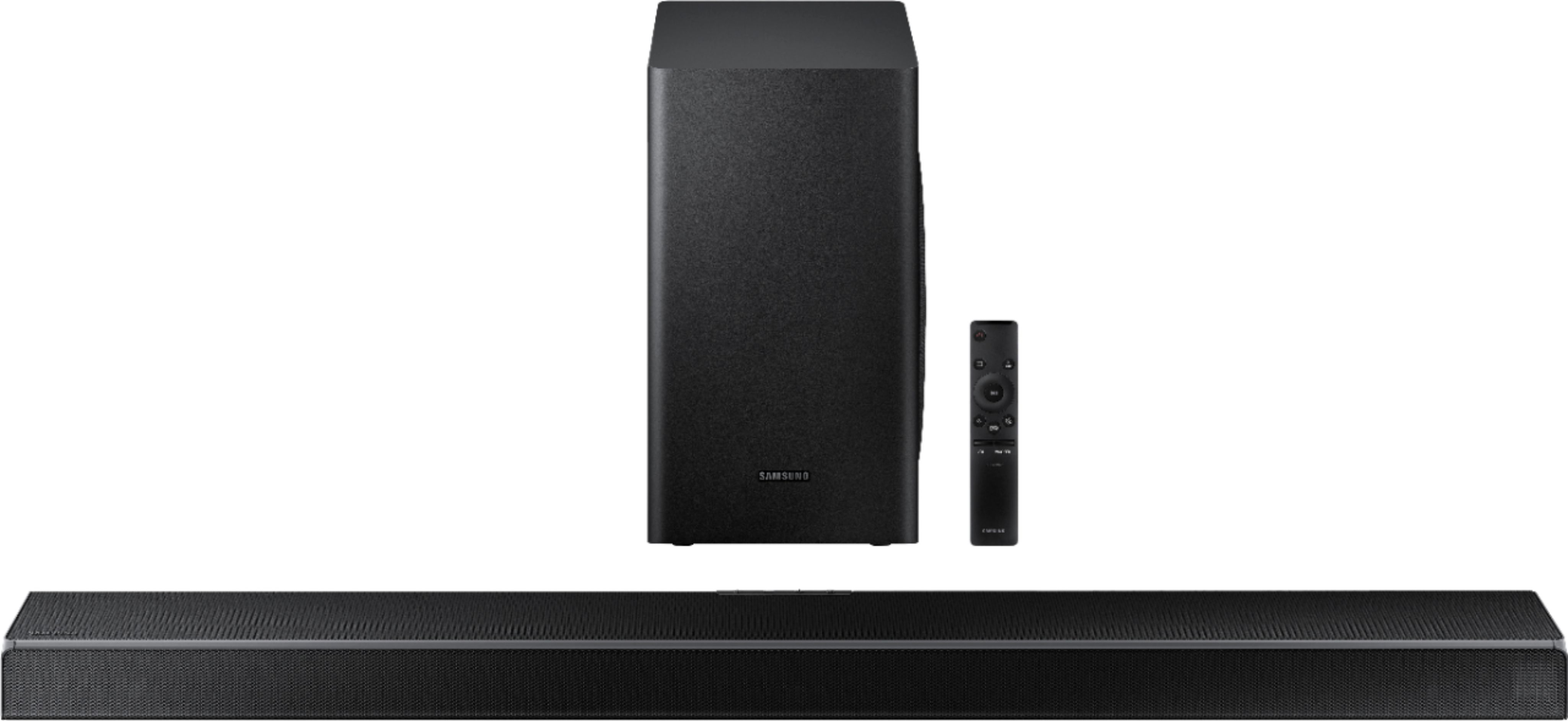
||Posted . Owned for less than 1 week when reviewed.This reviewer received promo considerations or sweepstakes entry for writing a review.No remote in the package. I know I can return it or get a remote, but the fact that I had to wait only for one of the three items in the picture to be missing is horrible service. Looking through the reviews, there are quite a few people who had their remotes missing.
No, I would not recommend this to a friendPoor sub woofer
||Posted . Owned for 2 weeks when reviewed.This reviewer received promo considerations or sweepstakes entry for writing a review.I bout this sound bar and woofer to go with my QLED TV..Sound bar is ok but Very poor sub woofer.. You can barely hear the sub woofer I tried adjusting the sub woofer to the max and you can still barely hear it. I even tried to put a action movie on still poor.. I return it and got my money back... don’t buy
No, I would not recommend this to a friendBrand response from Samsung
Posted .Skillz:
Thank you for purchasing this Samsung HW-Q60T Soundbar System. I am sorry to hear that you were not completely satisfied with the subwoofer sound performance.
Please know that when a subwoofer is connected to the soundbar, the Bass button on the remote becomes the Subwoofer key. You can push the button up or down to adjust the subwoofer volume.
Because the subwoofer is designed to pick up and amplify low frequency sounds, you won’t always hear it. To test if the sub-woofer is working properly, we recommend you play a Blu-ray or UHD DVD movie with plenty of explosions, and place your hand on the subwoofer. You should feel vibrations as the unit receives and transmits the incoming audio from the content.
Another good test is to play music content with deep bass via Bluetooth connection, as it is not dependent on “effects” decoding.
Should you have any questions or need assistance, please contact Samsung Customer Support:
1) Phone: 1-800-SAMSUNG, available 8AM - 9PM EST, Mon - Fri
2) LiveChat: https://www.samsung.com/us/support/#contact_us_for_support
3) Facebook Messenger: https://www.facebook.com/samsungsupport
4) Twitter: https://twitter.com/SamsungSupport
5) The Samsung Members Community is also a great resource for getting help from Samsung moderators and customers: https://us.community.samsung.com
If you have not already done so, we invite you to register your new Samsung product at: https://www.samsung.com/us/account/signin/?redirect=https%3A%2F%2Fwww.samsung.com%2Fus%2Fsupport%2Fregister%2F
Registering your product gives you access to easy warranty support, convenient opt-in to special promos and offers, faster troubleshooting and service, and quick notification of system updates.
~ Samsung Solutions
Poor sound
||Posted . Owned for 2 weeks when reviewed.This reviewer received promo considerations or sweepstakes entry for writing a review.Poor sound quality for a soundbar, not much better than the TV speakers.
No, I would not recommend this to a friendBrand response from Samsung
Posted .Skywrench:
I am sorry to see that you are not completely happy with the performance of your HW-Q60T sound system
Our 2020 HW-Q60T 5.1ch Acoustic Beam Soundbar was designed to deliver immersive 3D sound. Speakers firing from the front, side, and top brings the surround sound to life. Adaptive Sound automatically analyzes the sound signal to optimize sound based on each scene including voices at the lowest volumes.
If you have any questions or concerns, please know we are here to help. You can reach Samsung Customer Support via:
1) Phone: 1-800-SAMSUNG, available 8AM - 9PM EST, Mon - Fri
2) LiveChat: https://www.samsung.com/us/support/#contact_us_for_support
3) Facebook Messenger: https://www.facebook.com/samsungsupport
4) Twitter: https://twitter.com/SamsungSupport
5) The Samsung Members Community is also a great resource for getting help from Samsung moderators and customers: https://us.community.samsung.com
If you have not already done so, we invite you to register your new Samsung product at: https://www.samsung.com/us/account/signin/?redirect=https%3A%2F%2Fwww.samsung.com%2Fus%2Fsupport%2Fregister%2F
Registering your product gives you access to easy warranty support, convenient opt-in to special promos and offers, faster troubleshooting and service, and quick notification of system updates.
~ Samsung Solutions
Subwoofer with no bass??
||Posted .This reviewer received promo considerations or sweepstakes entry for writing a review.Has a 6.5 inch subwoofer that does basically nothing, dont expect any bass, or any thump when there are explosions when watching movies, if you put your ear to it you can hear its on with some low tones, thats it.
No, I would not recommend this to a friendBrand response from Samsung
Posted .Hi Dave,
Thank you for purchasing the Samsung HW-Q60T Soundbar and for your review. I am sorry to see that you are not happy with the subwoofer. Your feedback is very important to us and will be shared with our product team.
By design, the purpose of the subwoofer is to reproduces low frequency sounds and not musical tones. It adds rich tones and deepens sound effects, like the rumbles of an explosion or the depth in bass guitars and drums.
There are two adjustments that can be made for bass and subwoofer:
1) Using the WOOFER button on the remote, you can adjust the volume of the subwoofer between -6 to +6 by toggling the button up or down. To set the subwoofer volume level to 0, press the button down
2) Adjust the bass control by pressing the SOUND CONTROL button (gear icon) on the remote control, then select BASS to increase the level. You can adjust the volume between -6 to +6 by using the Up/Down buttons.
For precise audio adjustments, you can use the 7-band frequency equalizer to optimize the sound for your room acoustics.
I hope this helps. For further assistance with features, settings, adjustments, or functions please contact Samsung Customer Support at:
1) Phone: 1-800-SAMSUNG, (available 8AM to 12AM EST - 7 days a week)
2) LiveChat: https://www.samsung.com/us/support/#contact_us_for_support
3) Facebook Messenger: https://www.facebook.com/samsungsupport
4) Twitter: https://twitter.com/SamsungSupport
5) The Samsung Members Community is also a great resource for getting help from Samsung moderators and customers: https://us.community.samsung.com
If you have not already done so, we invite you to register your new Samsung product at:
https://www.samsung.com/us/account/signin/?redirect=https%3A%2F%2Fwww.samsung.com%2Fus%2Fsupport%2Fregister%2F
Registering your product gives you access to easy warranty support, convenient opt-in to special promos and offers, faster troubleshooting and service, and quick notification of system updates.
~ Samsung Ambassador
poor quality
||Posted .This reviewer received promo considerations or sweepstakes entry for writing a review.not the best, sound was extremely low and had to return it
No, I would not recommend this to a friendBrand response from Samsung
Posted .Hi Ashley,
Thank you for your review of the Samsung HW-Q60T Soundbar. I am sorry to hear that it did not work out for you and have returned your unit. I understand your disappointment.
Your feedback is very important to us and will be shared with our product team.
Please know that should you ever need assistance with settings or adjustments with a future Samsung purchase to optimize your sound experience, Samsung Customer Support is here to help.
1) Phone: 1-800-SAMSUNG, (available 8AM to 12AM EST - 7 days a week)
2) LiveChat: https://www.samsung.com/us/support/#contact_us_for_support
3) Facebook Messenger: https://www.facebook.com/samsungsupport
4) Twitter: https://twitter.com/SamsungSupport
5) The Samsung Members Community is also a great resource for getting help from Samsung moderators and customers: https://us.community.samsung.com
~ Samsung Ambassador
What do you mean a title
||Posted . Owned for 3 weeks when reviewed.This reviewer received promo considerations or sweepstakes entry for writing a review.Not compatible, unless you have a HDMI arc available on tv
No, I would not recommend this to a friendBrand response from Samsung
Posted .Hi Whatdoyoumean,
Thank you for your review of the Samsung HW-Q60T Soundbar. . Connecting your soundbar to the TV with HDMI will give you the best possible audio. HDMI cables transmit sound digitally, which makes everything crystal clear. There are 2 ways to connect your soundbar using HDMI: either by connecting a device to your soundbar (like a Blu-ray player or a video game system) and then connecting the soundbar to the TV, or by using ARC (Audio Return Channel). Use the first method if you want to get the best possible sound from external device you will be regularly using to watch movies or play games. ARC is the way to go if you just have just a TV and a soundbar, and you want great sound from your streaming apps like Netflix, Hulu, and Vudu.
Connect your soundbar and a device using HDMI
Make sure the TV, soundbar, and device are turned off. Then, connect one end of an HDMI cable into any HDMI port on your TV (make a note of which one). Next, connect the other end to the HDMI OUT port on your soundbar.
Connect a second HDMI cable from the HDMI OUT port on your cable box or video game system to the HDMI IN port on your soundbar.
Turn your device on. Then, turn the soundbar on and press Source or Function to change the soundbar to HDMI.
Turn the TV on and press Source or Function to change the TV to the HDMI port that you connected the soundbar to in Step 1.
You will see a picture from the device on your TV, and hear audio from the soundbar.
HDMI ARC (Audio Return Channel) is the neatest TV feature you've probably never heard of. ARC lets certain TVs and soundbars transfer audio back and forth using one HDMI cable. In other words, you can use the HDMI port as both an input and audio output. The only downside is that your soundbar is going to take up a port on your TV that would normally connect an external device.
To set up HDMI ARC, power on your TV and soundbar.
Next, connect one end of an HDMI cable into the HDMI IN (ARC) port on your TV. Connect the other end into the HDMI OUT (TV-ARC) port on your soundbar. Next, change the source on your soundbar to the D.IN. setting. After a few seconds, "TV ARC" will appear on the soundbar's display, and the TV will transfer audio through the soundbar.
For further assistance, please contact Samsung Customer Support and a representative will gladly help you.
1) Phone: 1-800-SAMSUNG, (available 8AM to 12AM EST - 7 days a week)
2) LiveChat: https://www.samsung.com/us/support/#contact_us_for_support
3) Facebook Messenger: https://www.facebook.com/samsungsupport
4) Twitter: https://twitter.com/SamsungSupport
5) The Samsung Members Community is also a great resource for getting help from Samsung moderators and customers: https://us.community.samsung.com
If you have not already done so, we invite you to register your new Samsung product at:
https://www.samsung.com/us/account/signin/?redirect=https%3A%2F%2Fwww.samsung.com%2Fus%2Fsupport%2Fregister%2F
Registering your product gives you access to easy warranty support, convenient opt-in to special promos and offers, faster troubleshooting and service, and quick notification of system updates.
~ Samsung Ambassador
Sound
||Posted . Owned for 1 month when reviewed.This reviewer received promo considerations or sweepstakes entry for writing a review.Sound need more quality. Has to set high vol for aprecite
No, I would not recommend this to a friendBrand response from Samsung
Posted .Hi Sound,
Thank you for sharing your review of the Samsung HW-Q60T Soundbar. I am sorry to see that you are not completely happy with the sound performance. This soundbar features a powerful wireless subwoofer, as well as Game Pro Mode, Dolby Digital Plus, and DTS Digital Surround for deep bass, rich sound, and clear tones.
You can try optimizing audio performance for your specific content by pressing the SOUND MODE button on your remote, and then selecting the desired sound effect by choosing STANDARD, SURROUND SOUND, GAME PRO, ADAPTIVE SOUND, or DTS VIRTUAL:X.
You can further adjust TREBLE and BASS via the SOUND CONTROL button (looks like a gear symbol).
Refer to pages 22-24 of the User Manual for detailed instructions: https://downloadcenter.samsung.com/content/UM/202004/20200417163727097/HW-Q60T_ZA_FullManual_02_ENG_200219.pdf
If you need further assistance, please know we are here to help. You can reach Samsung Customer Support at:
1) Phone: 1-800-SAMSUNG, (available 8AM to 12AM EST - 7 days a week)
2) LiveChat: https://www.samsung.com/us/support/#contact_us_for_support
3) Facebook Messenger: https://www.facebook.com/samsungsupport
4) Twitter: https://twitter.com/SamsungSupport
5) The Samsung Members Community is also a great resource for getting help from Samsung moderators and customers: https://us.community.samsung.com
If you have not already done so, we invite you to register your new Samsung product at:
https://www.samsung.com/us/account/signin/?redirect=https%3A%2F%2Fwww.samsung.com%2Fus%2Fsupport%2Fregister%2F
Registering your product gives you access to easy warranty support, convenient opt-in to special promos and offers, faster troubleshooting and service, and quick notification of system updates.
~ Samsung Ambassador
Doesn't work
||Posted .This reviewer received promo considerations or sweepstakes entry for writing a review.Just purchased this soundboard yesterday, and it won't even turn on smdh, will be taking it back and see what type of service I'll get after spending all this money on something that doesn't doesn't work
No, I would not recommend this to a friendBrand response from Samsung
Posted .Hi BLEESR63,
I am very sorry you are experiencing issues with your HW-Q60T Soundbar not turning on.
Samsung is committed to providing the best possible product experience, quality, and value. We back this model with a 1-year limited manufacturer's warranty if purchased brand-new directly from an authorized seller.
Please reach out to Samsung Customer Support so we can better diagnose your issue and provide you with troubleshooting assistance or warranty service.
1) Phone: 1-800-SAMSUNG, (available 8AM to 12AM EST - 7 days a week)
2) LiveChat: https://www.samsung.com/us/support/#contact_us_for_support
3) Facebook Messenger: https://www.facebook.com/samsungsupport
4) Twitter: https://twitter.com/SamsungSupport
5) The Samsung Members Community is also a great resource for getting help from Samsung moderators and customers: https://us.community.samsung.com
If you have not already done so, we invite you to register your new Samsung product at:
https://www.samsung.com/us/account/signin/?redirect=https%3A%2F%2Fwww.samsung.com%2Fus%2Fsupport%2Fregister%2F
Registering your product gives you access to easy warranty support, convenient opt-in to special promos and offers, faster troubleshooting and service, and quick notification of system updates.
~ Samsung Ambassador
SzsB
||Posted . Owned for 3 weeks when reviewed.This reviewer received promo considerations or sweepstakes entry for writing a review.Not as per price standards and Samsung brand in market
No, I would not recommend this to a friendBrand response from Samsung
Posted .Hi Kapi,
Thank you for sharing your review of the Samsung HW-Q60T Soundbar. I am sorry to see that you are not completely happy with the sound performance. This soundbar features a powerful wireless subwoofer, as well as Game Pro Mode, Dolby Digital Plus, and DTS Digital Surround for deep bass, rich sound, and clear tones.
You can try optimizing audio performance for your specific content by pressing the SOUND MODE button on your remote, and then selecting the desired sound effect by choosing STANDARD, SURROUND SOUND, GAME PRO, ADAPTIVE SOUND, or DTS VIRTUAL:X.
You can further adjust TREBLE and BASS via the SOUND CONTROL button (looks like a gear symbol).
Refer to pages 22-24 of the User Manual for detailed instructions: https://downloadcenter.samsung.com/content/UM/202004/20200417163727097/HW-Q60T_ZA_FullManual_02_ENG_200219.pdf
If you need further assistance, please know we are here to help. You can reach Samsung Customer Support at:
1) Phone: 1-800-SAMSUNG, (available 8AM to 12AM EST - 7 days a week)
2) LiveChat: https://www.samsung.com/us/support/#contact_us_for_support
3) Facebook Messenger: https://www.facebook.com/samsungsupport
4) Twitter: https://twitter.com/SamsungSupport
5) The Samsung Members Community is also a great resource for getting help from Samsung moderators and customers: https://us.community.samsung.com
If you have not already done so, we invite you to register your new Samsung product at:
https://www.samsung.com/us/account/signin/?redirect=https%3A%2F%2Fwww.samsung.com%2Fus%2Fsupport%2Fregister%2F
Registering your product gives you access to easy warranty support, convenient opt-in to special promos and offers, faster troubleshooting and service, and quick notification of system updates.
~ Samsung Ambassador
sounded so weak
||Posted . Owned for 1 month when reviewed.This reviewer received promo considerations or sweepstakes entry for writing a review.Not good, I took it back and went back to my old stereo. Just sounded so weak. you can here the voices okay, but just not powerful for any other sound. If you just watch the Hallmark Channel like my wife your fine. Not good for any type of action or other movie.
No, I would not recommend this to a friendBrand response from Samsung
Posted .Hi RonM,
Thank you for your review of the Samsung HW-Q60TSoundbar. I am sorry to hear that it did not work out for you and have returned your unit. I understand your disappointment.
Your feedback is very important to us and will be shared with our product team.
Please know that should you ever need assistance with settings or adjustments with a future Samsung purchase to optimize your sound experience, Samsung Customer Support is here to help.
1) Phone: 1-800-SAMSUNG, (available 8AM to 12AM EST - 7 days a week)
2) LiveChat: https://www.samsung.com/us/support/#contact_us_for_support
3) Facebook Messenger: https://www.facebook.com/samsungsupport
4) Twitter: https://twitter.com/SamsungSupport
5) The Samsung Members Community is also a great resource for getting help from Samsung moderators and customers: https://us.community.samsung.com
~ Samsung Ambassador
Not what I was expecting
||Posted . Owned for 6 months when reviewed.This reviewer received promo considerations or sweepstakes entry for writing a review.Returned. Sound wasn’t worth the money spent to me
No, I would not recommend this to a friendBrand response from Samsung
Posted .Jjohnson,
Thank you for your review of the Samsung HW-Q60T Soundbar System. I am sorry to hear that you were not completely happy with the sound performance and have returned your unit.
Your feedback is very important to us and will be shared with our product team.
Please know that should you ever need assistance with settings or adjustments with a future Samsung purchase to optimize your sound experience, Samsung Customer Support is here to help.
1) Phone: 1-800-SAMSUNG, (available 8AM to 12AM EST - 7 days a week)
2) LiveChat: https://www.samsung.com/us/support/#contact_us_for_support
3) Facebook Messenger: https://www.facebook.com/samsungsupport
4) Twitter: https://twitter.com/SamsungSupport
5) The Samsung Members Community is also a great resource for getting help from Samsung moderators and customers: https://us.community.samsung.com
~ Samsung Ambassador
Synching problems
||Posted . Owned for 1 month when reviewed.This reviewer received promo considerations or sweepstakes entry for writing a review.Problem syncing to input. Did not recognize the tv
No, I would not recommend this to a friendBrand response from Samsung
Posted .Hi Carinacelina,
Thank you for your review of the Samsung HW-Q60T Soundbar. I am sorry to hear that you had some connection issues with this soundbar.
Please know that this model can be connected to your TV via HDMI.
Here is the step-by-step guide for your reference:
1) With the Soundbar and TV turned on, connect the HDMI cable (not supplied).
2) “TV ARC” appears in the display window of the Soundbar main unit and the Soundbar plays TV Sound.
a. If TV sound is inaudible, press the (Source) button on the remote control or on the right side of the Soundbar to switch to “D.IN” mode. The screen displays “D.IN” and “TV ARC” in sequence, and the TV sound is played.
b. If “TV ARC” does not appear in the display window of the Soundbar main unit, confirm that the cable is connected to the correct port.
c. Use the volume buttons on the TV’s remote control to change the volume on the Soundbar.
If the TV provides an ARC port, connect the HDMI cable to the HDMI IN (ARC) port. We recommend you use a coreless HDMI cable if possible. If you use a corded HDMI cable, use one whose diameter is less than 0.55 inches (14 mm). This function is not available if the HDMI cable does not support ARC.
If you are connecting wirelessly via Bluetooth, please follow these steps:
1) Press the PAIR button on the remote to enter BT PAIRING mode
- “BT” changes to “BT PAIRING” in a few seconds automatically or changes to “BT READY” if there is a connect record.
- When “BT READY” appears, press and hold the (Mic On/Off) button on the top panel of the Soundbar for more than 5 seconds to display “BT PAIRING”.
2) Select Bluetooth mode on the Samsung TV: Home > Settings (gear button on remote) > Sound > Sound Output > Bluetooth Speaker List > [AV] Samsung Soundbar Q60T (Bluetooth))
3) Select “[AV] Samsung Soundbar Q60T” from the list on TV’s screen. An available Soundbar is indicated with “Need Pairing” or “Paired” on the TV’s Bluetooth device list. To connect the Samsung TV to the Soundbar, select the message, and then establish a connection.
- When the Samsung TV is connected, [TV Name] > “BT” appears on the Soundbar’s front display
4) After you have connected the Soundbar to your Samsung TV the first time, use the “BT READY” mode to reconnect.
If you have an existing Soundbar (e.g., [AV] Samsung Soundbar Q60T) on the list of speakers on the Samsung TV, delete it. Then repeat steps 1 through 3.
For additional step-by-step troubleshooting tips, please visit this support guide: https://www.samsung.com/ca/support/tv-audio-video/tv-connecting-a-soundbar-using-hdmi/
For further assistance, please contact Samsung Customer Support and a representative will gladly help you.
For further assistance, please contact Samsung Customer Support.
1) Phone: 1-800-SAMSUNG, (available 8AM to 12AM EST - 7 days a week)
2) LiveChat: https://www.samsung.com/us/support/#contact_us_for_support
3) Facebook Messenger: https://www.facebook.com/samsungsupport
4) Twitter: https://twitter.com/SamsungSupport
5) The Samsung Members Community is also a great resource for getting help from Samsung moderators and customers: https://us.community.samsung.com
If you have not already done so, we invite you to register your new Samsung product at:
https://www.samsung.com/us/account/signin/?redirect=https%3A%2F%2Fwww.samsung.com%2Fus%2Fsupport%2Fregister%2F
Registering your product gives you access to easy warranty support, convenient opt-in to special promos and offers, faster troubleshooting and service, and quick notification of system updates.
~ Samsung Ambassador
Poor Sounding Soundbar
||Posted .This reviewer received promo considerations or sweepstakes entry for writing a review.I didn't like this at all and ended up taking it back for a different brand. I just thought for the money it cost the quality was poor. There was hardly any base to it compared to what I have heard from other soundbars in the same price range.
No, I would not recommend this to a friendHorrible product
||Posted .This reviewer received promo considerations or sweepstakes entry for writing a review.Zero stars but I need to give it one star to submit this review. This thing is horrible. It doesn’t turn on. It doesn’t play sound sometimes. It has a mind of its own. I am going to return it.
No, I would not recommend this to a friendBrand response from Samsung
Posted .Garbage,
I am very sorry you are experiencing issues with your HW-Q60T Soundbar. Your feedback is very important to us and will be shared with our product team.
Samsung is committed to providing the best possible product experience, quality, and value. We back this model with a 1-year limited manufacturer's warranty if purchased brand-new directly from an authorized seller.
Please reach out to Samsung Customer Support so we can better understand your issue and provide you with troubleshooting assistance or warranty service.
For further assistance, please contact Samsung Customer Support.
1) Phone: 1-800-SAMSUNG, (available 8AM to 12AM EST - 7 days a week)
2) LiveChat: https://www.samsung.com/us/support/#contact_us_for_support
3) Facebook Messenger: https://www.facebook.com/samsungsupport
4) Twitter: https://twitter.com/SamsungSupport
5) The Samsung Members Community is also a great resource for getting help from Samsung moderators and customers: https://us.community.samsung.com
~ Samsung Ambassador